Abandoned Cart Recovery saves carts as customers shop, sends up to three reminder emails with optional coupons, restores the cart with one click and reports what was recovered.
Requirements
- WordPress 6.8 or newer
- WooCommerce 10.0 or newer
- PHP 7.4 or newer
- Works with classic and block themes, the Cart and Checkout blocks, and High-Performance Order Storage.
Installation
- Download
abandoned-cart-recovery.zipfrom My account > Downloads. - In WordPress, go to Plugins > Add New Plugin > Upload Plugin, choose the zip file and click Install Now.
- Click Activate. The dashboard, carts, emails and settings are under WooCommerce > Abandoned carts.
Quick start
- Activate the plugin. Carts are saved from now on.
- Go to WooCommerce > Abandoned carts > Emails, check the three reminders and click Send me a test.
- Open the Dashboard after a few days to see abandoned and recovered carts.
How carts are saved
Logged-in customers’ carts are saved as they shop. Guests’ carts are saved as soon as they type their email address at checkout. A cart counts as abandoned after the minutes without changes you set under Abandoned after.
Carts are checked and reminders sent every 15 minutes, by WP-Cron. On low-traffic sites, a real cron job makes the timing exact.
Reminder emails
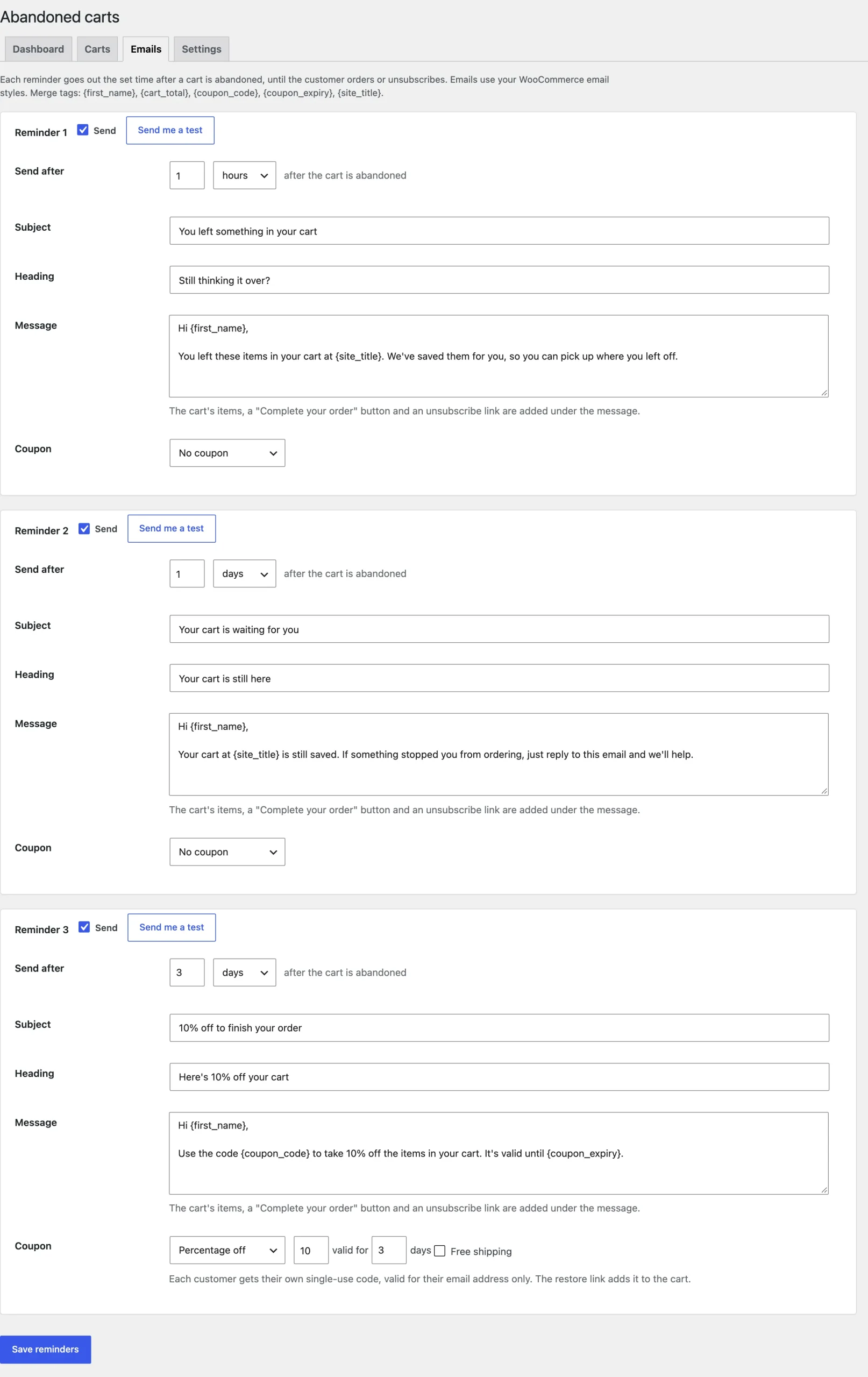
Up to three reminders, each with its own delay after the cart is abandoned, subject, heading and message. Merge tags such as {first_name}, {cart_total}, {coupon_code} and {coupon_expiry} are filled in for each customer.
Coupons
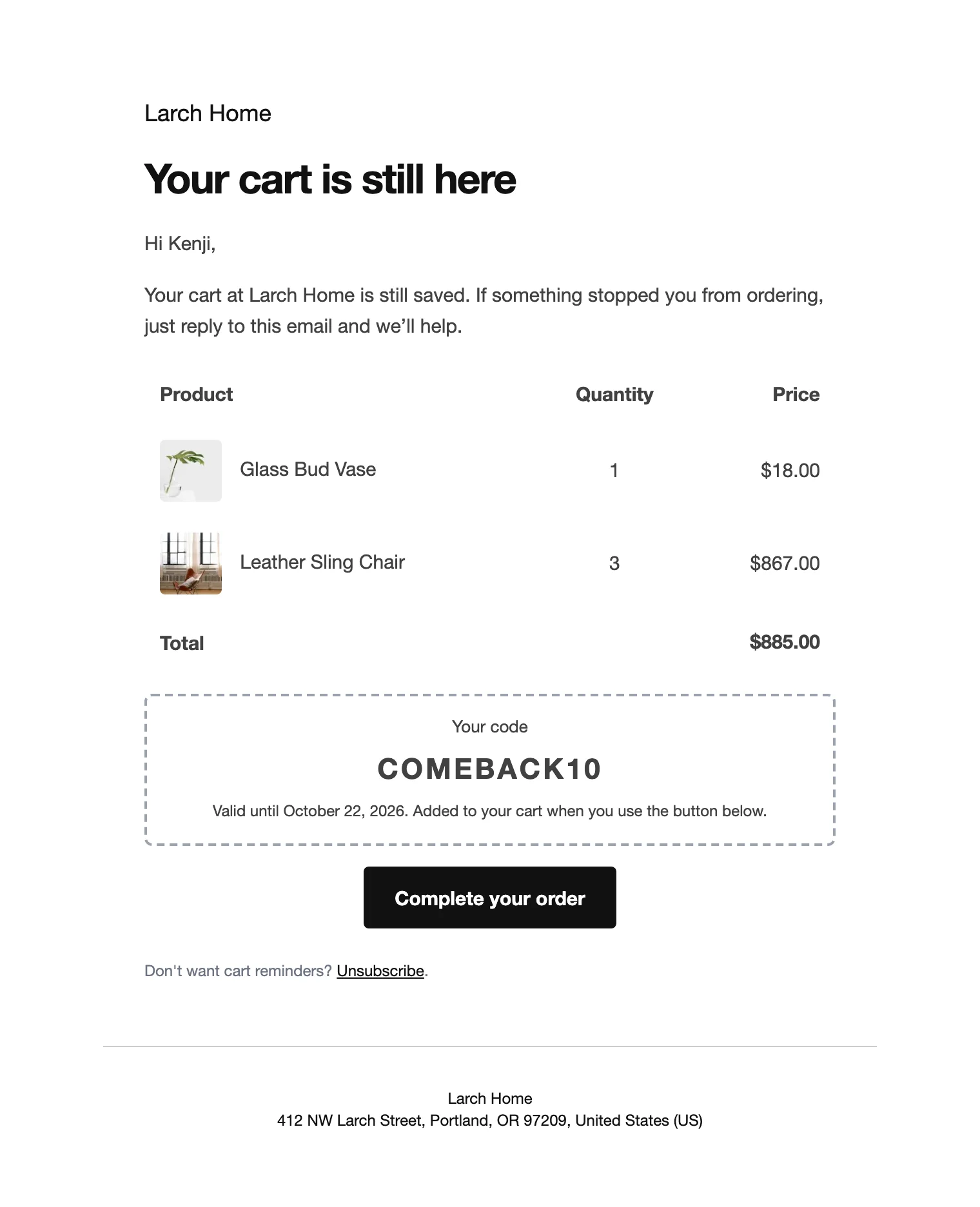
Choose a coupon for a reminder: a percentage or amount off the cart, with free shipping if you like, valid for the days you set. Each coupon is single use and limited to the customer’s email. Unused coupons are deleted when they expire.
Restore links
The button in each reminder restores the cart, applies the coupon and opens the checkout with the details filled in, or the cart if you prefer.
Carts and history
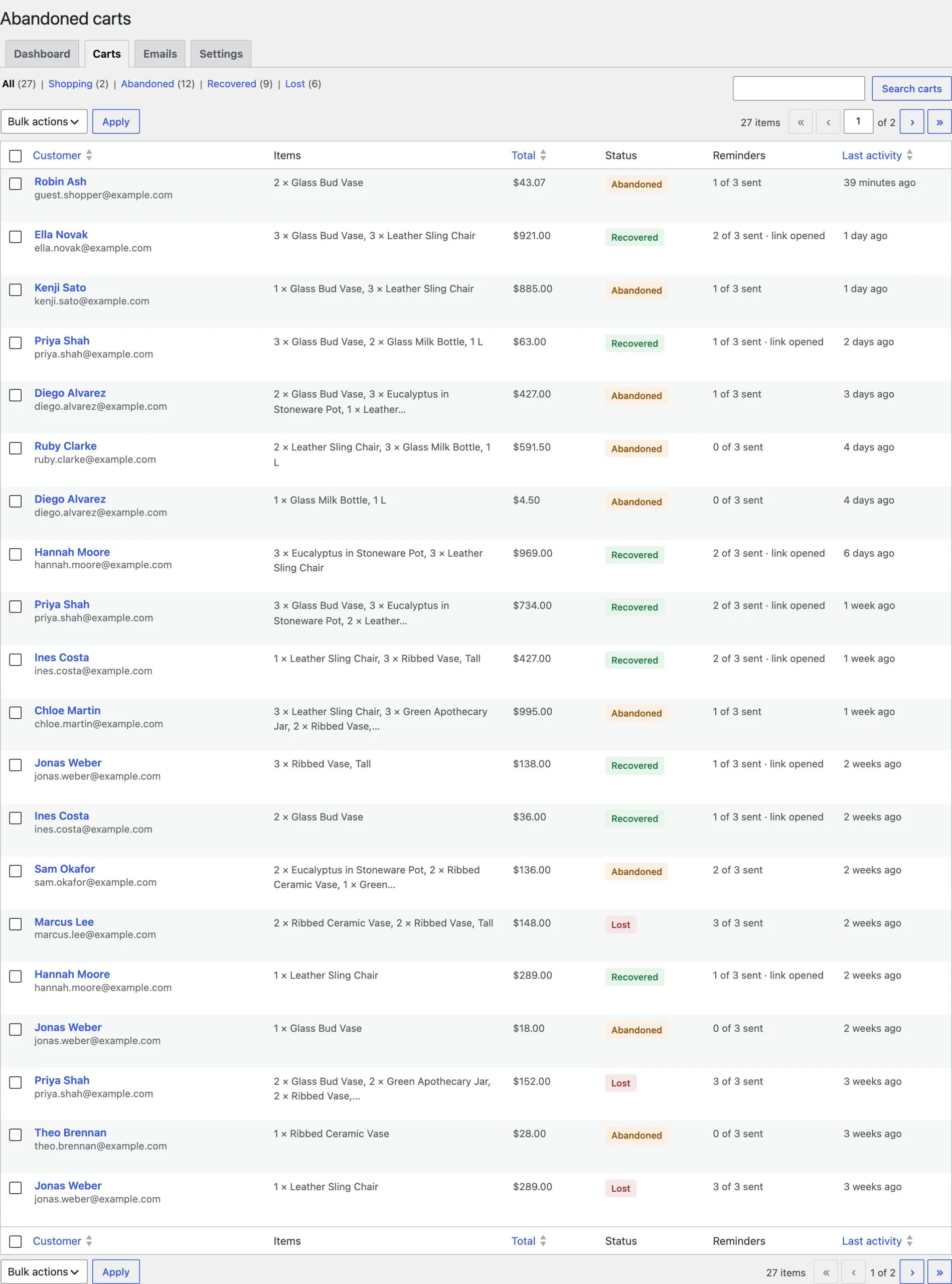
The Carts tab lists every saved cart by status: active, abandoned, recovered or lost. Open a cart to see its items, customer, history and restore link, send the next reminder now or delete it.
Dashboard
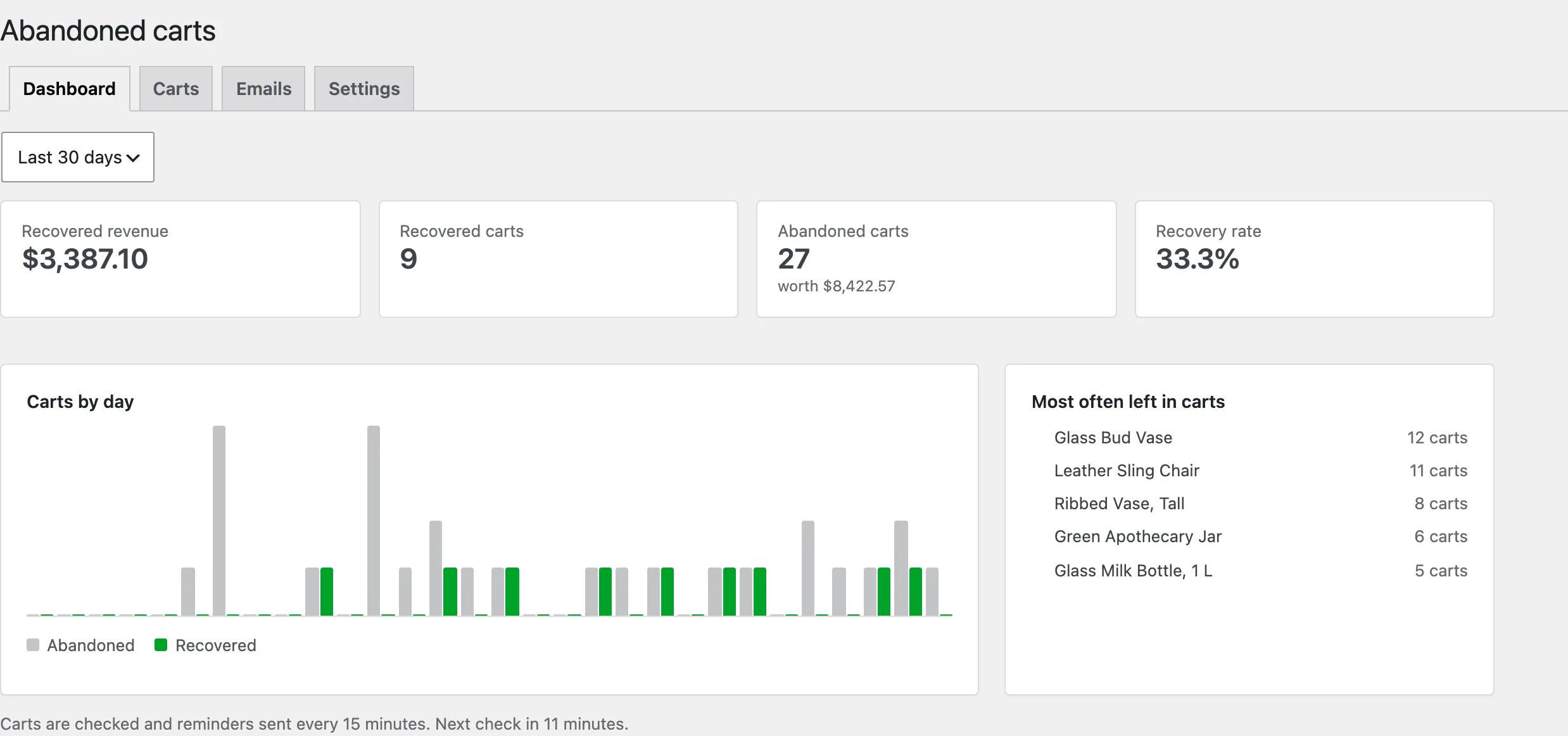
Recovered revenue, recovered and abandoned carts, the value left in carts and the recovery rate, with carts by day and the products most often left in carts.
Settings
| Setting | What it does |
|---|---|
| Abandoned after | Minutes without changes before a cart counts as abandoned. |
| Smallest cart | Carts worth less aren’t saved. |
| Don’t save carts of | Roles whose carts aren’t saved, such as wholesale customers. |
| Checkout notice | A short notice under the email field telling guests their cart is saved. |
| Restore link goes to | The checkout with the details filled in, or the cart. |
| Store emails | Email your team when a cart is recovered. |
| Count as lost after | Days after the last reminder before a cart counts as lost. |
| Delete saved carts after | Days before saved carts are deleted. |
| Remove data | Delete carts, coupons and settings when the plugin is deleted. |
For developers
| Hook | Use |
|---|---|
acra_capture_cart | Whether a cart is saved. |
acra_cart_recovered | Runs when a cart is recovered by an order. |
acra_amount_in_store_currency | Converts an amount in another currency for the dashboard. |
acra_admin_capability | The capability needed to manage carts. |
Copy files from templates/emails/ to yourtheme/woocommerce/ to change the reminder emails, as with any WooCommerce email.
Frequently asked questions
How do I see abandoned carts in WooCommerce?
Go to WooCommerce > Abandoned carts > Carts. Each cart shows its customer, items, value and status.
How do I manage WooCommerce abandoned carts?
Set the reminders on the Emails tab, then use the Carts tab to send a reminder now, copy a restore link or delete a cart.
What is an abandoned cart in WooCommerce?
A cart with an email address that had no changes for the time you set, 30 minutes by default, without an order.
Changelog
1.0.0 · October 19, 2026
- Cart saving for customers and guests in the classic checkout and the Checkout block.
- Up to three reminders with merge tags and optional single-use coupons.
- One-click restore links.
- Dashboard, carts list and cart history.