Event Tickets sells event tickets as WooCommerce products, with ticket types, dates and attendee details, PDF tickets with QR codes and a check-in screen for phones.
Requirements
- WordPress 6.8 or newer
- WooCommerce 10.0 or newer
- PHP 7.4 or newer
- Works with classic and block themes, the Cart and Checkout blocks, and High-Performance Order Storage.
Installation
- Download
maxima-event-tickets.zipfrom My account > Downloads. - In WordPress, go to Plugins > Add New Plugin > Upload Plugin, choose the zip file and click Install Now.
- Click Activate. Make a product an event with the Event option next to Virtual. Events, attendees and settings are under WooCommerce > Events.
Quick start
- Add a product and tick Event next to Virtual.
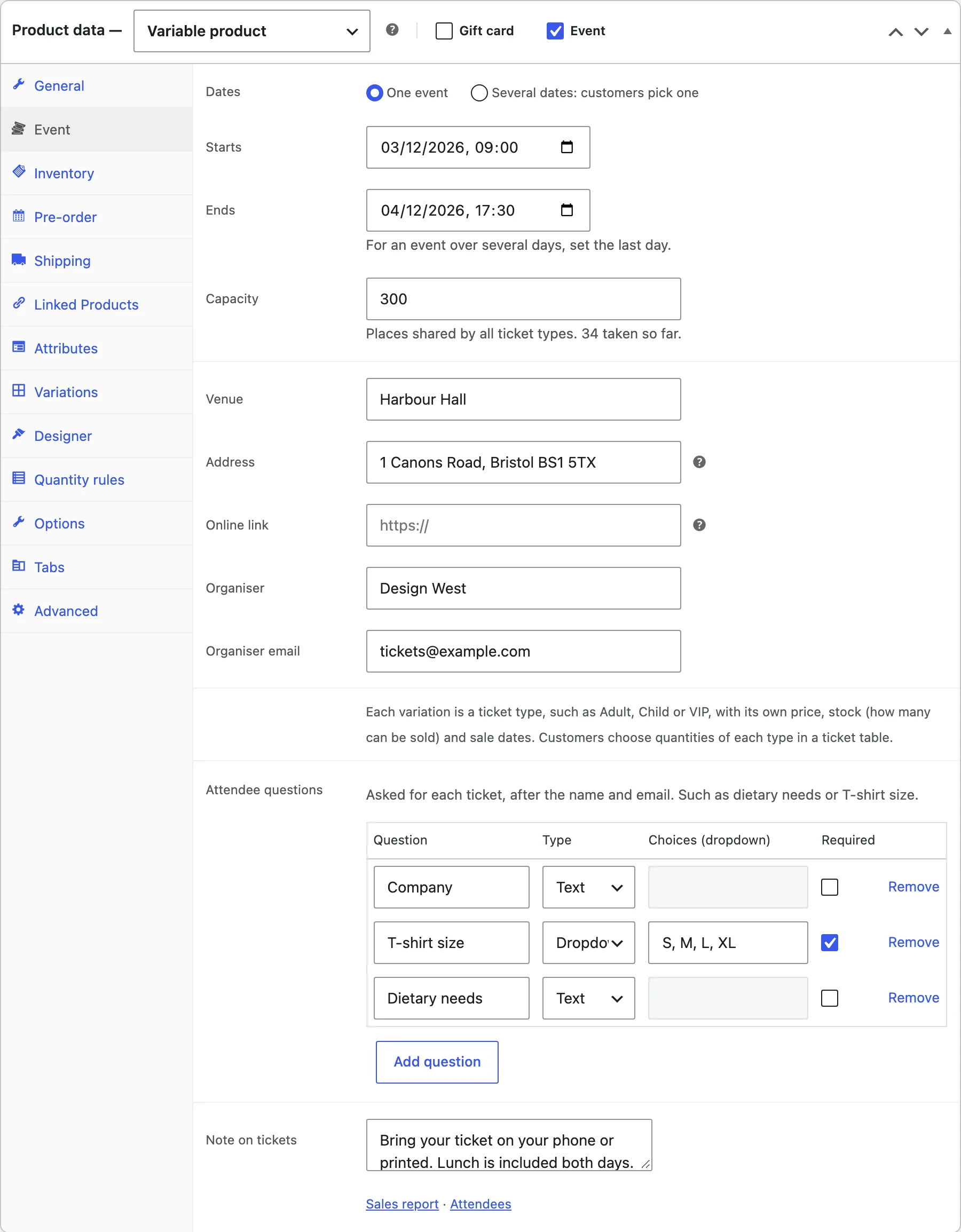
- On the Event tab, set the date and time, venue and capacity, or several dates.
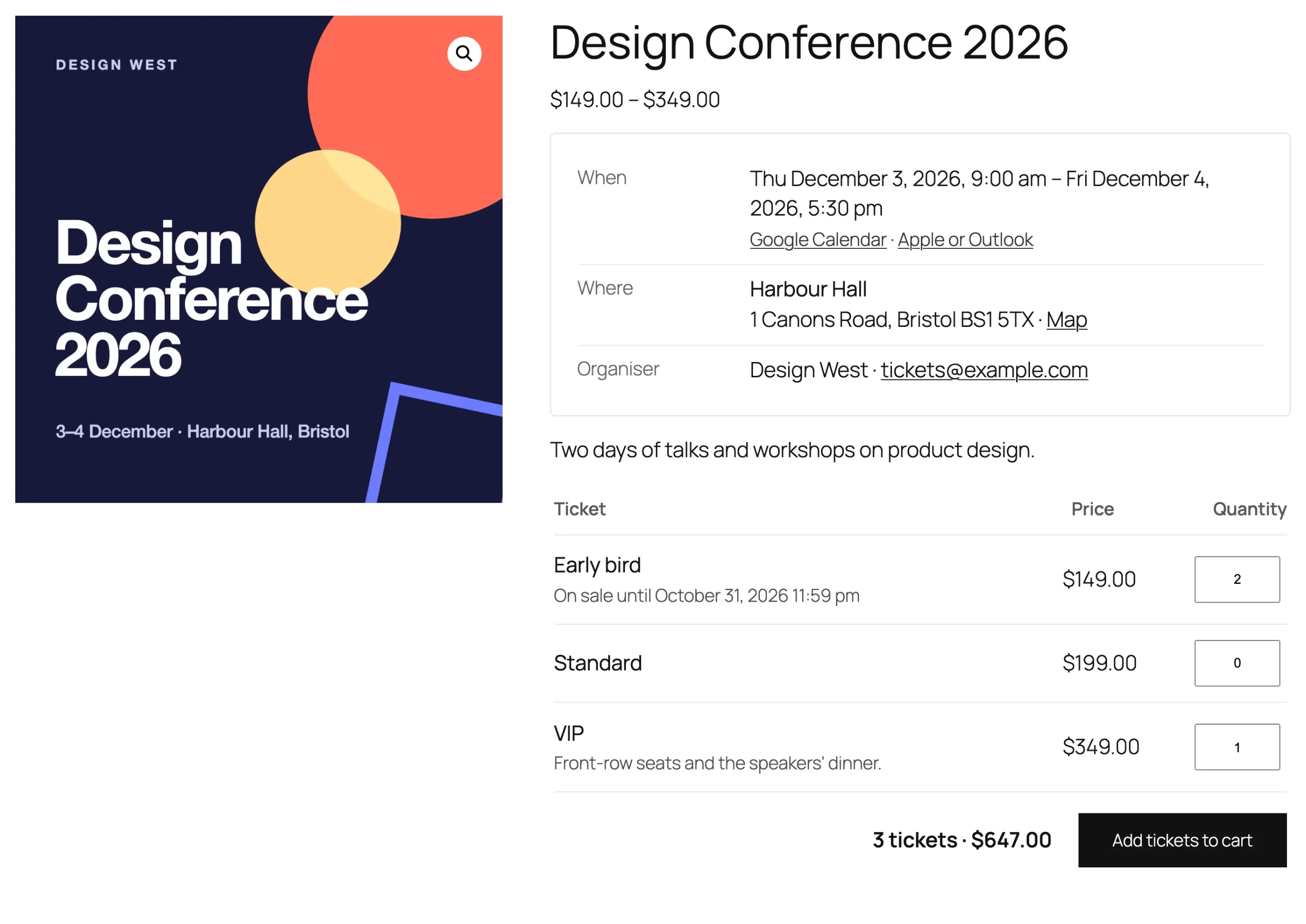
- For ticket types, make it a variable product with a “Ticket type” attribute and a variation per type.
- Under WooCommerce > Events > Settings, choose how attendee details are asked for and add your logo.
- Buy a ticket, then open the check-in screen from WooCommerce > Events and scan its QR code.
The Event tab
Choose one event or several dates customers pick from. Set the start and end, the capacity shared by all ticket types, the venue and address, an online link, the organiser, sale dates and the questions to ask each attendee.
Ticket types
On a variable product, each variation is a ticket type with its own price and stock. Each variation also has Tickets on sale from and until, for early bird prices.
Attendee details
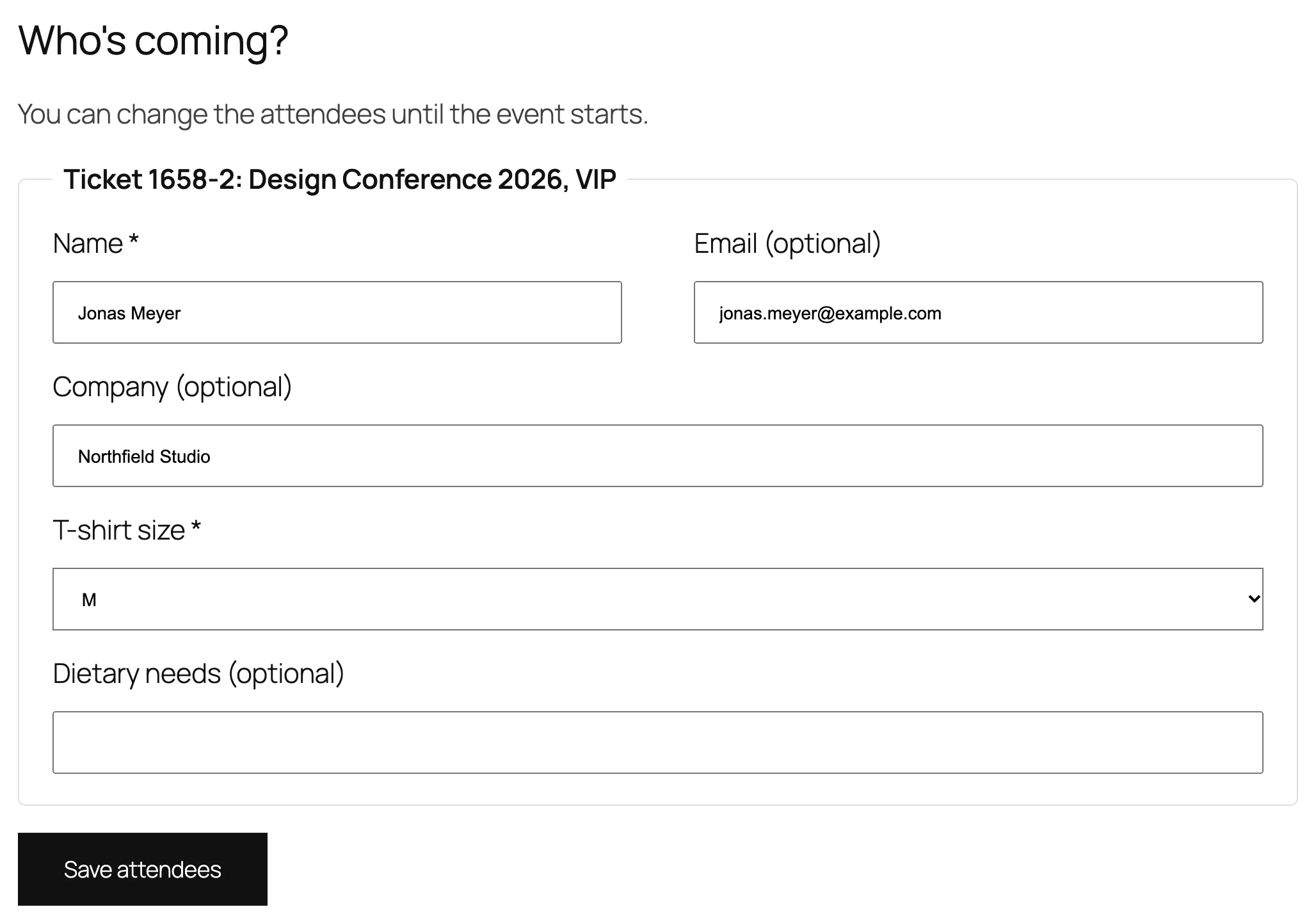
Under Settings, ask at checkout, after the order, or not at all. With the Checkout block, customers fill in the names on the order received page. Tickets without a name carry the buyer’s.
Tickets and emails
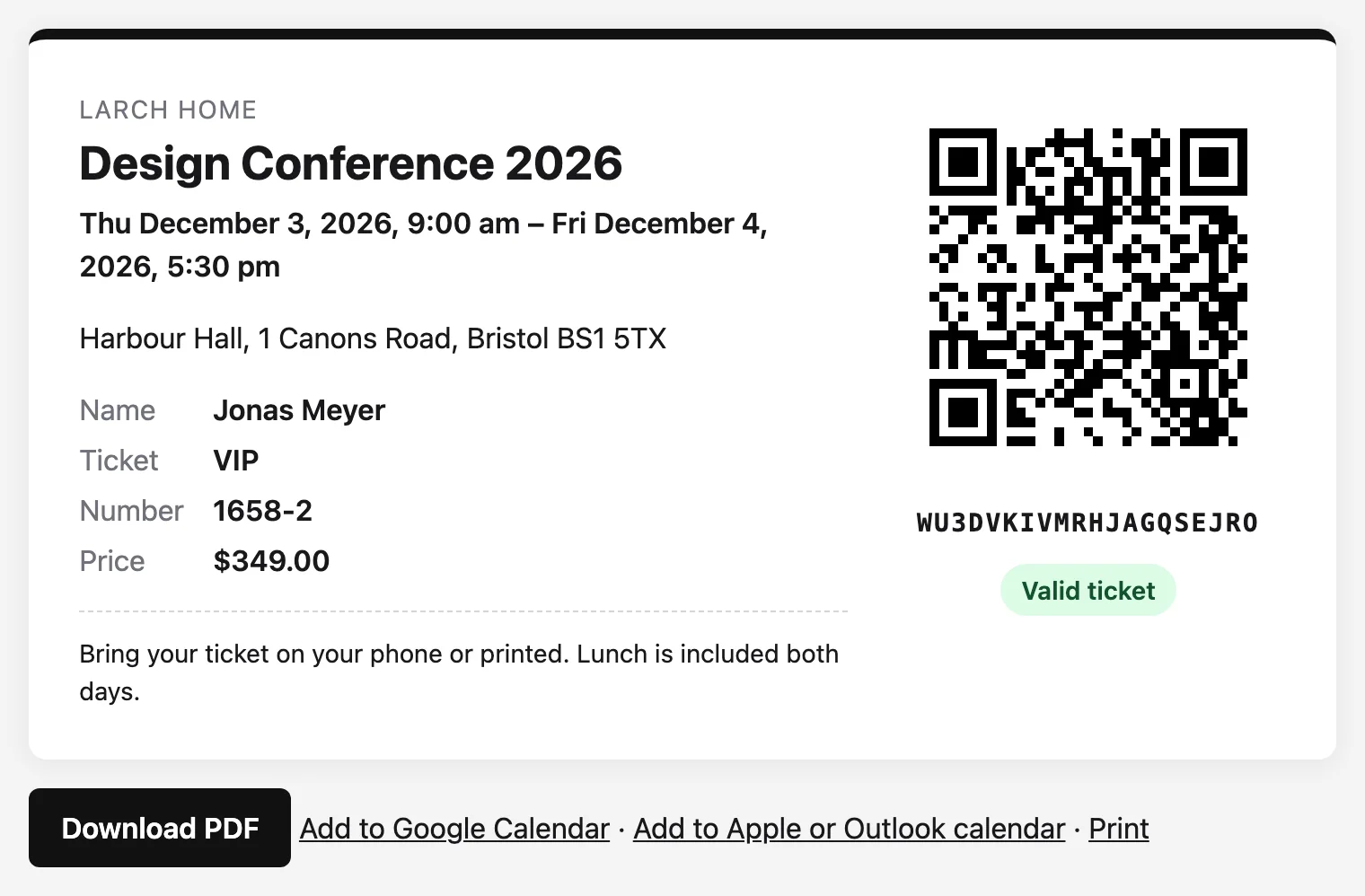
Tickets become valid when the order is paid and are emailed as a PDF. The ticket page shows the QR code with calendar links. A reminder goes out before each date.
Check-in
Open Open check-in screen on a phone, pick the event, start the camera and scan. You can also type a code or search a name. Give door staff the Event staff role.
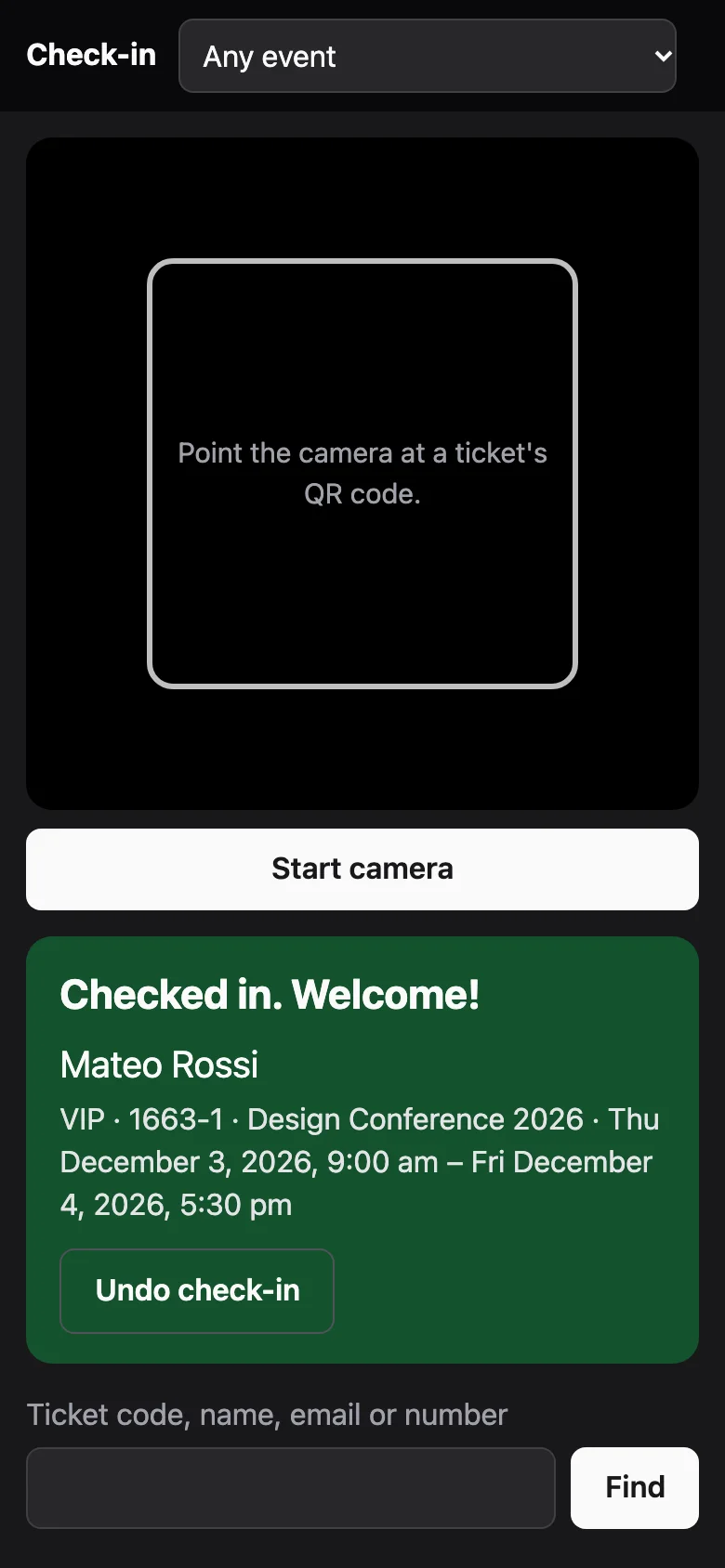
The camera needs your site on HTTPS.
Events, attendees and emails
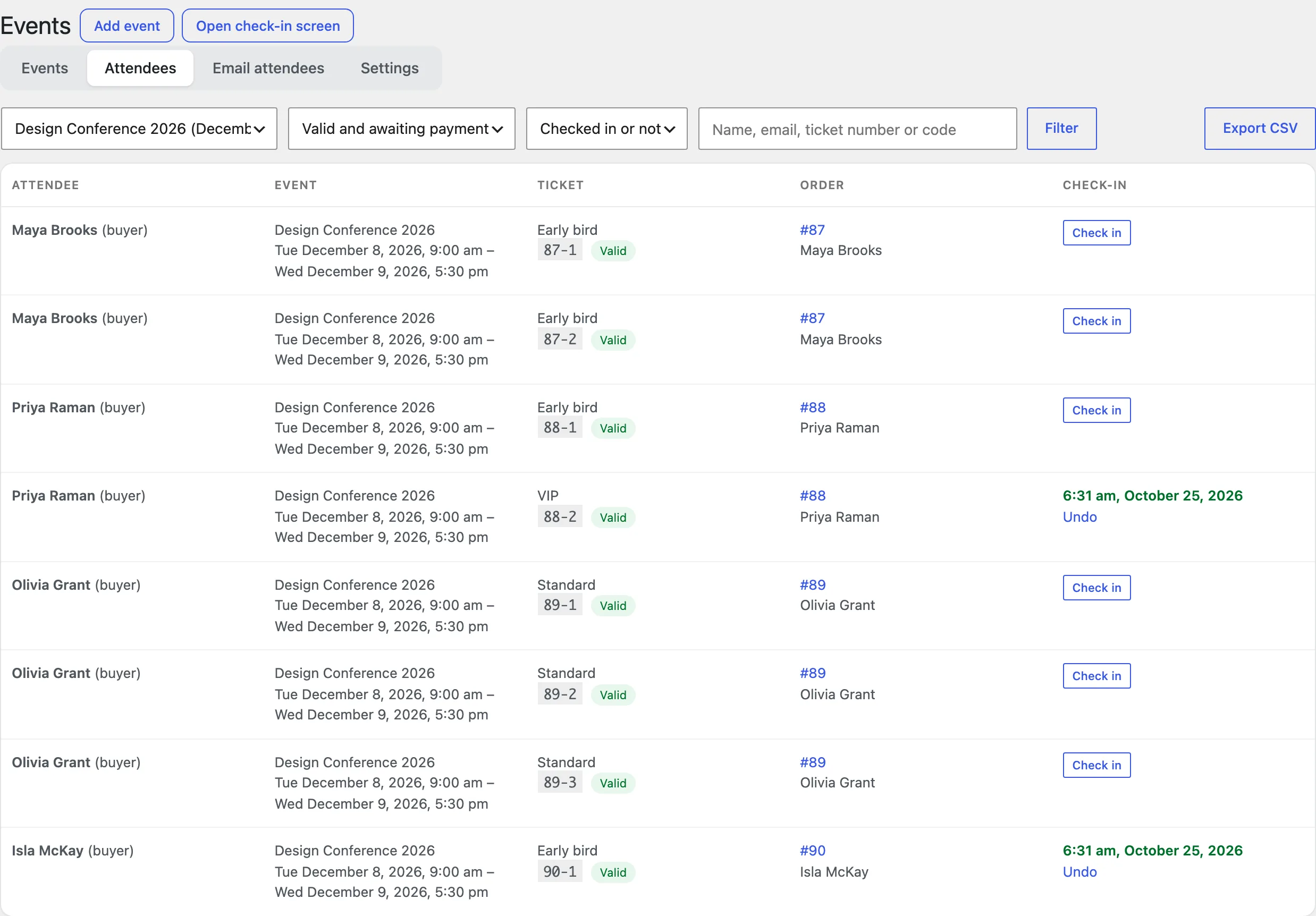
WooCommerce > Events lists upcoming and past events with sold, capacity and check-ins, and a report per event. The Attendees tab filters, checks in, edits, resends and exports. Email attendees sends a message to everyone with a ticket.
Settings
| Setting | What it does |
|---|---|
| Attendee details | Ask at checkout, after the order, or don’t ask. |
| Attendee email | Optional, required or not asked. |
| Attendee tickets | Email attendees their own ticket. |
| Logo and accent colour | Shown on PDF tickets and ticket pages. |
| Price | Show the price paid on tickets. |
| Note on every ticket | Entry rules or a refund policy. |
| Reminder email | A reminder a number of hours before each date. |
| Past events | Hide events from the shop once they’ve ended. |
| “Only a few left” message | Show it under this many tickets. |
For developers
| Hook | Use |
|---|---|
etev_valid_statuses | Order statuses whose tickets are valid. |
etev_checked_in | Runs after an attendee is checked in. |
The tickets and reminder emails are listed under WooCommerce > Settings > Emails. Copy etev-tickets.php, etev-reminder.php or etev-ticket-list.php from includes/emails/templates/ to yourtheme/woocommerce/ to change them.
Frequently asked questions
Why doesn’t the camera start?
Browsers only allow the camera on HTTPS sites. Typing the code or searching a name works on any site.
Why is a ticket “awaiting payment”?
Its order isn’t paid yet. Bank transfer and cheque tickets become valid when the order is marked Processing or Completed.
How do I remove all data when deleting the plugin?
Add define( 'ETEV_REMOVE_ALL_DATA', true ); to wp-config.php before deleting the plugin.
Changelog
1.0.0 · October 21, 2026
- Event products with dates, venue, capacity and ticket types.
- Attendee details at checkout or after the order.
- PDF tickets with QR codes, ticket pages and reminders.
- Check-in screen, Events screen with reports, attendees and emails, and event blocks.