Bulk Product Editor edits your products and variations in a spreadsheet, with bulk changes, formulas, filters, CSV and undo.
Requirements
- WordPress 6.8 or newer
- WooCommerce 10.0 or newer
- PHP 7.4 or newer
- Works with classic and block themes, the Cart and Checkout blocks, and High-Performance Order Storage.
Installation
- Download
bulk-product-editor.zipfrom My account > Downloads. - In WordPress, go to Plugins > Add New Plugin > Upload Plugin, choose the zip file and click Install Now.
- Click Activate. The editor is under Products > Bulk Editor, with a Bulk Editor button on the products list.
Quick start
- Go to Products > Bulk Editor.
- Click Filters to find the products you want, and Columns to choose the fields.
- Click a cell and type, or paste values from a spreadsheet.
- For many products, click Bulk change, choose a field and a change, and preview it.
- Click Save changes. Undo it from History if you need to.
The grid
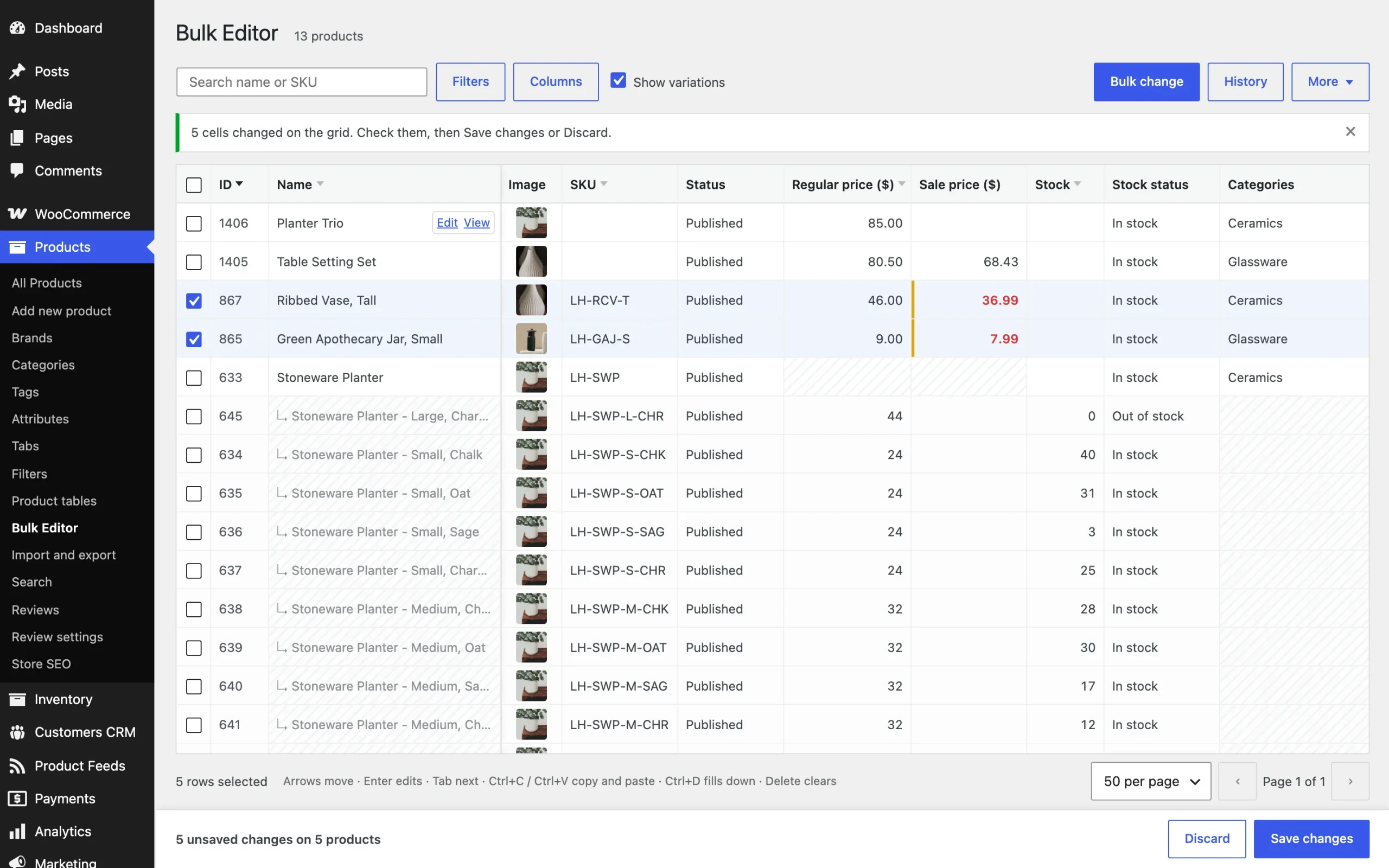
Click a cell to choose it, press Enter or type to edit, and Enter again to keep the value. Shift and the arrows choose a range; Ctrl+C and Ctrl+V copy and paste, Ctrl+D fills down and Delete clears.
Bulk changes
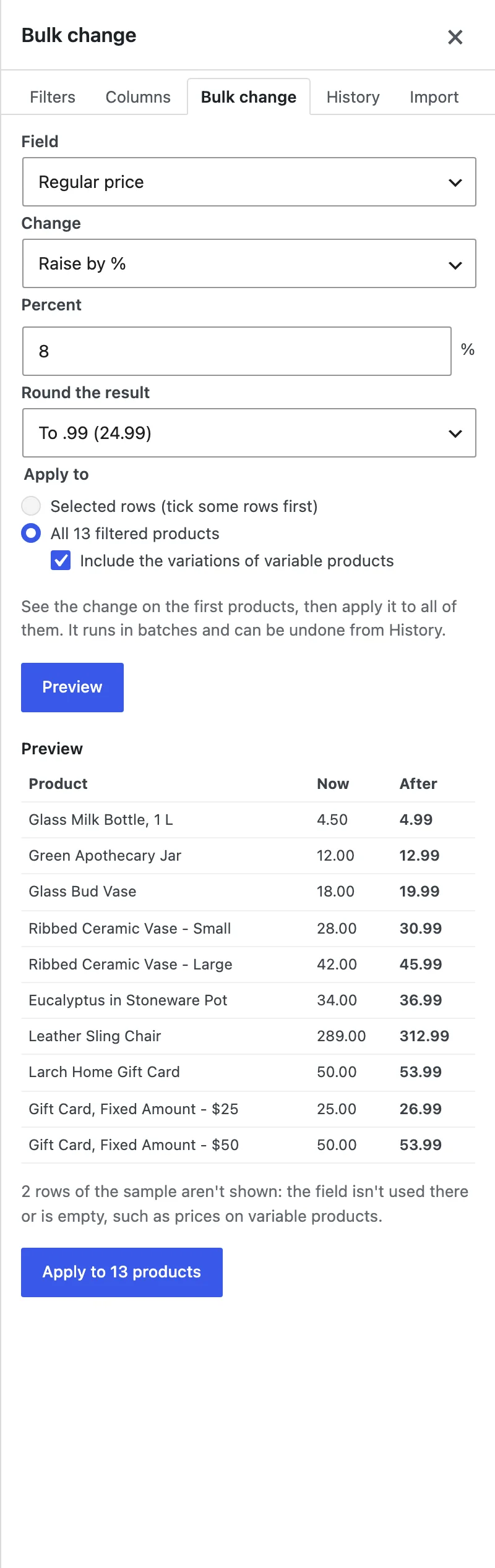
Choose a field, a change and the value, then the selected rows or all filtered products. Preview shows the result on the grid or on a sample before you apply it.
Formulas
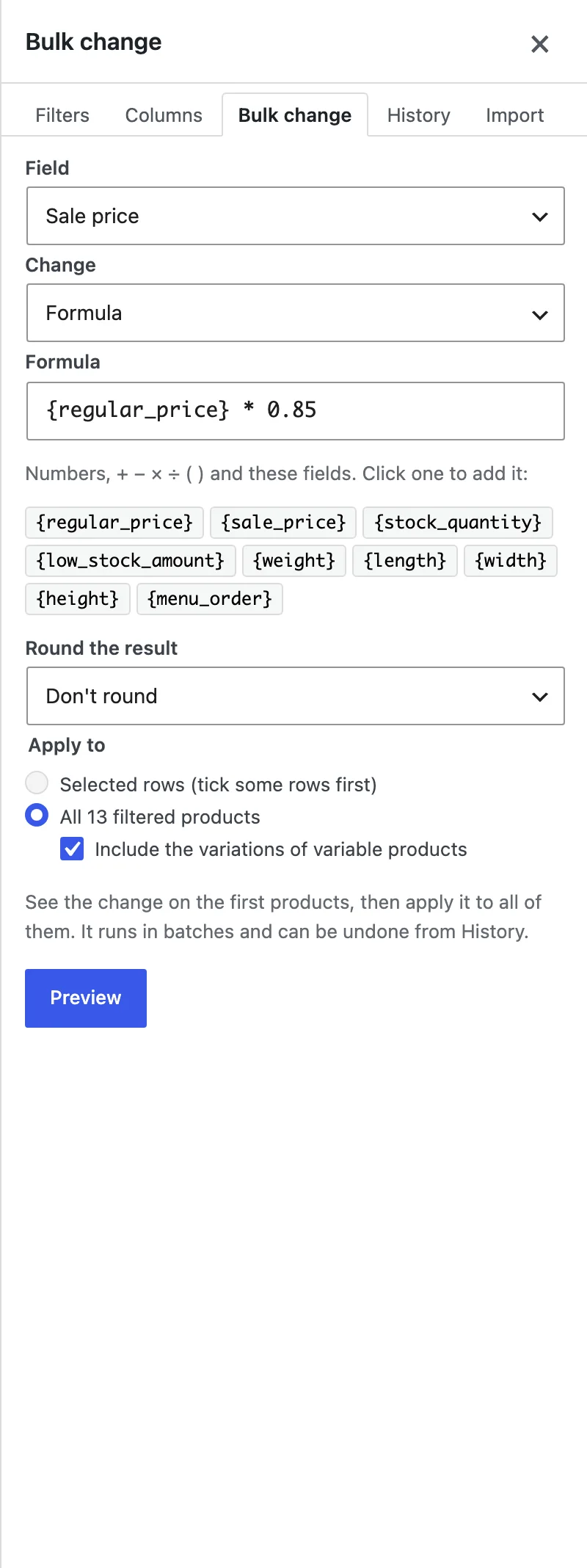
Choose Formula as the change and use fields in braces, such as {regular_price} * 0.9.
Filters and columns
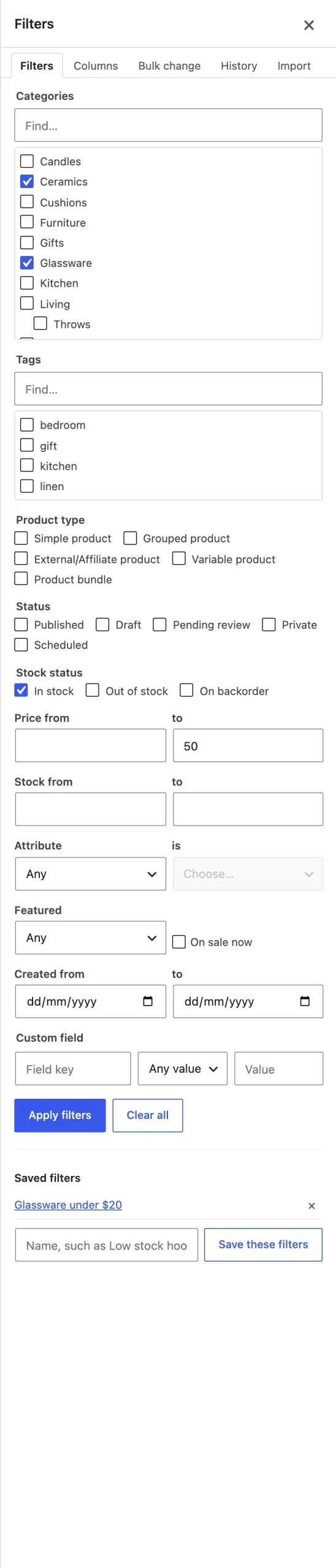
Filters apply as you choose them; save them with a name. Columns can be dragged into order and saved as sets.
History
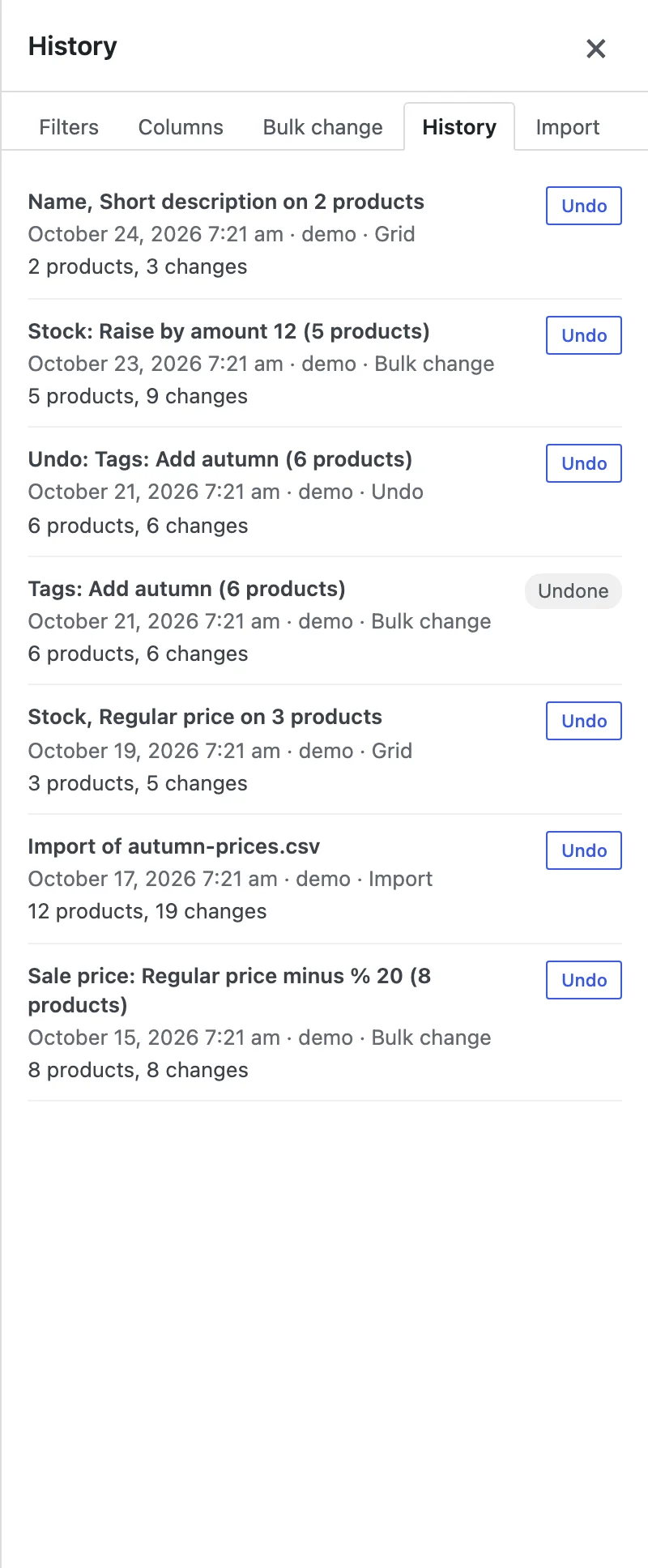
Every save, bulk change and import is listed. Undo puts the old values back.
Export and import
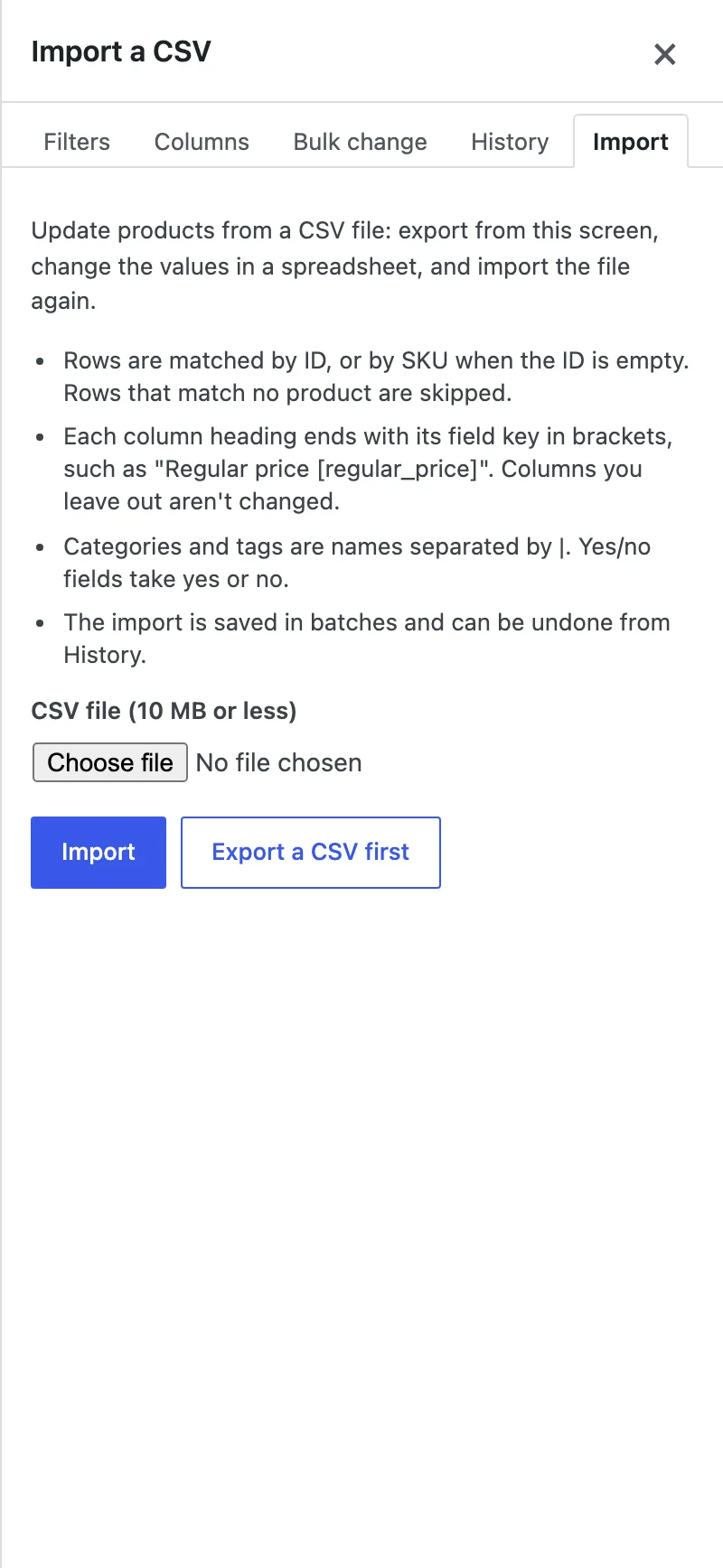
Export the filtered products with the columns shown, edit the file and import it to update products by ID or SKU.
Settings
| Setting | What it does |
|---|---|
| Rows per page | 25 to 200 products a page. |
| Show variations | Variations under their product. |
| Columns and sets | Saved for each team member. |
| Saved filters | Saved for each team member. |
For developers
| Hook | Use |
|---|---|
bpeb_fields | Add or change the grid’s fields. |
bpeb_get_value | Give the value of a field you added. |
bpeb_set_value | Save a field you added. |
bpeb_capability | Change who can use the editor. |
Frequently asked questions
Why is a cell greyed out?
The field doesn’t apply to that product, such as the price of a variable product. Hover over it to see why.
Can I close the page during a big change?
Yes. It carries on in the background and shows in History when it’s done.
How do I remove all data when deleting the plugin?
Add define( 'BPEB_REMOVE_ALL_DATA', true ); to wp-config.php before deleting the plugin.
Changelog
1.2.0 · October 20, 2026
Feature update
- Added history with undo.
- Added CSV export and import.
- Improved the grid on long product lists.
1.1.0 · September 4, 2026
Feature update
- Added formulas and a preview before a bulk change is saved.
- Added custom field columns.
1.0.0 · July 28, 2026
Initial release
- A spreadsheet grid of products and variations with spreadsheet keys.
- Bulk changes, run in batches.
- Filters and column sets.