Checkout Captcha and Spam Protection adds a captcha to checkout, account forms and reviews, limits that stop card testing, and an overview and log of blocked attempts.
Requirements
- WordPress 6.8 or newer
- WooCommerce 10.0 or newer
- PHP 7.4 or newer
- Works with classic and block themes, the Cart and Checkout blocks, and High-Performance Order Storage.
Installation
- Download
checkout-captcha-spam-protection.zipfrom My account > Downloads. - In WordPress, go to Plugins > Add New Plugin > Upload Plugin, choose the zip file and click Install Now.
- Click Activate. Settings are under WooCommerce > Settings > Spam protection. The overview and log are under WooCommerce > Spam Protection.
Quick start
- Activate the plugin: the built-in check protects checkout, account forms and reviews straight away.
- Go to WooCommerce > Settings > Spam protection.
- On Captcha, keep the built-in check or choose a provider and paste its keys.
- On Forms, choose the forms to protect and who skips the check.
- On Spam orders, check the card-testing limits.
Captcha
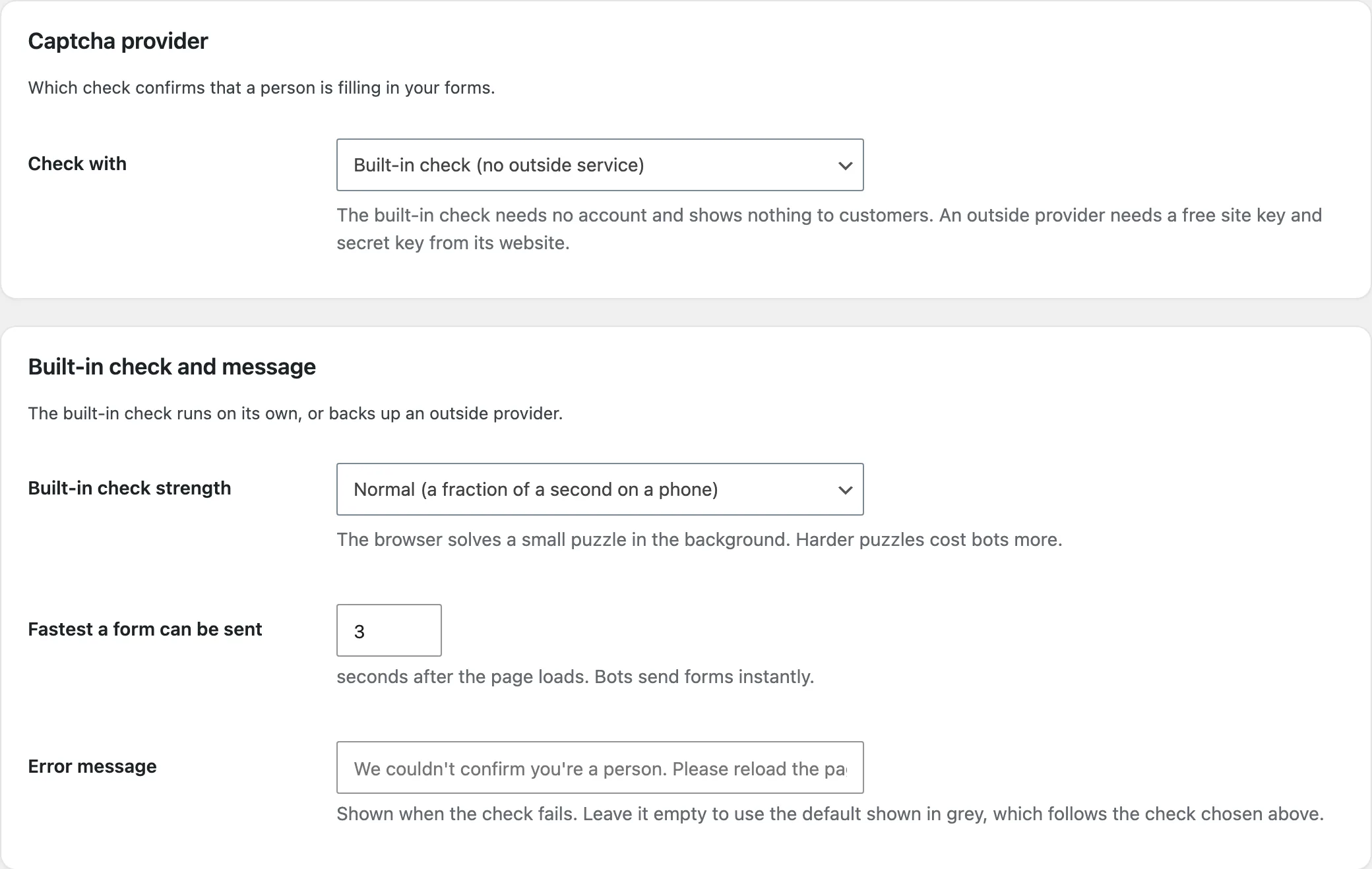
Choose the built-in check or a provider. For a provider, paste its site key and secret key and use the test box to check them.
Forms
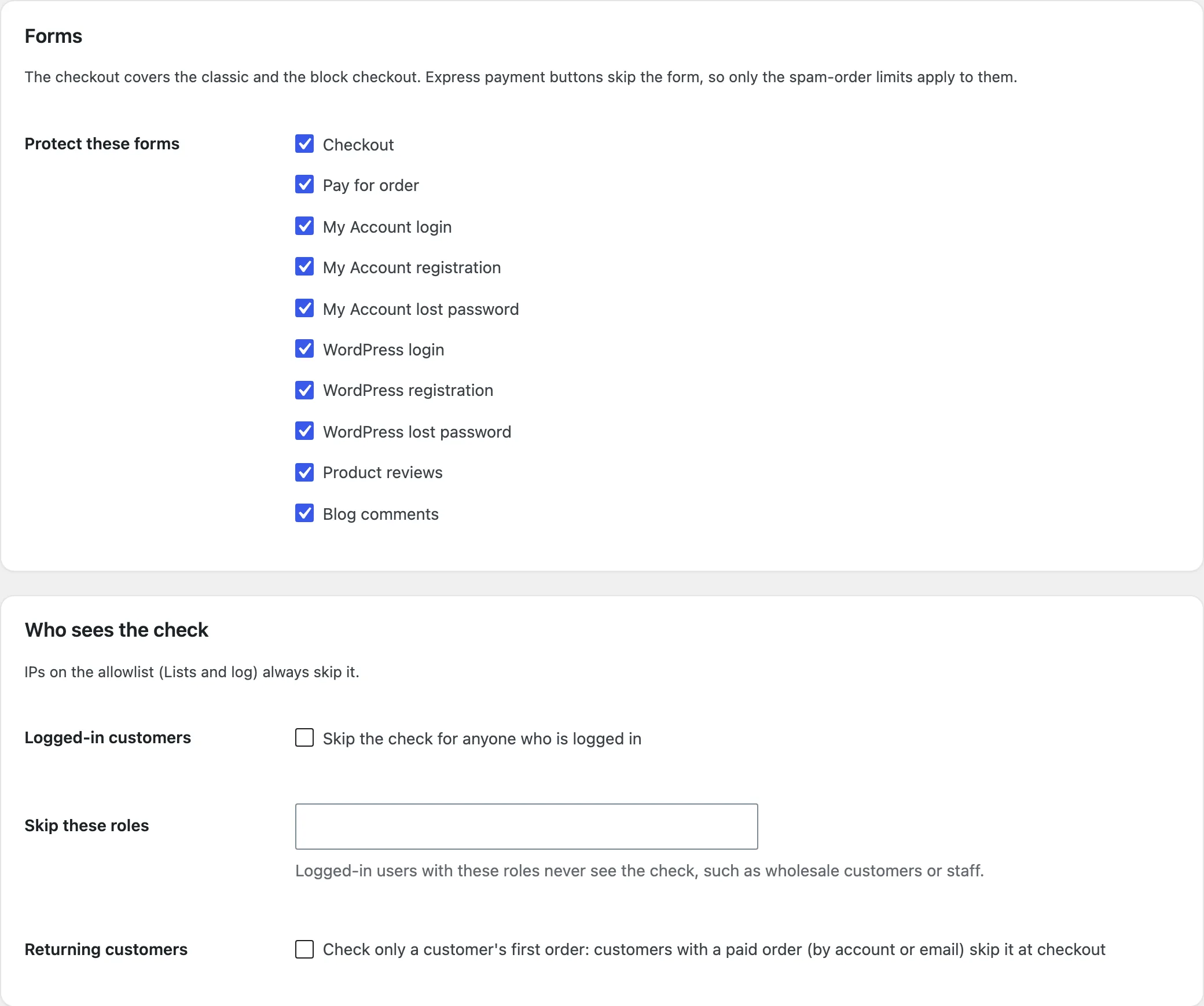
Tick the forms to protect. Skip the check for logged-in customers, roles or returning customers; IPs on the allowlist always skip it.
Spam orders and card testing
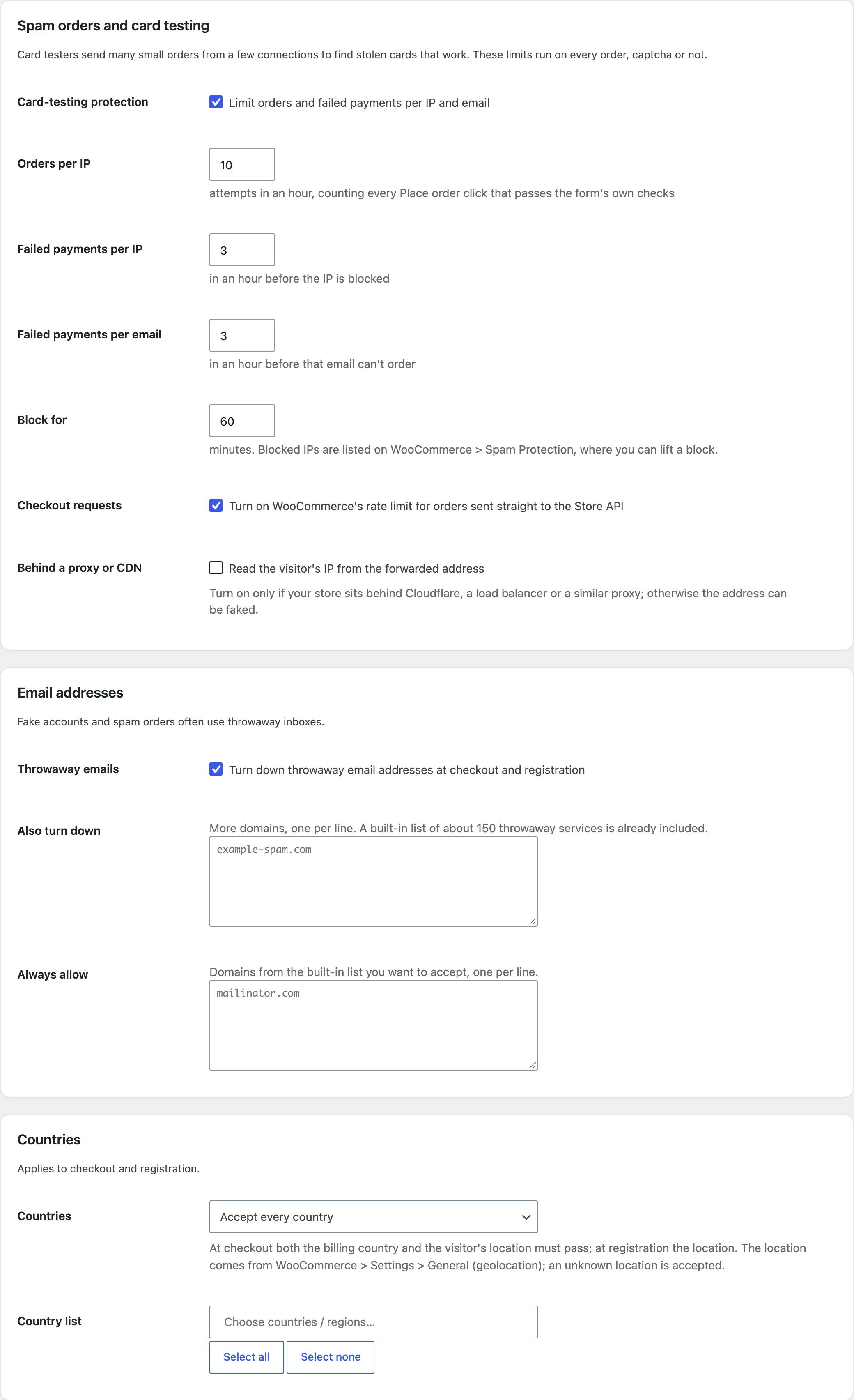
Set the orders per IP and failed payments per IP and per email in an hour, and how long an IP stays blocked. Turn on WooCommerce’s rate limit for the Store API.
Lists and log
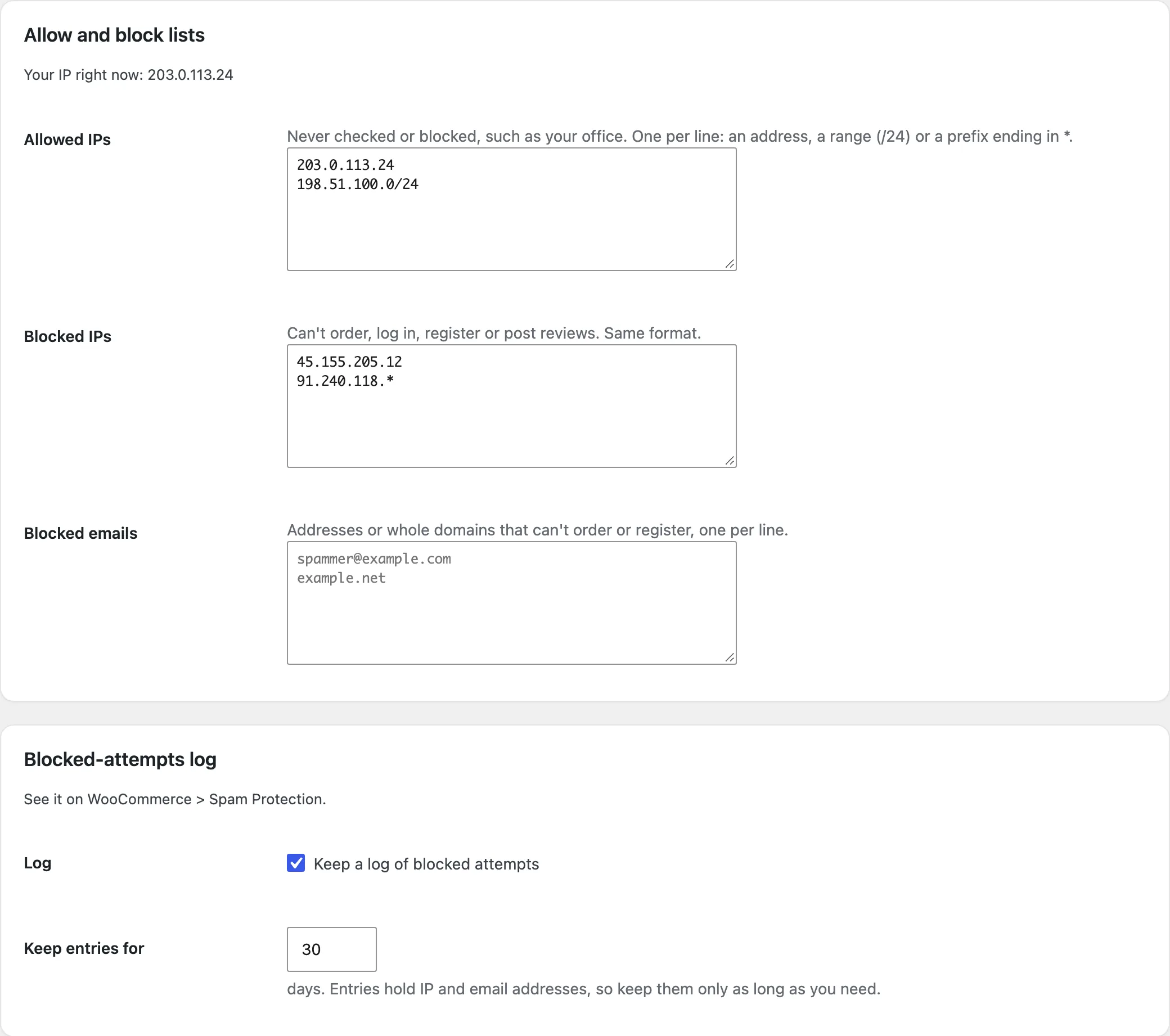
Allow or block IPs, ranges and prefixes, block emails or domains, and choose how long the log keeps entries.
Overview and log
WooCommerce > Spam Protection shows what was blocked, why and where, and the IPs blocked right now. The Blocked attempts tab lists every attempt.
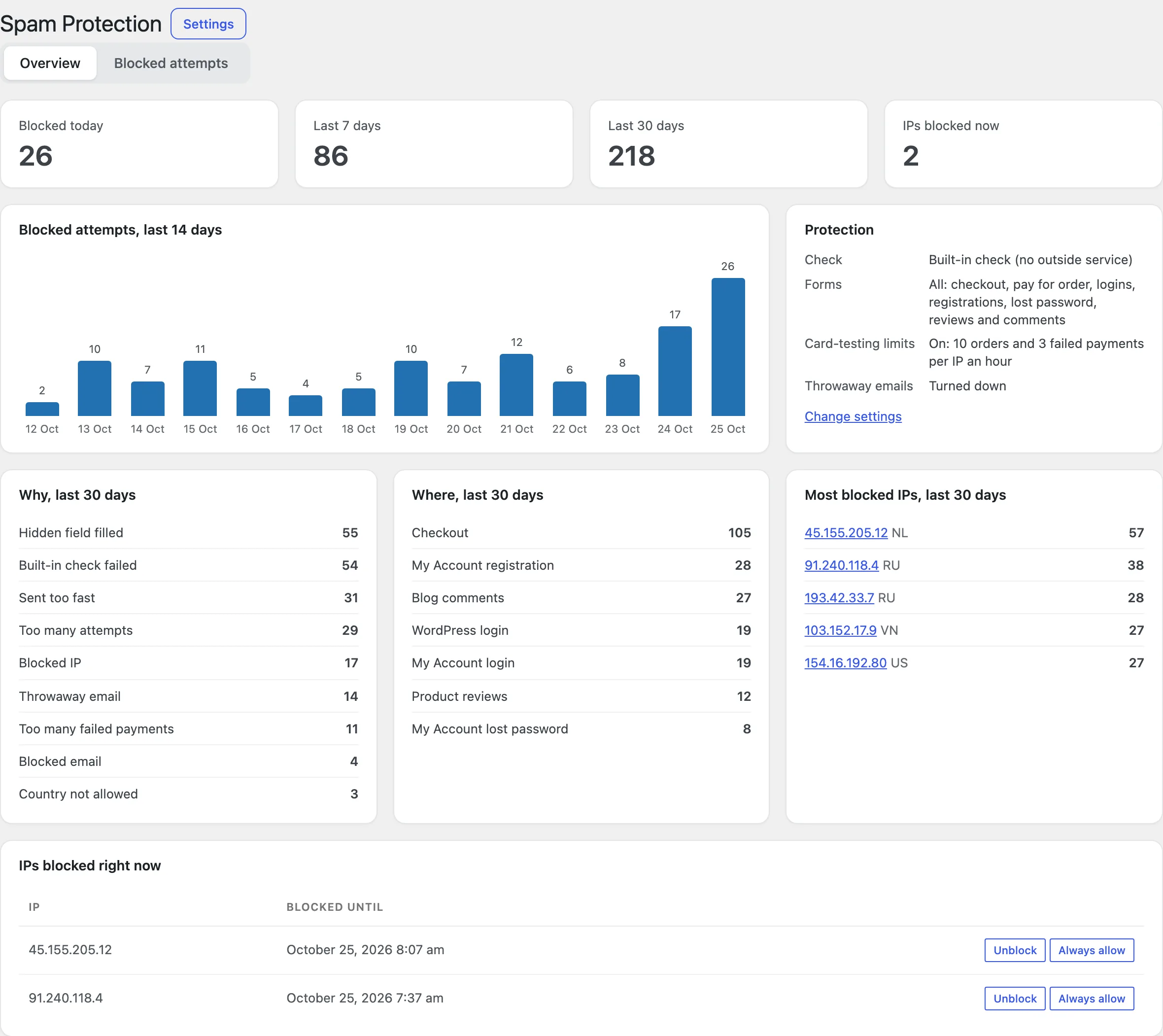
Settings
| Setting | What it does |
|---|---|
| Check with | Built-in check, reCAPTCHA, Turnstile or hCaptcha. |
| Built-in check strength | How hard the puzzle is. |
| Fastest a form can be sent | Seconds after the page loads. |
| Protect these forms | Checkout, account, WordPress, reviews and comments. |
| Who sees the check | Logged-in customers, roles and returning customers. |
| Card-testing protection | Orders and failed payments per IP and email. |
| Throwaway emails | The built-in list, more domains and exceptions. |
| Countries | Accept or turn down by country. |
For developers
| Hook | Use |
|---|---|
ccsp_skip_check | Decide whether a visitor skips the check. |
ccsp_blocked | Run code when an attempt is blocked. |
ccsp_block_message | Change the message customers see. |
ccsp_disposable_domains | Change the list of throwaway domains. |
ccsp_challenge_difficulty | Change how hard the built-in puzzle is. |
Frequently asked questions
Why can’t a customer check out?
Look for their IP or email in the Blocked attempts log: it shows the reason. Unblock the IP or add it to the allowlist.
Does it slow down checkout?
No. The puzzle takes a fraction of a second on a phone and runs while the customer types.
How do I remove all data when deleting the plugin?
Add define( 'CCSP_REMOVE_ALL_DATA', true ); to wp-config.php before deleting the plugin.
Changelog
1.1.0 · October 2, 2026
Feature update
- Added card-testing limits and the Store API rate limit.
- Added throwaway email and country checks, with lists and an overview.
- Improved the log so blocked attempts show their reason.
1.0.0 · August 19, 2026
Initial release
- A built-in check and reCAPTCHA, Turnstile and hCaptcha.
- Protection on checkout, account, WordPress, review and comment forms.
- IP blocks and the log.