Hide Categories and Products from Shop hides categories, tags, products and single variations from the customers you choose.
Requirements
- WordPress 6.8 or newer
- WooCommerce 10.0 or newer
- PHP 7.4 or newer
- Works with classic and block themes, the Cart and Checkout blocks, and High-Performance Order Storage.
Installation
- Download
hide-categories-products-from-shop.zipfrom My account > Downloads. - In WordPress, go to Plugins > Add New Plugin > Upload Plugin, choose the zip file and click Install Now.
- Click Activate. The rules are in WooCommerce > Settings > Hide from shop, and the options in its Where and how section. Each product has a Visibility tab in Product data, and each variation its own fields.
Quick start
- Activate the plugin. Nothing is hidden until you choose.
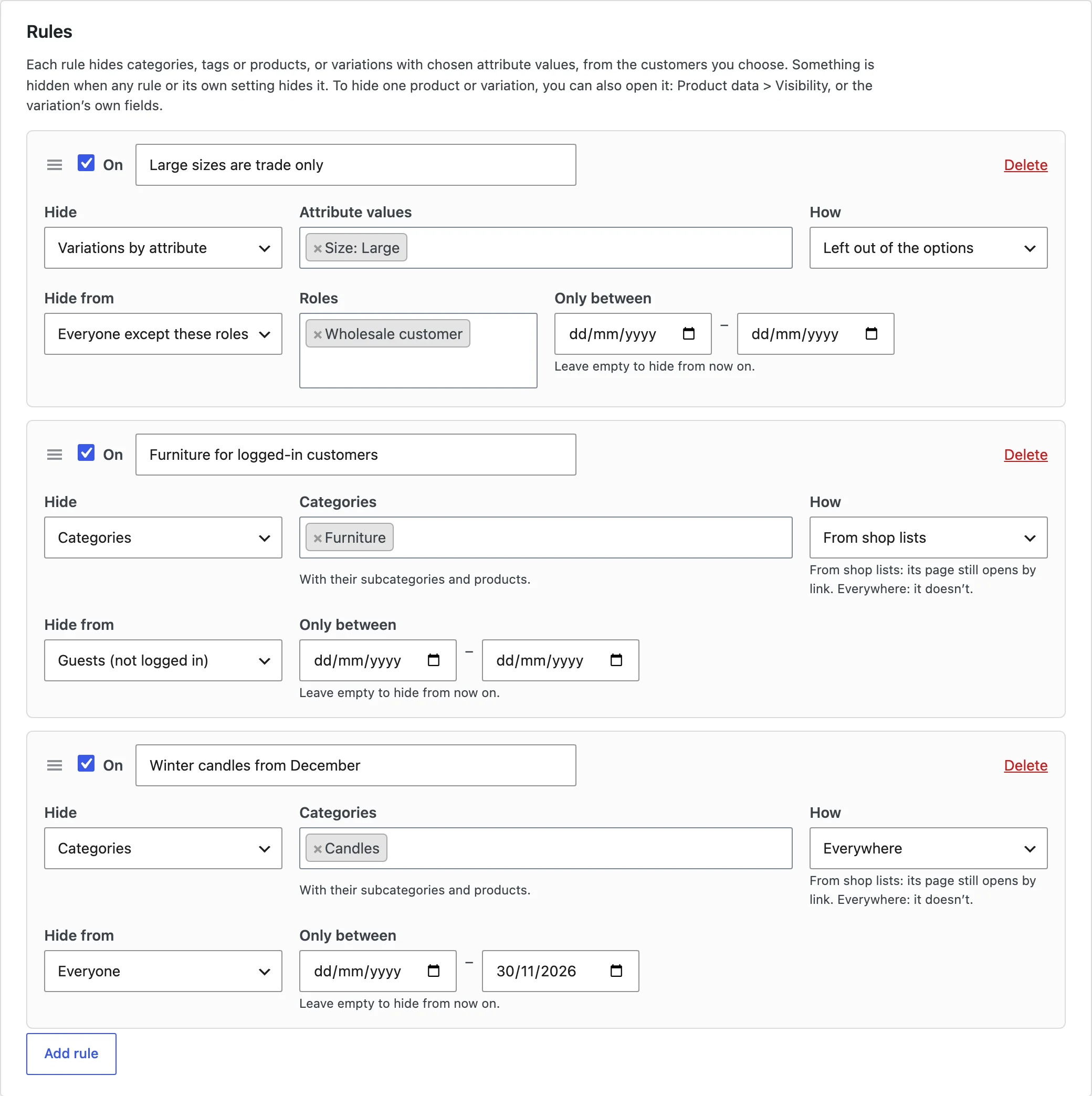
- Go to WooCommerce > Settings > Hide from shop and add a rule: what to hide, how, and who from.
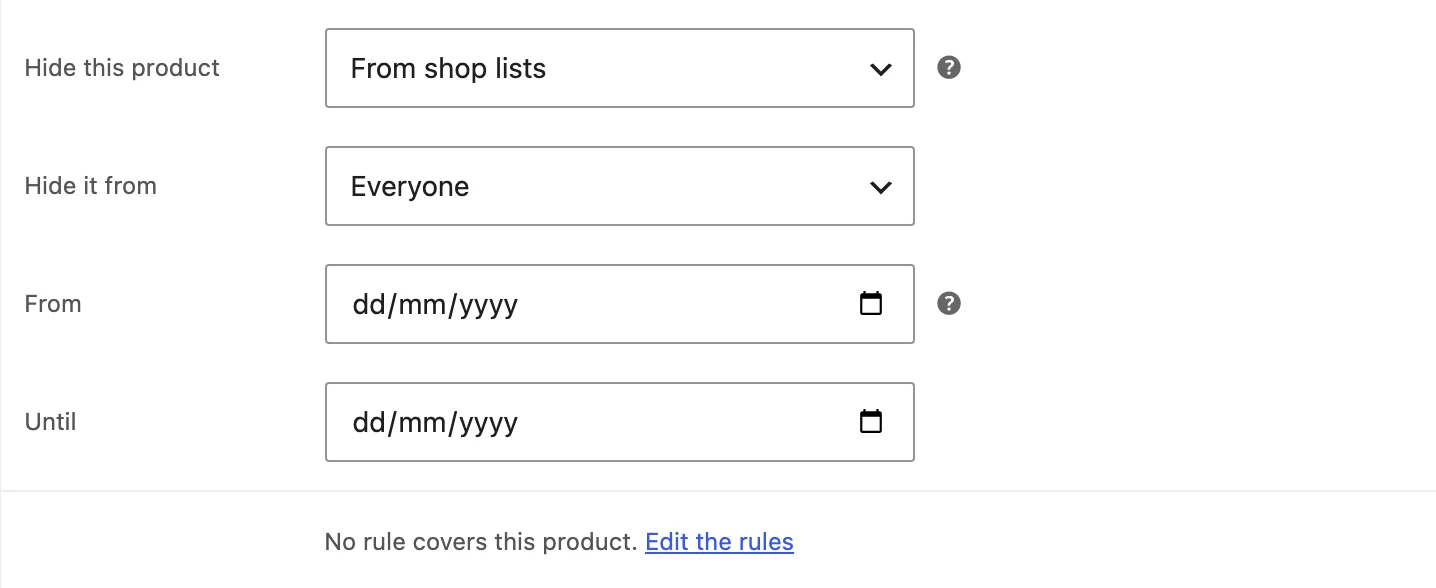
- To hide one product, open it and go to Product data > Visibility.
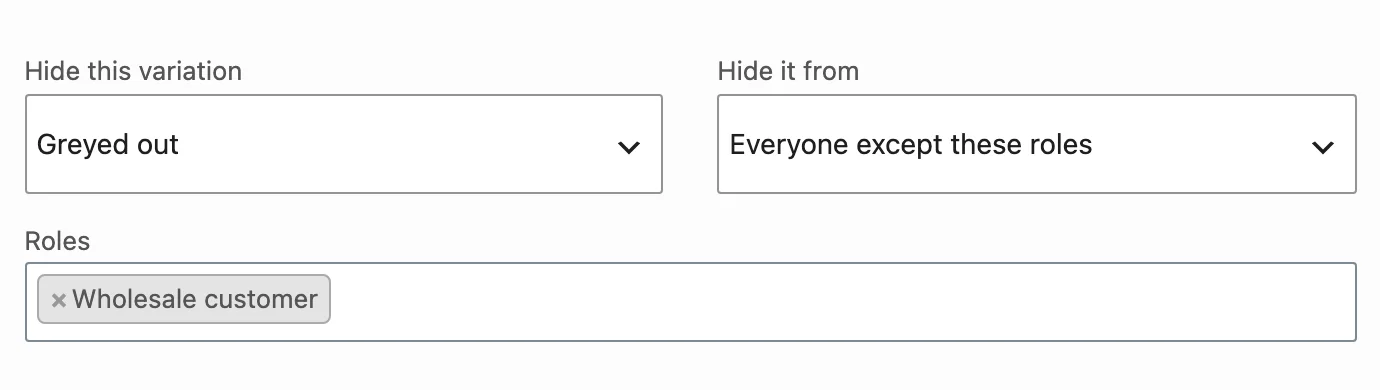
- To hide one variation, open it in Product data > Variations and choose how and who from.
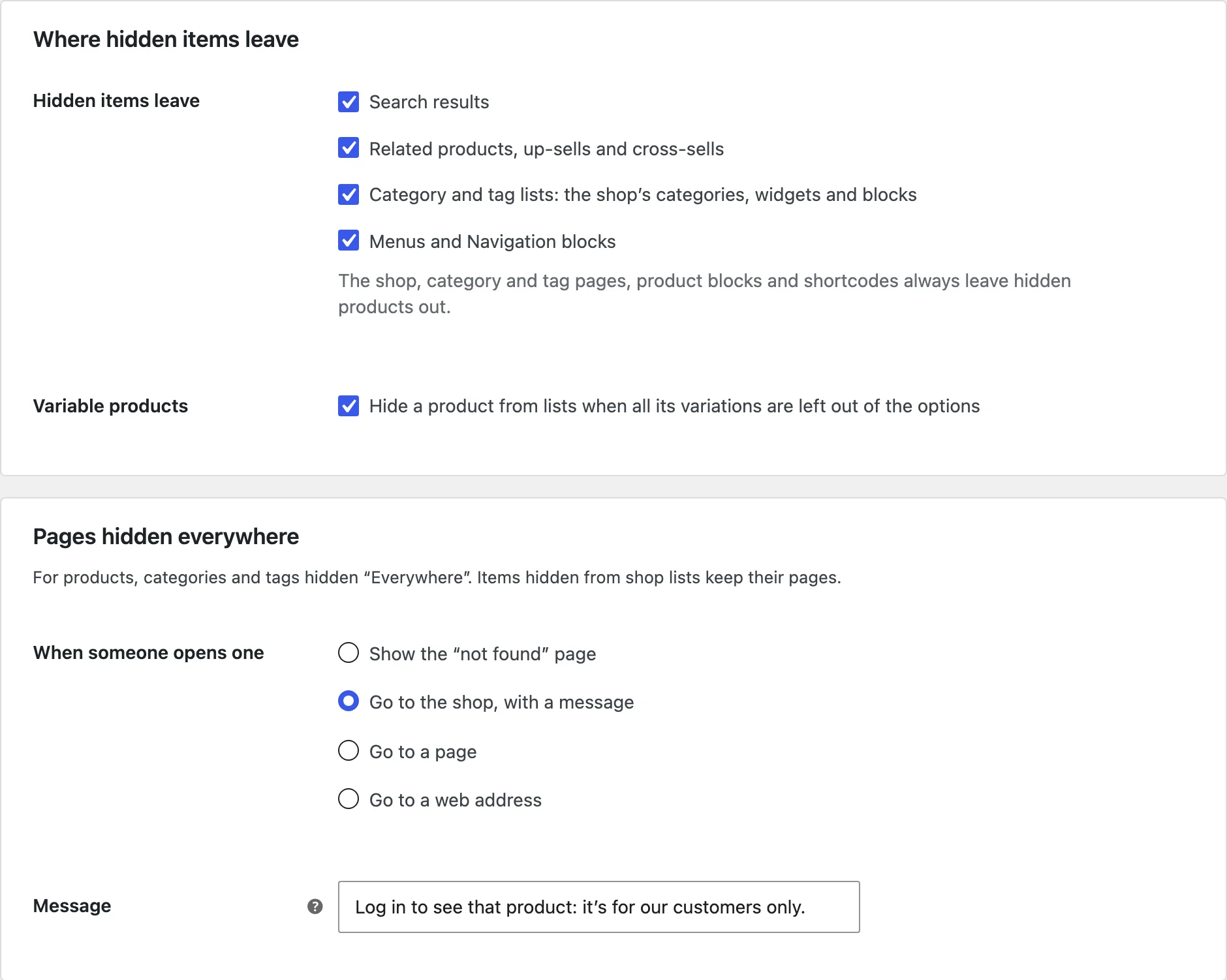
- Under Where and how, choose where hidden items leave and where closed pages go.
Rules
Each rule hides categories (with their subcategories and products), tags, chosen products, or variations with chosen attribute values, from everyone, guests, logged-in customers, chosen roles or everyone except chosen roles. Rules can run between two dates. Something is hidden when any rule or its own setting hides it.
From shop lists, everywhere, or not for sale
From shop lists: the item leaves the shop, category and tag pages, search, related products, up-sells, cross-sells, product blocks, shortcodes, widgets and menus, but its page still opens by link. Everywhere: its page closes too. Shown, not for sale: it stays in the shop without an Add to cart button.
Variations
A variation can be left out of the options or greyed out. Option values that only hidden variations have leave the dropdown, price ranges count only the variations the customer can choose, and a product whose variations are all hidden leaves the lists.
Where and how
Choose whether hidden items also leave search results, related products, category and tag lists, and menus, and where someone goes when they open a page hidden from them: the not found page, the shop with a message, a page or a web address.
Store staff and the products list
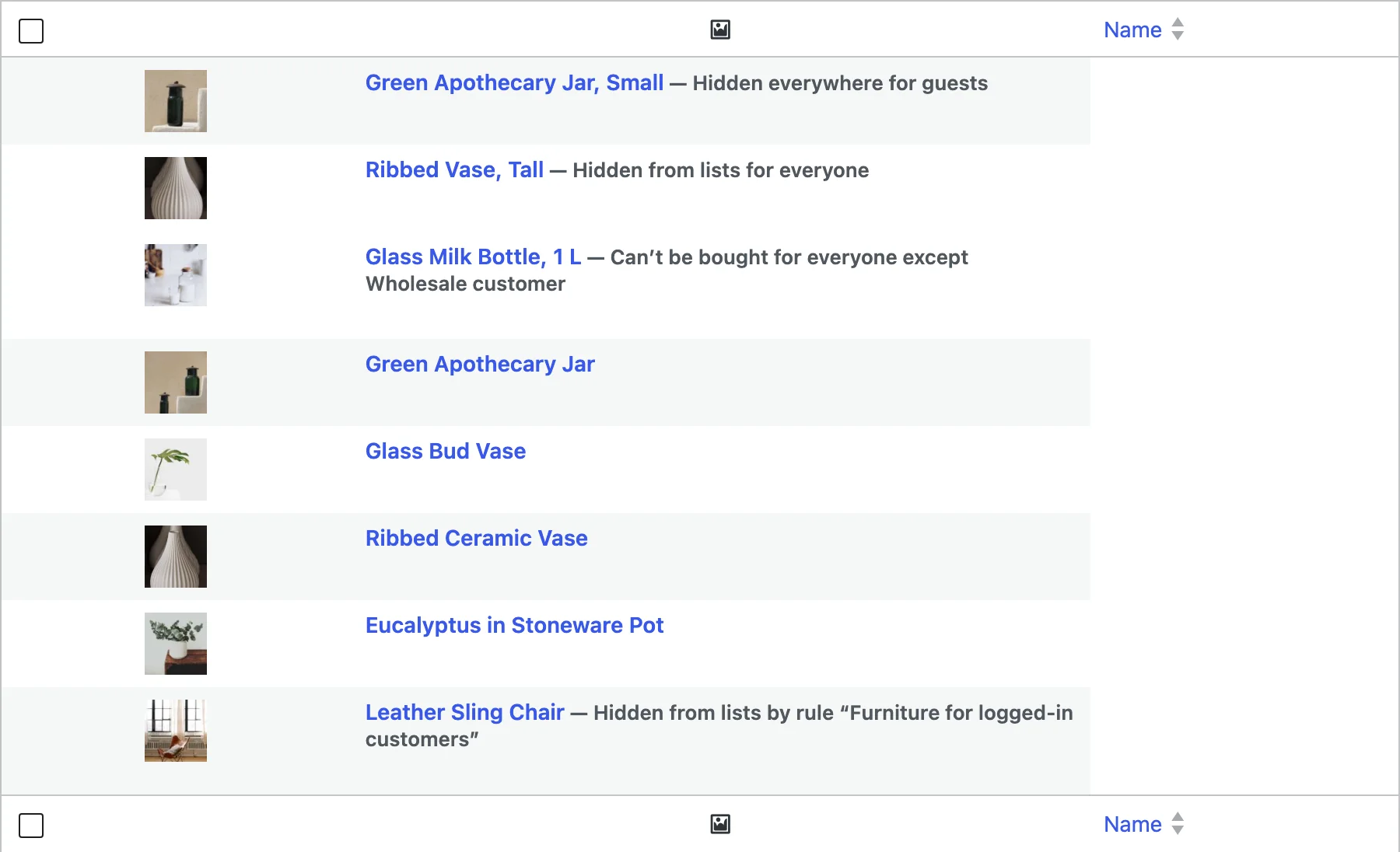
Admins and shop managers see hidden items, with a notice saying who they’re hidden from. The products list says what hides each product, and bulk edit hides many at once.
Settings
| Setting | What it does |
|---|---|
| Rules | What to hide, how, who from and when. |
| Hidden items leave | Search results, related products, category and tag lists, menus. |
| Variable products | Hide a product when all its variations are hidden. |
| When someone opens one | Not found, the shop with a message, a page or a web address. |
| Sitemap and indexing | Leave hidden items out of the sitemap, and ask search engines not to index them. |
| Store staff | Admins and shop managers see hidden items. |
For developers
| Hook | Use |
|---|---|
hcpf_hidden | Change what’s hidden from the visitor. |
hcpf_variation_mode | Change how a variation is hidden. |
Frequently asked questions
Why can I still see a hidden product?
Admins and shop managers see hidden items. Log out, use a customer account, or turn off Store staff in Where and how.
Why does a hidden category’s page still show its products?
It’s hidden from shop lists, so its link still works. Choose Everywhere to close the page.
How do I remove all data when deleting the plugin?
Add define( 'HCPF_REMOVE_ALL_DATA', true ); to wp-config.php before deleting the plugin.
Changelog
1.2.0 · October 19, 2026
Feature update
- Added settings on each product and variation, and a shown but not for sale mode.
- Added hiding from category lists and menus.
1.1.0 · September 22, 2026
Feature update
- Added single variations, and hiding them only from search and related products.
- Added rules with names, dates and attribute values.
1.0.0 · July 31, 2026
Initial release
- Hide categories, tags and products for everyone, guests, logged-in customers or chosen roles.
- Hidden from lists with the link still working, or hidden everywhere.