Points and Rewards gives customers points for orders and actions, and lets them use those points for a discount in the cart and checkout.
Requirements
- WordPress 6.8 or newer
- WooCommerce 10.0 or newer
- PHP 7.4 or newer
- Works with classic and block themes, the Cart and Checkout blocks, High-Performance Order Storage, multisite, WooCommerce Subscriptions, WPML and Polylang, Elementor, PDF Invoices & Packing Slips, and Dokan, WCFM and MultiVendorX.
Installation
- Download
points-rewards.zipfrom My account > Downloads. - In WordPress, go to Plugins > Add New Plugin > Upload Plugin, choose the zip file and click Install Now.
- Click Activate. Everything is under Points in the admin menu: Overview, Customers, Log, Settings and Tools, plus Codes while points codes are on. Products, variations, categories and brands have points fields of their own.
Quick start
- Activate the plugin and go to Points > Overview.
- In Set up your points program, enter the points for every $1 spent and how much customers get back, such as 1% for 100 points = $1. Choose when orders give points and which actions earn them, then click Save and start.
- In Points > Settings > Earning, set Hold points for to cover your return window, and choose what counts toward points.
- Turn on more actions, such as daily logins or anniversaries, in the Actions tab, and set the limits on using points in Redeeming.
- Place a test order: the cart shows the points it earns, and the order adds them when it reaches the status you chose.
Earning on orders
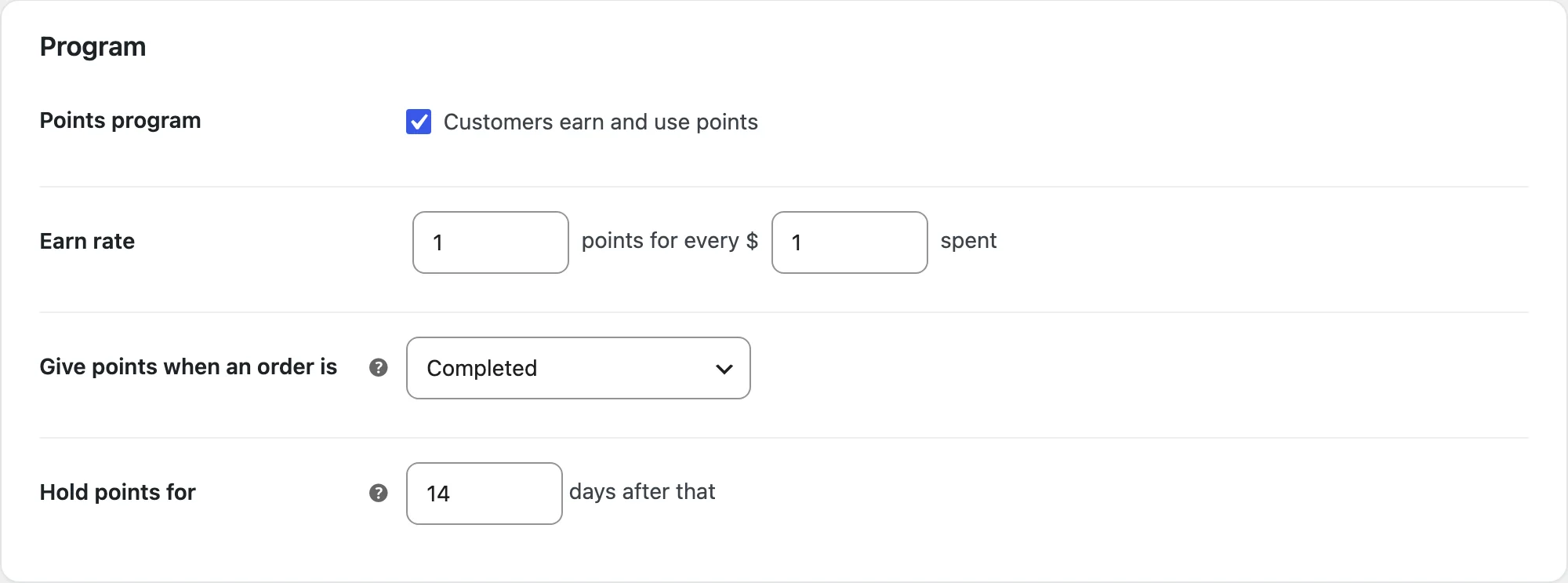
The earn rate gives points per amount spent. The Count the setting chooses the price before or after discounts, and Also count adds tax and shipping. Points are given when the order reaches the status you choose and are shown as pending until then; Hold points for adds a number of days for your return window.
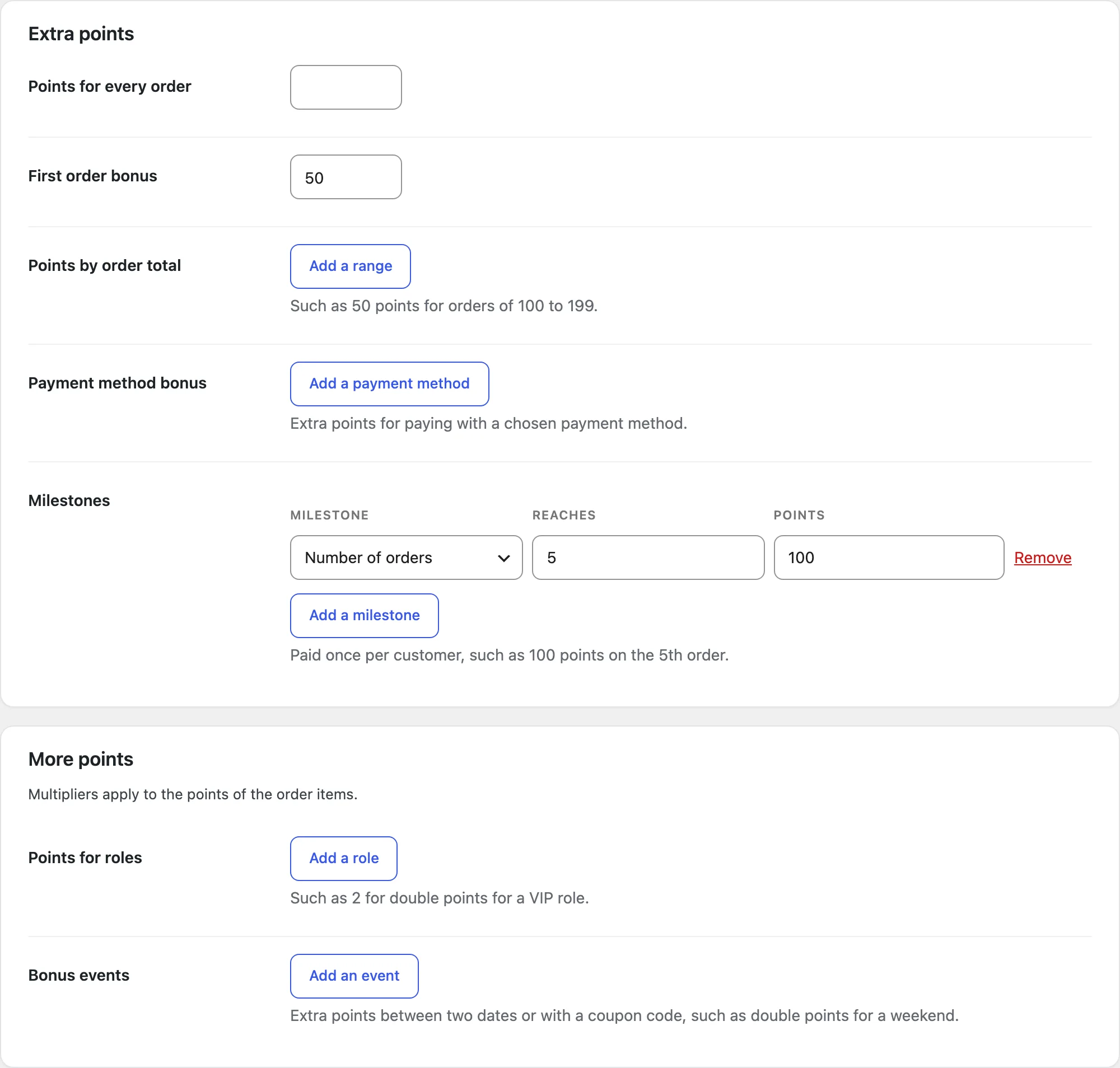
Extra points: points for every order, a first-order bonus, points by order total range, payment method bonuses and milestones (a number of orders or an amount spent). Bonus events give more points between two dates or with a coupon, and roles can earn more. Limits cap the points per order, per day and the highest balance.
Points on products
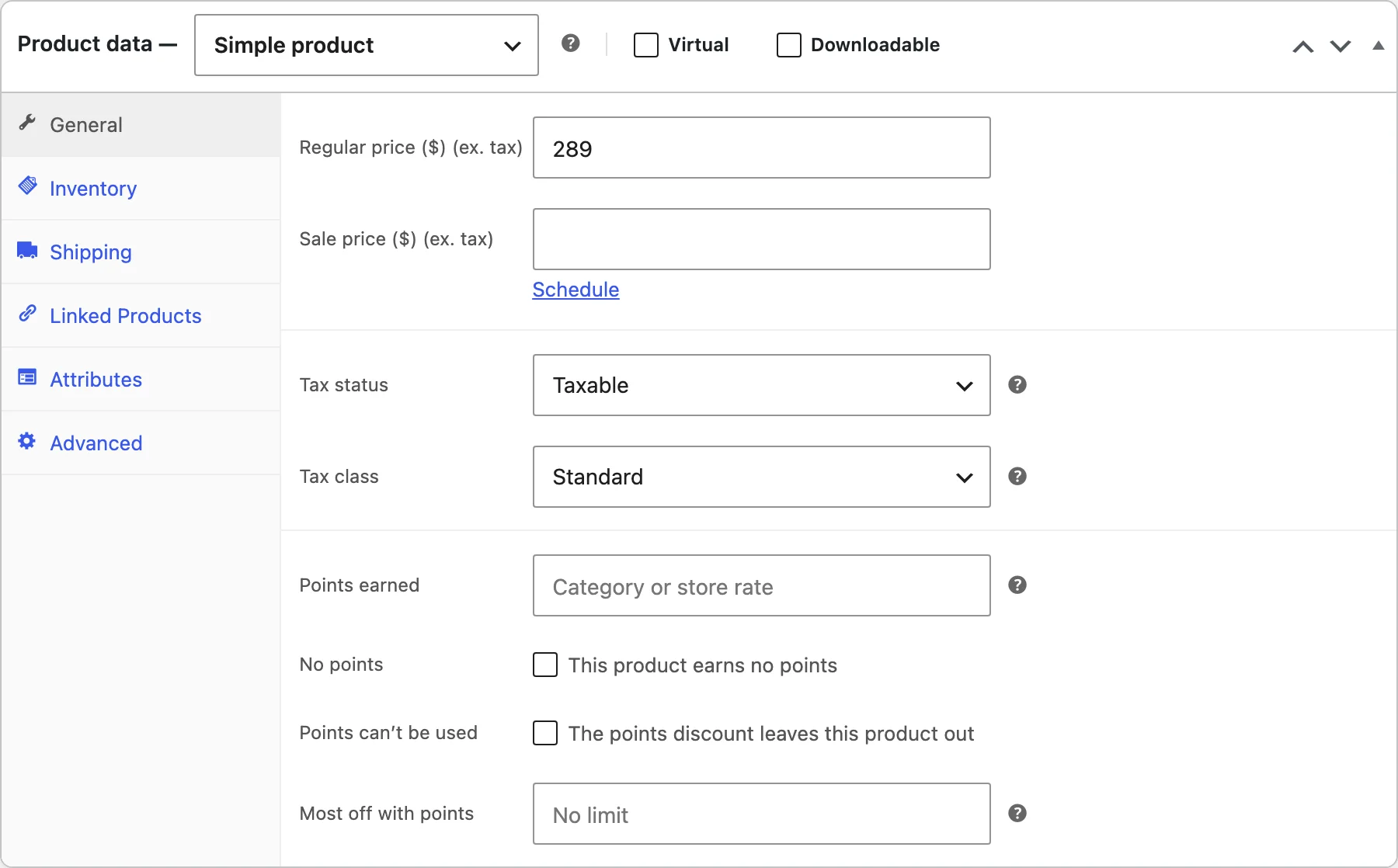
Each product and variation has points fields in Product data: Points earned (a number, such as 50, or a percentage of the store rate, such as 200%), No points, Points can’t be used and Most off with points. Categories and brands have the same fields, and bulk edit changes many products at once. A product’s own points come first, then its category, then its brand, then the store rate.
Earning for actions
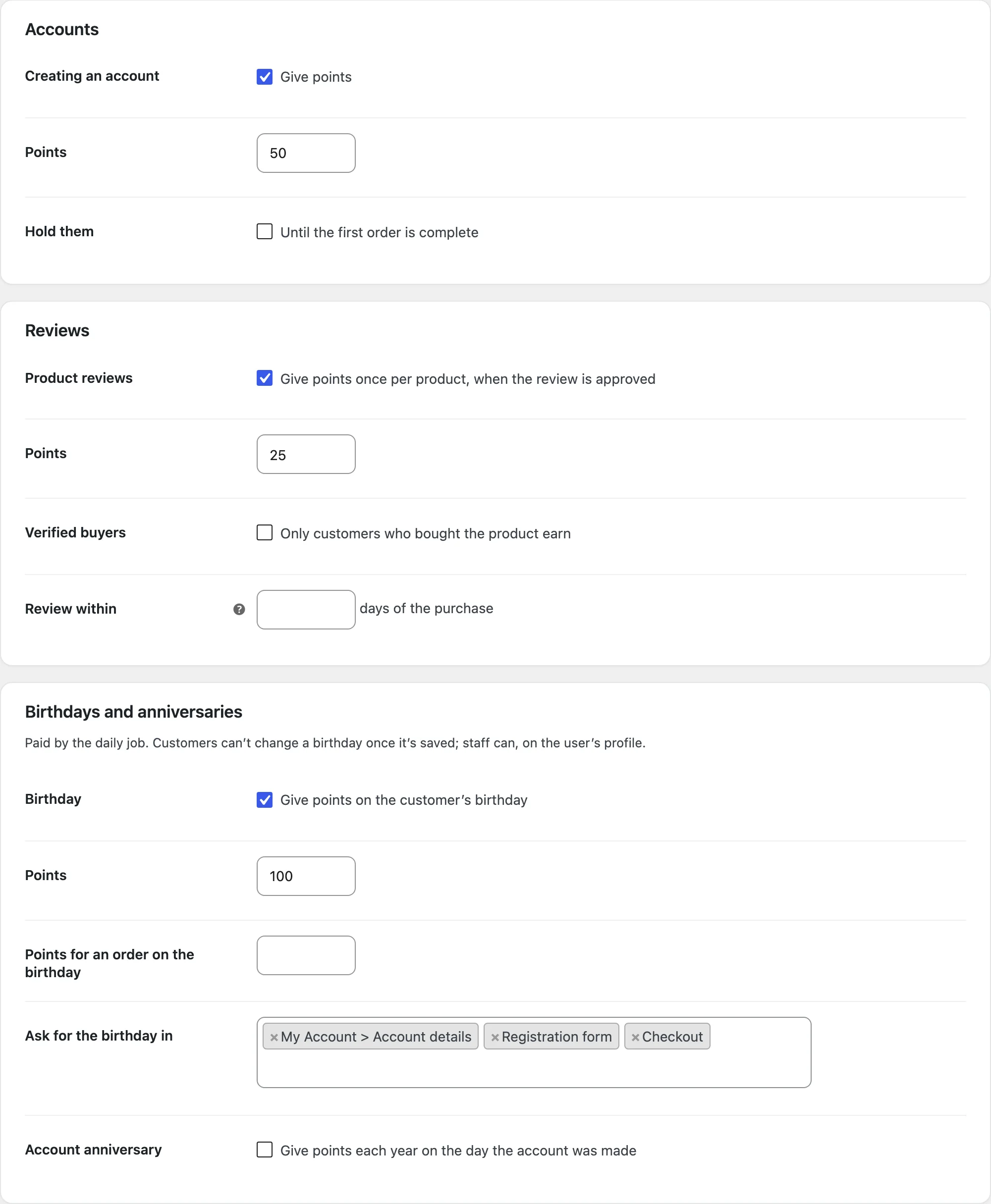
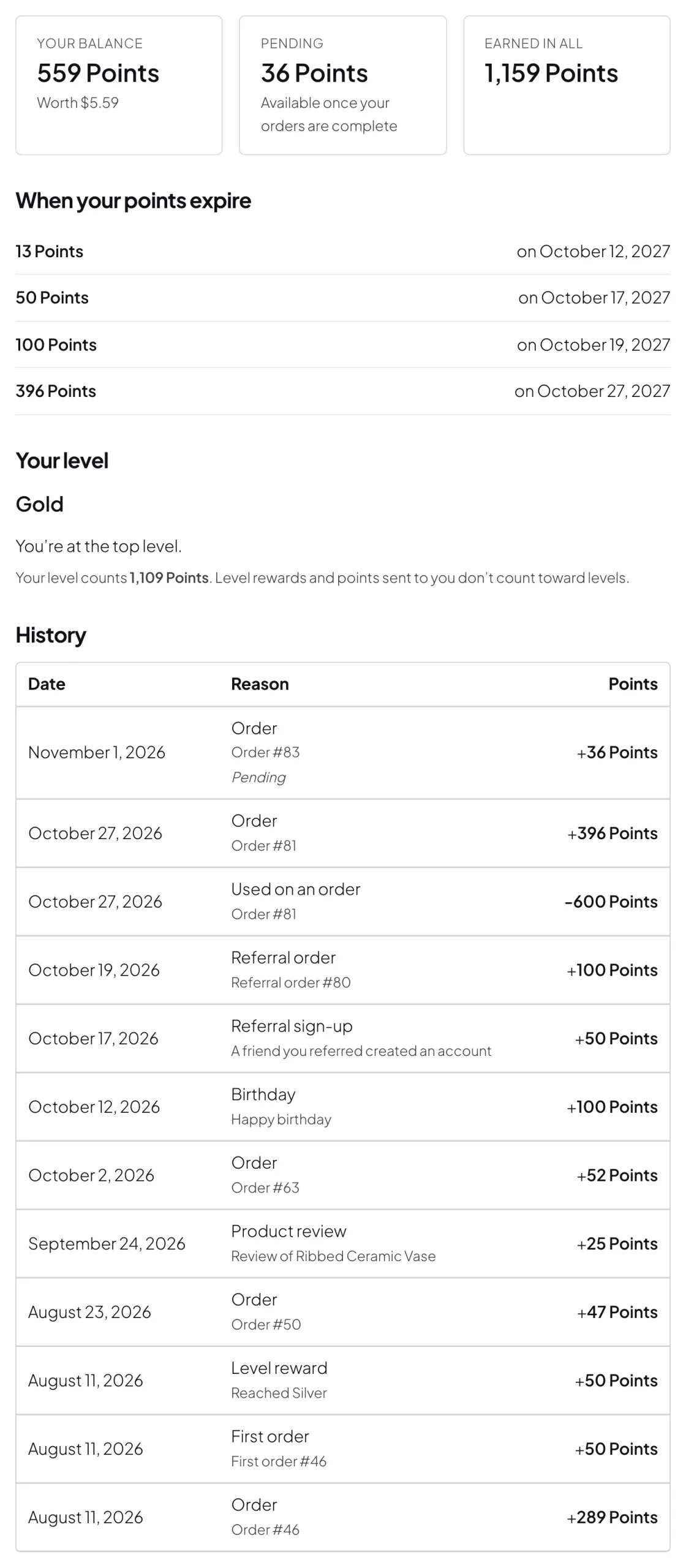
The Actions tab gives points for creating an account, product reviews, birthdays, account anniversaries, daily logins, blog comments and published posts. Reviews can be limited to verified buyers, and points are taken back when a review is unapproved. Birthdays are asked for in My Account, on the registration form or at checkout. Customers can’t change a birthday once it’s saved; staff can, on the user’s profile.
Points codes (Points > Codes) add points when a customer enters the code in My Account, with a use limit and an end date.
Using points
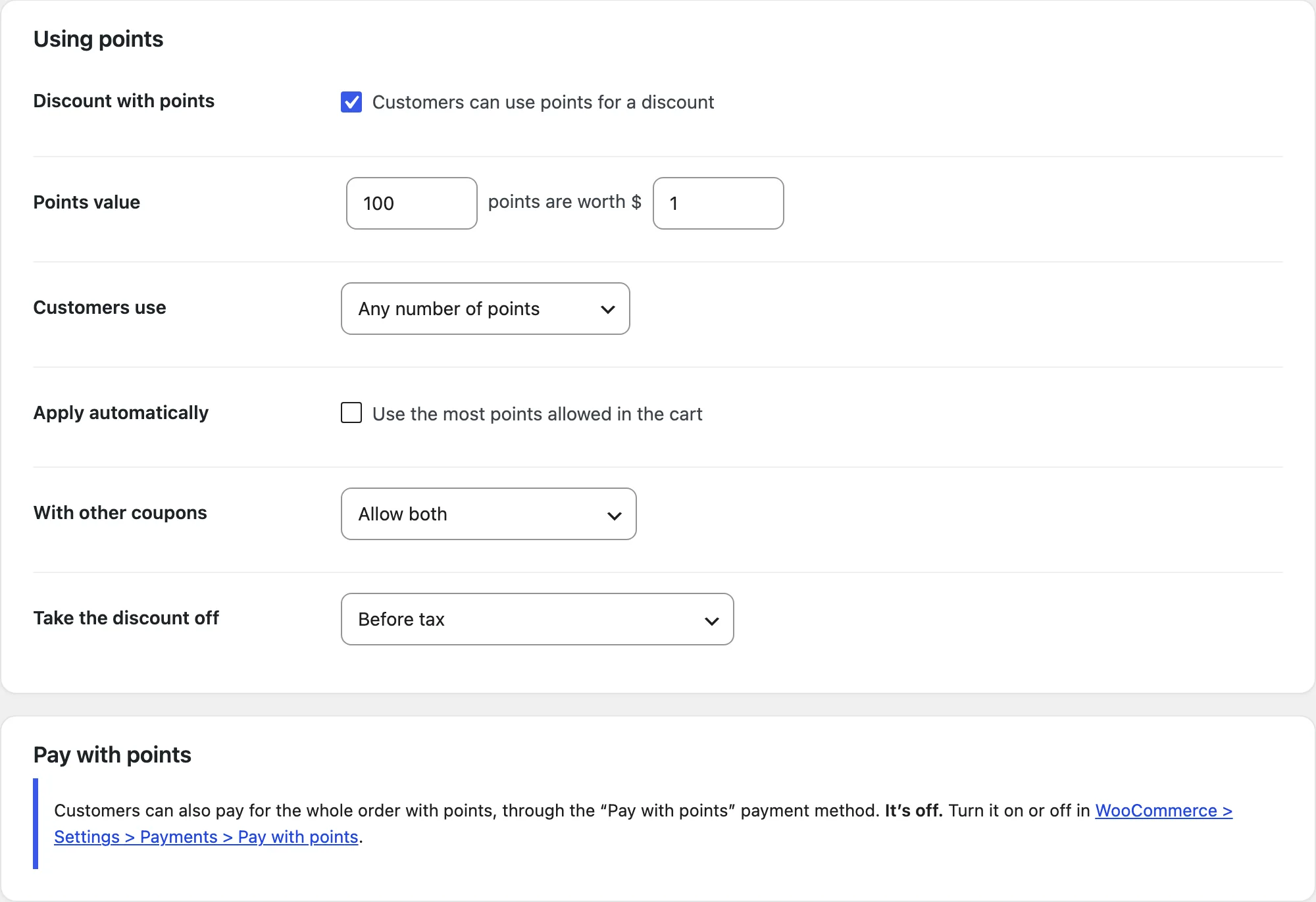
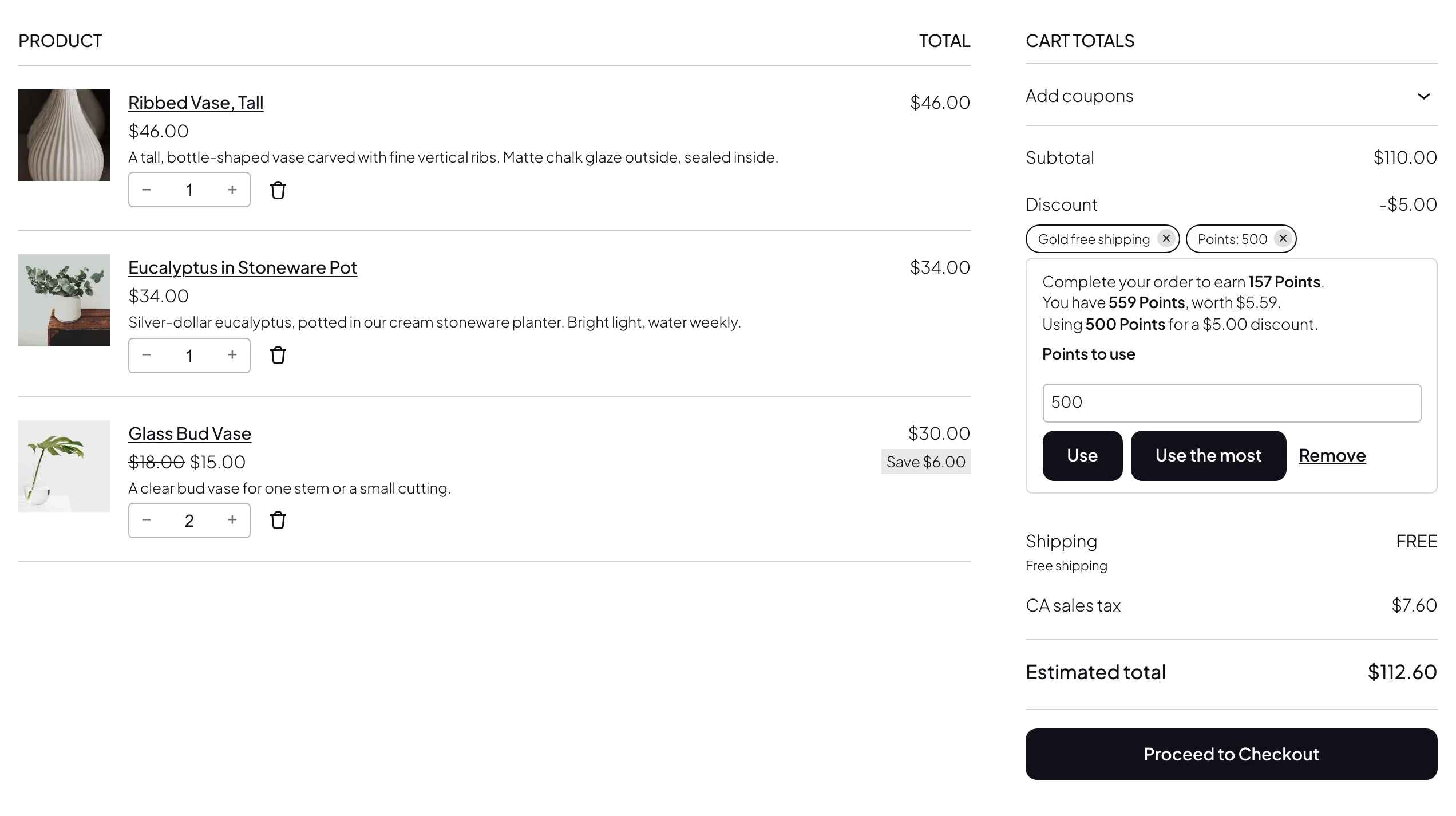
The points value sets what points are worth, such as 100 points = $1. Customers type how many points to use or use the most allowed, or use fixed reward steps such as 500 points for $5 off. Points can be applied automatically, and you choose whether they work with other coupons and whether the discount comes off before or after tax.
Limits: the lowest balance and cart total to use points, points to earn before the first use, the largest discount (an amount, a percentage or a number of points), sale items and the most points used per day. Products, categories and brands can be left out or given their own cap. Customers can also turn points into a coupon code in My Account, and the Pay with points payment method pays for a whole order.
Expiry
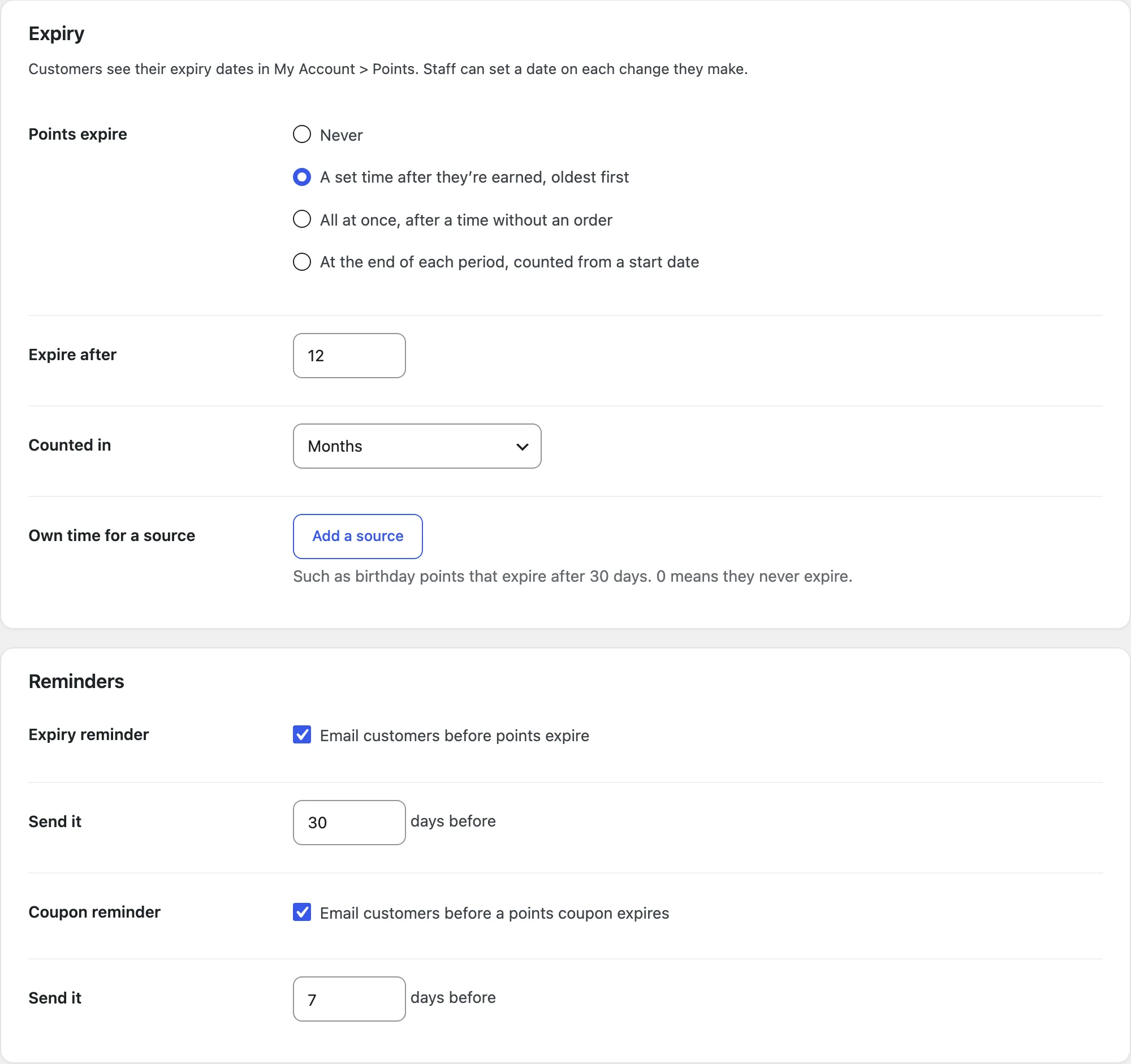
Points can expire a set time after they’re earned, all at once after a time without an order, or at the end of each period of 1, 2, 3, 4, 6 or 12 months, such as every 12 months from January 1. With a set time, sources such as birthday or review points can have their own. The oldest points are used first, and reminder emails go out a number of days before points or points coupons expire.
Levels
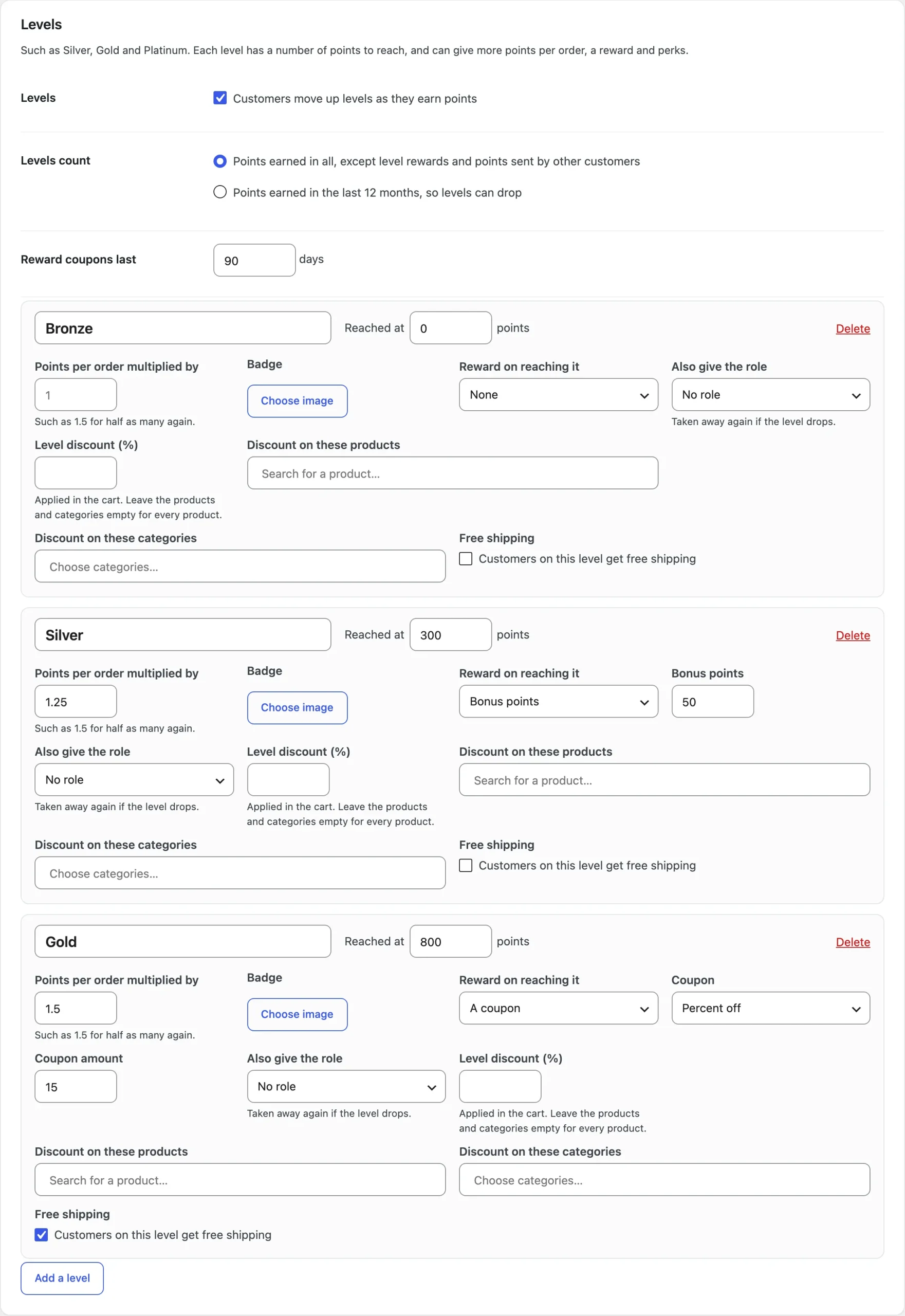
Levels count the points earned in all, or only those of the last 12 months, so levels can drop. Each level has a name, a badge image, the points it’s reached at and a points multiplier. It can give a reward when it’s reached (bonus points, or a coupon for an amount or percentage off, free shipping or a free product), a discount in the cart, free shipping while the customer is on it, and a role. Customers see their level and the points to the next one in My Account. Free shipping needs a Free shipping method in the customer’s shipping zone that requires a valid free shipping coupon.
Referrals
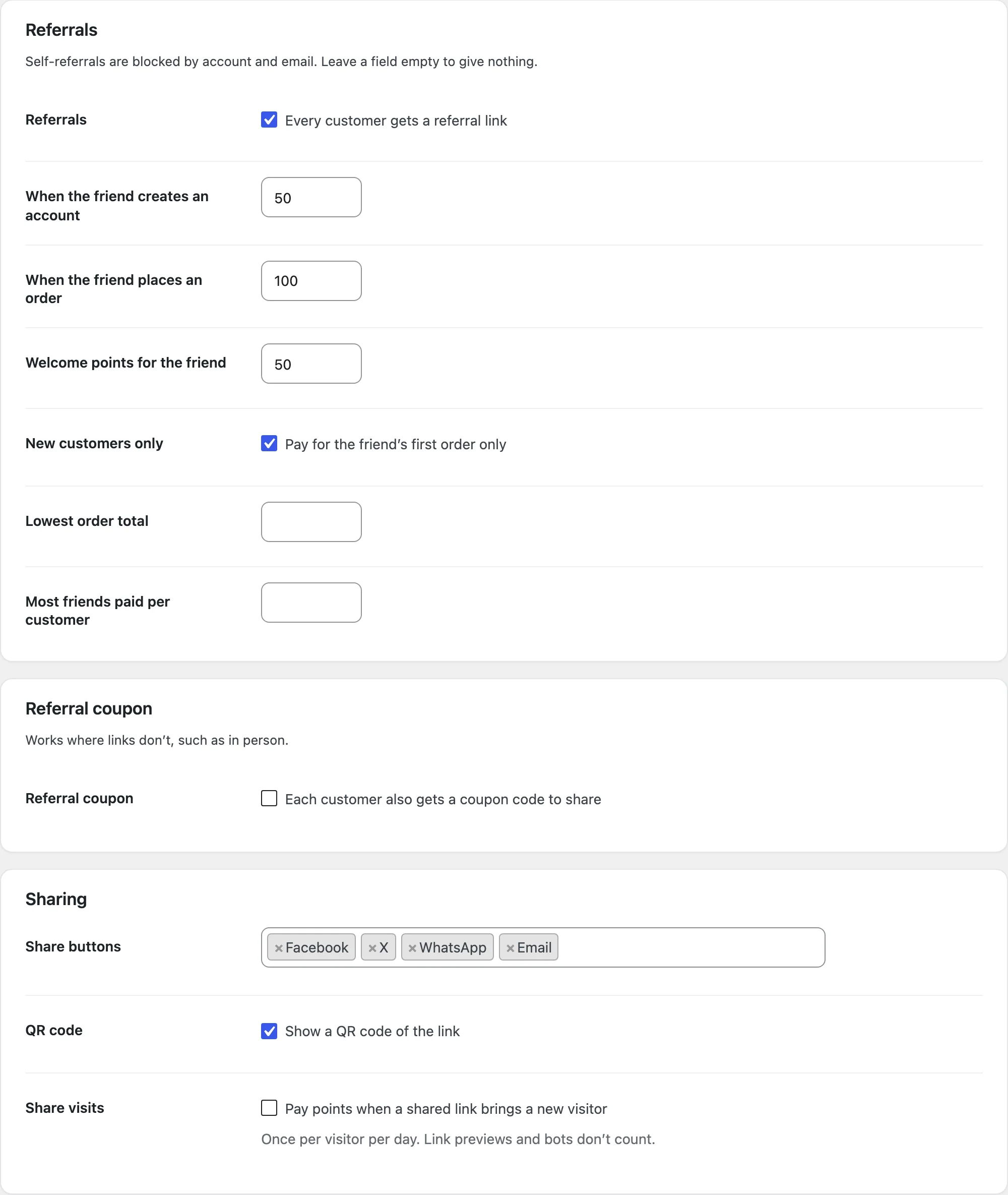
Every customer gets a referral link and code with share buttons and a QR code. With the referral coupon on, friends can also enter the code at checkout. The referrer gets points when the friend creates an account or places an order, and the friend can get welcome points or a referral coupon. Limit it to new customers, a lowest order total and a number of friends, and pay points for visits from shared links with a daily cap.
Customers and the log
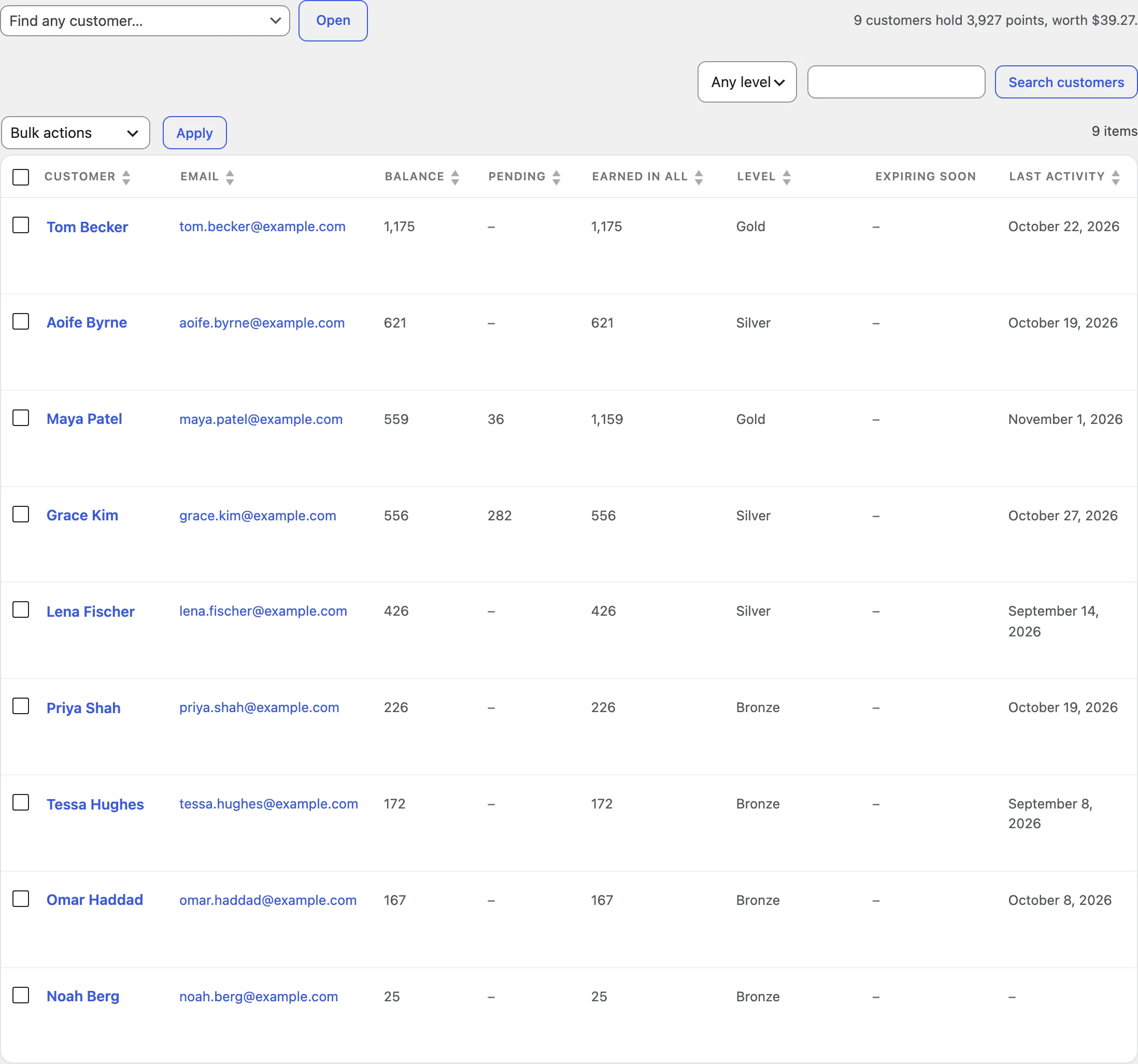
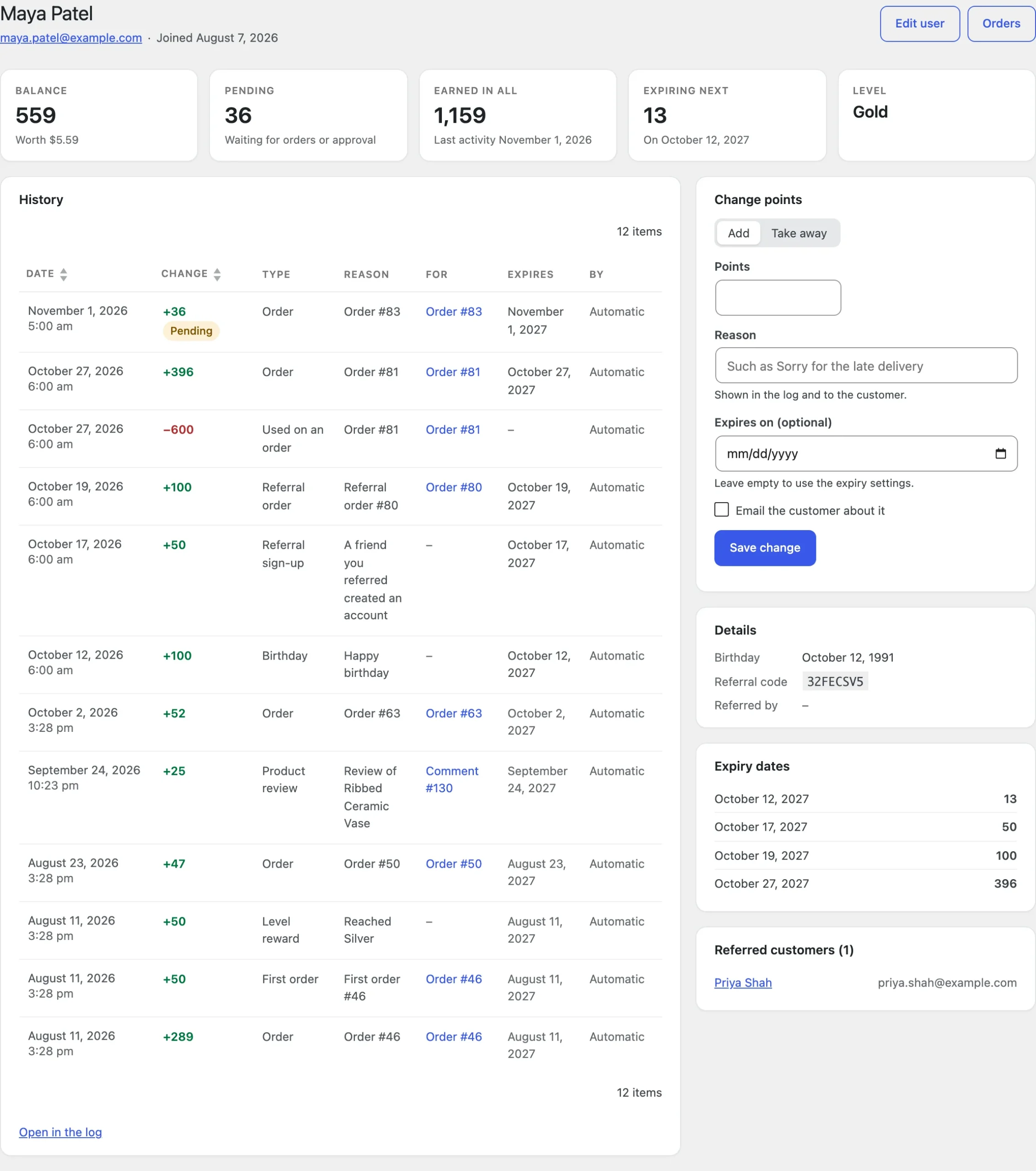
Points > Customers lists every customer with their balance, pending and earned points and level. Open a customer to add or take away points with a reason, an optional expiry date and an optional email, or select several to change them in bulk. Points > Log lists every change with filters, and Points > Overview shows the points earned, used and expired in a date range, what customers hold and the top customers.
Display and emails
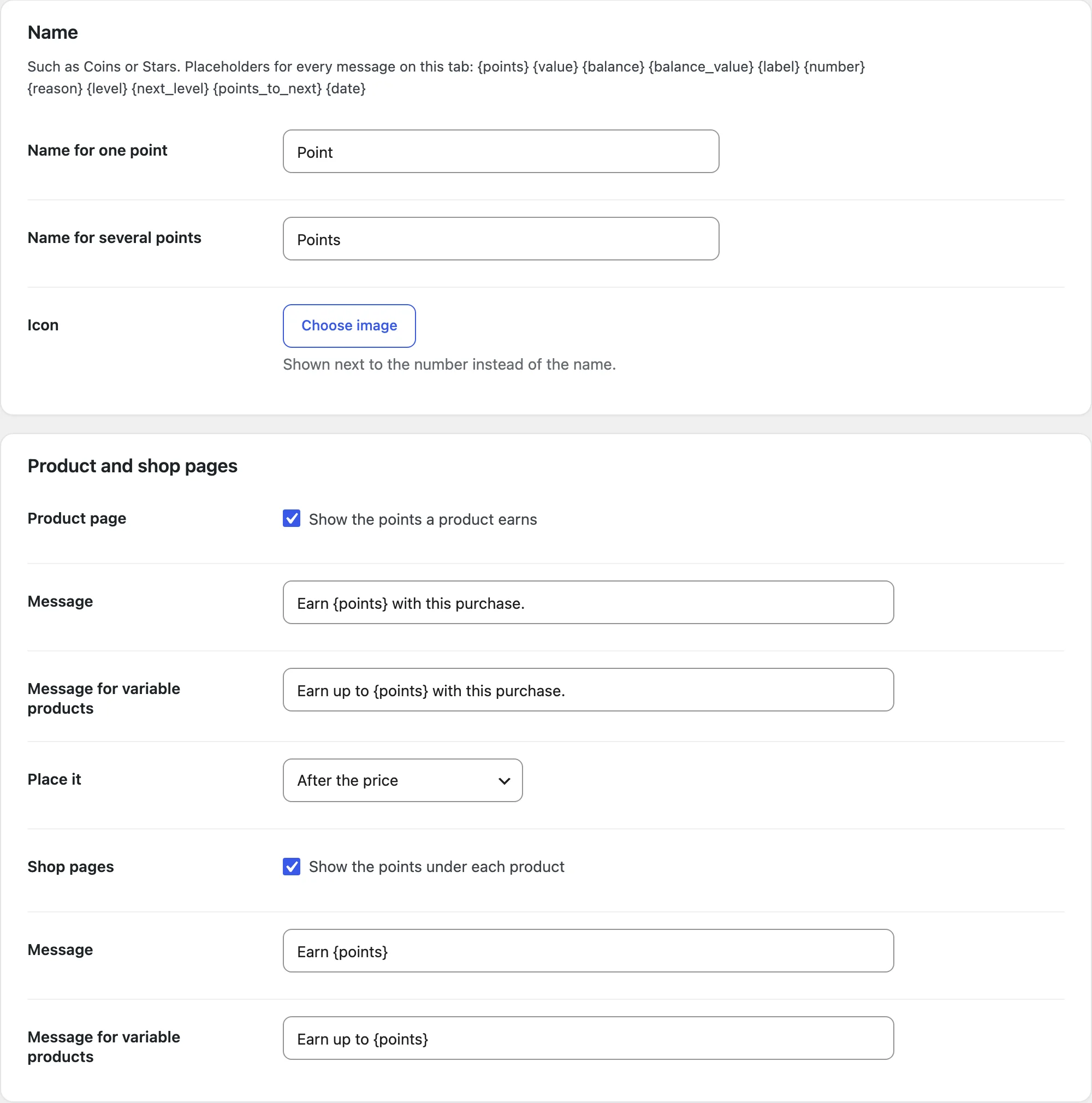
Rename points, choose an icon and colors, and edit or turn off the messages on product and shop pages, in the cart and checkout and on the thank-you page. The Emails tab lists the emails for points earned, staff changes, expiring points, levels reached, points used and points coupons about to expire, each turned on in WooCommerce > Settings > Emails, and adds points to WooCommerce order emails.
Tools
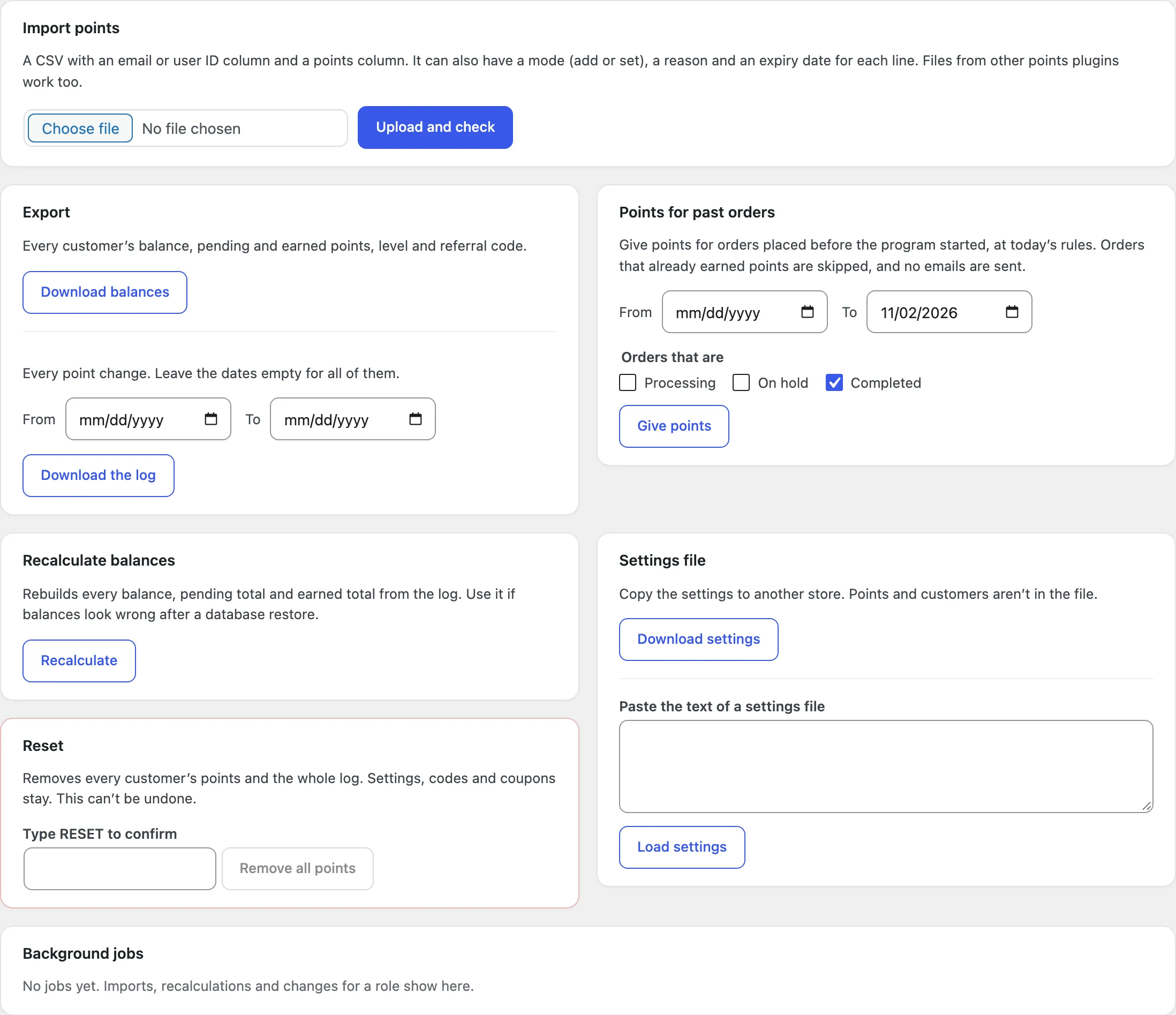
Points > Tools imports points from a CSV file, adding to or setting each balance, and exports the balances or the log. It also gives points for past orders between two dates (once per order), recalculates every balance from the log, removes all points, and copies the settings to another store with a settings file.
Settings
| Setting | What it does |
|---|---|
| Earning | The earn rate, the status that gives points, the hold, what counts, bonuses, events and limits. |
| Actions | Accounts, reviews, birthdays, anniversaries, logins, comments, posts and points codes. |
| Redeeming | The points value, how customers use points, limits, coupons, staff orders, sending points and currencies. |
| Expiry | When points expire and the reminder emails. |
| Levels | Levels, what they count and their perks. |
| Referrals | Referral points, the referral coupon and sharing. |
| Display | The points name, messages, the My Account tab and the look of the points box. |
| Emails | Points emails and points in order emails. |
| Advanced | Roles and customers left out, asking customers to join, vendor points and the debug log. |
For developers
| Hook | Use |
|---|---|
prpo_order_points | Change the points an order earns. |
prpo_product_points | Change the points shown for a product on product and shop pages. |
prpo_can_earn | Decide whether a customer can earn points. |
prpo_can_redeem | Decide whether a customer can use points. |
prpo_redeem_limits | Change the limits on using points for a cart. |
prpo_points_label | Change the name of points. |
prpo_points_added | Runs after points are added to a customer. |
Shortcodes: [prpo_balance], [prpo_history], [prpo_leaderboard], [prpo_ways_to_earn], [prpo_referral_link] and [prpo_product_points], with a block for each. To change the markup, copy files from public/templates/ to yourtheme/points-rewards/, such as points/redeem-box.php for the points box or myaccount/points.php for My Account > Points. The REST API (points-rewards/v1) reads a customer’s balance and history and changes their points.
Frequently asked questions
Why didn’t an order earn points?
Check that the order reached the status set in Earning, that the hold has passed, and that the customer isn’t left out in Advanced. Also check the lowest and highest order totals, sale items and orders that used points in What earns points. The order screen’s Points box shows what the order earned or will earn, and each point change.
Can guests earn points?
Yes. A guest order’s points are added when the guest creates an account with the same email and confirms it.
How do I give points for orders placed before the plugin?
Use Points > Tools > Points for past orders. Each order is counted once, so running it again doesn’t add more.
How do I remove all data when deleting the plugin?
Add define( 'PRPO_REMOVE_ALL_DATA', true ); to wp-config.php before deleting the plugin.
Changelog
1.0.1 · November 2, 2026
Maintenance
- Code notes on database queries and WooCommerce’s own email hooks, so Plugin Check reports no warnings. Nothing changes in how the plugin works.
1.0.0 · November 2, 2026
Initial release
- Points for orders, actions and referrals, used as a discount, a payment method or a coupon.
- Pending points, take-backs, expiry with reminders, levels and a leaderboard.
- My Account > Points, blocks, shortcodes, Elementor widgets and emails.
- Customers list, adjustments, log, overview, CSV import and export, and a REST API.