Customer CRM and Profiles adds a CRM inside WooCommerce: customers and segments, profiles with notes, tasks and a timeline, stages, and emails.
Requirements
- WordPress 6.8 or newer
- WooCommerce 10.0 or newer
- PHP 7.4 or newer
- Works with classic and block themes, the Cart and Checkout blocks, and High-Performance Order Storage.
Installation
- Download
customer-crm-profiles.zipfrom My account > Downloads. - In WordPress, go to Plugins > Add New Plugin > Upload Plugin, choose the zip file and click Install Now.
- Click Activate. The CRM is under Customers CRM in the admin menu, with Dashboard, Customers, Tasks and Settings.
Quick start
- Activate the plugin: the CRM works out every customer’s numbers in the background.
- Open Customers CRM > Customers and click a customer to see their profile.
- Add a note, a tag or a task from the profile.
- Filter the list and save the filters as a segment.
- Under Settings, choose the order statuses that count and the stage limits.
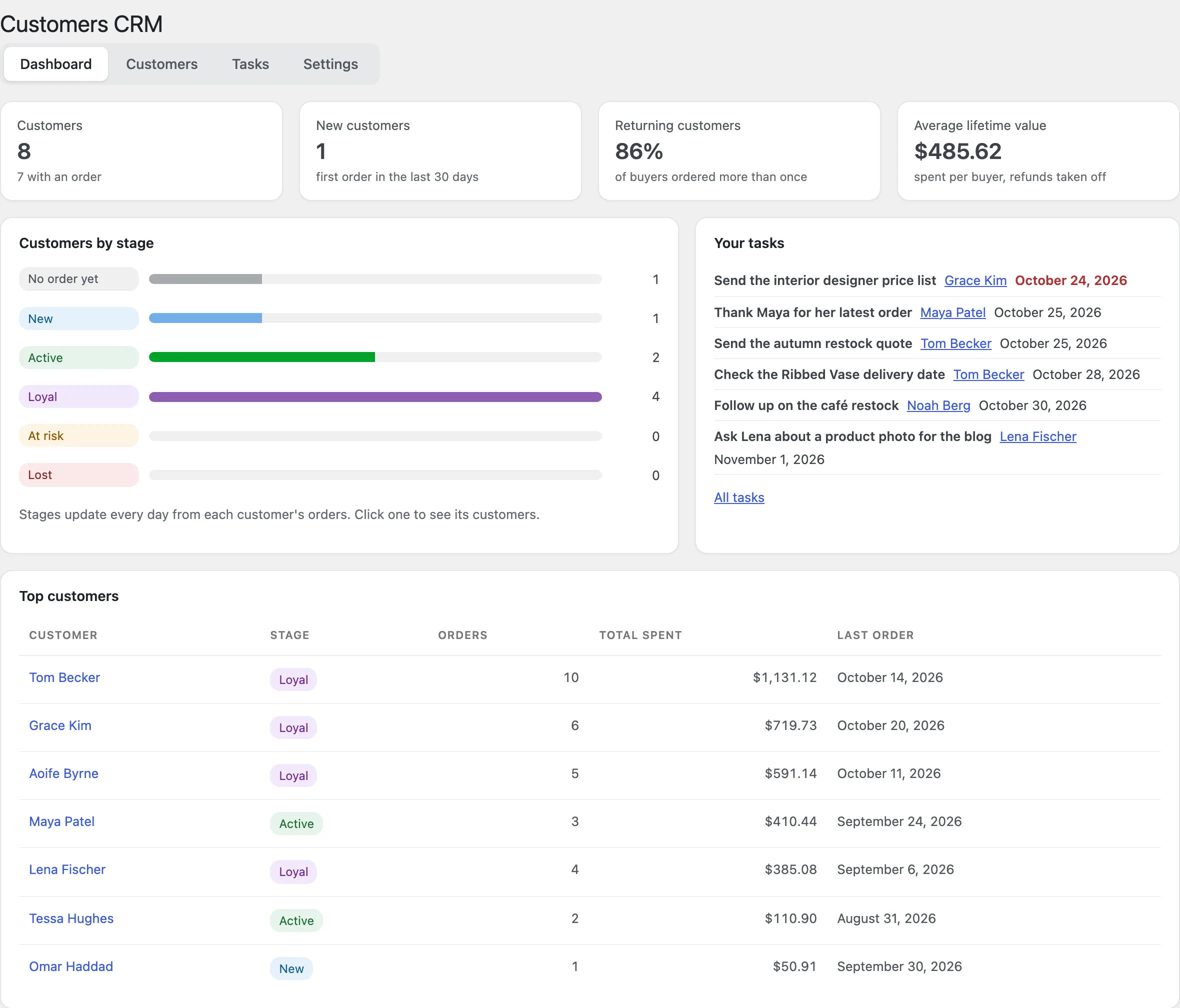
Dashboard
Customers, new customers, returning customers and average lifetime value, customers by stage, top customers and your tasks.
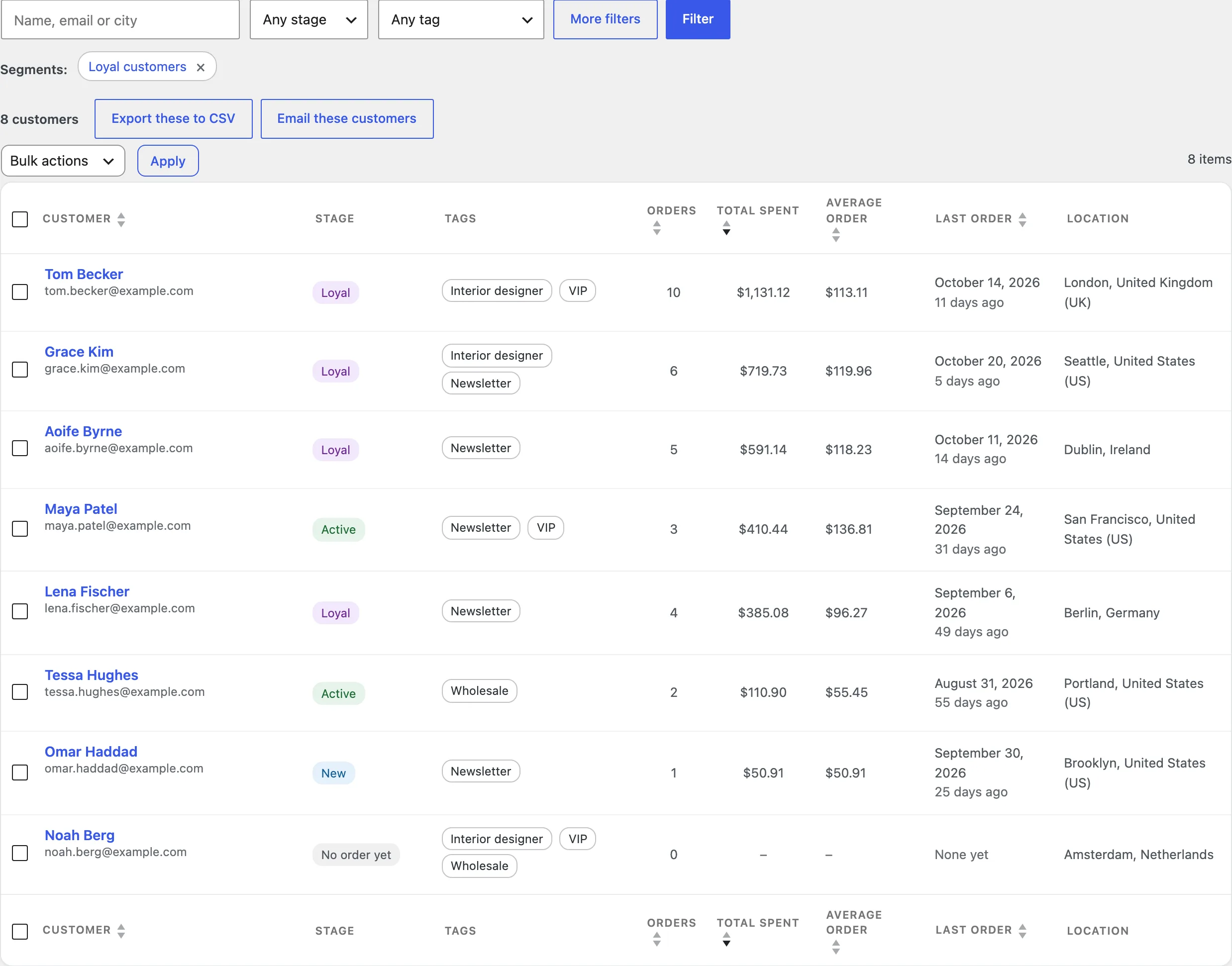
Customers and segments
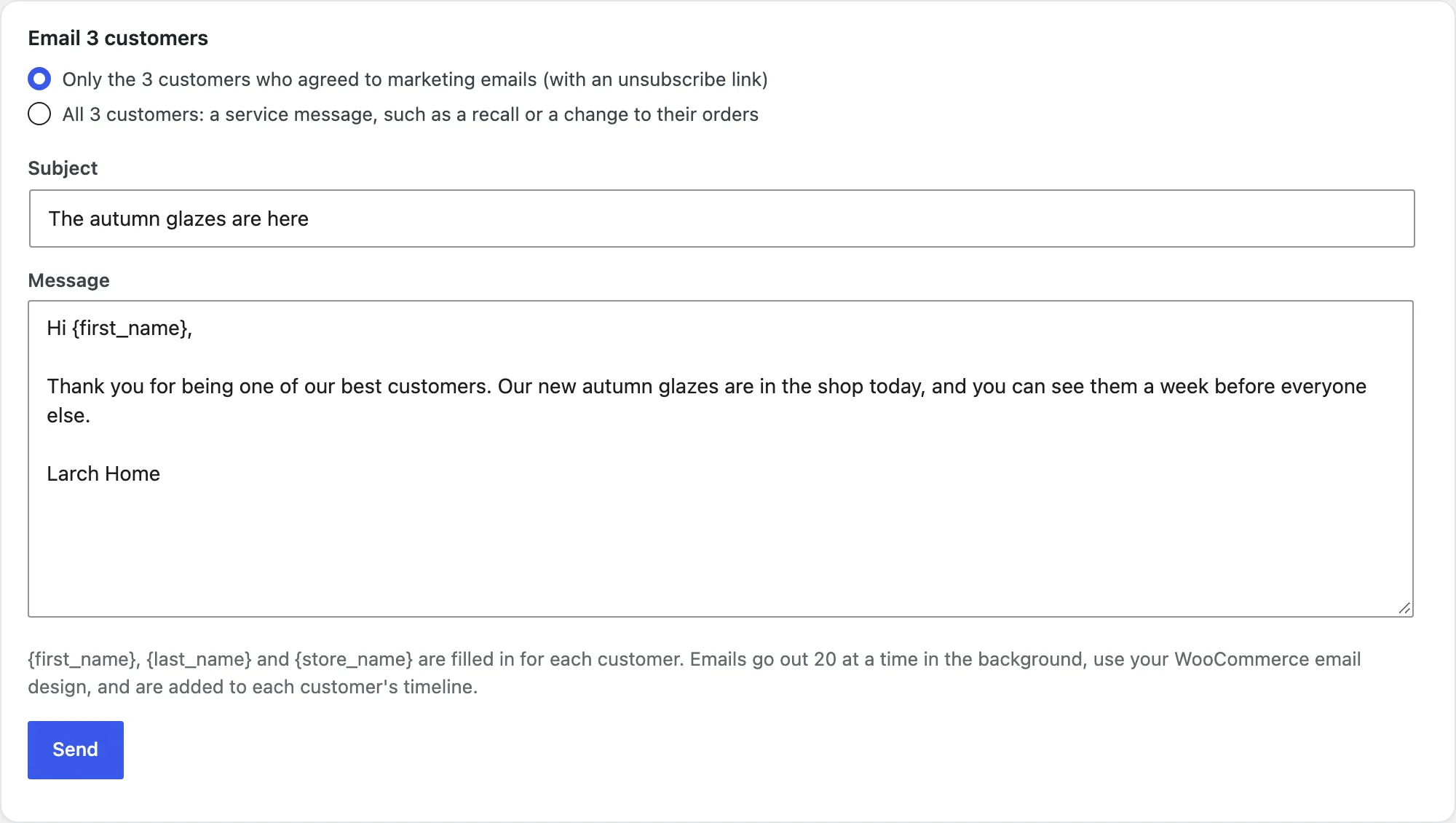
Search, filter and sort customers. Save filters as segments, tag customers in bulk, export them to CSV or email them.
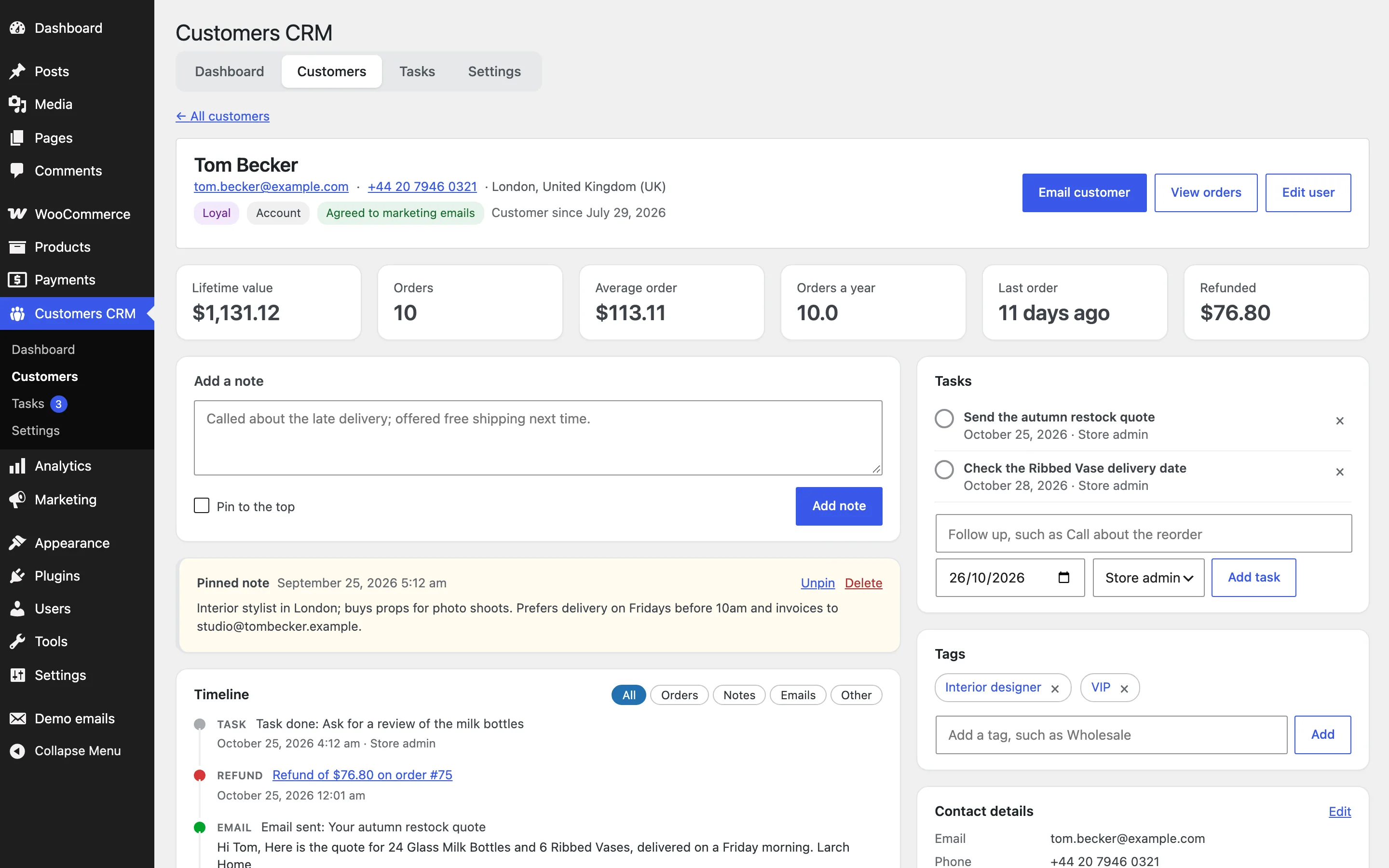
Profiles
Each profile shows the customer’s numbers, contact details, notes, tasks, tags, your own fields, products bought, latest orders and timeline.
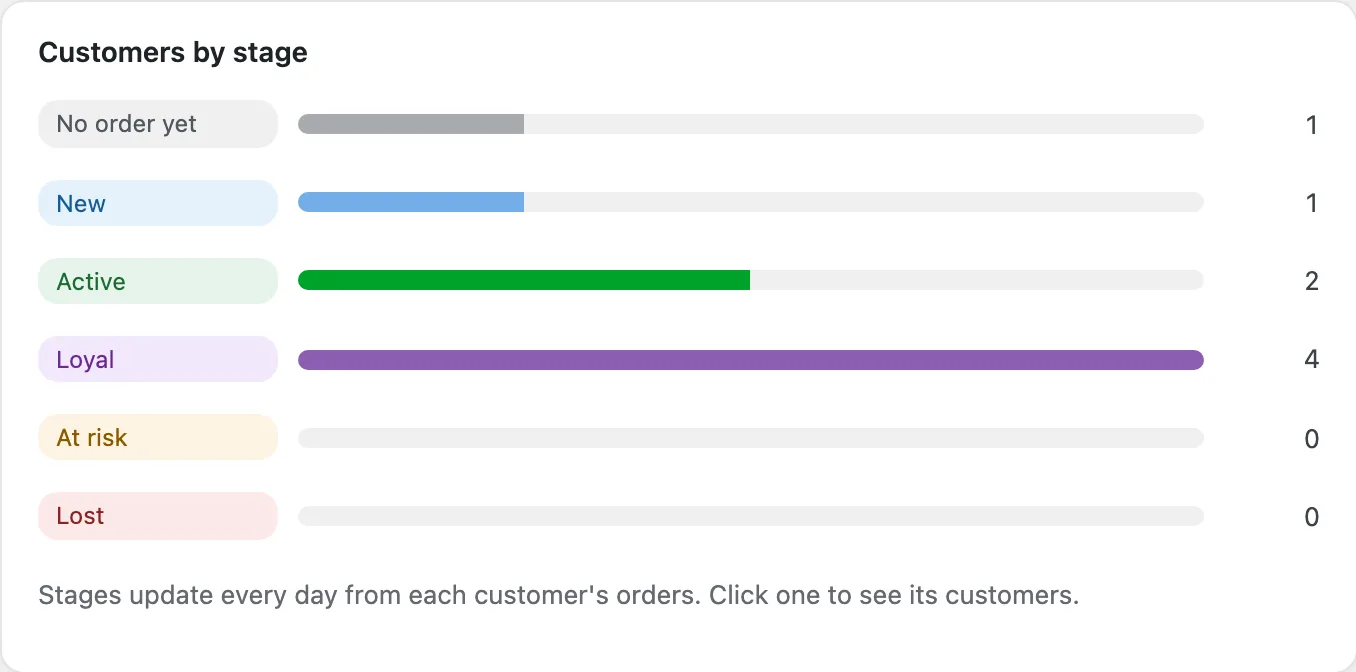
Stages
Stages are worked out every day from each customer’s orders. Set when a customer is loyal and how many days without an order make them at risk or lost.
Tasks
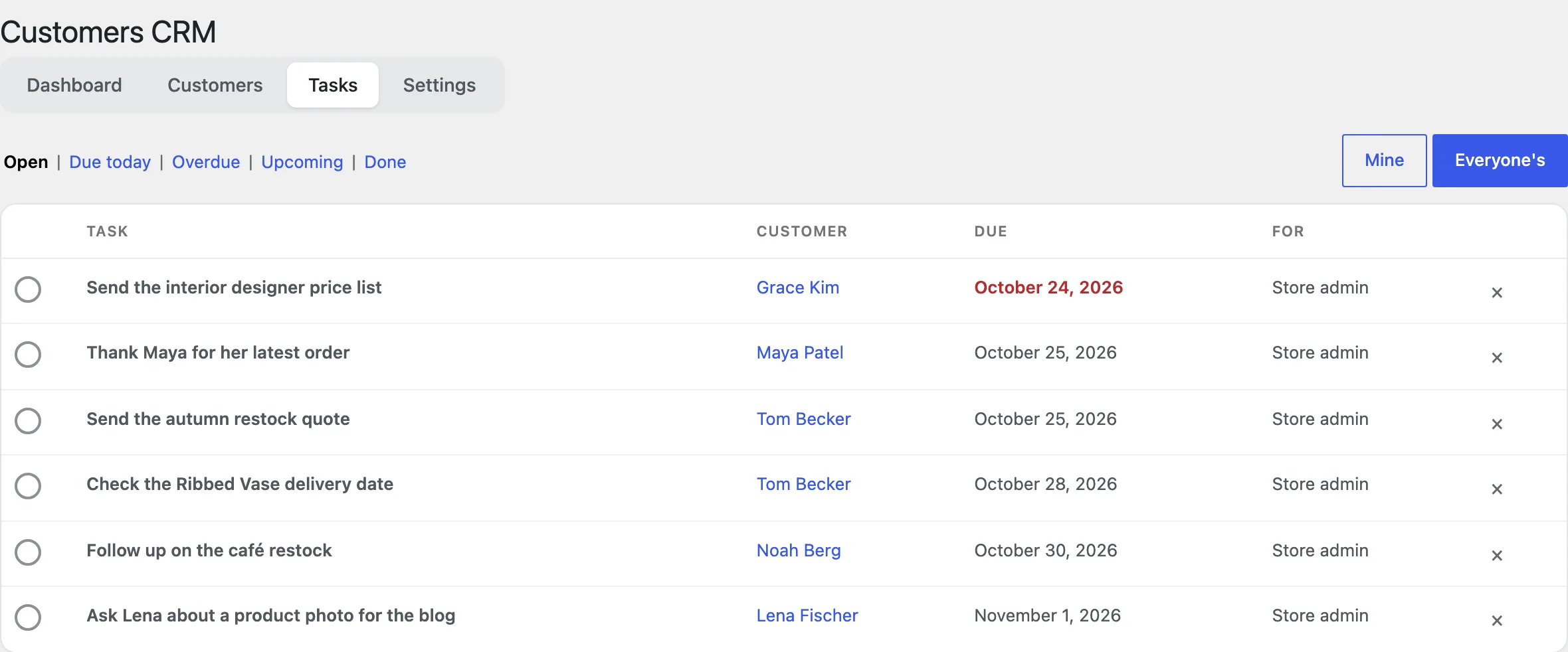
Add tasks from a profile. The Tasks page lists your tasks or everyone’s by due date, and a daily email reminds each team member.
Emails and consent
Email a customer from their profile, or a segment from the list. The marketing box at checkout and registration records consent.
Settings
| Setting | What it does |
|---|---|
| Order statuses | The statuses that count as purchases. |
| Customer stages | Loyal from, at risk after and lost after. |
| Your own fields | Fields such as a birthday, one per line. |
| Marketing box | The box at checkout and registration, and its text. |
| Link guest orders | Move a guest’s orders to the account they create. |
| Order box | The customer box on the order screen. |
| Task reminders | The daily email with tasks due. |
For developers
| Hook | Use |
|---|---|
ccpc_capability | Change who can use the CRM. |
ccpc_counted_statuses | Change the order statuses that count as purchases. |
Frequently asked questions
Why are a customer’s numbers not shown yet?
After activation the CRM works them out in the background. Large stores take a few minutes.
Can I import orders from before WooCommerce Analytics?
Yes: import them once under Analytics > Settings and the CRM picks them up.
How do I remove all data when deleting the plugin?
Add define( 'CCPC_REMOVE_ALL_DATA', true ); to wp-config.php before deleting the plugin.
Changelog
1.2.0 · October 21, 2026
Feature update
- Added stages, worked out every day.
- Added emails to customers and segments, with consent.
1.1.0 · September 10, 2026
Feature update
- Added custom fields to profiles and the customer dashboard.
- Improved the segment filters for repeat customers.
1.0.0 · August 5, 2026
Initial release
- Customers with orders and spend, guests included, and segments.
- Profiles with notes, tasks, tags and a timeline.