Product Feed Manager makes product feeds for Google Shopping, Meta, TikTok, Pinterest and other channels, rebuilt on a schedule, with a check for problems.
Requirements
- WordPress 6.8 or newer
- WooCommerce 10.0 or newer
- PHP 7.4 or newer
- Works with classic and block themes, the Cart and Checkout blocks, and High-Performance Order Storage.
Installation
- Download
product-feed-manager.zipfrom My account > Downloads. - In WordPress, go to Plugins > Add New Plugin > Upload Plugin, choose the zip file and click Install Now.
- Click Activate. Feeds are under Product Feeds in the admin menu, with Add a feed, Category mapping and Settings. Each product has a Feeds tab.
Quick start
- Go to Product Feeds > Add a feed and choose a channel, such as Google Shopping.
- Name the feed, choose the file format and how often it’s rebuilt.
- Under Products, choose how variations are listed and what to leave out.
- Click Save and build, then copy the feed’s address from the list.
- Paste the address into the channel as a scheduled fetch, and map your categories under Category mapping.
Feeds
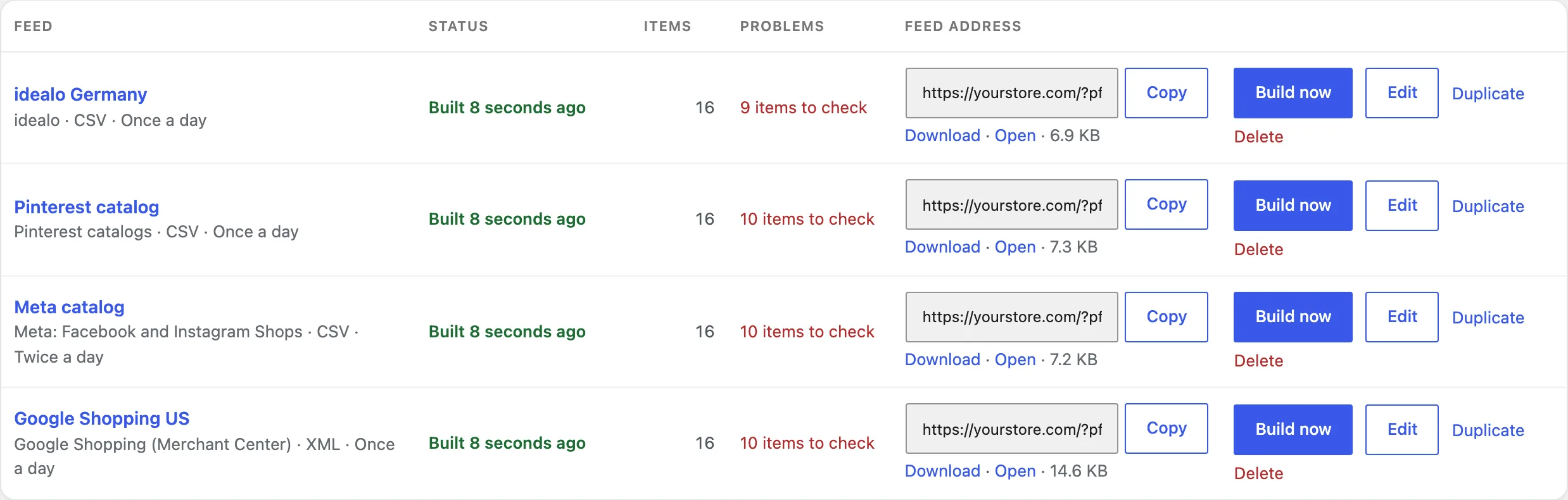
The feed list shows each feed’s channel, format and schedule, when it was last built, its items and problems, and its address with Copy, Download and Open. Build now rebuilds it straight away.
Fields and rules
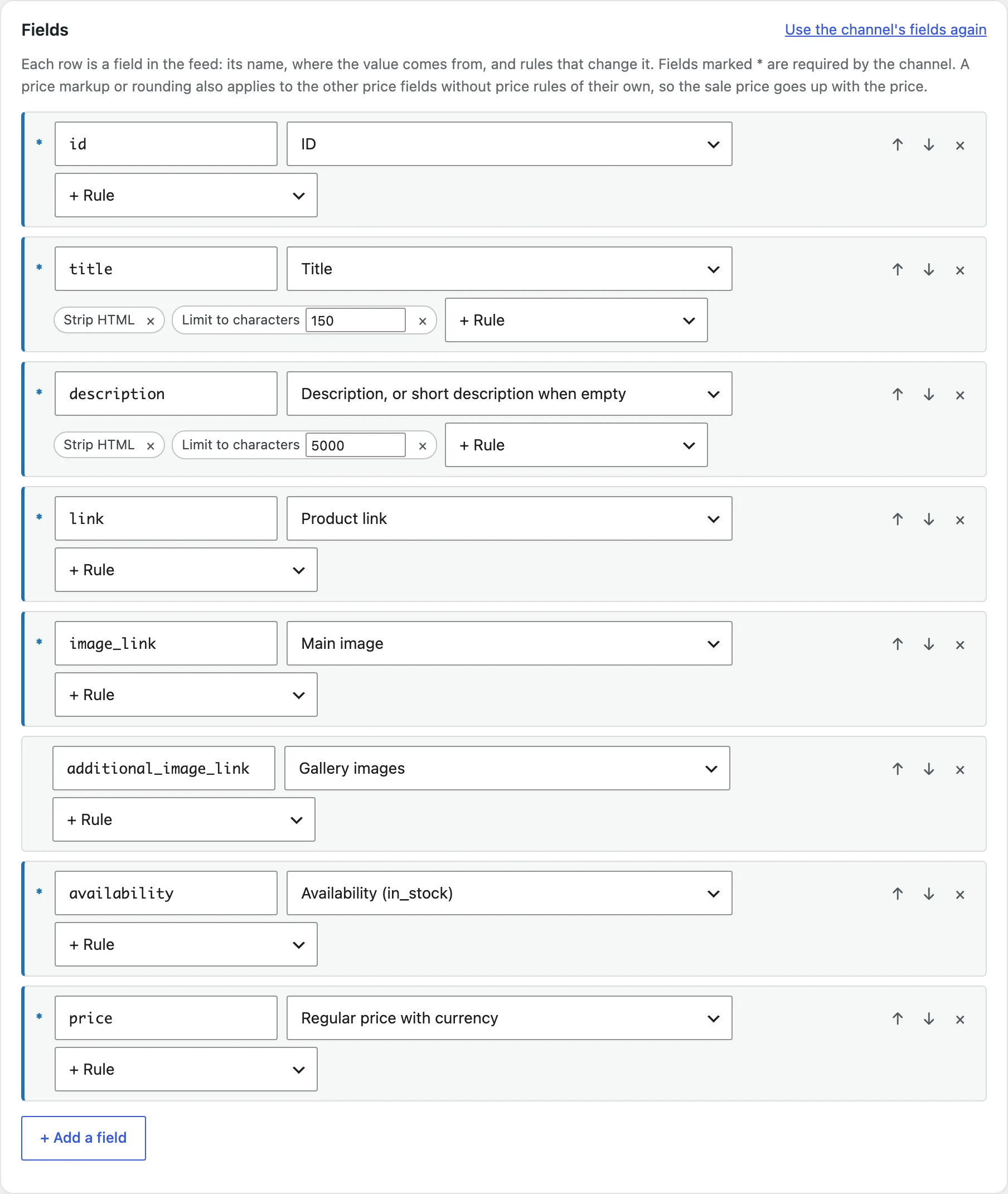
Each row is a field in the feed: its name, where the value comes from, and rules that change it. Fields marked * are required by the channel. Use the channel’s fields again to start over.
Products
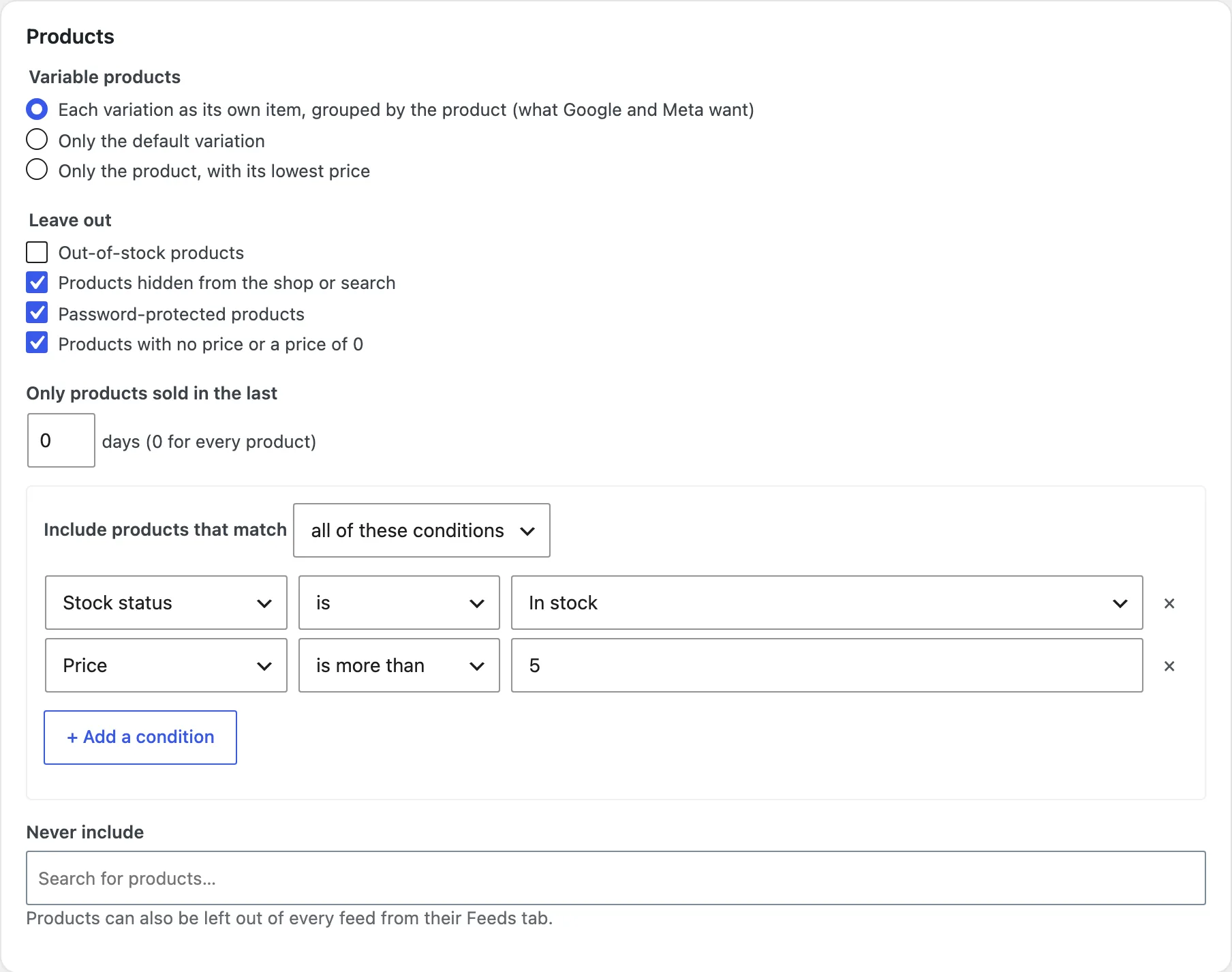
Choose each variation as its own item, only the default variation, or only the product. Leave out out-of-stock, hidden, password-protected or zero-price products, include products by conditions, and never include single products.
Category mapping
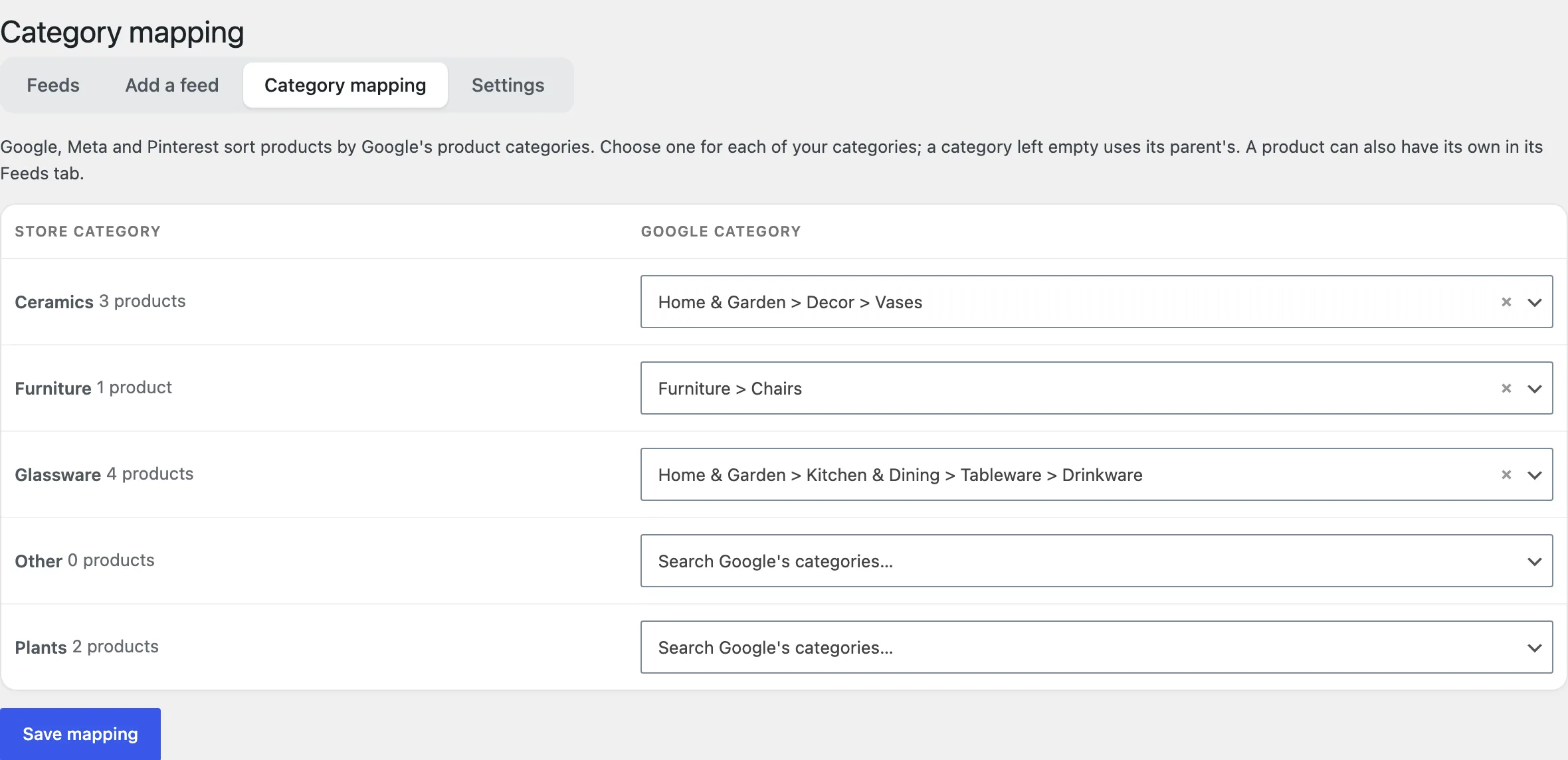
Under Product Feeds > Category mapping, choose a Google product category for each store category. A category left empty uses its parent’s. A product can have its own in its Feeds tab.
Feed check
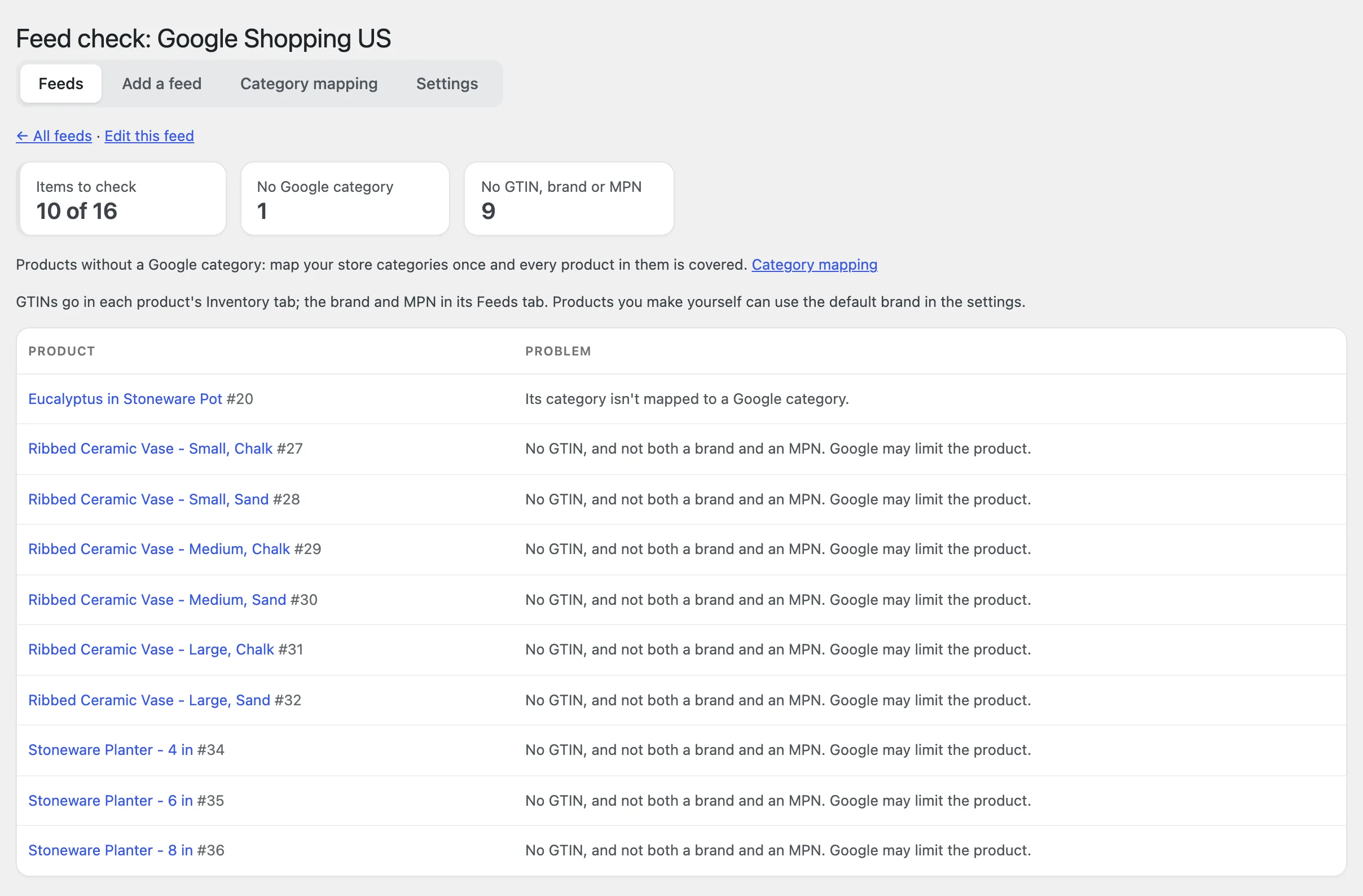
Click the problems count in the list to see which items a channel may turn down and why. Each item links to its product.
Prices, links and FTP
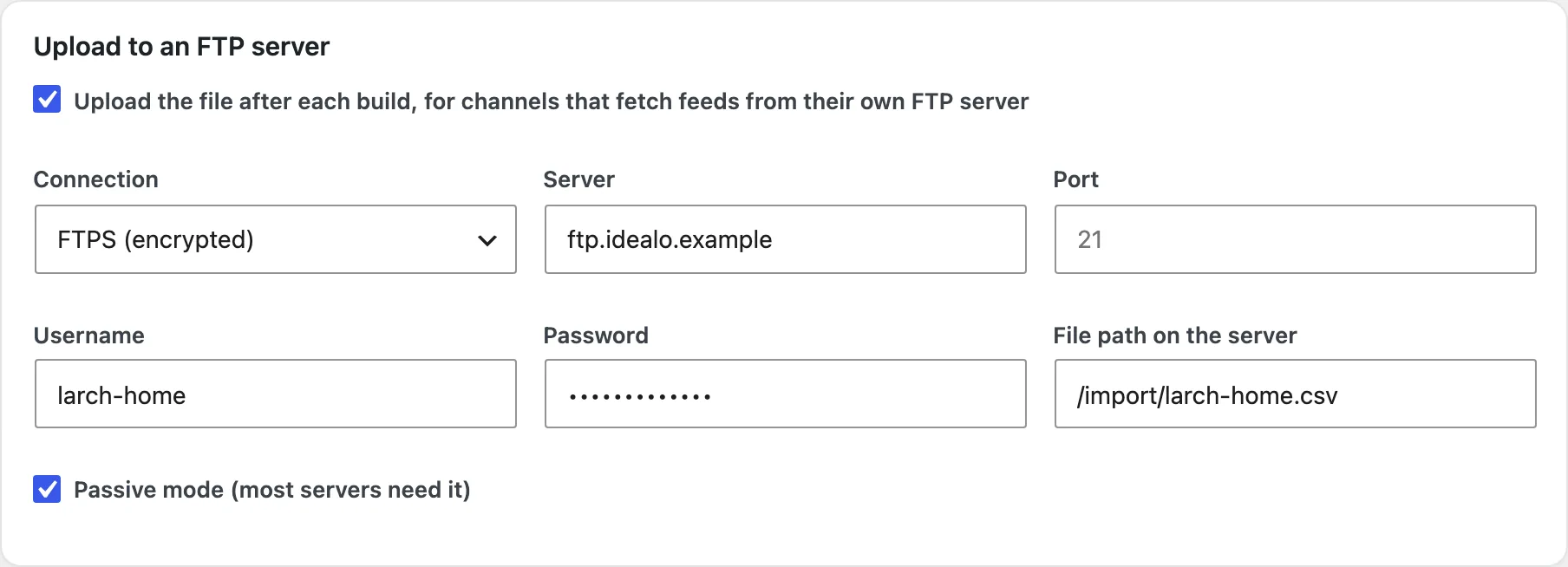
Choose prices with or without tax, the country for shipping costs and UTM parameters for links. Tick Upload the file after each build to send it to an FTP or FTPS server.
Settings
| Setting | What it does |
|---|---|
| Brand | The default brand for products without one. |
| Condition | New, refurbished or used, for products without their own. |
| MPN | Use the SKU as the MPN when a product has none. |
| Product screen | The Feeds tab on products and fields on variations. |
| Structured data | Brand, GTIN, MPN and condition on product pages. |
| Products per batch | How many products each build step handles. |
For developers
| Hook | Use |
|---|---|
pfmp_channels | Add or change channel templates. |
pfmp_feed_item | Change an item before it’s written to the file. |
pfmp_source_value | Give the value of a source added by another plugin. |
pfmp_feed_built | Run code after a feed file is built. |
pfmp_capability | Change who can manage feeds. |
Frequently asked questions
Why does the feed check list products without a GTIN?
Google needs a GTIN, or a brand and an MPN, for most products. Add GTINs in the Inventory tab, or a brand and use your SKUs as MPNs in the settings.
Why is a product missing from the feed?
Check the feed’s Products settings: it may be out of stock, hidden, without a price, outside the conditions, or excluded in its Feeds tab.
How do I remove all data when deleting the plugin?
Add define( 'PFMP_REMOVE_ALL_DATA', true ); to wp-config.php before deleting the plugin.
Changelog
1.2.0 · October 16, 2026
Maintenance
- Updated compatibility checks for current WooCommerce releases.
- Fixed a scheduled build not running again after a failed FTP upload.
- Improved translated notices and settings labels.
1.1.0 · August 27, 2026
Feature update
- Added Google category mapping and a Feeds tab on products.
- Added structured data for feeds that need it.
- Improved field rules for variation attributes.
1.0.0 · July 30, 2026
Initial release
- Feeds for 11 channels and custom feeds in XML, CSV, TSV and JSON.
- Fields with rules, and products chosen by conditions or as variations.
- Scheduled builds in batches, with FTP upload and the feed check.