Product Reviews Pro adds photos, videos, rating criteria, questions, a review summary, helpful votes, review reminders and coupons to WooCommerce product reviews.
Requirements
- WordPress 6.8 or newer
- WooCommerce 10.0 or newer
- PHP 7.4 or newer
- Works with classic and block themes, the Cart and Checkout blocks, and High-Performance Order Storage.
Installation
- Download
product-reviews-pro.zipfrom My account > Downloads. - In WordPress, go to Plugins > Add New Plugin > Upload Plugin, choose the zip file and click Install Now.
- Click Activate. Settings are under Products > Review settings. Reviews stay under Products > Reviews.
Quick start
- Go to Products > Review settings.
- Add rating criteria and questions on the Review form tab, and tick Photos.
- Open a product’s Reviews tab to see the summary and the new form.
Review form
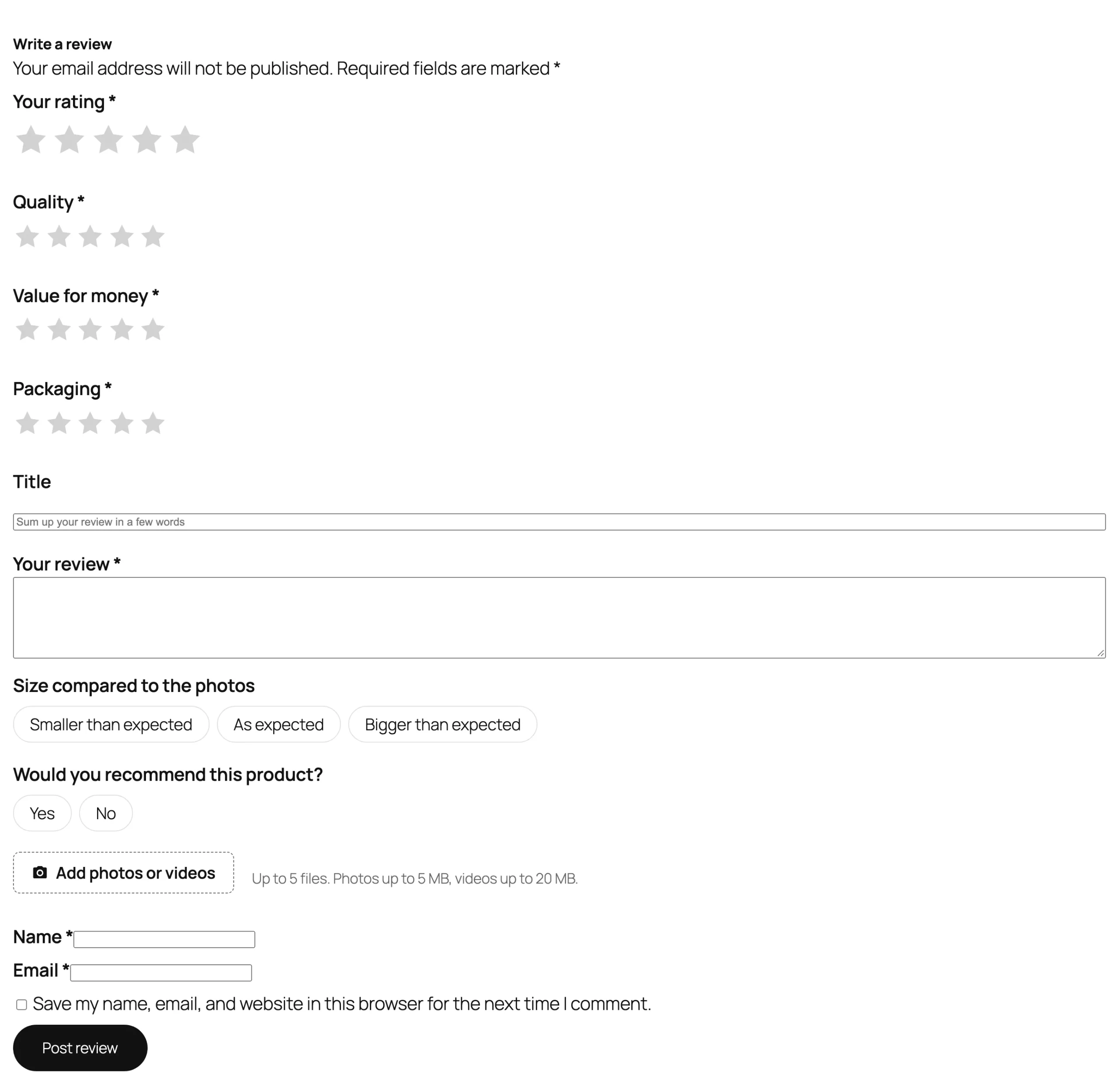
Rating criteria get their own stars next to the overall rating; limit a criterion to some categories. Questions have set answers customers choose from. Add a review title, “Would you recommend this product?”, a consent checkbox and spam protection.
Reviews section
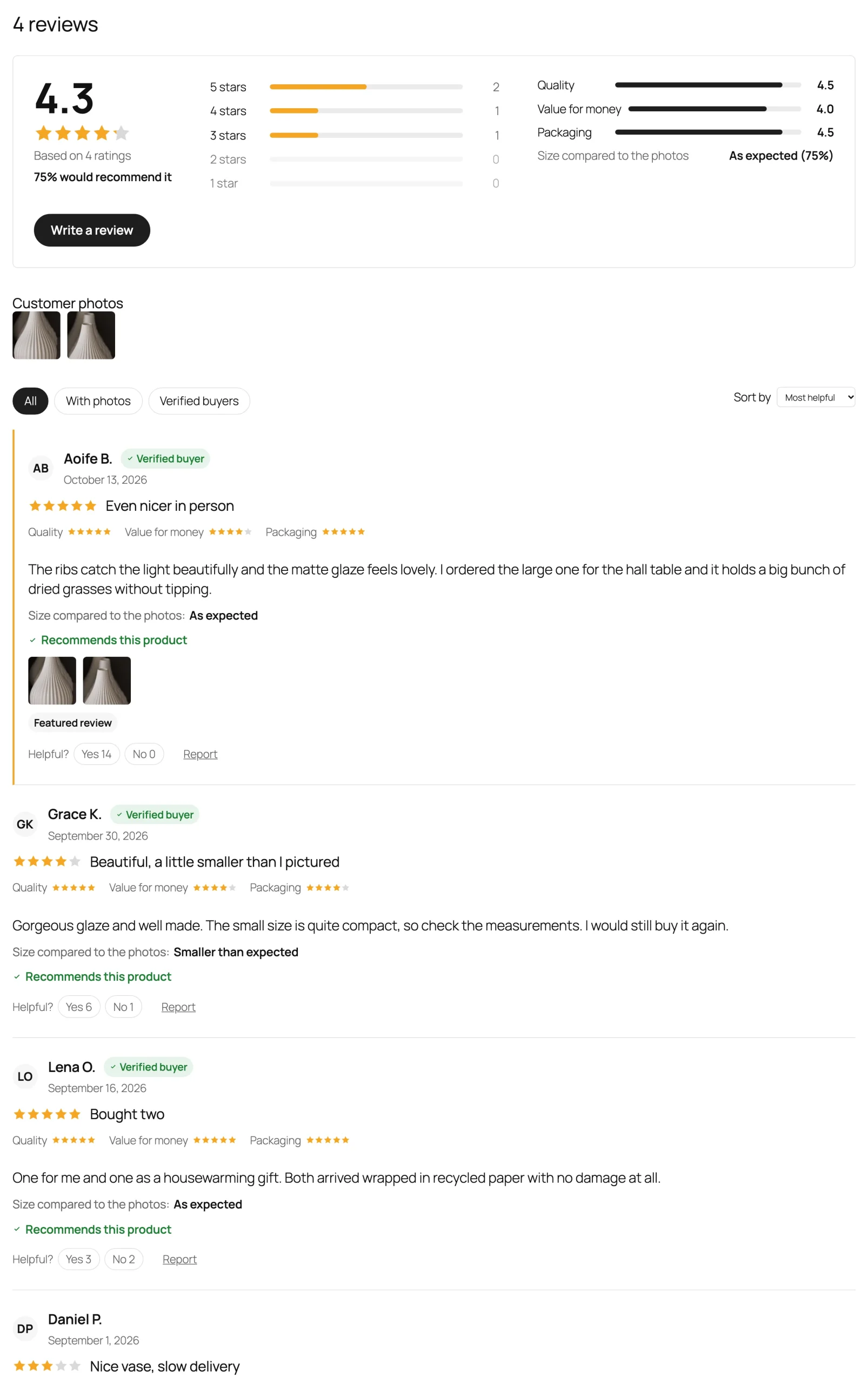
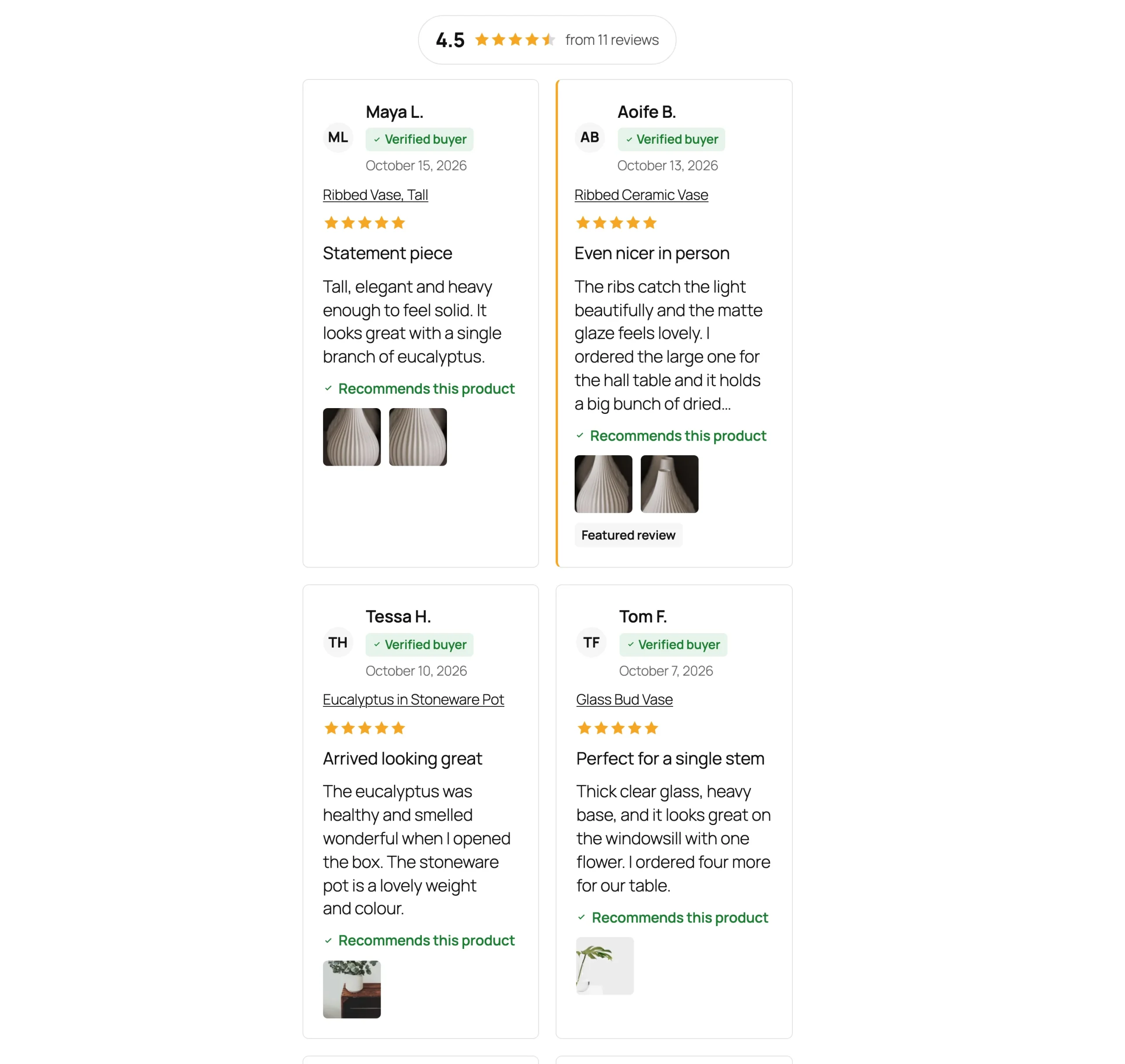
The section shows the review summary, customer photos, filters for star ratings, photos and verified buyers, and sorting. “Show more reviews” and the filters work without reloading the page.
Replying to reviews
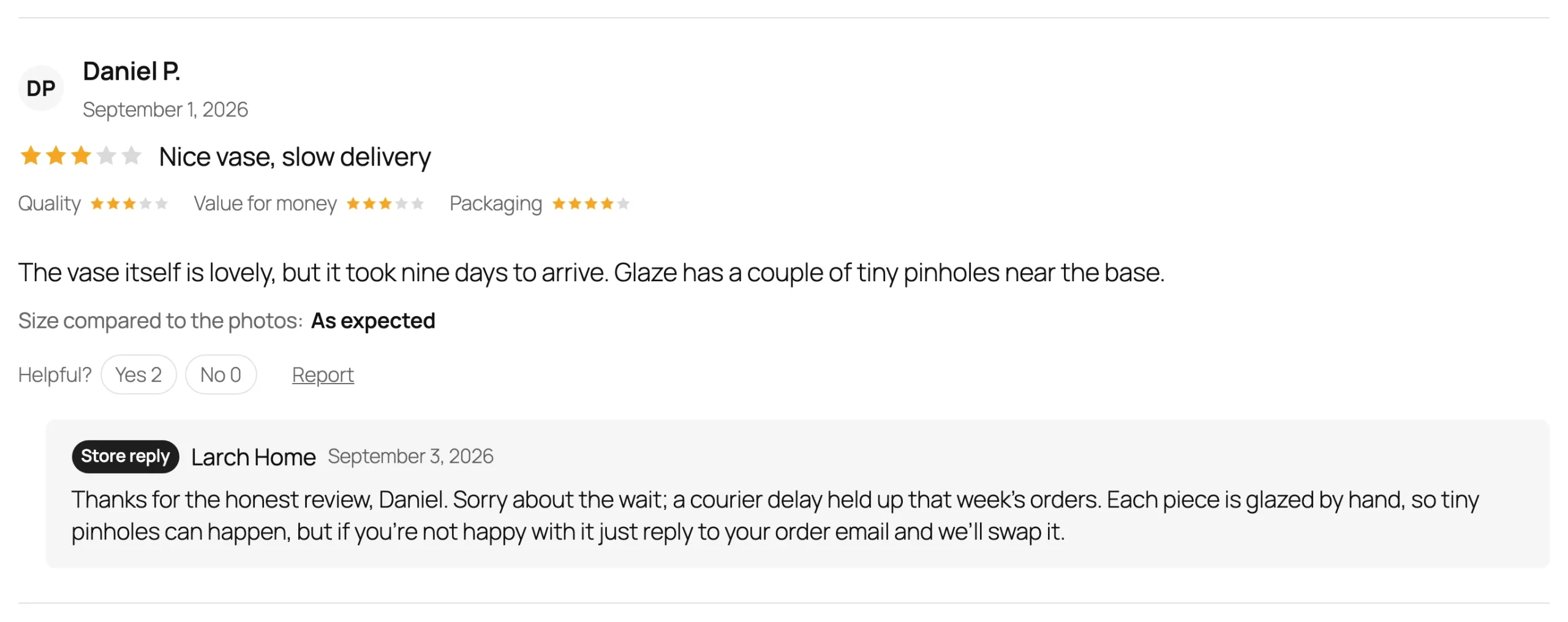
On Products > Reviews, reply as usual. Replies from the store show with a “Store reply” badge, and the customer gets an email.
Review reminders
On the Reminders tab, choose when reminders go out (days after the order is completed) and which categories and roles to leave out. The email links to the “Review your order” page, where customers review every item of the order. Send a reminder by hand from the order screen.
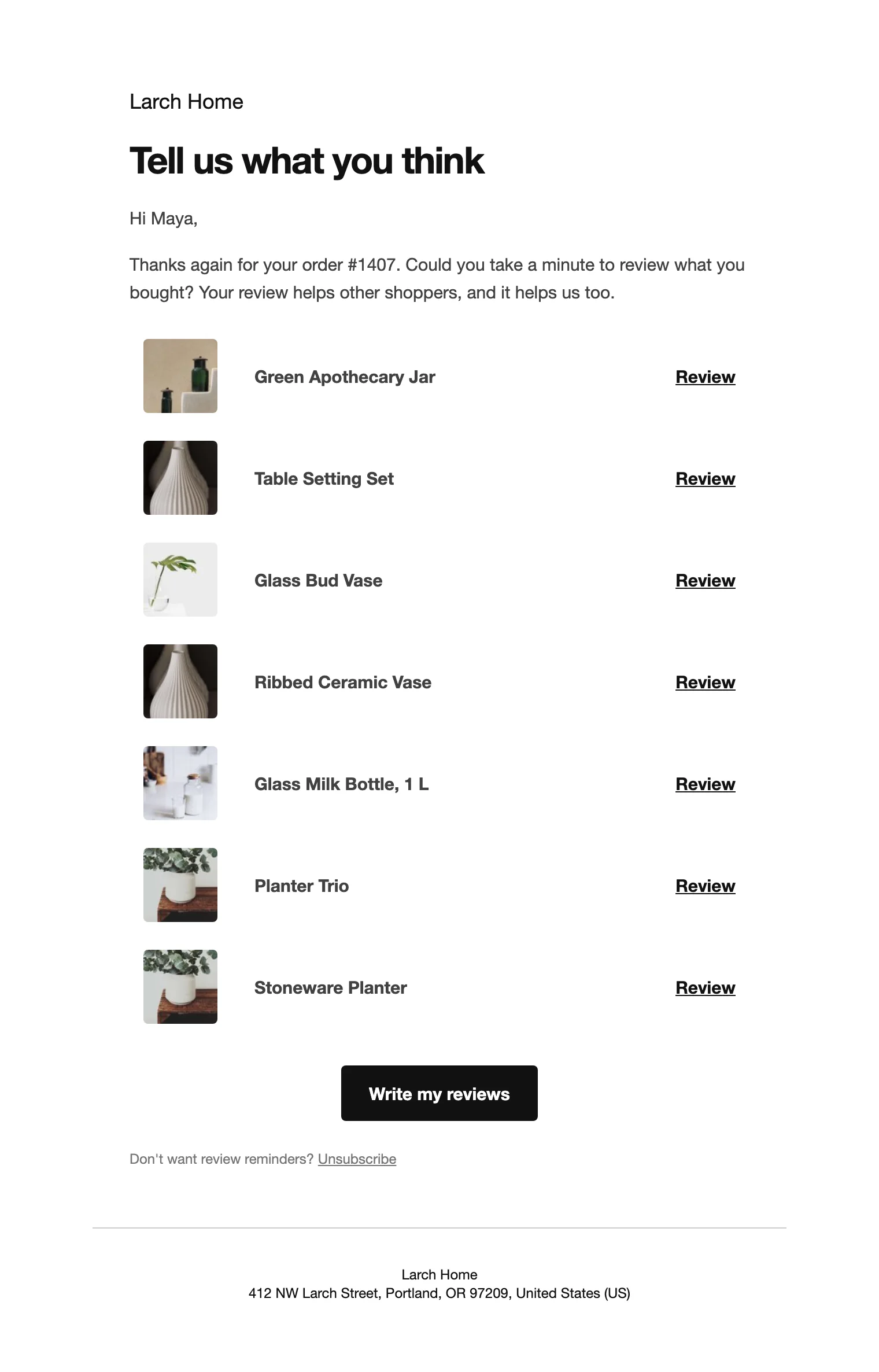
The “Review your order” page is created on activation and holds the shortcode [prpp_review_order].
Coupons for reviews
On the Rewards tab, turn on a coupon emailed when a review is published: a percentage or amount, valid for the days you choose, with a minimum spend, for verified buyers only or for reviews with a photo.
Reviews on other pages
Use the Reviews showcase block or [prpp_reviews layout="grid" columns="3" limit="6" rating="4"] for recent reviews, [prpp_badge] for your store rating and [prpp_rating] for a product’s stars.
Settings
| Setting | What it does |
|---|---|
| Rating criteria, Questions | Extra stars and questions on the form, per category. |
| Review title, Recommendation | A title and “Would you recommend this product?”. |
| Photos, Videos, Files per review | Customer media and its limits. |
| Consent checkbox, Spam protection | Terms to accept, and Turnstile or reCAPTCHA keys. |
| Review summary, Customer photos | The summary and the row of photos above the reviews. |
| Layout, Sort reviews by, Reviews shown at first | How the list looks. |
| Reviewer names, Avatars | Full name, first name and initial, or anonymous; initials or Gravatar. |
| Helpful votes, Report link | Voting and reporting on reviews. |
| Review reminders, Send after | Reminder emails after completed orders. |
| Coupon for reviews | A coupon when a review is published. |
| Google reviews feed | A product reviews feed for Google Merchant Center. |
| Remove data | Delete the plugin’s settings and review extras when it is deleted. Reviews stay. |
For developers
| Hook | Use |
|---|---|
prpp_review_saved | Runs after a review and its extras are saved. |
prpp_review_reported | Runs when a review is reported. |
prpp_reward_coupon | The coupon made for a review. |
prpp_allowed_types | The file types customers can upload. |
prpp_admin_capability | The capability needed to change the settings. |
Frequently asked questions
How do I add reviews to WooCommerce?
Turn on reviews in WooCommerce > Settings > Products, then set the form and reminders under Products > Review settings.
How do I get more product reviews?
Turn on review reminders and, if you like, a coupon for reviews. Customers review every item of their order on one page.
Can I edit a customer’s review?
Yes. Edit the title, criteria, answers and photos on the review’s edit screen.
Changelog
1.0.0 · October 19, 2026
- Photos, videos, rating criteria, questions and review titles.
- Review summary, filters, sorting, helpful votes and store replies.
- Review reminders, the Review your order page and coupons for reviews.
- Reviews showcase, store rating, rich results and a Google reviews feed.