Product Search shows matching products as customers type, finds products by name, SKU, category and attribute, forgives typos, and reports what customers search for.
Requirements
- WordPress 6.8 or newer
- WooCommerce 10.0 or newer
- PHP 7.4 or newer
- Works with classic and block themes, the Cart and Checkout blocks, and High-Performance Order Storage.
Installation
- Download
product-search.zipfrom My account > Downloads. - In WordPress, go to Plugins > Add New Plugin > Upload Plugin, choose the zip file and click Install Now.
- Click Activate. Settings are under WooCommerce > Settings > Search, and the report, synonyms and pinned results under Products > Search.
Quick start
- Activate the plugin. It builds the search index in the background; the status shows in the settings.
- Leave Theme search ticked to replace your theme’s search boxes, or add the Product search block where you want it.
- Type a product name in the search box to see the suggestions.
Suggestions as customers type
Suggestions start after the number of letters you choose (two by default) and show the products, categories and brands that match. Choose how many products show, and whether to show the image, price, SKU, short description and an add to cart button.
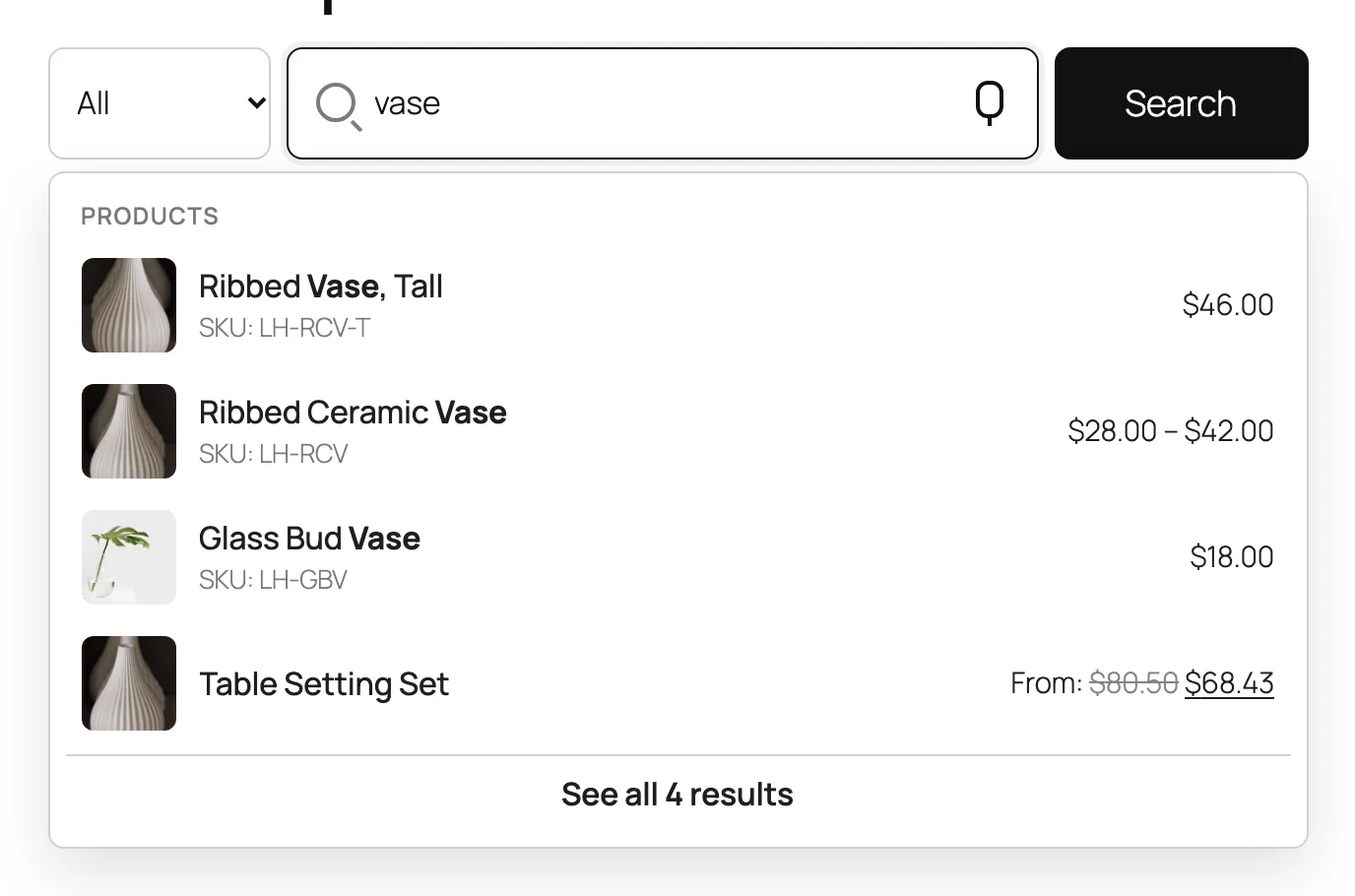
Where it searches
Under Search in, tick the places to search and give each a weight: name, SKU, categories, brands, tags, attributes, custom fields, short description and description. A match in a place with a higher weight ranks higher.
Custom fields are searched by key. Enter the keys under Custom fields, one per line, such as _gtin.
Typos, plurals and words to skip
With Typos on, a word that is close to a word in your catalog finds it. With Plurals on, singular and plural are the same word. Words to skip lists short words that don’t help the search.
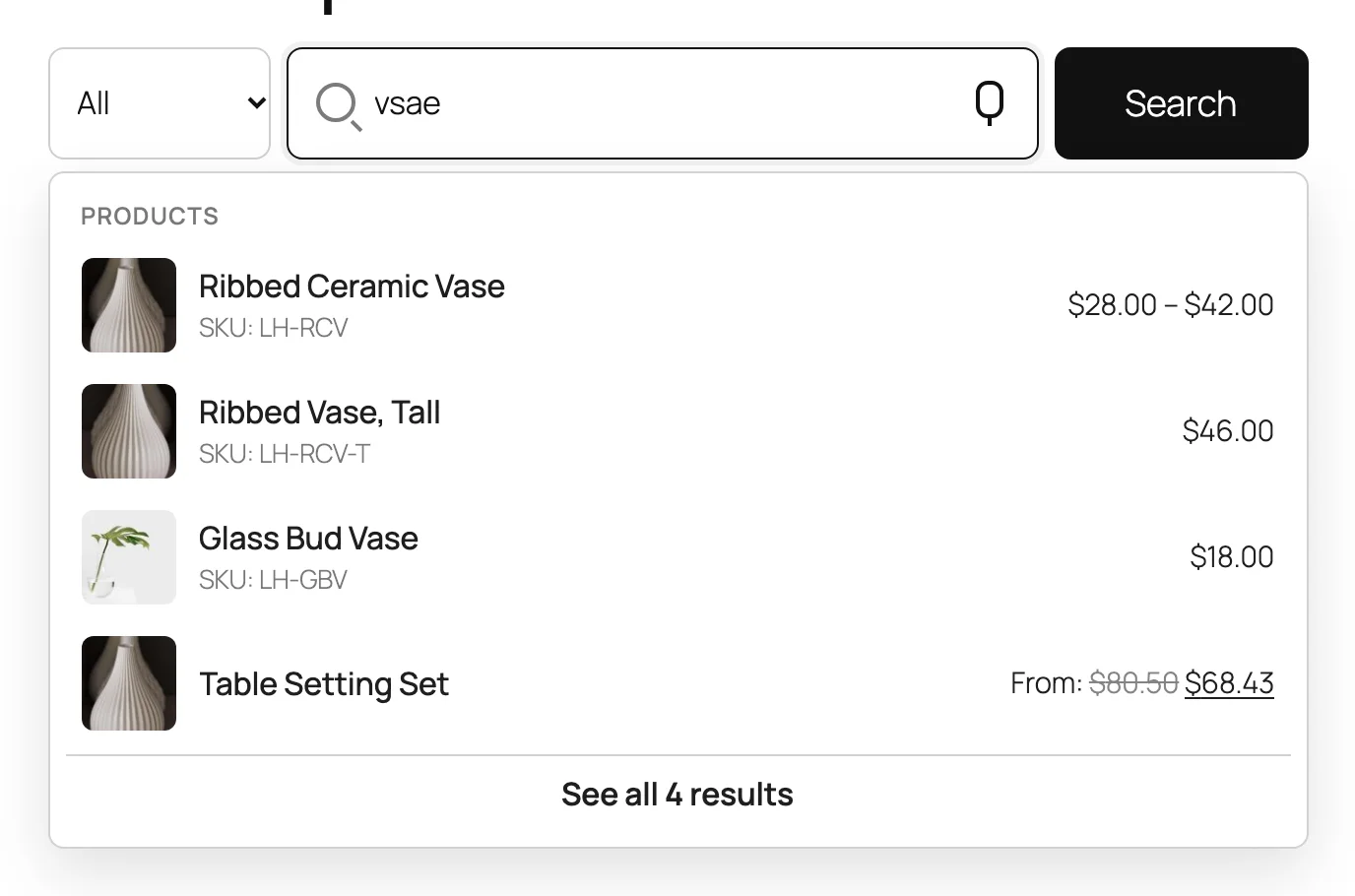
Synonyms and redirects
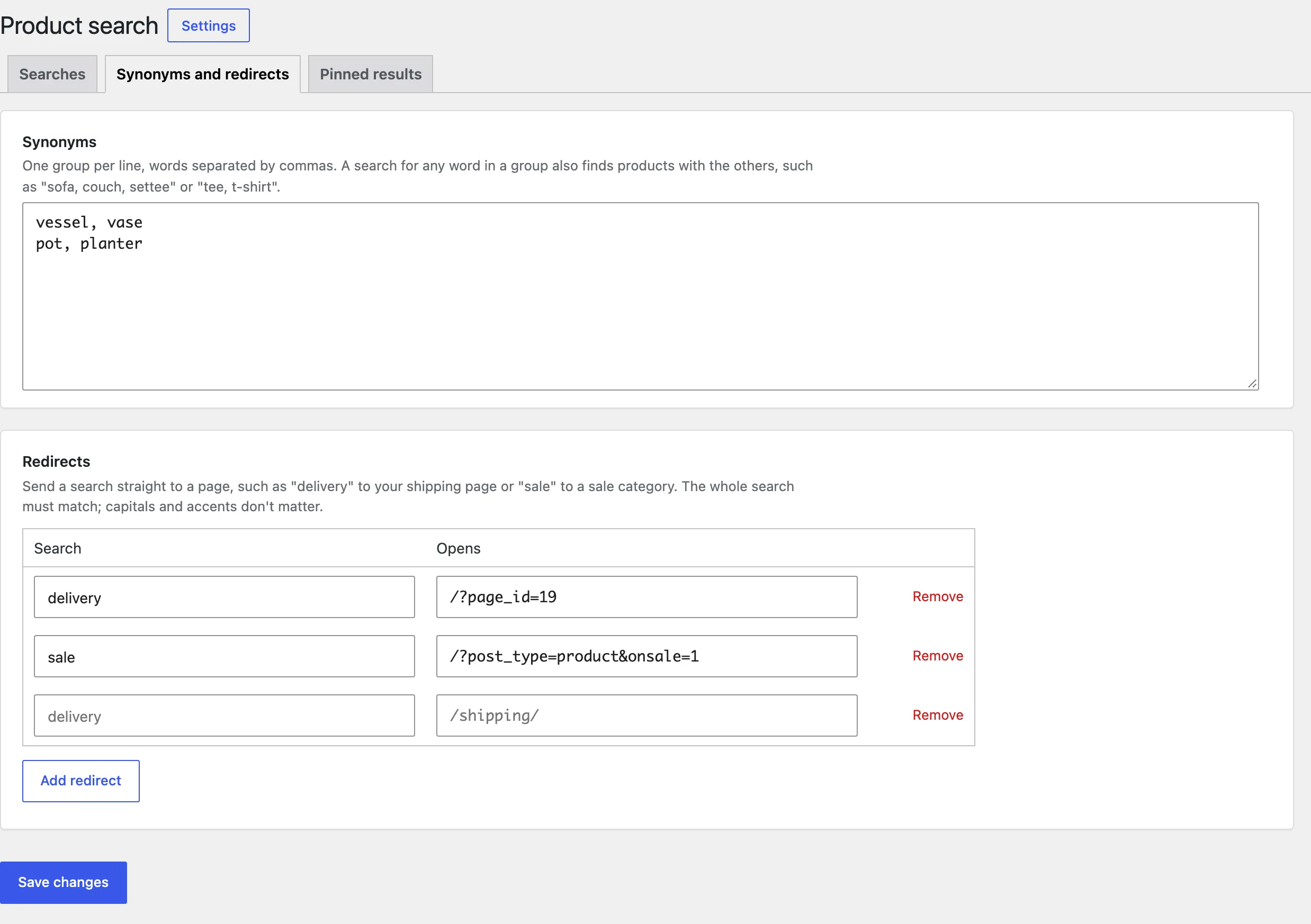
On Products > Search > Synonyms and redirects, write one group of synonyms per line, such as sofa, couch, settee. Each word then finds the others.
A redirect sends a search for a word straight to a page, such as delivery to your shipping page.
Pinned results
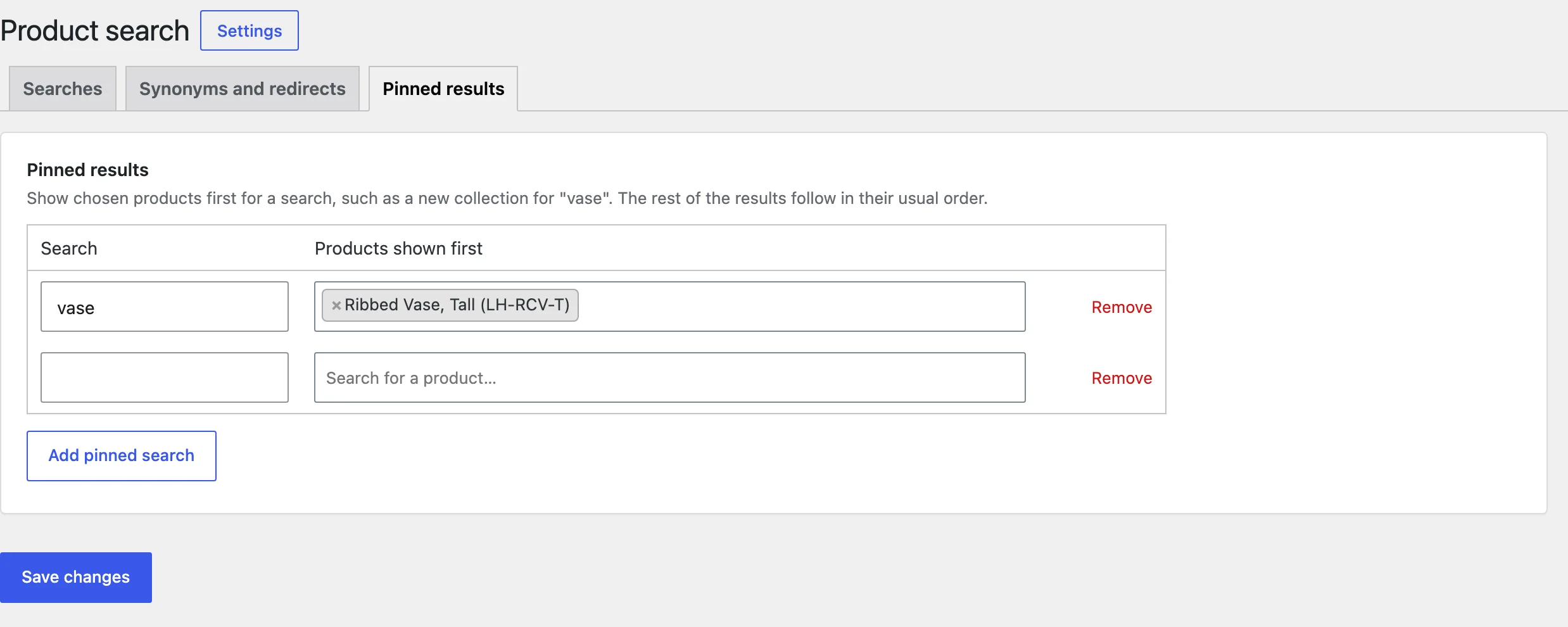
On the Pinned results tab, choose a search word and the products to show first for it.
Search report
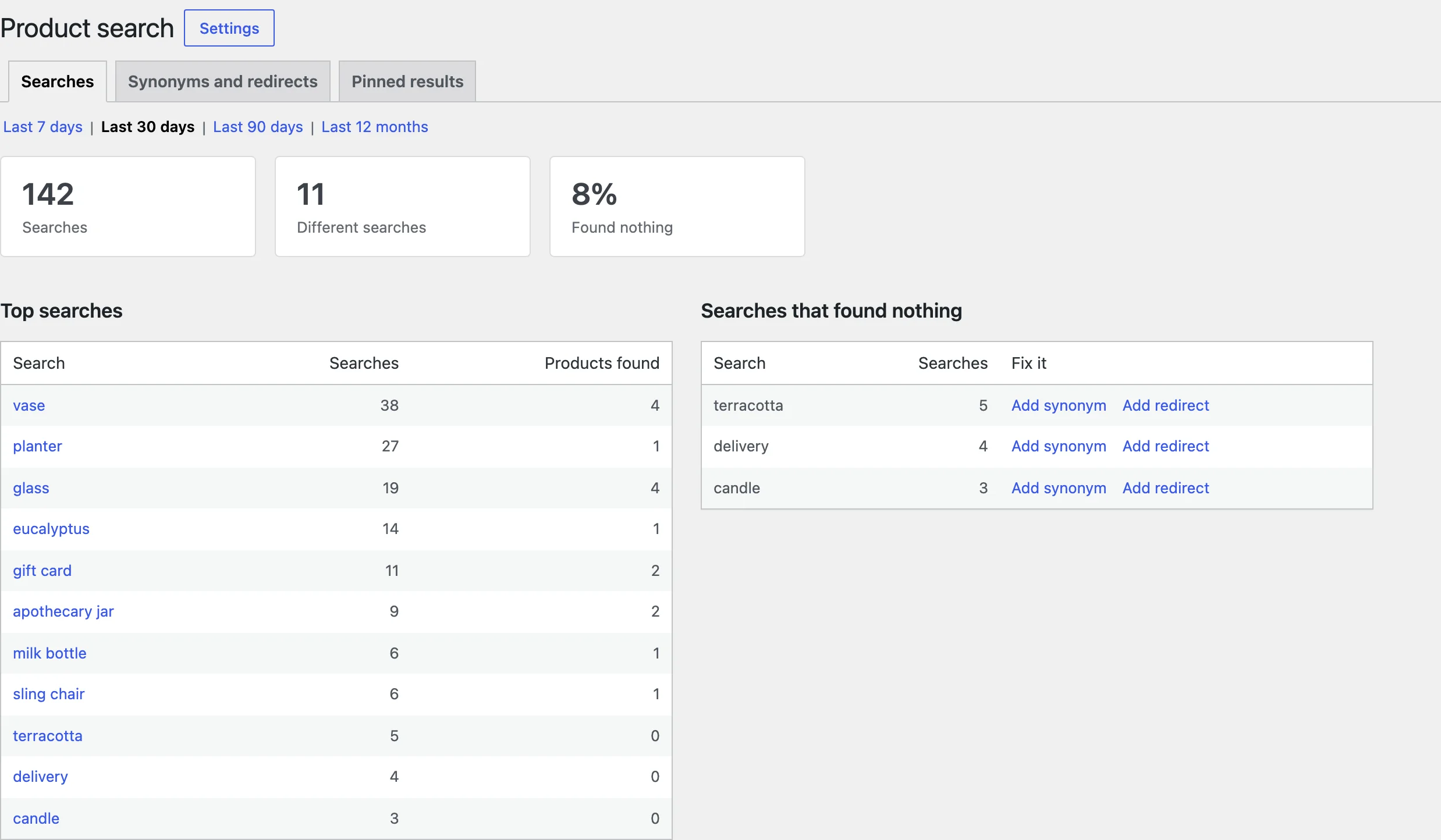
The report lists the searches customers made with the number of results, and the searches that found nothing. Use Add synonym or Add redirect on a failed search to fix it.
Settings
| Setting | What it does |
|---|---|
| Theme search | Replace the theme’s and WooCommerce’s search boxes. |
| Start after | Letters typed before suggestions show. |
| Products shown | How many products show in the suggestions. |
| Show | Image, price, SKU, short description, categories and an add to cart button. |
| Search in, Custom fields | Where to search, with a weight for each place. |
| Typos, Plurals, Words to skip | How forgiving the search is. |
| Several words | Match all words, or any of them. |
| Out of stock | Show out-of-stock products last, normally, or not at all. |
| Leave out categories | Categories kept out of search. |
| Before typing | Recent and popular searches. |
| Category dropdown, Voice search, Placeholder | Extras on the search box. |
| Phones | Open the search full screen on phones. |
| Nothing found | Products to suggest when a search finds nothing. |
| Search report | Keep daily totals of searches. |
| Remove data | Delete the index, report and settings when the plugin is deleted. |
For developers
| Hook | Use |
|---|---|
pspr_search_results | The product IDs a search returns, in order. |
pspr_field_weights | The weight of each place searched. |
pspr_index_words | The words indexed for a product. |
pspr_suggestions | The suggestions sent to the search box. |
pspr_suggestion_product | One product in the suggestions. |
pspr_before_search_form | Runs before the search form. |
pspr_after_search_form | Runs after the search form. |
pspr_admin_capability | The capability needed to manage search. |
Copy public/templates/search-form.php or no-results.php to yourtheme/product-search/ to change them.
Frequently asked questions
How do I add a search bar to WooCommerce?
Leave Theme search ticked to replace your theme’s search, or add the Product search block or the [pspr_search] shortcode where you want it.
Why doesn’t a new product show in search?
The index updates when a product is saved. If you imported products in bulk, use Rebuild index in the settings.
Can I search by SKU only?
Untick the other places under Search in, or give SKU the highest weight.
Changelog
1.0.0 · October 19, 2026
- Live suggestions with products, categories and brands.
- Typos, plurals, synonyms and words to skip.
- Redirects and pinned results.
- Search report with searches that found nothing.