Side Cart and Cart Popup opens the cart from the side of the screen or as a popup when products are added, with a free shipping bar, suggestions, coupons and a shipping estimate.
Requirements
- WordPress 6.8 or newer
- WooCommerce 10.0 or newer
- PHP 7.4 or newer
- Works with classic and block themes, the Cart and Checkout blocks, and High-Performance Order Storage.
Installation
- Download
side-cart-cart-popup.zipfrom My account > Downloads. - In WordPress, go to Plugins > Add New Plugin > Upload Plugin, choose the zip file and click Install Now.
- Click Activate. Settings are under WooCommerce > Settings > Side cart. The cart and the floating button are on straight away.
Quick start
- Activate the plugin: the side cart and the floating cart button are on.
- Go to WooCommerce > Settings > Side cart and choose the style: slide out from the side, or a popup.
- Under Free shipping bar, keep the amount from your shipping zone or set one, and add reward steps if you like.
- Under Contents, choose the suggestions and what the cart shows.
- Add a product on your store: the cart opens.
The cart
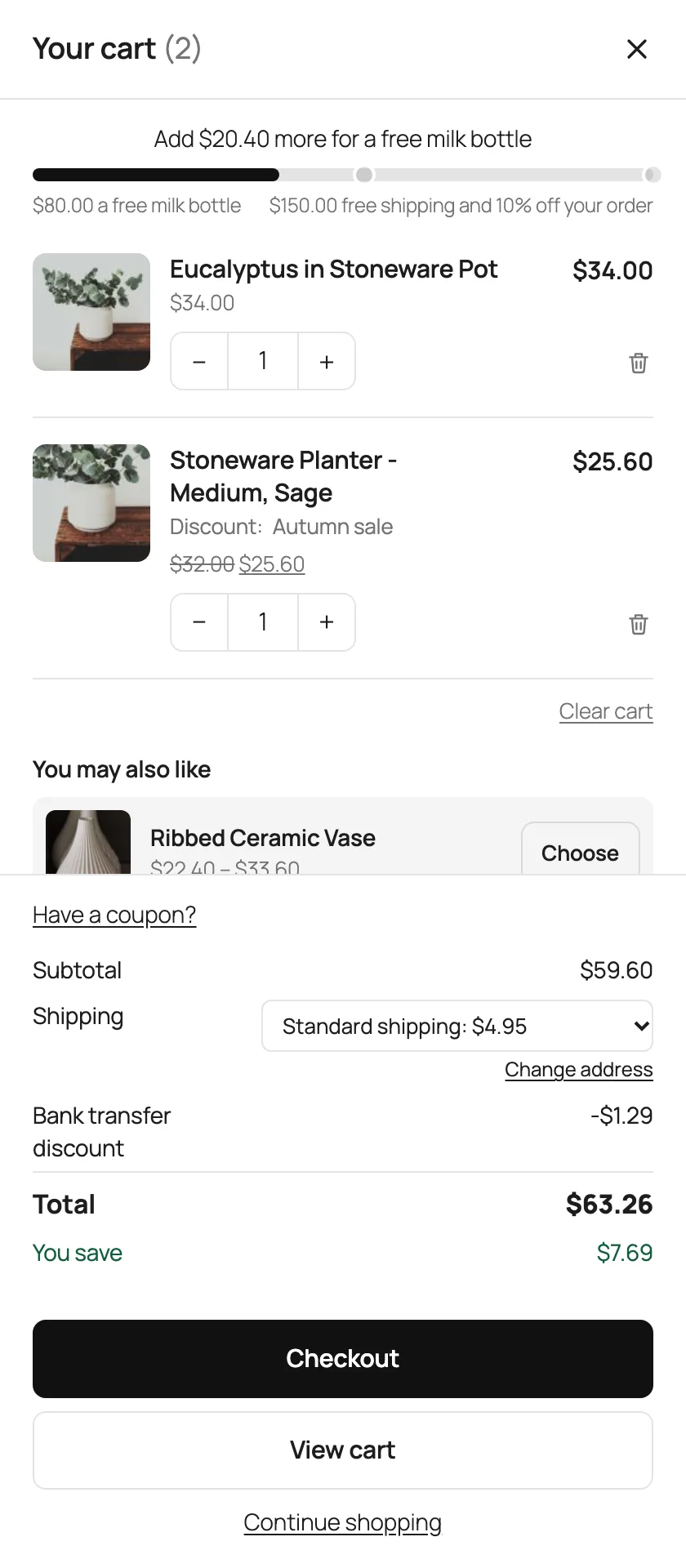
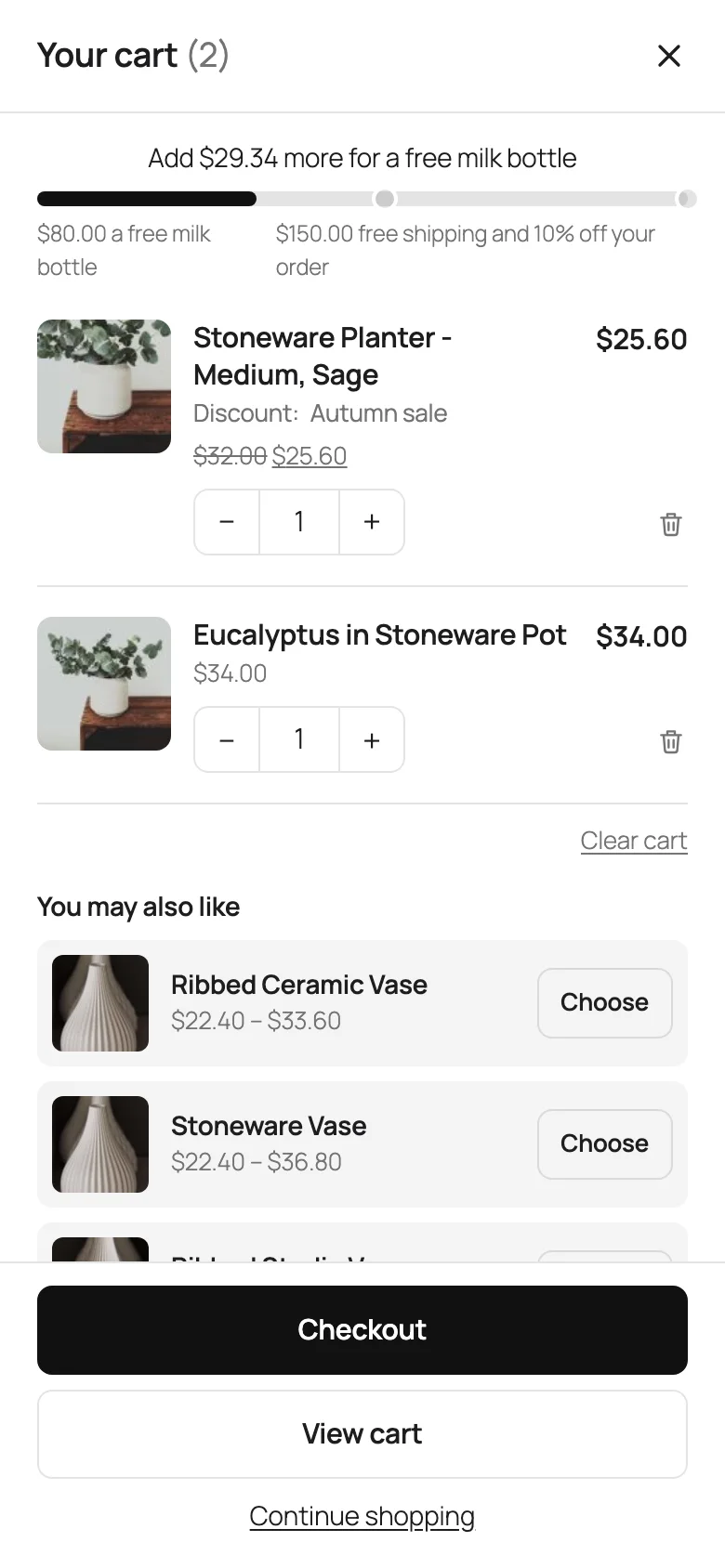
The cart lists each item with its picture, details, price and quantity, with Undo after a removal. Below are the coupon field, the totals, and the Checkout and View cart buttons. It’s hidden on the cart and checkout pages.
Side or popup
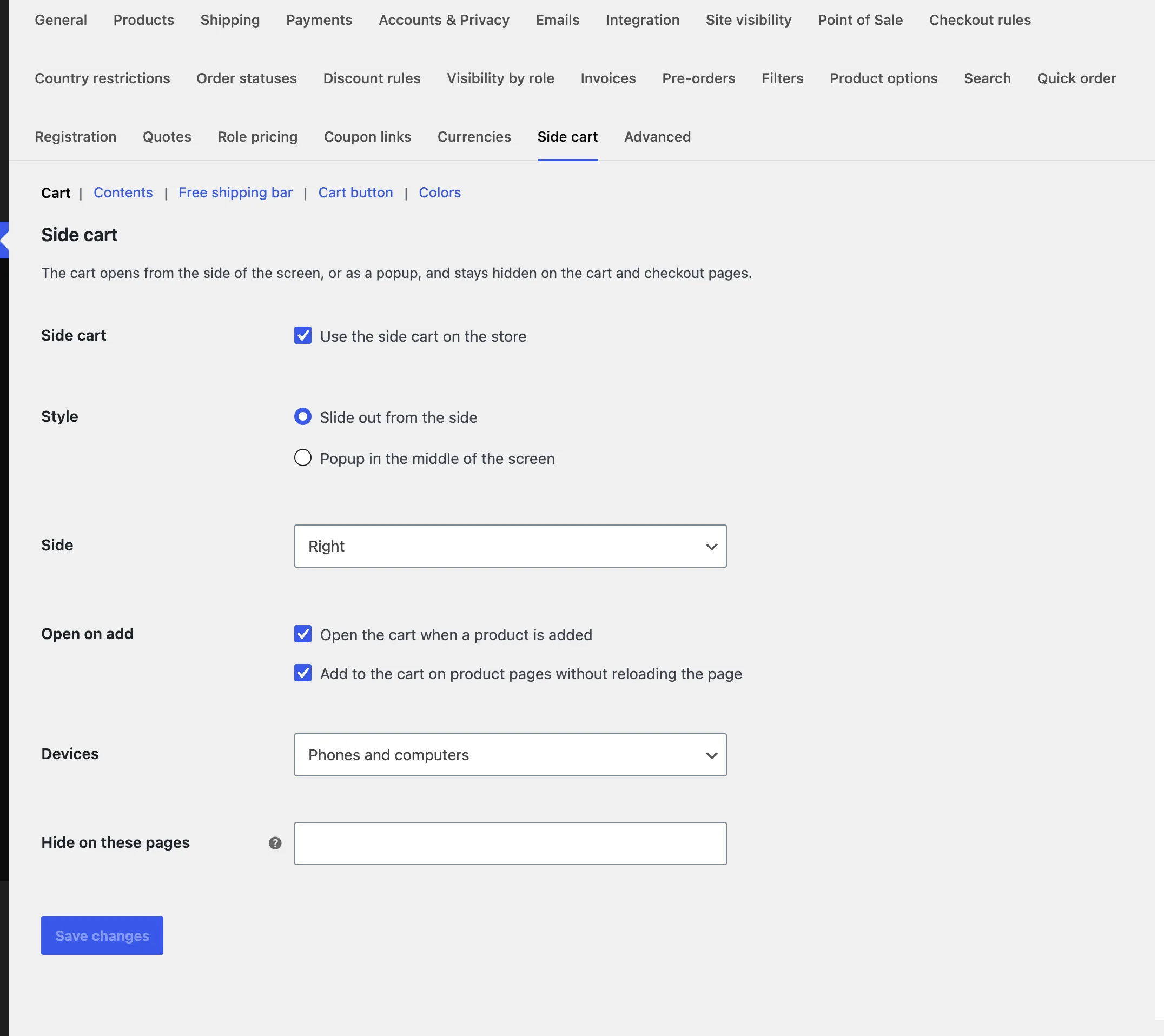
Under Cart, choose to slide out from the right or the left, or open as a popup, whether it opens when a product is added, whether product pages add without reloading, the devices it shows on and pages to hide it on.
Contents and suggestions
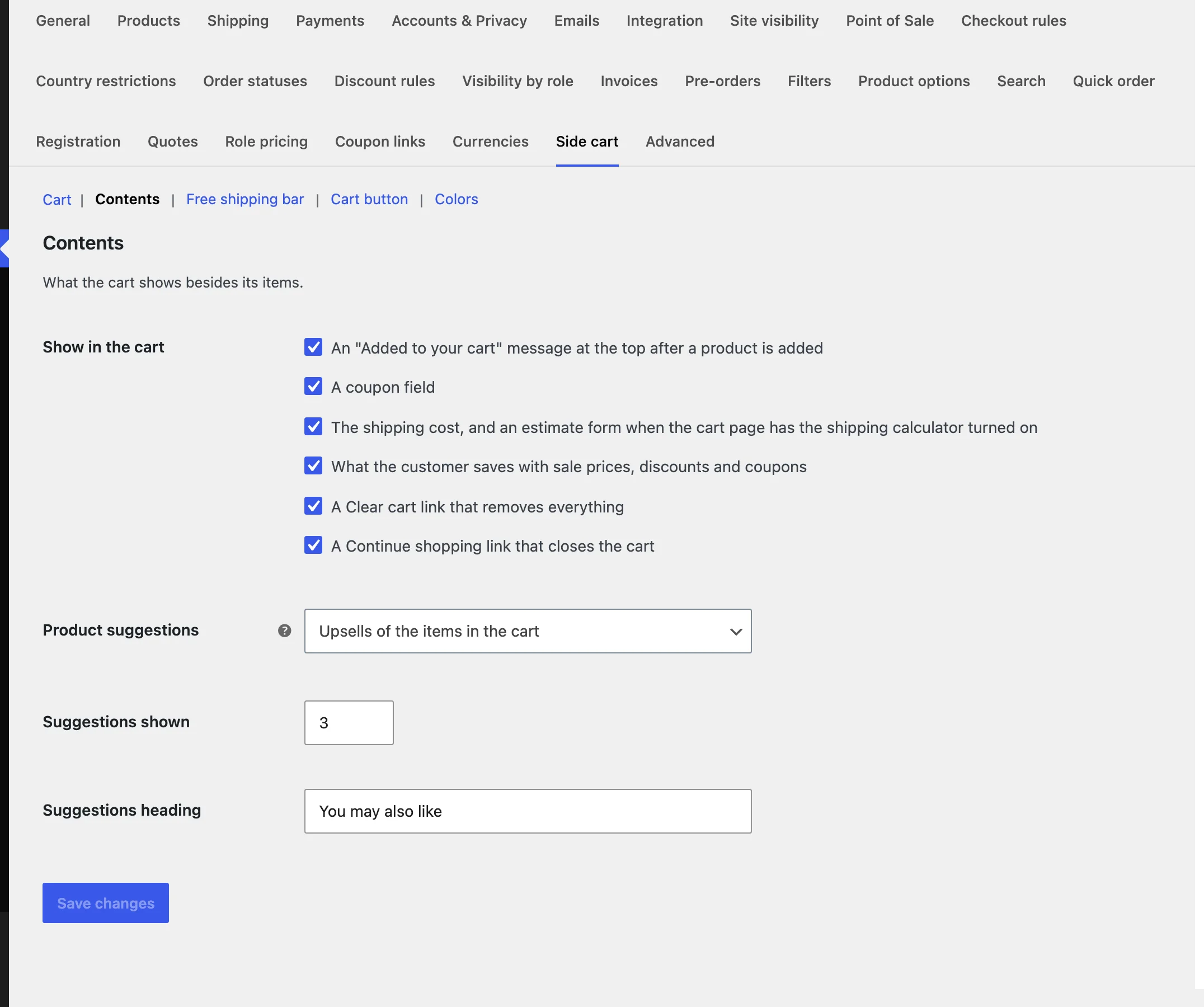
Under Contents, choose what the cart shows: the added message, the coupon field, shipping, savings, Clear cart and Continue shopping, and the products it suggests.
The free shipping bar
The bar reads the free shipping minimum of the customer’s shipping zone, or an amount you set. Add reward steps one per line, as the amount, a | and the reward, such as 80 | a free milk bottle.
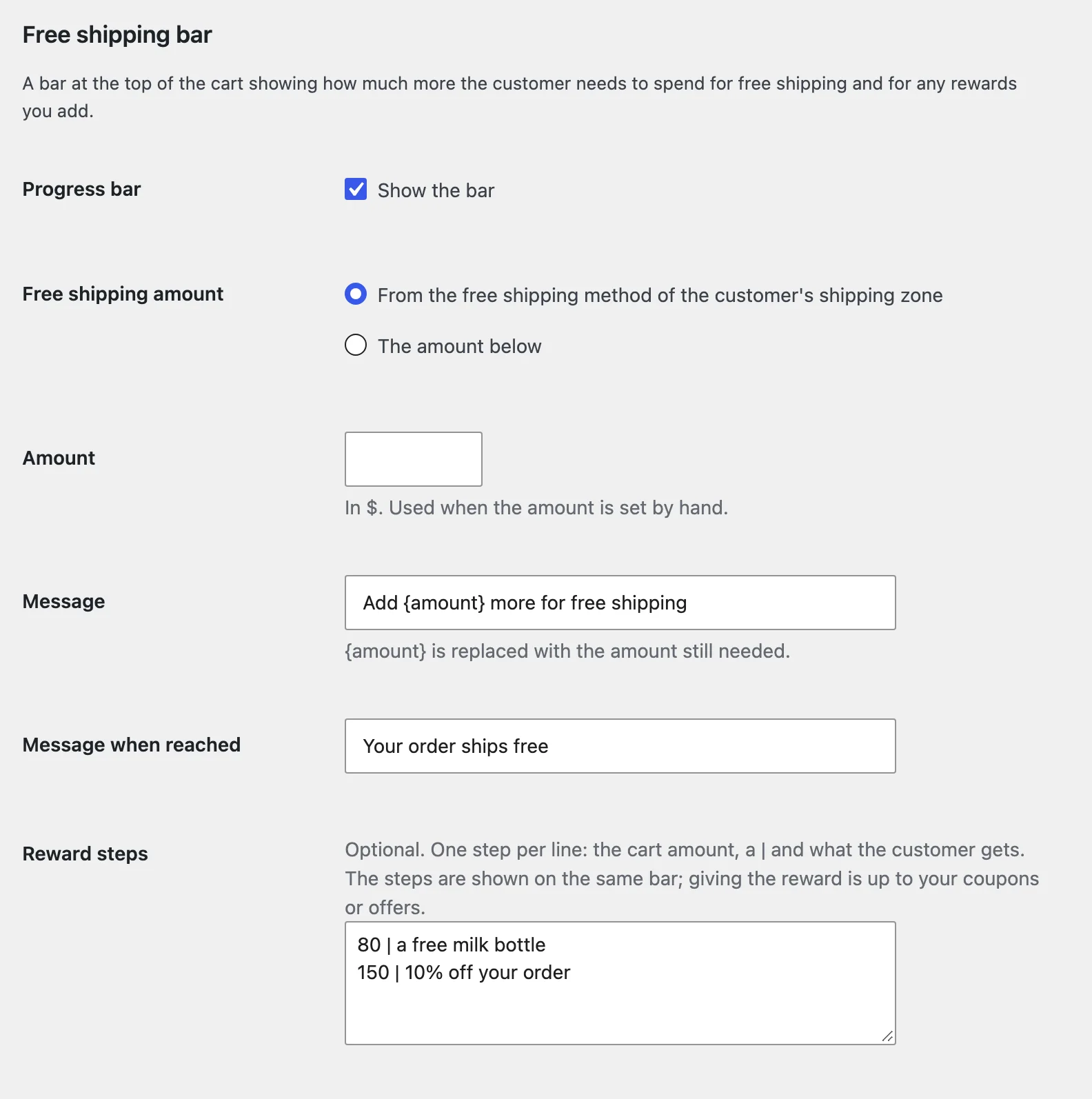
Reward steps only show on the bar; give the reward with a coupon or a discount rule.
The cart button
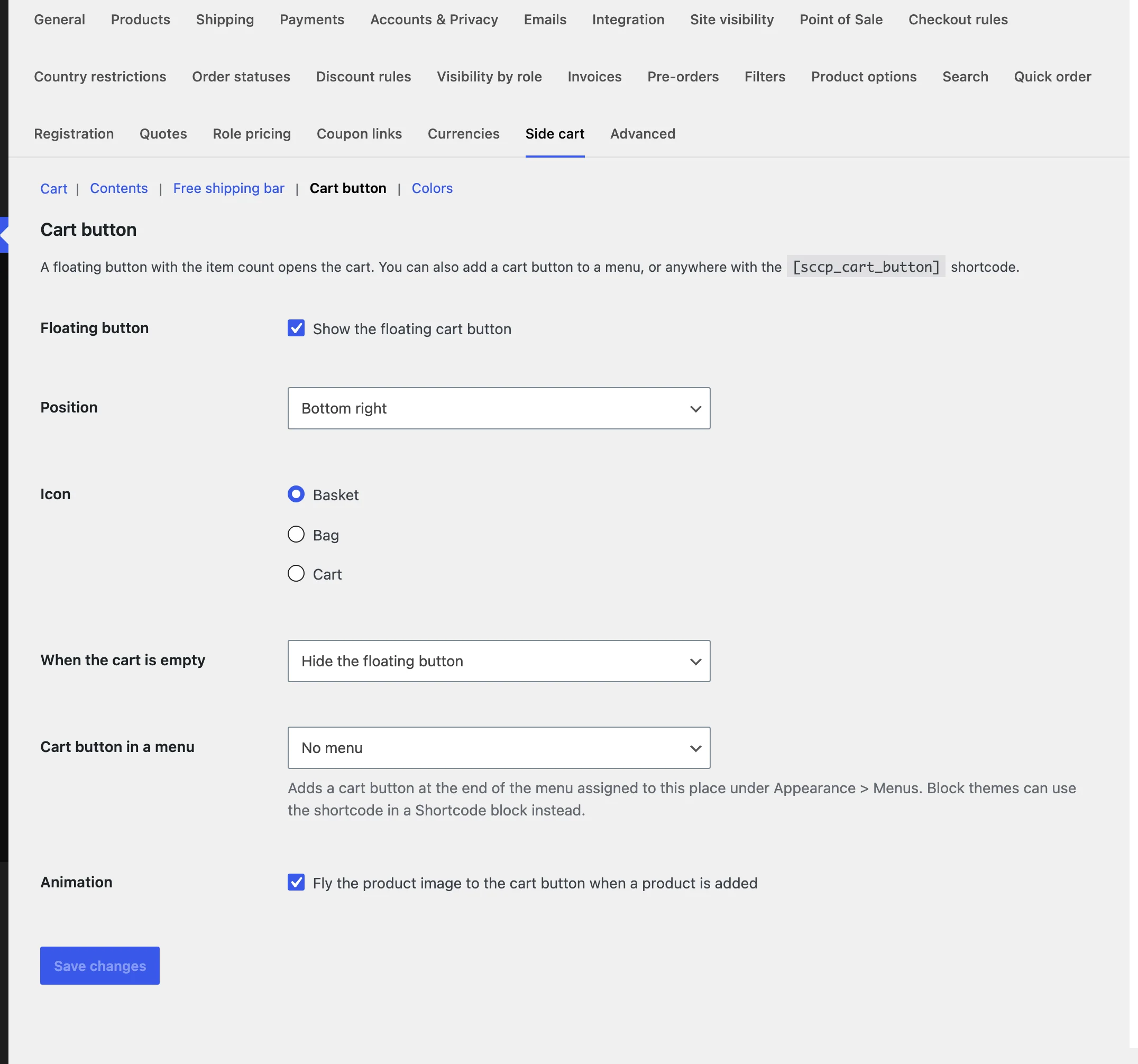
A floating button with the item count opens the cart from any corner and can hide while the cart is empty. Add a button to a theme menu, or anywhere with [sccp_cart_button]; [sccp_cart_button show_total="yes"] shows the subtotal too.
Colours and phones
Under Colors, set the accent, background and text colours and the width. On phones the cart takes the full width, scrolls as a whole and keeps Checkout at the bottom.
Settings
| Setting | What it does |
|---|---|
| Style and side | Slide out from the right or left, or a popup. |
| Open on add | Open the cart when a product is added, and add on product pages without reloading. |
| Devices and pages | Phones, computers or both, and pages to hide it on. |
| Show in the cart | The added message, coupon field, shipping, savings, Clear cart and Continue shopping. |
| Product suggestions | Cross-sells, upsells, related products or none, how many and the heading. |
| Free shipping bar | From the shipping zone or an amount, the messages and reward steps. |
| Cart button | Floating button, position, icon, when empty, a menu and the animation. |
| Colors | Accent, background and text colours and the width. |
For developers
| Hook | Use |
|---|---|
sccp_shows_here | Choose whether the side cart shows on a page. |
sccp_suggestions | Change the suggested products. |
sccp_free_shipping_minimum | Change the amount the free shipping bar aims for. |
sccp_settings | Add or change settings. |
Copy cart.php or shipping.php from public/templates/ to yourtheme/side-cart-cart-popup/ to change the markup.
Frequently asked questions
Why doesn’t the cart open after adding a product?
Check that “Open the cart when a product is added” is on, and that WooCommerce’s “Redirect to the cart page after successful addition” is off.
Why does the bar say free shipping is unlocked while shipping is charged?
WooCommerce keeps the rate the customer chose. They can pick Free shipping in the Shipping dropdown.
How do I remove all data when deleting the plugin?
Add define( 'SCCP_REMOVE_ALL_DATA', true ); to wp-config.php before deleting the plugin.
Changelog
1.0.0 · October 21, 2026
- A side cart or popup that opens when products are added, without a reload.
- Quantities, Undo, coupons, a shipping estimate, tax and savings.
- A free shipping bar with reward steps, and suggestions.
- A floating, menu or shortcode cart button and your colours.