 Maxima Plugins
Description
Bookings and Reservations turns any WooCommerce product into something customers book: an appointment, a class, a rental or a stay. Customers pick a free date and time, say how many are coming and pay at checkout like any other product.
📅 A calendar of free dates, where full and closed days can’t be picked.
⏱️ Minutes, hours, days or nights, with a fixed length or one the customer chooses.
👥 Adults, children and groups, each with their own price.
🛏️ Stays and rentals with check-in and check-out times and a shortest and longest stay.
🔁 Customers move or cancel their own bookings, up to a time you set.
🗓️ One calendar for your team, with a feed for Google, Apple or Outlook.
🧰 Rooms, staff and equipment as resources with their own availability.
💲 Prices that follow the date, the length and the group, with “From” prices in the shop.
Booking calendar
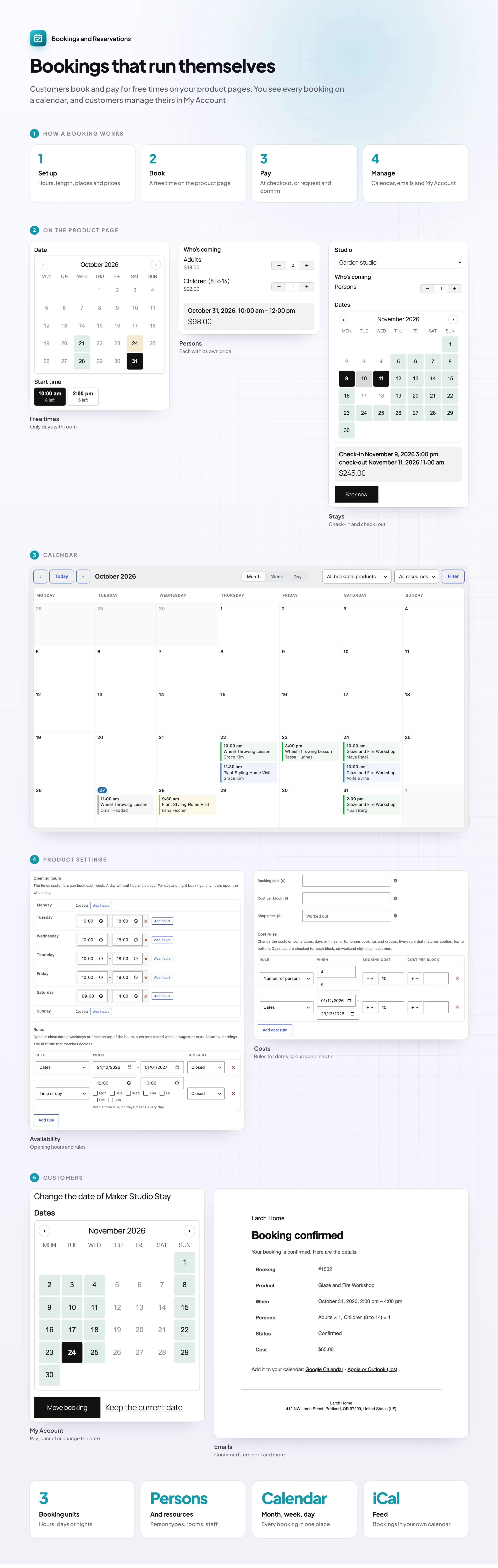
Customers pick a free date and time
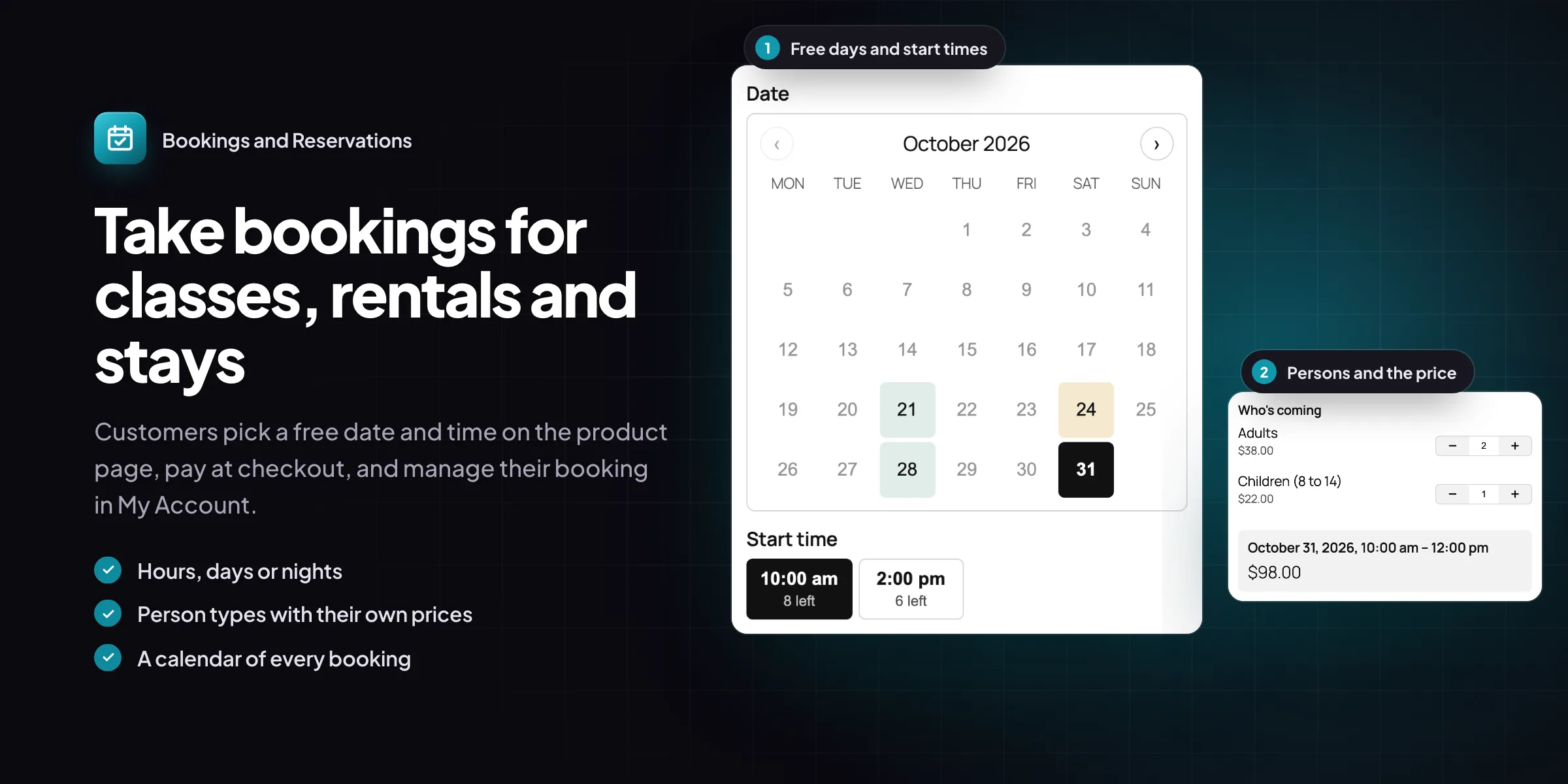
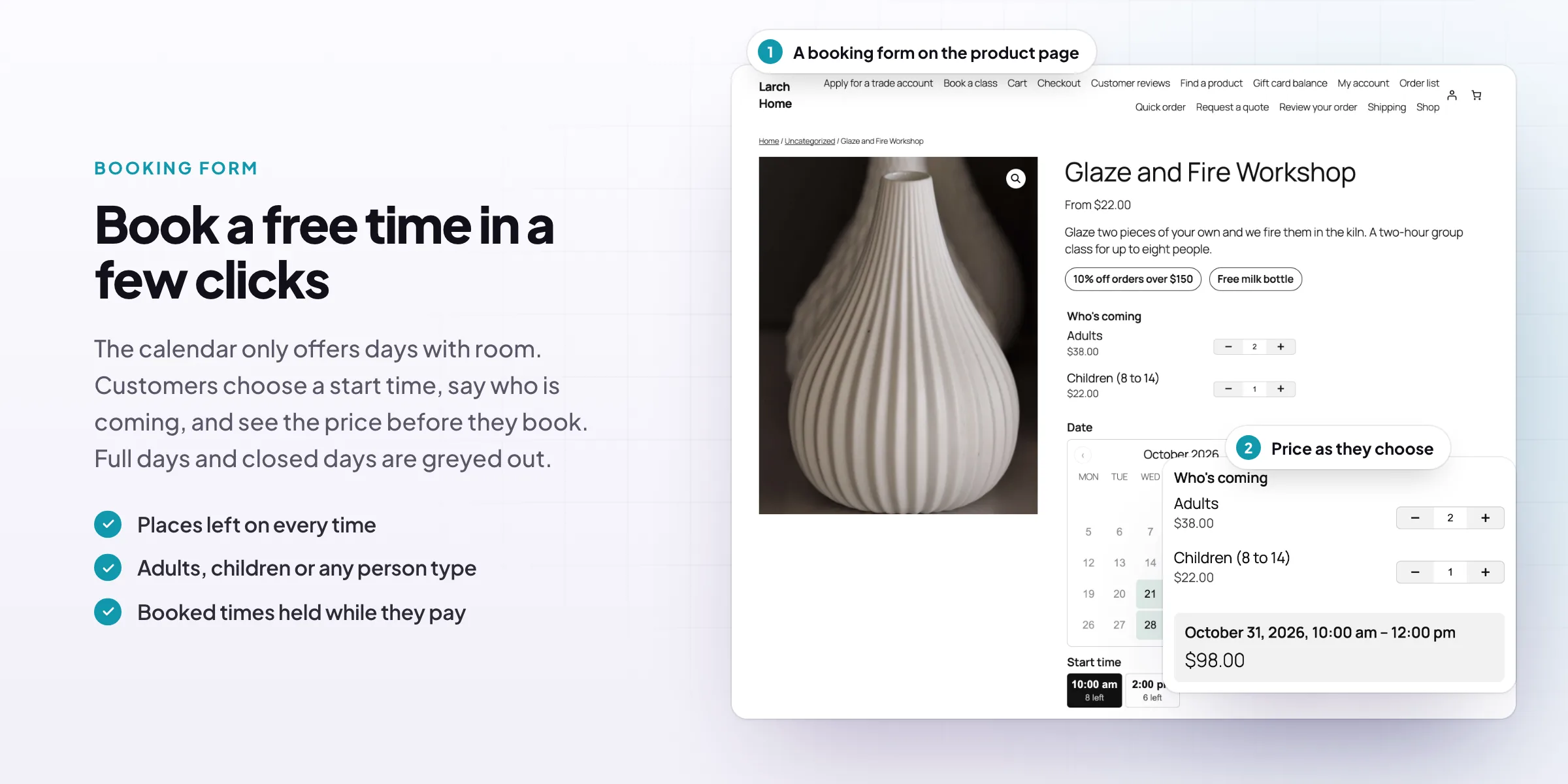
Customers choose a date on a calendar that only lets them pick what is free. Full and closed days are greyed out, and each start time shows how many places are left. Book by minutes, hours, days or nights, with a fixed length or one the customer chooses.
- Only free dates and times can be picked
- Places left shown on every time
- Minutes, hours, days or nights
Persons
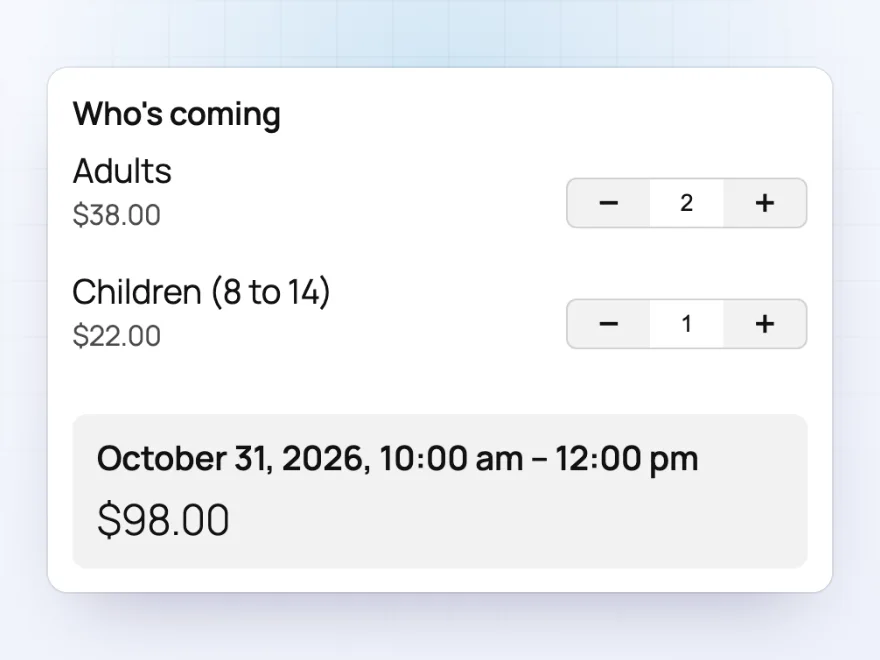
Adults, children and groups, each priced
Ask how many people are coming, with a minimum and a maximum. Person types such as adults and children each have their own cost and limits, and each person can take one of the places, so a class of 12 fills up correctly. The price updates as the numbers change.
- Person types with their own cost
- A minimum and maximum per type
- Each person can take a place
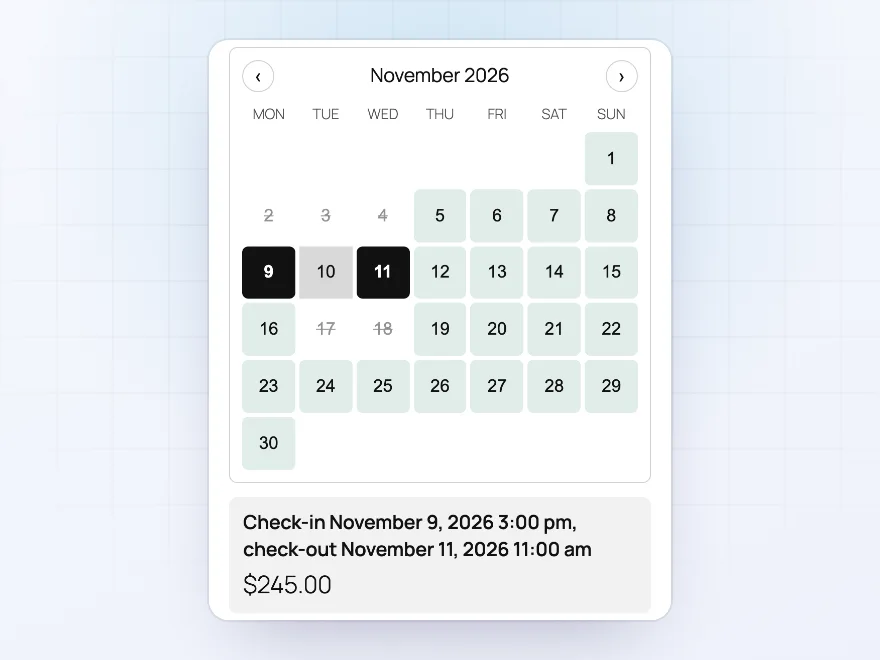
Nights and rentals
Stays and rentals with check-in and check-out
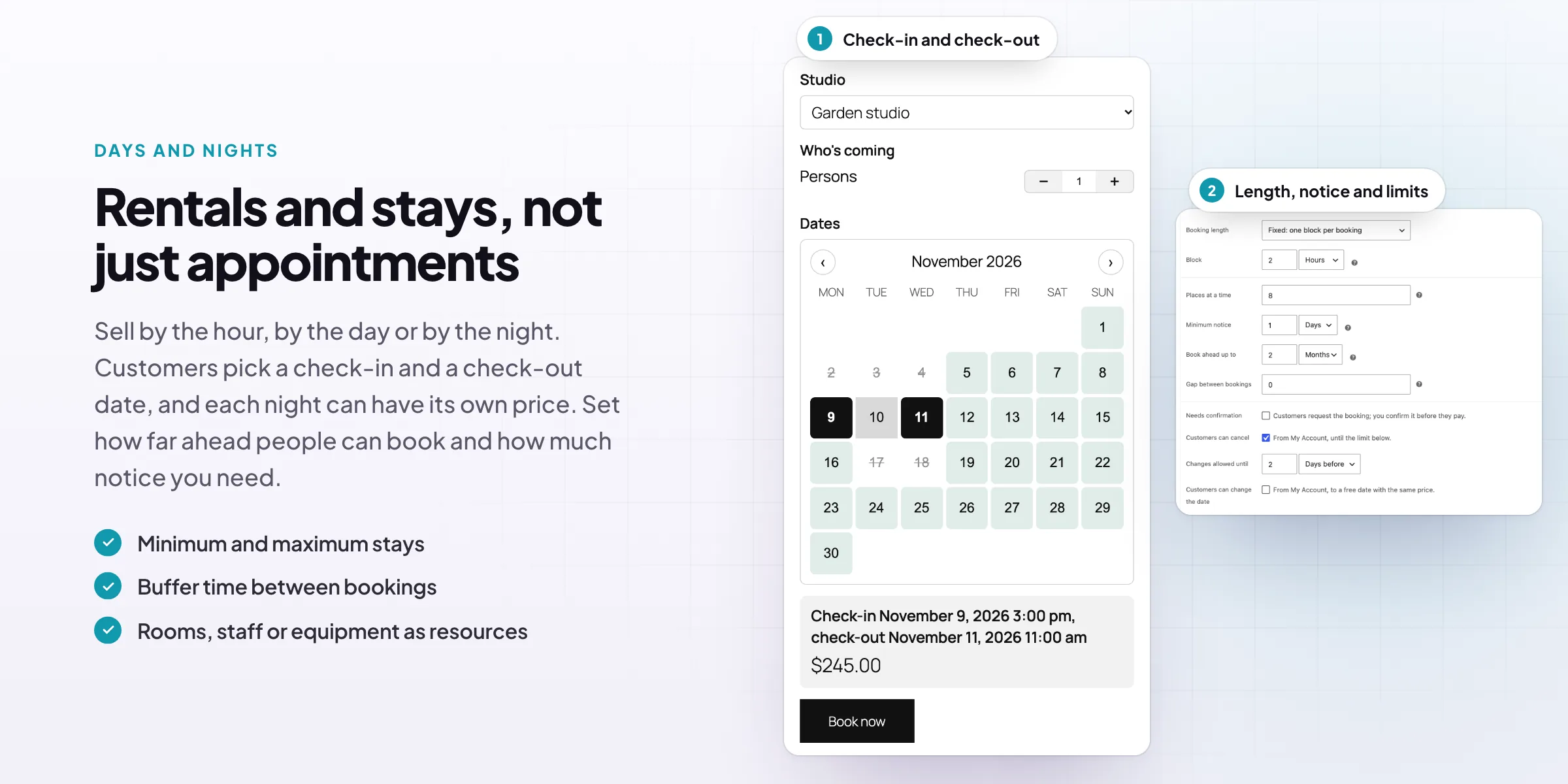
For stays, customers click a check-in date and a check-out date and see both times and the price before they book. Nights that are already taken can’t be part of a stay, and you set the shortest and longest stay. Hire by the hour or the day works the same way.
- Check-in and check-out times
- Shortest and longest stay
- Taken nights can’t be crossed
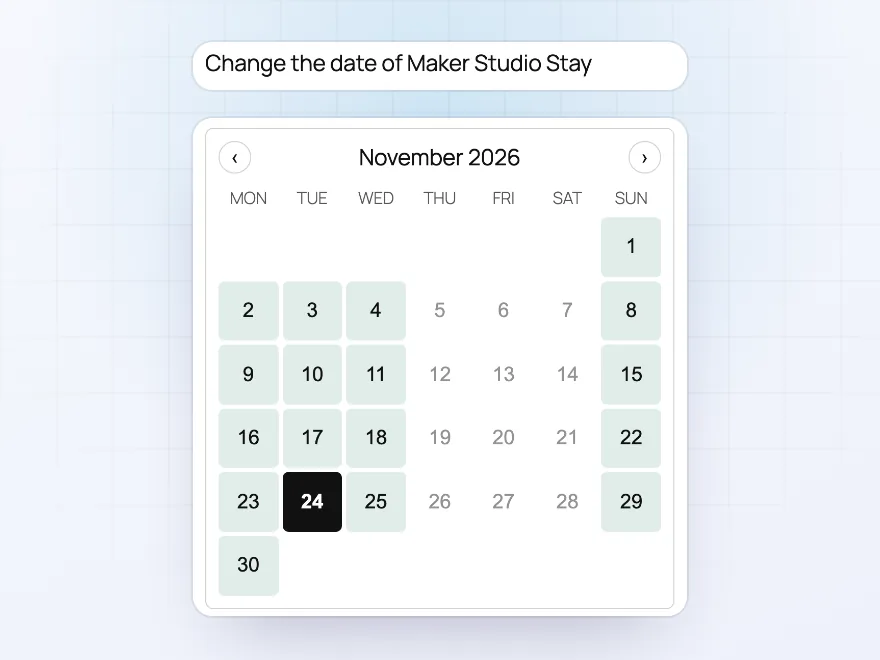
For customers
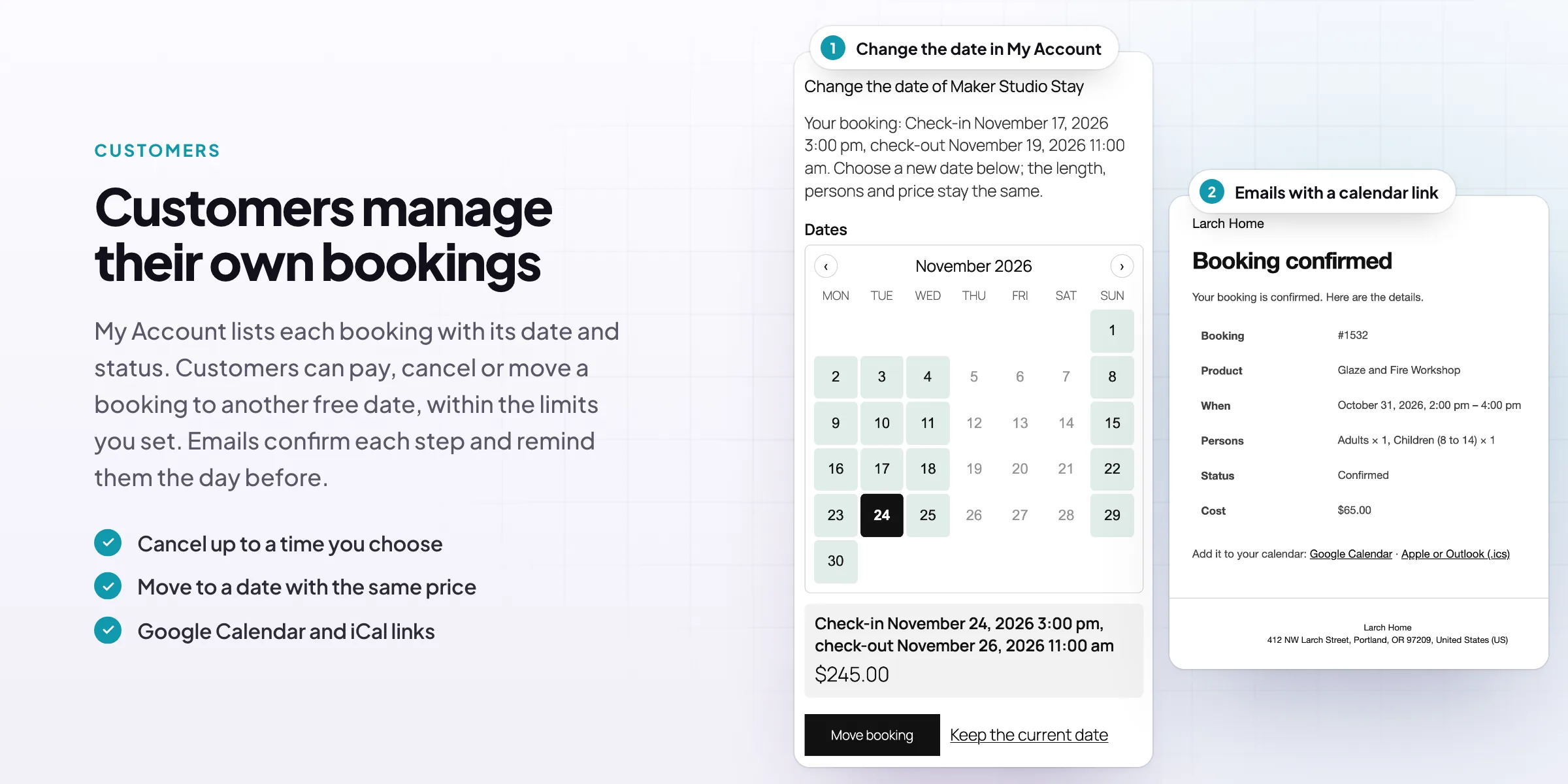
Customers move or cancel their own bookings
The Bookings page in My Account lists upcoming and past bookings. When you allow it, customers cancel up to a set time before the start, or move a booking to another free date with the same length, persons and price. Emails confirm each change and remind them before the start.
- Cancel up to a time you set
- Move to another free date
- Reminder emails with Add to calendar links
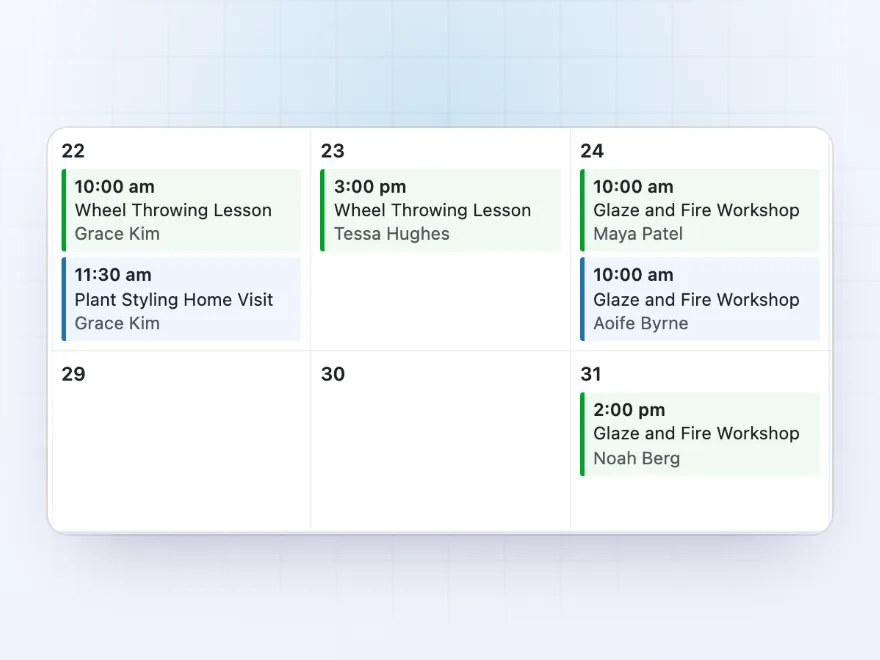
For your team
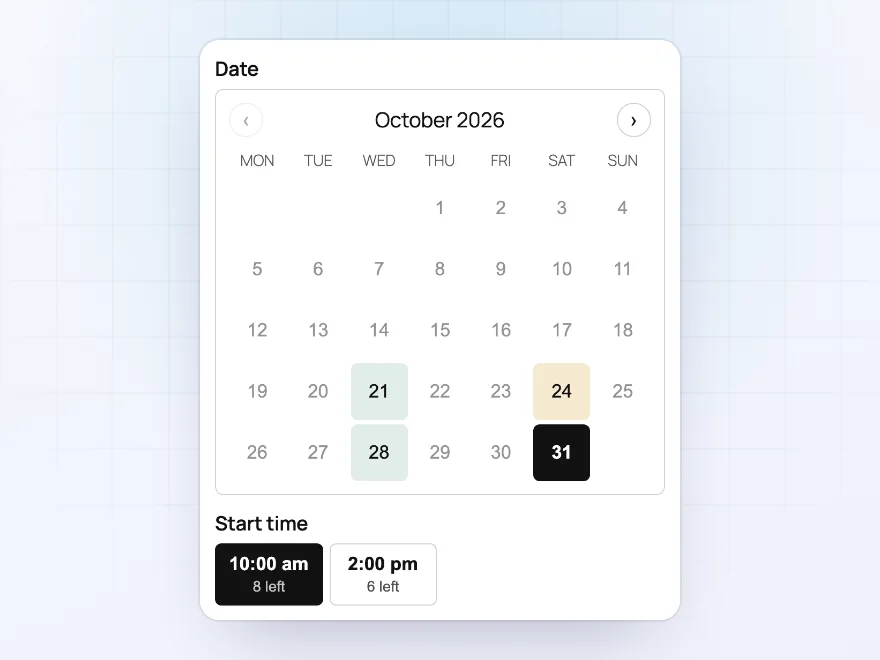
Every booking on one calendar
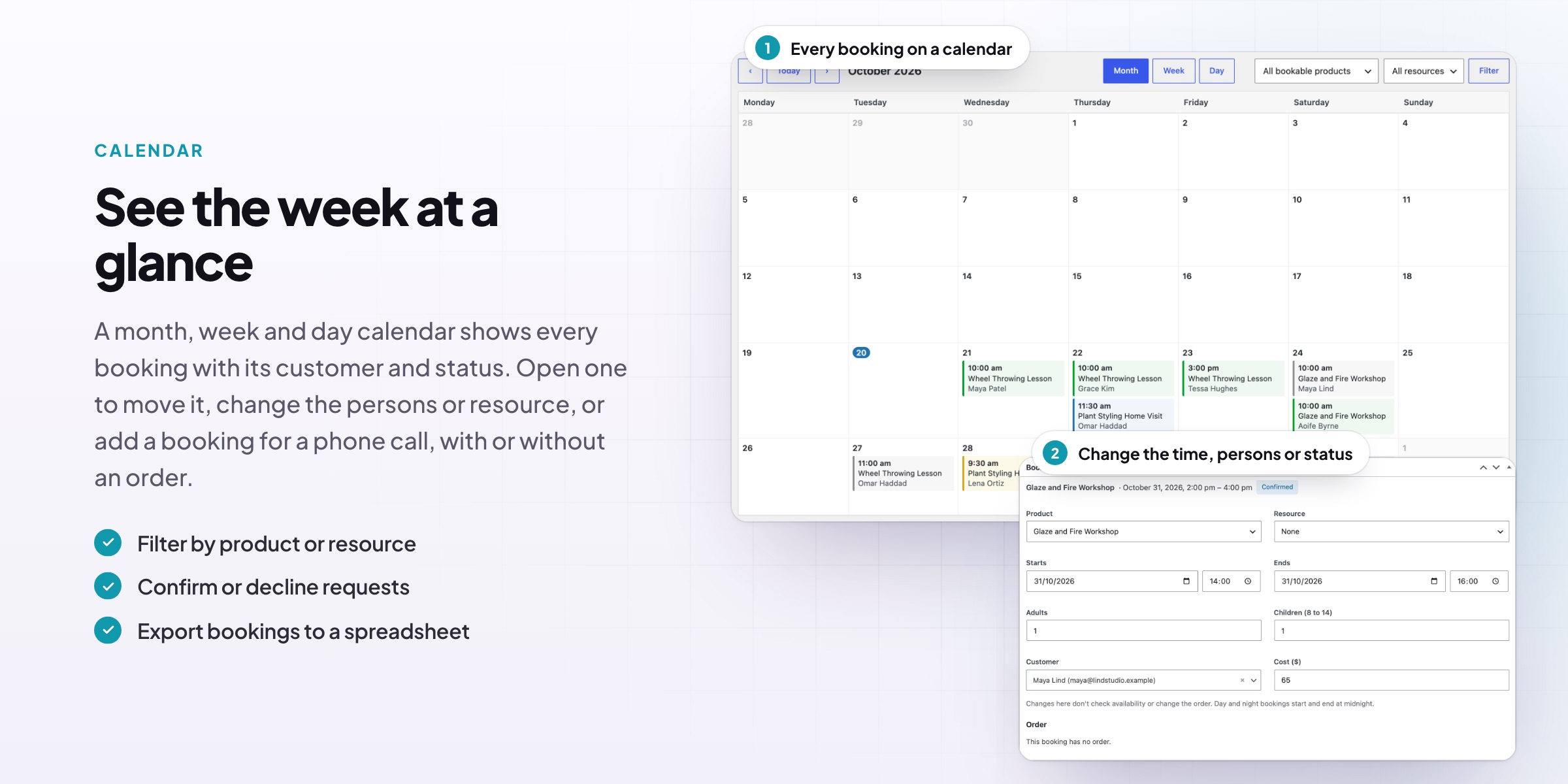
The bookings calendar shows the month, week or day for all products, one product or one resource, with the time, product and customer of each booking. Add bookings by hand for phone and walk-in customers, and subscribe to a feed in Google Calendar, Apple Calendar or Outlook.
- Month, week and day views
- Bookings added by hand
- A feed for Google, Apple or Outlook calendars
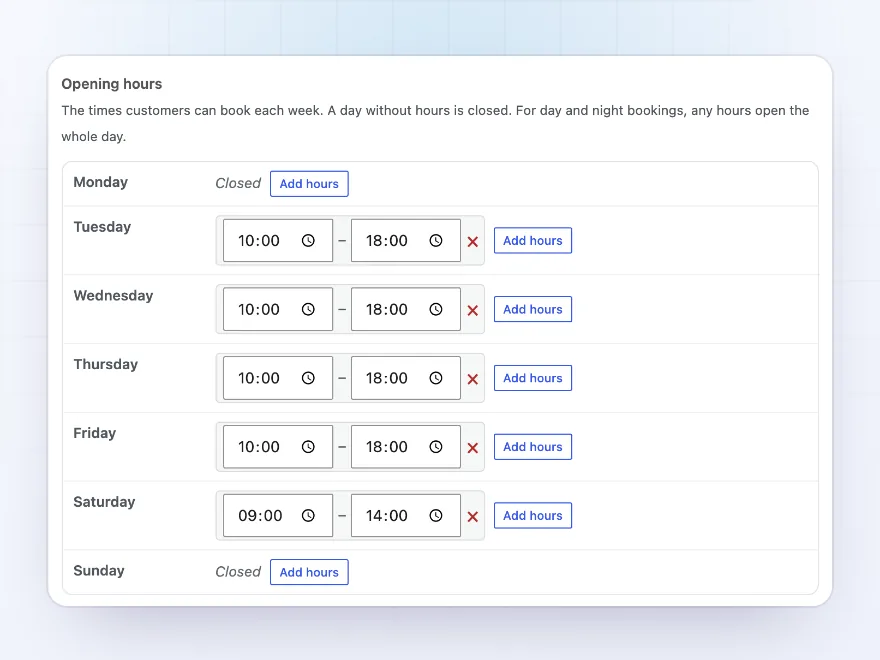
Availability
Opening hours and closed dates
Set opening hours for each day of the week, with more than one range a day. Rules open or close dates, weekdays or times, such as a closed week in August, and store-wide closed dates cover public holidays. Add minimum notice, how far ahead customers can book and a gap between bookings.
- Hours per weekday, several ranges a day
- Rules for dates, weekdays and times
- Notice, booking window and gaps
Resources
Rooms, staff and equipment as resources
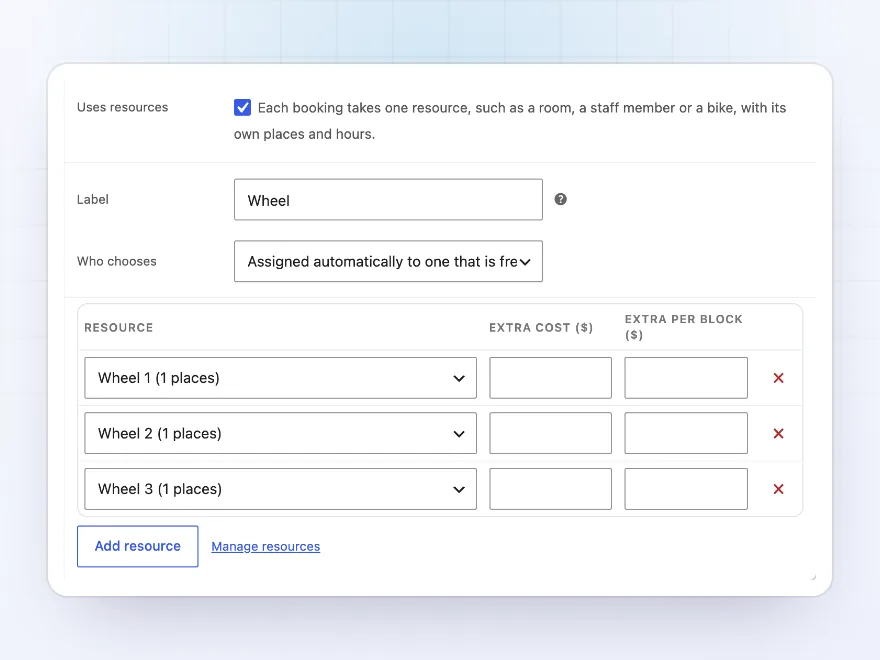
Give a product resources, such as the wheels of a pottery class, rooms or guides, each with its own places and availability and an extra cost if you like. Customers choose one from a list, or one that is free is assigned to them. The calendar can show one resource at a time.
- Own places and availability
- Chosen by the customer or assigned
- An extra cost per resource
Prices
Prices that follow the date, length and group
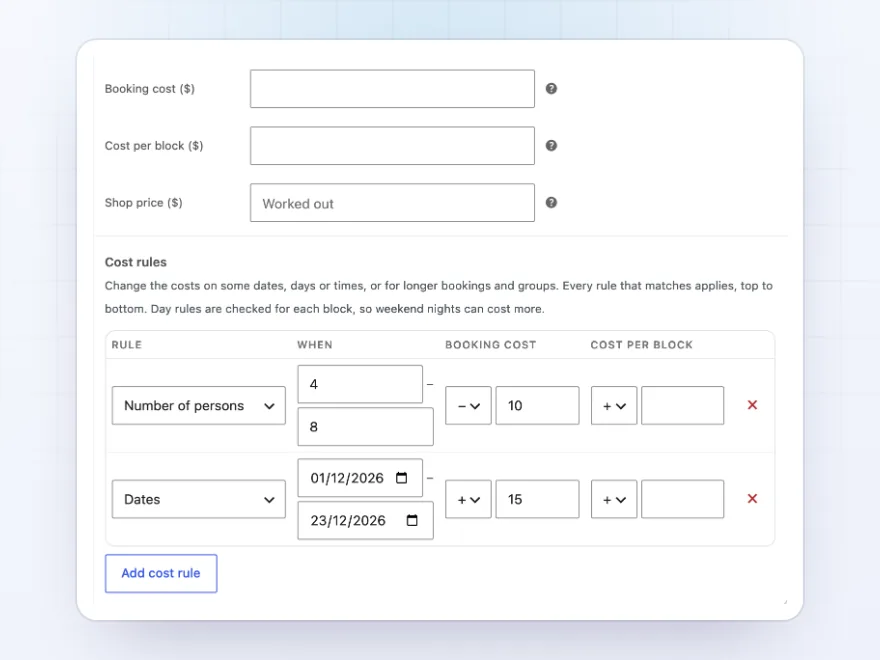
Set a booking cost and a cost per block, then add cost rules: weekend nights cost more, a week costs less, groups get a discount. Rules go by date, weekday, time of day, length or number of persons. The shop shows “From $40”, and the price updates as the customer chooses.
- Booking cost and cost per block
- Rules by date, time, length or persons
- “From” prices in the shop
Availability search
Customers search by date and see what’s free
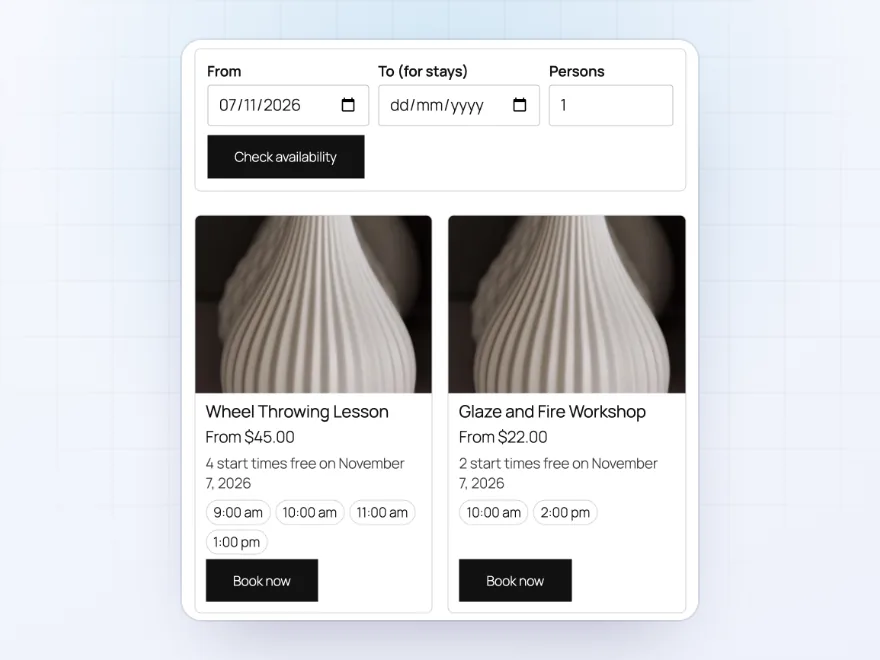
The Availability search block lets customers enter dates and the number of people and see which bookable products are free, with their free times. They book with the dates already filled in. Place it on any page with the block or the [brbo_search] shortcode.
- Dates and persons in one search
- Free times listed per product
- A block or a shortcode
Premium quality & support
Support you can count on, year after year
See Bookings and Reservations working in a live demo store before you buy. If you need a hand, our friendly support team will help you get it set up, and regular updates keep it working with each new WooCommerce release.
- A live demo store to try it first
- Step-by-step docs with a quick start
- Premium support from a helpful team
- Regular updates included
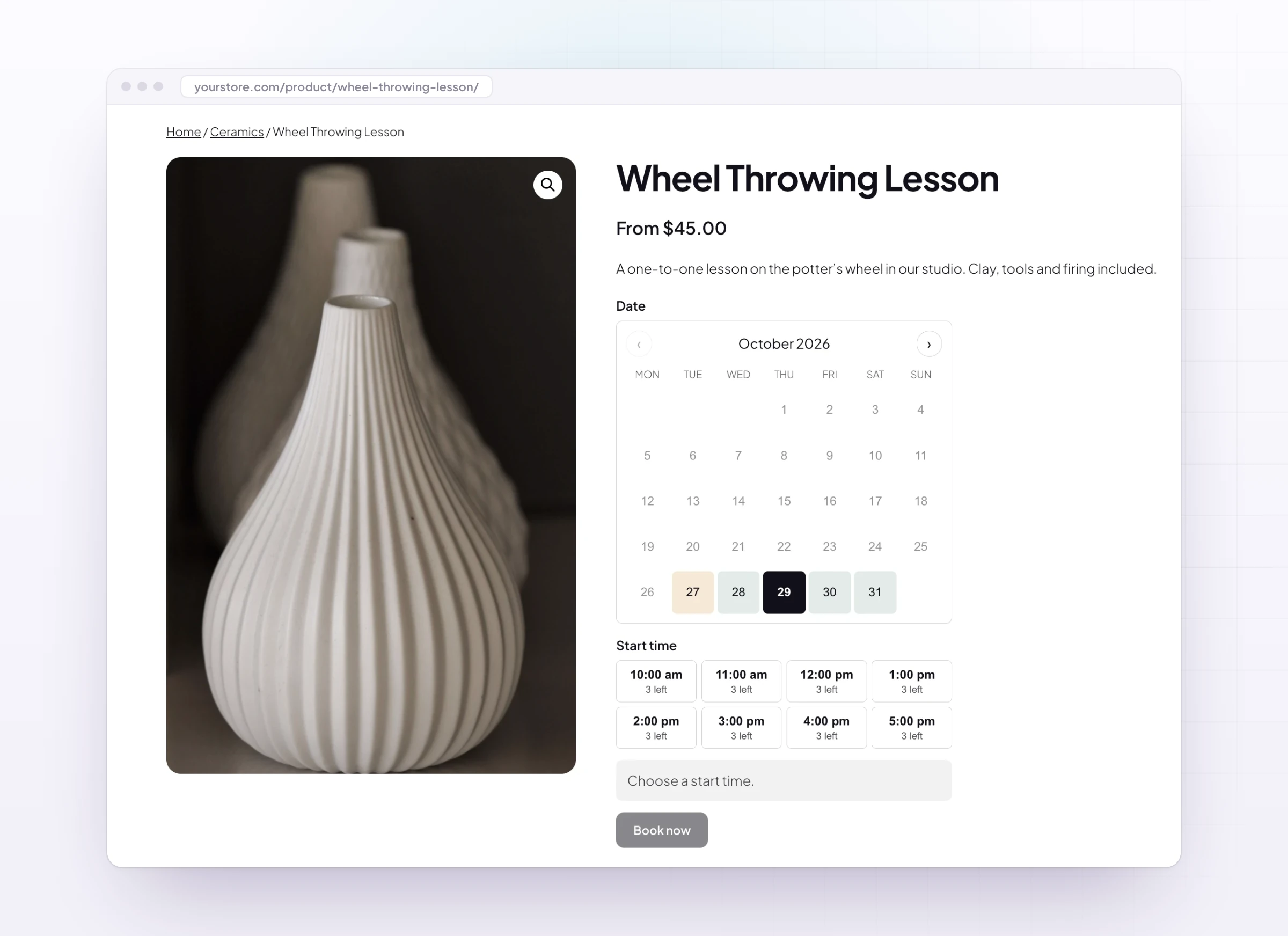
WooCommerce bookings for appointments, classes, tours and stays
Bookings and Reservations adds WooCommerce bookings to the products you already sell. A bookable product can be an appointment by the hour, a class with twelve places, a tour with adults and children priced separately, or a room booked by the night with check-in and check-out times. Customers only see free dates and times, and they pay at checkout like any other order.
As a WooCommerce bookings extension it also covers the work after the sale: a calendar of every booking, bookings added by hand for phone customers, a calendar feed for Google Calendar, and reminder emails. Guest houses can use it as a WooCommerce hotel booking plugin with nights and weekend prices, and guides as a WooCommerce tour booking plugin with person types and group limits.
Common setups
Questions before you buy
Do customers pay when they book?
Yes. A booking goes in the cart and is paid at checkout like any other product. A booking that needs your confirmation is requested without paying, and the customer gets a link to pay when you confirm it.
Can two customers book the same time?
No. A booking holds its place while it is in the cart, and the place is freed when the hold runs out.
Can I take bookings over the phone?
Yes. Add a booking by hand for the customer, with an order for them to pay or marked as paid.
Do bookings show in Google Calendar?
Yes. Subscribe to the calendar feed in Google Calendar, Apple Calendar or Outlook. Customers get Add to calendar links in their emails.
Can one booking take several places?
Yes. Tick “Each person takes a place” and a booking for three people uses three places of a class.
What happens when a customer cancels?
The booking is cancelled and its place is free again. Refund a paid order from the order screen as usual.
Does it work with the Cart and Checkout blocks?
Yes, and with the classic cart and checkout pages. Bookings show in the cart, the order, emails and My Account.
Requirements
- WordPress
- 6.8 or newer
- WooCommerce
- 10.0 or newer
- PHP
- 7.4 or newer
Works with
- Classic themes
- Block themes
- Cart and Checkout blocks
- High-Performance Order Storage




Marta Z. –
Good, but test the slots
Does what we need for appointments, but the time slots took some testing to get right. Four stars.
Niels V. –
Michael helped me set the check-in and check-out times for rentals. no complaints
sarahk –
Customers can move bookings
Customers can move their booking themselves, which cut down our emails. Works well.
Luca B. –
we run classes and the calendar is easy for customers. Capacity per date works.