 Maxima Plugins
Description
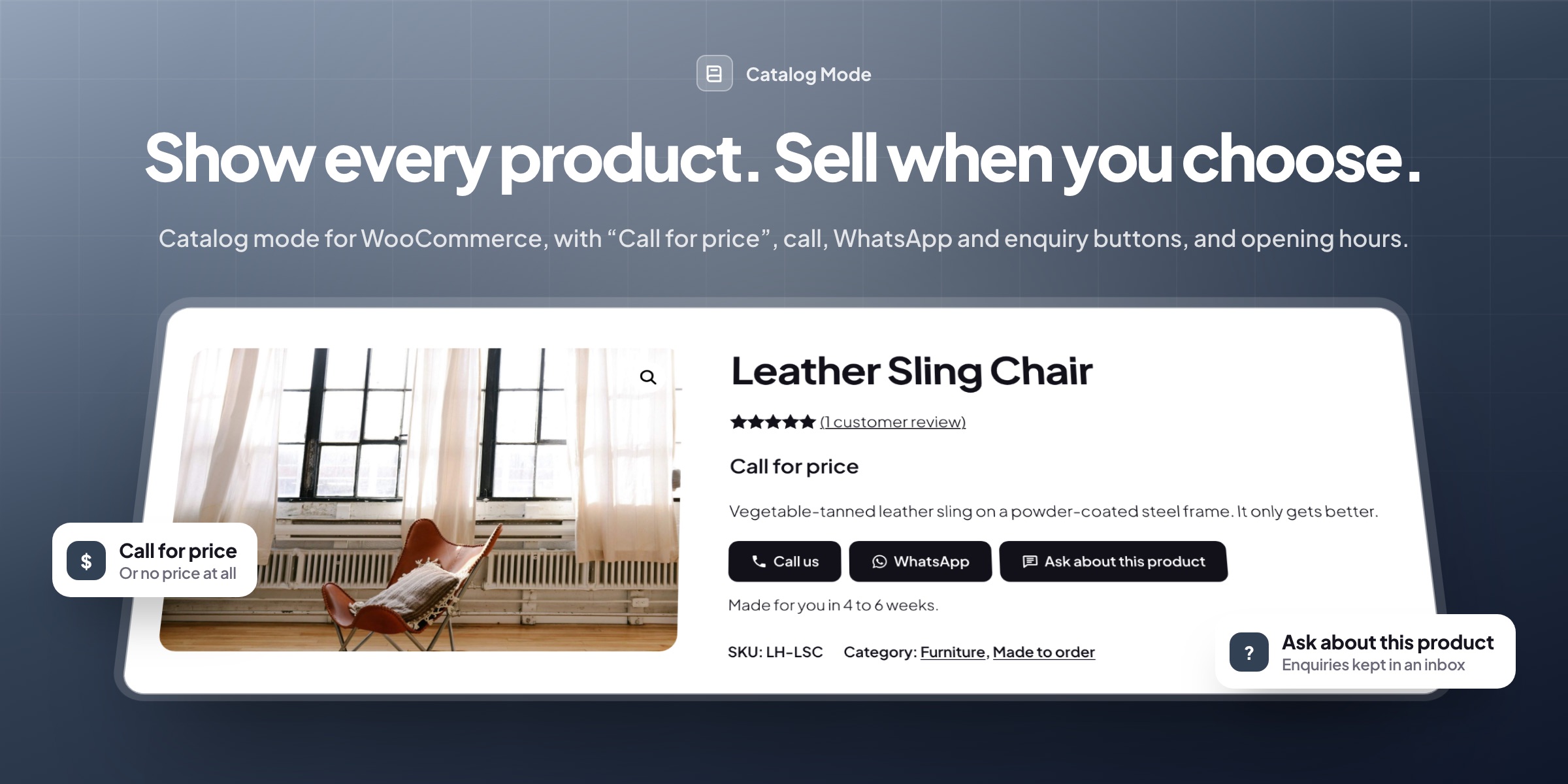
Catalog Mode turns a WooCommerce store into a catalog: products stay on show, but customers can’t add them to the cart or check out. Use it for the whole store or chosen categories and products, for guests only or outside opening hours, with call, WhatsApp, email and enquiry buttons in place of Add to cart.
🗂️ Whole store or chosen products: categories, tags, brands, products or product types, everything except them, or only out-of-stock or backorder products.
👥 Guests, roles or countries: rules for everyone, guests, logged-in customers, roles or countries, with chosen customers left out.
💬 Call, WhatsApp and email buttons: or an enquiry form, a link or “Log in to see prices” in place of Add to cart.
🏷️ Call for price: a text in place of the price, or no price at all, kept out of structured data and Product Feed Manager feeds.
📥 An enquiry inbox: a popup, inline or tab form, an inbox with statuses and CSV export, and an email to you, with an optional copy for the customer.
🕘 Closed outside opening hours: weekly hours and holiday dates close the cart and checkout, with a “closed until” notice bar.
🔒 No way around it: add-to-cart links, AJAX and the Store API refuse catalog products, in block and classic themes.
🛡️ Spam checks for the built-in form: a trap field, a time check, rate limits and an optional Turnstile, hCaptcha or reCAPTCHA v3.

Where it applies
WooCommerce catalog mode for the whole store or chosen categories
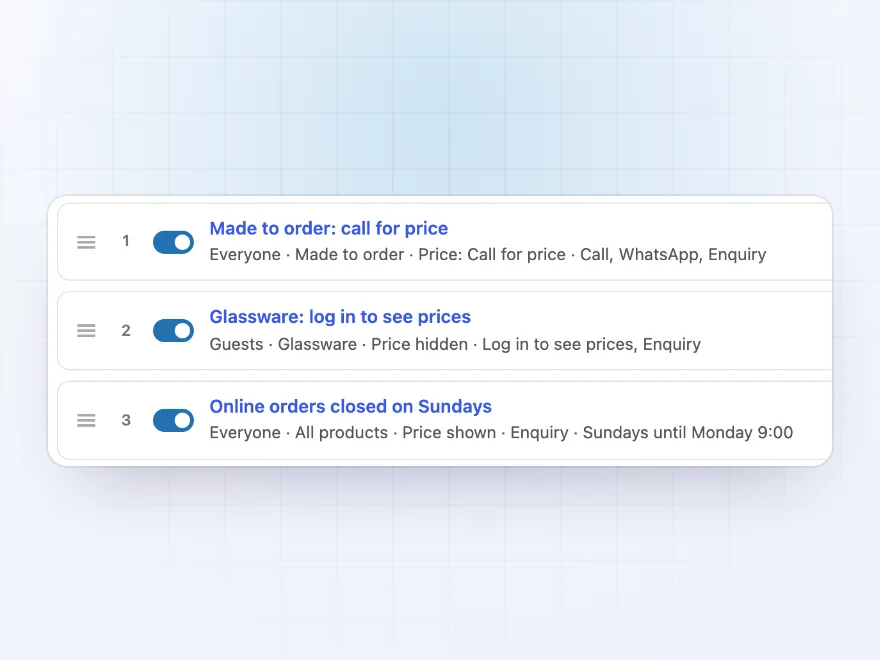
Switch the whole store to catalog mode, or only chosen categories, tags, brands, product types or products, or everything except them. Rules can cover guests, logged-in customers, chosen roles or countries, and the first rule that matches decides. Exception rules let chosen roles or countries buy, single customers can be left out of a rule, and each product and category can be set to always or never.
- Store, categories, tags or products
- Guests, roles or countries
- Exceptions that let some customers buy
Buttons
Call, WhatsApp and email buttons in place of Add to cart
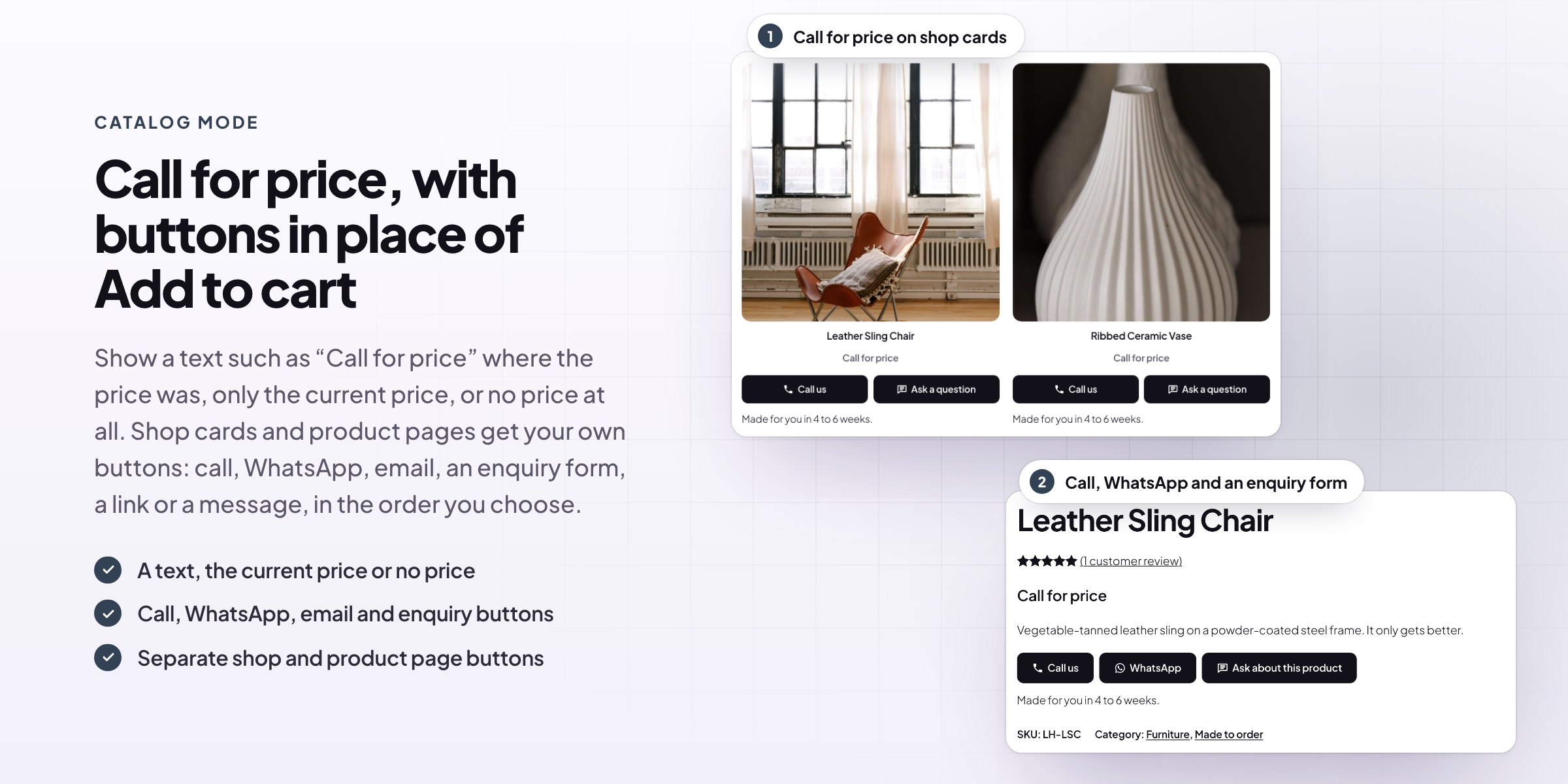
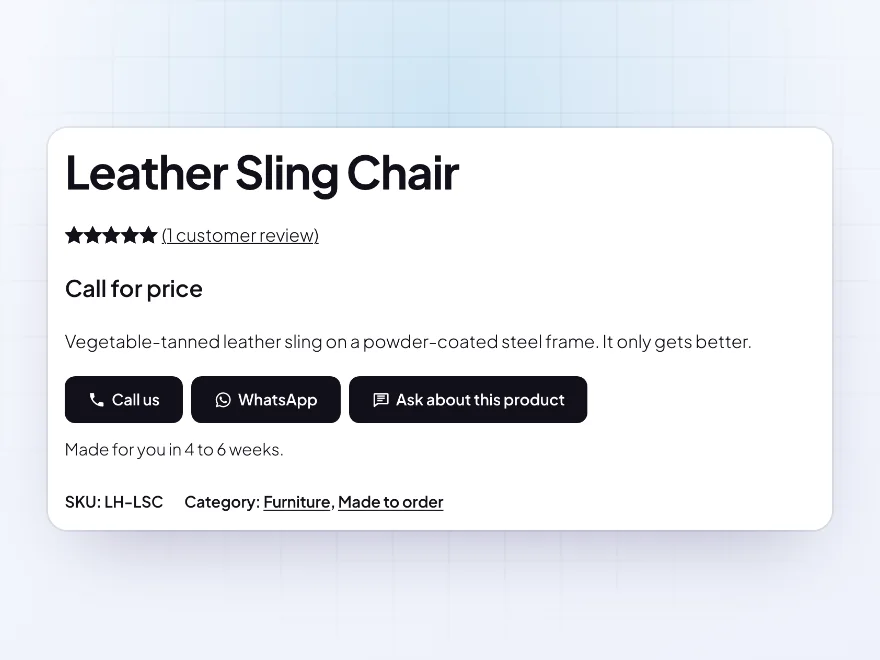
Catalog products get your buttons: a call button that dials your number, an email with the product in the subject, WhatsApp with the product and the chosen options, an enquiry form, a link of your choice or a message. Guests can get a “Log in to see prices” link that brings them back to the product. Shop cards and product pages each have their own buttons, in your order.
- Call, email, WhatsApp and enquiry
- Separate shop and product page buttons
- Theme style or your own colors
Enquiries
Enquiries kept in an inbox and sent by email
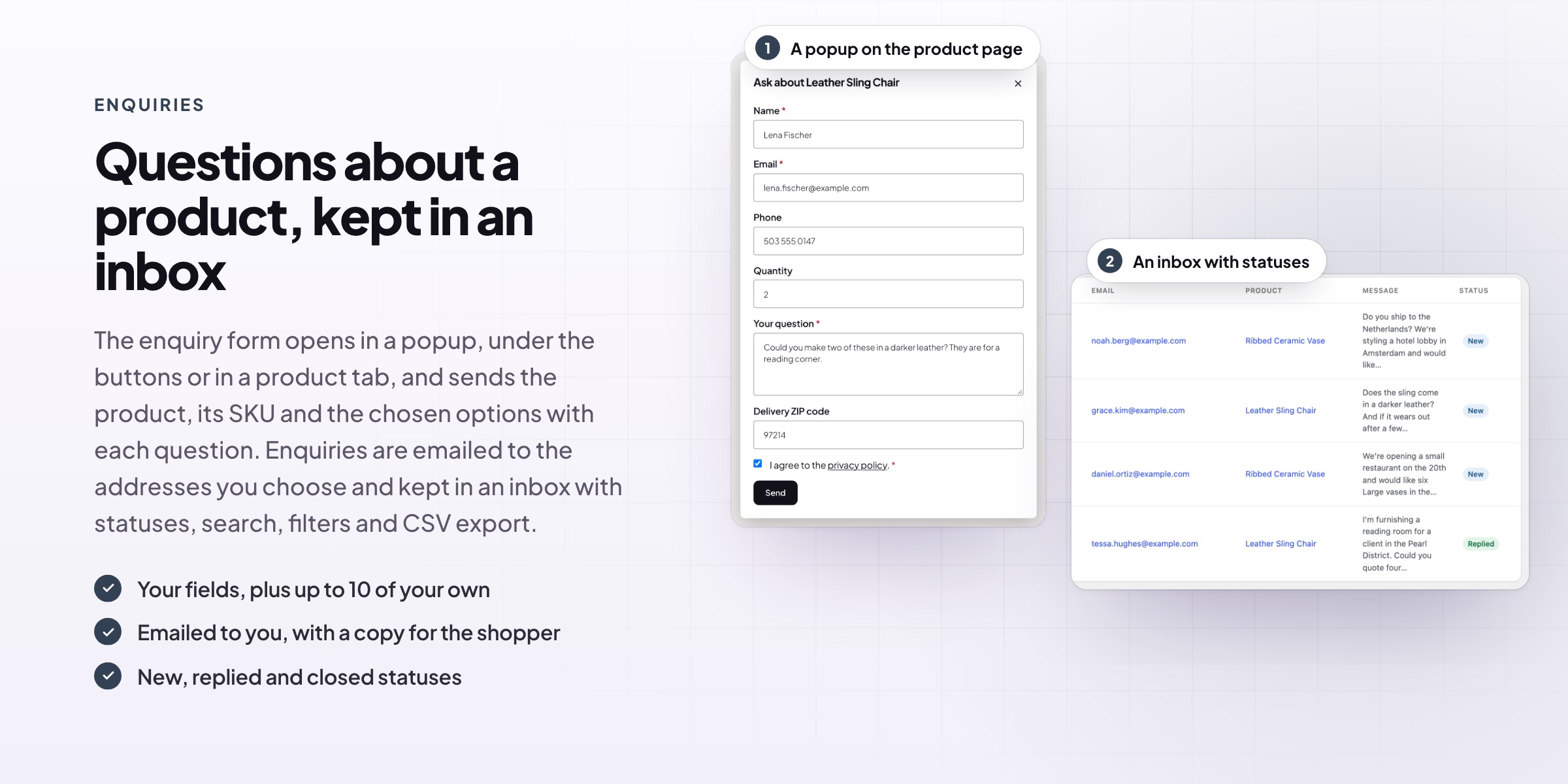
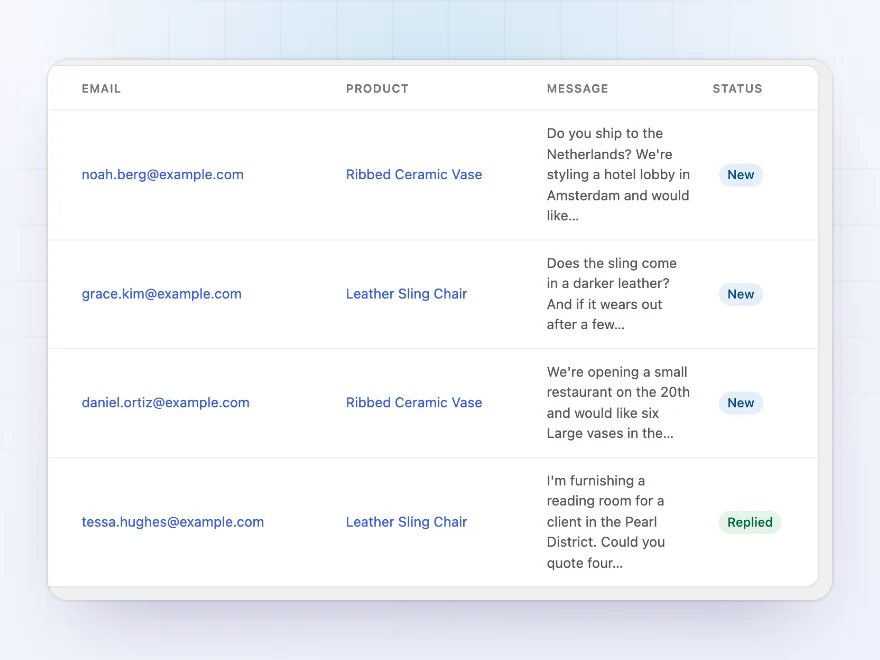
The enquiry form opens in a popup, under the buttons or in a product tab, and sends the product name, SKU, link and chosen variation with each question. Choose the fields and add up to 10 of your own. Enquiries are emailed to the addresses you set and kept in an inbox with statuses, search, filters and CSV export, and spam checks keep bots out.
- Popup, inline or product tab form
- Inbox with statuses and CSV export
- Spam checks and an optional captcha
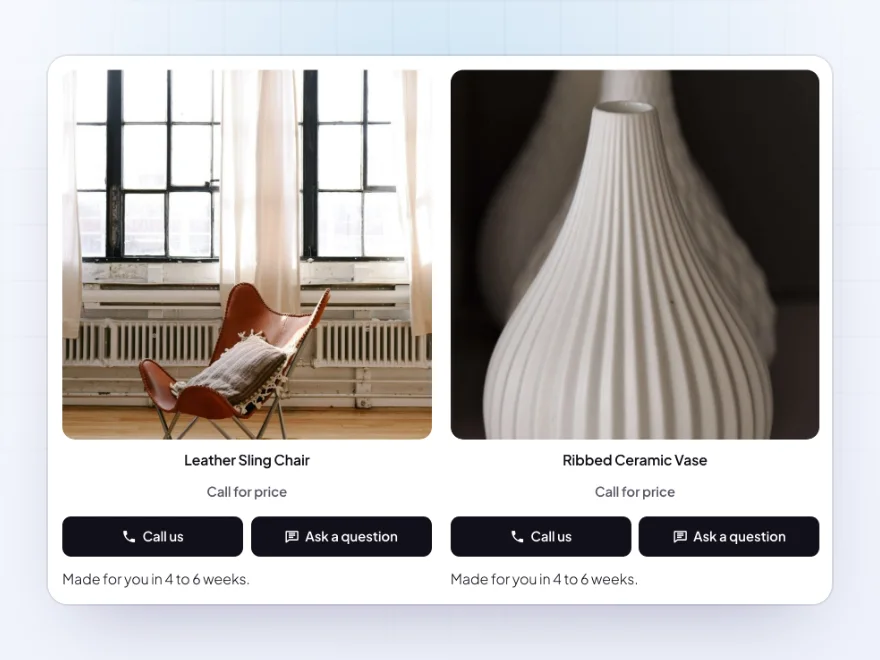
Prices
A text in place of the price, or no price at all
Keep the price, show sale prices without the crossed-out regular price, show a text such as “Call for price” or show nothing. Shop pages and product pages can have different texts, and each product or category can have its own. A hidden price is also left out of variation data, WooCommerce’s structured data for search engines, the Store API and our Product Feed Manager’s feeds.
- A text such as Call for price
- Its own text per product or category
- Left out of search data and Product Feed Manager feeds
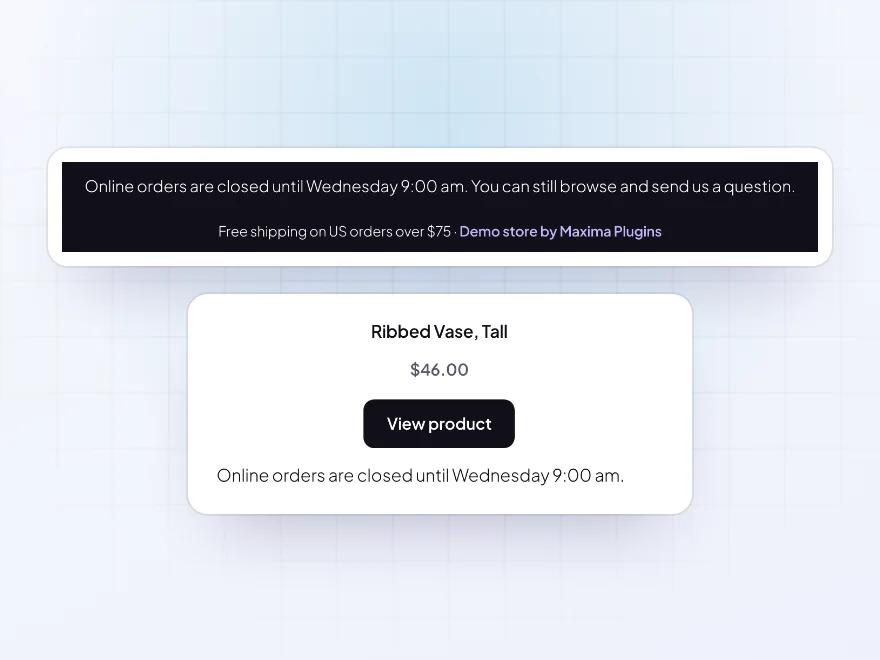
Schedule
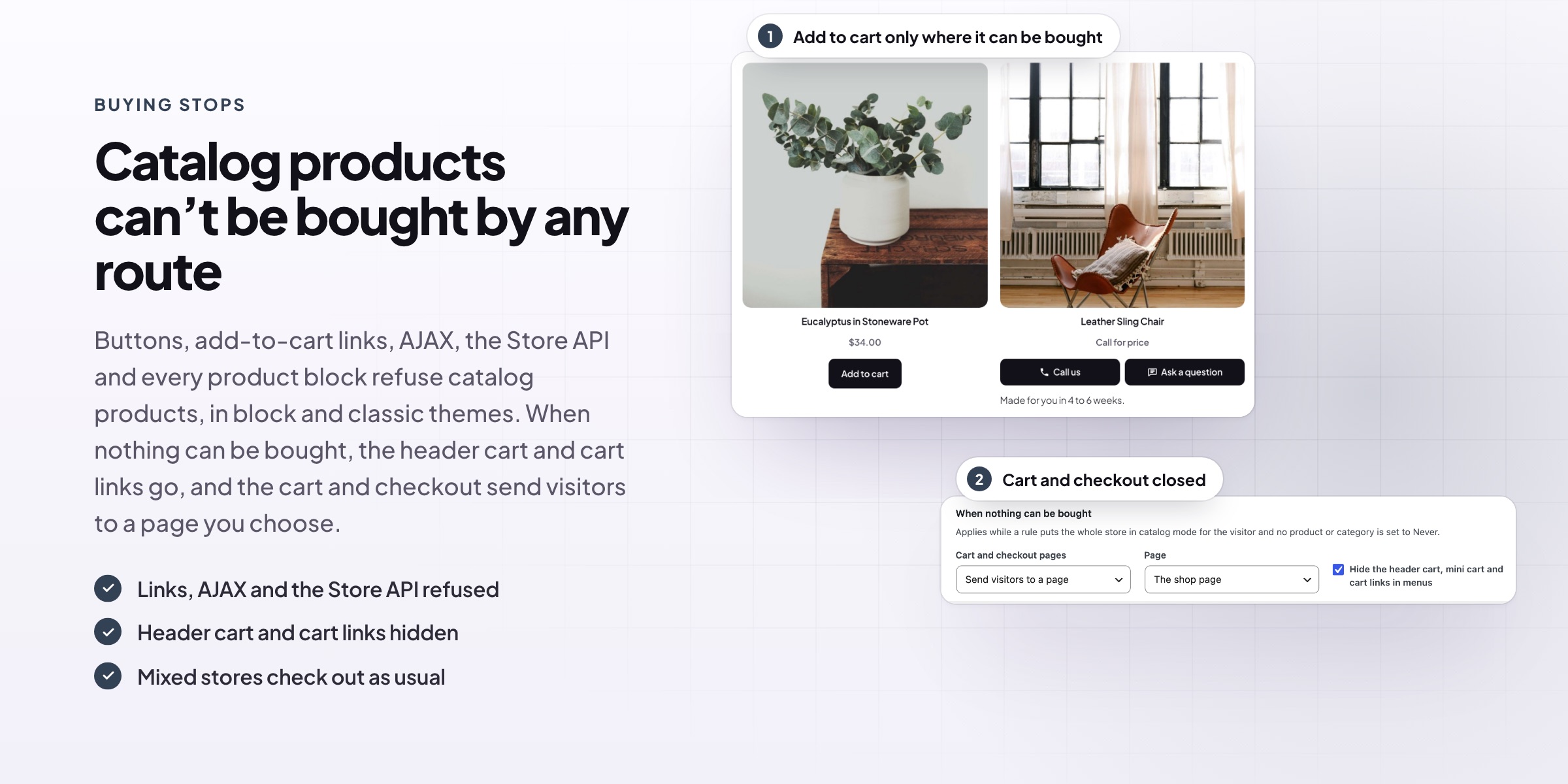
Disable cart and checkout outside opening hours
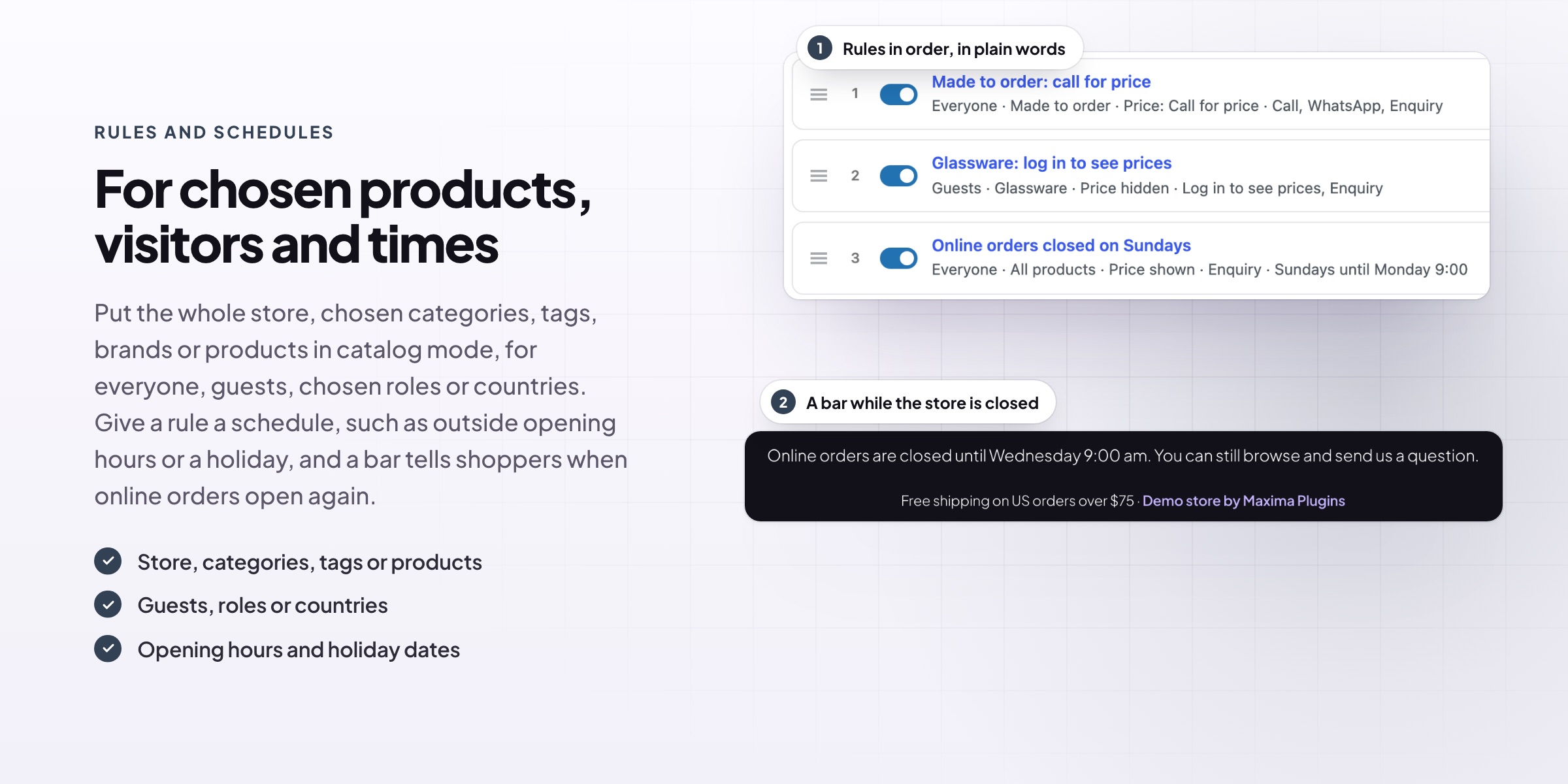
Give any rule a schedule: weekly hours, during or outside them, overnight times such as 10 pm to 6 am, and date ranges for holidays. While nothing can be bought, the header cart, mini cart and cart links go, the cart and checkout send visitors to a page you choose, and a bar says when online orders open again. Shoppers keep their carts until then.
- Weekly hours and holiday dates
- Cart and checkout closed
- A “closed until” notice bar
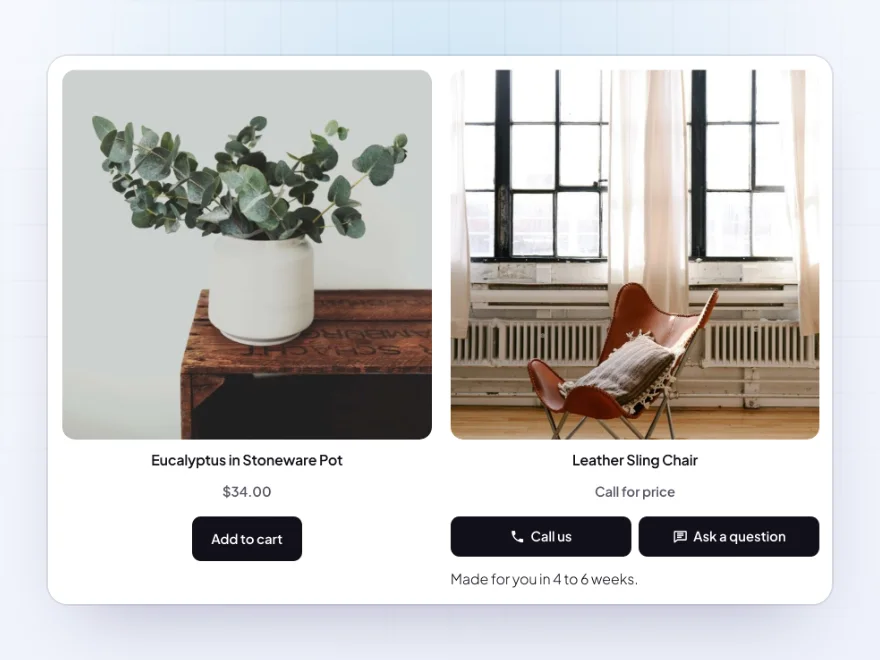
Block and classic themes
Catalog products can’t be bought by any route
Catalog products can’t be added to the cart through buttons, add-to-cart links, AJAX, the Store API or any product block, and the quantity box goes with the button. It works the same in block and classic themes, including the Cart and Checkout blocks and the Mini-Cart block, and products that can still be bought go through checkout as usual.
- Links, AJAX and the Store API refused
- Block and classic themes
- Mixed stores check out as usual
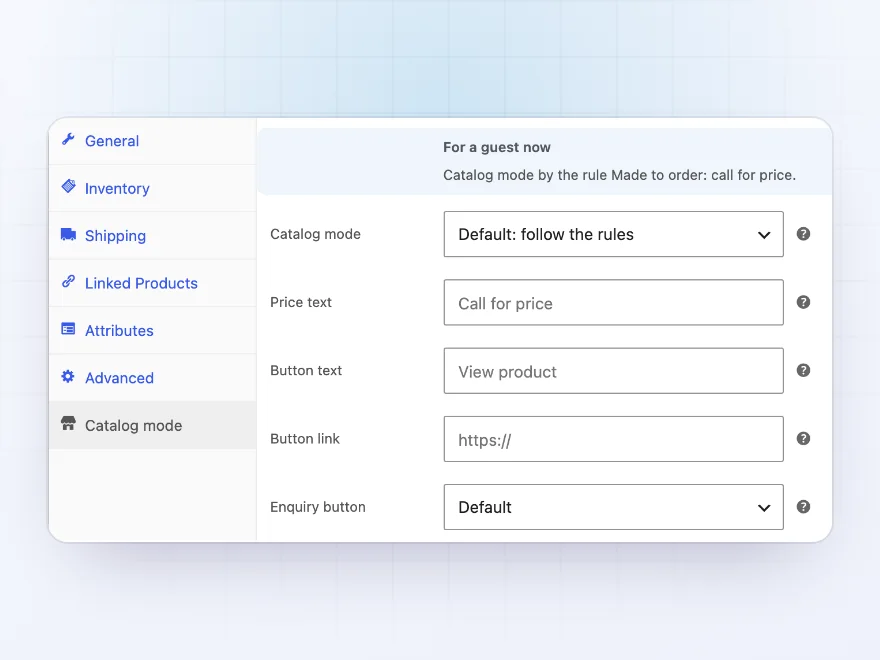
Store staff
See what a guest sees on every product
Each product’s Catalog mode tab says what a guest sees right now and which rule decides it. It also sets the product to always or never be in catalog mode, with its own price text, button and enquiry button, and product categories have the same fields. Store staff see the normal store while they browse; untick one setting to see the catalog while logged in.
- What a guest sees, on each product
- Its own price text and button
- The same fields on categories
Spam and privacy
Spam checks and privacy tools for enquiries
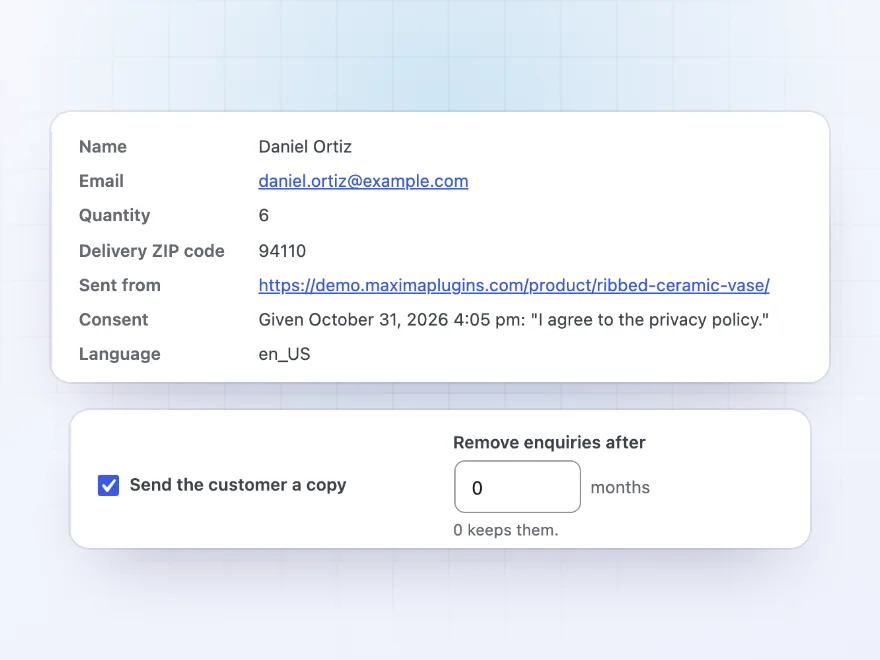
The built-in enquiry form has a hidden trap field, a time check and a limit of 5 enquiries per visitor, counted until an hour passes without one, and you can add Cloudflare Turnstile, hCaptcha or reCAPTCHA v3. Each enquiry keeps the consent and when it was given, without the IP address. Enquiries are part of WordPress’s personal data export and erase tools, and older ones can be removed after a number of months.
- A trap field, a time check and a rate limit
- Turnstile, hCaptcha or reCAPTCHA v3
- Consent kept, old enquiries removed
Themes and page builders
Blocks and shortcodes for any template
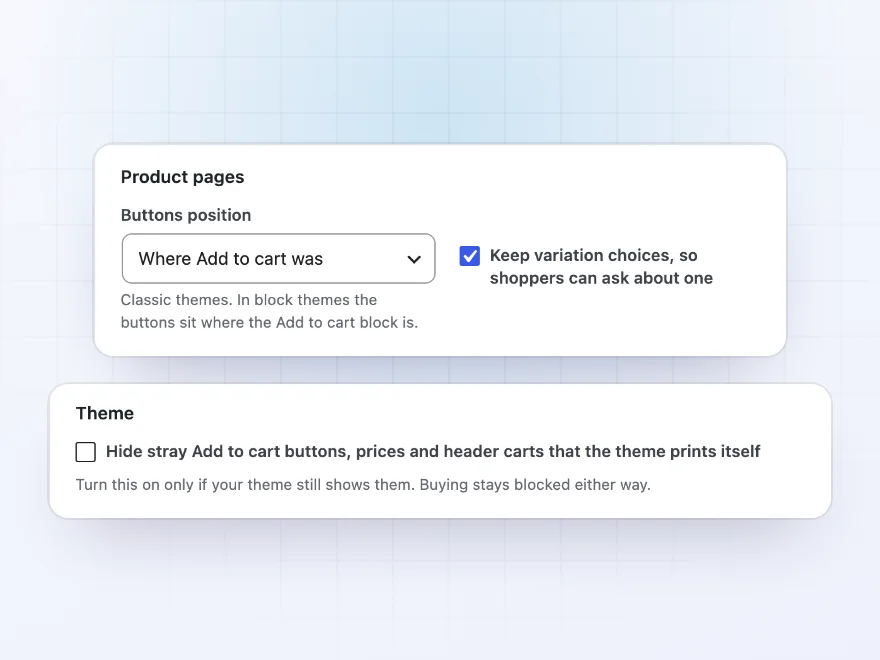
The Catalog Buttons and Enquiry Form blocks, and their shortcodes, put a product’s buttons and the enquiry form in any template, such as one made with a page builder. In classic themes, the buttons can sit where Add to cart was, after the price or after the short description, and a setting hides Add to cart buttons, prices and header carts that a theme prints itself. It also works with our Hide Products & Prices by User Role, Custom Add to Cart Button, Request a Quote & PDF Quotes and Product Feed Manager.
- Catalog Buttons and Enquiry Form blocks
- Shortcodes for page builder templates
- Works with our other plugins
Premium quality & support
Support you can count on, year after year
See Catalog Mode working in a live demo store before you buy. If you need a hand, our friendly support team will help you get it set up, and regular updates keep it working with each new WooCommerce release.
- A live demo store to try it first
- Step-by-step docs with a quick start
- Premium support from a helpful team
- Regular updates included
A WooCommerce catalog mode plugin that also closes the cart and checkout
Catalog Mode is a WooCommerce catalog mode plugin for stores that show their products online but take orders by phone, by email or in person. Put the whole store in WooCommerce product catalog mode, also called WooCommerce catalogue mode, or only chosen categories, tags, brands or products, for everyone, for guests, for chosen roles or for visitors from chosen countries. Shoppers see a text such as “Call for price” where the price was, and call, WhatsApp, email or enquiry buttons where Add to cart was. WooCommerce’s own catalog visibility options only hide a product from the shop or search; here the product stays on show and can’t be bought.
To disable cart and checkout in WooCommerce for catalog products, the plugin refuses them on the server, not only on screen: add-to-cart links, AJAX requests, the Store API and every product block turn them away. When nothing can be bought, the header cart, the mini cart and cart links go, and the cart and checkout pages send visitors to a page you choose. Any rule can follow a schedule, such as outside opening hours or over a holiday, with a notice bar that says when online orders open again, and questions sent with the enquiry form wait in an inbox in wp-admin.
Common setups
Questions before you buy
Can shoppers still buy through a link or the cart API?
No. Catalog products are refused on the server, not only hidden on screen: add-to-cart links, AJAX requests, the Store API behind the Cart and Checkout blocks, and every product block turn them away. Products that can still be bought check out as usual.
Can Google still see the prices?
Not where a text or no price shows: the price is left out of the page, WooCommerce’s structured data for search engines, variation data, the Store API and our Product Feed Manager’s feeds. If an SEO plugin adds its own product schema, check that it leaves the price out too.
Can I keep some products buyable?
Yes. Put catalog mode on chosen categories, tags, brands or products only, or set a product or category to Never. Products that can be bought keep their Add to cart button, and the cart and checkout stay open for them.
Can it apply to guests only, or to some countries?
Yes. A rule can cover guests, logged-in customers, chosen roles or visitors from chosen countries, with exceptions for roles or single customers. Logged-in customers are matched by their billing country and guests by WooCommerce’s geolocation, which is a guide rather than a lock: a visitor on a VPN appears to be somewhere else.
Can the store close on a schedule?
Yes. Give a rule weekly hours, overnight times and holiday dates, in your site’s time zone. While a schedule closes the store, the cart and checkout close, a notice bar says when orders open again, and shoppers keep their carts until then.
Where do enquiries go?
Each enquiry is emailed to the addresses you choose, with the shopper as the reply address, and kept in Catalog Mode > Enquiries, where you can mark it replied or closed, search, filter and export to CSV. The shopper can get a copy.
Does it work with my theme and page builder?
It works with classic and block themes, including the Cart and Checkout blocks. Where a page builder template leaves the buttons out, add the Catalog Buttons block or the [catalog_mode_buttons] shortcode, and a setting can hide buttons and prices that a theme prints itself. Buying is refused on the server either way.
What happens when I turn it off?
Untick Turn on catalog mode on the Rules tab, and every product can be bought again with its price; your rules, schedules and enquiries are kept. Deactivating the plugin does the same, and deleting it keeps the data unless you ask for it to be removed.
Requirements
- WordPress
- 6.8 or newer
- WooCommerce
- 10.0 or newer
- PHP
- 7.4 or newer
Works with
- Classic themes
- Block themes
- Cart and Checkout blocks
- High-Performance Order Storage
- Mini-Cart block
- WPML
- Polylang
- Our Hide Products & Prices by User Role
- Custom Add to Cart Button
- Request a Quote & PDF Quotes
- Product Feed Manager
Country rules use the billing country or WooCommerce’s geolocation.
Clears the page caches of WP Rocket, LiteSpeed Cache, W3 Total Cache, WP Super Cache and SiteGround Optimizer when a schedule starts or ends.



Reviews
There are no reviews yet.