 Maxima Plugins
Description
Points and Rewards adds a loyalty program to WooCommerce: customers earn points for orders and actions, and use them for money off later orders. Points stay pending until the order is complete, are taken back on refunds and cancellations, and every change is kept in a log.
🪙 Points for every order: a store rate per amount spent, or points per product, variation, category or brand.
⭐ More ways to earn: sign-ups, reviews, birthdays, account anniversaries, daily logins and points codes.
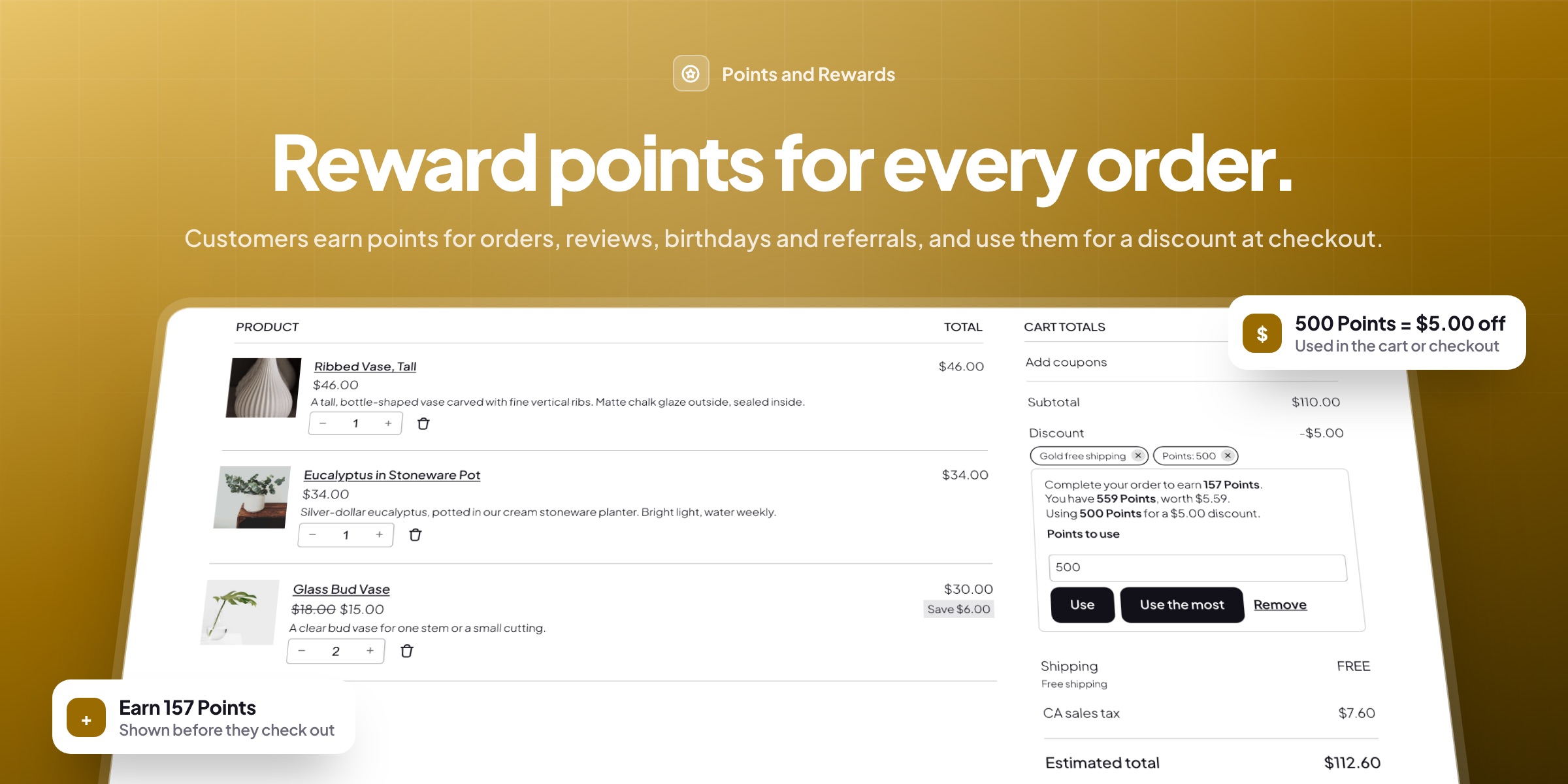
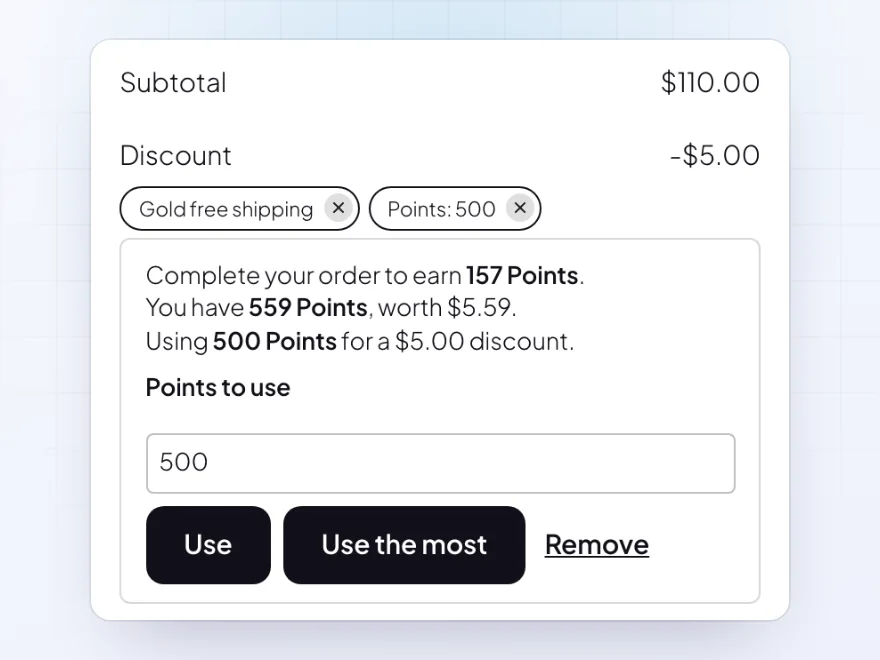
🛒 Money off in the cart: customers type how many points to use, or use the most in one click, in the classic or block checkout.
🤝 Refer a friend: a link, a code and a QR code, with points when the friend orders and welcome points for the friend.
🏅 Levels such as Bronze, Silver and Gold: more points per order, plus points, a coupon, free shipping or a discount at each level.
⏳ Points that expire: after a set time or after inactivity, with a reminder email before they go.
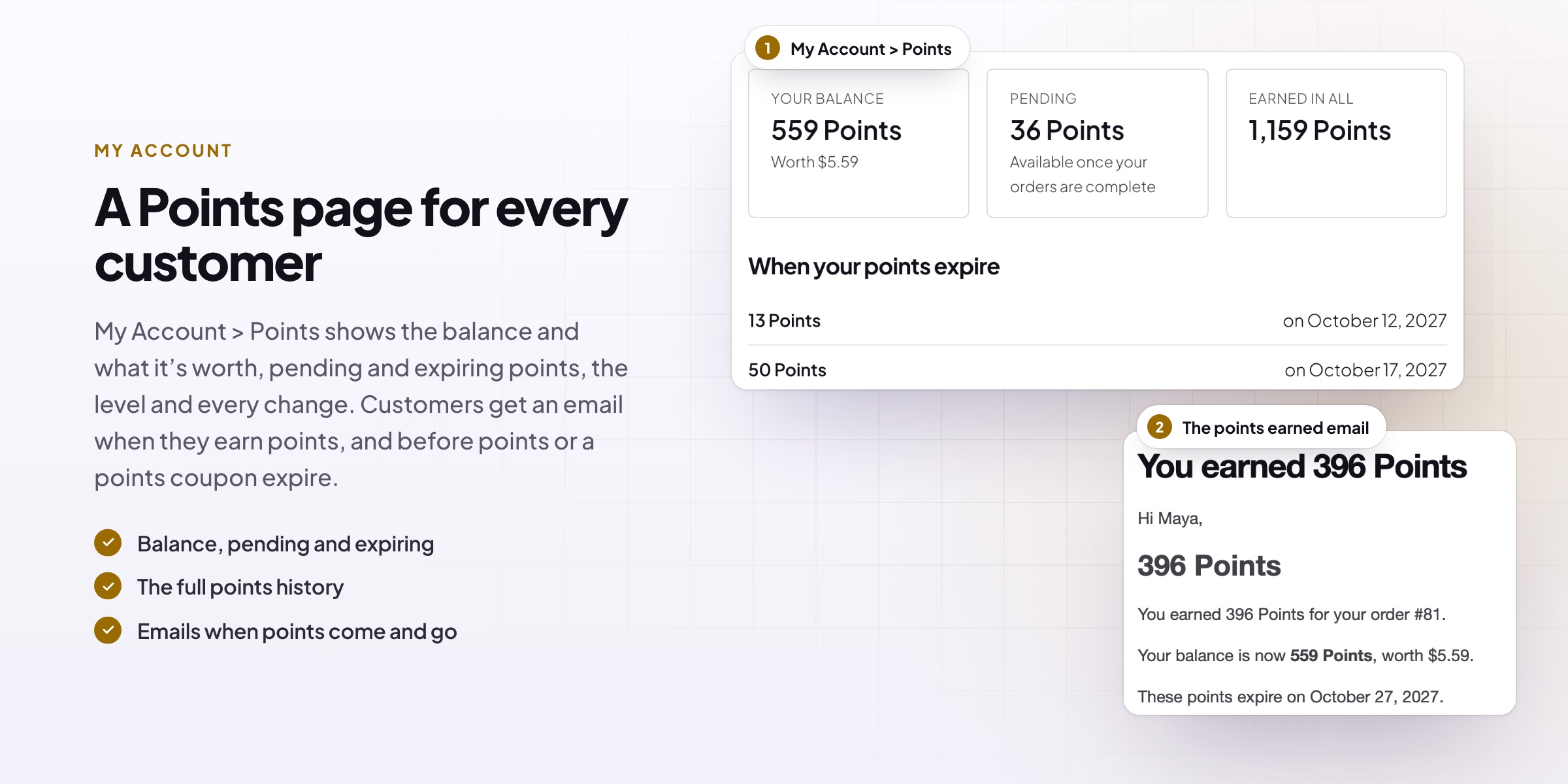
👤 A Points page in My Account: balance, pending and expiring points, level progress, history and ways to earn.
📋 Every balance explained: a log of every change, staff adjustments, CSV import and export, and points for past orders.

Earning on orders
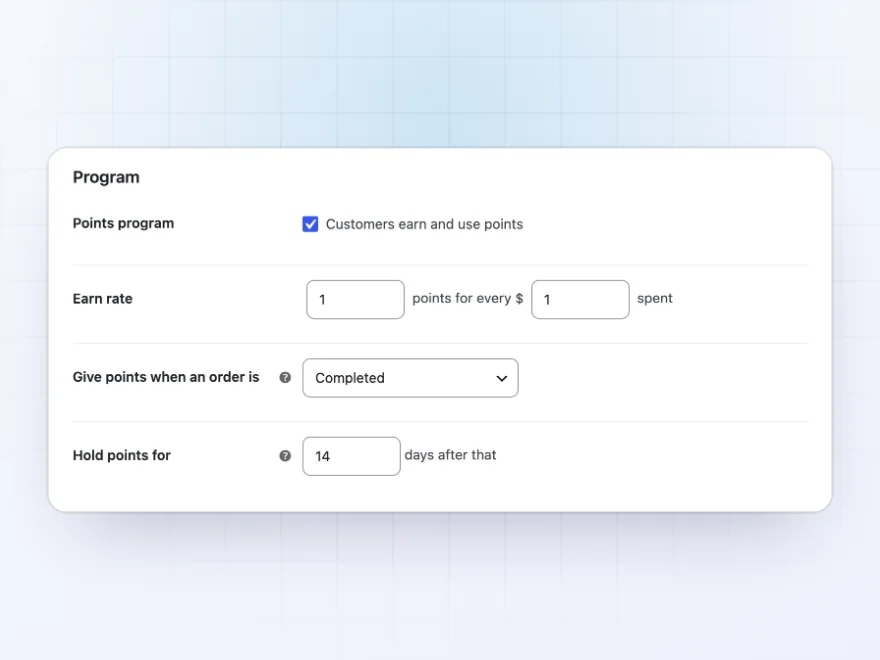
Points for every order
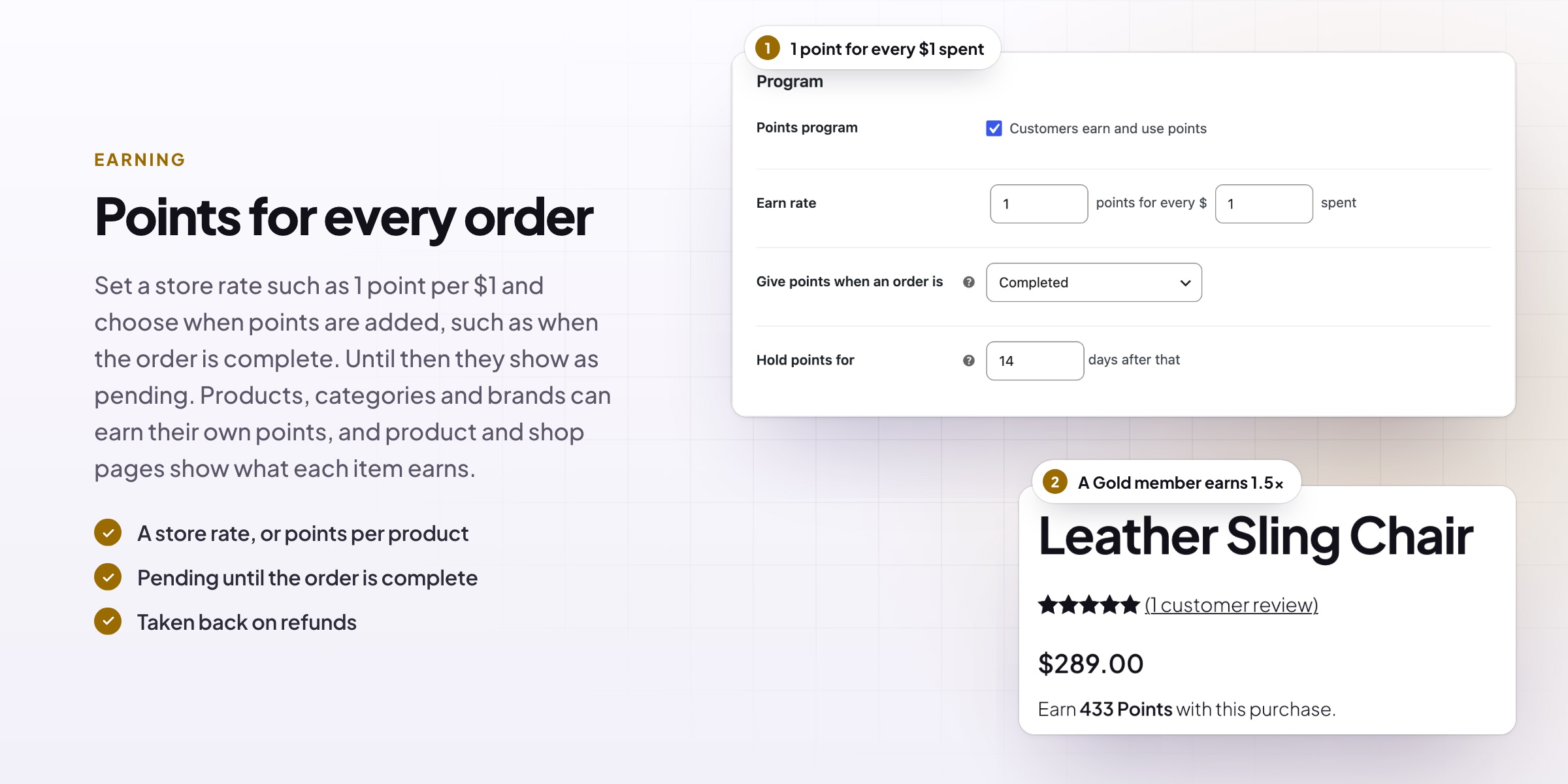
Set a store rate such as 1 point per $1, counted before or after discounts and with or without tax and shipping. Give products, variations, categories or brands their own points, add a first-order bonus, points by order total, payment method bonuses and milestones such as a fifth order.
- A store rate, or points per product
- First-order and milestone bonuses
- Double points events
Using points
A points discount at checkout
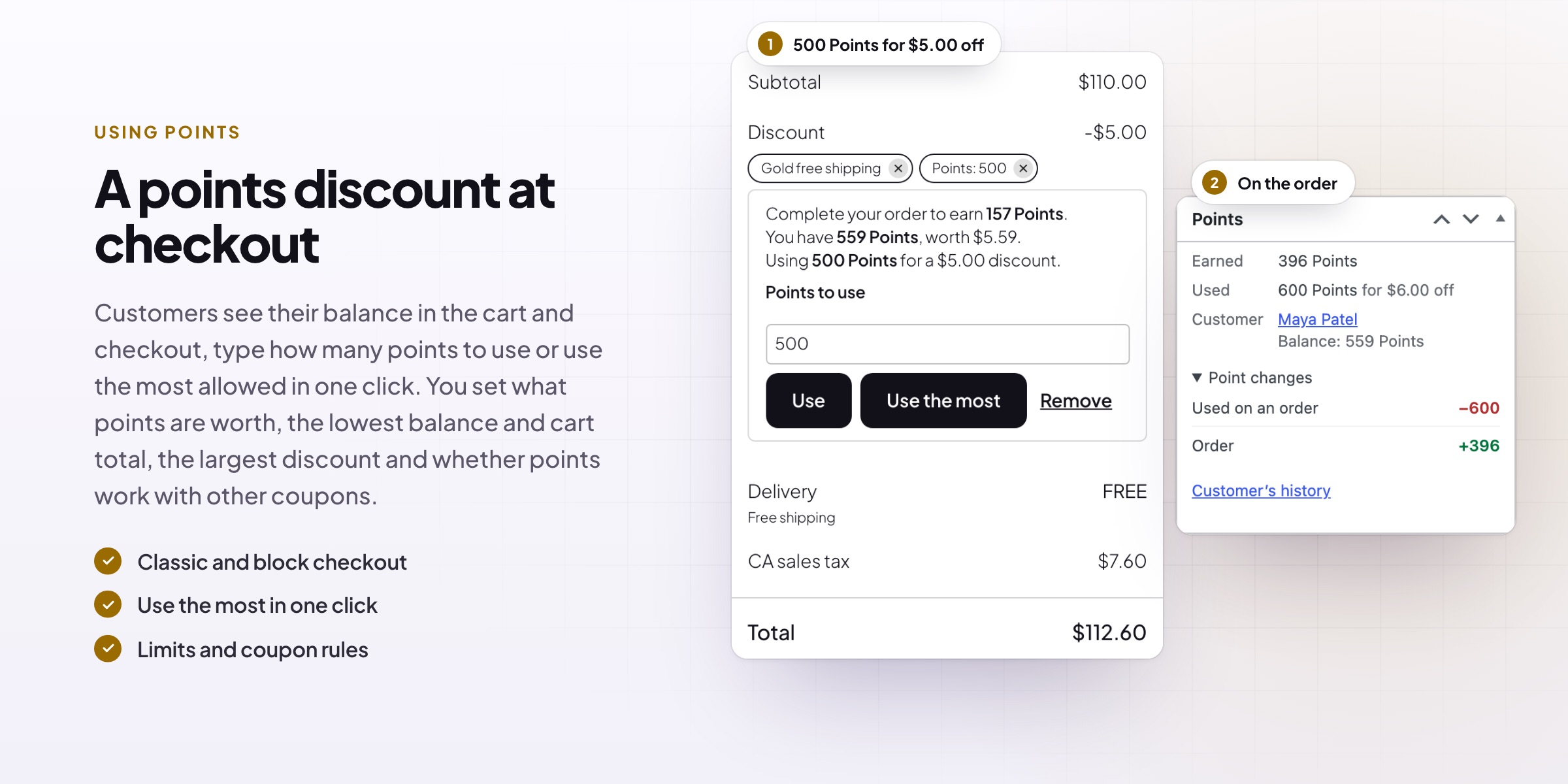
Customers see their balance in the classic or block cart and checkout, type how many points to use or use the most allowed with one click. Set the value, the lowest balance and cart total, the largest discount and whether points work with other coupons.
- Block and classic checkout
- Use the most in one click
- Limits and coupon rules
Earning for actions
Points for more than orders
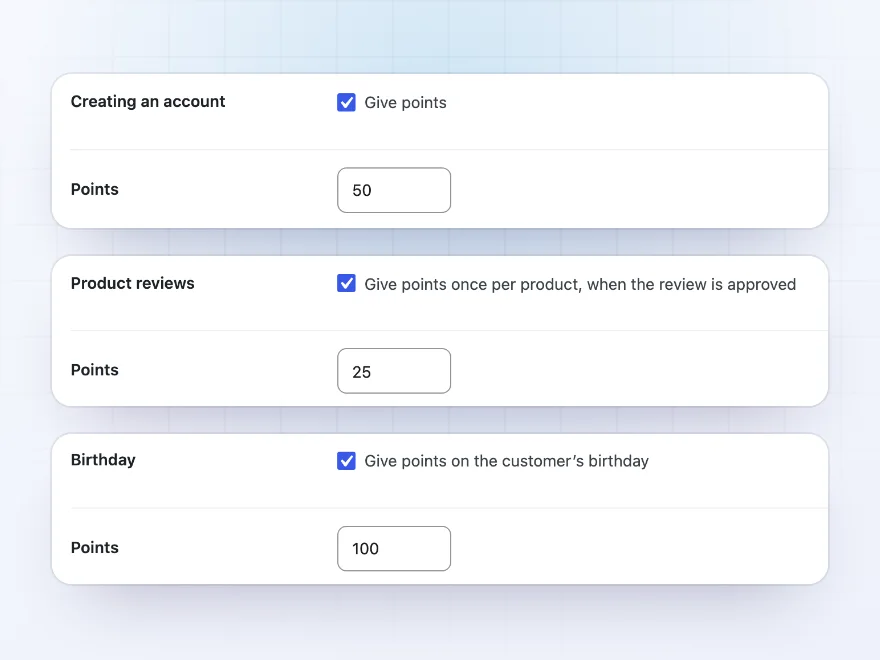
Give points for creating an account, product reviews (verified buyers only if you like), birthdays, account anniversaries, daily logins, blog comments and posts. Points codes add points from a flyer or an email, with a use limit.
- Reviews, birthdays and sign-ups
- Logins, comments and posts
- Points codes for promotions
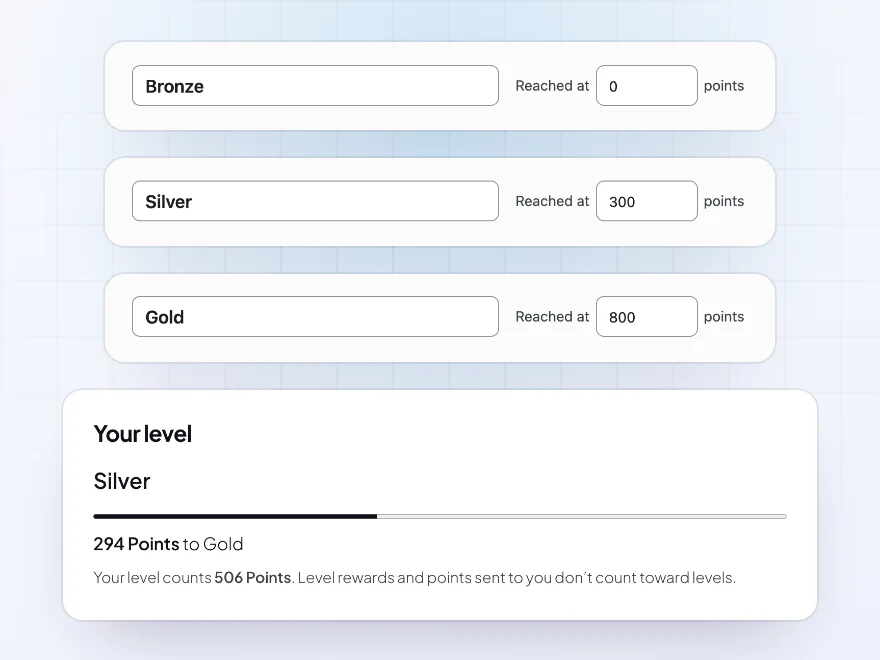
Levels
Bronze, Silver and Gold
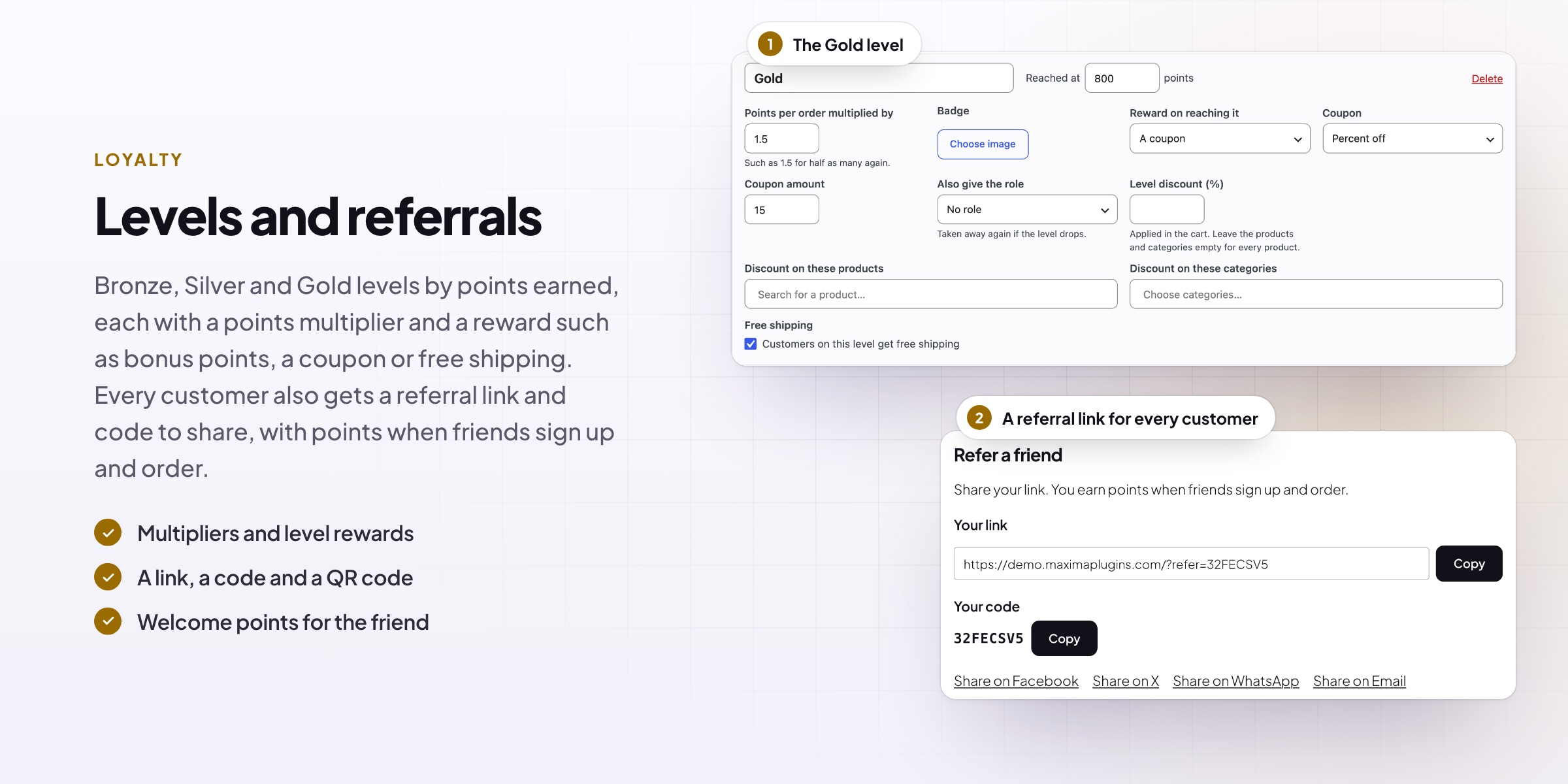
Levels count the points earned in all or in the last 12 months. Each has a badge, a points multiplier, a reward for reaching it (bonus points or a coupon), a discount, free shipping and a role if you need one. Customers see their level and the points to the next one.
- Multipliers and rewards
- A coupon or free shipping
- Progress to the next level
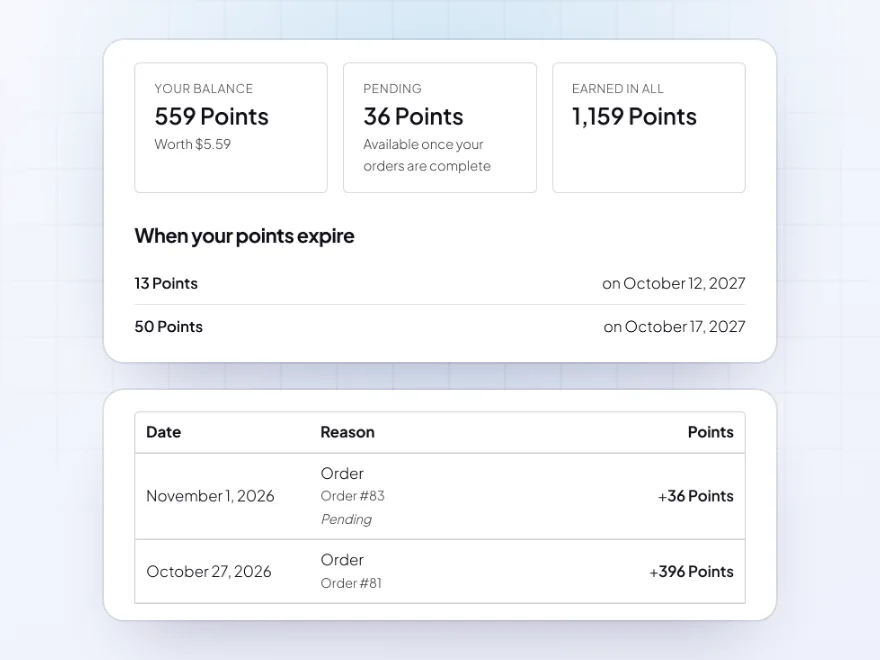
My Account
A Points page for every customer
My Account > Points shows the balance and its value, pending and expiring points, the level, the history, ways to earn, the referral link and code, points coupons and sending points. Product pages, the cart and the thank-you page tell customers what they earn.
- Balance, pending and expiring
- History and ways to earn
- Points on product pages
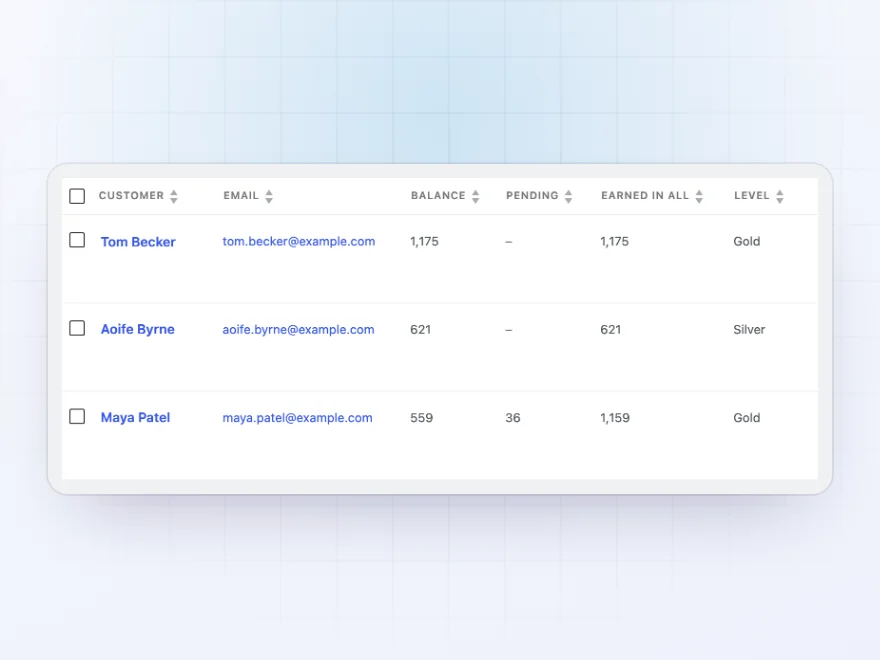
For store staff
Every balance explained
The Customers list shows balances, pending and earned points with search and sorting. Add or take away points by hand or in bulk with a reason, and see every change in the Log, with the order, the reason and who made it.
- Customers list and adjustments
- A log of every change
- Overview report
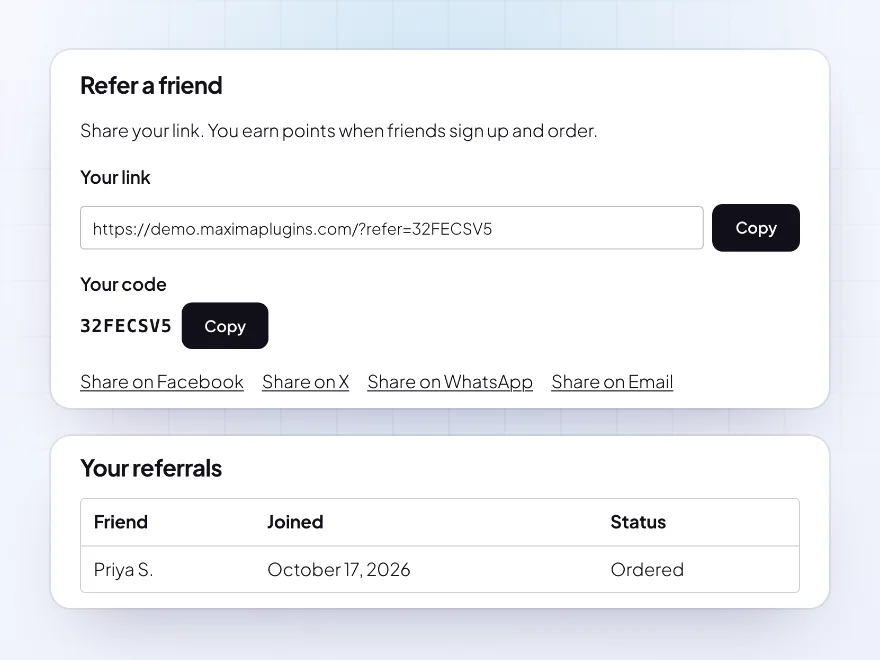
Referrals
Points for bringing friends
Every customer gets a referral link and code in My Account, with share links for Facebook, X, WhatsApp and email and a QR code. With the referral coupon on, friends can also enter the code at checkout. They earn points when a friend creates an account and again when the friend places an order, and the friend can get welcome points or a coupon. You can pay for new customers only, set a lowest order total and limit the friends paid per customer.
- A link, a code and a QR code
- Points when friends sign up and order
- Welcome points or a coupon for the friend
Expiry
Points that expire, with a reminder first
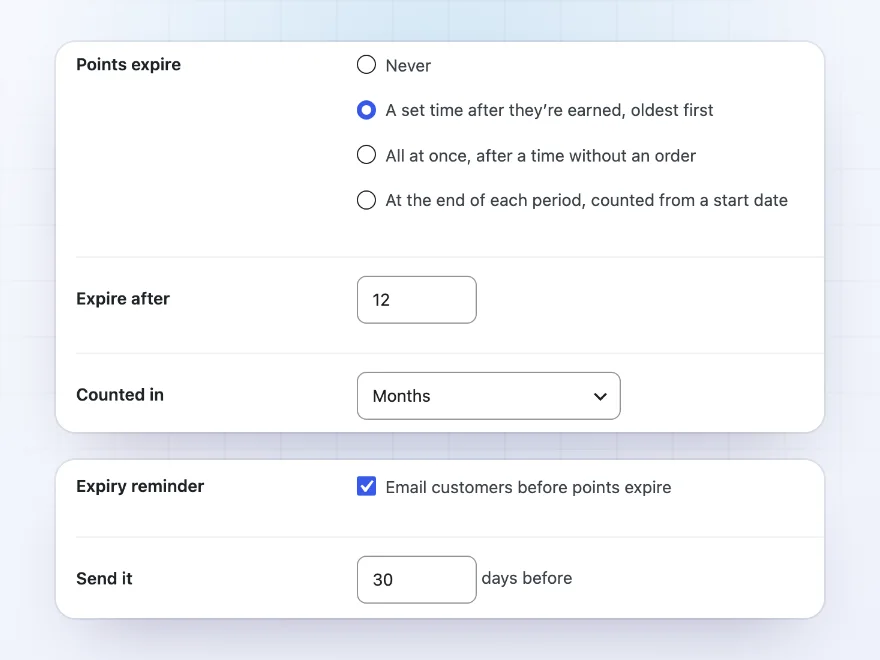
Points can expire a set time after they’re earned, with the oldest used first, all at once after a time without an order, or at the end of each period. With a set time, birthday or review points can have a time of their own. Customers see their expiry dates in My Account, and reminder emails go out a set number of days before points or a points coupon expire.
- A set time after earning, oldest first
- Their own time for birthday or review points
- Reminder emails before they expire
Tools
Points for orders placed before
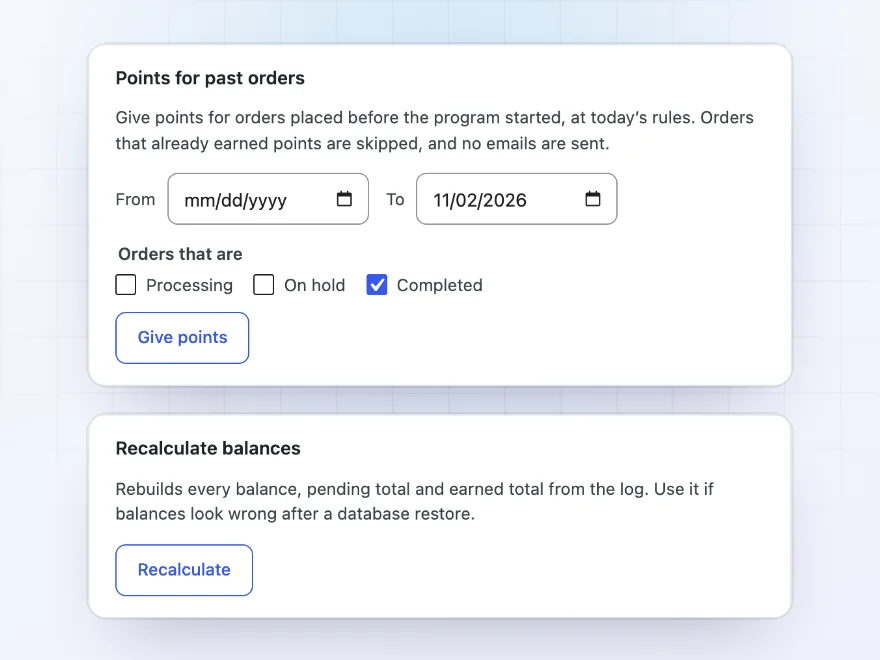
Points > Tools gives points for orders placed before the program started, between two dates and once per order, without sending emails. Import balances from a CSV file, including files from other points plugins, export balances and the log, copy your settings to another store and recalculate every balance from the log.
- Points for past orders, once each
- CSV import and export
- Recalculate balances from the log
Premium quality & support
Support you can count on, year after year
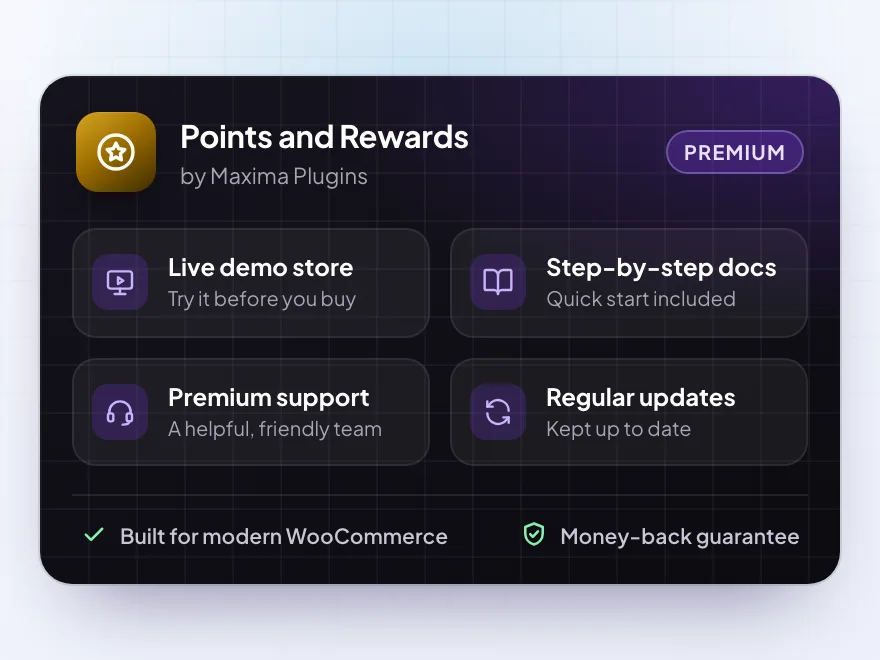
See Points and Rewards working in a live demo store before you buy. If you need a hand, our friendly support team will help you get it set up, and regular updates keep it working with each new WooCommerce release.
- A live demo store to try it first
- Step-by-step docs with a quick start
- Premium support from a helpful team
- Regular updates included
A WooCommerce reward points plugin with levels and referrals
Points and Rewards adds WooCommerce points and rewards to your store. Customers earn points for every order, such as 1 point per $1 spent, and for creating an account, reviewing a product, their birthday or referring a friend. They use their WooCommerce reward points for a discount in the cart and checkout at a value you set, such as 100 points for $1 off, and see their balance, pending points and history in My Account.
WooCommerce loyalty points can go further with levels such as Silver and Gold that give more points per order and free shipping, points that expire with reminder emails, and points codes for flyers. For WooCommerce social rewards, every customer gets a referral link with share buttons and a QR code, and you can pay points when a shared link brings a new visitor. Points show as pending until the order is complete, are taken back on refunds, and every change is kept in a log.
Common setups
Questions before you buy
When do customers get their points?
When the order reaches Completed, or Processing if you choose. Until then the points show as pending in My Account and on the thank-you page. You can also hold them for your return window, and customers see the date they’re added.
What happens to points on a refund?
The points the order earned are taken back, and points used on it go back to the customer. A partial refund takes back its share. When a whole order is canceled or refunded, its first-order or milestone bonus goes to the customer’s earliest other order that qualifies, or to their next one.
Does it work with the block checkout?
Yes. The points box and the points discount work in the Cart and Checkout blocks and in the classic cart and checkout, and Pay with points works in both checkouts.
Can customers use points and a coupon together?
By default, yes. In Points > Settings > Redeeming you can block coupons while points are used, or points while a coupon is used.
Can I move points from another plugin?
Yes. Points > Tools imports a CSV file with an email or user ID and points, and adds to or sets each balance. It can also give points for past orders, once per order.
Do points have a cash value?
No. Points can only be used in your store, for a discount, a coupon or to pay for an order. They can’t be bought or paid out.
Can I rename points?
Yes. Call them Coins, Stars or anything else, with your own singular and plural, and edit or turn off the messages on product and shop pages, in the cart and checkout and on the thank-you page.
Requirements
- WordPress
- 6.8 or newer
- WooCommerce
- 10.0 or newer
- PHP
- 7.4 or newer
Works with
- Classic themes
- Block themes
- Cart and Checkout blocks
- High-Performance Order Storage
- Multisite
- WooCommerce Subscriptions
- WPML
- Polylang
- Elementor
- PDF Invoices & Packing Slips
- Dokan
- WCFM
- MultiVendorX



Reviews
There are no reviews yet.