 Maxima Plugins
Description
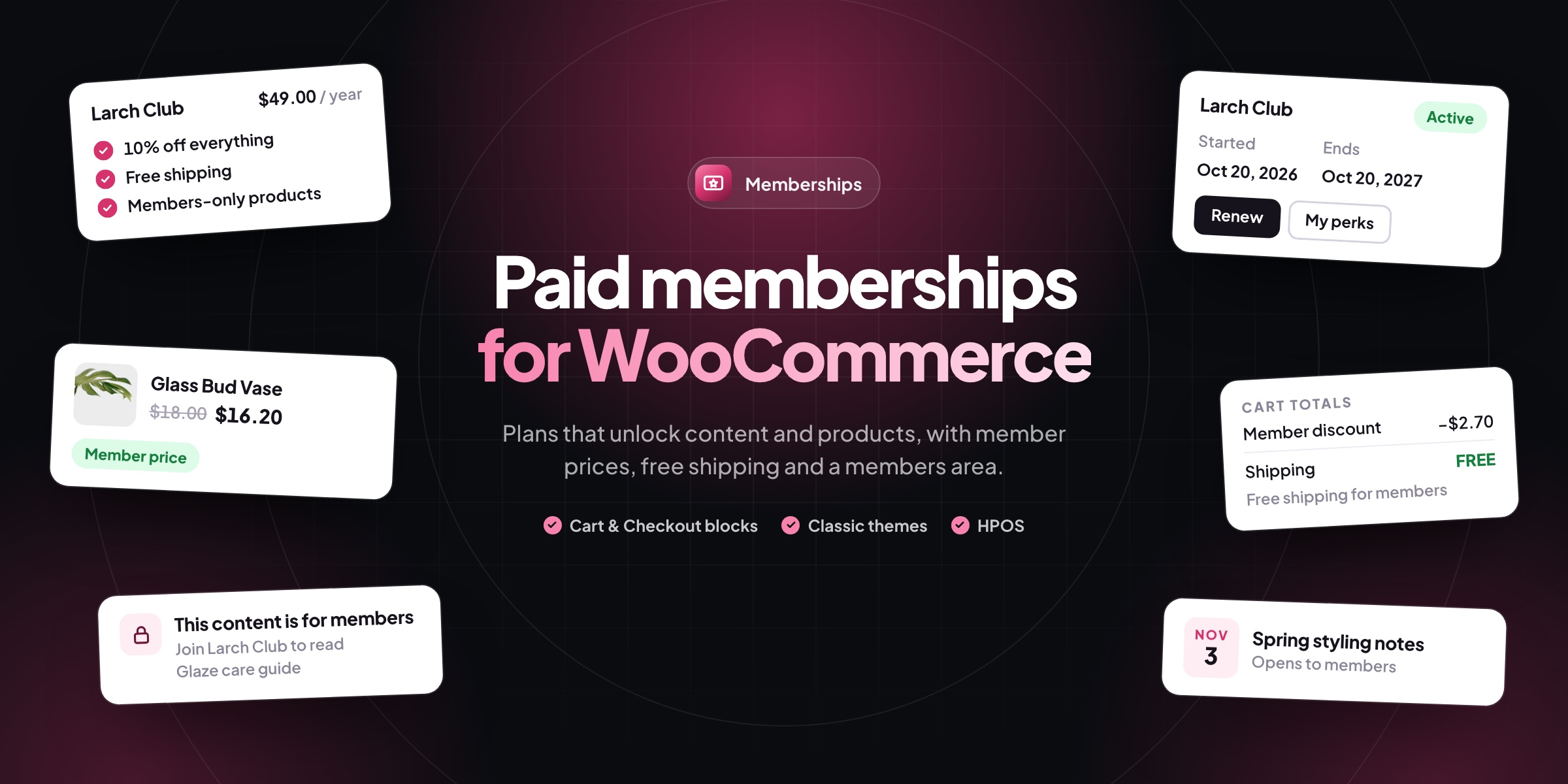
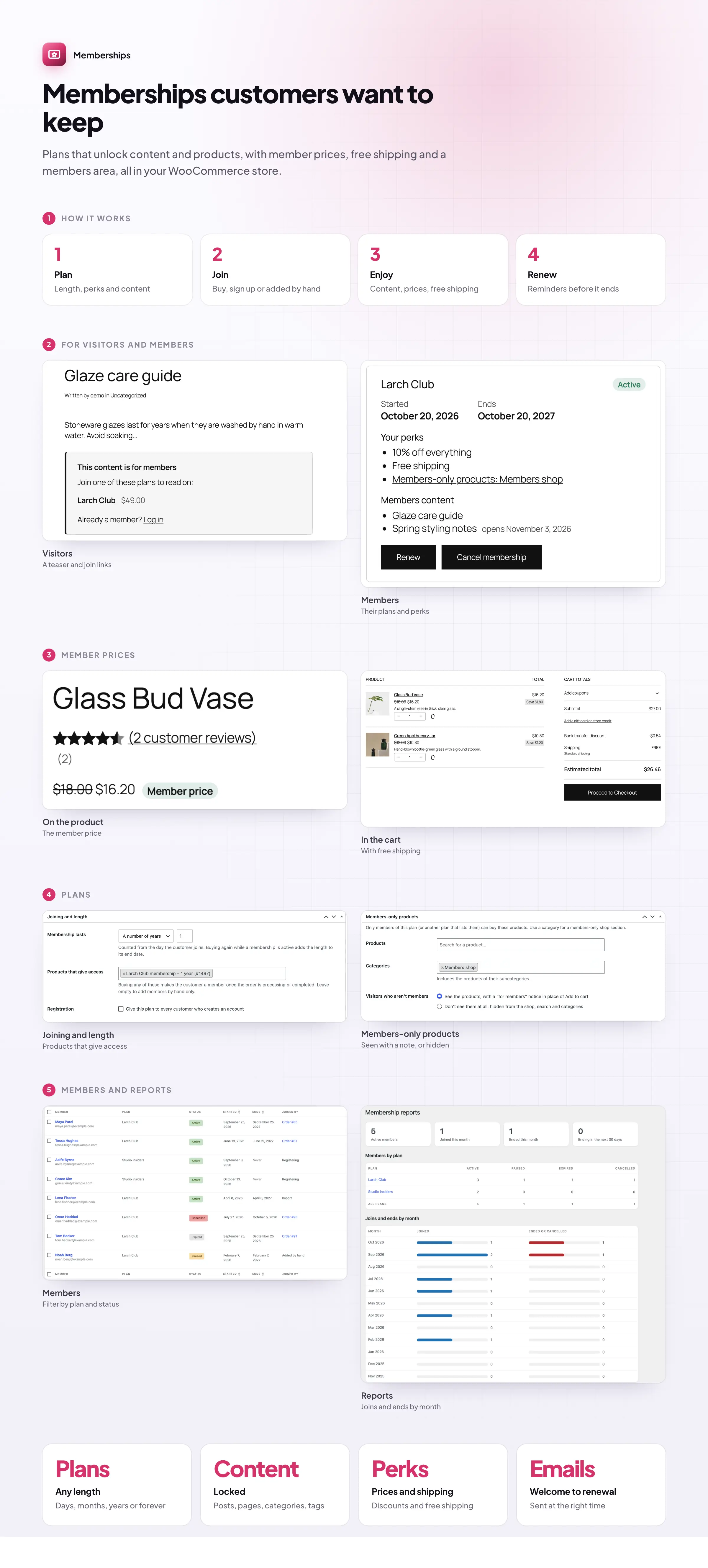
Memberships lets you sell a membership like any other WooCommerce product, or give one by hand. Members read content others can’t, buy products only they can buy, and get their own prices and free shipping for as long as their plan lasts.
🔒 Members-only content: posts, pages, categories and tags, with a teaser and join links.
⏳ Drip content that opens days after joining.
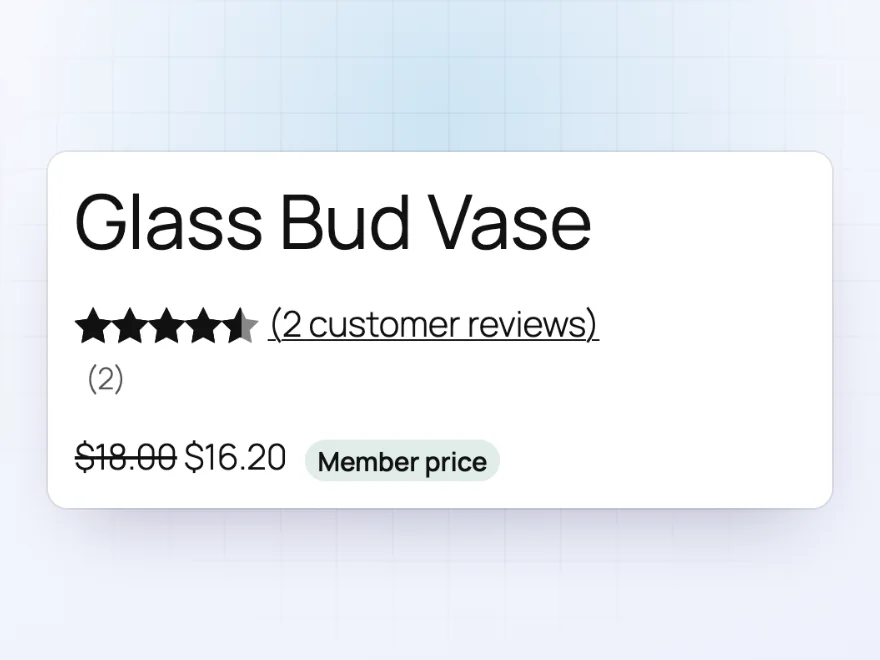
💲 Member prices with the usual price struck through, and free shipping.
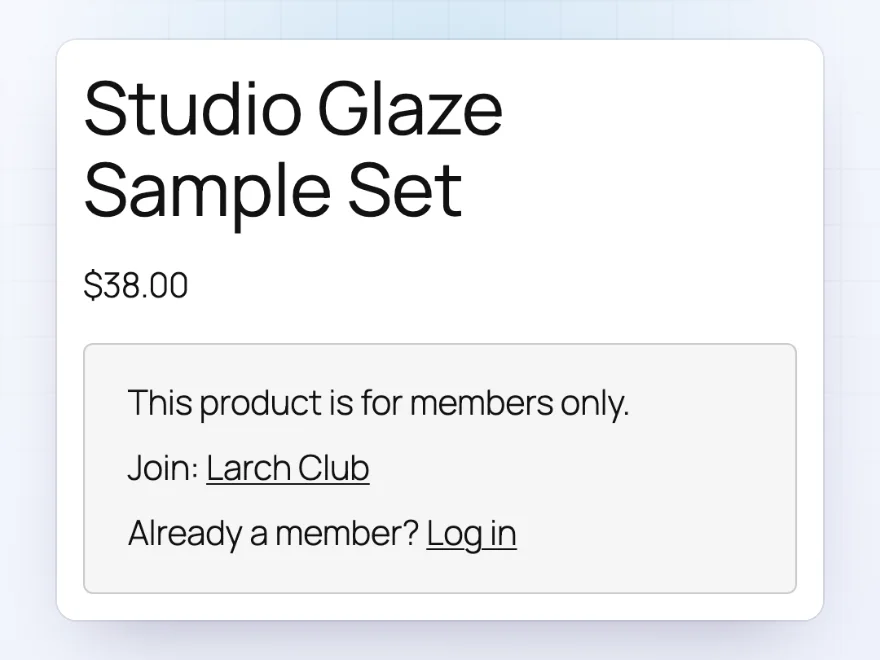
🛍️ Members-only products and a members-only section of the shop.
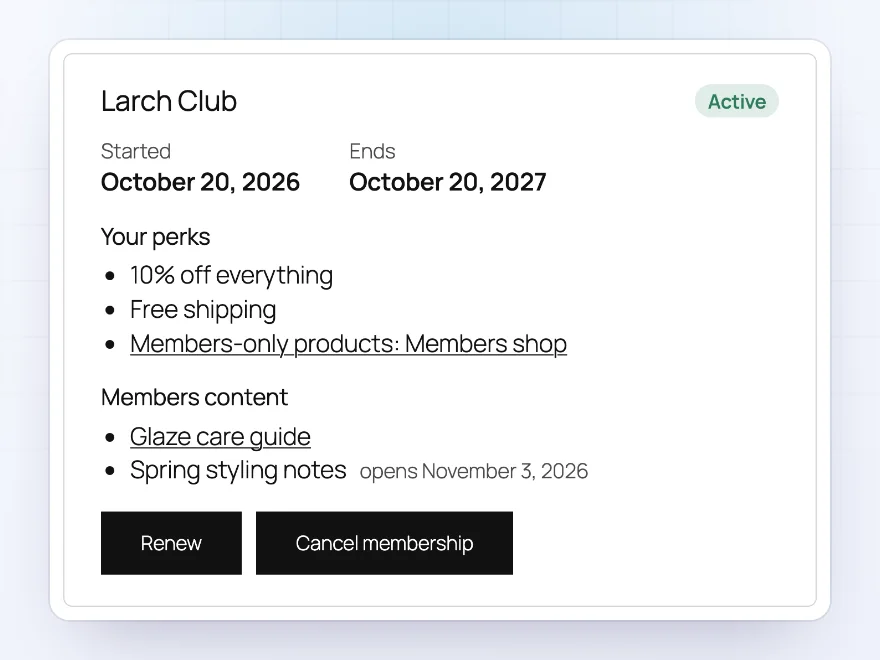
👤 A Memberships page in My Account with status, dates, perks and renew buttons.
📆 Plans of any length: forever, for a set time or until a date you choose.
📧 Welcome, ending soon and ended emails in your WooCommerce email design.
📊 Reports of members per plan and month by month, with CSV import and export.
Members-only content
Lock posts, pages and whole categories
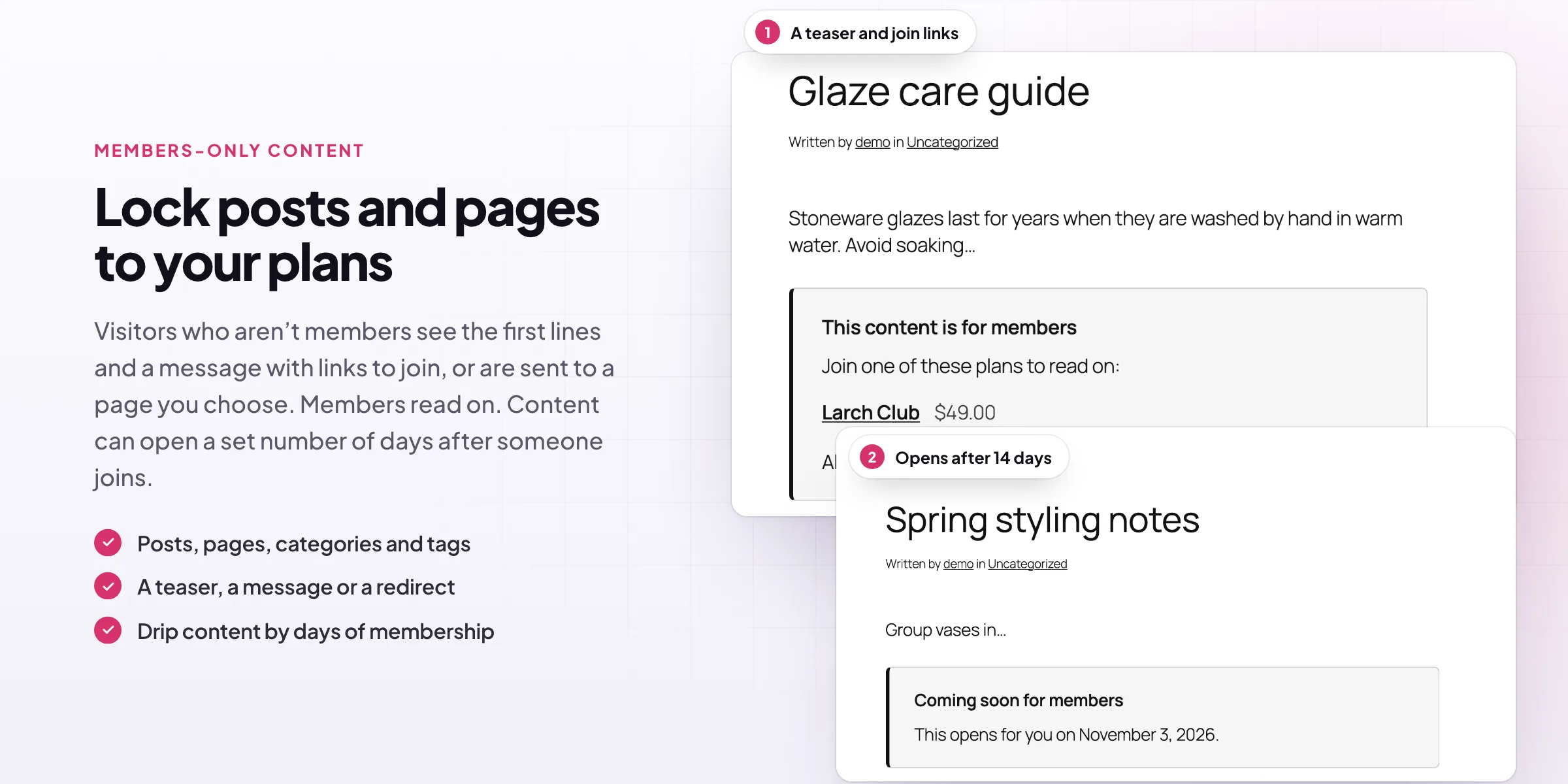
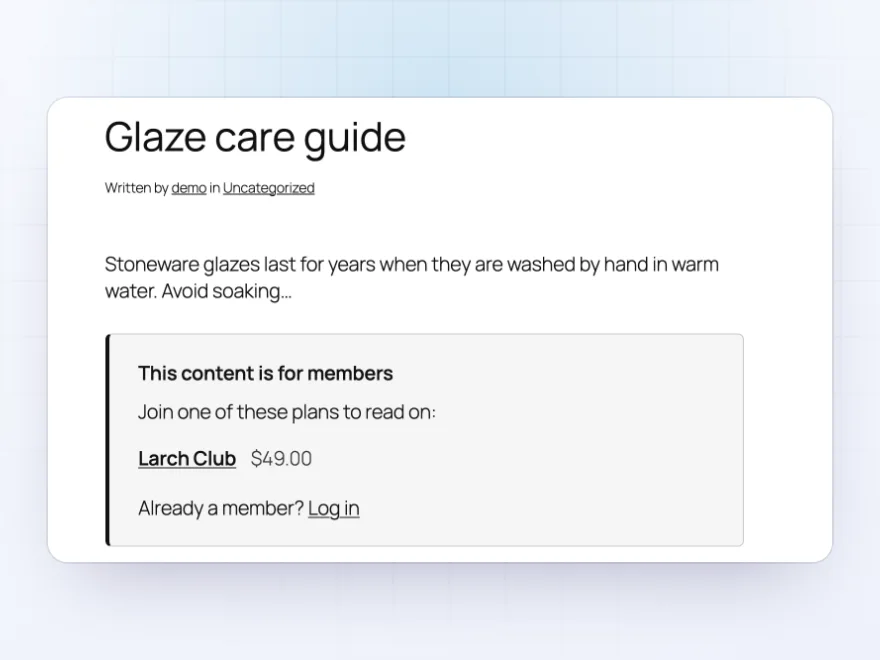
Lock any post or page to one or more plans with the Members only box, or lock a whole category or tag. Visitors see the start of the post with a message and links to join, only the message, or are sent to a page you choose. Locked posts stay out of search results and feeds.
- Posts, pages, categories and tags
- A teaser with join links
- Left out of search results and feeds
Drip content
Content that opens as the membership goes on
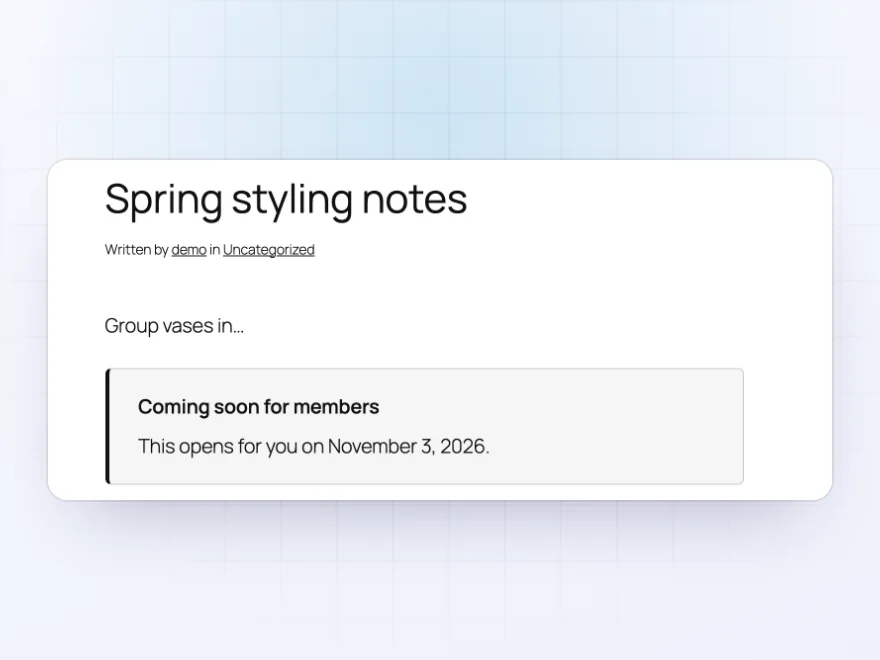
Open a post a set number of days after the member joined, such as a lesson a week. Until then, members see when it opens, and the Memberships page in My Account lists it with its date. Shortcodes and a Members only block show parts of any page to members or to everyone else.
- Opens days after joining
- The opening date shown to members
- Members only block and shortcodes
Member prices
Member discounts and free shipping
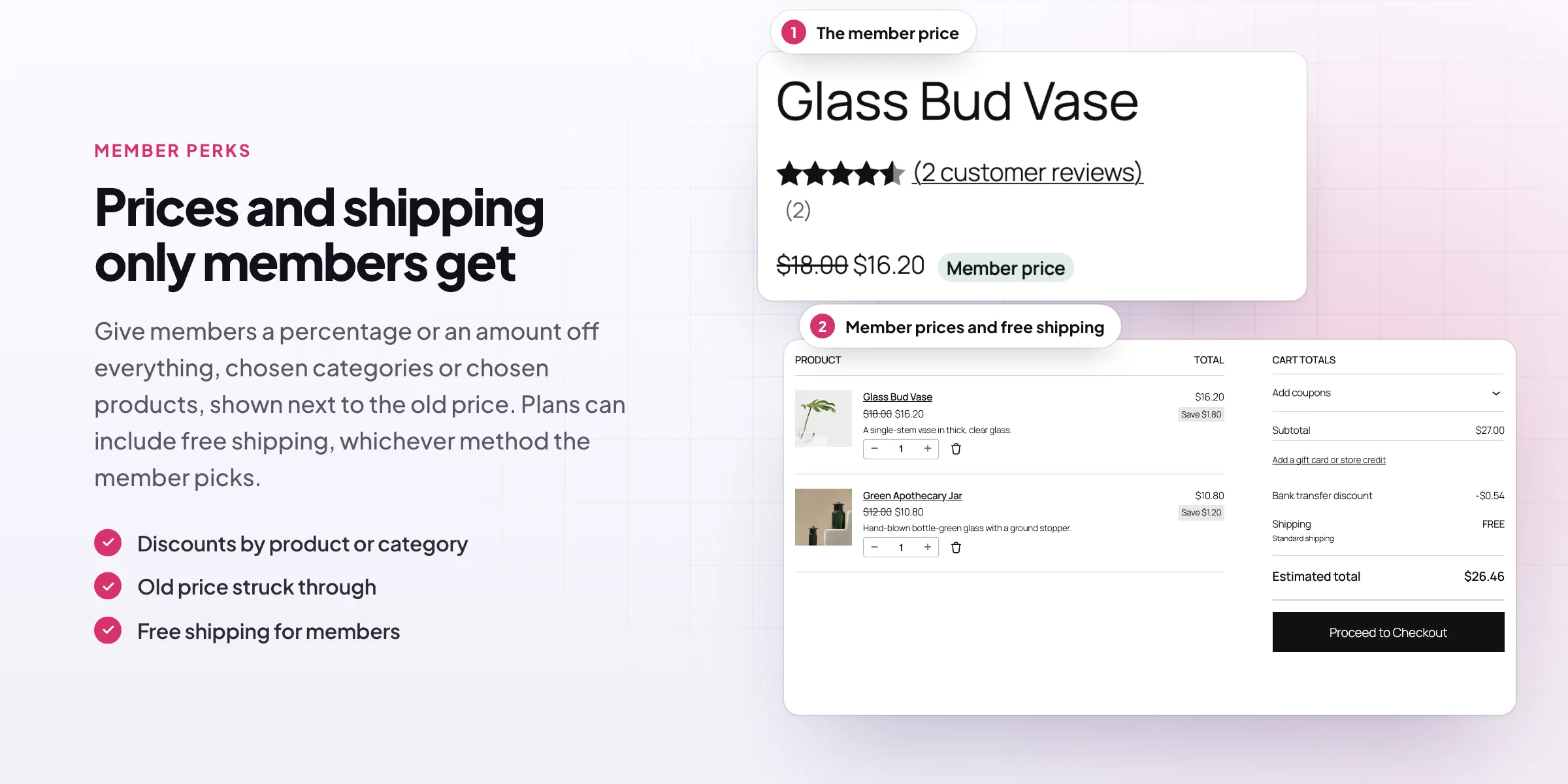
Give members a percentage or amount off all products, chosen categories or chosen products. They see the price before the discount struck through in the shop, cart and checkout, marked as the member price. Members can also get free shipping, whichever method they choose.
- All products, categories or chosen products
- The usual price struck through
- Free shipping for members
Members-only products
Products only members can buy
Choose products and categories per plan. Visitors who aren’t members see them with a notice and a link to join in place of Add to cart, or don’t see them at all. Use a category as a members-only section of the shop.
- Products and categories per plan
- A join notice or hidden completely
- A members-only section of the shop
Members area
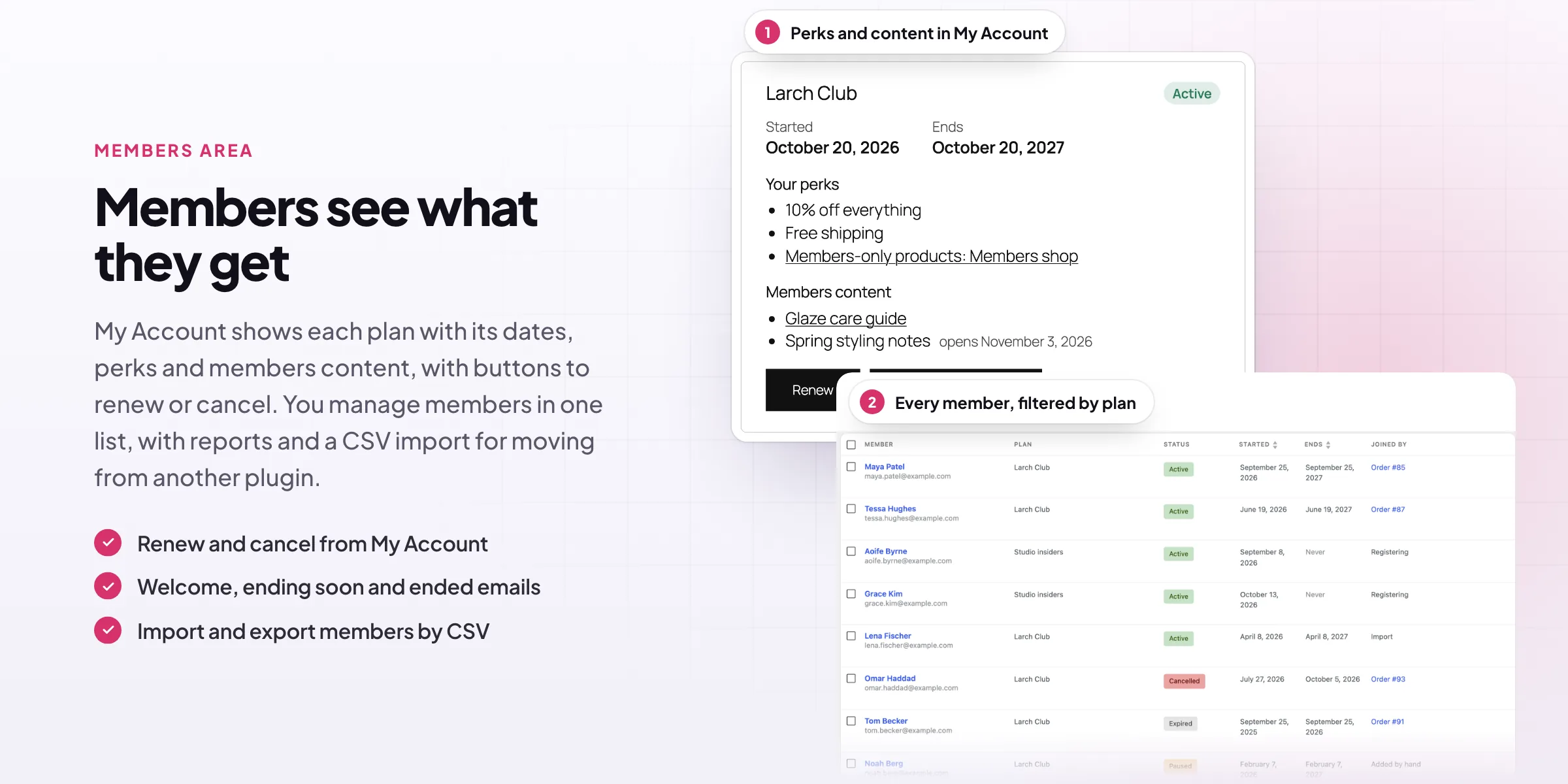
A Memberships page in My Account
Each member sees their plans with the status, start and end dates, perks and members content, with buttons to renew or cancel. Buying the plan again while it is active adds its length to the end date. Welcome, ending soon and ended emails use your WooCommerce email design.
- Status, dates, perks and content
- Renew and cancel buttons
- Welcome, ending soon and ended emails
Members
Every member, plan and status in one list
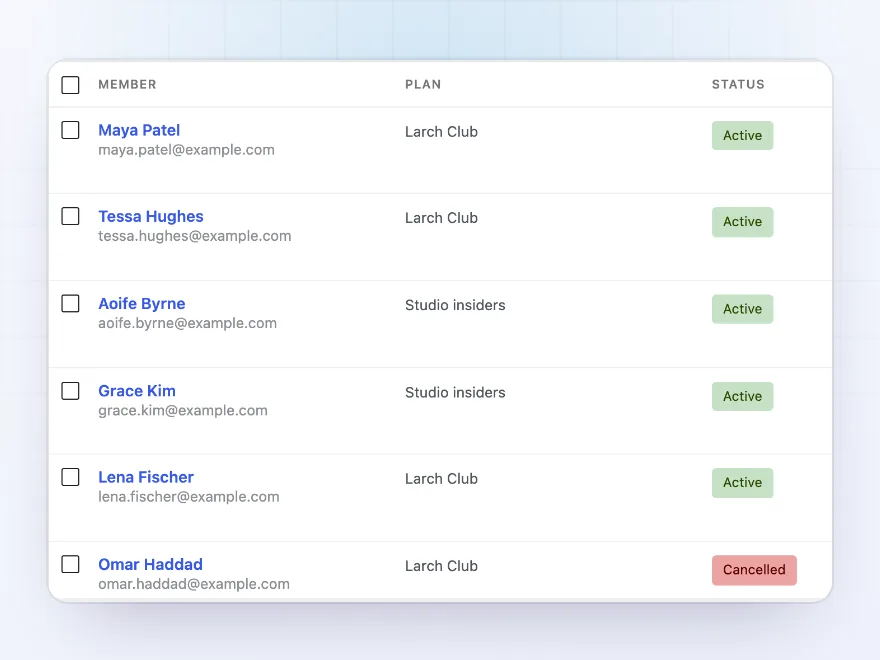
The members list shows each customer’s plan, status, start and end dates and how they joined. Filter by plan and status, search by name or email, change statuses in bulk, and add members by hand with or without a welcome email. Each membership is active, paused, expired or cancelled.
- Filter by plan and status
- Bulk status changes
- Members added by hand
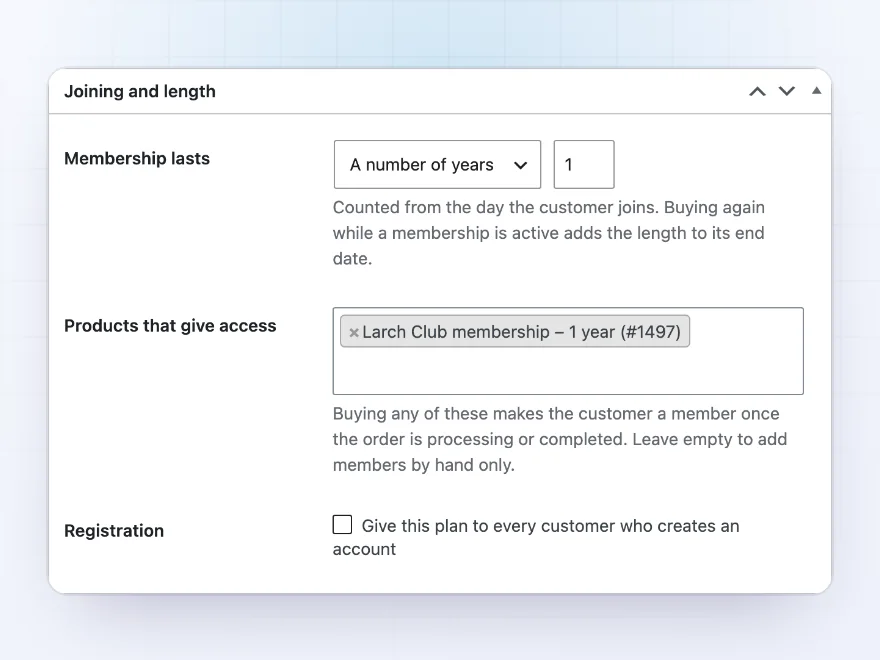
Plans
Plans that last as long as you choose
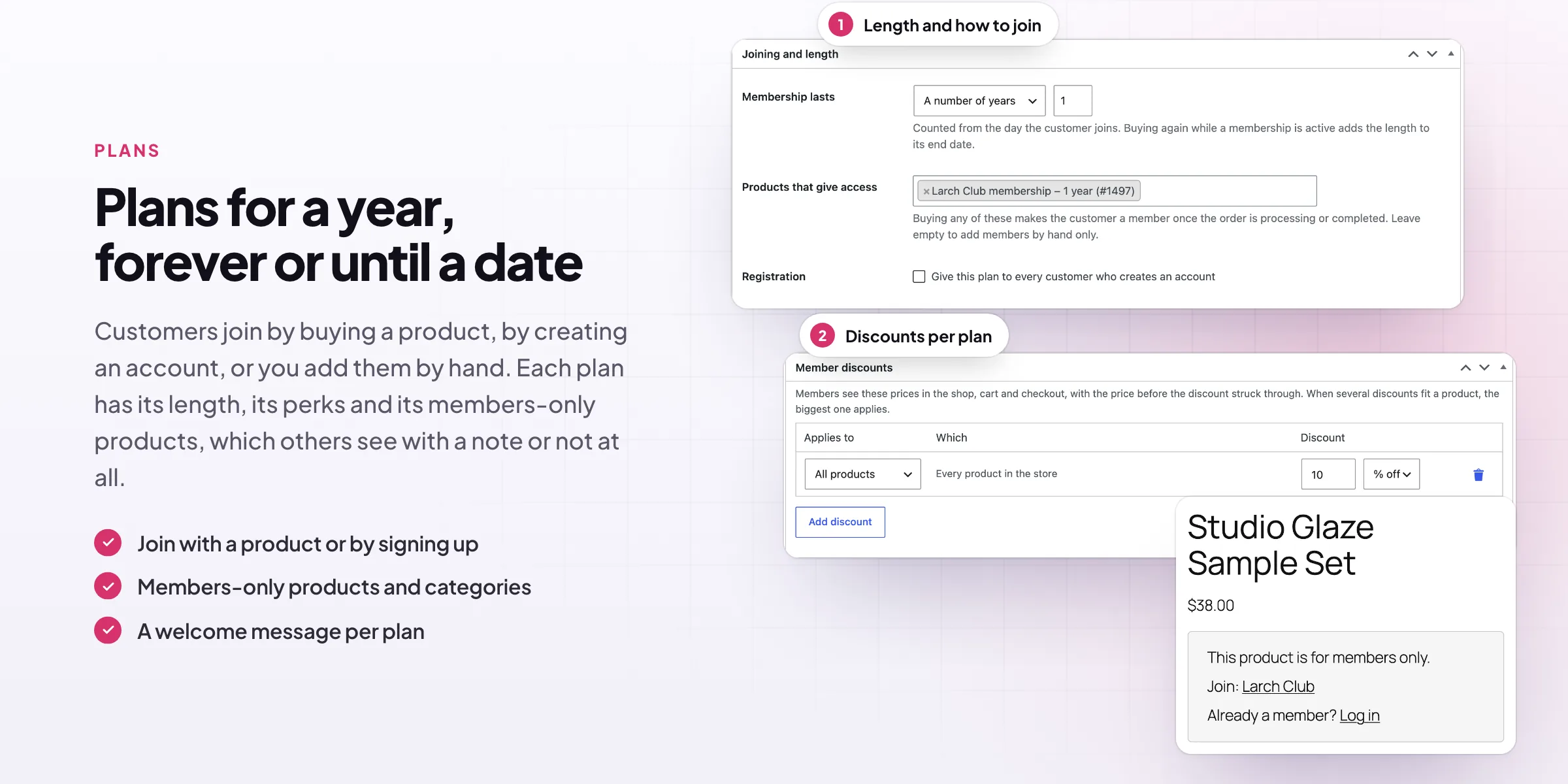
Each plan lasts forever, a number of days, months or years, or until a set date. Customers join by buying any of the plan’s products or variations, by creating an account, or you add them by hand. Buying again while a membership is active adds the length to its end date.
- Forever, a length or a set date
- Joined by buying, registering or by hand
- Renewals add to the end date
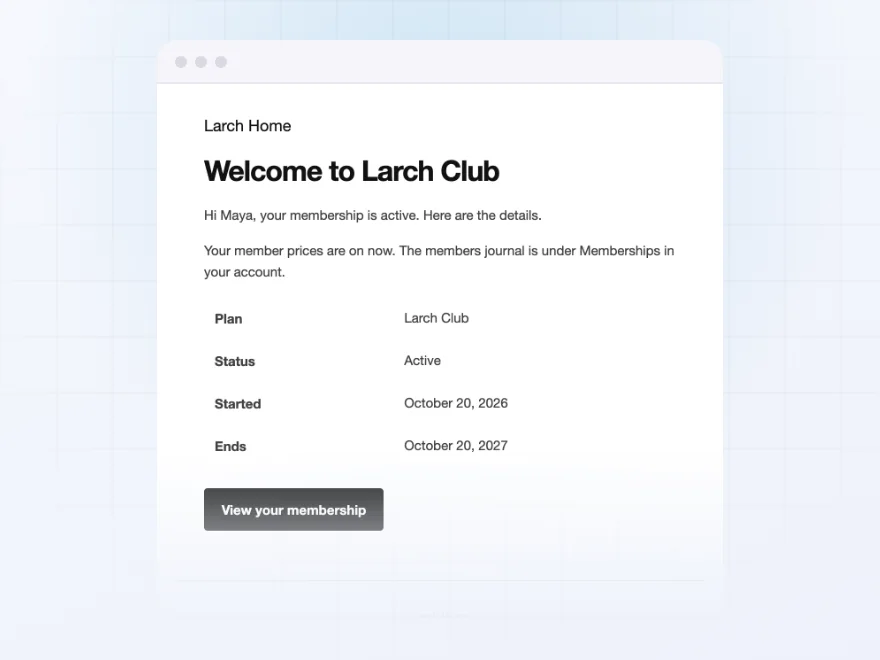
Emails
Welcome, ending soon and ended emails
Members get a welcome email with their plan and dates, a reminder before the membership ends with a link to renew, and an email when it has ended. The emails use your WooCommerce email design, and you choose how many days before the end the reminder goes out.
- A welcome email with the plan
- An ending soon reminder with a renew link
- Your WooCommerce email design
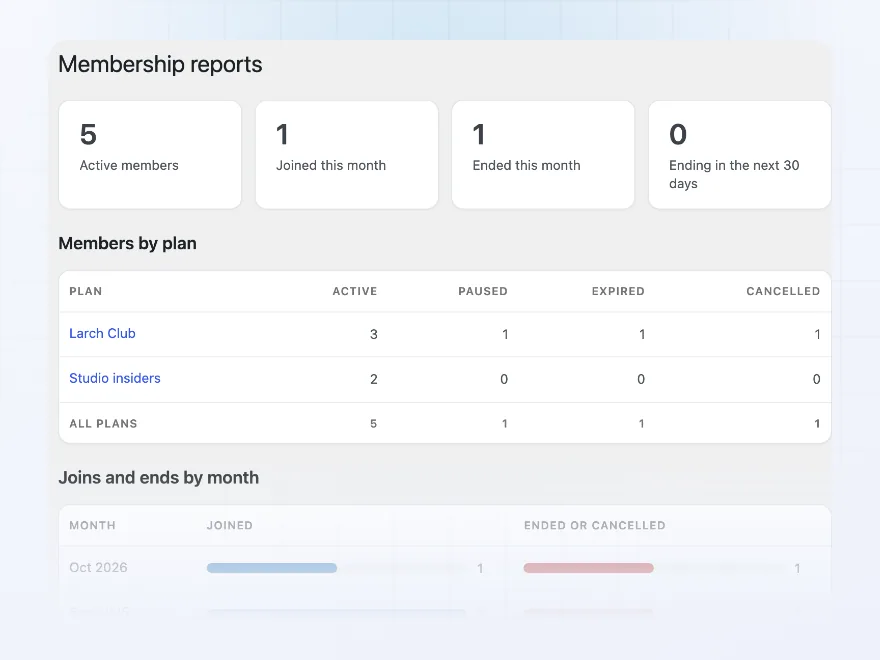
Reports
Members per plan and month by month
The reports show how many members each plan has by status, and how many joined and ended in each of the last 12 months. Import members from a CSV file when you move from another membership plugin, and export them in the same columns.
- Members per plan by status
- Joins and ends per month
- CSV import and export
Premium quality & support
Support you can count on, year after year
See Memberships working in a live demo store before you buy. If you need a hand, our friendly support team will help you get it set up, and regular updates keep it working with each new WooCommerce release.
- A live demo store to try it first
- Step-by-step docs with a quick start
- Premium support from a helpful team
- Regular updates included
WooCommerce memberships for content, products and perks
Memberships is a WooCommerce memberships plugin for stores that sell access as well as products. Create a plan, choose the product that gives access, and members can read locked posts and pages, buy products only they can buy, and get member prices and free shipping until their plan ends.
It has what a WooCommerce membership site needs without a separate membership system: drip content that opens week by week, a Memberships page in My Account with renew and cancel, welcome and ending soon emails, a members list with filters, reports and CSV import for moving from other WooCommerce membership plugins. Plans can follow WooCommerce Subscriptions when the product is a subscription.
Common setups
Questions before you buy
How do customers buy a membership?
Create a product, such as “Gold club – 1 year”, and choose it under Products that give access on the plan. When the order is paid, the customer becomes a member.
What happens when a membership ends?
A daily check sets it to expired and sends the ended email. The member loses access straight away and can buy the plan again to rejoin.
Can a customer hold several plans?
Yes. Each membership has its own status, dates and perks, and the member gets the content and perks of every active plan.
Can I move members from another plugin?
Yes. Import members from a CSV file with their email, plan, start and end dates; customers who don’t have an account yet can be created.
Does it work with WooCommerce Subscriptions?
Yes. When a plan’s product is a subscription, the membership follows the subscription.
Do store managers see members-only content?
Yes. Anyone who can manage WooCommerce sees all content and products, so they can check them.
Does it work with page caching?
Members-only pages are sent with no-cache headers, so one visitor’s copy isn’t shown to another.
Requirements
- WordPress
- 6.8 or newer
- WooCommerce
- 10.0 or newer
- PHP
- 7.4 or newer
Works with
- Classic themes
- Block themes
- Cart and Checkout blocks
- High-Performance Order Storage




Linen House –
Trade memberships
Works super well with a nice UI and design. The members area in My Account is a nice touch. Really like this plugin