 Maxima Plugins
Description
Marketing Automation Workflows sends the right message at the right time without you watching the WooCommerce store. A workflow starts from a store event, then waits, checks and acts, and shows the orders it won.
🔔 Eight triggers, such as a paid order or an abandoned cart.
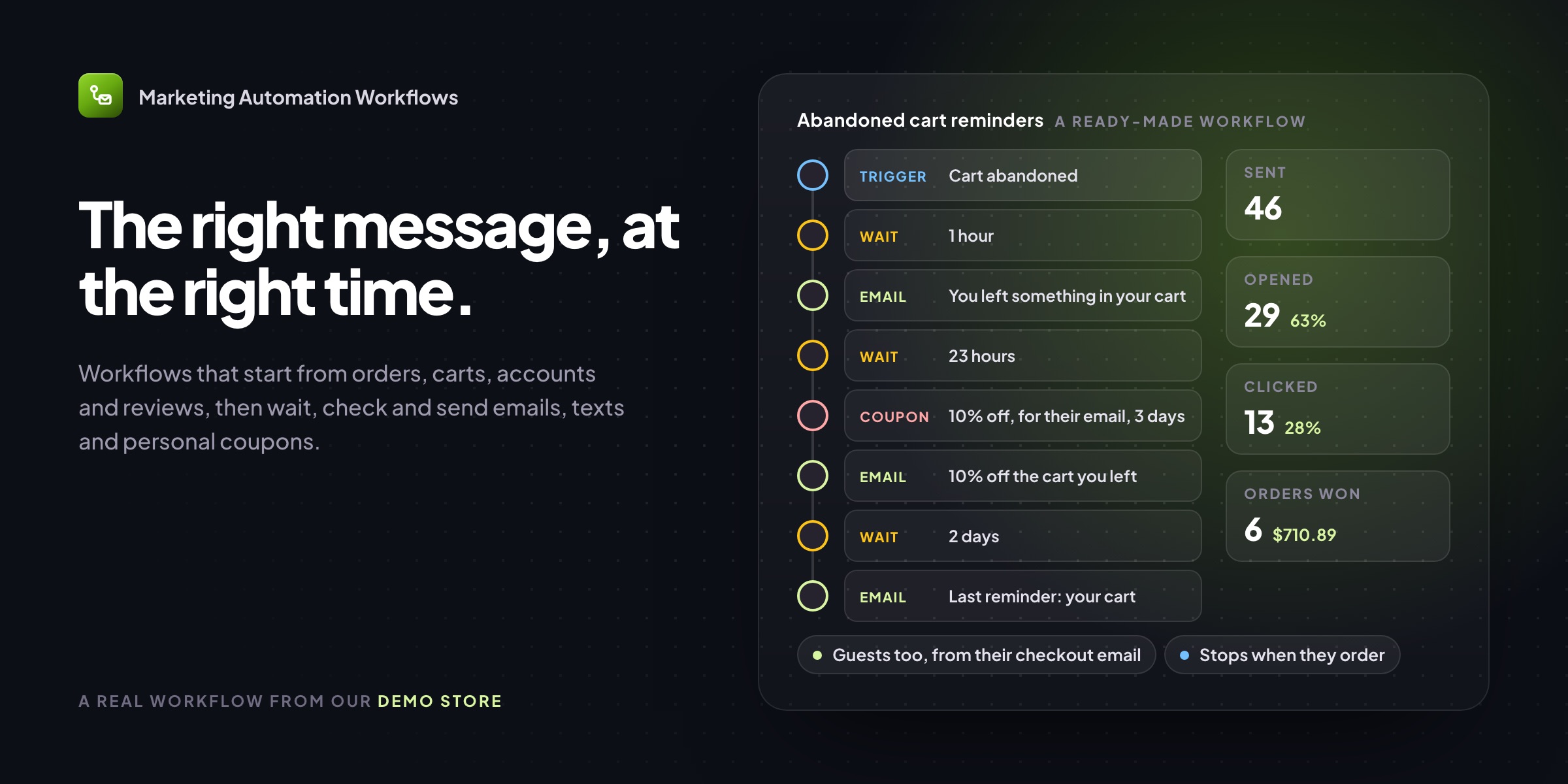
🛒 Abandoned cart reminders, guests included, with a link that restores the cart.
📧 Emails in your WooCommerce design, with preview and test sends.
🎟️ Personal coupons: single use, for one customer’s email.
🎯 Checks on the order, customer and cart, so only the right customers get it.
📱 Texts, Slack posts and webhooks, with SMS and WhatsApp through Twilio.
📊 Results per workflow: sent, opened, clicked and orders won.
🧩 Eight ready-made workflows to start from, every step changeable.
Workflows
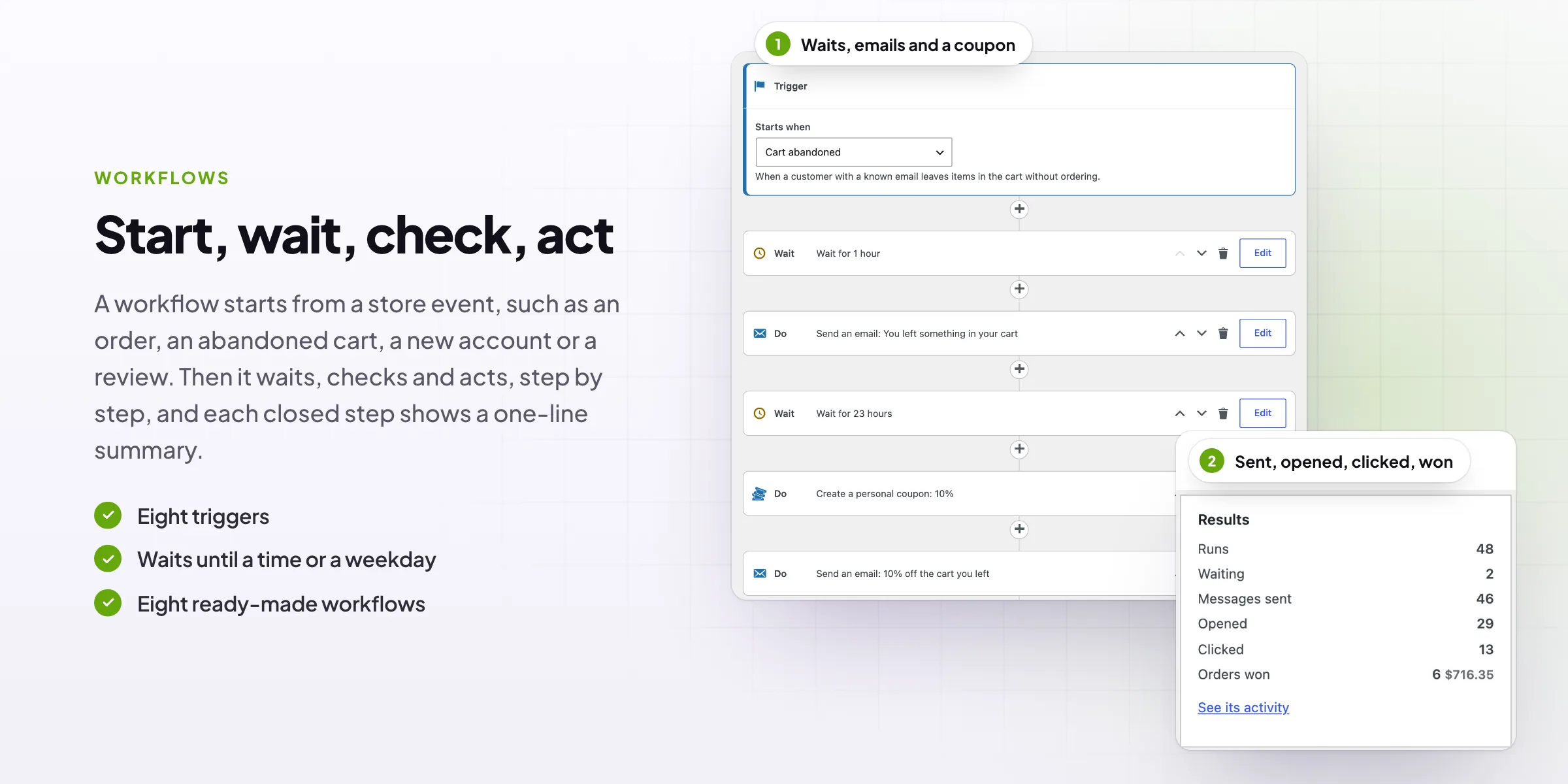
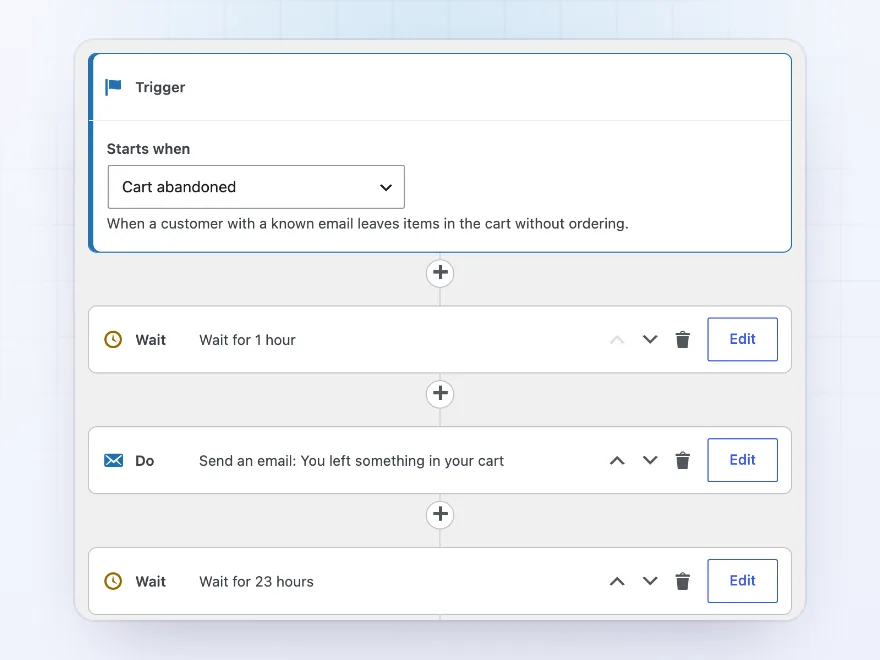
Start, wait, check, act
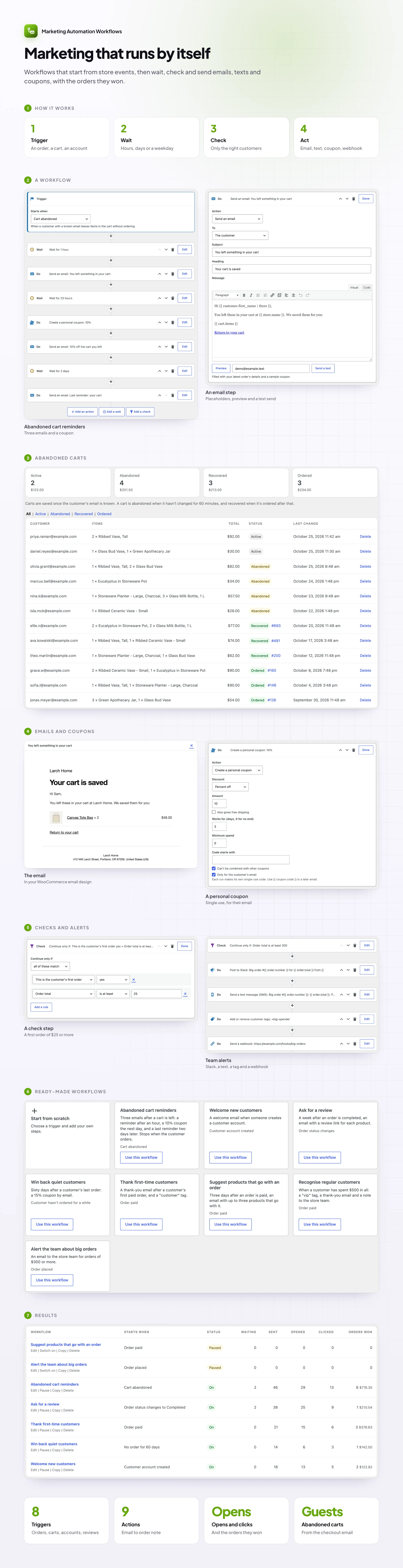
Build a workflow as a list of steps under its trigger: wait three days, check that the order is over $50, send an email, create a coupon. Steps open and close in place, move up and down, and each shows a one-line summary when closed.
- Eight triggers
- Waits, checks and actions
- A summary on every step
Abandoned carts
Reminders for carts left behind, guests too
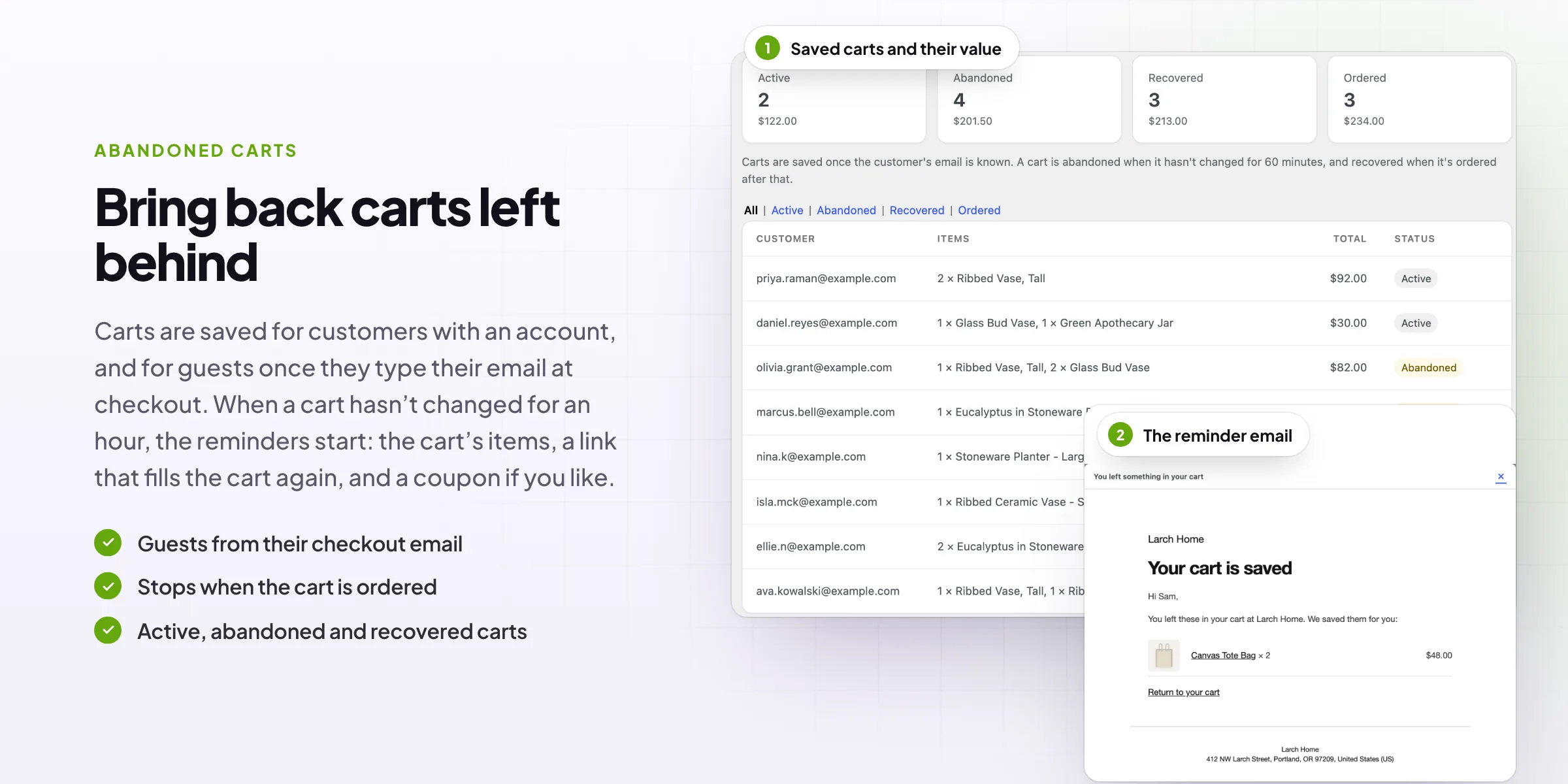
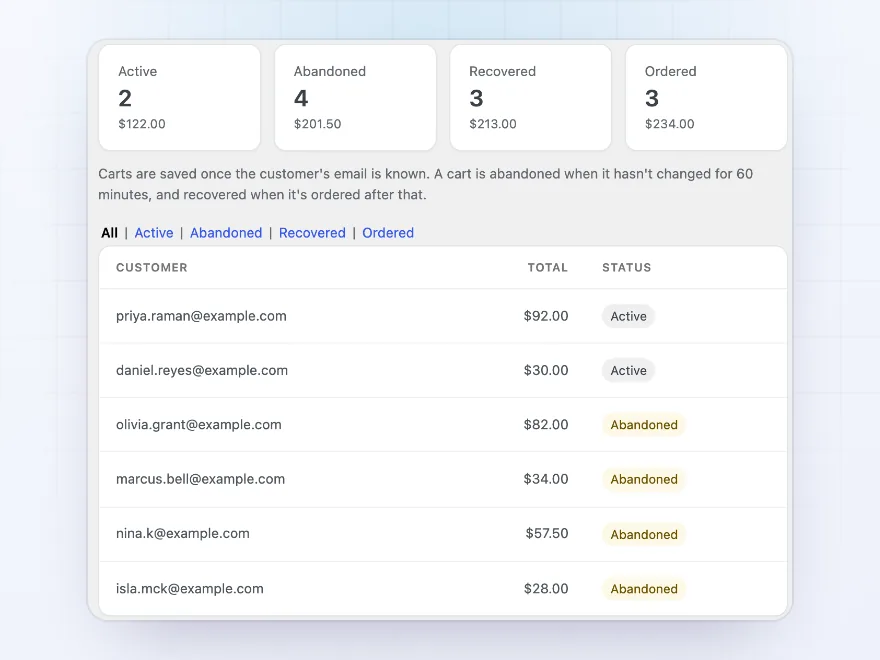
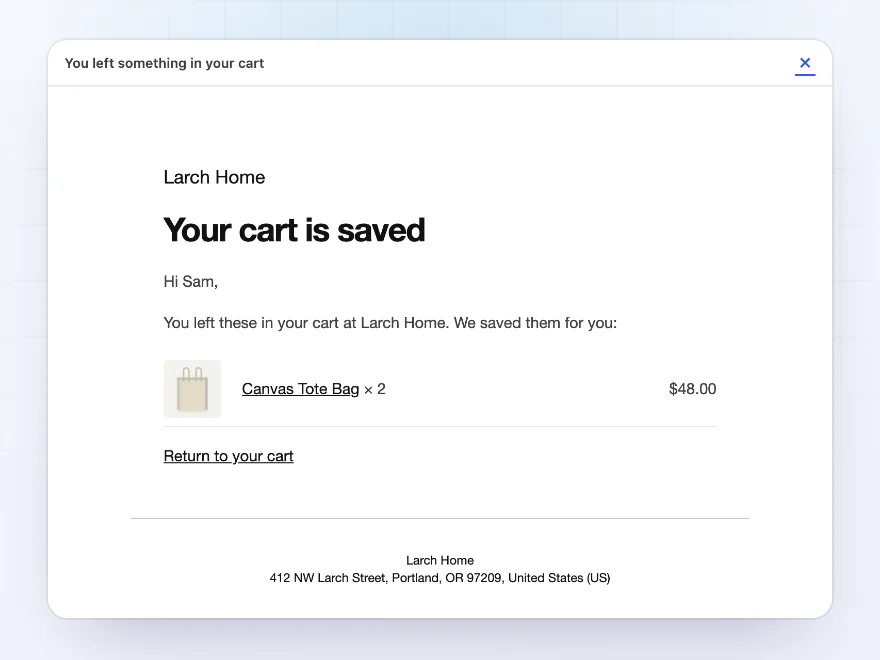
Carts are saved for customers with an account, and for guests as soon as they type their email at checkout. When a cart hasn’t changed for an hour it counts as abandoned, and its workflow sends reminders with the cart’s items and a link that restores it. Reminders stop once it’s ordered.
- Guests from their checkout email
- A restore link with the email filled in
- Stops when the cart is ordered
Emails
Emails in your WooCommerce design
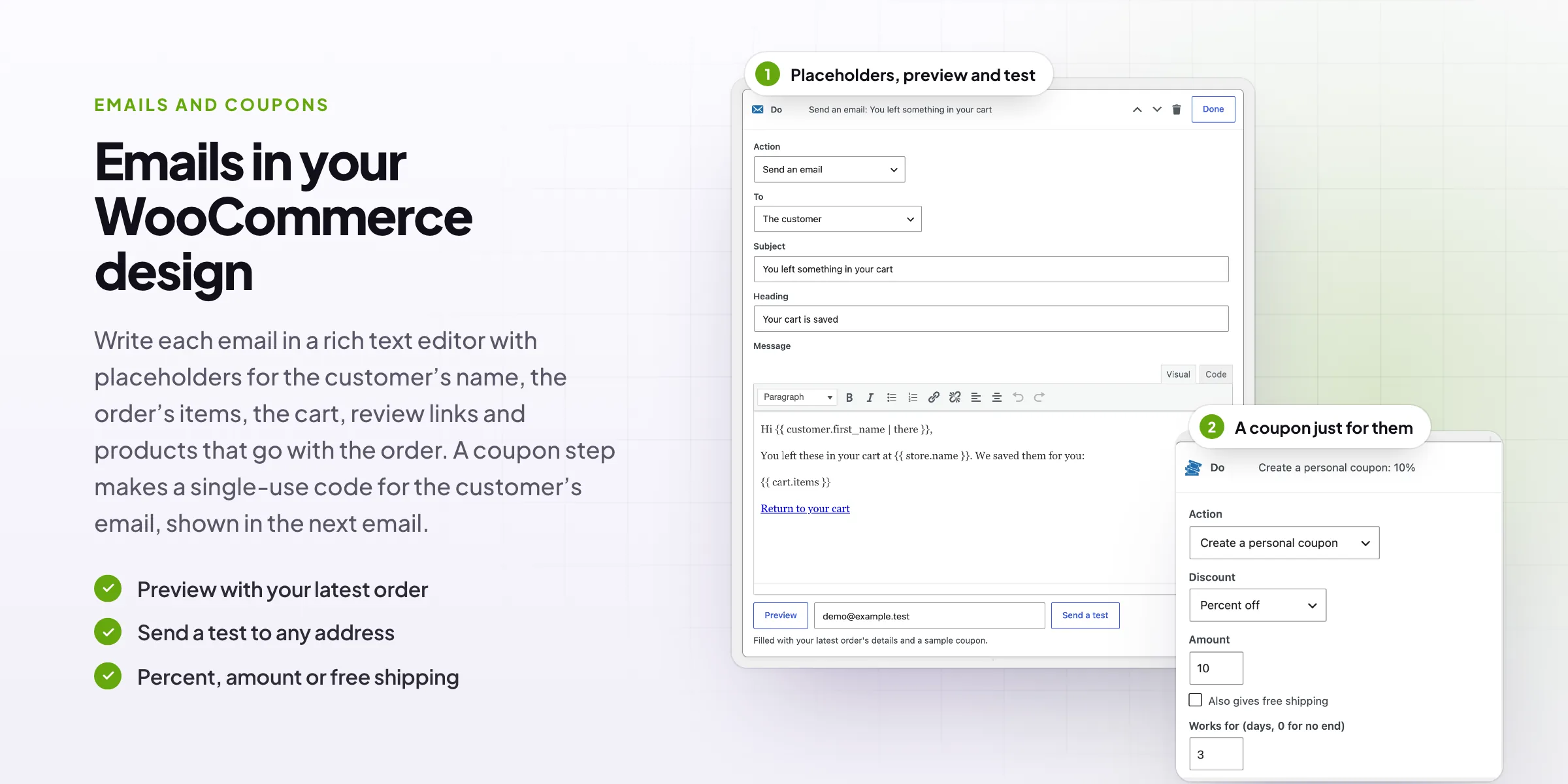
Write each email in a rich text editor with placeholders for the customer’s name, the order’s items, the cart, a coupon code, review links and products that go with the order. Preview it with your latest order, or send a test to any address.
- Your WooCommerce email look
- Placeholders with fallbacks
- Preview and test sends
Checks
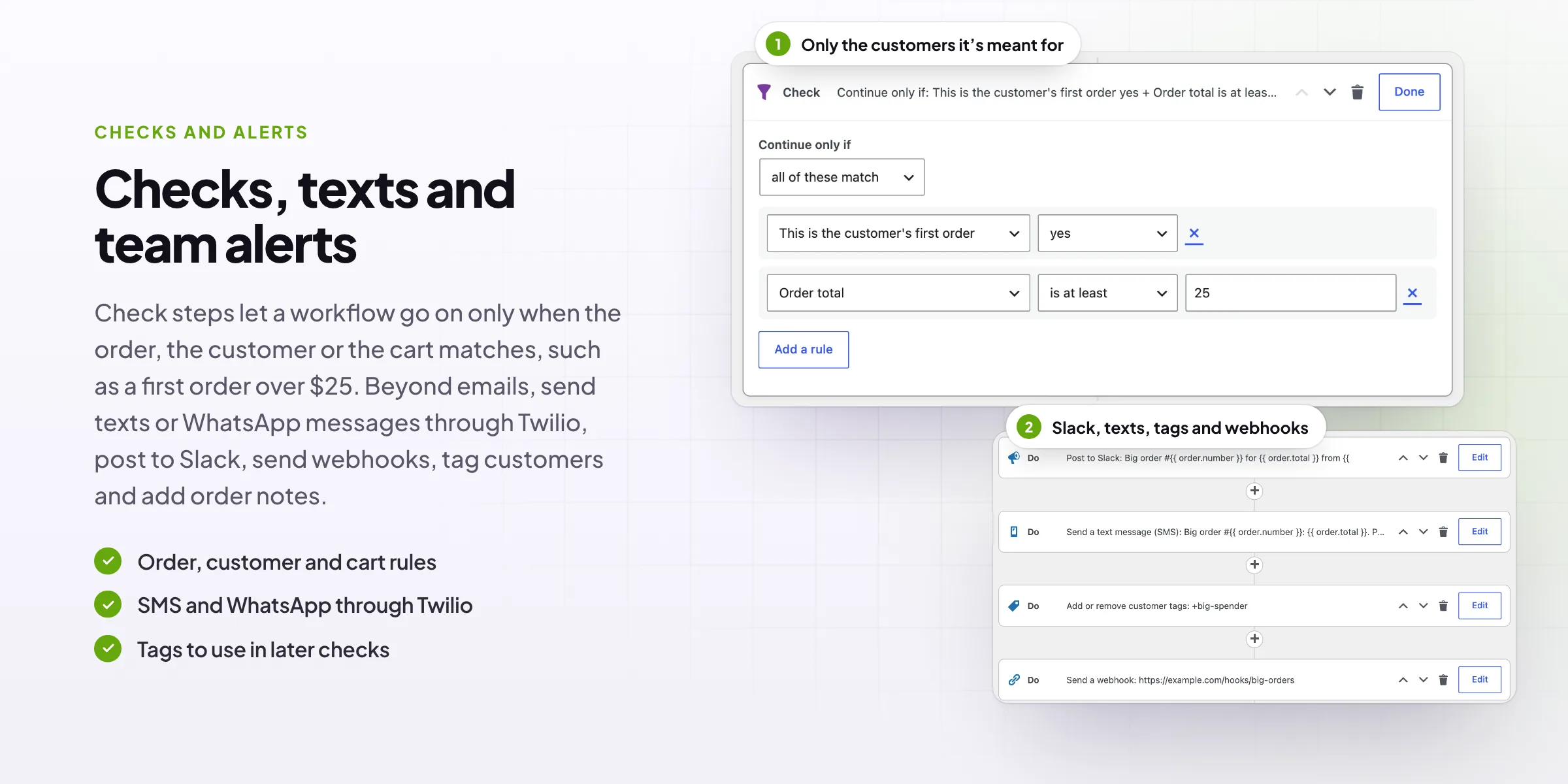
Only the customers it’s meant for
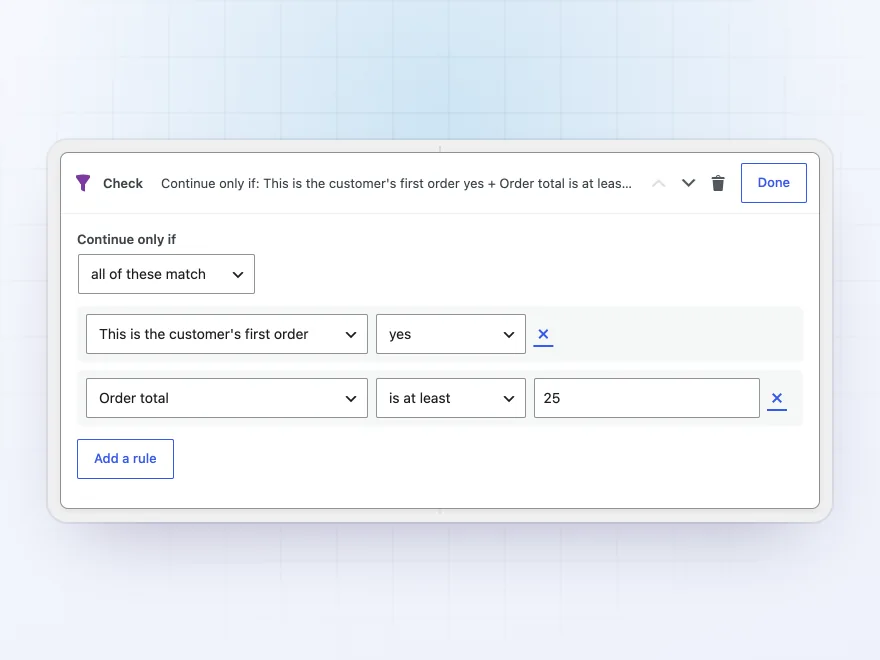
A check step lets the workflow continue only when the order, the customer or the cart matches: order total, products, categories, payment or shipping method, country, coupon, the customer’s orders, total spent, role or tags. All rules or any one of them.
- Order, customer and cart rules
- All or any
- Tags set by earlier steps
Personal coupons
A coupon made for one customer
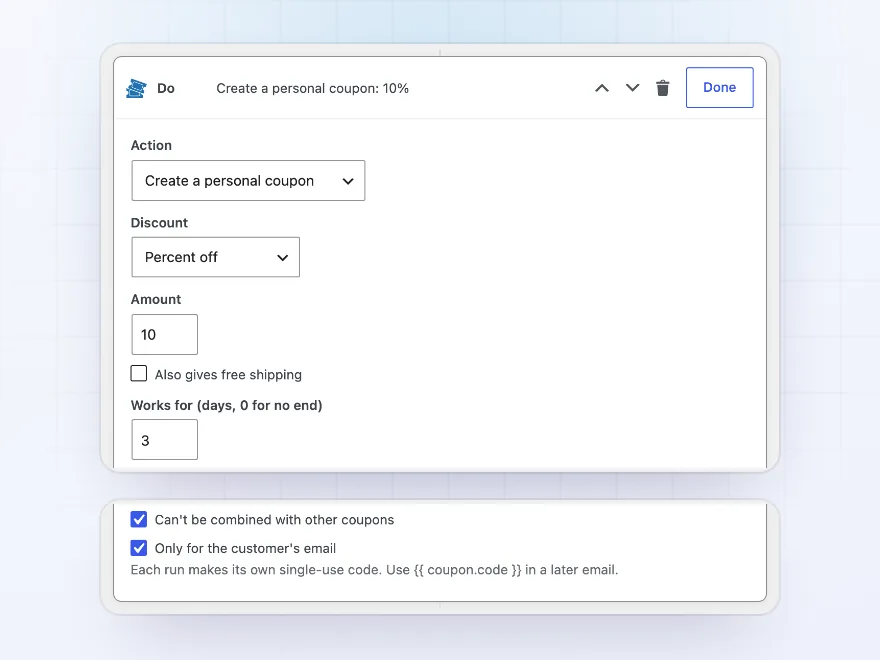
A coupon step creates a single-use code for the customer, with a percentage or amount off, free shipping, a minimum spend and an expiry date, locked to their email. The next email shows it with the placeholder for the code and its expiry.
- Percent, amount or free shipping
- Single use, for their email
- Expires after the days you set
Results
What each workflow won
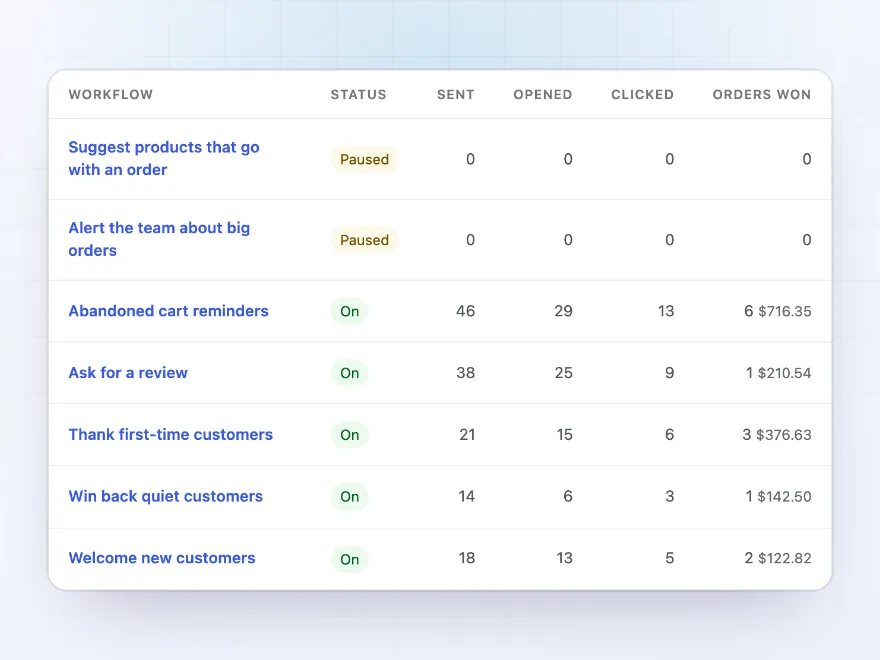
Every workflow shows the messages it sent, opens, clicks, and the orders placed within days of a click with their value. The activity log lists each run, and waiting steps can be run now or cancelled.
- Sent, opened, clicked
- Orders won and their value
- Run now or cancel waiting steps
Ready-made workflows
Start from a ready-made workflow
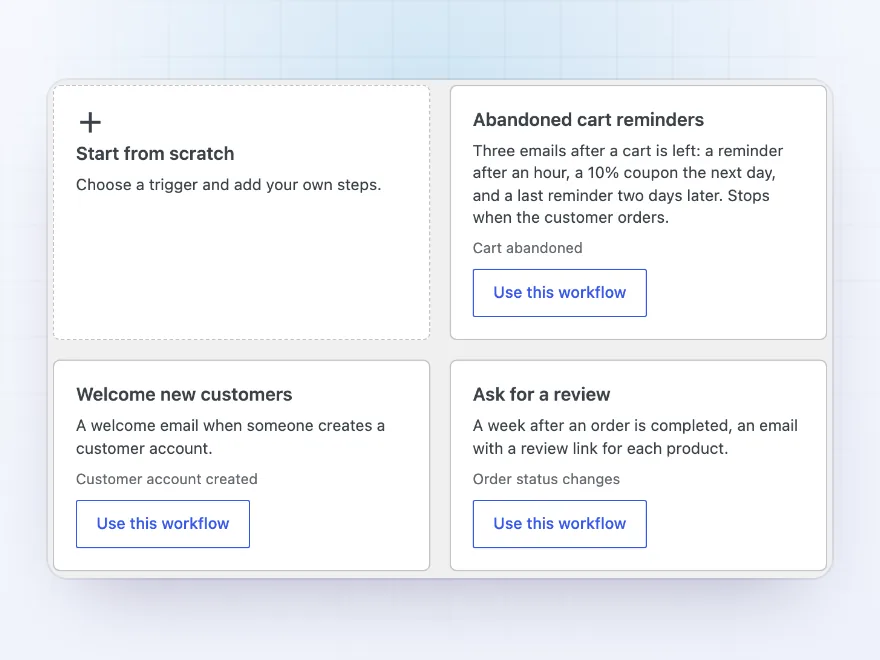
Pick a ready-made workflow and change what you like: abandoned cart reminders with a coupon, welcome emails, review requests, win-back coupons, thank-you emails for first orders, products that go with an order, regular customers and big order alerts. Or start from scratch with any trigger.
- Eight ready-made workflows
- Every step can be changed
- Or start from scratch
Texts and team alerts
Texts, Slack posts, tags and webhooks
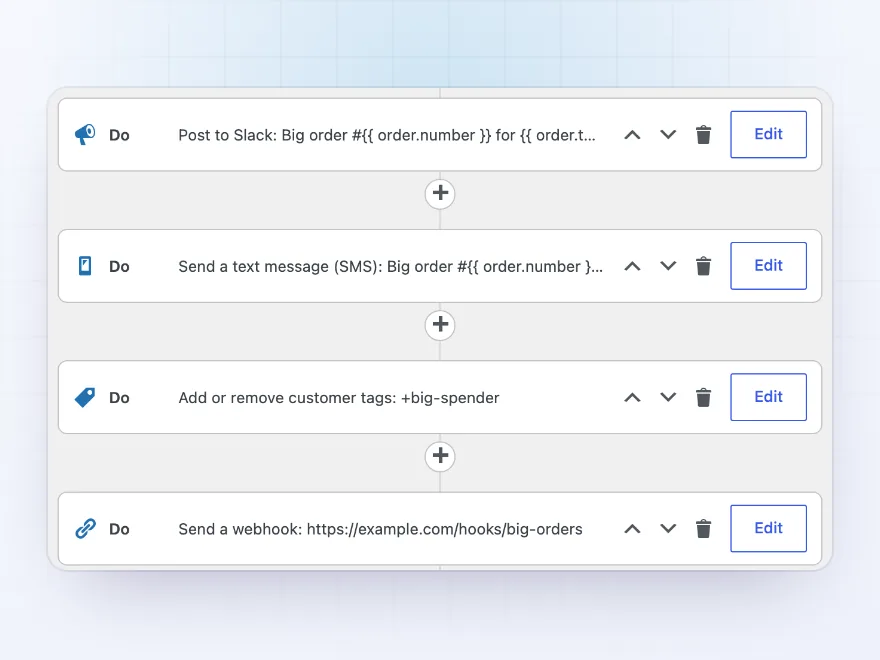
Workflows aren’t only emails. Send a text or WhatsApp message through your Twilio account, post to a Slack channel, send the order or cart as JSON to a webhook, add or remove customer tags, change the order status or add an order note.
- SMS and WhatsApp through Twilio
- Slack posts and webhooks
- Tags, order status and notes
Consent
Marketing only for customers who want it
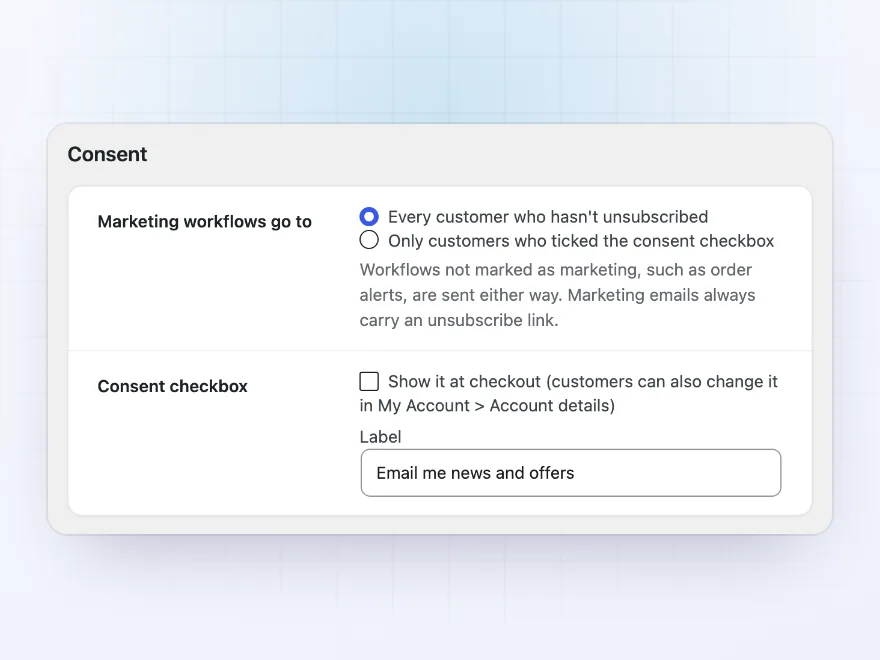
Every marketing email carries an unsubscribe link, and mail apps’ one-click unsubscribe works too. Add a consent checkbox at checkout and in My Account, and send marketing only to customers who ticked it. Order alerts can be marked as not marketing.
- An unsubscribe link in every marketing email
- An optional consent checkbox
- Part of the personal data export and erase tools
Premium quality & support
Support you can count on, year after year
See Marketing Automation Workflows working in a live demo store before you buy. If you need a hand, our friendly support team will help you get it set up, and regular updates keep it working with each new WooCommerce release.
- A live demo store to try it first
- Step-by-step docs with a quick start
- Premium support from a helpful team
- Regular updates included
Marketing automation for WooCommerce, built on your store’s events
Marketing Automation Workflows brings marketing automation to WooCommerce without an outside email service. A workflow starts when something happens in the store, such as a paid order, an abandoned cart, a new account or a review, then waits, checks the order or the customer, and sends an email in your WooCommerce email design, a text message or a personal coupon.
It covers the WooCommerce email marketing automation most stores set up first: abandoned cart reminders for customers and guests, welcome and thank-you emails, review requests and win-back coupons, all ready-made. For WooCommerce automation beyond email there are tags, webhooks, Slack posts and order changes, and every workflow shows its opens, clicks and the orders it won.
Common setups
Questions before you buy
When is a cart abandoned?
When it hasn’t changed for the time you set, an hour by default, and the customer’s email is known: customers with an account, and guests who typed their email at checkout.
Do I need Twilio?
Only for SMS and WhatsApp steps. Emails, coupons, tags, webhooks and Slack posts work without it.
Can I send a workflow to past customers?
Yes. Workflows with an order or customer trigger have Run for existing orders with a date range. Checks still apply, and no order or customer gets it twice.
Is there an unsubscribe link?
Every marketing email carries one, and mail apps’ one-click unsubscribe is supported. Workflows for order alerts can be marked as not marketing.
Can I ask for consent?
Yes. Add a consent checkbox at checkout and in My Account, and send marketing only to customers who ticked it.
Does it send data to other services?
Only the Twilio, Slack and webhook steps you set up. Everything else stays on your site.
How are orders won counted?
Orders placed within the number of days you set after clicking a link in a workflow email.
Requirements
- WordPress
- 6.8 or newer
- WooCommerce
- 10.0 or newer
- PHP
- 7.4 or newer
Works with
- Classic themes
- Block themes
- Cart and Checkout blocks
- High-Performance Order Storage
SMS and WhatsApp steps need a Twilio account.




Carla –
Good plugin, but the trigger conditions are limited and I needed a workaround for one flow. Four stars.
Merel –
Michael helped me stop the flow sending twice. sorted same day
Rik –
Visual builder
The flow builder is clear once you draw your first automation.
pvandam –
win-back email with a coupon brought back a few old customers. works well
Lieke –
The abandoned cart flow recovered three orders in the first week. Setting it up was quicker than I expected.
Aga –
Works well. the coupon in the email is a nice touch
sam_b –
Win-back emails
We set up an abandoned cart workflow and a win-back email. The visual builder took a little getting used to.