 Maxima Plugins
Description
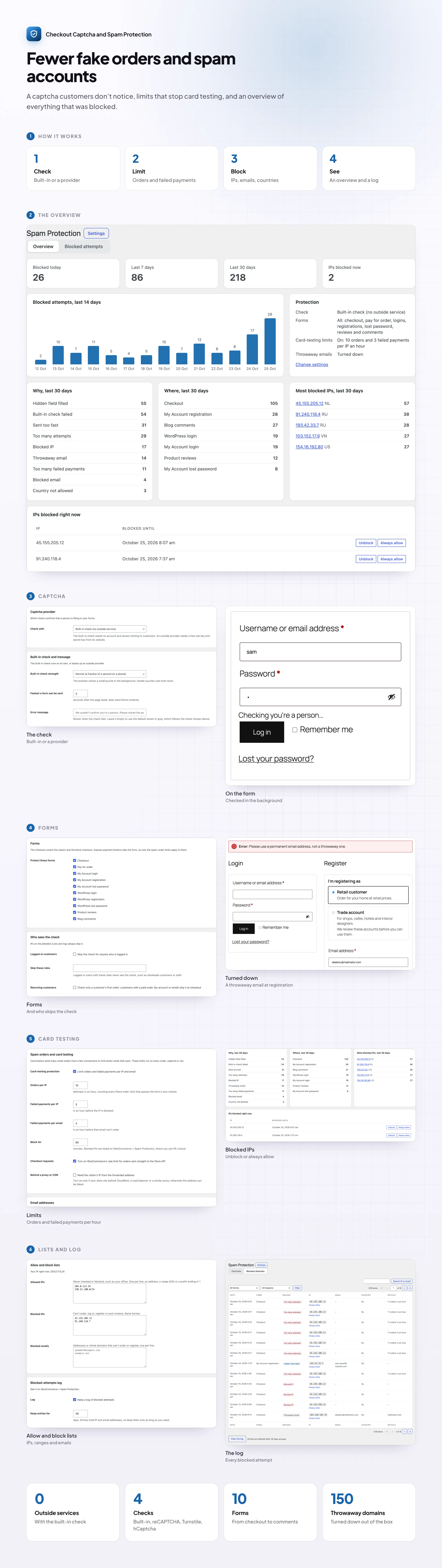
Checkout Captcha and Spam Protection keeps bots out of your WooCommerce forms and stops card-testing attacks. A built-in check works as soon as it’s activated, with no account, no cookies and nothing for customers to click.
🛡️ A built-in check that runs in the background, with nothing sent to an outside service.
🧩 reCAPTCHA, Turnstile or hCaptcha if you prefer, with the built-in check as a fallback.
📝 Ten forms: checkout, pay for order, logins, registrations, lost password, reviews and comments.
💳 Card-testing limits: orders per IP, failed payments per IP and email, and a Store API rate limit.
📧 Throwaway emails turned down: about 150 services, plus your own domains.
🌍 Checkout by country, using the billing country and the visitor’s location.
📊 An overview and a log of every blocked attempt, with the reason and the form.
⏱️ IP blocks that end on their own, plus your own allow and block lists.
The check
A check customers don’t notice
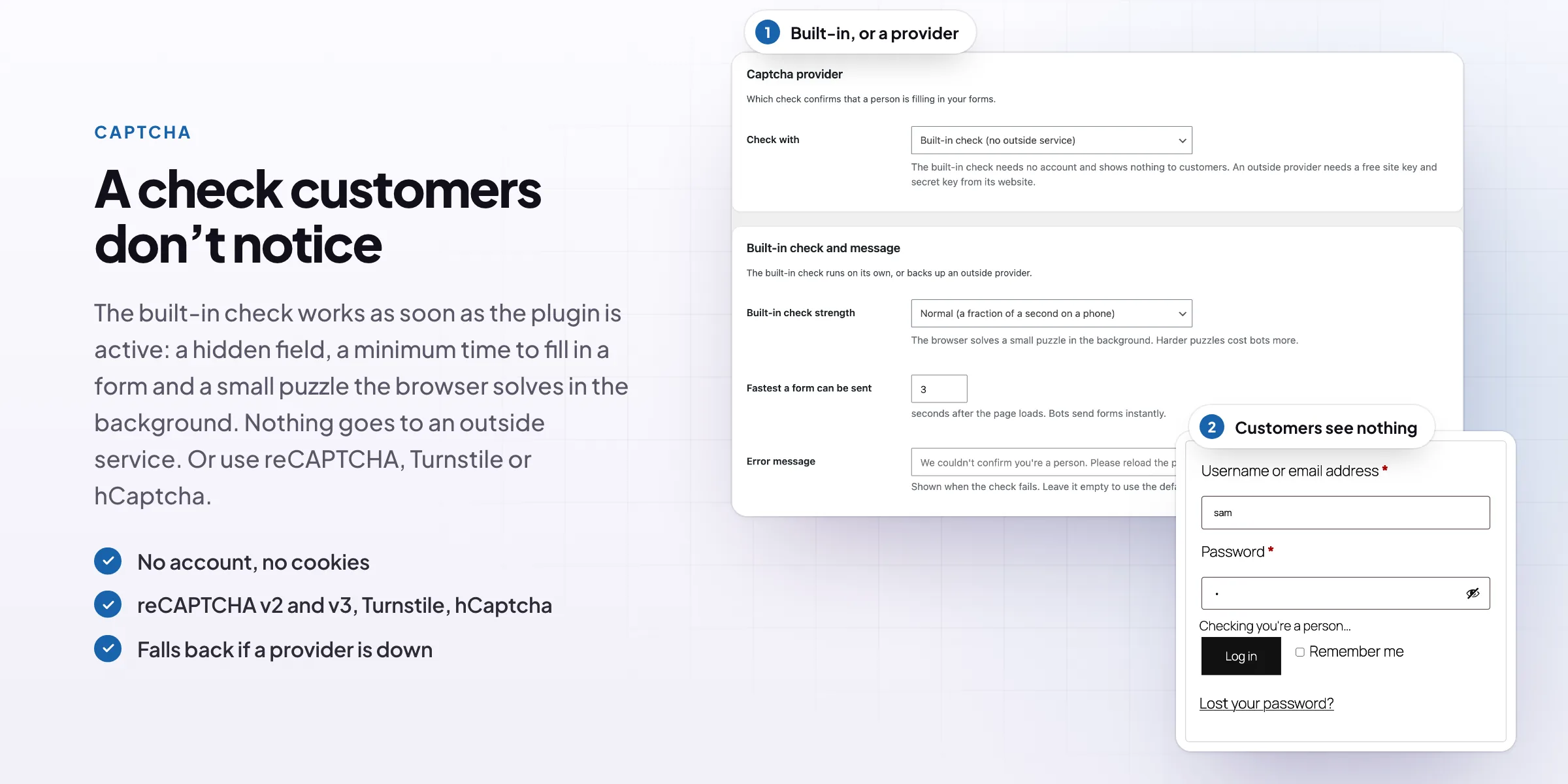
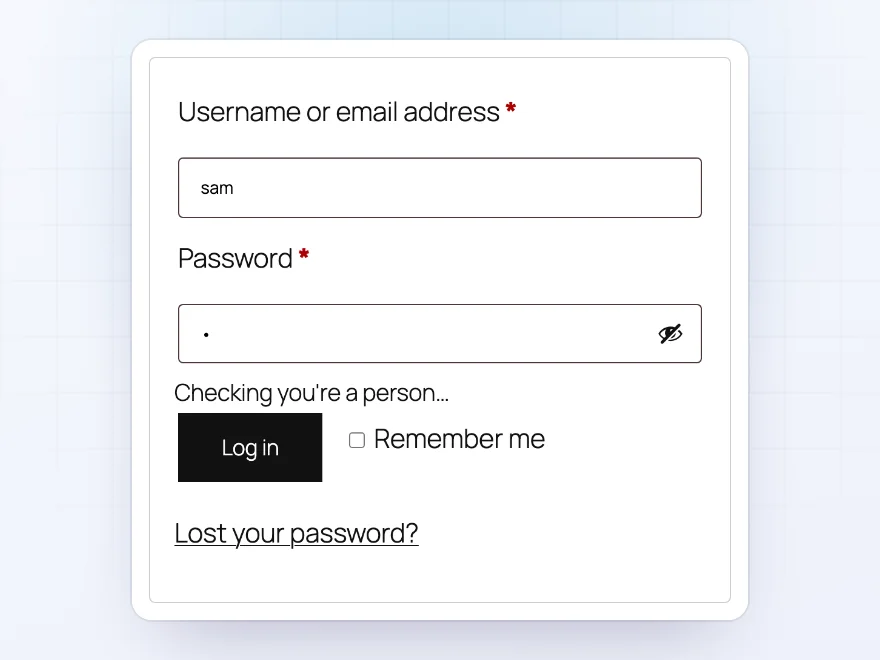
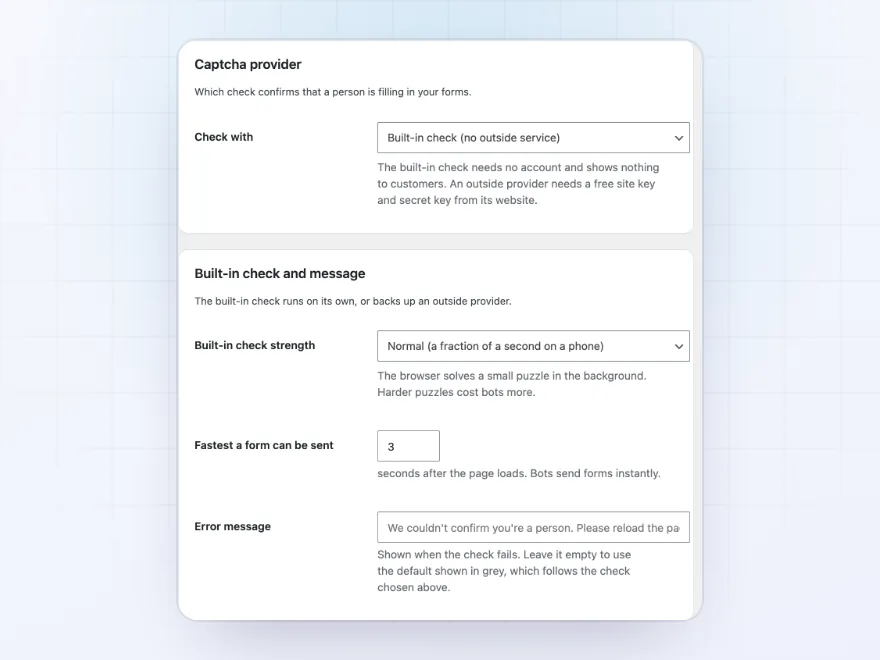
The built-in check uses a hidden field, a minimum time to fill in a form and a small puzzle the browser solves in the background. Nothing is sent to an outside service, and customers see nothing unless a form is sent too fast.
- No account, no cookies
- Nothing to click
- Nothing sent to an outside service
Captcha providers
Built-in, reCAPTCHA, Turnstile or hCaptcha
Use the built-in check, or Google reCAPTCHA v2 or v3 with your own score threshold, Cloudflare Turnstile or hCaptcha. If a provider is down or blocked on the visitor’s network, the built-in check takes over.
- reCAPTCHA v2 and v3
- Cloudflare Turnstile and hCaptcha
- A fallback if a provider is down
Forms
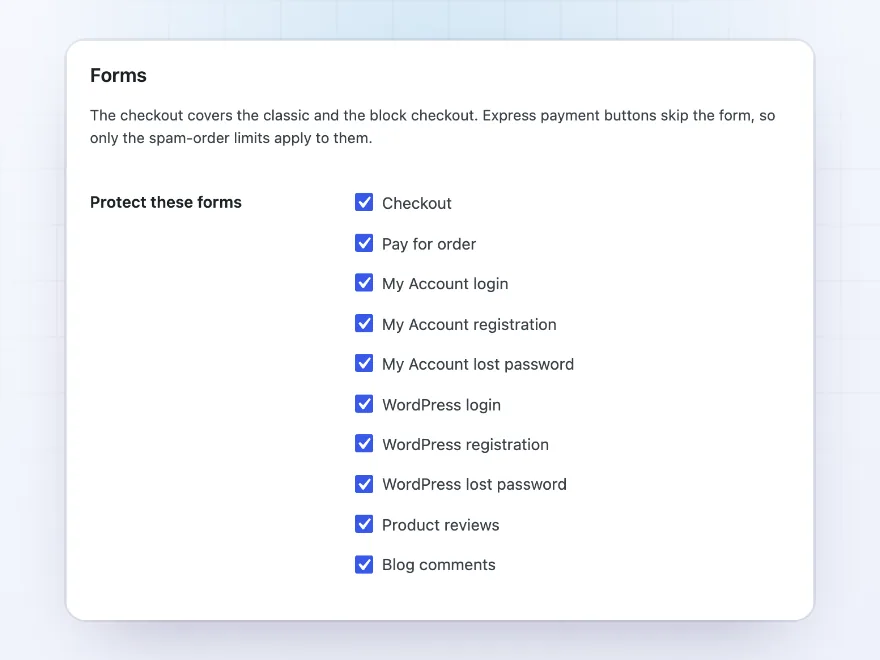
Every form bots go after
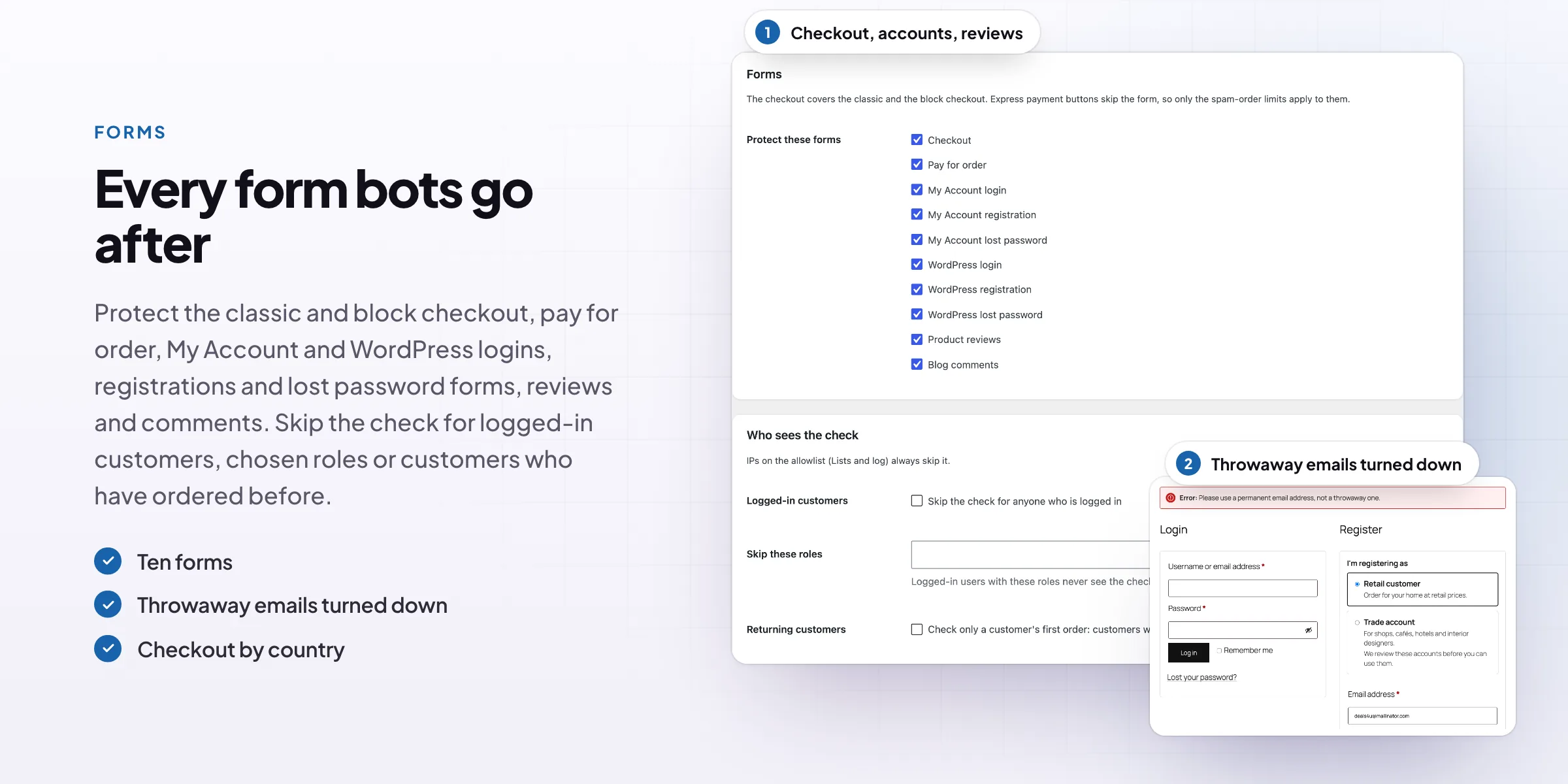
Protect the classic and block checkout, pay for order, My Account login, registration and lost password, the WordPress login and registration, product reviews and blog comments. Skip the check for logged-in customers, chosen roles or customers who have ordered before.
- Ten forms
- Classic and block checkout
- Skip it for trusted customers
Card testing
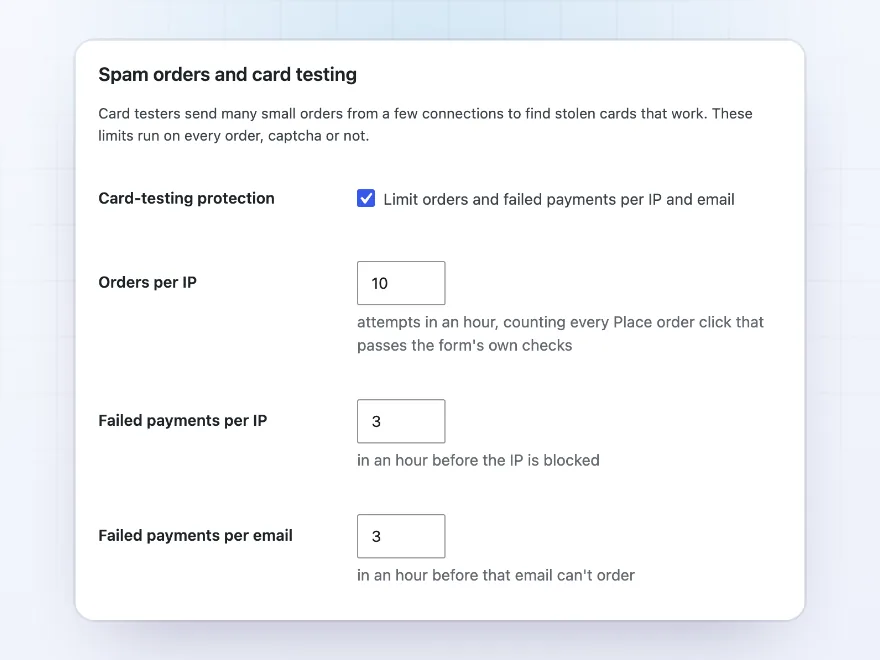
Stop card testers in their tracks
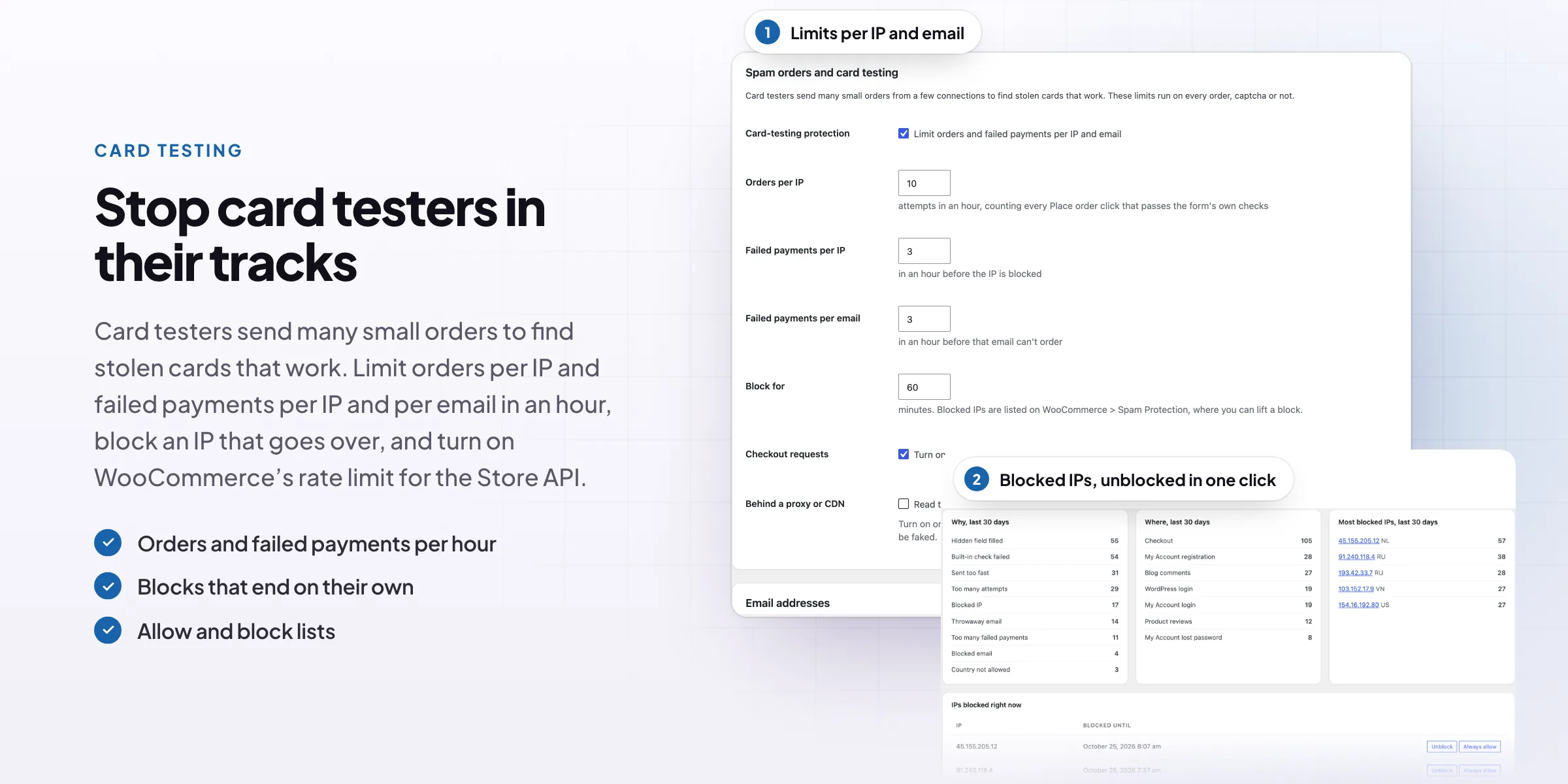
Limit orders per IP, and failed payments per IP and per email, in an hour. An IP that goes over is blocked for the time you set, and WooCommerce’s own rate limit covers orders sent straight to the Store API.
- Orders per IP
- Failed payments per IP and email
- Store API rate limit
Emails and countries
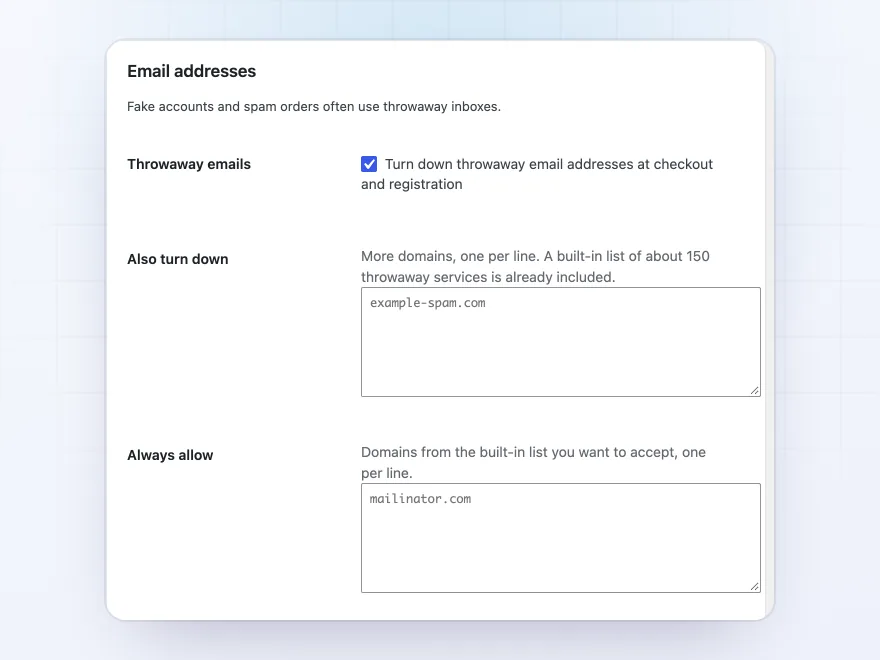
Throwaway emails turned down
Turn down throwaway email addresses at checkout and registration, from a built-in list of about 150 services and your own. Accept or turn down checkout and registration by country.
- About 150 throwaway services
- Your own domains
- Checkout by country
Overview
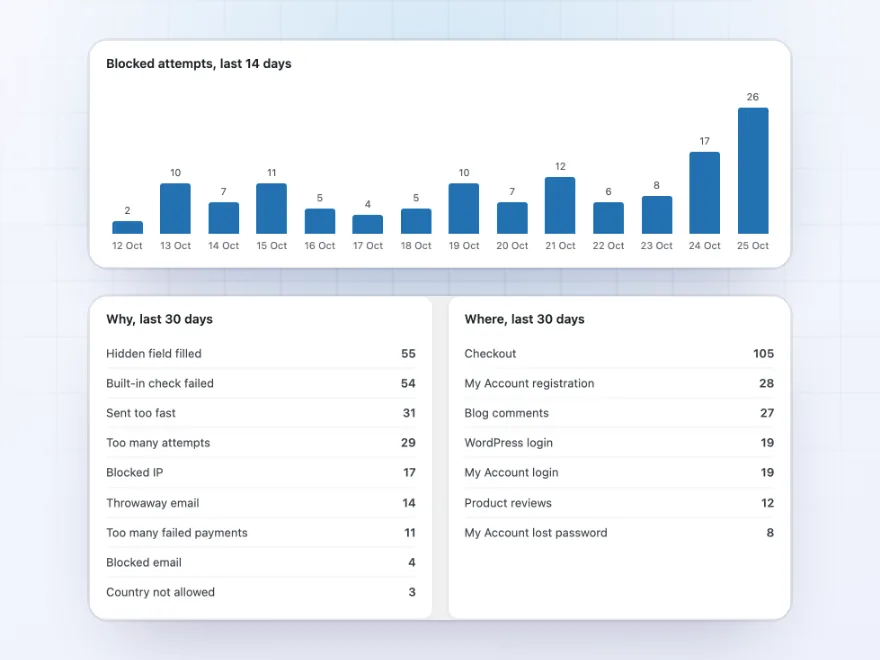
See what was stopped
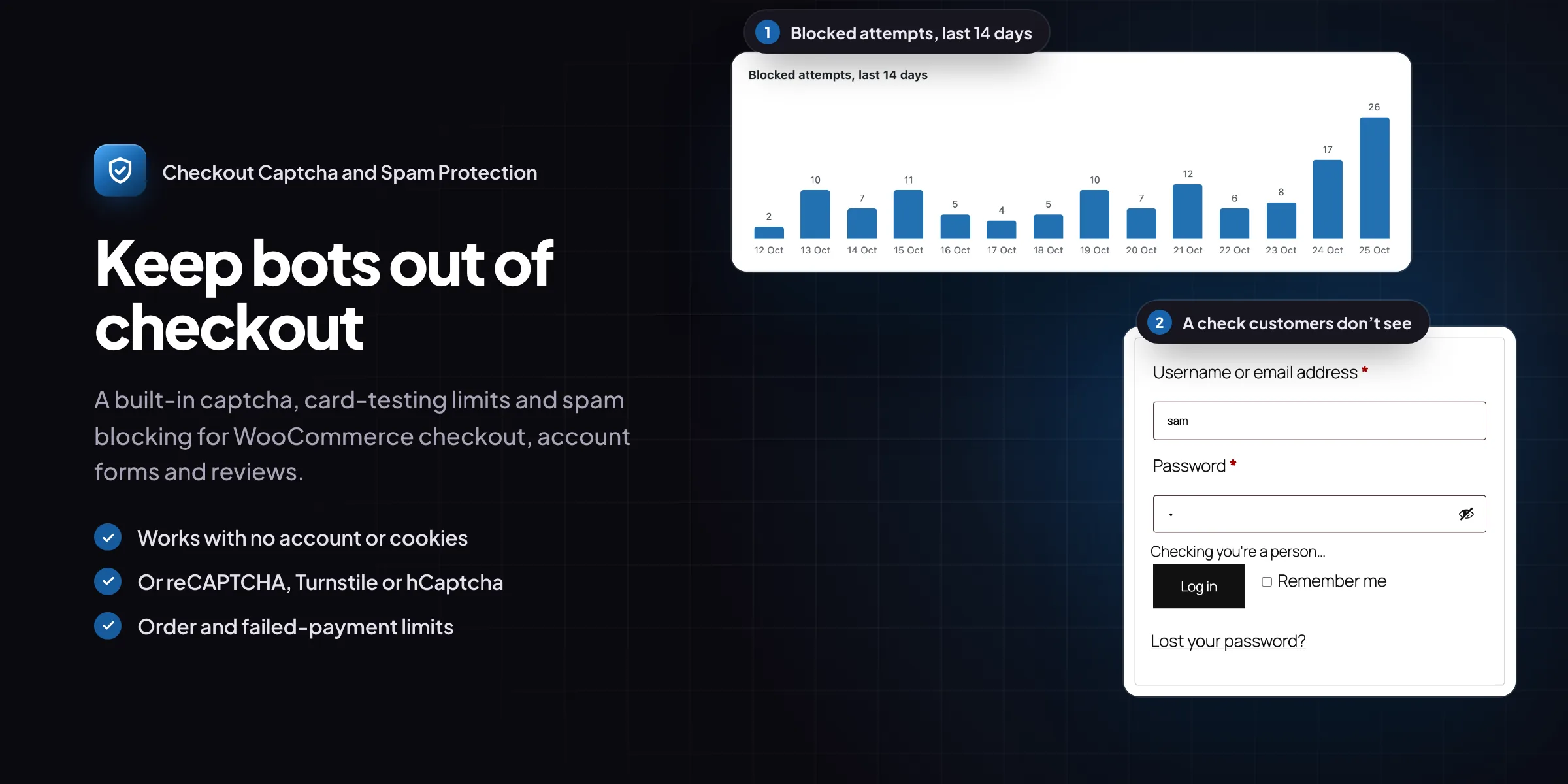
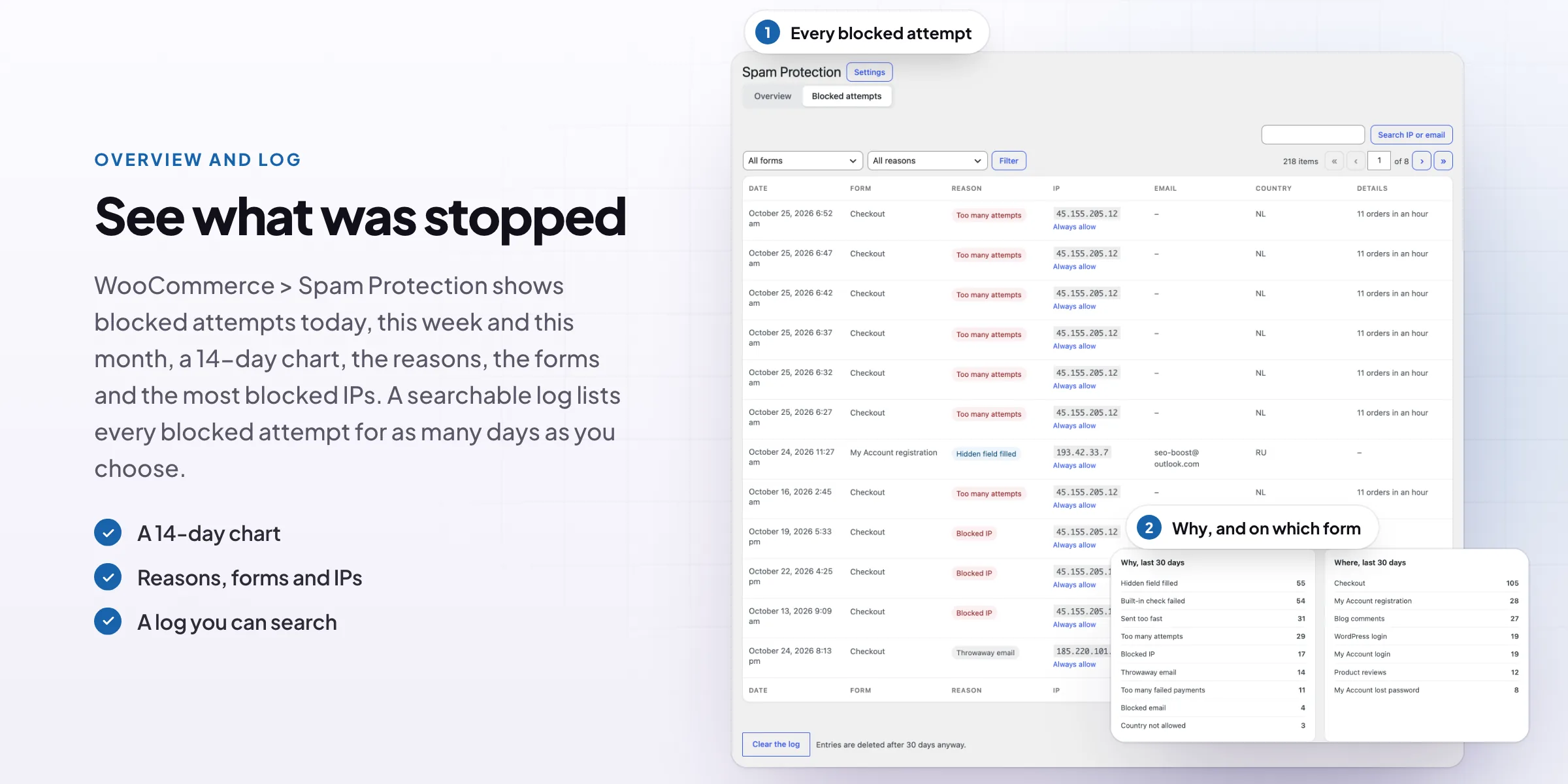
WooCommerce > Spam Protection shows blocked attempts today, this week and this month, a 14-day chart, the reasons, the forms and the most blocked IPs.
- A 14-day chart
- Reasons and forms
- Most blocked IPs
Log
Every blocked attempt, searchable
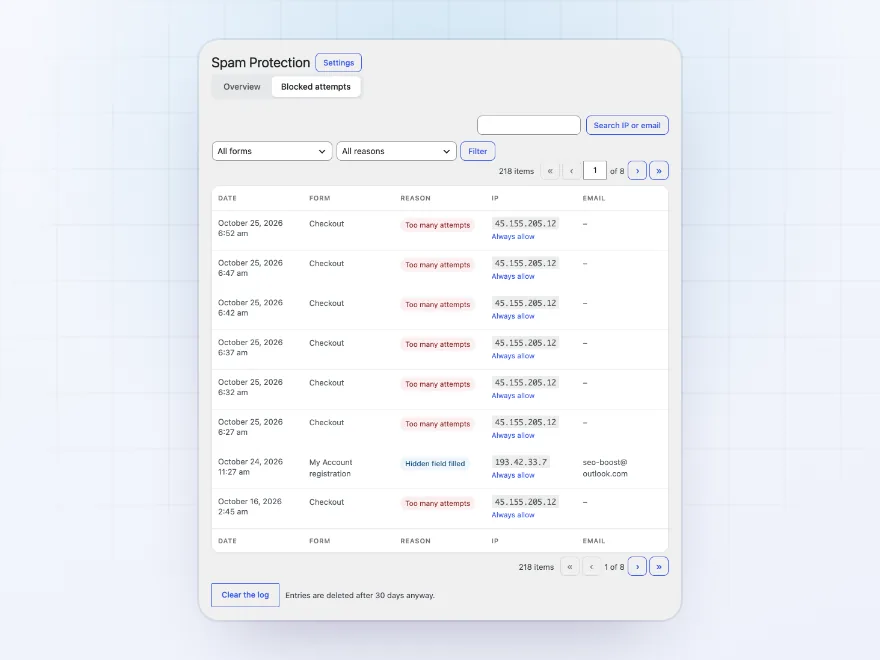
The log lists each blocked attempt with the form, the reason, the IP, the email entered and the country. Filter by form or reason, search for an IP or email, and keep entries for as many days as you choose.
- Form, reason, IP and email
- Search and filters
- Kept for the days you choose
Blocked IPs
Blocks that end on their own
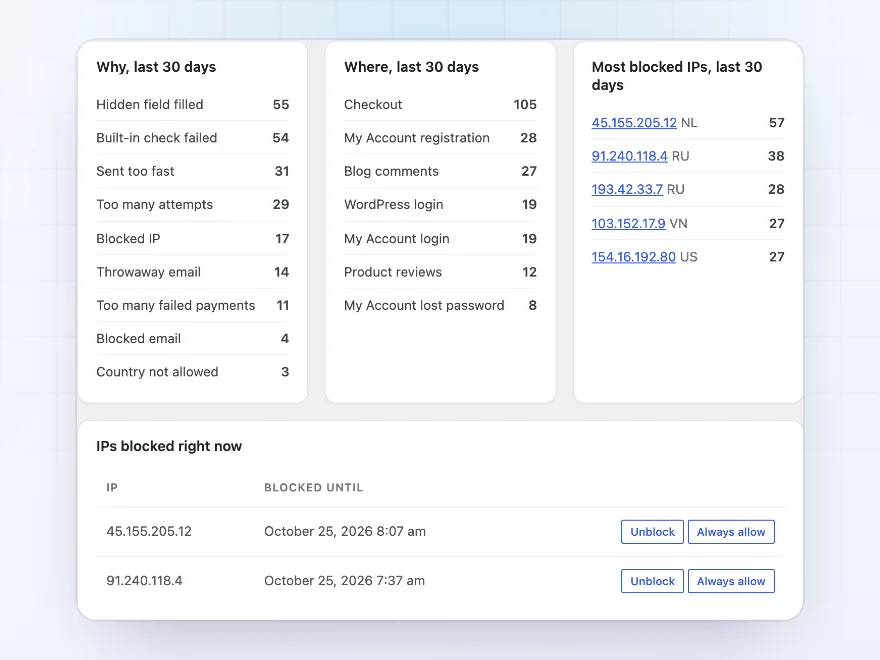
An IP that goes over a limit is blocked for the time you set, then let through again. The overview lists the IPs blocked right now, so you can unblock one in a click or always allow it.
- Blocked for the minutes you set
- Unblock in one click
- Most blocked IPs this month
Allow and block lists
Your own allow and block lists
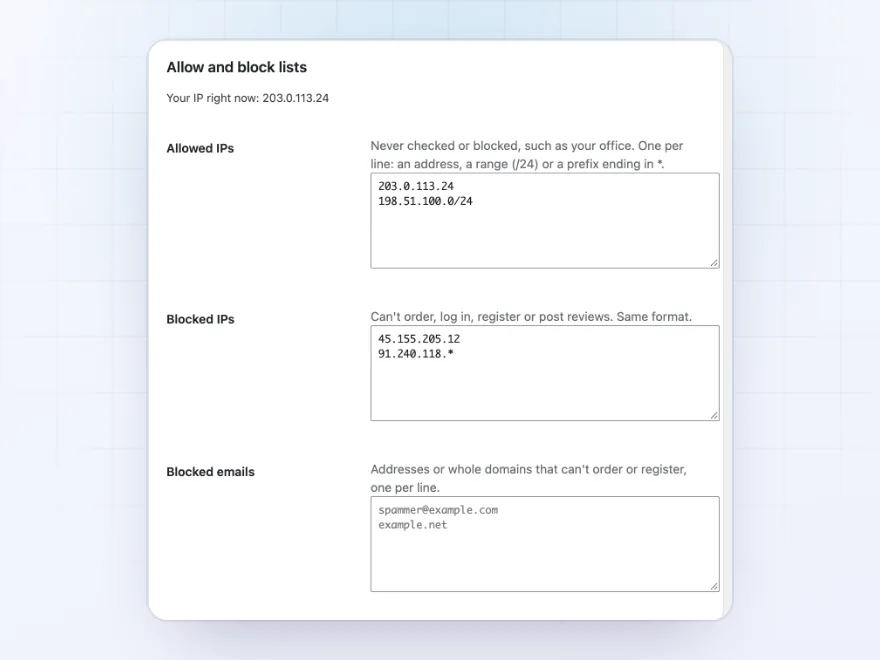
Allow IPs such as your office, so they are never checked or blocked, and block IPs, ranges or prefixes from ordering, logging in, registering or reviewing. Block email addresses or whole domains from checkout and registration.
- Addresses, ranges and prefixes
- Emails or whole domains
- Your own IP shown for the allowlist
Premium quality & support
Support you can count on, year after year
See Checkout Captcha and Spam Protection working in a live demo store before you buy. If you need a hand, our friendly support team will help you get it set up, and regular updates keep it working with each new WooCommerce release.
- A live demo store to try it first
- Step-by-step docs with a quick start
- Premium support from a helpful team
- Regular updates included
WooCommerce reCAPTCHA, or a captcha customers don’t see
Checkout Captcha and Spam Protection adds a WooCommerce captcha to the classic and block checkout, the pay for order page, account forms, reviews and comments. Use the built-in check, which needs no account and shows nothing to customers, or WooCommerce reCAPTCHA v2 or v3, Cloudflare Turnstile or hCaptcha with the built-in check as a fallback.
To stop WooCommerce spam orders and card testing, it limits orders per IP and failed payments per IP and per email, blocks IPs that go over for a while, turns down throwaway email addresses and can accept checkout by country. An overview and a log show every blocked attempt and why.
Common setups
Questions before you buy
Do I need a Google, Cloudflare or hCaptcha account?
No. The built-in check works on its own. An outside provider needs a free account and its two keys.
What do customers see with the built-in check?
Nothing. The browser solves a small puzzle in the background while the customer fills in the form.
Does it work with the Checkout block?
Yes. It protects the classic checkout, the Checkout block and the pay for order page.
What about Apple Pay and Google Pay?
Express payment buttons skip the checkout form, so no captcha shows there, but the order and failed-payment limits still apply.
I locked myself out. What now?
Add <code>define( ‘CCSP_DISABLE’, true );</code> to wp-config.php, log in and fix the settings, then remove the line.
Is it GDPR friendly?
The built-in check sends nothing to an outside service and sets no cookies. Blocked attempts are kept only for the days you choose.
Requirements
- WordPress
- 6.8 or newer
- WooCommerce
- 10.0 or newer
- PHP
- 7.4 or newer
Works with
- Classic themes
- Block themes
- Cart and Checkout blocks
- High-Performance Order Storage




daveywp –
Had a run of card testing orders on the checkout. Since turning on Turnstile and the IP limits it stopped completely. The log is handy for seeing what gets blocked, and Thomas helped me set the limits sensibly.