 Maxima Plugins
Description
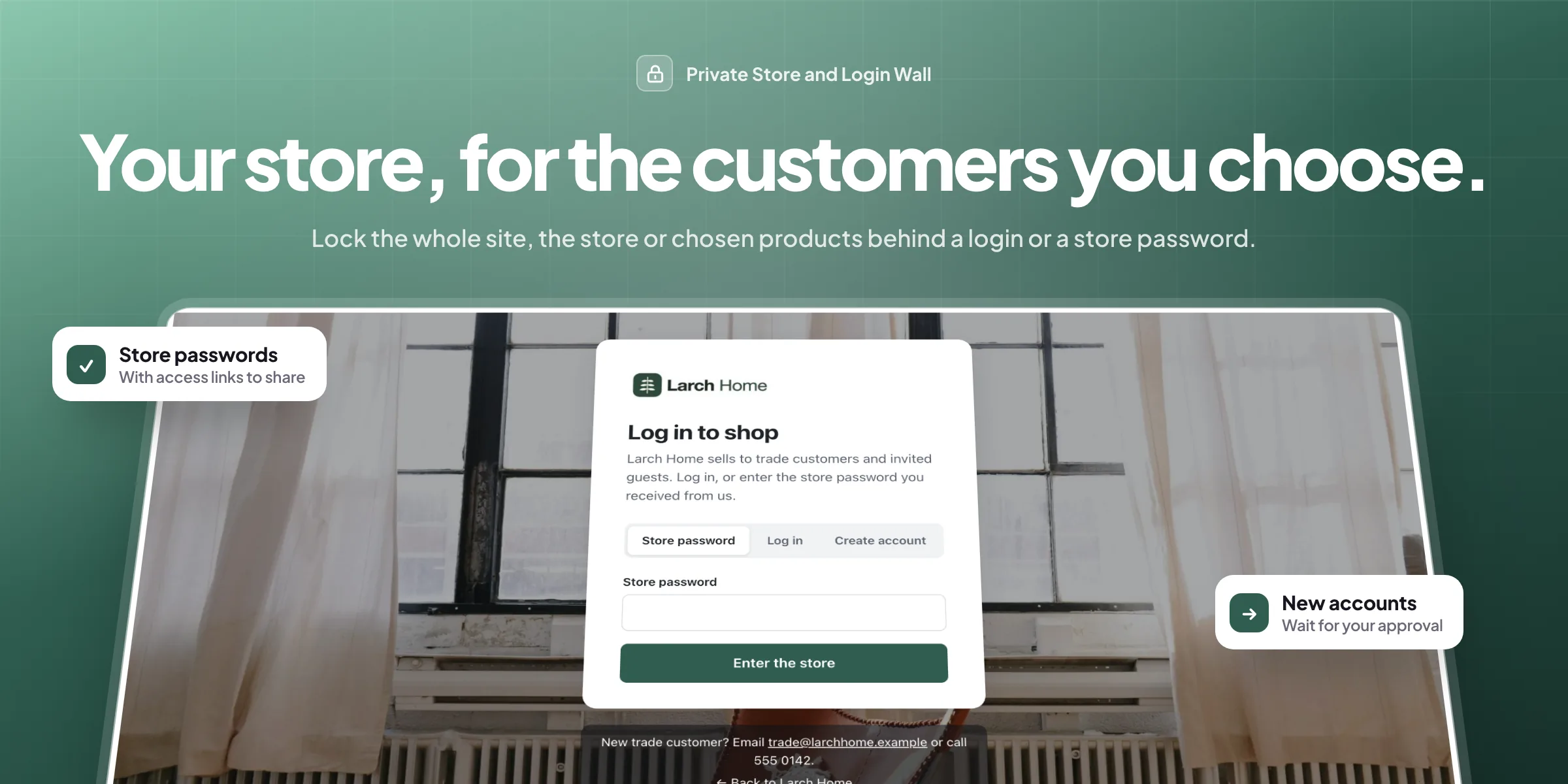
Private Store and Login Wall keeps your WooCommerce store for the customers you choose. Lock the whole site, just the shop, or chosen products, categories and pages, and show everyone else a login page in your own colours.
🔒 Lock the whole site, just the store, or chosen categories, products and pages.
🧱 A login wall in your colours, with your logo and your own text.
🔑 Store passwords per group, with a last day and a use limit.
🔗 Access links for emails, so customers get in with one click.
✅ Account approval: new accounts wait for you, with approve and decline in bulk.
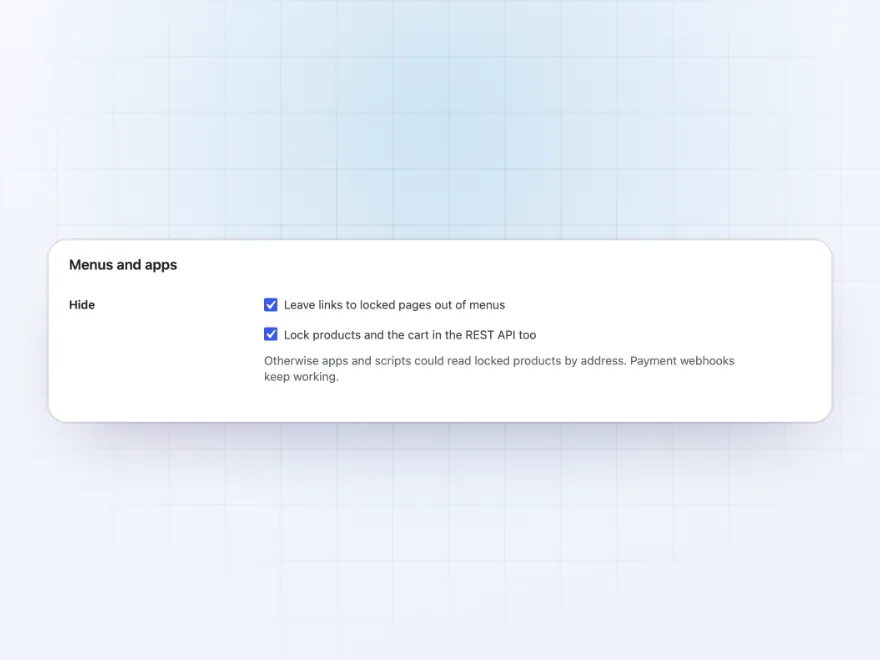
🙈 Out of sight: locked items leave menus, search, sitemaps and the REST API.
📋 An access log of every unlock and wrong password, with a wait after too many.
🏢 IP addresses that always get in, such as your office and warehouse.

Login wall
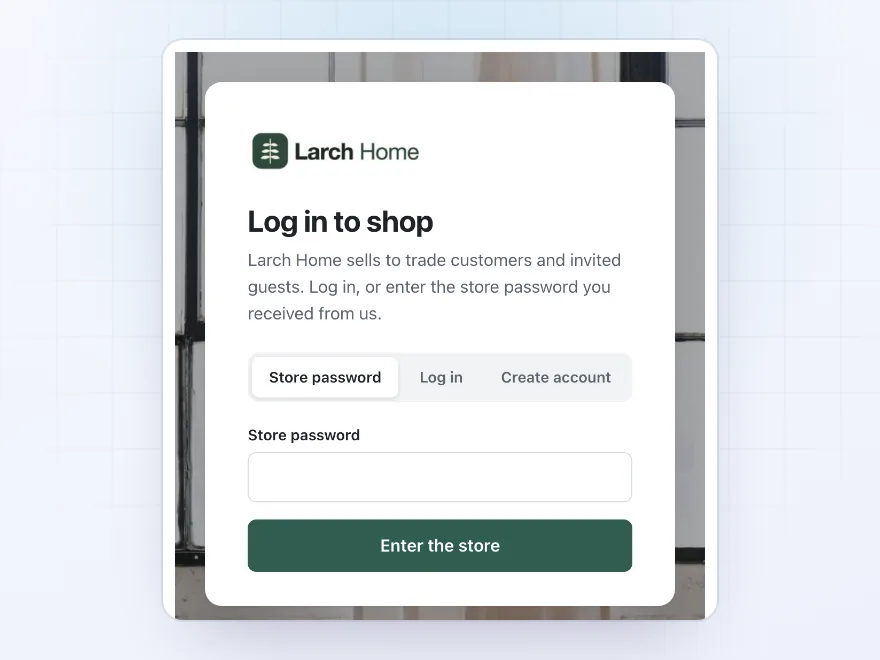
A login page in your own colours
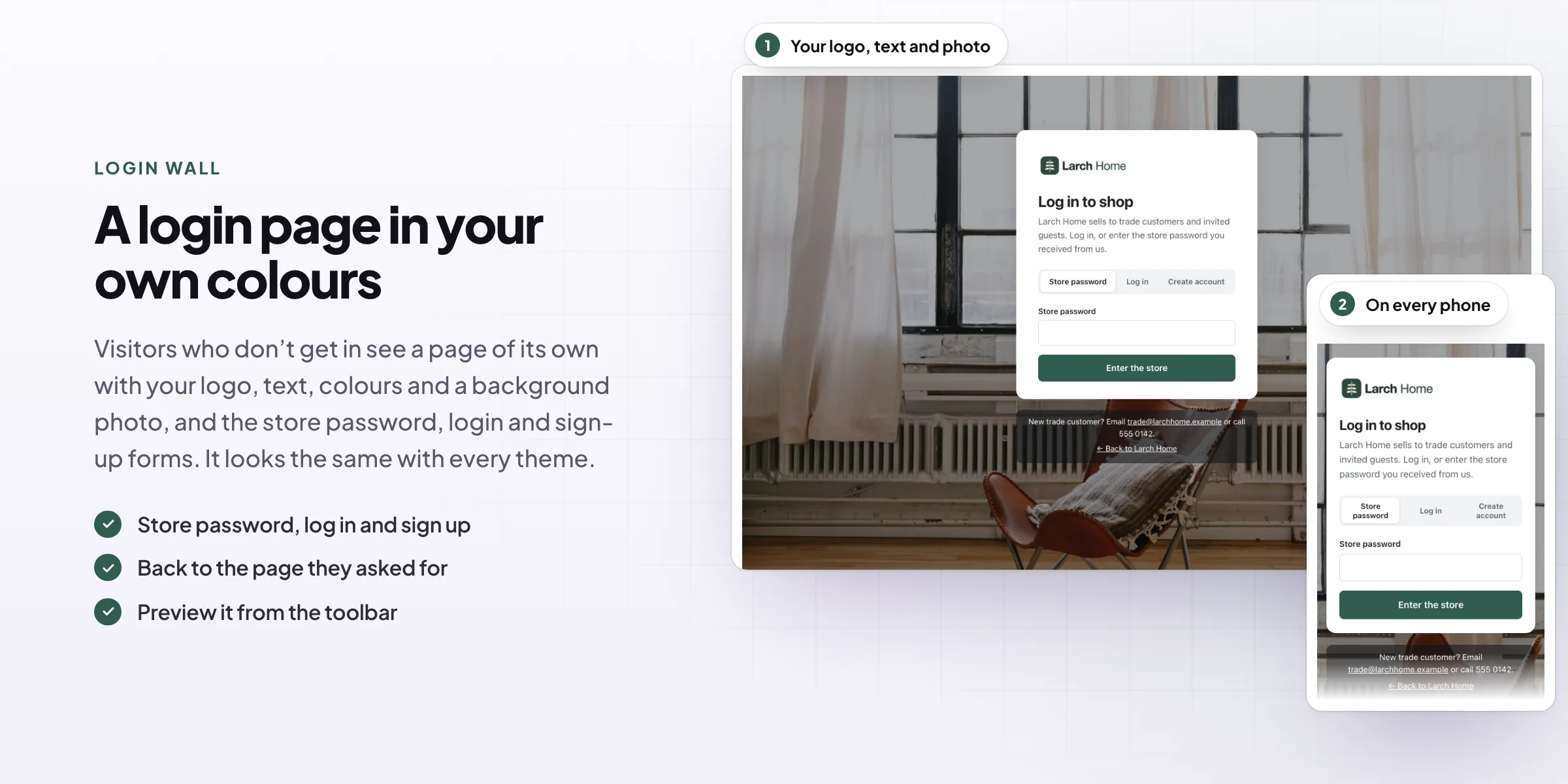
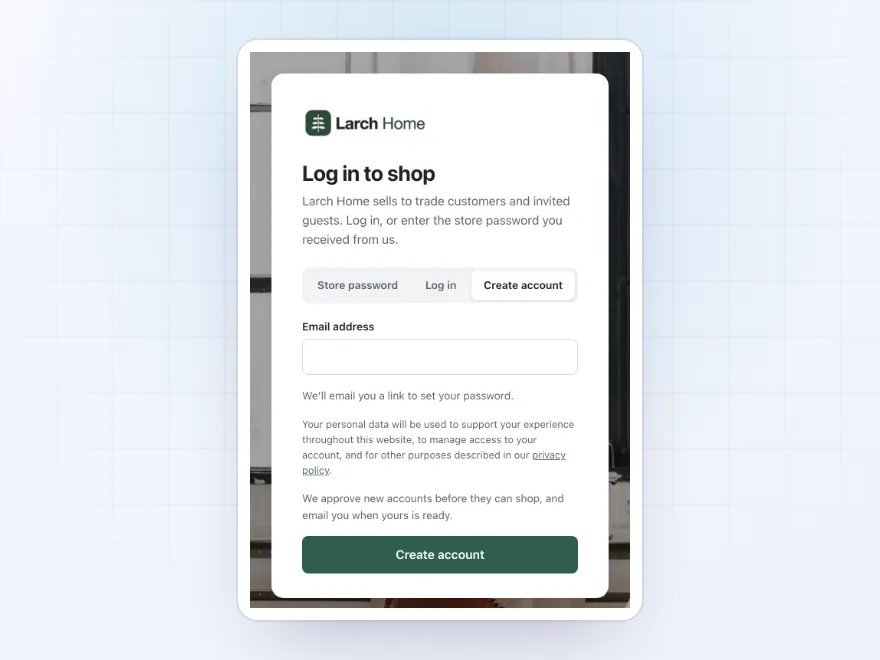
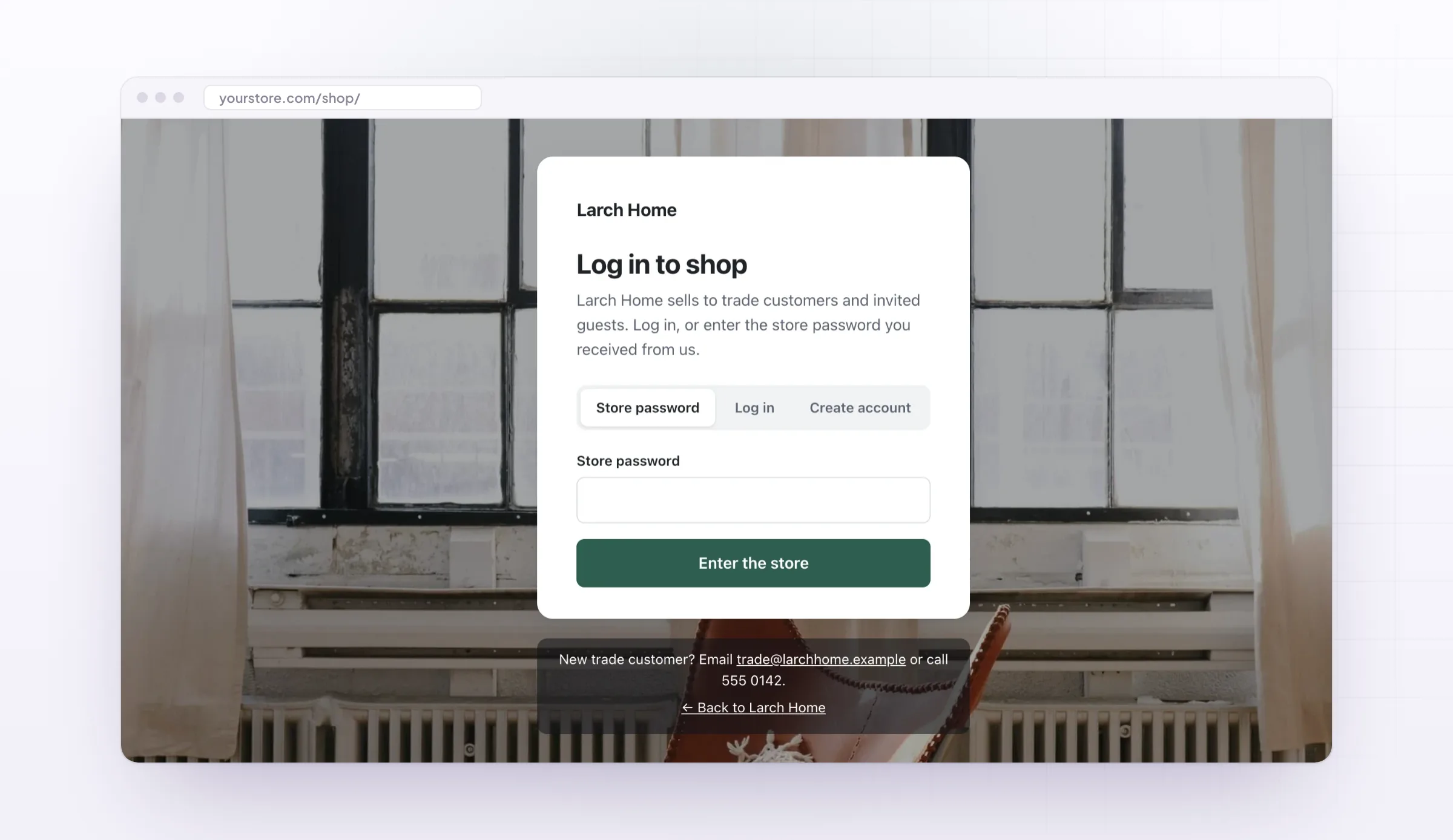
Visitors who don’t get in see a page of its own with your logo, heading and text, a background colour or photo, and your button colour. It has the store password, login and sign-up forms, and looks the same with every theme.
- Your logo, text and colours
- Password, login and sign-up
- Back to the page they asked for
Store passwords
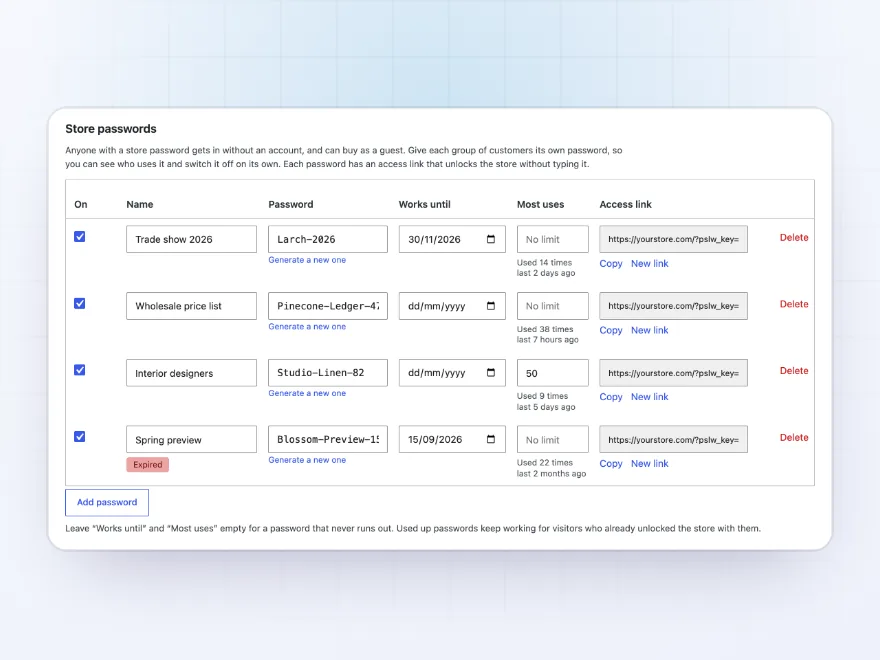
Let customers in with a password
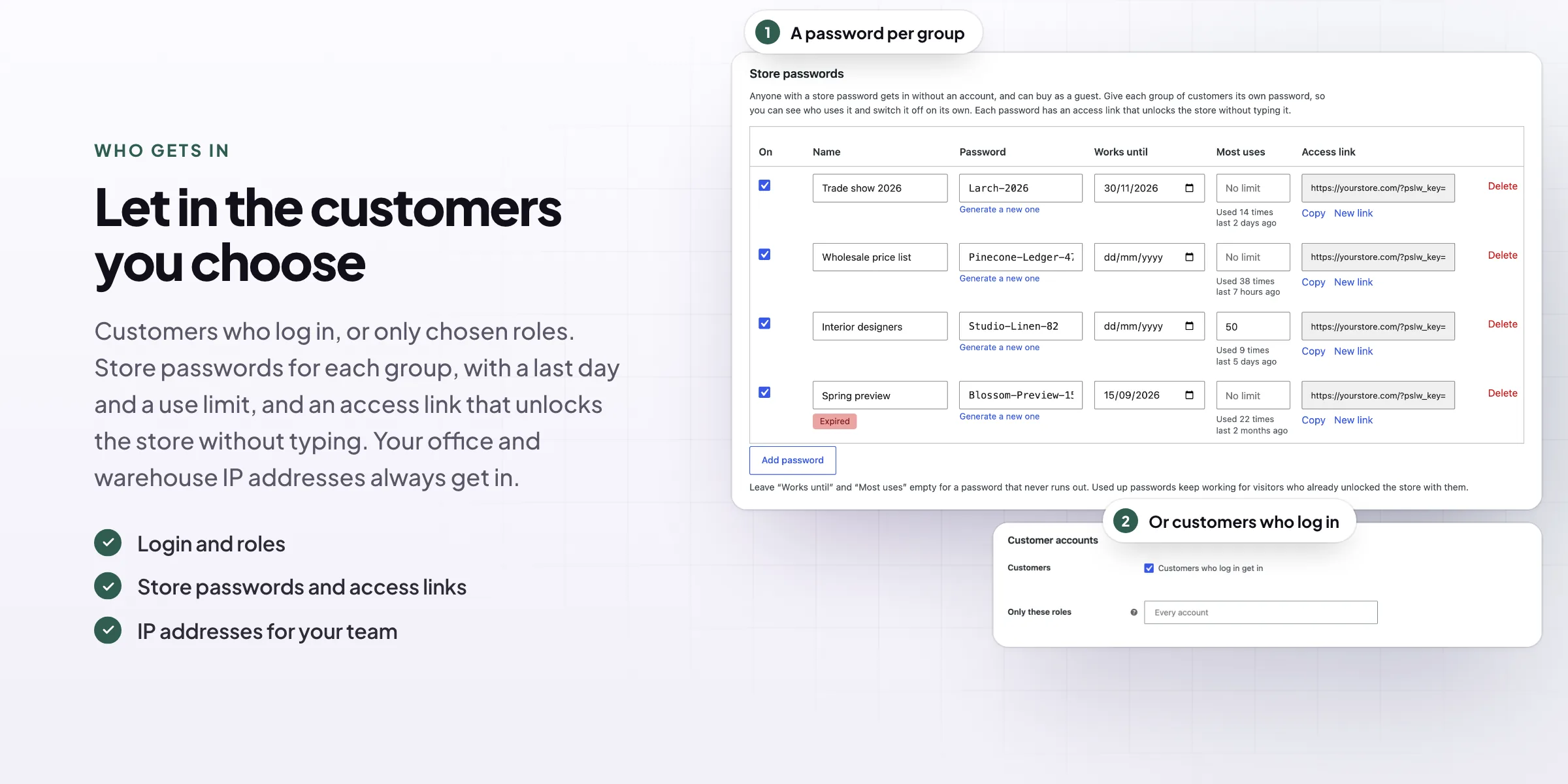
Give each group of customers its own password, such as one for a trade show and one for interior designers, with a last day and a use limit if you like. Each password has an access link that unlocks the store without typing it.
- A password per group
- Last day and use limit
- Access links for emails
What to lock
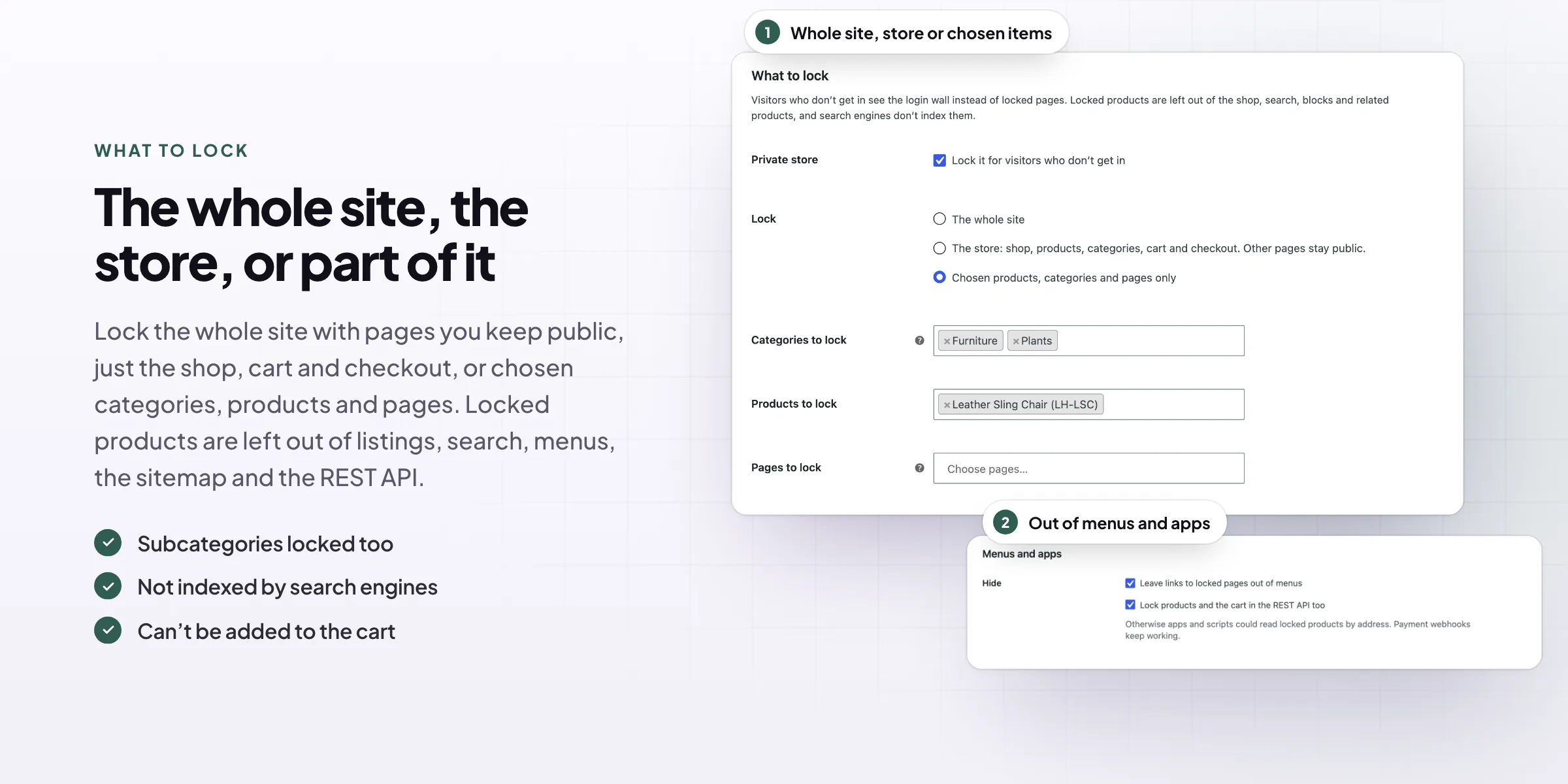
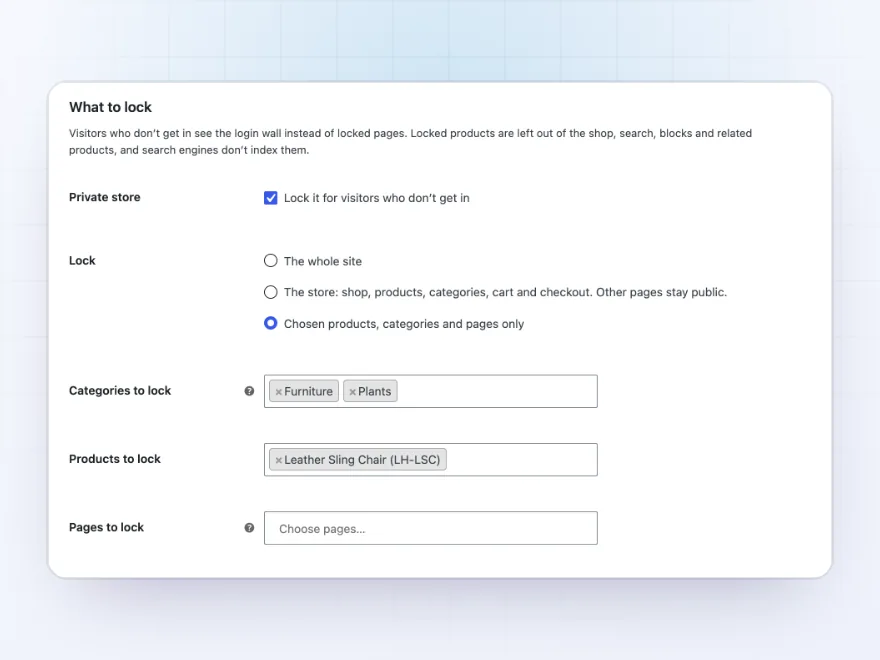
The whole site, the store, or part of it
Lock the whole site with pages you keep public, just the shop, products, cart and checkout, or chosen categories, products and pages, such as a trade price list. Subcategories and their products are locked with their category.
- The whole site
- The store only
- Chosen categories, products and pages
Account approval
New accounts wait for you
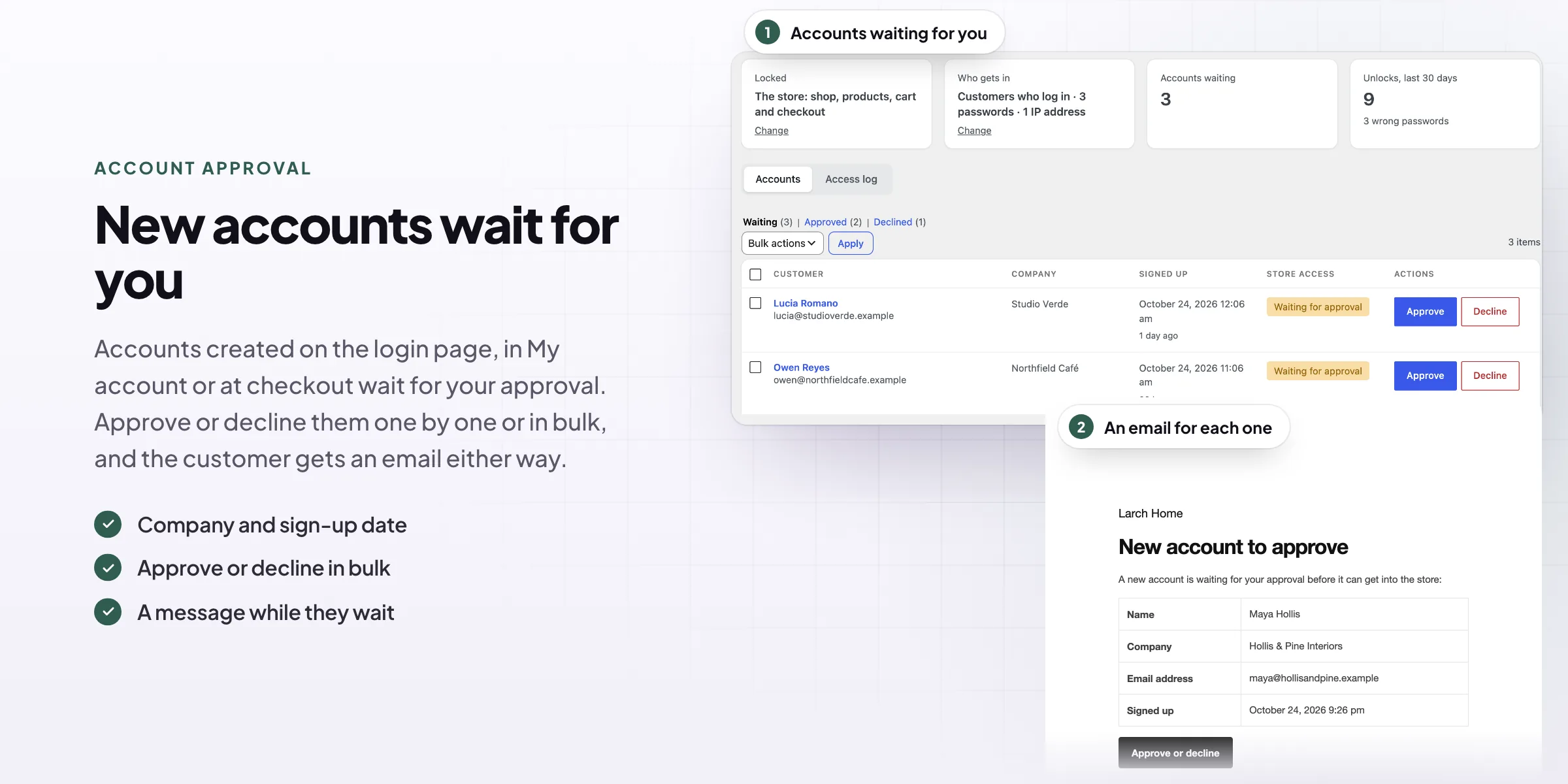
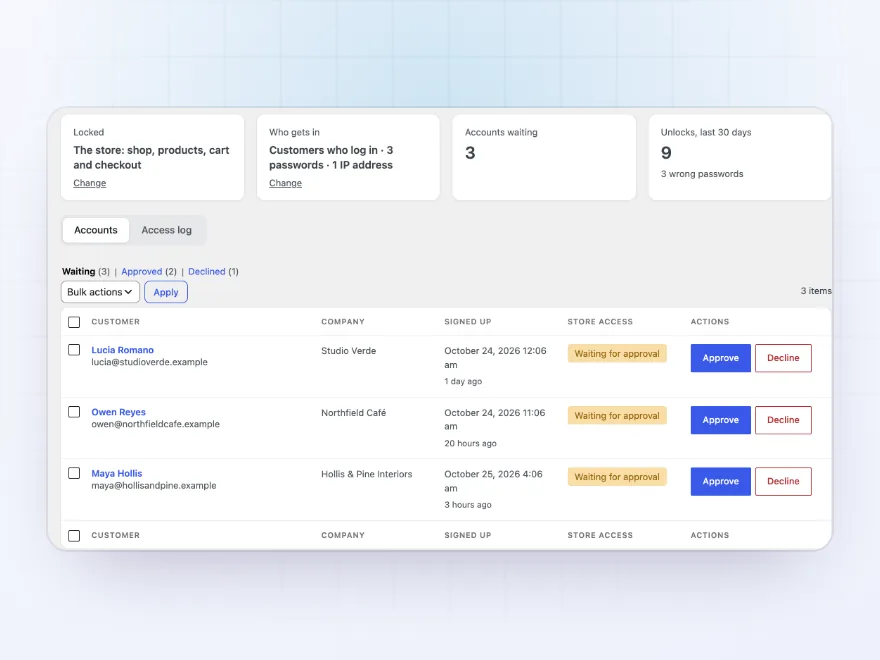
Accounts created on the login page, in My account or at checkout can wait for your approval. WooCommerce > Private store lists them with their company and when they signed up, and you approve or decline them one by one or in bulk.
- Approve or decline in bulk
- Who decided and when
- An email to you and the customer
For customers
Log in, sign up, or see why they wait
The login and sign-up forms are WooCommerce’s own, so other plugins’ fields and captchas work there too. Customers whose account is waiting, declined or without access see your message instead of the store.
- WooCommerce’s login and sign-up
- A message while they wait
- Lost password and log out links
Emails
Know when someone signs up
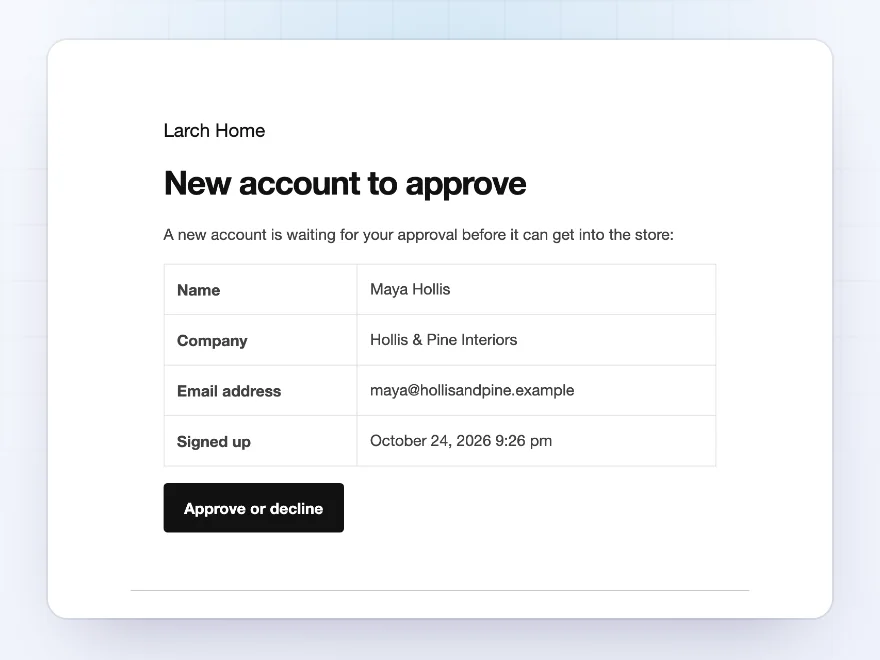
You get an email for each new account to approve, with the customer’s name, company and email address and a button to approve or decline. Customers get an email when their account is approved, with a link to the store, or declined.
- A button to approve or decline
- Approved and declined emails
- Edit them like WooCommerce’s own
Access log
See who uses each password
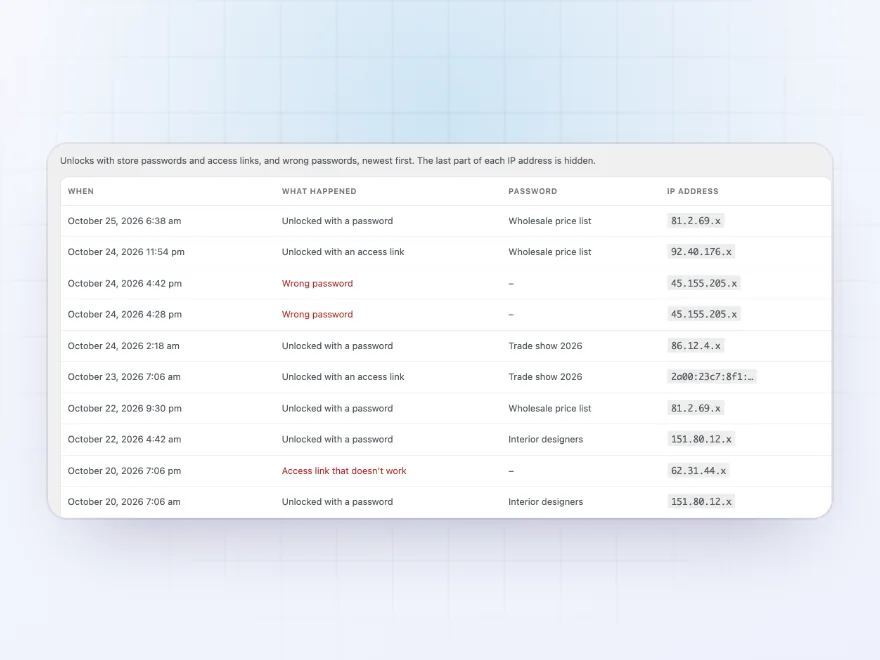
Each unlock with a store password or an access link is logged with the password’s name, and so is each wrong password. After the number of wrong passwords you choose, the visitor waits 15 minutes before trying again.
- Unlocks per password
- Wrong passwords logged
- A wait after too many
Your own login page
Or design the login page yourself
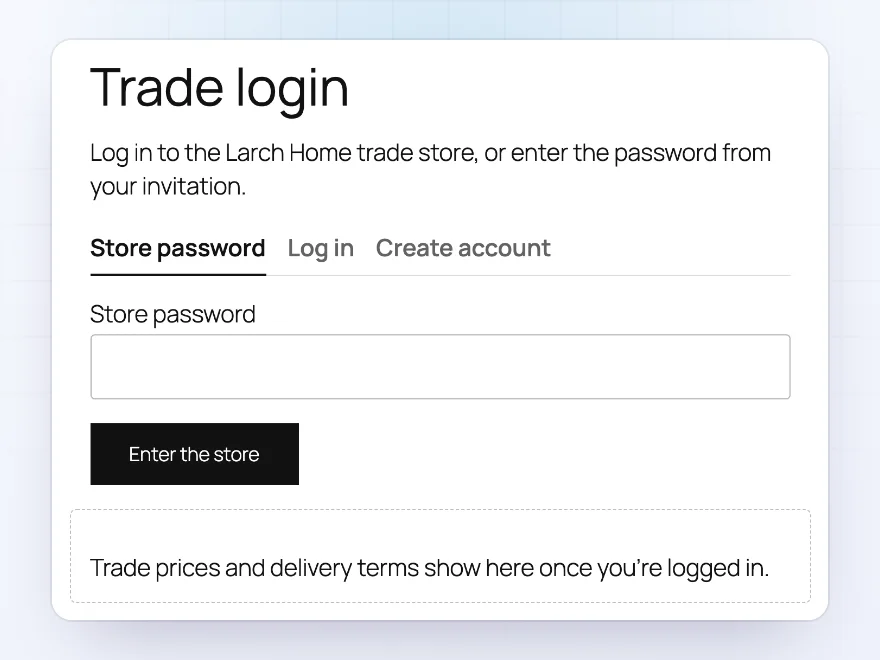
Send visitors to a page of your own instead, with the Store unlock form block or shortcode. The Private content block shows its content only to visitors who get in, such as trade terms, with a message for everyone else.
- Store unlock form block
- Private content block
- Shortcodes for both
Premium quality & support
Support you can count on, year after year
See Private Store and Login Wall working in a live demo store before you buy. If you need a hand, our friendly support team will help you get it set up, and regular updates keep it working with each new WooCommerce release.
- A live demo store to try it first
- Step-by-step docs with a quick start
- Premium support from a helpful team
- Regular updates included
A private WooCommerce store
Private Store and Login Wall turns WooCommerce into a private store: the whole site, the shop or chosen products, categories and pages are only for customers who log in, chosen roles, visitors with a store password or access link, and your team’s IP addresses. Everyone else sees a login page with your logo and colours.
It works as a WooCommerce force login before checkout and the shop, while the rest of the site can stay public. Locked products are left out of listings, search, menus, the sitemap and the REST API, new accounts can wait for your approval, and the access log shows who uses each password.
Common setups
Questions before you buy
Can I lock myself out?
No. Administrators and shop managers always get in, and My account and the WordPress login page always work.
Can customers with a store password buy?
Yes, as guests, or they create an account at checkout. The password unlocks the store in their browser for the days you choose.
Can I lock just some categories?
Yes. Choose the categories, products and pages to lock; the rest of the store stays open.
Do search engines see locked pages?
No. They see the login page with a noindex tag, and locked products are left out of the sitemap.
Does it work with my theme?
Yes. The login page is a page of its own, and menus are cleaned up in classic and block themes.
Who can change the settings?
Shop managers and administrators.
Requirements
- WordPress
- 6.8 or newer
- WooCommerce
- 10.0 or newer
- PHP
- 7.4 or newer
Works with
- Classic themes
- Block themes
- Cart and Checkout blocks
- High-Performance Order Storage




kramerdesign –
Login page matches our brand
Set it up for a pre-launch collection and the login page looks like our own site. Michael answered my questions very quickly
Margot –
Works well ! we needed to hide trade prices. Easy setup