 Maxima Plugins
Description
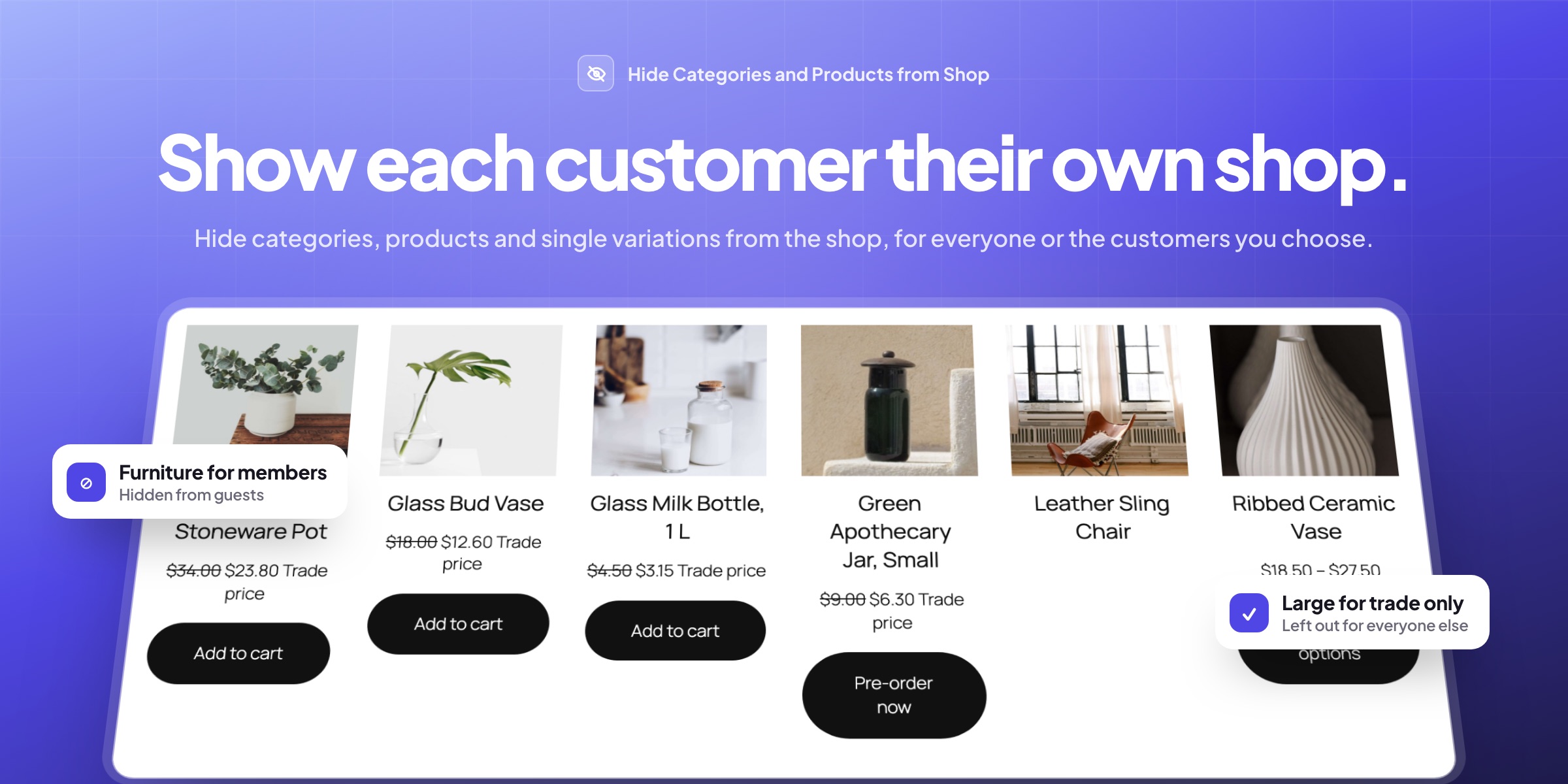
Hide Categories and Products from Shop keeps chosen categories, tags, products and variations out of your store’s lists, for everyone or only for some customers. Hide them from the shop with their link still working, hide them everywhere, or show them without letting anyone buy them.
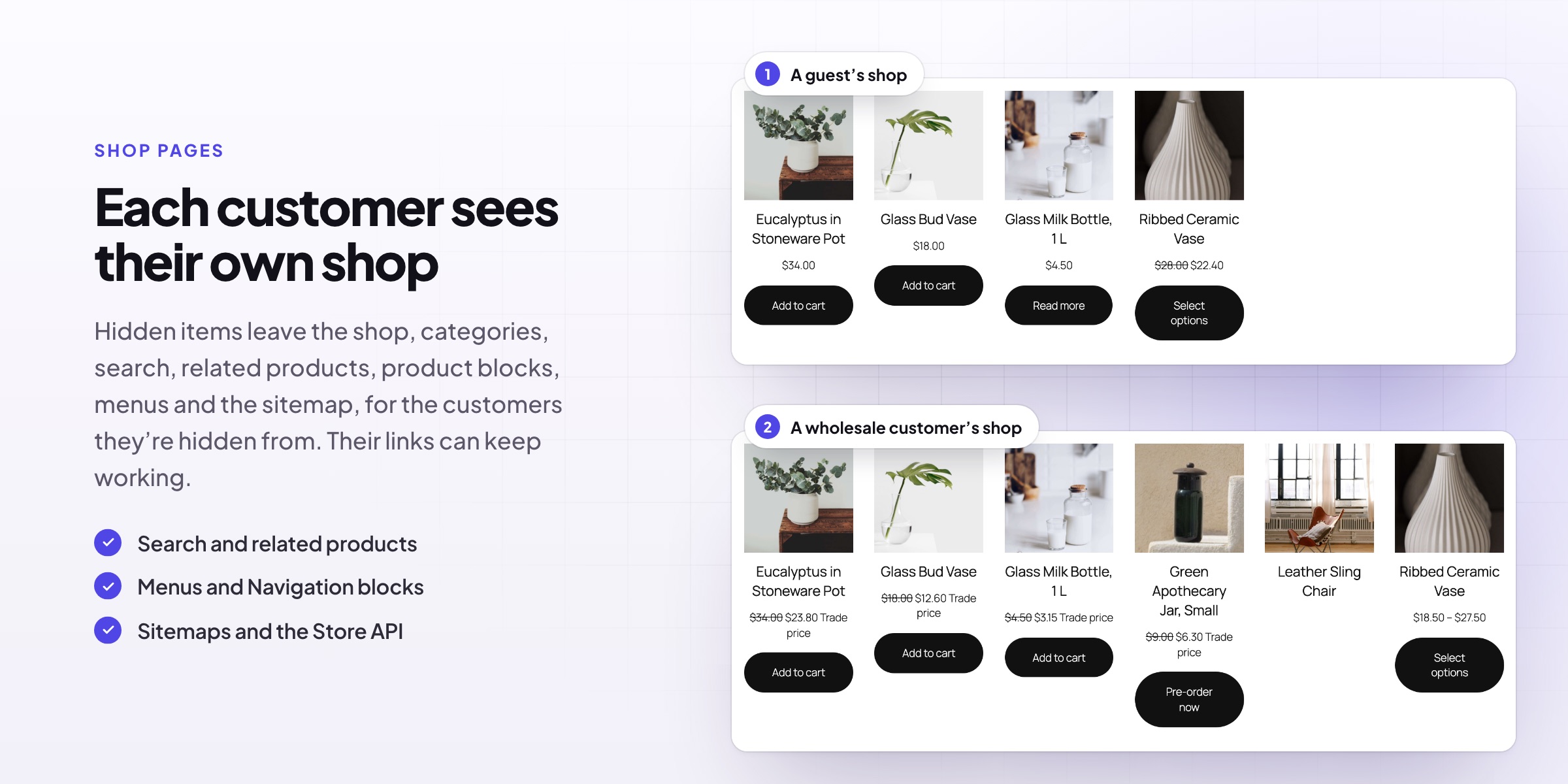
👥 Each customer sees their own shop: guests, logged-in customers or chosen roles.
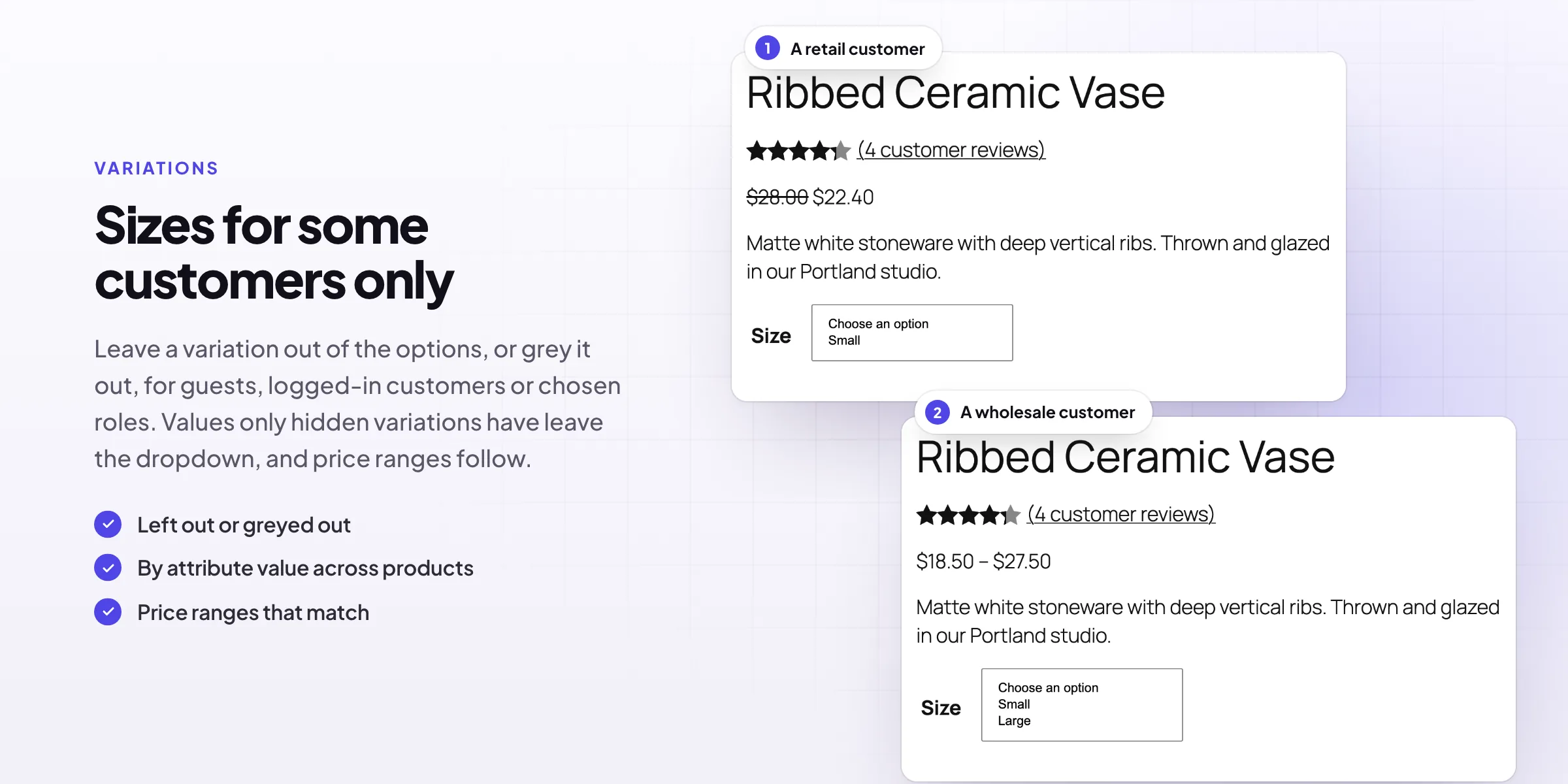
📏 Variations by role: left out of the options or greyed out, with price ranges that match.
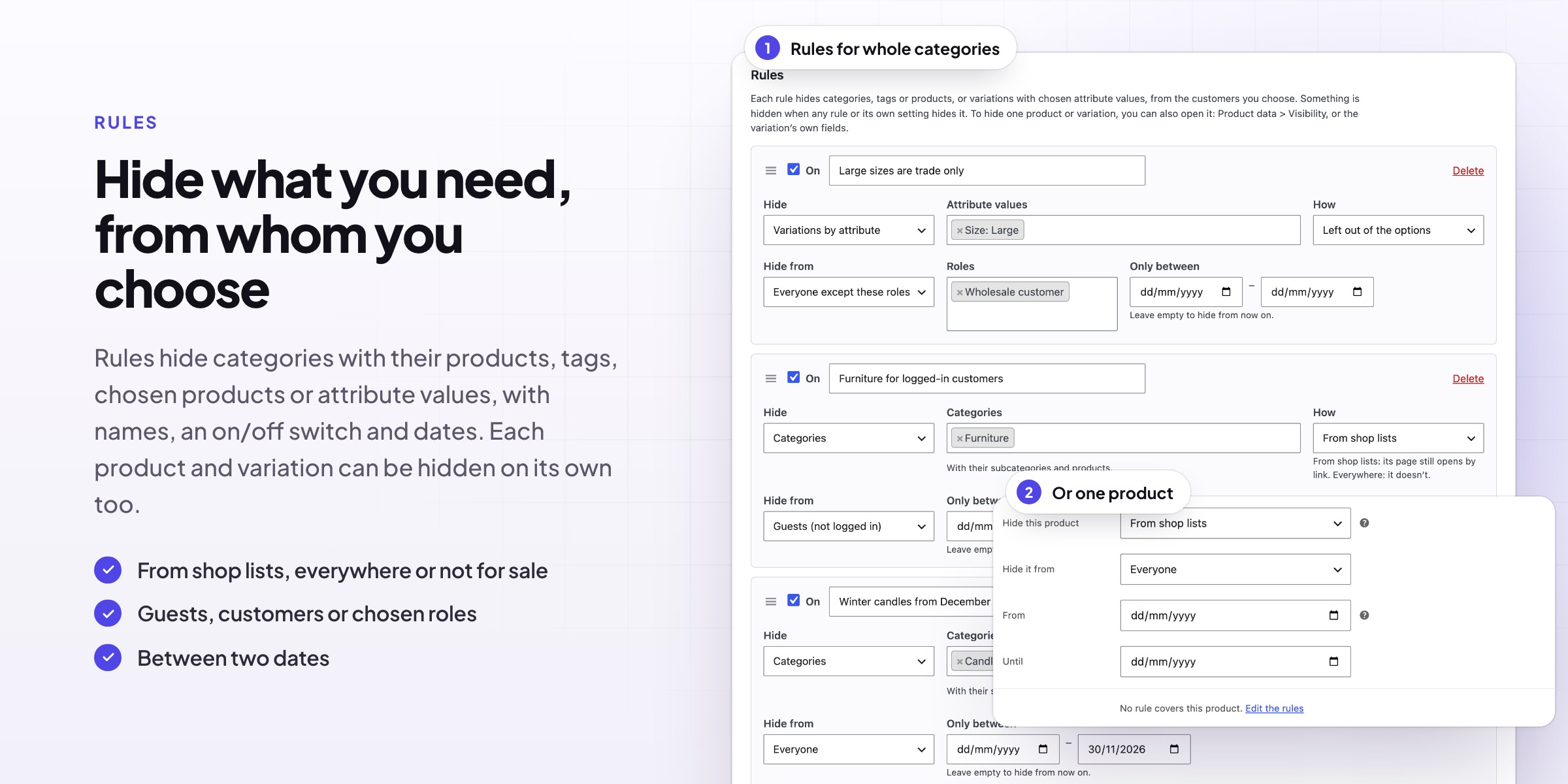
🗂️ One rule for a whole category, tag, product or attribute value such as Size: Large.
🔗 Hidden from the shop while the link still works, for landing pages.
🚪 Closed everywhere: not found, or the shop with a message, a page or an address.
🛒 Visible, not for sale to the customers who shouldn’t buy it.
📅 Dates for seasonal items, from now on or between two days.
👁️ Staff still see everything, with a notice and labels in the products list.
Variations
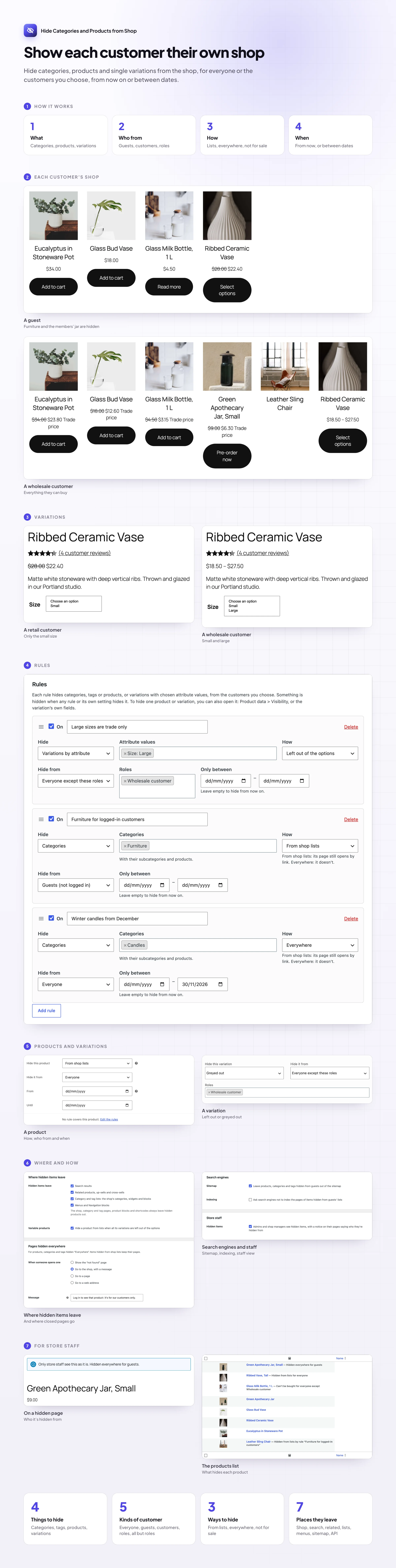
Sizes and options for some customers only
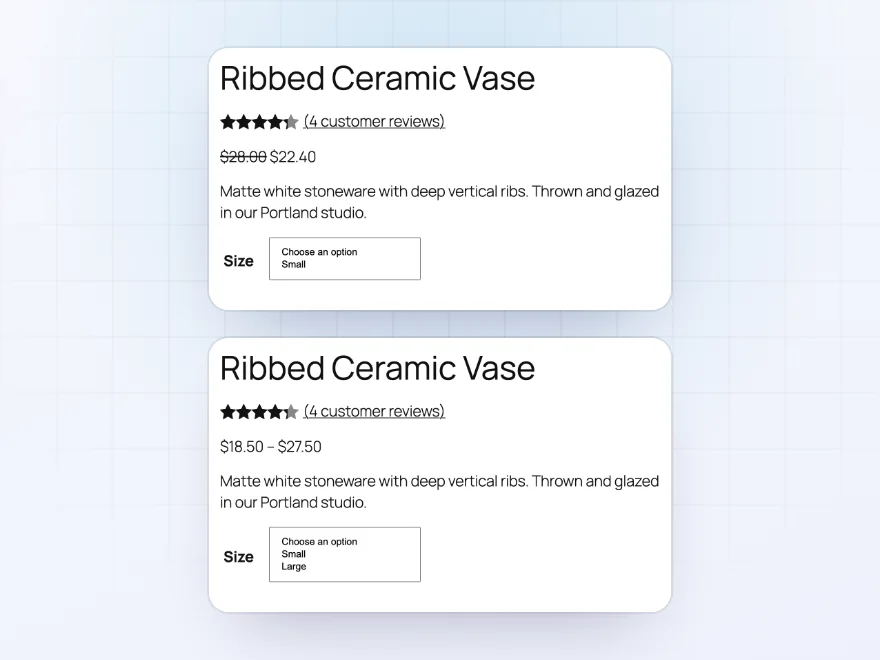
Leave a variation out of the options, or show it greyed out, for guests, logged-in customers or chosen roles. Option values only hidden variations have leave the dropdown, and price ranges count only what the customer can choose.
- Left out or greyed out
- Only for chosen roles
- Price ranges that match
Rules
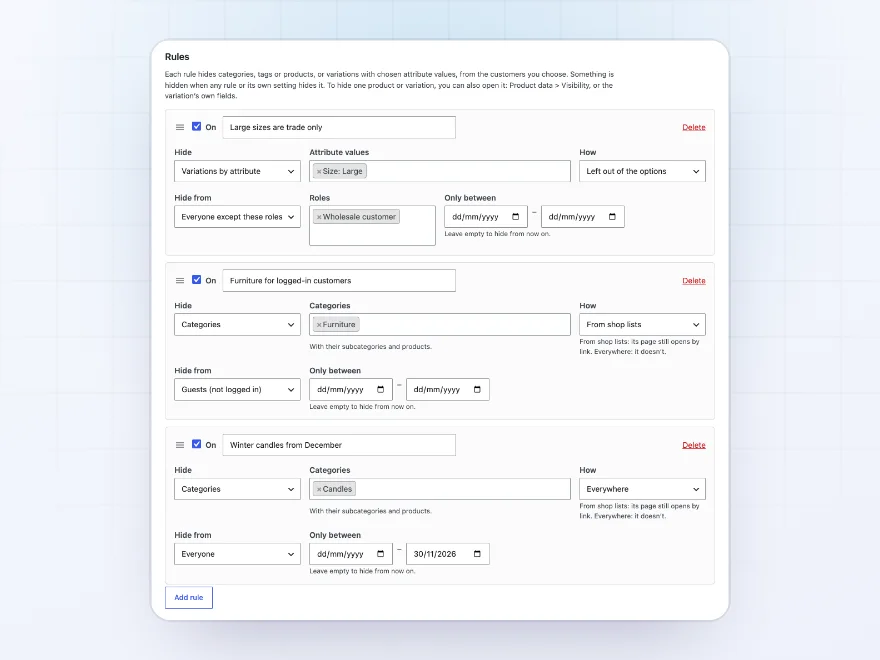
One rule for a whole category, tag or size
Rules hide categories with their products, tags, chosen products, or every variation with an attribute value, such as Size: Large across all your products. Each rule has a name, an on/off switch and optional dates.
- Categories, tags and products
- Attribute values across products
- Dates for seasonal items
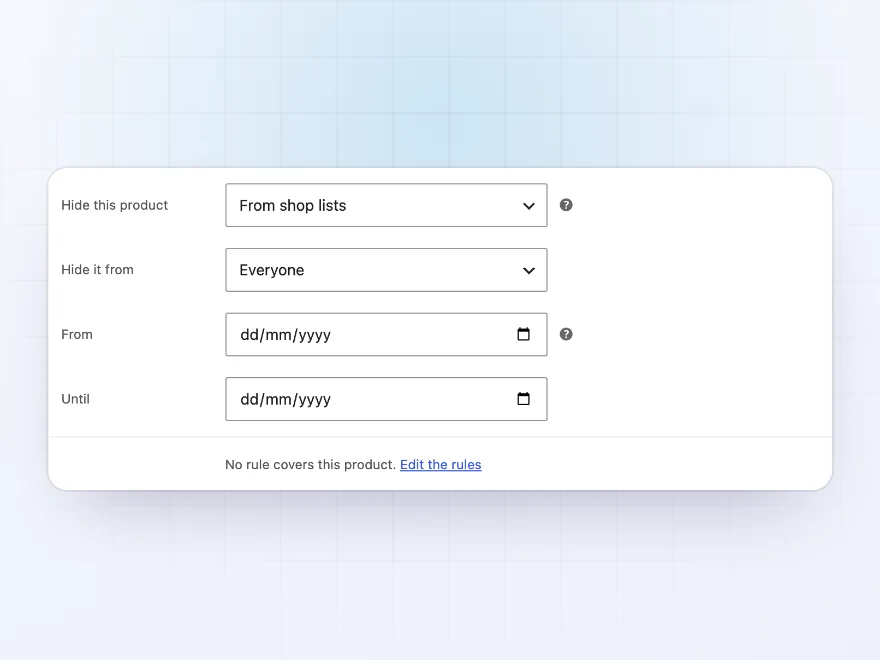
Hidden how
From the shop, everywhere, or not for sale
From shop lists keeps an item off the shop, categories, search, related products, blocks and menus, while its link still works for landing pages and trade customers. Everywhere closes its page too, and Shown, not for sale keeps it visible without an Add to cart button.
- Link still works
- Page closed
- Visible, not for sale
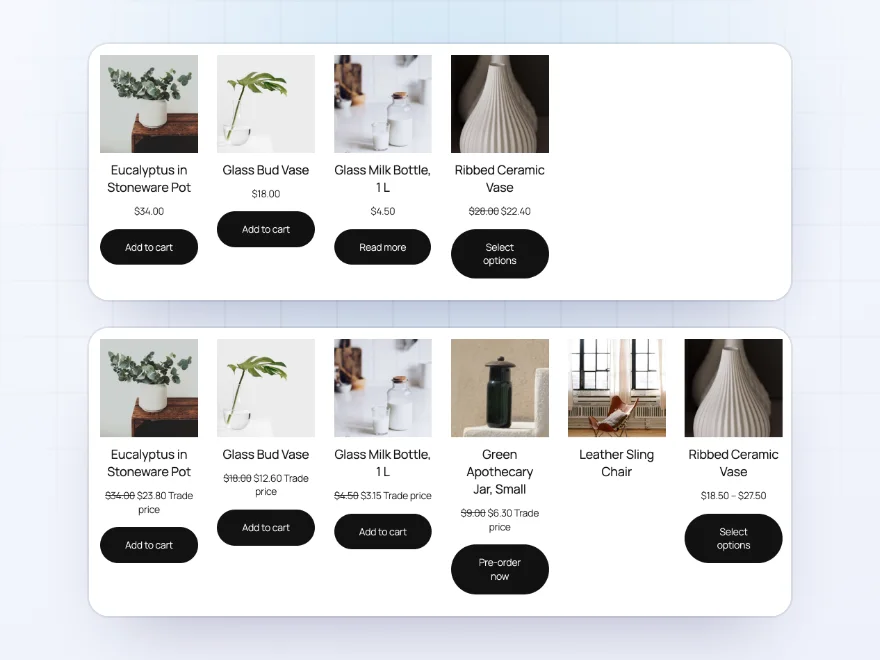
Who from
Each customer sees their own shop
Hide something from everyone, from guests, from logged-in customers, from chosen roles, or from everyone except chosen roles, so it shows only to them. Roles from role editor plugins work too.
- Guests or logged-in customers
- Chosen roles
- Everyone except chosen roles
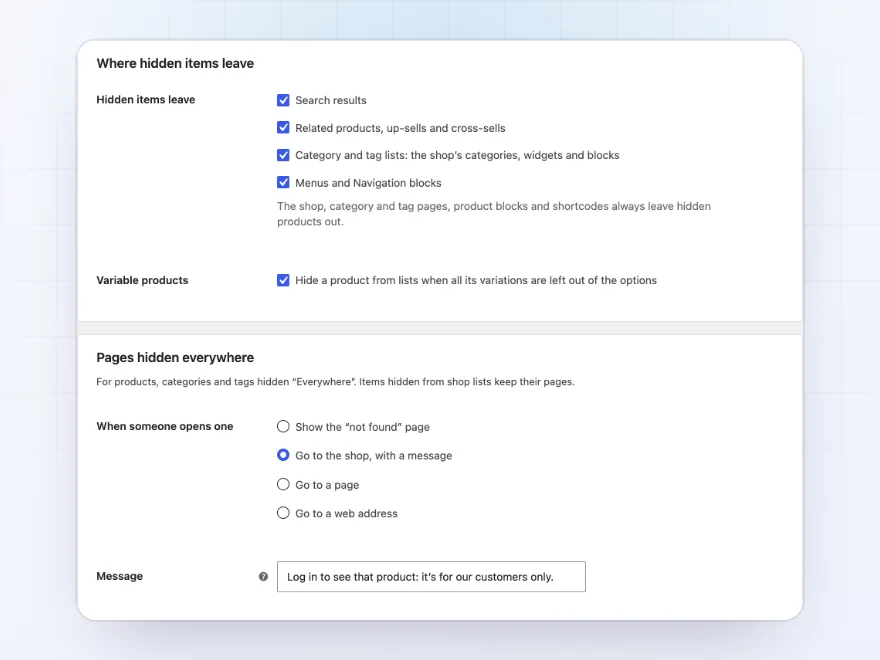
Hidden pages
Closed pages go where you choose
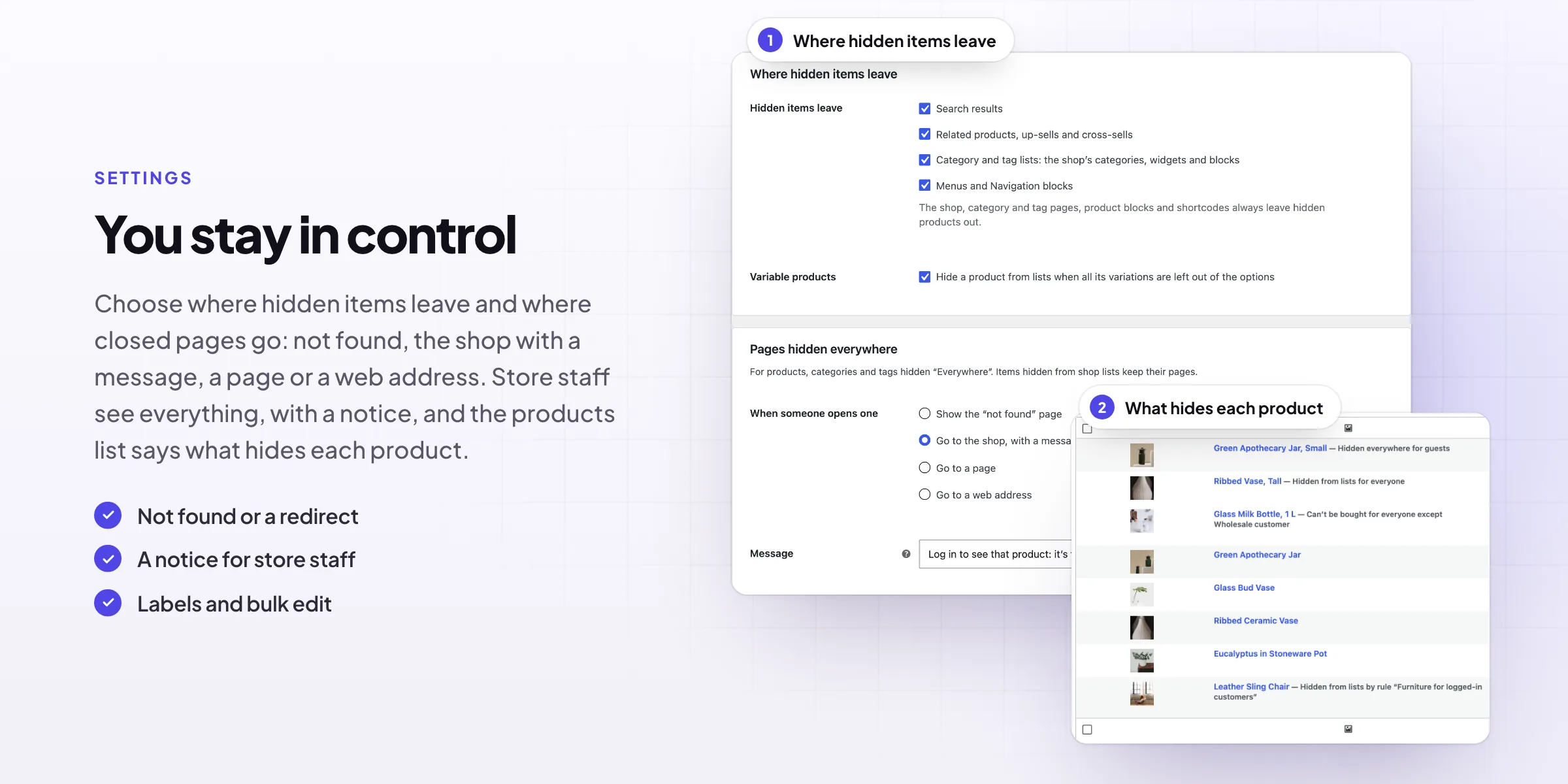
When someone opens a product or category hidden from them everywhere, they see the “not found” page, go to the shop with your message, or go to a page or web address you choose, such as a trade login.
- Not found
- Shop with a message
- A page or web address
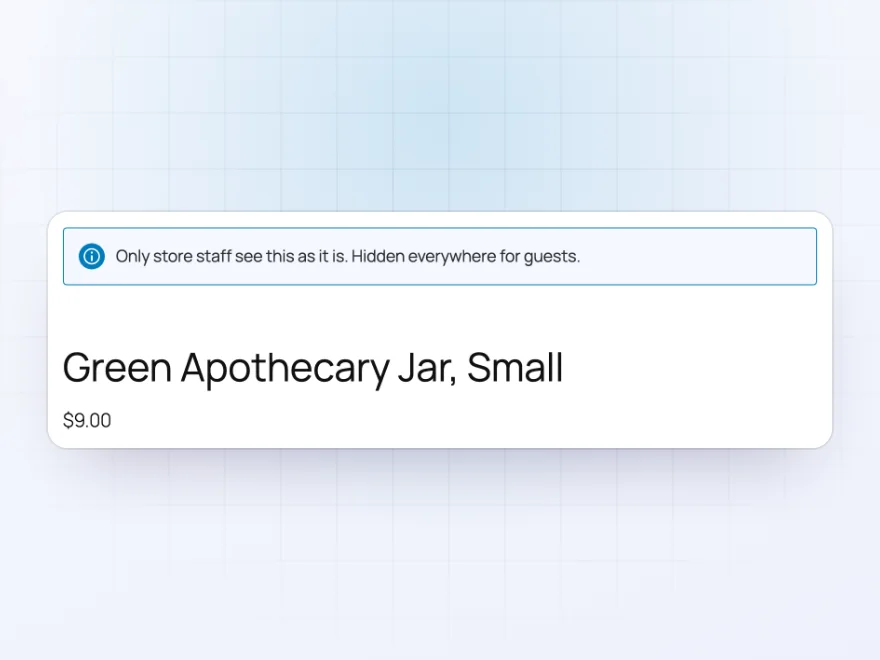
Store staff
You still see everything
Admins and shop managers see hidden items, with a notice on their pages saying who they’re hidden from, and the products list says what hides each product. Bulk edit hides many products at once.
- A notice on hidden pages
- Labels in the products list
- Bulk edit
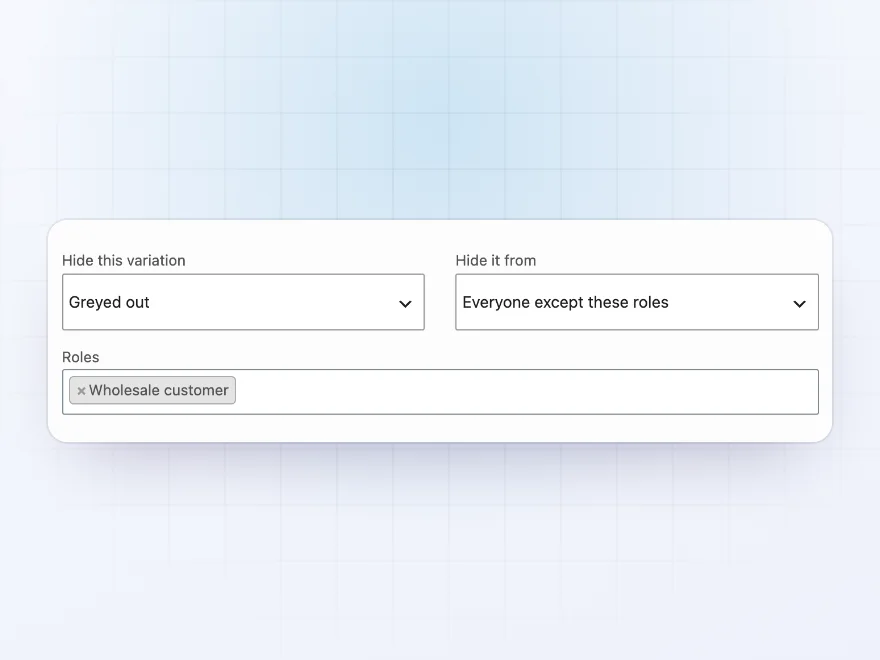
Greyed out
Shown, but not for choosing
A variation can stay in the options greyed out, so customers see it exists but can’t choose it, or leave the options altogether. Either way it can’t be added to the cart, and price ranges leave it out.
- Greyed out or left out
- Never in the cart
- Price ranges that match
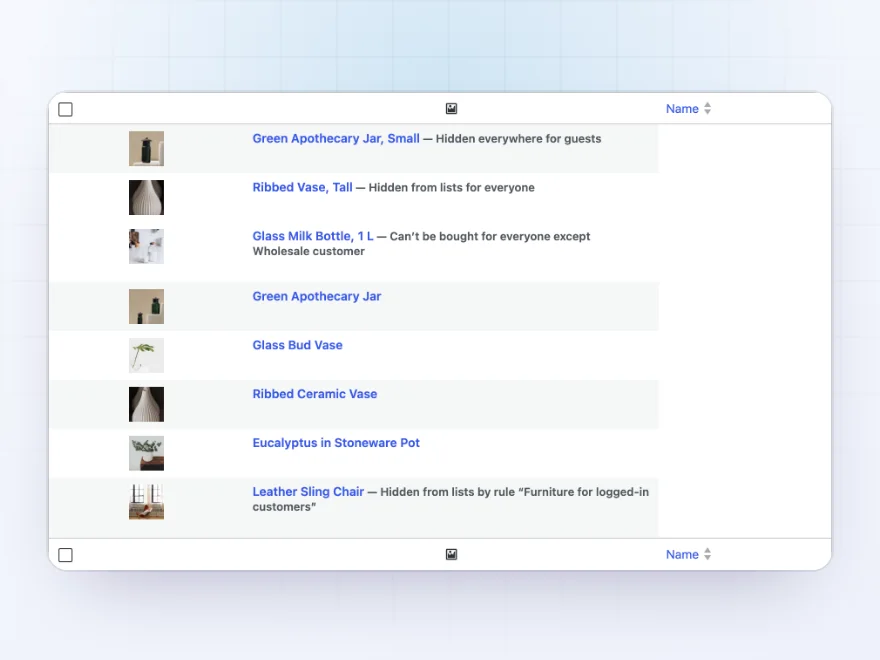
Products list
What’s hidden, at a glance
The products list says after each name what hides it, its own setting or a rule, and who from. Bulk edit hides or shows many products at once, and each keeps who it’s hidden from.
- Labels after the name
- The rule that hides it
- Bulk edit
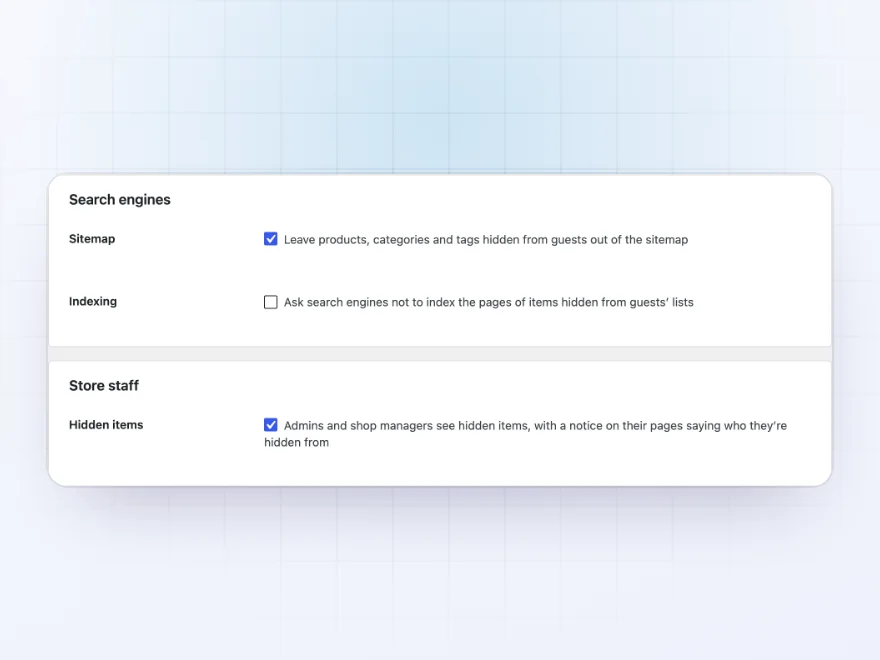
Search engines
Out of the sitemap too
Products, categories and tags hidden from guests leave the sitemap, and you can ask search engines not to index their pages. Store staff keep seeing everything, or you can turn that off to see the store as customers do.
- Left out of the sitemap
- Optional noindex
- A switch for store staff
Premium quality & support
Support you can count on, year after year
See Hide Categories and Products from Shop working in a live demo store before you buy. If you need a hand, our friendly support team will help you get it set up, and regular updates keep it working with each new WooCommerce release.
- A live demo store to try it first
- Step-by-step docs with a quick start
- Premium support from a helpful team
- Regular updates included
Hide categories, products and variations in WooCommerce
Hide Categories and Products from Shop lets you hide a category from the WooCommerce shop page, hide products from search and the shop, or keep a hidden product for sale through its link. Each rule chooses who it’s for: everyone, guests, logged-in customers, chosen roles, or everyone except chosen roles, so product visibility can differ for retail and trade customers.
It goes down to single variations: a size or colour can be left out of the options or greyed out for some customers, one by one or for every variation with an attribute value. Hidden items also leave related products, category lists, menus, the sitemap and the Store API, and pages hidden everywhere show not found or go where you choose.
Common setups
Questions before you buy
What’s the difference between From shop lists and Everywhere?
From shop lists keeps the page open, so its link still works. Everywhere closes the page too, with a not found page or a redirect.
Can I show a variation only to wholesale customers?
Yes. Hide it from everyone except the Wholesale customer role, in the variation or with a rule by attribute value.
Do admins see hidden products?
Yes, with a notice saying who they’re hidden from. You can turn this off to see the store as everyone else does.
Does it work with block themes?
Yes, with product blocks, the Navigation block, the block cart and checkout, and the Store API.
Are hidden products left out of the sitemap?
Yes, items hidden from guests leave it, and you can ask search engines not to index them.
Does it work with page caching?
Yes for items hidden from everyone. For items hidden from some customers, logged-in customers need pages that aren’t cached.
Requirements
- WordPress
- 6.8 or newer
- WooCommerce
- 10.0 or newer
- PHP
- 7.4 or newer
Works with
- Classic themes
- Block themes
- Cart and Checkout blocks
- High-Performance Order Storage




R. Hagen –
We hide a trade category from guests and keep the links working for customers we have approved. Setting it per role took a few minutes and nothing else on the shop changed. Michael answered a question about search results the same morning.