 Maxima Plugins
Description
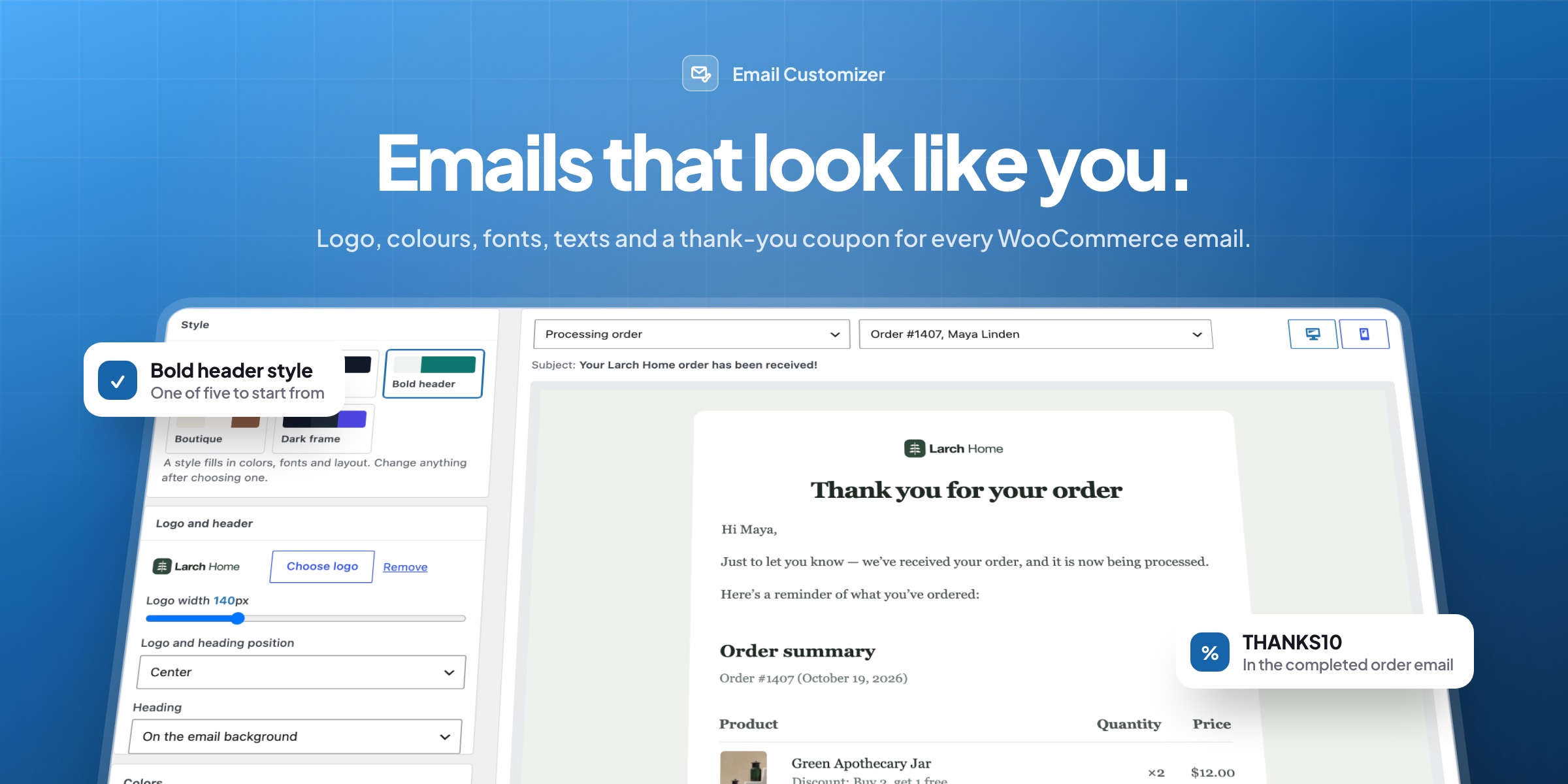
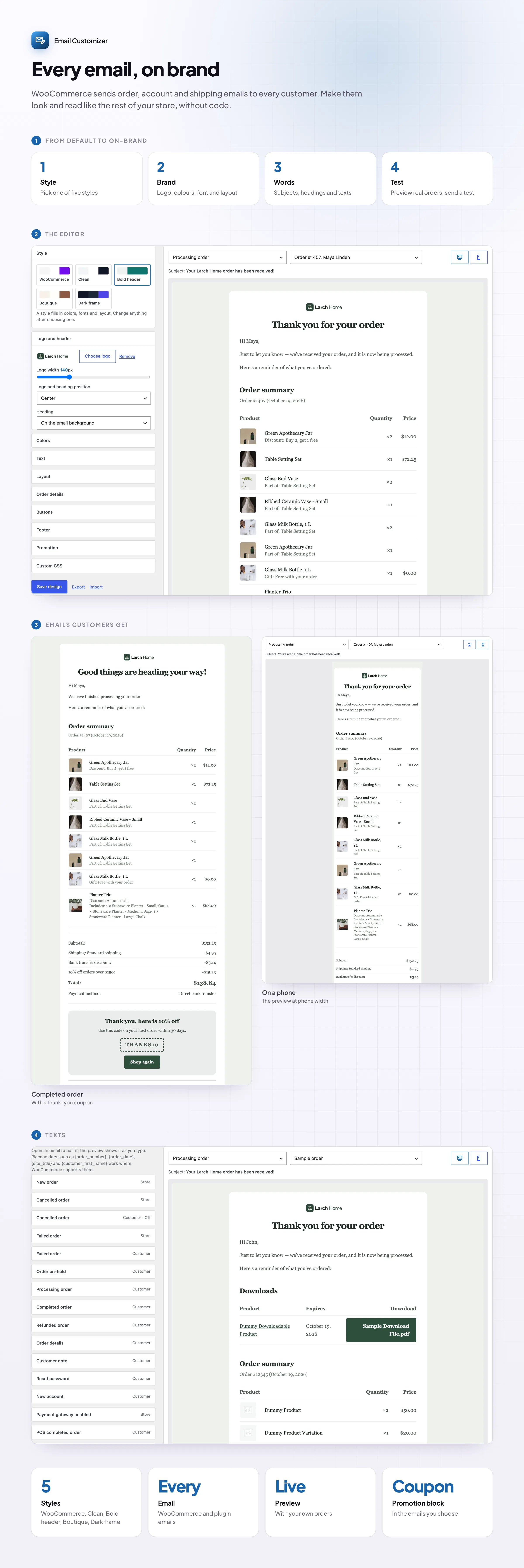
Order emails are the messages customers read most closely. Email Customizer is a WooCommerce email customizer without a page builder: change the logo, colors, fonts and texts on the left and watch your own order email change on the right. The design applies to every WooCommerce email, including other plugins’ emails.
Start from a style
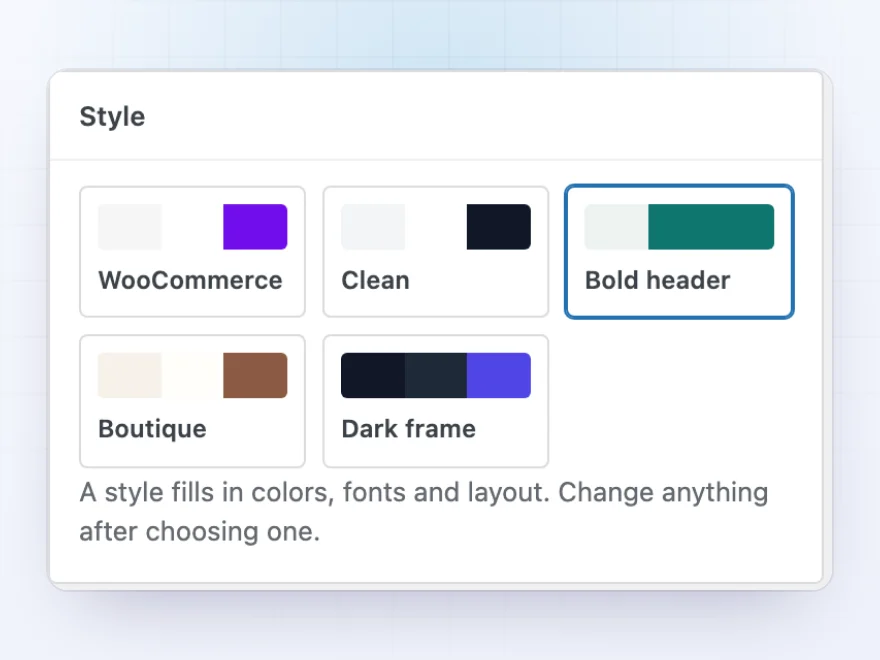
Five styles to start from
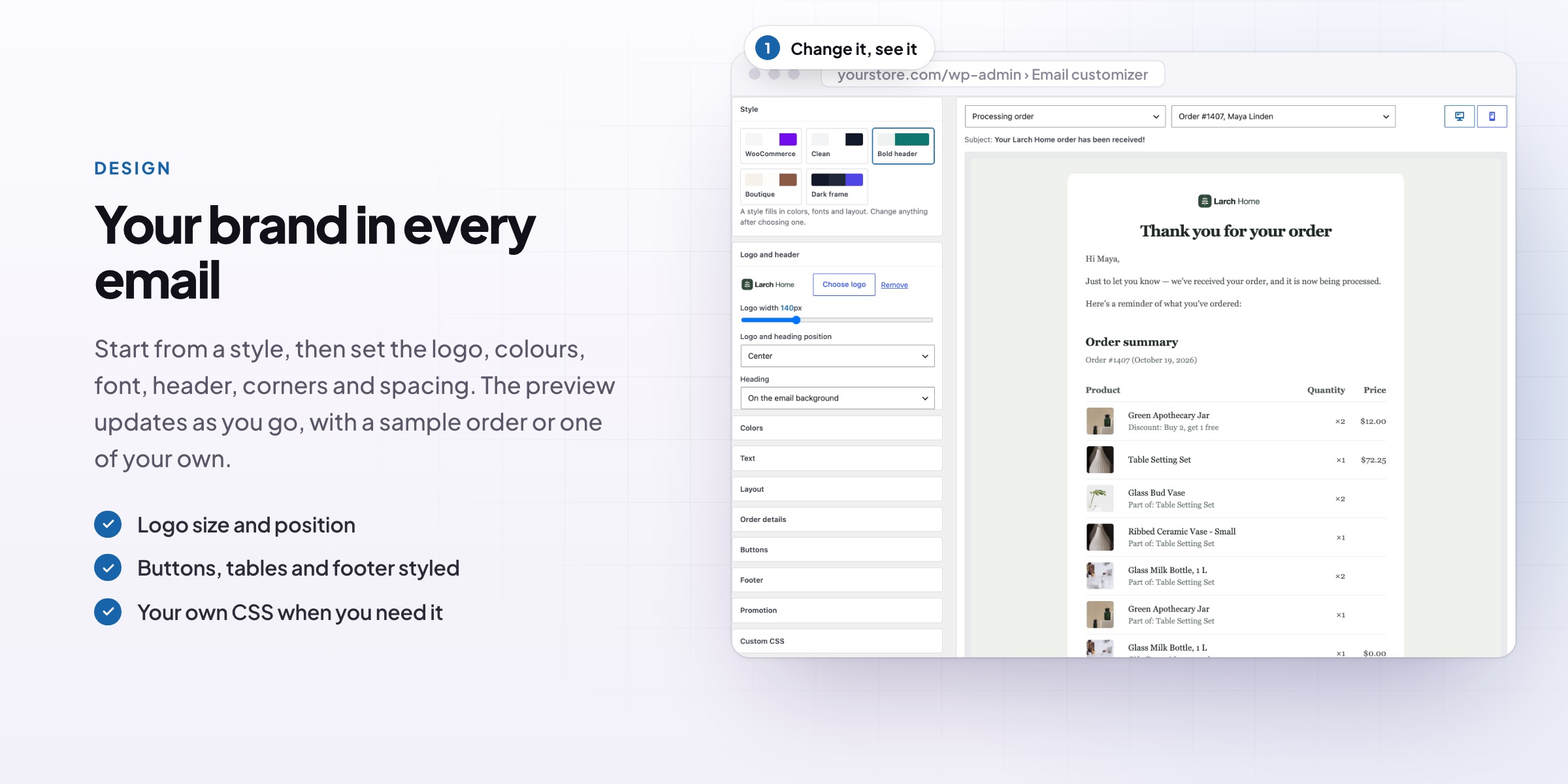
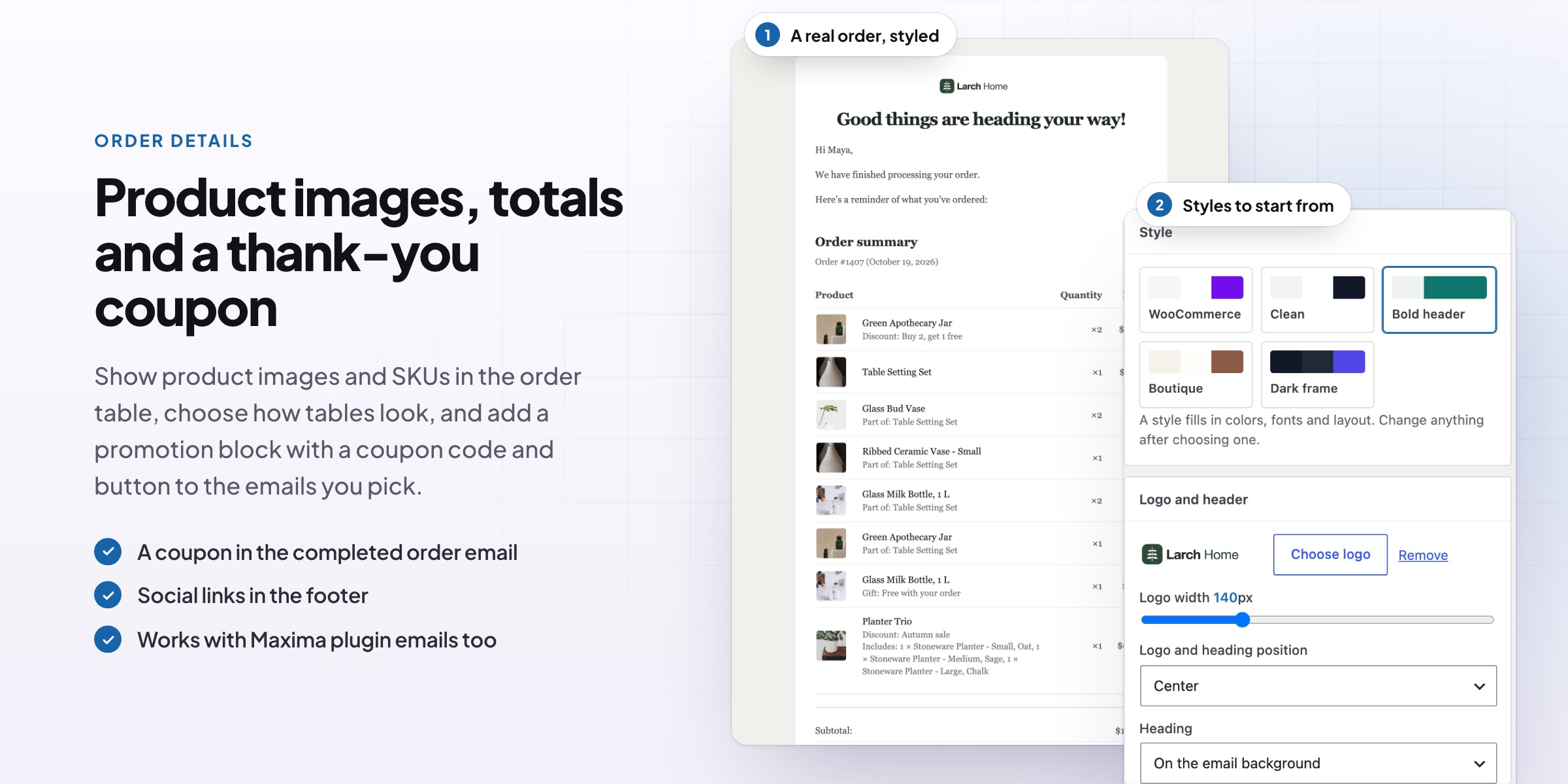
Pick a starting style, WooCommerce, Clean, Bold header, Boutique or Dark frame, then change anything you like. Every change shows in the preview straight away.
- Five ready-made styles
- Every setting can be changed after
- Export a design and import it on another store
Logo, header and colors
Your brand in every email
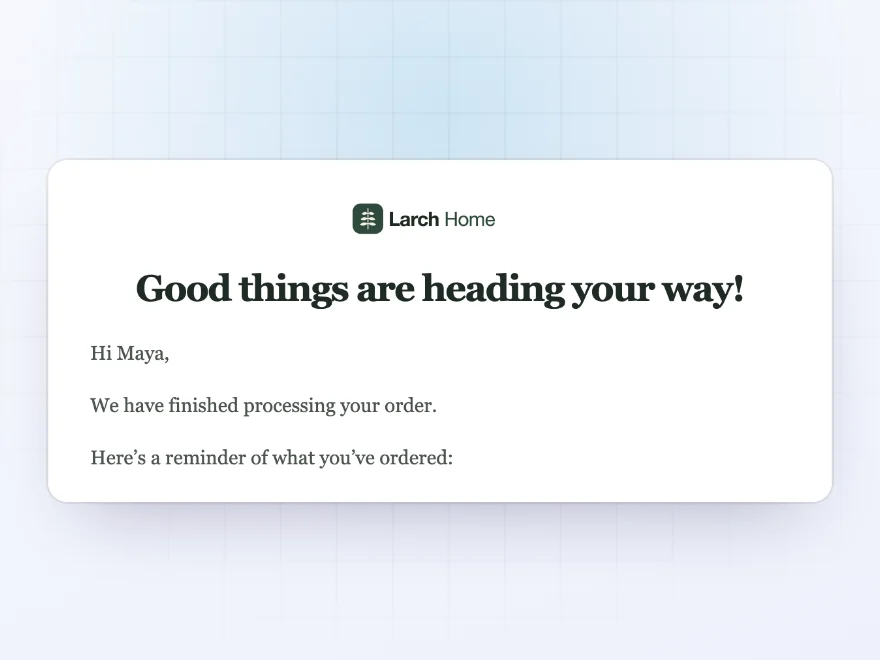
Add your logo and set its width and position, put the heading on the email background or on a colored band, and choose the colors of links, buttons, the page, the email, the text and the footer. Seven email-safe fonts keep the text readable in every inbox.
- Logo width and position
- Heading on a colored band
- Seven email-safe fonts
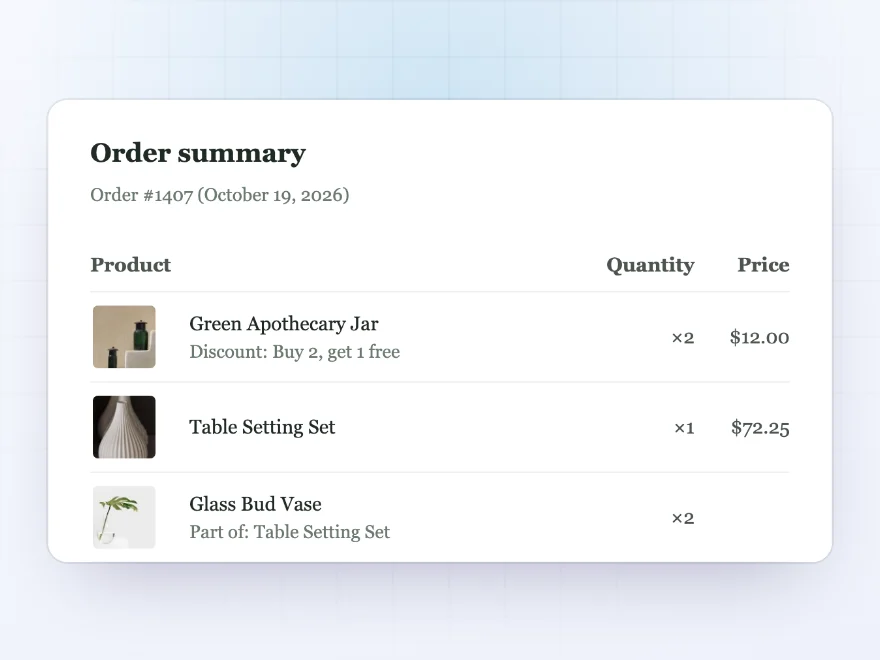
Order details
Product images in the order table
Show product images and SKUs in the order table, as lines, boxes or a minimal list, with your button colors and rounding. Customers see what they bought at a glance.
- Product images and SKUs
- Lines, boxes or a minimal list
- Width, rounding and spacing
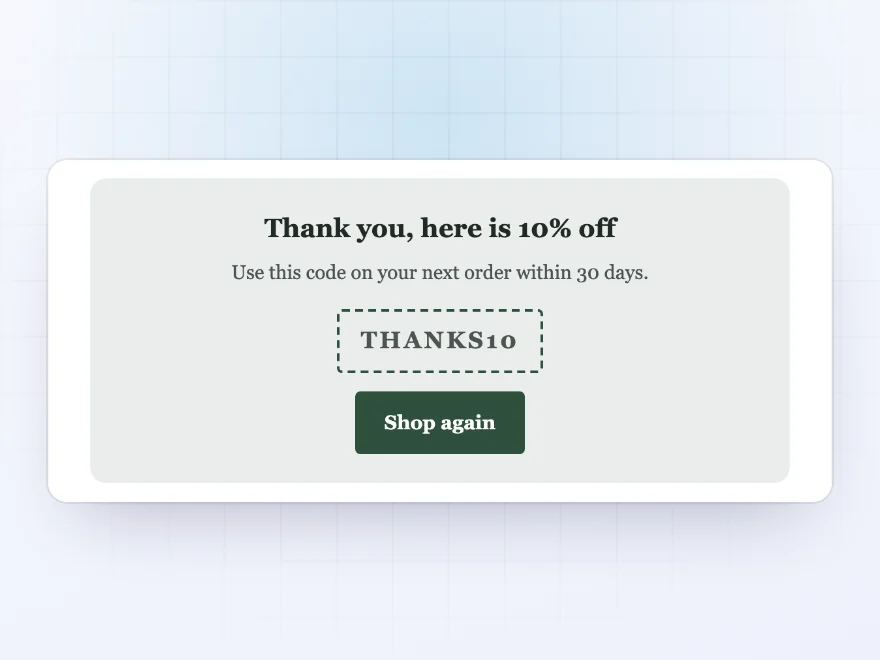
Promotion
A thank-you coupon under the order
Add a block under the order details of the emails you choose, with a heading, text, a coupon code and a button, such as “Thank you, here’s 10% off your next order”.
- In the emails you choose
- Heading, text, code and button
- Social links in the footer
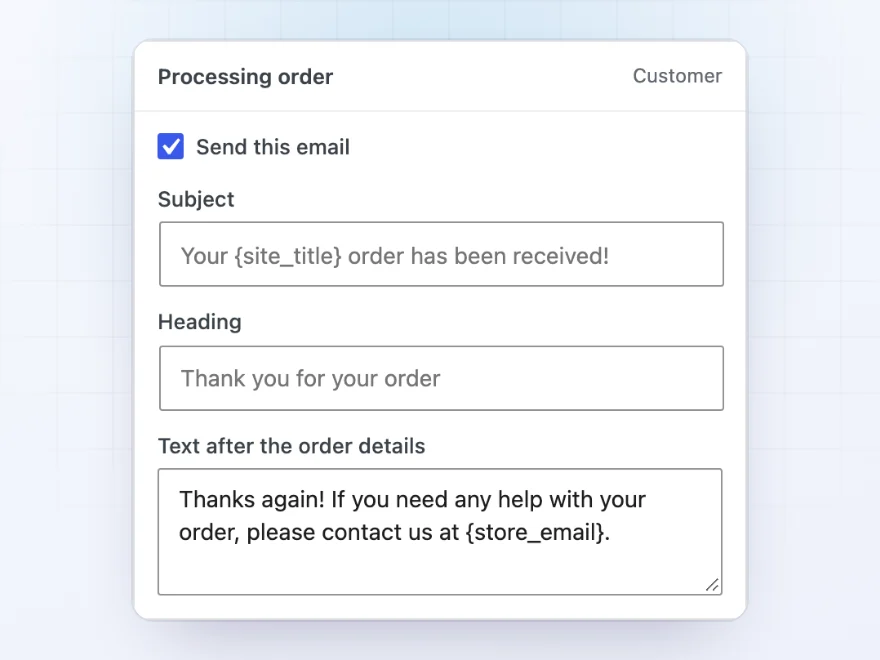
Texts
The right words in each email
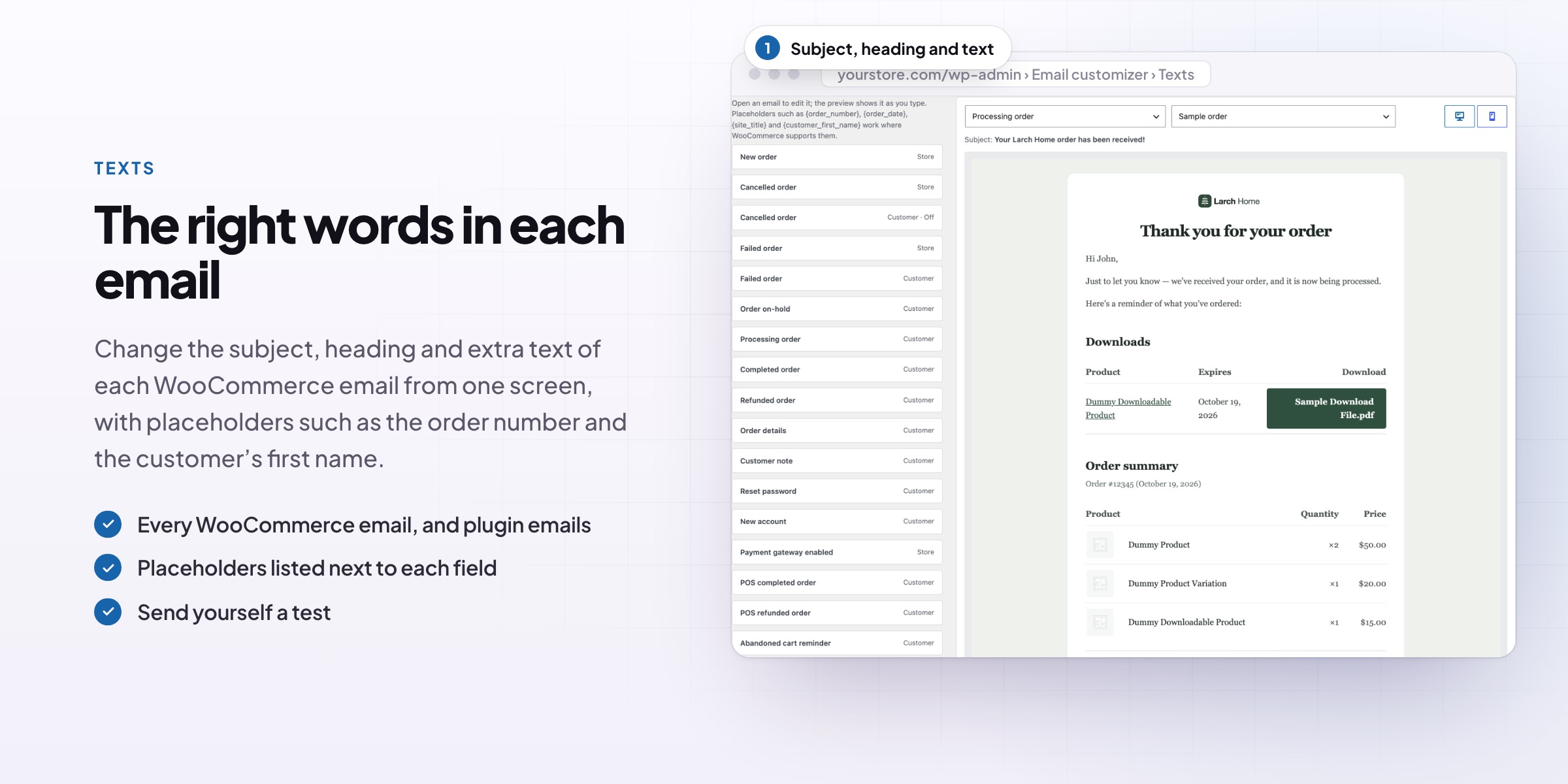
Edit the subject, heading and closing text of every email on one screen, with the preview following as you type. Turn emails on or off in the same place.
- Subject, heading and text per email
- Placeholders such as the order number
- Emails on or off
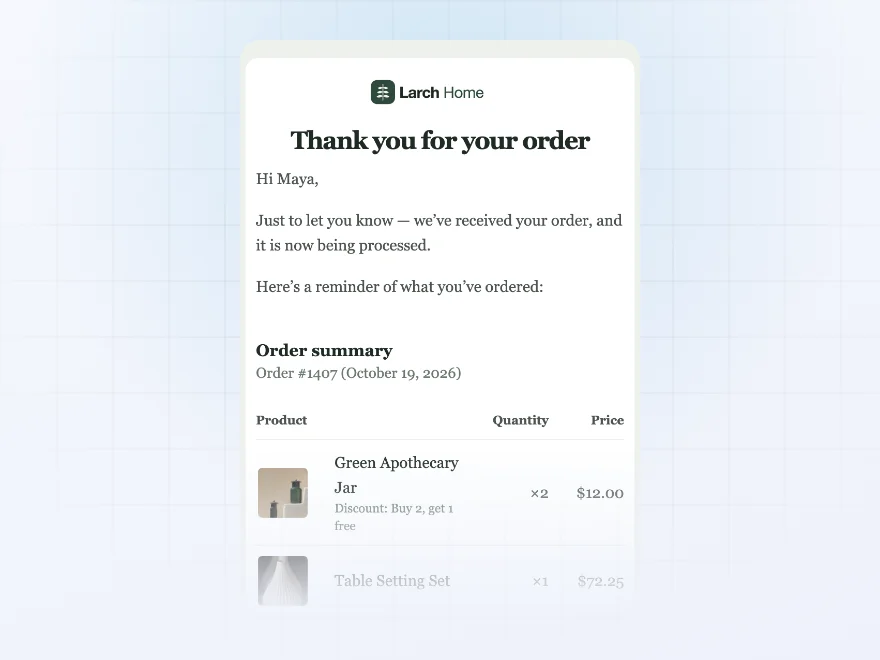
Preview and test
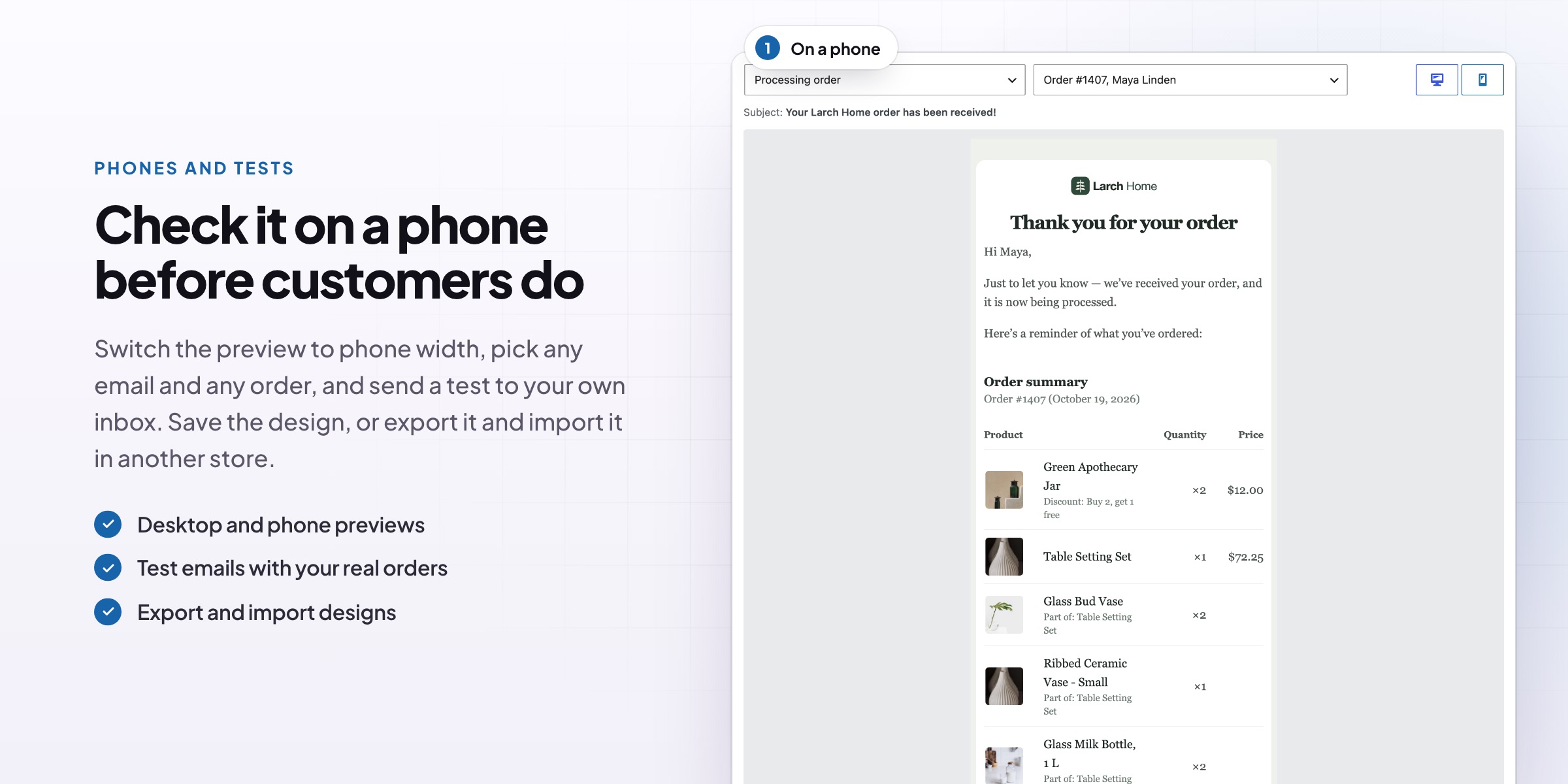
Check it on a phone before customers do
Preview any email with a sample order or one of your latest orders, at desktop or phone width, and send yourself a test.
- Your own orders in the preview
- Desktop and phone width
- Send a test to any address
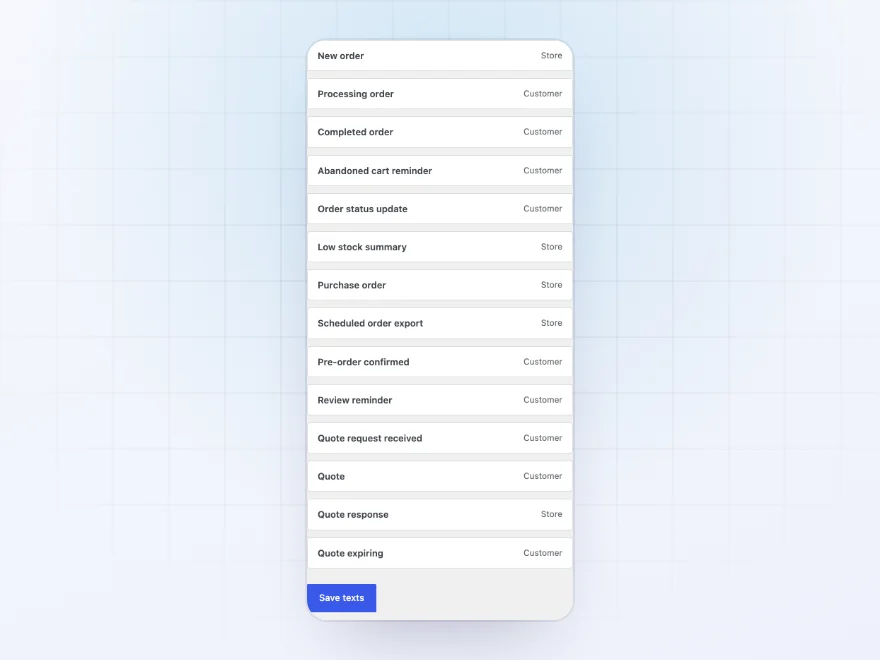
Every email
One design for every store email
The design applies to every email that uses WooCommerce’s email layout, including other plugins’ emails such as invoices, quotes, custom order statuses and cart reminders. WooCommerce’s own email settings stay in step with it.
- All WooCommerce emails
- Other plugins’ emails too
- Turn emails on or off in one place
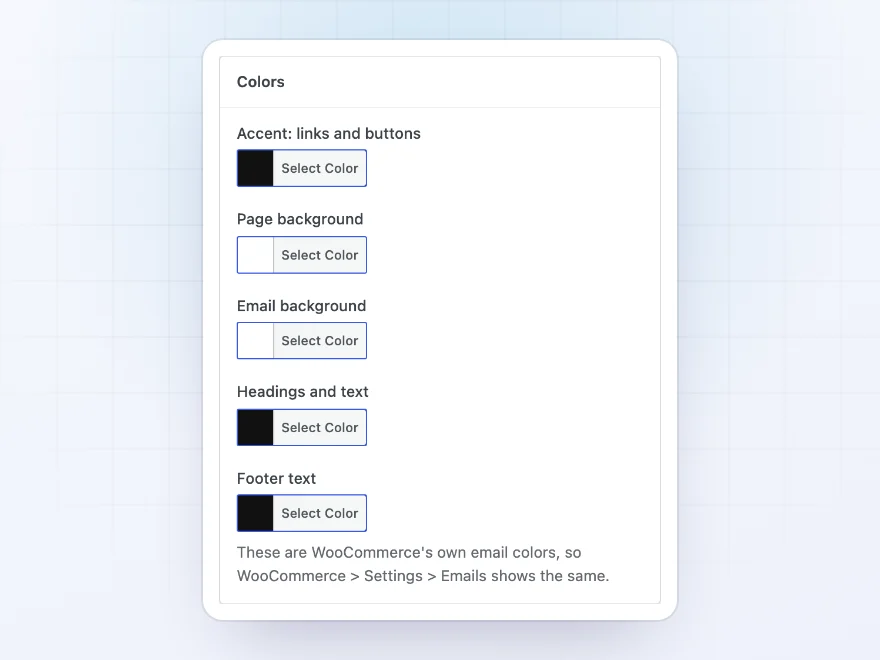
Colors and fonts
Colours, fonts and spacing
Set the colours of links and buttons, the page, the email, the text and the footer. Choose one of seven email-safe fonts, the heading size and weight, the text size, the email width and the corner rounding.
- Your brand colours
- Seven email-safe fonts
- Width, rounding and spacing
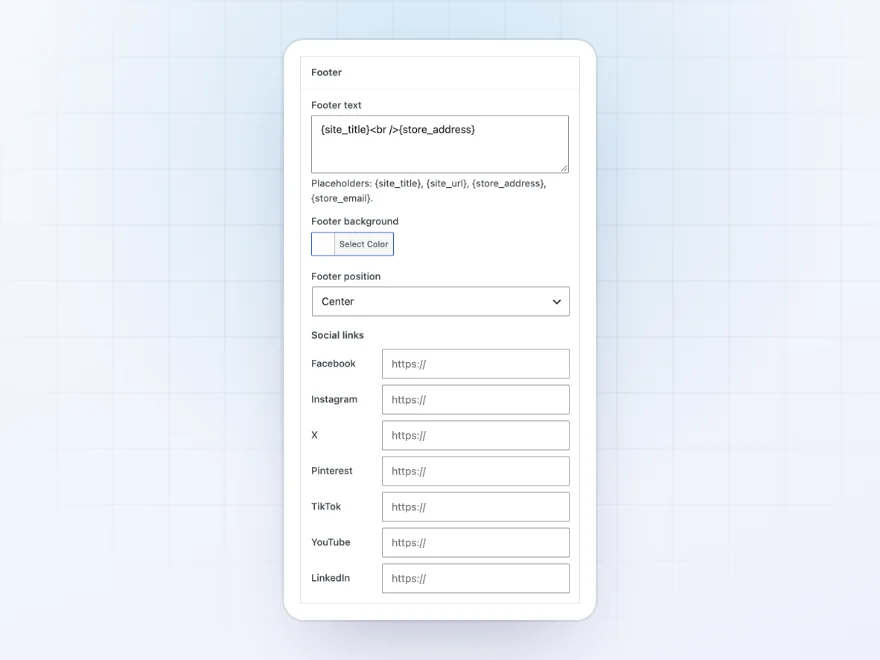
Footer and CSS
Footer, social links and your own CSS
Write the footer text, choose its background and position, and add links to your social profiles. Your own CSS is turned into inline styles when the email is sent, so email apps show it.
- Footer text and background
- Links to your social profiles
- Your own CSS, inlined
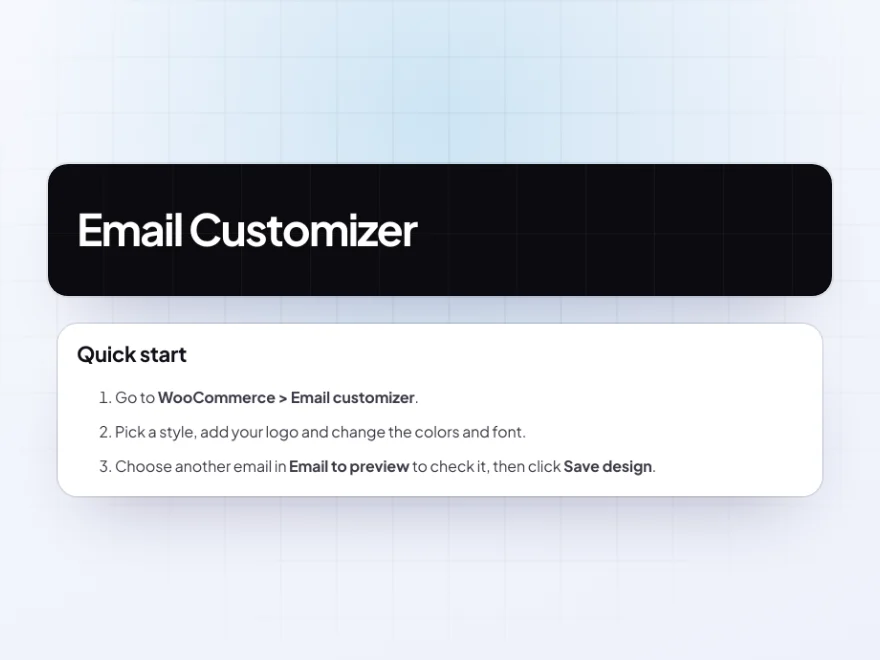
Docs and support
Try it, set it up, ask us anything
Try Email Customizer in a live demo store before you buy. The docs start with a quick start and cover the design screen, the logo and header, and colours and fonts. Support tickets are answered by the developers who make the plugin, and updates are included.
- A live demo store to try it first
- Step-by-step docs with a quick start
- Most tickets answered within 12–24 hours
A WooCommerce email customizer without a page builder
Email Customizer is a WooCommerce email customizer for store owners who want their order emails to look like their store. Change the logo, colours, fonts, order table and footer on the left and watch your WooCommerce email templates change on the right, using your own orders.
It answers the usual question of how to customize WooCommerce emails without code or a drag-and-drop builder: five styles to start from, the subject, heading and text of every email on one screen, a thank-you coupon under the order, and a test email to any address. The design applies to other plugins’ emails that use the WooCommerce layout too.
Common setups
- Brand refresh: logo, colors and font to match a new store design.
- Boutiques: a serif font, a colored band and product images.
- Repeat orders: a thank-you code in the completed order email.
- Clear wording: friendlier subjects and headings for each email.
- Several stores: one design exported and imported on each store.
Questions before you buy
Does it change other plugins’ emails?
Yes. The design applies to every email that uses WooCommerce’s email layout, including invoices, quotes, order statuses and cart reminders.
Do I need to know HTML?
No. Everything is set with controls and a live preview. Custom CSS is there if you want it, and is turned into inline styles when the email is sent.
Will my emails look right in Outlook and Gmail?
Yes. The design uses email-safe fonts and inline styles that work in the main email apps.
Can I preview real orders?
Yes. Choose a sample order or one of your latest orders, at desktop or phone width.
Does it replace WooCommerce’s email settings?
It uses the same settings, so WooCommerce > Settings > Emails always matches what you set.
Can I send a test email?
Yes. Send any email to any address from the preview.
Can I move a design to another store?
Yes. Export the design to a file and import it on the other store.
Requirements
WordPress 6.8 or newer, WooCommerce 10.0 or newer and PHP 7.4 or newer. Works with classic and block themes, the Cart and Checkout blocks, and High-Performance Order Storage.
Documentation
Step-by-step setup, every setting explained, and examples: read the documentation. Questions before you buy? Ask us.




Reviews
There are no reviews yet.