 Maxima Plugins
Description
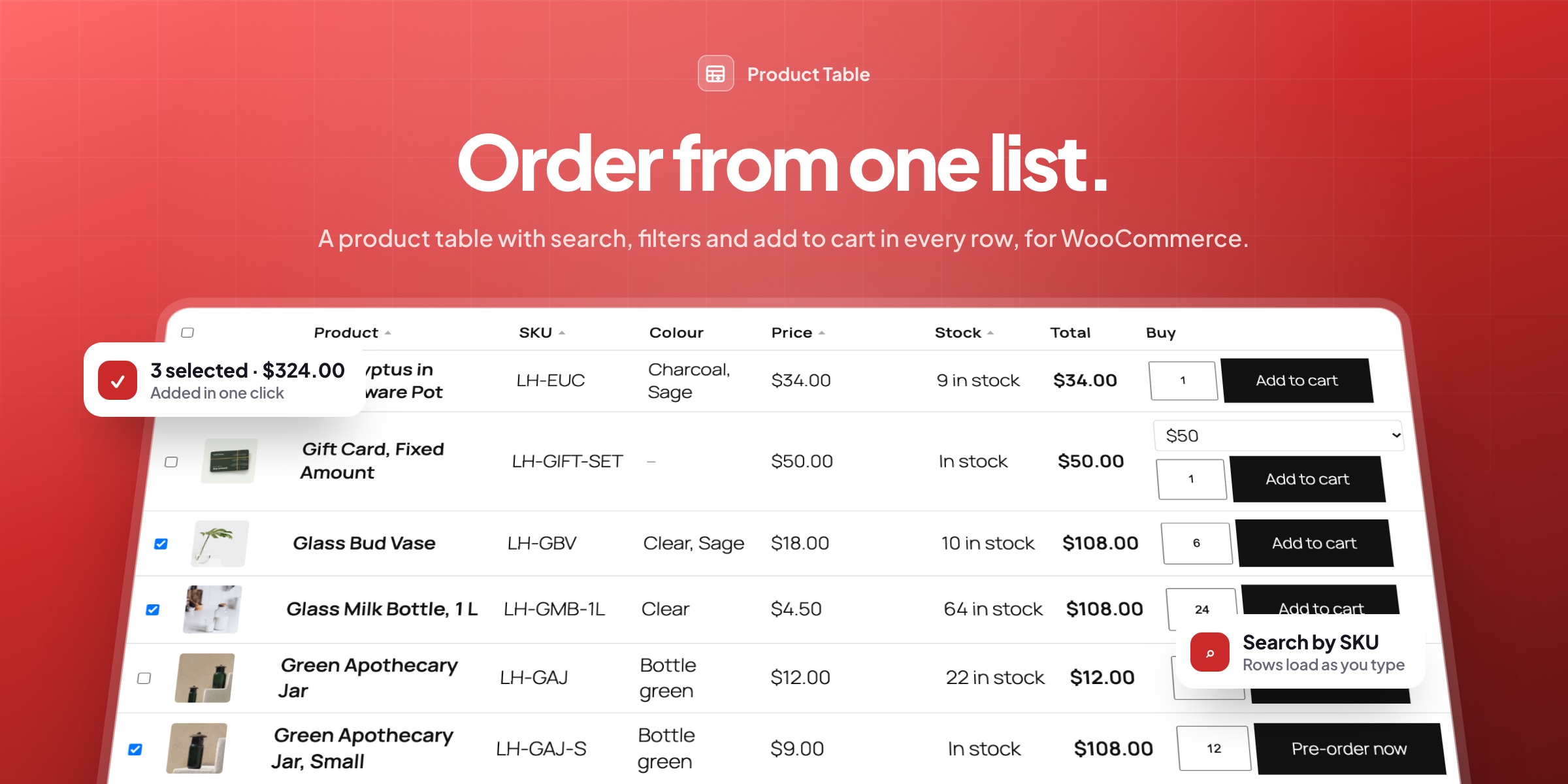
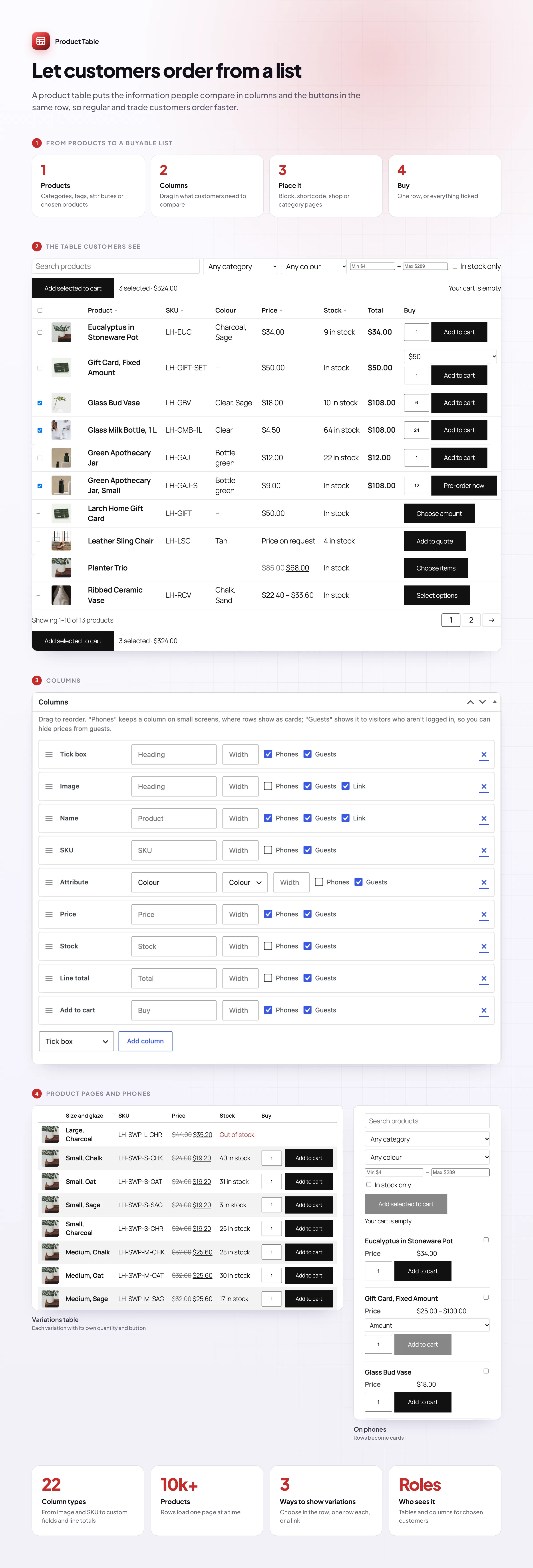
Customers who know what they want don’t want to open every product. Product Table lists your products in a WooCommerce product table they can search, filter, sort and buy from, with quantities, line totals and an “Add selected to cart” button. Put it on any page, or use it instead of the shop grid.
Buy from the list
Quantities, totals and one button
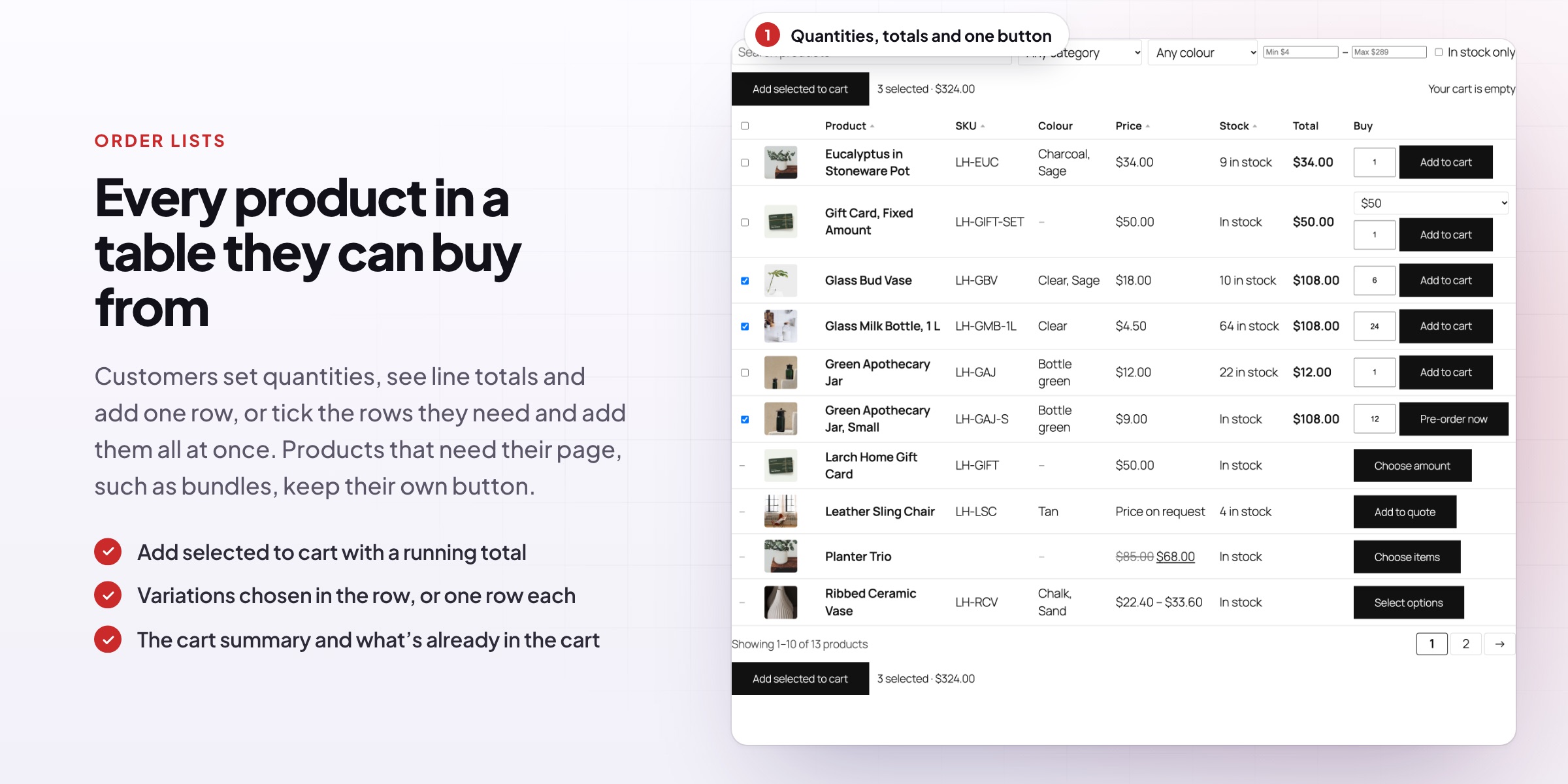
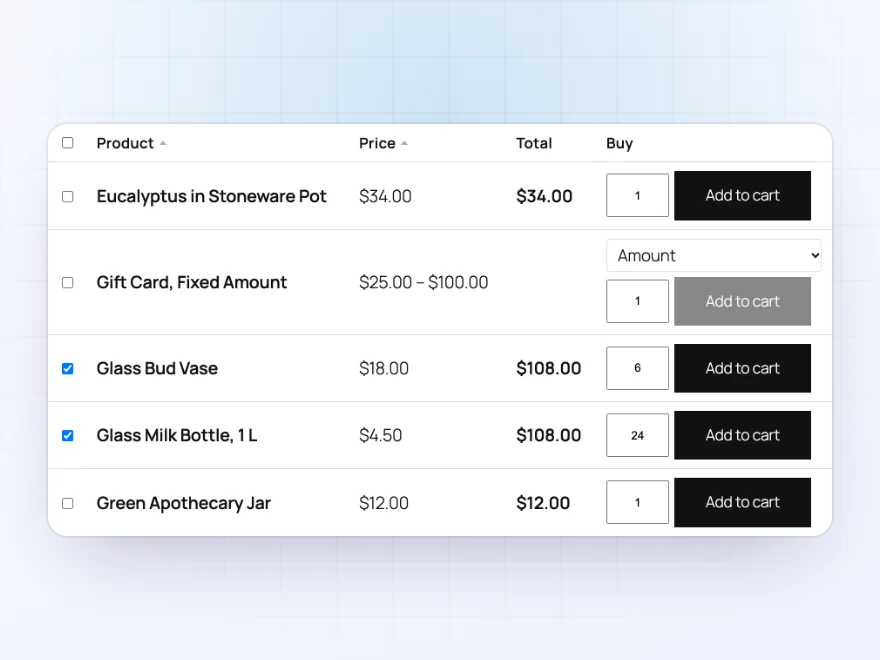
Every row has a quantity field and an add to cart button, and tick boxes let customers add several products at once. Line totals follow the quantity, and a running total shows what the selection is worth. The cart updates without reloading the page.
- Tick boxes with “Add selected to cart”
- Line totals and a running total
- The quantity already in the cart under each button
Find products
Search, filter and sort without reloading
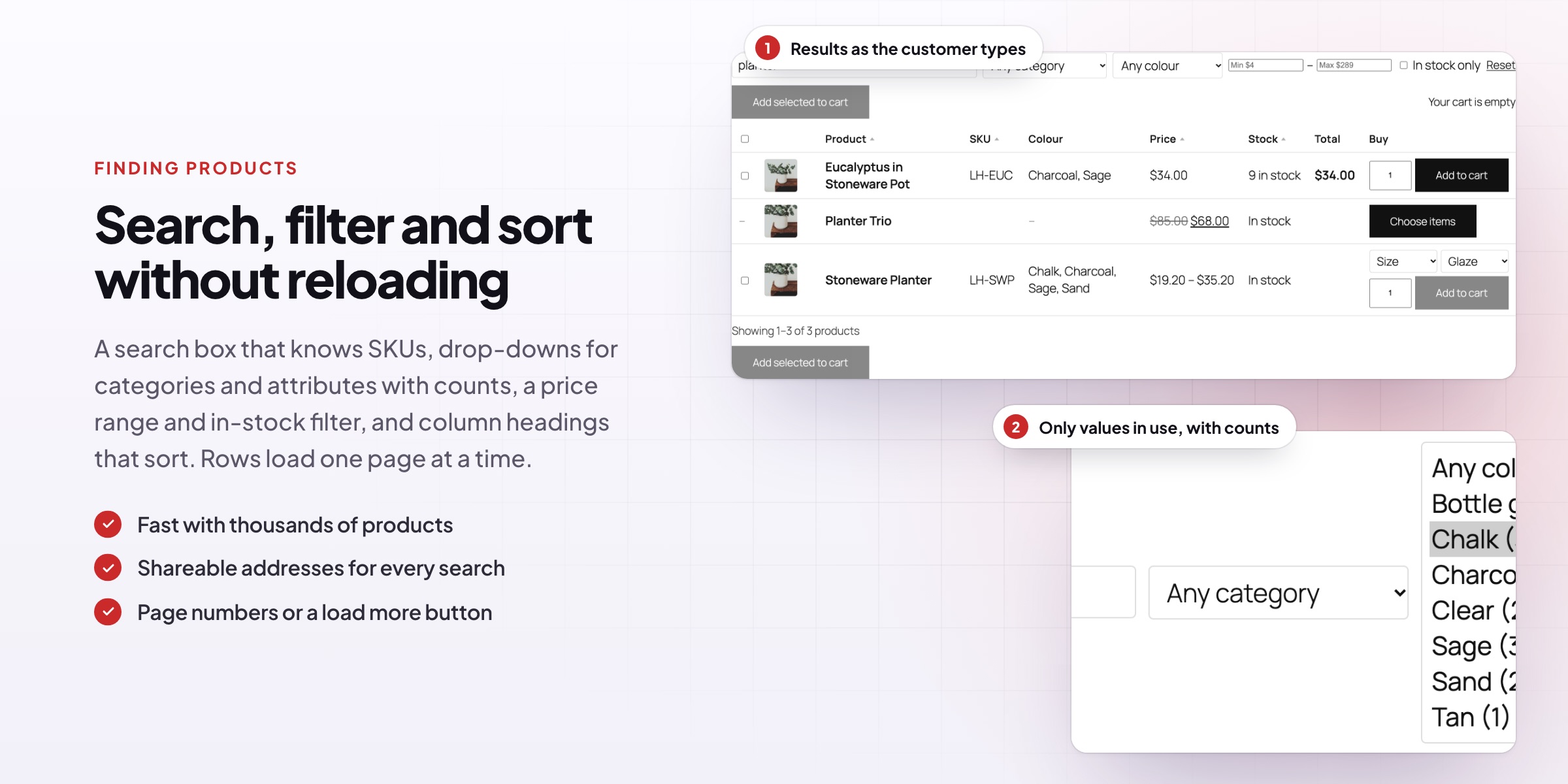
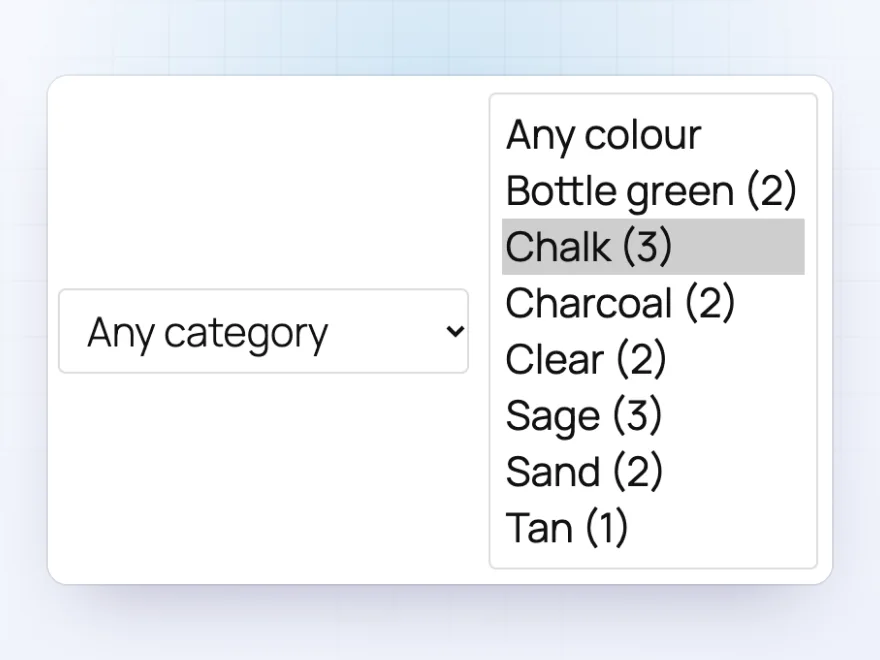
A search box looks through names, descriptions and SKUs as the shopper types. Drop-downs for categories, tags, brands and attributes list only the values the table’s products use, with counts, next to price, in-stock and on-sale filters.
- Search names, descriptions and SKUs
- Filters with counts
- Sort by clicking a column heading
Variable products
Every option in its own row
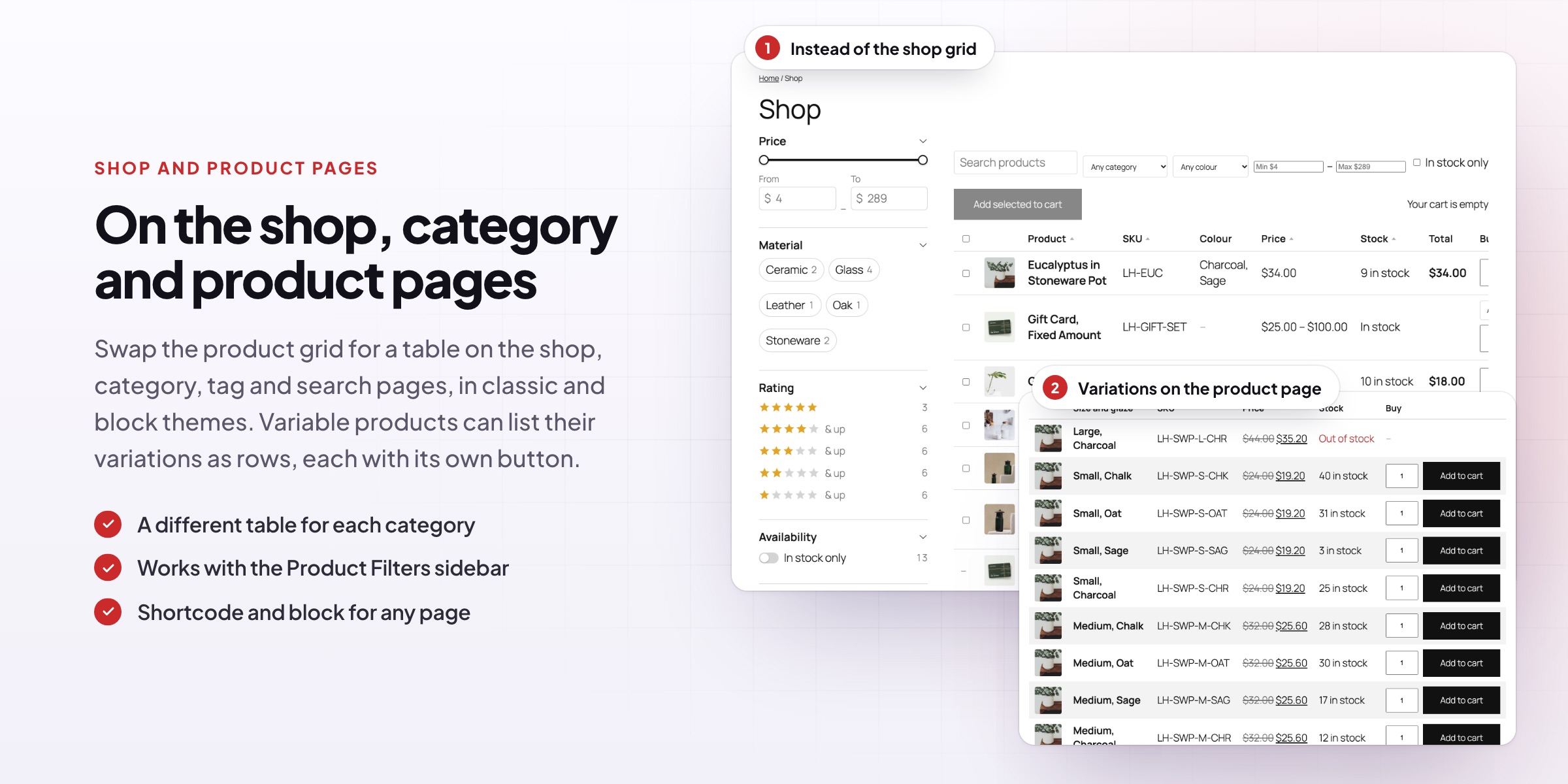
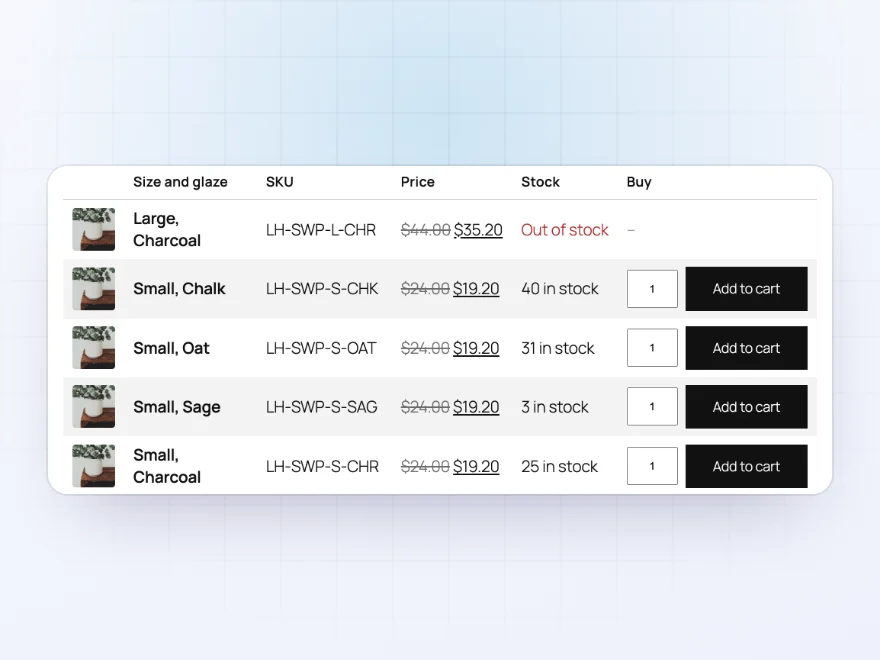
Customers choose options in the row, or every variation shows as its own row with its price, stock and button. On variable product pages, the variations can show as a table instead of drop-downs.
- Options in the row, or a row per variation
- A variations table on product pages
- Prices and stock per variation
On phones
Rows become cards on small screens
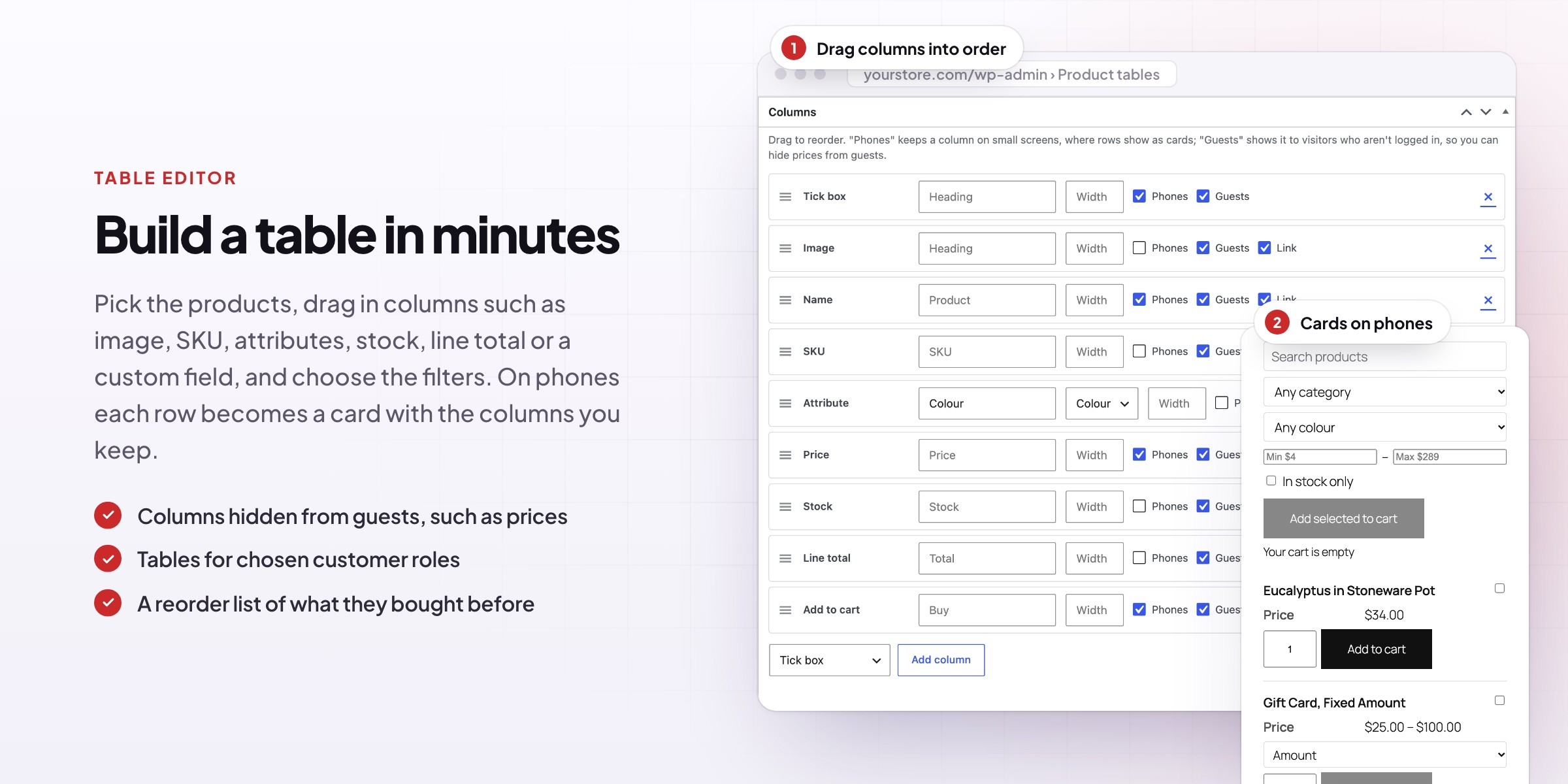
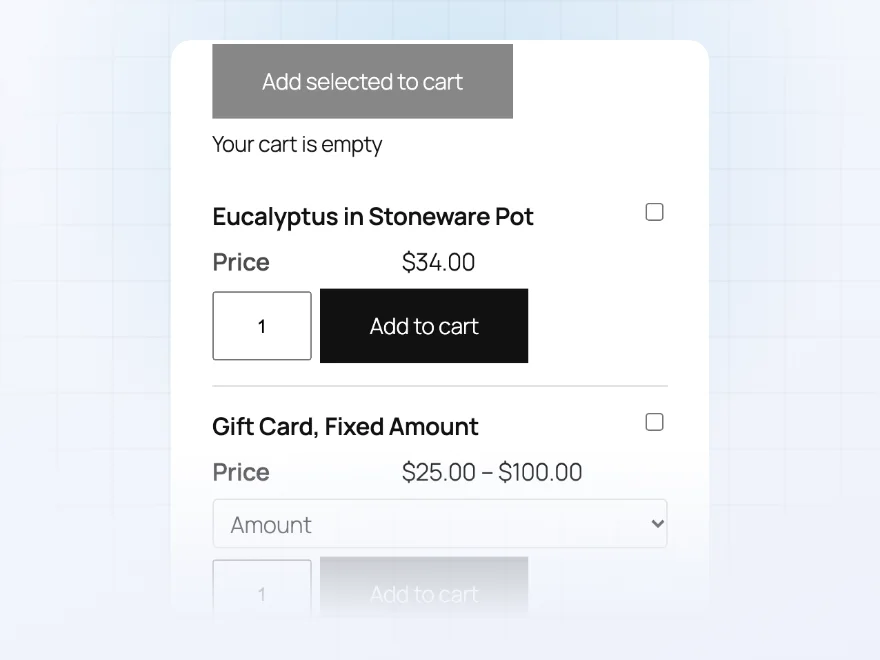
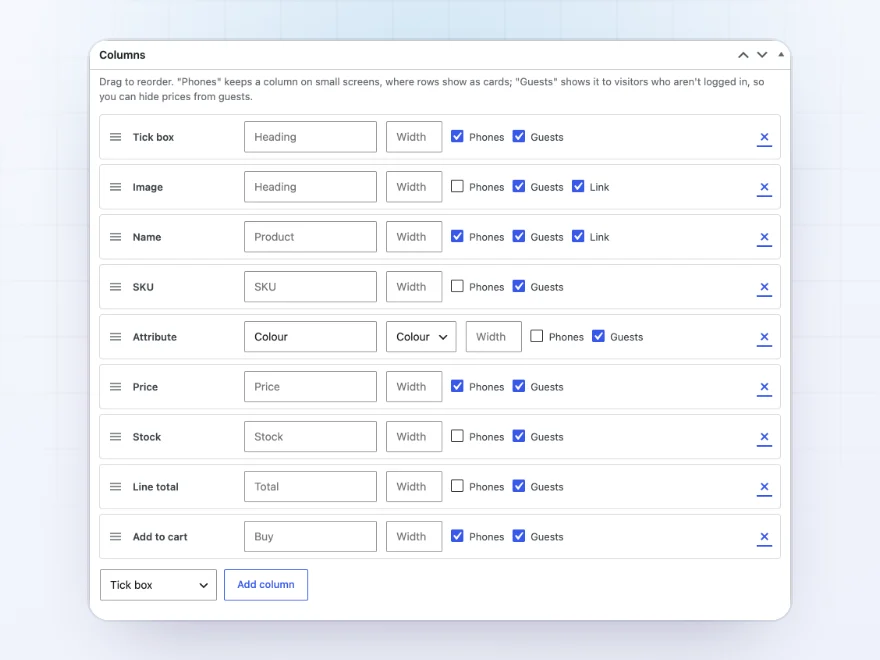
On phones each row becomes a card with the columns you choose to keep, so the table stays easy to use. Choose which columns guests see too, so you can hide prices until customers log in.
- Cards on phones
- Columns per screen size
- Columns hidden from guests
Build a table
Columns you choose, in your order
Choose from image, name, SKU, price, stock, description, categories, attributes, brands, custom fields, rating, weight, dimensions, line total and add to cart. Drag columns into order, rename headings and set widths.
- 22 column types
- Rename and reorder columns
- As many tables as you like
Shop pages
Instead of the shop grid
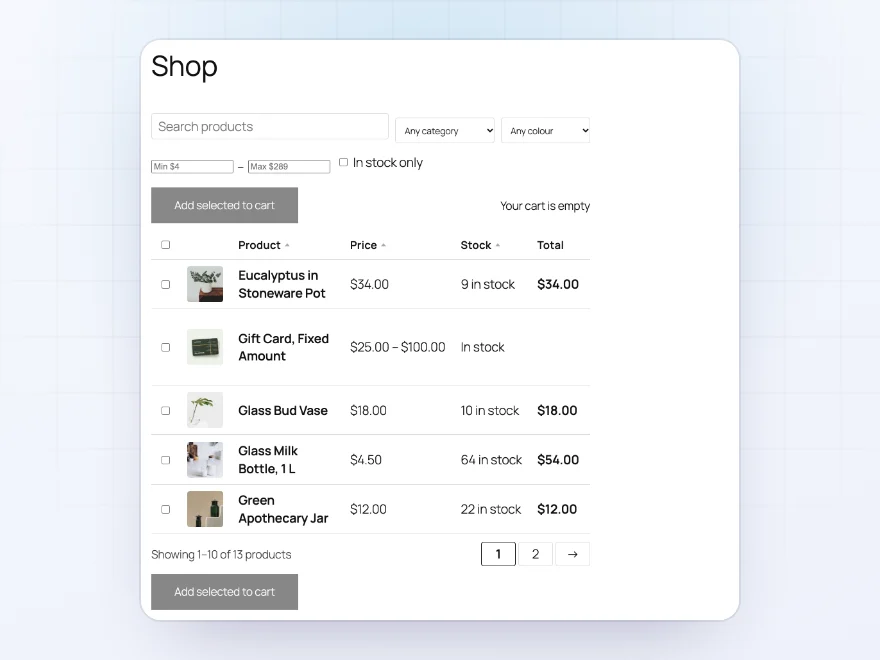
Show a table instead of the product grid on the shop, category, tag, attribute and search pages, in classic and block themes. Give each category its own table, or keep the grid on some.
- Shop, category, tag and search pages
- A table per category
- Follows the filters chosen in Product Filters
Quick reorder
A table of what each customer bought before
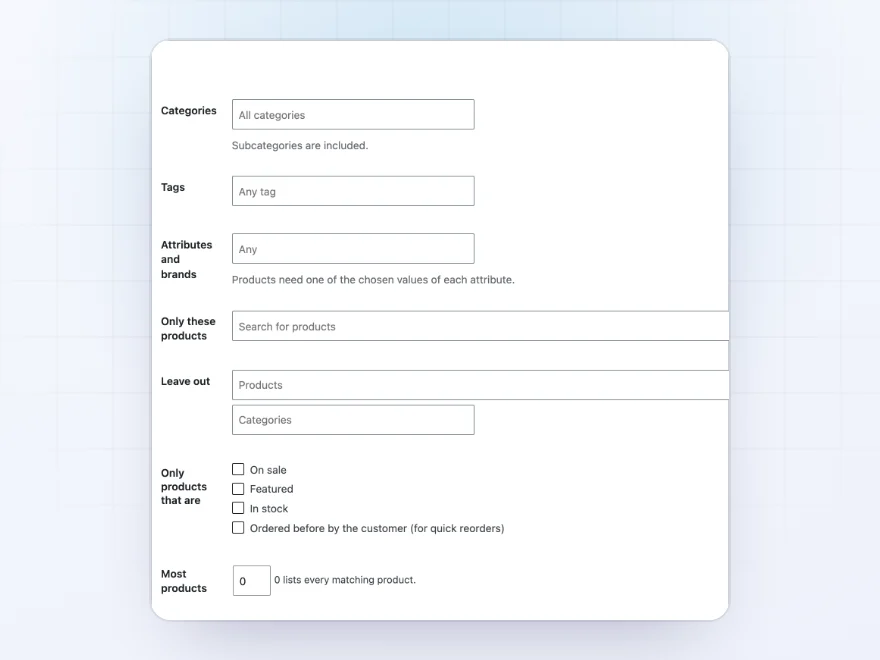
Show only the products a customer ordered before, for quick reorders, or only products on sale, featured or in stock. Reuse one table on many pages and change its categories, products or sort in the shortcode.
- Products the customer ordered before
- On sale, featured or in stock only
- One table, many pages
Trade-only tables
Tables for trade customers only
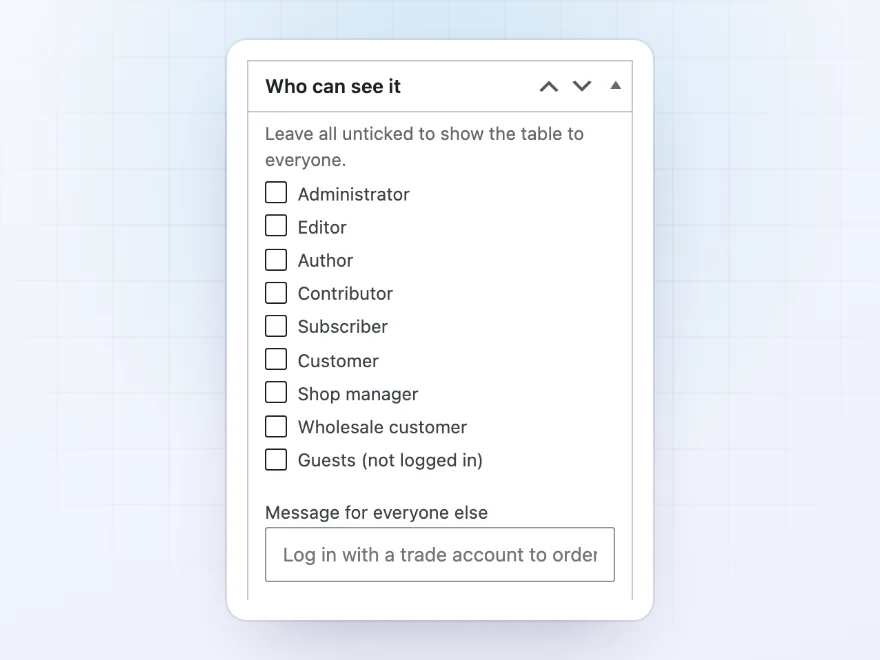
Show a table to chosen customer roles only, such as trade customers, with a message for everyone else. Columns can be hidden from guests too, so prices stay out of sight until customers log in.
- Chosen roles only
- A message for everyone else
- Columns hidden from guests
Design
Four designs that follow your theme
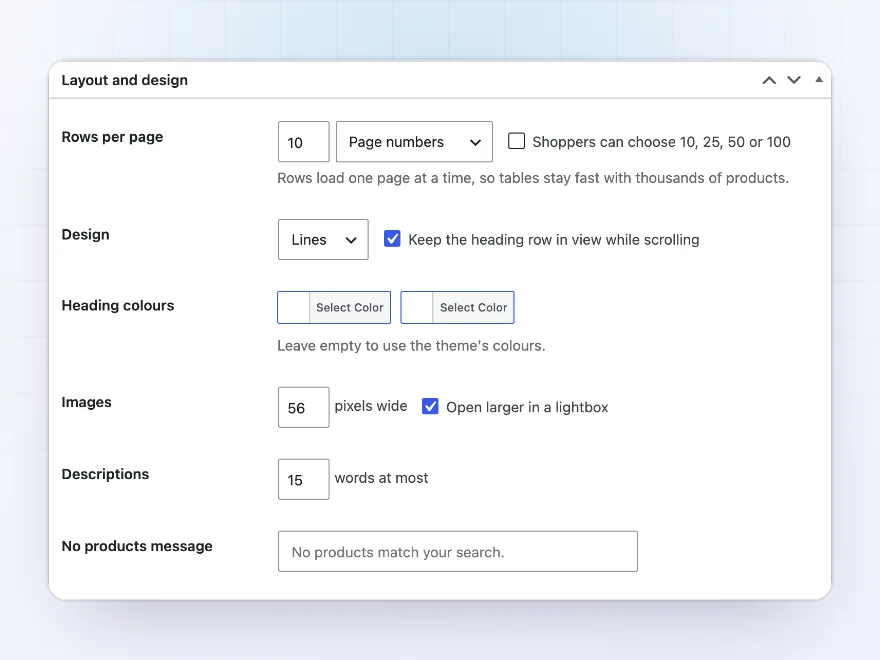
Choose from four designs that use your theme’s fonts and colours, with your own heading colours if you want them. The heading row stays in view while scrolling, and images open larger in a lightbox.
- Four designs
- A heading row that stays in view
- Images in a lightbox
Docs and support
Try it, set it up, ask us anything
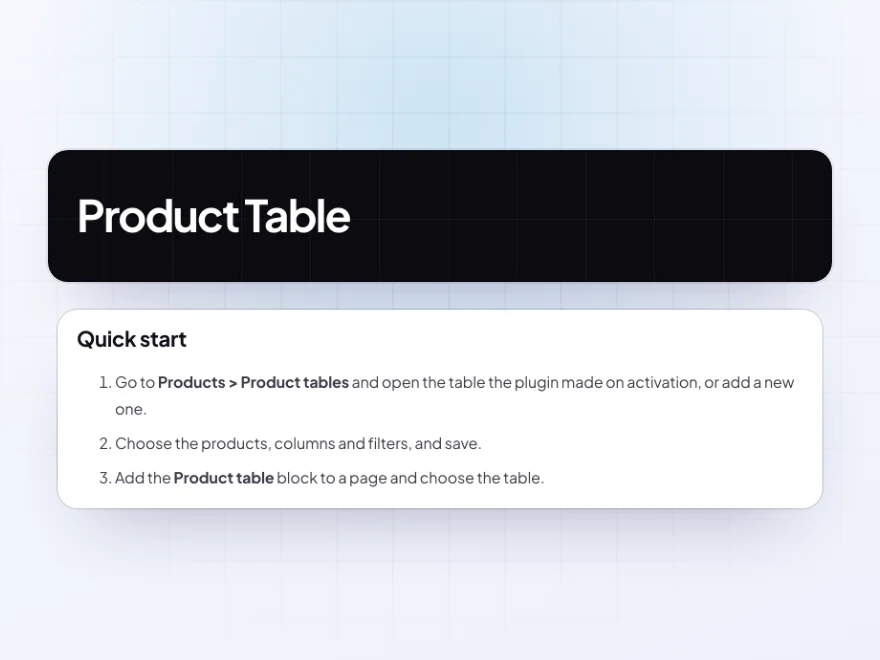
Try Product Table in a live demo store before you buy. The docs start with a quick start and cover choosing products, columns, and search, filters and sorting. Support tickets are answered by the developers who make the plugin, and updates are included.
- A live demo store to try it first
- Step-by-step docs with a quick start
- Most tickets answered within 12–24 hours
A WooCommerce product table customers can buy from
Product Table lists products in a searchable, filterable WooCommerce product table with quantities, line totals and add to cart buttons in every row, so customers who know what they want can order many products from one page.
Use it as a bulk order table for wholesale and spare parts, as a quick reorder list of what each customer bought before, or as the product listing on your shop and category pages instead of the grid. Columns, filters, design and who can see each table are up to you.
Common setups
- Wholesale order lists: a page with every product, tick boxes and quantities, for trade customers only.
- Spare parts: a table searchable by SKU with dimensions and compatibility fields.
- Restaurants: a menu table with descriptions, options and quantities.
- Reorders: a table of the products a customer ordered before.
- Variable products: a variations table on product pages instead of drop-downs.
Questions before you buy
Can I put a table on any page?
Yes. Use the Product table block or the [product_table] shortcode, and choose the table.
Does it work with thousands of products?
Yes. Rows load one page at a time, so tables stay fast with large catalogs.
Can only trade customers see the table?
Yes. Show a table to chosen roles only, with a message for everyone else.
Do variable products work?
Yes. Choose options in the row, show each variation as its own row, or link to the product page.
Can it replace the shop page grid?
Yes, on the shop, category, tag, attribute and search pages, in classic and block themes.
Does the cart update without reloading?
Yes. Adding a product or a selection updates the cart and the mini cart in place.
Do role prices and quantity rules apply?
Yes. Role prices, currencies, quantity rules and pre-order buttons show in the table as they do in the shop.
Requirements
WordPress 6.8 or newer, WooCommerce 10.0 or newer and PHP 7.4 or newer. Works with classic and block themes, the Cart and Checkout blocks, and High-Performance Order Storage.
Documentation
Step-by-step setup, every setting explained, and examples: read the documentation. Questions before you buy? Ask us.



Reviews
There are no reviews yet.