 Maxima Plugins
Description
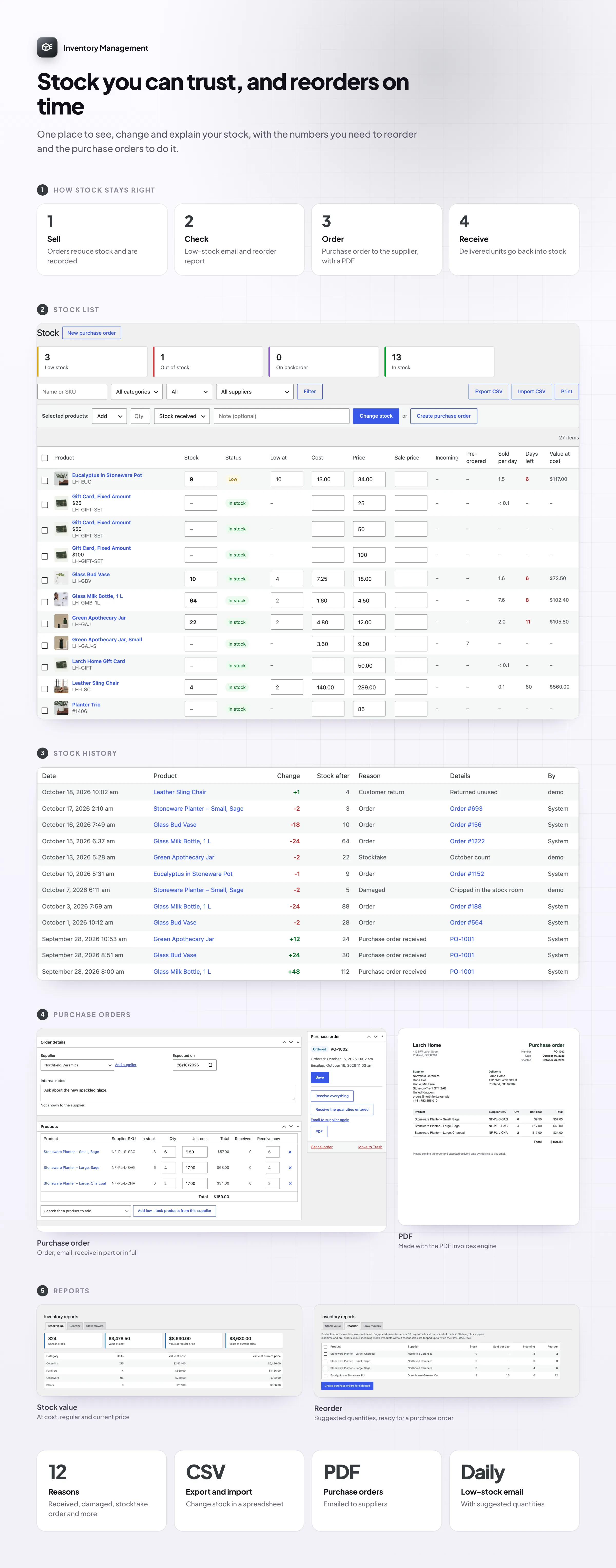
WooCommerce inventory management shouldn’t mean opening products one by one. Inventory Management puts the stock of every product and variation on one screen, records why every number changed, and tells you what to reorder before you run out, with purchase orders to your suppliers that add the stock when it arrives.
Stock list
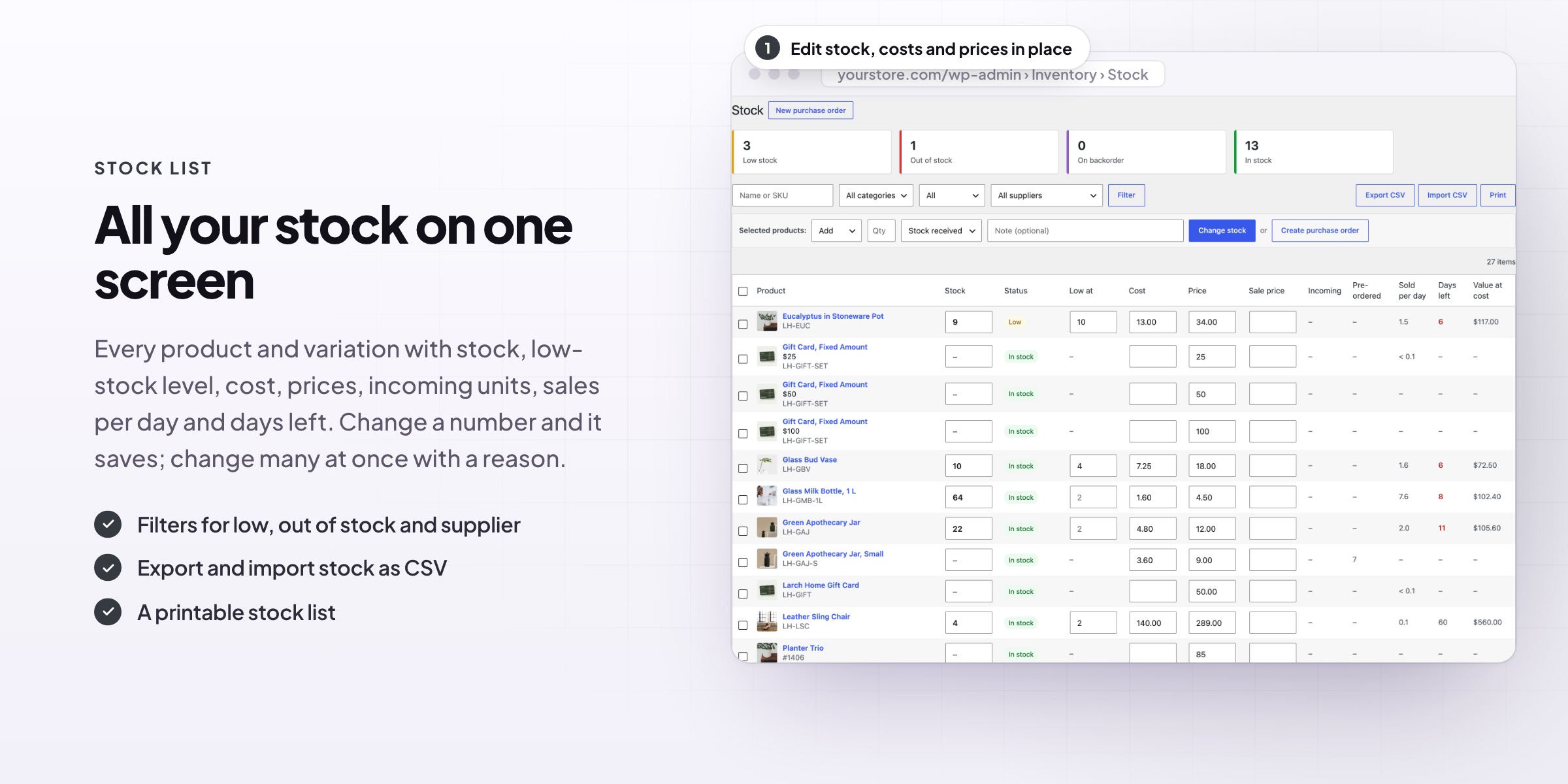
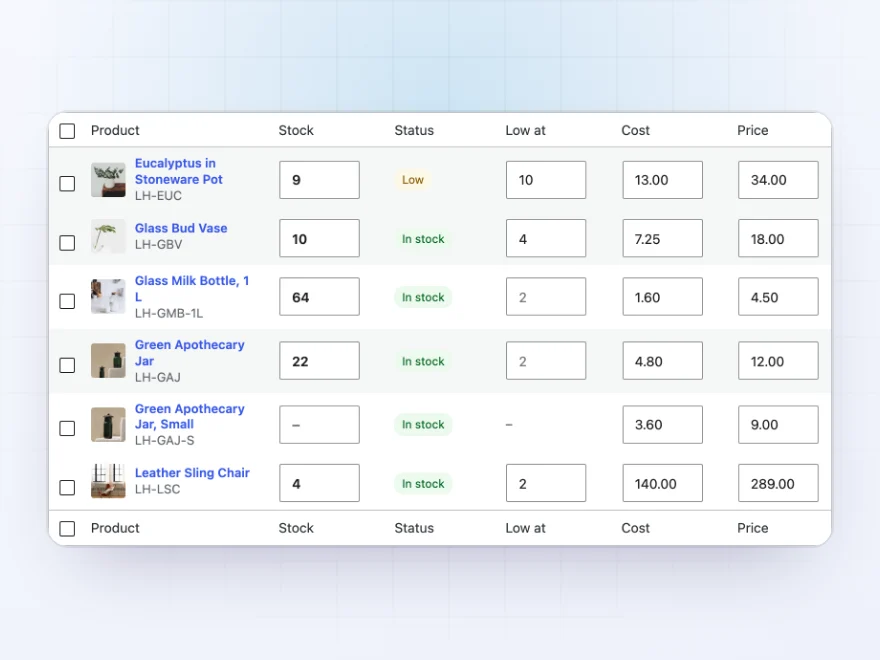
All your stock on one screen
Every product and variation with its stock, low-stock level, cost, price and sale price, editable right in the list. Each row shows units incoming from purchase orders, units sold per day, days of stock left and stock value.
- Edit stock, costs and prices in the list
- Days of stock left and incoming units
- Filter by category, status and supplier
Stock history
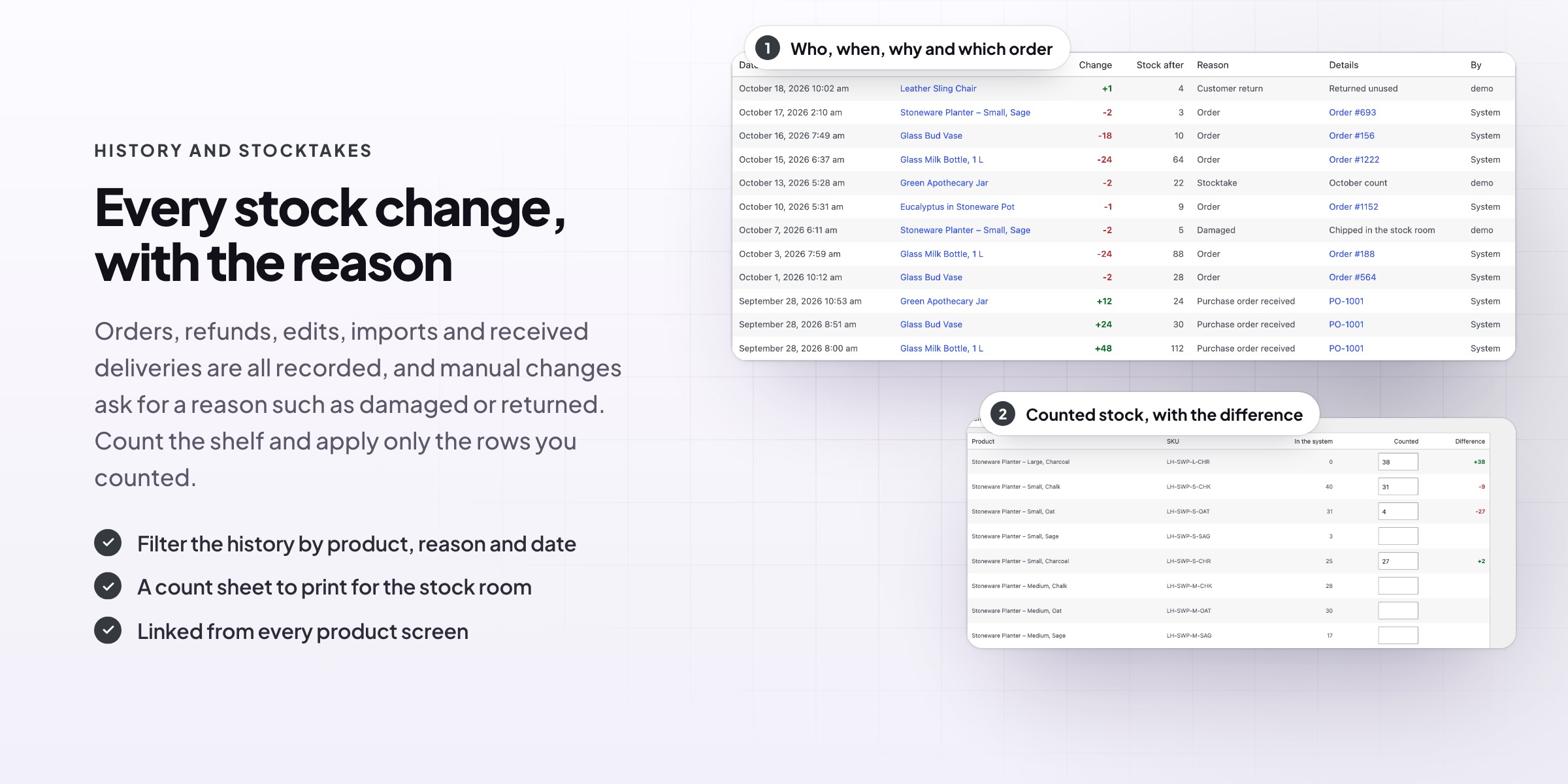
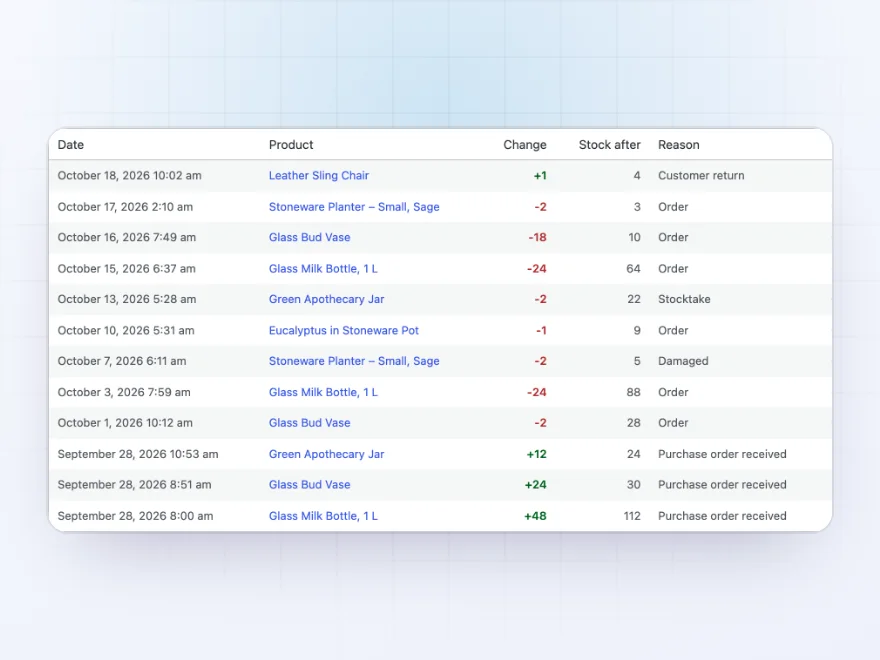
Every stock change, with the reason
Every change is saved: orders, refunds, edits, imports, stocktakes and purchase orders. Each entry shows the change, the stock after it, the reason, the order or purchase order, and who made it.
- Orders, refunds, edits and deliveries
- Damaged, lost and returned with a note
- Filter by product, reason and date
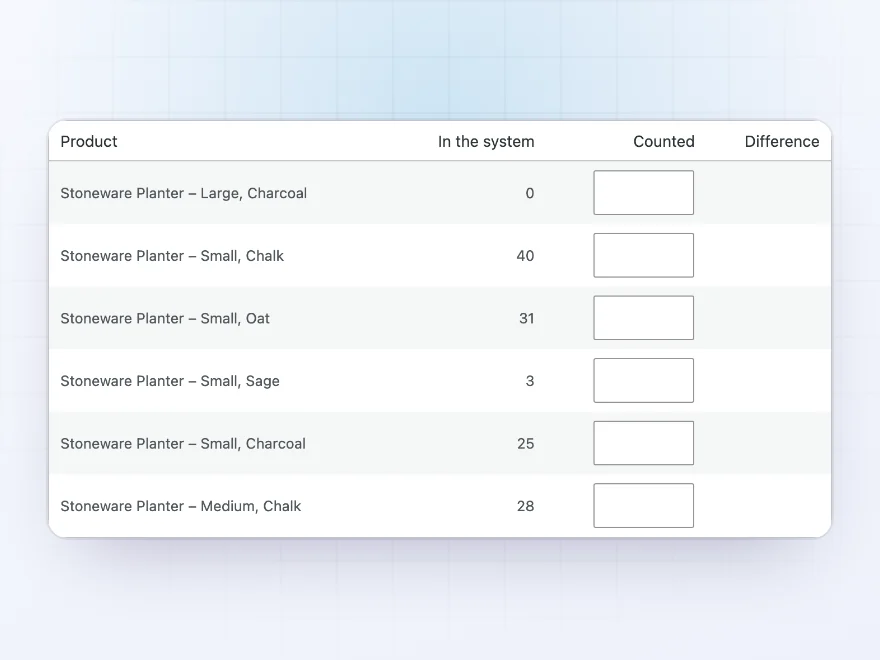
Stocktake
Count the shelf, fix the numbers
Pick a category, count what’s on the shelf and enter the counts. The difference shows as you type, only the rows you fill in change, and each change is saved in the history as a stocktake.
- Differences as you type
- A printable count sheet
- Saved in the history
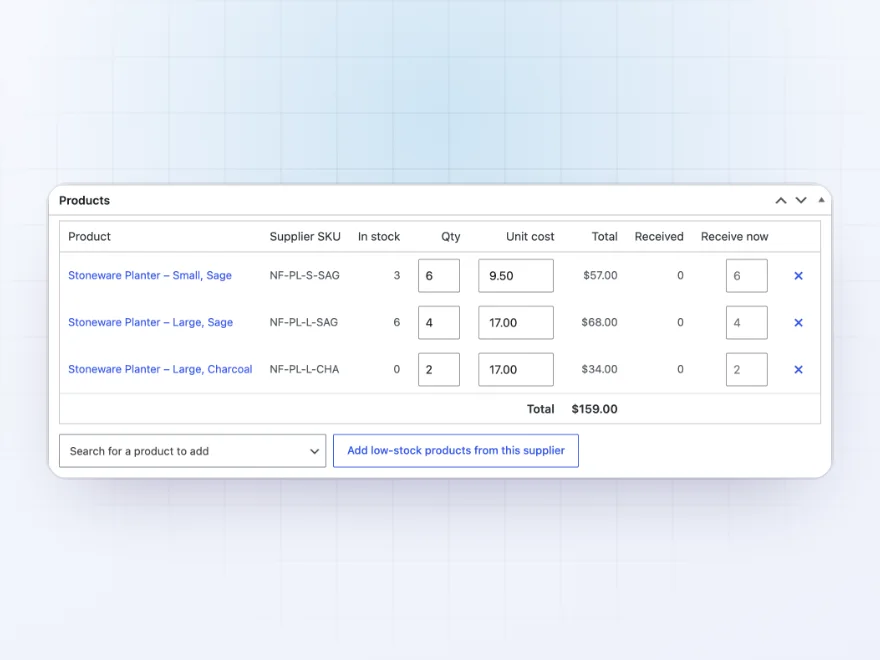
Purchase orders
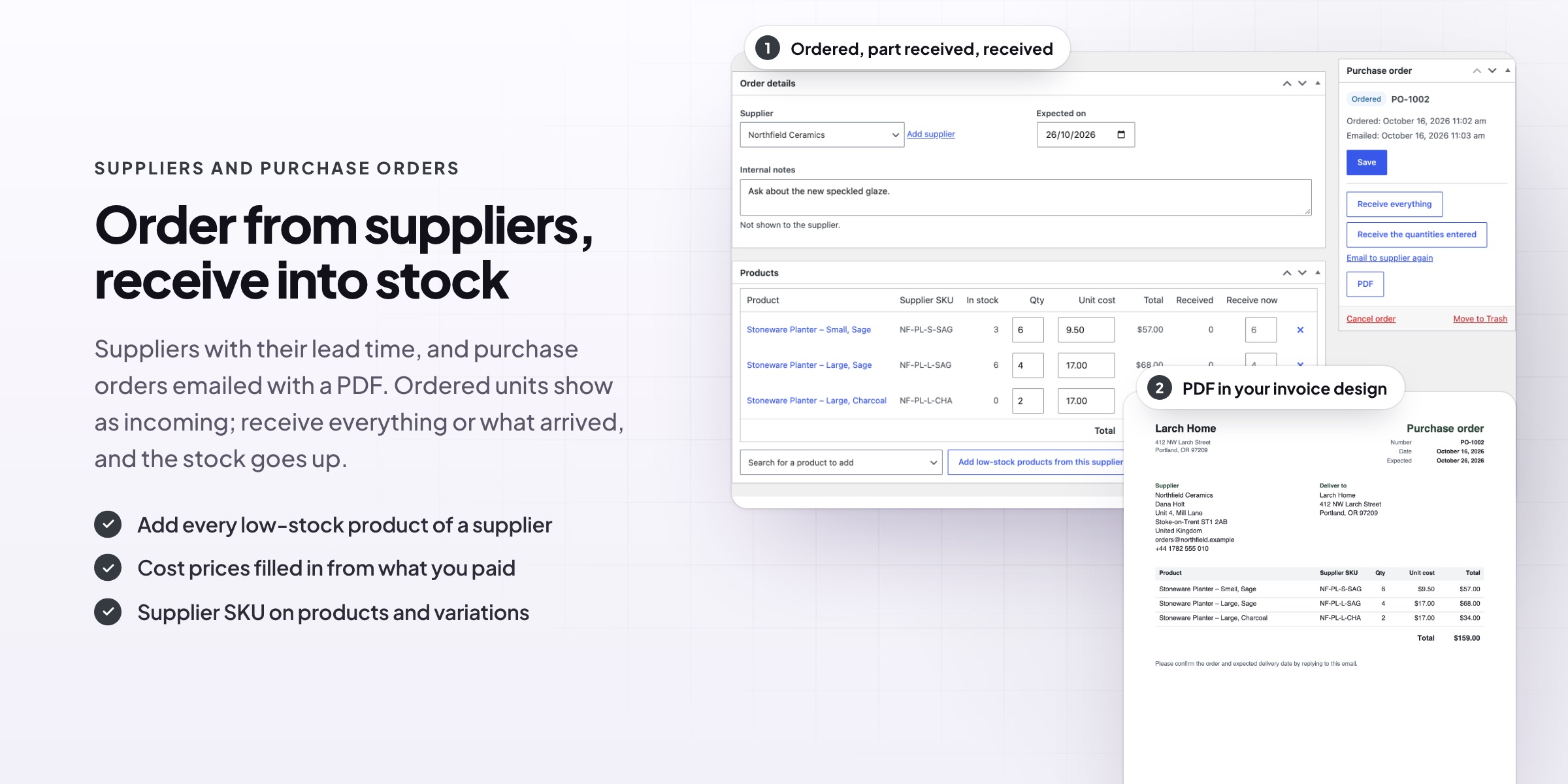
Order from suppliers, receive into stock
Create purchase orders with your supplier’s SKUs and cost prices, add every low-stock product from a supplier in one click, and email the order when you mark it as ordered. Receive everything at once, or what arrived; stock goes up and the history shows the order.
- Low-stock products added in one click
- Emailed to the supplier with a PDF
- Partial deliveries
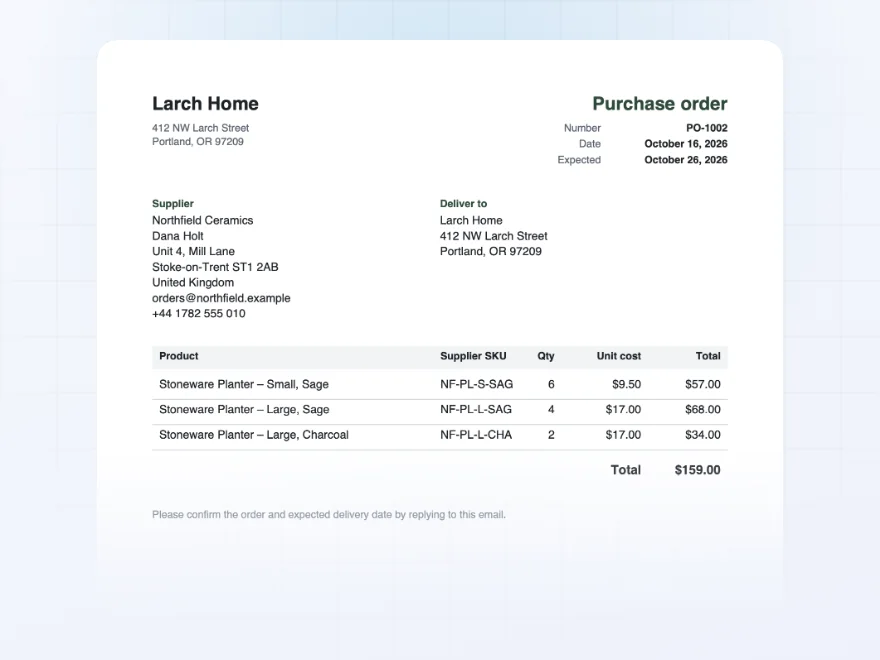
A purchase order your supplier can read
Purchase orders go to the supplier as a PDF with your address, delivery address, the lines, totals and your notes. With PDF Invoices & E-Invoicing, they use your invoice design.
- Your logo, addresses and note to suppliers
- Supplier SKUs and cost prices
- Your invoice design with PDF Invoices
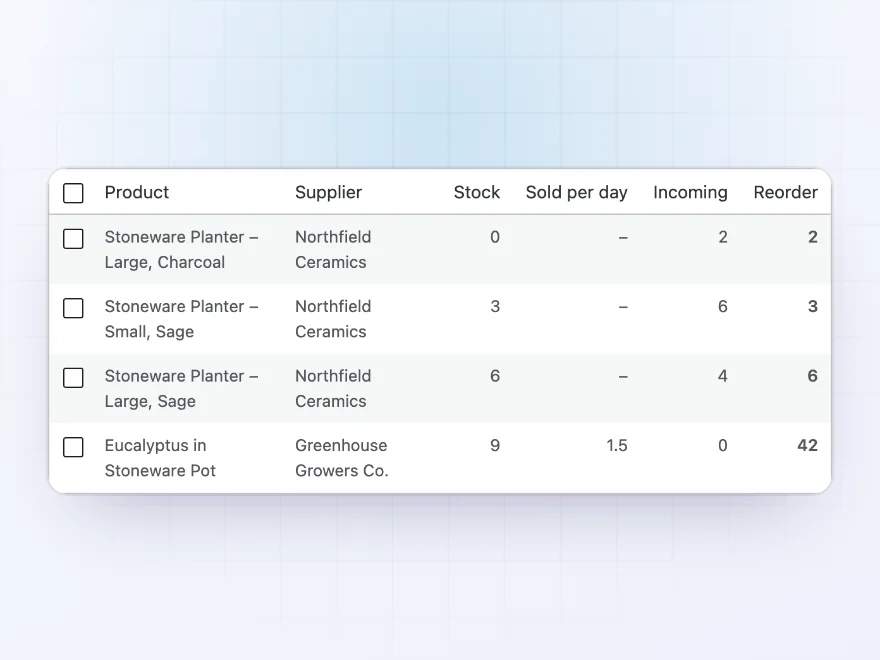
Reports
Know what to reorder
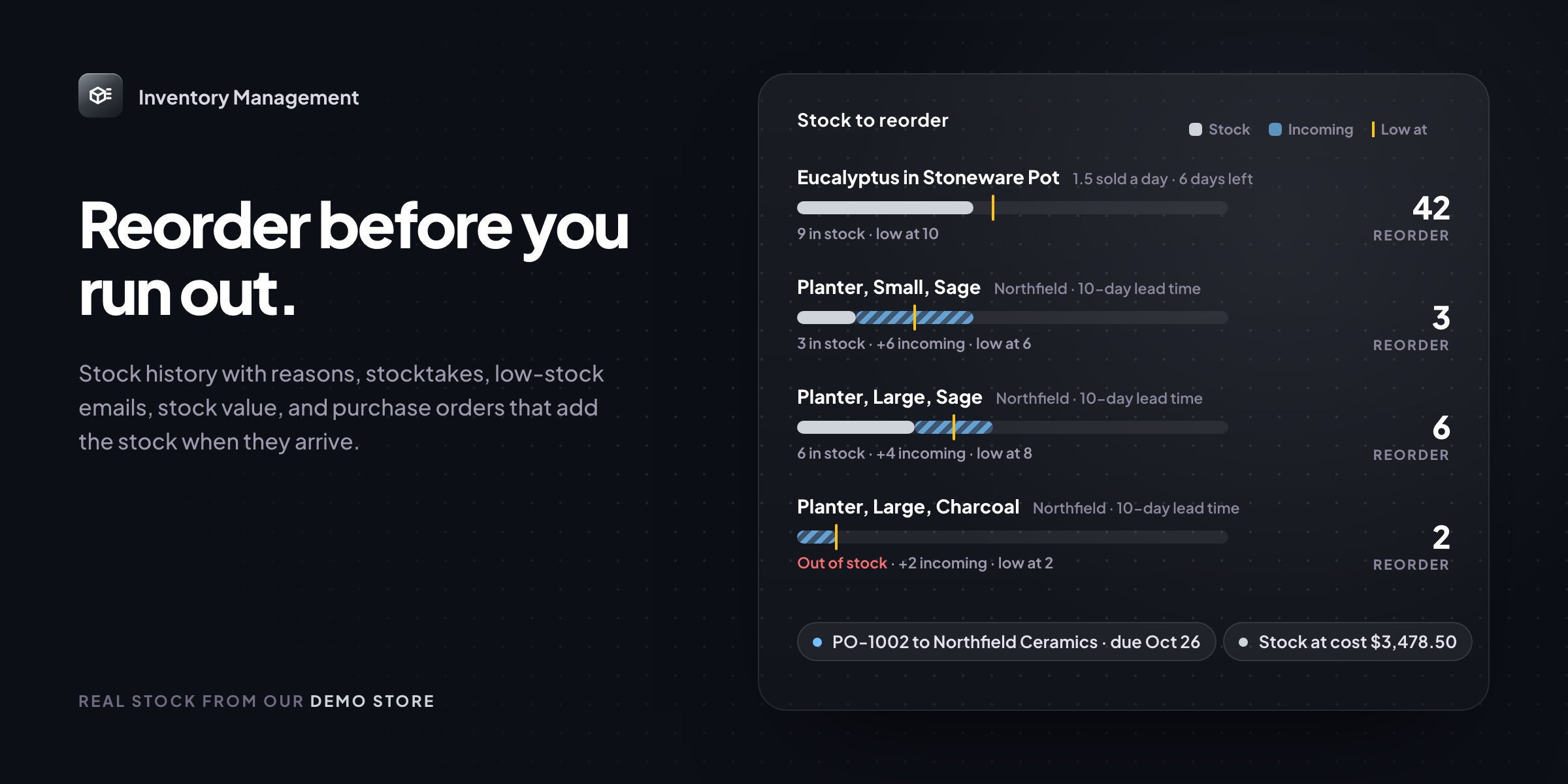
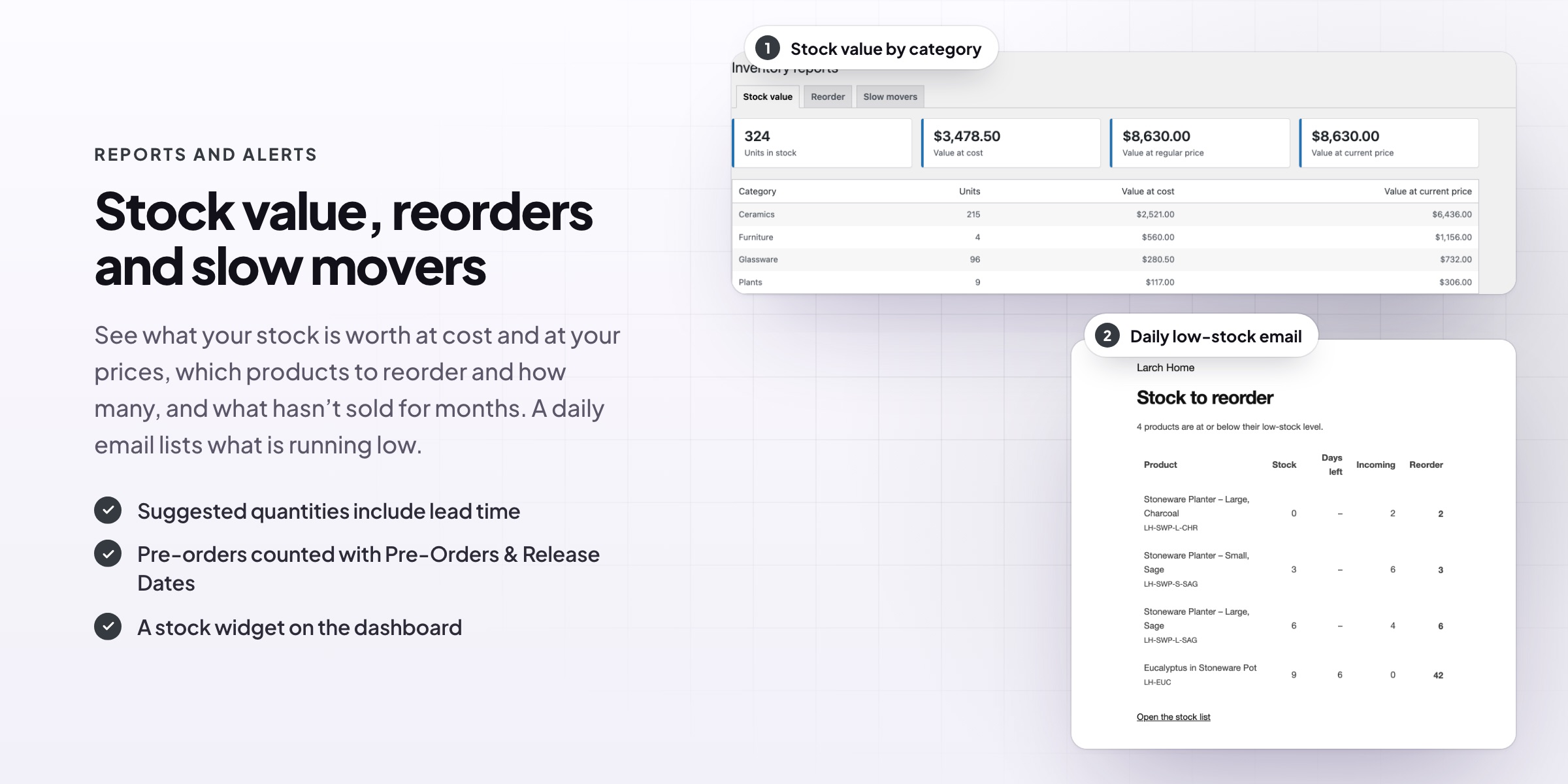
Reorder suggestions cover the days of sales you choose plus the supplier’s lead time, minus incoming stock. Create purchase orders from the list in one click. Reports also show stock value at cost and price, and slow movers with no sales.
- Suggested quantities per product
- Stock value at cost and price
- Slow movers with no recent sales
Low-stock alerts
Know what to reorder before you run out
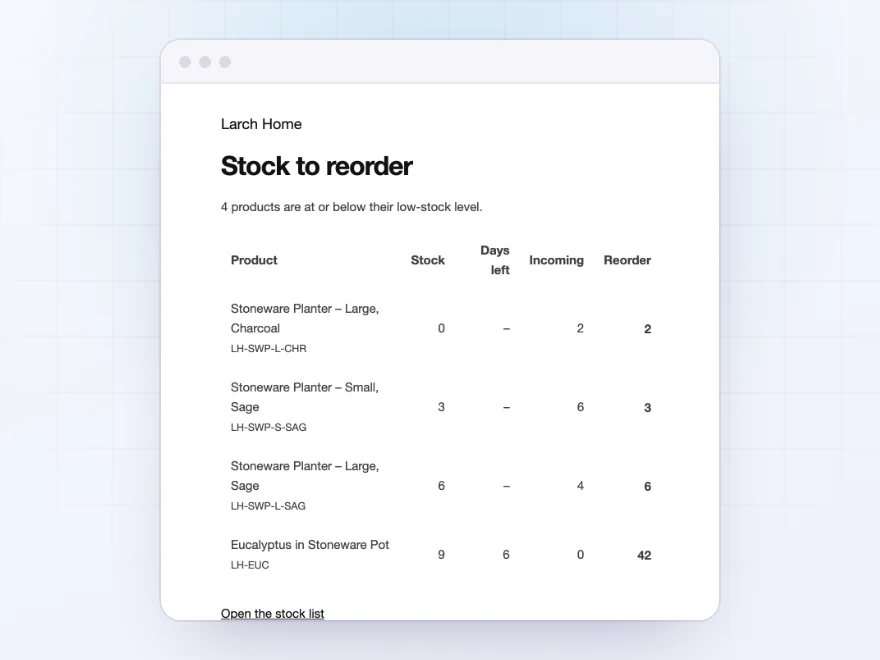
A daily email lists the products at or below their low-stock level, with the stock, days of stock left, units on order and a suggested order quantity. A dashboard widget shows low, out of stock and backordered products.
- A daily low-stock email
- Suggested order quantities
- A dashboard widget
Suppliers
Suppliers, supplier SKUs and cost prices
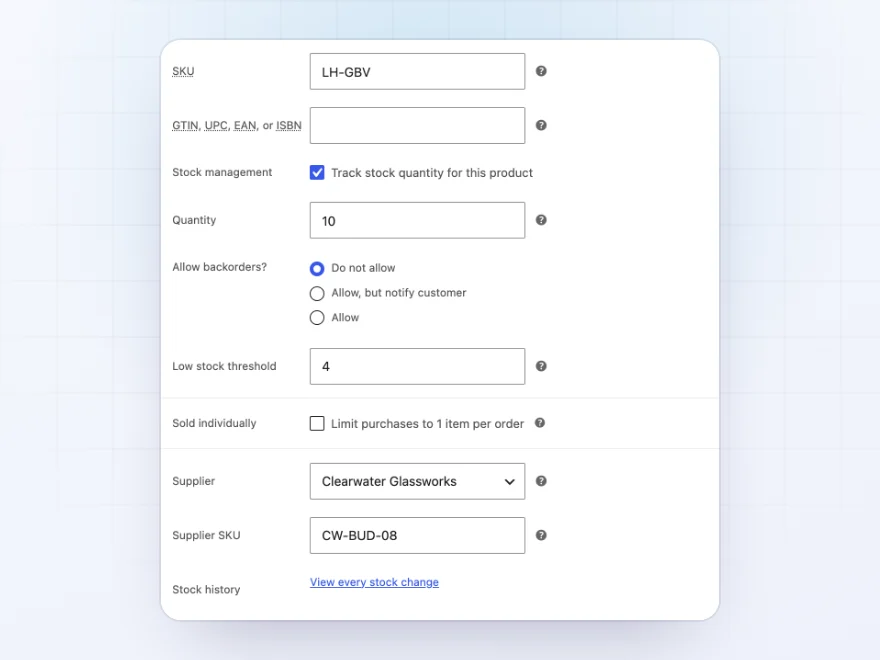
Keep each supplier’s order email, contact, phone, address and lead time. Give each product a supplier, a supplier SKU and a cost price, and each variation its own cost and supplier SKU.
- Lead time per supplier
- Supplier SKU and cost per product
- Cost per variation
Spreadsheets
Change stock in a spreadsheet, then import it
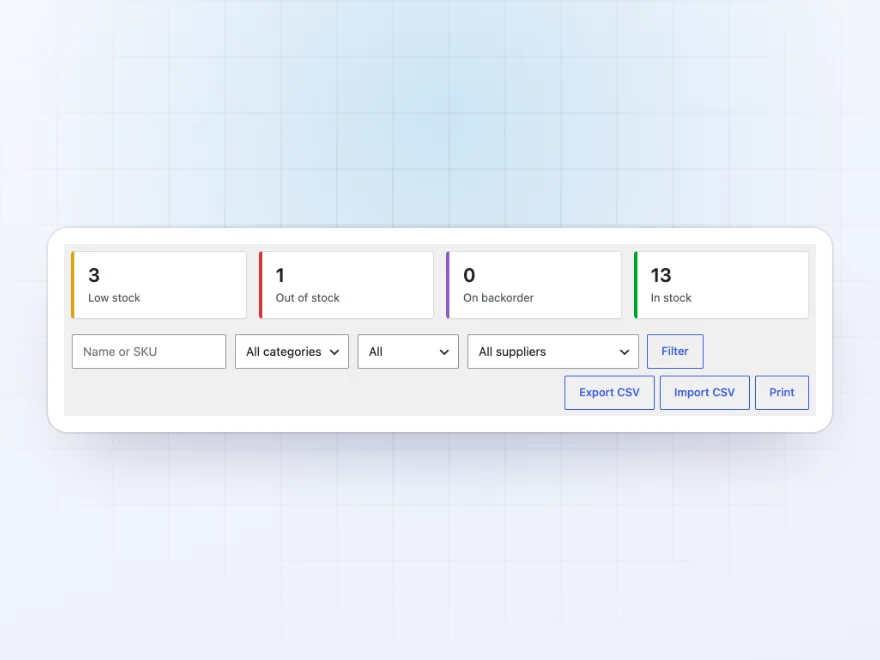
Export the stock list to a CSV file, change stock, costs and prices in your spreadsheet and import it again. Print the stock list, or a count sheet for the stock room.
- Export and import CSV
- A printable stock list
- Every change saved in the history
Docs and support
Try it, set it up, ask us anything
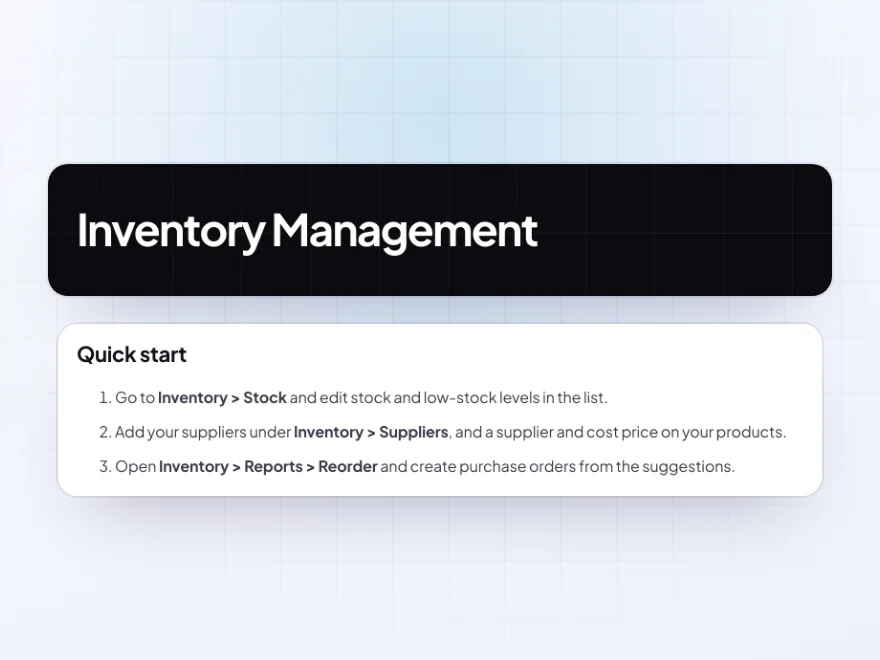
Try Inventory Management in a live demo store before you buy. The docs start with a quick start and cover stock list, stock history and stocktake. Support tickets are answered by the developers who make the plugin, and updates are included.
- A live demo store to try it first
- Step-by-step docs with a quick start
- Most tickets answered within 12–24 hours
WooCommerce inventory management on one screen
Inventory Management brings WooCommerce inventory management into one place: every product and variation with its stock, costs and prices, editable in the list, with units on order, sales per day and days of stock left.
Every stock change is kept with its reason, stocktakes fix the numbers after a count, and purchase orders go to suppliers by email with a PDF and add stock when they arrive. Reorder suggestions, low-stock emails and stock value reports make WooCommerce stock management something you check in a minute rather than a spreadsheet you keep up by hand.
Common setups
- Small shops: stock and prices edited in one list instead of product by product.
- Reorders: a daily email of low-stock products with suggested quantities.
- Suppliers: purchase orders emailed as PDFs and received into stock.
- Stock counts: a monthly stocktake with a printed count sheet.
- Accounting: stock value at cost for your month-end report.
Questions before you buy
Does it work with variations?
Yes. Every variation has its own row, stock, cost, supplier SKU and history.
Where do sales speeds come from?
From your orders over the last days you choose, 30 by default.
Can I import stock from a spreadsheet?
Yes. Export the stock to a CSV file, change it in a spreadsheet and import it again.
Does receiving a purchase order change the stock?
Yes. Received quantities are added to stock, and the history links to the purchase order.
Can I send purchase orders by email?
Yes. Marking an order as ordered emails it to the supplier with a PDF attached.
Will it change my existing stock?
No. It reads the stock WooCommerce already has, and only changes it when you or an order do.
Does it work with HPOS?
Yes, with High-Performance Order Storage and the Cart and Checkout blocks.
Requirements
WordPress 6.8 or newer, WooCommerce 10.0 or newer and PHP 7.4 or newer. Works with classic and block themes, the Cart and Checkout blocks, and High-Performance Order Storage.
Documentation
Step-by-step setup, every setting explained, and examples: read the documentation. Questions before you buy? Ask us.




Reviews
There are no reviews yet.