 Maxima Plugins
Description
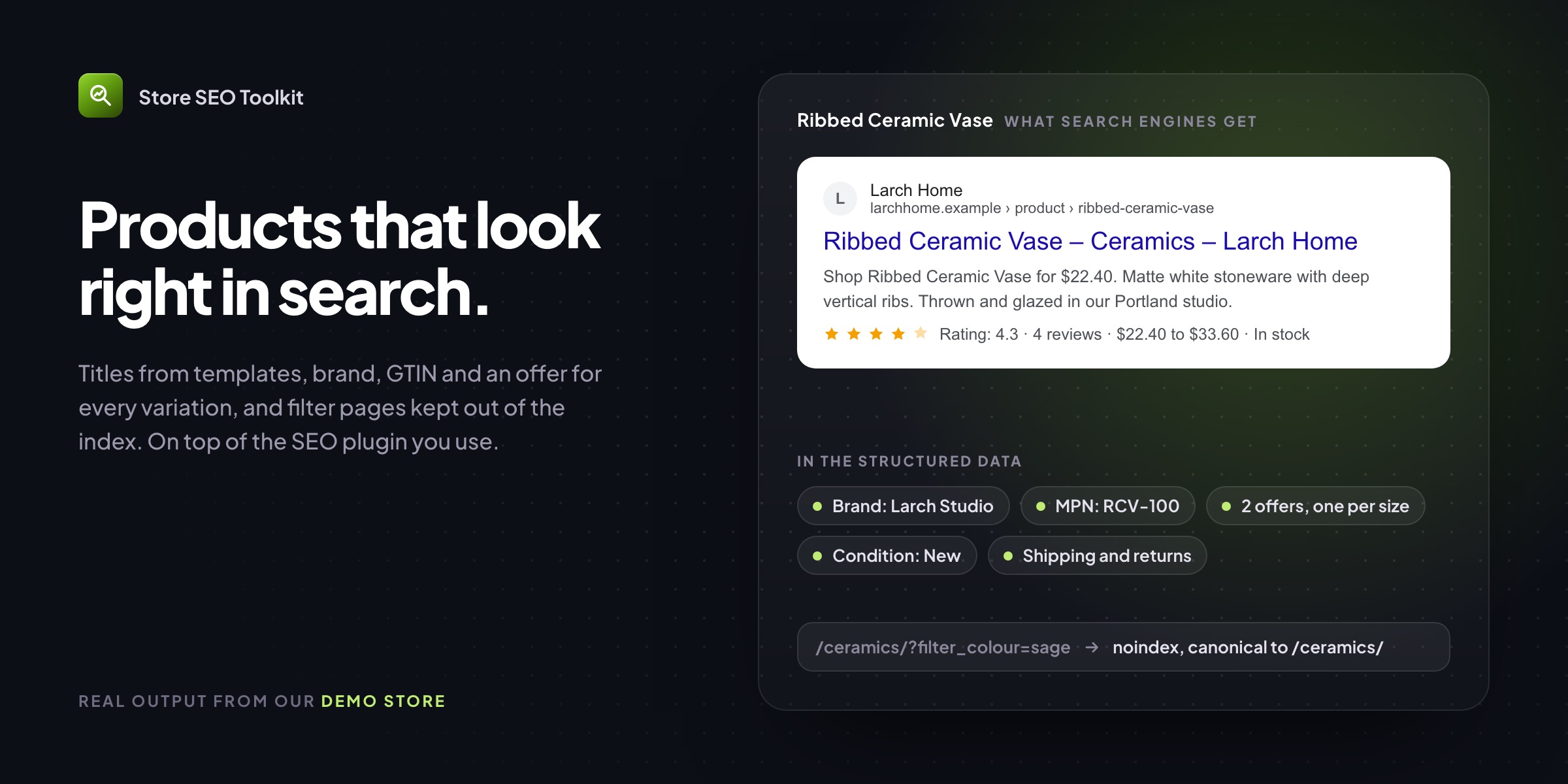
General SEO plugins look after posts and pages; WooCommerce SEO has its own jobs. Store SEO Toolkit writes titles and descriptions for hundreds of products from templates, adds the product data Google’s shopping results want, keeps filtered and out-of-stock pages out of the index, and lists what to fix on each product. It works next to Yoast SEO, Rank Math, All in One SEO or SEOPress, or on its own.
Templates
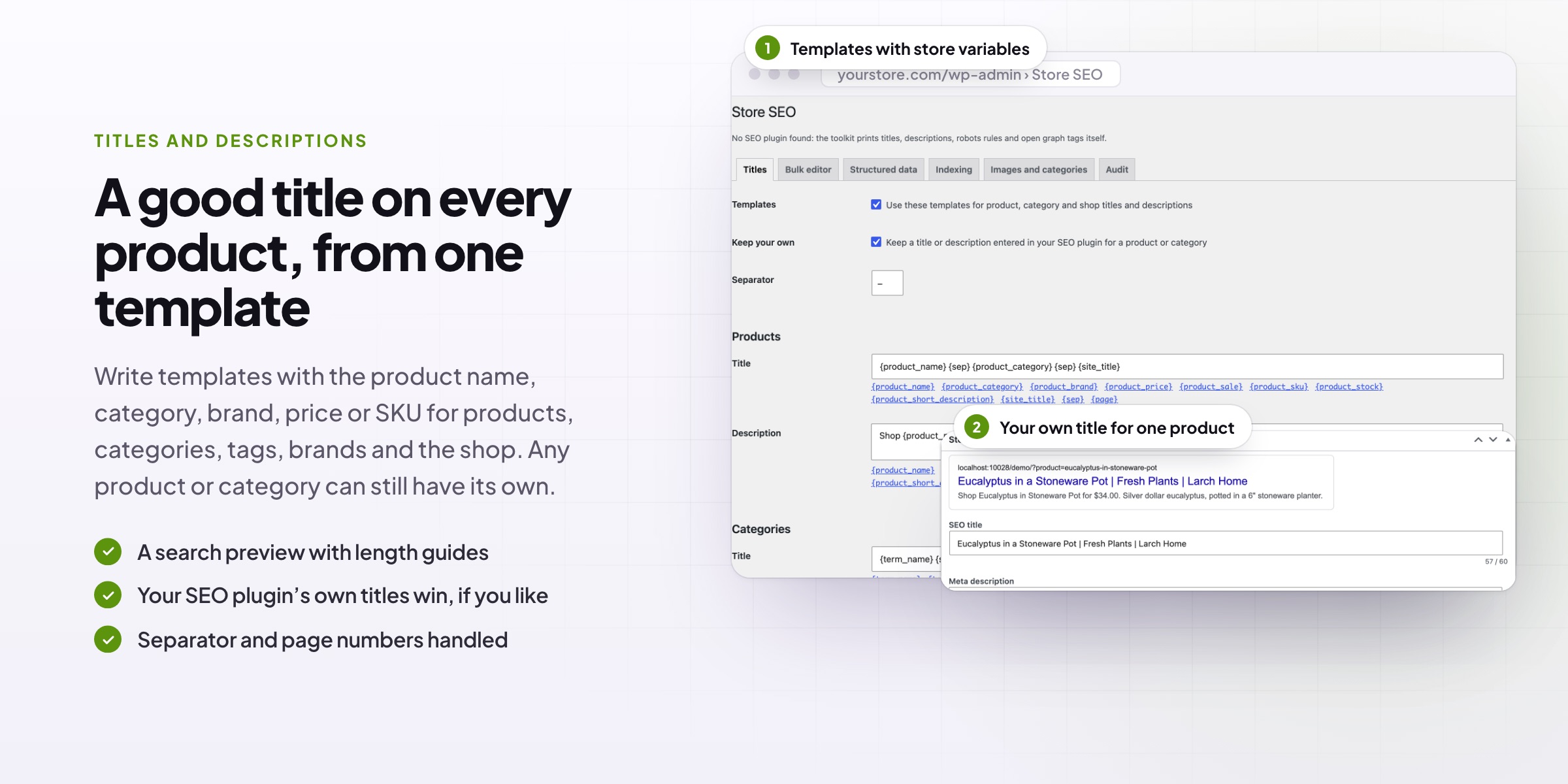
A good title on every product, from one template
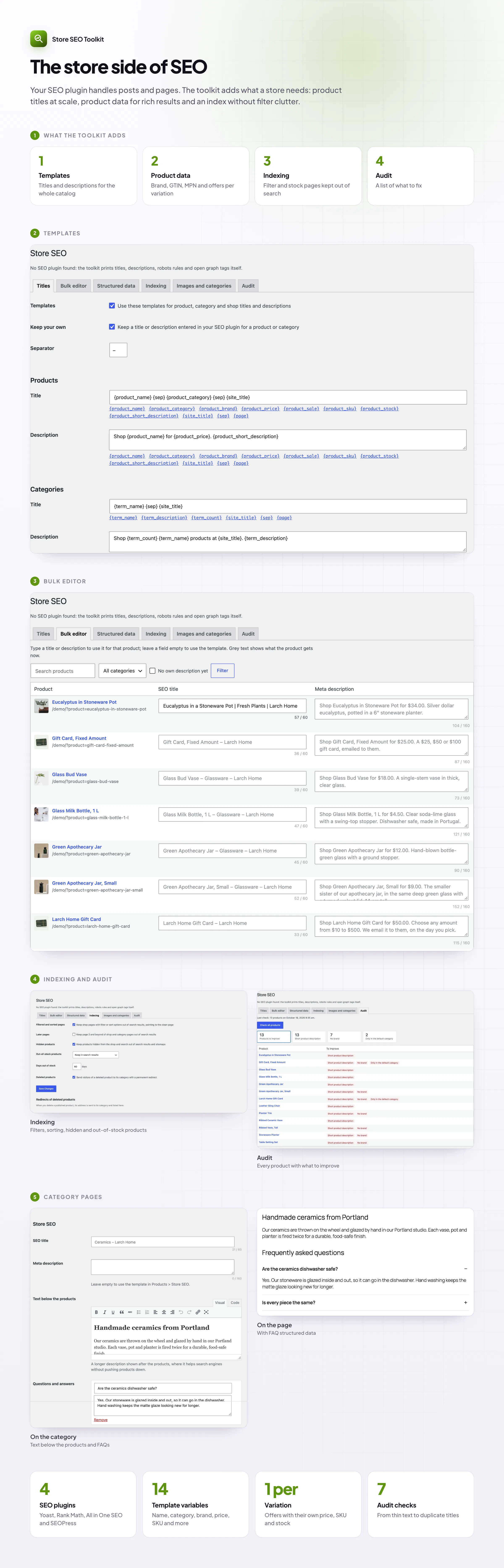
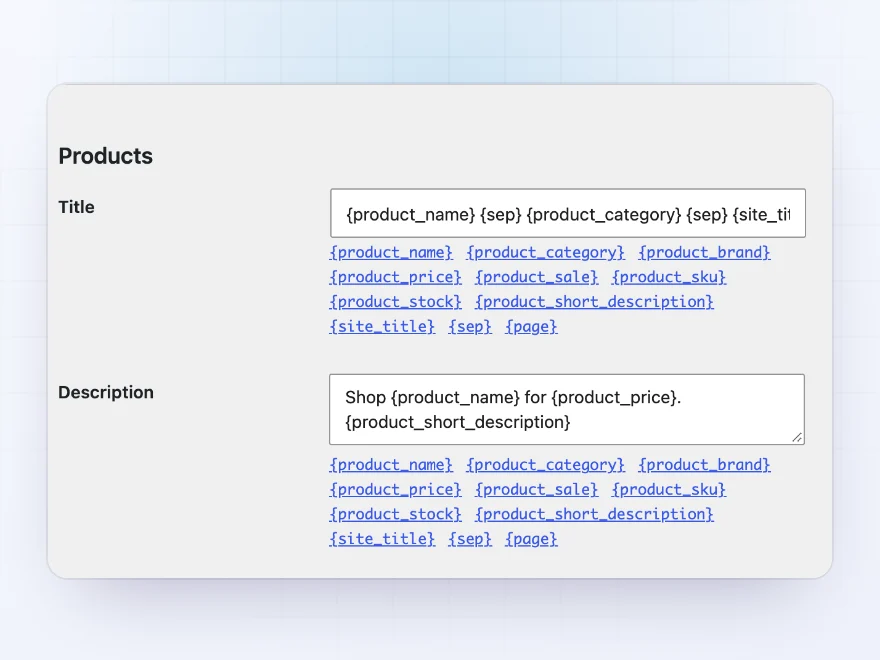
Write one template for product titles and descriptions with store variables such as the product name, category, brand, price and short description. Every product gets a title and description that fits, and you can still write your own for the products that matter.
- Templates for products, categories, tags, brands and the shop
- Store variables such as {product_price}
- Titles already set in your SEO plugin kept
Per product
A search preview on every product
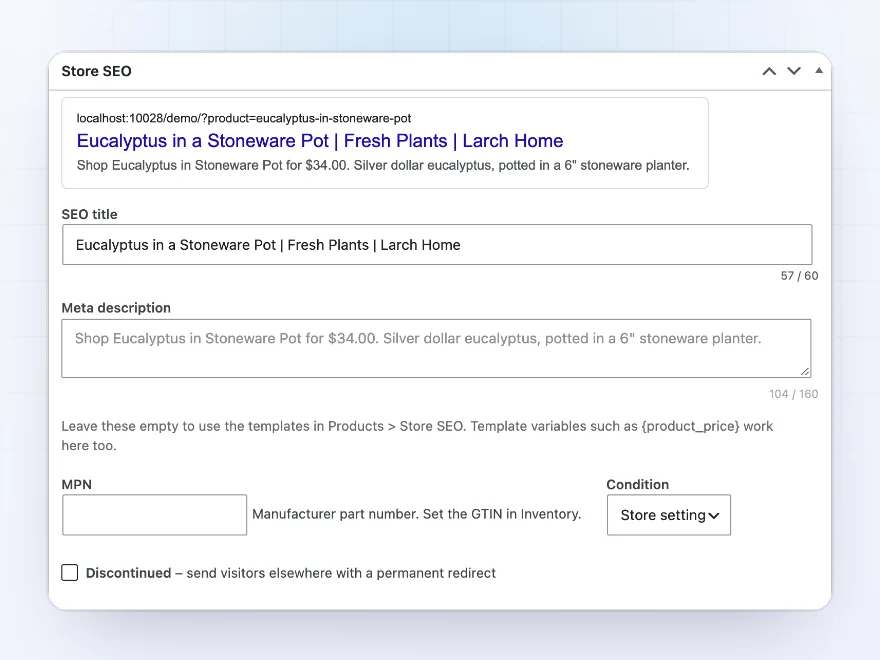
Each product has a box with its own title and description, a preview of how it shows in search results and length guides, so you see what shoppers will see.
- Your own title and description
- A search result preview
- Length guides for titles and descriptions
Bulk editor
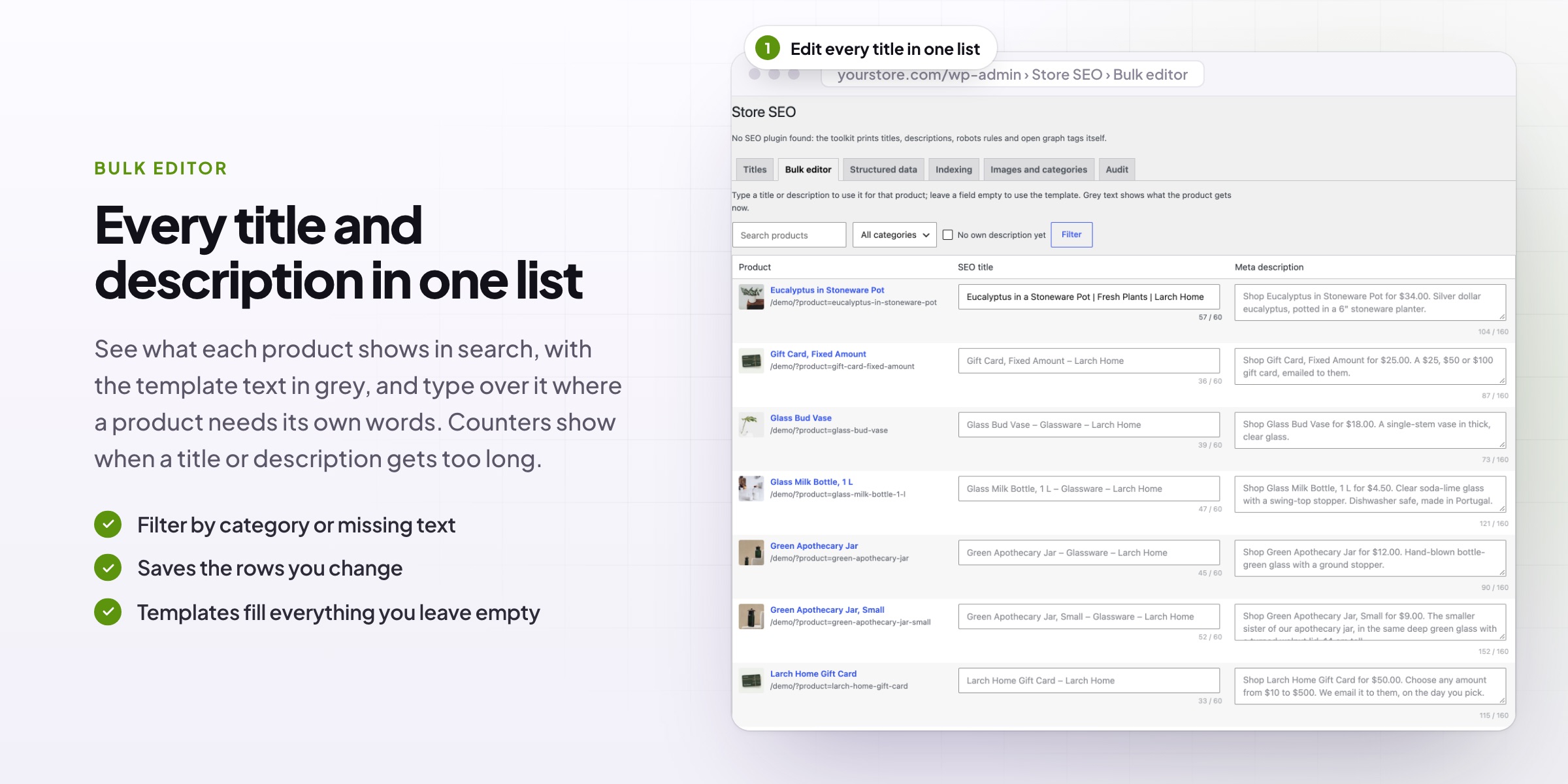
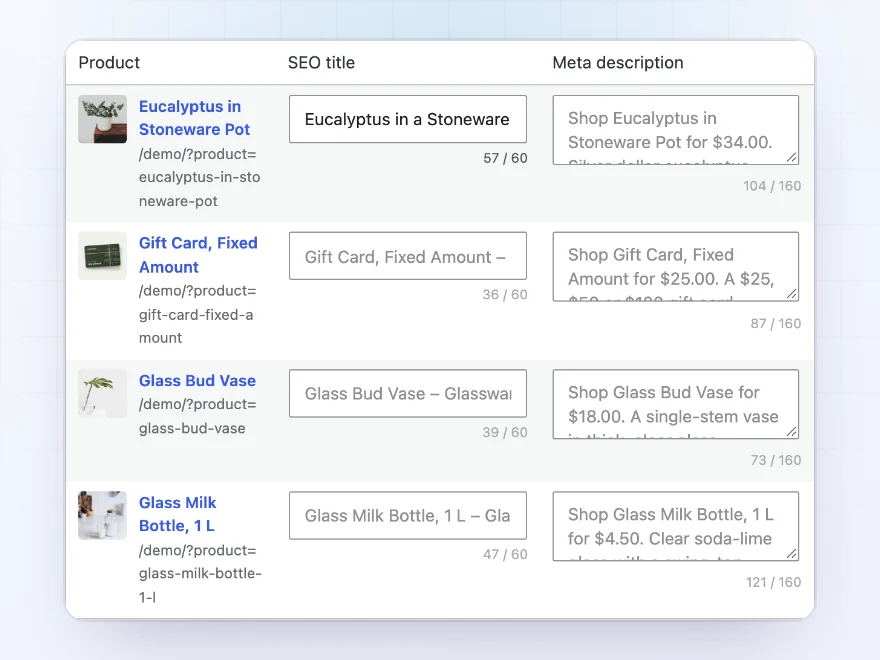
Every title and description in one list
Write titles and descriptions for many products on one screen, filtered by category or by products still missing one. Changes save as you go.
- Filter by category
- Show only products missing a title or description
- Template result shown for empty fields
Rich results
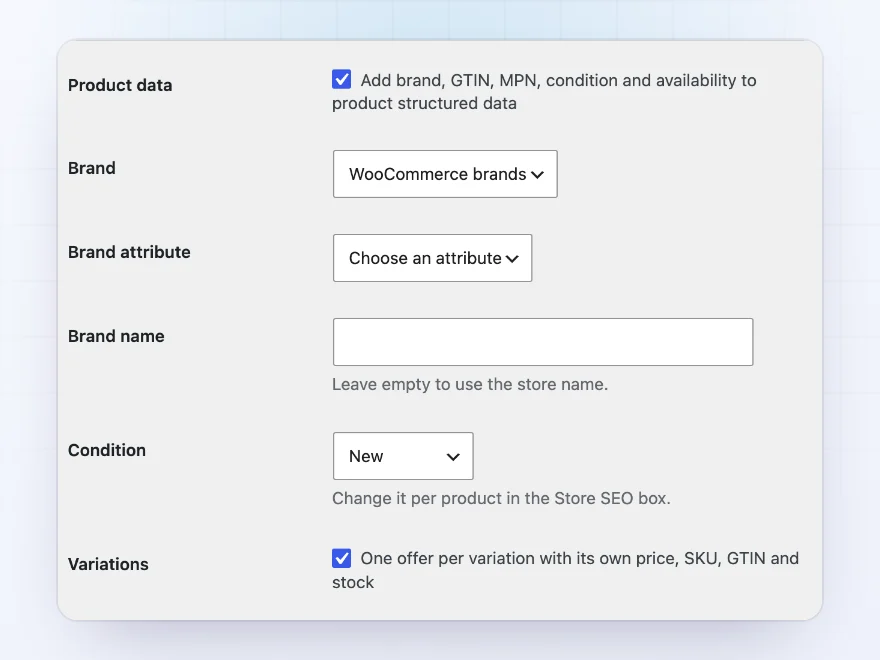
The product data Google’s shopping results want
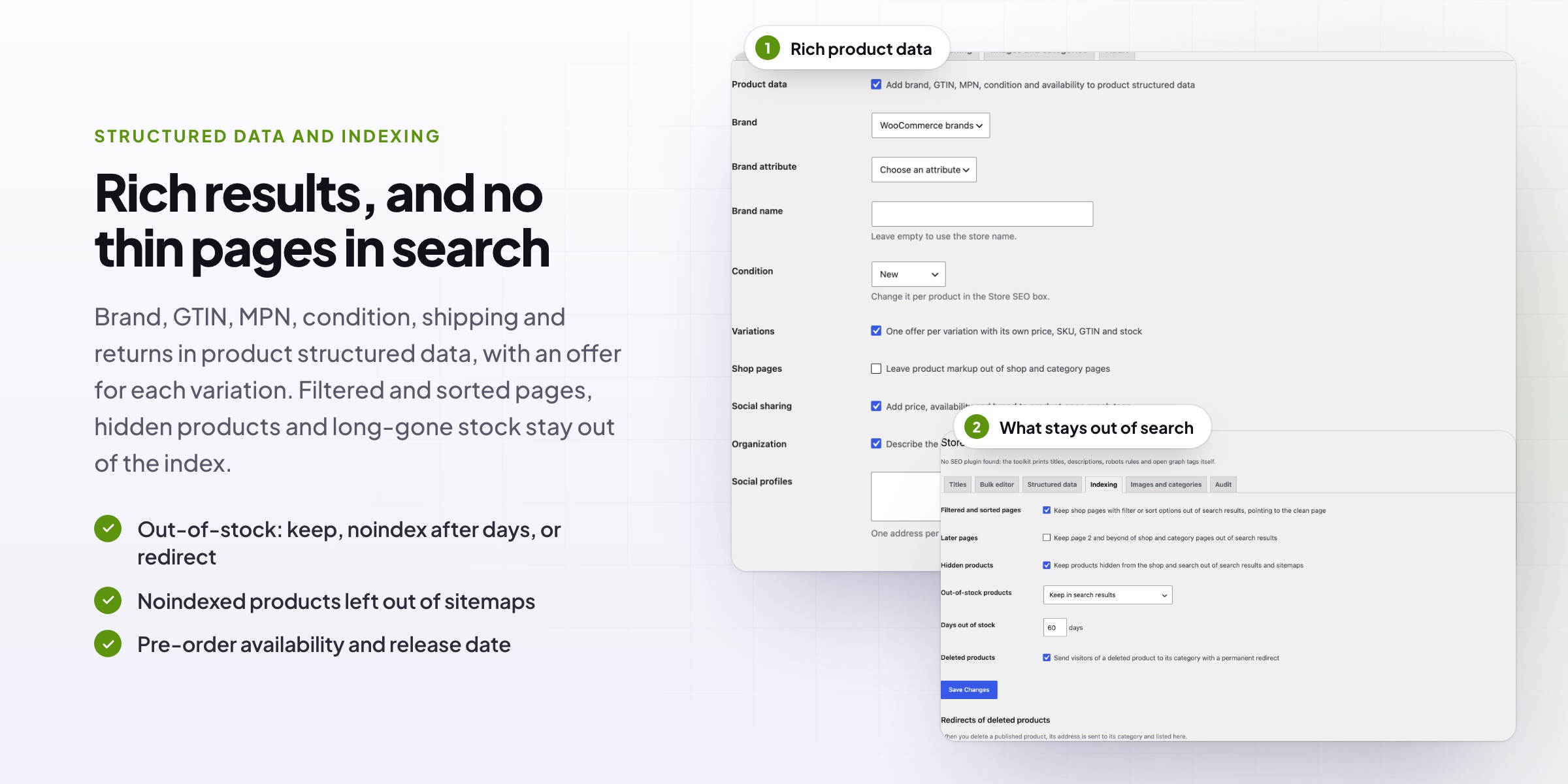
Brand, GTIN, MPN, condition, price and availability go into the product’s structured data, with one offer per variation, plus shipping cost, delivery time and your return policy for merchant listings. Product open graph tags make shared links show price and availability.
- Brand, GTIN, MPN and condition
- One offer per variation
- Shipping and returns for merchant listings
Indexing
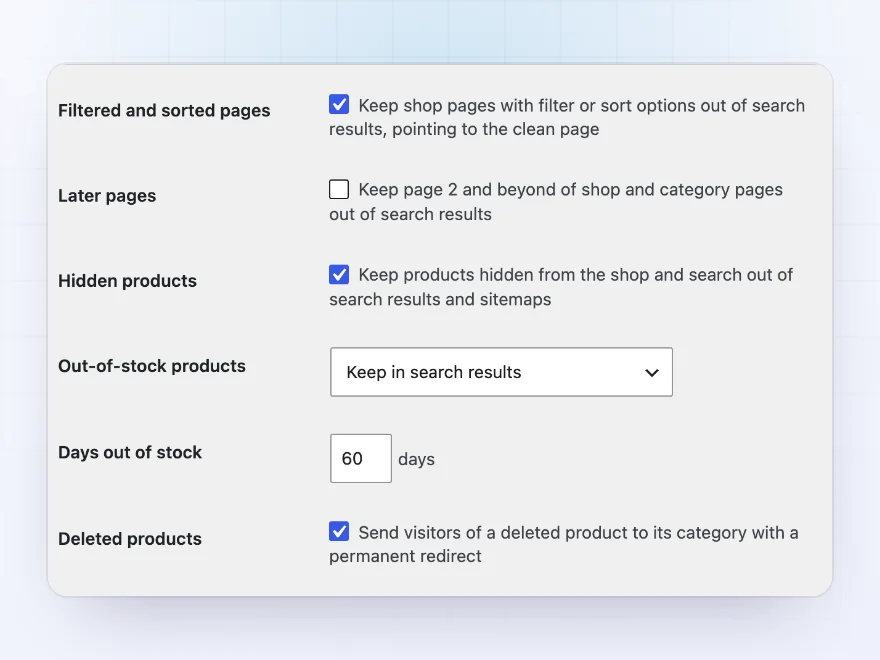
No thin pages in search
Filtered and sorted shop pages are kept out of search results and point to the clean page. Hidden products stay out of search and sitemaps. Out-of-stock products can stay, drop out after a number of days, or come back when restocked, and deleted or discontinued products redirect.
- Filtered and sorted pages kept out of the index
- Rules for out-of-stock and discontinued products
- Sitemaps of WordPress and the main SEO plugins cleaned
Audit
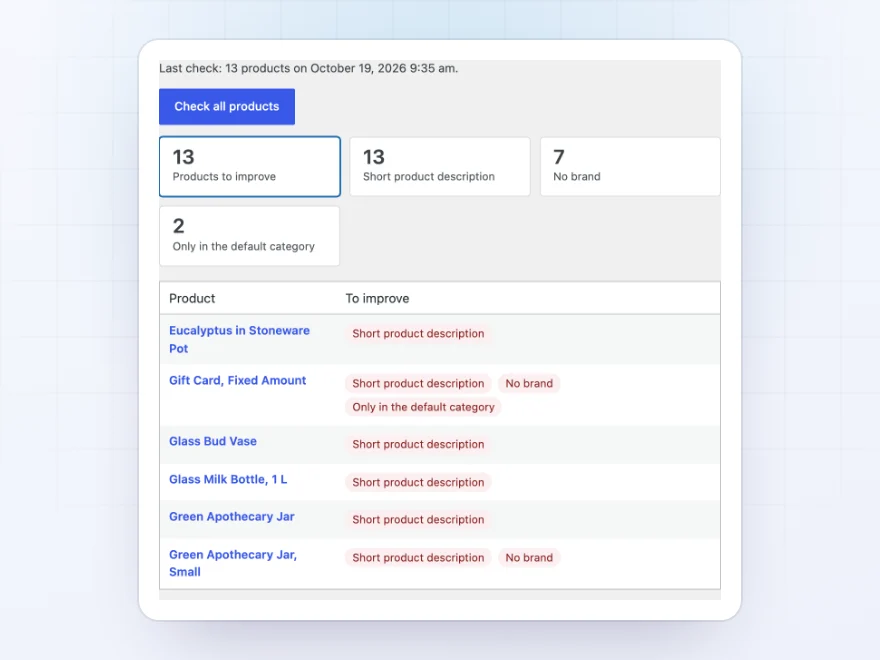
A list of what to fix
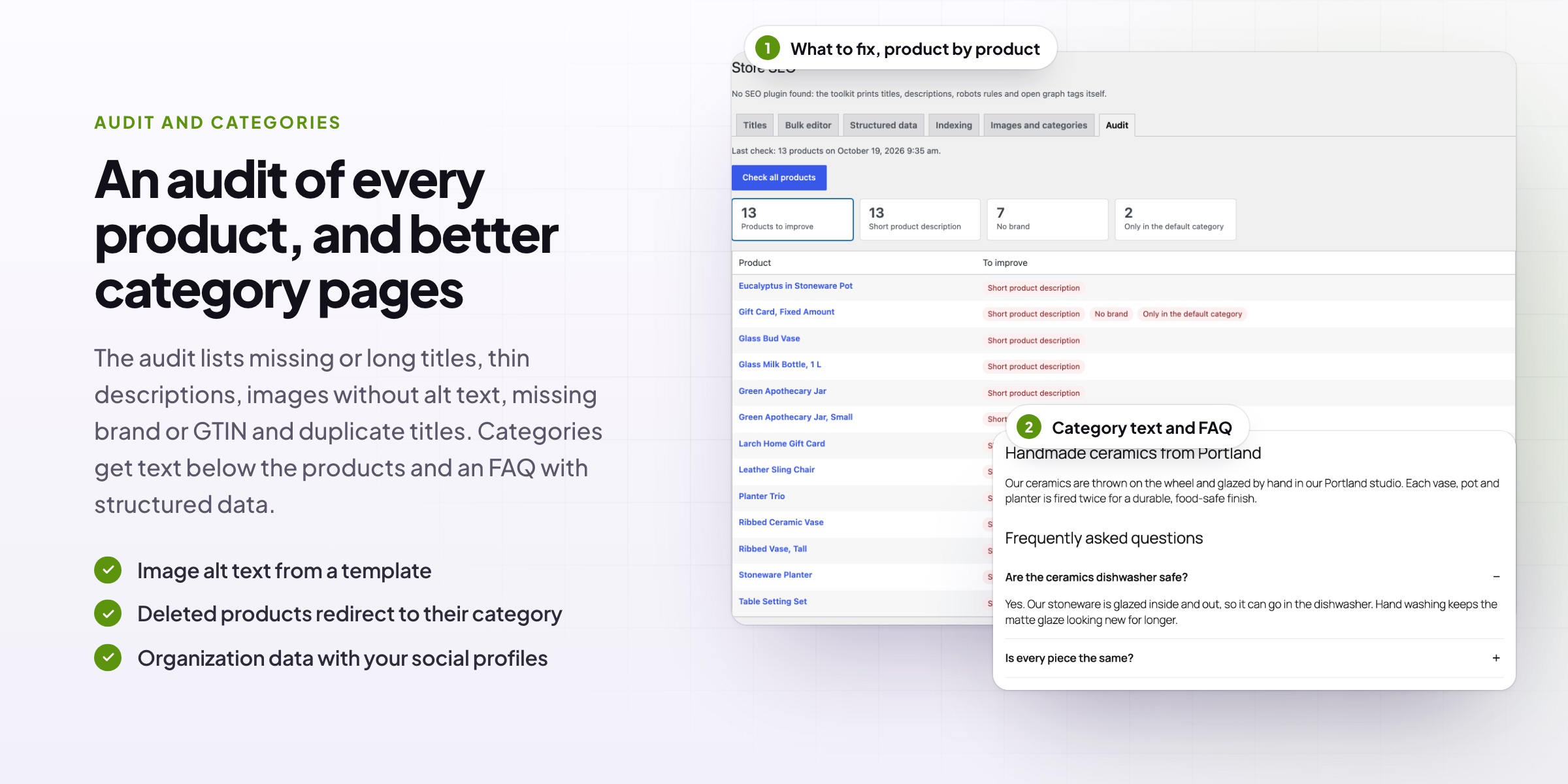
The audit checks every product for missing or long titles and descriptions, short descriptions, images without alt text, missing GTINs or brands, products only in the default category and duplicate titles, and opens the products to fix.
- Counts per problem
- The products with each problem
- Rechecked as products are saved
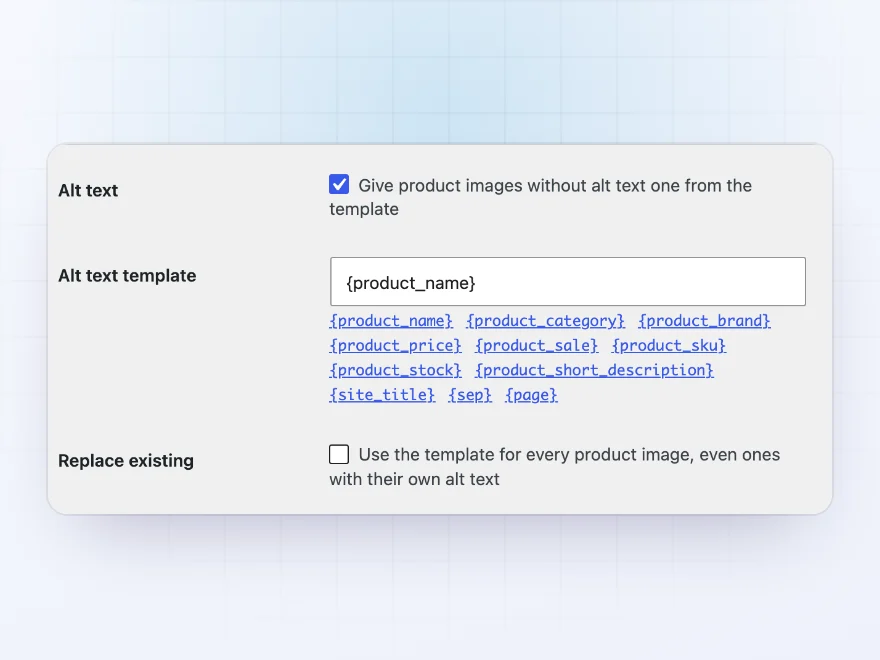
Image alt text
Alt text for every product image
Give product images without alt text one from a template, such as “{product_name} – {product_category}”. Title attributes can come from a template too.
- Alt text from a template
- Only images without one
- Title attributes too
Category pages
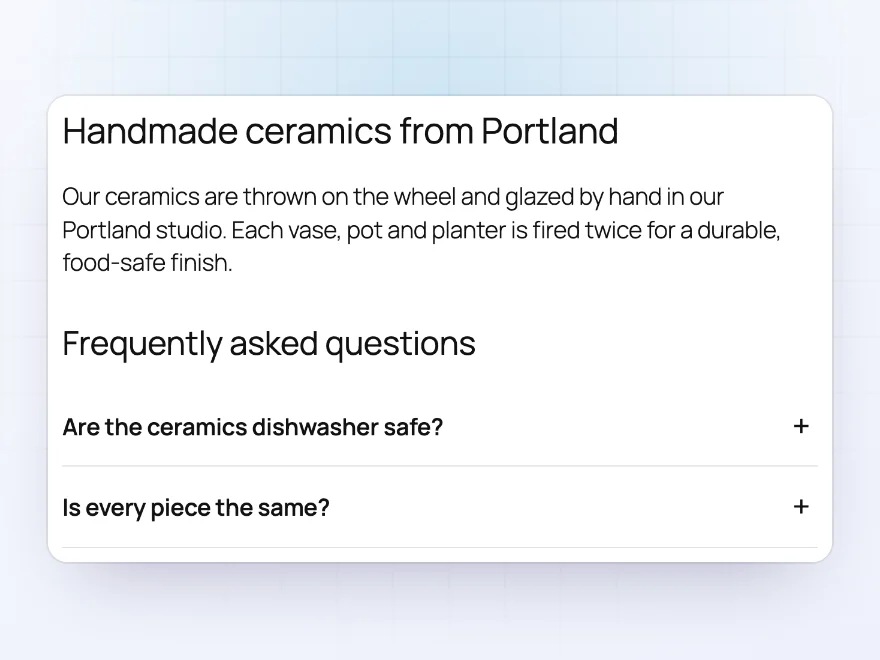
Text and FAQs below the products
Add a second description below the products of a category, tag or brand, and questions and answers with FAQ structured data, so category pages have more to rank with.
- A second description below the products
- Questions and answers
- FAQ structured data
Social sharing
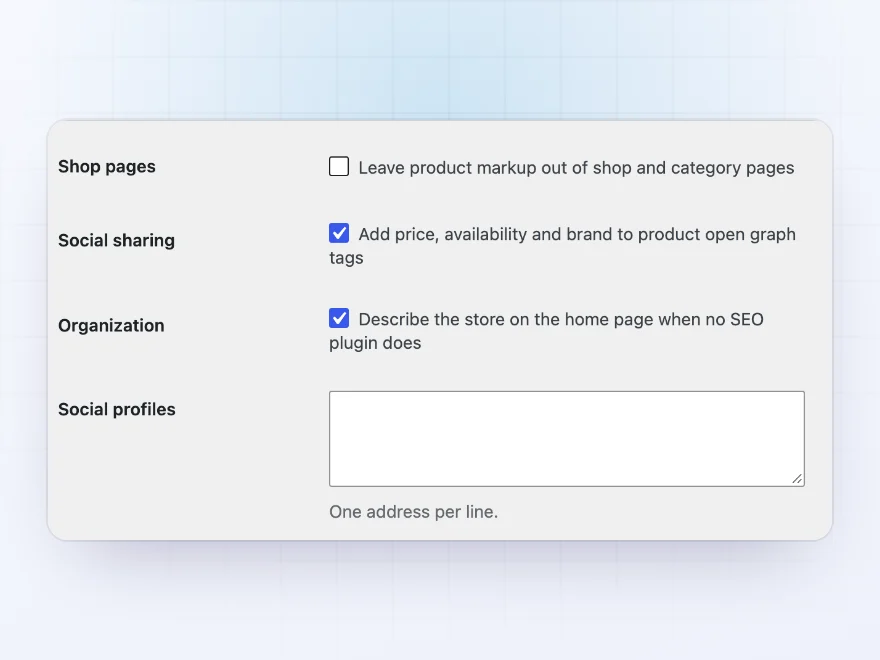
Good-looking links when products are shared
Product open graph tags carry the price, currency, availability, condition and brand when a product is shared. Your store’s name and social profiles are described on the home page when no SEO plugin does it, and product markup can be left out of shop pages.
- Price and availability in shared links
- Your store and social profiles
- Shop pages without product markup
Docs and support
Try it, set it up, ask us anything
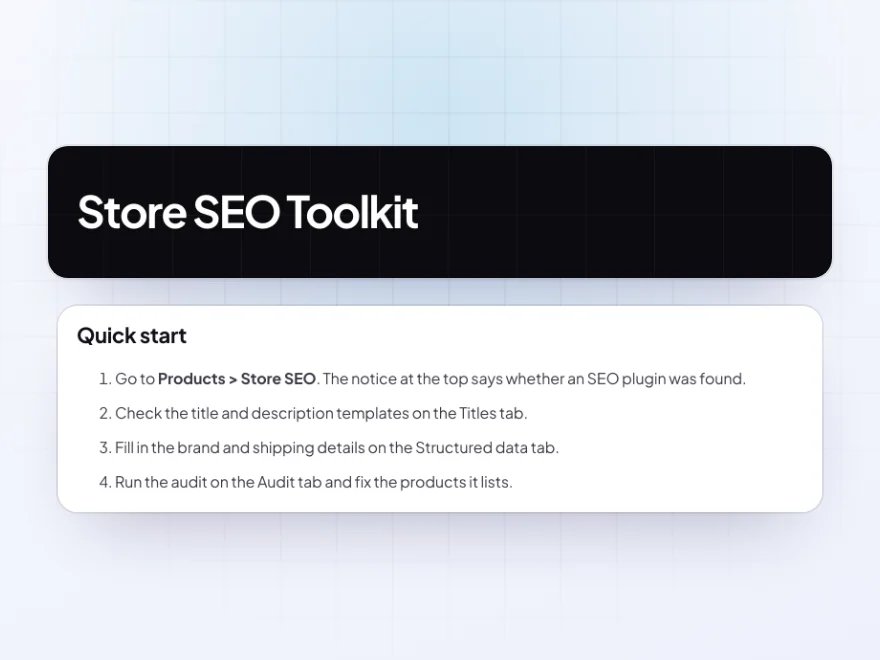
Try Store SEO Toolkit in a live demo store before you buy. The docs start with a quick start and cover titles and descriptions, bulk editor and structured data. Support tickets are answered by the developers who make the plugin, and updates are included.
- A live demo store to try it first
- Step-by-step docs with a quick start
- Most tickets answered within 12–24 hours
WooCommerce SEO for the jobs general SEO plugins leave
Store SEO Toolkit handles WooCommerce SEO jobs that general SEO plugins leave to you: titles and descriptions for hundreds of products from templates, a bulk editor, product structured data with brand and GTIN, alt text for product images, and text and FAQs on category pages.
It also keeps thin pages out of search: filtered and sorted shop pages, hidden and out-of-stock products, and discontinued products that redirect to a replacement. It works alongside Yoast SEO, Rank Math, All in One SEO or SEOPress, so SEO for WooCommerce product pages gets done without replacing the plugin you have.
Common setups
- Next to Yoast or Rank Math: store titles, rich product data and indexing rules added.
- Large catalogs: one title template for every product, with your own for bestsellers.
- Google Shopping: brand, GTIN, MPN, shipping and returns in the product data.
- Filter-heavy shops: filtered and sorted pages kept out of the index.
- Category pages: text and FAQs under the products, with FAQ structured data.
Questions before you buy
Do I still need Yoast SEO or Rank Math?
No, but it works next to them. With one installed, the toolkit adds the store-specific parts and leaves the rest to it; without one, it prints titles, descriptions, robots rules and open graph tags itself.
Will it overwrite titles I already wrote?
No. Titles and descriptions you entered in your SEO plugin are kept, unless you choose otherwise.
Does it add GTINs?
It uses WooCommerce’s GTIN field and adds an MPN field to products and variations, and puts both into the structured data.
What happens to out-of-stock products?
You choose: keep them indexed, remove them after a number of days, or remove them while out of stock.
Does it add FAQ structured data?
Yes, for the questions and answers you add below category products.
Can it write alt text for images?
Yes. Product images without alt text get one from a template, such as the product name and category.
Does it work with block themes?
Yes. It prints its tags itself, so it works with block and classic themes.
Requirements
WordPress 6.8 or newer, WooCommerce 10.0 or newer and PHP 7.4 or newer. Works with classic and block themes, High-Performance Order Storage. Works with Yoast SEO, Rank Math, All in One SEO and SEOPress.
Documentation
Step-by-step setup, every setting explained, and examples: read the documentation. Questions before you buy? Ask us.



Reviews
There are no reviews yet.