 Maxima Plugins
Description
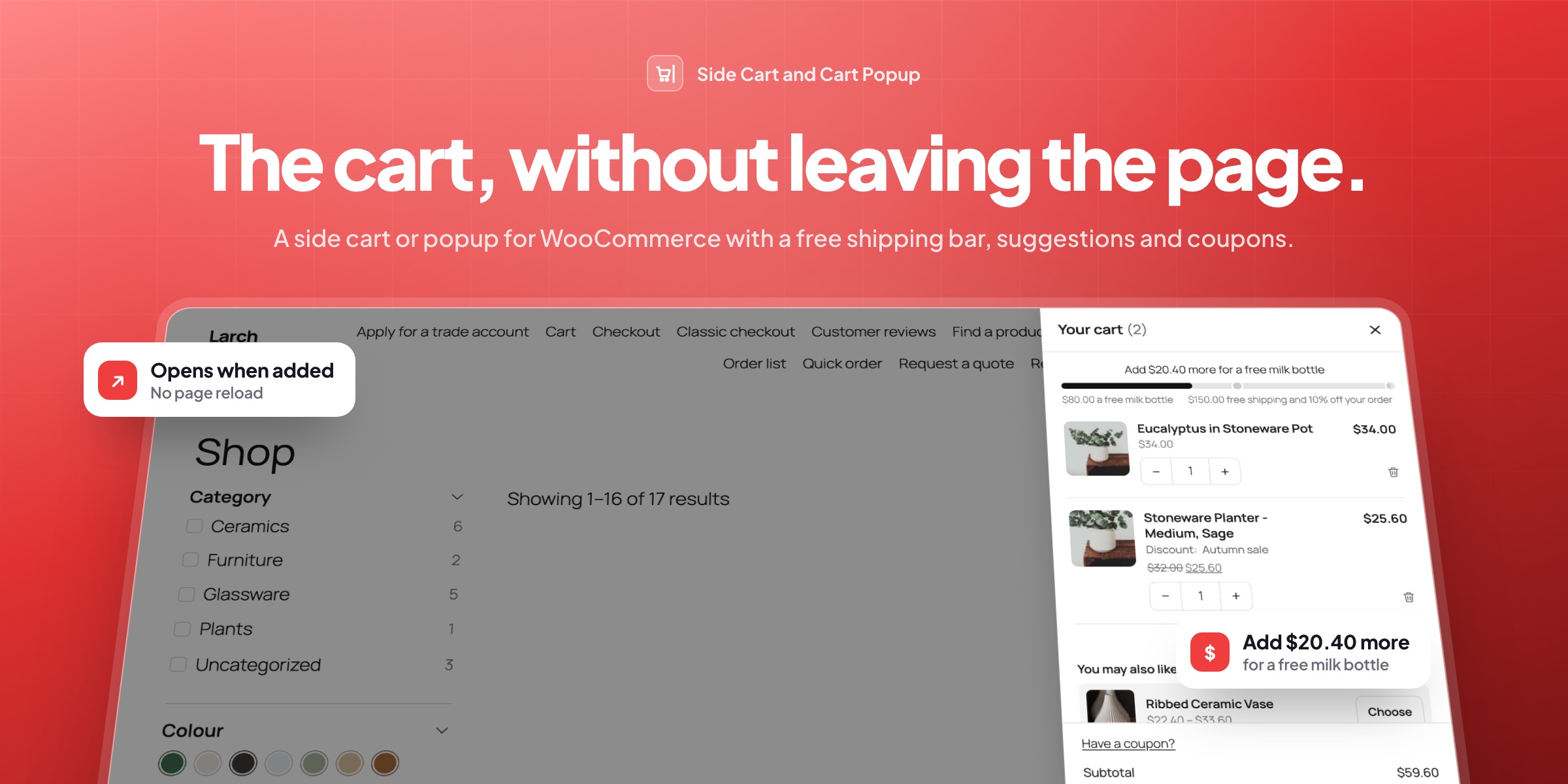
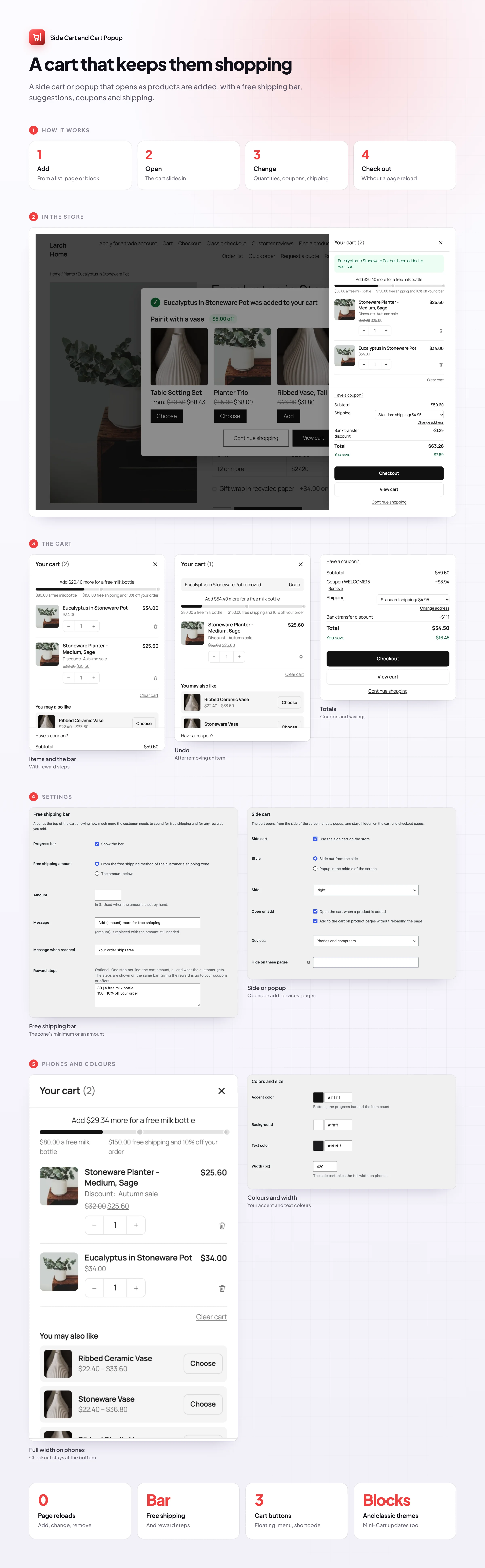
Side Cart and Cart Popup opens the cart from the side of the screen, or as a popup, as soon as a product is added. Customers change the cart and go to checkout without leaving the page.
⚡ Opens on add: from shop lists, product pages and blocks, without a page reload.
🚚 A free shipping bar with reward steps and your own messages.
➕ Quantities, remove and Undo in the cart itself.
🛍️ Suggestions from cross-sells, upsells or related products, added in one click.
🎟️ Coupons, tax and savings, with a “You save” line.
📍 A shipping estimate for the customer’s address.
↔️ Right, left or popup, on phones, computers or both.
🛒 A cart button: floating, in the menu or from a shortcode.
Opens on add
The cart opens as soon as it’s added
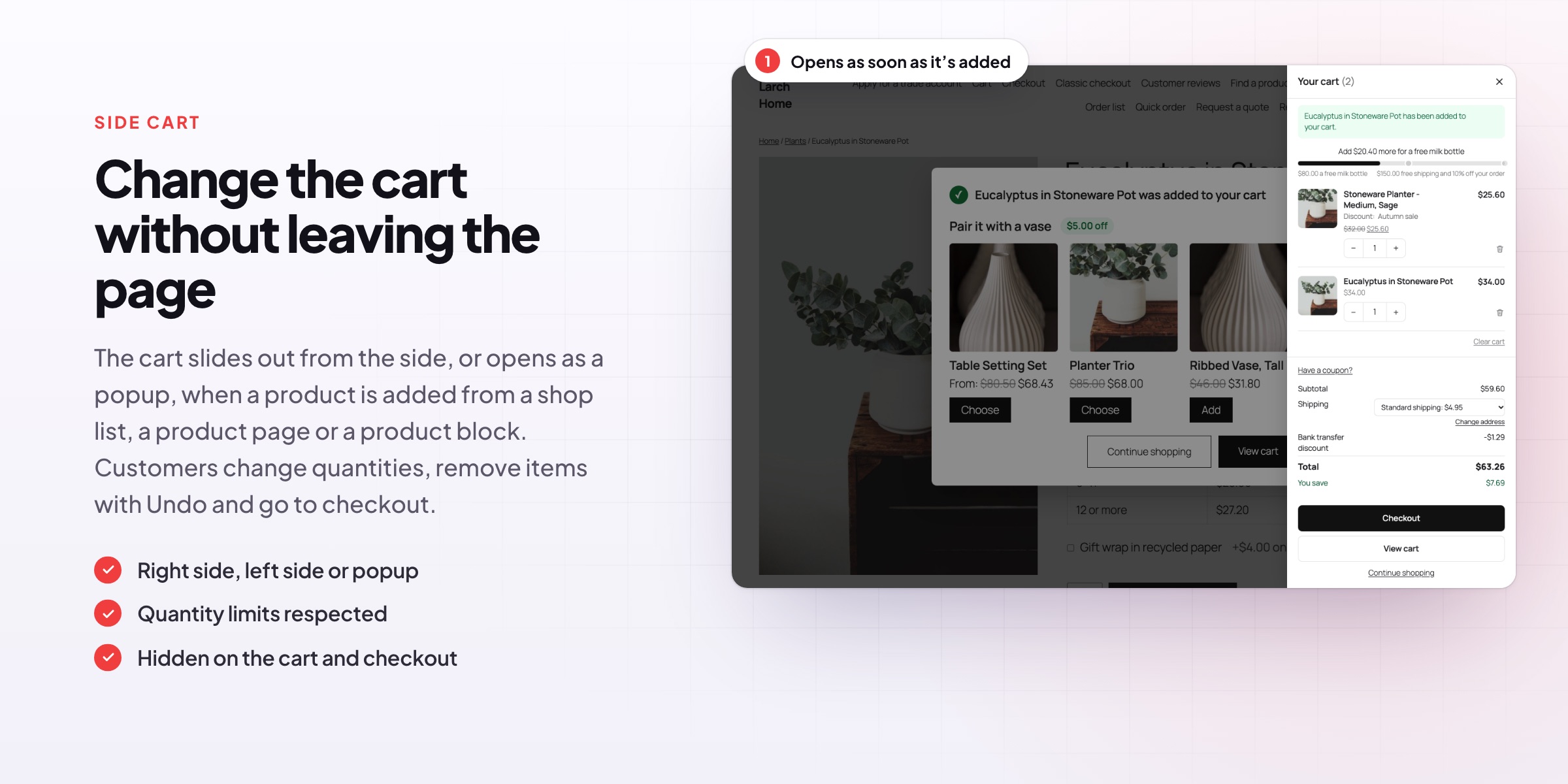
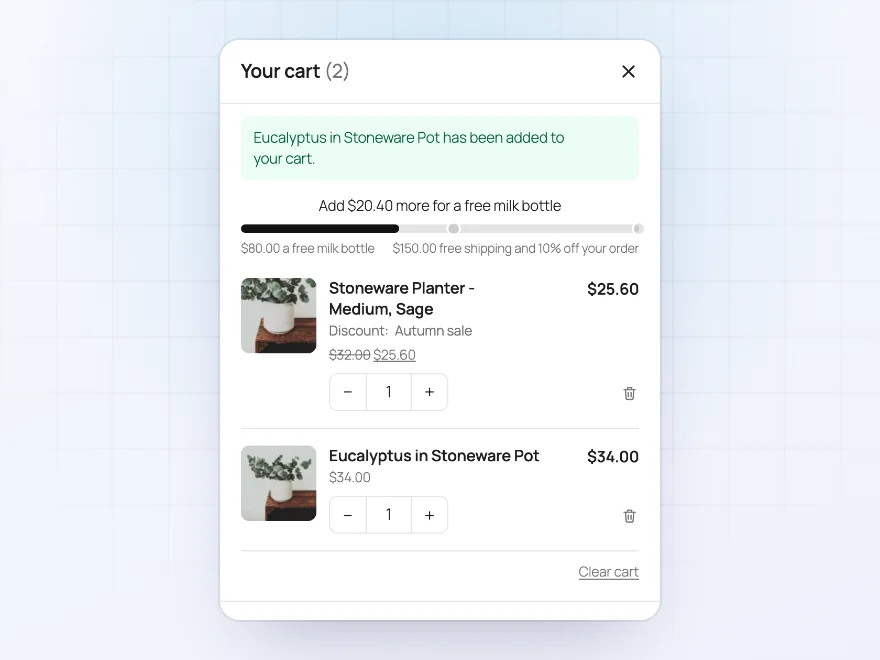
The cart slides out from the side, or opens as a popup, when a product is added from the shop, a product page or a product block, without a page reload, with a message naming the product. A floating button with the item count opens it any time.
- From lists, product pages and blocks
- No page reload
- Names what was added
Free shipping bar
How close the next reward is
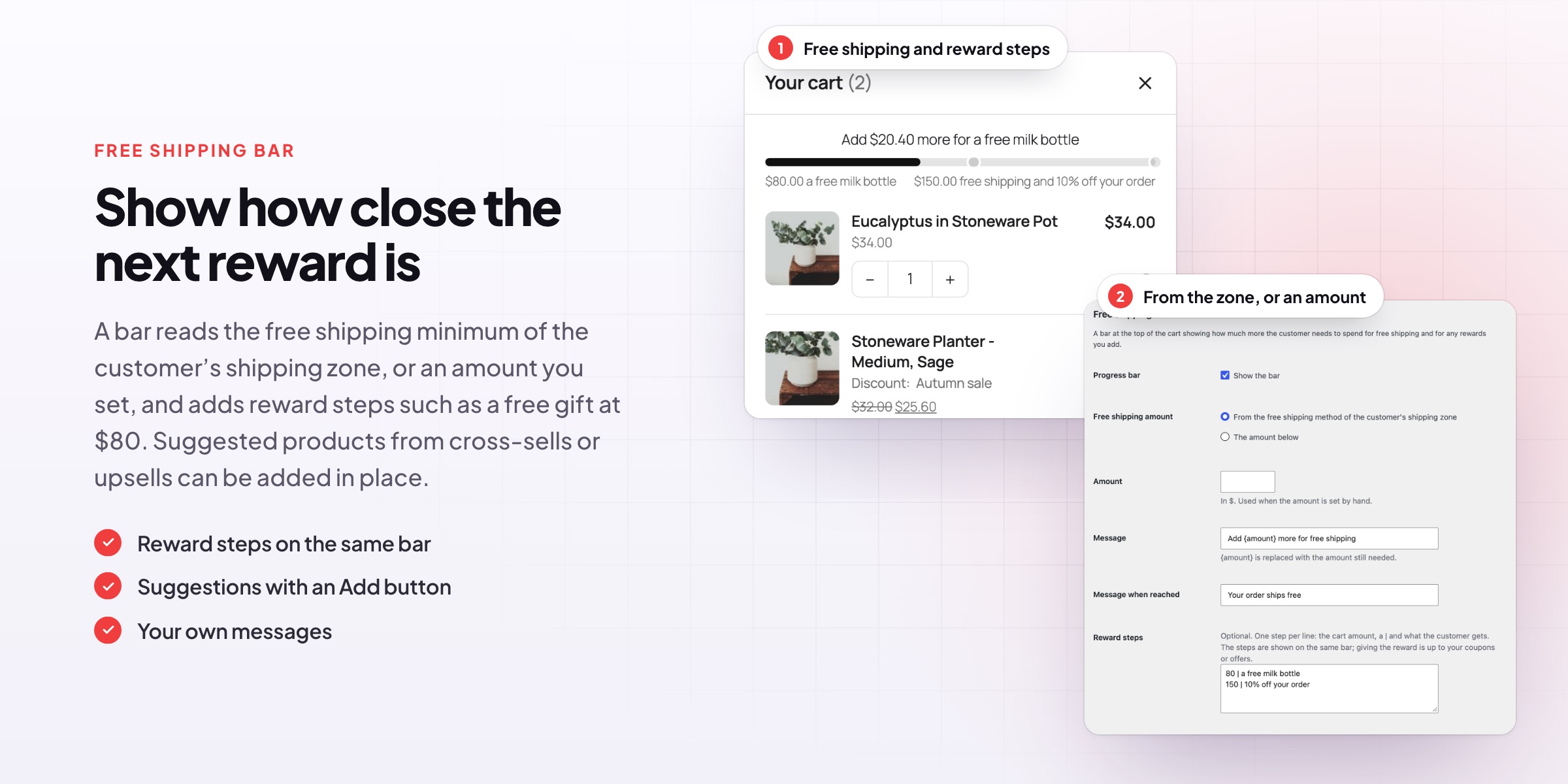
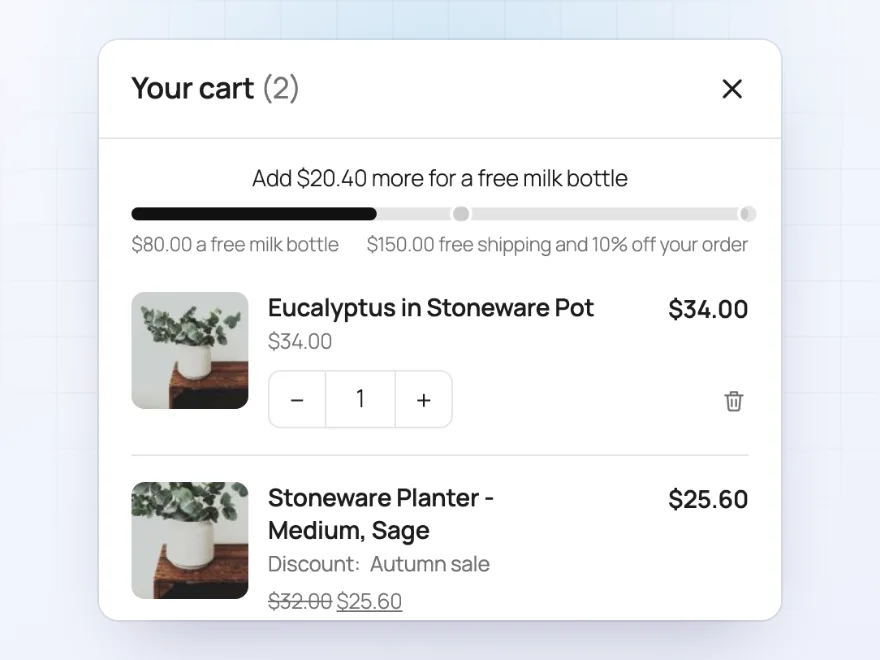
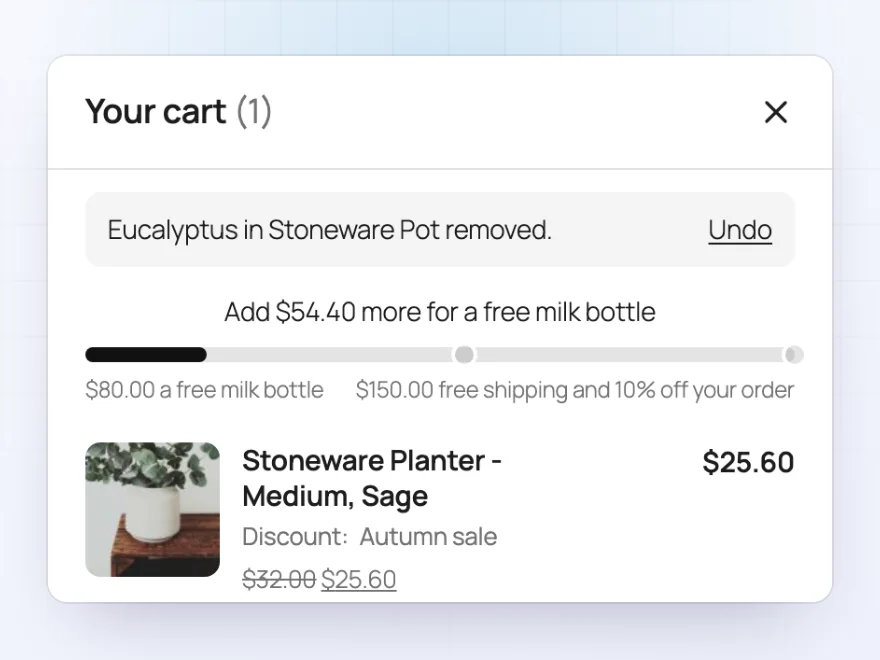
A bar shows how much more is needed for free shipping, read from the customer’s shipping zone or set by you, with reward steps on the same bar, such as a free gift at $80 and 10% off at $150. Steps at the same amount show as one.
- From the shipping zone or an amount
- Reward steps
- Your own messages
Quantities and Undo
Change the cart in place
Customers change quantities and remove items right in the cart, with Undo after a removal. Stock and quantity limits are respected, with a note when a line has reached the most that can be bought.
- Plus and minus buttons
- Undo after removing
- Limits respected
Suggestions
One more item, one click
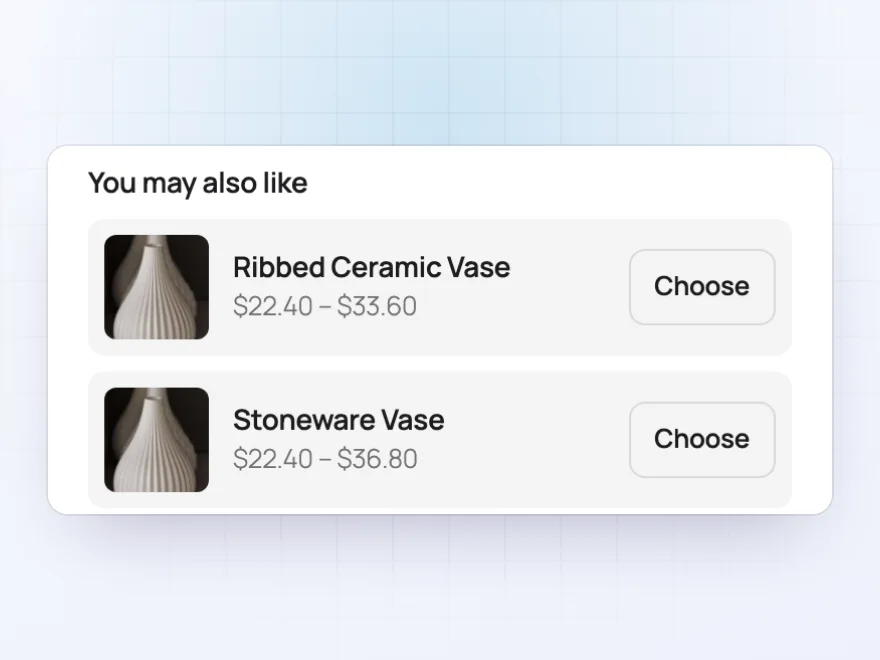
Suggest cross-sells, upsells or related products of what’s in the cart. Simple products get an Add button that adds them in place; others link to their page.
- Cross-sells, upsells or related
- Add in place
- Your own heading
Totals
Coupons, shipping and savings
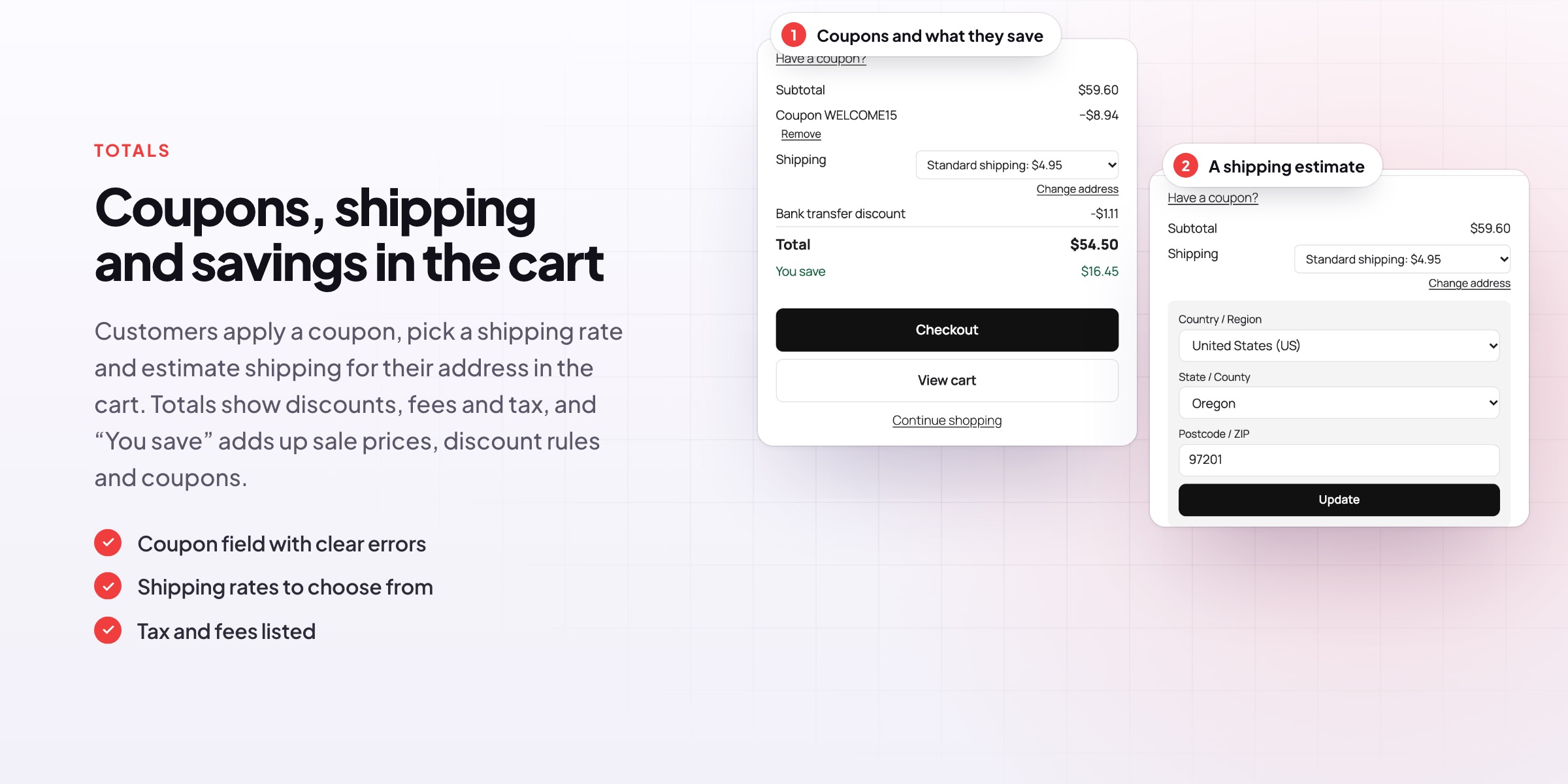
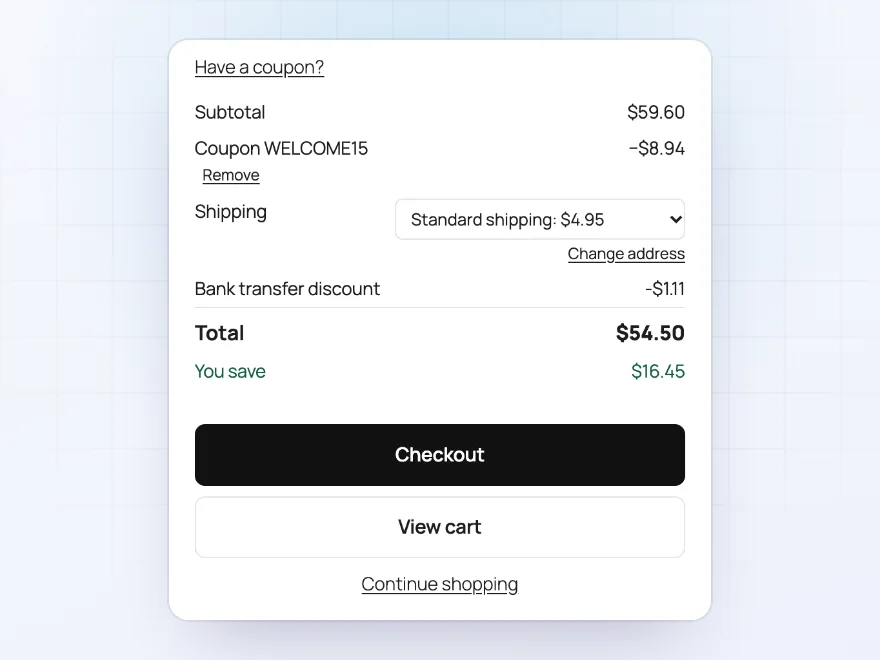
The totals show the subtotal, coupons, shipping, fees, tax and the total, with “You save” adding up sale prices, discount rules and coupons. Customers apply a coupon and see a clear error under the field if it doesn’t work.
- Coupon field
- Tax and fees listed
- “You save” line
Shipping estimate
Shipping for their address
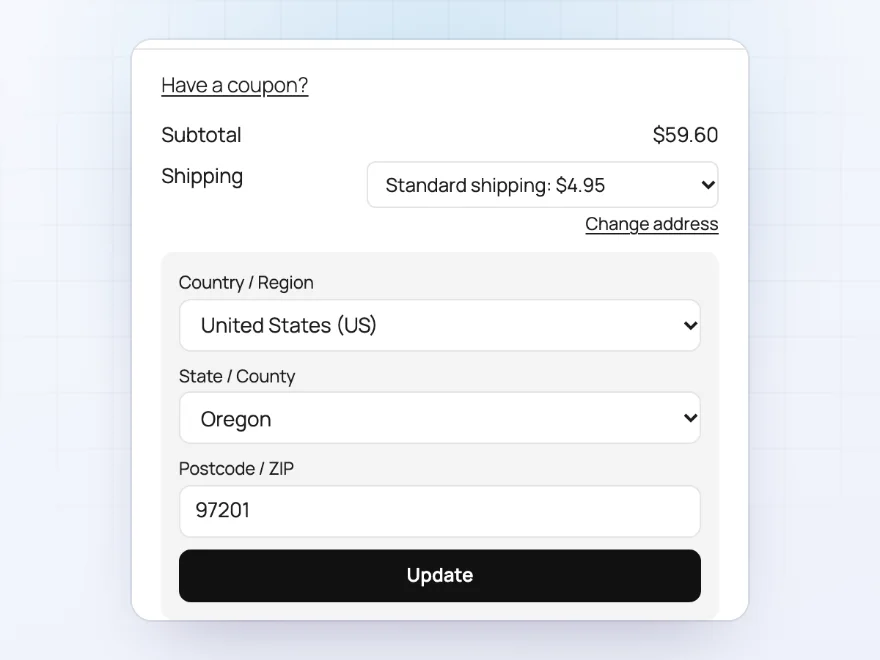
When the cart page’s shipping calculator is on, customers enter their country, state and postcode in the side cart and pick a rate from the dropdown, so the total is right before checkout.
- Country, state and postcode
- Rates to choose from
- The total follows
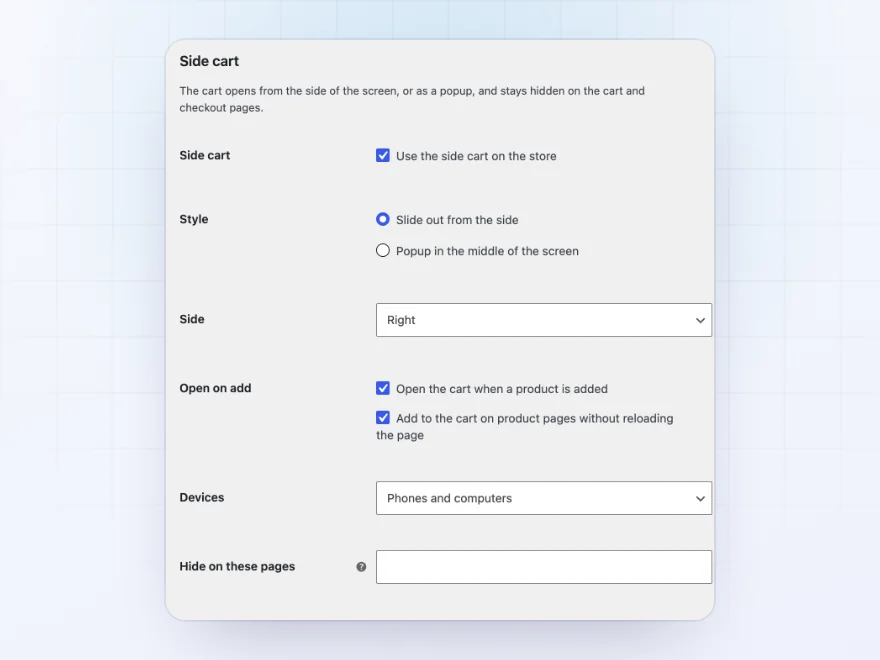
Side or popup
Slide out, or open in the middle
The cart slides out from the right or the left, or opens as a popup in the middle of the screen. It opens when a product is added, can add products on product pages without reloading, and stays hidden on the cart and checkout pages and any pages you choose.
- Right, left or popup
- Phones, computers or both
- Hidden on pages you choose
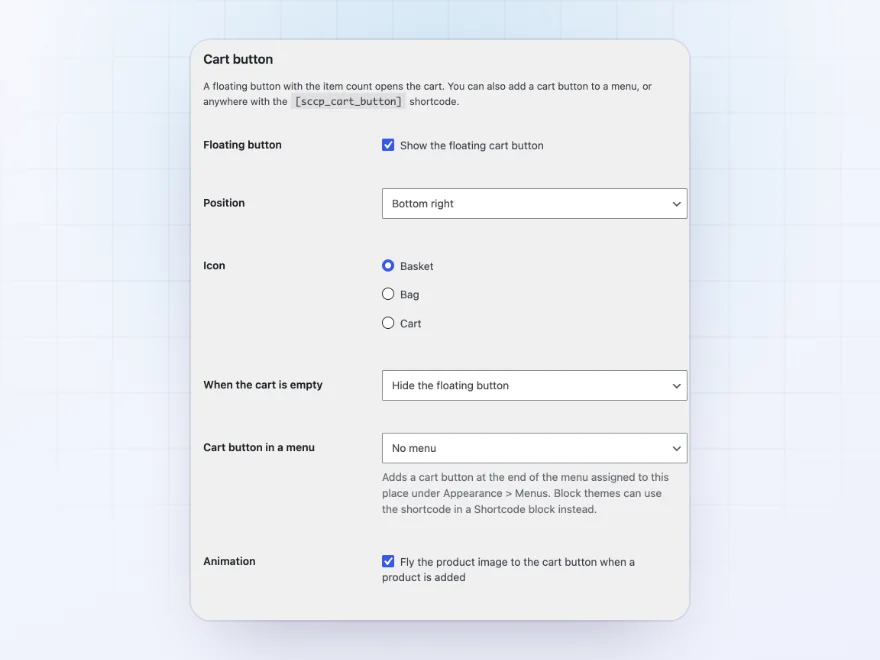
Cart button
A cart button wherever you want it
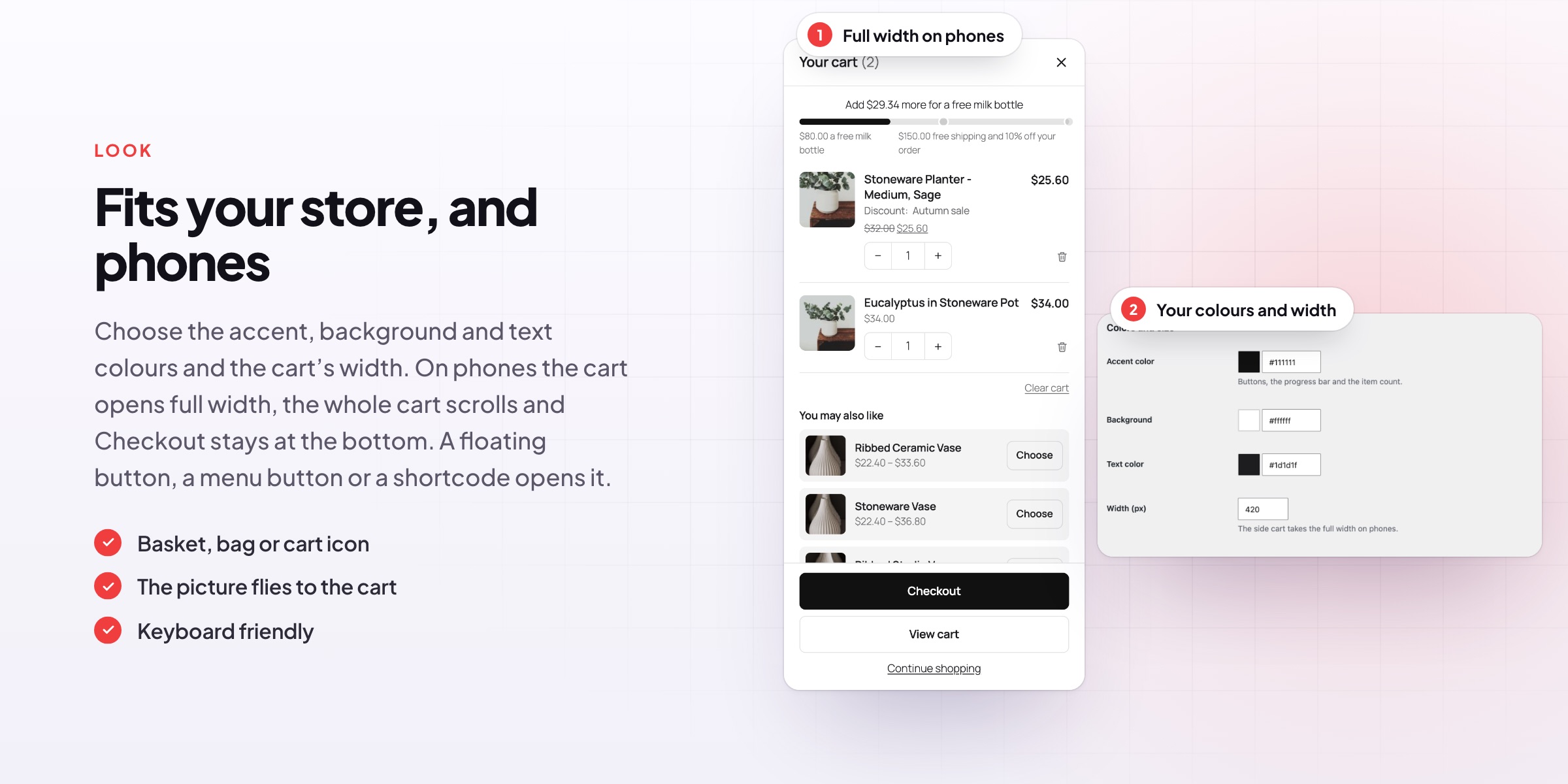
A floating button with the item count opens the cart from any corner, and can hide while the cart is empty. Add a cart button to a theme menu, or anywhere with a shortcode, and pick a basket, bag or cart icon.
- Floating, menu or shortcode
- Basket, bag or cart icon
- The picture flies to the cart
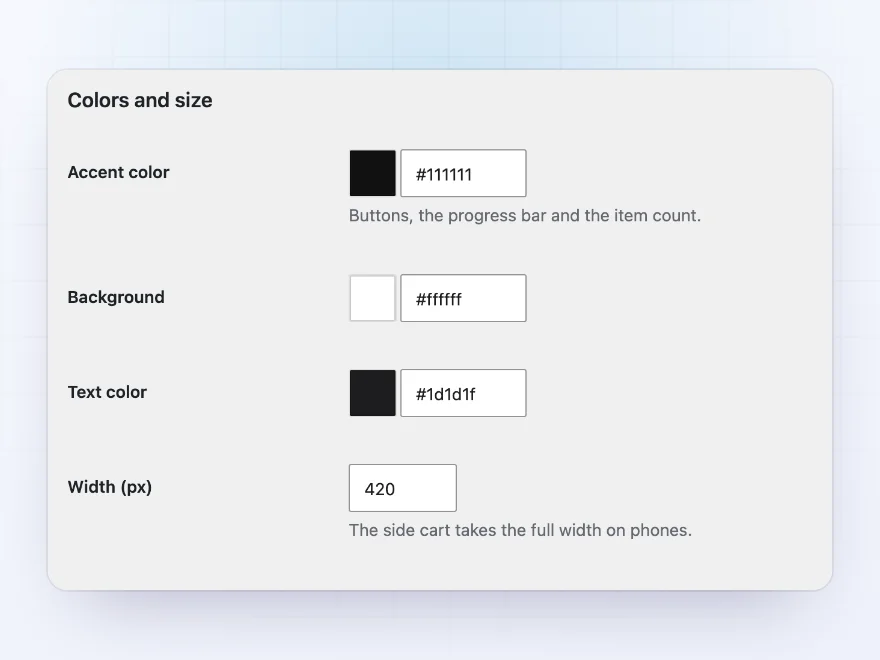
Colours
Your colours and width
Set the accent, background and text colours and the cart’s width to match your store. On phones the cart takes the full width, the whole cart scrolls and Checkout stays at the bottom, and keyboard users can open, use and close it.
- Accent, background and text
- Full width on phones
- Keyboard friendly
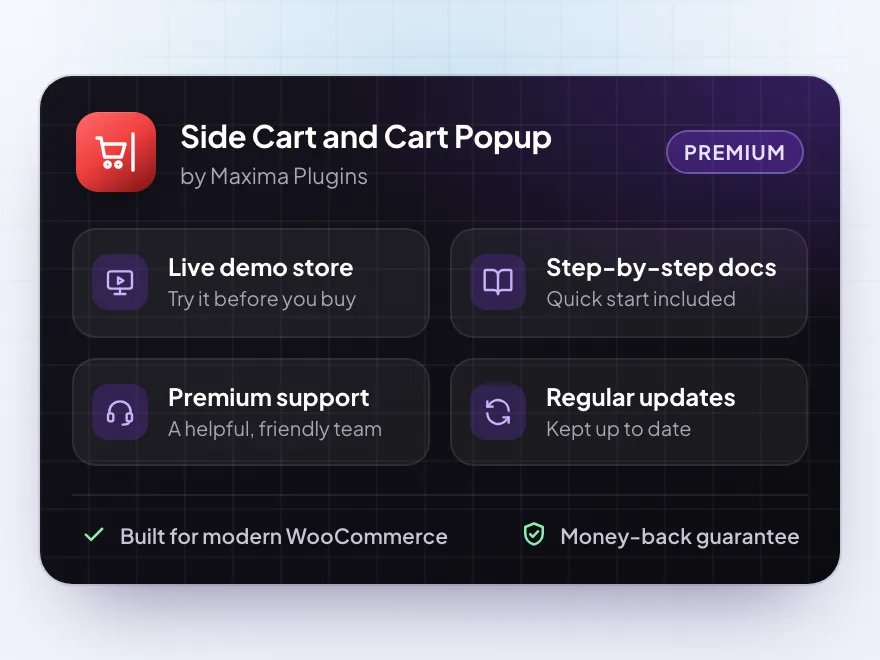
Premium quality & support
Support you can count on, year after year
See Side Cart and Cart Popup working in a live demo store before you buy. If you need a hand, our friendly support team will help you get it set up, and regular updates keep it working with each new WooCommerce release.
- A live demo store to try it first
- Step-by-step docs with a quick start
- Premium support from a helpful team
- Regular updates included
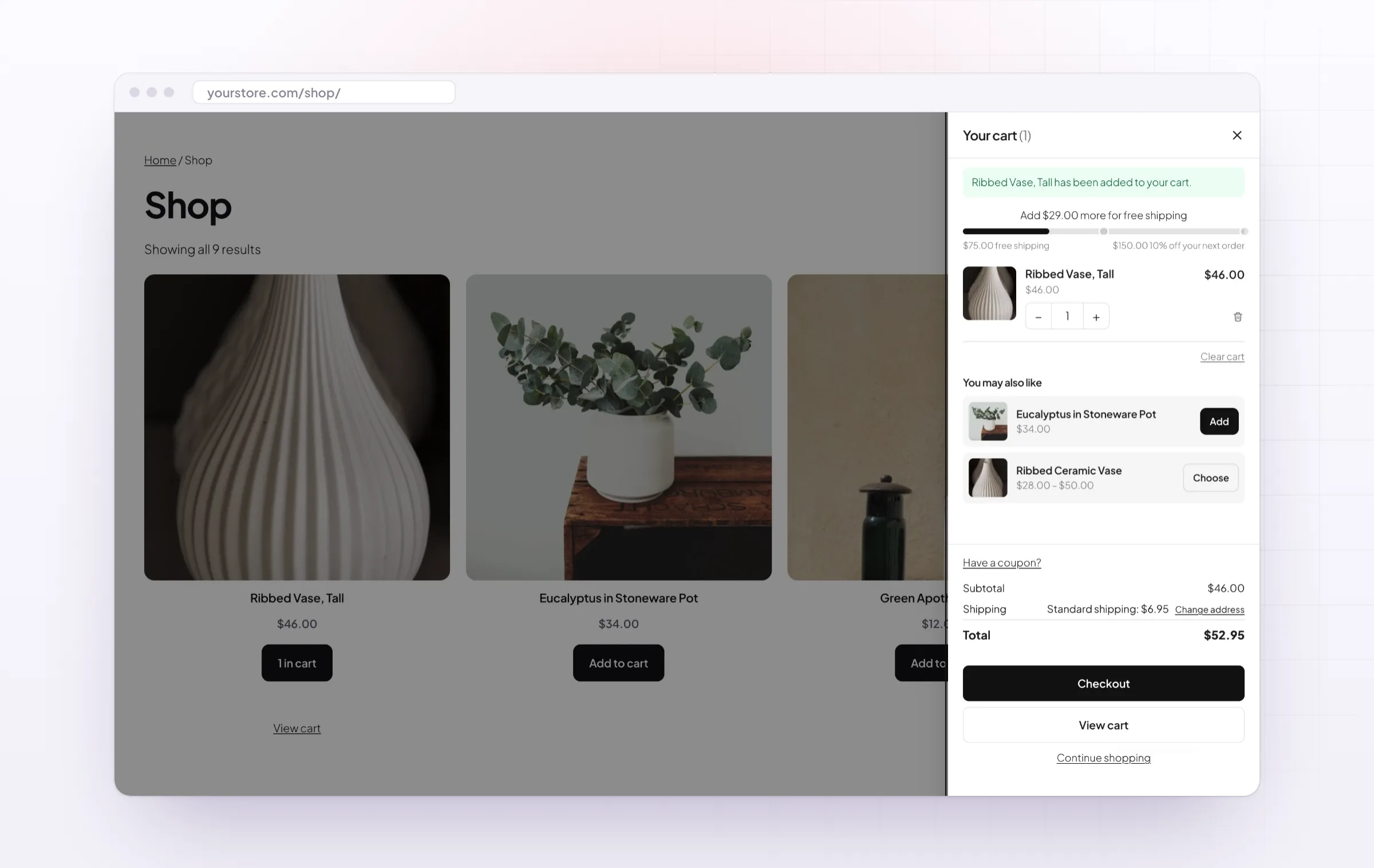
A side cart for WooCommerce that opens as products are added
Side Cart and Cart Popup is a side cart for WooCommerce stores that want customers to keep shopping. When a product is added, the cart slides out from the side, or opens as a WooCommerce add to cart popup, without a page reload, and customers can change quantities, remove items with Undo or go straight to checkout.
It makes for a fast cart that also sells: a free shipping bar with reward steps, suggestions from cross-sells or upsells, a coupon field and a shipping estimate. A floating WooCommerce shopping cart icon with the item count opens it on every page, and it can sit in a theme menu or anywhere with a shortcode.
Common setups
Questions before you buy
Where does the free shipping amount come from?
From the Free shipping method of the customer’s shipping zone when it needs a minimum amount, or from an amount you set.
Do reward steps give the reward?
No. They show on the bar to encourage bigger orders; give the reward with a coupon or a discount rule.
Can products be added on product pages without a reload?
Yes, for simple, variable and grouped products. Forms with file uploads, and external products, are sent as usual.
How do I add a cart button to my header?
Choose a menu under Cart button in a menu, or add the [sccp_cart_button] shortcode to a Shortcode block.
Does it work with the Mini-Cart block?
Yes. The Mini-Cart block and the mini cart widget update when the side cart changes.
Does it work on phones?
Yes. The cart takes the full width, the whole cart scrolls and Checkout stays at the bottom.
Can I change the markup?
Yes. Copy the cart templates to your theme and edit the copies.
Requirements
- WordPress
- 6.8 or newer
- WooCommerce
- 10.0 or newer
- PHP
- 7.4 or newer
Works with
- Classic themes
- Block themes
- Cart and Checkout blocks
- High-Performance Order Storage




Mirjam –
Works well on desktop. On older phones the animation is a little slow, so four stars.
stefanvdb –
Thomas helped me hide the popup on the checkout page. quick reply
Katja –
Average order up
Our average order went up about 8% in the first month. The upsell row inside the cart is the reason.
Ruben –
We turned it on with the block cart and it looks native. Undo is a nice touch.
Ilse –
side cart opens on add and the free shipping bar nudges people to spend more. works well
Nora V. –
No complaints
Michael helped me turn off the popup on mobile. no complaints
Julien –
works well. undo is a small thing but customers use it
Oak & Otter –
Average order went up
the side cart opened on add and our average order went up a little. The free shipping bar is a nice nudge.