 Maxima Plugins
Description
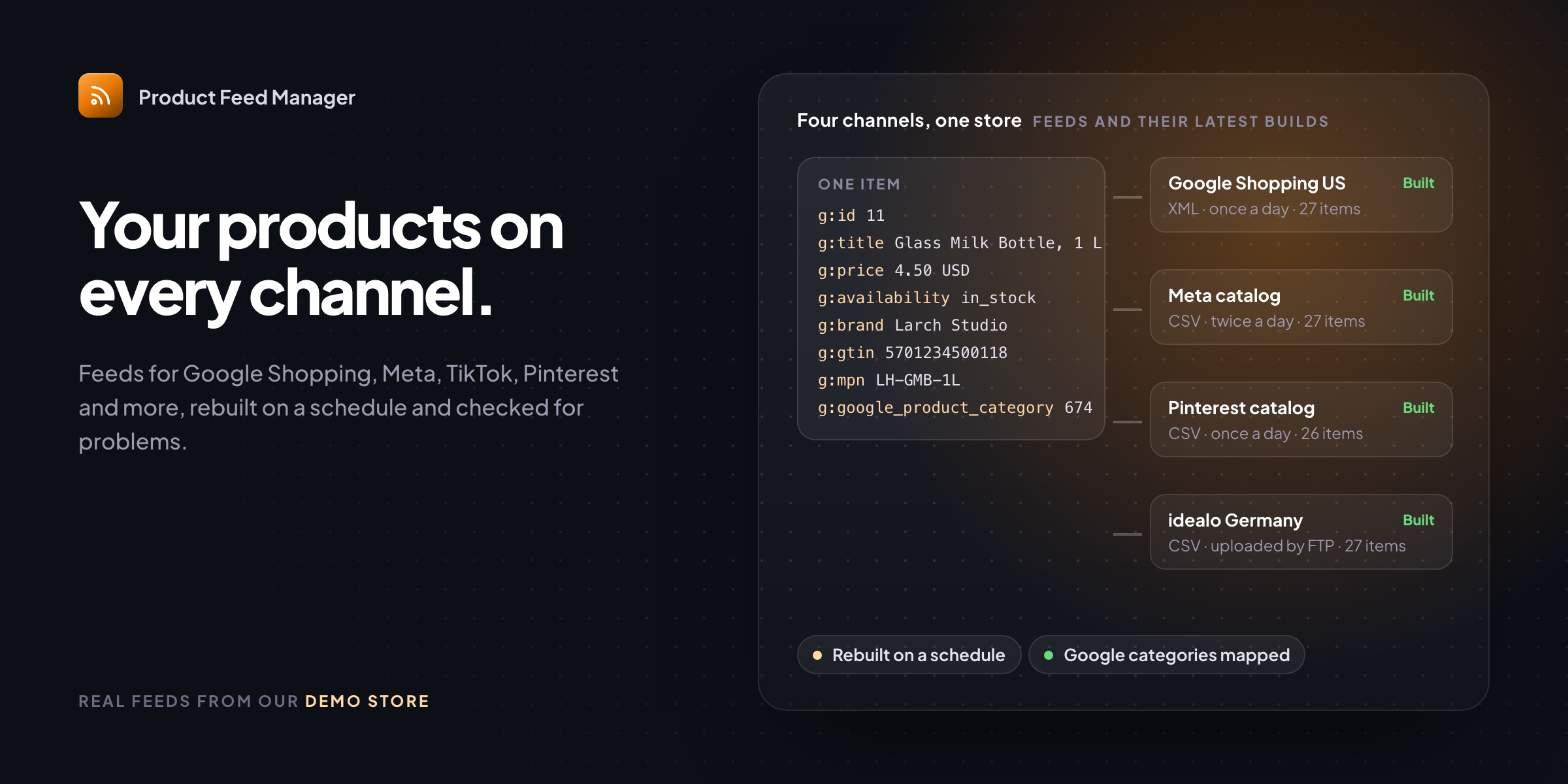
Product Feed Manager makes the product feeds Google Shopping, Meta, TikTok and other channels ask for, straight from your WooCommerce products. Pick a channel and its fields are filled in for you, and the feed is rebuilt on a schedule so prices and stock stay current.
📡 11 channels and a custom feed: Google, Meta, TikTok, Pinterest, Microsoft, idealo and more.
📄 XML, CSV, TSV or JSON, at an address that stays the same after every build.
🧩 Fields from the right place, with twelve rules for any field and your own fields.
🎯 Only the products you want: conditions on any product detail, or only products sold lately.
🗂️ Your categories mapped to Google’s, with subcategories following their parent.
✅ A feed check on every build that lists the items a channel may turn down.
🏷️ Brand, MPN and condition on every product, with your SKUs as MPNs if you like.
🔁 Rebuilt on a schedule, and uploaded by FTP or FTPS after each build.
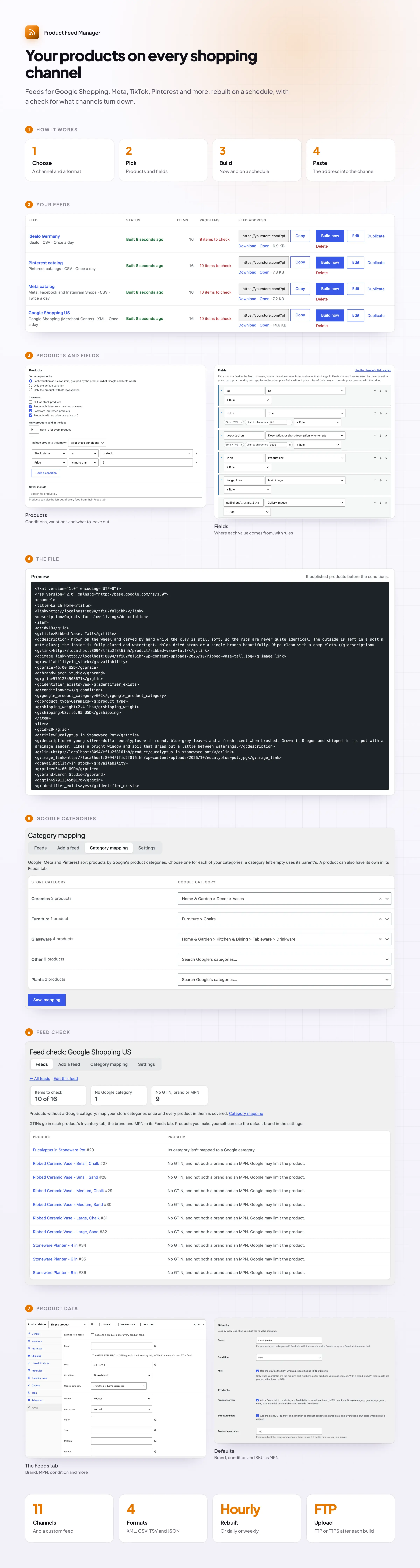
Feeds
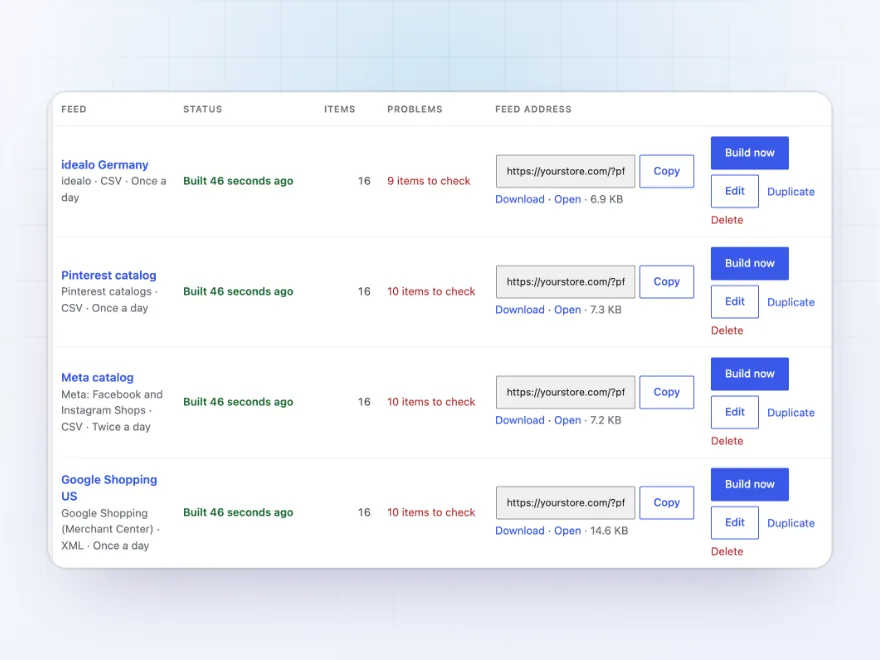
A feed for every channel
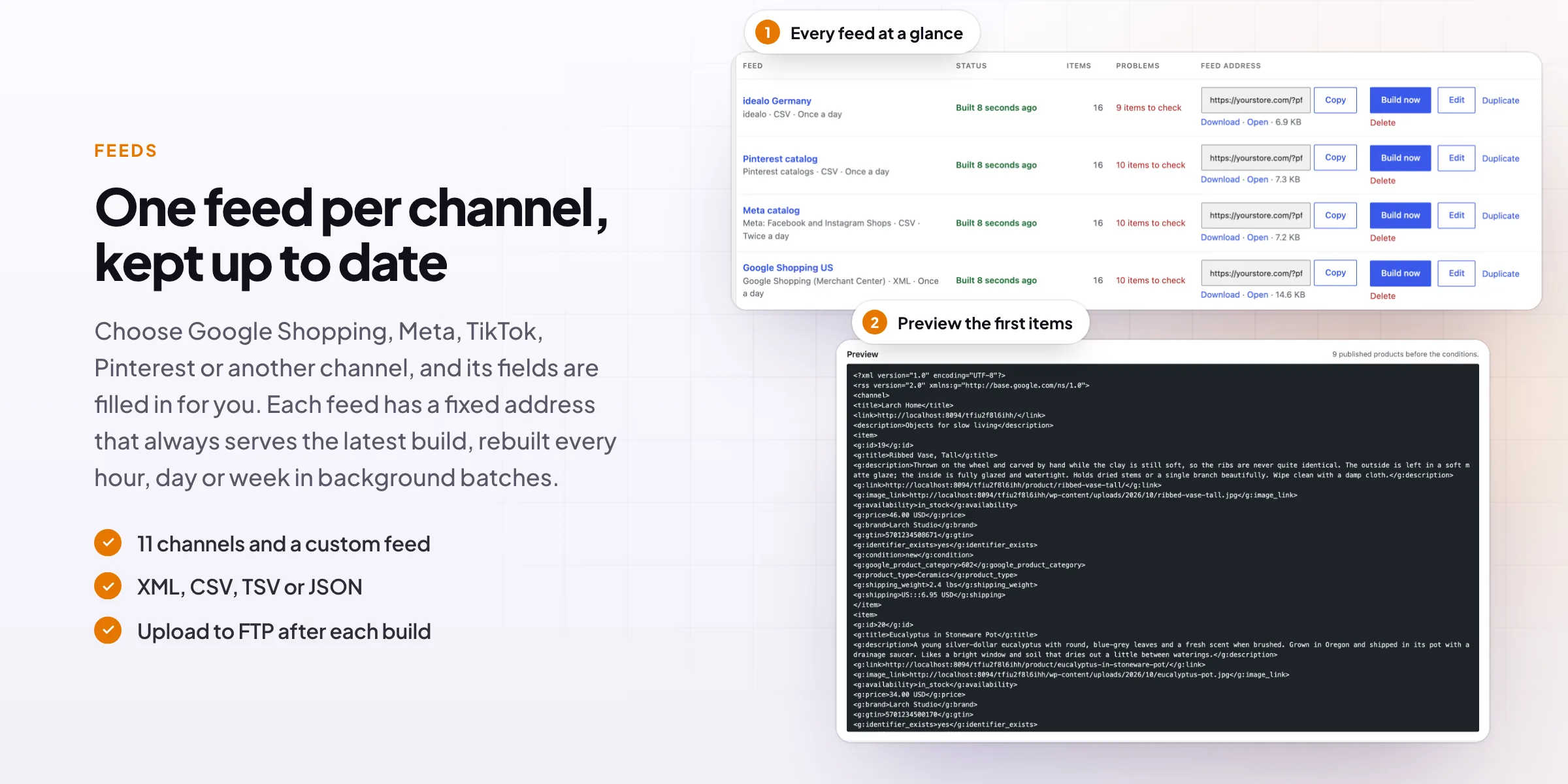
Make as many feeds as you need, each with its own channel, format, products and fields. Each has a fixed address that always serves the latest build, rebuilt every hour, twice a day, daily or weekly in background batches, so big catalogs don’t time out.
- 11 channels and a custom feed
- XML, CSV, TSV or JSON
- Build now, duplicate or delete
Fields and rules
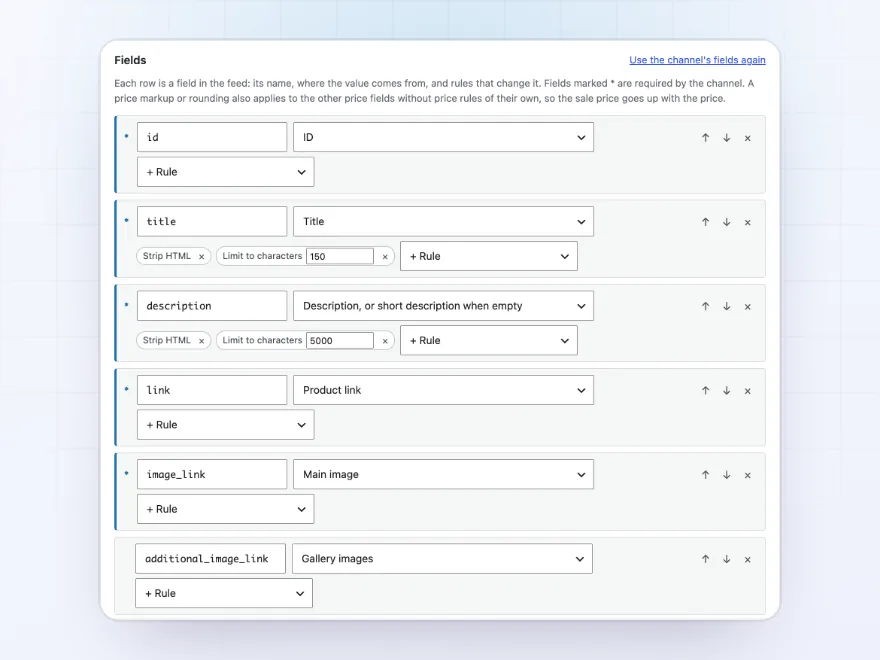
Every field from the right place
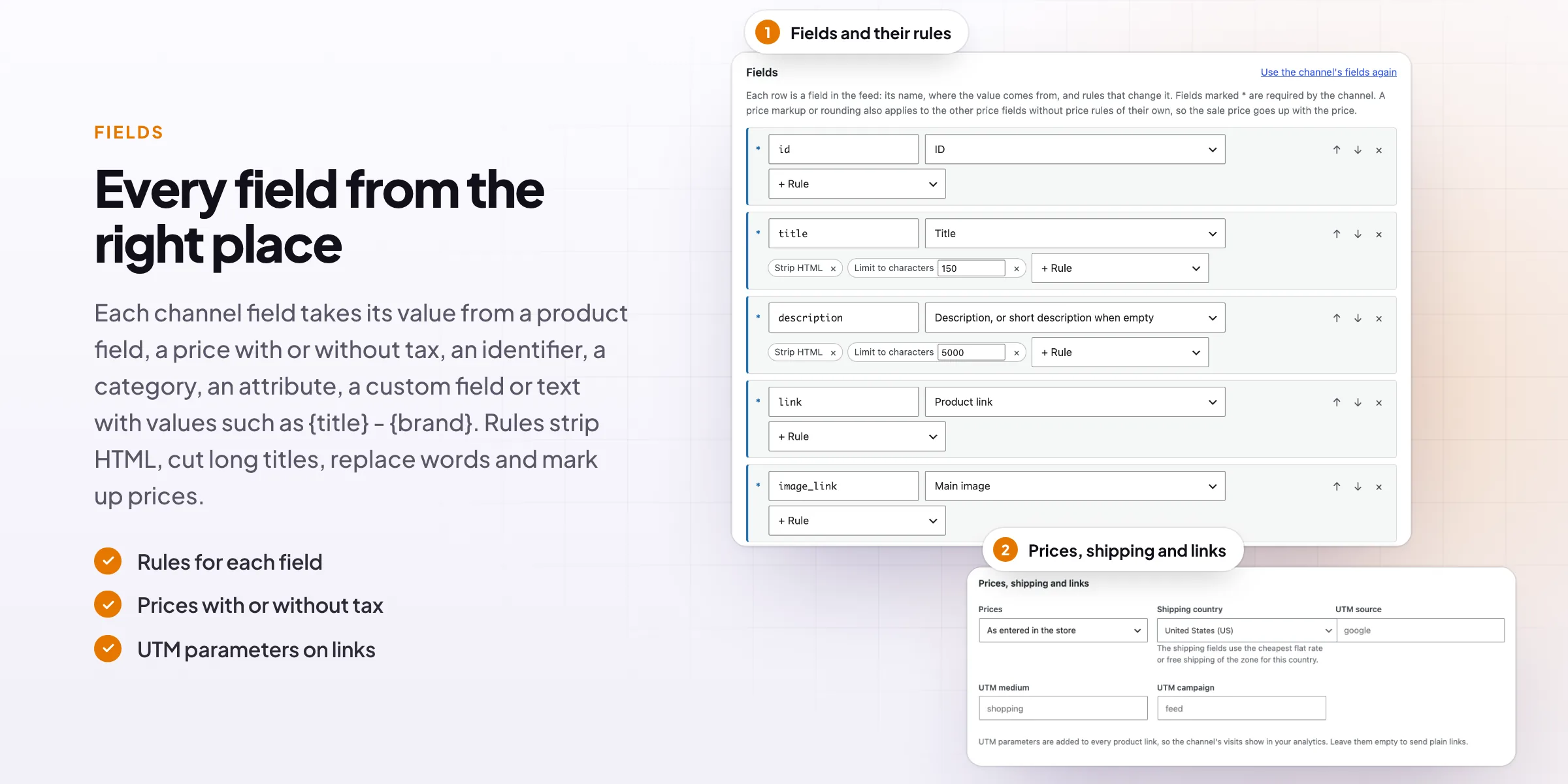
Each channel field takes its value from a product field, a price, an identifier, a category, an attribute, a custom field or text with values such as {title} – {brand}. Rules strip HTML, cut long titles, find and replace, change the case, add text and mark up prices.
- Twelve rules for any field
- Your own fields
- The channel’s fields to start
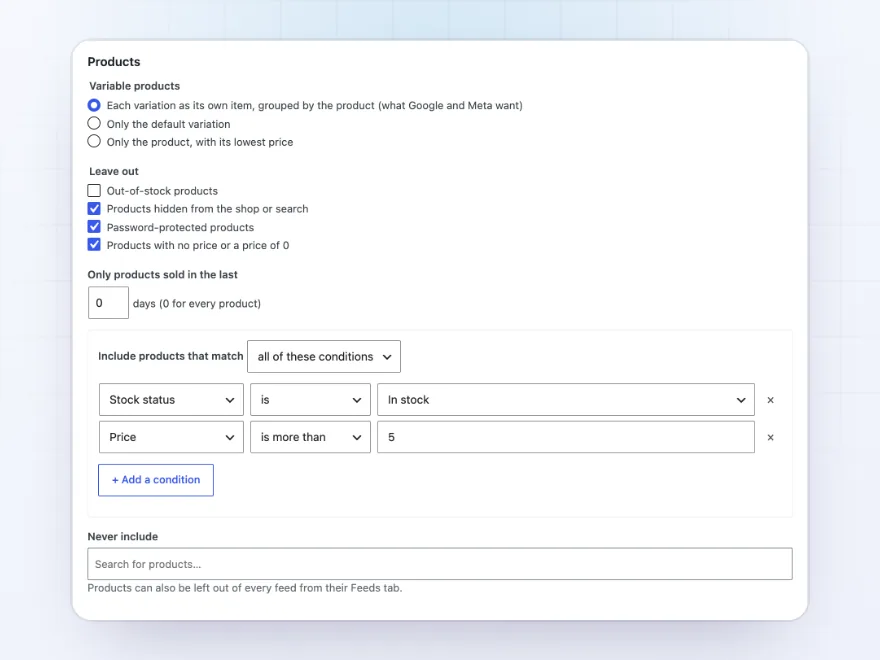
Products
Only the products you want to advertise
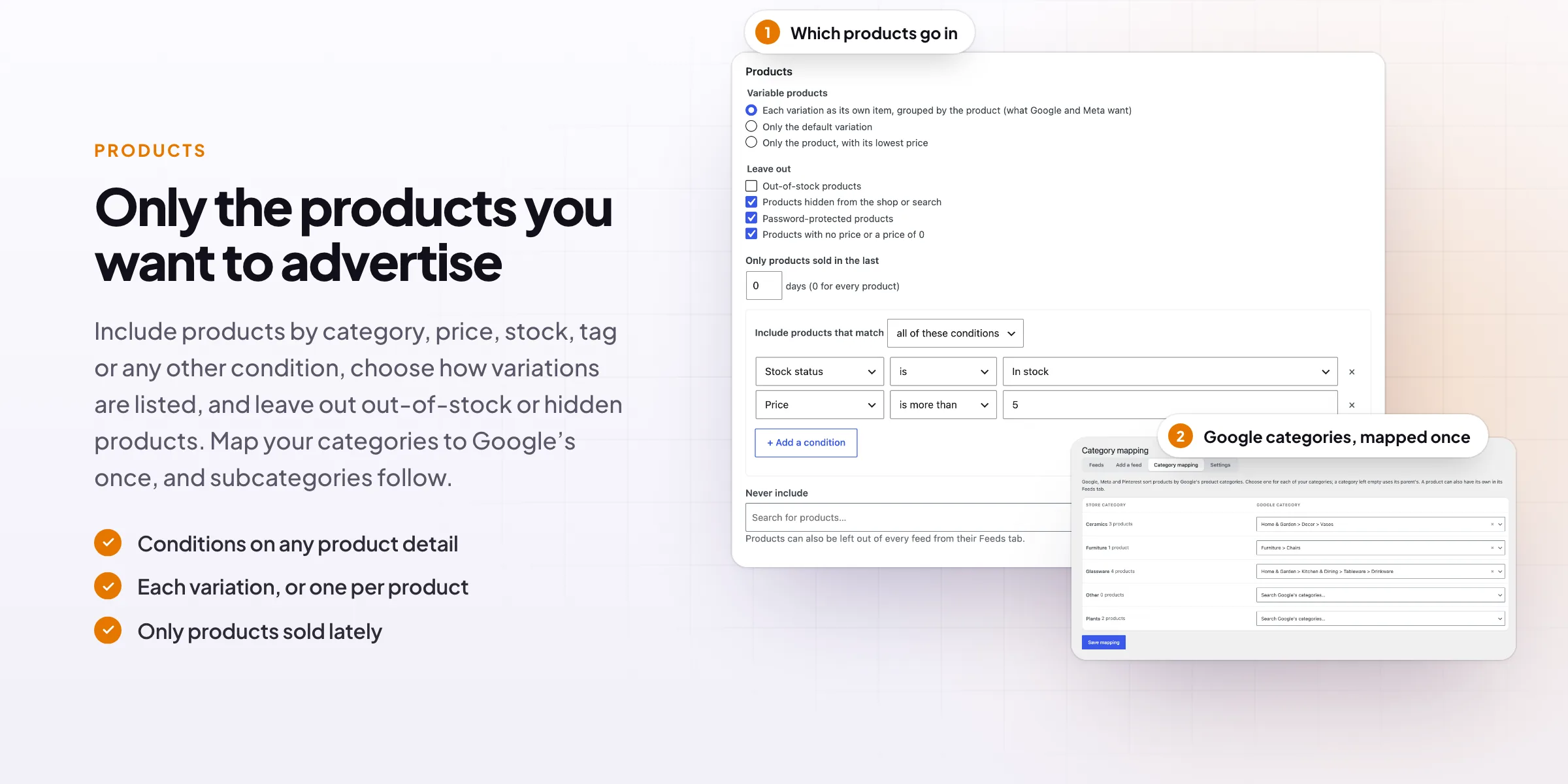
Choose how variations are listed, leave out out-of-stock, hidden, password-protected and zero-price products, and include products by category, tag, type, stock, price, title, SKU, attribute or custom field, matching all or any conditions.
- Each variation, or one per product
- Conditions on any product detail
- Only products sold lately
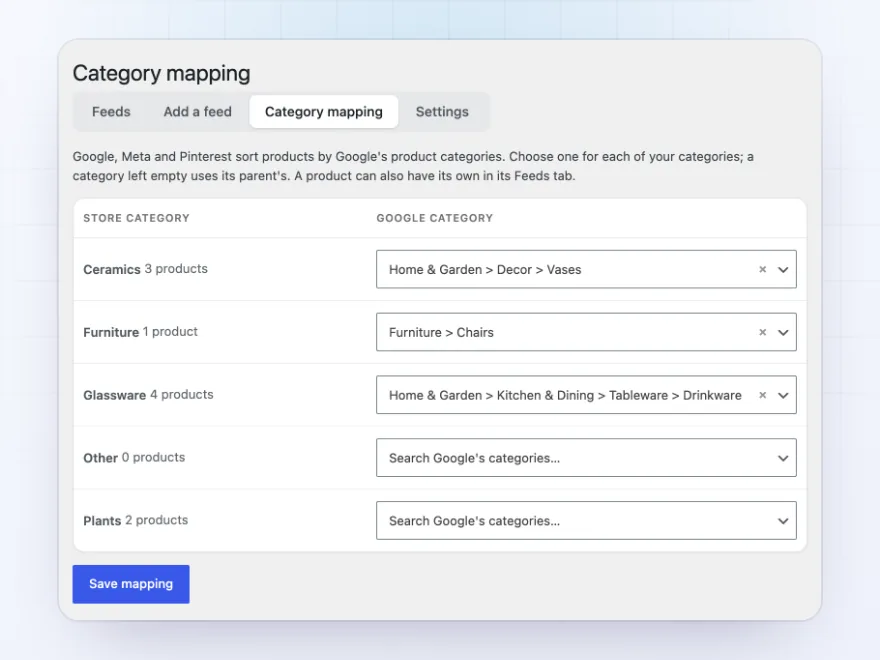
Google categories
Your categories, mapped to Google’s
Google, Meta and Pinterest sort products by Google’s product categories. Map each of your store categories once, with a search through Google’s list, and every product in it is covered; subcategories use their parent’s mapping.
- Search Google’s categories
- Subcategories follow their parent
- One product can have its own
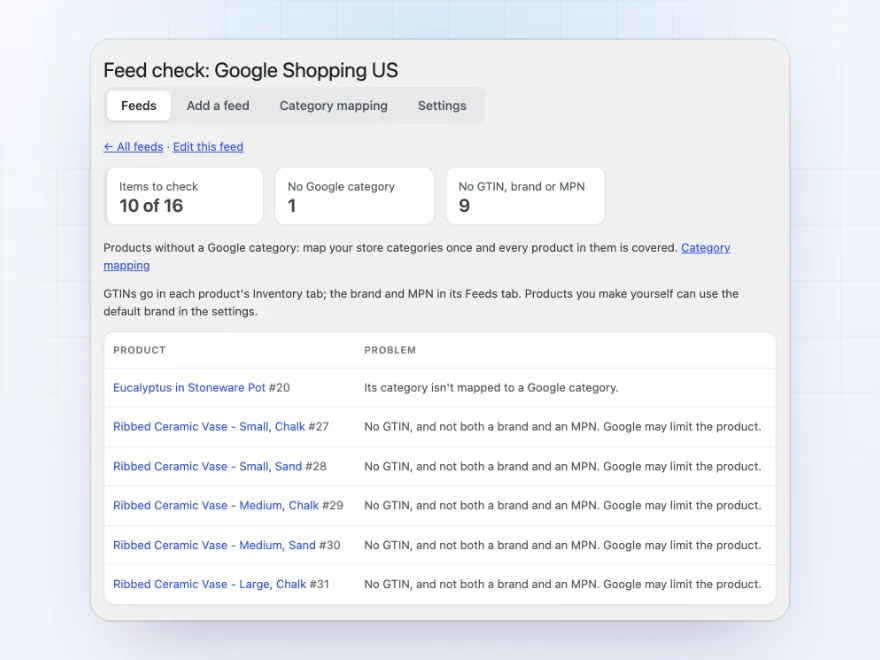
Feed check
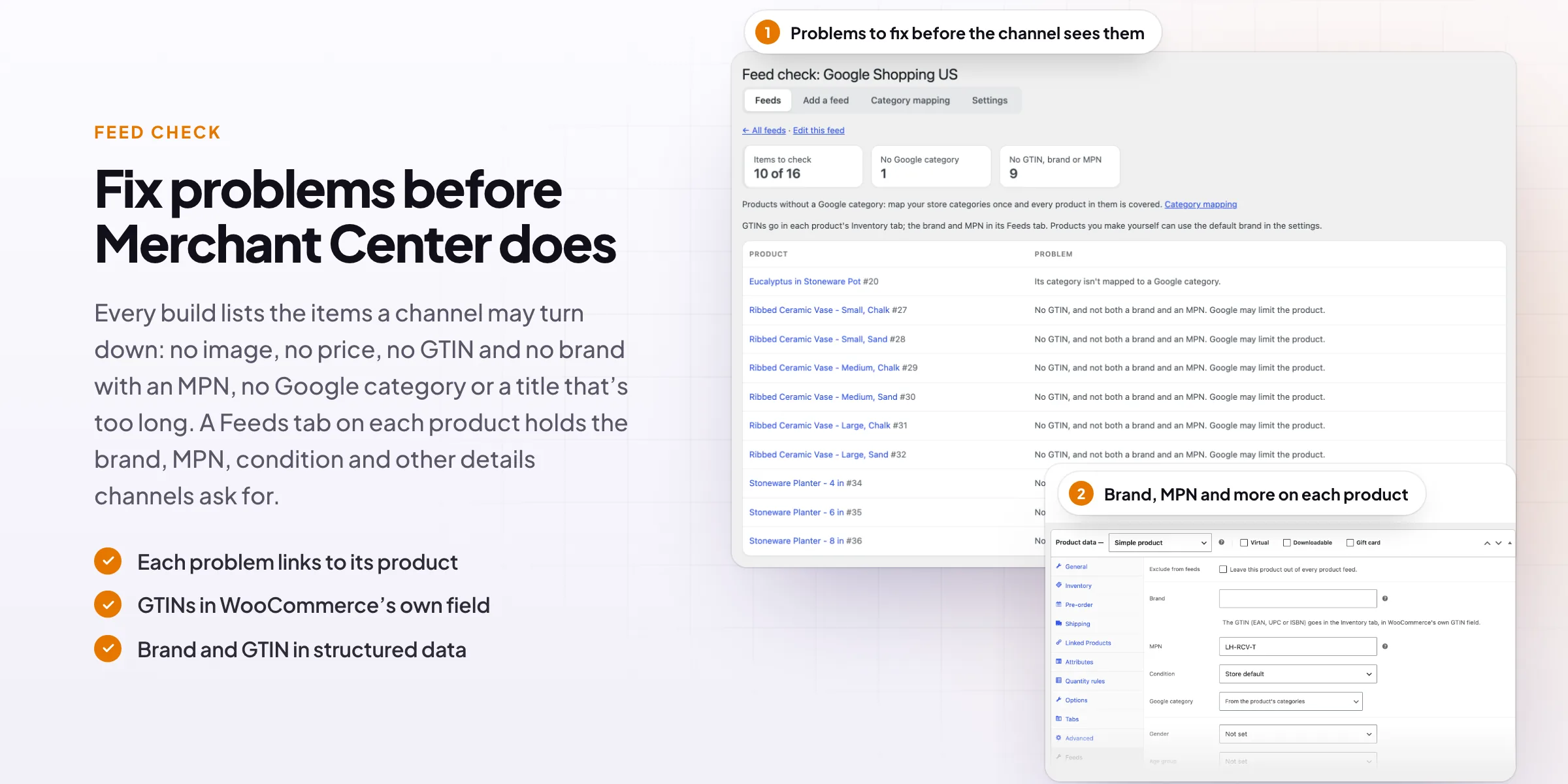
Fix problems before the channel does
Every build lists the items a channel may turn down: no image, no price, no GTIN and no brand with an MPN, no Google category, a title over 150 characters or a required field left empty. Each links to its product.
- Counts by problem
- Each item links to its product
- Checked on every build
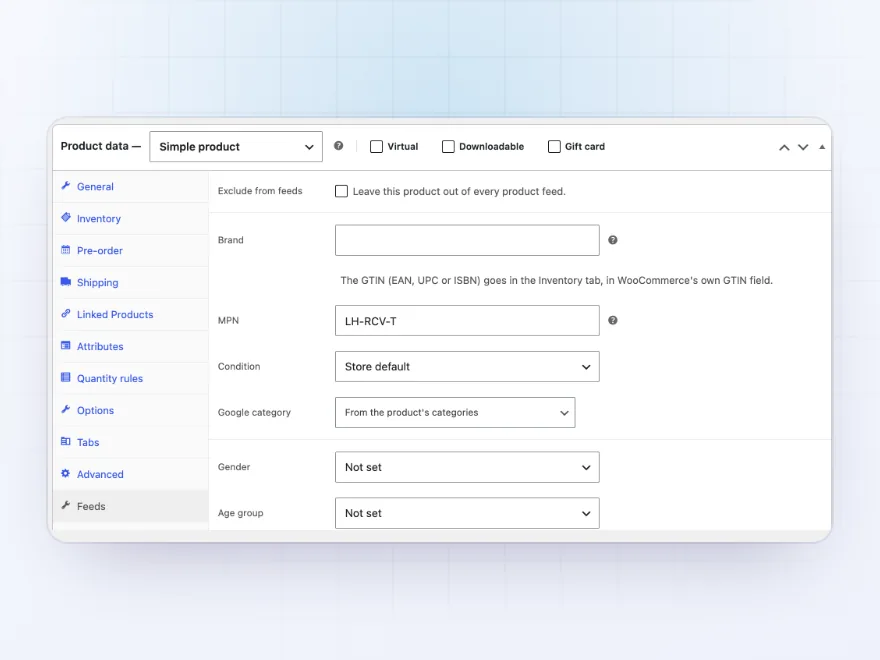
Product data
Brand, MPN and condition on every product
A Feeds tab on each product holds the brand, MPN, condition, Google category, gender, age group, colour, size, material, pattern and custom labels 0 to 4, and can leave the product out of every feed. GTINs use WooCommerce’s own field.
- A Feeds tab on products
- Fields on variations too
- Exclude from feeds
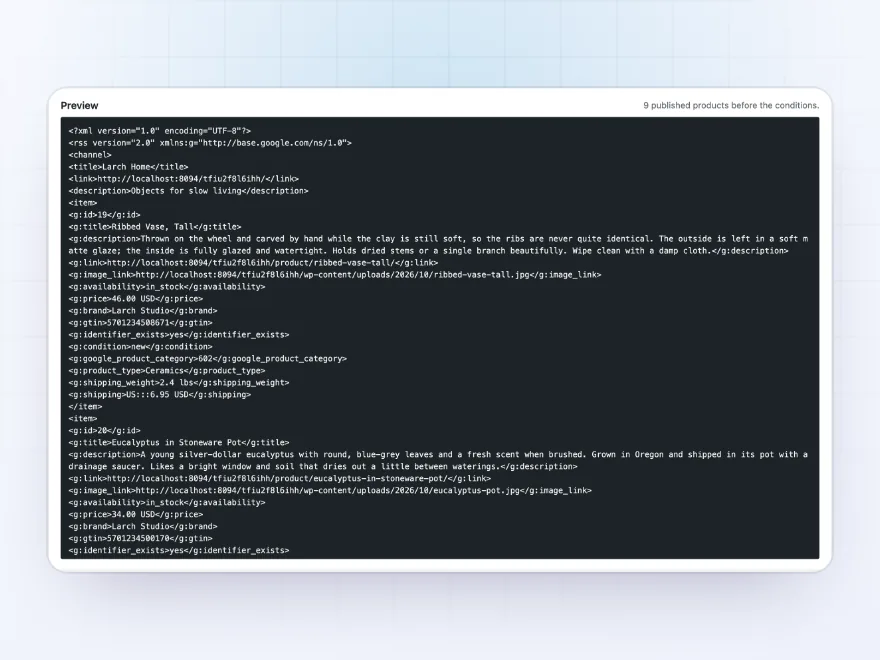
Preview
See the file before you save
Preview the first items of a feed exactly as the channel will read them, with every field filled in, before you save it. After a build, Open shows the whole file at its address and Download saves a copy.
- The first items as the channel sees them
- Open or download the latest build
- The same address after every build
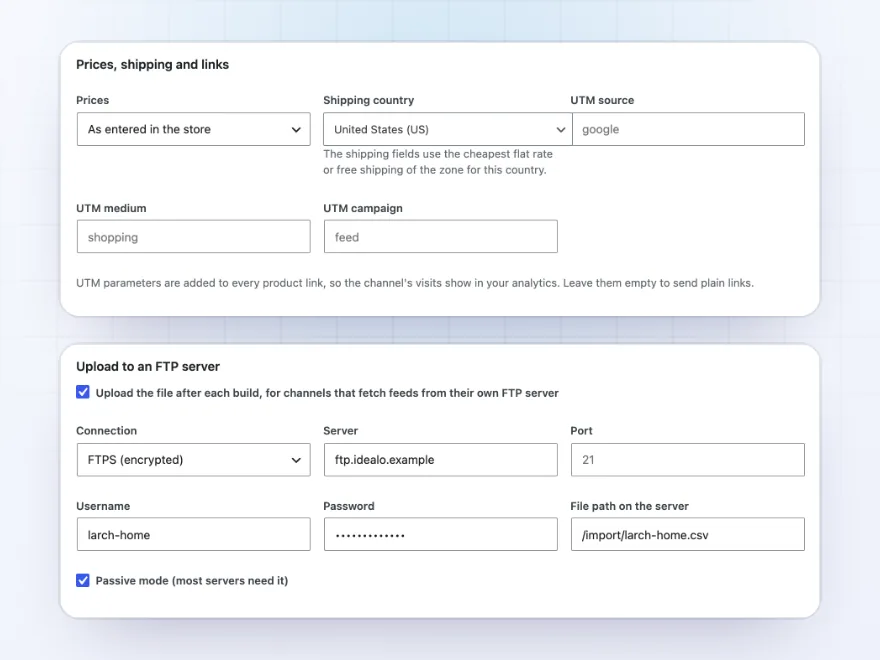
Prices and FTP
Prices, shipping, links and uploads
Choose prices as entered in the store, with tax or without, the country whose shipping cost goes in the feed, and UTM parameters for product links. Channels that fetch feeds from their own server get the file by FTP or FTPS after each build.
- With or without tax
- Shipping cost from your zones
- FTP or FTPS after each build
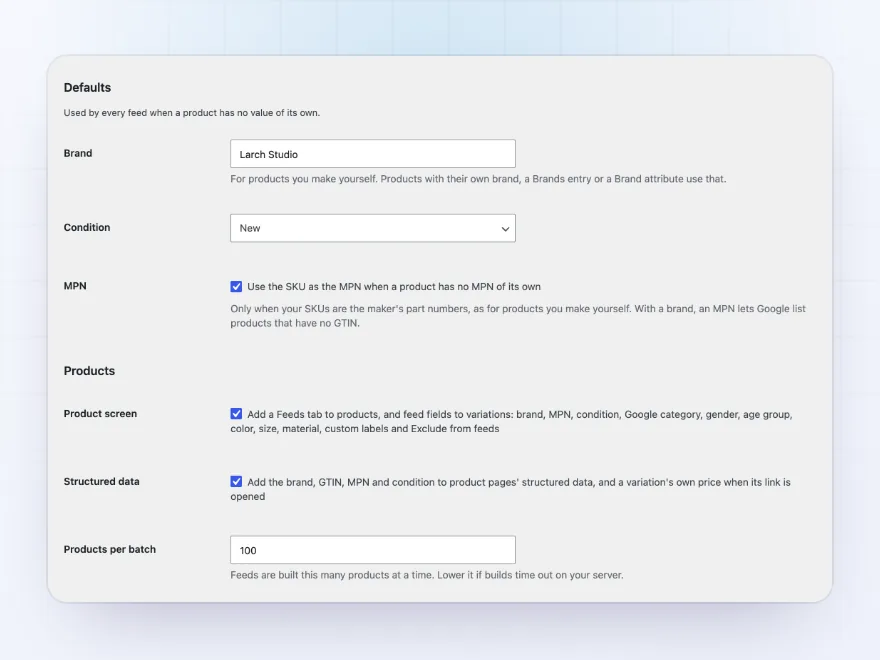
Defaults
A brand, a condition and your SKUs as MPNs
Set the brand for products you make yourself and their condition once, for every feed. Use each product’s SKU as its MPN, so Google can list products without a GTIN, and add the brand, GTIN, MPN and condition to product pages’ structured data.
- A default brand and condition
- SKU as MPN, if your SKUs are part numbers
- Structured data on product pages
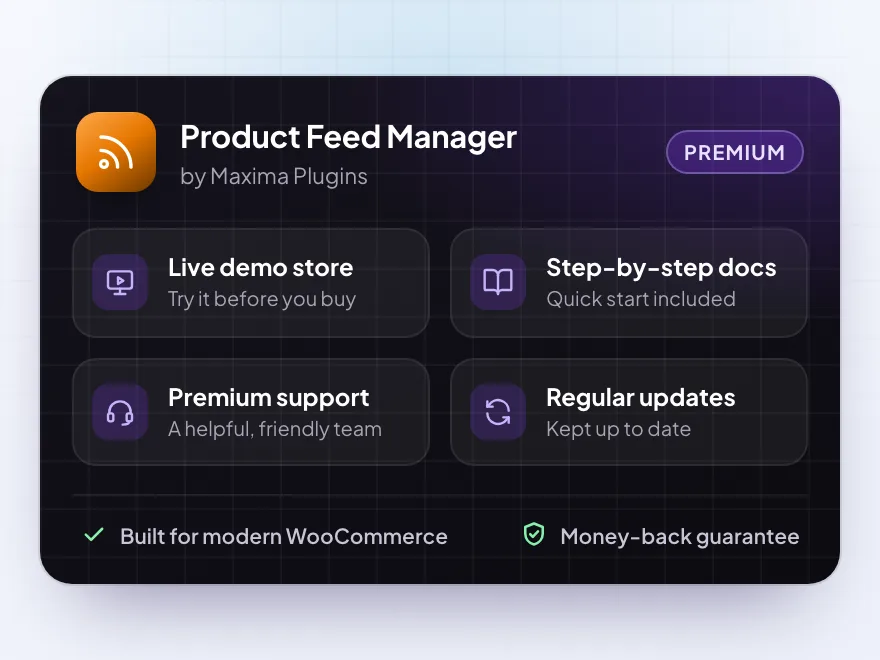
Premium quality & support
Support you can count on, year after year
See Product Feed Manager working in a live demo store before you buy. If you need a hand, our friendly support team will help you get it set up, and regular updates keep it working with each new WooCommerce release.
- A live demo store to try it first
- Step-by-step docs with a quick start
- Premium support from a helpful team
- Regular updates included
A WooCommerce product feed for every shopping channel
Product Feed Manager is a WooCommerce product feed manager for stores that sell through Google Shopping, Meta, TikTok, Pinterest, Microsoft Shopping and price comparison sites. Choose a channel and its fields are filled in for you, pick the products and how variations are listed, and paste the feed’s address into the channel.
WooCommerce product feeds are rebuilt on a schedule in background batches, so the channel always has your current prices and stock, and every build is checked for missing GTINs, images, prices and Google categories. Map your categories to Google’s once, add the brand and MPN on each product, and upload the file by FTP if the channel asks for it.
Common setups
Questions before you buy
Which channels can I make feeds for?
Google Shopping, Meta (Facebook and Instagram), TikTok, Pinterest, Microsoft Shopping, Snapchat, Google Ads dynamic remarketing, idealo, PriceRunner, Skroutz and Kelkoo, and a custom feed for any other.
How does the channel get the feed?
Each feed has a fixed address. Paste it into the channel as a scheduled fetch, or have the file uploaded to the channel’s FTP server after each build.
Where do GTINs go?
In WooCommerce’s own GTIN, UPC, EAN or ISBN field, in each product’s Inventory tab. The brand and MPN go in the product’s Feeds tab, or use a default brand and your SKUs as MPNs.
Will a big catalog time out?
No. Feeds are built in background batches of 100 products, and you can lower the batch size in the settings.
Can prices include tax?
Yes. Each feed shows prices as entered in the store, with tax or without, and can add shipping costs from your zones for its country.
Does it change my product pages?
Only their structured data: the brand, GTIN, MPN and condition are added, which helps Merchant Center approve your products. You can turn this off.
Requirements
- WordPress
- 6.8 or newer
- WooCommerce
- 10.0 or newer
- PHP
- 7.4 or newer
Works with
- Classic themes
- Block themes
- Cart and Checkout blocks
- High-Performance Order Storage




Joris –
Set up a Google Shopping feed and a Bing feed the first afternoon. The field rules saved me writing anything custom, and the feed check caught two products without a GTIN before they went out.