 Maxima Plugins
Description
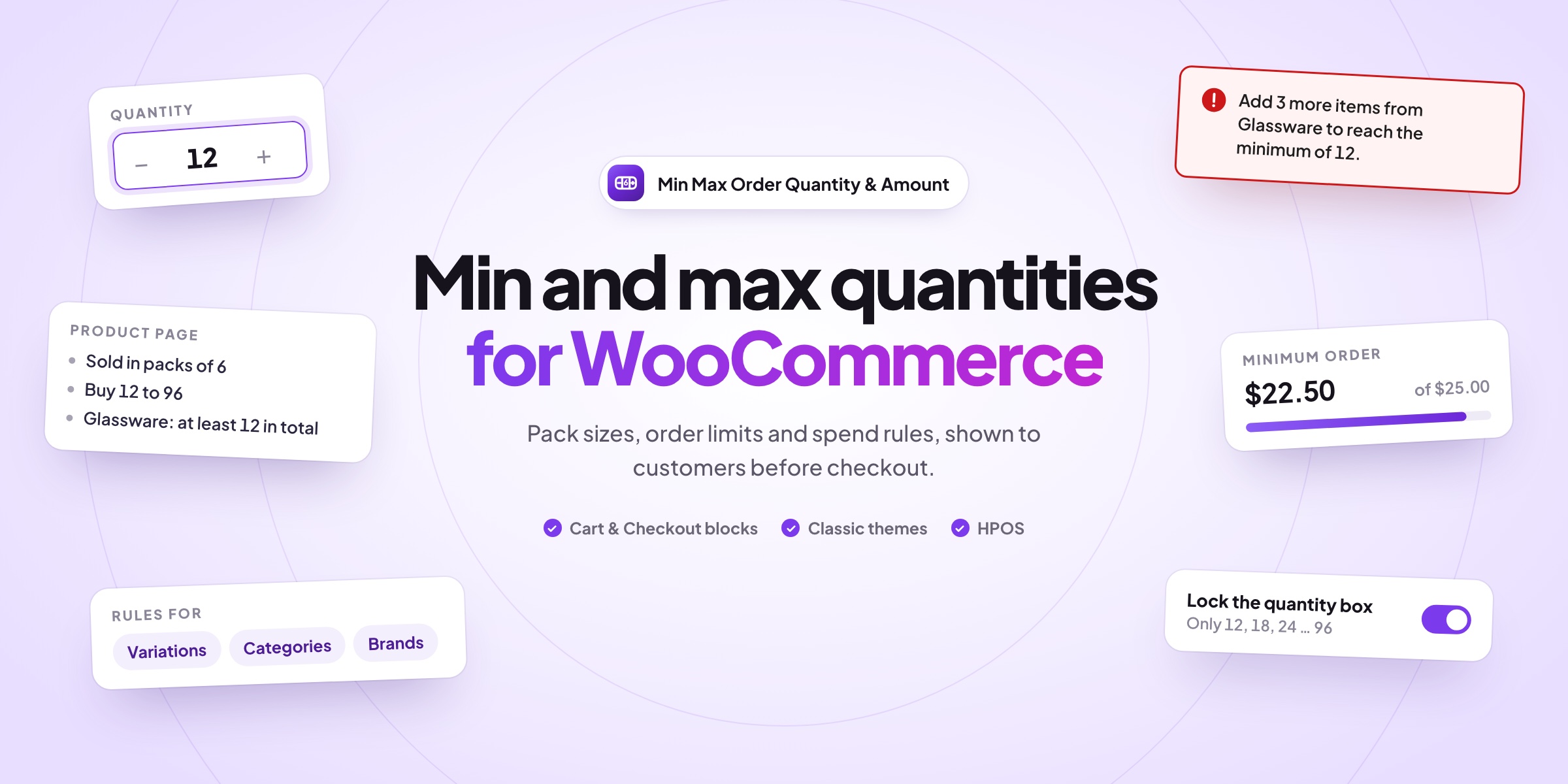
Min Max Order Quantity & Amount sells in packs, sets minimum orders and caps how many of a product one customer can buy. Customers see the rules before checkout, and when one isn’t met, the message says exactly what to change.
📦 Pack sizes of your choice, such as cases of 6 or boxes of 100.
🔢 Minimum and maximum quantity per product, variation, category or brand.
💰 Minimum and maximum spend per product, category, brand or order.
🧩 Mix and match, such as any 12 bottles of wine in packs of 6.
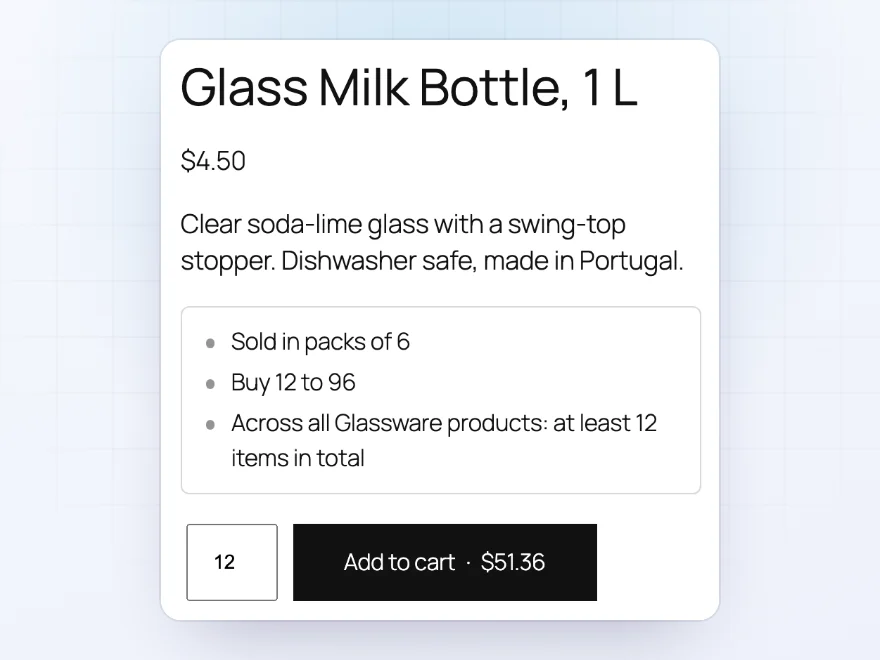
💬 Rules in plain language on product pages, such as “Buy 12 to 48”.
➕ Quantity boxes that start at the minimum and move in pack steps.
🛒 Clear cart messages: “Add 3 more items from Wine to reach the minimum of 12.”
🔍 An Effective rules box showing where each value comes from.
Product rules
Minimums, maximums and pack sizes
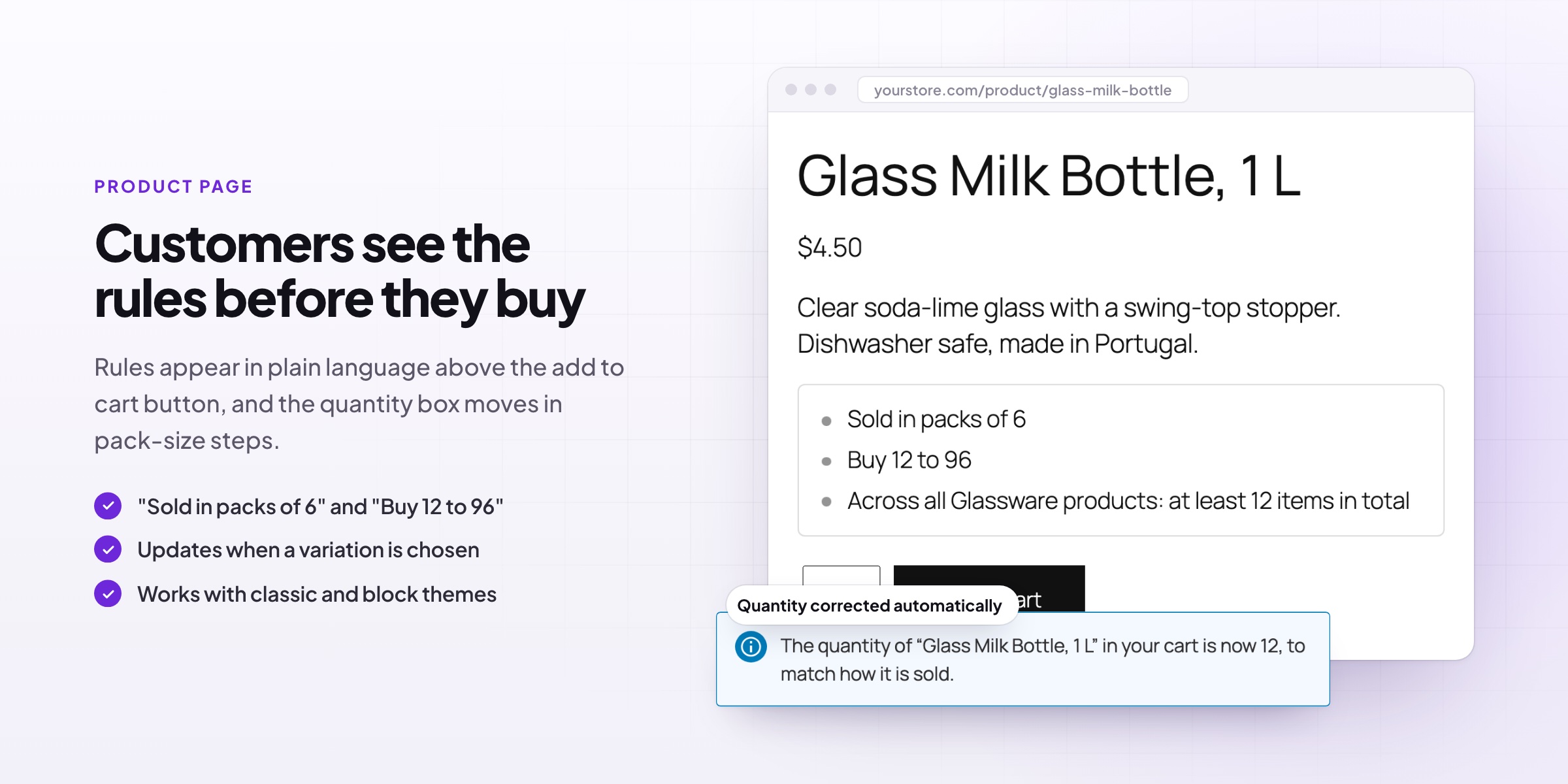
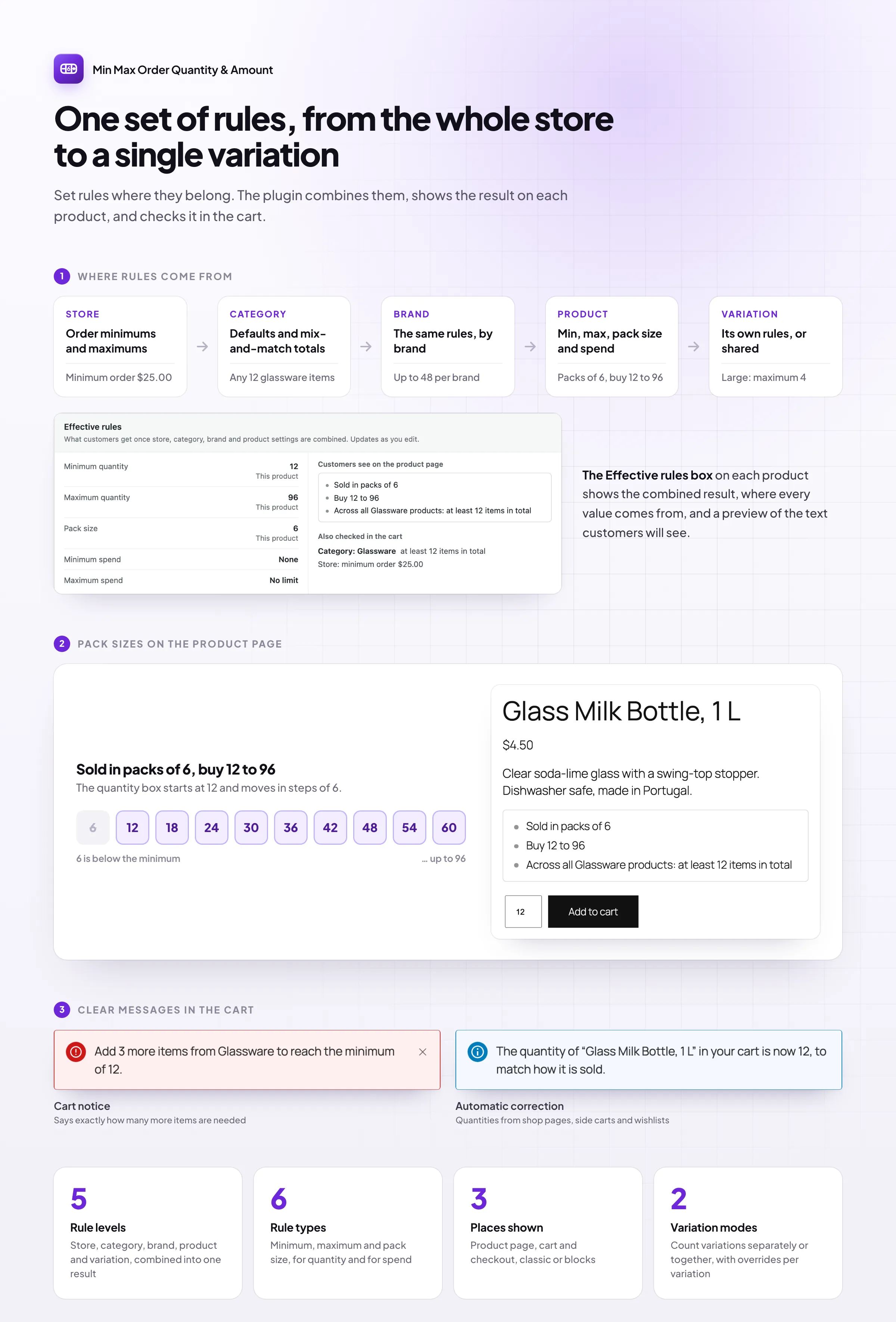
Set a minimum, a maximum and a pack size for any product or variation, such as “Buy 12 to 96, in packs of 6”. The product page shows the rules in plain words before customers add to cart, and the quantity box starts at the minimum and moves in pack-size steps, so customers can’t pick a quantity that won’t work.
- Rules for single variations, or all variations together
- A minimum and maximum spend per product
- Default rules for a whole category or brand
Clear messages
Messages that say exactly what to change
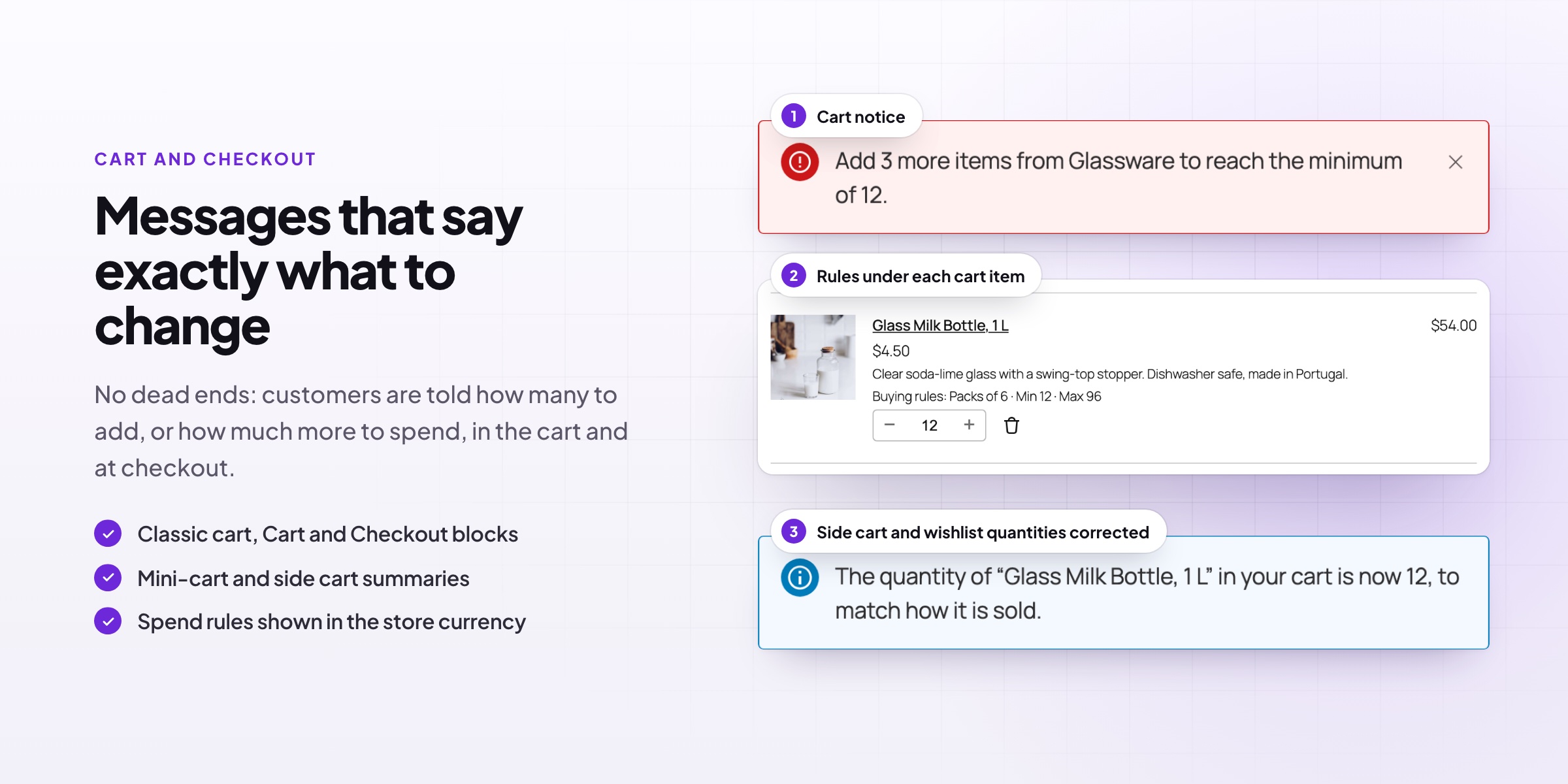
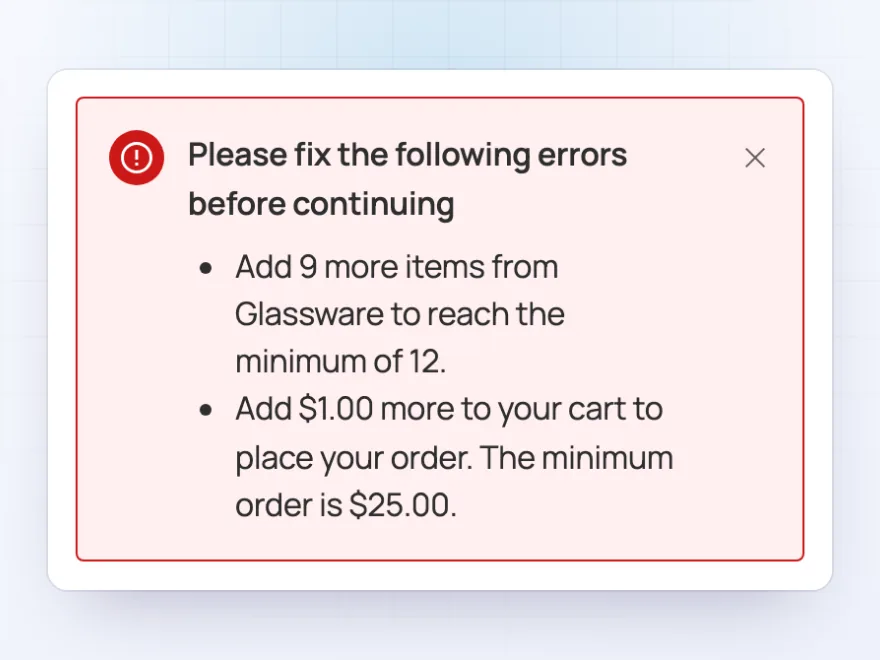
When a cart breaks a rule, customers see what to do, not just that something is wrong: “Add 9 more items from Glassware to reach the minimum of 12” or “Add $1.00 more to place your order”. The cart, mini cart and checkout also show a short summary under each item, so the rules never come as a surprise.
- In the classic cart and the Cart, Checkout and Mini-Cart blocks
- Items added from shop pages corrected to an allowed quantity
- Orders can’t be placed until the rules are met
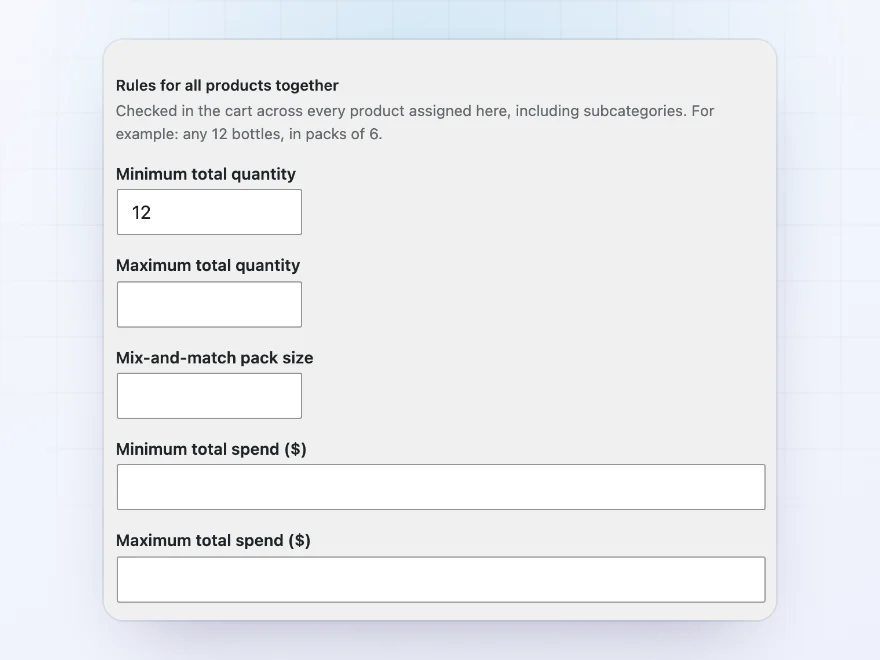
Mix and match
Rules for a whole category or brand
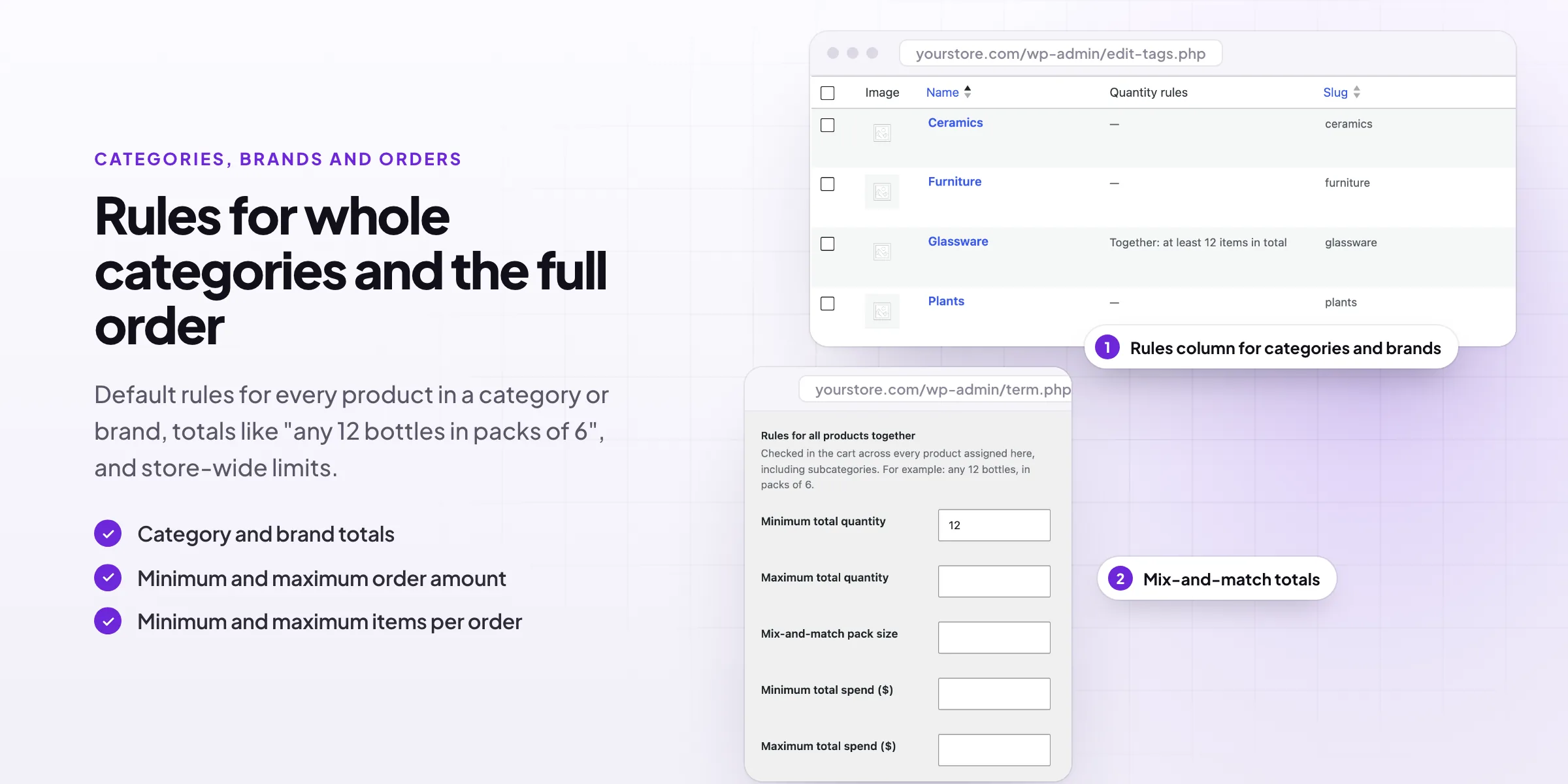
Set totals for everything in a category or brand together: a minimum and maximum quantity, a mix-and-match pack size, and a minimum and maximum spend. For example, any 12 bottles of wine, in any combination, in packs of 6. Subcategories count too, and the category list shows each one’s rules in a column.
- Minimum and maximum total quantity
- Mix-and-match pack sizes
- Minimum and maximum spend per category or brand
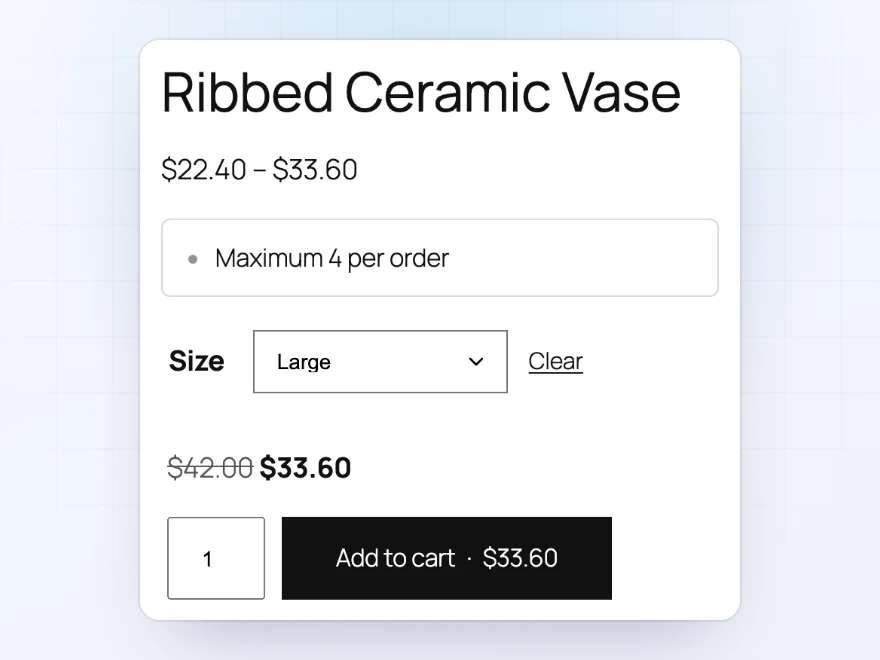
Limited items
Cap how many one customer can buy
Limit a popular or limited product to a few per order, such as “Maximum 4 per order”, on simple and variable products. The limit shows on the product page before customers choose a size or color, and the quantity box stops at the maximum.
- Per product, per variation or for all variations together
- Shown on product pages and in the cart
- Works in block and classic themes
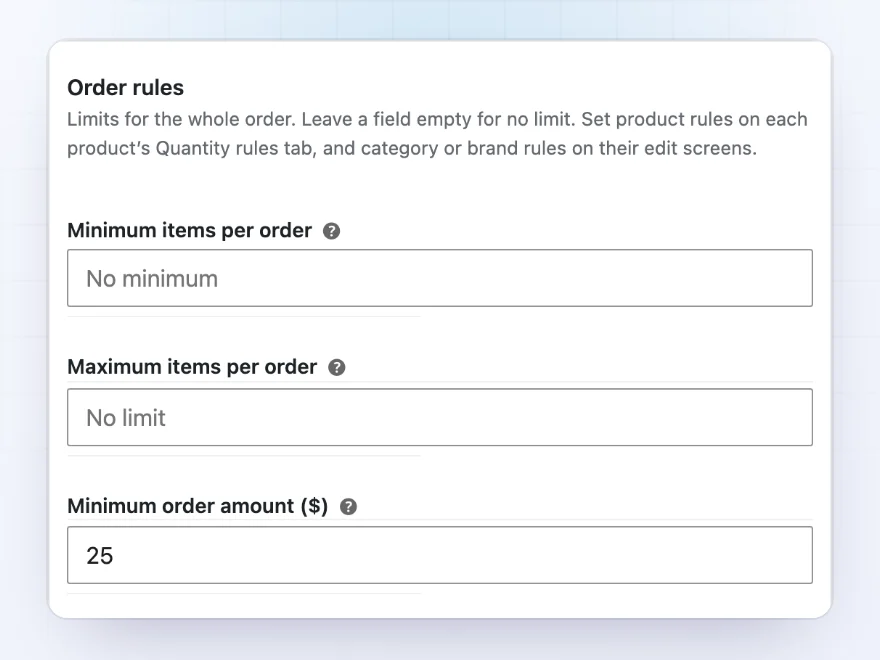
Order rules
Order minimums and maximums
Set a minimum or maximum number of items for the whole order, and a minimum or maximum order amount, such as a $25.00 minimum for every order. Spend rules use product prices before coupons, and you choose whether tax counts, so customers always know what they need to reach.
- Minimum and maximum items per order
- Minimum and maximum order amount
- Prices before coupons, with or without tax
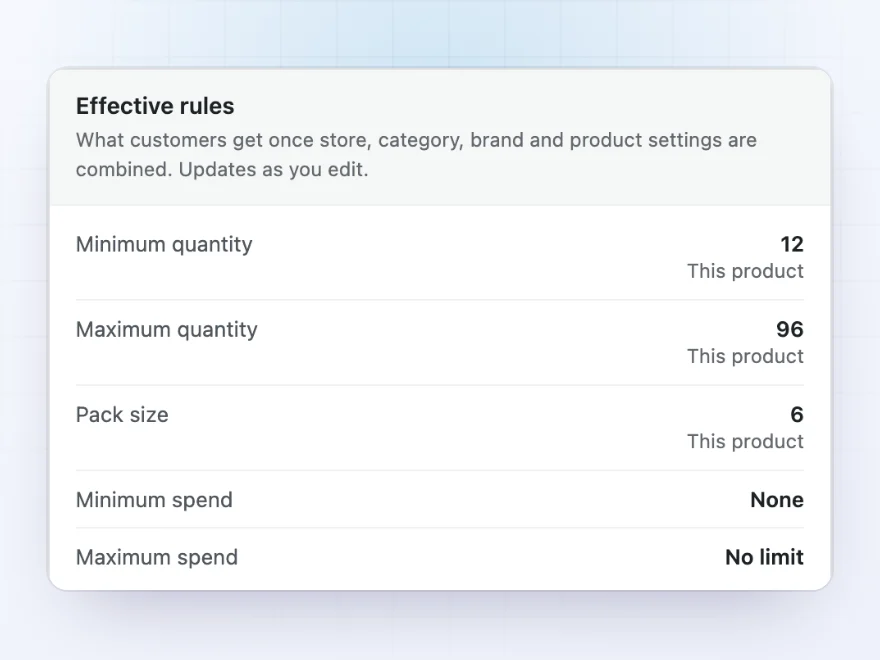
Easy to check
See the rules a product really gets
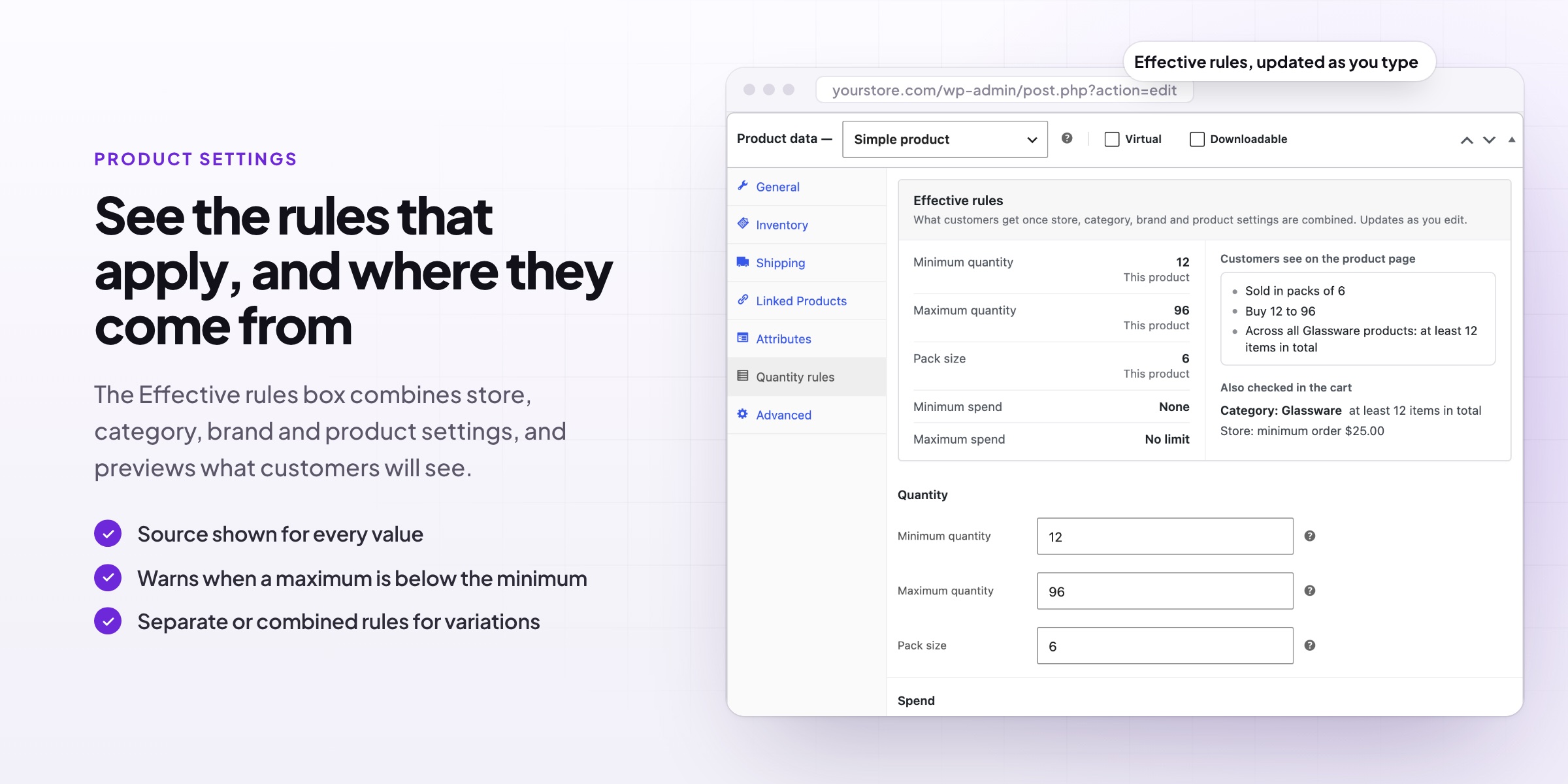
When store, category, brand and product rules all apply, the product screen shows the result: the minimum, maximum and pack size customers get, where each value comes from, and the text they’ll see on the product page. It updates while you type, so you can check a change before you save it.
- Each value labelled with where it comes from
- A preview of the product page text
- Category and store rules that are also checked in the cart
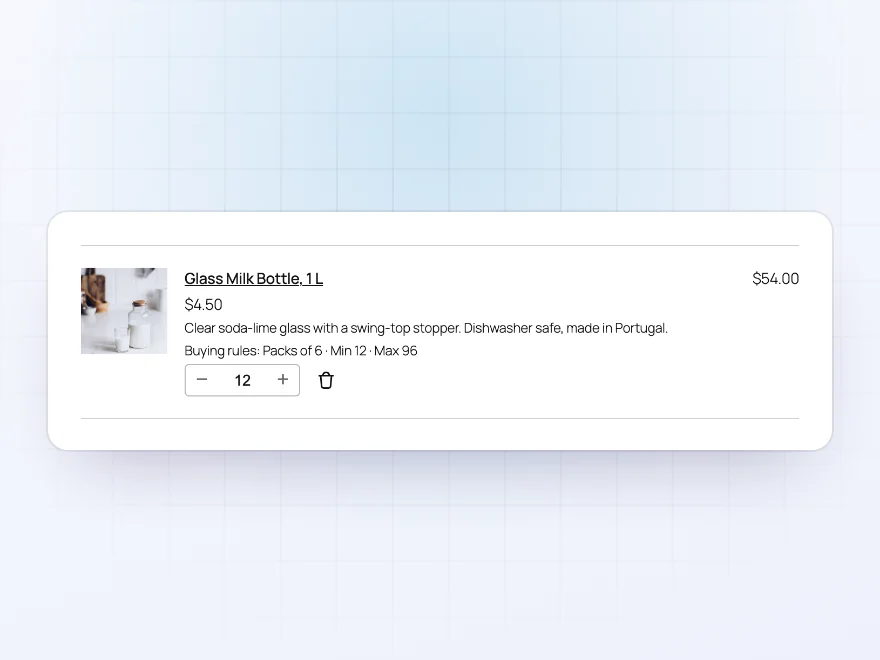
In the cart
The rules under each cart item
The cart, mini cart and checkout show a short summary of the rules under each item, such as “Packs of 6 · Min 12 · Max 96”, and the quantity buttons move in pack-size steps, so customers know what to change before they try to check out.
- A summary under each item
- Cart, mini cart and checkout
- Quantity steps of the pack size
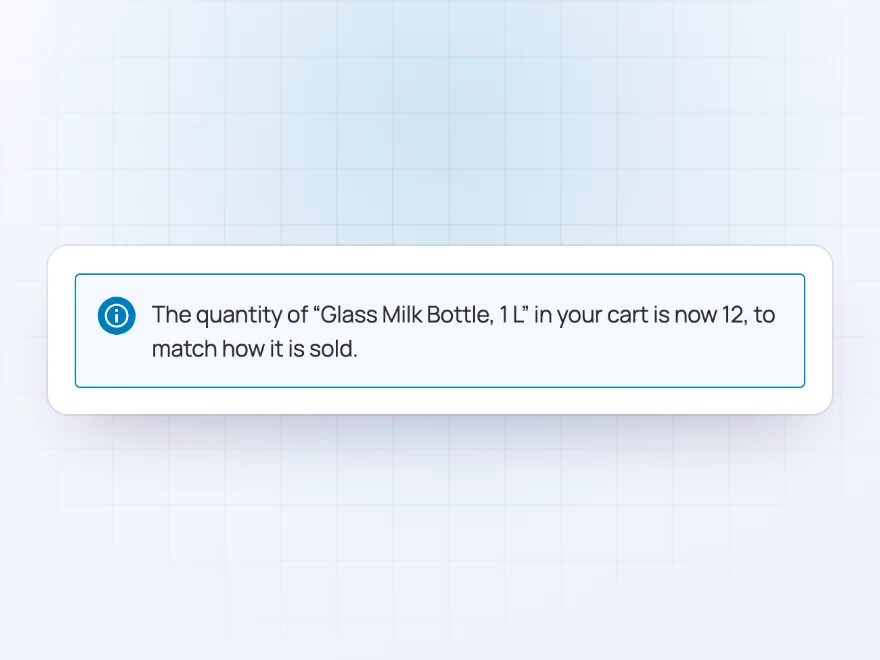
Corrected for you
Items added from anywhere are put right
Items added from shop pages, side carts, mini carts and wishlists are corrected to the nearest allowed quantity, with a short message saying what changed. You can switch this off.
- Corrected to an allowed quantity
- A message saying what changed
- Optional
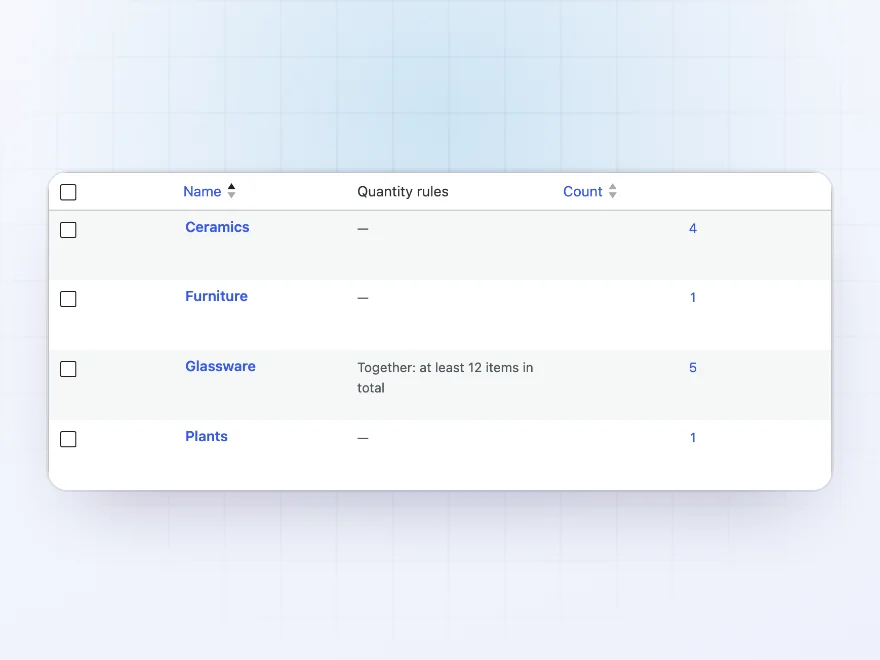
Category list
Every category’s rules in one column
The product category and brand lists show each one’s rules in a column, so you can see at a glance which categories have a minimum, a pack size or a spend limit.
- A rules column for categories
- And for brands
- Totals such as “at least 12 items”
Premium quality & support
Support you can count on, year after year
See Min Max Order Quantity & Amount working in a live demo store before you buy. If you need a hand, our friendly support team will help you get it set up, and regular updates keep it working with each new WooCommerce release.
- A live demo store to try it first
- Step-by-step docs with a quick start
- Premium support from a helpful team
- Regular updates included
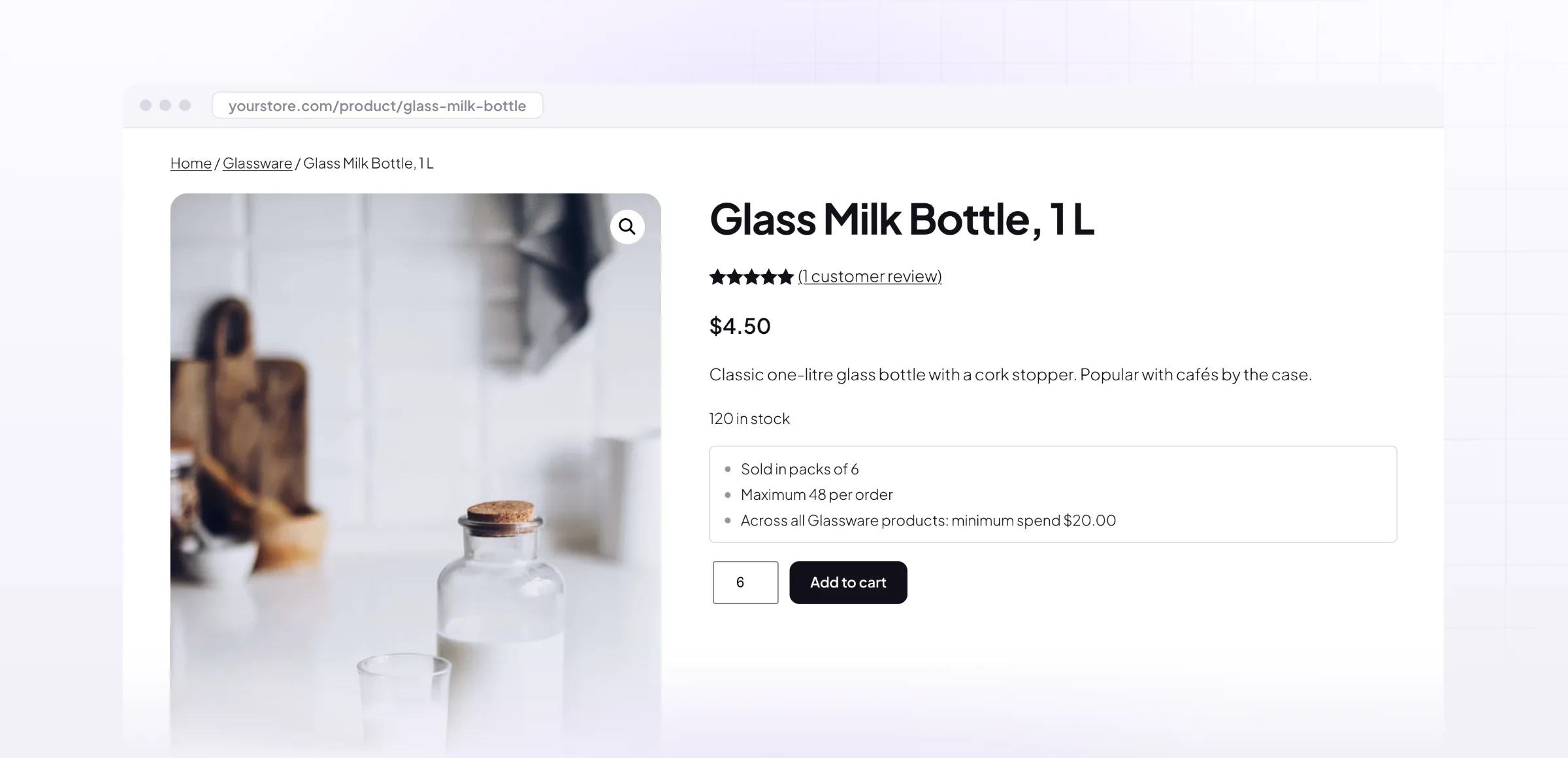
WooCommerce minimum order amounts and min/max quantities
Min Max Order Quantity & Amount sets a WooCommerce minimum order amount and quantity rules for products, variations, categories, brands and the whole store: minimum and maximum quantities, pack sizes such as “sold in packs of 6”, and mix-and-match totals such as any 12 bottles from a category.
Customers see the rules on the product page and in the cart, and messages say exactly what to change before they can check out. For you, each product shows the WooCommerce min max quantities it really gets once store, category and product rules are combined, so a minimum order never surprises anyone.
Common setups
Questions before you buy
Can I sell in packs, like cases of 6?
Yes. Set a pack size on the product, or a mix-and-match pack size for a whole category. Quantity boxes then move in steps of that size.
Which rule wins when a product is in several categories?
For default product rules, the least strict value wins: the lowest minimum and pack size, and the highest maximum. Values set on the product always win over category and brand defaults.
Do spend rules include coupons?
No. Spend rules use product prices before coupons, and you choose whether tax is included.
What about items added from shop pages or a side cart?
If you turn it on, they’re corrected to the nearest allowed quantity automatically, so customers don’t meet an error at checkout.
Does it work with the Cart and Checkout blocks?
Yes. Rules, summaries and messages work in the classic cart and checkout and in the Cart, Checkout and Mini-Cart blocks.
Can I set rules for a whole category at once?
Yes. Set default rules for every product in a category or brand, or totals for all of its products together, such as any 12 items in packs of 6.
Do customers see the rules before checkout?
Yes. Product pages show the rules in plain words, and the cart and checkout show a short summary under each item and a clear message when something needs to change.
Requirements
- WordPress
- 6.8 or newer
- WooCommerce
- 10.0 or newer
- PHP
- 7.4 or newer (tested to 8.5)
Works with
- Classic themes
- Block themes
- Cart, Checkout and Mini-Cart blocks
- High-Performance Order Storage




oliversmith88 –
Recommended
Great plugin! Thomas replied within a few hours when i asked about pack sizes. does exactly what we need
Celine –
Does what it says and the support is quick. no problems so far.
Henrik Larsen –
Good for minimum order value
We use it for a minimum spend for our trade customers. It works well and the cart notice is clear.
Anouk –
Does the job well, helpful support!