Description
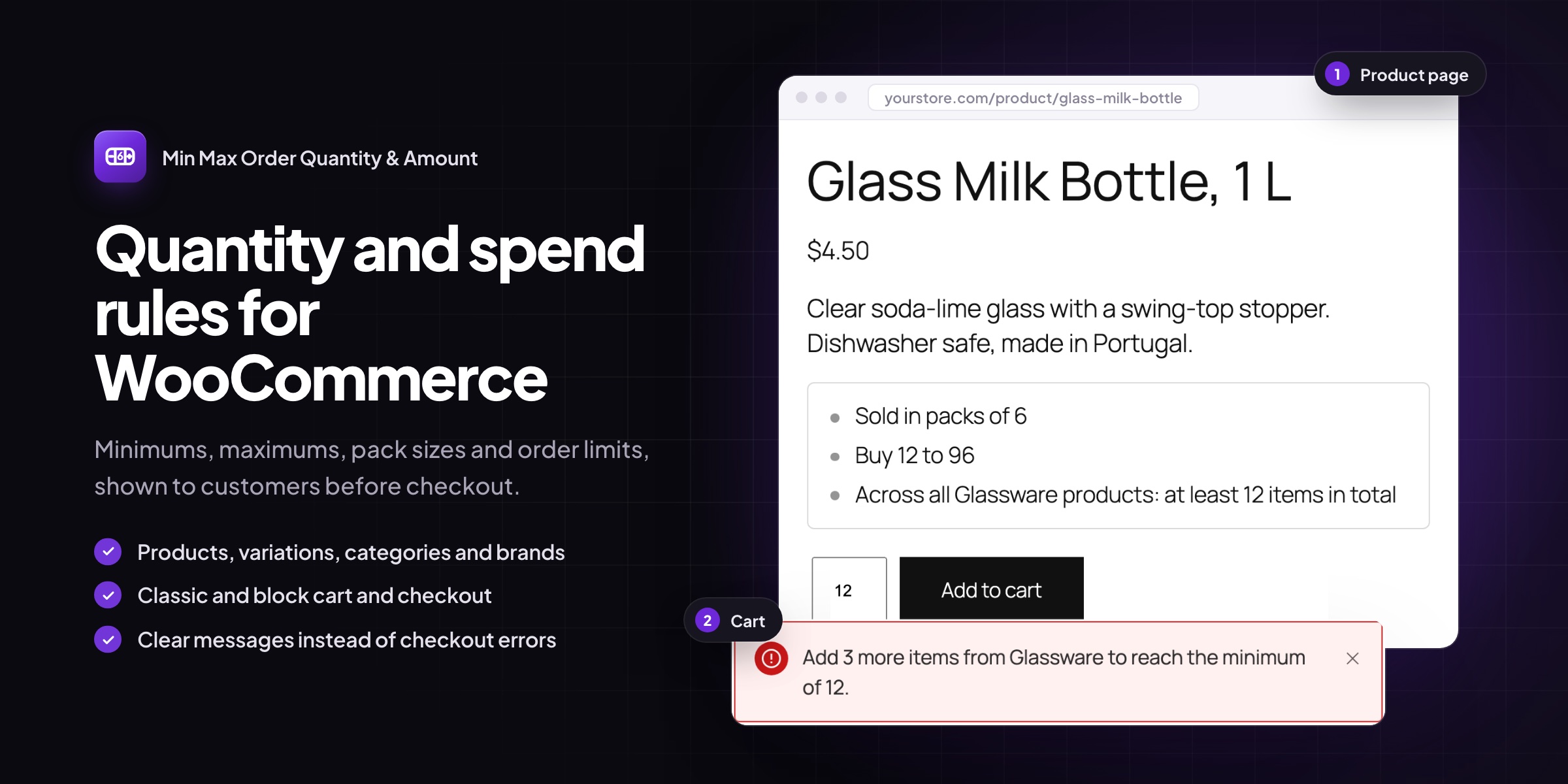
Sell in cases of 6, set a minimum order for wholesale customers, or cap how many of a limited product one customer can buy. Min Max Order Quantity & Amount handles the rules, and tells customers about them before they reach checkout, so fewer carts end in an error message.
Common setups
- Cases and packs: sell bottles in sixes, screws in boxes of 100, or labels in rolls of 500.
- Wholesale minimums: require a minimum quantity or order amount before customers can check out.
- Limited releases: cap how many of a product one order can include.
- Mix and match: any 12 items from a category, in any combination, in packs of 6.
Rules at every level
- Minimum quantity, maximum quantity and pack size for each product and variation
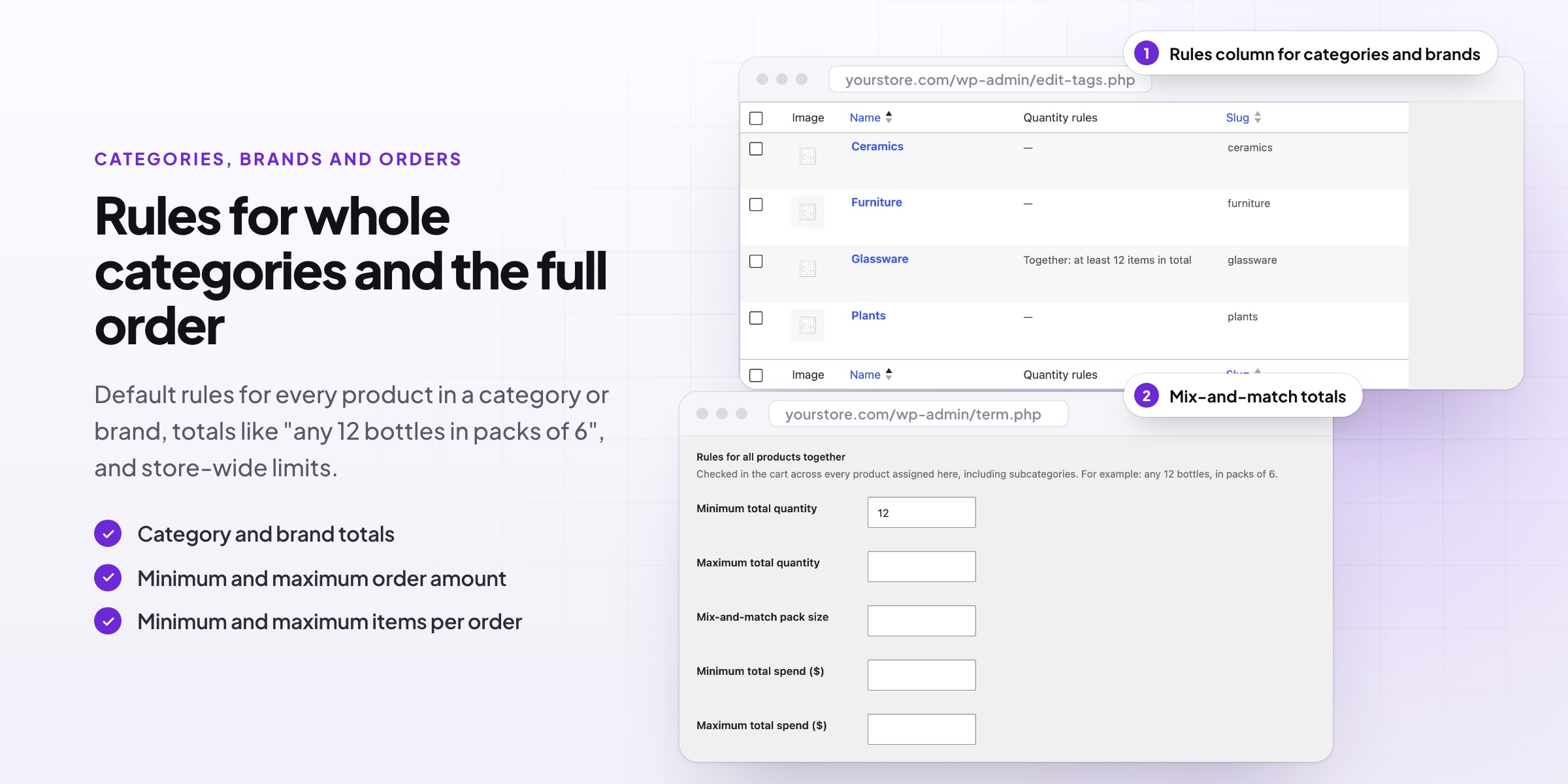
- Default rules for every product in a category or brand
- Category and brand totals, such as any 12 bottles of wine in packs of 6
- Minimum and maximum spend per product, category or brand
- Store-wide minimum and maximum items and order amount
- Variable products can count variations on their own or together, and single variations can still have their own rules
Clear for customers
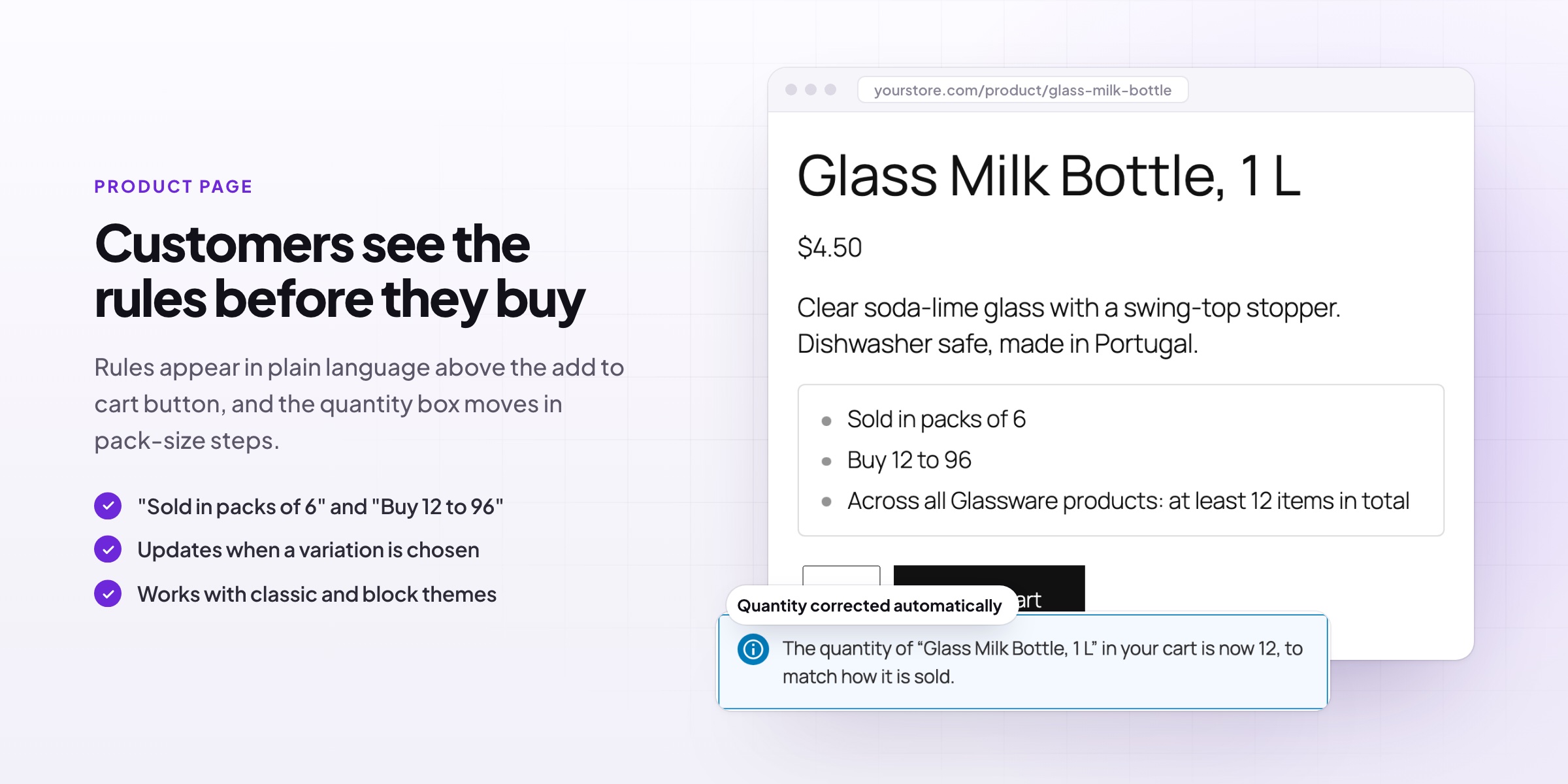
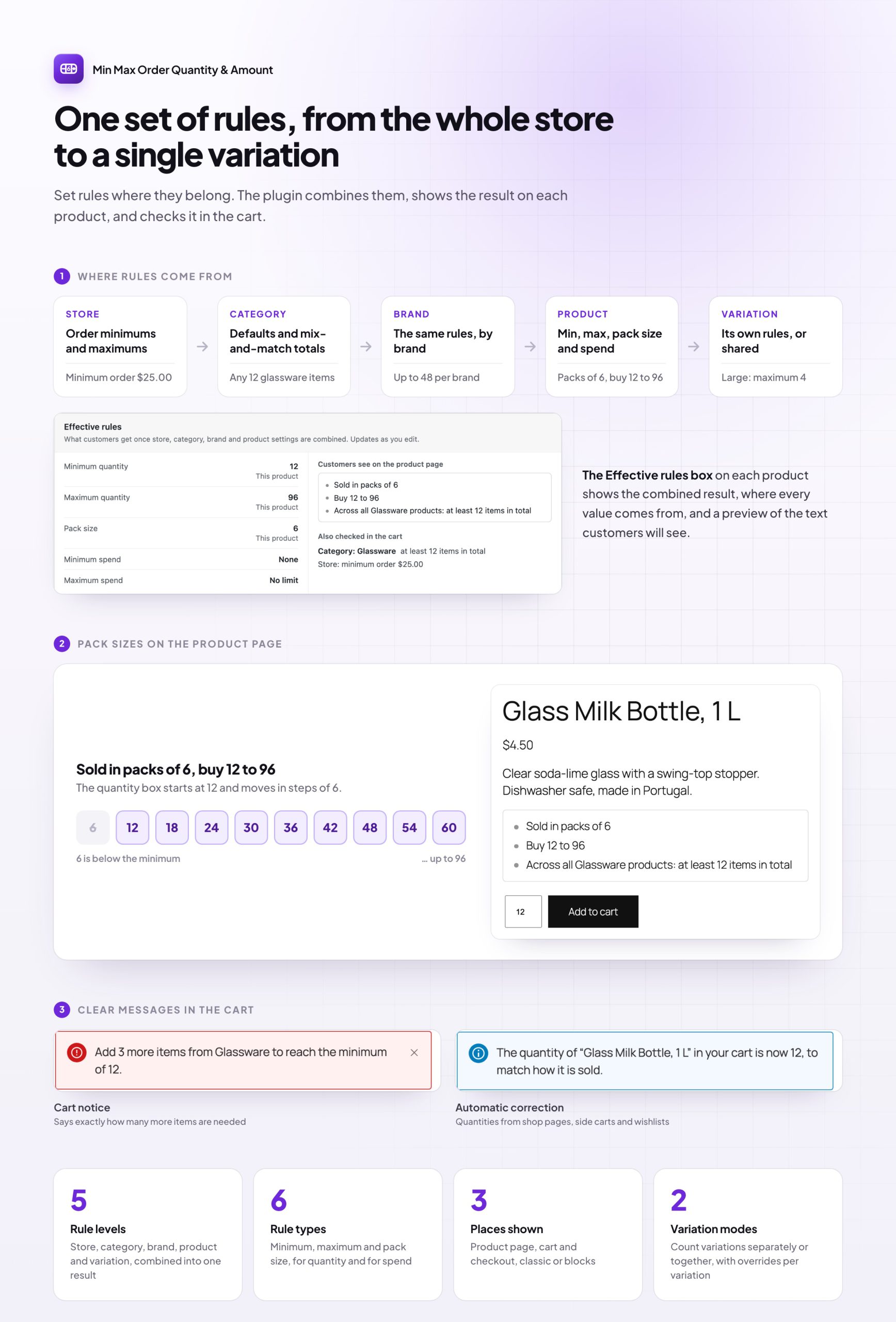
- Product pages show the rules in plain language, such as “Sold in packs of 6” or “Buy 12 to 48”, and update when a variation is chosen
- Quantity boxes start at the minimum and move in pack-size steps, up to the maximum
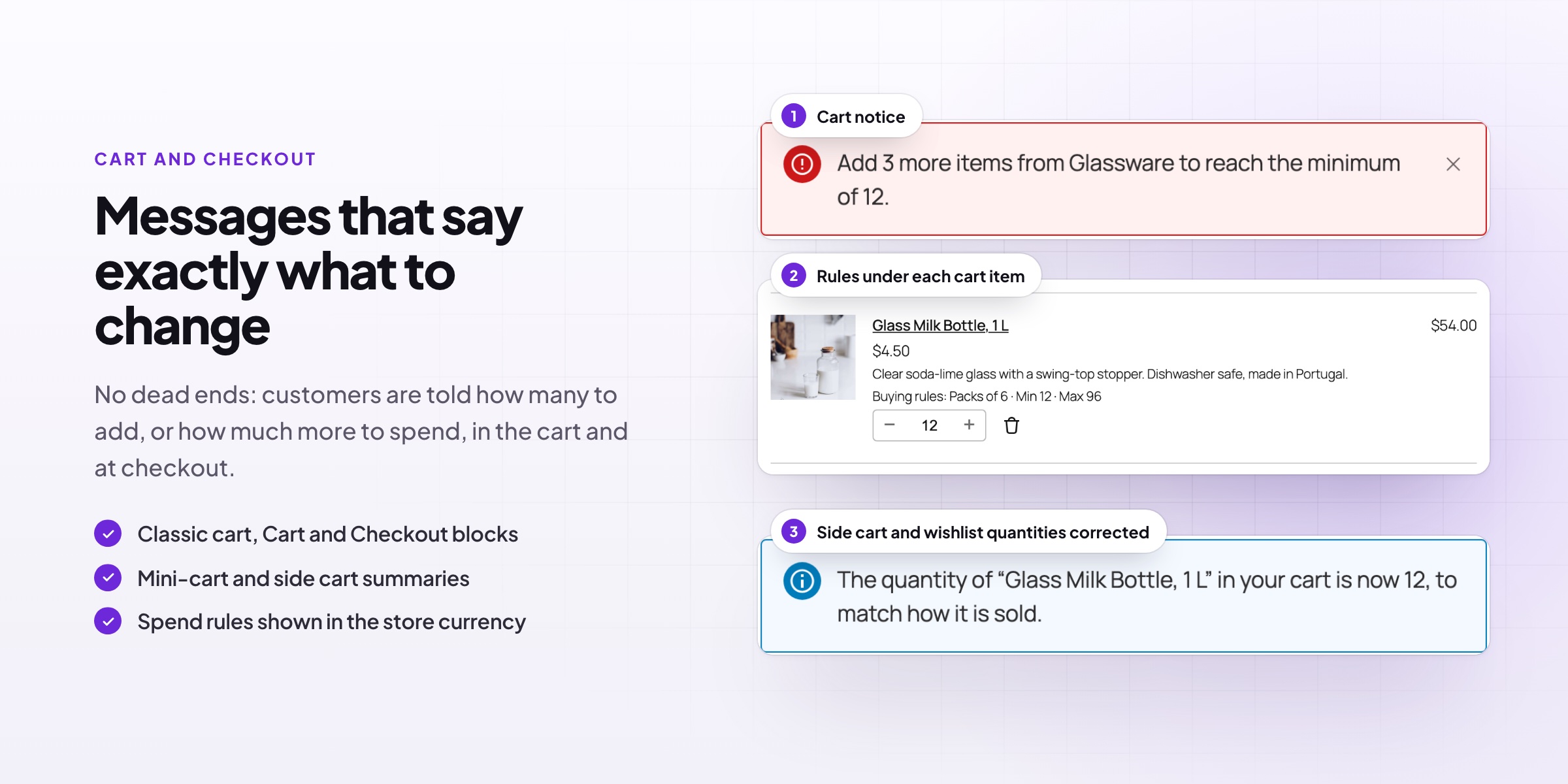
- The cart, mini-cart and checkout show a short summary under each item
- When a rule isn’t met, the message says exactly what to change: “Add 3 more items from Wine to reach the minimum of 12.”
- Products added from shop pages, side carts or wishlists are corrected to the nearest allowed quantity (optional)
Clear for you
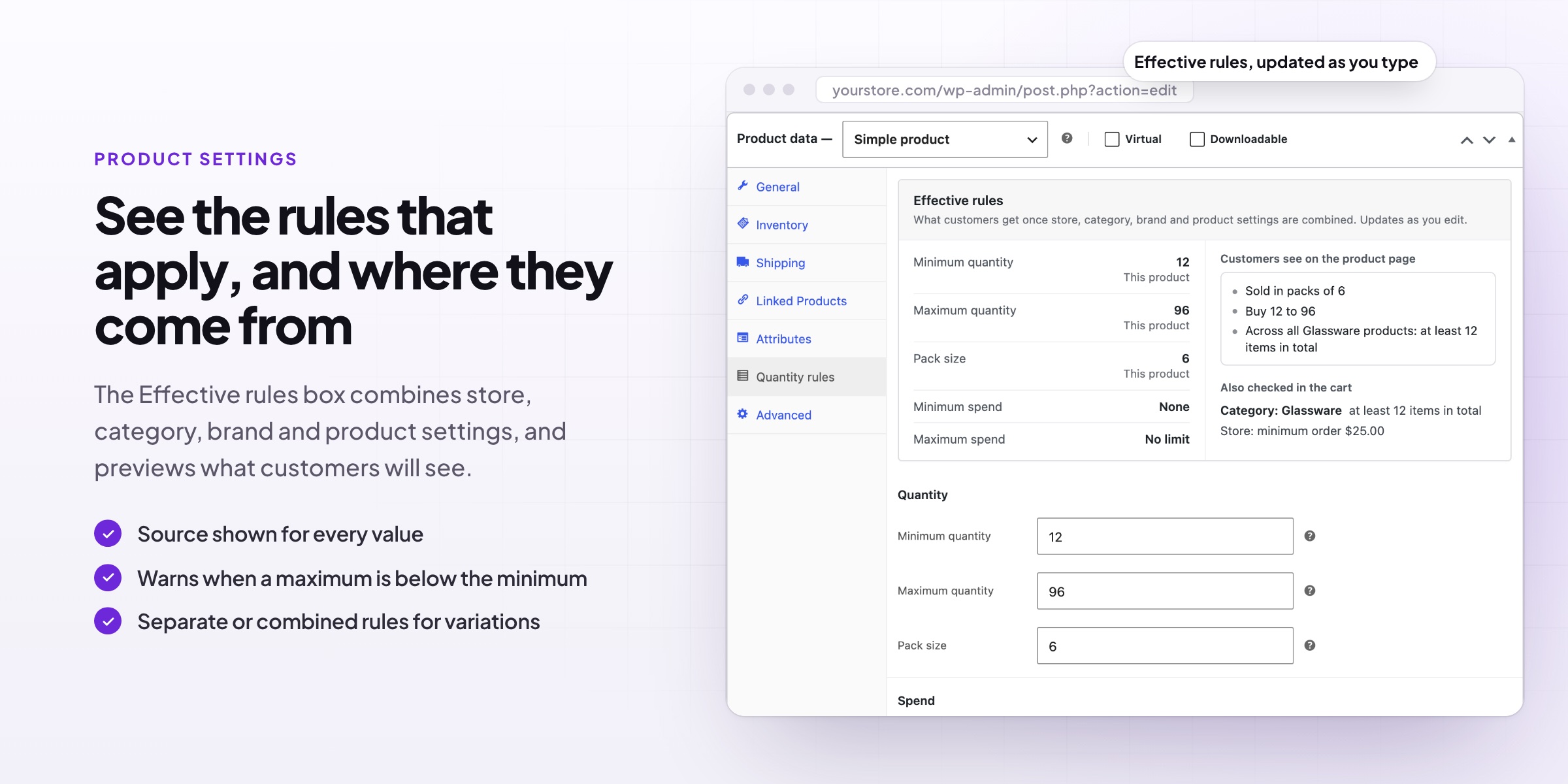
- The Effective rules box on each product shows what customers get once store, category, brand and product settings are combined, and where each value comes from
- Category and brand lists show each one’s rules in a column
- Products whose stock can’t cover their minimum show as out of stock, so customers never see a purchase they can’t complete
Requirements
WordPress 6.8 or newer, WooCommerce 10.0 or newer and PHP 7.4 or newer (tested up to PHP 8.5). Works with classic and block themes, the Cart, Checkout and Mini-Cart blocks, and High-Performance Order Storage.
Documentation
Step-by-step setup, every setting explained, and examples: read the documentation. Questions before you buy? Ask us.
Reviews
There are no reviews yet.