 Maxima Plugins
Description
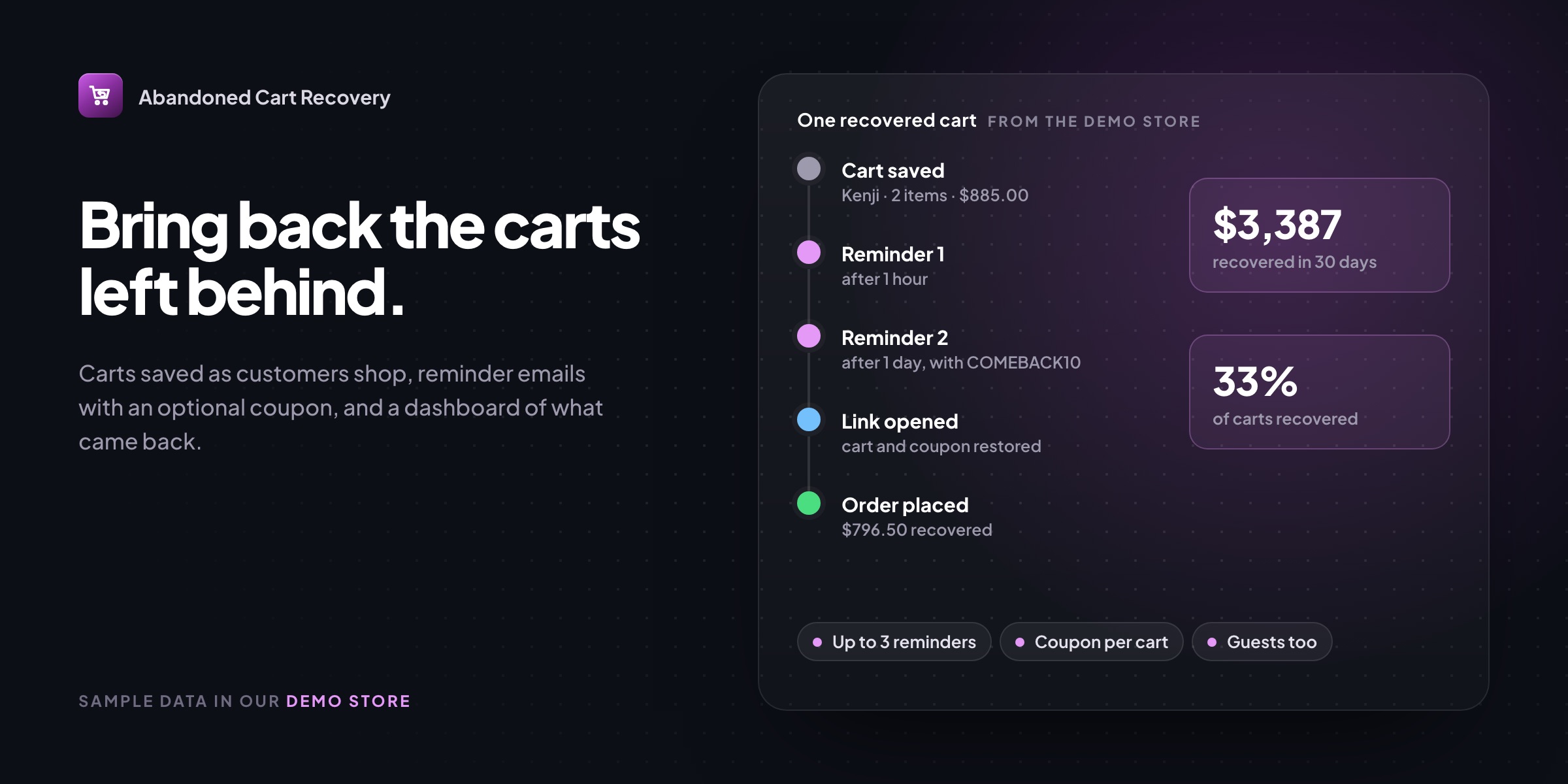
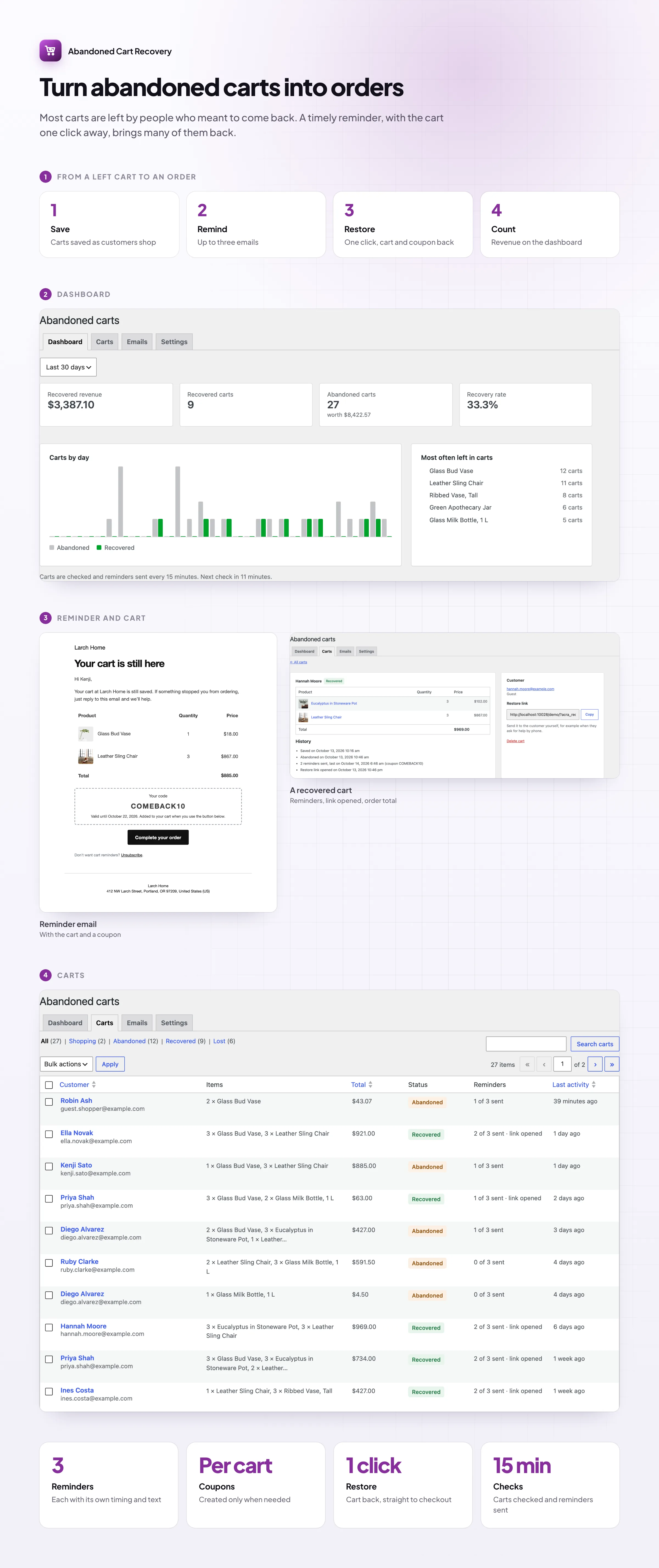
Most shoppers who leave a full cart meant to come back. Abandoned Cart Recovery saves every WooCommerce abandoned cart that has an email address, sends up to three reminder emails at the times you choose, and brings the customer back to a checkout with their cart restored. The dashboard shows what came back.
Dashboard
See what you win back
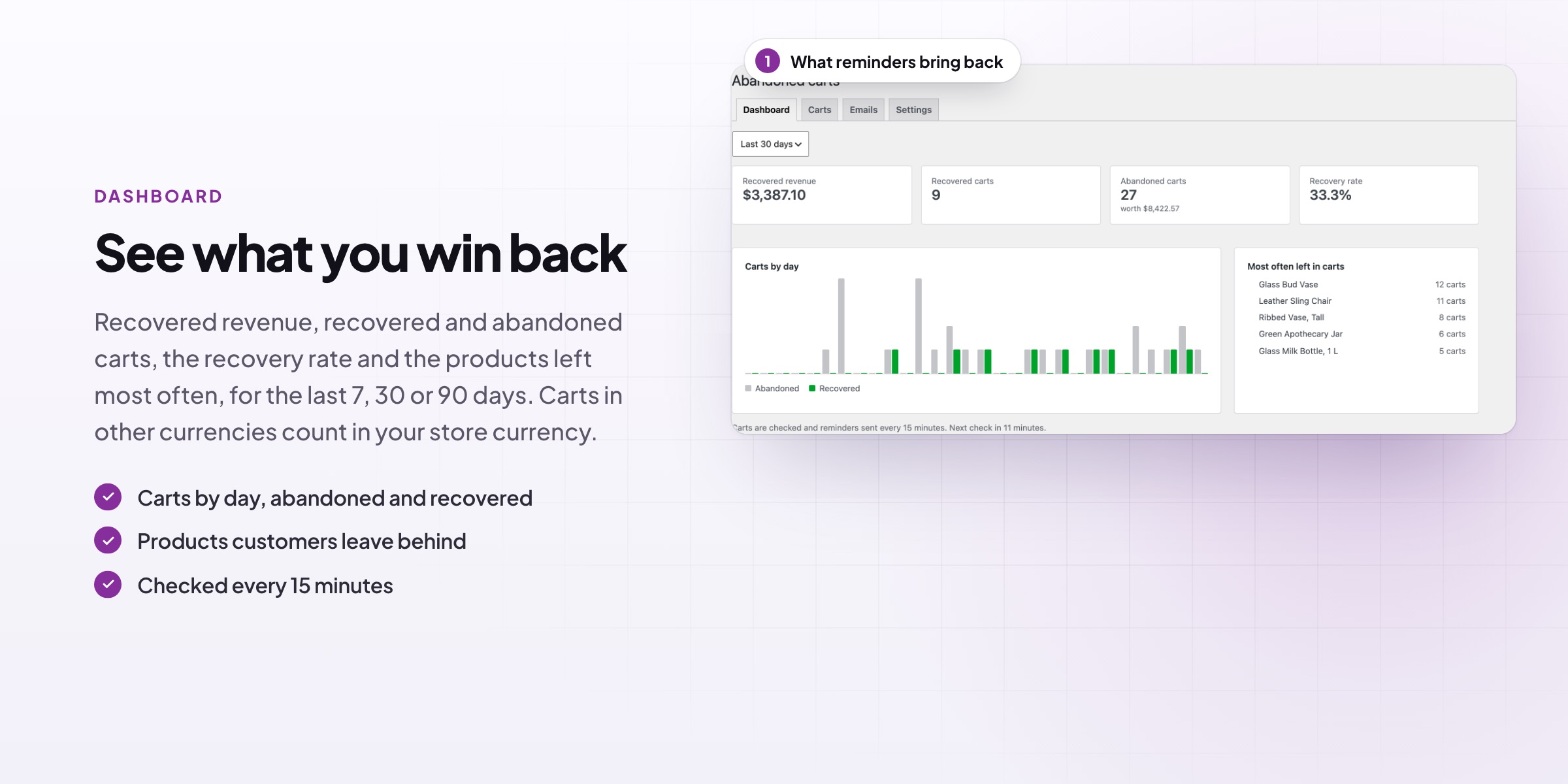
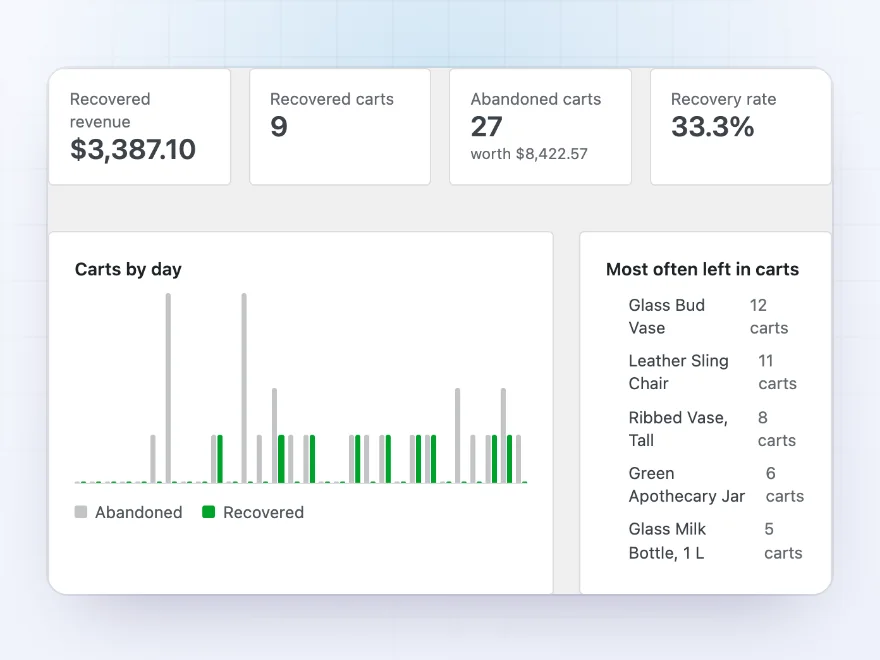
The dashboard shows recovered revenue, recovered and abandoned carts, the value still sitting in carts and the recovery rate over 7, 30 or 90 days, with carts by day and the products most often left behind.
- Recovered revenue and recovery rate
- Carts by day, abandoned and recovered
- The products most often left in carts
Reminder emails
Reminders that bring the cart back
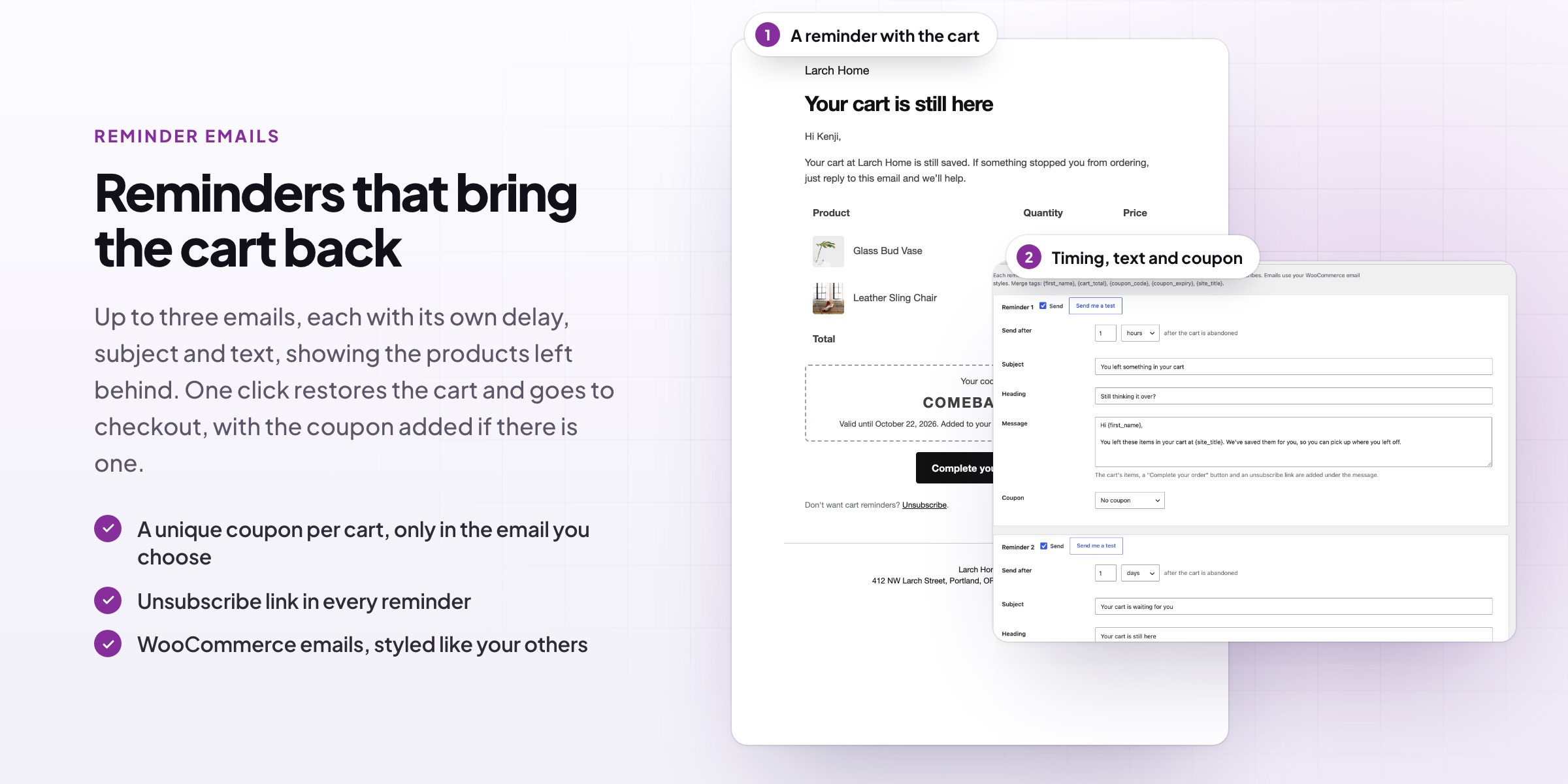
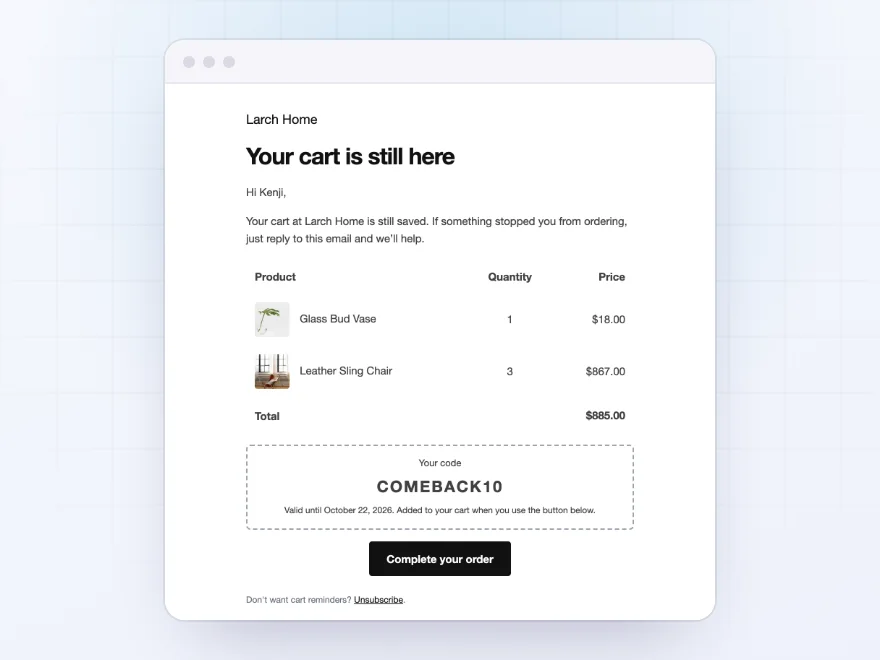
Every reminder lists the items left in the cart with their pictures and a “Complete your order” button. It uses your WooCommerce email styles, and stops as soon as the customer orders or unsubscribes.
- The cart’s items with images
- Your subject, heading and message
- An unsubscribe link in every reminder
Timing and coupons
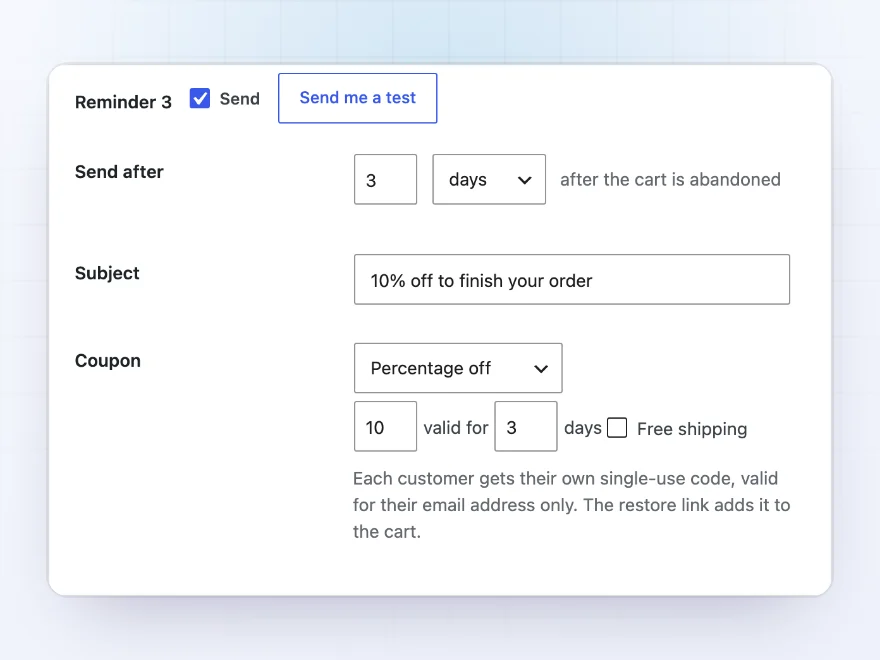
Up to three reminders, each with its own timing
Send up to three reminders, such as after 1 hour, 1 day and 3 days. Add a single-use coupon to any of them, as a percentage or amount off and free shipping if you like, valid only for the customer’s email and for the days you choose.
- Each reminder with its own delay, subject and text
- Merge tags for name, cart total and coupon
- Coupons only in the reminders you choose
Carts
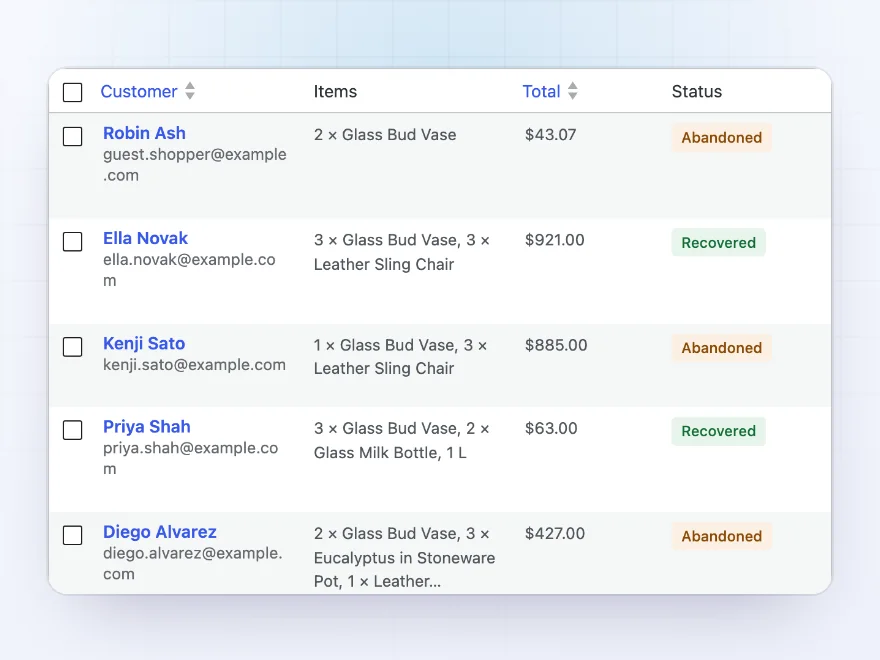
Every abandoned cart, with its story
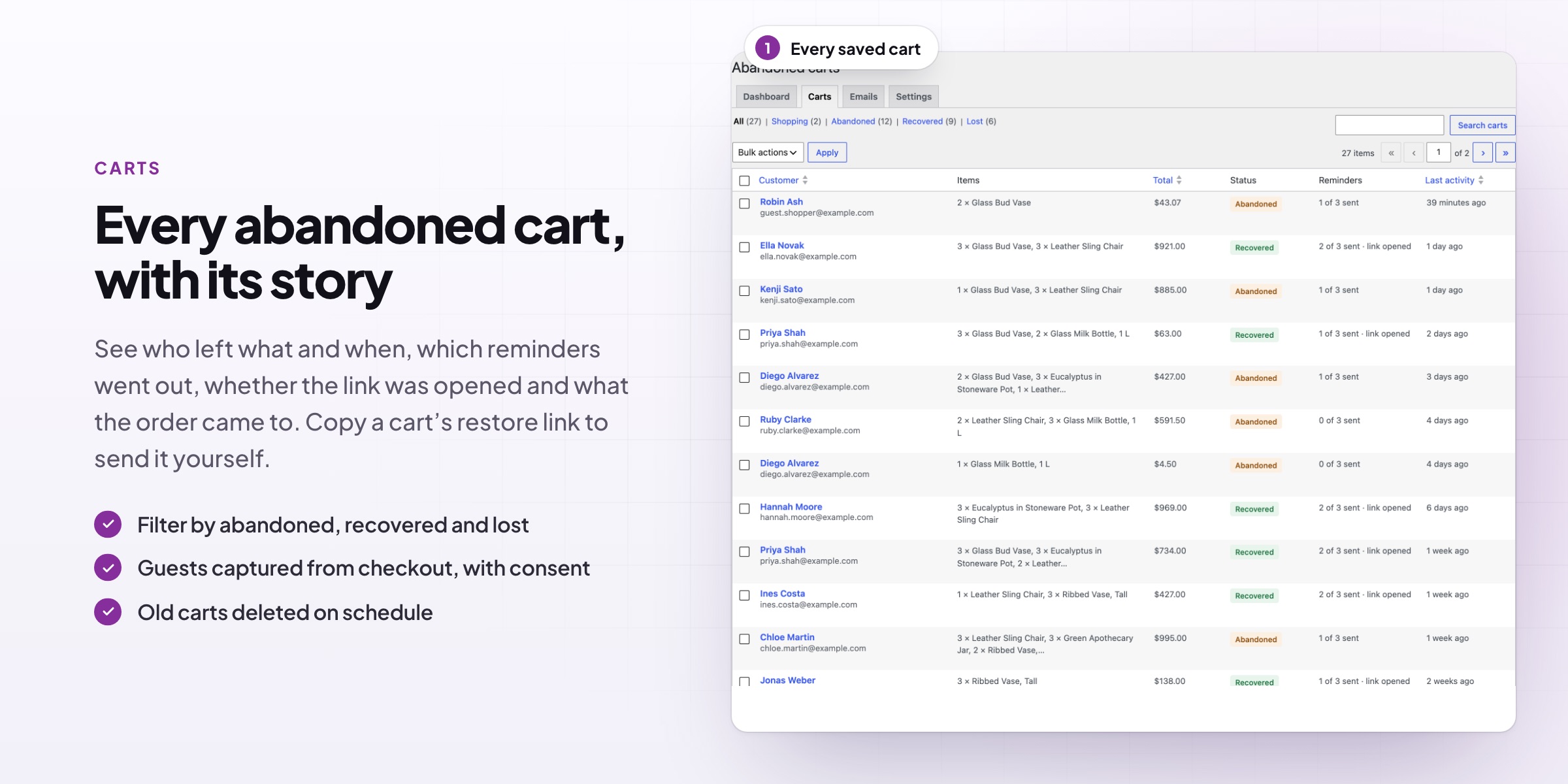
The carts list shows every saved cart with its customer, value, status and reminders sent. Filter by status, search by email, send the next reminder now or delete a cart.
- Guests and customers
- Active, abandoned, recovered and lost
- Send a reminder now
Cart history
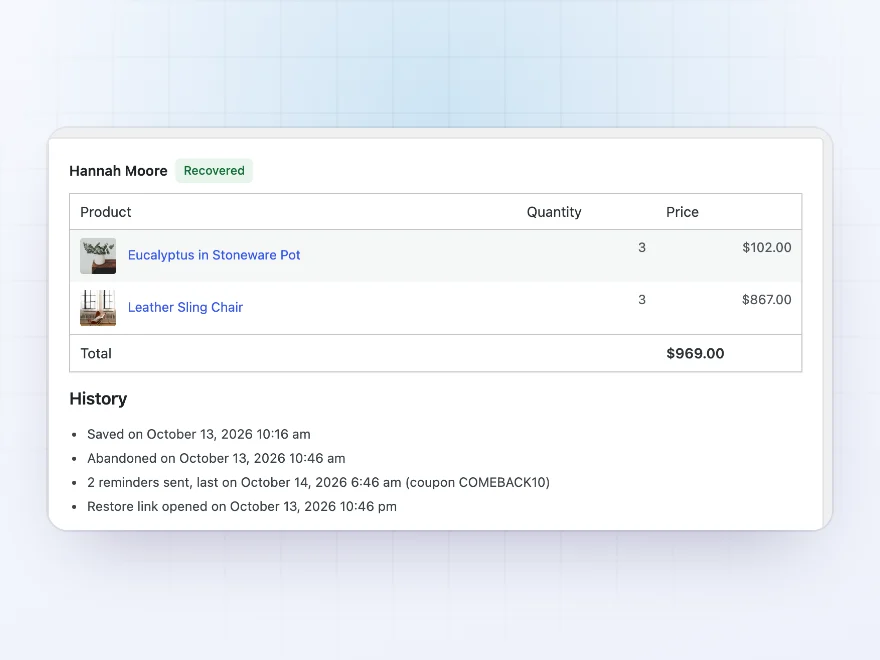
From the cart to the order
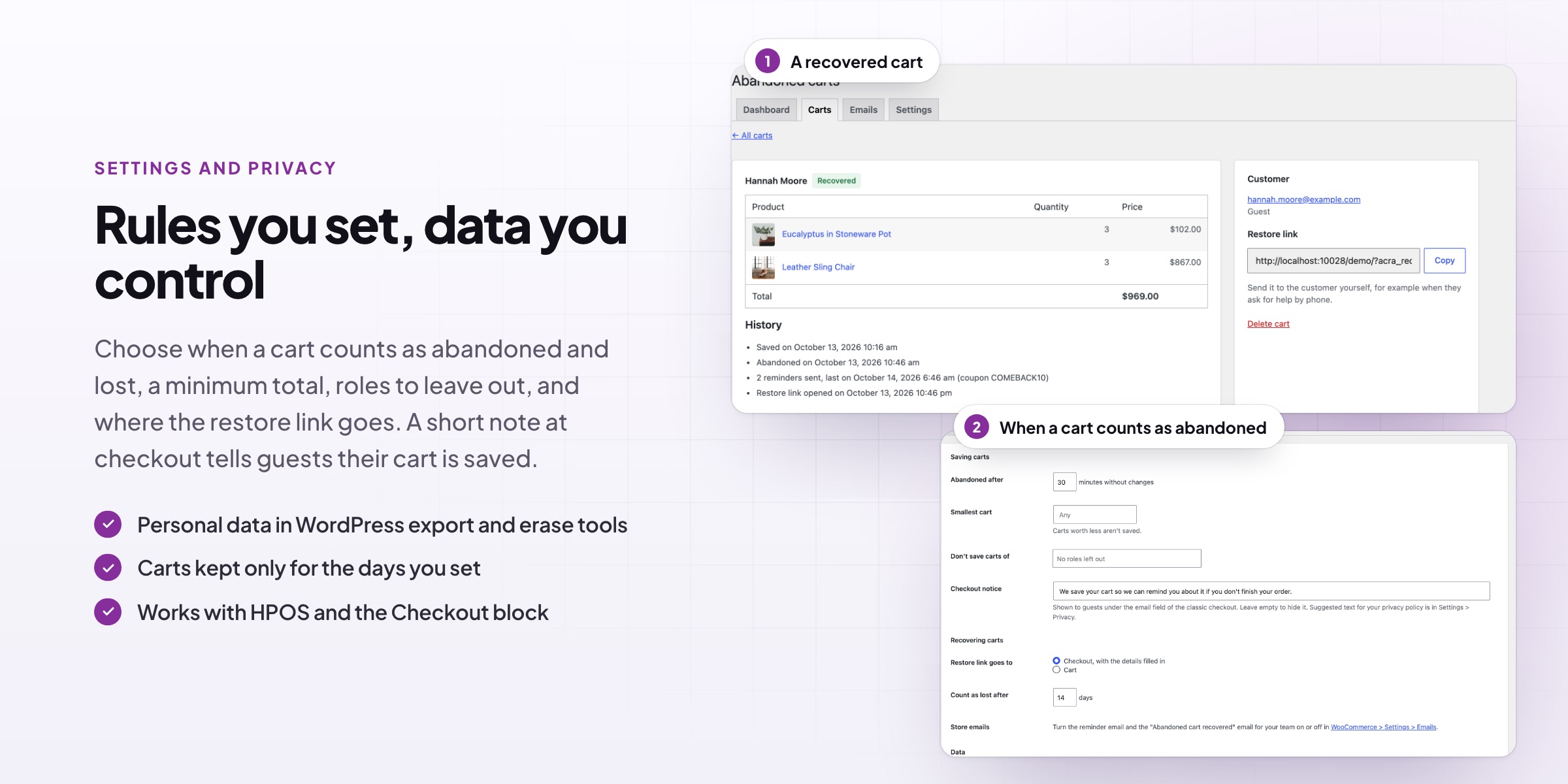
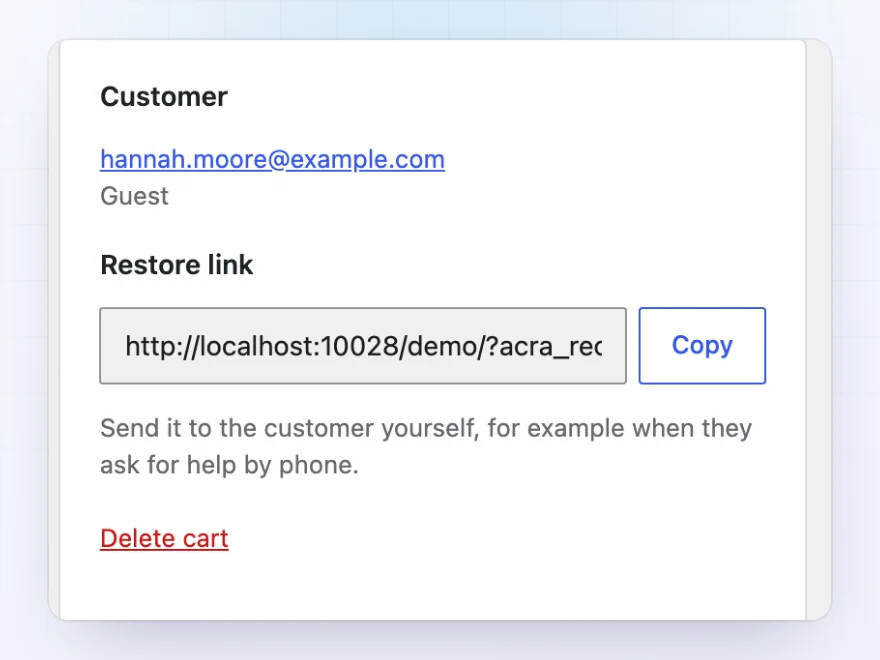
Each cart has its own page with its items, the customer, every reminder sent, when the restore link was opened and the order it turned into. Copy the restore link to send it yourself.
- Items, customer and total
- Reminders, link clicks and the order
- A restore link you can copy
Saving carts
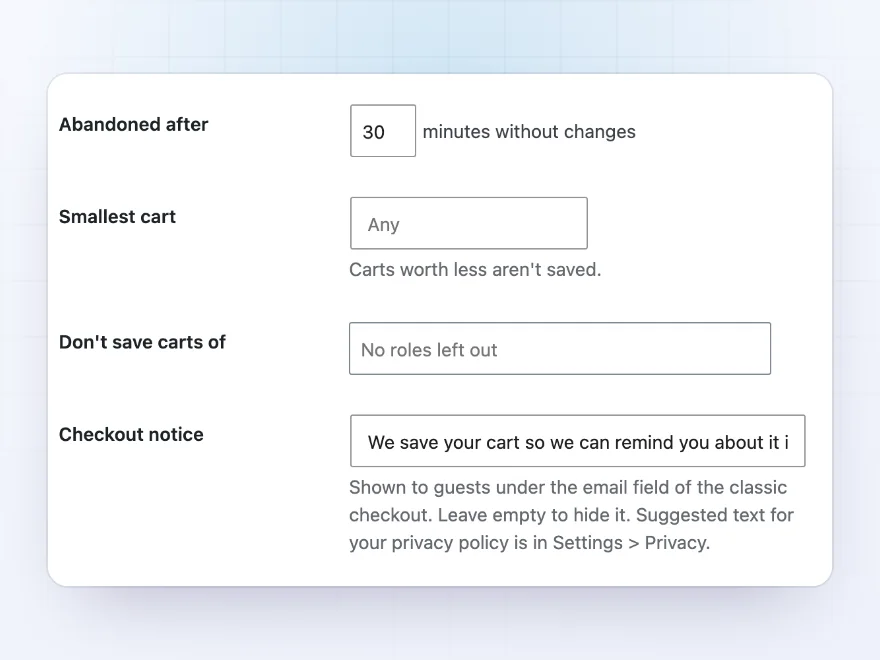
Guests included, as soon as they type an email
Customers’ carts are saved as they shop, and guests’ carts as soon as they type their email at checkout, in the classic checkout and the Checkout block. A cart counts as abandoned after the time you choose without changes.
- 30 minutes without changes by default
- Leave out small carts or some roles
- A short notice under the email field for guests
Restore links
One click back to a full checkout
The button in every reminder brings the customer back to their cart exactly as they left it, with the reminder’s coupon applied and the checkout details filled in. You can also copy a cart’s restore link and send it yourself, for example after a phone call.
- Items and quantities restored
- The reminder’s coupon already applied
- Checkout details filled in
Recovery coupons
Coupons that only work for that customer
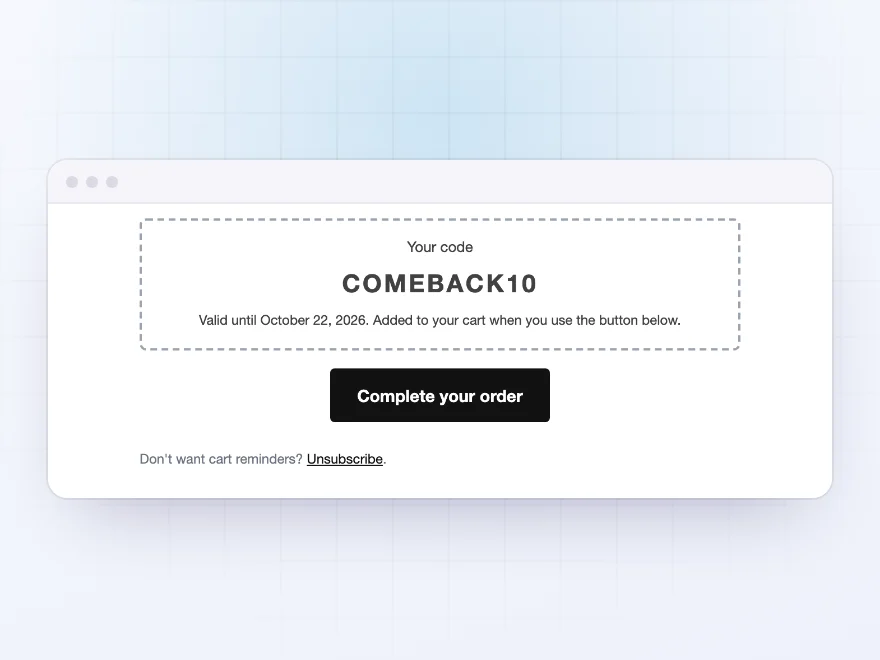
Each reminder coupon is made for one cart: a single-use code, valid only for the customer’s email and for the number of days you choose. Codes that were never used are deleted when they expire, so your coupon list stays tidy.
- A percentage or amount off, and free shipping
- Single use, for the customer’s email only
- Expired codes cleaned up for you
Privacy
Saved carts, handled with care
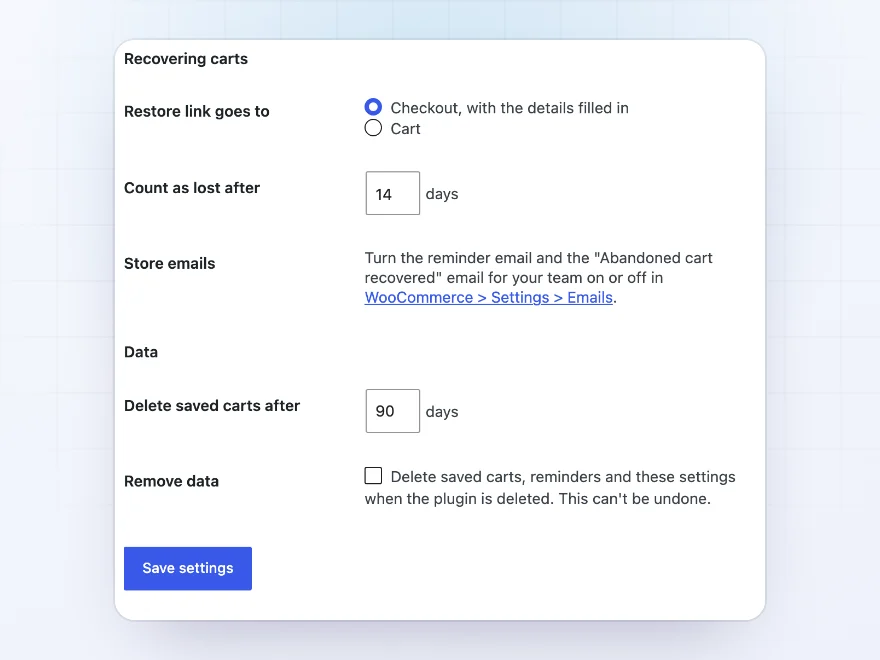
Every reminder has an unsubscribe link. Saved carts are included in WordPress’s personal data export and erase tools and deleted after 90 days, and the plugin suggests text for your privacy policy.
- An unsubscribe link in every reminder
- Part of the personal data export and erase tools
- Saved carts deleted after 90 days
Docs and support
Try it, set it up, ask us anything
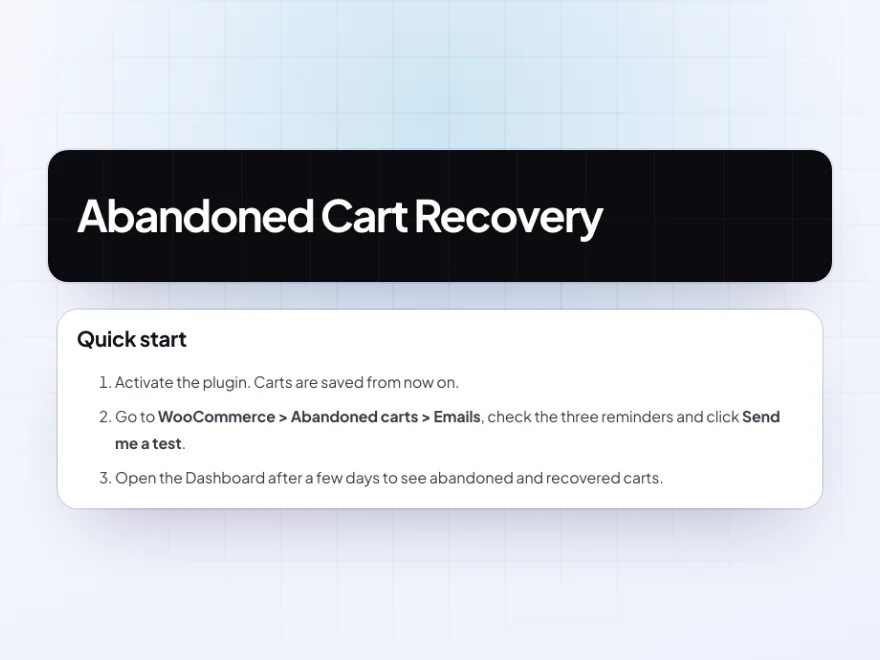
Try Abandoned Cart Recovery in a live demo store before you buy. The docs start with a quick start and cover how carts are saved, reminder emails and coupons. Support tickets are answered by the developers who make the plugin, and updates are included.
- A live demo store to try it first
- Step-by-step docs with a quick start
- Most tickets answered within 12–24 hours
A WooCommerce abandoned cart plugin that shows what it wins back
Abandoned Cart Recovery is a WooCommerce abandoned cart plugin for stores that want lost sales back without chasing customers by hand. It saves the carts of logged-in customers as they shop and of guests as soon as they type their email at checkout, then sends up to three abandoned cart emails at the times you choose.
Each WooCommerce abandoned cart email lists the products with their pictures, can include a single-use coupon, and brings the customer back to a filled-in checkout with one click. The dashboard shows recovered revenue, the recovery rate and the products most often left behind, so you can see how many abandoned carts in WooCommerce turn into orders.
Common setups
- A gentle sequence: a reminder after an hour and another after a day, no coupon.
- Last-chance coupon: 10% off only in the third reminder.
- High-value carts: carts worth less than a set amount left out.
- Wholesale stores: trade roles left out of reminders.
- Team alerts: an email to your team when a cart is recovered.
Questions before you buy
Are guest carts saved?
Yes, as soon as a guest types their email at checkout, in the classic checkout and the Checkout block.
Do customers always get a coupon?
No. Coupons are only in the reminders you add them to, and each one is single use and limited to the customer’s email.
What happens when the customer clicks the button?
The cart is restored exactly as it was, the coupon is applied and the checkout is filled in.
Do reminders stop when the customer orders?
Yes. Reminders stop as soon as the customer orders, empties the cart or unsubscribes.
Does it work with the Checkout block?
Yes. Carts are captured in the classic checkout and the Checkout block.
Is it GDPR friendly?
Every reminder has an unsubscribe link, saved carts are included in WordPress’s personal data export and erase tools, and they are deleted after 90 days.
Can I test a reminder?
Yes. Send yourself a test of each reminder from the Emails tab.
Requirements
WordPress 6.8 or newer, WooCommerce 10.0 or newer and PHP 7.4 or newer. Works with classic and block themes, the Cart and Checkout blocks, and High-Performance Order Storage.
Documentation
Step-by-step setup, every setting explained, and examples: read the documentation. Questions before you buy? Ask us.




Reviews
There are no reviews yet.