 Maxima Plugins
Description
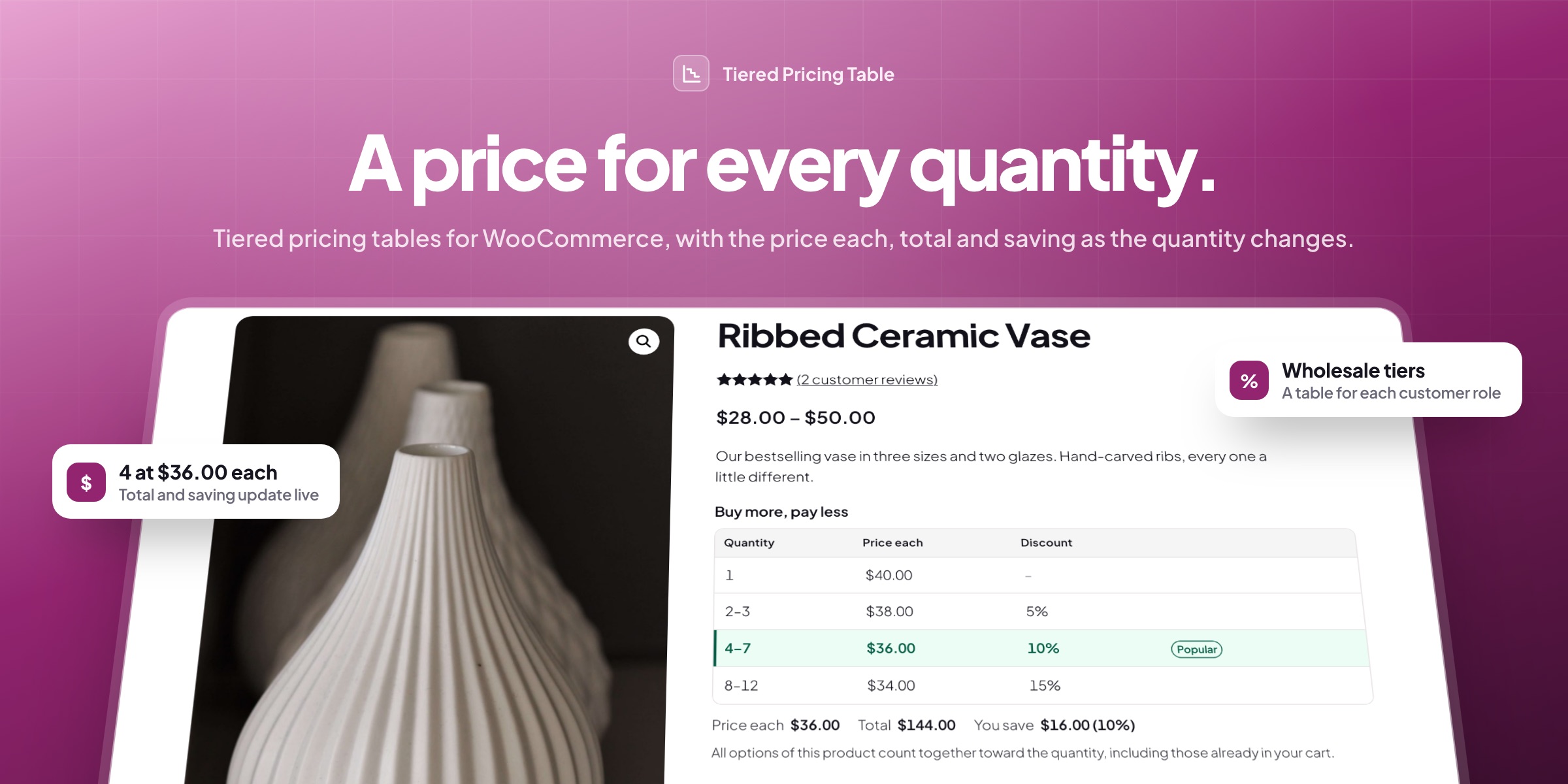
Tiered Pricing Table adds tiered pricing to WooCommerce: a lower price each as customers buy more, shown in a live pricing table on the product page. Set tiers on products, variations or whole categories, with a table for each customer role, and the tier price follows customers to the cart, checkout and order.
📊 A live pricing table: price each, total and saving update as the quantity changes.
🗂️ Eight layouts: tables, cards, lists, a dropdown, a tooltip or one line, near the button or in a tab.
🏷️ Tiers for whole categories, by rules for categories, tags, brands or attributes, with run dates.
👥 A price list per customer: a table for each role, guests included, or for chosen customers.
🧮 Volume or graduated tiers: every item at the tier price, or each band at its own price.
🛒 The same price in the cart: classic and block cart, checkout, mini cart, orders and emails.
➕ A nudge to the next tier: the cart says how many more to add for a lower price.
🔍 A price check for any customer: any product, customer and quantity, plus rule export and import.

Pricing table
Prices that change with the quantity
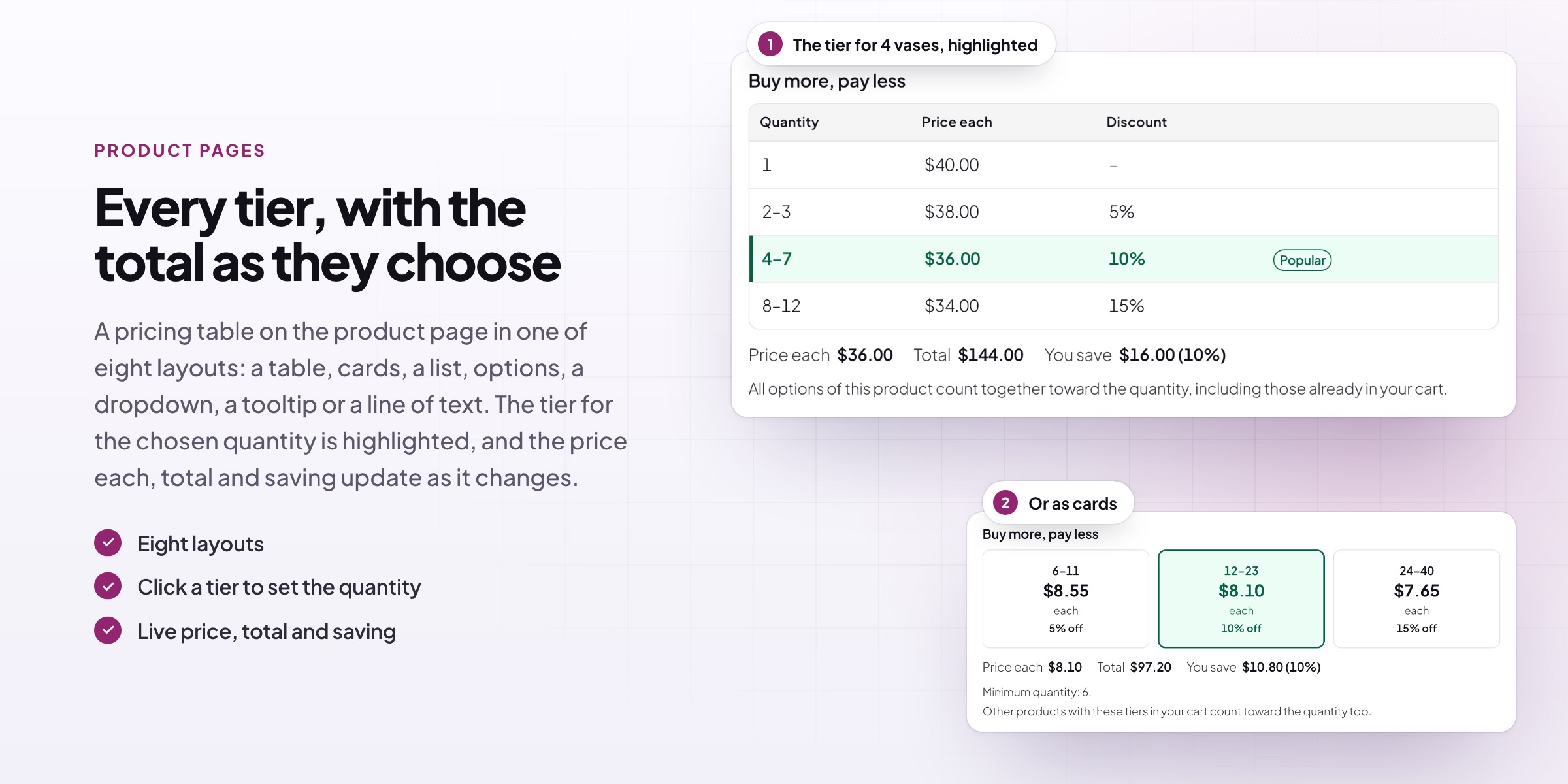
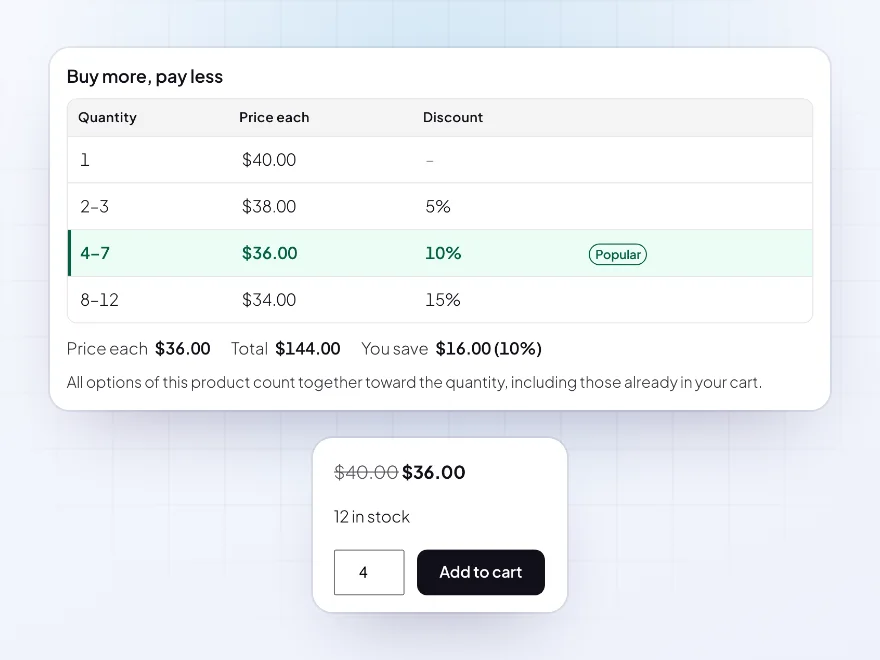
The product page shows the tiers with the chosen quantity’s row highlighted. As customers change the quantity, the price each, total and saving update, and the product price changes to the tier price, with the normal price struck through. Clicking a row sets the quantity.
- Live price each, total and saving
- The chosen row highlighted
- Click a row to pick it
Layouts
Eight ways to show the tiers
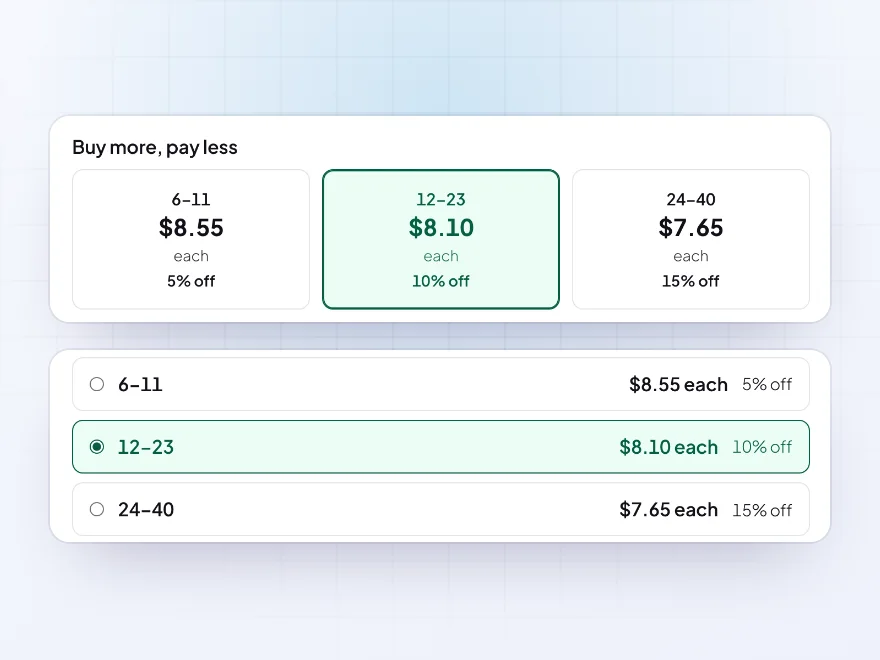
Pick a table, a horizontal table, cards, a list, options, a dropdown, a tooltip on the price or one line of text. Show it near the Add to cart button, under the price, after the summary, in a Pricing tab, or anywhere with the shortcode or block.
- Tables, cards, lists and dropdowns
- Near the button or in a tab
- A shortcode and a block
Rules
Tiers for a whole category at once
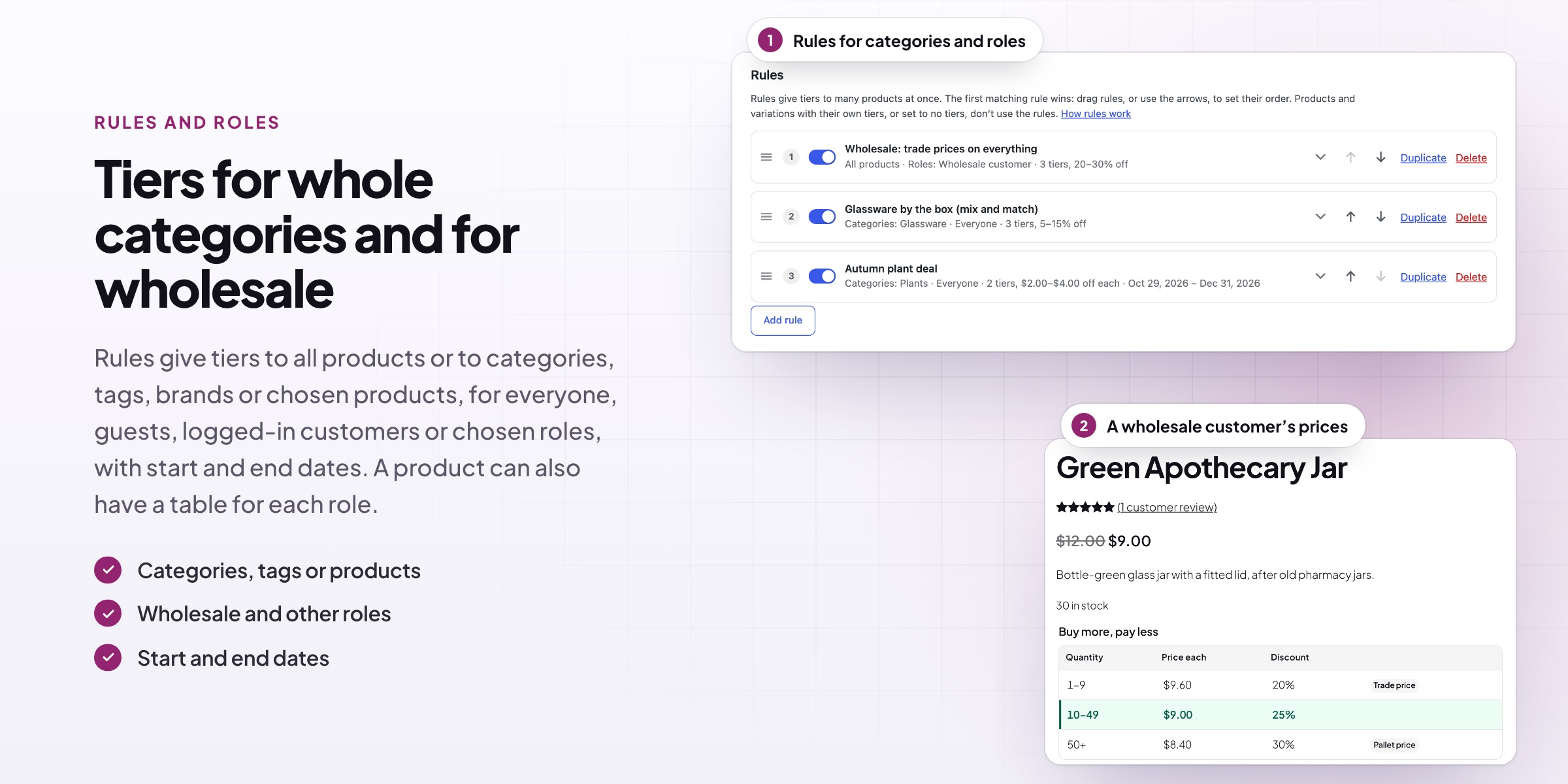
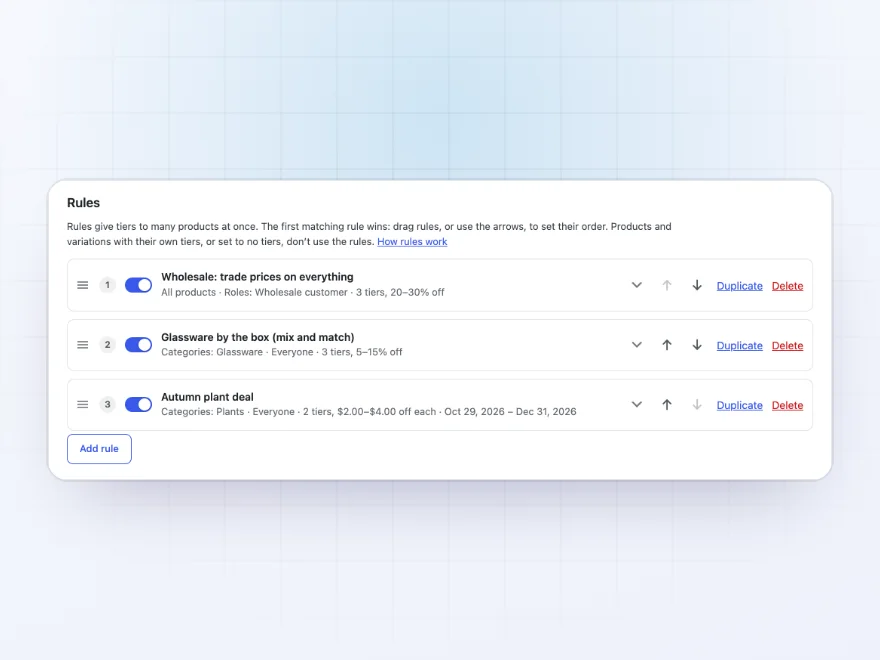
Rules give tiers to all products or to categories, tags, brands, chosen products, product types or attribute values. Each rule has an on/off switch and optional start and end dates, and can leave out products or categories. The first matching rule wins, in the order you set.
- Categories, tags, brands or attributes
- On/off switch and run dates
- Leave out products or categories
Roles and guests
A price list for each kind of customer
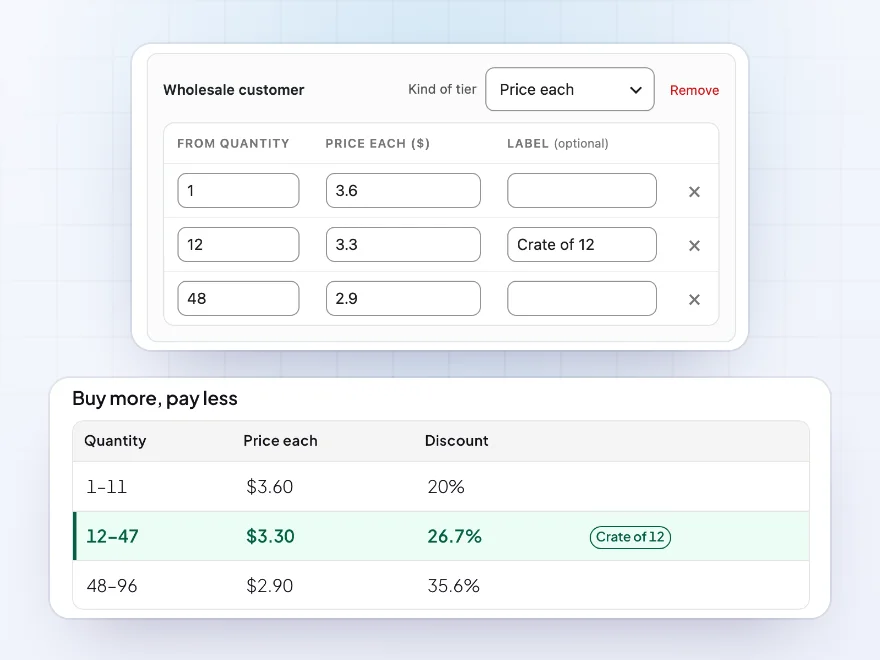
Give wholesale customers or guests their own tier table on any product or variation, in place of the general tiers. Rules can be for everyone, guests, logged-in customers, chosen roles or chosen customers, so trade and public prices sit side by side.
- A table per role, guests included
- On products and variations
- Rules for chosen customers
Pricing and counting
Price every item, or band by band
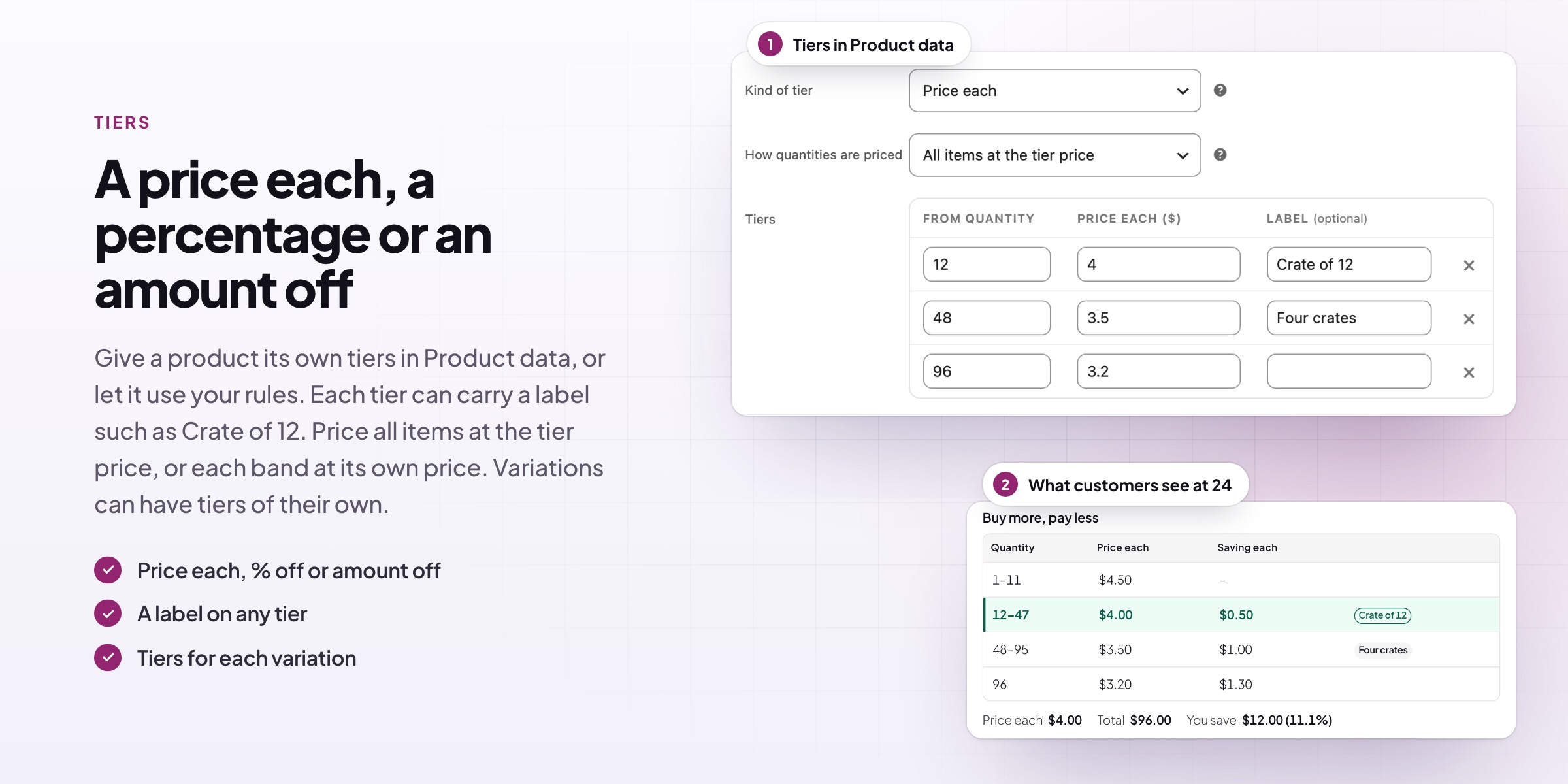
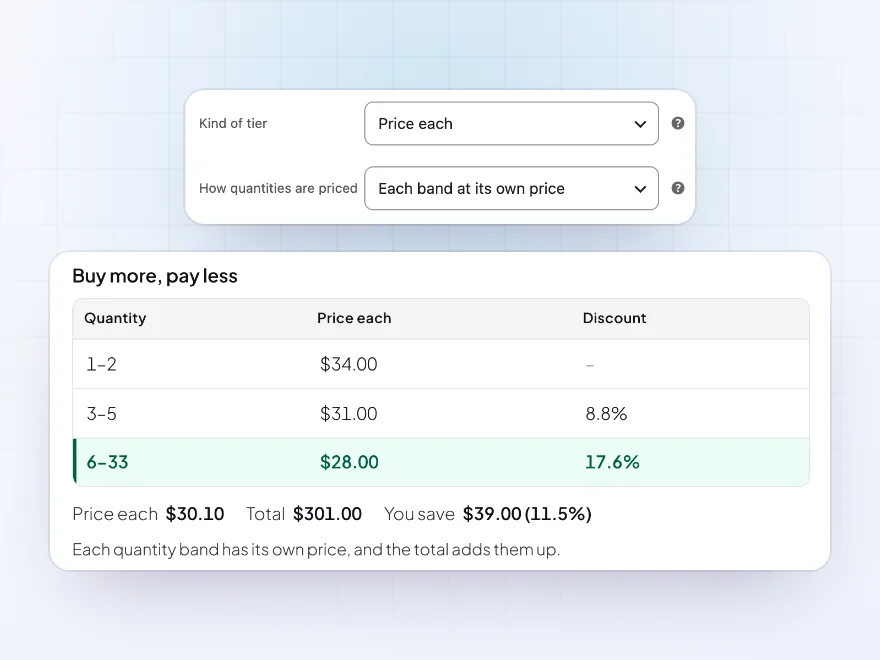
A tier can be a price each, a percentage off or an amount off. Charge all items the tier’s price, or each band its own price: the first 2 plants at $34.00, the next 3 at $31.00, the rest at $28.00. Count each variation alone, a product’s variations together, a rule’s products together, or the whole cart.
- Price each, percent or amount off
- All items or each band
- Four ways to count
Cart and checkout
The tier price follows them to the cart
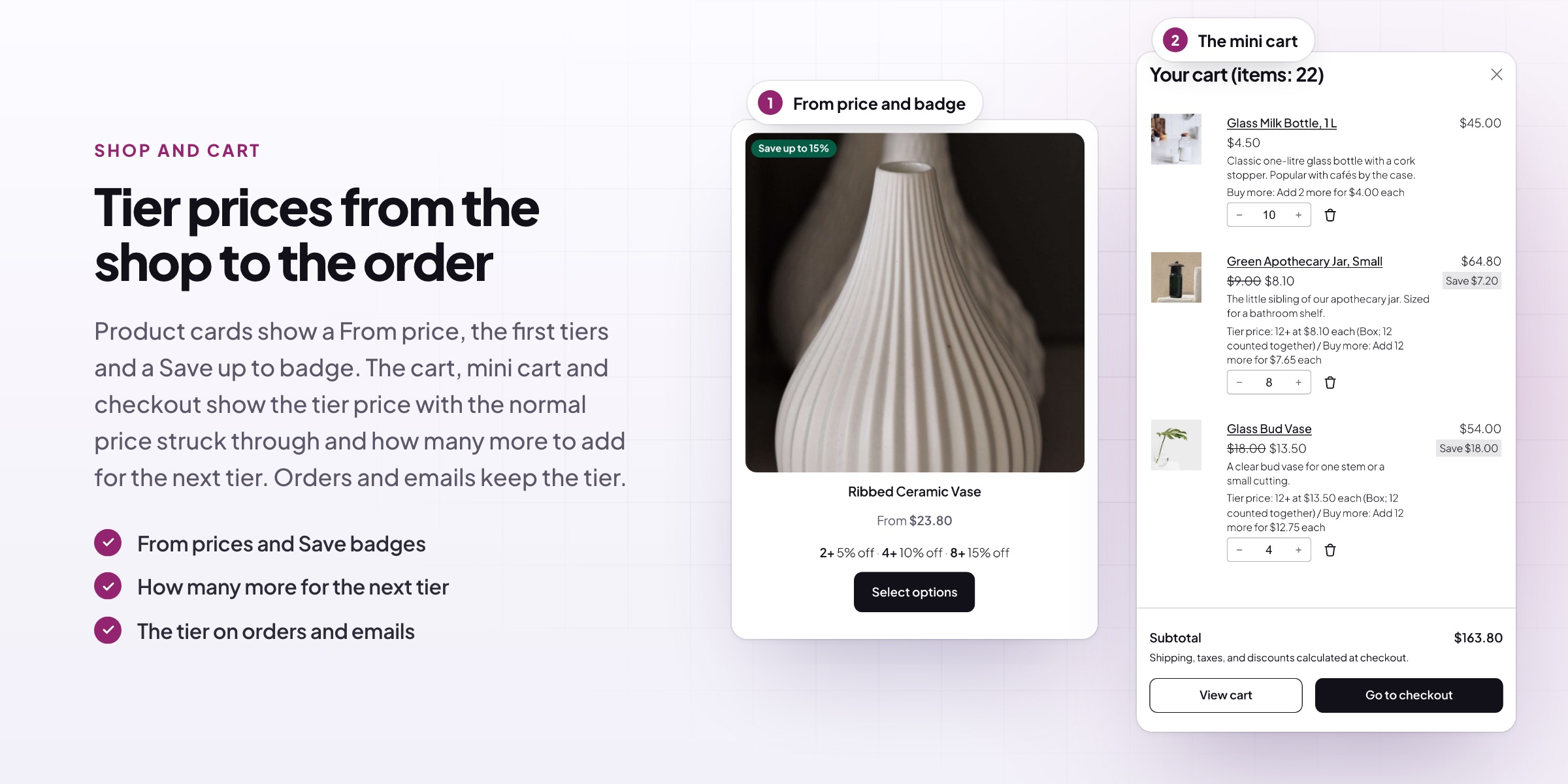
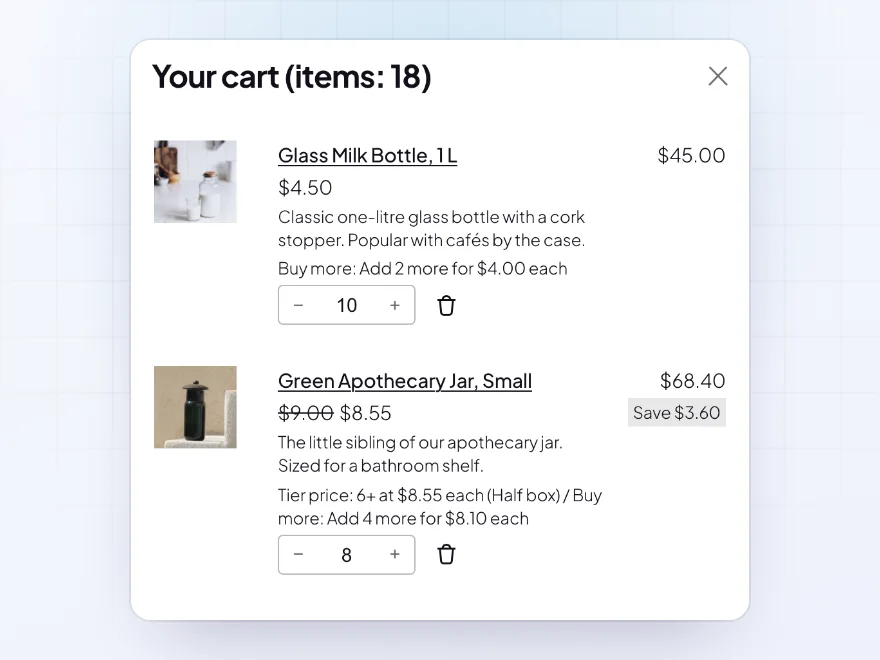
Tier prices carry into the classic and block cart and checkout and the mini cart, with the normal price struck through. Each item names its tier, such as 6+ at $8.55 each, and a nudge such as Add 2 more for $4.00 each points to the next tier.
- Classic and block cart and checkout
- The mini cart too
- A nudge to the next tier
Shop pages
Tier prices in the shop
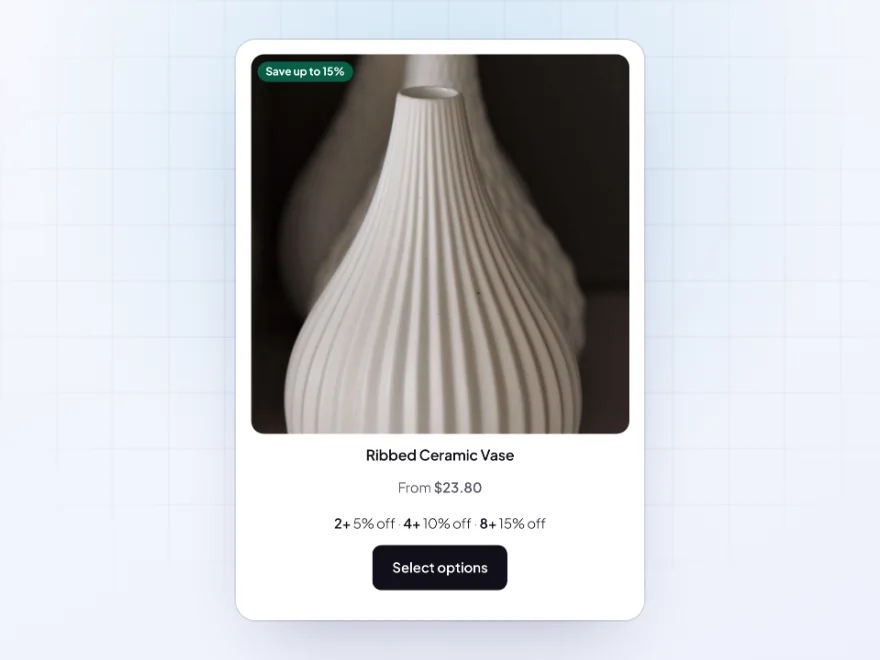
Product cards on the shop, category and search pages can show a “From” price with the lowest tier price, or a range up to the normal price, plus up to three tiers and a “Save up to 15%” badge on the image. Customers see the better price before opening the product.
- A “From” price or a price range
- Up to three tiers on each card
- A “Save up to” badge
Look
A pricing table that fits your store
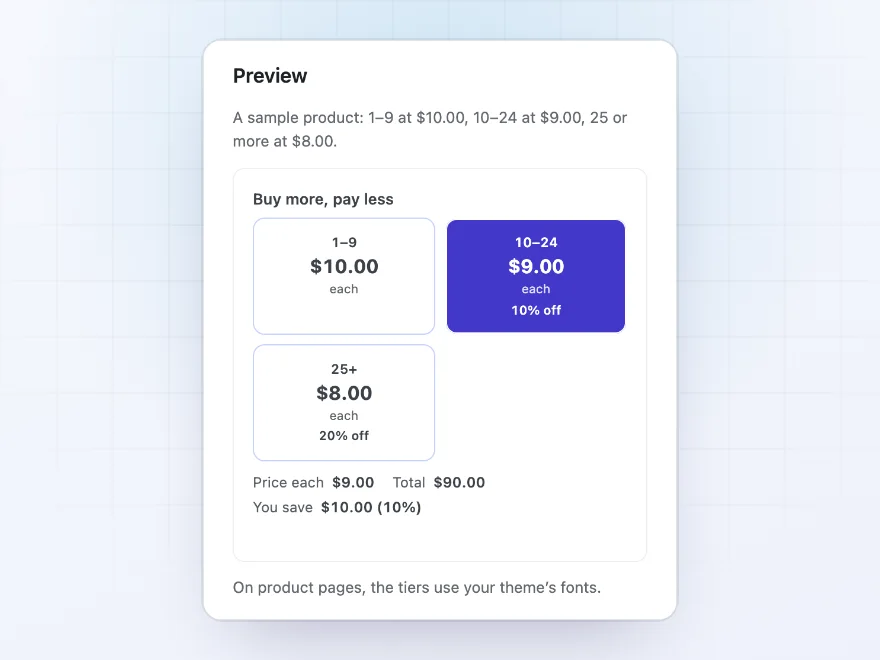
Start from the Clean, Bold or Minimal preset, then pick the columns and change the title, texts, column headings and colors, with a preview of a sample product next to the settings. Fonts come from your theme, and templates can be copied to your theme to change the markup.
- Three presets to start from
- Your own texts, columns and colors
- A preview as you change them
Price check
See the price any customer pays
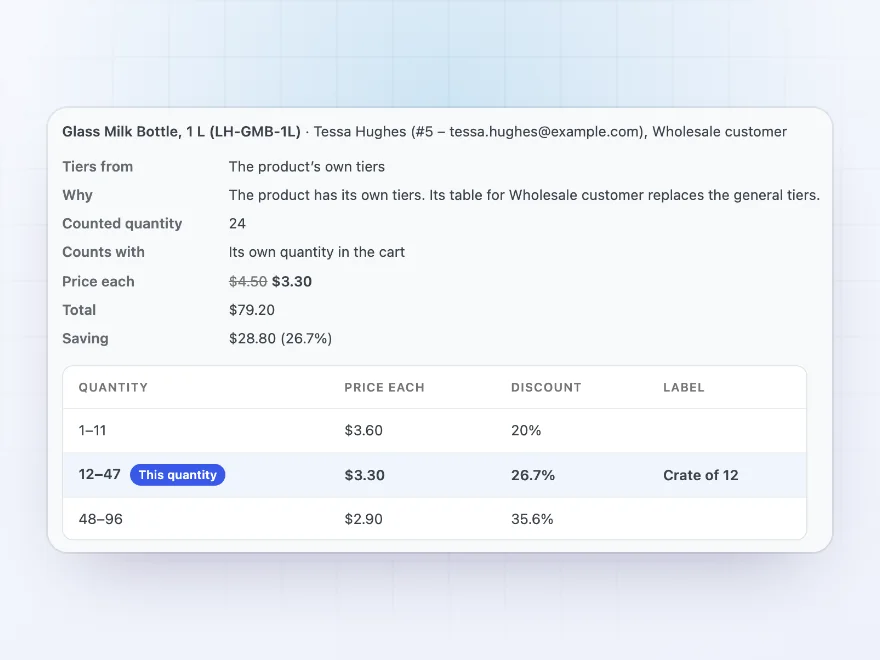
In Tools, pick a product or variation, a customer or guest, and a quantity to see the price each, total and saving, and which tiers apply and why. Move rules between stores with export and import, and tiers with WooCommerce’s product CSV or the REST API.
- Any product, customer and quantity
- Rules export and import
- Product CSV columns and REST API
Premium quality & support
Support you can count on, year after year
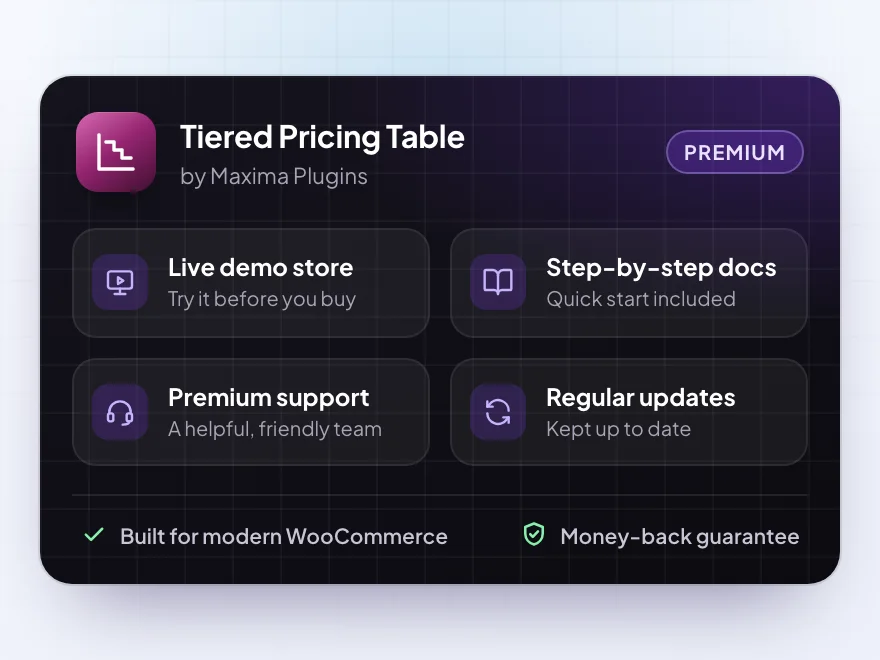
See Tiered Pricing Table working in a live demo store before you buy. If you need a hand, our friendly support team will help you get it set up, and regular updates keep it working with each new WooCommerce release.
- A live demo store to try it first
- Step-by-step docs with a quick start
- Premium support from a helpful team
- Regular updates included
A WooCommerce tiered pricing plugin with a live pricing table
Tiered Pricing Table is a WooCommerce tiered pricing plugin for stores that sell by the box, the case or the pallet. Set price breaks on a product or a variation, or with rules for categories, tags, brands and the whole store, and give wholesale customers or guests a table of their own.
Customers see a WooCommerce tiered pricing table on the product page, as a table, cards, a dropdown or one line of text, with the row for their quantity highlighted and the price each, total and saving updated as they change it. With WooCommerce price by quantity shown up front, customers know what they pay before they add to the cart, and the same prices apply in the cart, checkout and mini cart.
Common setups
Questions before you buy
What’s the difference between all items and each band?
With all items, 12 items at a 10+ tier of $9.00 cost 12 × $9.00. With each band, the first 9 cost the normal price and the next 3 cost $9.00 each.
Can wholesale customers get their own tiers?
Yes. Add a Wholesale customer table on a product or variation, or a rule for that role.
Do variations of one product count together?
By default, yes: 5 red and 5 blue T-shirts reach a 10+ tier. You can count each variation on its own instead, store-wide or per product.
Does it work with sale prices and coupons?
Yes. Tiers can use the sale or regular price, or skip products on sale, and coupons can work as usual, turn tier prices off, or skip tier-priced items.
Does the cart charge the total the product page shows?
Yes, also with each band at its own price: 10 eucalyptus pots in bands of $34.00, $31.00 and $28.00 cost $301.00 in both.
Do items already in the cart count toward a tier?
Yes. Adding 6 now and 6 later reaches a 12+ tier, and the product page says so: Quantity counted: 12, including 6 already in your cart.
Does it do cart discounts such as buy 2 get 1 free?
No. It sets the price each by quantity. For buy 2 get 1 free, order discounts and free gifts, use Dynamic Pricing & Discount Rules.
Requirements
- WordPress
- 6.8 or newer
- WooCommerce
- 10.0 or newer
- PHP
- 7.4 or newer
Works with
- Classic themes
- Block themes
- Cart, Checkout and Mini-Cart blocks
- High-Performance Order Storage
- WPML
- Polylang
- Product add-on plugins
- Currency switchers such as WooPayments, Aelia, WOOCS, CURCY and our Multi Currency Switcher




Reviews
There are no reviews yet.