 Maxima Plugins
Description
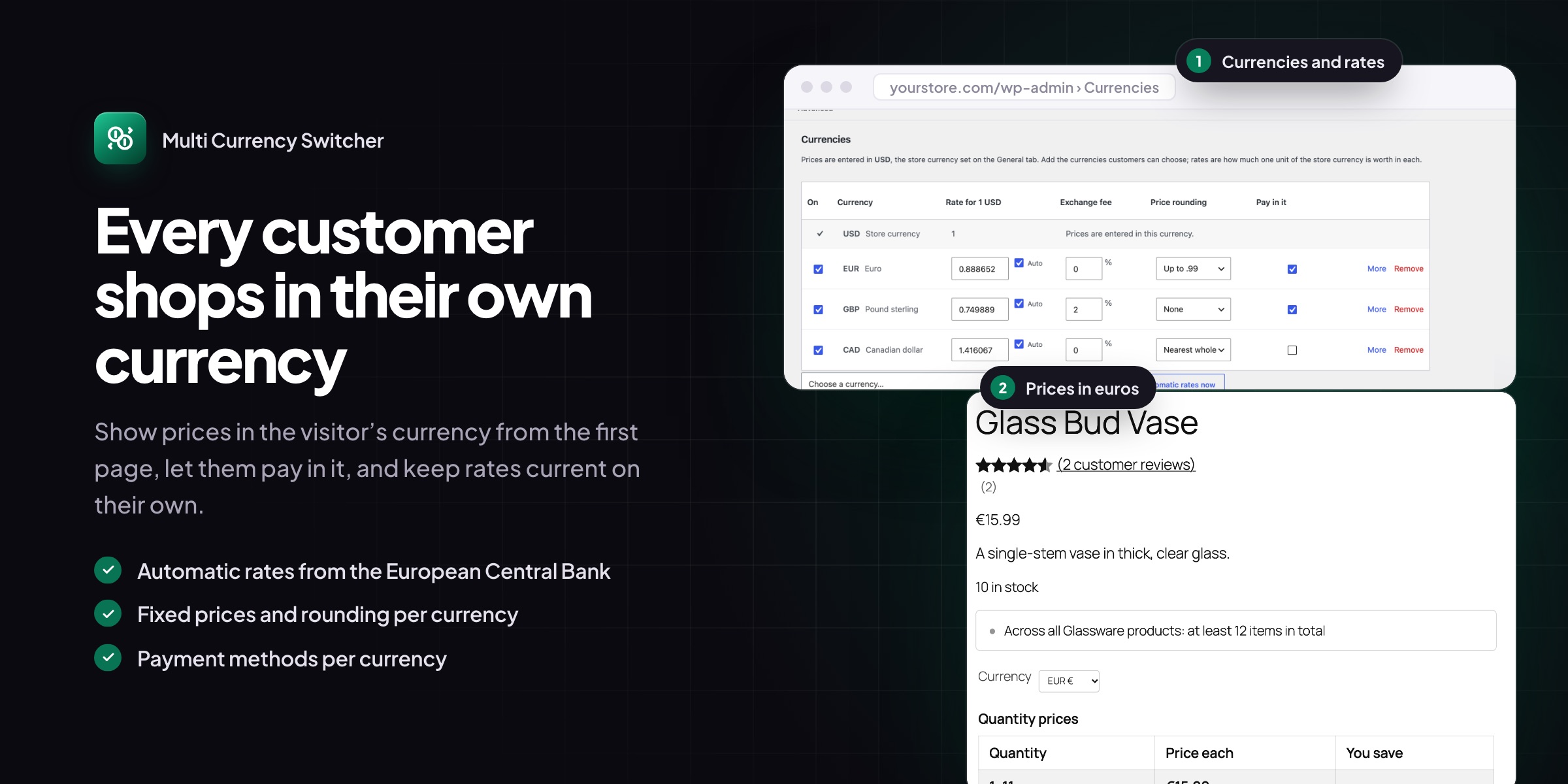
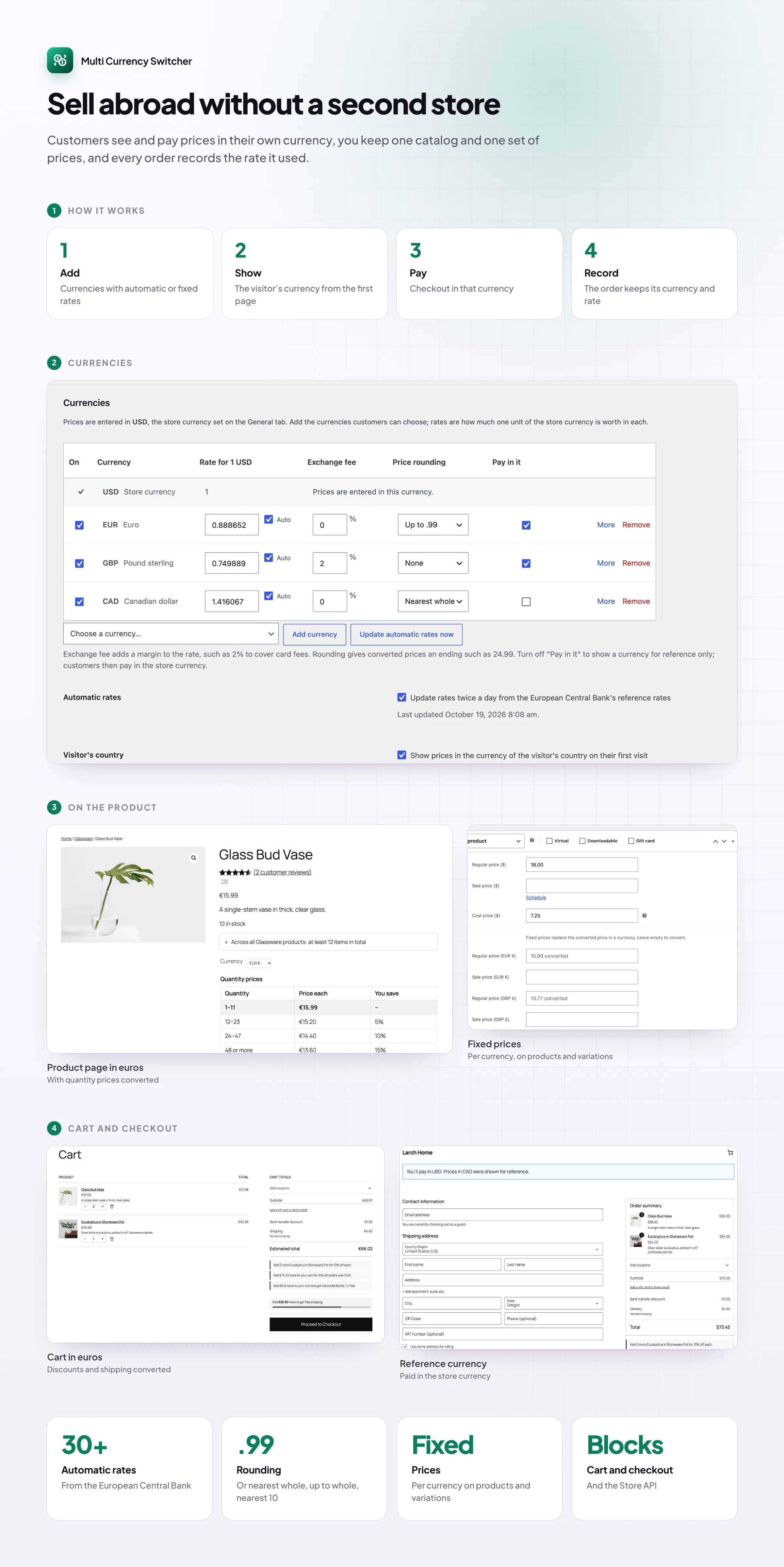
Shoppers buy more when they see prices in their own money. Multi Currency Switcher adds multi currency to WooCommerce: prices in the visitor’s currency from the first page, a currency switcher wherever you want it, and checkout in the chosen currency. Rates update on their own from the European Central Bank, or you set them by hand.
Currencies and rates
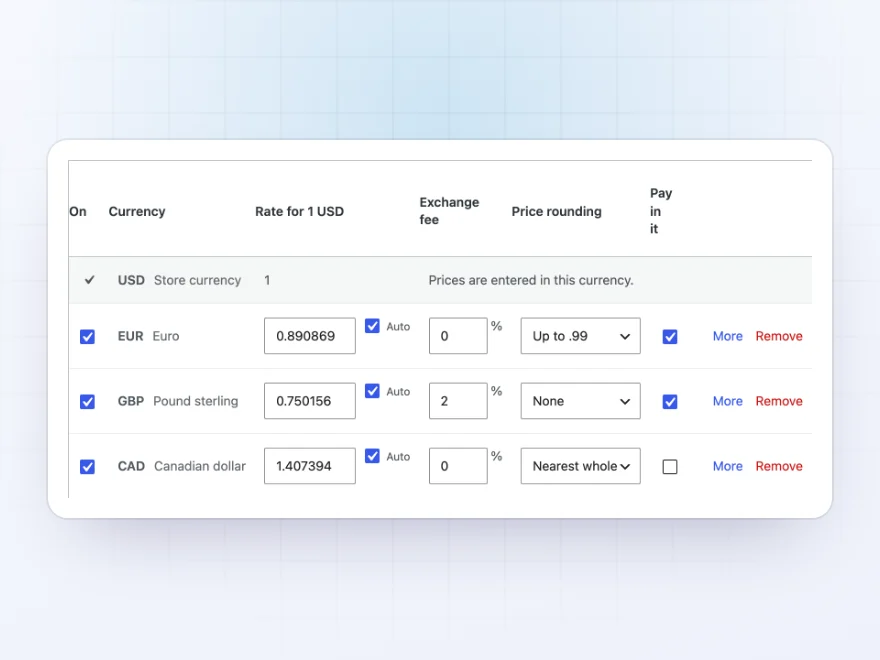
Add a currency in seconds
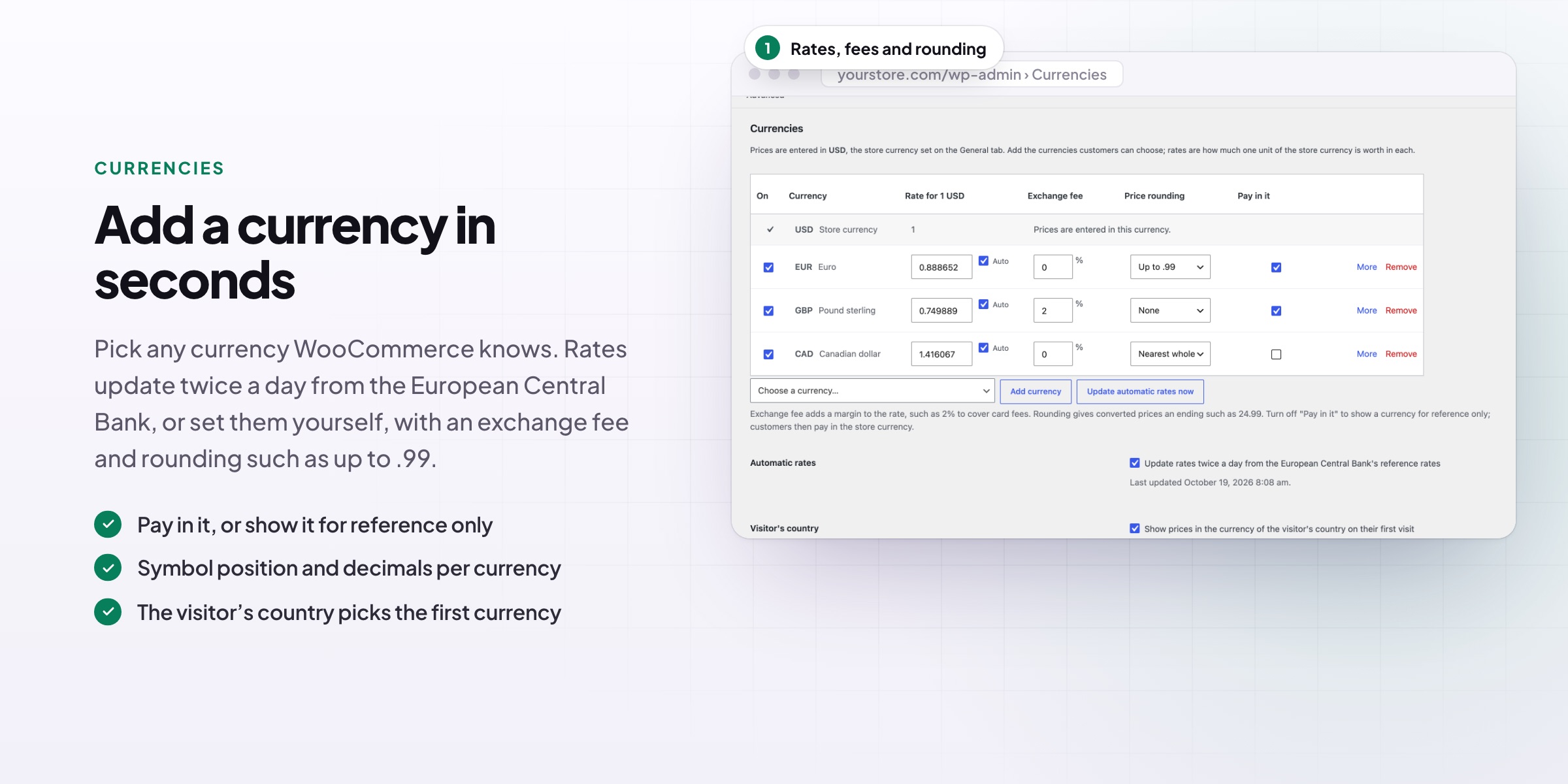
Add any currency WooCommerce knows. Rates update twice a day from the European Central Bank’s free feed, with no API key, or you set them by hand. Add an exchange fee to cover card costs, and round converted prices to .99, .95 or whole amounts.
- Automatic ECB rates, or your own
- An exchange fee per currency
- Rounding to .99, .95, whole or nearest 10
Prices
Converted everywhere customers look
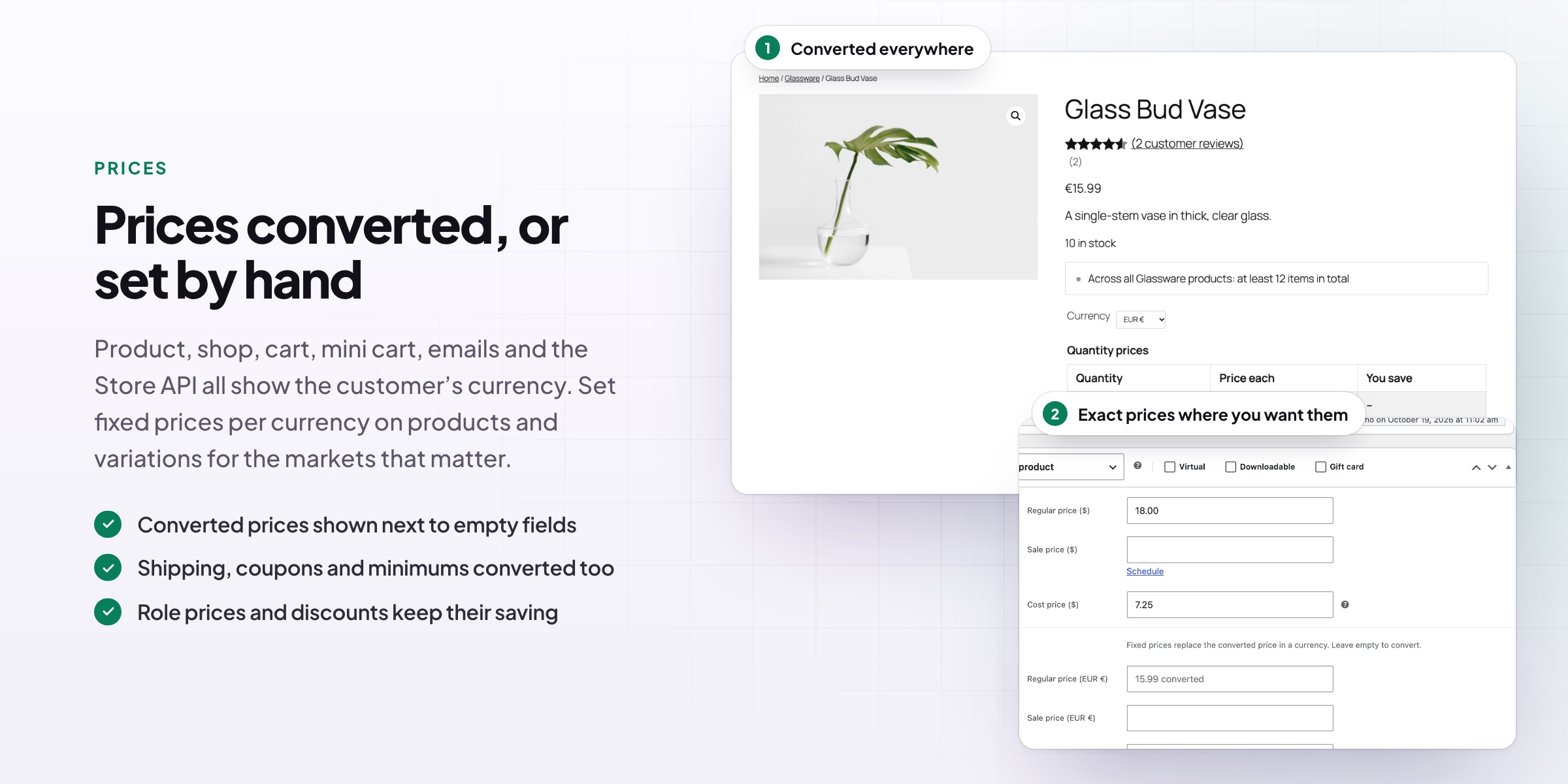
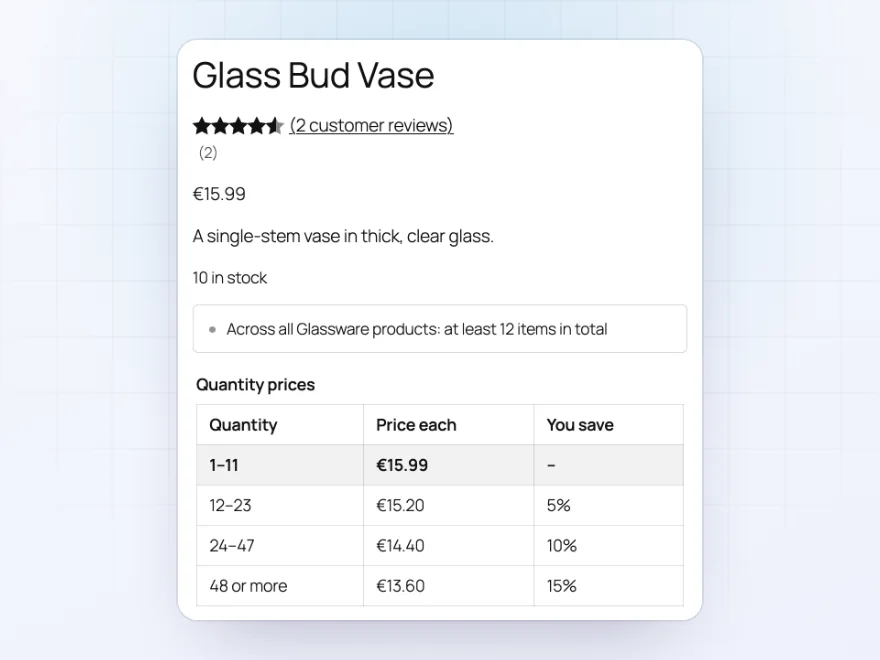
Prices are converted in the shop, on product pages, in the cart, checkout, mini cart and emails. Shipping costs, free shipping minimums and fixed coupon amounts are converted too, so the whole store adds up in the customer’s currency.
- Shop, product pages, cart, checkout and emails
- Shipping and coupon amounts converted
- Role prices and discounts keep their saving
Fixed prices
Exact prices for the markets that matter
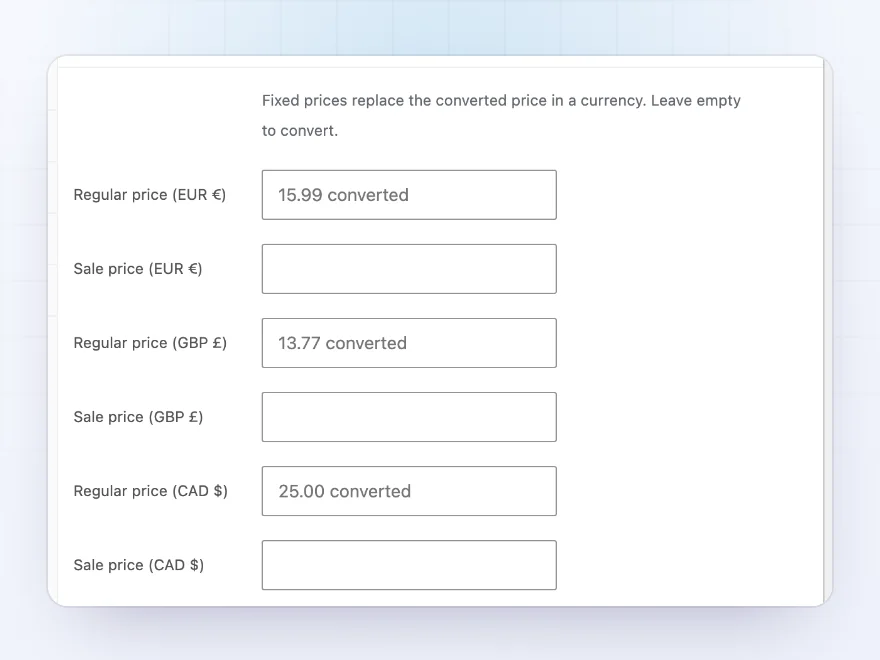
Set fixed prices per currency on products and variations, sale prices included, for markets where you want exact prices. Empty fields show the converted price, so you see what customers would pay.
- Regular and sale price per currency
- On products and variations
- Converted price shown next to empty fields
Checkout
Customers pay in the currency they chose
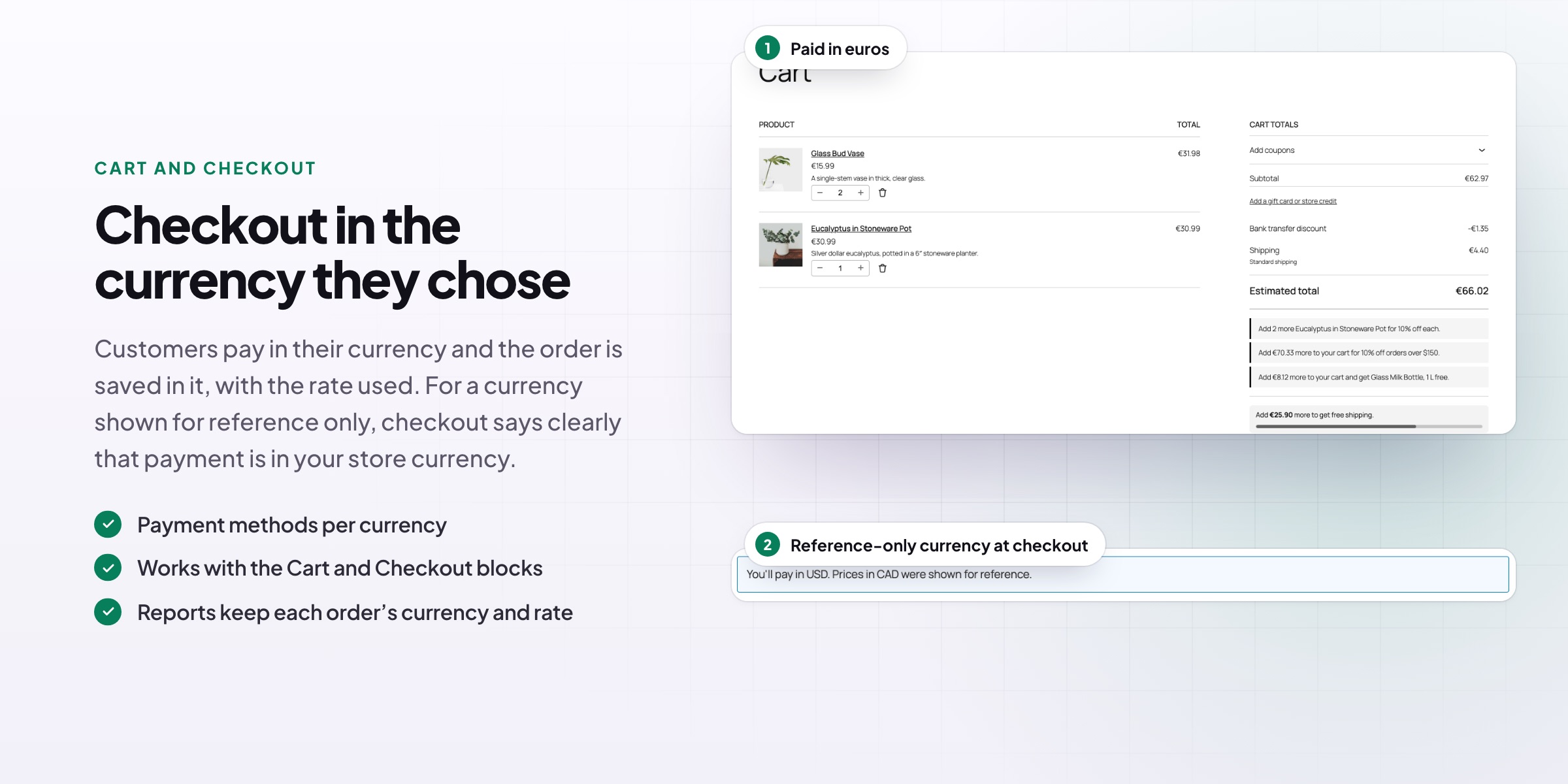
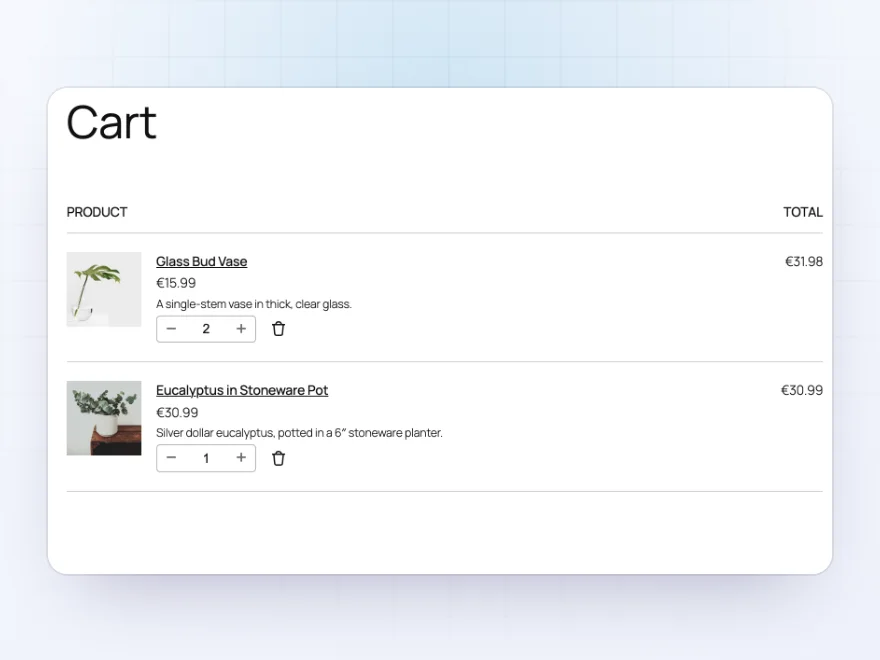
The order is saved in the customer’s currency with the rate used, shown on the order screen. Choose payment methods per currency for gateways that only take some currencies.
- Orders saved in the chosen currency
- Payment methods per currency
- The rate saved on each order
Reference currencies
Show a currency, take payment in yours
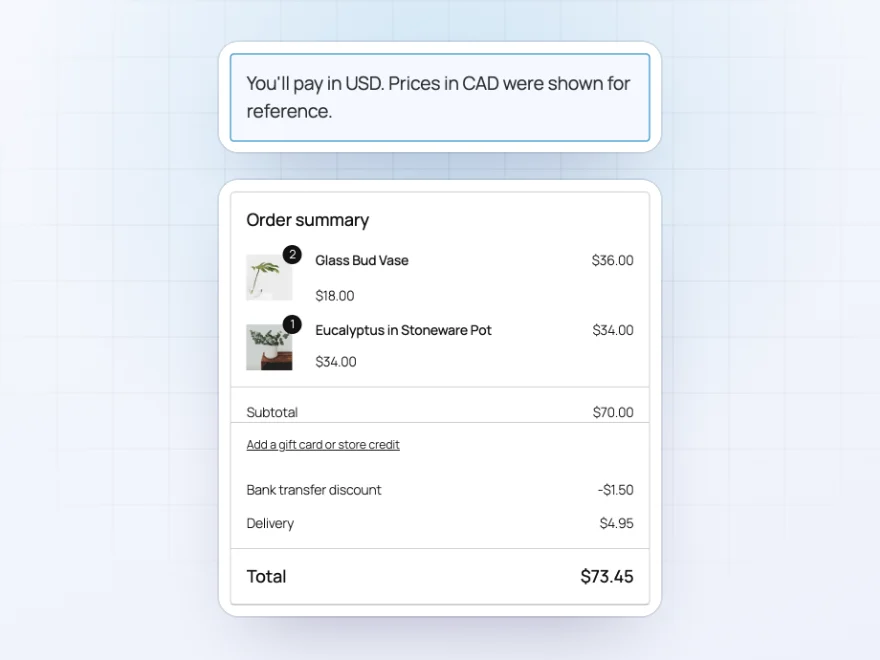
Make a currency reference-only: customers browse in it, and the checkout explains that they pay in your store currency. Useful for currencies your payment provider doesn’t take.
- Prices shown in the currency
- Payment in the store currency
- A clear note on the checkout
Switchers
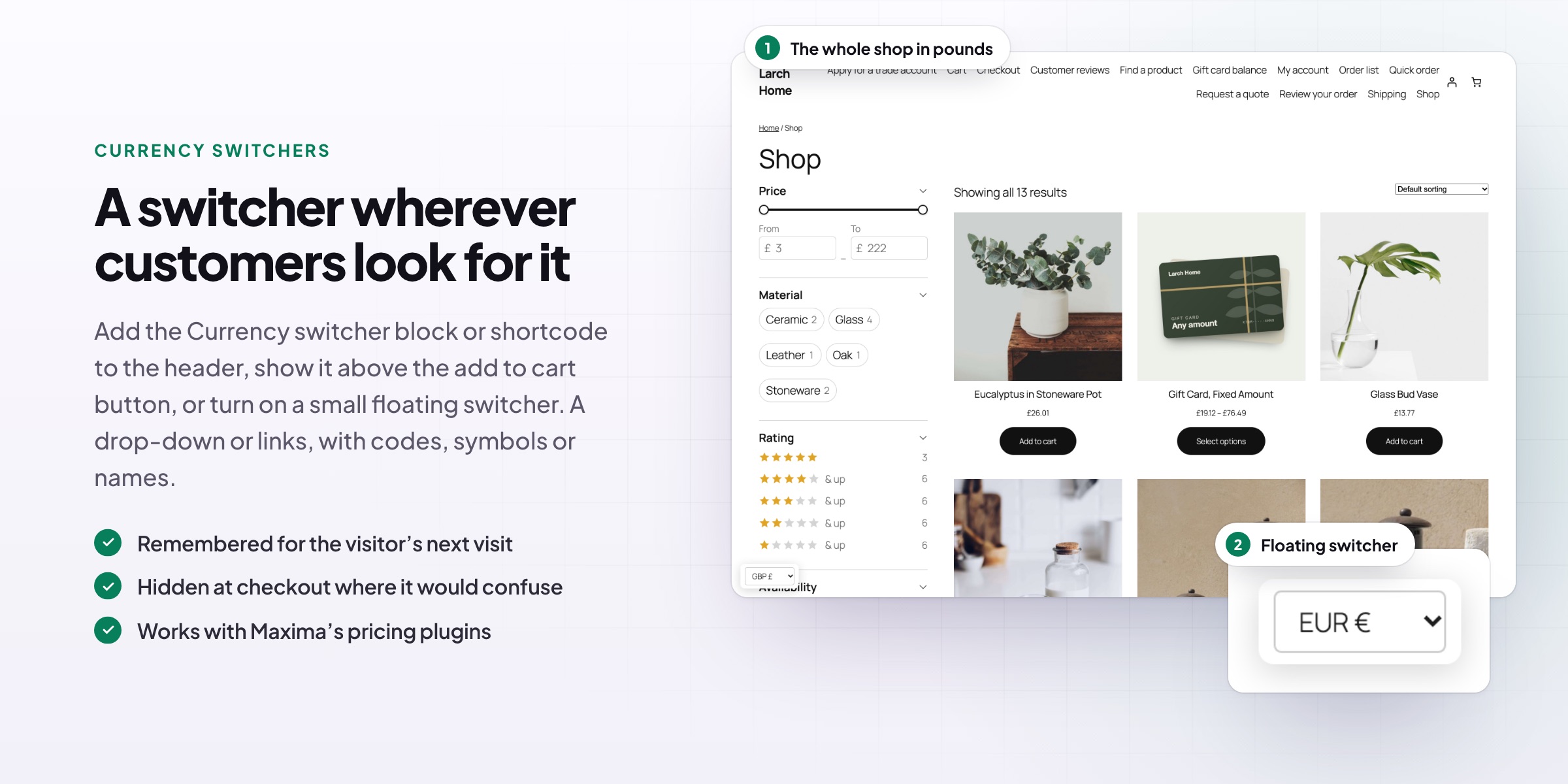
A switcher wherever customers look for it
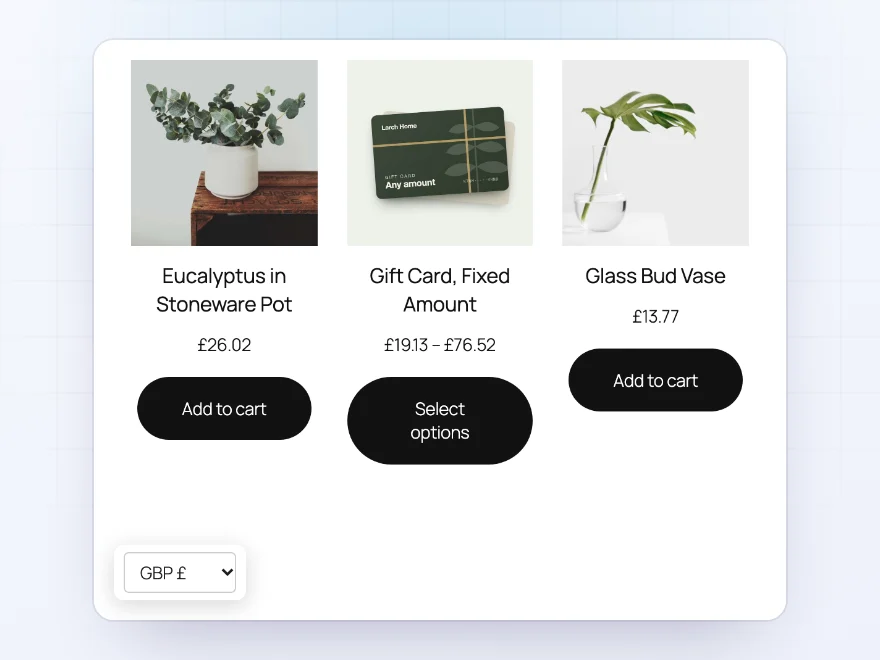
Visitors see the currency of their country on their first visit. Add a switcher as a block, a shortcode, above the add to cart button or as a floating switcher in a corner, as a drop-down or a row of links.
- First-visit currency by country
- Block, shortcode, product page and floating switcher
- Code and symbol, code or name
Works with Maxima plugins
Your other Maxima plugins, converted too
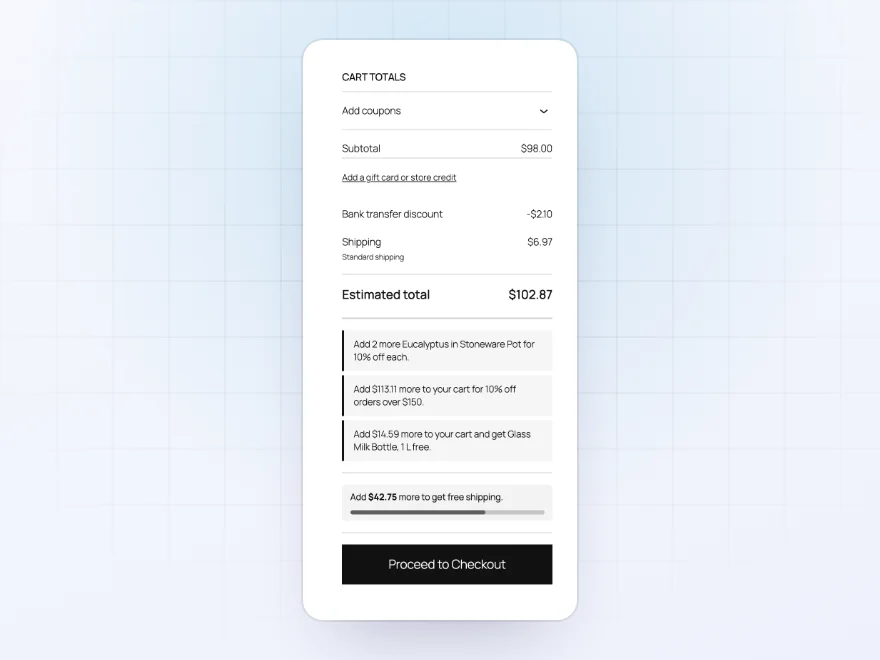
Amounts you enter in other Maxima plugins are converted with the rest of the store: role prices and quantity tables, option prices, bundle prices, shipping rules, minimum order amounts, pre-order prices, offer discounts and the price filter.
- Role prices and options
- Shipping rules and order minimums
- Bundles, pre-orders and offers
Shipping and coupons
Shipping and coupons in the customer’s currency
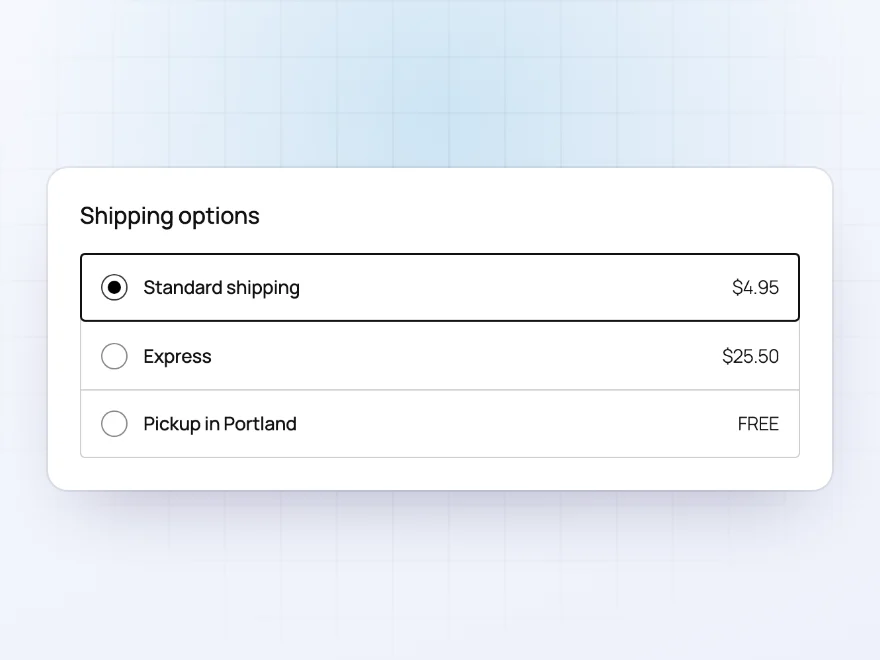
Shipping costs, free shipping minimums, fixed coupon amounts and coupon spending limits are converted too, so a customer paying in Canadian dollars sees every amount in dollars.
- Shipping costs converted
- Free shipping minimums converted
- Coupon amounts and limits converted
Product pages
A currency switcher next to Add to cart
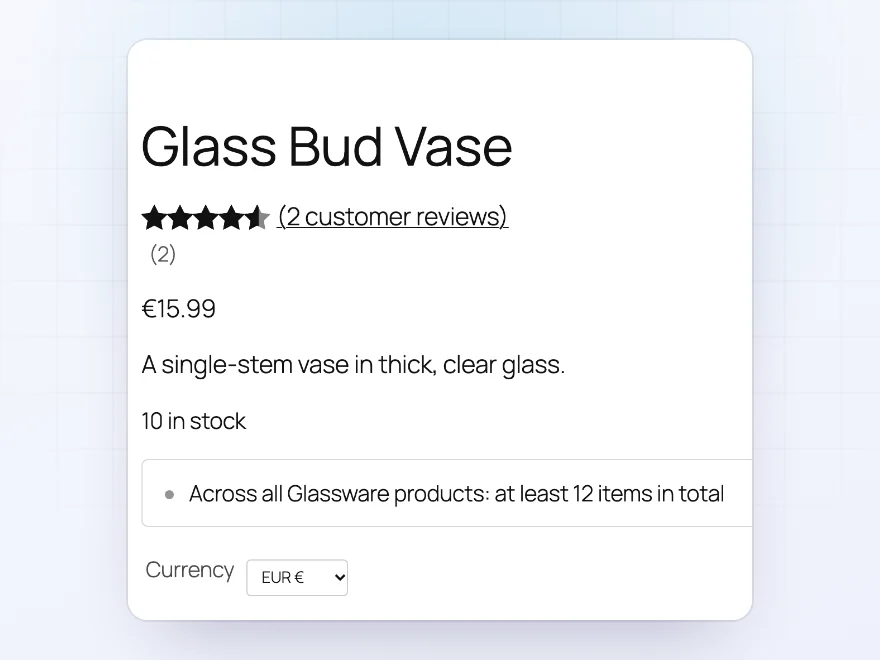
Put the switcher above the Add to cart button, in a block, with a shortcode or as a floating button. Show the code and symbol, the code or the name, as a drop-down or a row of links.
- Above Add to cart
- Floating switcher
- Drop-down or links
Docs and support
Try it, set it up, ask us anything
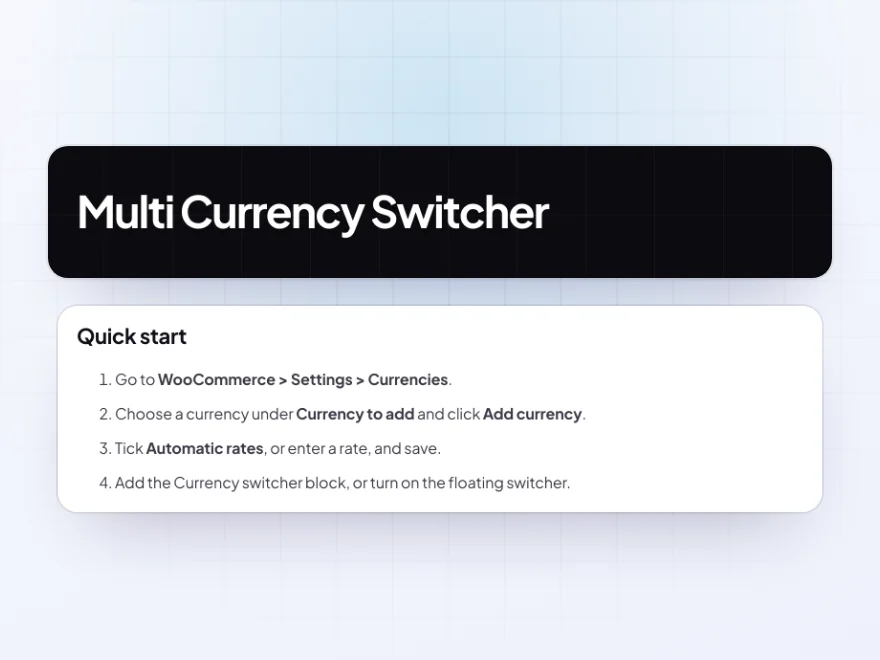
Try Multi Currency Switcher in a live demo store before you buy. The docs start with a quick start and cover currencies, fixed prices and switchers. Support tickets are answered by the developers who make the plugin, and updates are included.
- A live demo store to try it first
- Step-by-step docs with a quick start
- Most tickets answered within 12–24 hours
A WooCommerce currency switcher that takes payment in the currency shown
Multi Currency Switcher shows prices in the visitor’s currency from the first page they open and lets them pay in it. Rates update twice a day from the European Central Bank, or you set them yourself, with an exchange fee and price rounding per currency.
As a WooCommerce currency switcher plugin it converts shipping, coupons and free shipping limits too, and fixed prices per currency are there for the markets that matter. Payment methods can be limited per currency, and a currency can be shown for reference while payment is taken in your own, so multi currency in WooCommerce works even where a payment gateway only takes your own currency.
Common setups
- Europe: euros at ECB rates, rounded to .99.
- UK: pounds with a 2% exchange fee and fixed prices on bestsellers.
- Limited gateways: a currency for reference only, paid in your store currency.
- Wholesale: role prices converted exactly, so the trade saving stays.
- Launches abroad: fixed prices per currency for a new market.
Questions before you buy
Where do the rates come from?
From the European Central Bank’s free daily feed, updated twice a day, with no API key. You can set any rate by hand.
Do customers pay in the currency they see?
Yes, unless you make the currency reference-only. Then they see prices in it and pay in your store currency.
Can I set my own prices per currency?
Yes. Fixed regular and sale prices per currency on products and variations.
Is shipping converted?
Yes. Shipping costs, free shipping minimums and fixed coupon amounts are converted too.
Does it work with role prices and discount rules?
Yes. Role prices, quantity prices and discounts from Maxima plugins are converted exactly, so they keep their saving.
What do apps using the REST API see?
The WooCommerce REST API used by apps and integrations stays in your store currency.
Does it choose the currency automatically?
Yes. Visitors see the currency of their country on the first visit, and can switch at any time.
Requirements
WordPress 6.8 or newer, WooCommerce 10.0 or newer and PHP 7.4 or newer. Works with classic and block themes, the Cart and Checkout blocks, and High-Performance Order Storage.
Documentation
Step-by-step setup, every setting explained, and examples: read the documentation. Questions before you buy? Ask us.




Reviews
There are no reviews yet.