 Maxima Plugins
Description
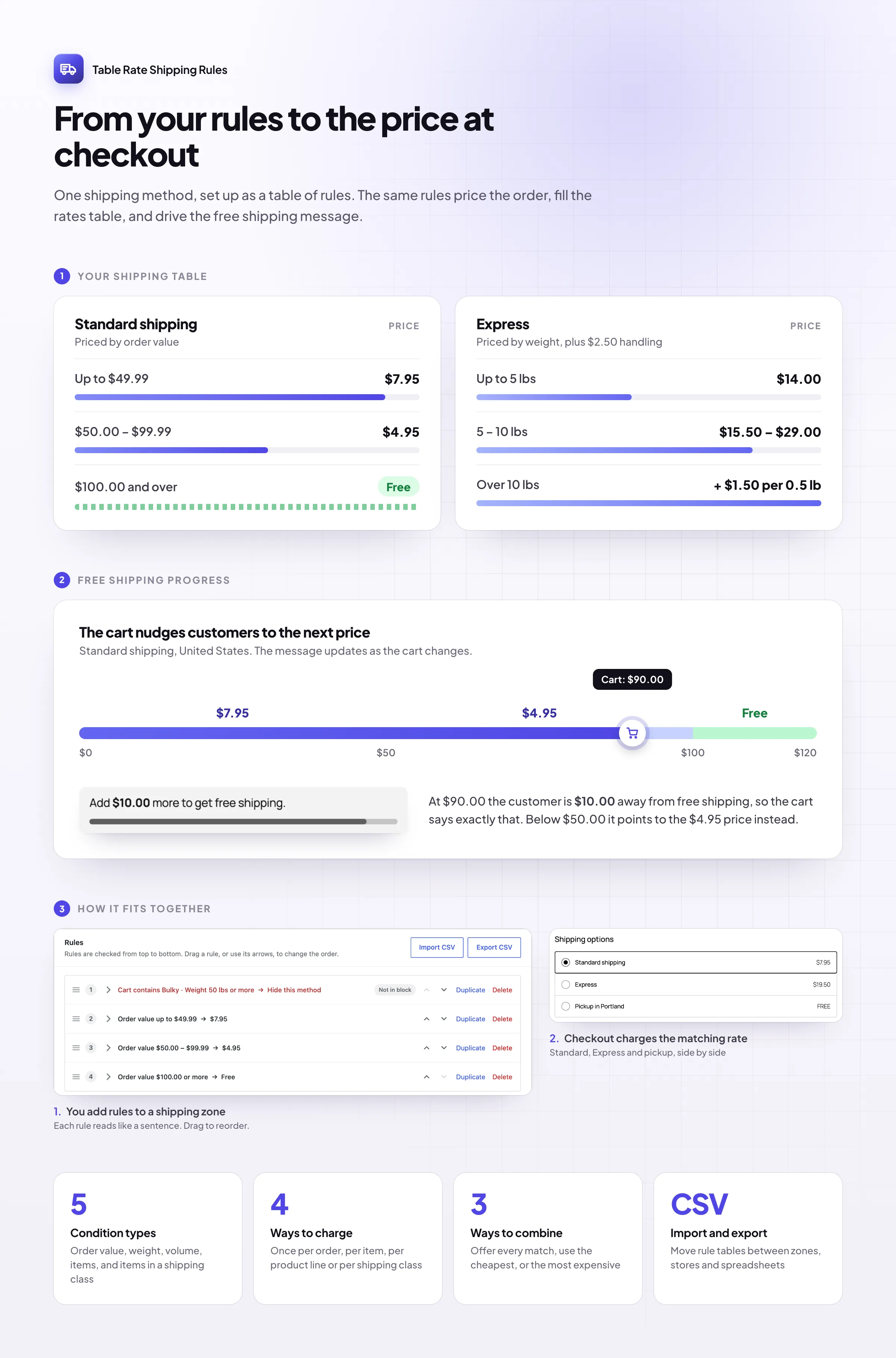
Table Rate Shipping Rules works out shipping from rules you write in plain terms, and shows customers what shipping costs before checkout. A shipping rates block, a Shipping tab on product pages and an “add more for cheaper shipping” bar in the cart.
📋 A Shipping rates block on any page, with a region menu.
📦 A Shipping tab on product pages for each shipping class.
🎯 “Add $12.50 more” messages with a progress bar in the cart and checkout.
✍️ Rules that read like sentences, such as “Weight 0 – 5 kg → $4.95”.
⚖️ Conditions on order value, weight, volume, items or shipping class.
💲 Per order, item, weight or percentage pricing, with steps.
⚡ Several options from one set of rules, such as Standard and Express.
📄 CSV import and export of your rules.
Shipping prices
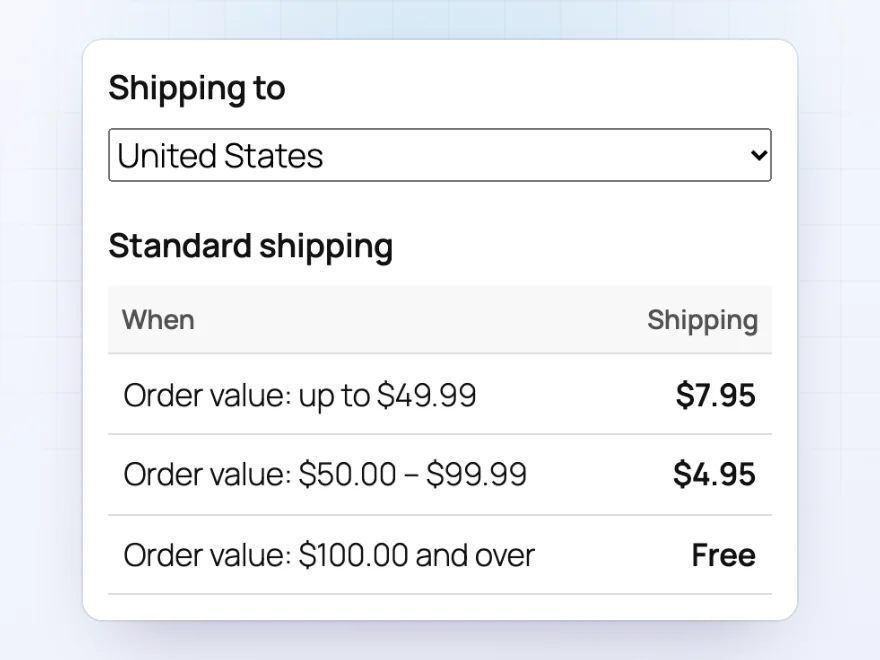
Show shipping costs before checkout
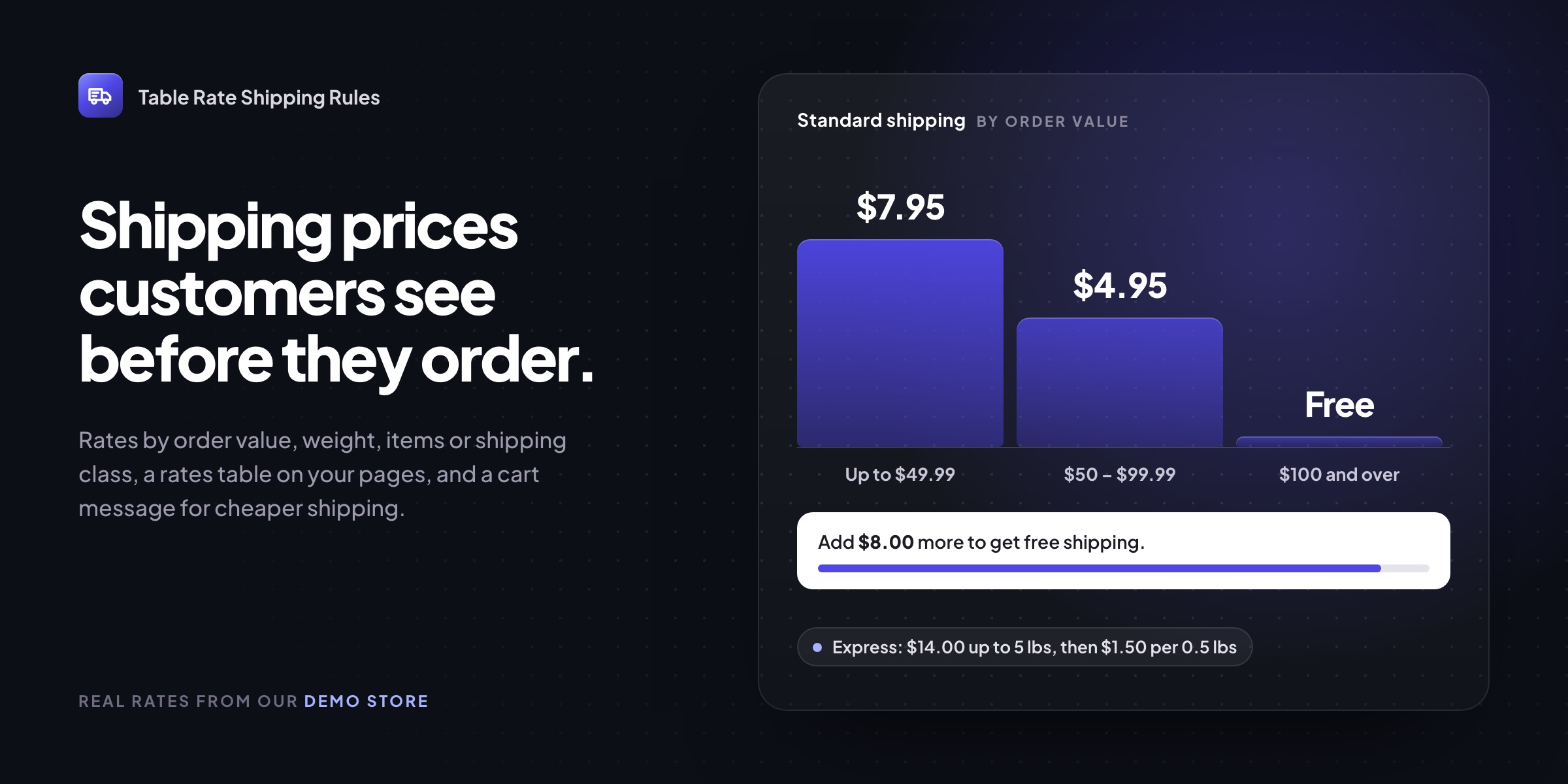
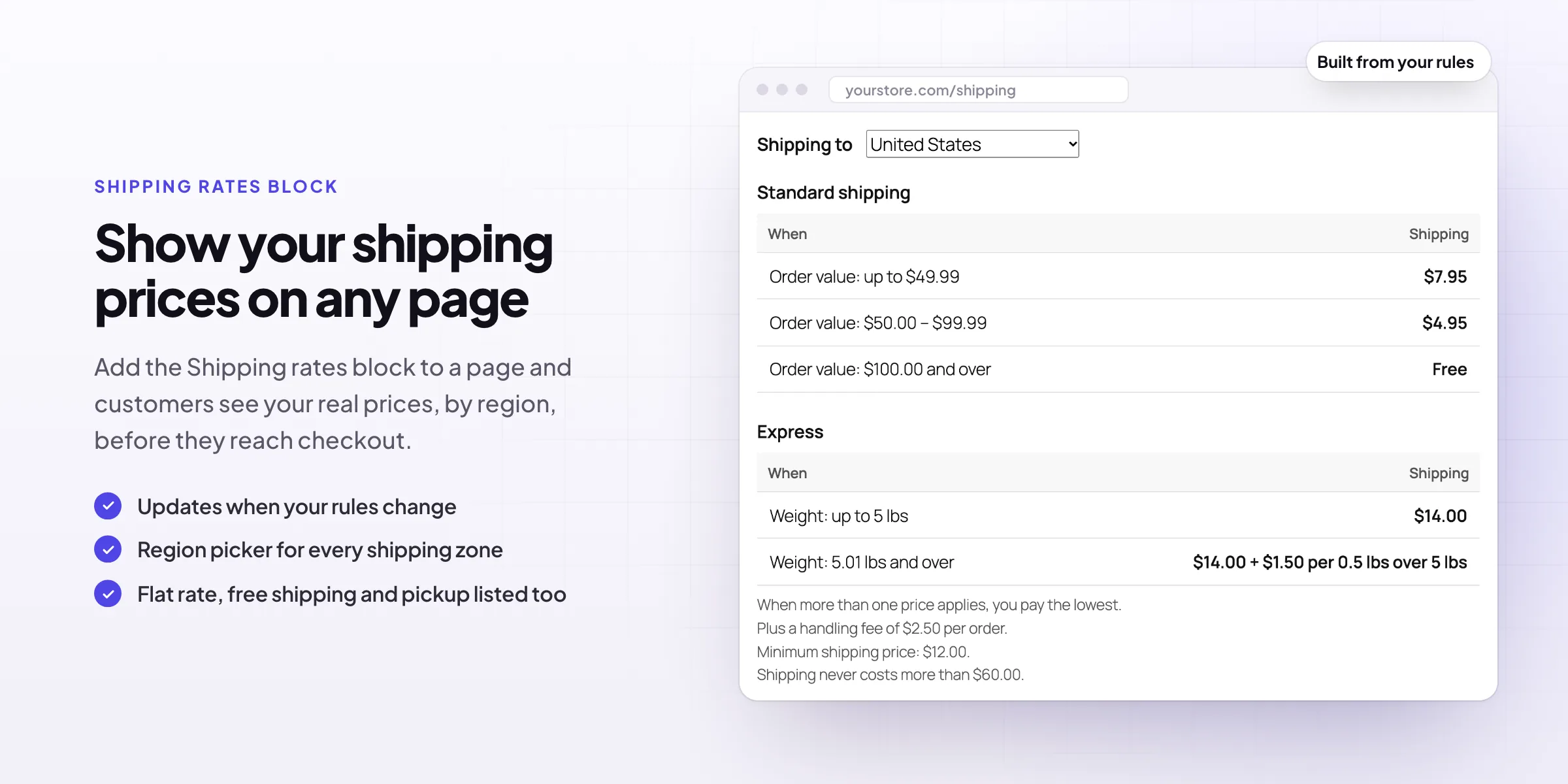
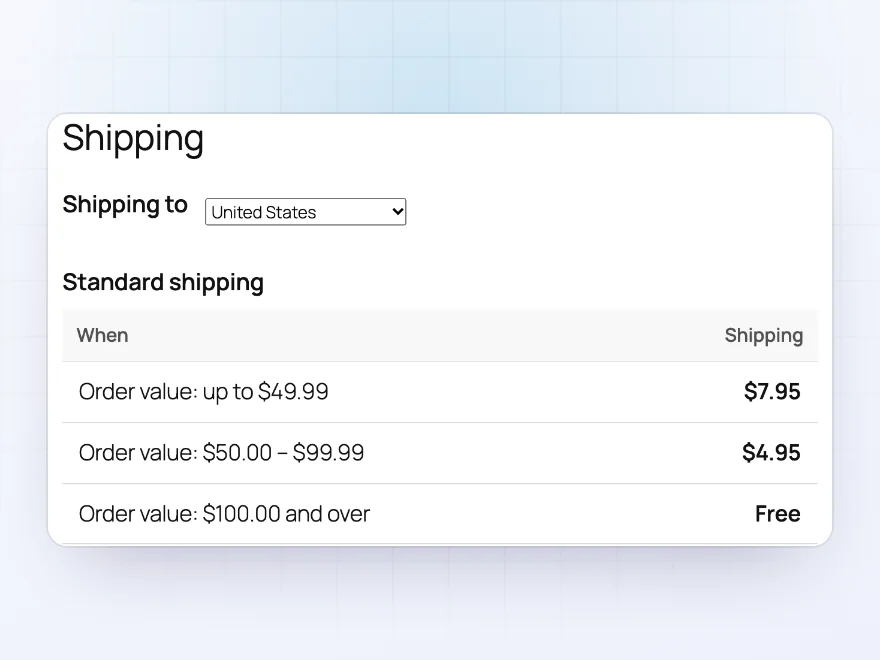
Add a shipping rates block to any page, such as your shipping information page, and customers see every price before they shop: orders up to $49.99 ship for $7.95, from $50.00 for $4.95, and from $100.00 for free. The block is built from your actual rules, so it updates itself when you change them, and customers pick their region from a menu.
- A Shipping tab on product pages, if you want one
- Flat rate, free shipping and pickup listed alongside
- Works in block and classic themes
Cart messages
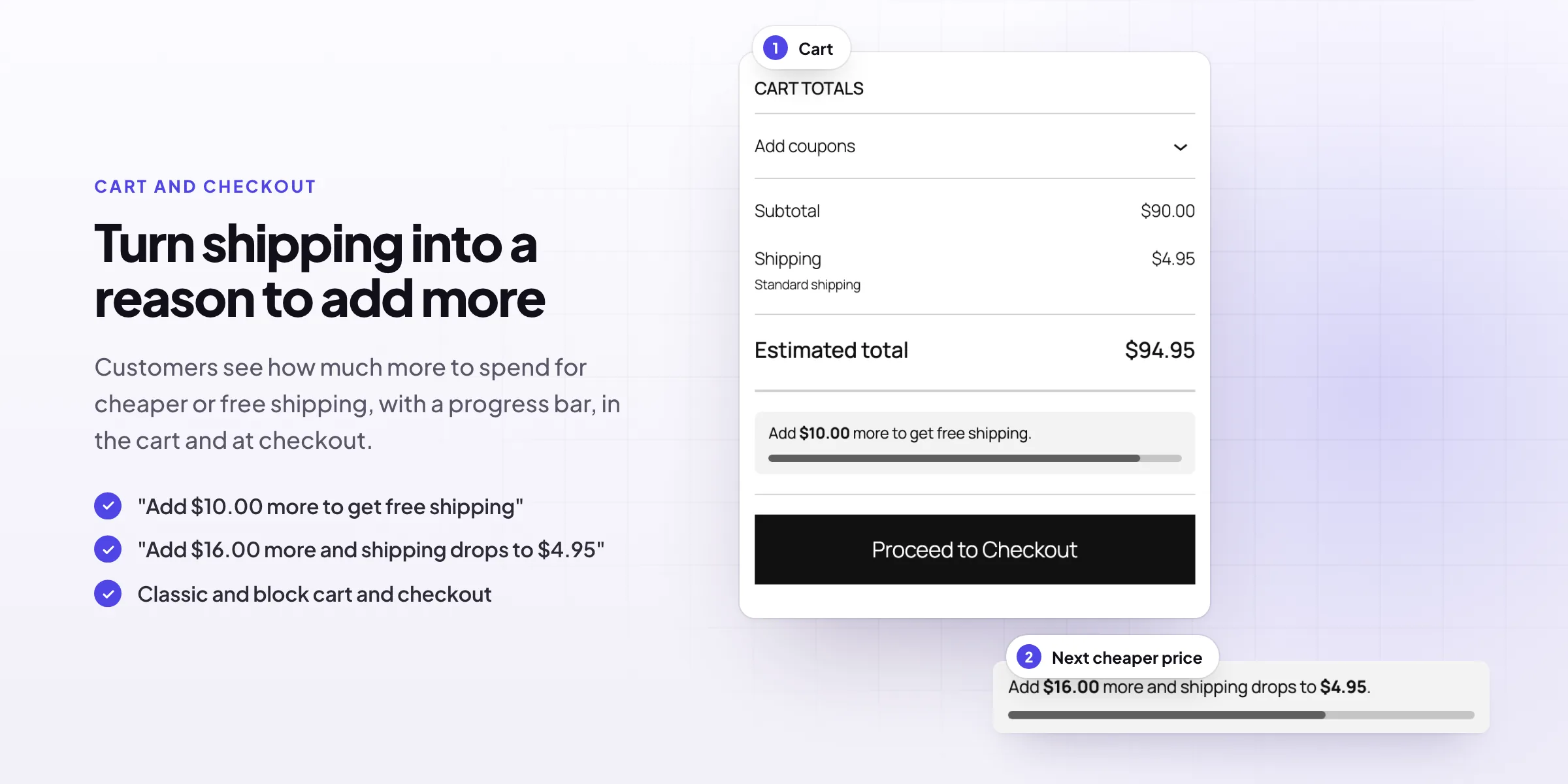
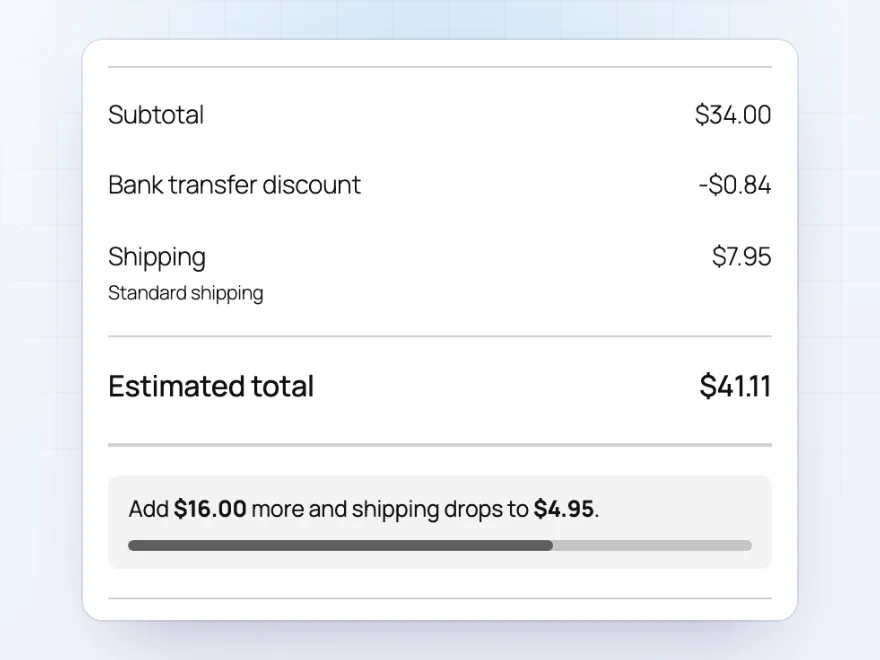
“Add $16.00 more and shipping drops to $4.95”
The cart and checkout tell customers how much more to spend for the next cheaper price, or for free shipping, with a progress bar that fills as they add items. A shipping cost becomes a reason to add one more product, instead of a reason to leave.
- For cheaper shipping and for free shipping
- In the classic cart and checkout and the Cart and Checkout blocks
- Switch it off for a method, or for the cart or checkout
Shipping rules
Rules that read like sentences
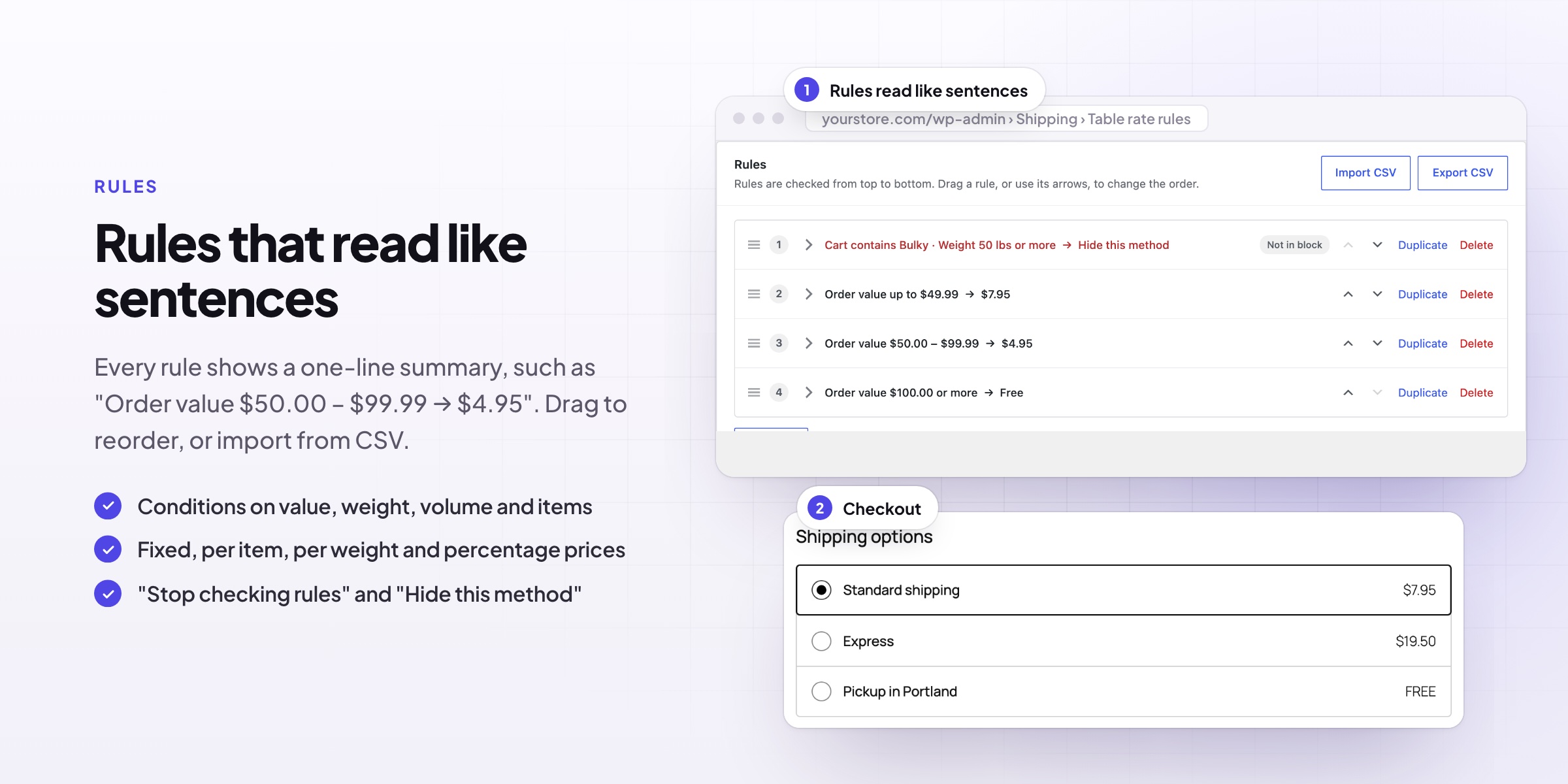
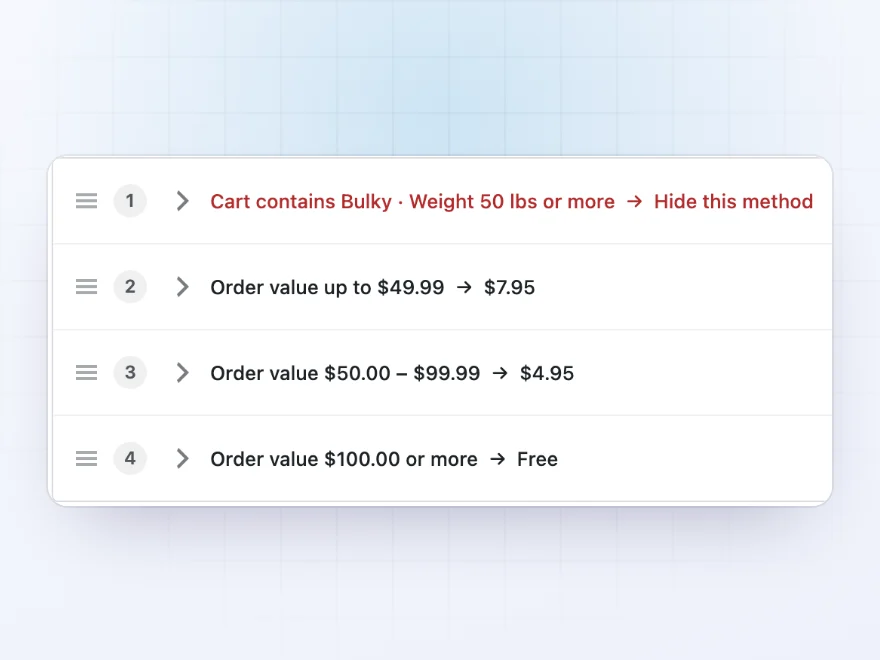
Every rule shows a one-line summary, such as “Order value $50.00 – $99.99 → $4.95” or “Weight 50 lbs or more → Hide this method”, so you can check your whole shipping setup at a glance. Click a rule to edit it, drag rules into order, and import or export them as a spreadsheet.
- Stop checking rules after a match, if you want
- Hide a shipping method, with a message for customers
- Import and export rules as CSV
Conditions
Price by weight, size, value or quantity
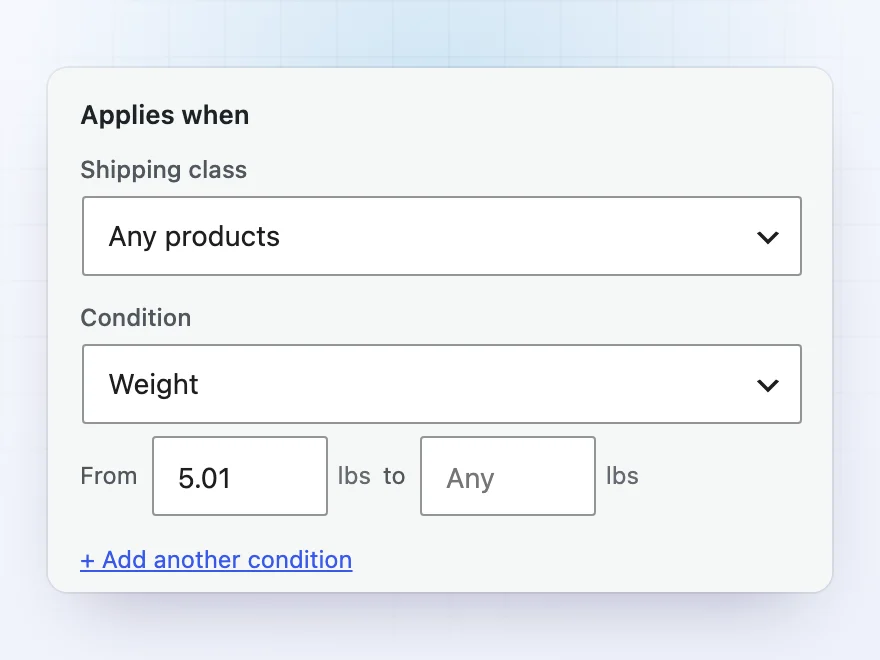
Base each rule on order value, weight, volume, number of items, items in a shipping class, length, width, height, longest side or dimensional weight. Combine up to four conditions and choose whether all, any or none of them must be met, such as “weight over 30 kg or longest side over 120 cm”.
- Limit rules to products, categories or tags
- Wholesale rates for some customer roles only
- Dates, days and times, such as same-day delivery on weekdays until 2 pm
Flexible prices
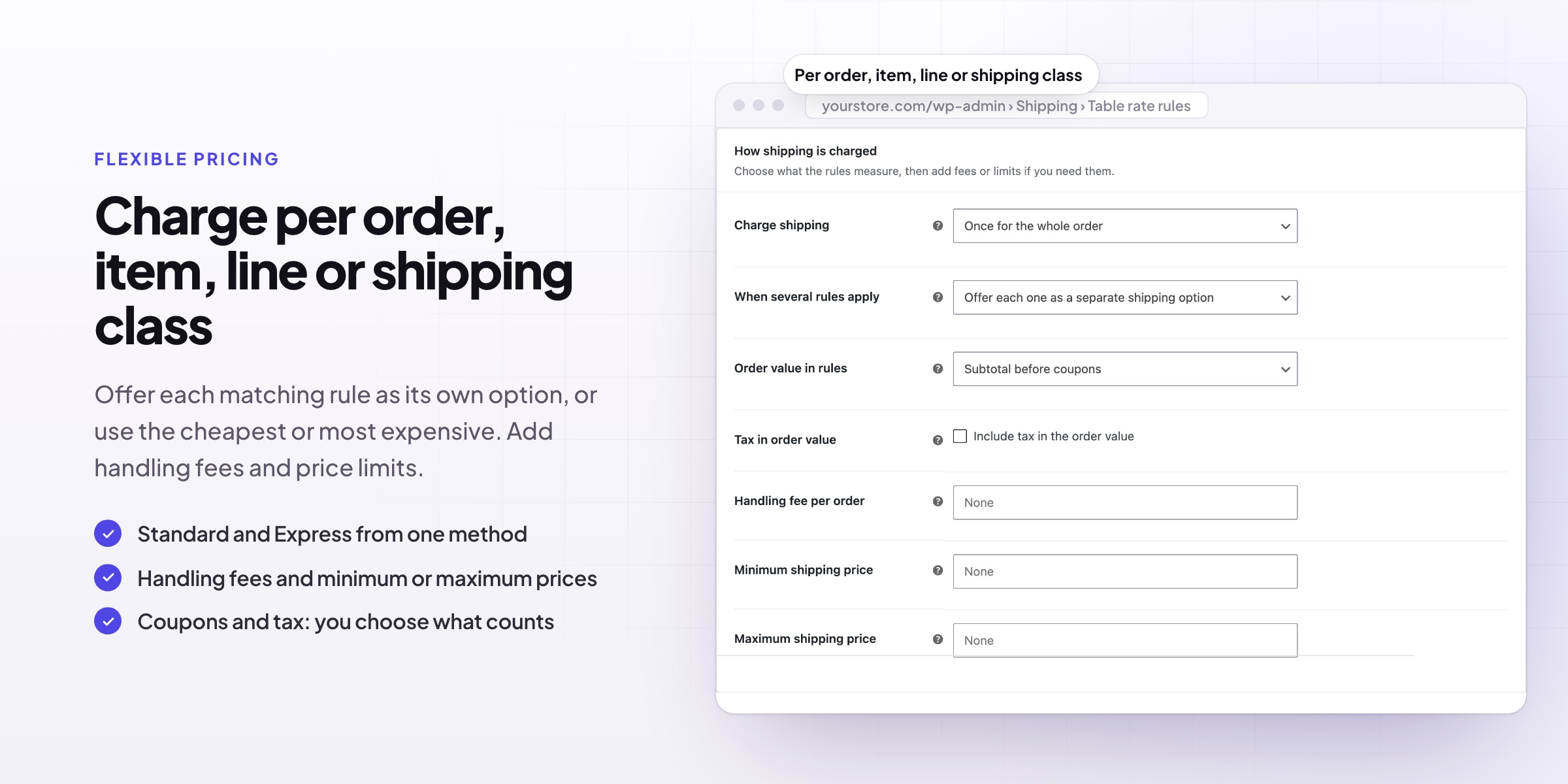
Charge per order, per item or per class
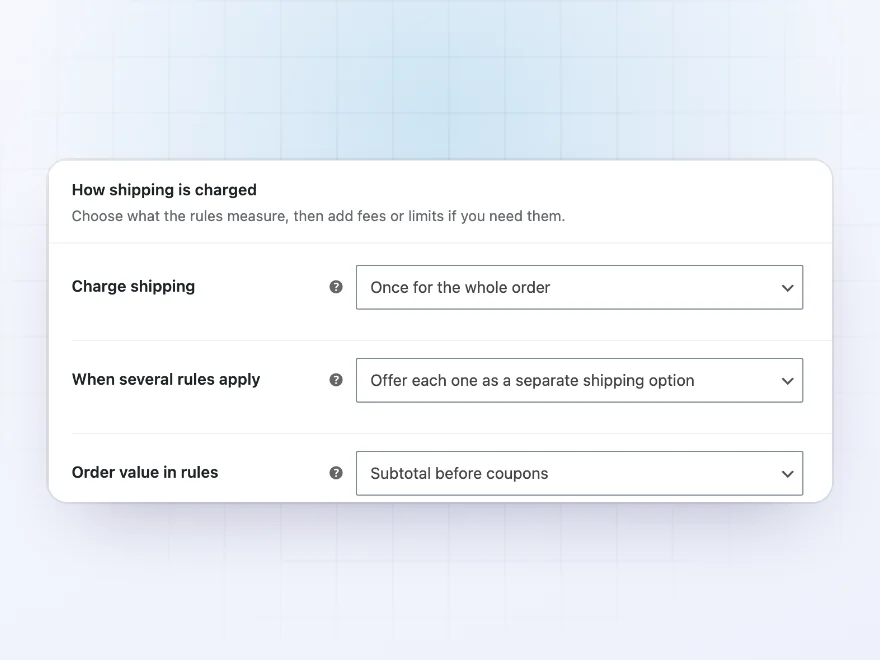
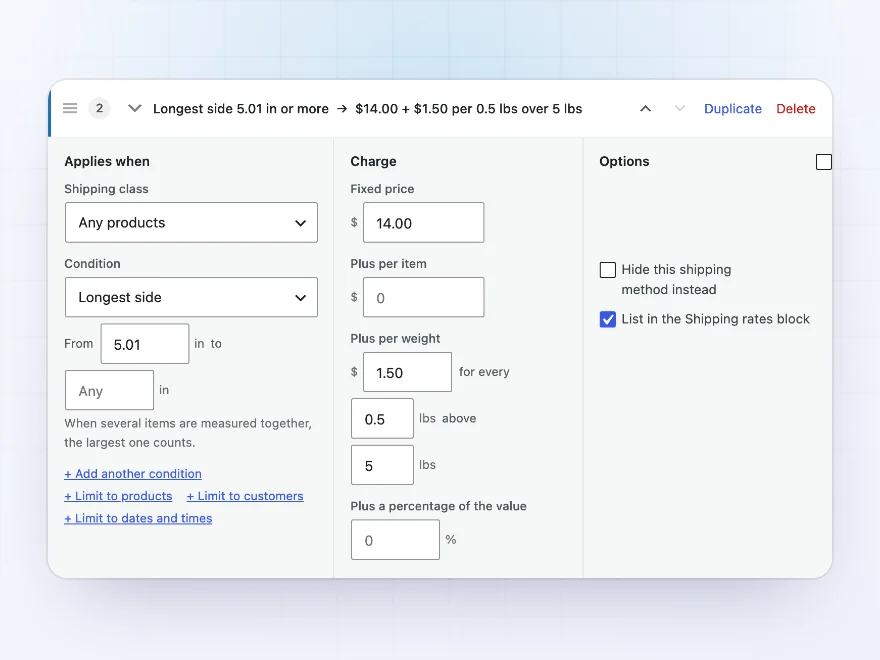
Charge once for the whole order, for each item, for each product line, or for each shipping class. A rule can add a fixed price, a price per item, a price per weight in steps (such as $1.50 for every 0.5 lb above 5 lbs) and a percentage of the order value, with handling fees and minimum and maximum shipping prices on top.
- Dimensional weight, with the divisor your carrier uses
- Order value with or without coupons and tax
- Handling fees, fixed or a percentage
Shipping options
Standard, Express and pickup side by side
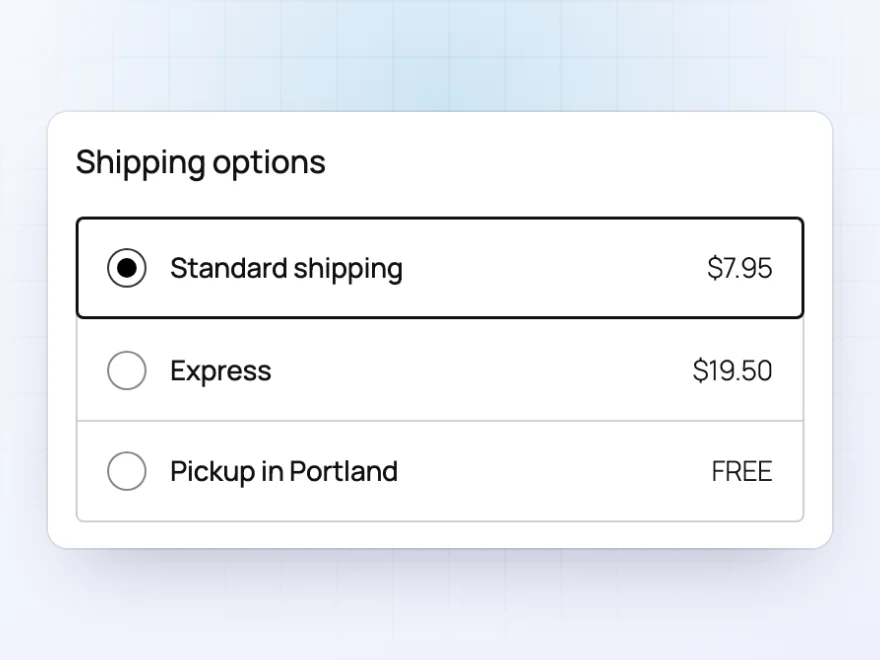
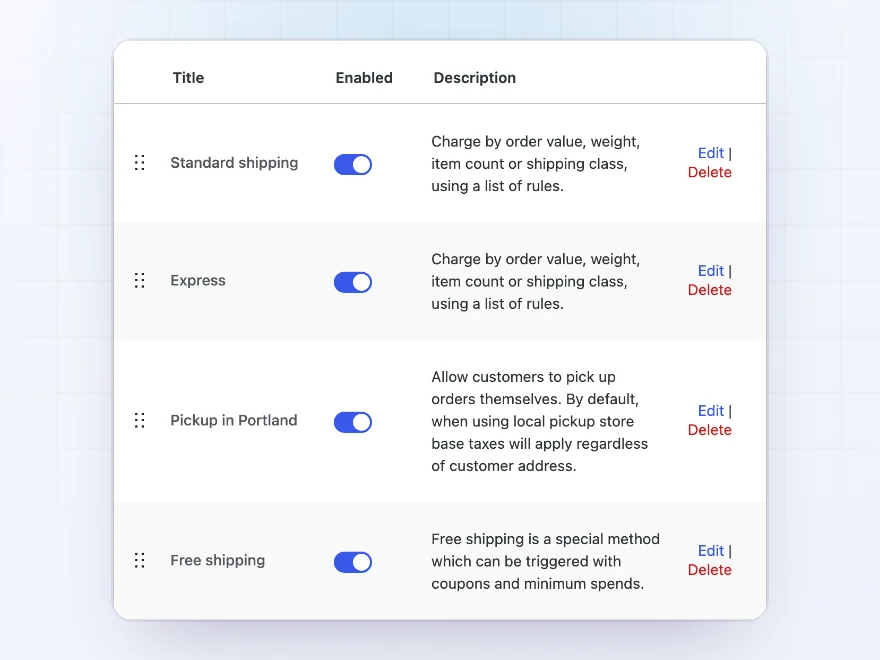
When several rules match, offer each one as its own shipping option, such as Standard and Express, or charge just the cheapest or the most expensive. Add “Table rate rules” to any WooCommerce shipping zone as often as you like, next to free shipping and local pickup.
- Works with WooCommerce shipping zones
- Classic checkout and the Checkout block
- One price or several options, your choice
Product pages
A Shipping tab on product pages
An optional Shipping tab on product pages lists the prices that can apply to that product, built from your rules, so customers know the cost before they add it to the cart.
- Built from your rules
- Only the prices that can apply
- Optional
Weight and size
Dimensional weight and the longest side
Use length, width, height, the longest side or the dimensional weight in a rule, and charge by the actual or the dimensional weight, whichever is higher, with the divisor your carrier uses.
- Length, width, height and longest side
- Dimensional weight
- Your carrier’s divisor
Shipping zones
Add table rates to any shipping zone
Add “Table rate rules” to any WooCommerce shipping zone, as often as you like, next to flat rate, free shipping and local pickup.
- Any shipping zone
- Several methods per zone
- Next to flat rate and pickup
Premium quality & support
Support you can count on, year after year
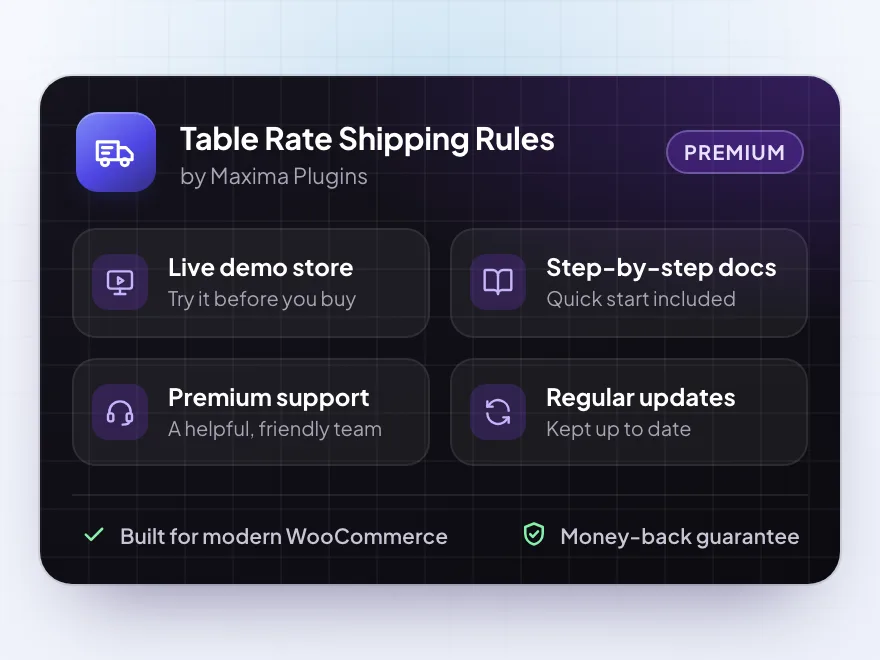
See Table Rate Shipping Rules working in a live demo store before you buy. If you need a hand, our friendly support team will help you get it set up, and regular updates keep it working with each new WooCommerce release.
- A live demo store to try it first
- Step-by-step docs with a quick start
- Premium support from a helpful team
- Regular updates included
WooCommerce table rate shipping customers can see
Table Rate Shipping Rules charges shipping by order value, weight, size, quantity or shipping class, with rules that read like sentences. Limit a rule to products, customer roles or dates, charge per order, item or class, and offer several options such as Standard and Express.
Most WooCommerce table rate shipping plugins only work out the price at checkout. This one also shows customers what shipping costs before they get there, in a shipping rates block and a product tab, and tells them how much more to add for cheaper or free shipping.
Common setups
Questions before you buy
Does it work with my shipping zones?
Yes. Add “Table rate rules” to any WooCommerce shipping zone, as many times as you need, next to your other shipping methods.
Can I offer free shipping over a certain amount?
Yes. Add a rule for order values from that amount with a price of zero. Customers see how much more they need to add in the cart.
Can I charge by weight and size together?
Yes. A rule can check weight, length, width, height, longest side or dimensional weight, with up to four conditions per rule.
What happens to items that match no rule?
When shipping is charged once for the whole order, a cart that matches no rule doesn’t get this method. Add a rule with no conditions at the bottom to set a default price.
Does it work with the Cart and Checkout blocks?
Yes. Shipping prices, cart messages and shipping options work in the classic cart and checkout and in the Cart and Checkout blocks.
Can I hide a shipping method for some carts?
Yes. A rule can hide the method instead of pricing it, such as for bulky items or very heavy orders, with an optional message that tells customers why.
Can some customers get a different shipping price?
Yes. Limit a rule to customer roles, guests or logged-in customers, such as a wholesale rate that only wholesale customers get.
Requirements
- WordPress
- 6.8 or newer
- WooCommerce
- 10.0 or newer
- PHP
- 7.4 or newer
Works with
- Classic themes
- Block themes
- Cart and Checkout blocks
- High-Performance Order Storage
- WooCommerce shipping zones




Nora –
Simple weight based shipping
Needed something simple for weight based shipping. Setup was quick and the free shipping bar looks good on the cart.
zmalinska –
happy with it
We wanted free shipping over a certain spend and it does that now. A bit complex to set up initially
Petra –
works great. Easy to setup, and the shipping options are clear
emarch89 –
Good plugin, a bit of a learning curve
Does what we need. Michael was very helpful!
Lukas –
I’ve been using this for about six months now and it does exactly what we need. We ship by weight, and it handles our setup without any trouble. Support was AMAZING