 Maxima Plugins
Description
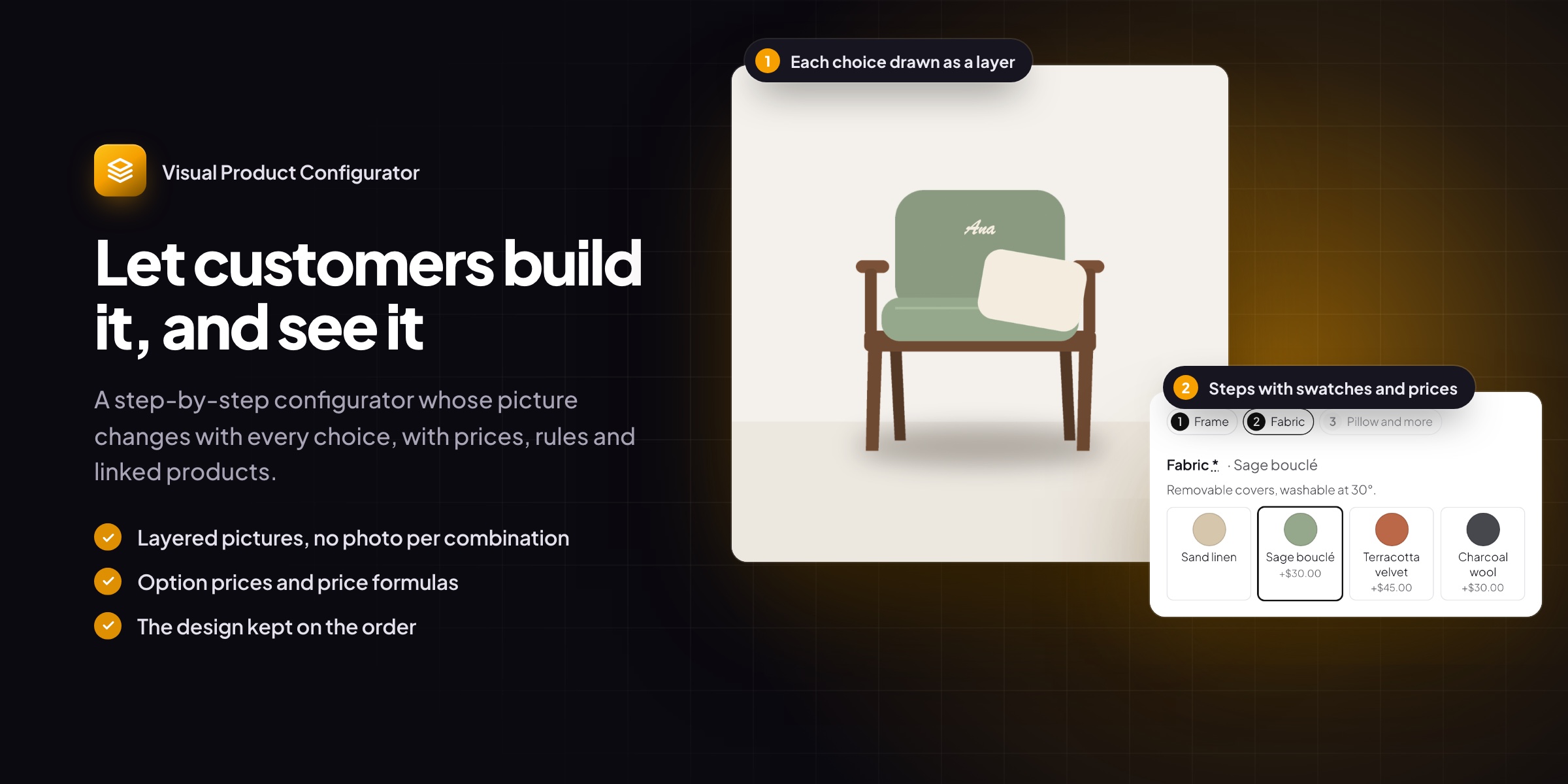
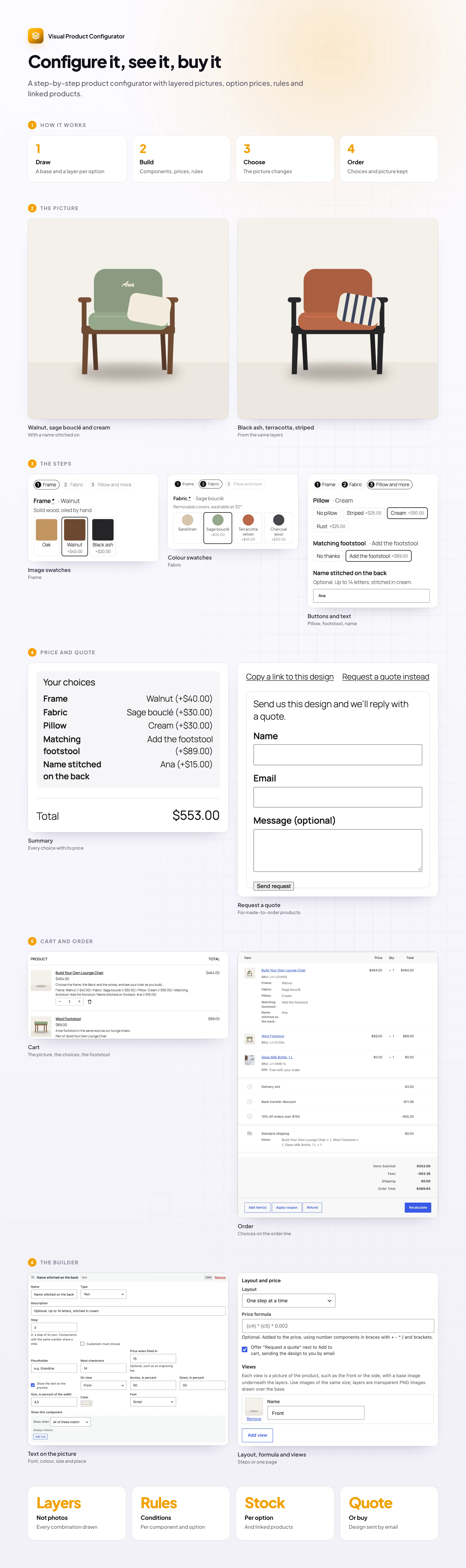
Visual Product Configurator lets customers build a product step by step and see it change in the picture as they choose. You draw each option once as a transparent layer, so there’s no photo to make for every combination.
🖼️ Layers instead of photos, in several views.
🪜 One step at a time, in groups or all on one page.
🎨 Colours, pictures, buttons or dropdowns for each option.
✍️ Text drawn on the picture, with a price when it’s filled in.
📏 Numbers and price formulas for custom sizes.
💲 A running total and a summary before add to cart.
🛒 The picture in the cart and on the order, with every choice saved.
📦 Stock per option, and options that add a real linked product.
The picture
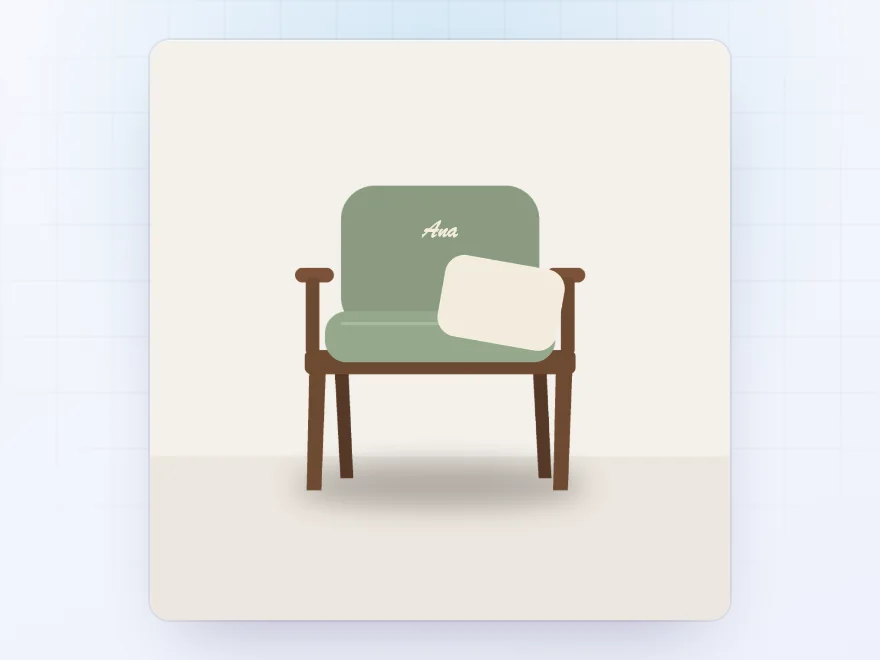
See it change with every choice
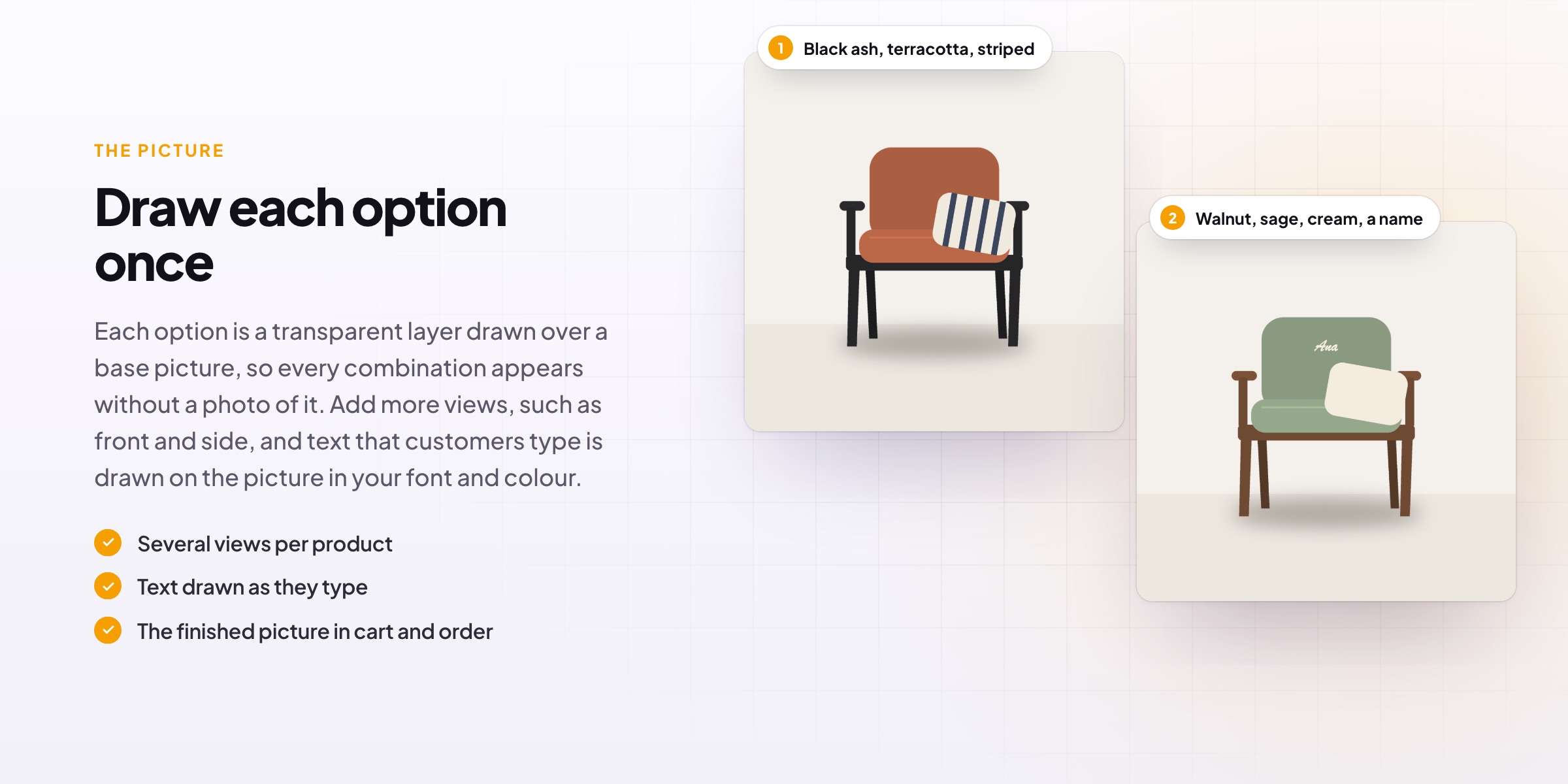
Each option is a transparent layer drawn over a base picture in component order, so every combination appears without a photo of it. Add views such as front and side, and text customers type, such as a name, is drawn on the picture in your font and colour.
- Layers instead of photos
- Several views
- Text drawn on the picture
Steps
One choice at a time
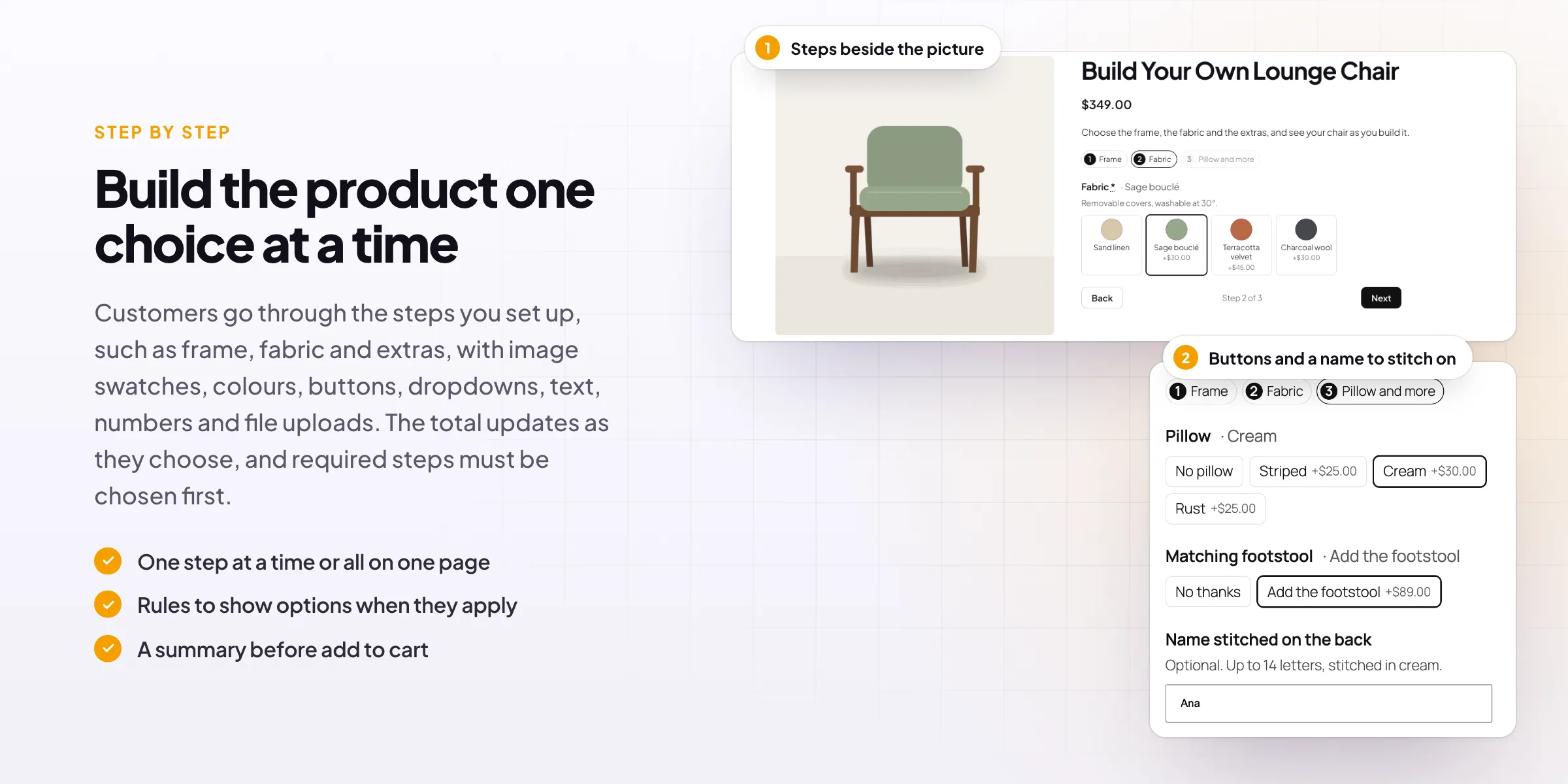
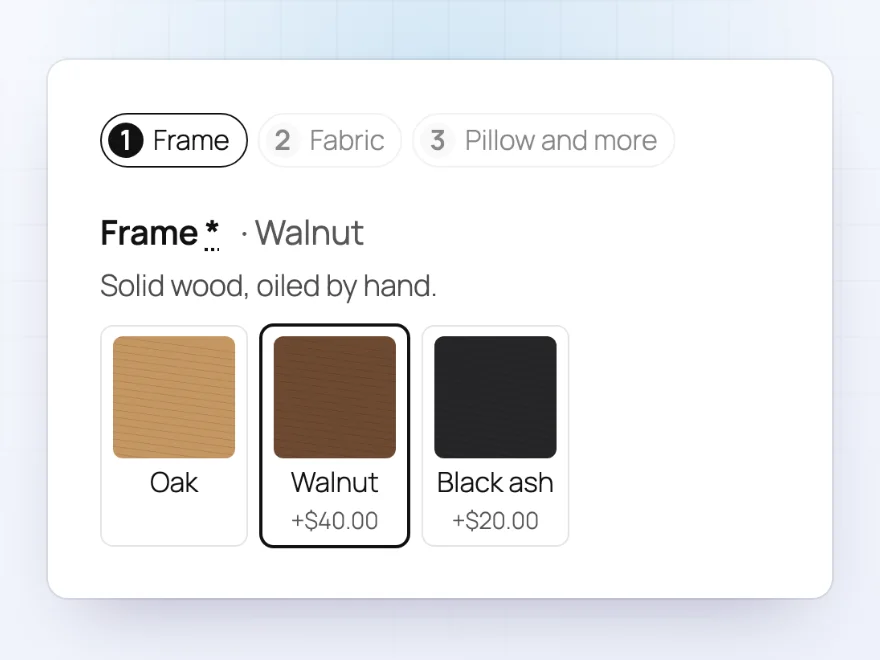
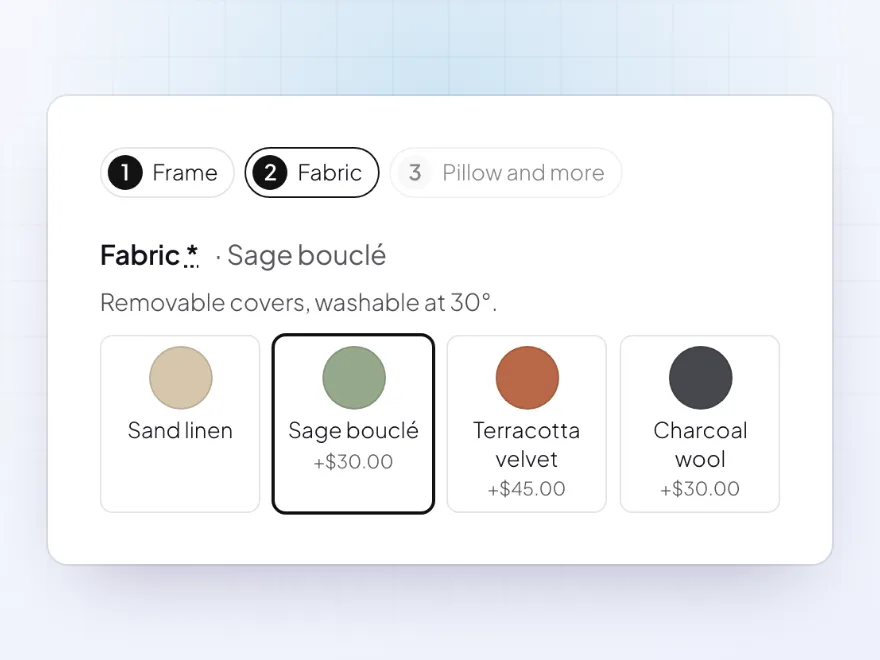
Customers go through steps you set up, with the current one highlighted. Components can be required, grouped into one step, or all shown on one page. Image swatches show the wood or material, with the price of each option.
- One step, grouped or one page
- Required components
- Prices on the options
Options
Colours, pictures and buttons
Each component shows its options as image swatches, colour swatches, buttons or a dropdown, with the chosen one named next to the component. Options can be hidden or shown by rules, and run out when their stock does.
- Image, colour, button or dropdown
- The chosen option by its name
- Stock per option
Text, numbers and uploads
Personal touches
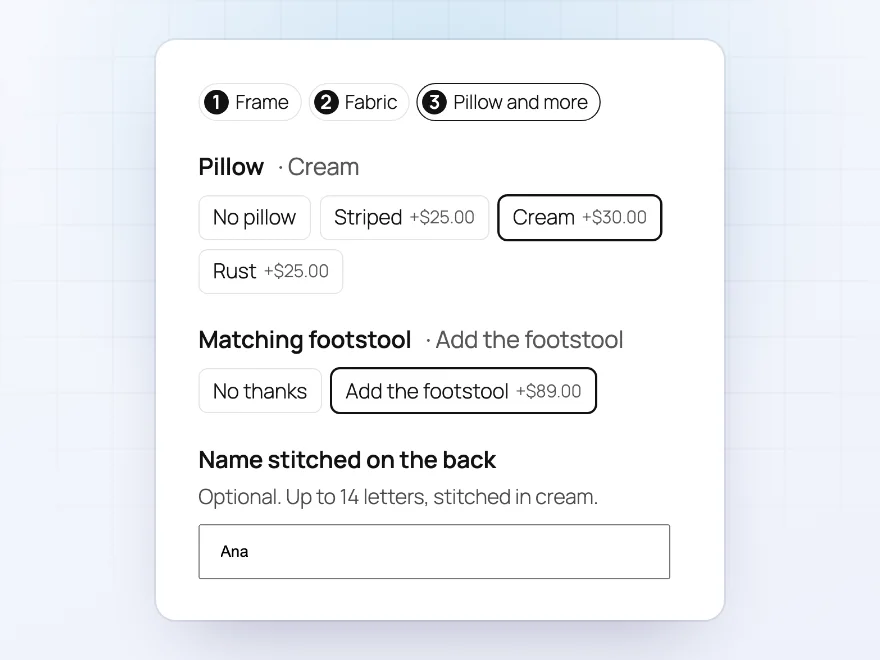
Text components take a name or a message, number components a size or a quantity with a price per unit, and upload components a file from the customer, kept in a protected folder for your staff.
- Text with a price when filled in
- Numbers with a price per unit
- File uploads
Price
Every choice with its price
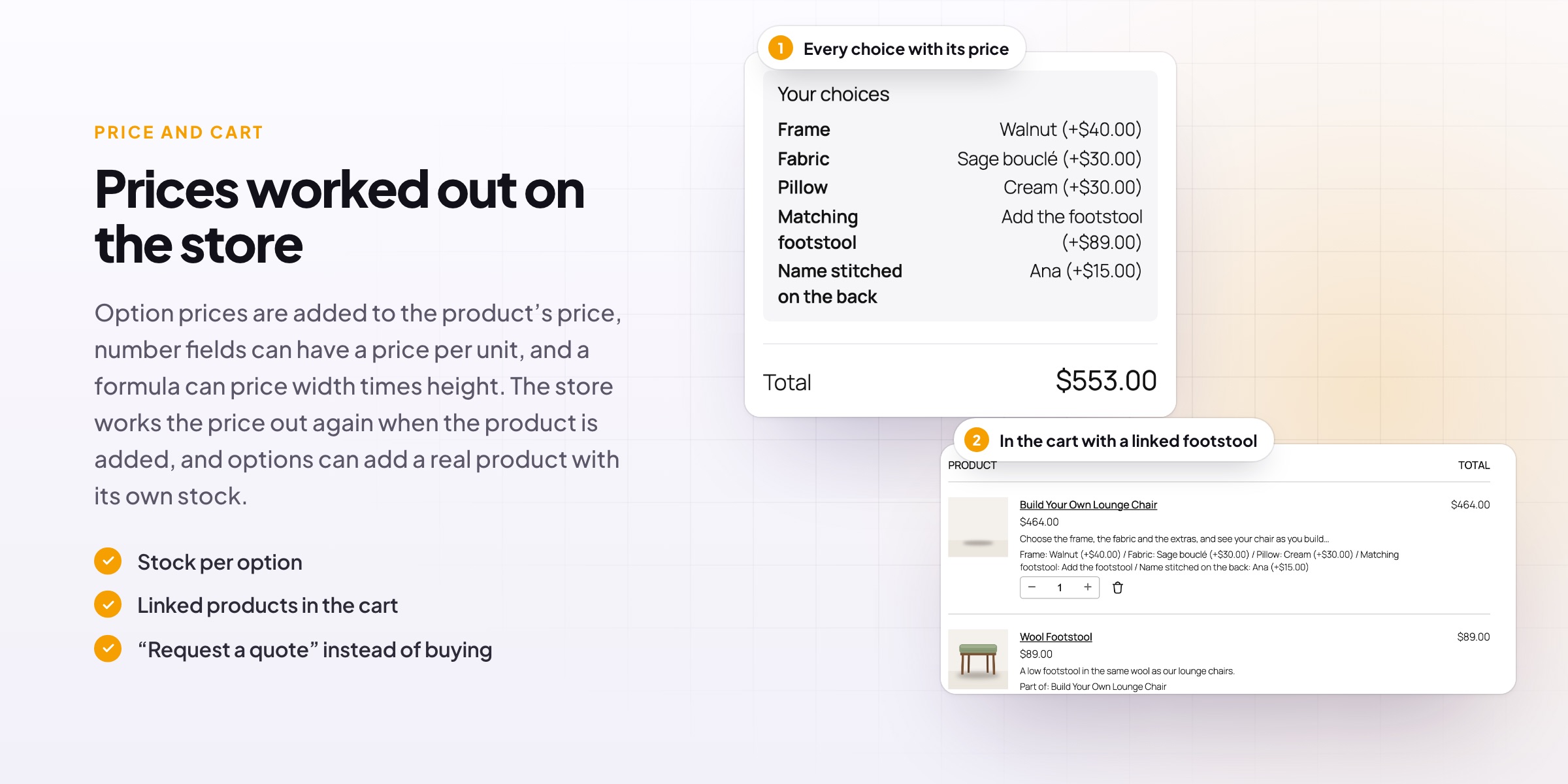
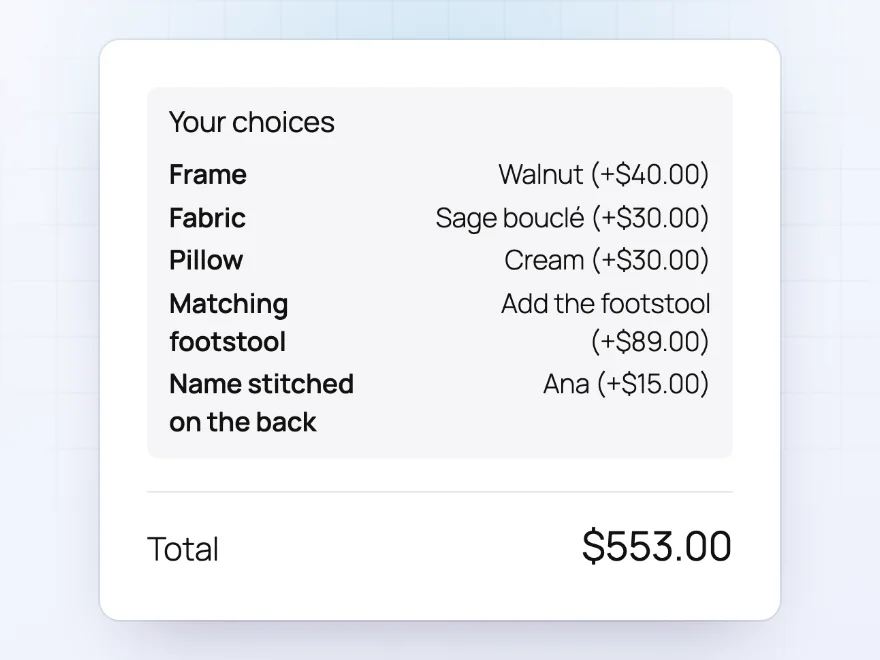
A summary lists every choice with its price, and the total updates as customers choose, on every step. The store works the price out again when the product is added, so it can’t be changed in the browser, and formulas can price width times height.
- A summary before add to cart
- A total on every step
- Price formulas
Cart and order
The design goes with the order
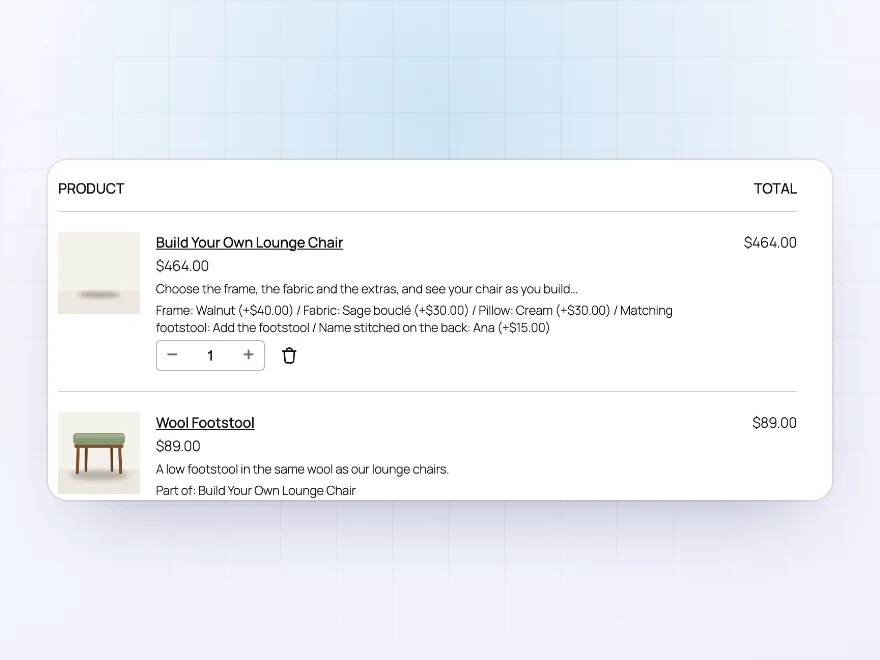
The configured picture and every choice follow the product into the cart, the checkout, the order and order emails, so invoices and exports can read them. An option can also add a real product, here a matching footstool, as its own line.
- The picture in cart and order
- Choices saved on the order
- Linked products as their own line
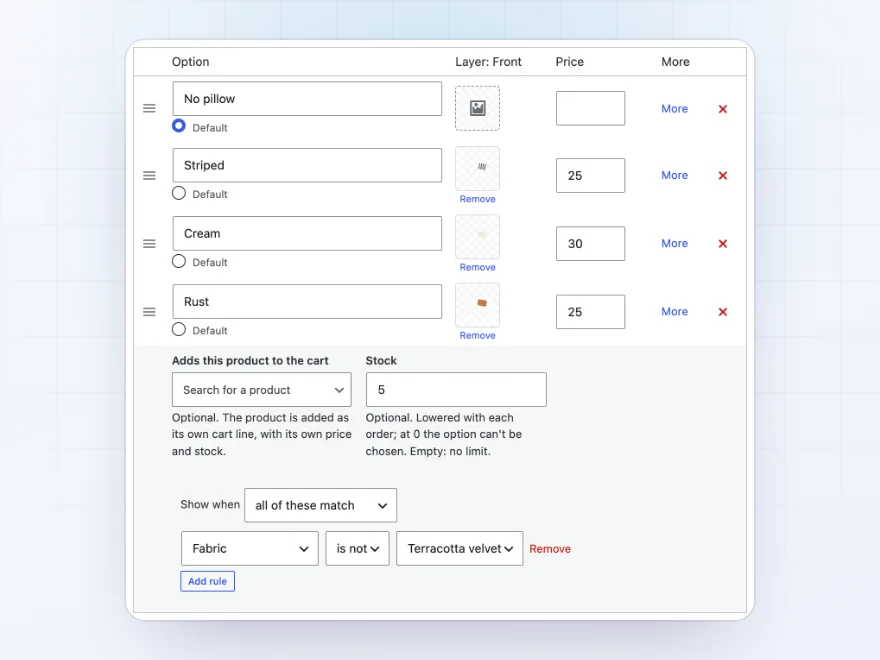
The builder
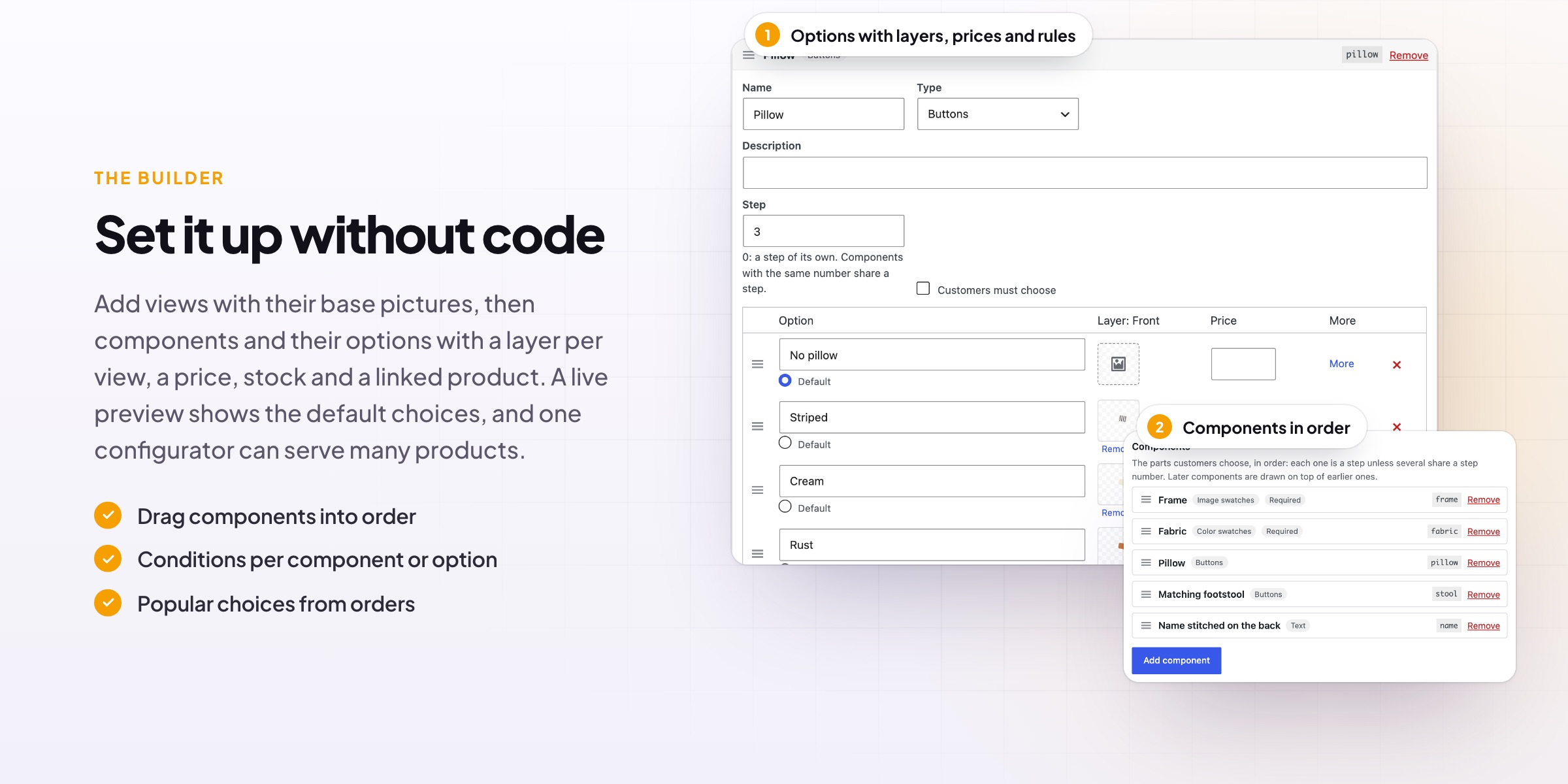
Options with a layer, a price and stock
Each component lists its options with a layer picture per view, a price and a default. Open an option to set its stock, a product it adds to the cart and the rules that decide when it shows, such as a rust pillow only with fabrics it suits.
- A layer per view
- Stock per option
- Rules per option
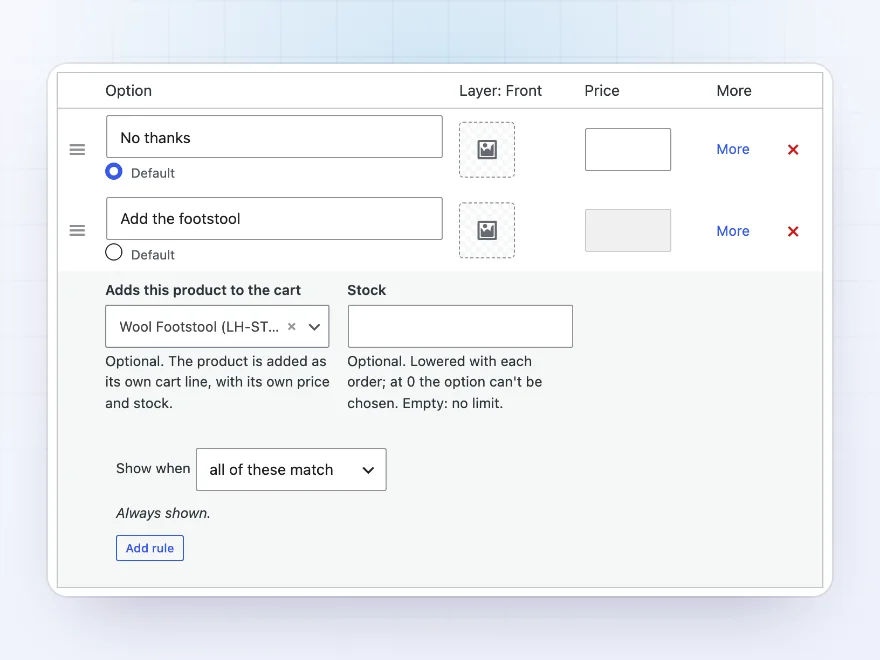
Linked products
Options that add a real product
An option can add a WooCommerce product to the cart with the configured one, such as a matching footstool or a light bulb. It gets its own line, price and stock, follows the configured product’s quantity and is removed with it.
- Its own price and stock
- Follows the main quantity
- Removed together
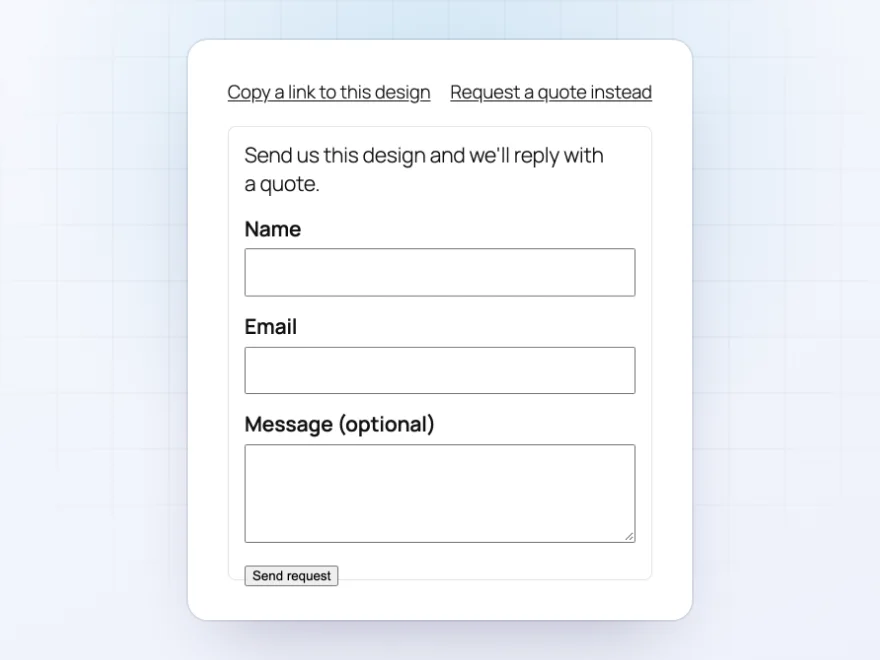
Quotes
A quote instead of a sale
For made-to-order products, customers can send you their design and a message instead of buying. You get an email with every choice and a link that opens the design, and they can copy a link to come back to it later.
- The design sent by email
- A link back to the design
- Turn it on per configurator
Premium quality & support
Support you can count on, year after year
See Visual Product Configurator working in a live demo store before you buy. If you need a hand, our friendly support team will help you get it set up, and regular updates keep it working with each new WooCommerce release.
- A live demo store to try it first
- Step-by-step docs with a quick start
- Premium support from a helpful team
- Regular updates included
A WooCommerce product configurator customers can see
Visual Product Configurator is a WooCommerce product configurator for products customers put together themselves, such as furniture, lamps, signs or gifts. Customers choose each part step by step and see the product change in the picture, because every option is a transparent layer drawn over a base picture.
It works as a WooCommerce custom product builder without code: components with image or colour swatches, buttons, text, numbers and uploads, prices per option or per unit, rules that show options only when they apply, and options that add a real product to the cart. The picture and every choice stay on the cart, the order and the order emails.
Common setups
Questions before you buy
What pictures do I need?
A base picture for each view, and for each option a transparent PNG of the same size with only that part drawn. Without a base picture, the product’s photo is used.
Which products can use a configurator?
Simple products. Their regular price is the starting price, and option prices are added to it.
Can one configurator serve several products?
Yes. Choose it on each product; changes to the configurator apply to all of them.
How do linked products work?
An option can add a WooCommerce product to the cart with the configured one, with its own price and stock. It follows the configured product’s quantity and is removed with it.
Can customers come back to a design?
Yes. “Copy a link to this design” gives an address that opens the product with every choice made.
Where do quote requests go?
To the store’s From address in WooCommerce’s email settings, with the customer’s address as reply-to and a link to the design.
Can the texts be translated?
Yes, with WPML or Polylang.
Requirements
- WordPress
- 6.8 or newer
- WooCommerce
- 10.0 or newer
- PHP
- 7.4 or newer
Works with
- Classic themes
- Block themes
- Cart and Checkout blocks
- High-Performance Order Storage




Sunroom Studio –
Custom furniture
We build custom furniture and the layered picture makes it easy for customers. The price updates as they choose.