 Maxima Plugins
Description
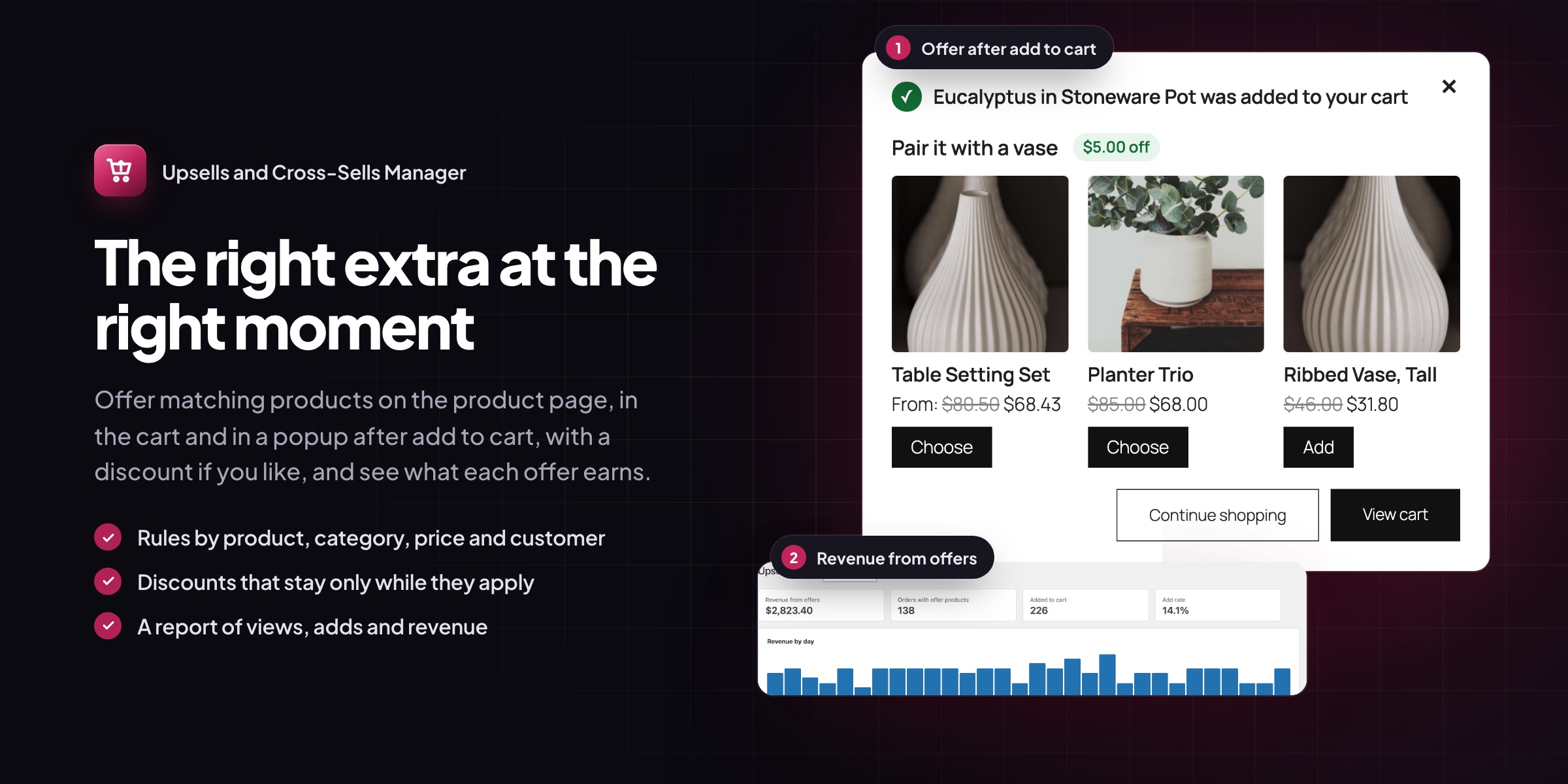
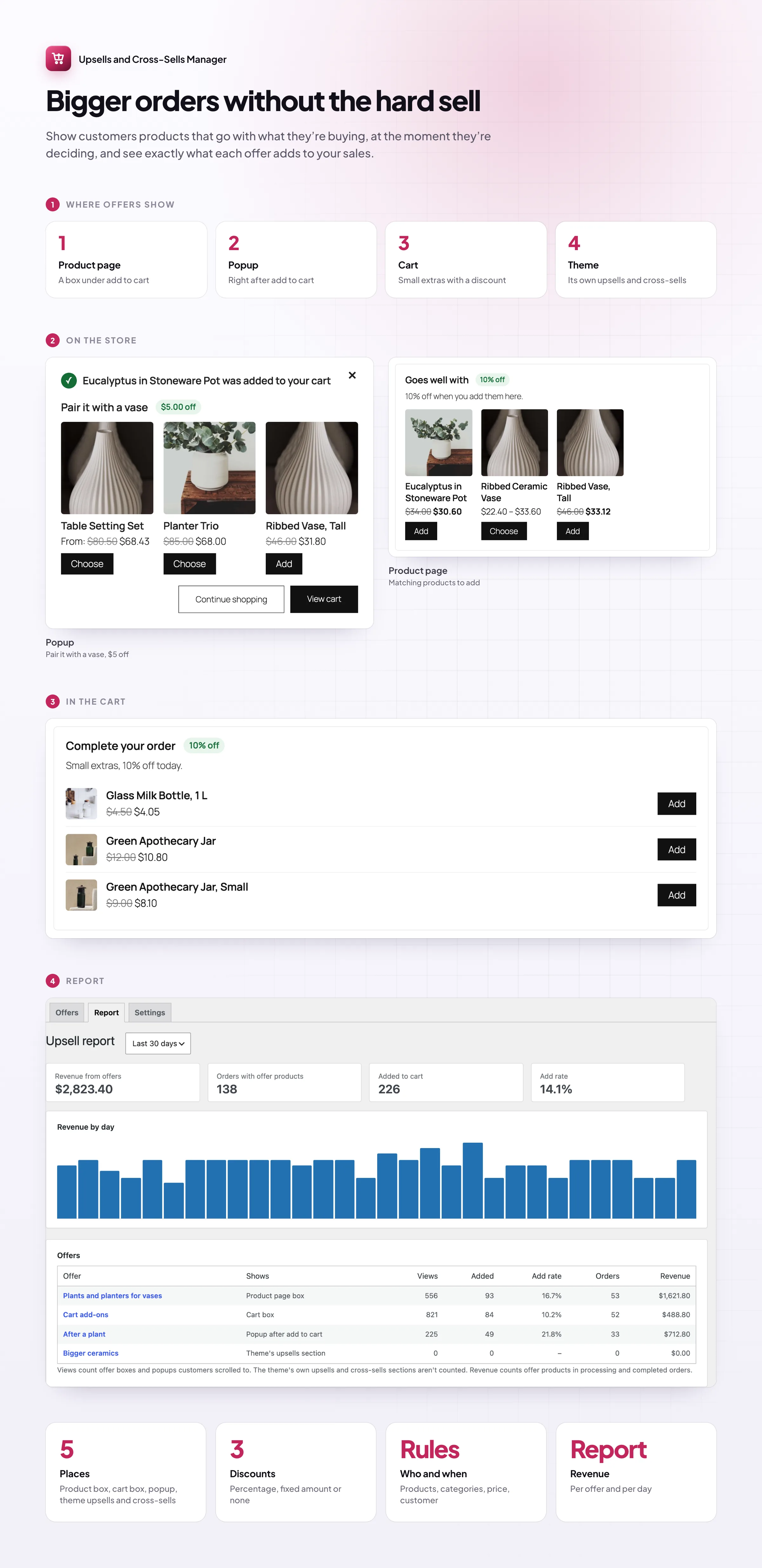
Picking upsells and cross-sells product by product doesn’t scale. Upsells & Cross-Sells Manager lets you write a few rules, such as “planters next to every vase”, and shows the right products on product pages, in the cart and in a popup after add to cart, with an optional discount. The report shows what each offer earns.
Product page
Offers where customers decide
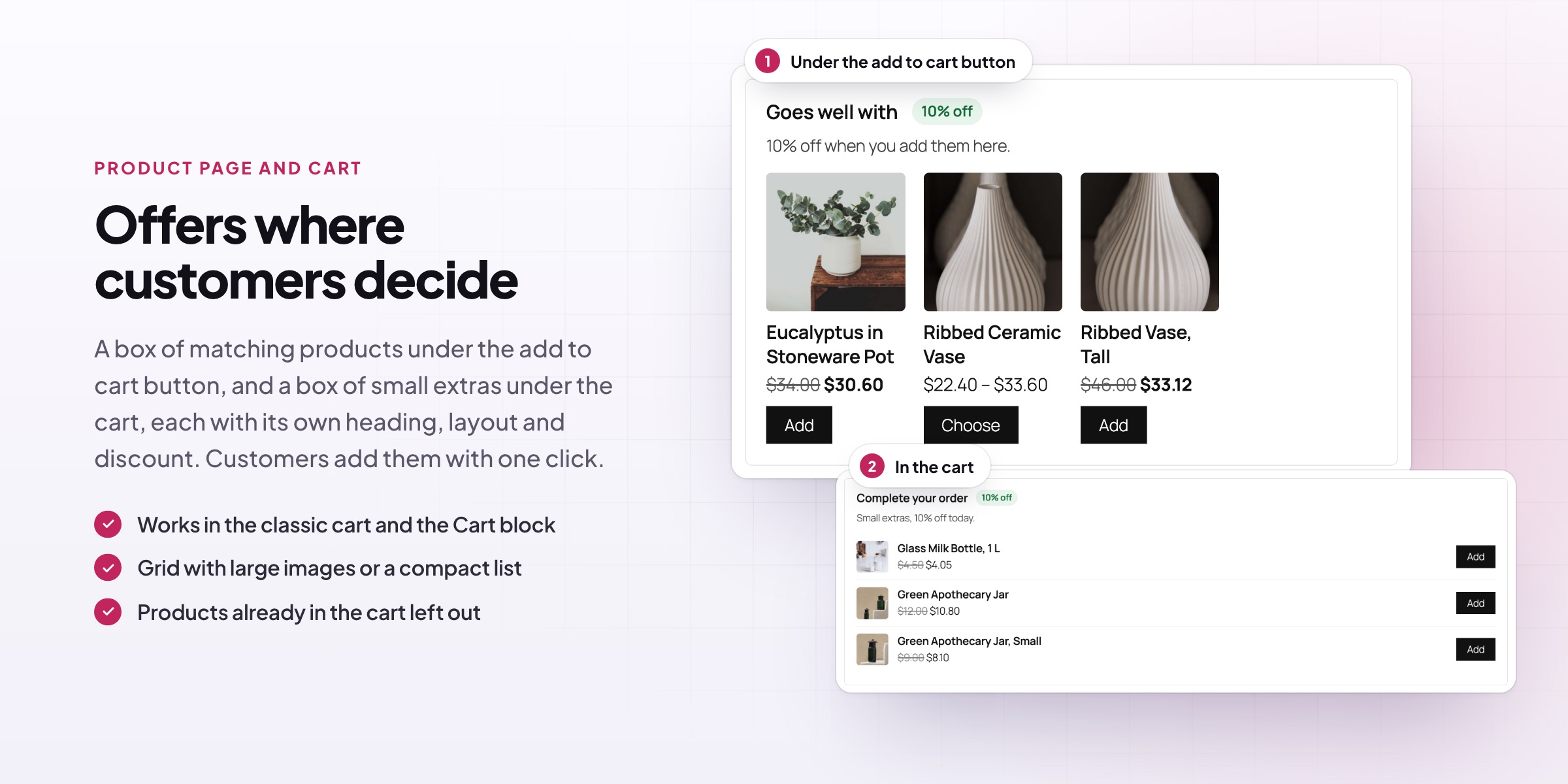
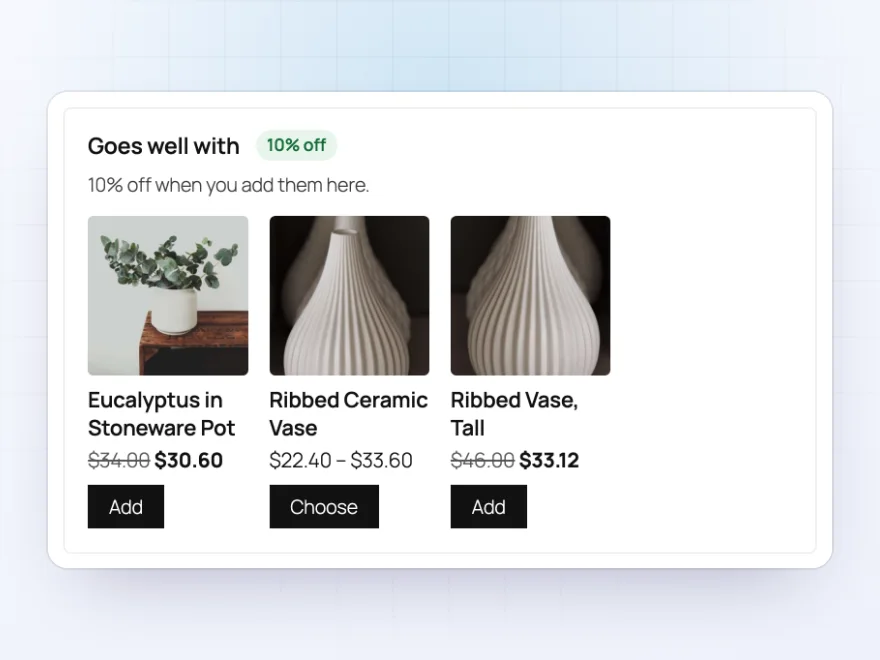
A box under the add to cart button shows products that go with the one the customer is looking at. They add an offered product without leaving the page, and a discount shows as a badge and a crossed-out price.
- Grid with large images or a compact list
- Your heading and text, such as “Goes well with”
- Products with options open their page and keep the offer
After add to cart
Suggest the next thing straight away
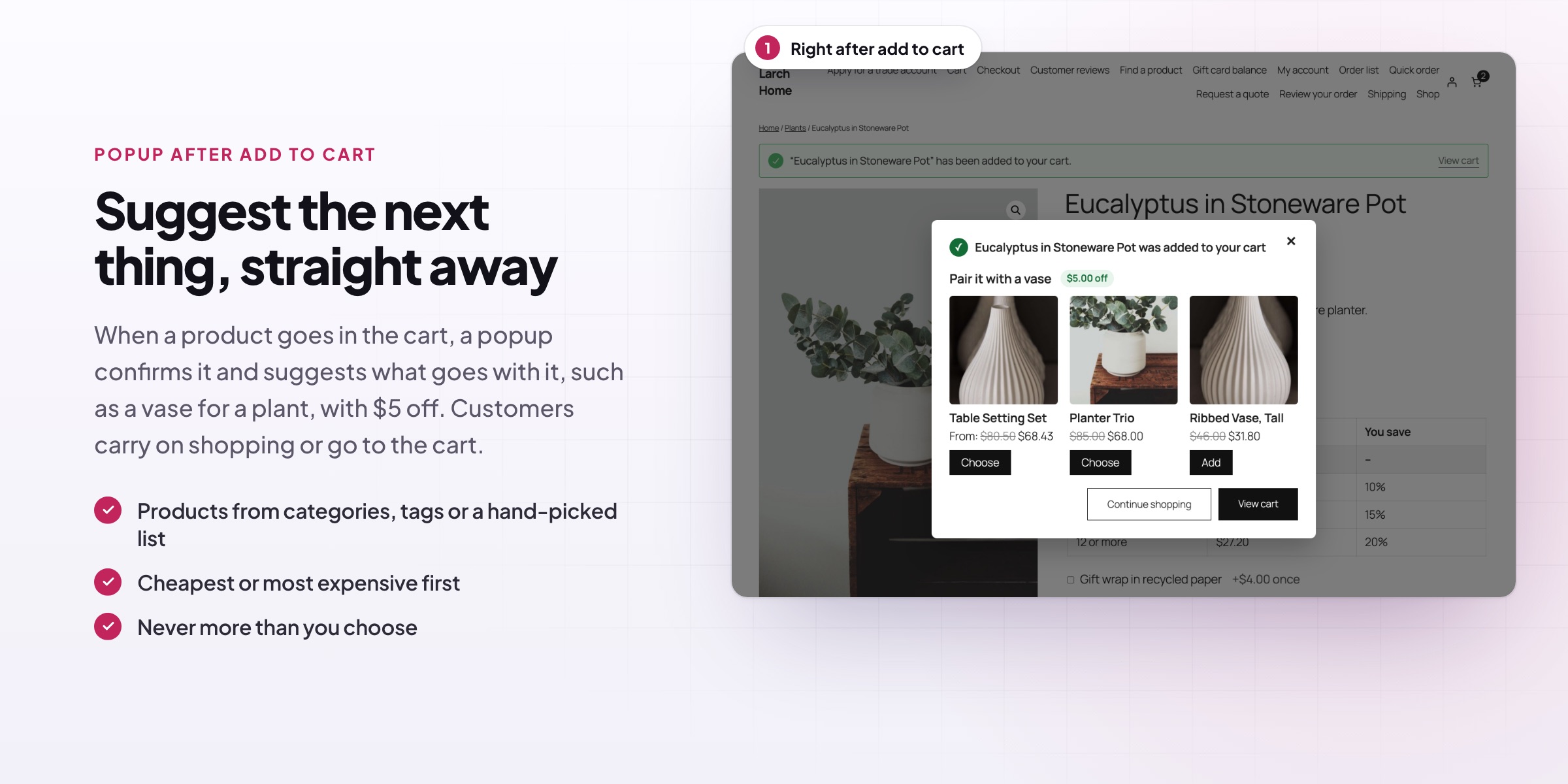
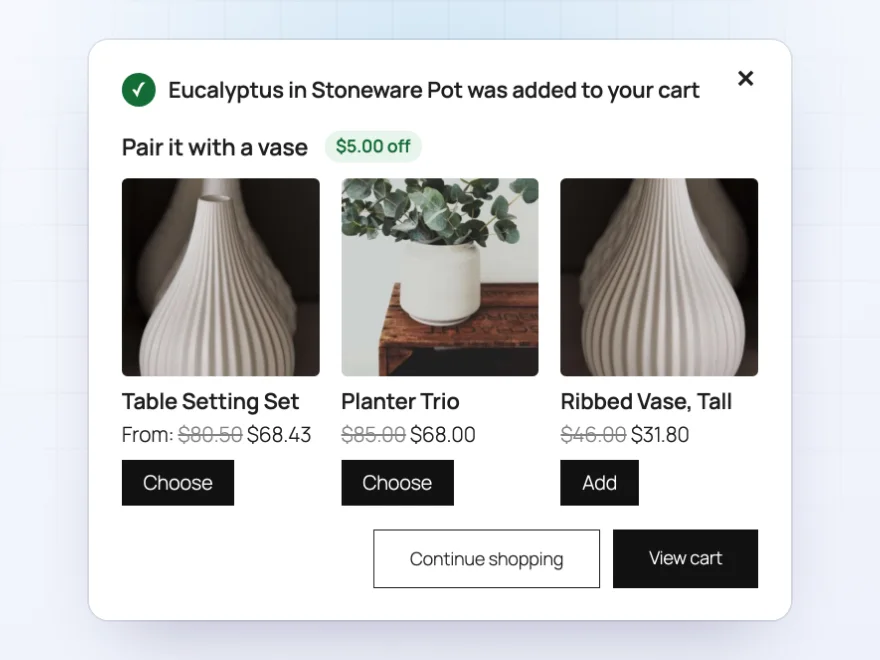
Right after a product is added to the cart, a popup confirms it and suggests matching products, such as a vase after a plant. Customers add one with a click or carry on shopping.
- Opens after add to cart on product and shop pages
- Works with the Mini-Cart block
- A discount for products added from it
Cart
Small extras before checkout
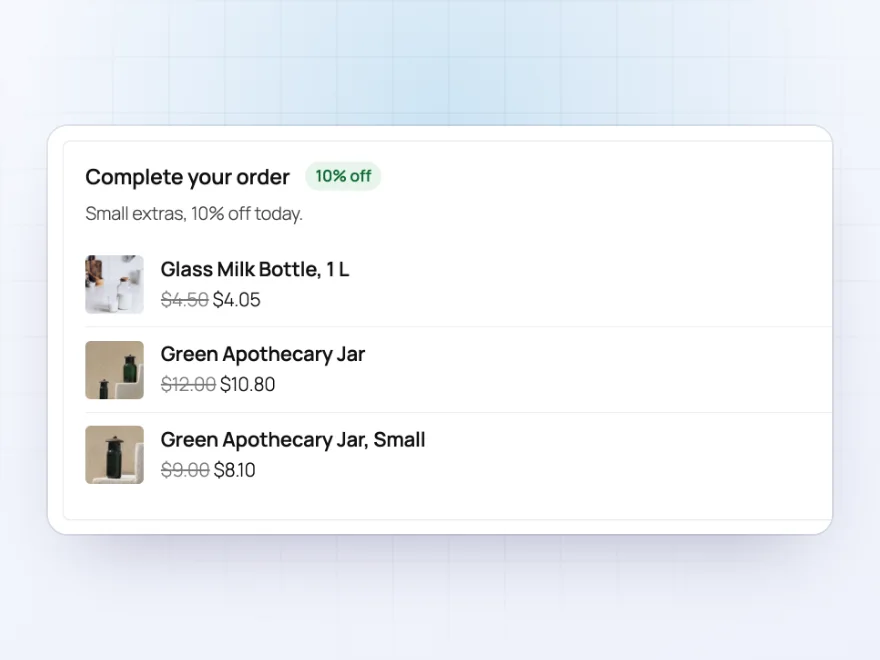
A box under the cart offers products that complete the order, such as cheaper add-ons. If the cart stops matching the offer, its discount goes too.
- Classic cart and the Cart block
- Only cheaper products, for add-ons
- Products already in the cart left out
When offers show
Next to which products, for whom
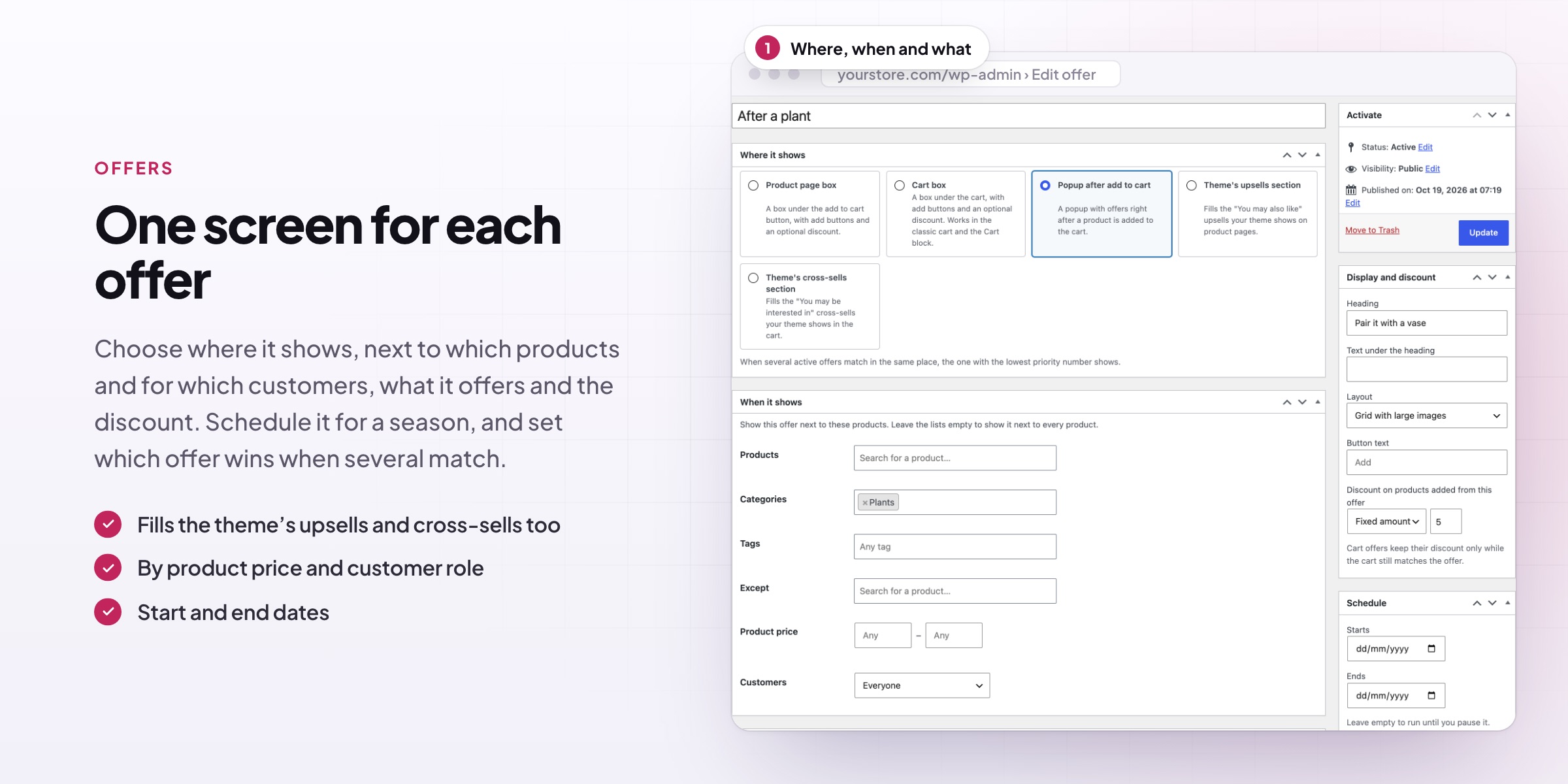
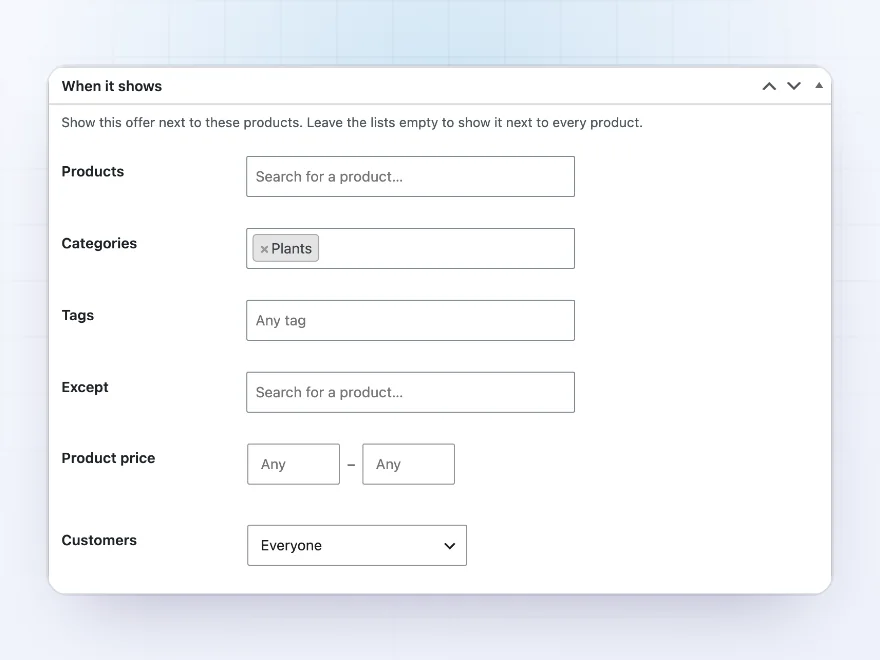
Show an offer next to chosen products, categories or tags, or every product, with exceptions. Limit it to a price range, carts above or below a subtotal, logged-in customers, guests or chosen roles, and give it start and end dates.
- Products, categories, tags or every product
- Price ranges, cart subtotals and customer roles
- Start and end dates
What they offer
Products from a rule, not a list
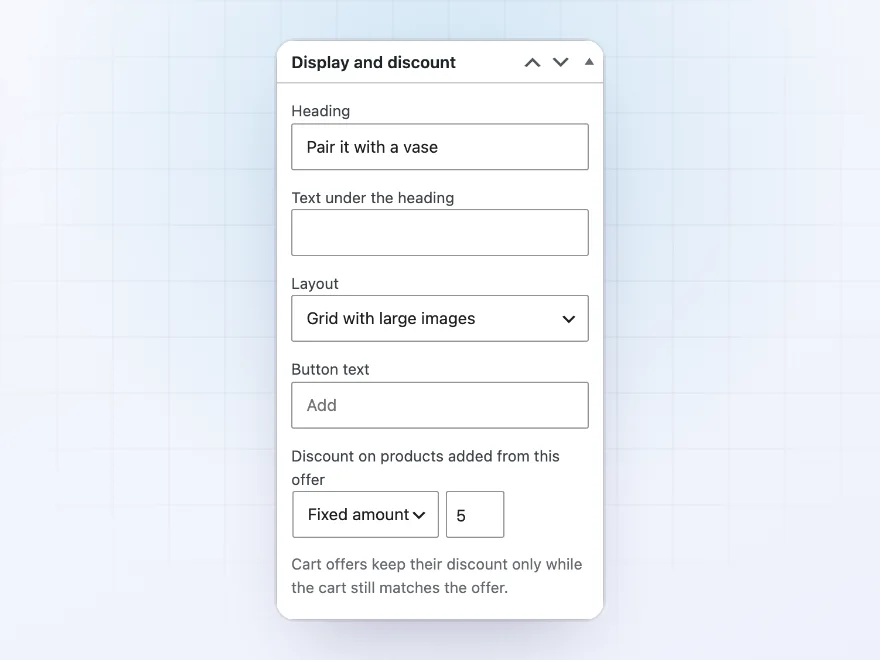
Offer products you choose, products from categories or tags, the same category, the product’s own upsells, or bestsellers. Show only pricier products for upgrades or only cheaper ones for add-ons, ordered by bestselling, rating, price or newest.
- Up to 12 products per offer
- Out-of-stock and hidden products left out
- A percentage or fixed discount
Report
See which offers sell
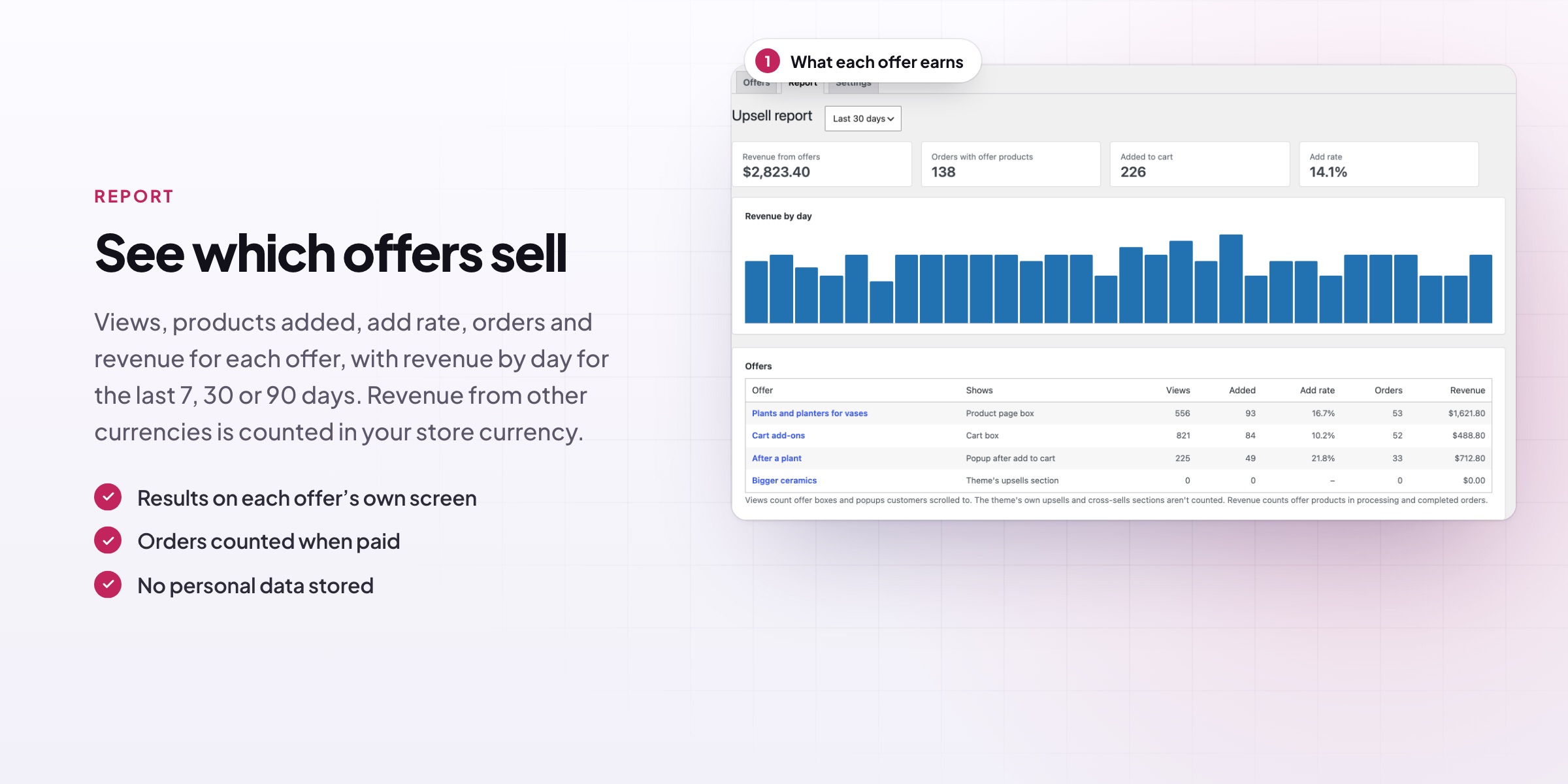
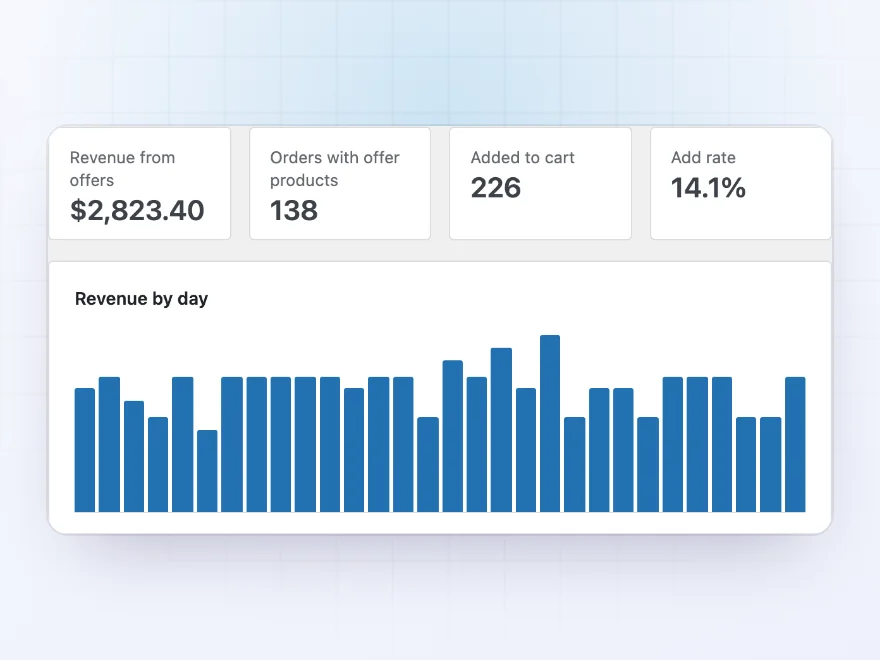
The report shows views, adds to cart, add rate, orders and revenue for each offer over 7, 30 or 90 days, with revenue by day, so you keep the offers that work.
- Views, adds and add rate per offer
- Orders and revenue from offer products
- 7, 30 or 90 days
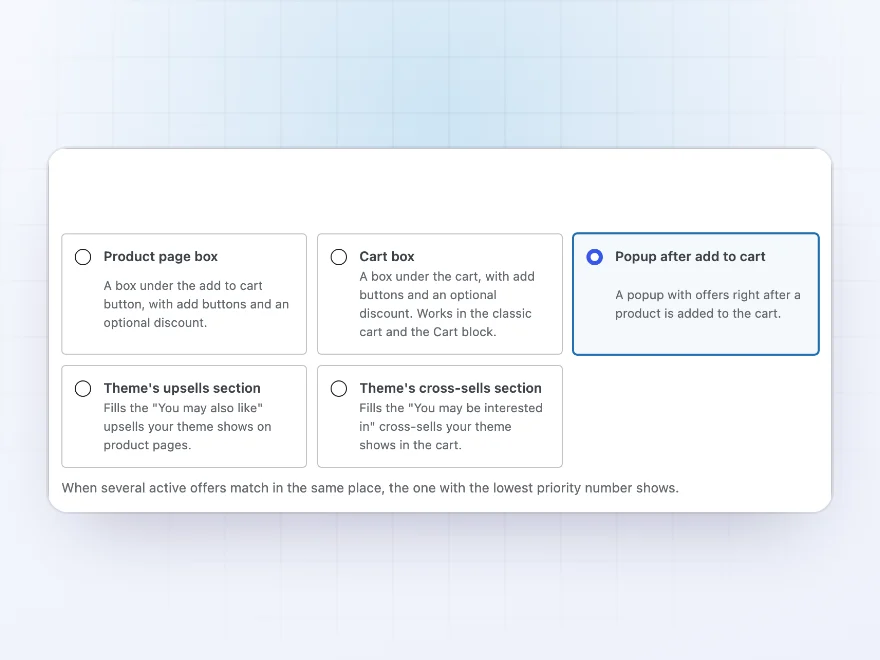
Your theme’s sections
Fills your theme’s upsells and cross-sells
Your rules can fill the theme’s own upsells and cross-sells sections, and the Upsells and Cross-sells blocks, so offers appear where your theme already shows related products.
- The theme’s upsells and cross-sells
- The Upsells and Cross-sells blocks
- Or the plugin’s own boxes
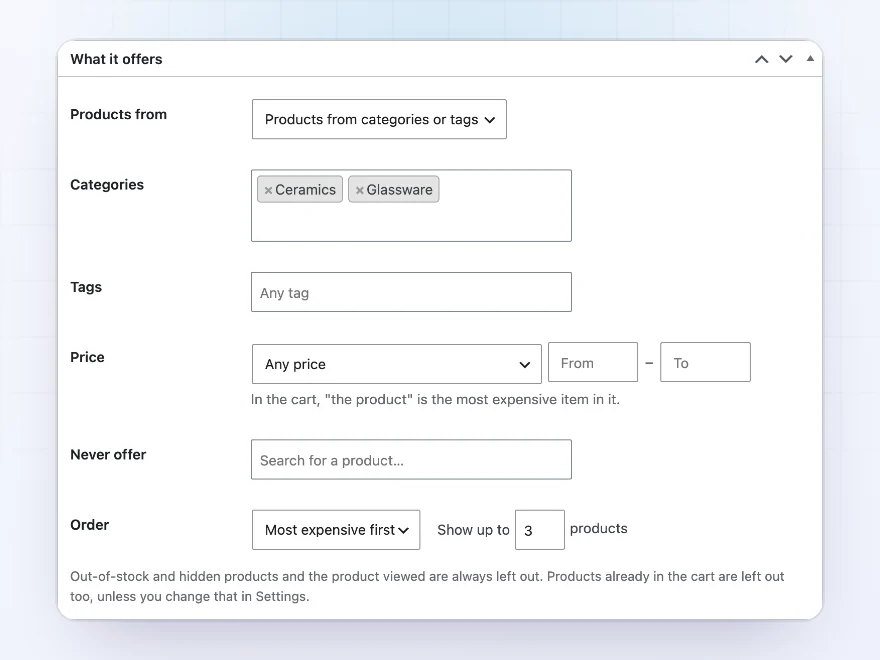
Automatic picks
Same category, bestsellers or your choice
Offer products you choose, products from categories or tags, products from the same category, bestsellers, or the product’s own upsells. Show the bestselling, best rated, cheapest, newest or random ones first.
- Same category or bestsellers
- Only pricier or only cheaper products
- Sorted the way you choose
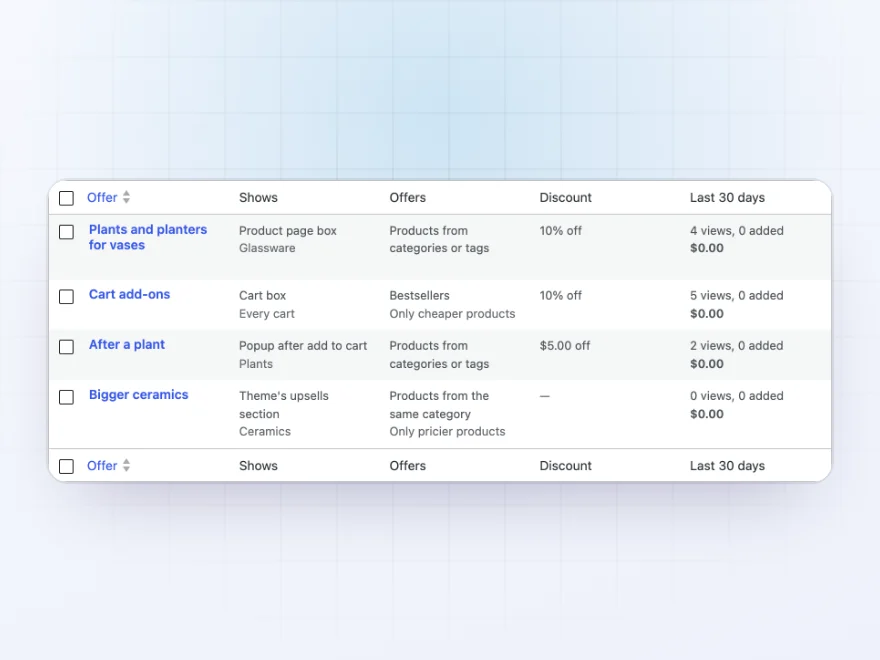
Offers
All your offers in one list
Every offer shows where it appears, when it applies and how it performs, so you can switch off the ones that don’t sell.
- Where and when at a glance
- Switch offers on and off
- Results per offer
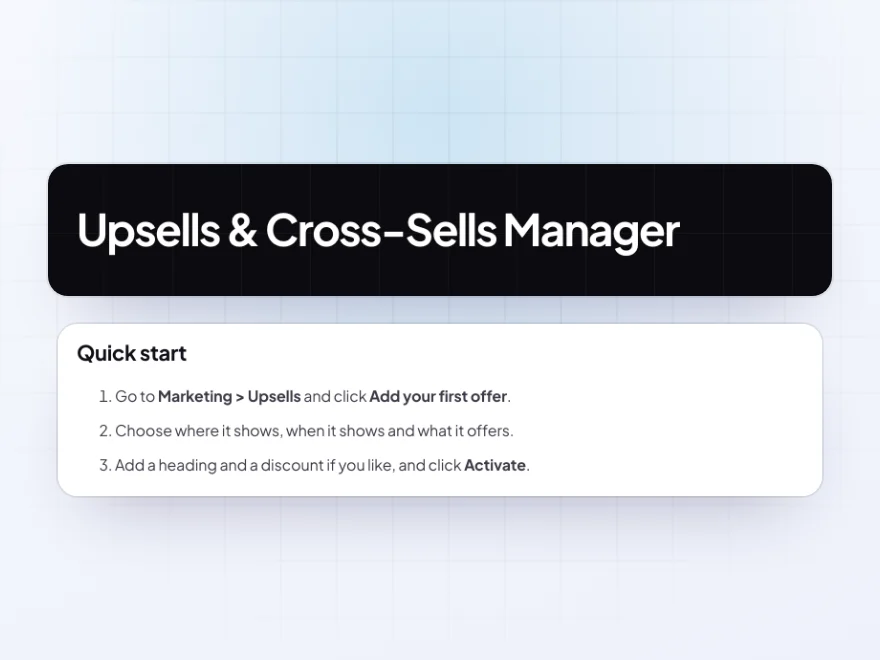
Docs and support
Try it, set it up, ask us anything
Try Upsells & Cross-Sells Manager in a live demo store before you buy. The docs start with a quick start and cover where it shows, when it shows and what it offers. Support tickets are answered by the developers who make the plugin, and updates are included.
- A live demo store to try it first
- Step-by-step docs with a quick start
- Most tickets answered within 12–24 hours
WooCommerce upsells and cross-sells from rules
Upsells & Cross-Sells Manager fills WooCommerce cross-sell and upsell spots from rules instead of picking products one by one. Show offers on product pages, in the cart and in a WooCommerce upsell popup after add to cart, with an optional discount on products added from them.
Rules choose products from categories, the same category, bestsellers or only cheaper add-ons, for the customers and dates you set. A report shows views, adds, orders and revenue for each offer, so you can keep the ones that sell.
Common setups
- Accessories: planters and plants next to every vase, at 10% off.
- Upgrades: pricier chairs from the same category next to every chair.
- Add-ons: cheap extras in the cart before checkout.
- After a purchase decision: a popup with matching products right after add to cart.
- Your theme’s sections: the theme’s own upsells and cross-sells filled by rules.
Questions before you buy
Does it replace WooCommerce’s upsells and cross-sells?
It can. Fill the theme’s own sections by rules, add to the products you picked by hand, or leave them as they are.
Can offers have a discount?
Yes. A percentage or fixed discount on products added from the offer, shown as a badge and a crossed-out price.
What stops customers keeping a discount they no longer qualify for?
Cart offers lose their discount as soon as the cart stops matching them.
Does it work with block themes?
Yes. The product box, the Cart block box and the popup work in block themes, and the theme sections work with the Upsells and Cross-sells blocks.
Are out-of-stock products offered?
No. Out-of-stock and hidden products are left out, and products already in the cart can be too.
Do offer prices follow role prices?
Yes. Offer prices follow role prices and catalog discounts from Maxima plugins, and the discount comes off that price.
How is revenue counted?
Revenue is the value of offer products in paid orders, reported in your store currency.
Requirements
WordPress 6.8 or newer, WooCommerce 10.0 or newer and PHP 7.4 or newer. Works with classic and block themes, the Cart and Checkout blocks, and High-Performance Order Storage.
Documentation
Step-by-step setup, every setting explained, and examples: read the documentation. Questions before you buy? Ask us.




Reviews
There are no reviews yet.