 Maxima Plugins
Description
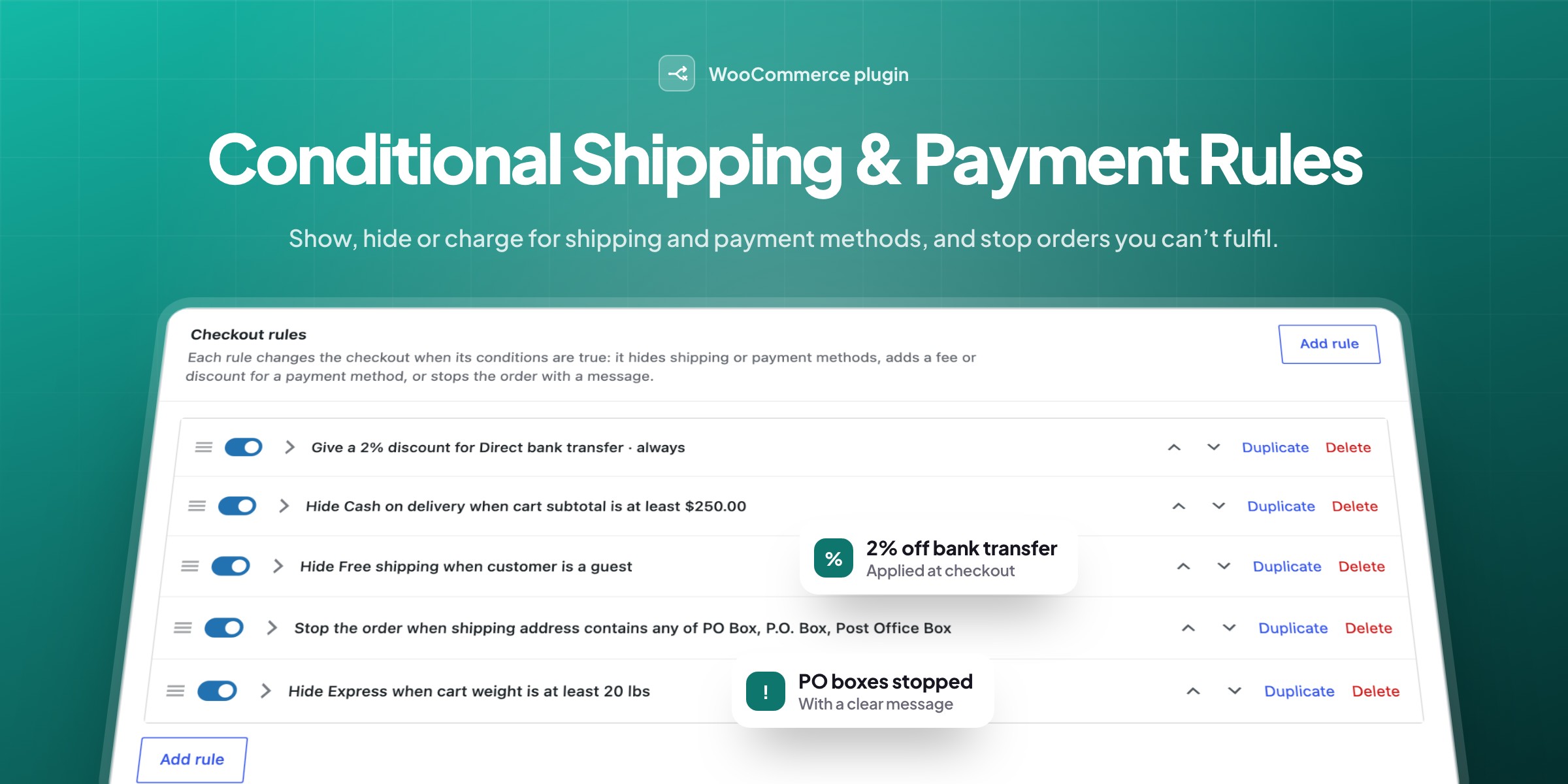
Conditional Shipping & Payment Rules shows, hides or charges for shipping and payment methods based on the cart, the customer and the address. Write your checkout rules in plain words, stop orders you can’t fulfil, and tell customers why a method isn’t offered.
💵 No cash on delivery for large orders, guests or places outside your area.
🏦 Payment fees or discounts, such as 2% off bank transfers.
🚚 Hide shipping methods, such as Express for heavy carts.
📮 Stop orders to PO boxes or places you can’t deliver to.
💬 A note for customers that explains each rule.
🧩 20 conditions on the cart, address, customer, day and time.
📝 One-line summaries, on and off switches and drag to reorder.
👀 A preview for shop managers of the rules that applied.
Rules editor
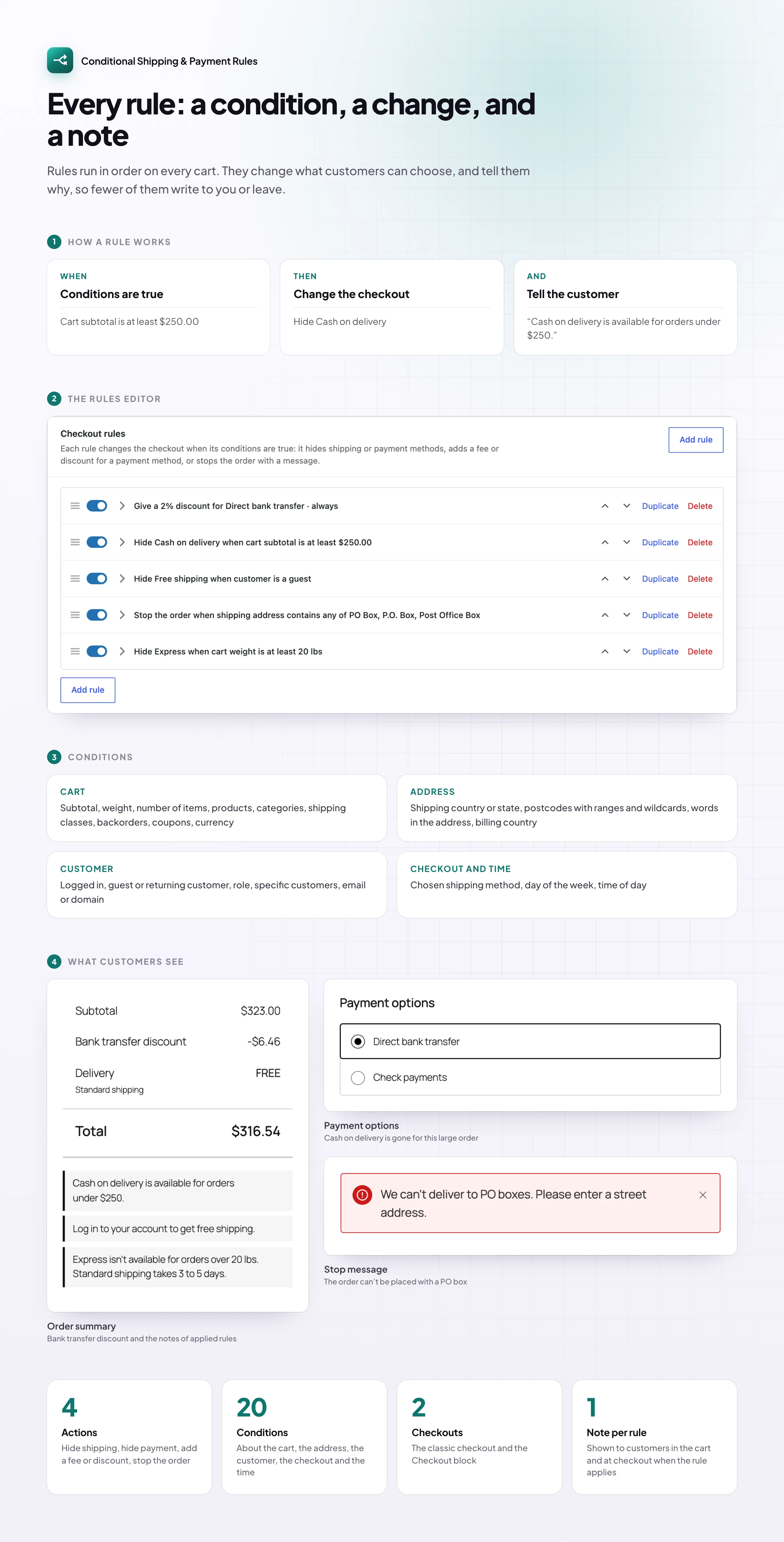
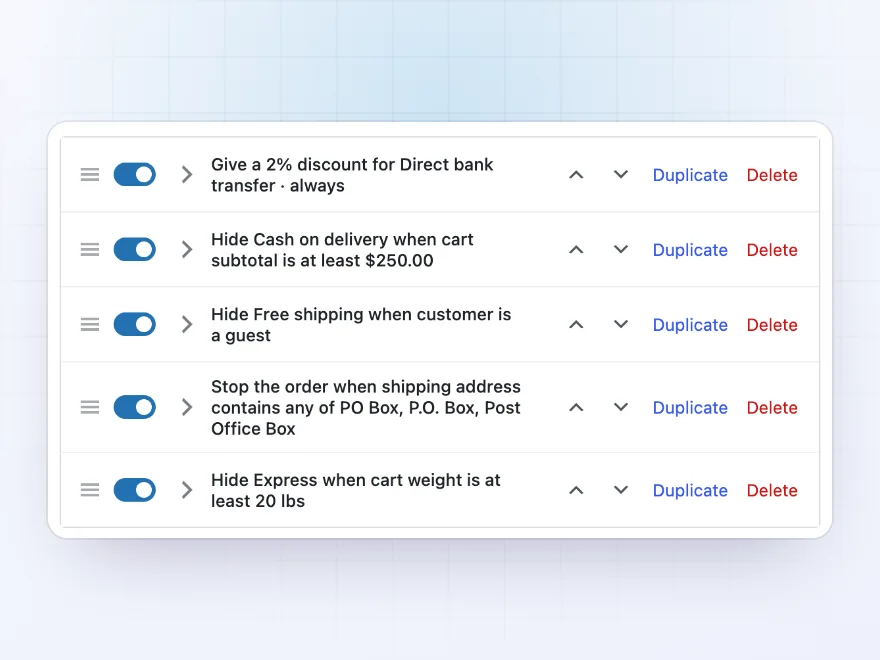
Every rule reads like a sentence
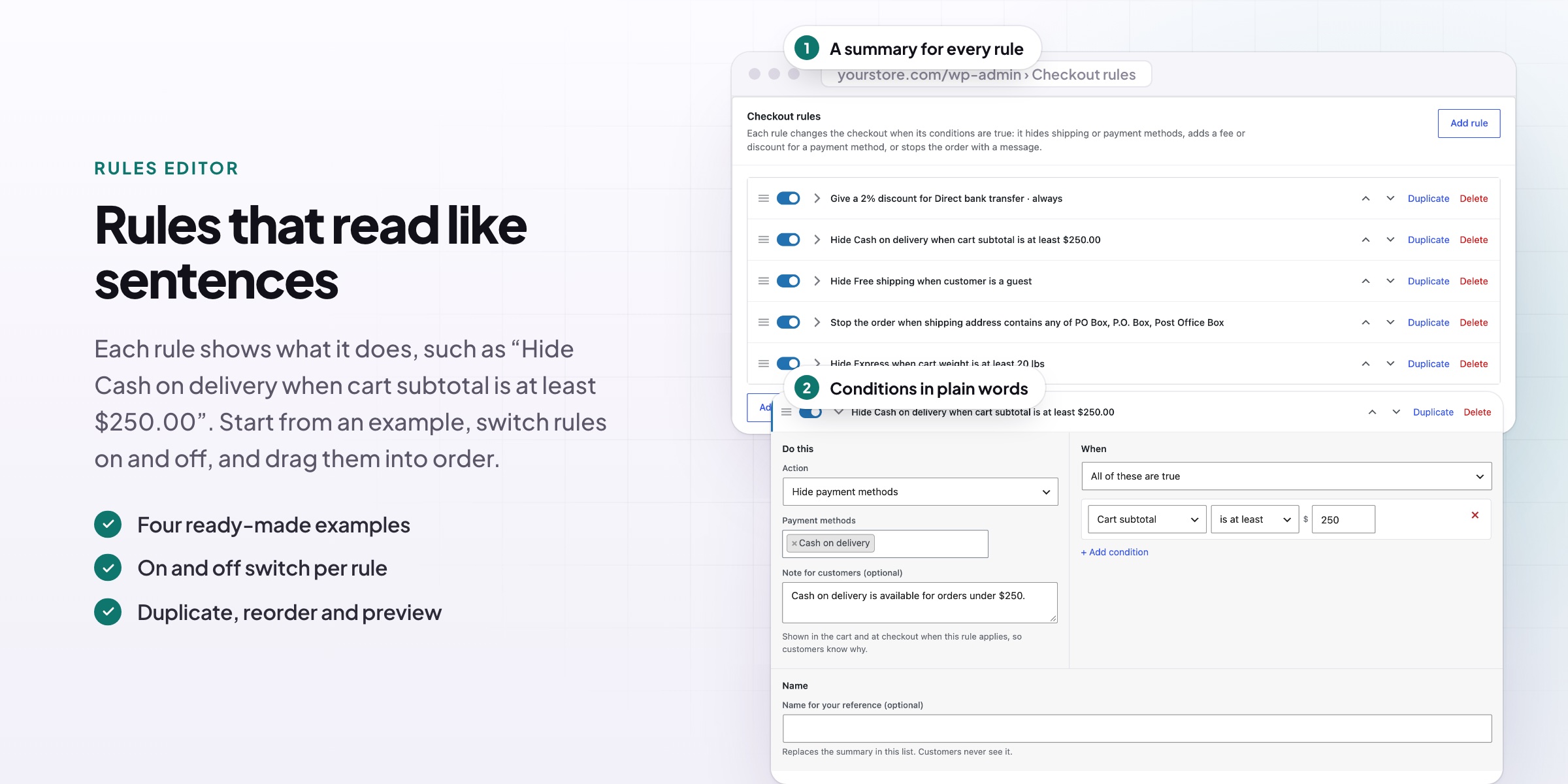
Each rule shows a one-line summary, such as “Hide Cash on delivery when cart subtotal is at least $250.00”, so you can see what your checkout does at a glance. Switch rules on and off, drag them into order, and duplicate a rule to make a similar one in seconds.
- A plain summary for every rule
- An on and off switch per rule
- Drag to reorder, duplicate in one click
Payment methods
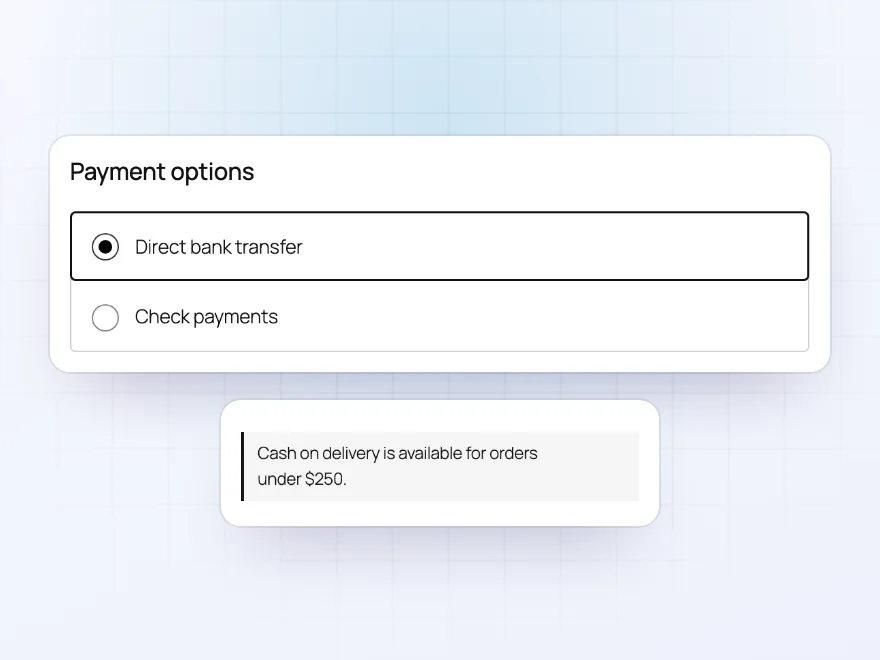
Hide a payment method when it doesn’t fit
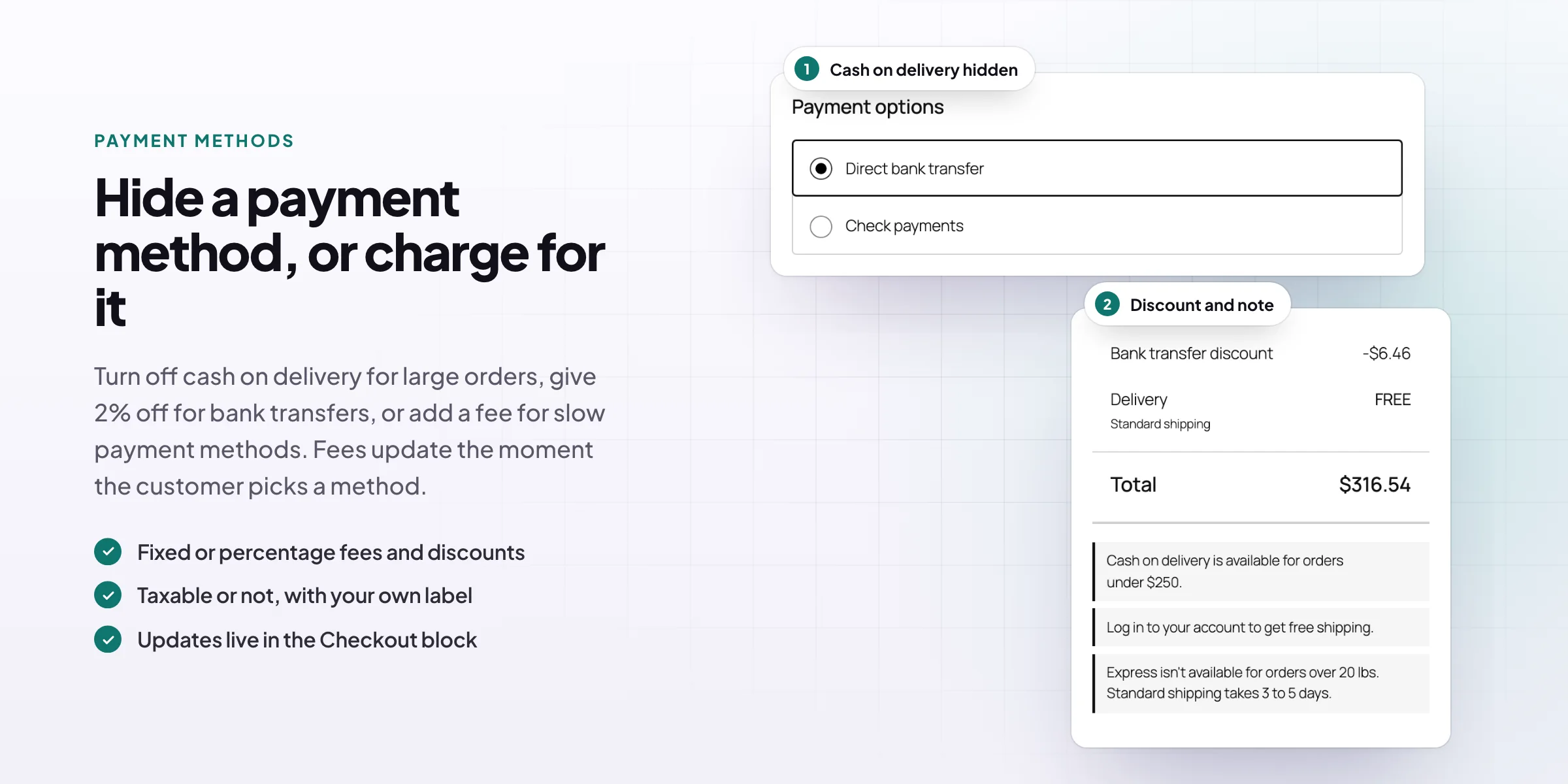
Turn off cash on delivery for large orders, checks for guests, or any payment method outside your area. The method isn’t offered at checkout while the rule applies, and a short note tells the customer why, so they don’t have to ask.
- Any payment method in your store
- Based on the cart, address or customer
- A note that explains why
Fees and discounts
Charge or reward a payment method
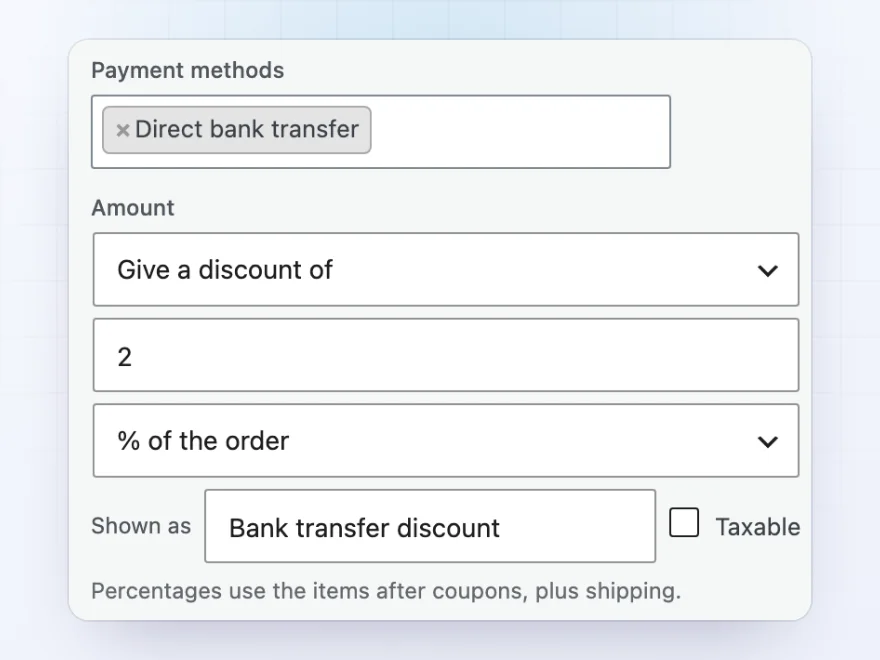
Give 2% off for bank transfers, or add a $2.00 fee for cash on delivery. Amounts can be fixed or a percentage of the order, taxable or not, with your own label in the order summary. The total updates as soon as the customer picks a payment method.
- A fixed amount or a percentage
- A fee or a discount, taxable or not
- Your own label, such as Bank transfer discount
Shipping methods
Offer only the shipping that fits the order
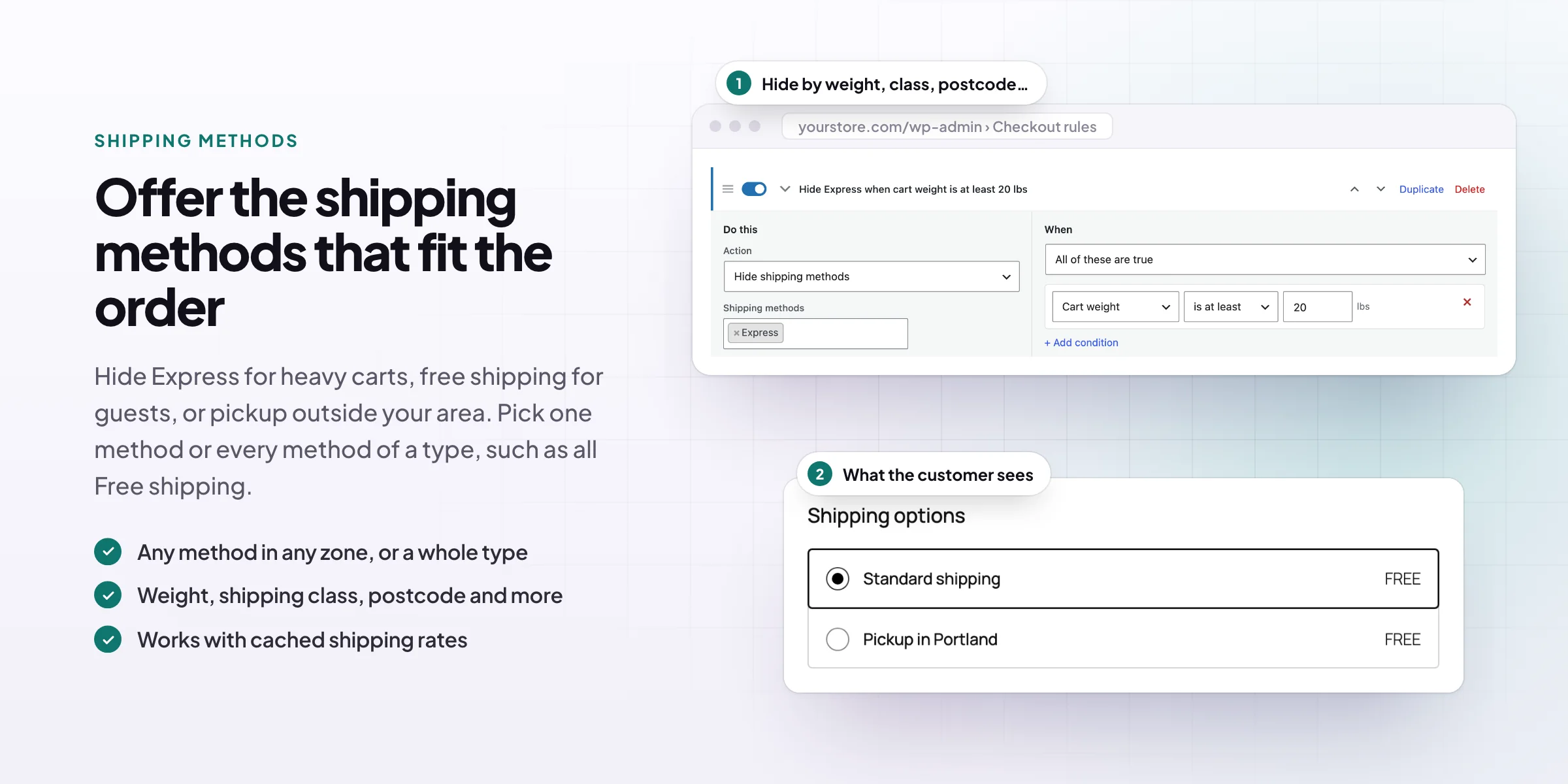
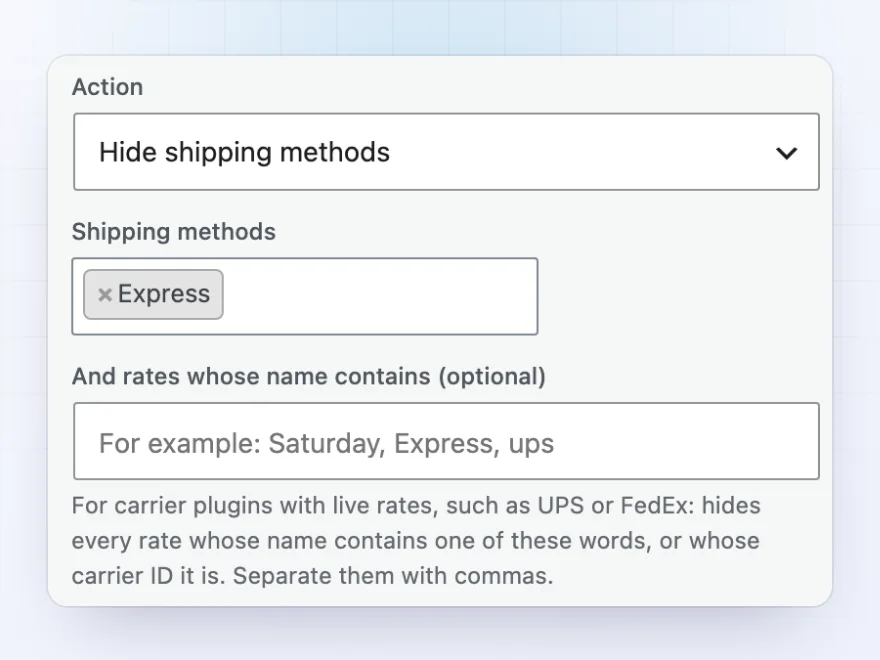
Hide Express for heavy carts, free shipping for guests, or local pickup outside your area. Choose single methods in any shipping zone, every method of a type, such as all Free shipping methods, or live carrier rates by words in their name, such as every UPS rate with “Saturday”.
- Any method in any shipping zone
- Every method of a type at once
- Live carrier rates by name
Stop orders
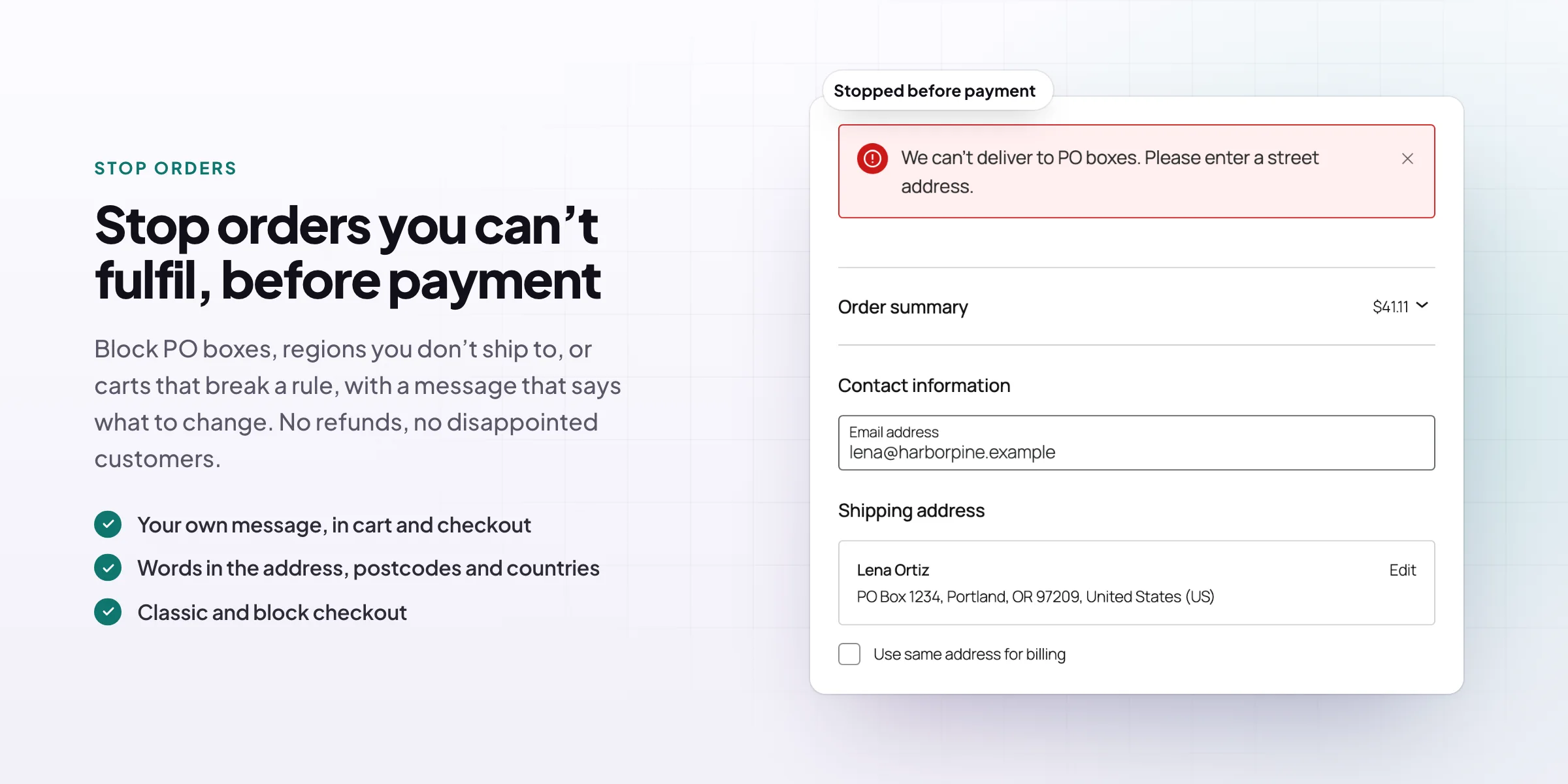
Stop orders you can’t fulfil, before payment
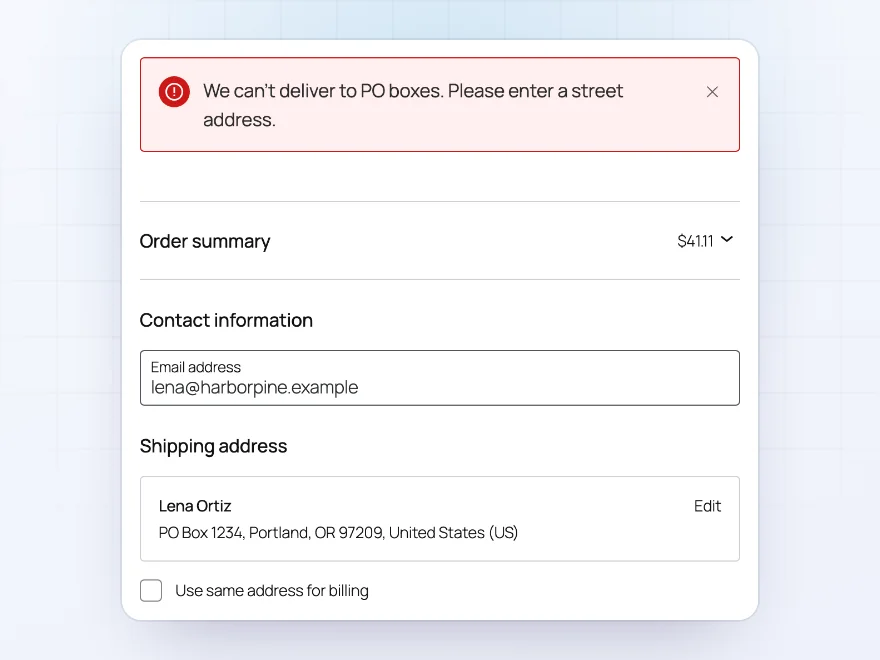
Block PO boxes, places you don’t deliver to, or carts that break a rule, with your own message that says what to change. Customers see it in the cart and at checkout and can fix their order straight away, so you don’t have to cancel and refund it later.
- Your own message
- Words in the address, postcodes and countries
- Classic checkout and the Checkout block
Notes for customers
Customers see why, not just what
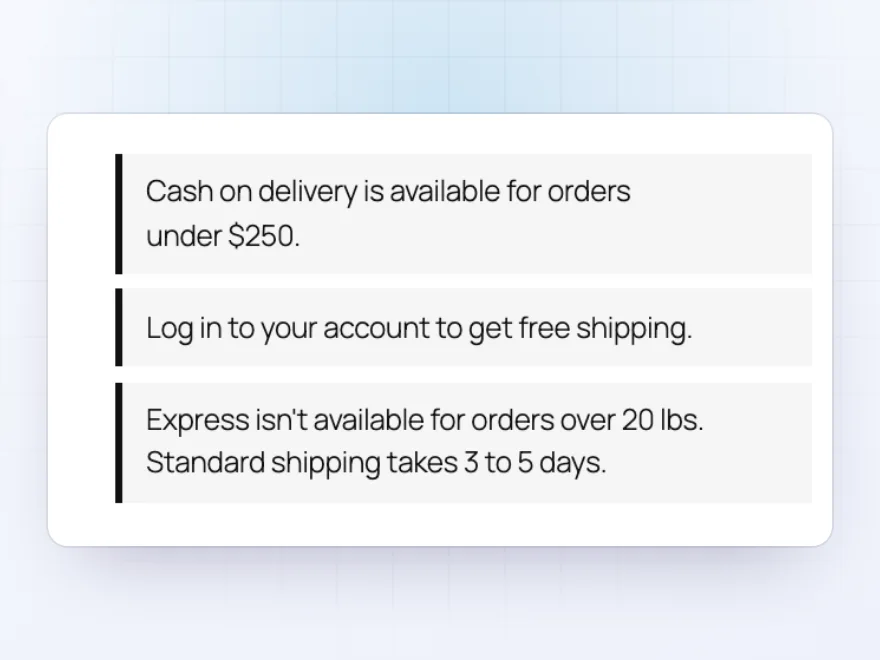
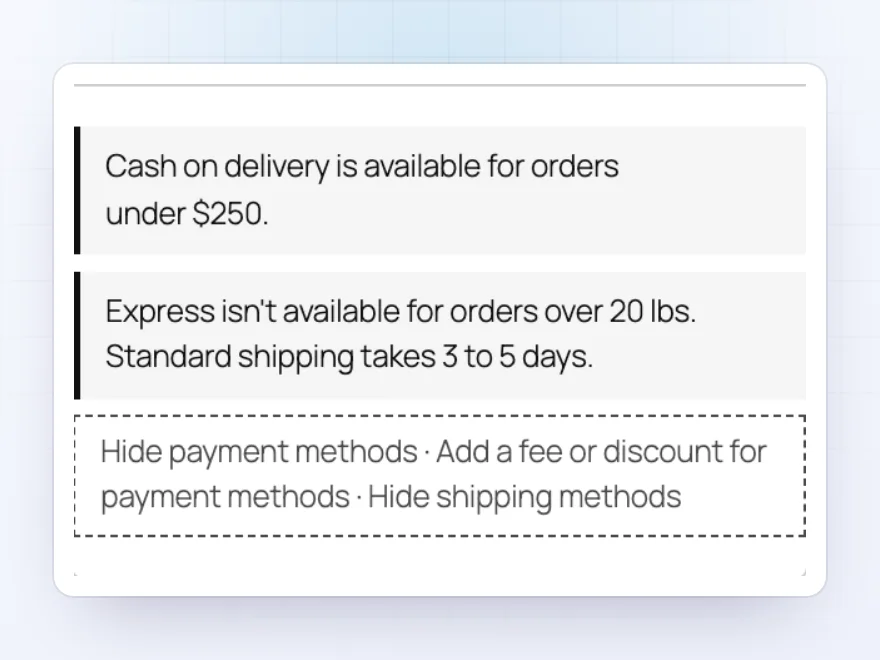
Each rule can have a short note that shows in the cart and at checkout while the rule applies, such as “Cash on delivery is available for orders under $250.” Customers understand why a method is missing, so fewer of them contact you or leave.
- One note per rule
- In the cart and at checkout
- Shown only while the rule applies
Conditions
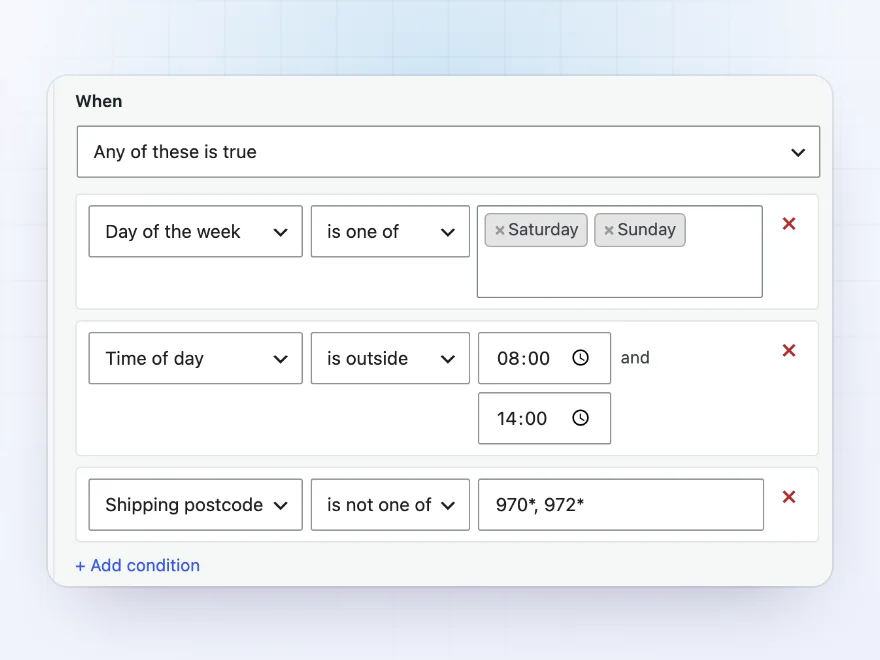
20 conditions to build rules on
Use the cart’s subtotal, weight, items, categories, shipping classes, coupons or currency; the address, postcode or words in it; the customer, their role, email or domain; the chosen shipping method; and the day and time. A rule can need all of its conditions, or any one of them.
- Cart, address and customer
- Day of the week and time of day
- All of these, or any of these
Ready-made examples
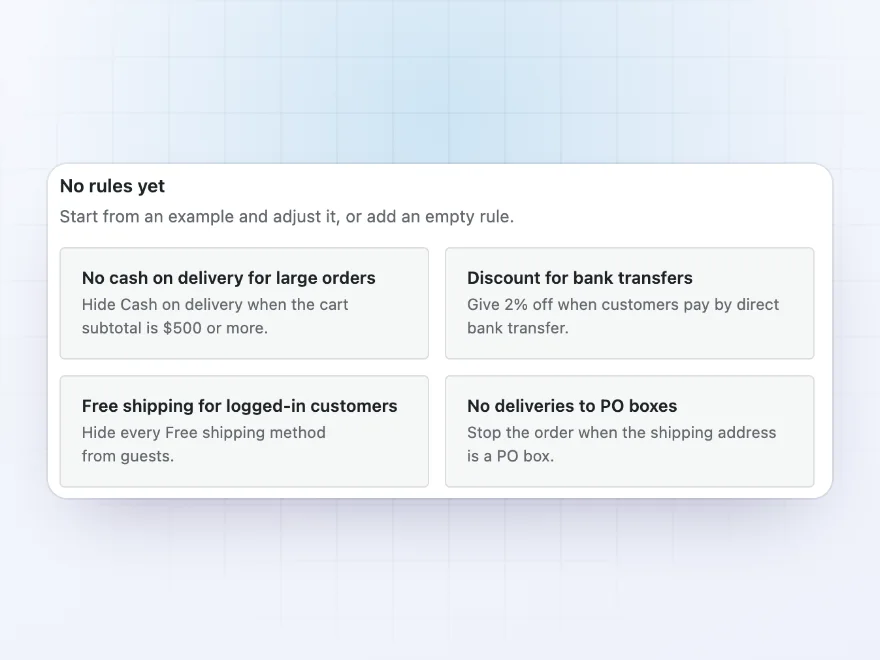
Start from a ready-made rule
New to checkout rules? Start from an example, such as no cash on delivery for large orders, a discount for bank transfers, free shipping only for logged-in customers or no deliveries to PO boxes, then adjust the amounts and the note to fit your store.
- Four common rules to start from
- Edited like any other rule
- Or start from an empty rule
Shop manager preview
See which rules applied
While you browse your own store as a shop manager, a small preview under the checkout notes lists the rules that applied to the cart. Try a rule with a real cart and see whether it does what you meant, without placing a test order. Customers never see it.
- Shown only to shop managers
- In the cart and at checkout
- Switched on or off in the settings
Premium quality & support
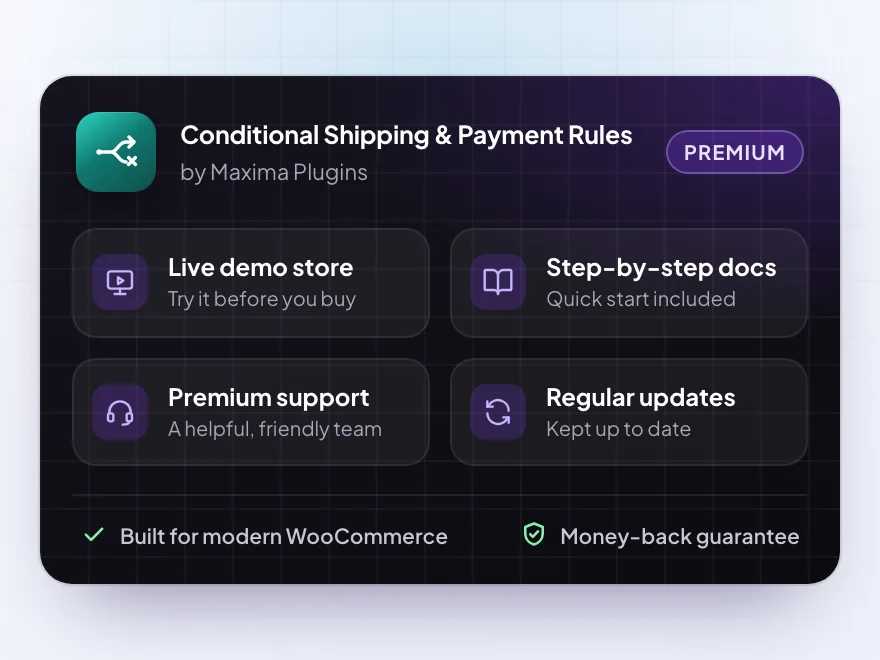
Support you can count on, year after year
See Conditional Shipping & Payment Rules working in a live demo store before you buy. If you need a hand, our friendly support team will help you get it set up, and regular updates keep it working with each new WooCommerce release.
- A live demo store to try it first
- Step-by-step docs with a quick start
- Premium support from a helpful team
- Regular updates included
Conditional shipping and payments for WooCommerce, in plain rules
WooCommerce offers every enabled shipping and payment method to every customer. Conditional Shipping & Payment Rules adds WooCommerce conditional shipping and payments, so each method shows only when it fits the order: cash on delivery only for orders under $250, Express only for orders under 20 lbs, free shipping only for customers who are logged in.
As conditional payments for WooCommerce, rules can hide any payment gateway or add a fee or discount to it, and the order summary updates as soon as the customer picks a method. As conditional shipping for WooCommerce, rules can hide single methods, whole method types or live carrier rates by name. Each rule can tell the customer why with a short note, and orders that break a rule are stopped before payment.
Common setups
Questions before you buy
Will customers know why a method is missing?
Yes. Each rule can show a short note in the cart and at checkout while it applies, such as “Cash on delivery is available for orders under $250.”
Does it work with the Checkout block?
Yes. Rules, fees and notes work in the classic cart and checkout and in the Cart and Checkout blocks. A payment fee updates as soon as the customer picks the method.
Can I hide live carrier rates, such as UPS or FedEx?
Yes. Besides single methods and whole method types, a rule can hide every rate whose name contains words you choose, or whose carrier ID it is.
What if rules leave no shipping or payment method?
You can write your own message for that case, with a link or phone number, so customers can still reach you.
Do conditions look at one package or the whole cart?
The whole cart, plus the shipping address of the package being priced.
Can a rule need more than one condition?
Yes. Each rule can apply when all of its conditions are true, or when any one of them is.
Can I test a rule without placing an order?
Yes. Shop managers can switch on a preview that lists the rules that applied while they browse the store. Customers never see it.
Requirements
- WordPress
- 6.8 or newer
- WooCommerce
- 10.0 or newer
- PHP
- 7.4 or newer
Works with
- Classic themes
- Block themes
- Cart and Checkout blocks
- High-Performance Order Storage




Marek –
Does the job
We only use it for one rule, but it works perfectly with the block checkout.
Sofie –
Replaced another plugin that kept conflicting with our shipping. This one works, and Michael actually helps you instead of just linking to the docs.
Marco –
very useful plugin. we needed cash on delivery only for local postcodes and it works brilliantly. Thomas was quick to help when one rule wasnt applying. recommended