 Maxima Plugins
Description
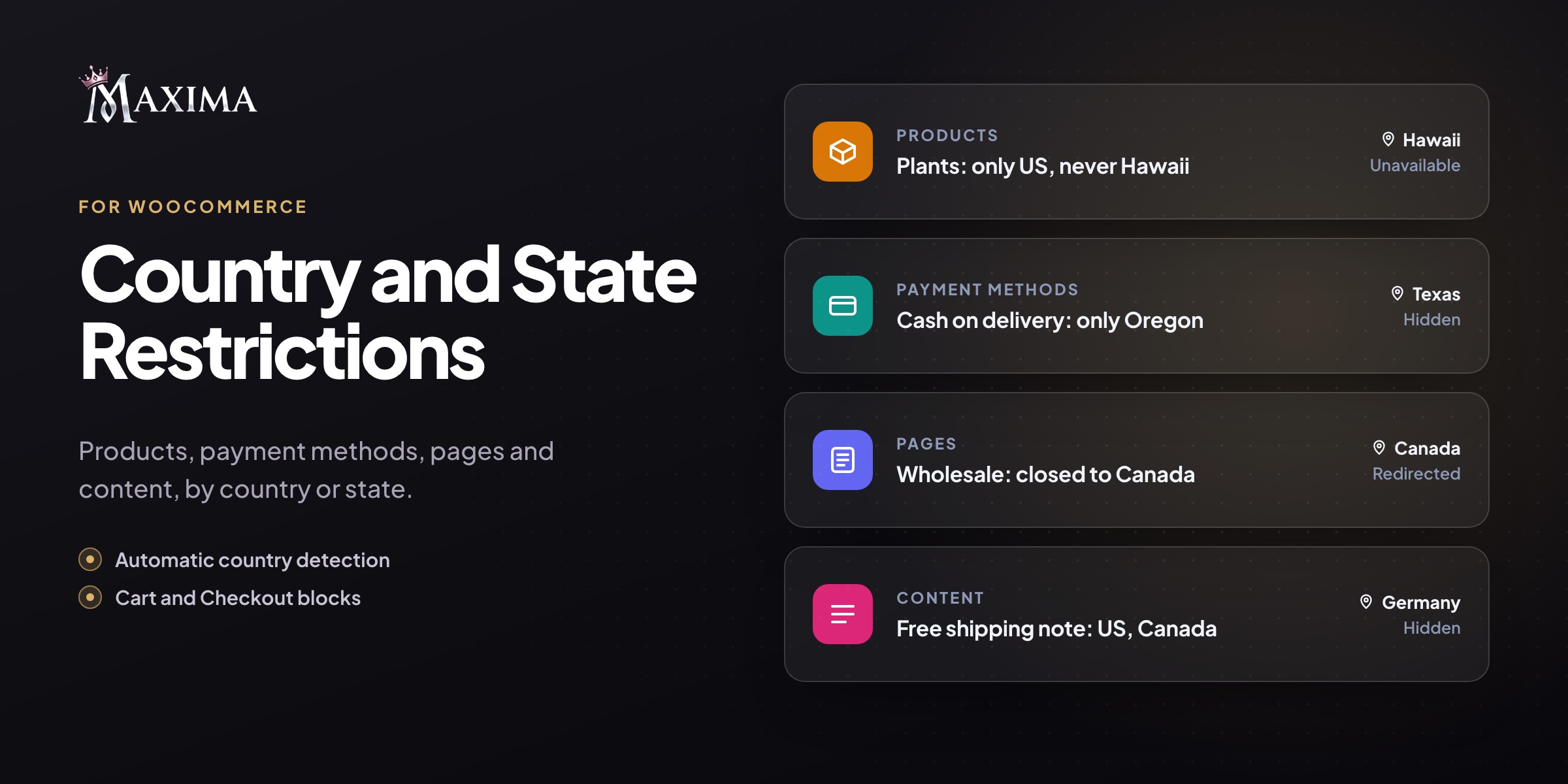
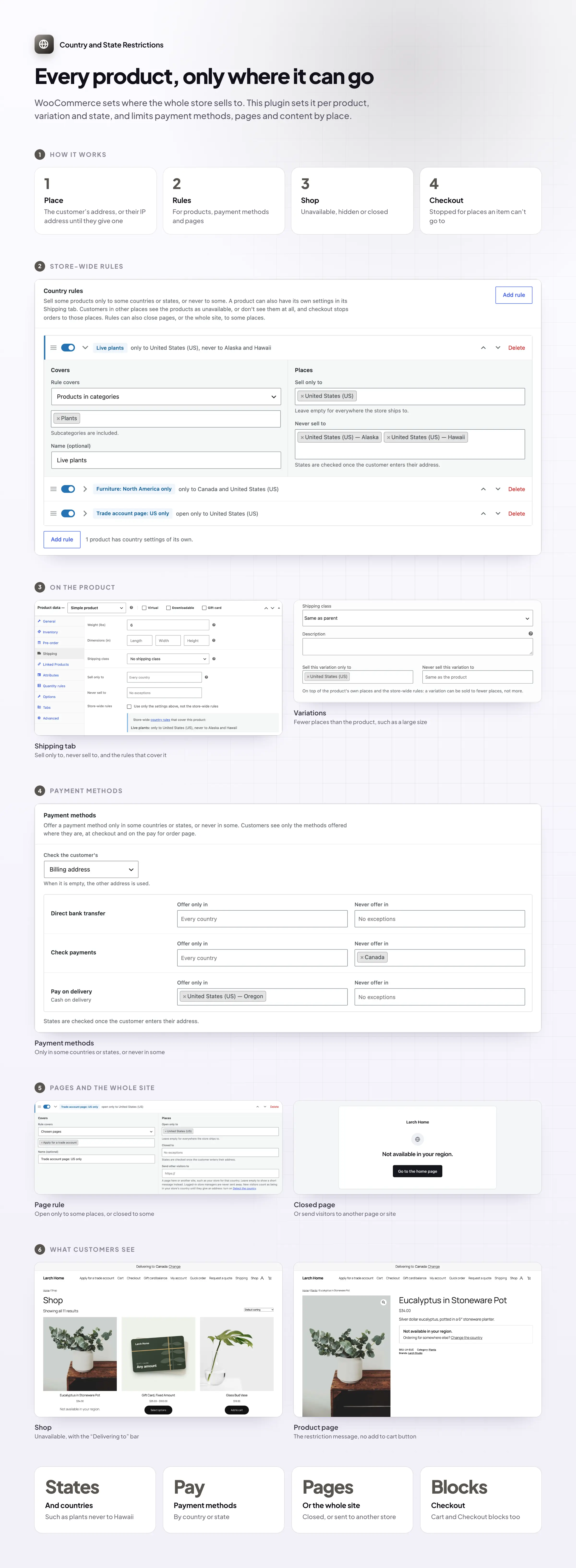
Live plants can’t cross borders, large furniture is too costly to send abroad, some products aren’t licensed everywhere. WooCommerce sets where the whole store sells to; Country and State Restrictions sets it per product, and also limits payment methods, pages and content by country or state.
Per product
Choose where each product can be sold
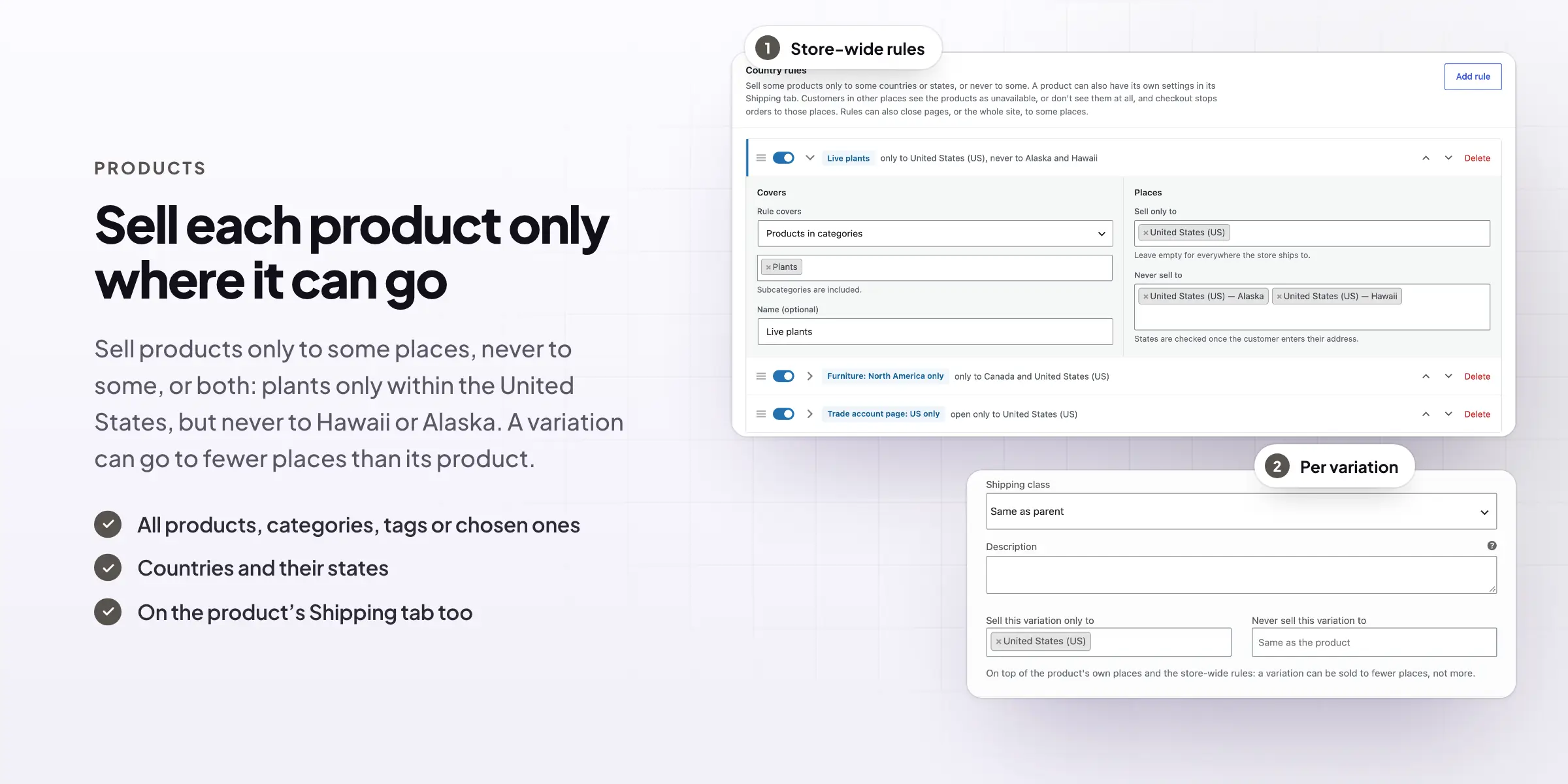
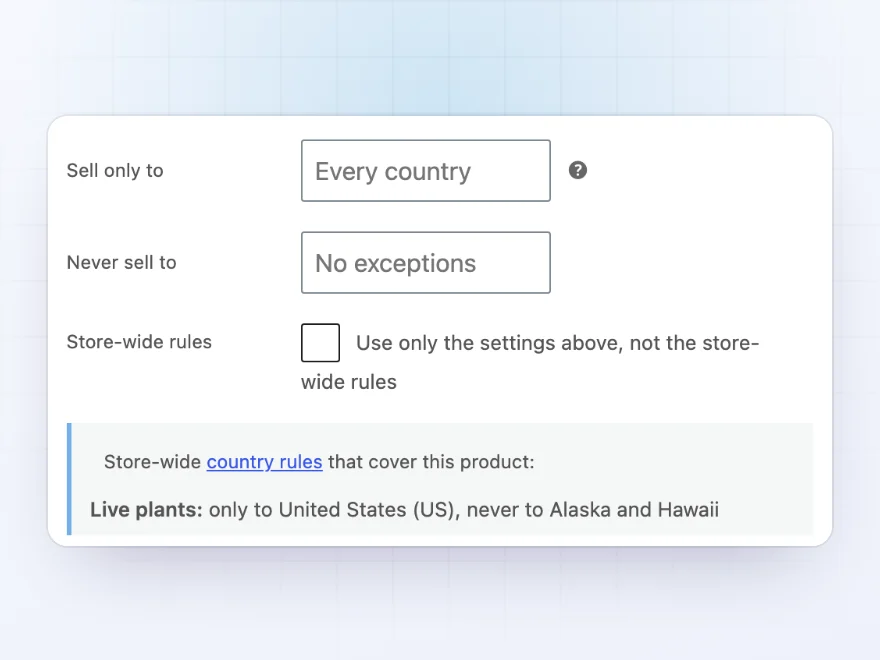
In a product’s Shipping tab, choose the countries or states it can only be sold to, or never sold to, such as plants only within the United States but never to Hawaii or Alaska. Store-wide rules can cover all products, categories, tags or chosen products, and each variation can be sold to fewer places than its product.
- Countries and states
- Per product, per category or store-wide
- Per variation, such as a large size that can’t go abroad
What customers see
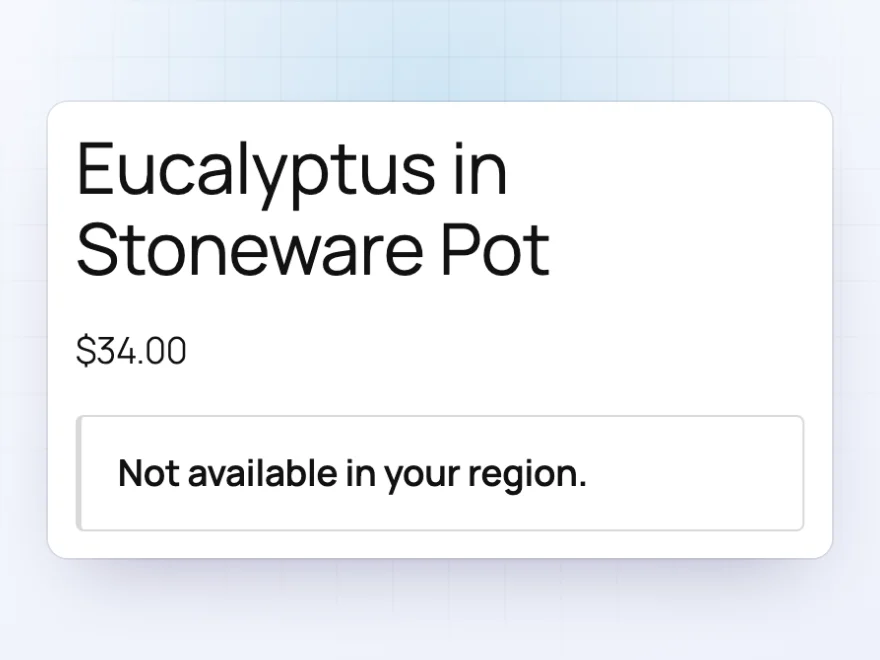
“Not available in your region”
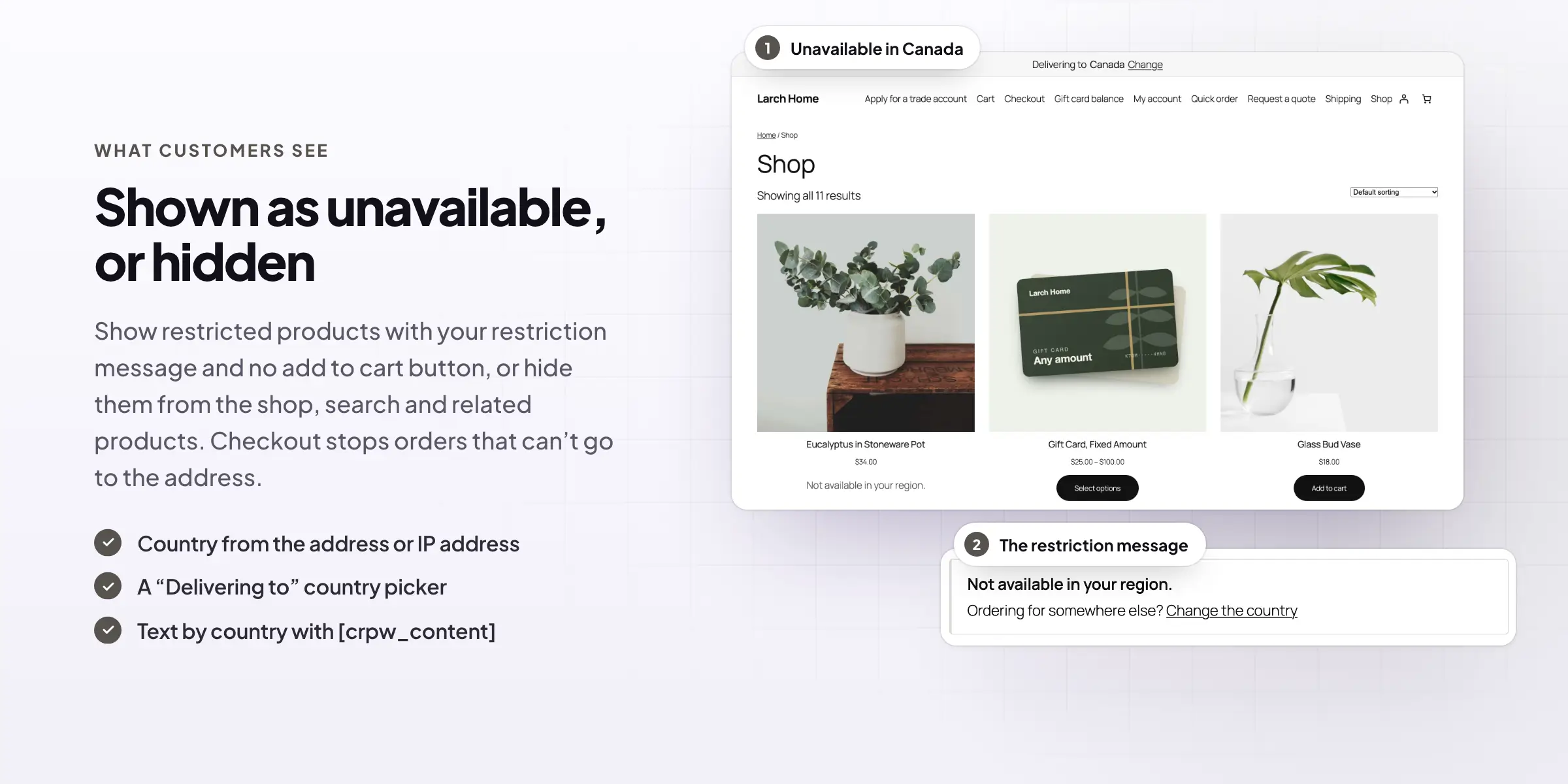
Restricted products show a message such as “Not available in your region” instead of the Add to cart button, and the price can be hidden too. Customers ordering for somewhere else can change their country right there.
- Your own restriction message
- Hide the price as well, if you like
- A link to change the country
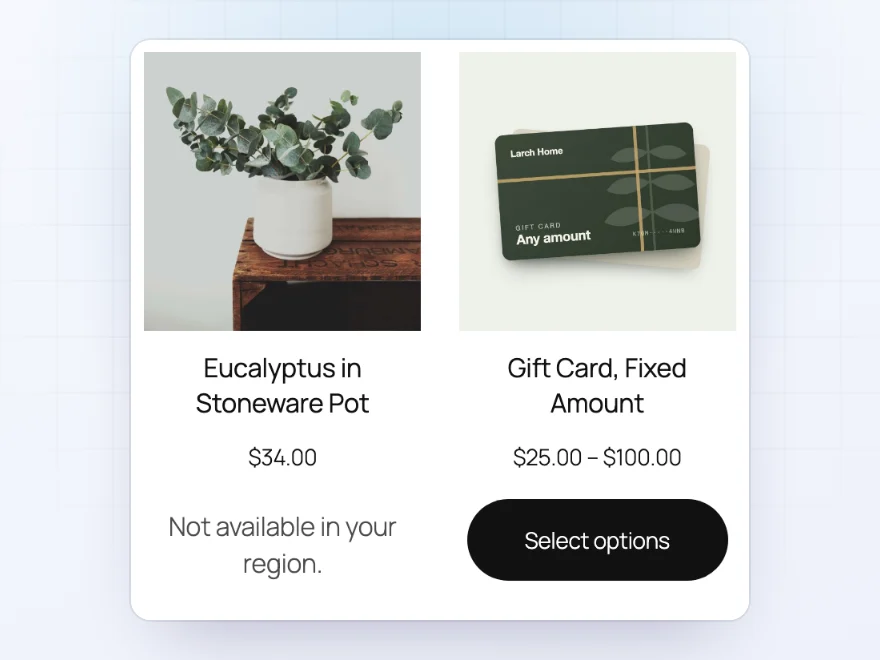
In the shop
Restricted products, clearly marked
In the shop, category pages and product blocks, restricted products say they’re not available where the customer is, while everything else can be bought as usual. Or hide them from the shop, search and related products altogether.
- Shown as unavailable, or hidden
- Variations that can’t go there are greyed out
- An optional “Delivering to” bar to pick a country
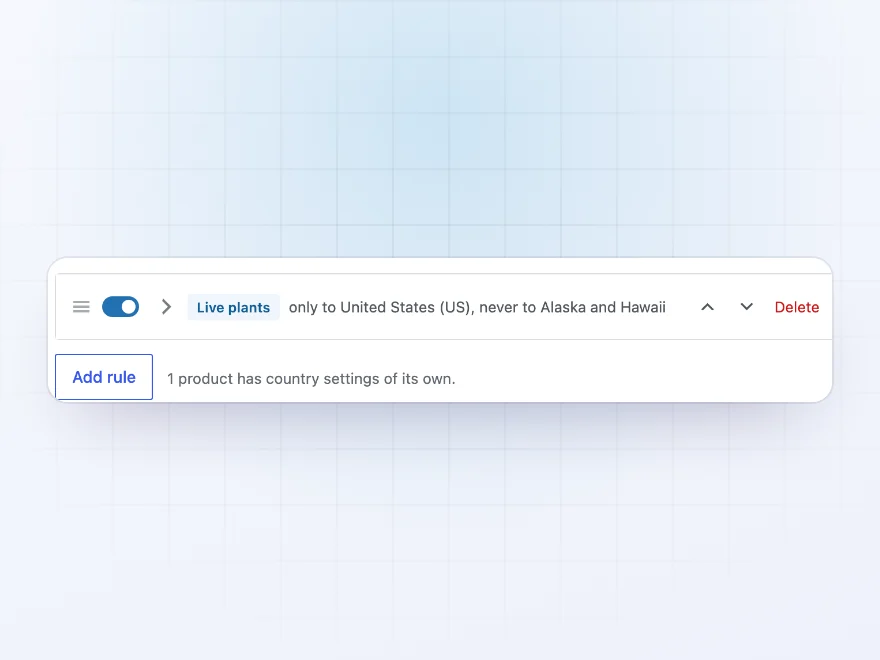
Store-wide rules
Rules for whole categories
Write a rule once for a category, a tag or chosen products, such as “Live plants: only to United States, never to Alaska and Hawaii”, and it covers every product in it, including subcategories. A product can ignore the store-wide rules and use only its own settings.
- Categories include their subcategories
- Switch rules on and off
- Products can use only their own settings
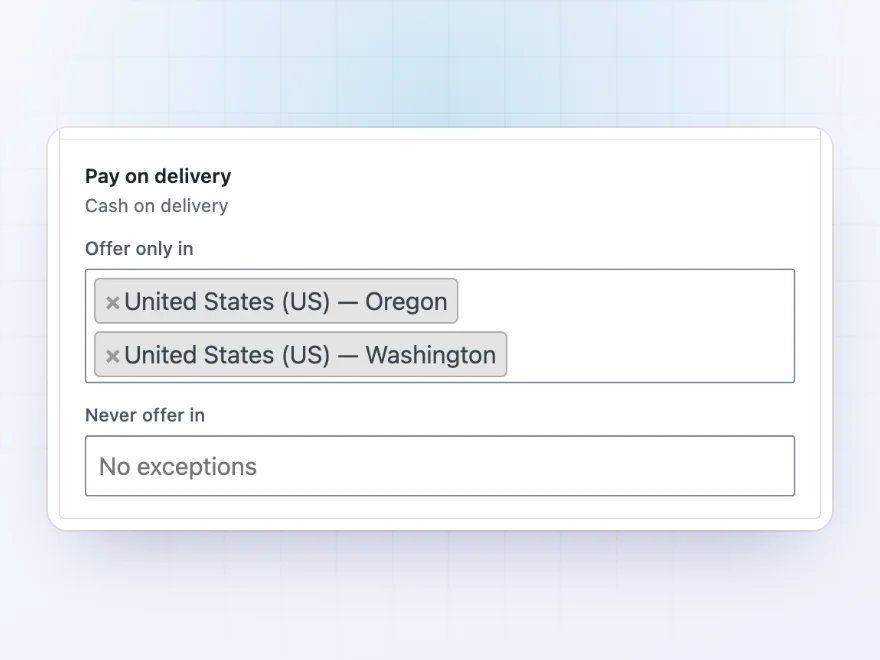
Payment methods
Payment methods by country and state
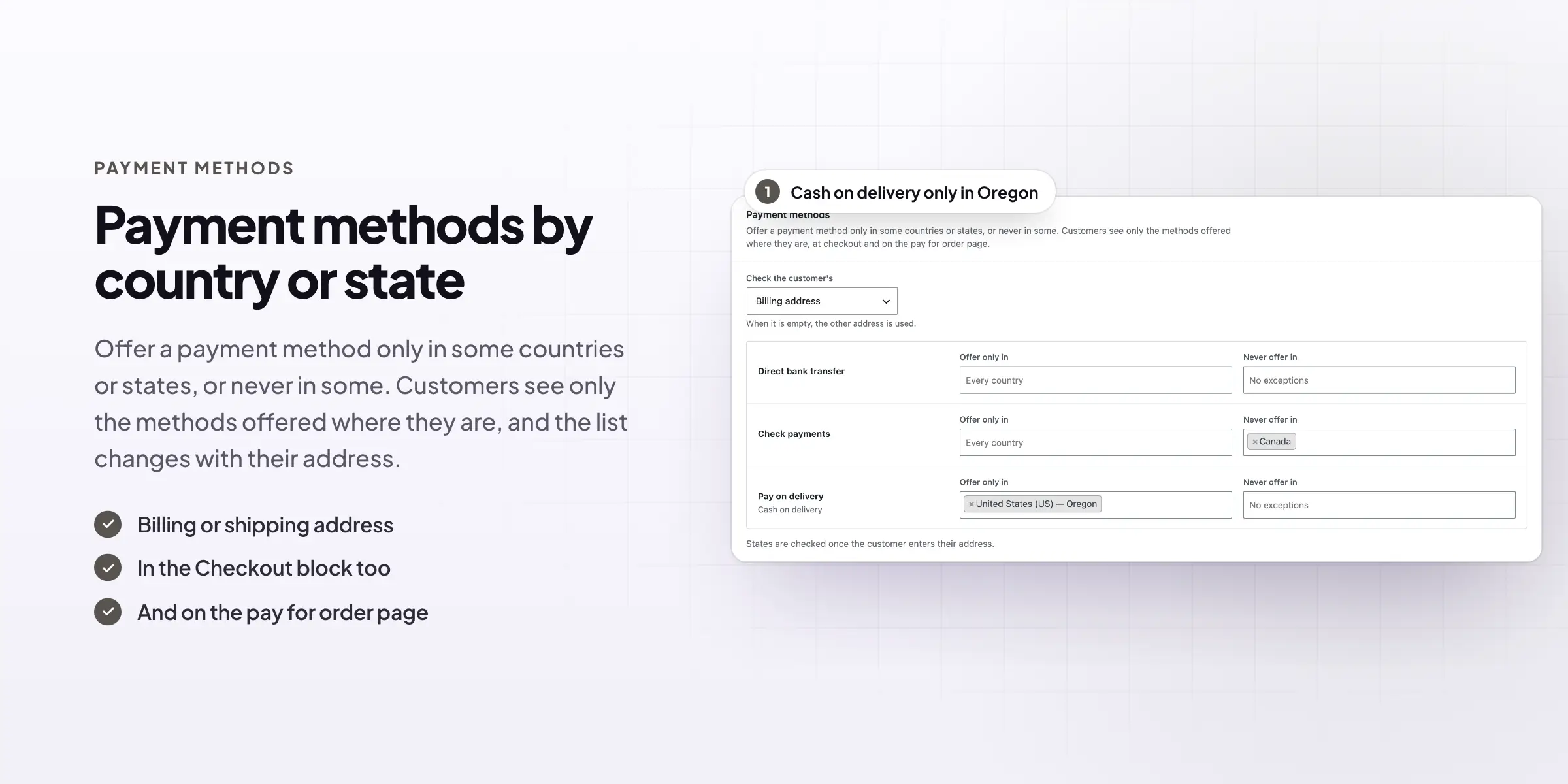
Offer a payment method only in some countries or states, or never in some: cash on delivery only in Oregon and Washington, no checks from Canada. Choose whether the billing or shipping address counts, at checkout, in the Checkout block and on the pay for order page.
- Offer only in, or never offer in
- Billing or shipping address
- Classic checkout and the Checkout block
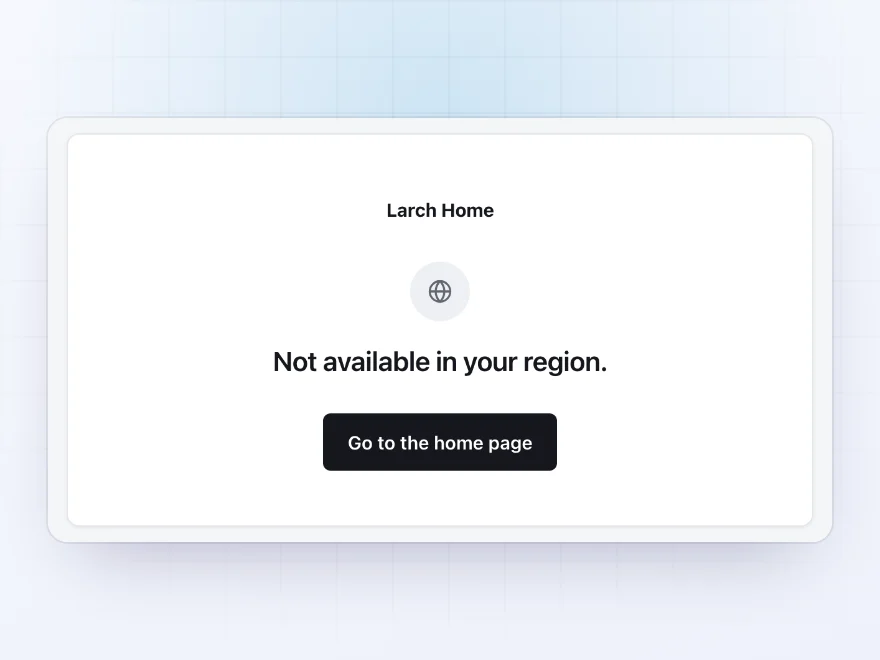
Pages and the whole site
Close pages, or the site, to some places
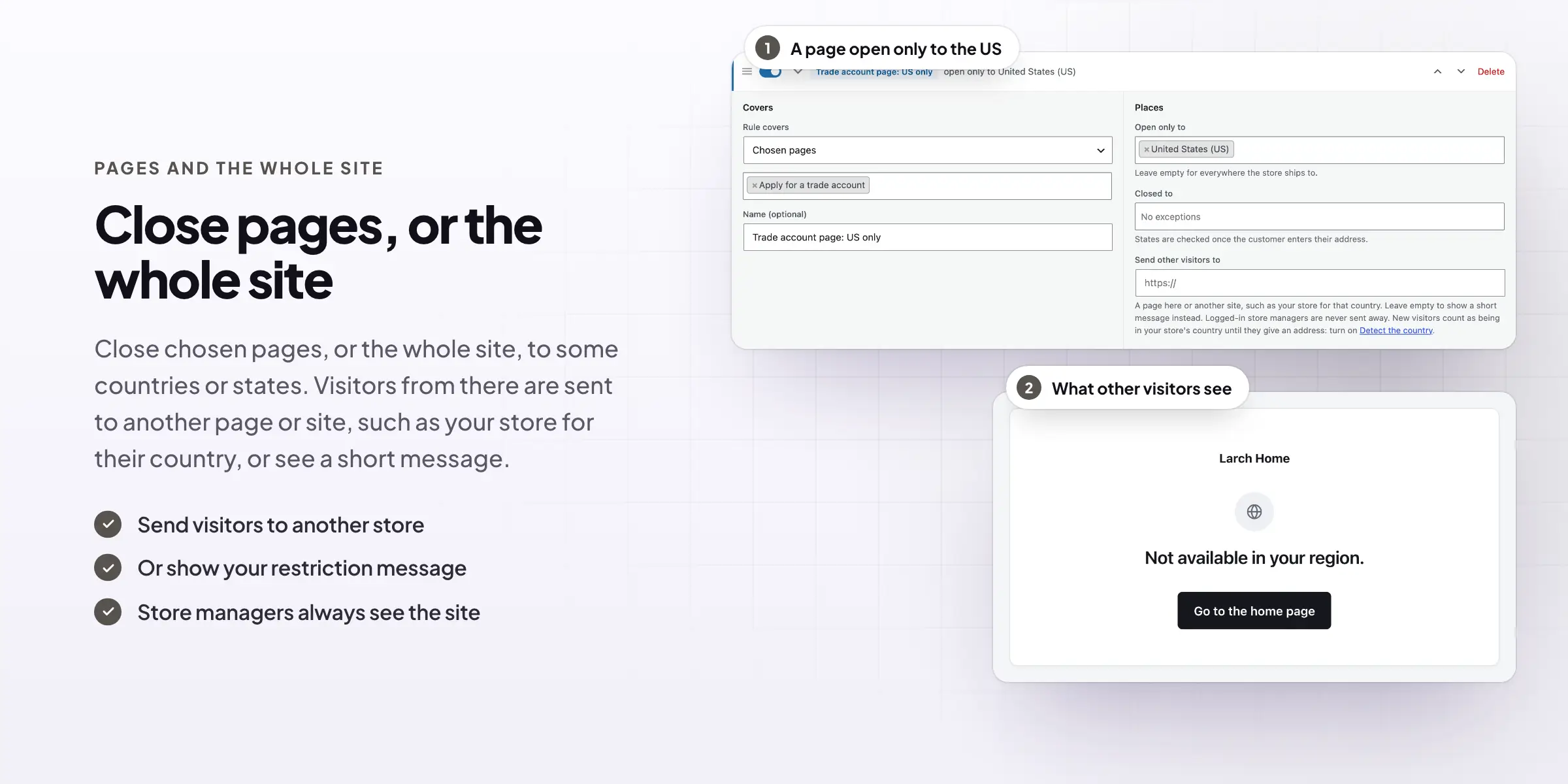
Close chosen pages to some countries or states, or close the whole site: visitors from those places are sent to another page or site, such as your store for their country, or see a short message. Show text only to customers in some places with a shortcode, such as a free shipping note.
- Close single pages or the whole site
- Send visitors to your store for their country
- Content shown only in some places
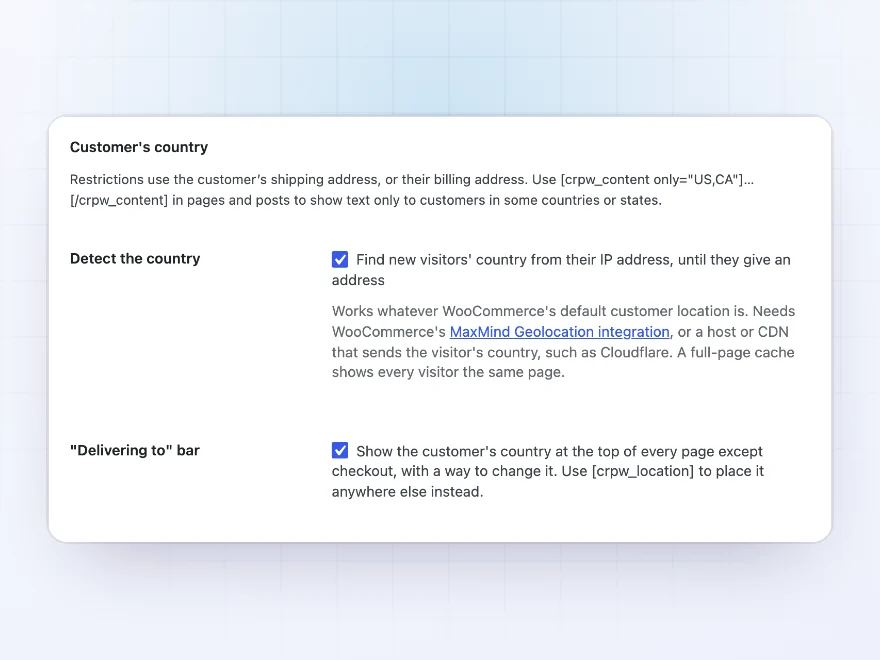
Customer’s country
The customer’s country, found by itself
Restrictions use the customer’s shipping address, or their billing address. Until they enter one, the plugin can find their country from their IP address with WooCommerce’s MaxMind Geolocation, or the country Cloudflare or your host sends. No outside service is contacted.
- Shipping address first, then billing
- IP country for new visitors
- No outside service
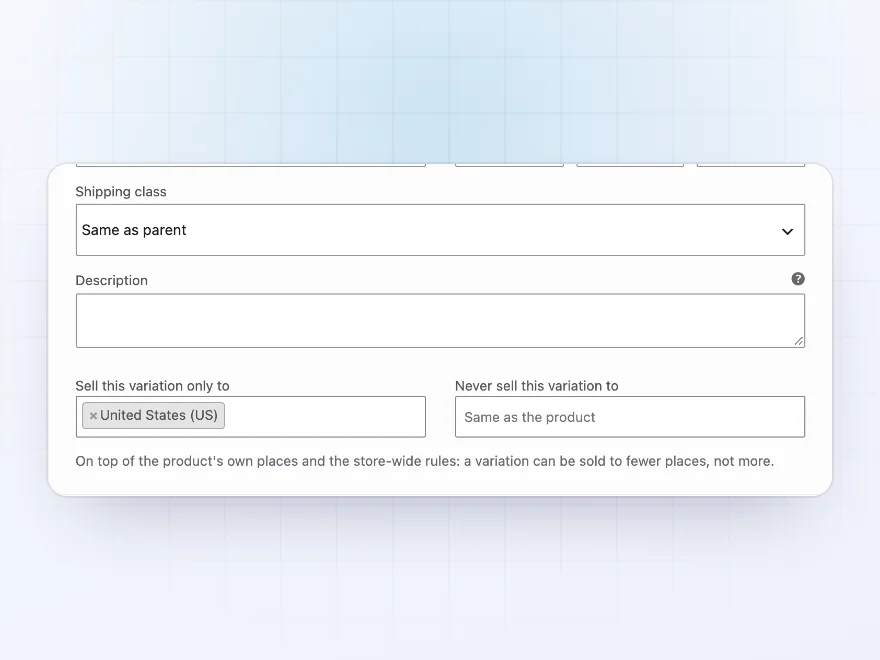
Variations
One size can ship abroad, another can’t
Each variation can be sold to fewer places than its product, such as a large size that is too costly to send abroad. Variations that can’t go to the customer’s place are greyed out in the product’s option lists.
- Sell only to and never sell to, per variation
- Greyed out where they can’t go
- Checked again at checkout
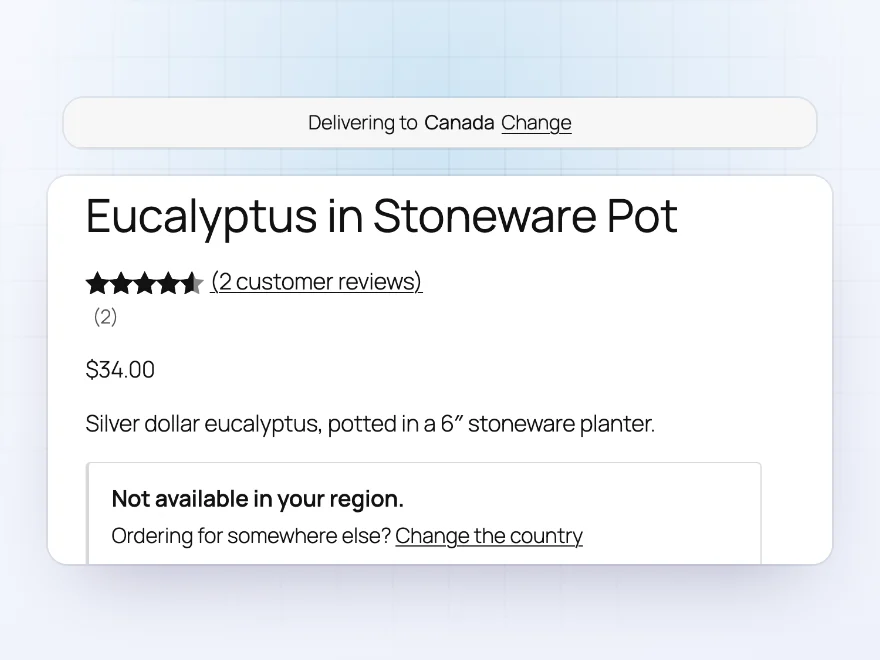
Delivering to
Customers pick where they shop
An optional “Delivering to” bar at the top of the site shows the customer’s country with a way to change it, so they see what they can buy before they reach checkout. Place the same picker anywhere with a shortcode. Checkout still stops items that can’t go to the delivery address.
- Shown on every page except checkout
- Change the country in one click
- Checkout stops what can’t ship
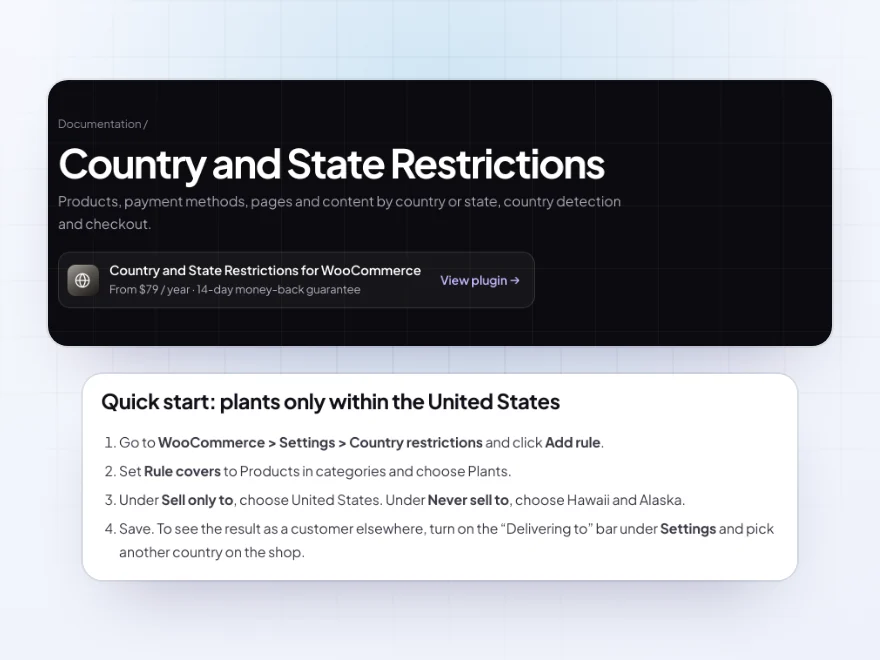
Docs and support
Try it, set it up, ask us anything
Try Country and State Restrictions in a live demo store before you buy. The docs start with a quick start and cover store-wide rules, settings on a product and what customers see. Support tickets are answered by the developers who make the plugin, and updates are included.
- A live demo store to try it first
- Step-by-step docs with a quick start
- Most tickets answered within 12–24 hours
Country restrictions for WooCommerce, per product and per state
WooCommerce lets you choose the countries your whole store sells to. Country and State Restrictions adds country restrictions for WooCommerce at the level of single products, variations and categories, so a live plant can stay within the United States, a large table can stay off international orders, and a product that isn’t licensed in some states can’t be ordered from there.
Restricted products can stay visible with a clear message or be hidden from the shop, and checkout always stops items that can’t go to the delivery address. The same rules cover payment methods by country or state, pages, and even the whole site, and the customer’s country can come from their address or from WooCommerce geolocation before they enter one.
Common setups
- Live plants: only within the United States, never to Hawaii or Alaska.
- Bulky furniture: never sold abroad, set on the product’s Shipping tab.
- Cash on delivery: offered only in the states you deliver to yourself.
- Regional stores: visitors from Canada sent to your Canadian store.
- Local offers: a free shipping note shown only to customers in the US and Canada.
Questions before you buy
How does it know where the customer is?
From their shipping address, or their billing address. Before they enter one, it can find their country from their IP address, using WooCommerce’s geolocation or the country sent by Cloudflare or your host.
Can a customer still order a restricted product?
No. Whatever is shown in the shop, checkout stops orders with items that can’t go to the delivery address, with a message naming the item.
Can I restrict by state, not just country?
Yes. Rules can use states as well as countries, such as never to Hawaii. State rules are checked once the customer enters their address.
Can I hide restricted products completely?
Yes. Hide them from the shop, categories, search, product blocks and related products, or show them with a restriction message.
Will I be locked out if I close the site to my own country?
No. Logged-in store managers always see the whole site.
Does it contact an outside service?
No. Country detection uses WooCommerce’s own geolocation or the country your host or Cloudflare sends.
Does it work with the Checkout block?
Yes. Restrictions and payment method rules work in the classic checkout, the Cart and Checkout blocks, and the pay for order page.
Requirements
WordPress 6.5 or newer, WooCommerce 8.0 or newer and PHP 7.4 or newer. Works with classic and block themes, the Cart and Checkout blocks, and High-Performance Order Storage.
Documentation
Step-by-step setup, every setting explained, and examples: read the documentation. Questions before you buy? Ask us.




Hedda Mikkelsen –
does what it says. been running a few months without any bother.
Sven –
Covers what we needed
needed a few domestic only products. Thomas set them up for me. does the job
Britt’s Books –
domestic only restrictions were why we chose this. fits how we work
mkowalska –
Category rules saved the config
Some of our bigger items are domestic-only. Category rules made this easy. I tried different delivery locations before switching it on. Support was helpful. Four stars as it took some testing.
Sanna –
Helpful for delivery availability messages. The country rules were easy to follow.