 Maxima Plugins
Description
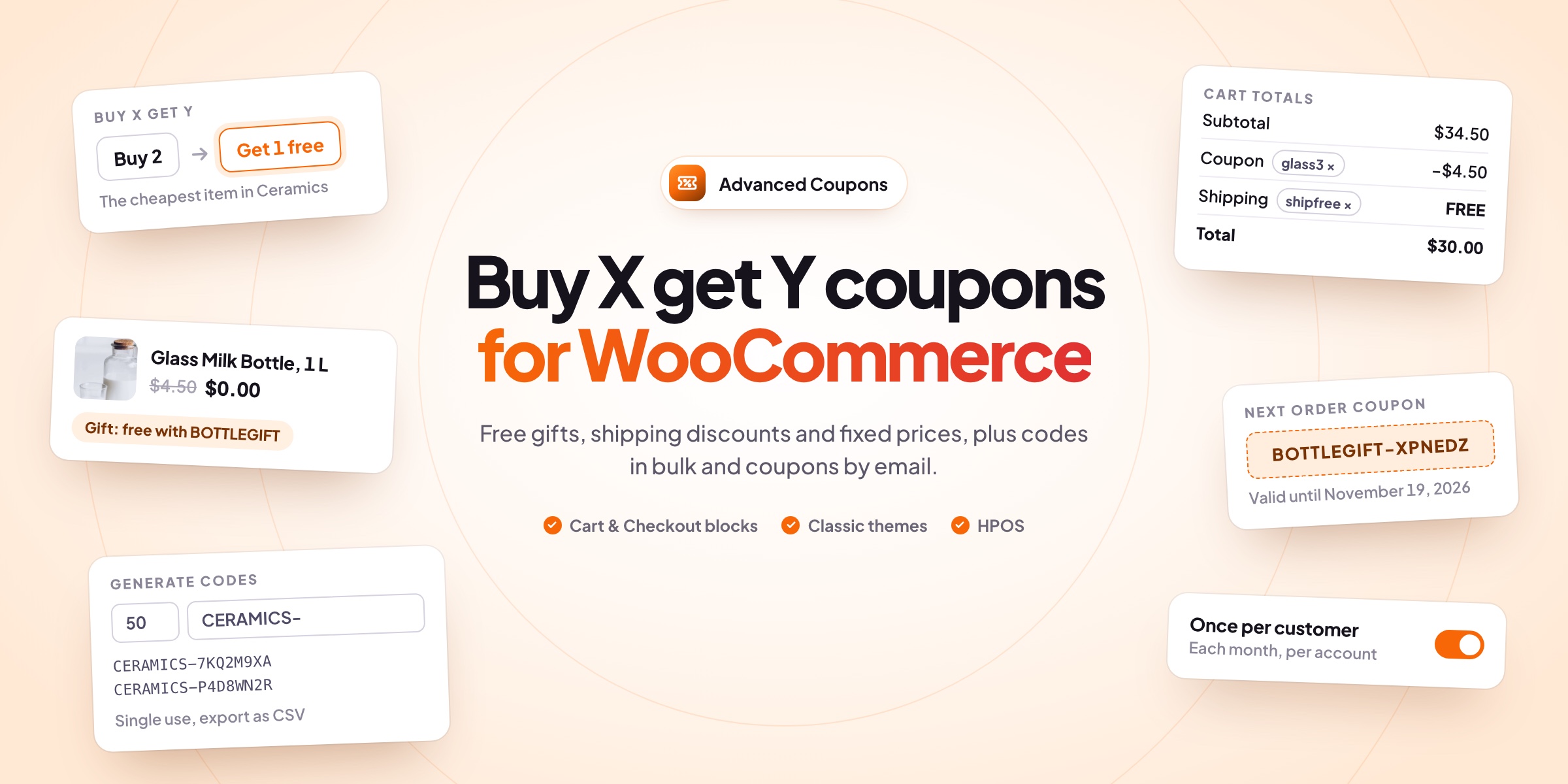
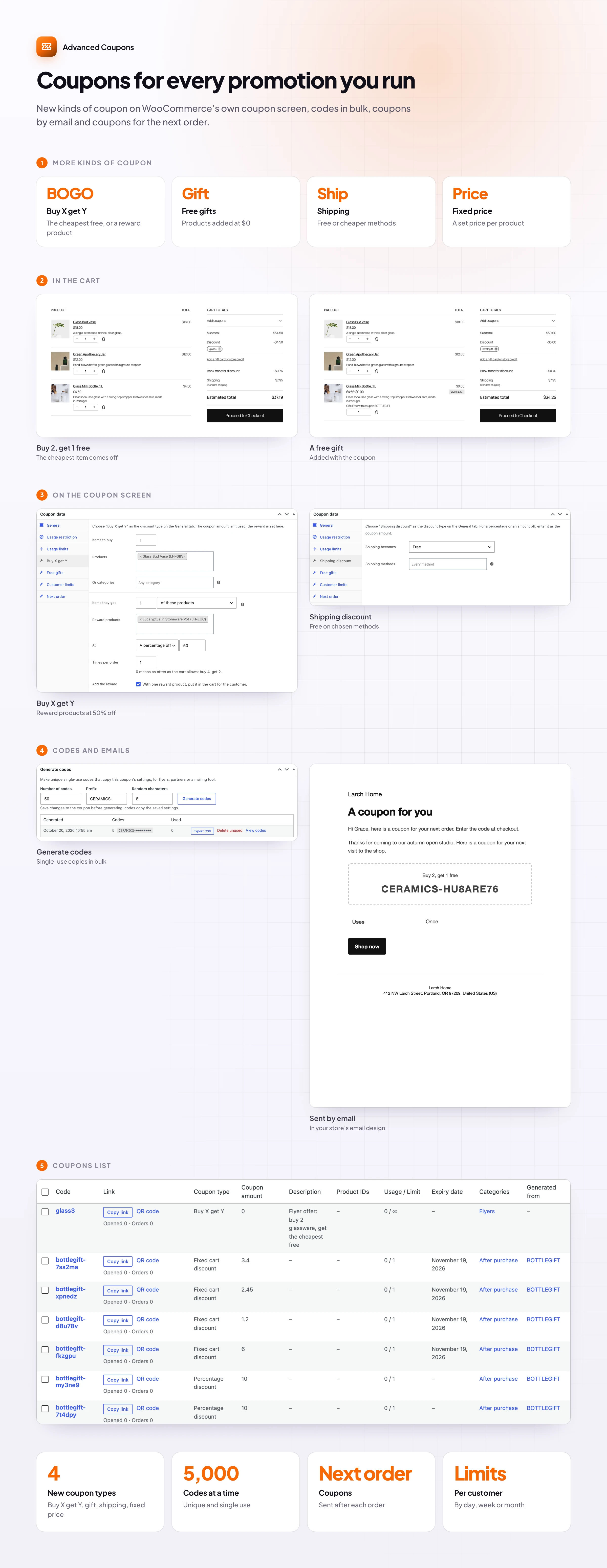
Advanced Coupons adds the offers stores run every week to the WooCommerce coupon screen: buy two get one free, free gifts, cheaper shipping and set prices. It also makes hundreds of single-use codes and emails them to the customers you choose.
🎁 Buy X get Y: buy two, get the cheapest one free or at a lower price.
🎀 A free gift with the code, added to the cart at $0.00 and removed with the coupon.
🚚 Shipping discounts on the methods you choose: free, a percentage or an amount off.
🏷️ A set price per product or category, such as any candle for $10.
🔢 Up to 5,000 single-use codes with your prefix, exported to CSV.
📧 Coupons by email to the customers you choose, one code per person.
🔁 Next-order coupons sent after every completed or paid order.
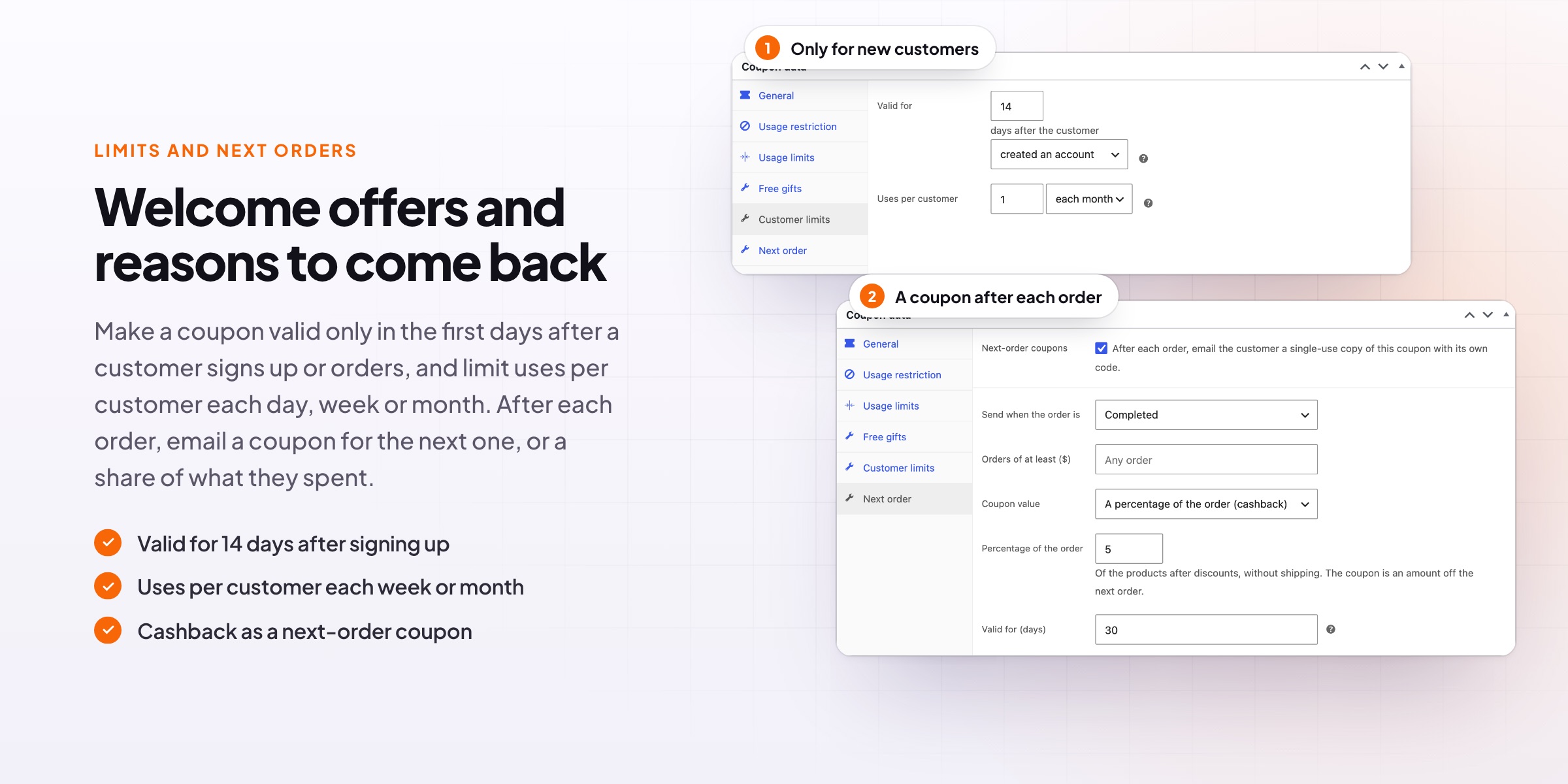
👋 Welcome coupons and limits: valid for days after sign-up, with uses per day, week or month.
Buy X get Y
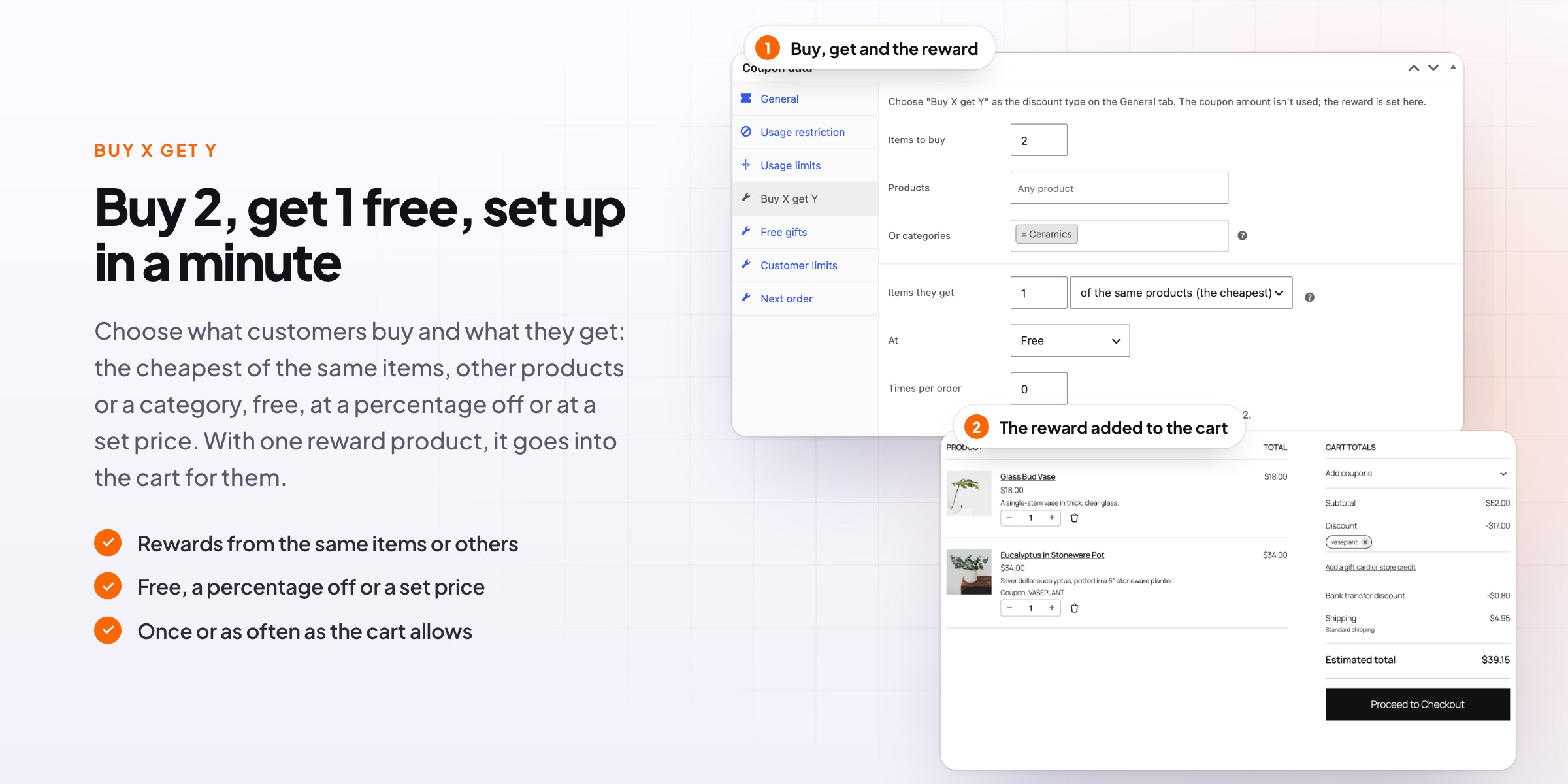
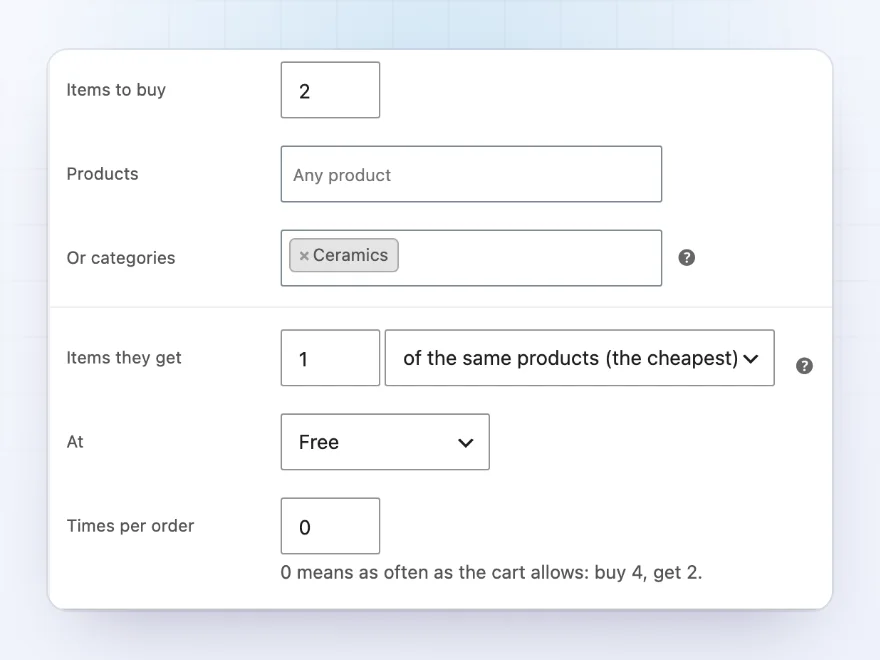
Buy 2, get the cheapest one free
Choose Buy X get Y as the discount type and set what the customer buys and what they get: the same products, other products or a category, free, a percentage off or at a set price. The reward applies once, or as often as the cart allows, and a single reward product can be added to the cart for the customer.
- Same products, other products or a category
- Free, a percentage off or a set price
- Once or as often as the cart allows
Free gifts
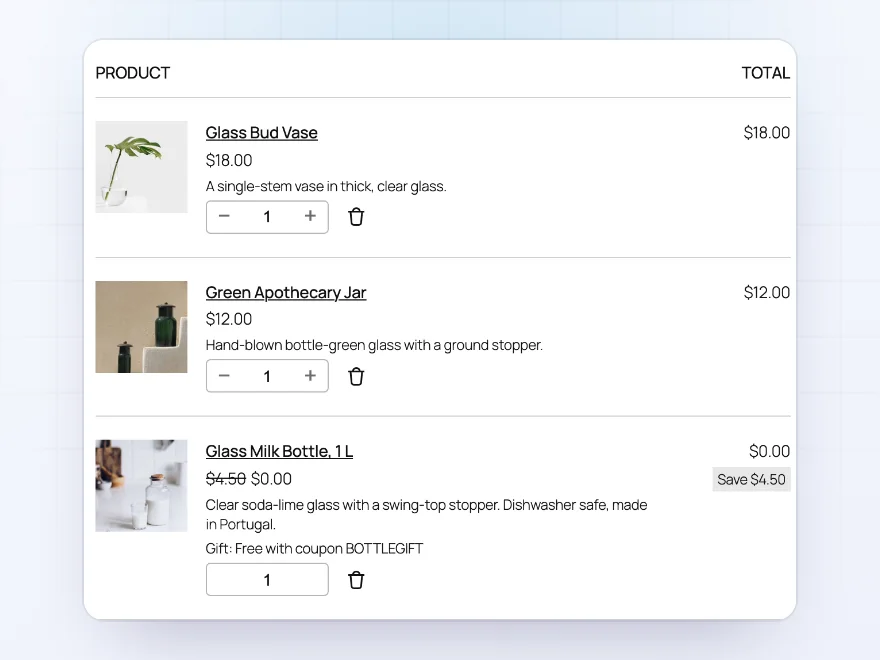
A free gift with the code
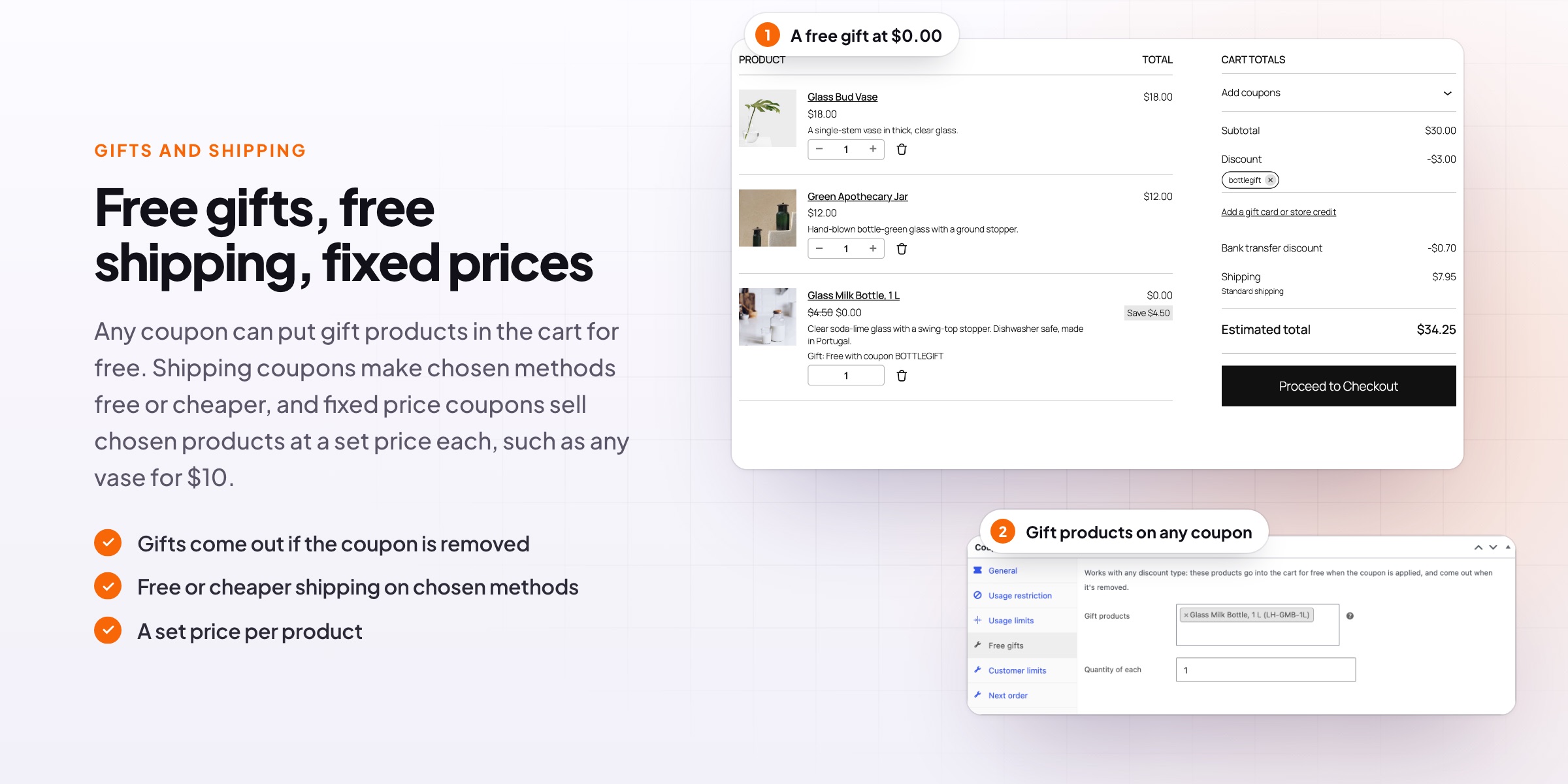
Any coupon can add gift products to the cart for free, such as 10% off plus a free milk bottle. The gift shows in the cart at $0.00 with what it saved, its quantity can’t be changed, and it comes out of the cart when the coupon is removed.
- Added to the cart with the coupon
- Shown at $0.00 with the saving
- Removed when the coupon is removed
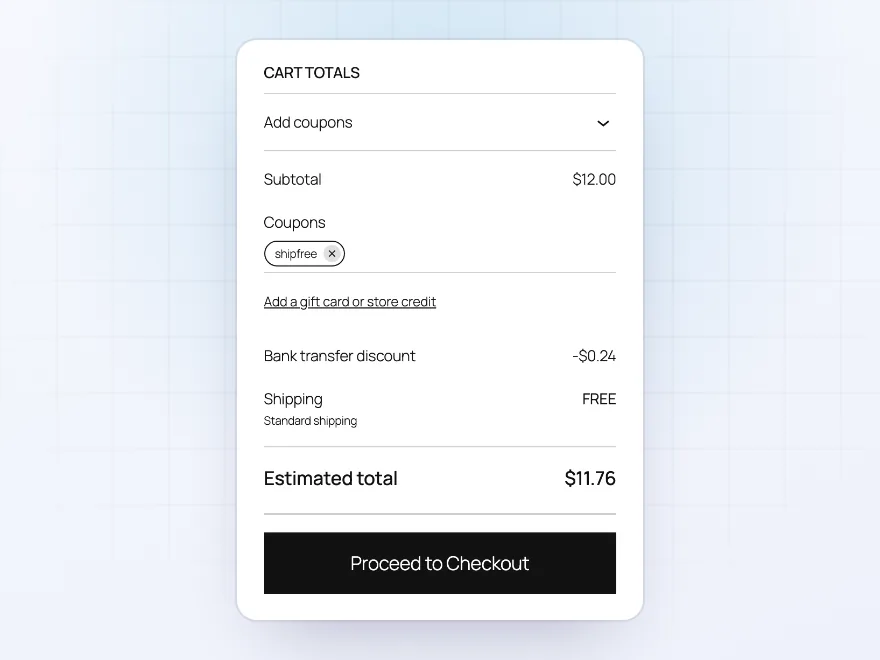
Shipping discounts
Free or cheaper shipping on the methods you choose
A shipping discount coupon makes chosen methods free, a percentage off or an amount off, while other methods keep their price. It works with any shipping method, such as Flat rate or a table rate, not only WooCommerce’s Free shipping method.
- Free, a percentage or an amount off
- Only the methods you choose
- Works with any shipping method
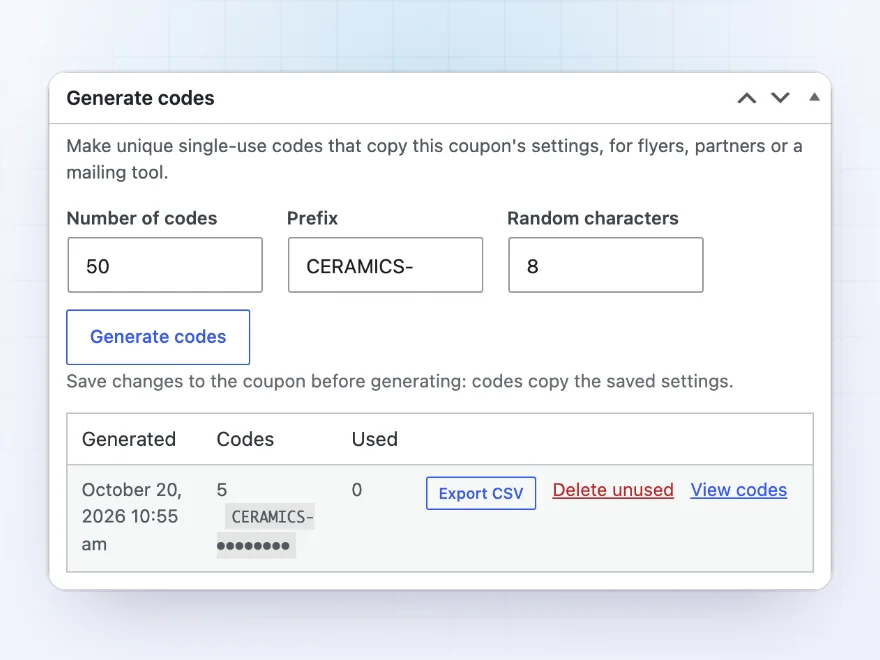
Generate codes
Hundreds of single-use codes in one click
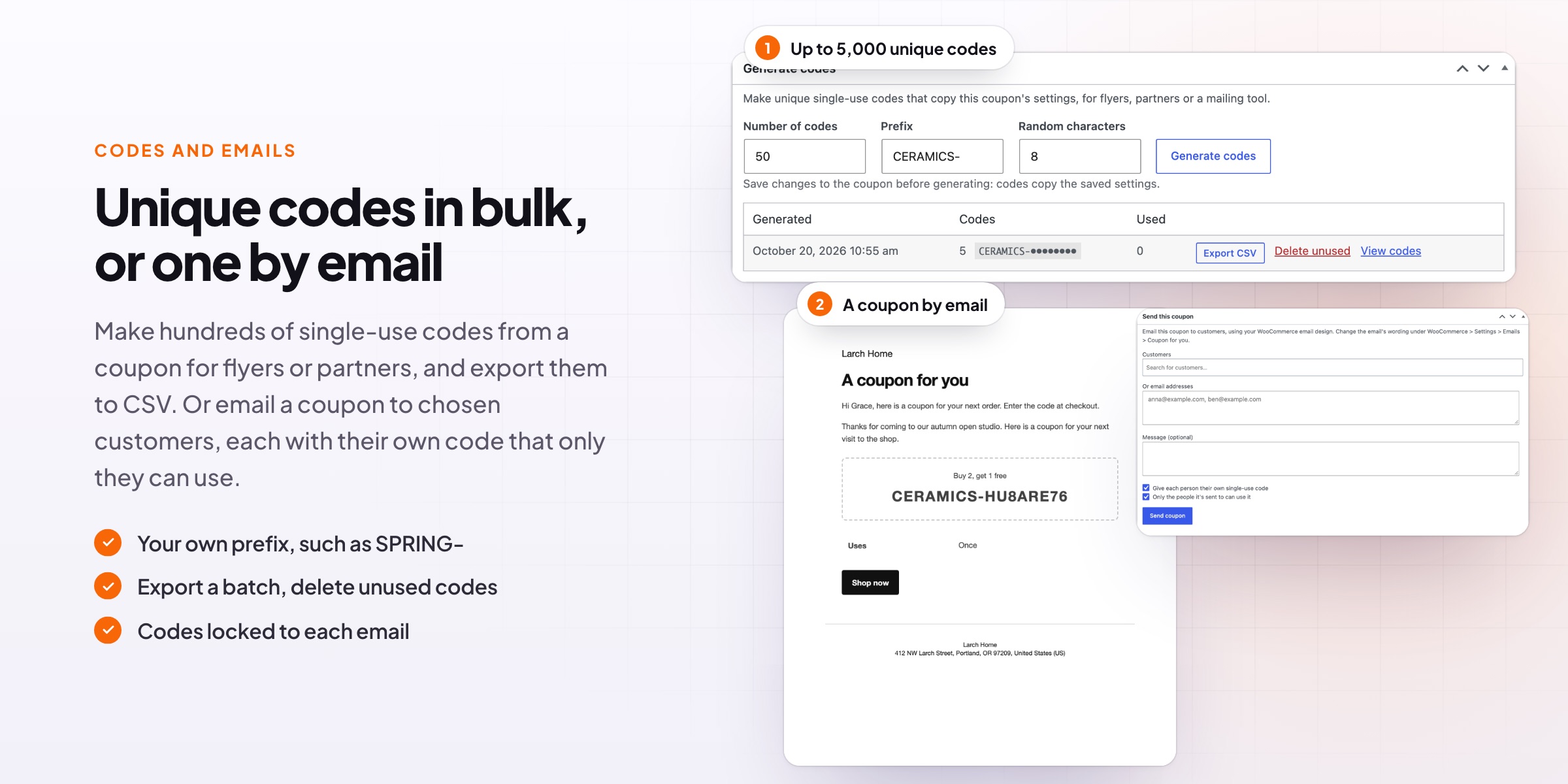
Make up to 5,000 unique codes from a coupon, with a prefix such as SPRING-, each copying the coupon’s settings and usable once. Export a batch to CSV for a printer or a mailing tool, see how many were used, and delete the unused ones when the campaign ends.
- Up to 5,000 codes with your prefix
- CSV export for flyers and mailings
- Used codes counted, unused ones deleted
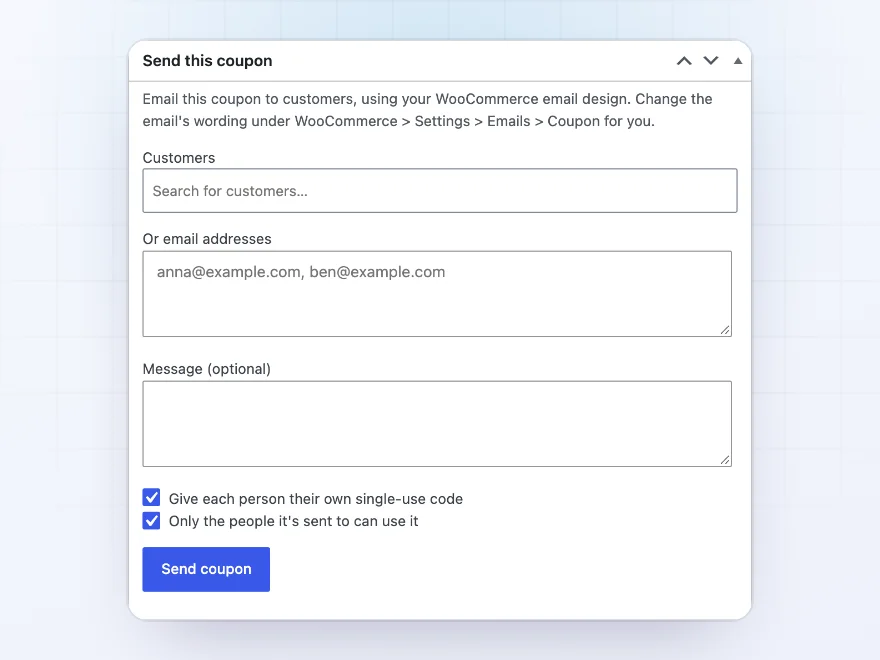
Send by email
Email a coupon to the customers you choose
Pick customers or type email addresses, add a message and send the coupon in your WooCommerce email design. Give each person their own single-use code, and let only the people it was sent to use it, so a code passed on doesn’t work for others.
- Chosen customers or typed addresses
- Your own message in your email design
- One code per person, only for them
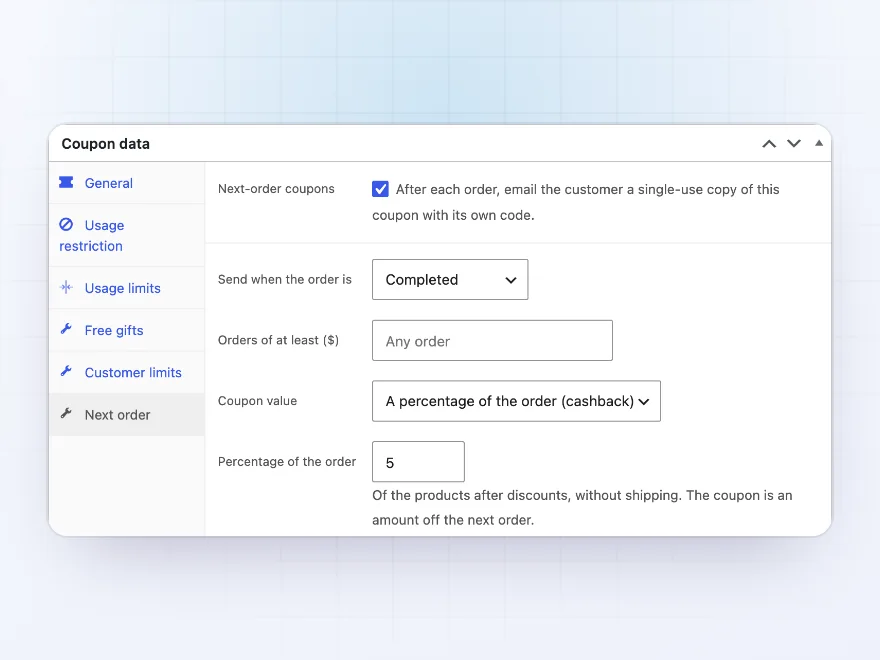
Next-order coupons
A coupon for the next order after every purchase
After each completed or paid order, the customer gets a single-use coupon for their next order: a copy of this coupon, or a percentage of what they spent as an amount off, which works like cashback. Choose the minimum order and how many days the coupon stays valid.
- Sent when the order is completed or paid
- A copy of the coupon or a share of the order
- Valid for the days you choose
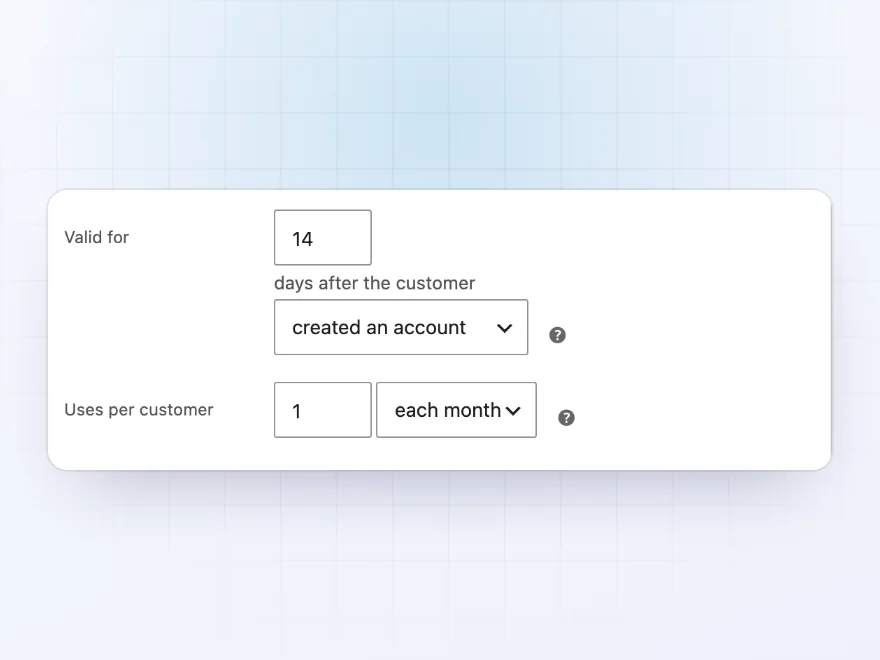
Customer limits
Welcome coupons and uses per customer
Make a coupon valid only for a number of days after the customer created an account or placed their first order, such as a welcome coupon for the first 14 days. Limit uses per customer each day, week or month, counted by account or billing email.
- Days after sign-up or first order
- Uses per day, week or month
- Counted by account or billing email
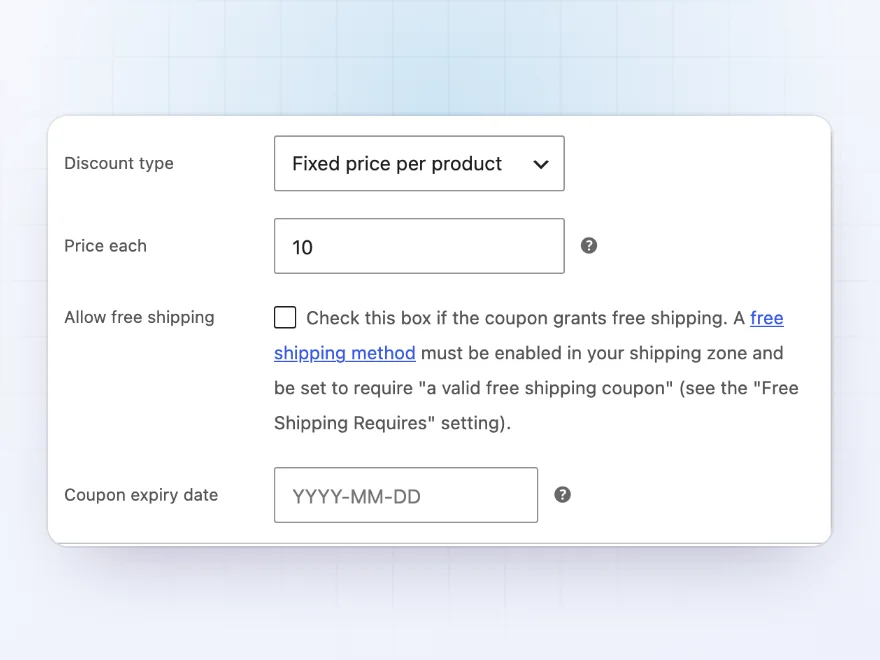
Fixed price
Any candle for $10
The fixed price per product coupon sells chosen products or categories at a set price each, whatever their usual price, such as any vase for $10. Choose the products and categories on WooCommerce’s Usage restriction tab, with its other limits.
- A set price per product
- Chosen products or categories
- WooCommerce’s usage limits still apply
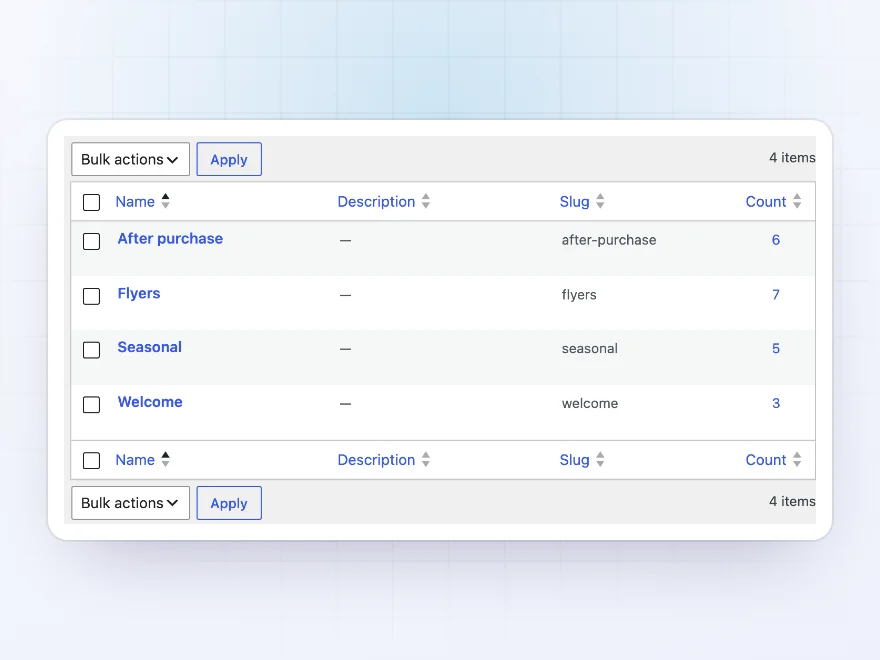
Coupon categories
Long coupon lists, sorted
Sort coupons into categories such as Flyers, Seasonal or Welcome under Marketing › Coupon categories. Filter the coupons list by category and hide generated codes, so a campaign with hundreds of codes doesn’t bury your other coupons.
- Categories for coupons
- Filter the coupons list by category
- Generated codes hidden from the list
Premium quality & support
Support you can count on, year after year
See Advanced Coupons working in a live demo store before you buy. If you need a hand, our friendly support team will help you get it set up, and regular updates keep it working with each new WooCommerce release.
- A live demo store to try it first
- Step-by-step docs with a quick start
- Premium support from a helpful team
- Regular updates included
Advanced coupons for WooCommerce, on the coupon screen you know
A WooCommerce coupon gives a percentage or an amount off. Advanced Coupons for WooCommerce adds the offers stores run most to the same screen: buy two get one free, a free gift with a code, free shipping on one method only, and a set price per product. You create a coupon in WooCommerce as usual, choose the new discount type, and fill in its tab.
It also handles the codes themselves. Generate hundreds of single-use codes for a flyer and export them to CSV, email a coupon to chosen customers with a personal code each, and send a coupon for the next order after every purchase. WooCommerce’s own usage limits, minimum spend and coupon expiry date still apply to every coupon.
Common setups
Questions before you buy
Do these coupons work with WooCommerce’s own coupon fields?
Yes. They are normal WooCommerce coupons with more options, so usage limits, expiry dates, minimum spend and product restrictions all still apply.
Can customers combine these coupons with others?
Yes, unless you tick WooCommerce’s “Individual use only” on the coupon.
How many codes can I generate?
Up to 5,000 per batch. Each code is single use and copies the coupon’s settings at the time it is made.
Does a free gift need its own product?
Yes. Choose any existing product as the gift; it is added to the cart at no cost while the coupon is applied.
Do emailed coupons use my email design?
Yes. Sent coupons and next-order coupons use your WooCommerce email design, and you can change the wording under WooCommerce › Settings › Emails.
Does it work with the Cart and Checkout blocks?
Yes, and with the classic cart and checkout.
Does it work with coupon links?
Yes. Pair it with URL Coupons & Coupon Rules for coupon links, QR codes and coupons that apply themselves.
Requirements
- WordPress
- 6.8 or newer
- WooCommerce
- 10.0 or newer
- PHP
- 7.4 or newer
Works with
- Classic themes
- Block themes
- Cart and Checkout blocks
- High-Performance Order Storage




Leonie –
Does what we need for BOGO. The coupon list gets long once you have a few rules and could use better search. Four stars.
Gunnar –
500 codes
We generated 500 single use codes for a flyer and every one of them worked.
Rosa M. –
The free gift rule is running on our whole store. Michael answered a question about excluding one category.
pieterjan –
buy one get one works on sale items too, which was the main thing for us
Elena P. –
Free gift rule
Thomas set up the free gift rule with me. works well!
kristof –
the single-use codes are great for our newsletter. took a bit to generate the batch but fine
The Candle Lab –
Buy two get one free
buy two get one free was exactly what we needed for our candle range. Works on the normal coupon screen.