 Maxima Plugins
Description
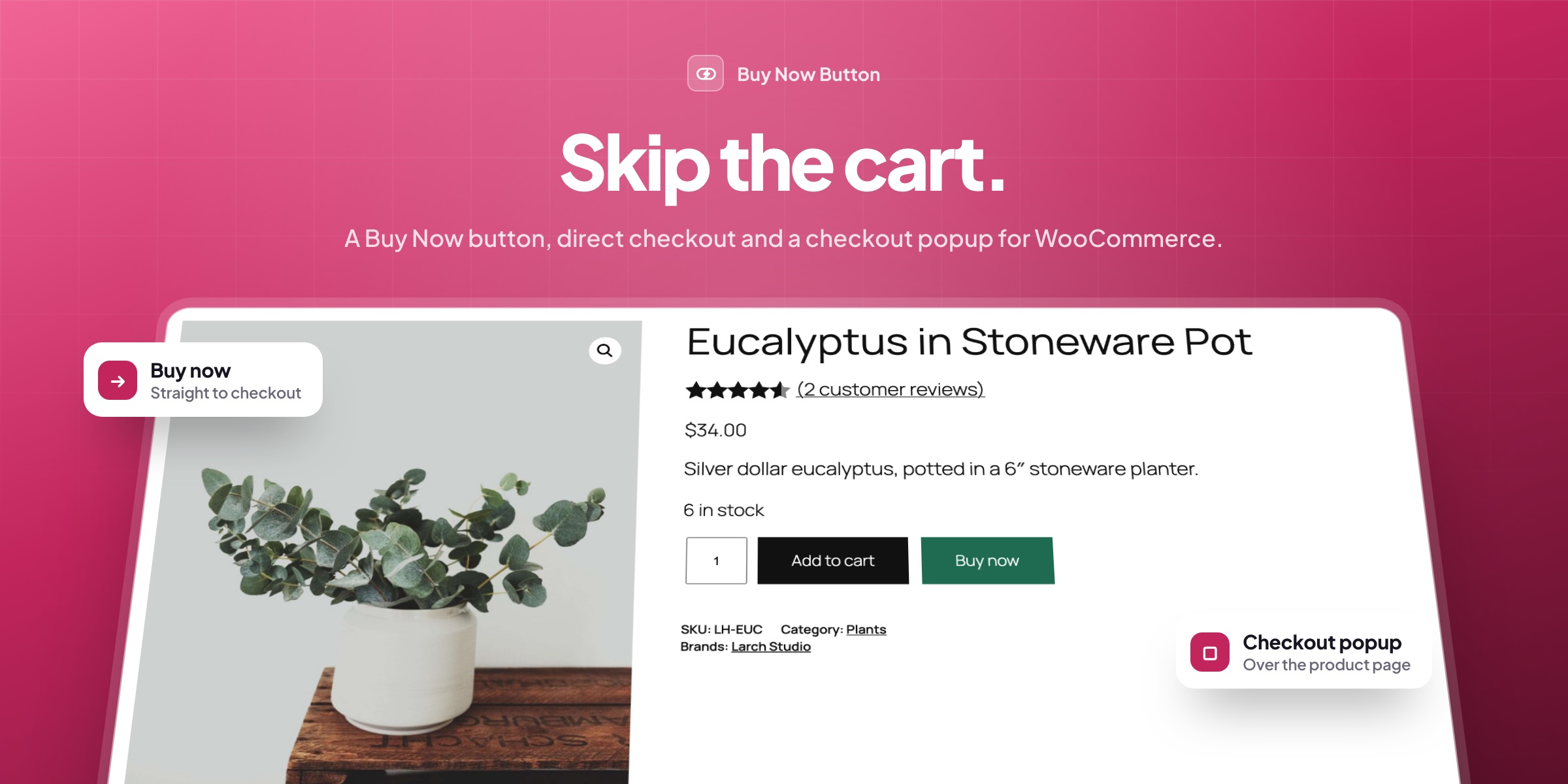
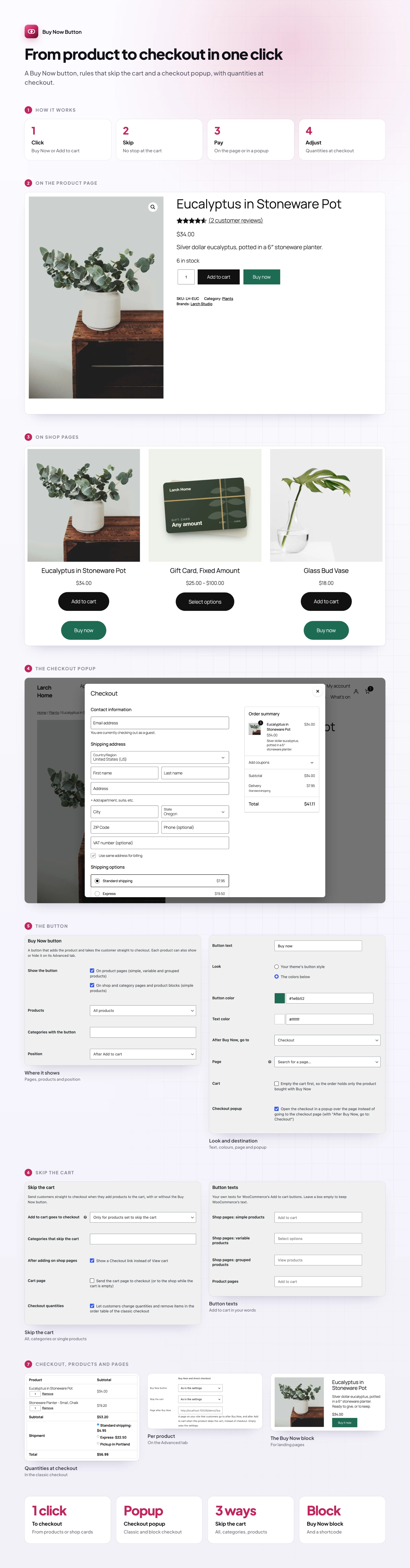
Buy Now Button and Direct Checkout adds a Buy Now button next to Add to cart that takes customers straight to checkout. You can also send Add to cart itself to checkout, open the checkout in a popup and let customers change quantities there.
⚡ Buy Now in one click on product pages and shop cards.
⏭️ Skip the cart for all products, some categories or single products.
🪟 A checkout popup over the product page, classic or block checkout.
🔢 Quantities at checkout, with remove links and totals that update.
🎛️ Per product: show or hide the button, or send it to a page of its own.
🎨 Your texts and colours, or your theme’s button style.
✍️ Add to cart texts in your own words, per product type.
🧱 A block and a shortcode for Buy Now buttons on landing pages.
Buy Now
Straight to checkout in one click
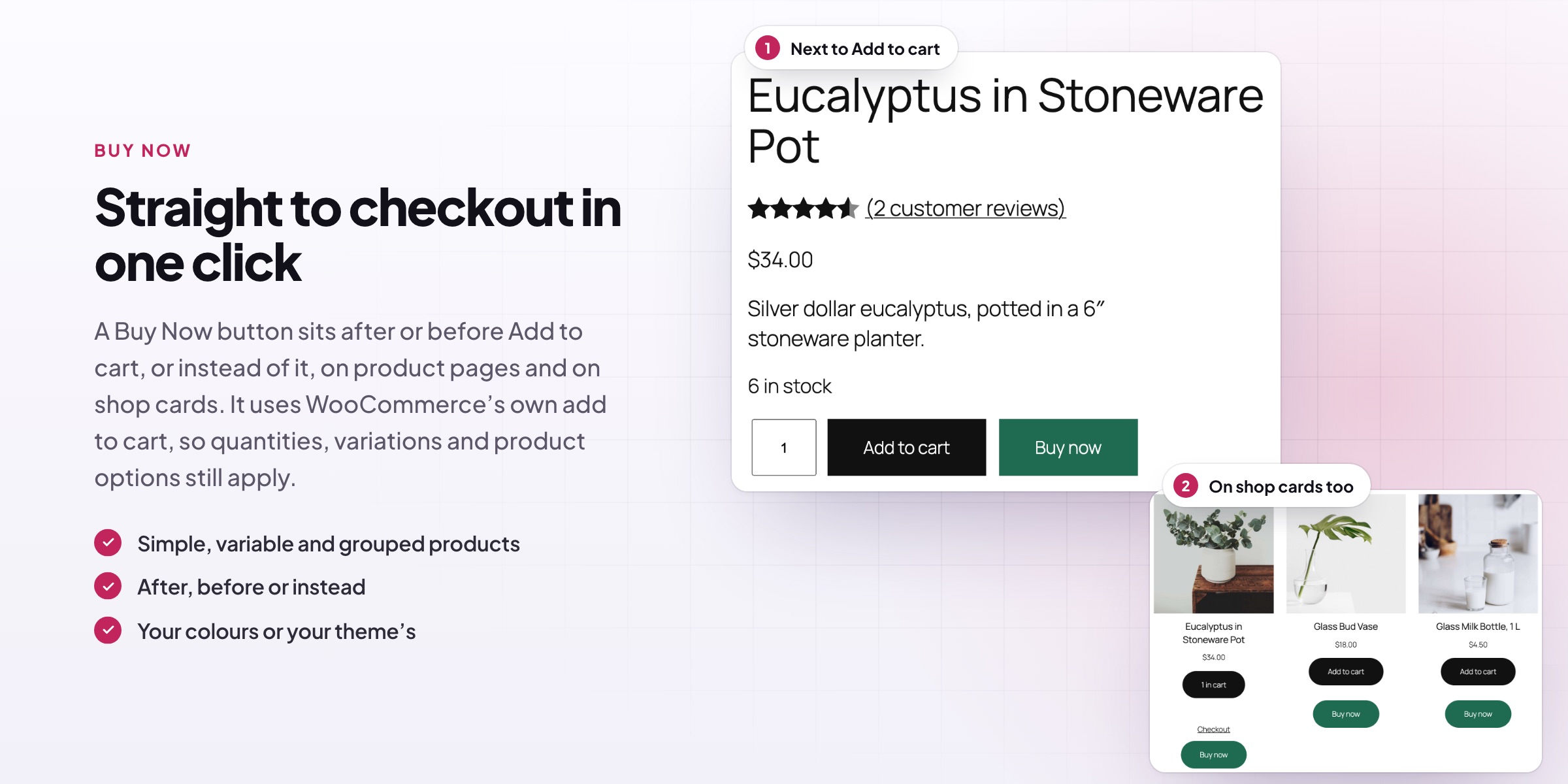
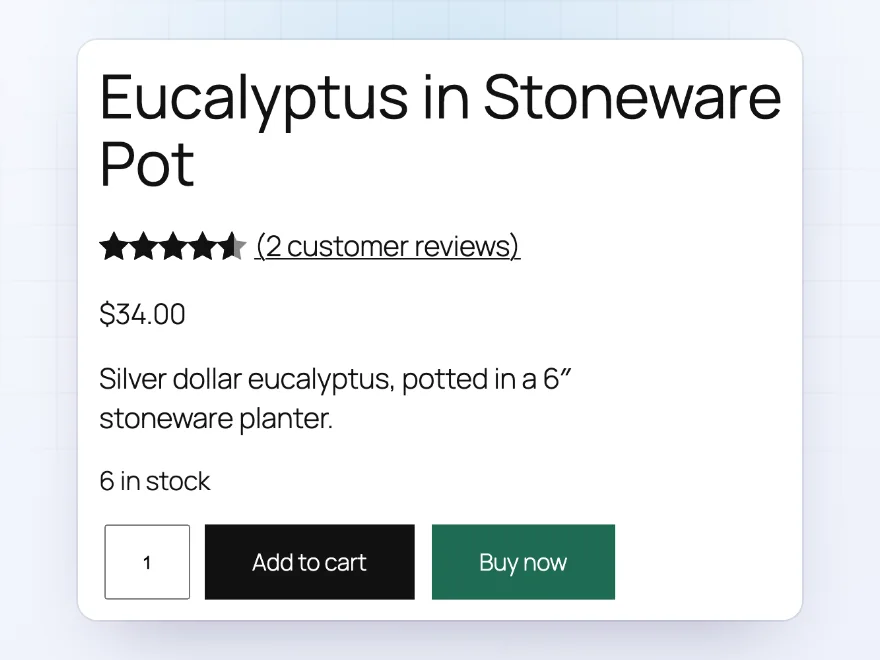
A Buy Now button sits after or before Add to cart, or instead of it, on product pages for simple, variable and grouped products and on shop cards for simple products. It uses WooCommerce’s own add to cart, so quantities, variations and product options still apply.
- Product pages and shop cards
- After, before or instead
- Variations and options kept
Skip the cart
Add to cart that goes to checkout
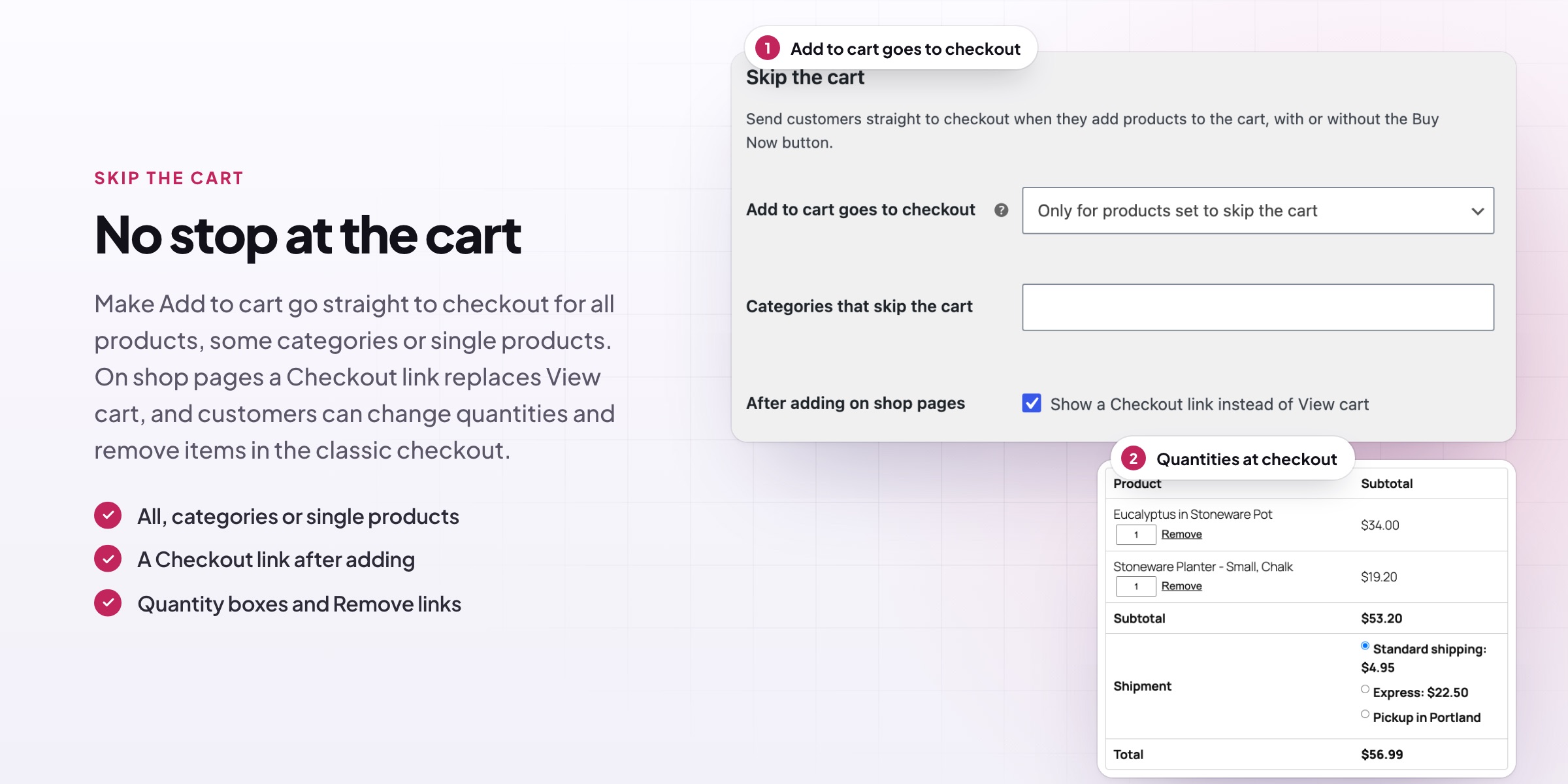
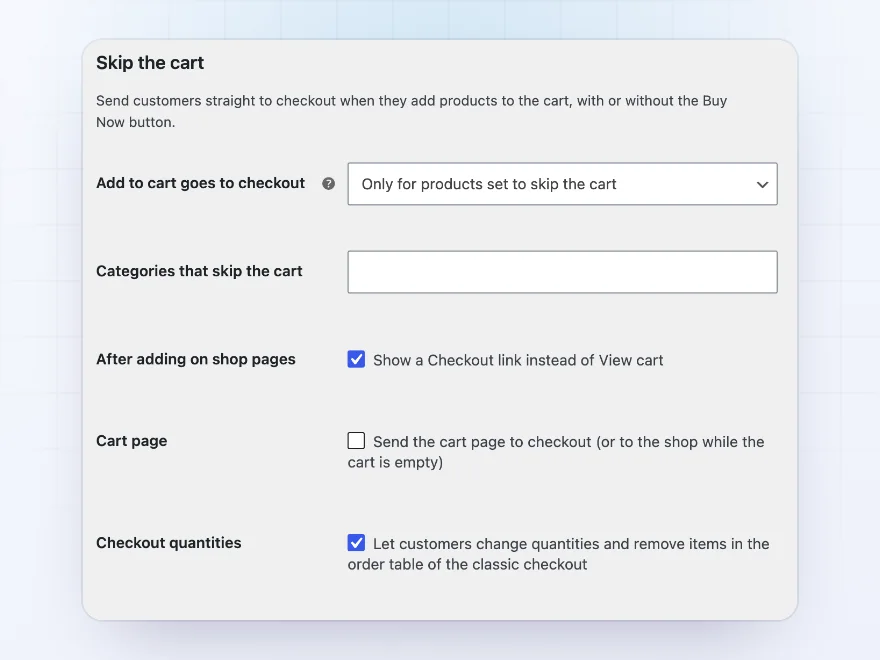
Make Add to cart go straight to checkout for all products, chosen categories or single products. On shop pages a Checkout link replaces View cart after adding, and the cart page can send customers on to checkout.
- All, categories or single products
- Checkout link after adding
- Cart page sent to checkout
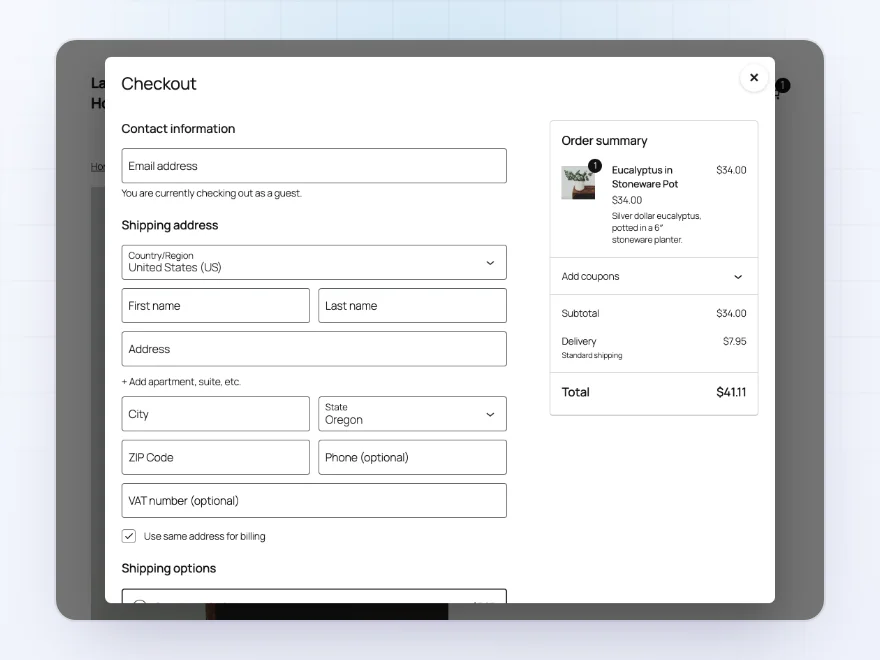
Checkout popup
Check out without leaving the page
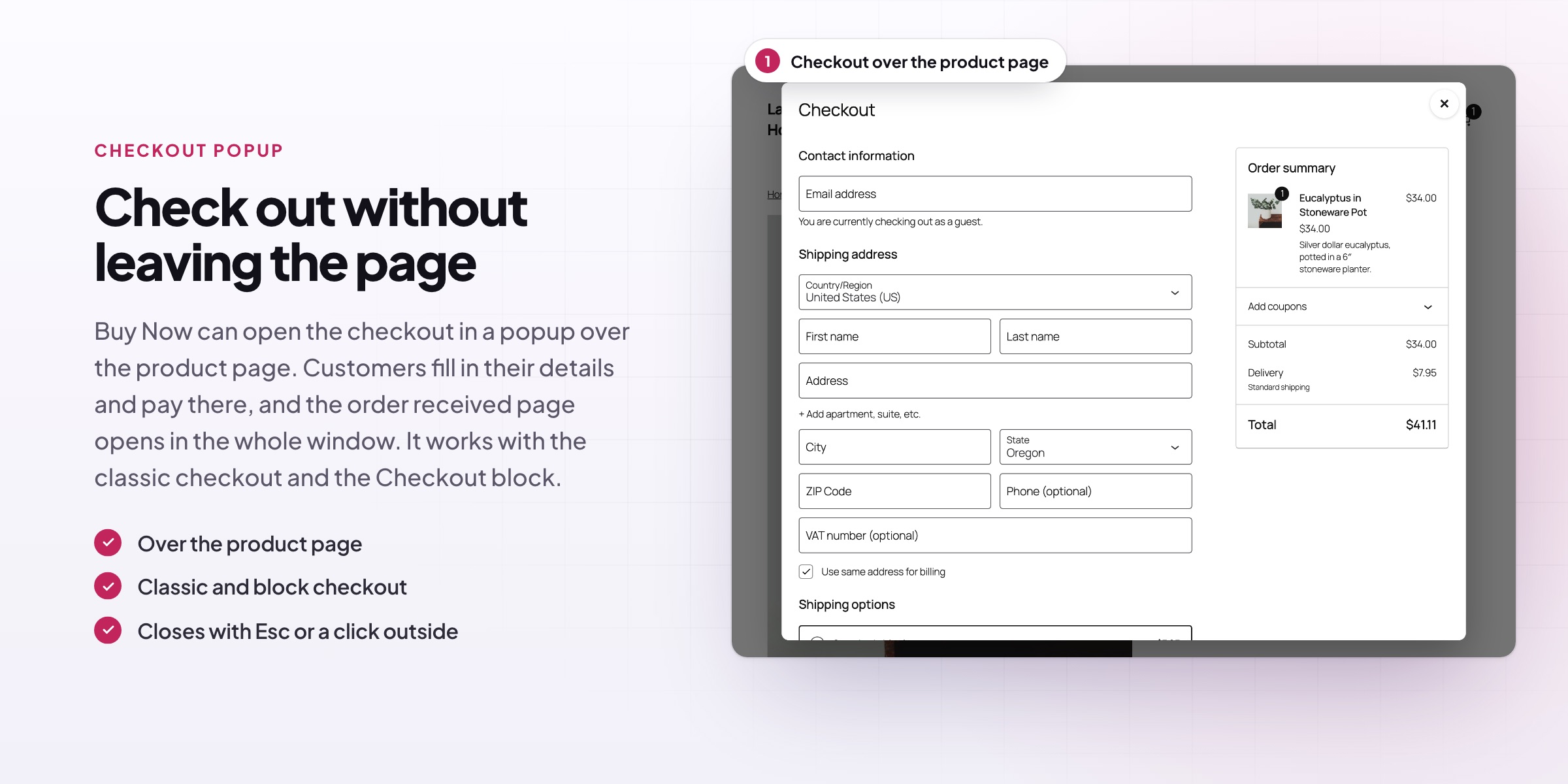
Buy Now can open the checkout in a popup over the product page. Customers fill in their details and pay there, and the order received page opens in the whole window. It works with the classic checkout and the Checkout block.
- Over the product page
- Classic and block checkout
- Order received in the full window
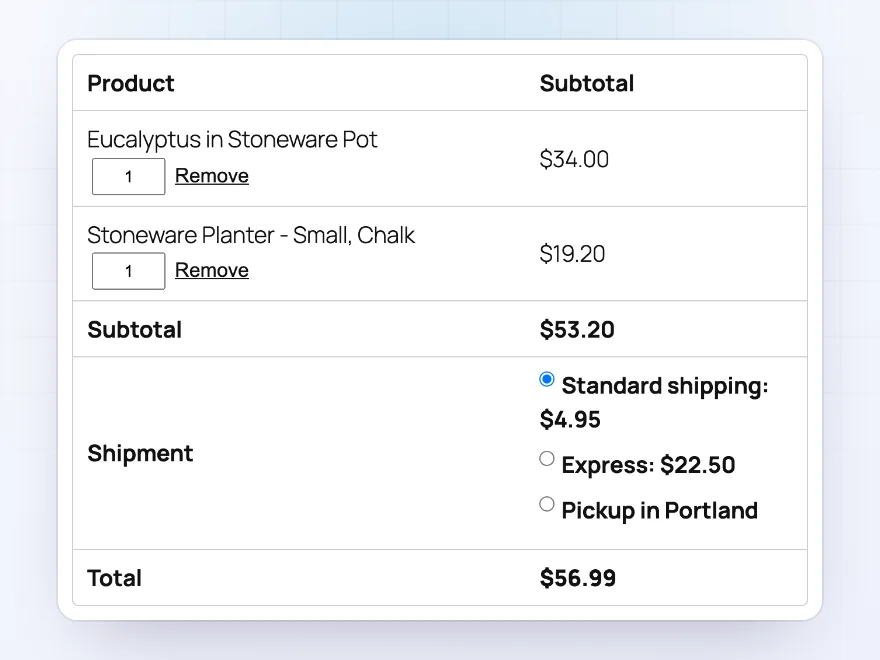
Checkout quantities
Change quantities at checkout
Customers who skip the cart can still change quantities and remove items in the classic checkout’s order table. Totals, shipping and the order review update as they go.
- Quantity boxes in the order table
- Remove links
- Totals update in place
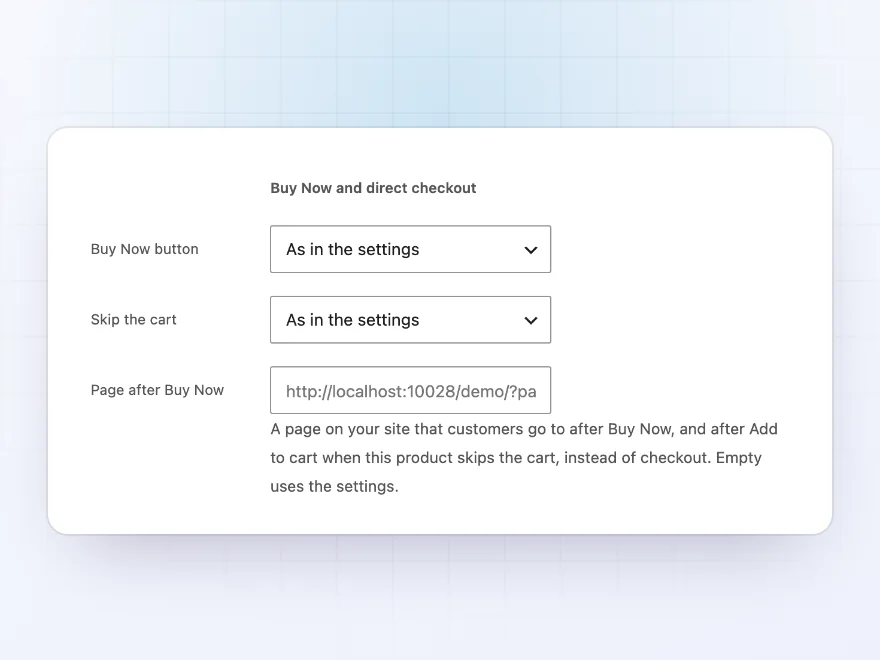
Per product
Every product its own way
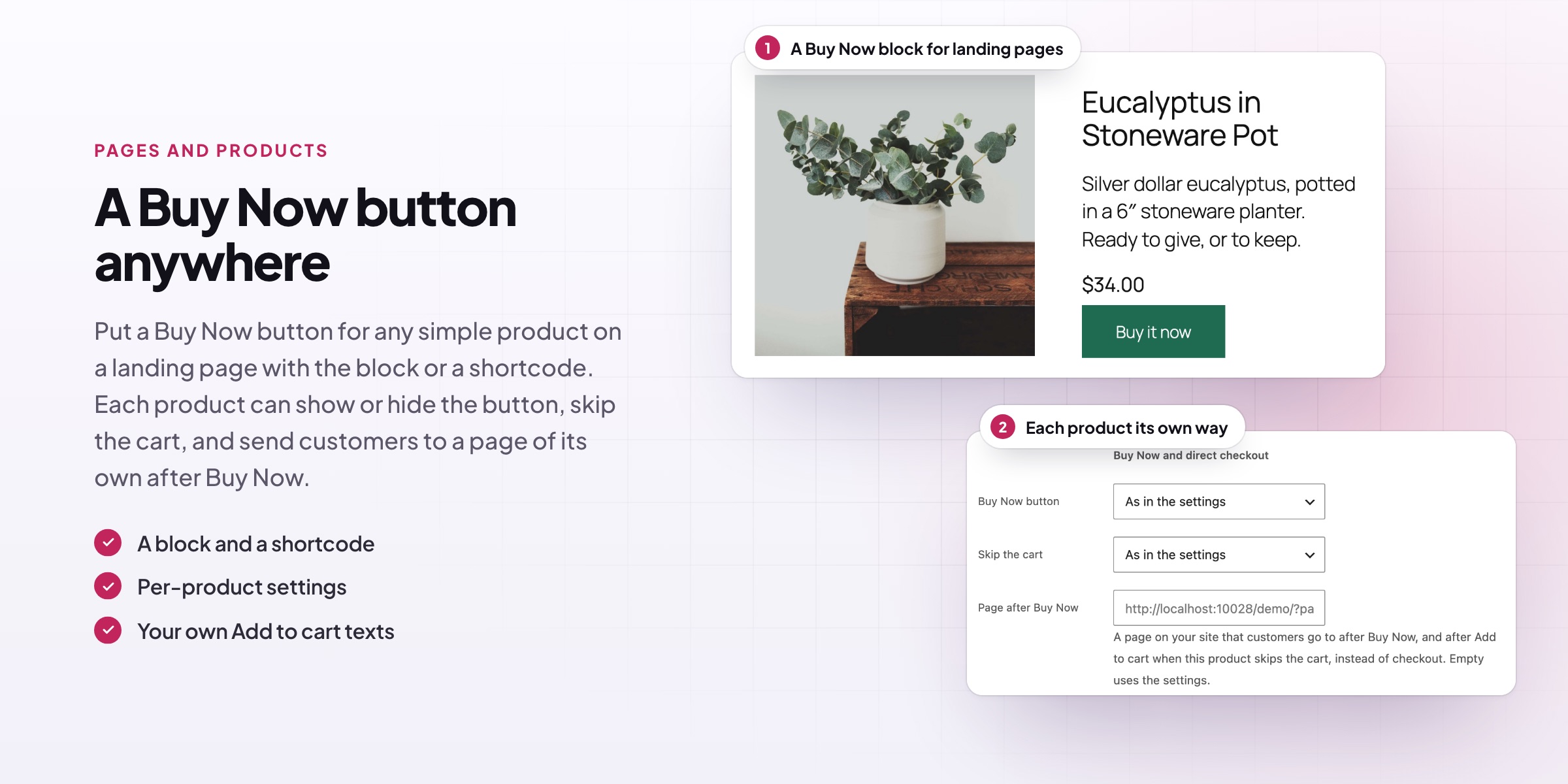
On each product’s Advanced tab, show or hide the Buy Now button, make the product skip the cart, and choose a page after Buy Now, such as an order form or a booking page.
- Show or hide the button
- Skip the cart per product
- A page of its own
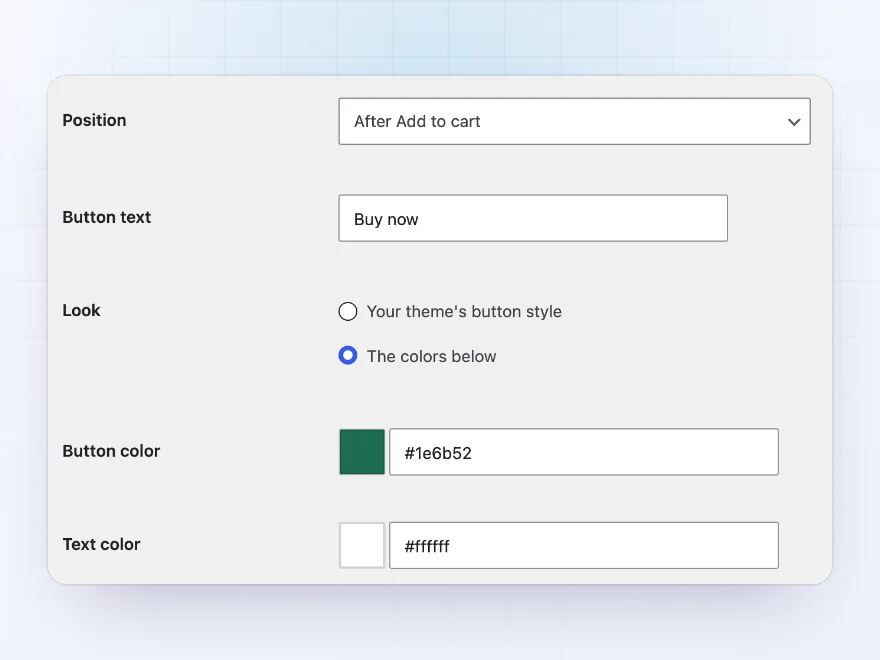
Look and texts
Your texts, your colours
The button takes your theme’s style, or your own colours, and your own text. Change the Add to cart texts on shop pages for simple, variable and grouped products, and on product pages.
- Theme style or your colours
- Your Buy Now text
- Add to cart texts per type
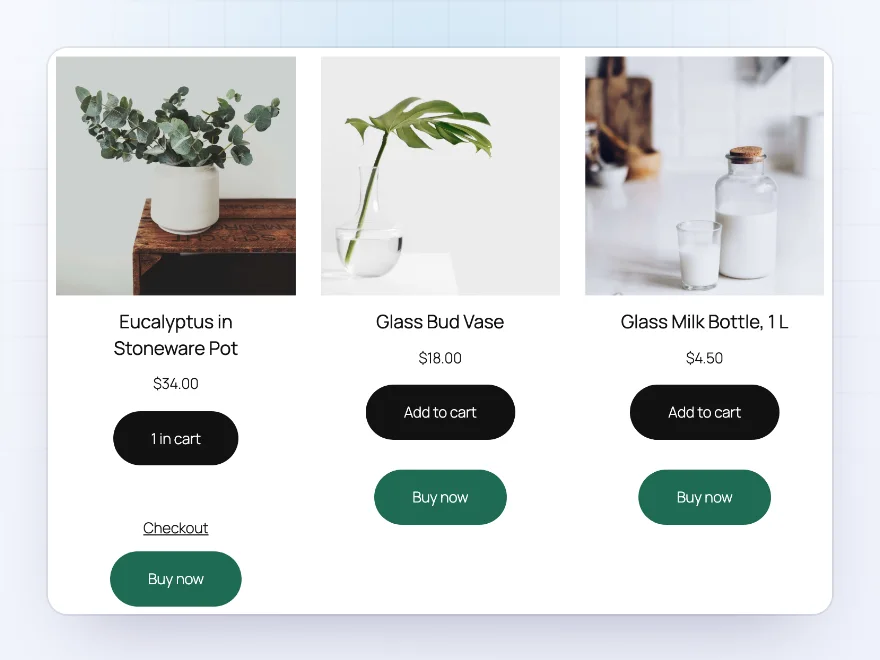
Shop pages
Buy Now on every shop card
Shop and category pages, product blocks and related products show Buy Now under Add to cart for simple products. After an Add to cart on those pages, the link under the button can go to checkout instead of the cart.
- Shop, category and product blocks
- Simple products in one click
- A Checkout link after adding
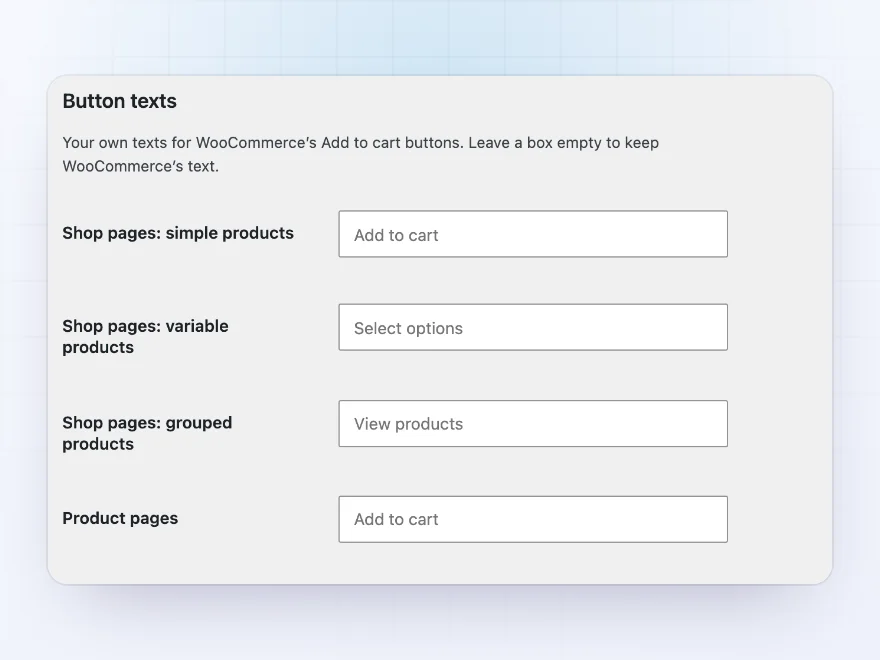
Button texts
Add to cart, in your words
Change WooCommerce’s Add to cart texts on shop pages for simple, variable and grouped products, and on product pages, such as Add to basket or Choose a size. Leave a box empty to keep WooCommerce’s text.
- Per product type on shop pages
- Product pages too
- An empty box keeps WooCommerce’s text
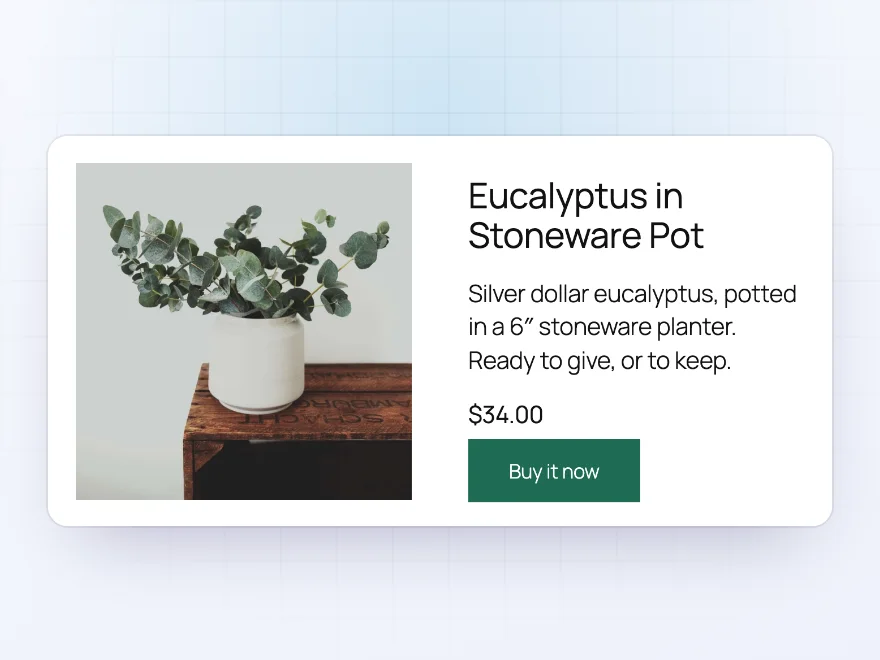
Landing pages
A Buy Now button anywhere
Add a Buy Now button for any simple product to a page or post with the Buy Now button block or the [bnbd_buy_now] shortcode, with your own text and quantity. It suits landing pages and campaign pages.
- A block and a shortcode
- Your own text and quantity
- Straight to checkout
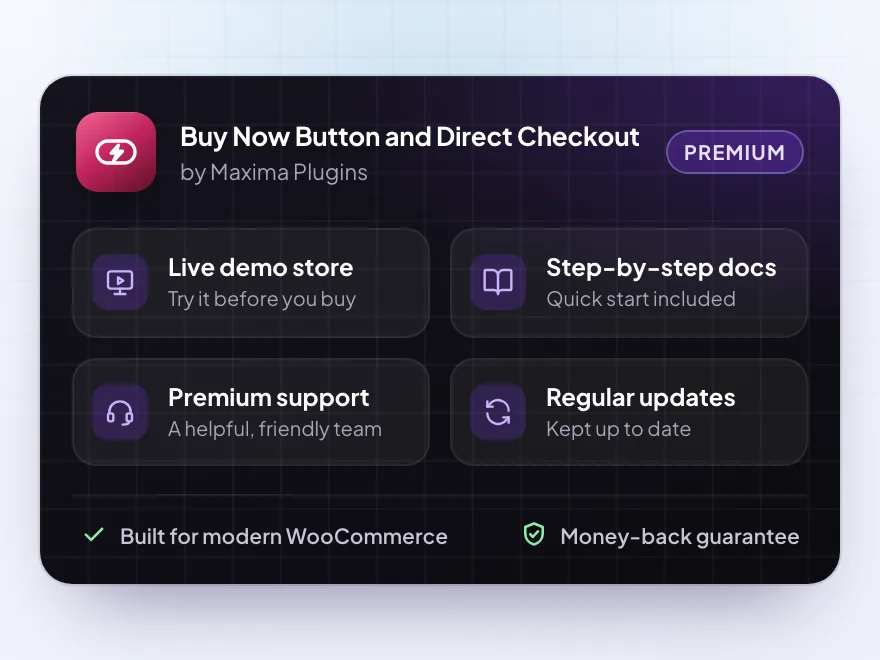
Premium quality & support
Support you can count on, year after year
See Buy Now Button and Direct Checkout working in a live demo store before you buy. If you need a hand, our friendly support team will help you get it set up, and regular updates keep it working with each new WooCommerce release.
- A live demo store to try it first
- Step-by-step docs with a quick start
- Premium support from a helpful team
- Regular updates included
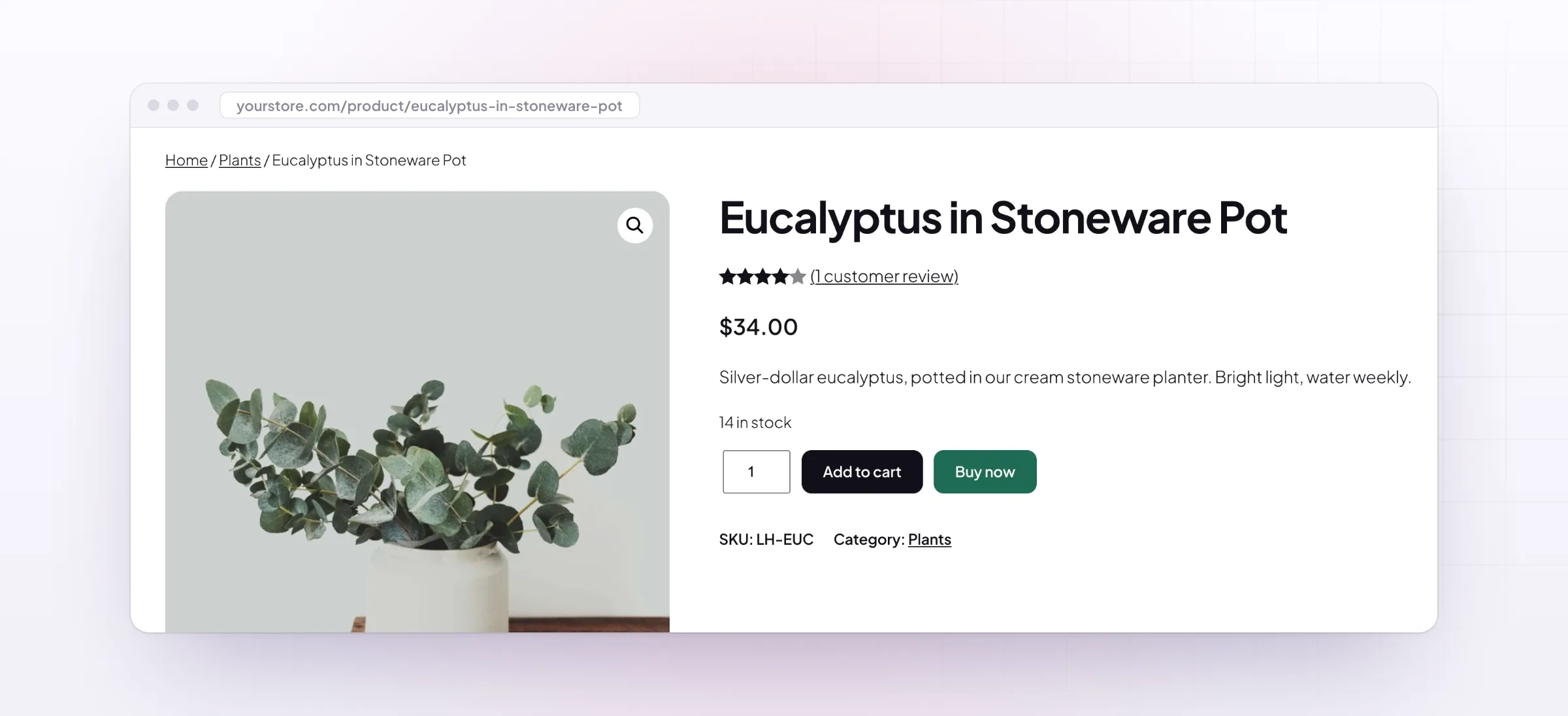
WooCommerce direct checkout with a Buy Now button
Buy Now Button and Direct Checkout gives WooCommerce direct checkout in two ways. A Buy Now button next to Add to cart adds the product and opens the checkout in one click, and the skip-cart rules make Add to cart itself go to checkout for all products, some categories or single products.
For a WooCommerce express checkout that keeps customers on the product page, Buy Now can open the checkout in a popup over the page. When you skip the cart in WooCommerce, customers can still change quantities and remove items on the checkout page, and each product can have its own button setting and its own page after Buy Now.
Common setups
Questions before you buy
Does Buy Now replace the customer’s cart?
Only if you turn on “Empty the cart first”. Otherwise the product is added to the cart, and the customer goes on to checkout.
Why don’t variable products show the button on shop pages?
They need a size or colour first, chosen on the product page. The button shows there.
Can I show the button for one product only?
Yes. Set Products to the categories or turn it on in the product’s Advanced tab.
Does the popup work with every payment method?
With payment methods that take payment on the checkout page. Those that send customers to another site open it in the whole window.
Can customers change quantities in the Checkout block?
The quantity boxes are added to the classic checkout’s order table. The Checkout block shows quantities without changes.
Does it work with side carts?
Yes. Buy Now still goes to checkout when a side cart plugin adds products in place.
Requirements
- WordPress
- 6.8 or newer
- WooCommerce
- 10.0 or newer
- PHP
- 7.4 or newer
Works with
- Classic themes
- Block themes
- Cart and Checkout blocks
- High-Performance Order Storage




Maja L. –
Good, but style the popup
Does the job, but the popup checkout needed a bit of styling to match our theme. Four stars.
Chris –
Quick support
Thomas helped me exclude one category. quick reply
Hanne –
we use it for our sale items only. Works well with the block checkout.
Dario –
Skips the cart
Buy Now skips the cart and checkout conversions went up. Easy to turn on for selected products.