 Maxima Plugins
Description
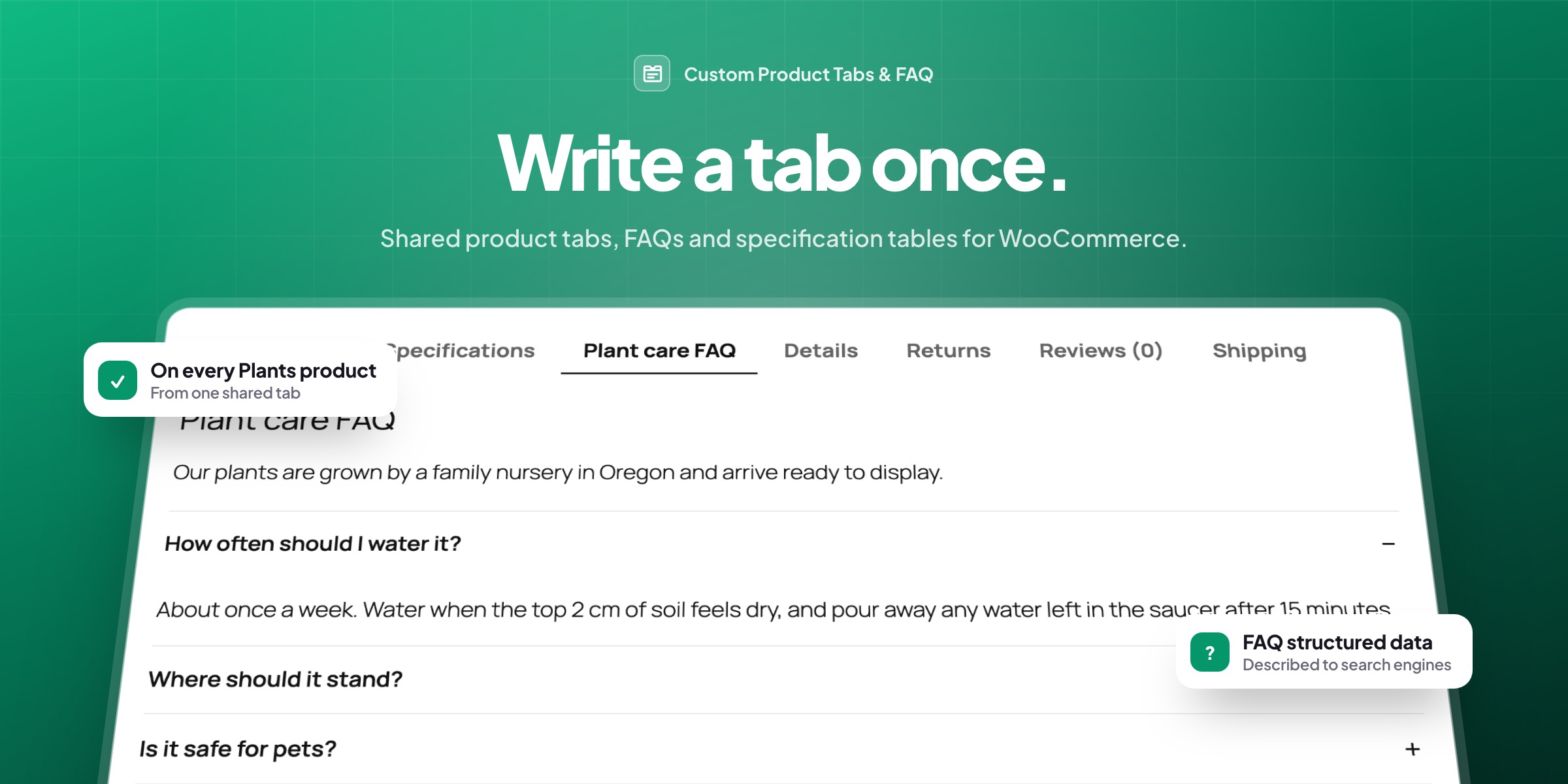
Most product pages need more than a description: shipping and returns, care instructions, sizing, questions customers ask before they buy. Writing the same text into every product is slow. Custom Product Tabs & FAQ lets you write a tab once and show it where it belongs.
Shared tabs
Write a tab once, show it everywhere
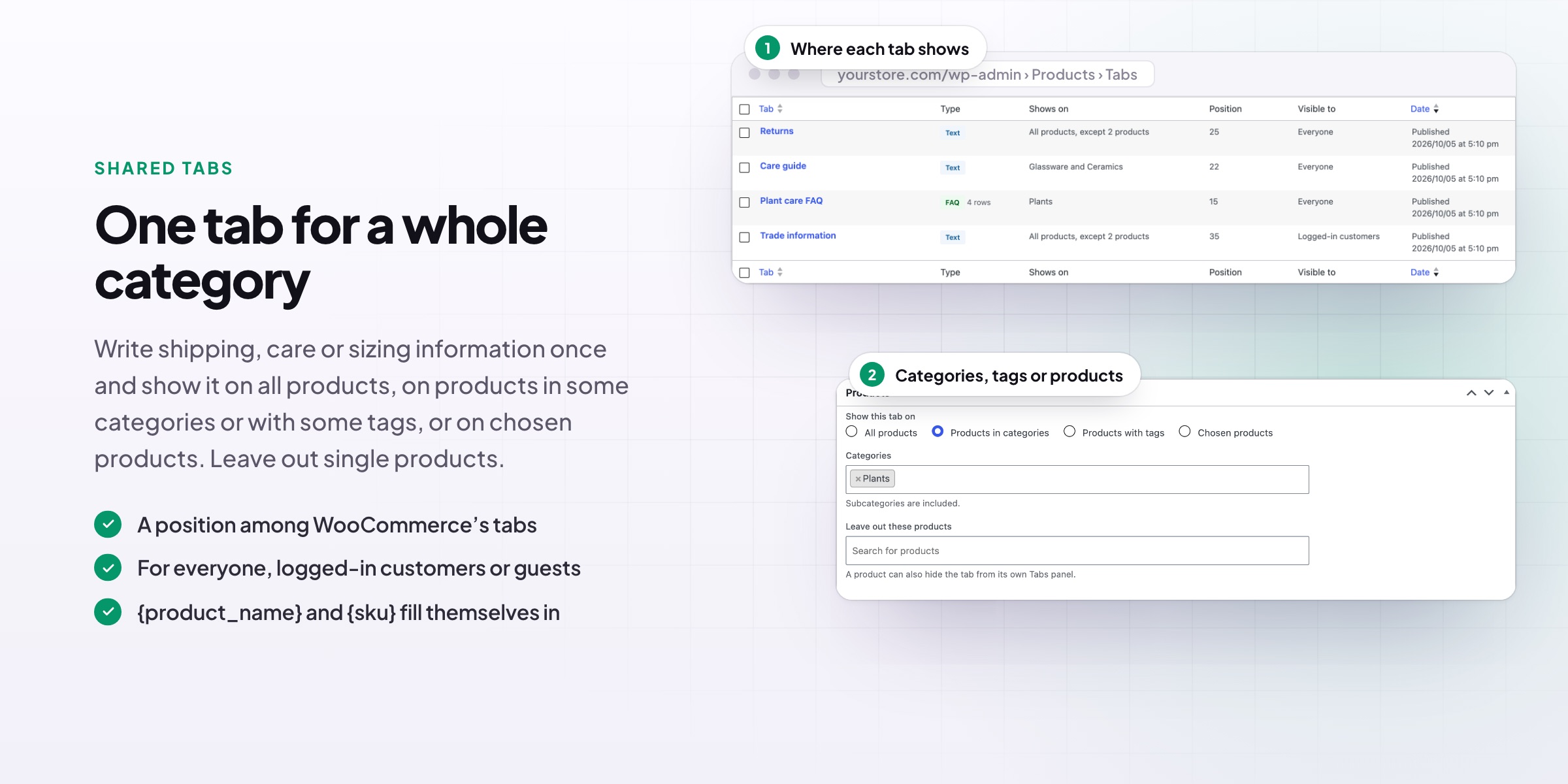
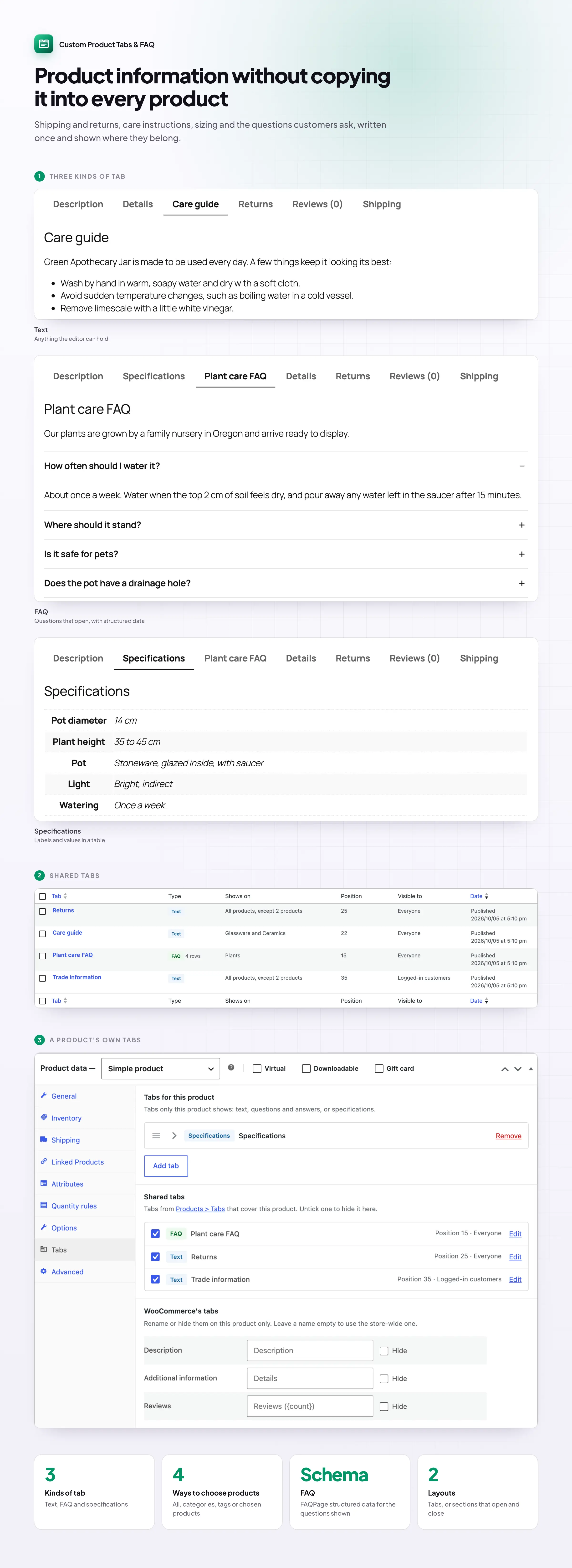
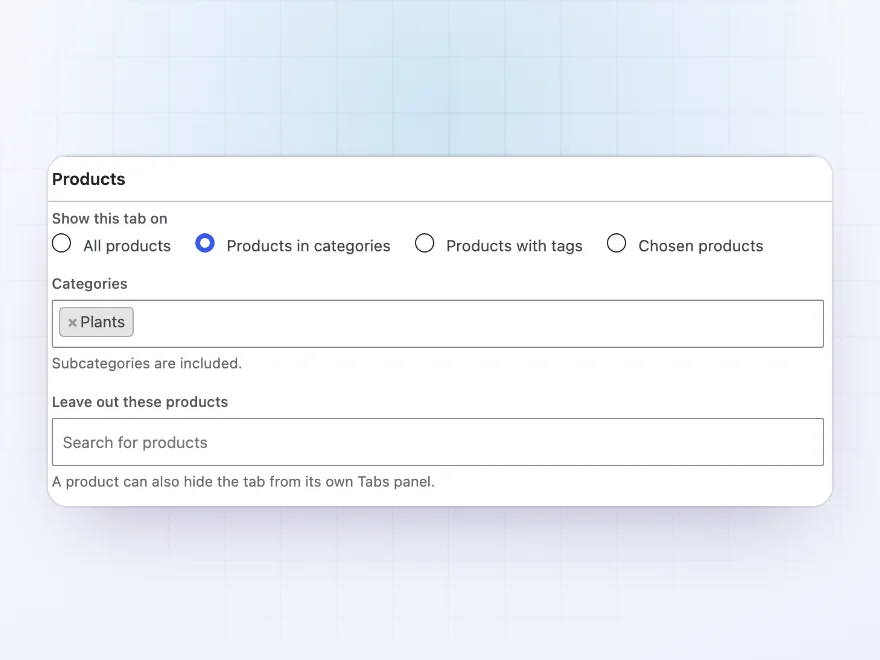
Write a tab once under Products › Tabs and show it on all products, on products in some categories or with some tags, or on chosen products. Change the text later in one place, and every product shows the new version. Leave out single products when a tab doesn’t fit.
- All products, categories, tags or chosen products
- Leave out single products
- Show a tab to everyone, logged-in customers or guests
Text tabs
Returns, care guides and more
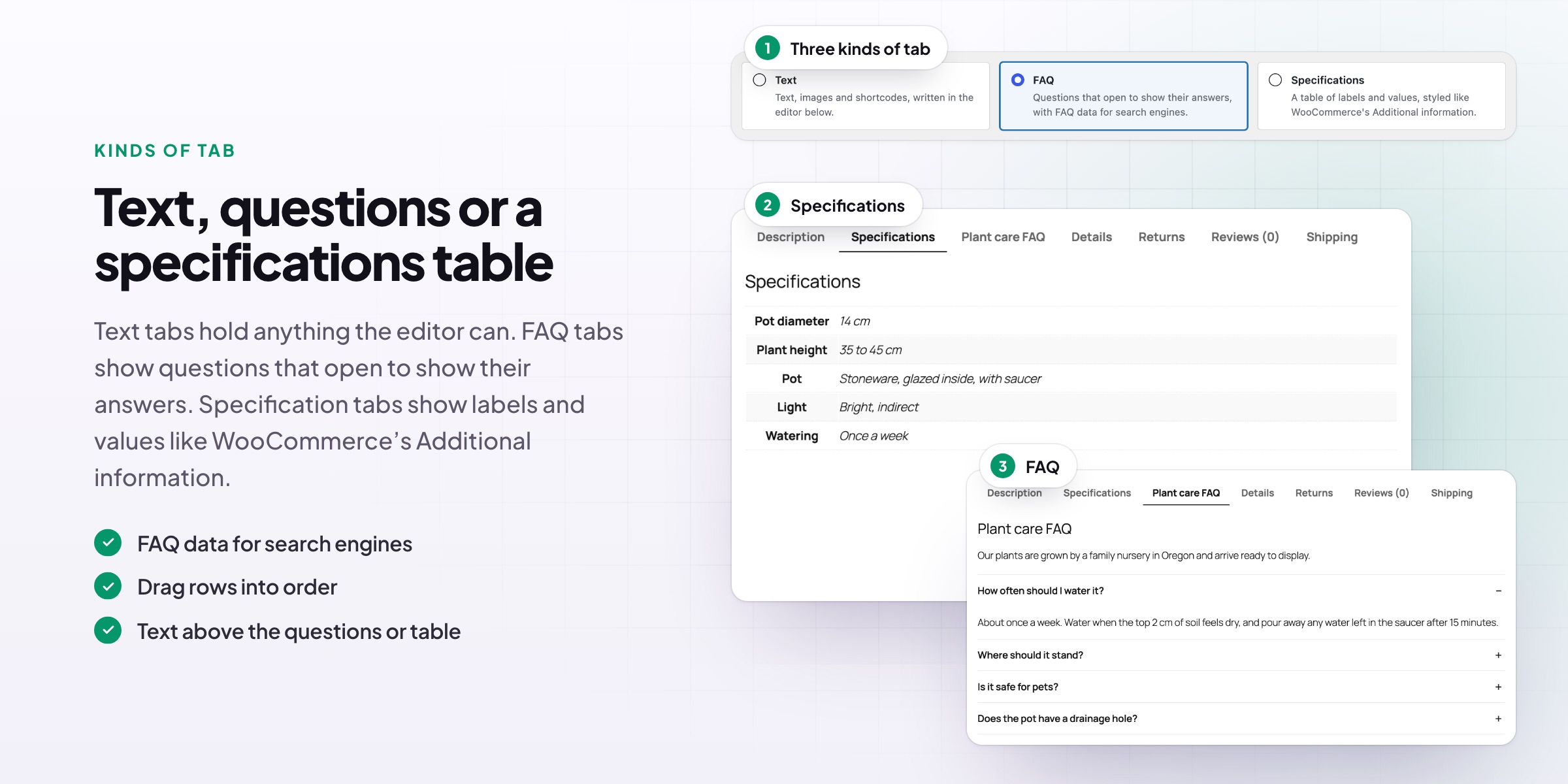
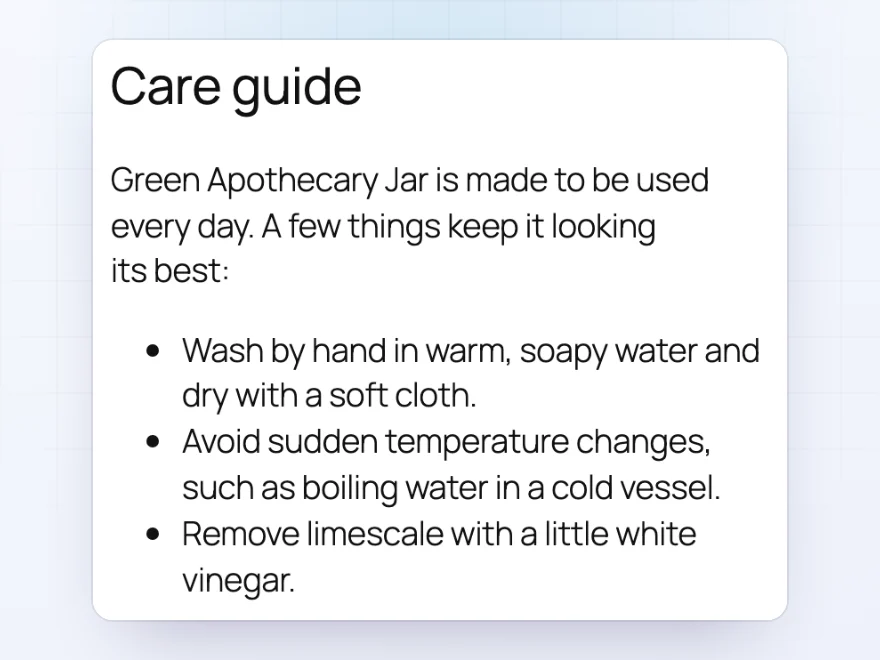
A text tab holds anything the editor can: paragraphs, lists, images and shortcodes. Use it for returns and shipping, care instructions for a category, or a size guide. Product names and SKUs can fill themselves in, so one tab can still read as if it were written for each product.
- Anything the editor can hold
- The product name and SKU filled in automatically
- Choose each tab’s position
FAQ tabs
Answer questions before customers ask
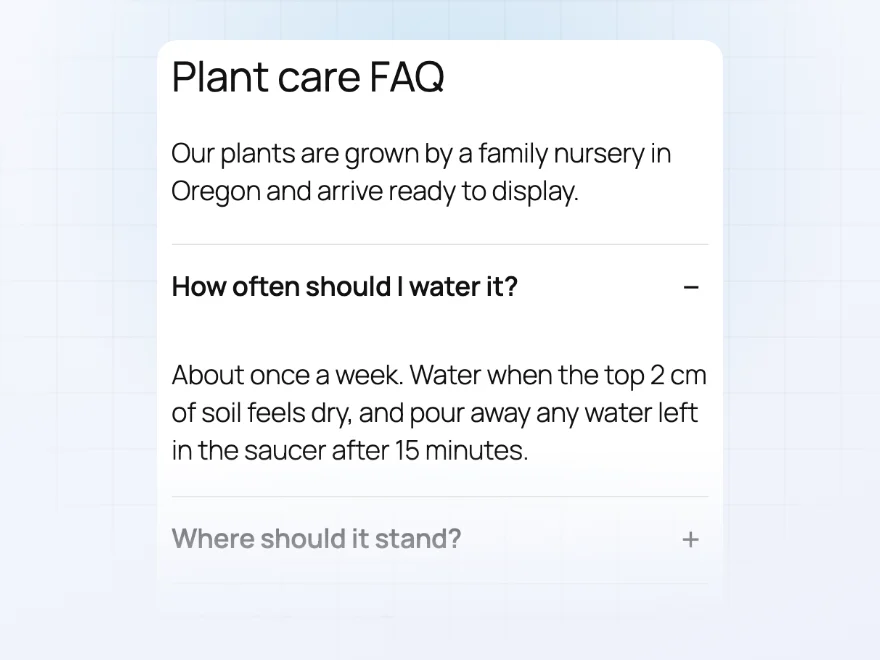
An FAQ tab lists questions that open to show their answers, such as how often to water a plant or whether it’s safe for pets. The questions are also described to search engines as FAQ structured data, so they can appear in search results.
- Questions that open and close
- FAQ structured data for search engines
- Shared across a category, or for one product
Specifications
A clean table of product details
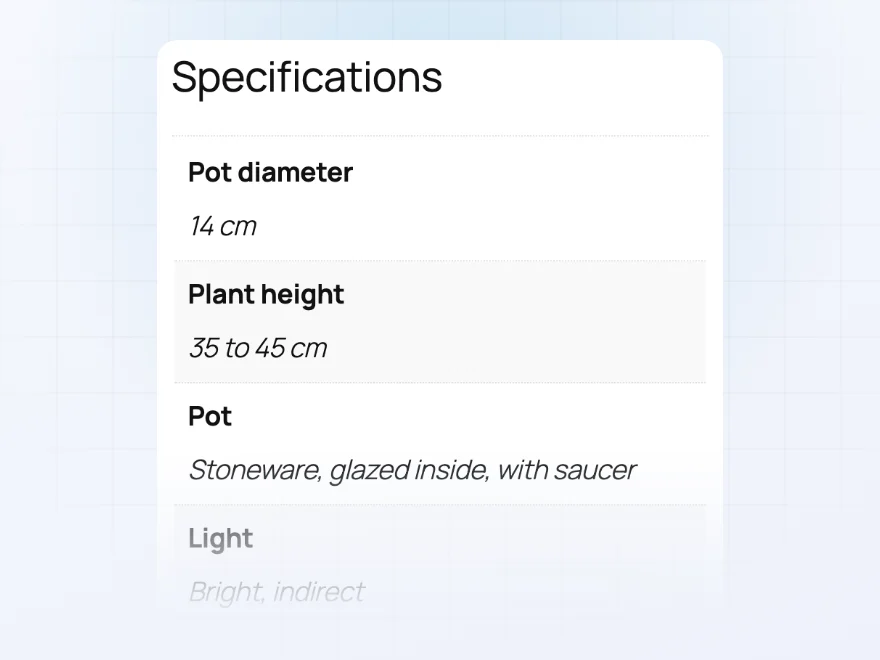
A specifications tab is a table of labels and values, such as size, materials, light and care, that looks like WooCommerce’s own Additional information table. It’s easy for customers to scan, and easy for you to fill in.
- Labels and values in a table
- Matches WooCommerce’s own table style
- For one product or many
On each product
Tabs of its own for any product
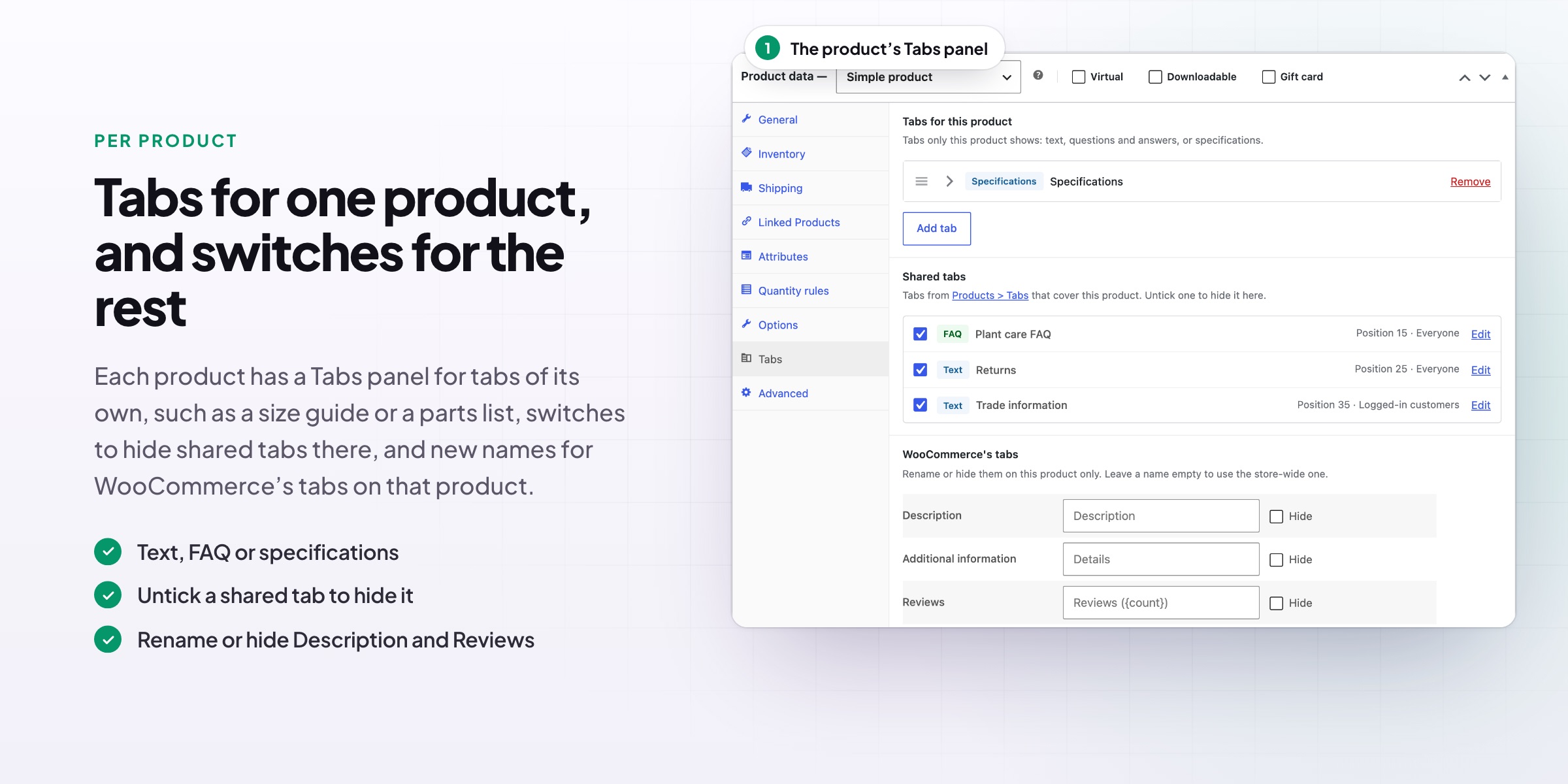
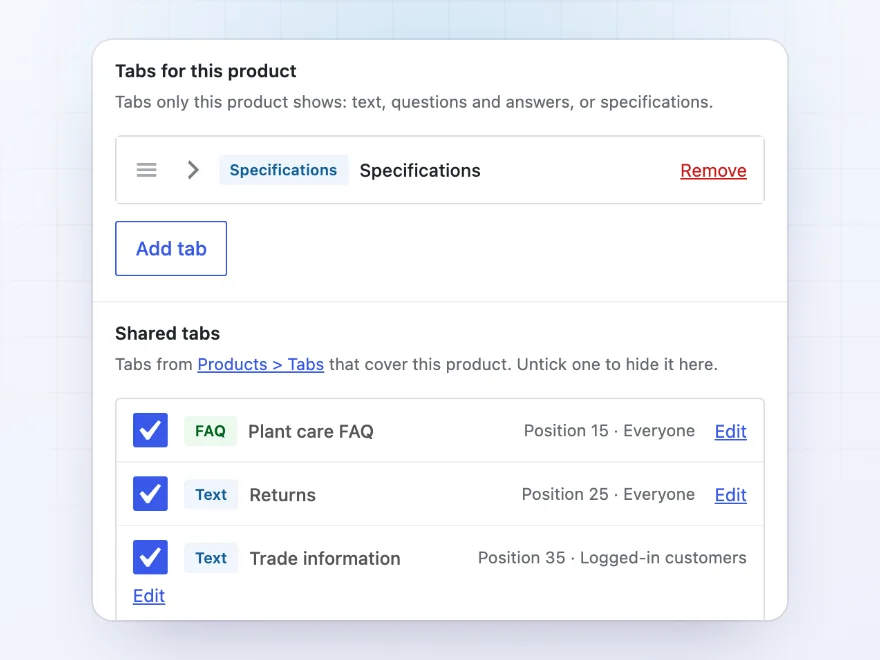
Each product has a Tabs panel for tabs of its own, such as a size guide or a parts list, plus switches to hide shared tabs on that product. You can also rename, move or hide WooCommerce’s own Description, Additional information and Reviews tabs, store-wide or on one product.
- Tabs for one product only
- Hide a shared tab on one product
- Rename or hide WooCommerce’s own tabs
Tabs or sections
Sections that read well on phones
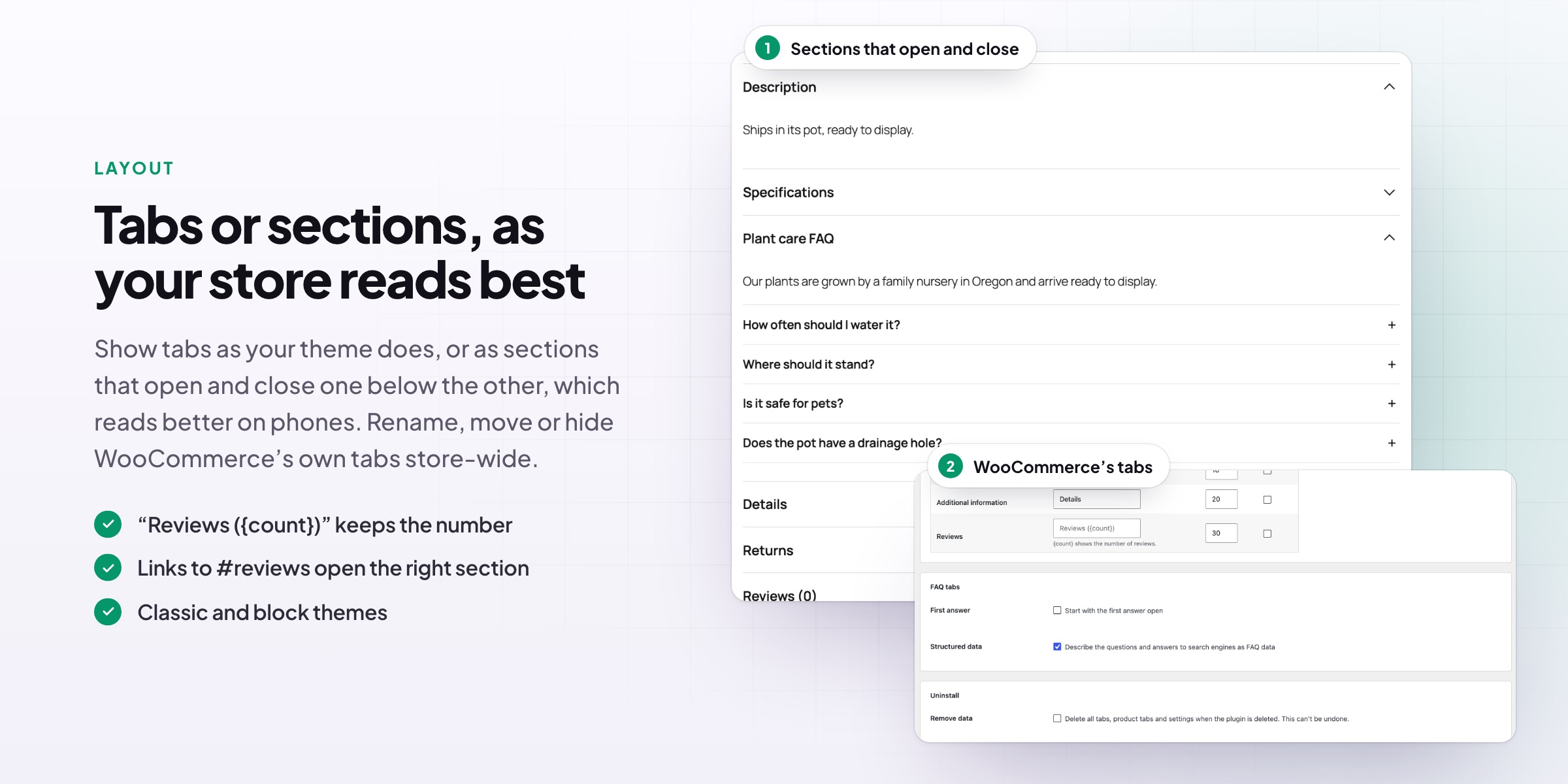
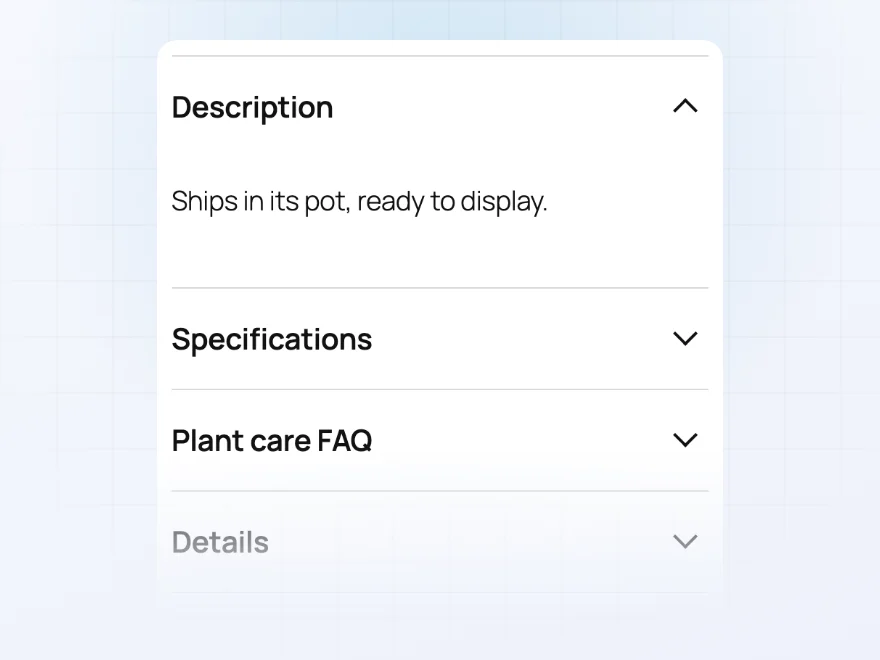
Show tabs as your theme does, or as sections that open and close one below the other, which reads better on phones. Links to “#reviews” open the right section, and it works with classic themes and block themes that use the Product Details block.
- Tabs, or sections that open and close
- Better reading on phones
- Links to a tab open the right section
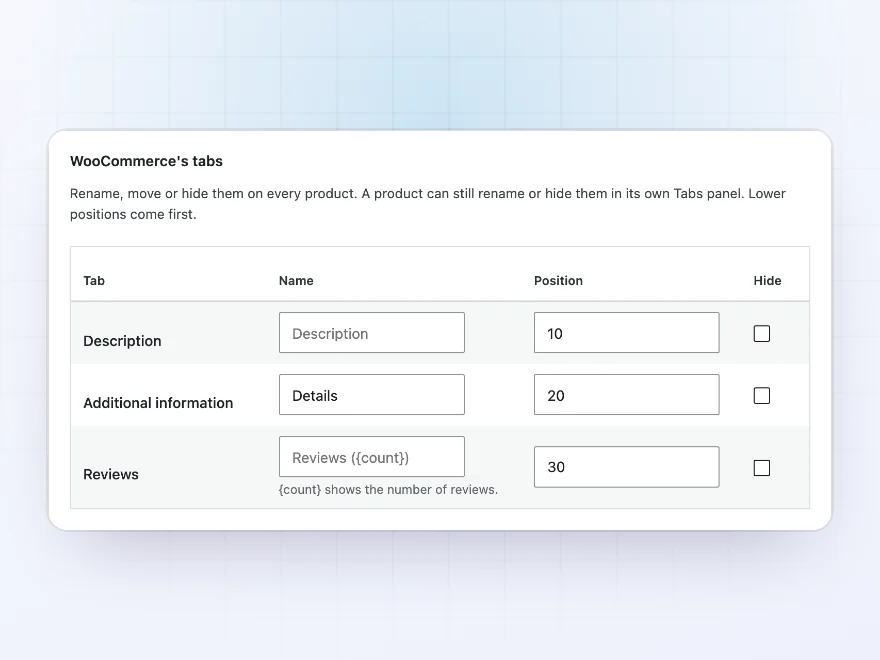
WooCommerce’s tabs
Rename, move or hide the standard tabs
Rename Description, Additional information and Reviews, move them among your own tabs or hide them, for the whole store or for one product. “Reviews ({count})” keeps the number of reviews in the name.
- Rename, move or hide
- Store-wide or for one product
- Keeps the review count
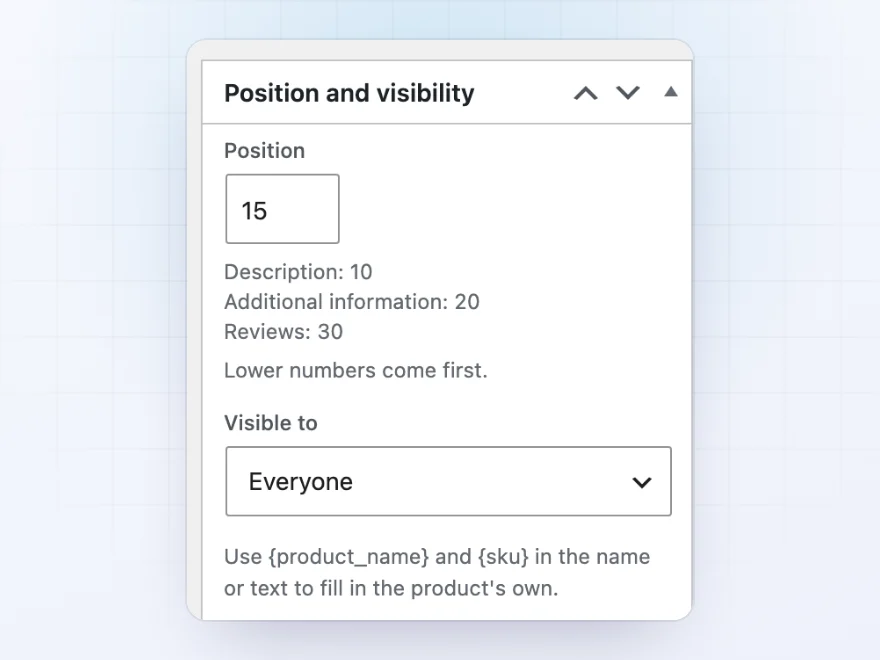
Who sees a tab
Tabs for customers, or for guests only
Show a tab to everyone, only to logged-in customers, or only to guests: a trade terms tab for customers, a “Create an account” tab for guests. Use {product_name} and {sku} in a tab’s name or text.
- Everyone, customers or guests
- Product name and SKU filled in
- A position among the other tabs
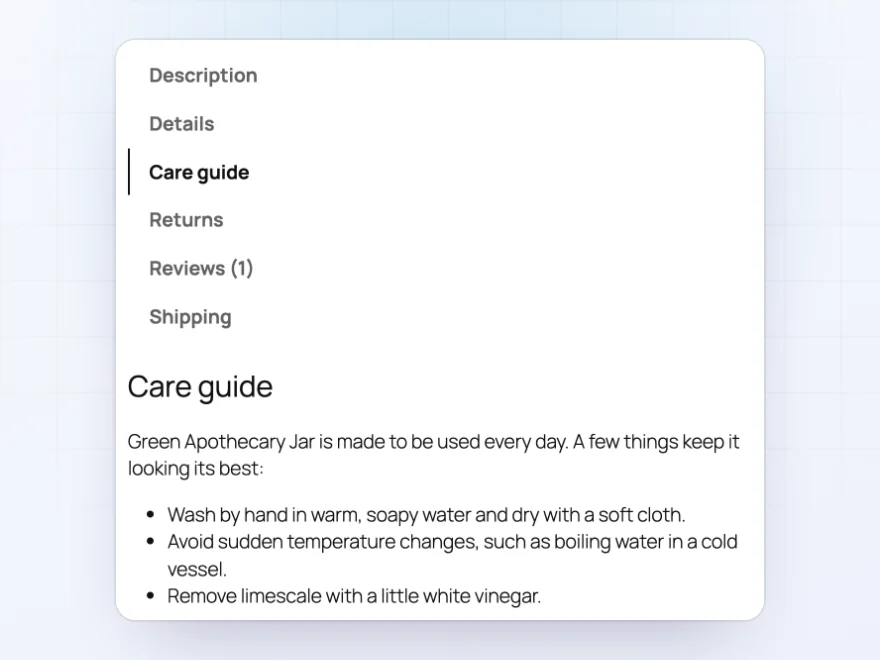
Any theme
Works with block themes and classic themes
Tabs appear wherever your theme shows WooCommerce’s product tabs, including block themes that use the Product Details block. Links to #reviews or a tab’s name open the right tab or section.
- Block and classic themes
- Links open the right tab
- Text, FAQ and specification tabs
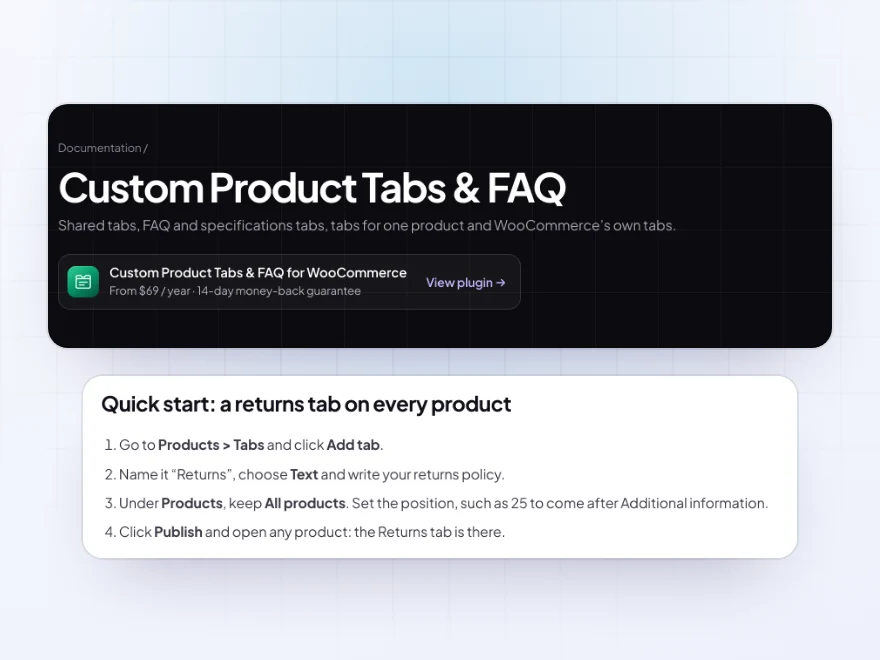
Docs and support
Try it, set it up, ask us anything
Try Custom Product Tabs & FAQ in a live demo store before you buy. The docs start with a quick start and cover kinds of tab, where a tab shows and tabs for one product. Support tickets are answered by the developers who make the plugin, and updates are included.
- A live demo store to try it first
- Step-by-step docs with a quick start
- Most tickets answered within 12–24 hours
Custom product tabs for WooCommerce, written once
Custom Product Tabs & FAQ adds custom product tabs for WooCommerce that you write once and show on every product, a category or chosen products: shipping and returns, care guides, size charts or specifications. Changing the text later means changing it in one place.
It is also a WooCommerce FAQ plugin: an FAQ tab opens and closes question by question and describes the questions to search engines as FAQ structured data. WooCommerce’s own product tabs can be renamed, moved or hidden, and on phones the tabs can become sections that open one below the other.
Common setups
- Returns: one tab on every product, written once.
- Care guides: a tab for each category, such as plants or glassware.
- Product questions: an FAQ tab with structured data for search engines.
- Specifications: a table of sizes and materials on one product.
- Trade information: a tab only logged-in customers can see.
Questions before you buy
Can I show a tab on a whole category?
Yes. Show a shared tab on all products, on products in some categories or with some tags, or on chosen products.
Do FAQ tabs help with search engines?
Yes. The questions are described to search engines as FAQ structured data.
Can I rename the Description or Reviews tab?
Yes. Rename, move or hide WooCommerce’s own tabs store-wide or on one product. “Reviews ({count})” keeps the number of reviews in the name.
Can a product hide a shared tab?
Yes. Untick the tab in the product’s Tabs panel, or leave the product out in the tab’s settings.
Does it work with block themes?
Yes, with block themes that use the Product Details block, and with classic themes.
Can some tabs be for logged-in customers only?
Yes. Show a tab to everyone, only to logged-in customers, or only to guests.
Can a tab include images or shortcodes?
Yes. Text tabs hold anything the editor can, including images and shortcodes.
Requirements
WordPress 6.8 or newer, WooCommerce 10.0 or newer and PHP 7.4 or newer. Works with classic themes and with block themes that use the Product Details block.
Documentation
Step-by-step setup, every setting explained, and examples: read the documentation. Questions before you buy? Ask us.




ada.k –
Shared info in one place
We were repeating the same care info everywhere. Now it’s one shared tab per category. Thomas set it up with me. Recommended.
Adrien N. –
bought it for the shared tabs. does what we need
tomasj –
Mostly shared care tabs, small catalogue. It feels like part of the shop now. Took a few test products. Support was helpful. Four stars.
saraw –
set up shared care tabs for the range. works well
Pieter Kroon –
We use specification tables daily. Michael has been quick whenever we’ve needed it. Does the job.
marliesdesigns –
Tabs moved over fine
I tried the tabs on staging first and moved them over fine. It took some care choosing the questions. Support was helpful with a block editor question. Five stars.
Felix A. –
mostly used for faq tabs. took me a while to get the settings where i want them. happy now
Nordic Birch –
The FAQ tabs are easy to set up. Give yourself a bit of time to test. Thomas was quick when I asked. Good plugin.