Description
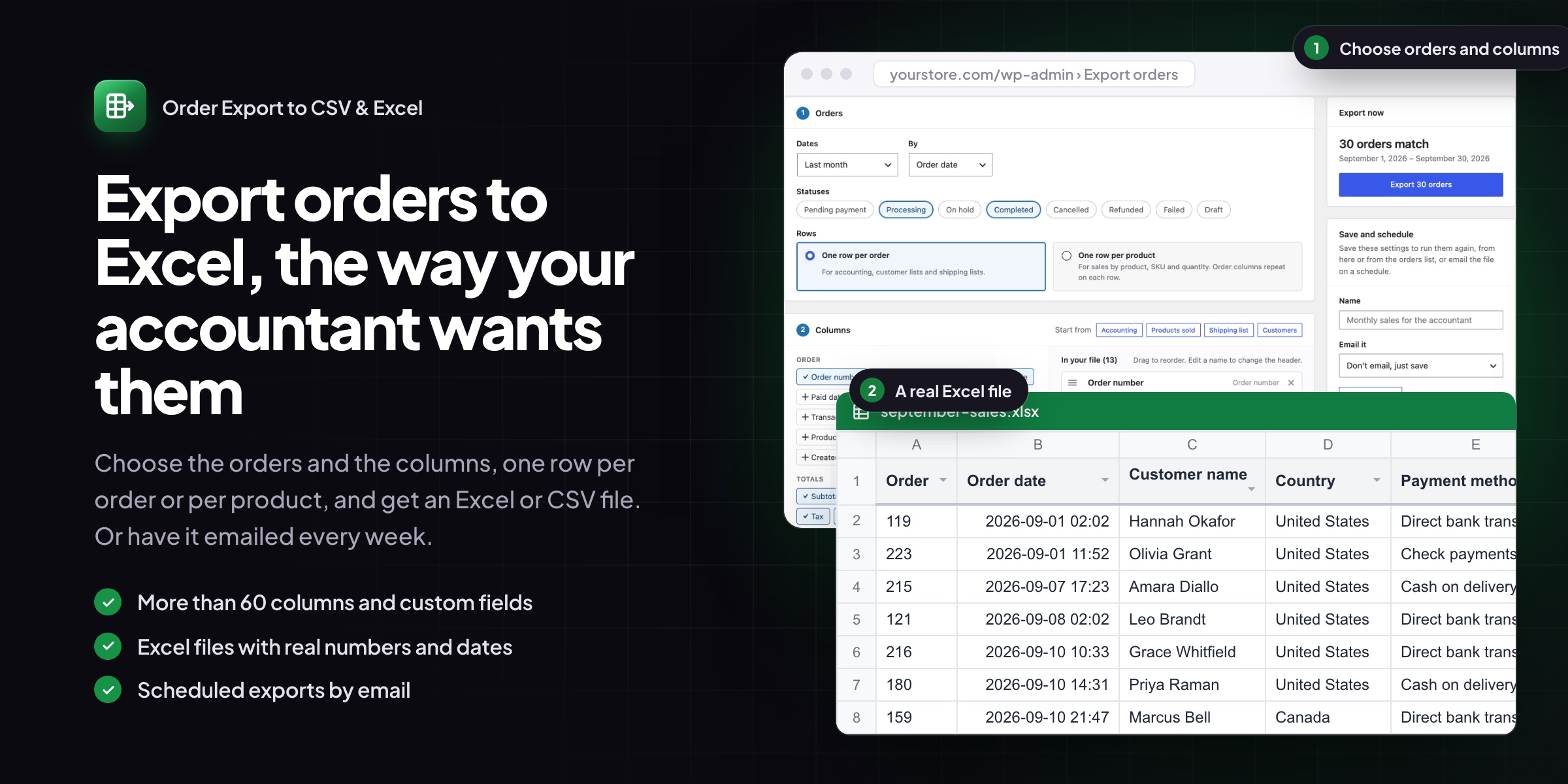
Your accountant wants last month’s sales, the warehouse wants today’s addresses, and you want to know which products sold. Order Export to CSV & Excel builds each of those files in a few clicks, and emails them on a schedule so you don’t have to.
Common setups
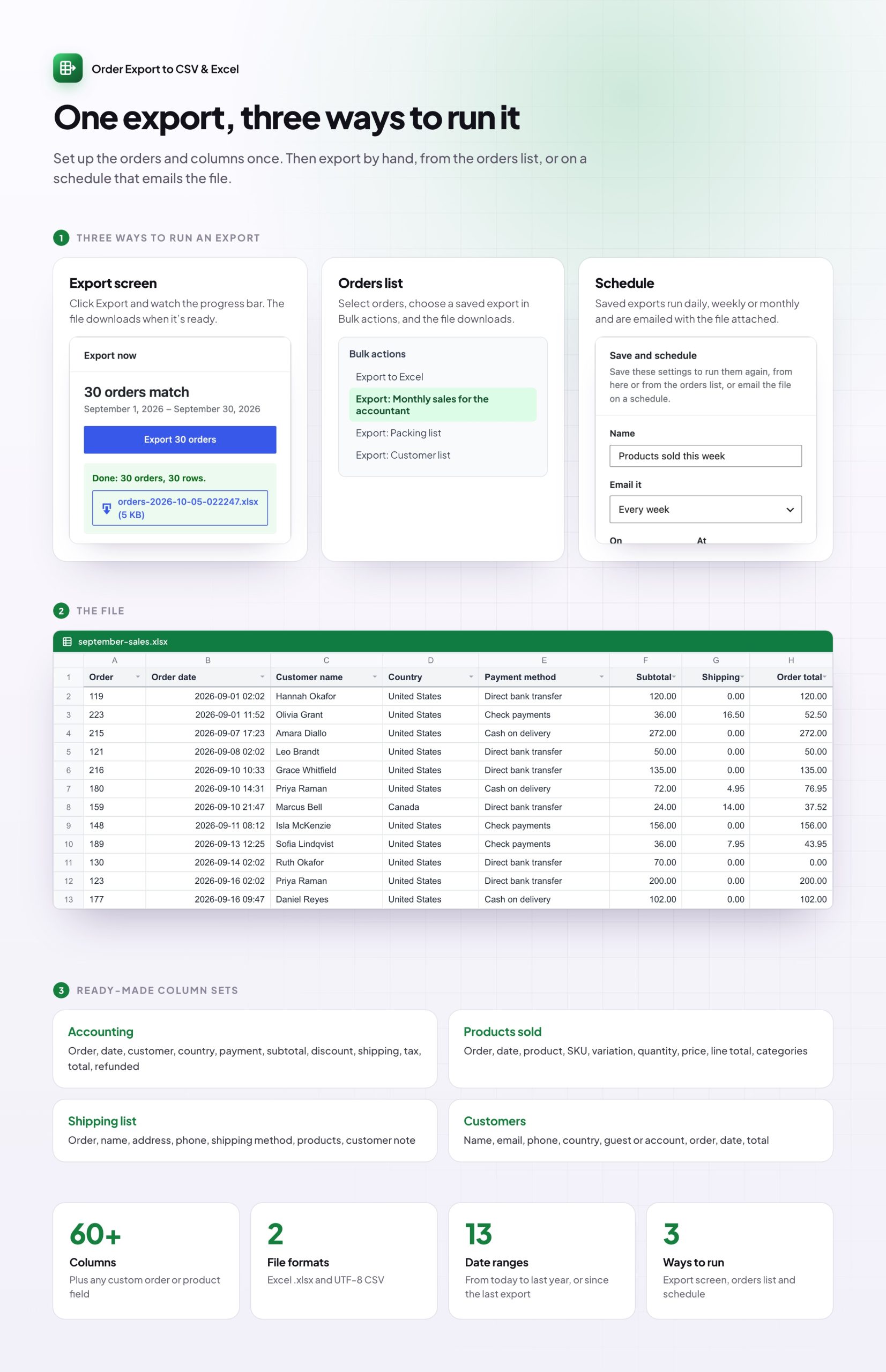
- Monthly accounts: last month’s orders with totals, tax and refunds, emailed on the 1st.
- Packing list: new processing orders with addresses and products, every morning.
- Products sold: one row per product with SKU and quantity, to sum in a spreadsheet.
- Customer list: names, emails and order totals for your newsletter or CRM.
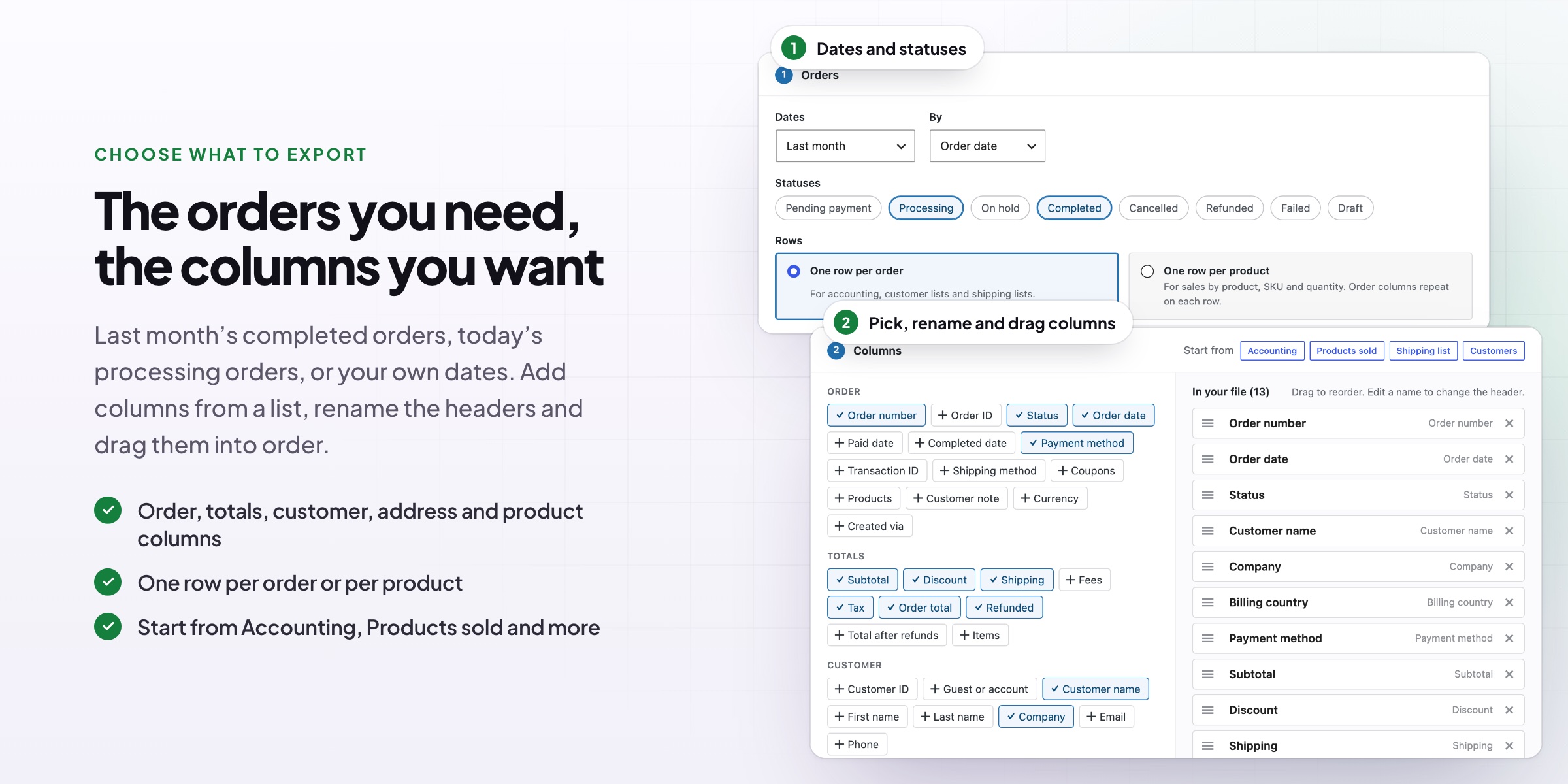
Choose the orders and columns
- Date ranges such as yesterday, last week or last month, by order, paid or completed date
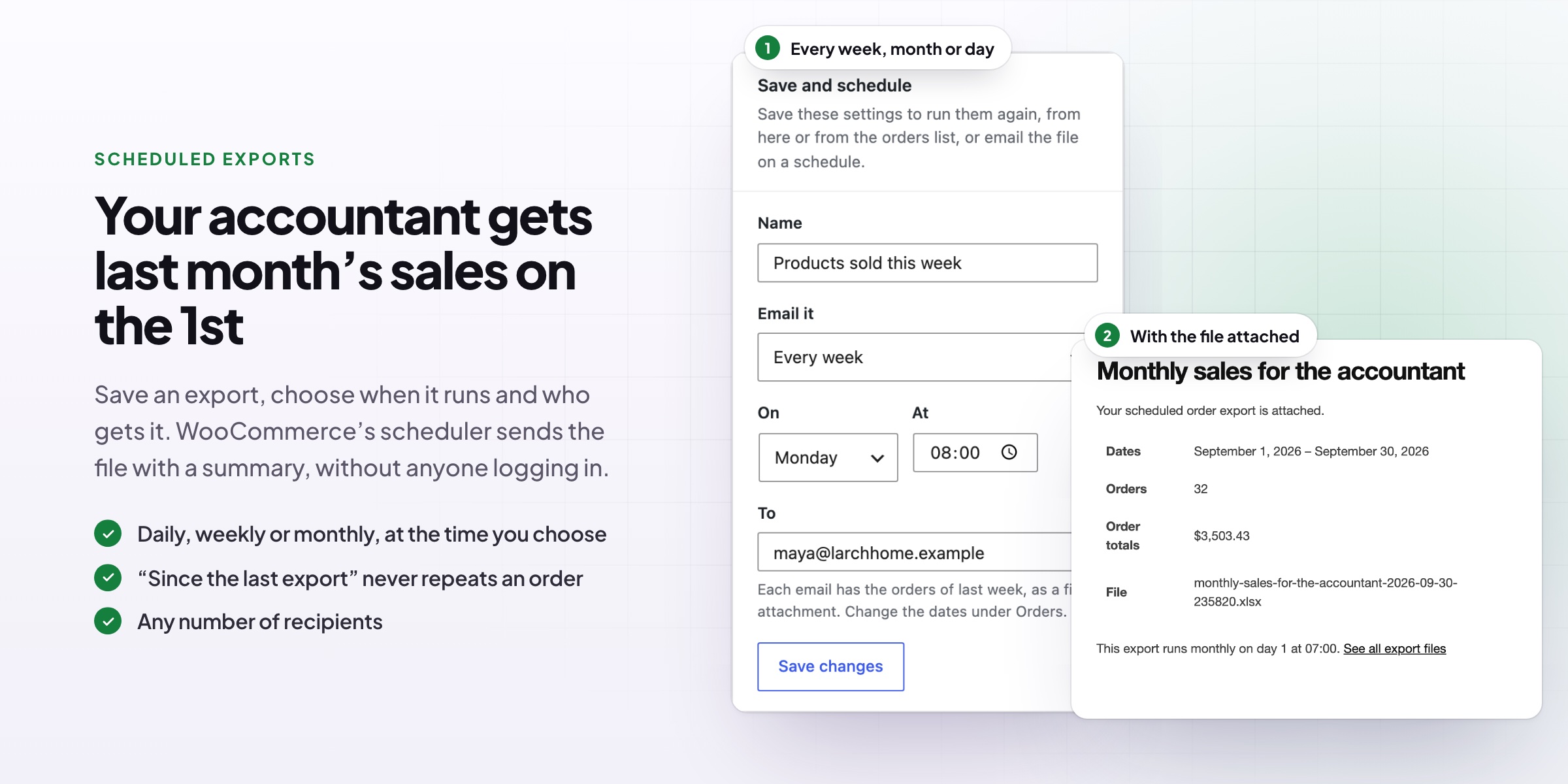
- “Since the last export”, so a scheduled file never misses or repeats an order
- Order details, totals, tax, refunds, customer, addresses and products, plus any custom field
- Rename headers, drag columns into order, or start from a ready-made set
Real Excel files
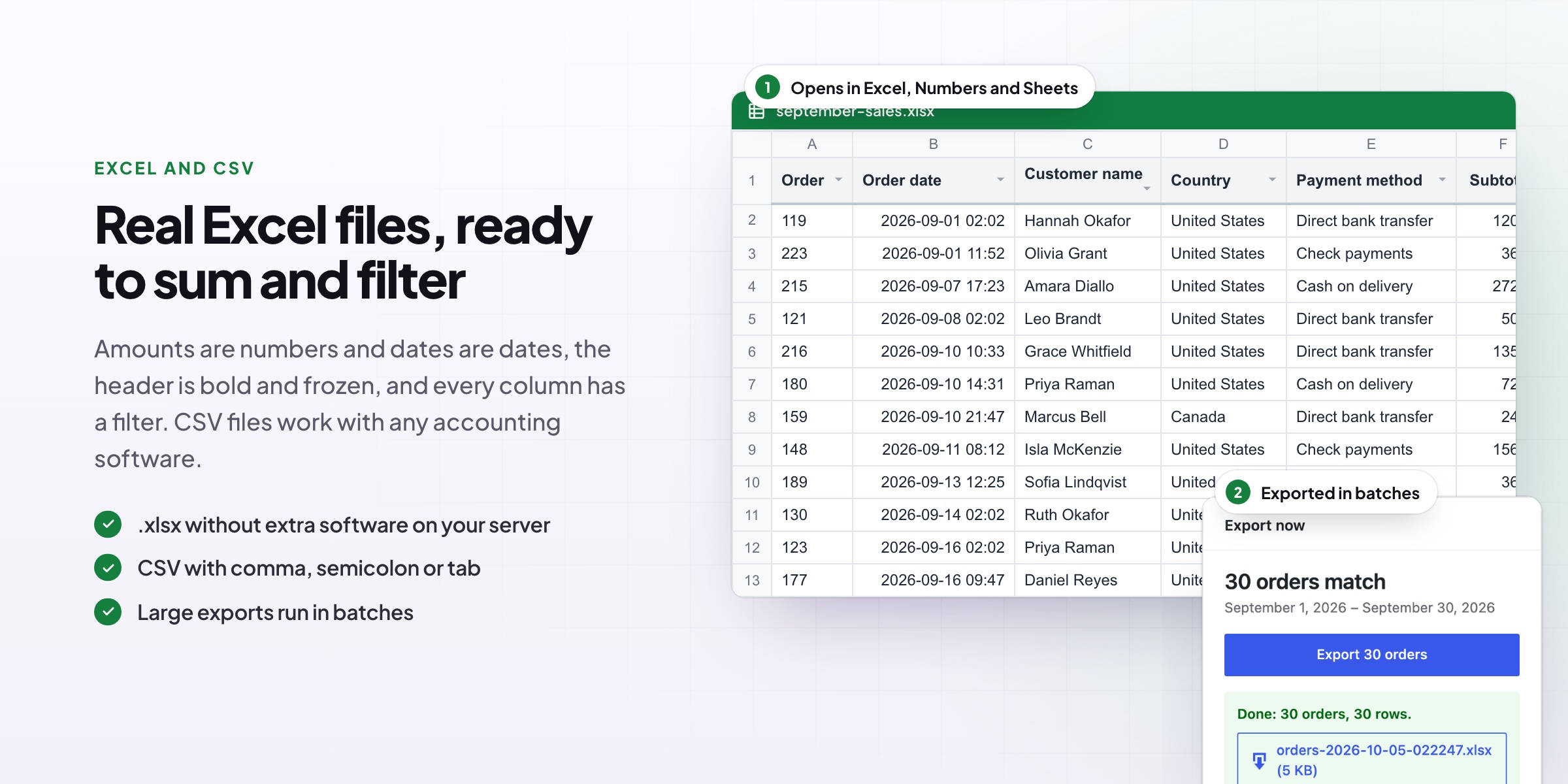
- Amounts are numbers and dates are dates, ready to sum, sort and filter
- The header is bold, frozen and filterable
- UTF-8 CSV with comma, semicolon or tab separators
- Text that looks like a spreadsheet formula is kept as text
Save, schedule and email
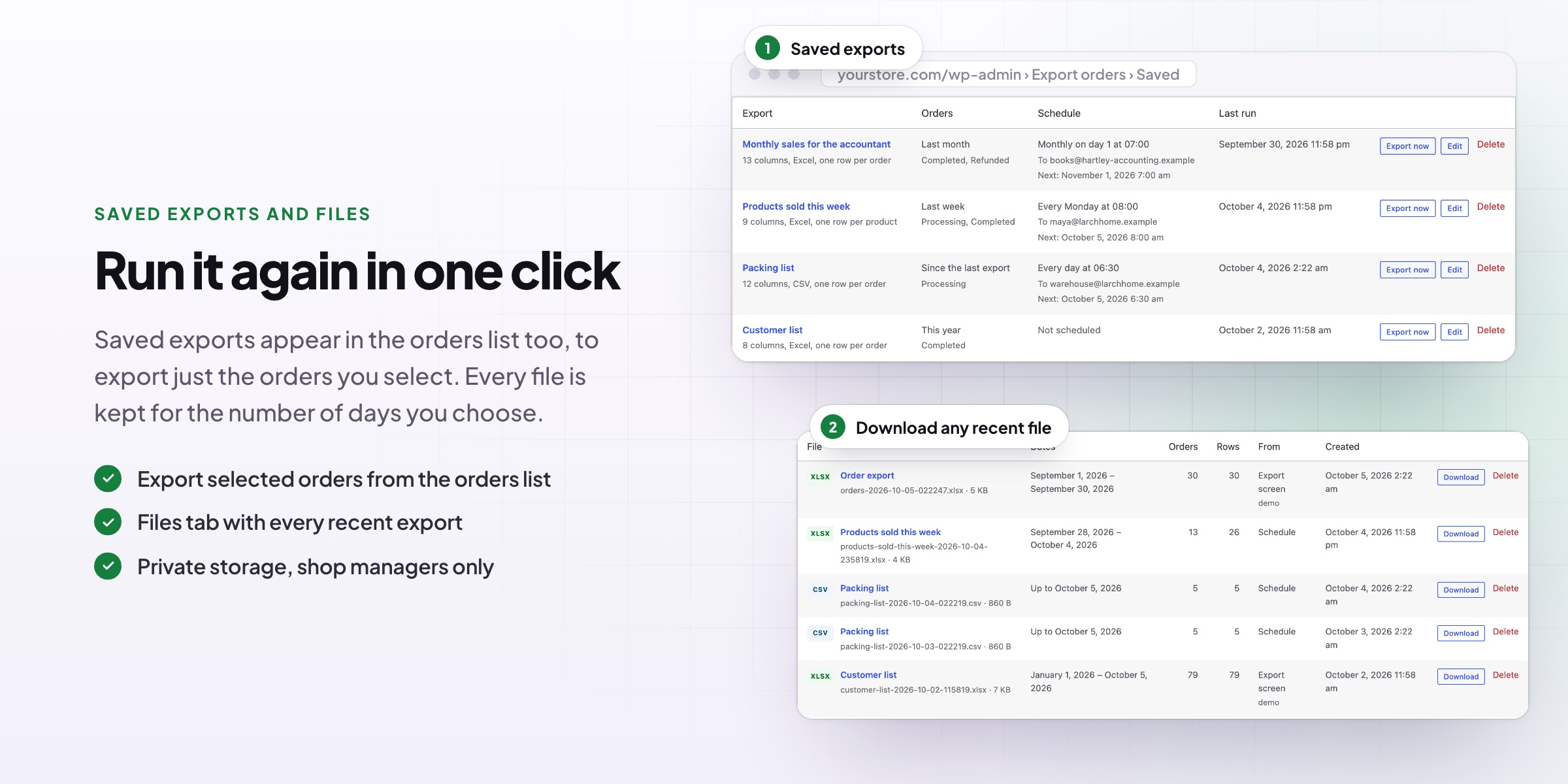
- Save an export and run it again in one click, or from the orders list
- Email it every day, week or month with the file attached and a summary
- Large exports run in batches with a progress bar
- A Files tab keeps recent exports, stored privately
Requirements
WordPress 6.8 or newer, WooCommerce 10.0 or newer and PHP 7.4 or newer. Excel files need the PHP Zip extension, which almost every host has. Works with High-Performance Order Storage.
Documentation
Step-by-step setup, every setting explained, and examples: read the documentation. Questions before you buy? Ask us.


Reviews
There are no reviews yet.