 Maxima Plugins
Description
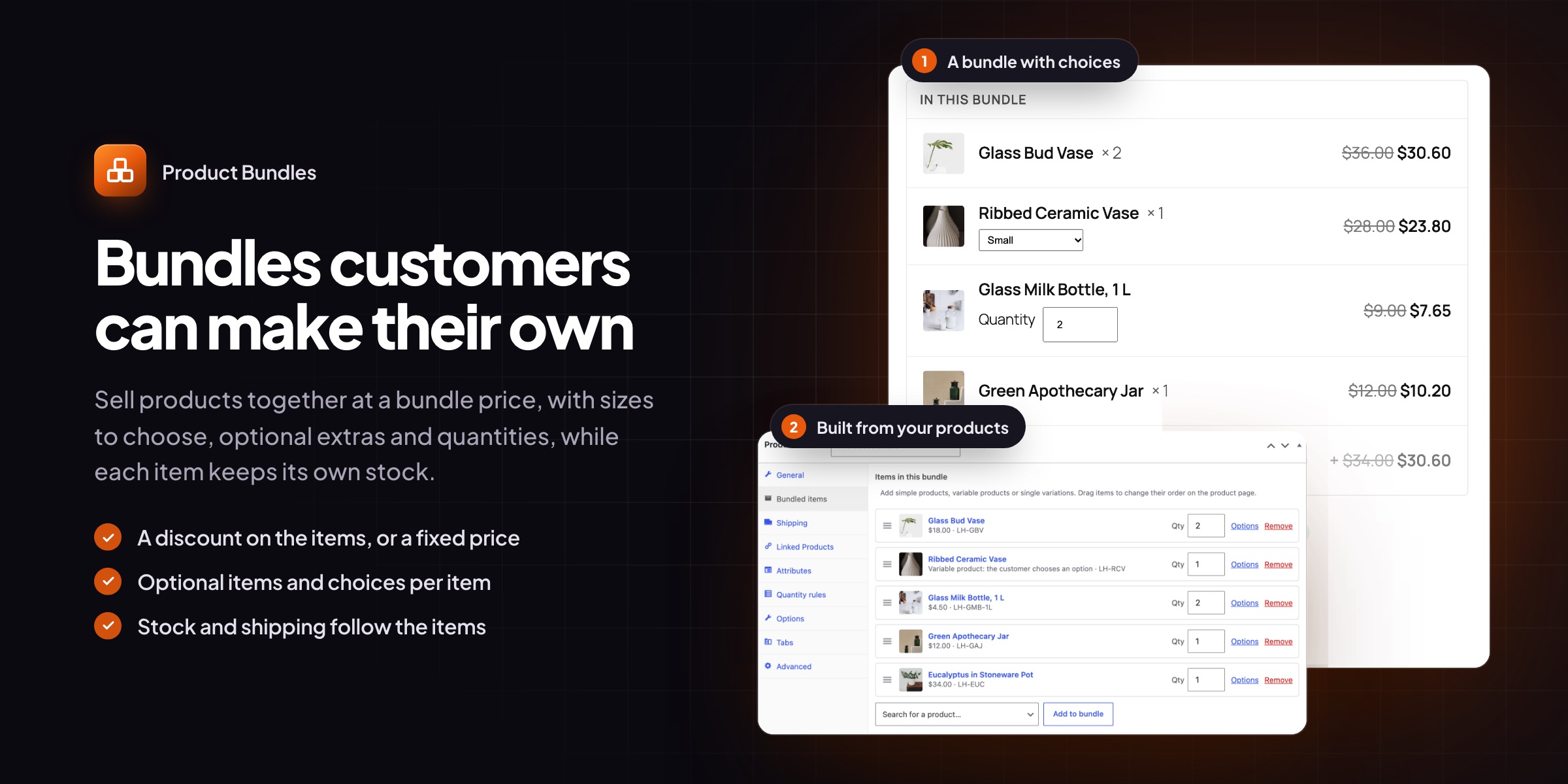
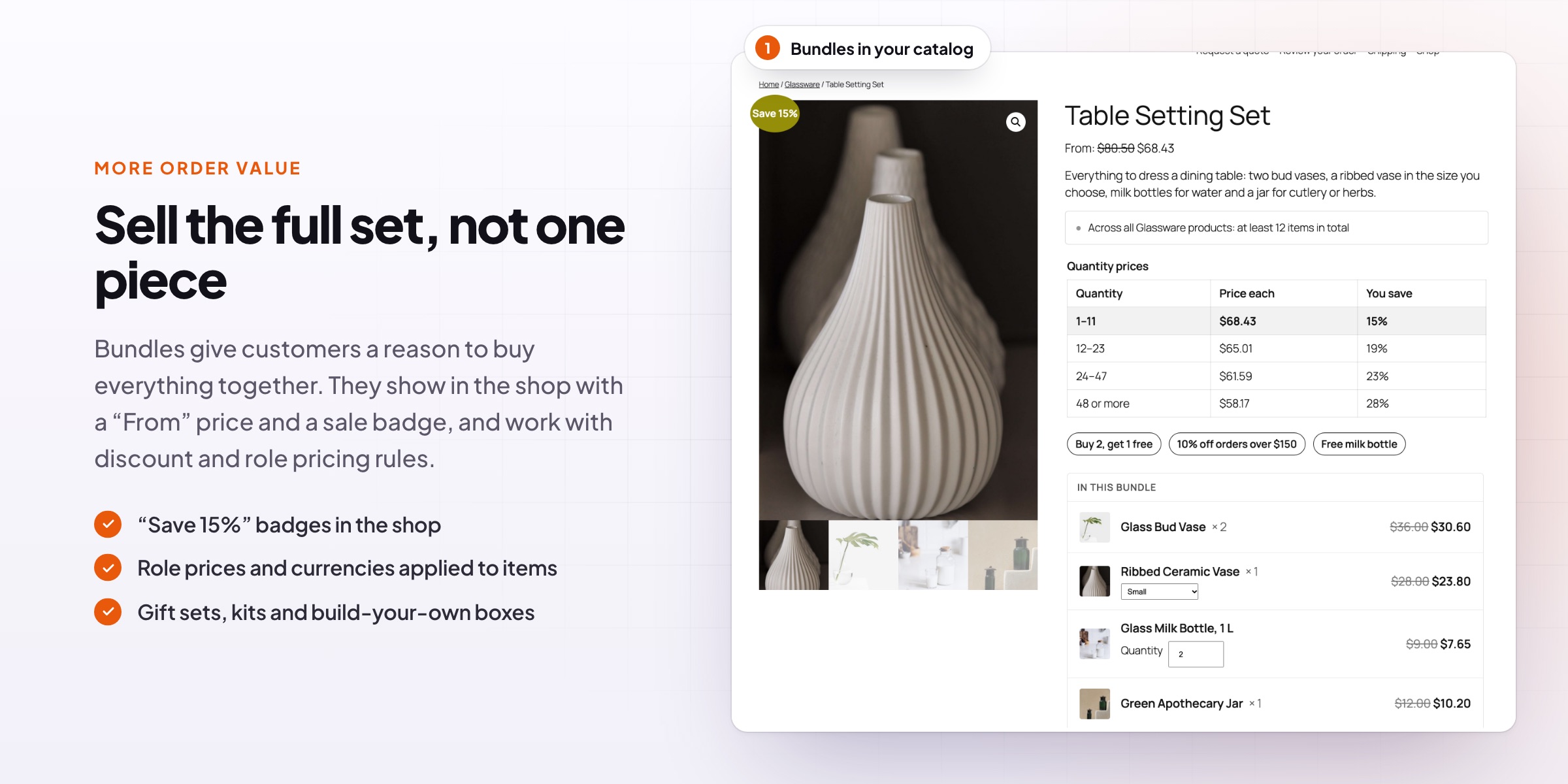
Some products sell better together: a table setting, a starter kit, a gift box. Product Bundles adds a WooCommerce bundle product type where customers see every item, choose sizes and colors, tick optional extras and see what they save, while each item keeps its own stock.
On the product page
Every item, every price, one button
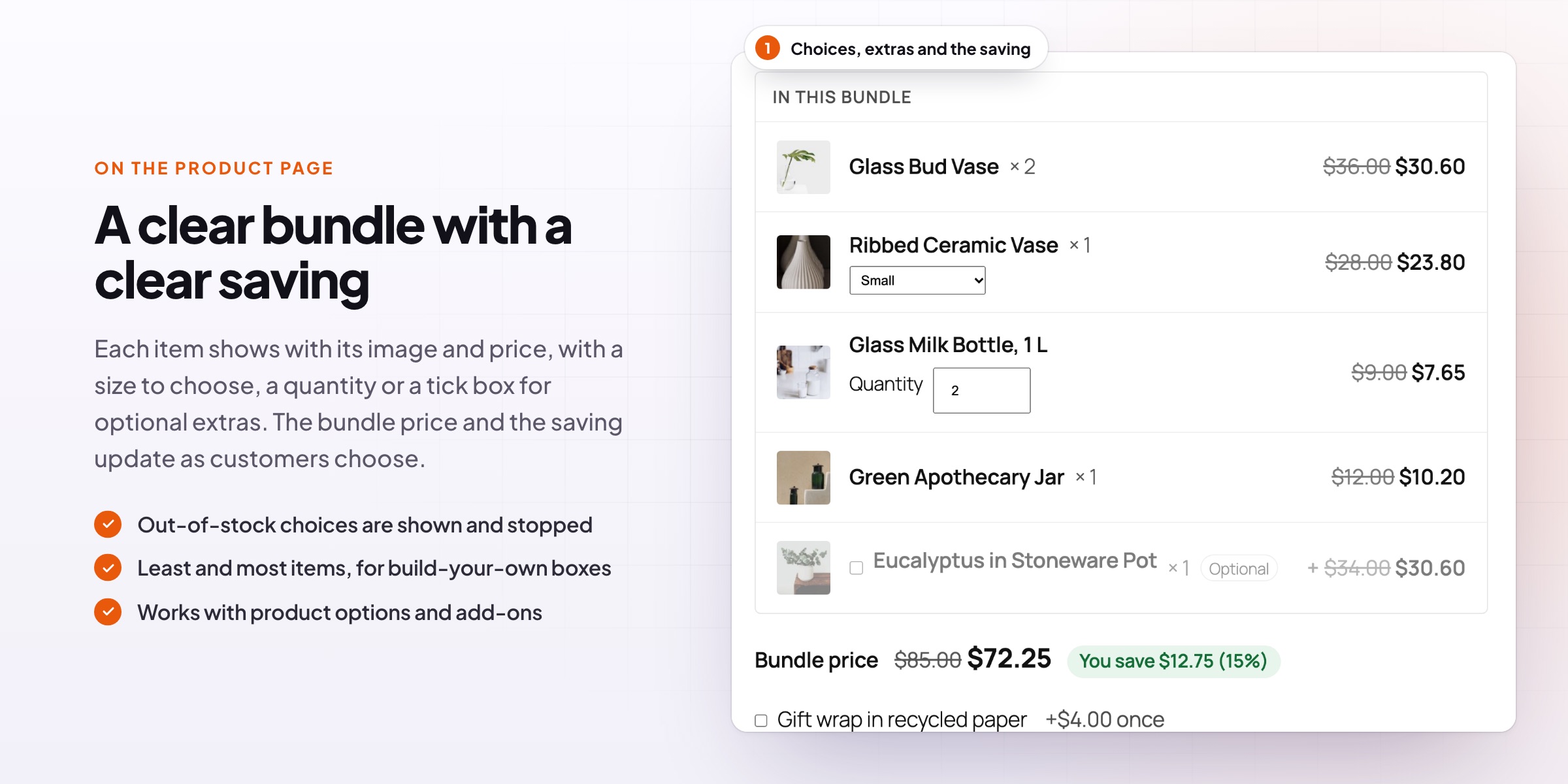
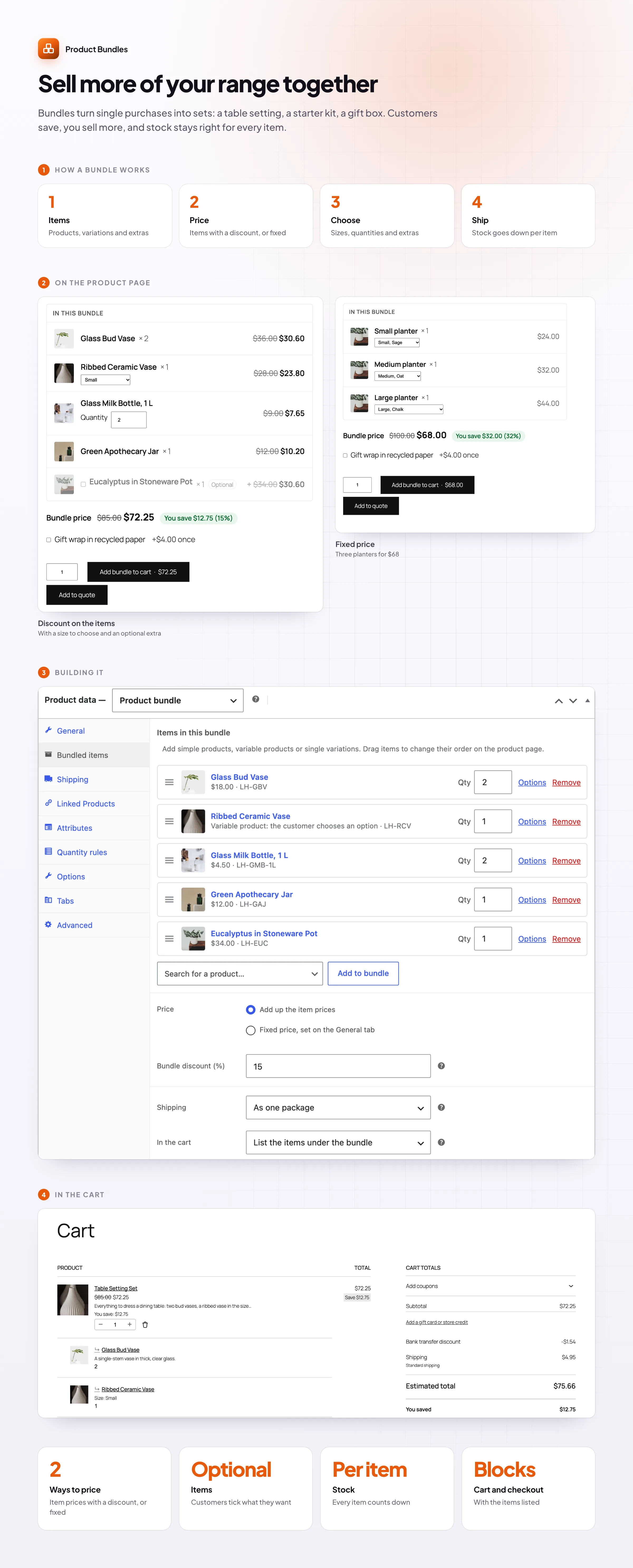
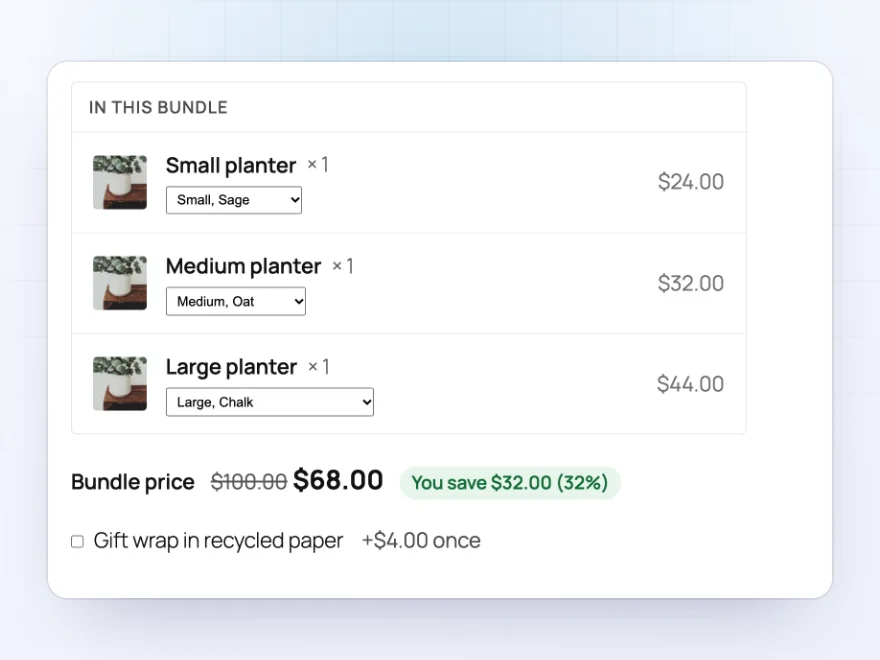
The bundle page lists each item with its picture, quantity and price. Customers choose an option for variable items, such as the size and glaze of a vase, and the bundle price and saving update as they go. One button adds the whole bundle to the cart.
- Item pictures, names and prices
- Options chosen in the item’s row
- The bundle price and saving as they choose
Optional items
Extras customers tick, and quantities they choose
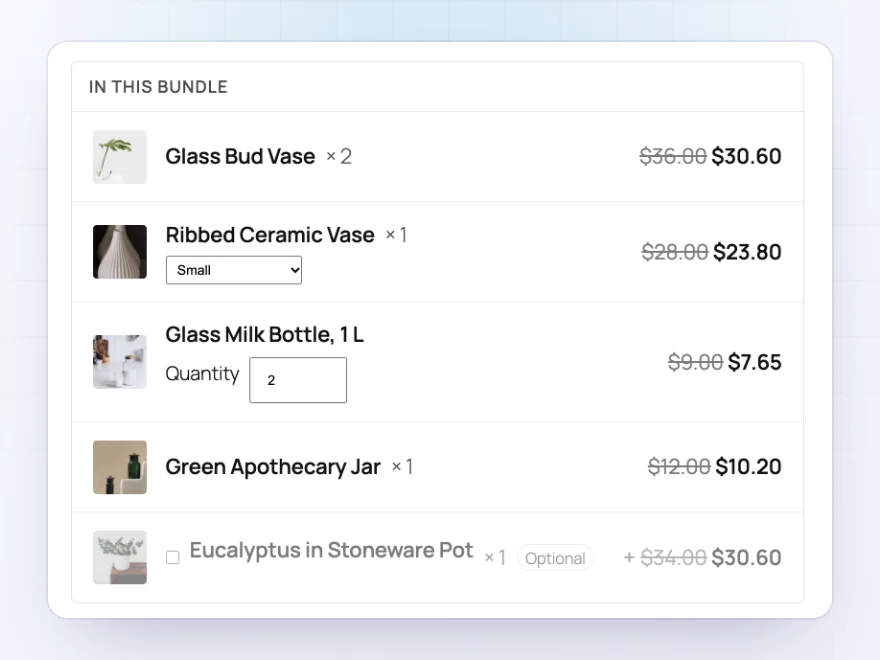
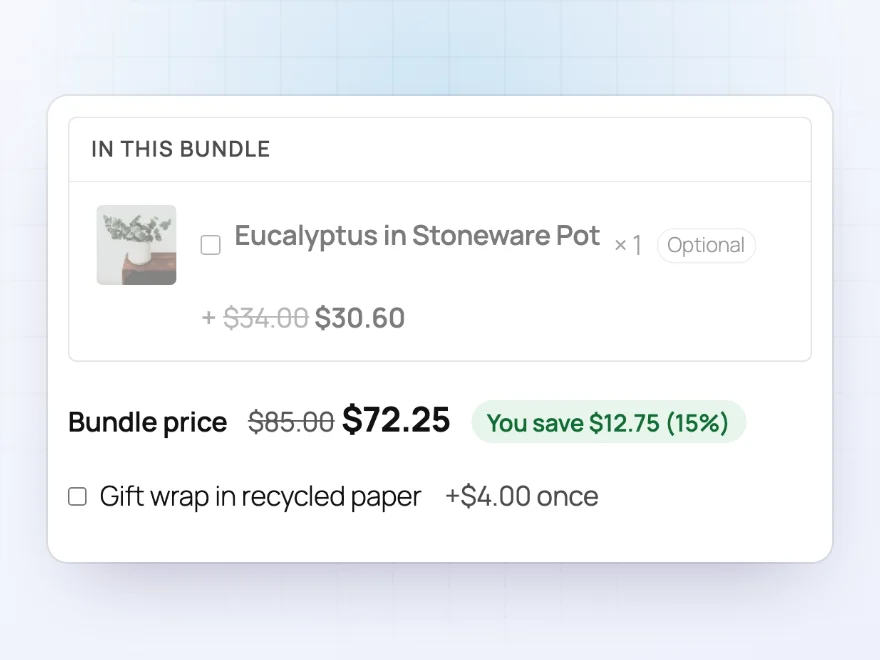
Mark an item as optional so customers tick it to add it, such as a plant with a planter set. Let customers choose the quantity of an item within a range, and give a single item its own discount.
- Optional items, ticked or unticked to start with
- A quantity range per item
- An extra discount on one item
Pricing
A discount on the items, or a fixed price
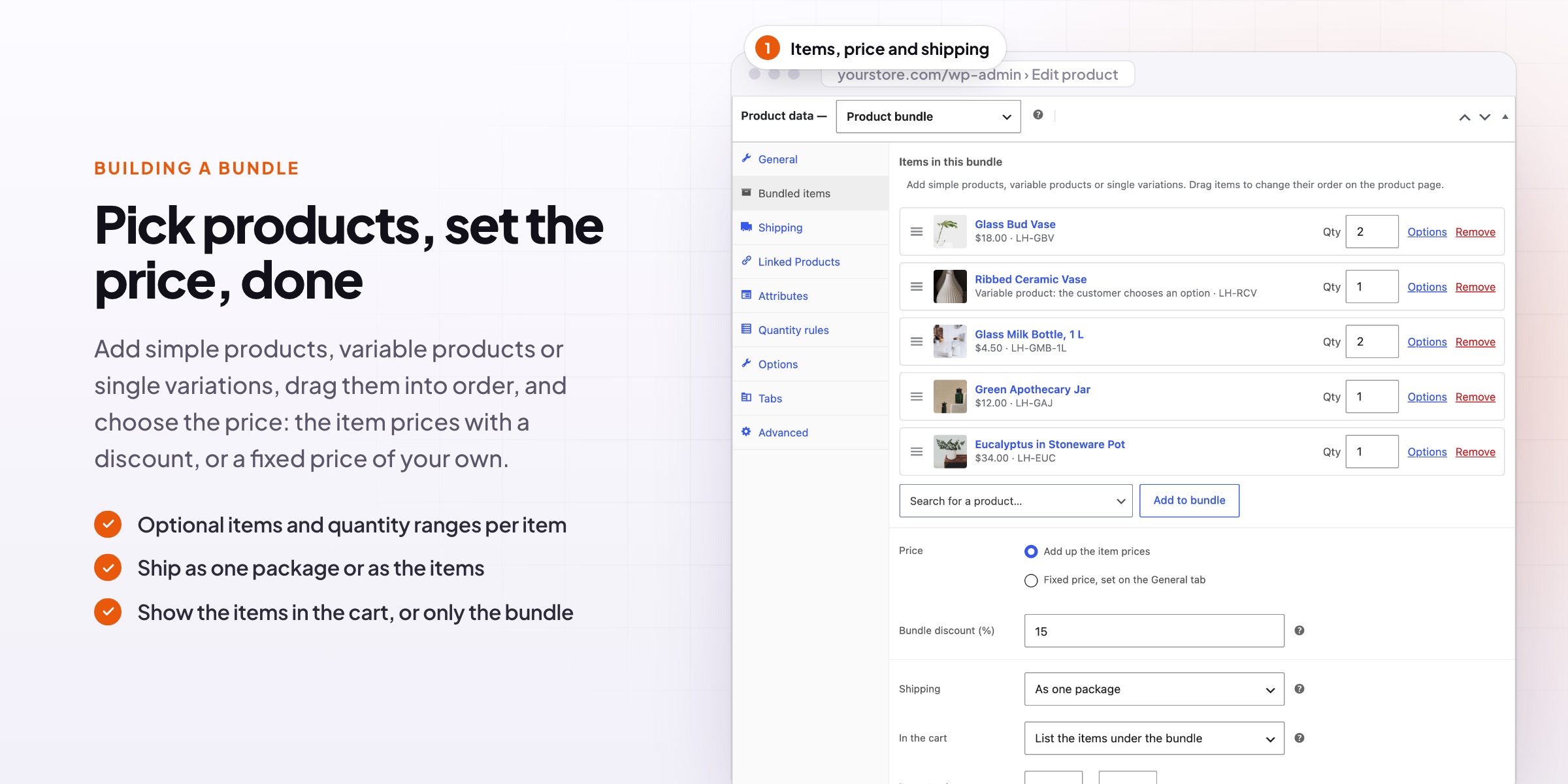
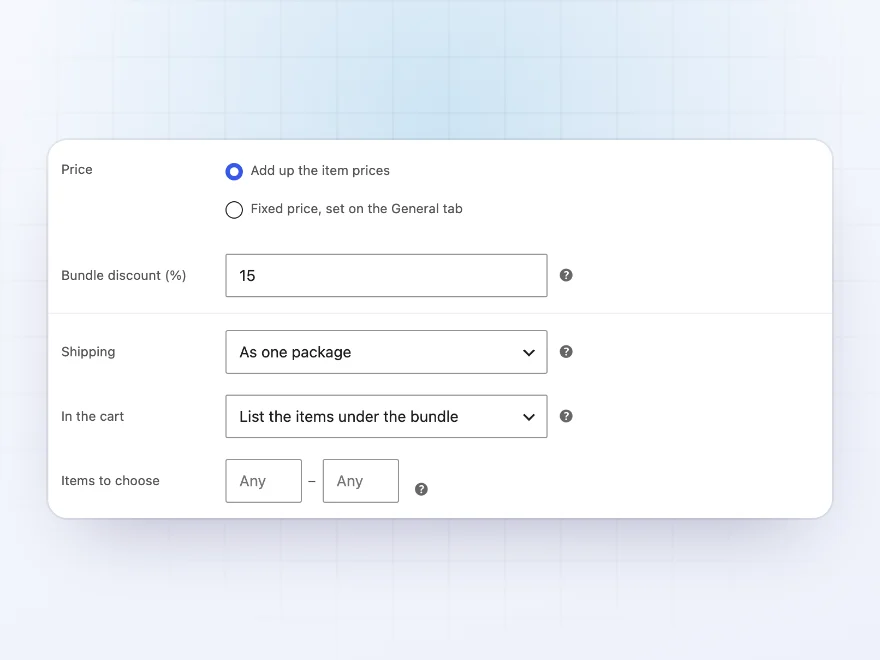
Add up the item prices and take a bundle discount off, or set a fixed price for the whole bundle, such as three planters for $85. Regular and sale prices are worked out for the shop, so sorting, price filters and sale badges work.
- Bundle discount in percent, or a fixed price
- “Save 15%” badges in the shop
- A saving line on the product page and in the cart
Building a bundle
Pick products, set the price, done
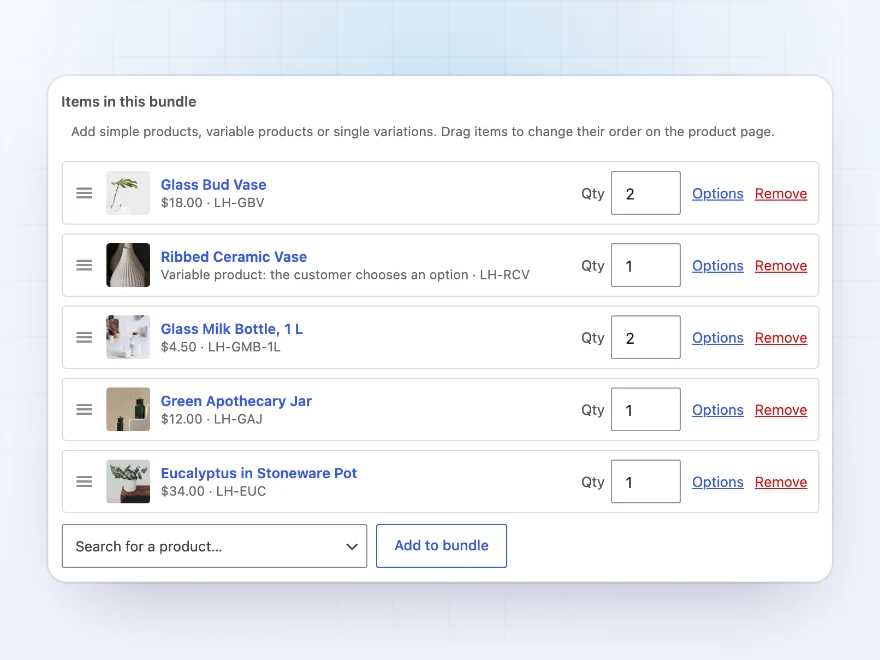
Choose “Product bundle” as the product type and add simple products, variable products or single variations on the Bundled items tab. Set each item’s quantity, its name in the bundle and which options customers can pick, then drag the items into order.
- Simple products, variable products and variations
- Options customers can pick, and the one chosen to start with
- The fewest or most items a customer must choose
Stock and shipping
Stock and shipping follow the items
Stock comes from the bundled products and goes down item by item when an order is placed; a bundle shows out of stock when one of its required items is. Ship a bundle as one package, or each item with its own weight, size and shipping class.
- Stock kept on the bundled products
- One package, or item by item
- Cart shows the bundle with its items, or as one line
Cart and orders
Clear in the cart, clear to pack
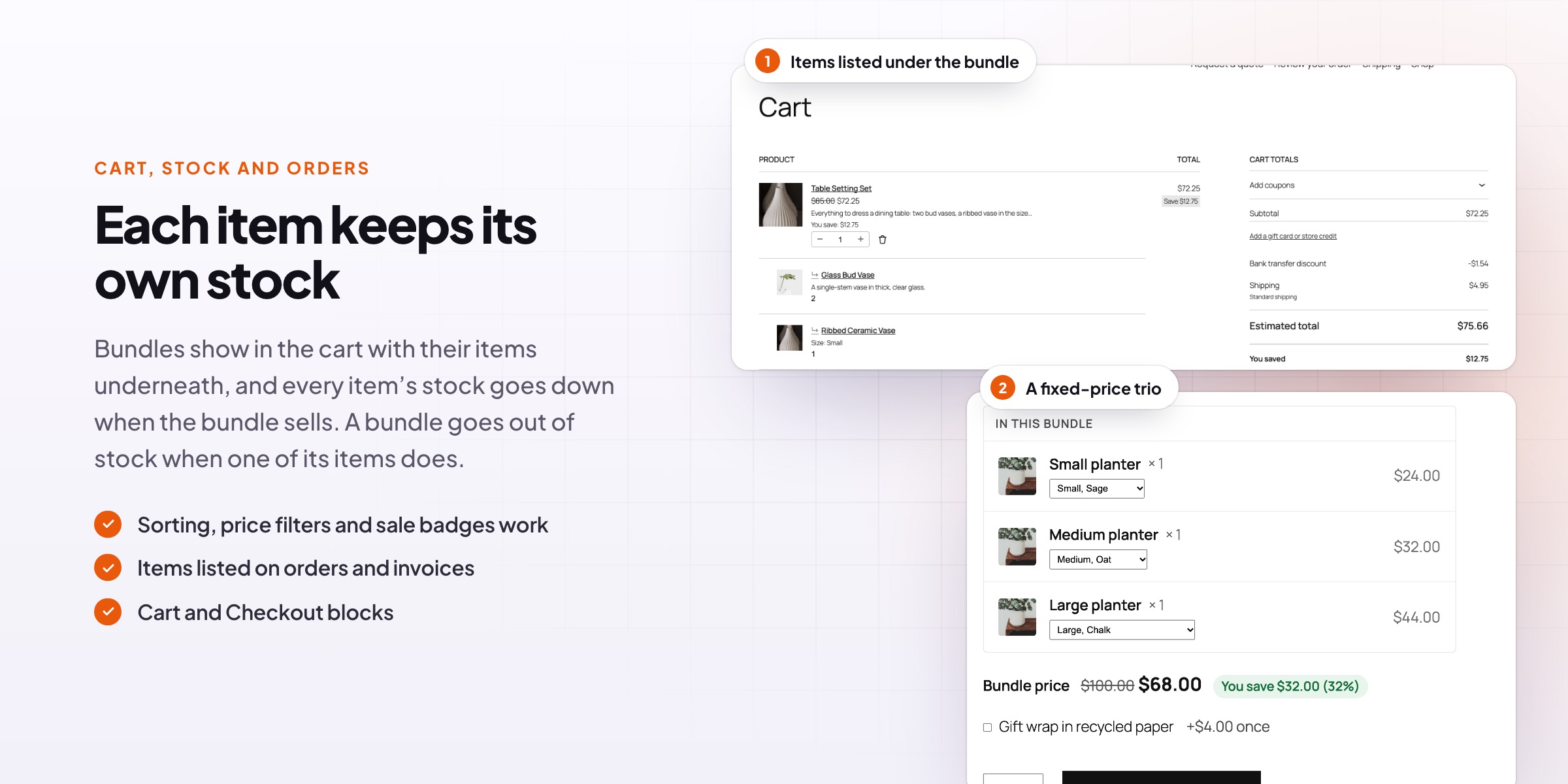
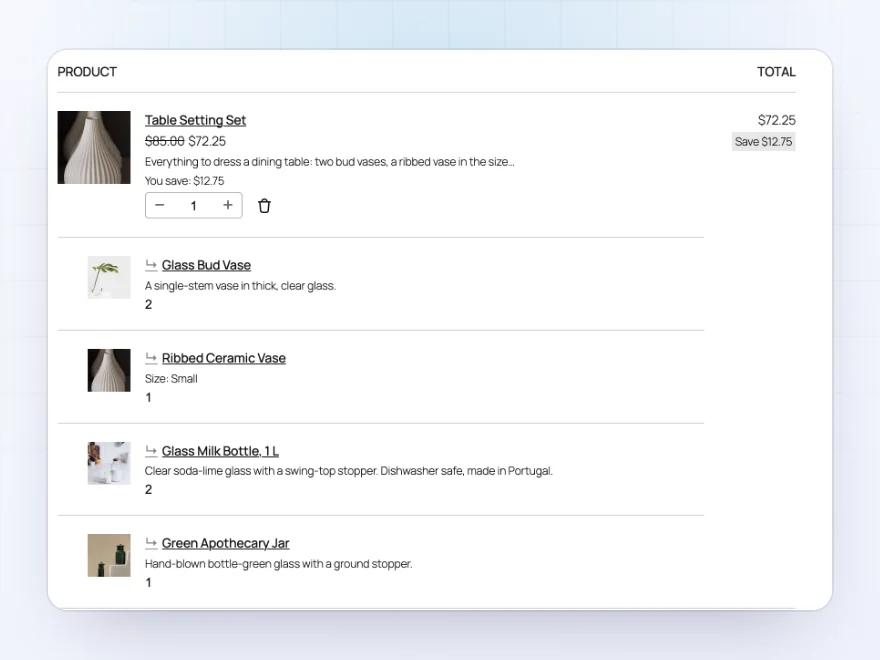
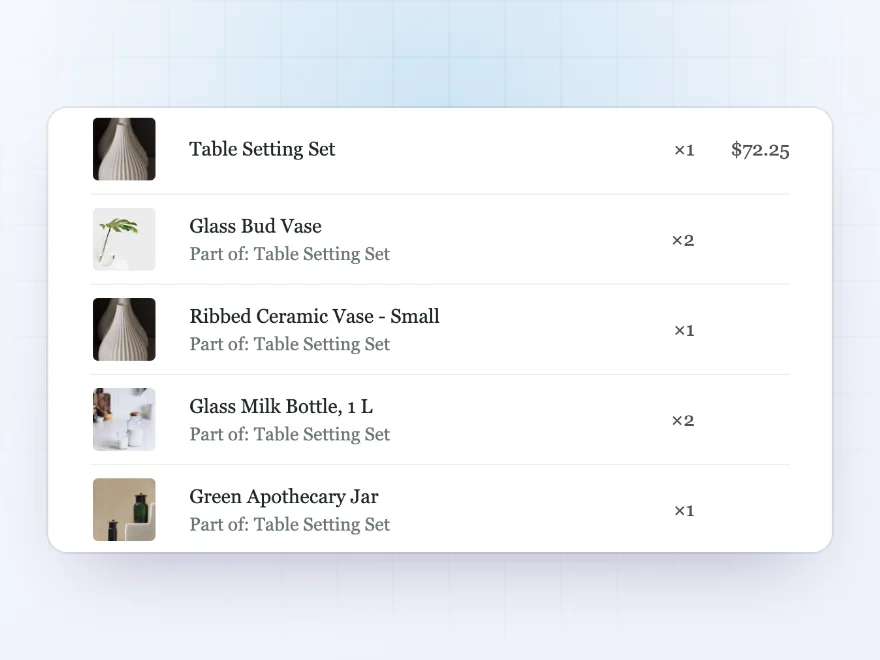
In the cart the bundle carries the price with its items listed underneath, or shows as one line with “Includes” under it. Items can’t be removed on their own. Emails, My Account and the order screen show which bundle each item belongs to.
- Classic cart and the Cart, Checkout and Mini-Cart blocks
- Changing the bundle quantity changes its items
- “Order again” brings back the same choices
Packing
Every item listed, so you know what to pack
The order screen always lists the bundle’s items, and emails and the customer’s account show which bundle each item belongs to. Stock is reduced item by item when the order is placed.
- Items listed on every order
- Emails show which bundle an item is in
- Stock reduced per item
In the shop
Bundles behave like any other product
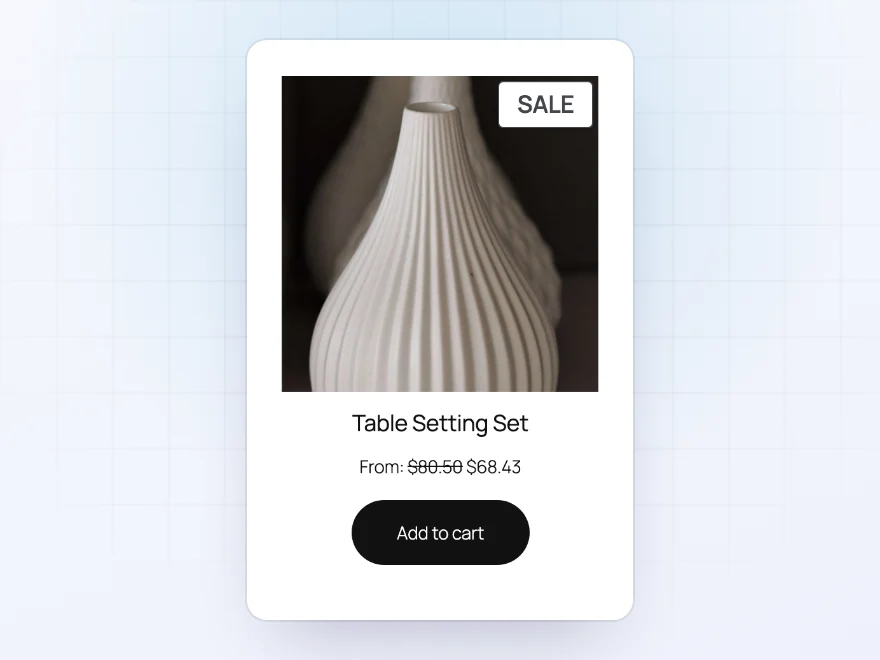
The bundle’s regular and sale price are worked out for the shop, so sorting, price filters and sale badges work, and a “Save 15%” badge shows what customers save. A bundle shows as out of stock when one of its required items is.
- Sorting and price filters work
- “Save 15%” badges
- Out of stock with its items
Works with Maxima plugins
Options, discounts and quantity rules on bundles
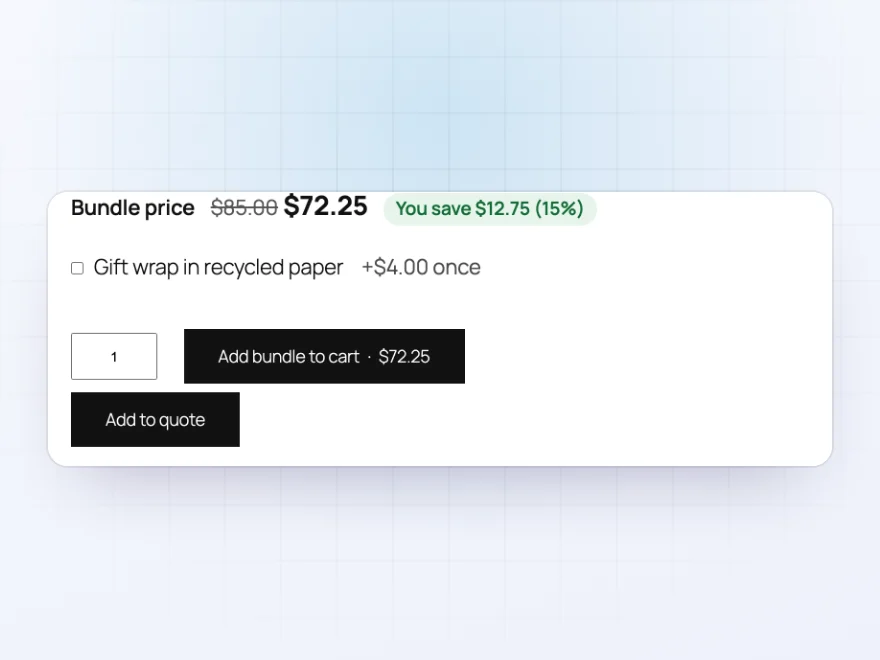
Product Options and Add-ons can add choices such as gift wrap to a bundle, Dynamic Pricing and Discount Rules can discount bundles like any product, and Min/Max Order Quantity rules apply to the bundle, not the items inside it.
- Options such as gift wrap
- Discount rules on bundles
- Quantity rules on the bundle itself
Docs and support
Try it, set it up, ask us anything
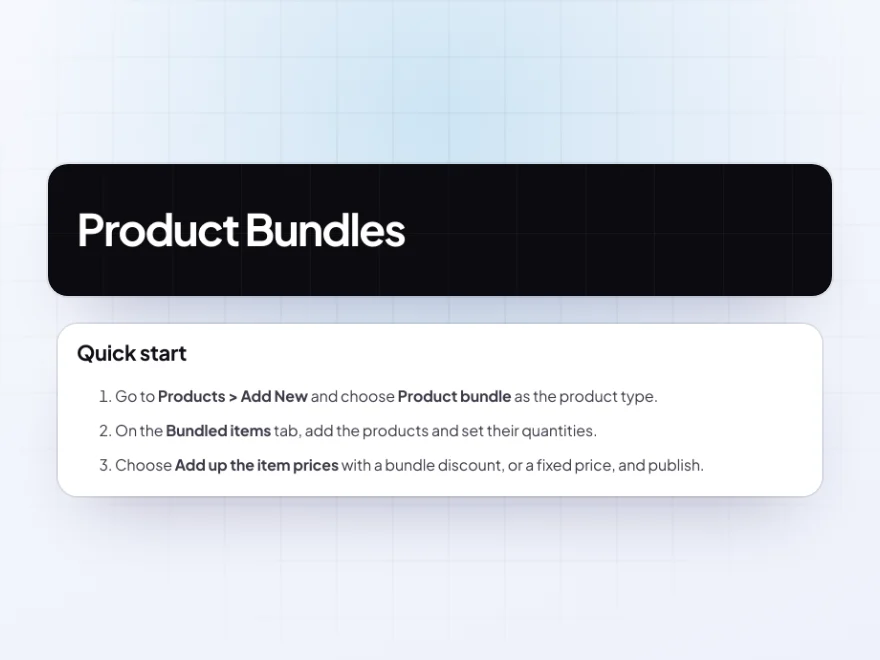
Try Product Bundles in a live demo store before you buy. The docs start with a quick start and cover adding items, options of variable items and optional items. Support tickets are answered by the developers who make the plugin, and updates are included.
- A live demo store to try it first
- Step-by-step docs with a quick start
- Most tickets answered within 12–24 hours
A WooCommerce bundle plugin for kits, sets and gift boxes
Product Bundles is a WooCommerce bundle plugin that sells several products as one: a table setting, a starter kit or a gift box. Customers see every item with its picture and price, pick sizes and colours, tick optional extras and see what they save before adding the bundle to the cart.
WooCommerce product bundles here keep stock on the items themselves, can ship as one package or item by item, and show their items in the cart, emails and the order so packing is simple. Price a bundle as a discount on its items or as a fixed price, and the shop’s sorting, filters and sale badges work as usual.
Common setups
- Gift sets: a fixed-price box of three products with a gift message option.
- Starter kits: everything a new customer needs, with optional extras.
- Furniture sets: a table with a choice of chairs and a quantity range.
- Size families: every size of one product for one price.
- Wholesale packs: six of an item at a bundle discount, counted as one item.
Questions before you buy
Does each bundled product keep its own stock?
Yes. Stock is taken from the bundled products item by item, and a bundle shows out of stock when a required item is.
Can customers choose sizes or colors?
Yes. Add a variable product and choose which of its options customers can pick and which one is chosen to start with.
Can I set a fixed bundle price?
Yes. Set a fixed price, or add up the item prices and take a bundle discount off.
Do sale badges and price filters work?
Yes. The bundle’s regular and sale prices are saved like any product’s, so sorting, filters and badges work.
How does shipping work?
Ship the bundle as one package with its own weight, or each item with its own weight, size and shipping class.
Do bundles work in the Cart and Checkout blocks?
Yes, in the classic cart and checkout and in the Cart, Checkout and Mini-Cart blocks.
Do bundles work with discount rules and product options?
Yes. Dynamic Pricing and Discount Rules can discount bundles, and Product Options and Add-ons can add options to them.
Requirements
WordPress 6.8 or newer, WooCommerce 10.0 or newer and PHP 7.4 or newer. Works with classic and block themes, the Cart and Checkout blocks, and High-Performance Order Storage.
Documentation
Step-by-step setup, every setting explained, and examples: read the documentation. Questions before you buy? Ask us.




Reviews
There are no reviews yet.