 Maxima Plugins
Description
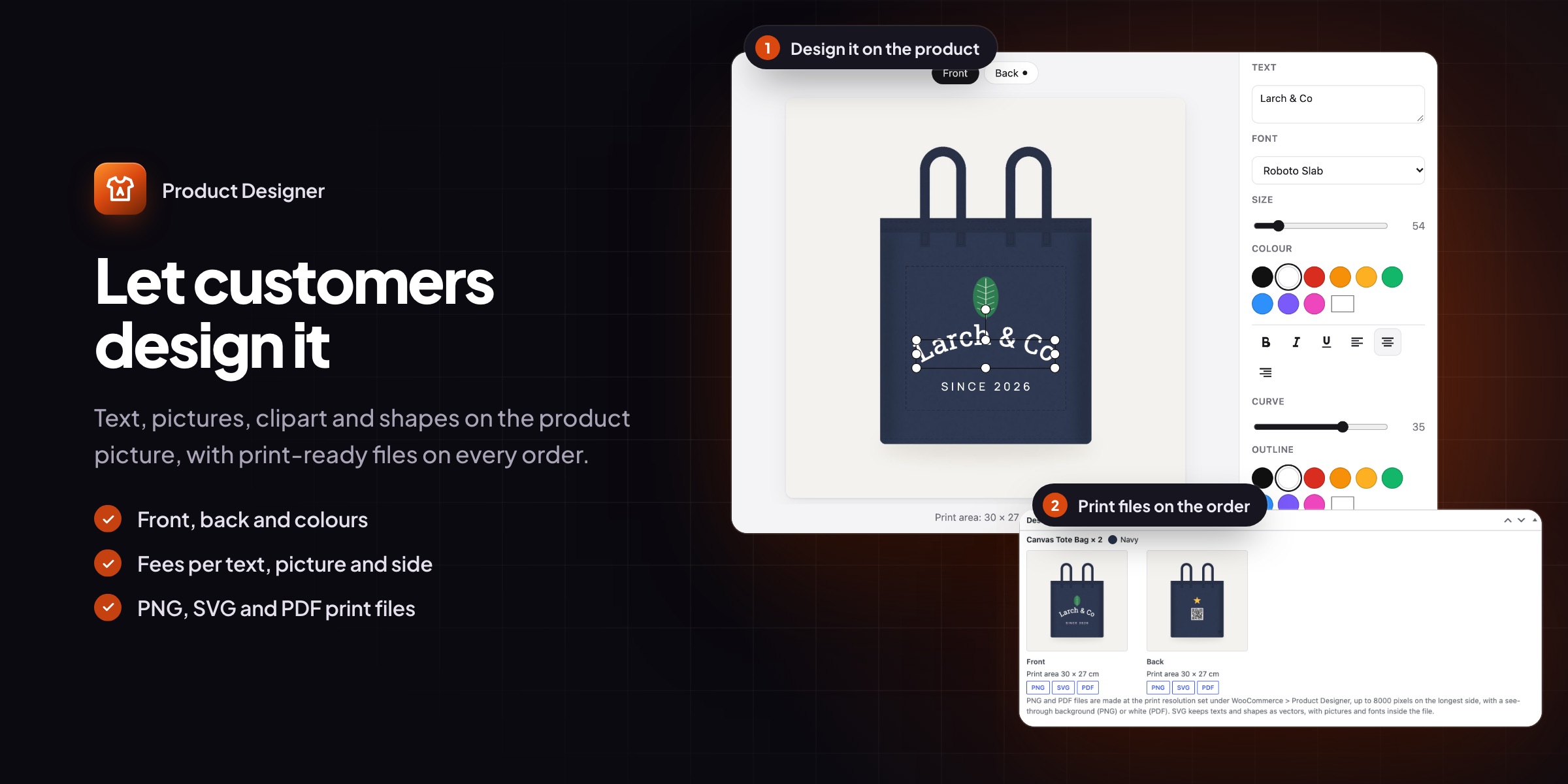
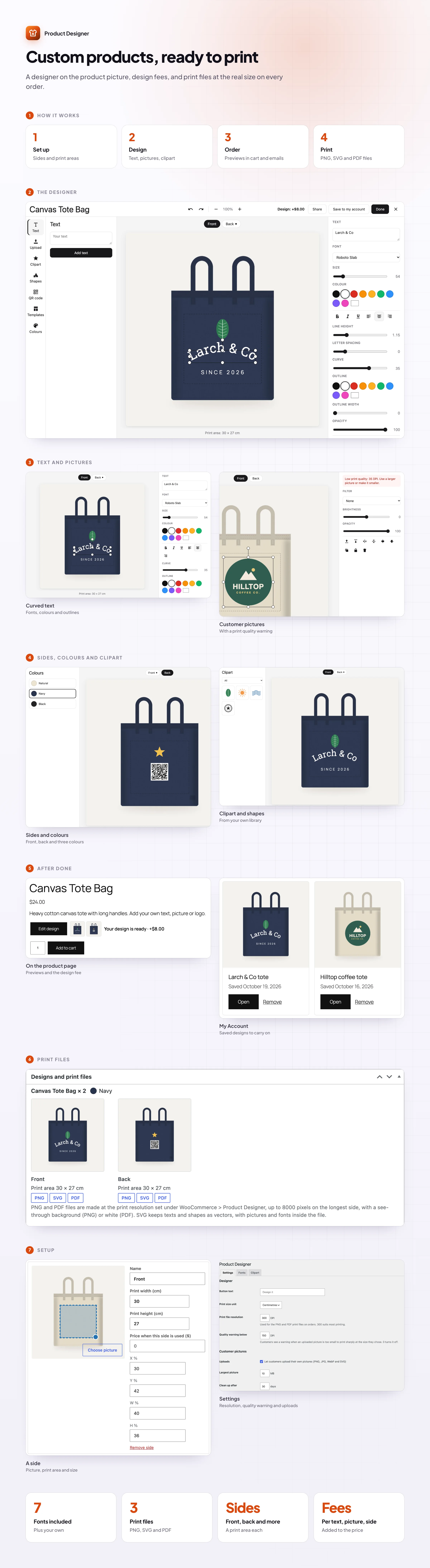
Product Designer lets customers design their product with their own text, pictures, clipart, shapes and QR codes. They design inside the print area you set and see the result in the cart, and you get print files with every order.
🖌️ A full-screen designer that works on phones and tablets too.
🔤 Text with fonts, outlines and curves: seven fonts included, plus your own.
👕 Front, back and every colour, with a print area and a price per side.
🖼️ Customer pictures with a print quality warning.
🧩 Clipart, shapes and QR codes in categories you set up.
🛒 Previews everywhere: cart, checkout, emails and the order screen.
🖨️ Print files as PNG, SVG and PDF at the real size.
💾 Saved designs in My Account, with share links.
The designer
Design it on the product itself
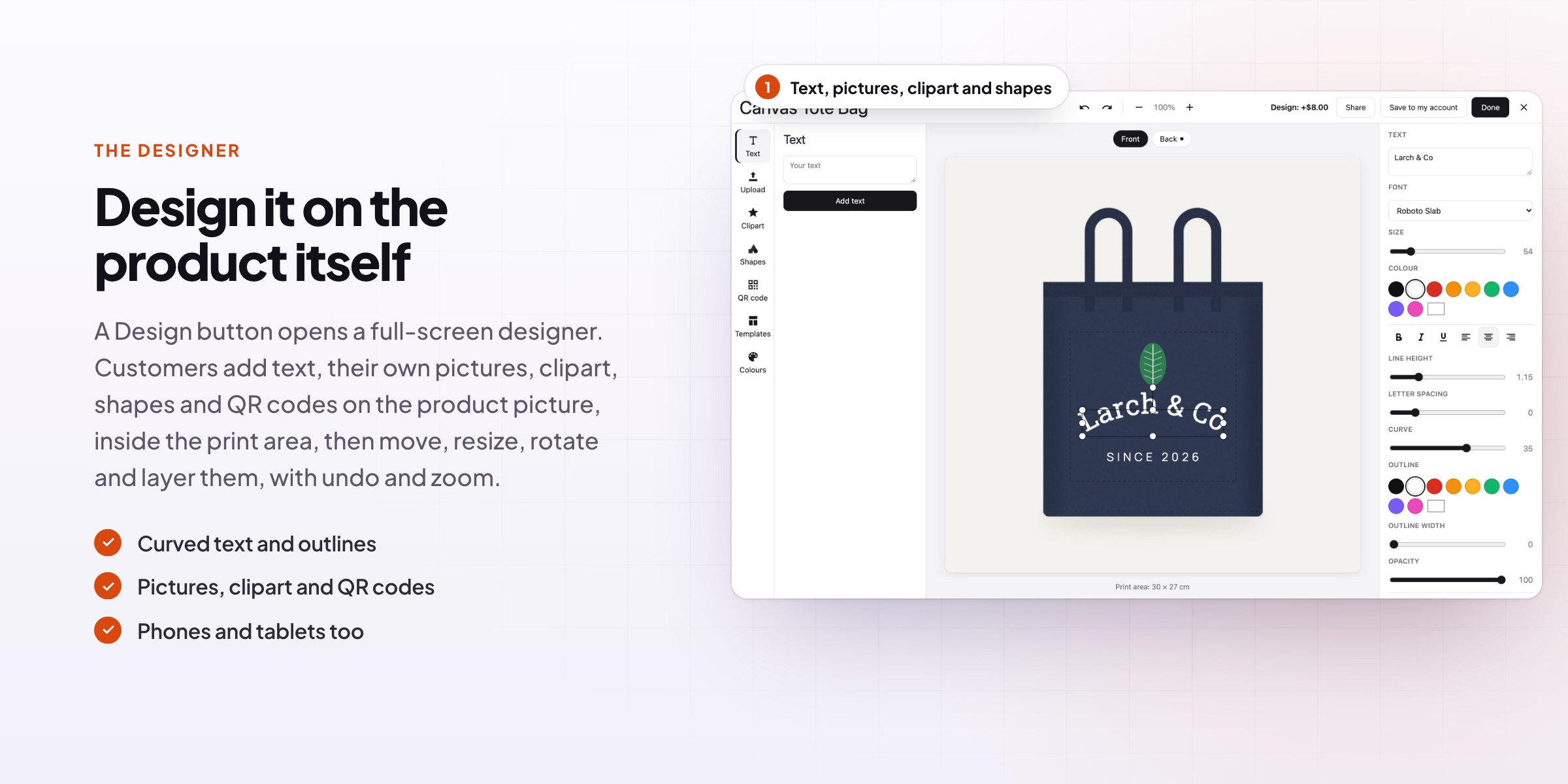
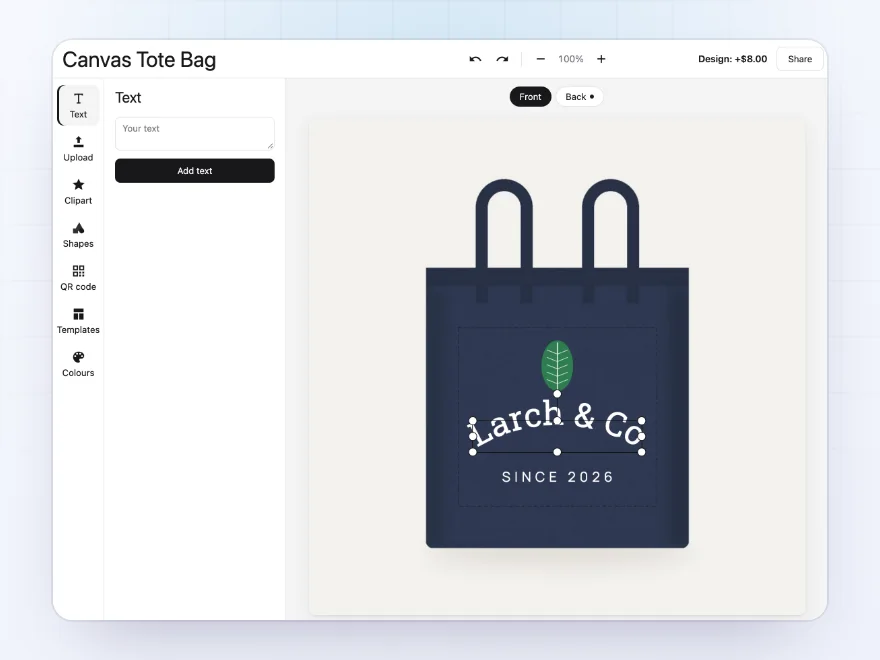
Customers add text, their own pictures, clipart, shapes and QR codes on the product picture, then move, resize, rotate, flip and layer them. Undo, redo and zoom are always there, and it works on phones and tablets.
- Text, pictures, clipart, shapes
- Move, rotate, flip and layer
- Phones and tablets too
Text
Fonts, colours, outlines and curves
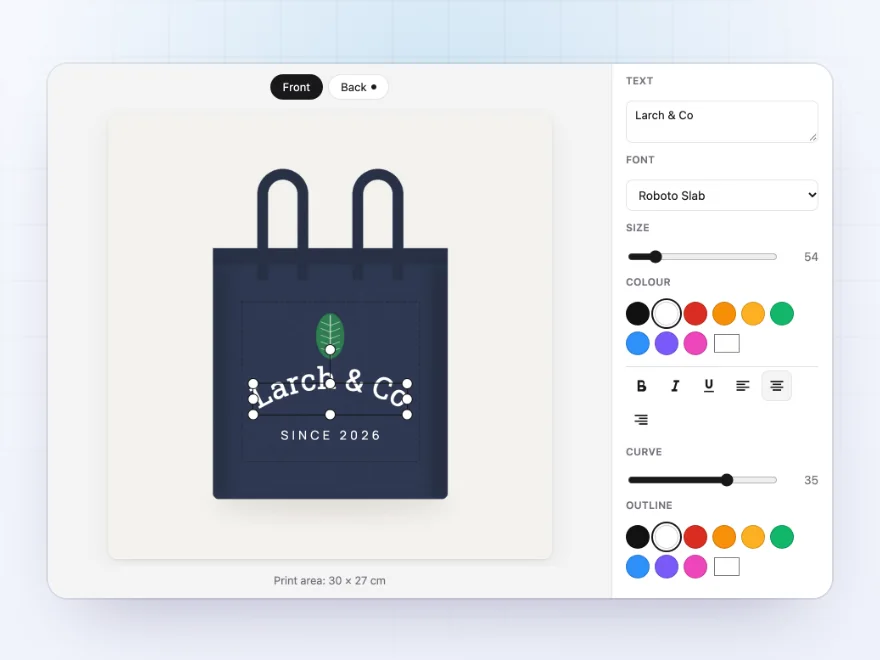
Each text has a font, size, colour, bold, italic, underline, alignment, line height and letter spacing, an outline, and a curve that bends it along an arc. Fonts are served from your own site.
- Seven fonts included, plus yours
- Outline and curve
- A colour palette if you like
Sides and colours
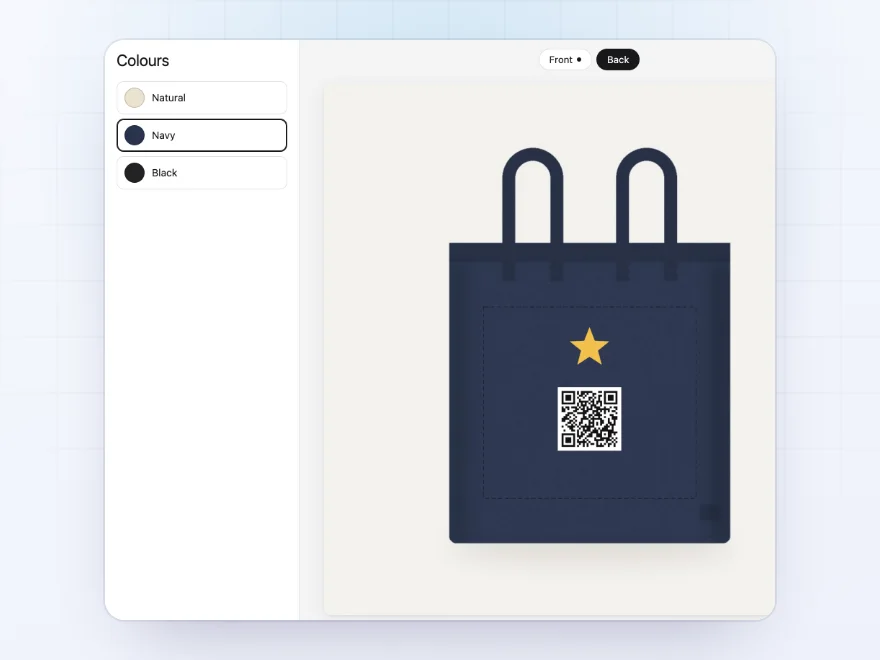
Front, back, and every colour
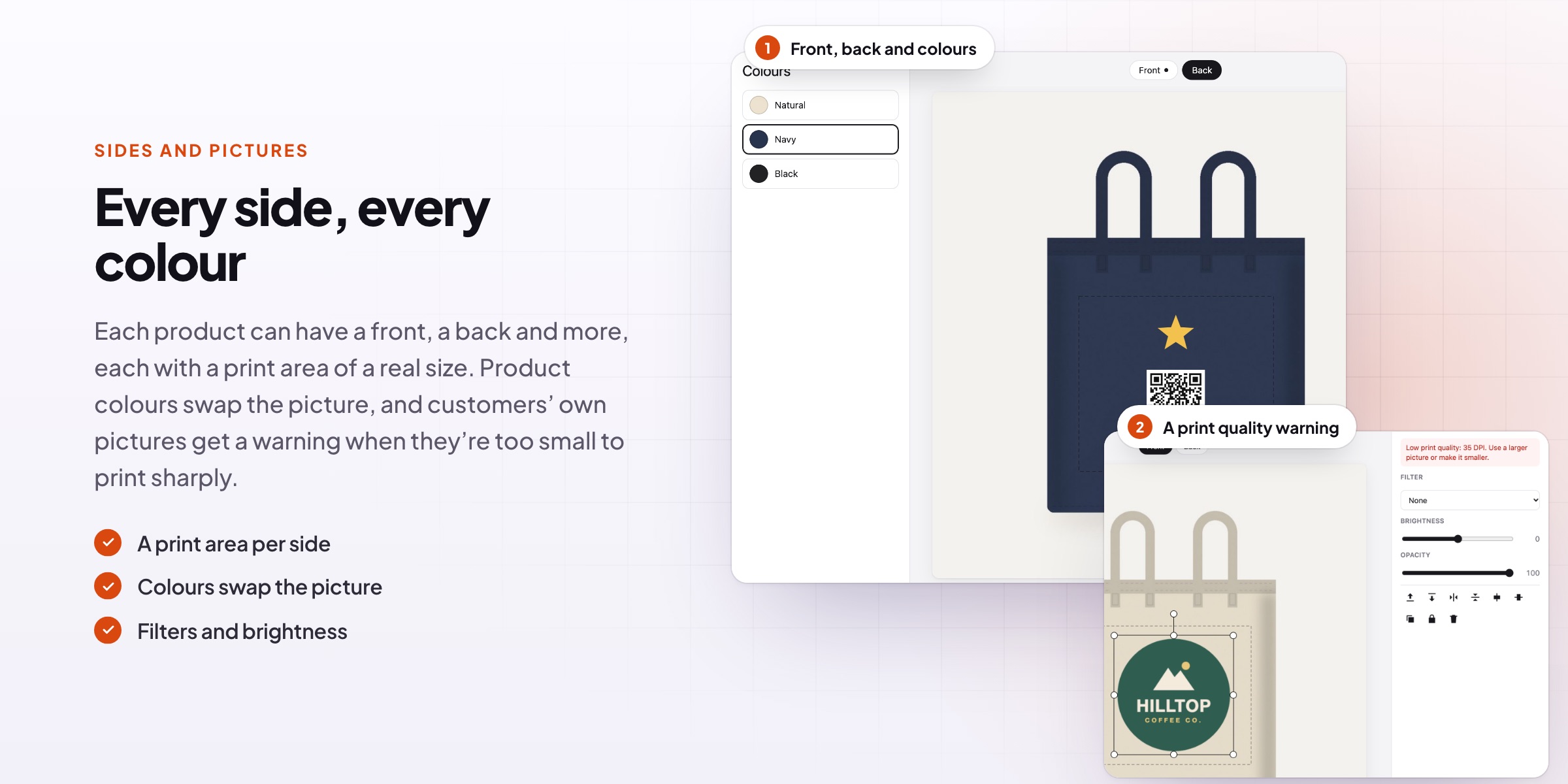
Each product can have several sides, such as front and back, each with its own picture and print area of a real size. Product colours swap the picture, so a navy tote shows as navy.
- A print area per side
- A price per side used
- Colours swap the picture
Pictures
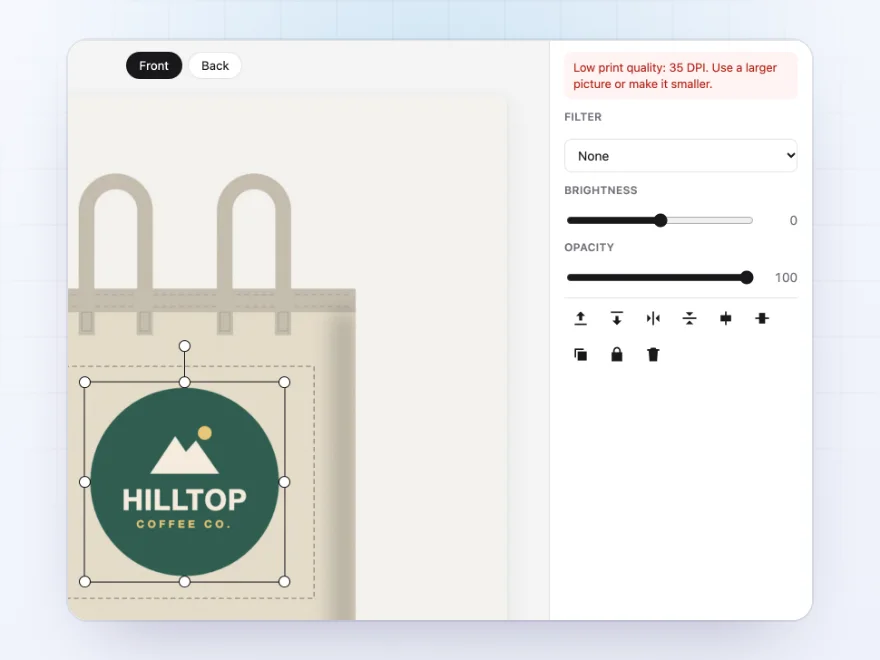
Their own pictures, printed sharply
Customers upload PNG, JPG, WebP or SVG pictures. A warning shows when a picture is too small to print sharply at the size they chose, and filters turn pictures black and white or sepia.
- PNG, JPG, WebP and SVG
- Print quality warning
- Filters and brightness
Cart and orders
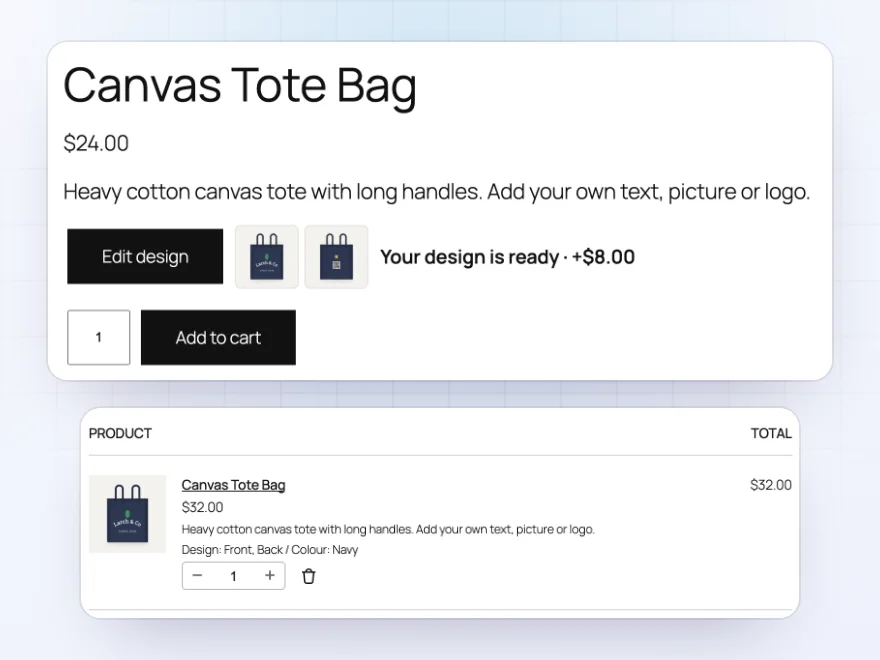
The design goes with the order
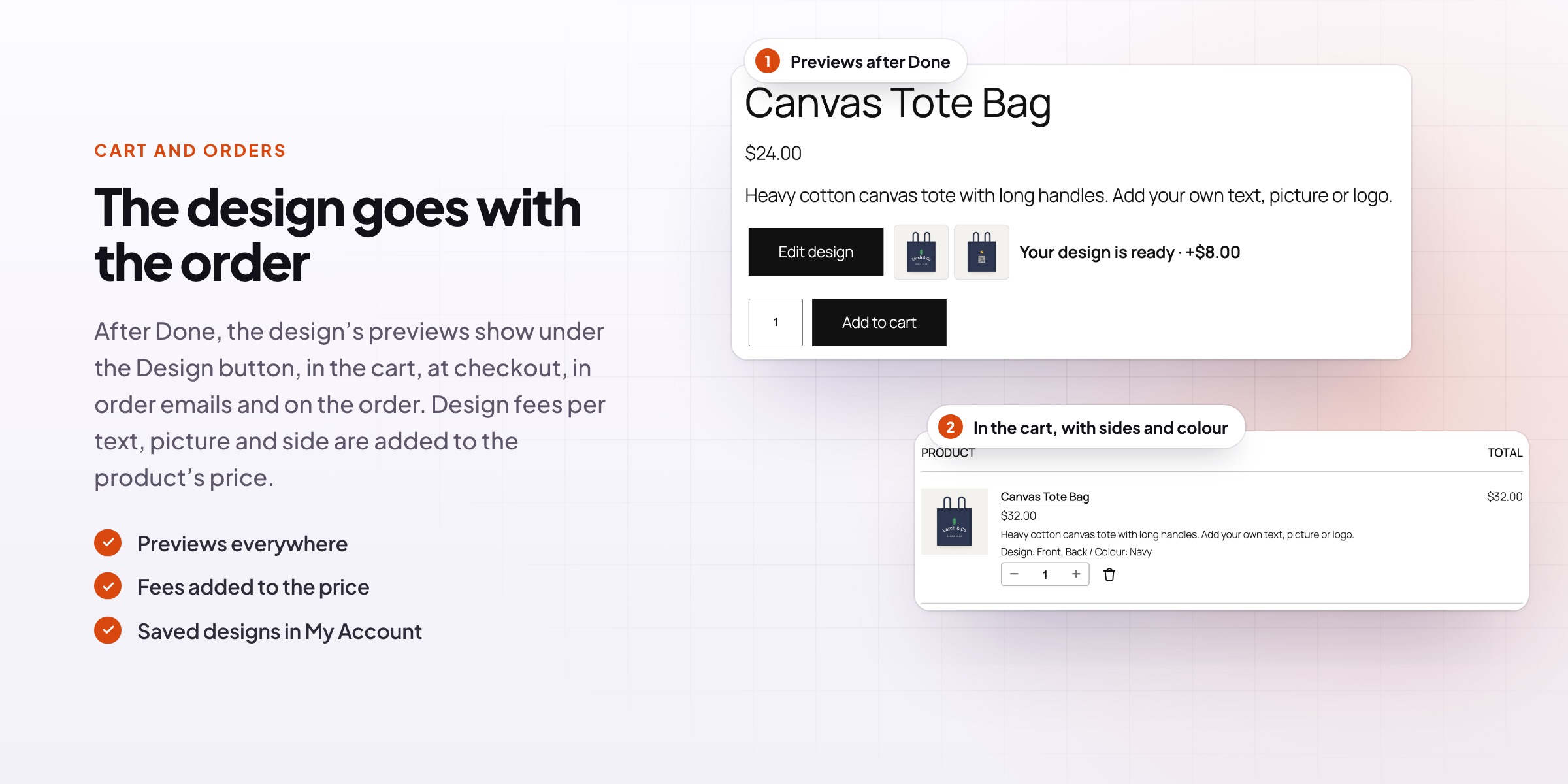
After Done, the design’s previews show under the Design button and in the cart, checkout, order emails and the order screen, with the sides used and the colour. Design fees, prices per text and picture, and side prices are added to the product’s price.
- Previews everywhere
- Fees per text, picture and side
- Sides and colour listed
Print files
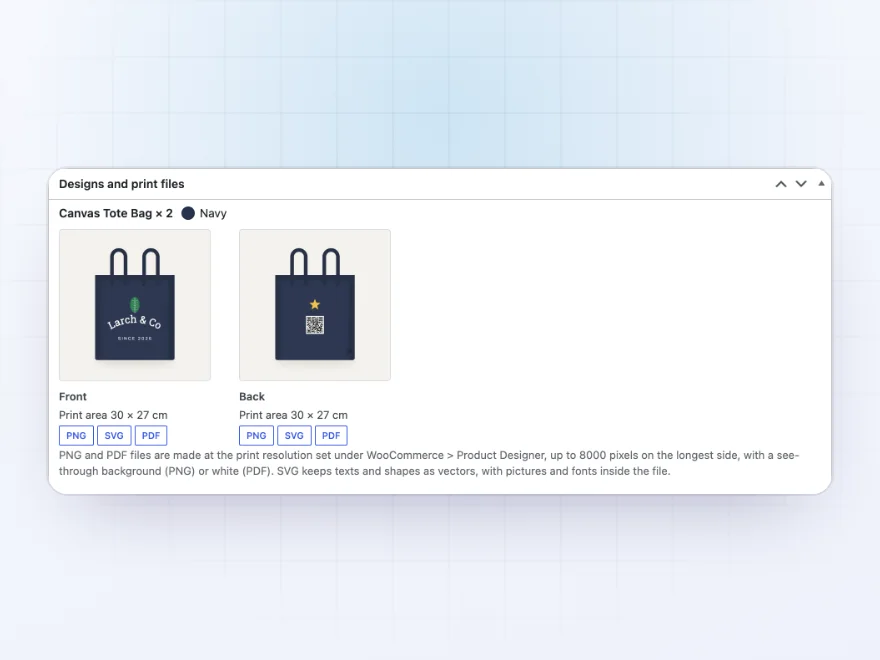
Print-ready files on every order
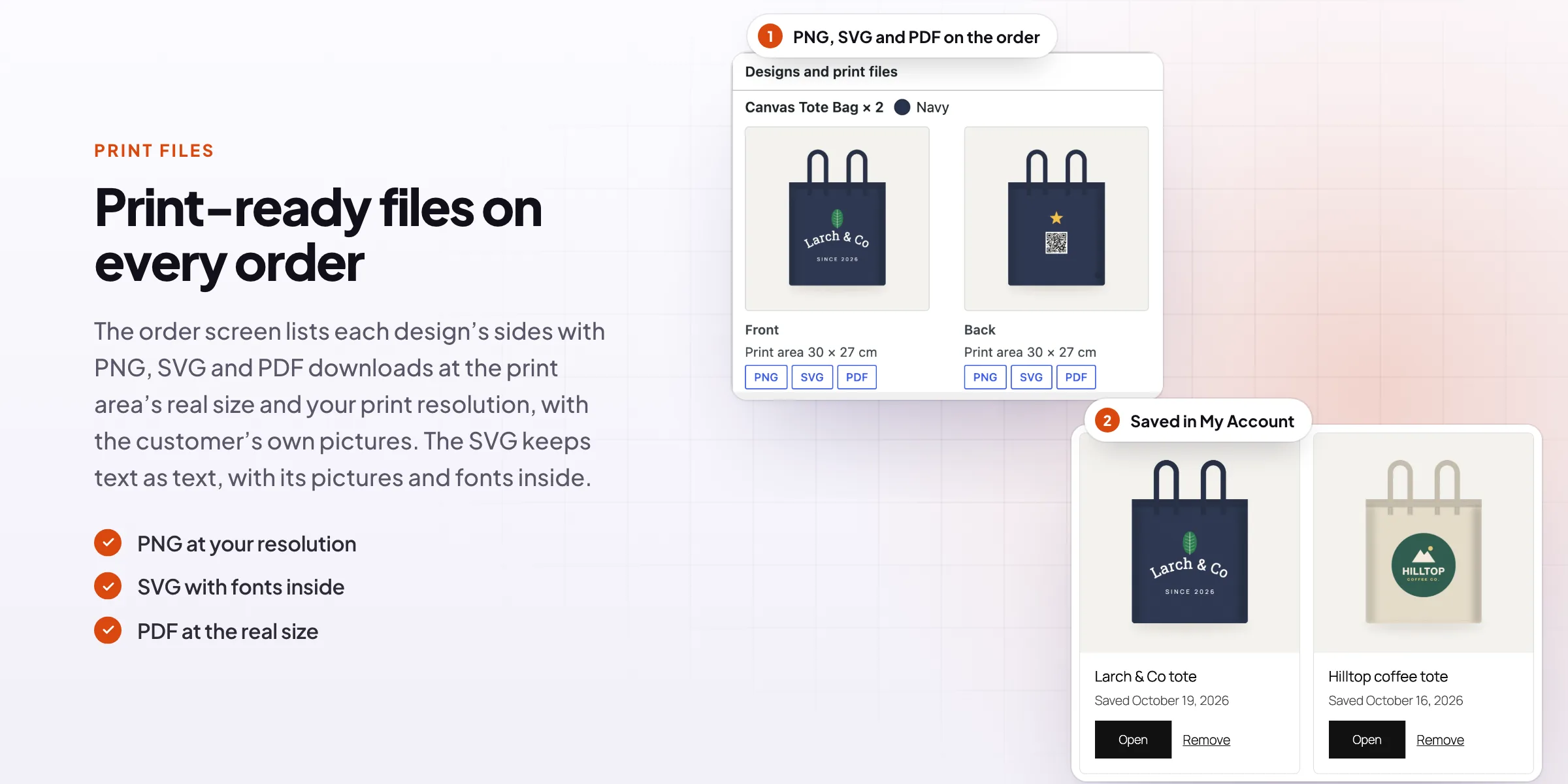
The order screen lists each design’s sides with PNG, SVG and PDF downloads at the print area’s real size and your print resolution, and the customer’s original pictures.
- PNG at print resolution
- SVG with text as text
- PDF at the real size
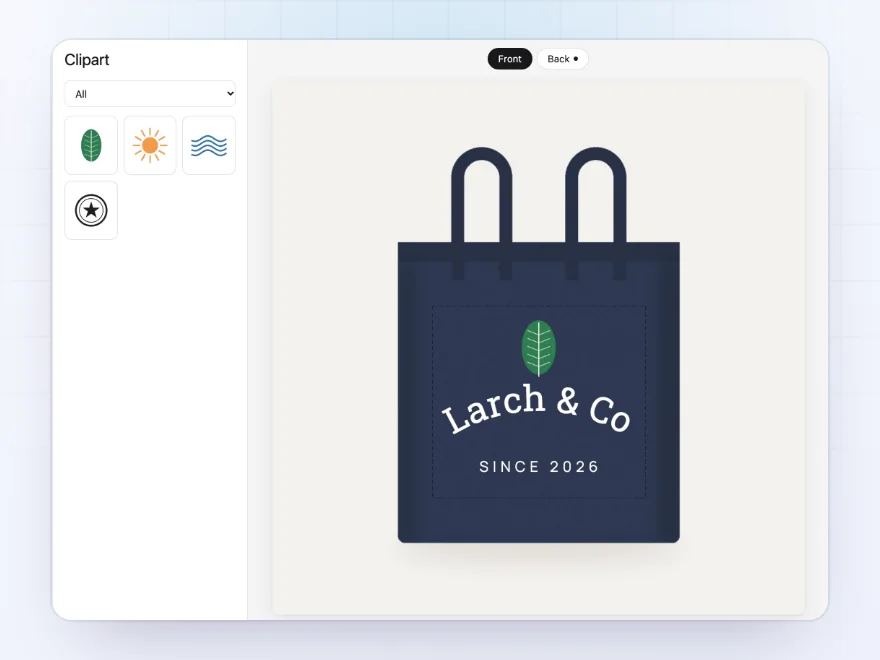
Clipart and QR codes
Your clipart, shapes and QR codes
Upload your own clipart in categories for customers to place, offer shapes such as stars, hearts and lines in any colour, and let customers turn a link into a QR code made on your site. Templates you save in the designer give customers a ready design to start from.
- Your clipart in categories
- Shapes in any colour
- QR codes made on your site
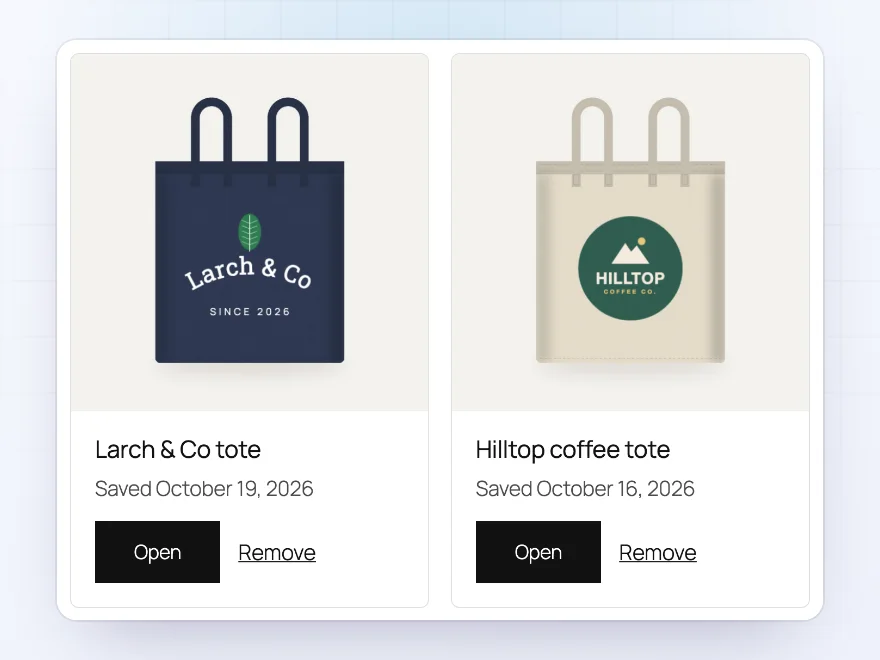
Save and share
Saved designs and share links
Customers with an account save designs to My Account > Designs and carry on later, and anyone can share a link that opens a copy of their design. Designs that were never ordered or saved are cleaned up after the number of days you choose.
- Saved in My Account
- Share links
- Unused designs cleaned up
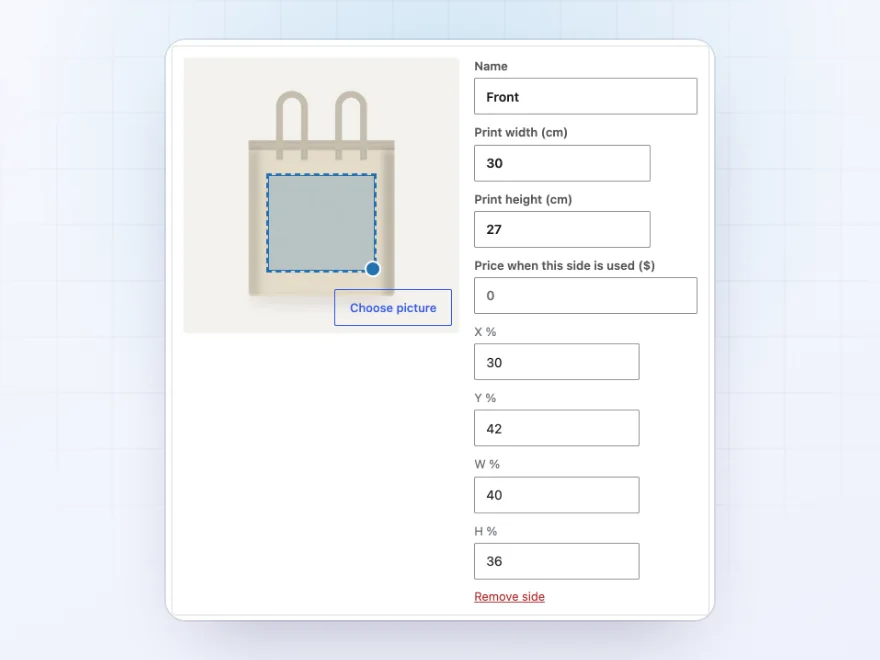
Setup
Sides, print sizes and prices per product
On each product’s Designer tab, add sides with a picture, a print area and its real print size, and set prices per side, text and picture, the most texts and pictures, the fonts and colours to offer, and whether customers must design before adding to the cart.
- A print area per side
- Fees per text, picture and side
- Design required if you like
Premium quality & support
Support you can count on, year after year
See Product Designer working in a live demo store before you buy. If you need a hand, our friendly support team will help you get it set up, and regular updates keep it working with each new WooCommerce release.
- A live demo store to try it first
- Step-by-step docs with a quick start
- Premium support from a helpful team
- Regular updates included
A WooCommerce product customizer with print-ready files
Product Designer is a WooCommerce product customizer for products you print on, such as tote bags, T-shirts, mugs and signs. Customers add their own text, pictures, clipart, shapes and QR codes on the product picture, inside the print area you set for each side, and see the price change as they design.
As a product designer for WooCommerce it also handles the work after the order: the design’s preview shows in the cart, emails and the order screen, and each side downloads as a PNG, SVG or PDF at its real print size, the web-to-print step that usually needs another tool. Fonts, clipart and templates are managed in the store.
Common setups
Questions before you buy
Where do I get the print files?
On the order screen, the Designs and print files box has PNG, SVG and PDF buttons for each side.
How do I make templates?
Open the product page as a store manager, design it in the designer and choose “Save as template”.
Can customers upload SVG files?
Yes. The browser turns them into a large PNG before uploading, so no SVG code is stored on your site.
Which fonts are included?
Manrope, Roboto Slab, Vollkorn, Fira Code, Platypi, Beiruti and Ysabeau Office, plus common system fonts. You can upload your own.
Can a design be required?
Yes. Tick “Design needed” on the product and Add to cart opens the designer until there’s a design.
Can customers save and share designs?
Customers with an account save designs to My Account; anyone can share a link that opens a copy.
What happens to designs that are never ordered?
They are removed after 30 days, or the days you set. Ordered and saved designs are kept.
Requirements
- WordPress
- 6.8 or newer
- WooCommerce
- 10.0 or newer
- PHP
- 7.4 or newer
Works with
- Classic themes
- Block themes
- Cart and Checkout blocks
- High-Performance Order Storage




Nadia B. –
Good tool. The design area took me a while to position correctly for each product, four stars.
Vincent –
James helped me set up the print area for two shirt styles. works well
Esmee –
Print files
The print files are clean and we no longer ask customers to email artwork.
nielsb –
the designer works on phones, which surprised me. most of our orders are mobile
Thijs –
Customers upload their logo and see it on the shirt before ordering. The print file comes through at the right size.
alex –
Works well. the print area took me a bit to set up
Nadia K. –
Print files come through
Customers design their own shirts and the print files come through with the order. The designer works on phones too, which surprised me.