 Maxima Plugins
Description
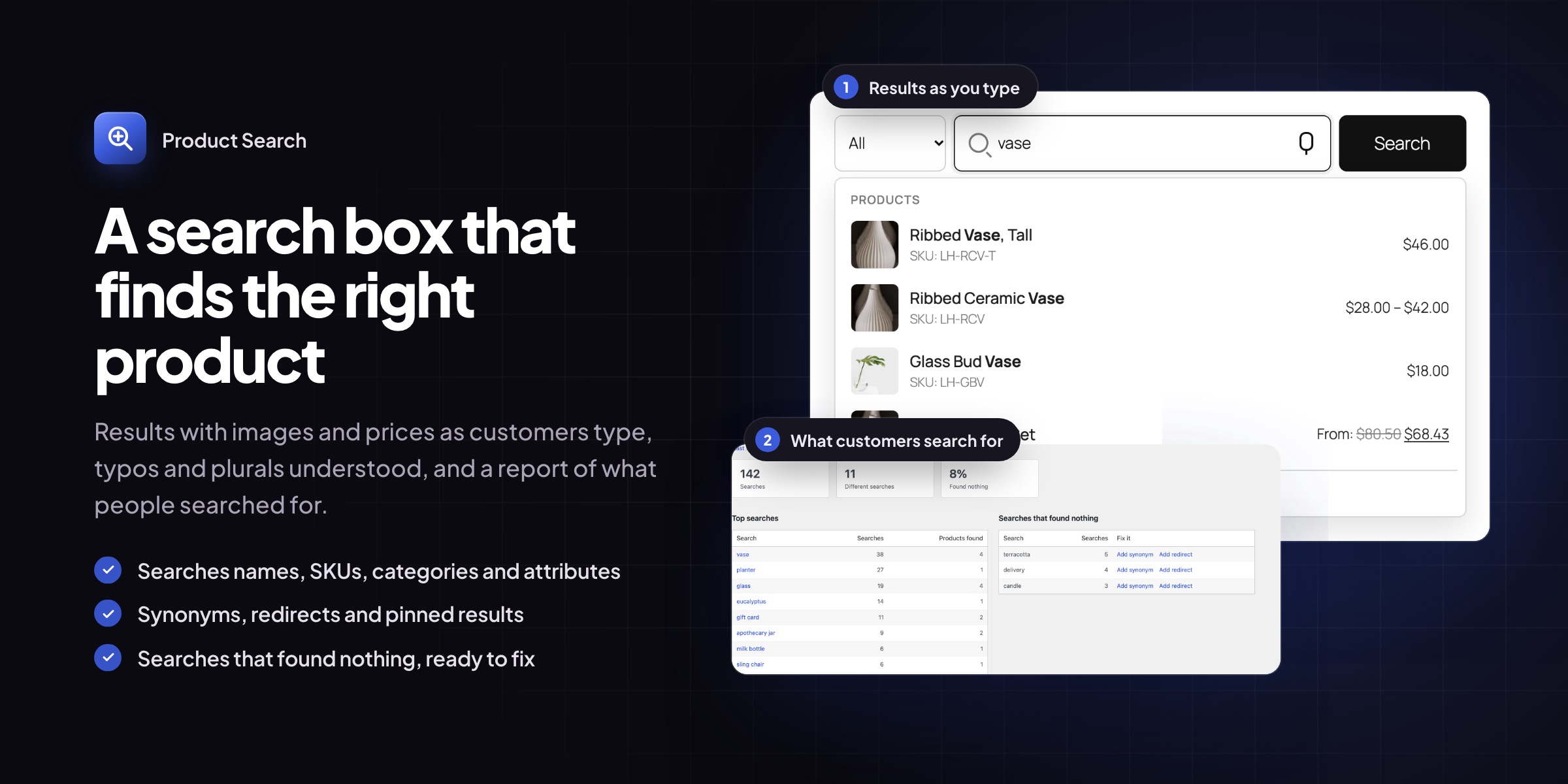
Customers who search know what they want. Product Search replaces the WooCommerce search bar with a smart search box that shows matching products, with images and prices, as customers type. It finds products by name, SKU, category or attribute, and it still finds them when the word is misspelled.
Live results
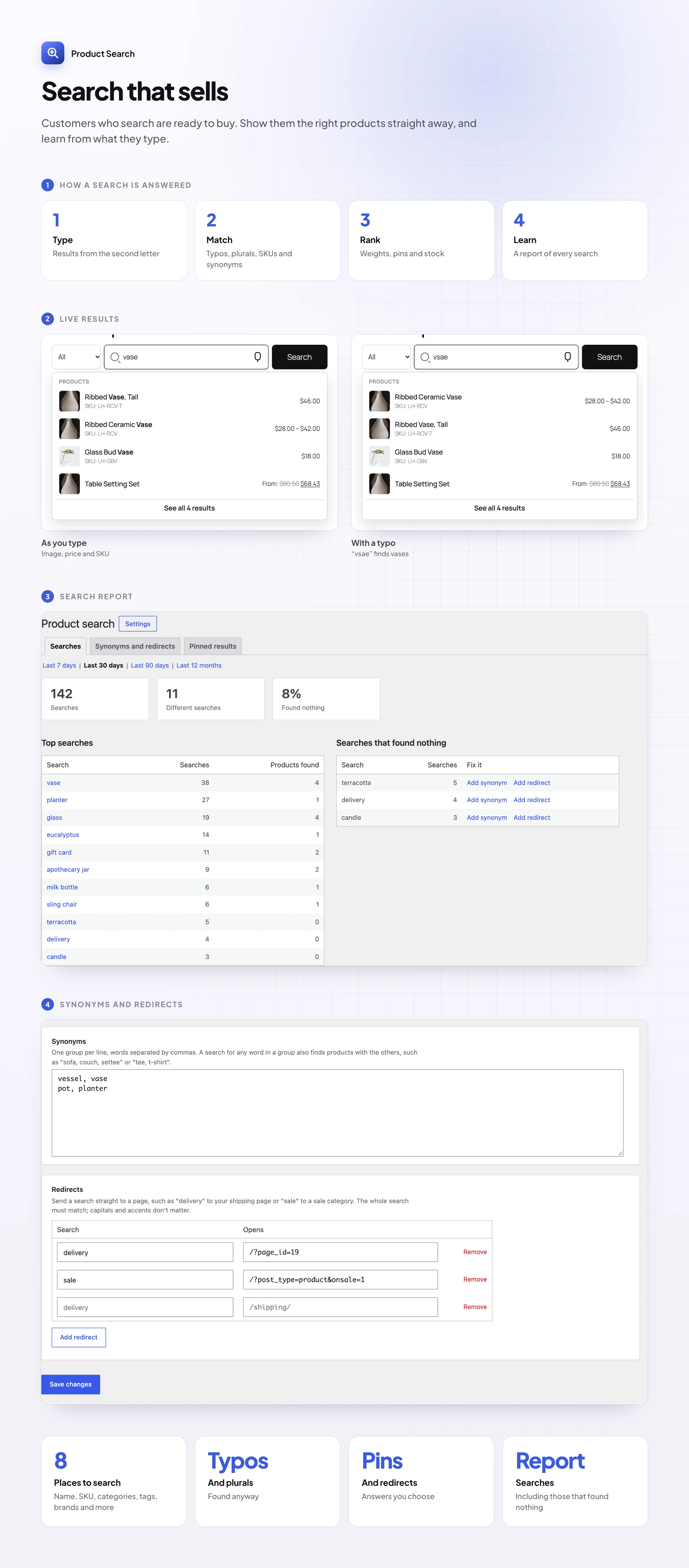
Products before they finish typing
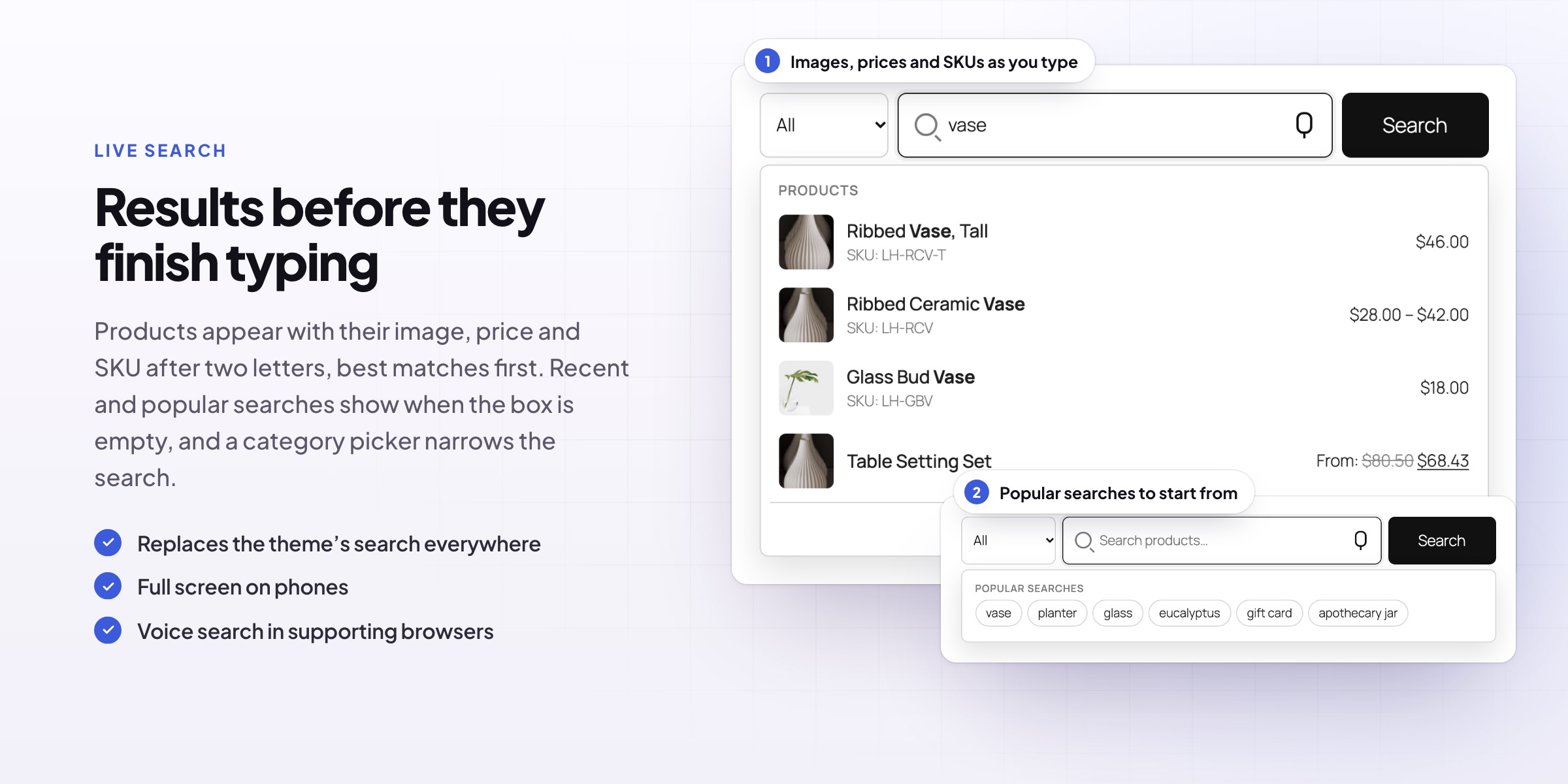
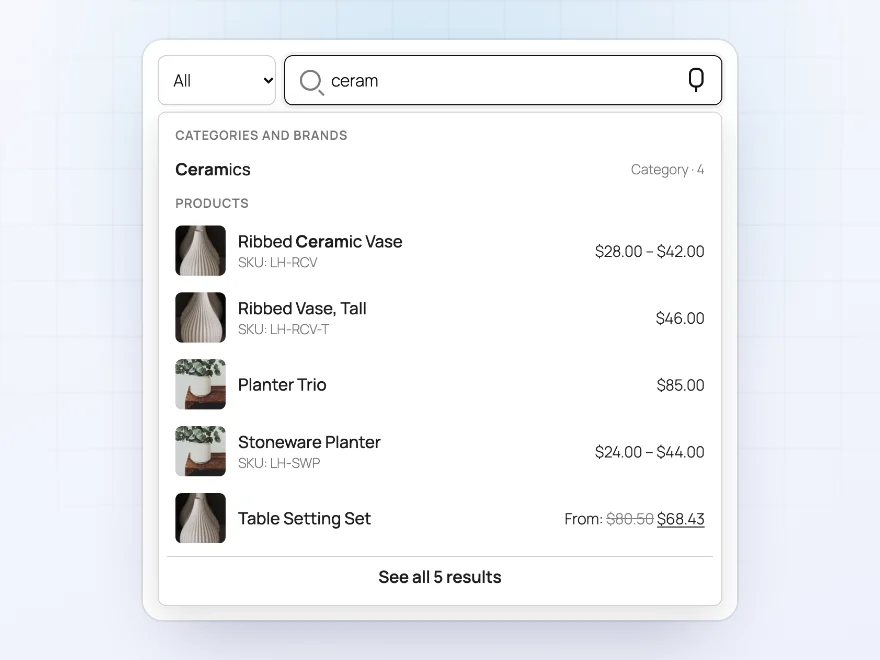
From the second letter, the search box shows matching products with their image, price and SKU, best match first, and matching categories above them. Customers open a product straight from the list, or press Enter for the full results page with the same products in the same order.
- Image, price, SKU and short description
- The searched words highlighted
- Arrow keys, Enter and a full-screen search on phones
Forgiving search
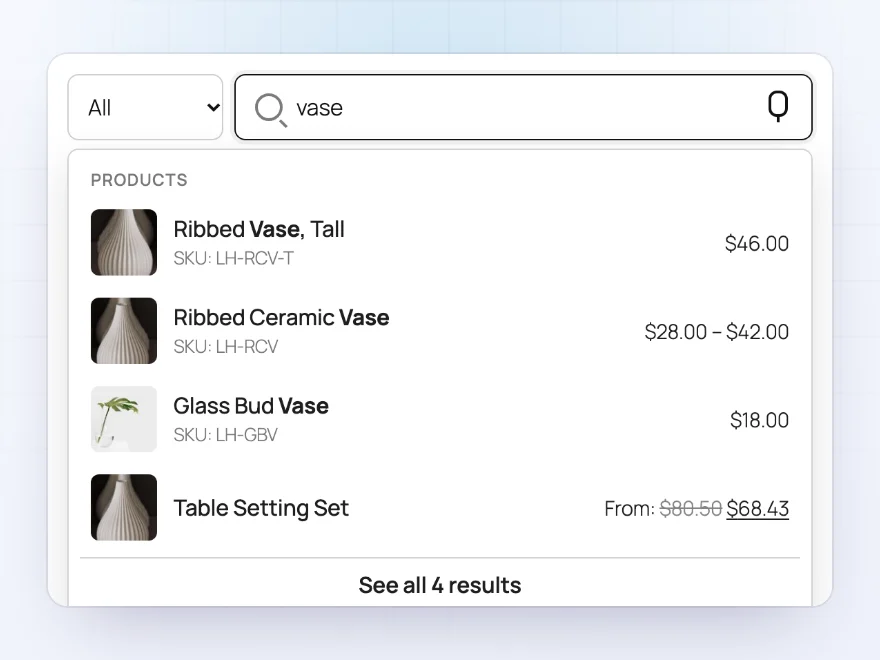
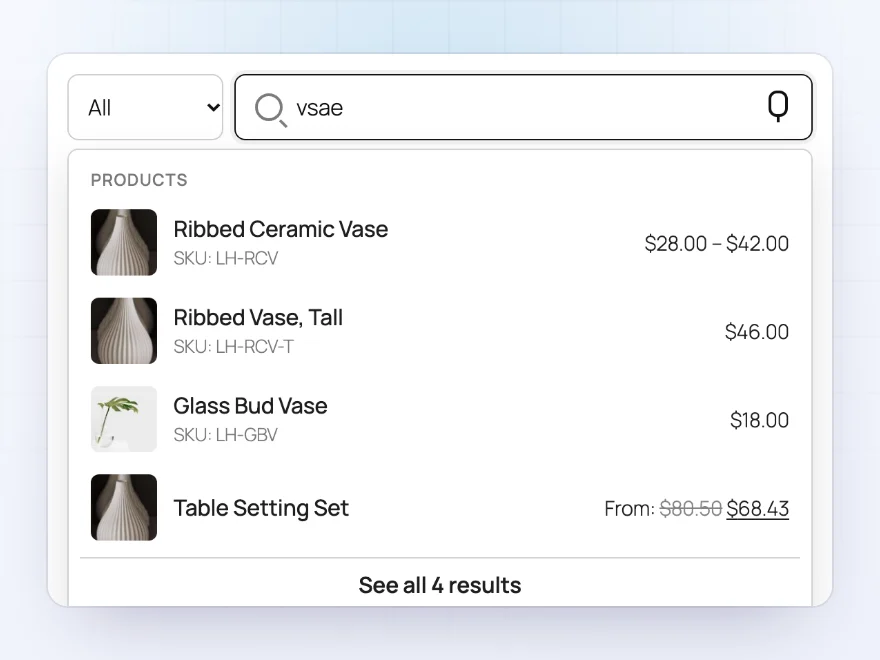
Typos and plurals understood
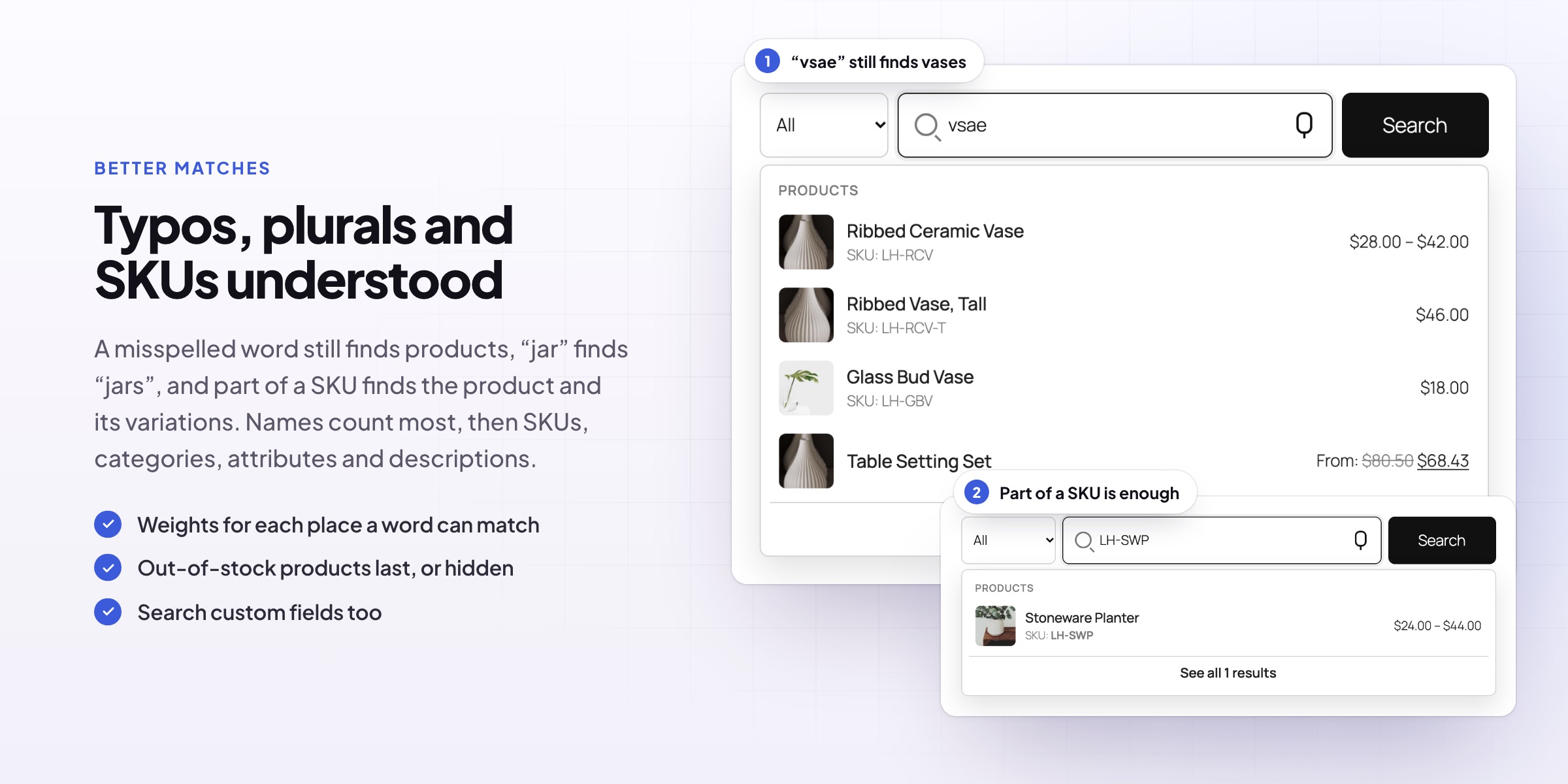
“Plnter” still finds planters, and “vases” finds the vase. Singular and plural count as the same word, and small words such as “the” are skipped. When nothing matches, a “Did you mean” correction and popular products keep the customer shopping.
- Misspelled words corrected
- Singular and plural treated the same
- “Did you mean” when nothing is found
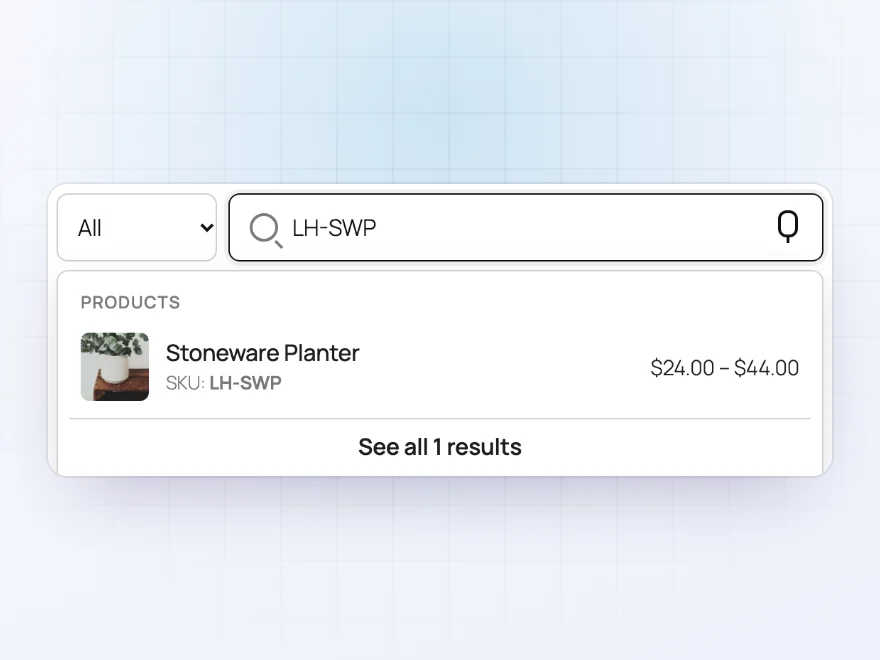
SKUs and more
Searches every place a product is described
Search product names, descriptions, SKUs (variation SKUs too), categories, tags, brands, attributes and custom fields. Choose how much each place counts toward relevance, so a match in the name ranks above a match in the description.
- Part of a SKU finds the product
- Weights for names, SKUs, categories and descriptions
- Out-of-stock products last or left out
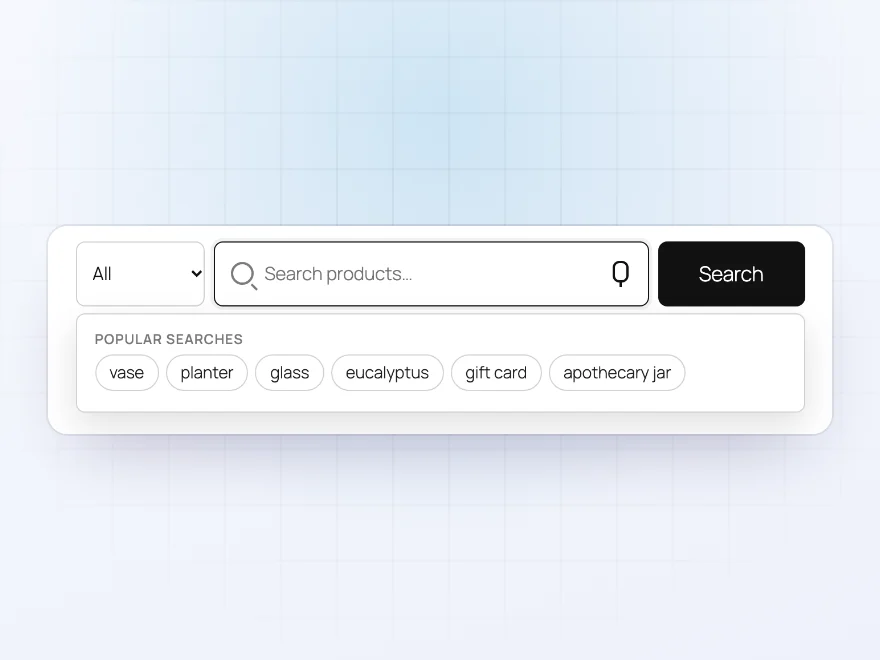
Before typing
Recent and popular searches
When a customer clicks into the search box, it shows their recent searches and what others search for most, so a tap is often enough.
- Recent searches per customer, in their browser
- Popular searches from your report
- Turn either one off
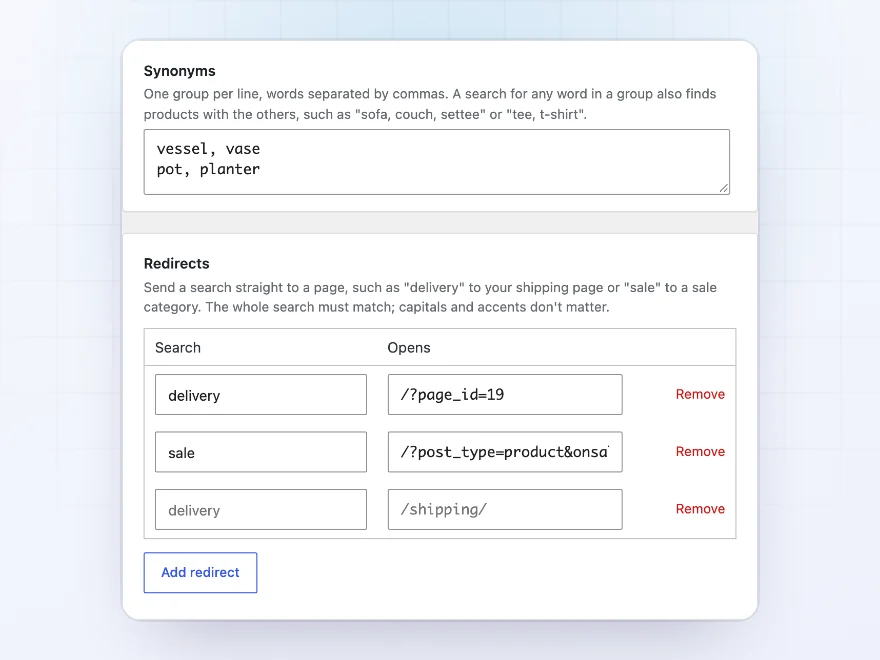
Steer searches
Synonyms, redirects and pinned results
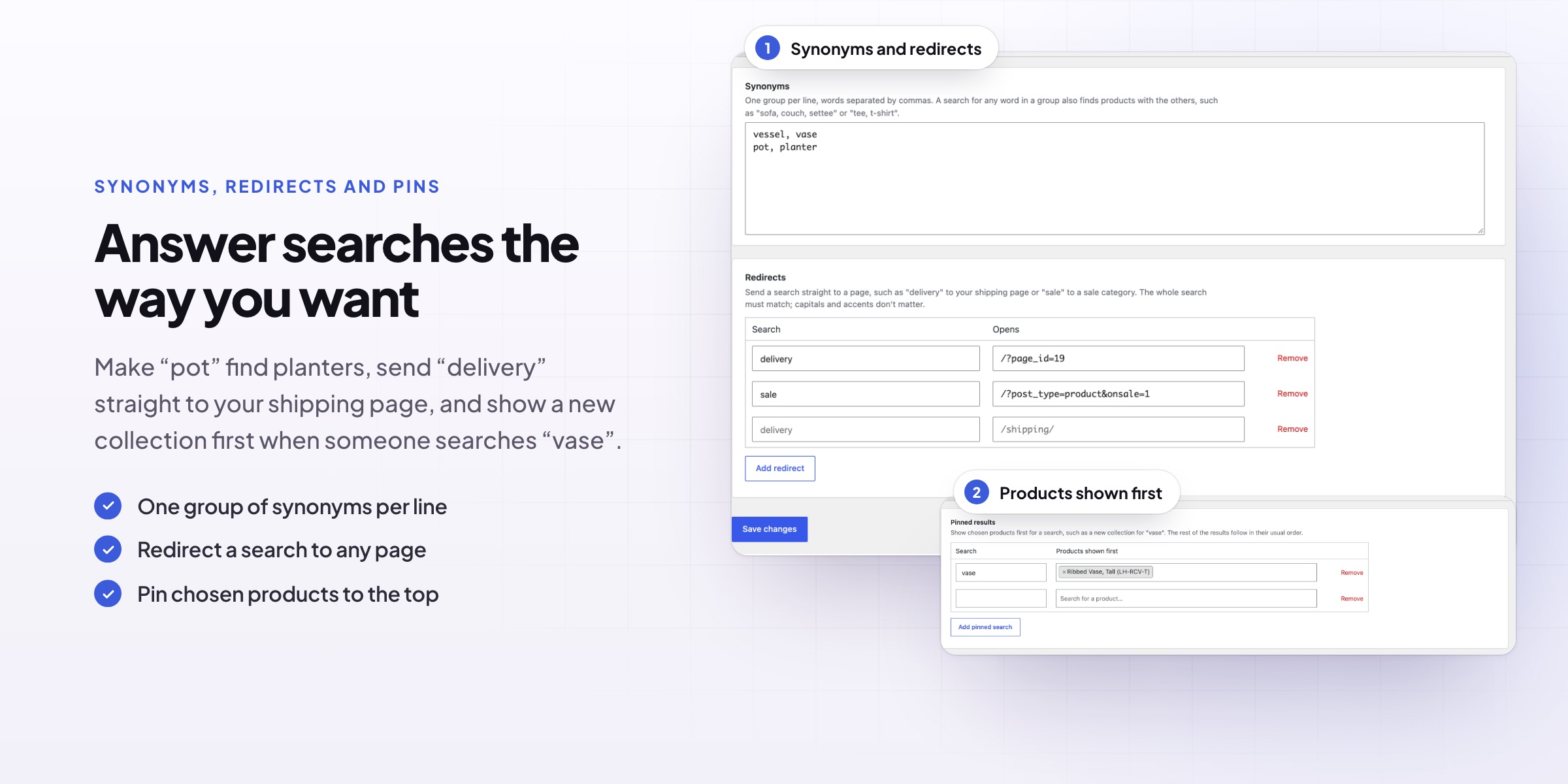
Add synonyms so “carafe” finds bottles and “couch” finds sofas. Send a search such as “delivery” straight to your shipping page, and pin chosen products to the top for a search, such as a new collection for “vase”.
- Synonym groups, one per line
- Redirects for words that belong to a page
- Pinned products first for a search
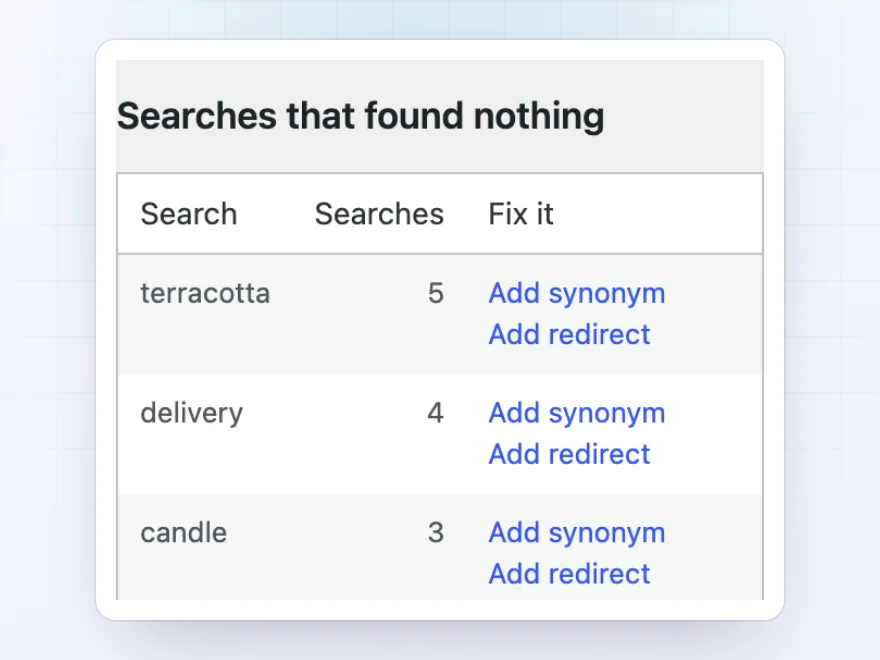
Search report
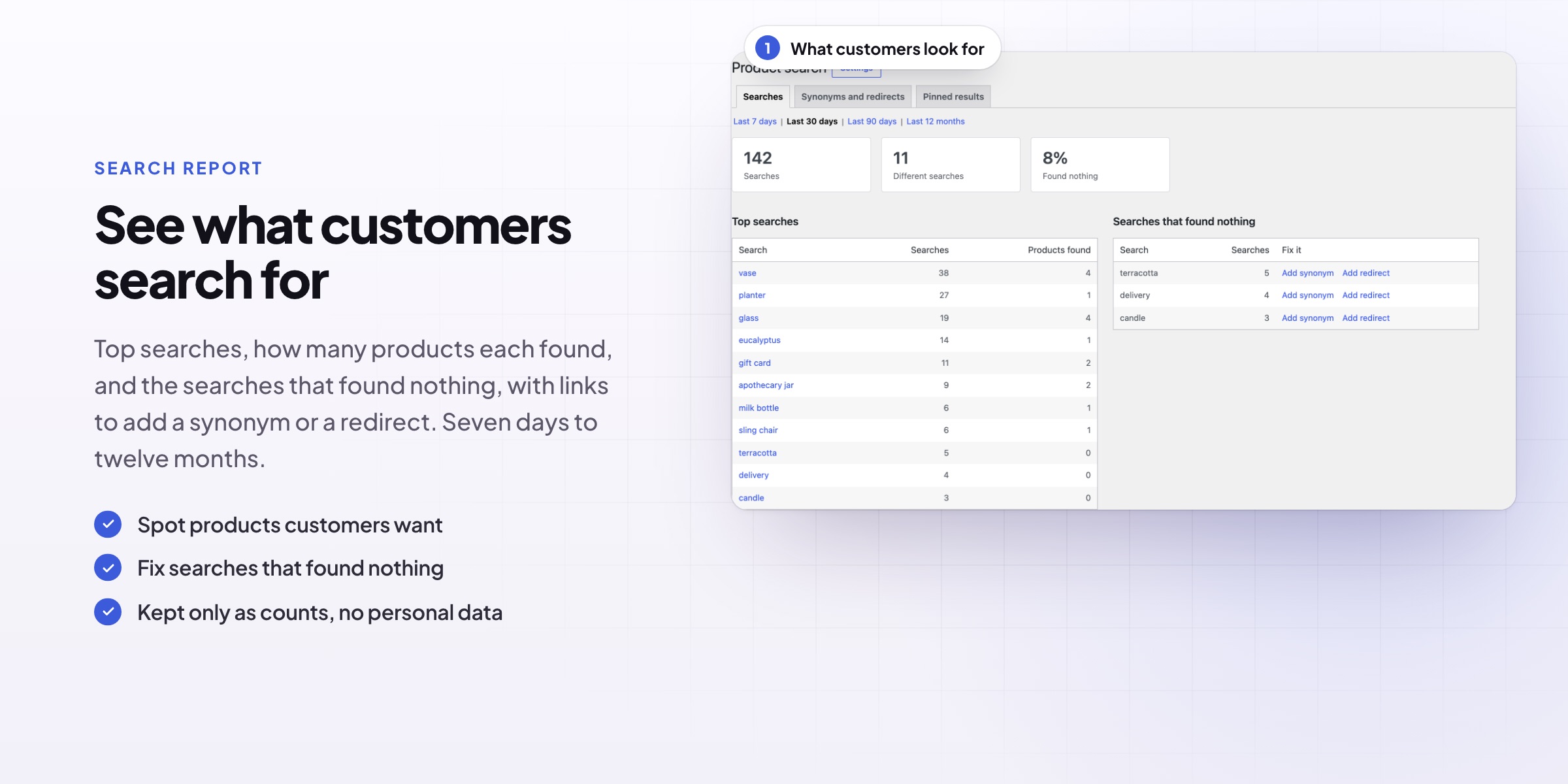
See what customers look for
The search report lists the most frequent searches and the searches that found nothing, by week, month or year. Add a synonym or a redirect for a failed search in one click. No personal data is stored.
- Top searches with their result counts
- Searches with no results, ready to fix
- Week, month or year
Categories and brands
Categories and brands in the suggestions
Matching categories and brands appear above the products, so “vases” can take customers straight to the Vases category. “See all results” opens the results page with the same products in the same order.
- Categories and brands above products
- See all results
- An optional add to cart button
Fits your store
Replaces your theme’s search box
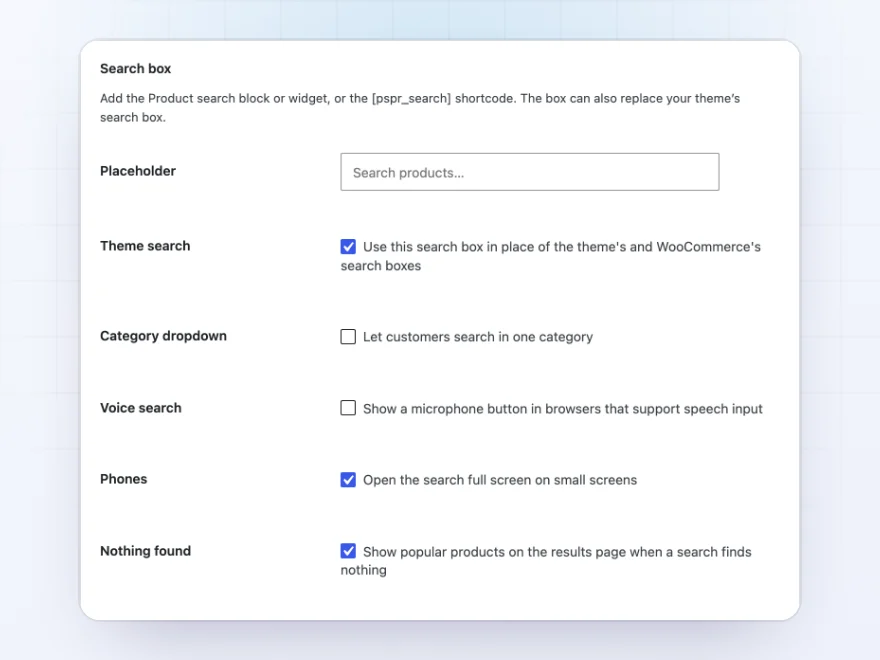
One setting replaces the theme’s and WooCommerce’s search boxes. Or add the Product search block, widget or shortcode, with an optional category drop-down and voice search button.
- Replaces the theme’s search
- Block, widget and shortcode
- Category drop-down and voice search
On phones
A full-screen search on phones
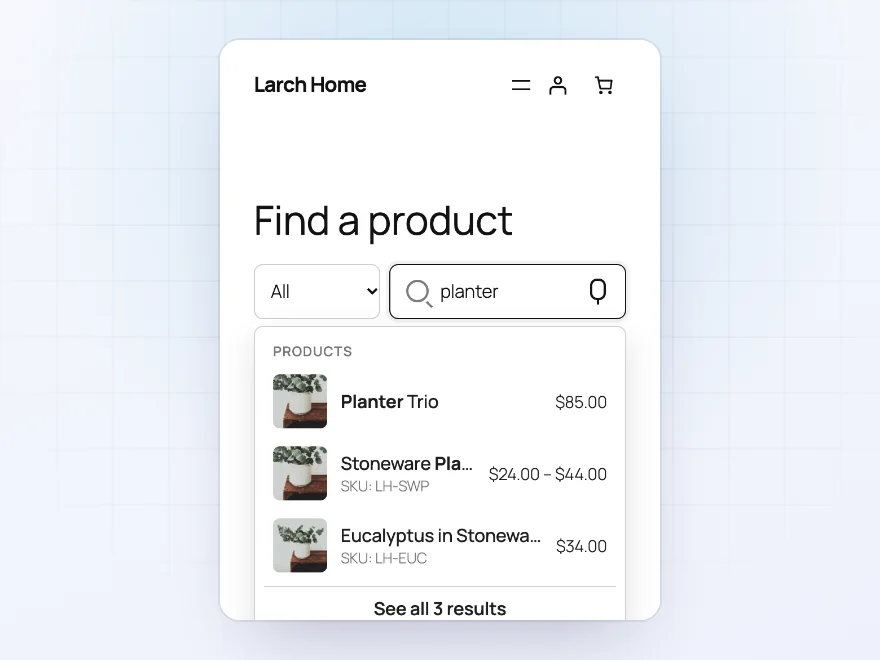
On phones the search opens full screen, with the same suggestions, recent searches and popular searches as on a computer.
- Full screen on phones
- Recent and popular searches
- Large, tappable results
Docs and support
Try it, set it up, ask us anything
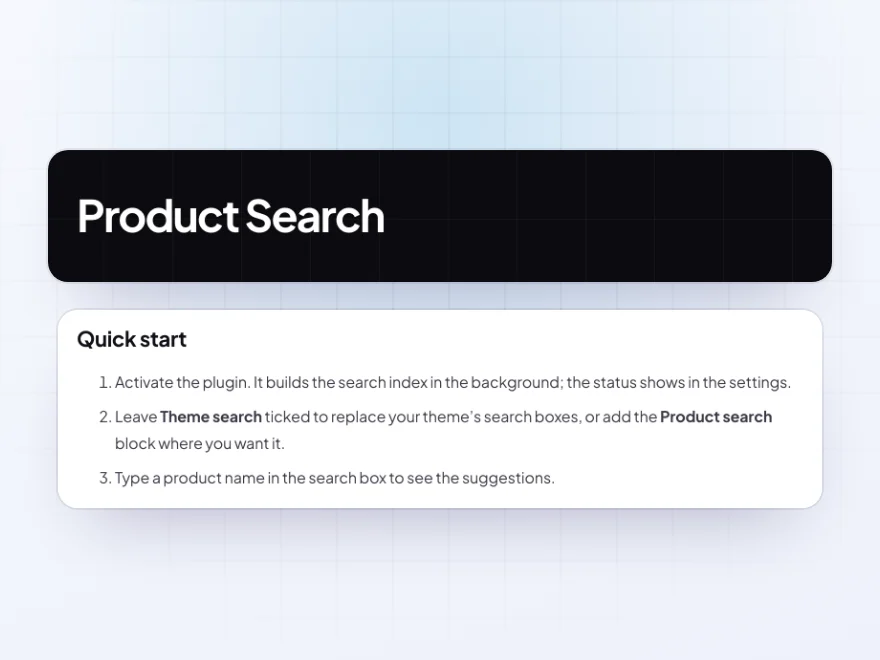
Try Product Search in a live demo store before you buy. The docs start with a quick start and cover live suggestions, where it searches, and typos and plurals. Support tickets are answered by the developers who make the plugin, and updates are included.
- A live demo store to try it first
- Step-by-step docs with a quick start
- Most tickets answered within 12–24 hours
A smart WooCommerce search that finds what customers mean
Product Search replaces the WooCommerce search bar with live results as customers type: products with images, prices and SKUs, plus matching categories and brands. It searches names, descriptions, SKUs, attributes and custom fields, forgives typos and treats singular and plural as the same word.
As a WooCommerce product search plugin it also lets you steer searches with synonyms, redirects and pinned products, and its report shows what customers search for and which searches found nothing, so you can fix them in one click.
Common setups
- Large catalogs: results from the second letter with images and prices.
- Parts and spares: search by part of a SKU, variation SKUs included.
- Different words: synonyms for the words customers use that you don’t.
- Help pages: redirects for searches such as “delivery” or “returns”.
- Launches: a new collection pinned to the top of a popular search.
Questions before you buy
Does it replace my theme’s search box?
Yes, with one setting. You can also add the Product search block, widget or shortcode wherever you like.
Will it be fast with thousands of products?
Yes. A search index answers the searches and updates as products are saved.
Does it search variation SKUs?
Yes. A variation SKU finds its product, and part of a SKU is enough.
Can I keep some products out of search?
Yes. Leave out whole categories, put out-of-stock products last or leave them out. Hidden products and products other plugins hide stay hidden.
Does it store what customers type?
Only daily totals per search word, for the report. No names, accounts or IP addresses are stored.
Can customers add to cart from the suggestions?
Yes, if you turn on the add to cart button in the settings.
Does it work with block themes?
Yes. It replaces the Search block in block themes and the search form in classic themes.
Requirements
WordPress 6.8 or newer, WooCommerce 10.0 or newer and PHP 7.4 or newer. Works with classic and block themes, the Cart and Checkout blocks, and High-Performance Order Storage.
Documentation
Step-by-step setup, every setting explained, and examples: read the documentation. Questions before you buy? Ask us.




Reviews
There are no reviews yet.