 Maxima Plugins
Description
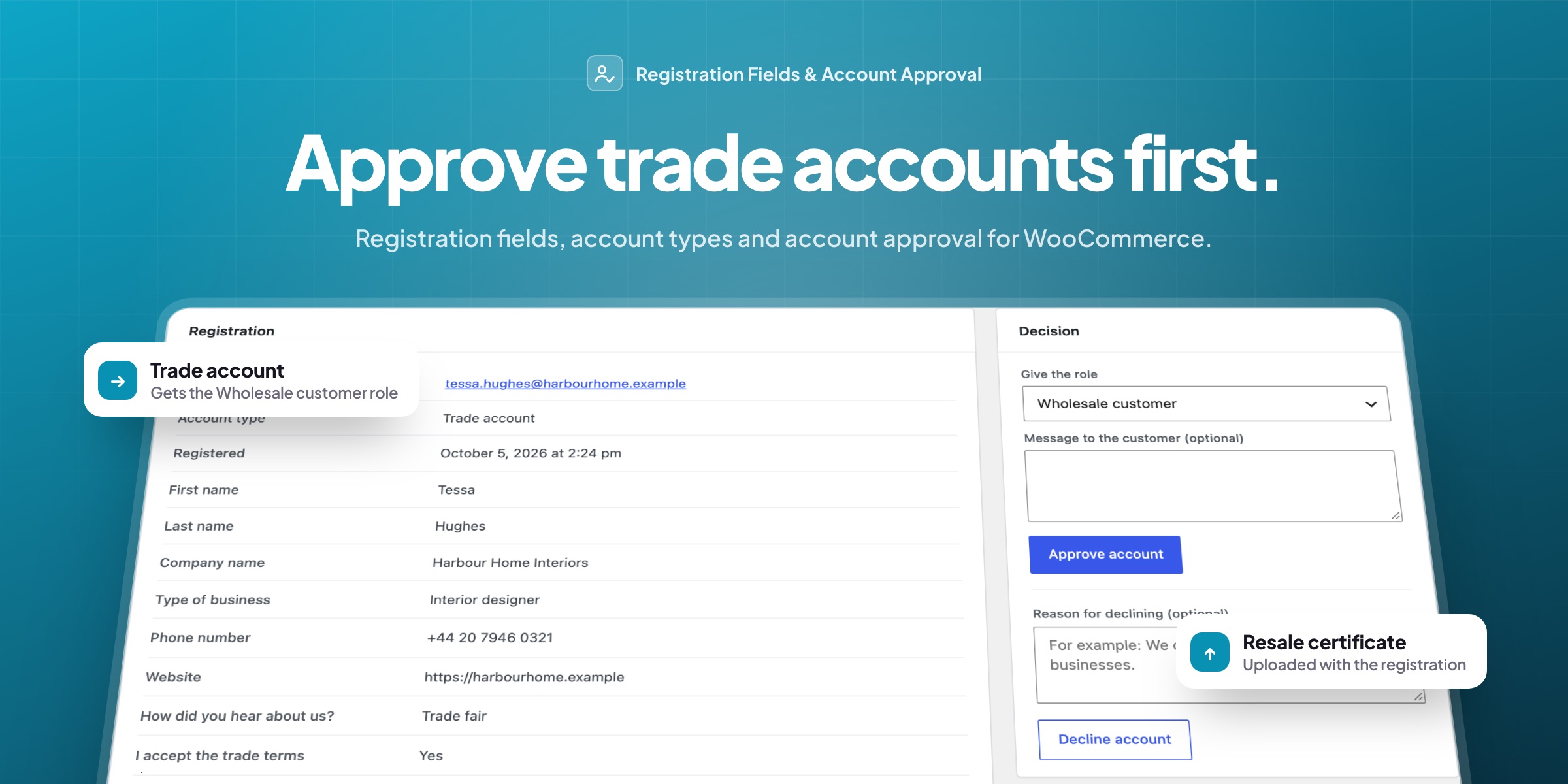
Stores that sell to businesses need more than an email address to open an account: a company name, a VAT number, a resale certificate, and a moment to check them before trade prices are shown. Registration Fields & Account Approval adds those fields to WooCommerce’s own registration form and holds new accounts until you approve them.
Account types
Retail or trade, chosen at registration
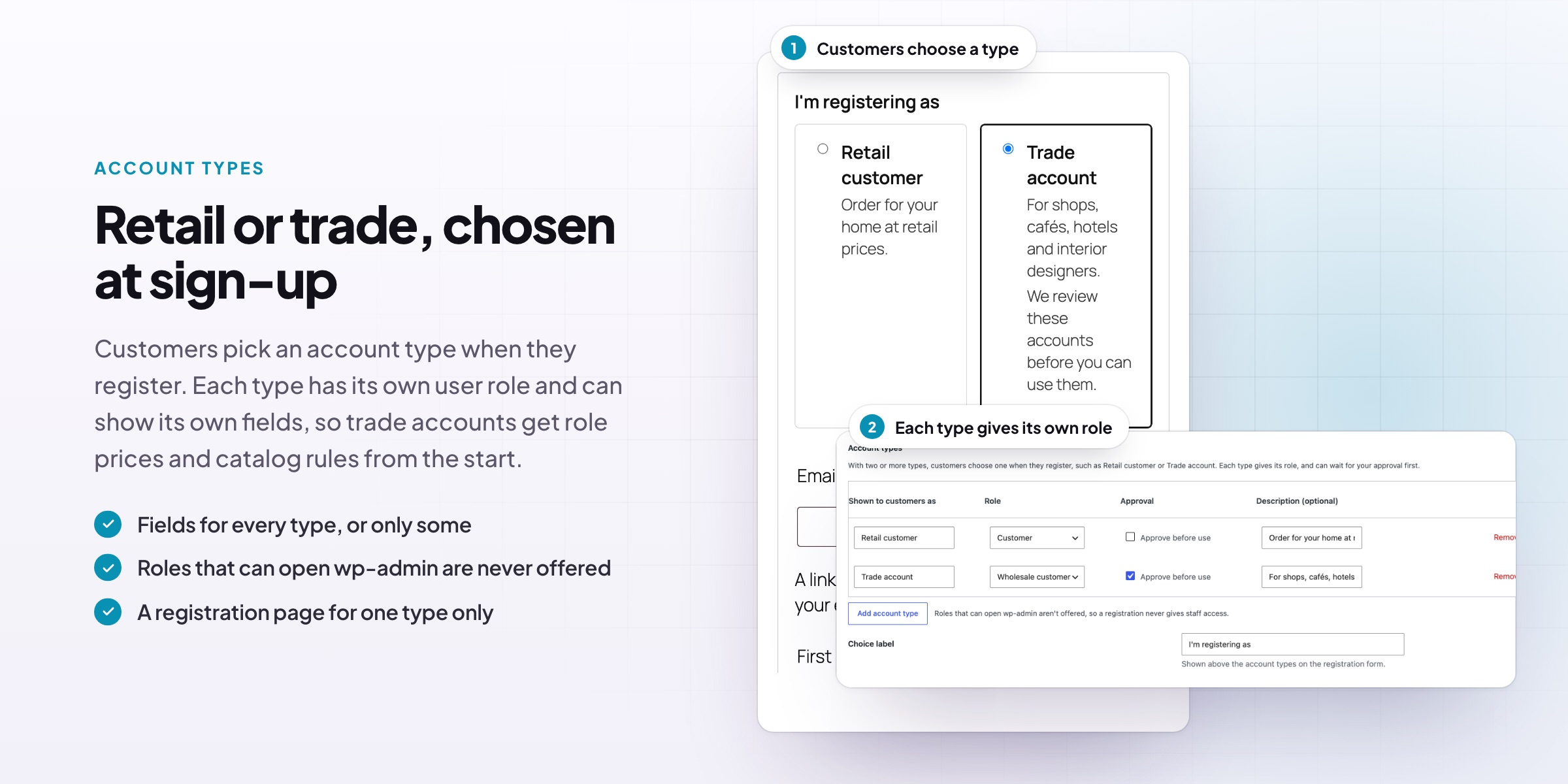
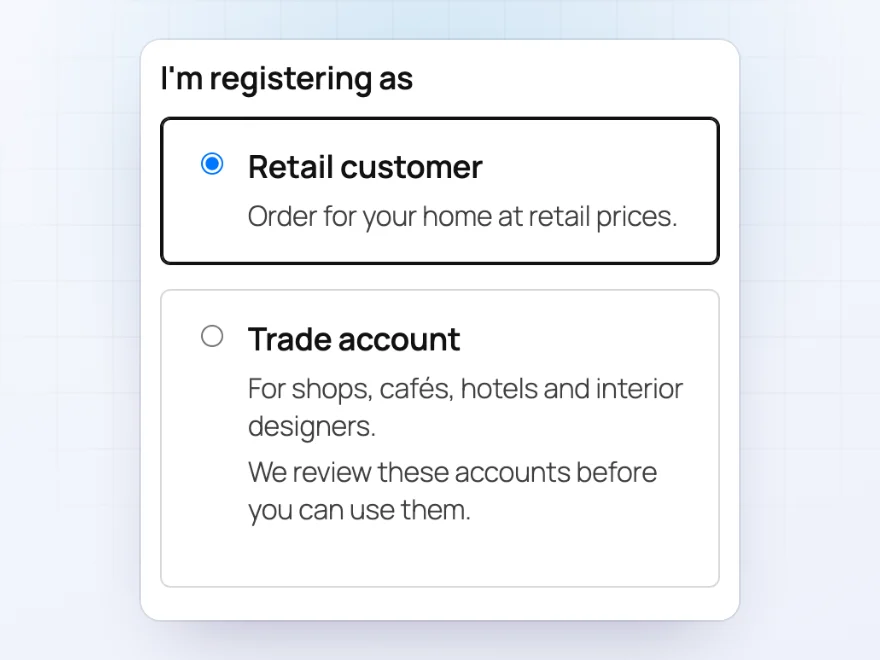
Customers choose an account type when they register, such as Retail customer or Trade account, each with a short description. Each type gives its own user role, so trade accounts get trade prices and catalog rules from the moment they’re approved.
- Your own account types and descriptions
- Fields for every type, or only for some
- Roles that can open wp-admin are never offered
Registration fields
Ask for the business details you need
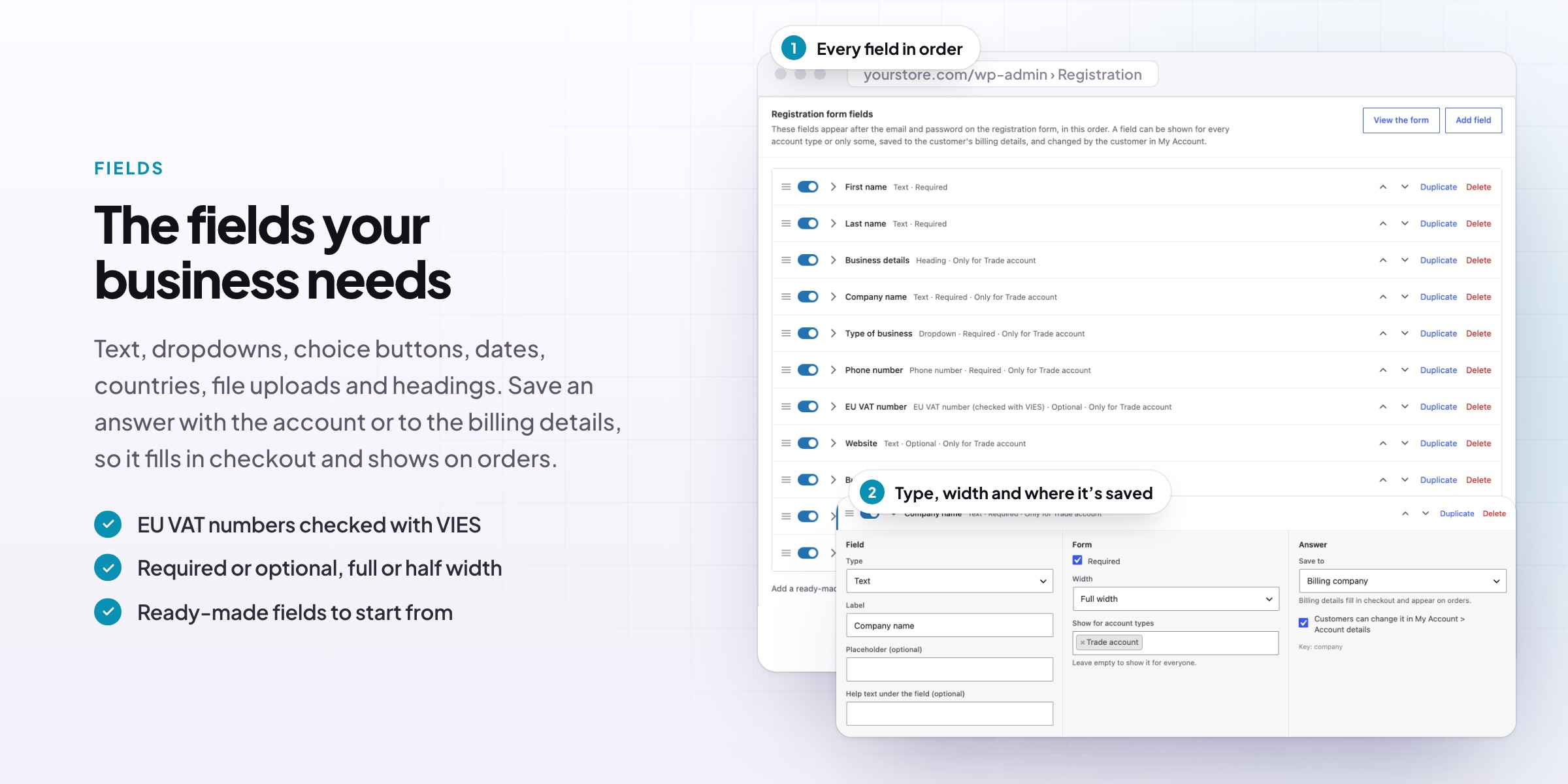
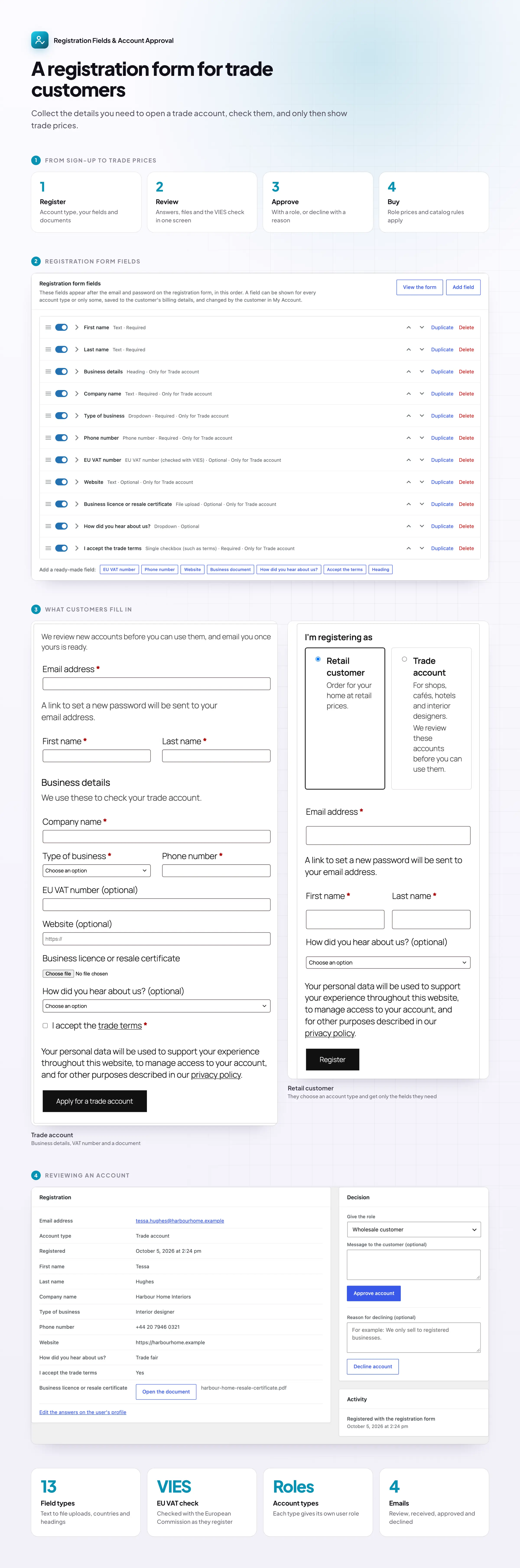
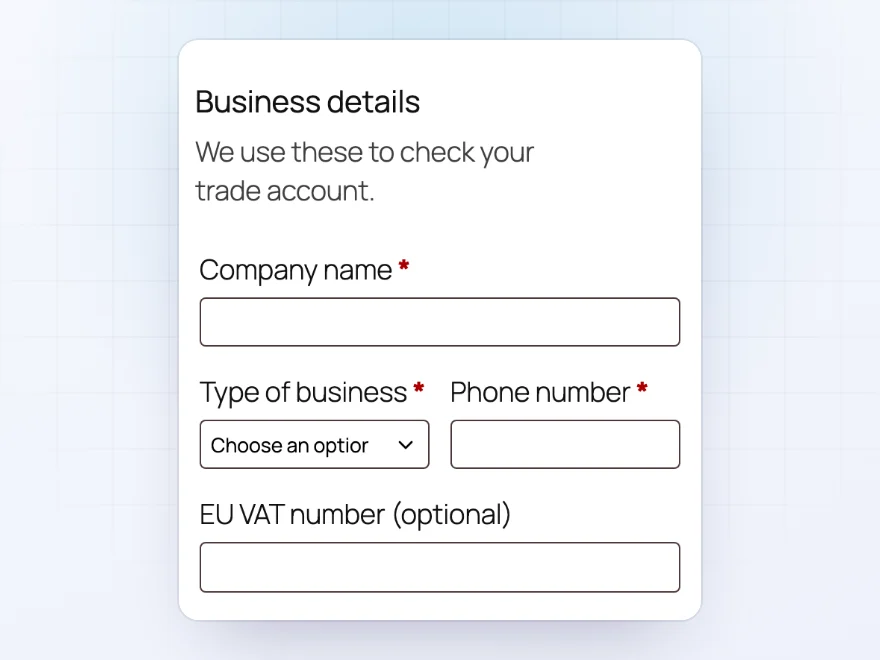
Add text, phone, number, date, dropdown, choice, checkbox, country and file upload fields to WooCommerce’s registration form, required or optional. Show a field only when another has an answer, such as a certificate upload when “Tax exempt?” is Yes, and save answers to the customer’s billing details so they fill in checkout.
- EU VAT numbers checked with VIES as customers register
- File uploads for licences and certificates
- Ready-made fields to start from
Approval
Review new accounts before they shop
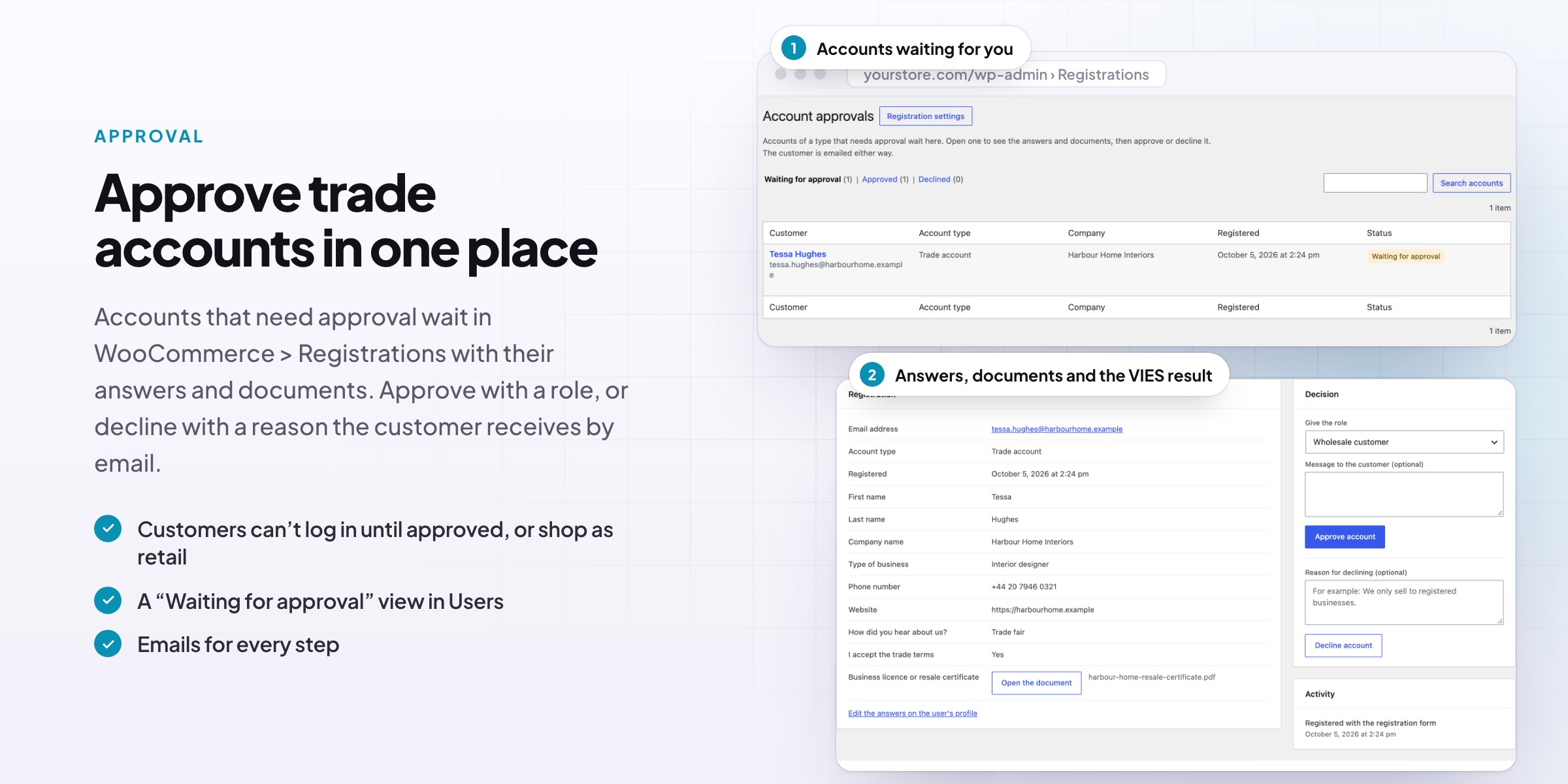
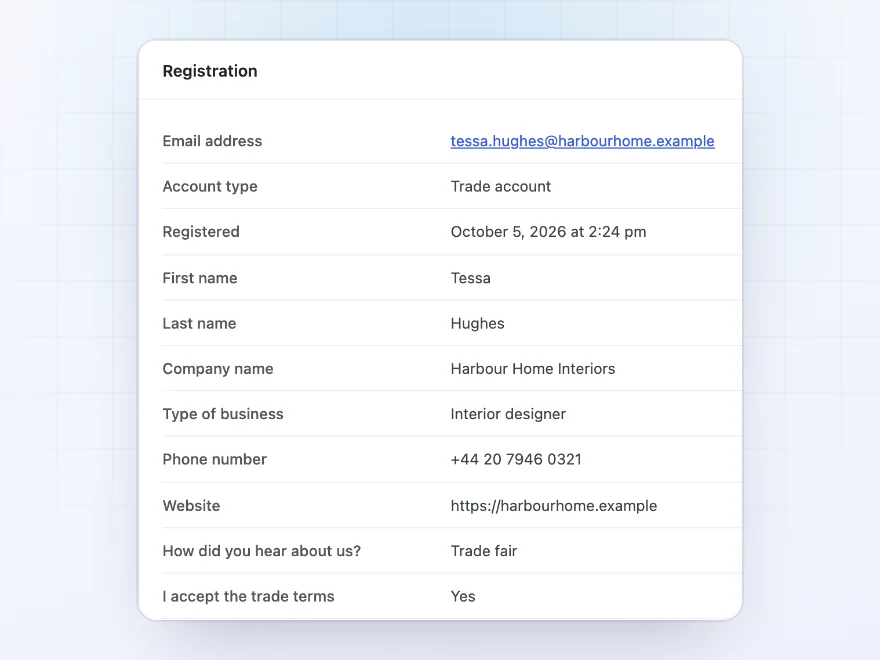
Account types can wait for your approval. WooCommerce › Registrations lists new accounts with their answers, documents and VAT check. Approve with a role, or decline with a reason, one by one or many at once. Until then, customers can’t log in, or they shop as regular customers and get the trade role on approval.
- Answers, documents and VAT check on one screen
- Approve or decline many at once
- A Waiting for approval view in the Users list
Emails
An email for every step
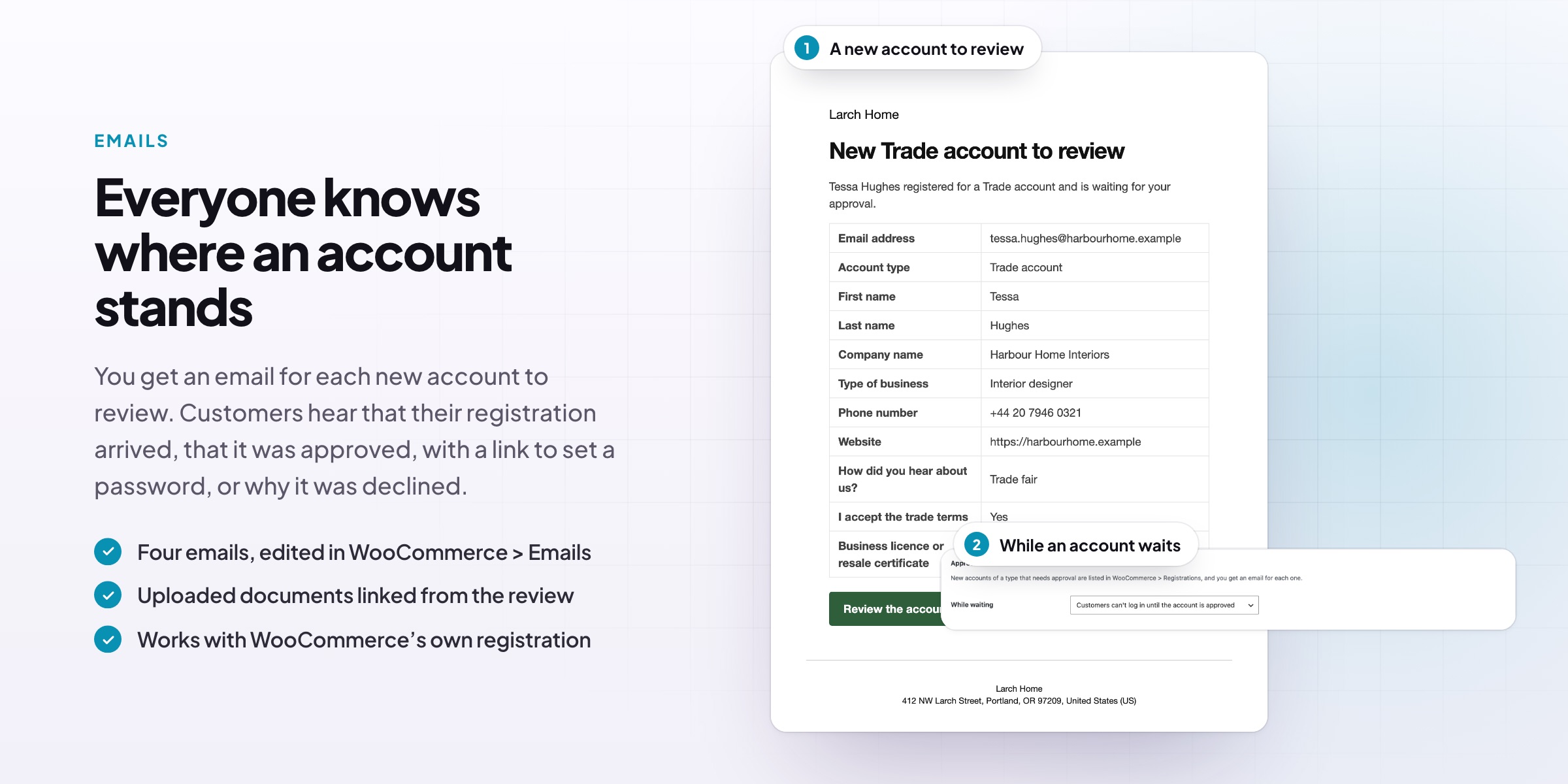
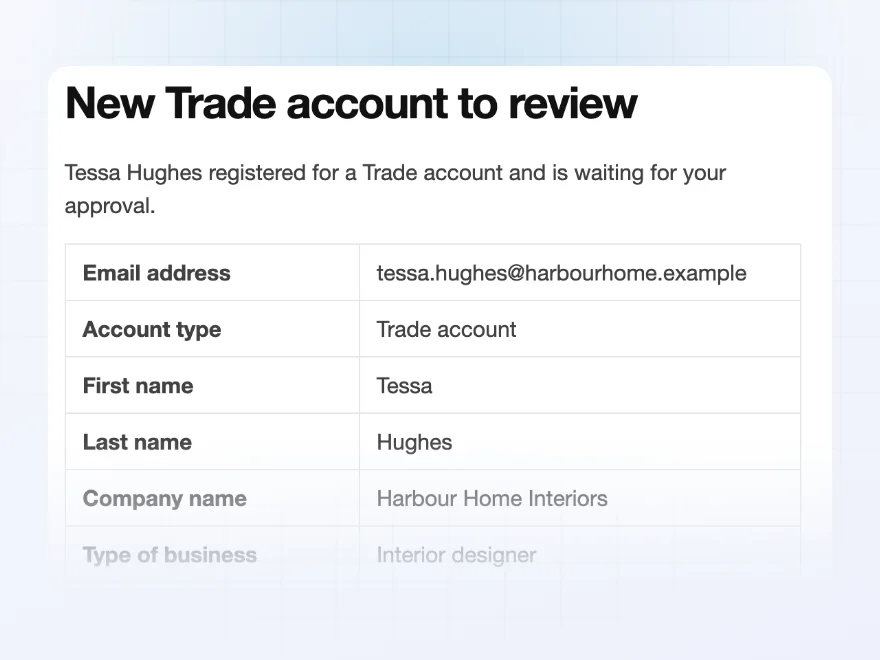
You get an email for every new account to review, with all of its answers. Customers get emails when their registration is received, approved (with a link to choose a password) or declined. Write your own messages for accounts that are waiting or declined.
- A new account to review, with every answer
- Received, approved and declined emails
- Your own waiting and declined messages
Roles
Each account type gives its own role
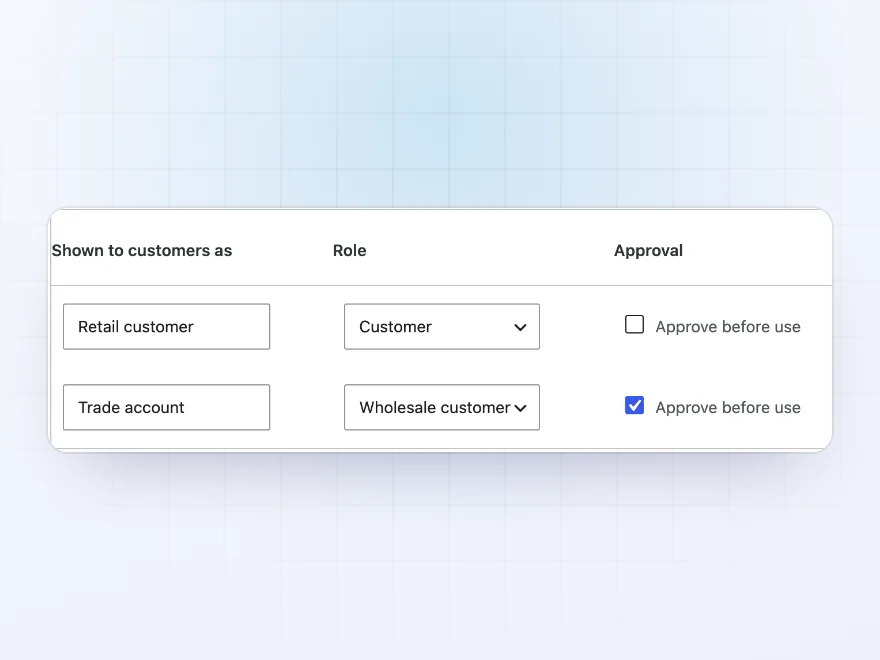
Link each account type to a user role, such as Customer for retail and Wholesale customer for trade, and tick which types need approval. That’s what connects registration to wholesale prices and trade-only products in the rest of your store.
- Works with role-based prices and catalog rules
- Approval per account type
- Staff roles can never be chosen
Form builder
Your own registration form, without code
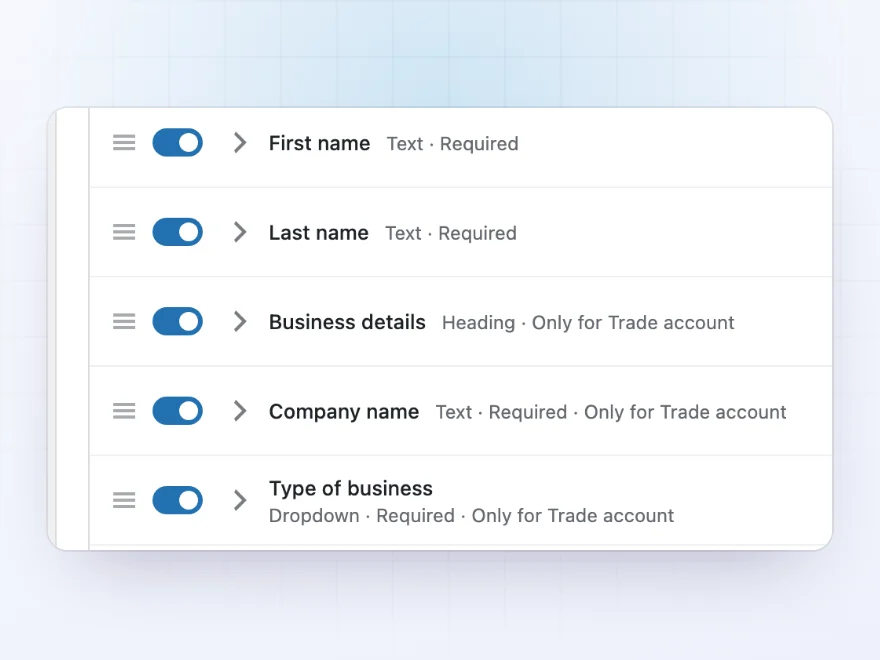
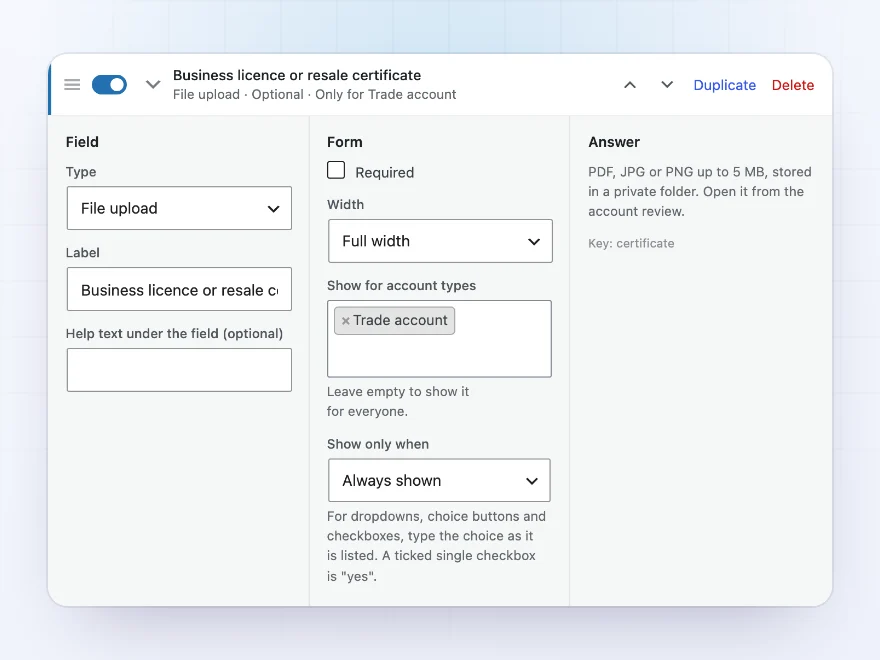
Every field is listed with its type and who sees it, such as “Required · Only for Trade account”. Drag fields into order, switch them on and off, and duplicate them. Put the form on a page of its own with the Registration form block, such as an “Apply for a trade account” page.
- A Registration form block for any page
- Spam stopped by a hidden field and a time check
- Cloudflare Turnstile or reCAPTCHA, if you want more
Conditional fields
Fields that appear only when they apply
Show a field only when another field has an answer, such as a “Tax exemption certificate” upload when “Tax exempt?” is “Yes”. Hidden fields are never required and their answers aren’t saved.
- Show a field based on another
- Hidden fields never required
- Required or optional, full or half width
Answers that stay useful
Answers that fill in checkout
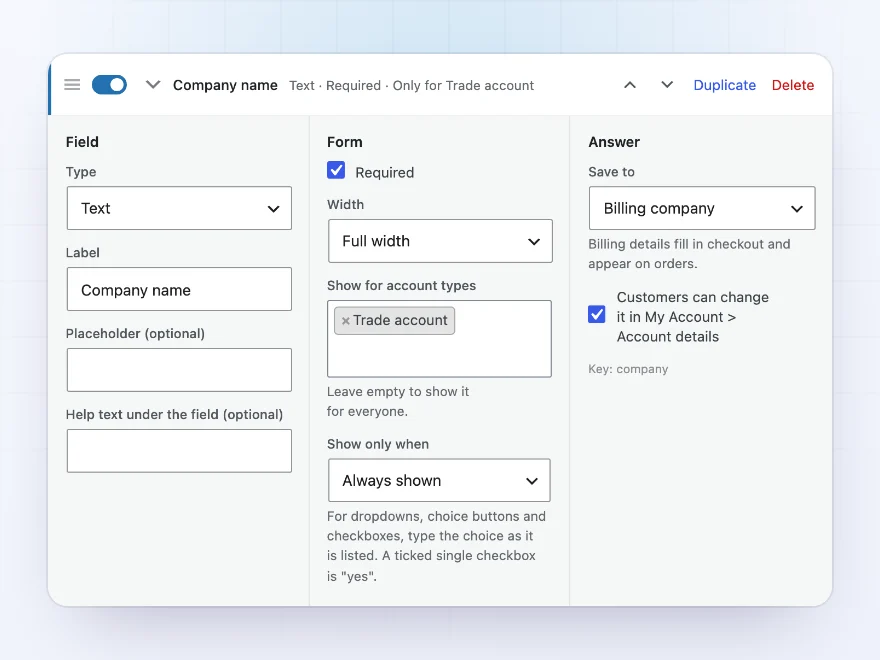
Save an answer with the account, or to the customer’s name or billing details so it fills in checkout and appears on orders. Customers can change their answers later in My Account › Account details.
- Saved to the account or billing details
- Fills in checkout
- Editable in My Account
Messages
Your words for waiting and declined accounts
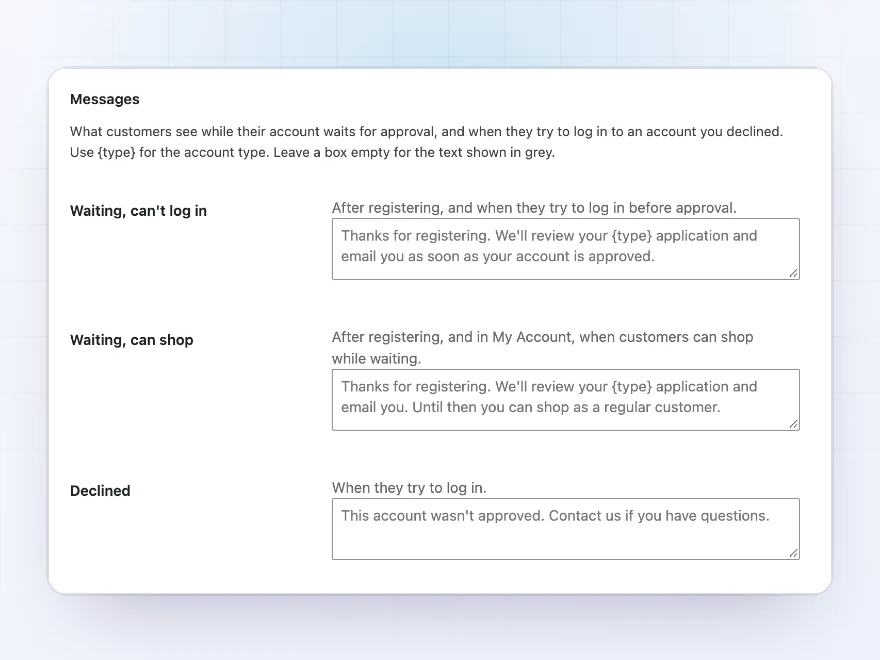
Write the message customers see while their account waits for approval, and the one they see if it’s declined. Choose whether waiting customers can’t log in, or shop as regular customers until they’re approved.
- A waiting message
- A declined message
- Log in blocked, or shop as a regular customer
Docs and support
Try it, set it up, ask us anything
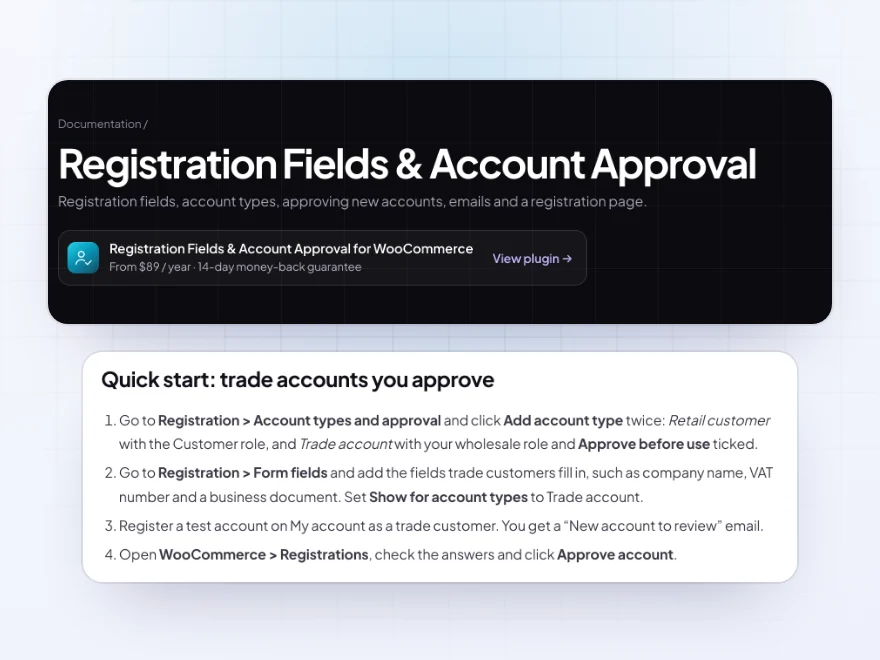
Try Registration Fields & Account Approval in a live demo store before you buy. The docs start with a quick start and cover fields, account types and approval. Support tickets are answered by the developers who make the plugin, and updates are included.
- A live demo store to try it first
- Step-by-step docs with a quick start
- Most tickets answered within 12–24 hours
User registration for WooCommerce with fields and approval
Registration Fields & Account Approval extends user registration for WooCommerce with the fields business stores need: company, VAT number checked with VIES, phone, documents and your own questions, shown for every account type or only for some.
If you have looked for how to add extra fields in the WooCommerce registration form and hold new accounts until you check them, this WooCommerce user registration plugin does both: account types with their own roles, a review screen with every answer, approval emails and spam protection.
Common setups
- Trade accounts: retail customers sign up as usual, trade accounts wait for approval.
- Business details: company name, VAT number and a business licence with every trade registration.
- Apply for a trade account: a page of its own with the Registration form block.
- Wholesale prices: approved trade accounts get the role that sees your wholesale prices.
- Tax exempt buyers: a certificate upload shown only when “Tax exempt?” is Yes.
Questions before you buy
Does it replace the WooCommerce registration form?
No. It adds fields to WooCommerce’s own registration form, so its settings and other plugins’ fields keep working.
Can customers log in before they’re approved?
You choose for each account type: they can’t log in until approved, or they shop as regular customers and get the trade role when you approve them.
Can it check VAT numbers?
Yes. EU VAT numbers are checked with the European Commission’s VIES service as the customer registers, and the result is shown when you review the account.
Can customers change their answers later?
Yes, if you allow it, from My Account › Account details.
Will it stop fake accounts?
A hidden field and a minimum time to fill in the form stop most bots with no setup. Add Cloudflare Turnstile or Google reCAPTCHA for more.
Can I have a separate page for trade applications?
Yes. Add the Registration form block to any page, for all account types or just one, such as an “Apply for a trade account” page.
Can a field appear only for trade accounts?
Yes. Show a field for every account type or only for some, and only when another field has a certain answer.
Requirements
WordPress 6.8 or newer, WooCommerce 10.0 or newer and PHP 7.4 or newer. Works with classic and block themes. EU VAT numbers are sent to the European Commission’s VIES service only when the form has a VAT number field.
Documentation
Step-by-step setup, every setting explained, and examples: read the documentation. Questions before you buy? Ask us.




Nikos Interiors –
Does the job well and Michael is quick to respond. Setup was straightforward.
Pawel M. –
No custom code needed
Covers everything we needed without custom code. Thomas is helpful. Recommended.
nadiab –
the document upload at signup is what we wanted. Michael was quick when i asked about the approval step. first configuration needed some care
Mikkel B. –
happy overall. setup of the account types took some figuring out. support was helpful. 4 stars
brambleandoak –
Good plugin. got the conditional display slightly wrong first time, sorted now
ivana_s –
practical plugin. easy to revisit the settings
elisap –
The fields were easy. It took a couple of tries to get the emails worded how we wanted, and Michael helped. Fine now.
Felix –
Quick to set up. I only used it for extra registration fields.
Valentina Ceramics –
Good plugin and great support. We needed retail and trade signups to be different, and now they are. Support helped me with the field setup.
gretag –
Approval list is the useful bit
The approval list is the useful bit. works fine
Amelie K. –
Does what we need. I missed the account type setting first time and had to redo it.
northside.homeware –
We collect company details and a document at signup now. Thomas set the approval emails up for me. Works well.