 Maxima Plugins
Description
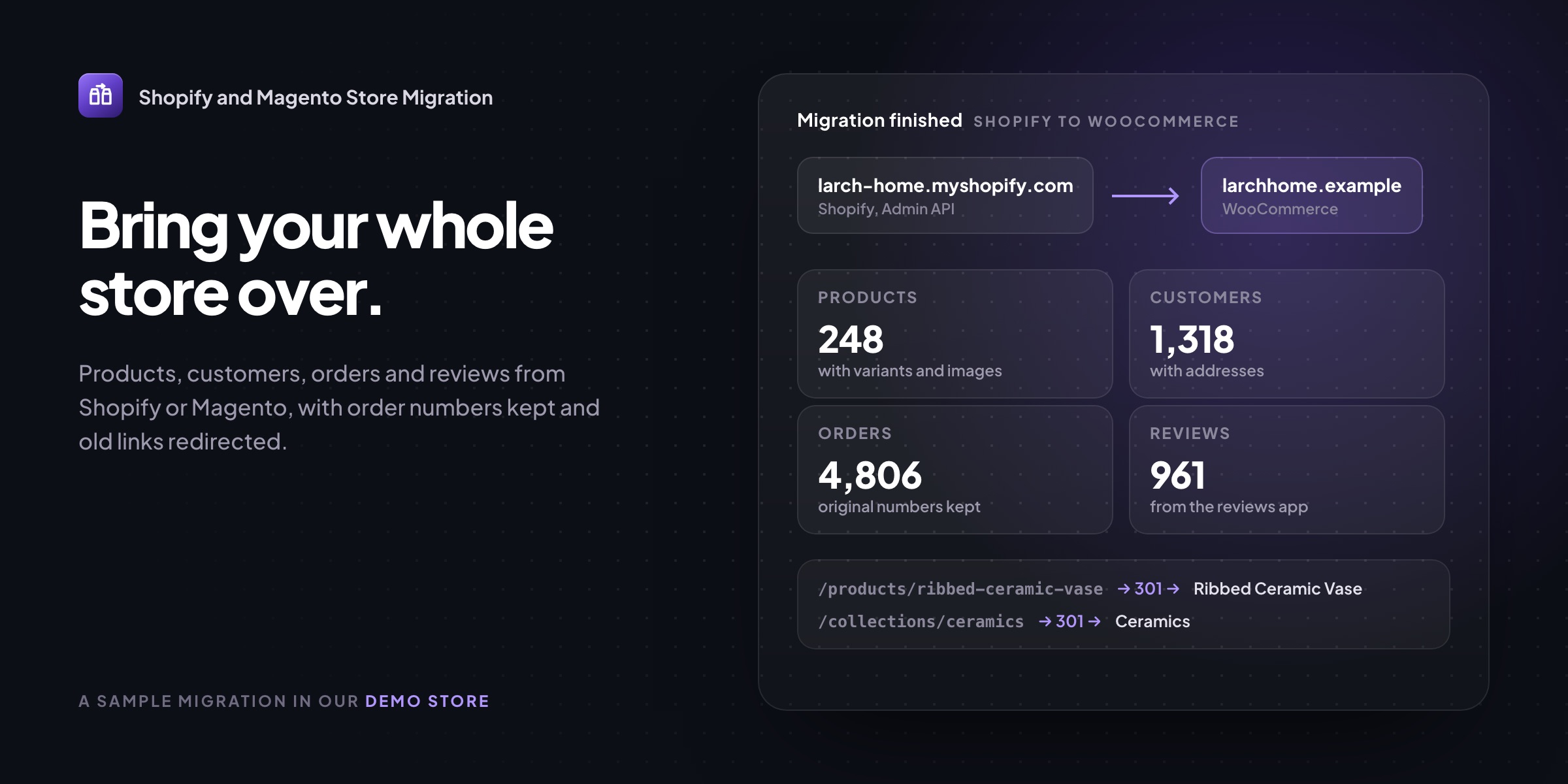
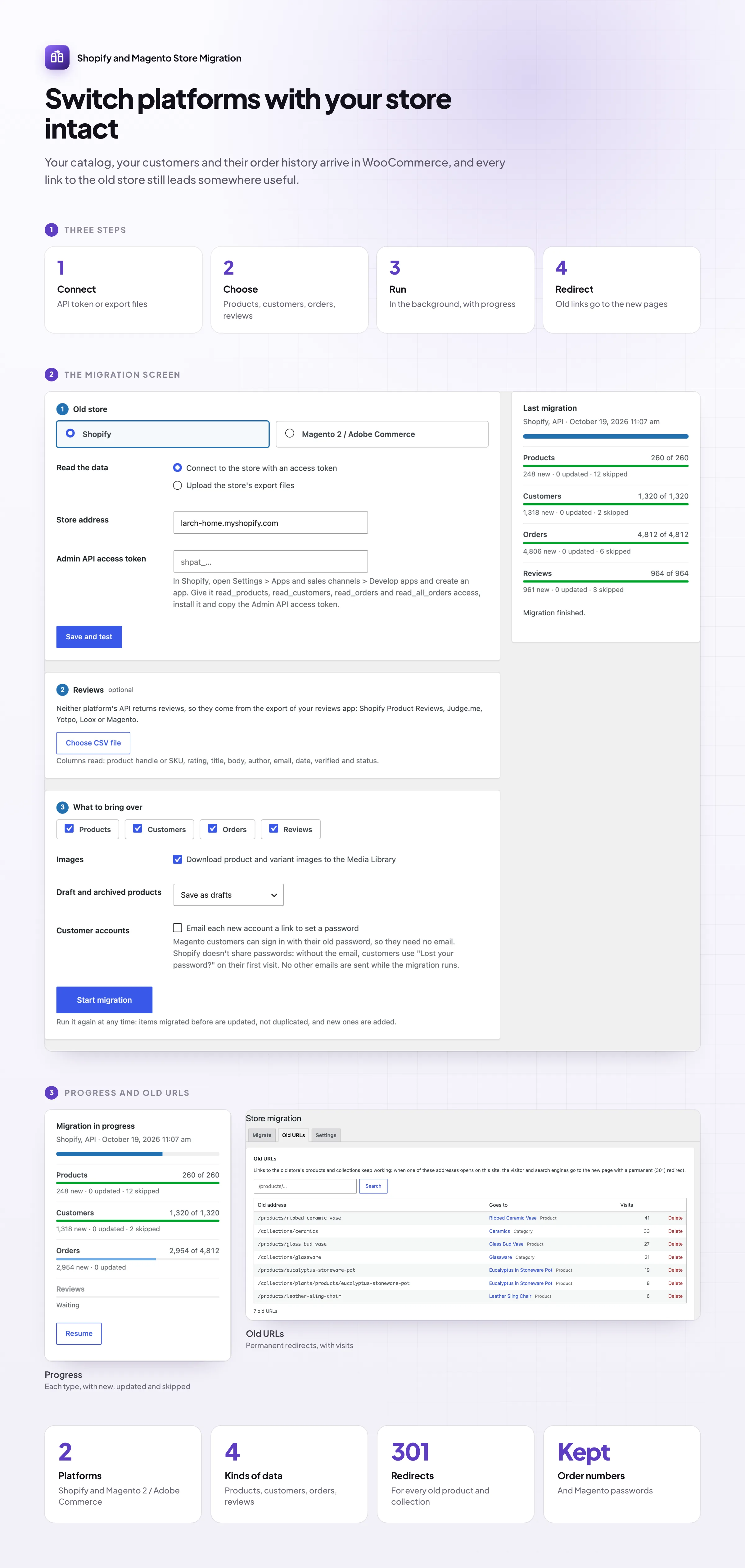
Moving from Shopify to WooCommerce, or from Magento, shouldn’t mean rebuilding the catalog by hand or losing your search rankings. Shopify & Magento Store Migration brings over products with every variant and image, customers, orders and reviews, keeps your order numbers, and redirects the old addresses to the new pages.
Connect
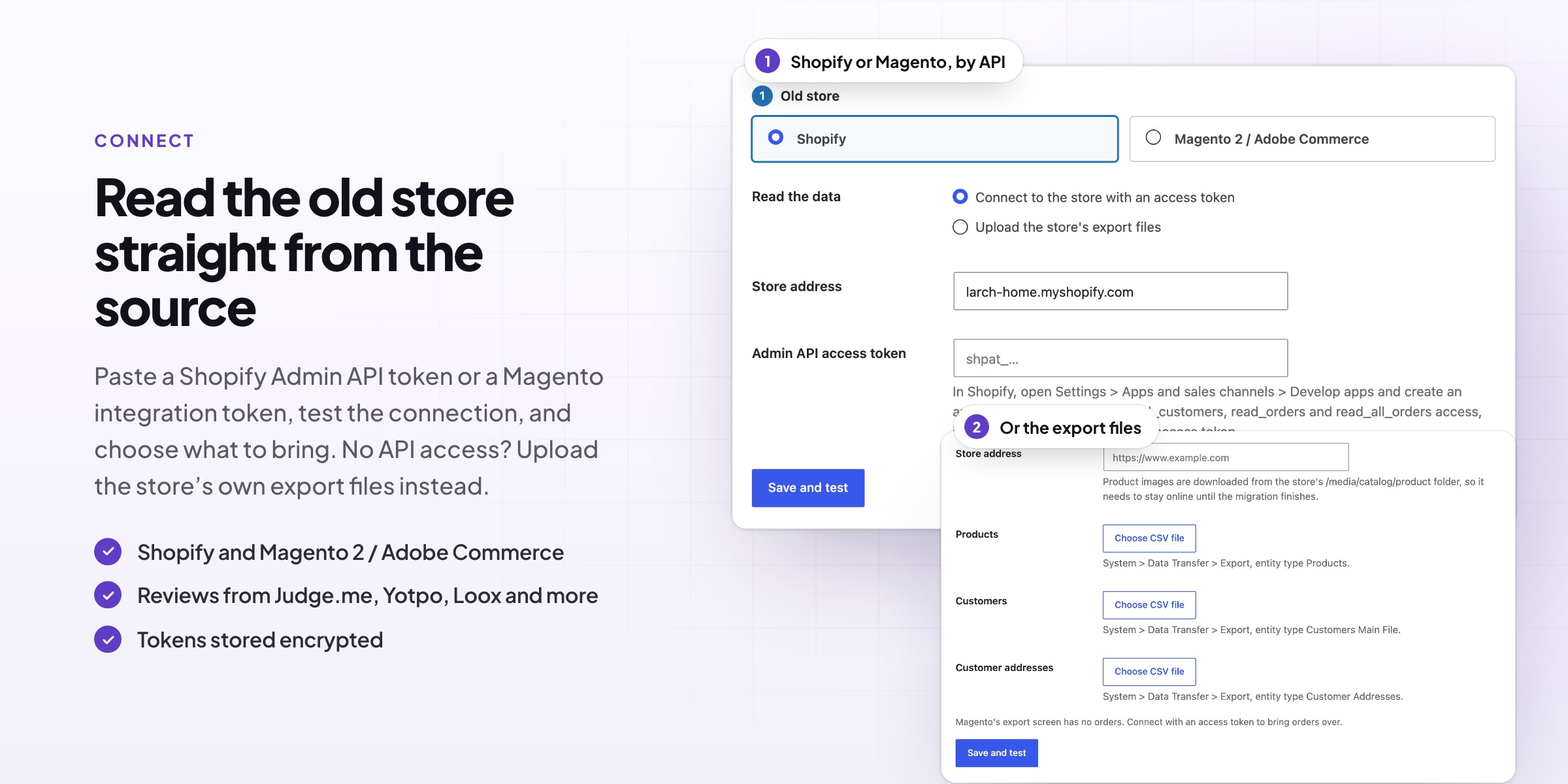
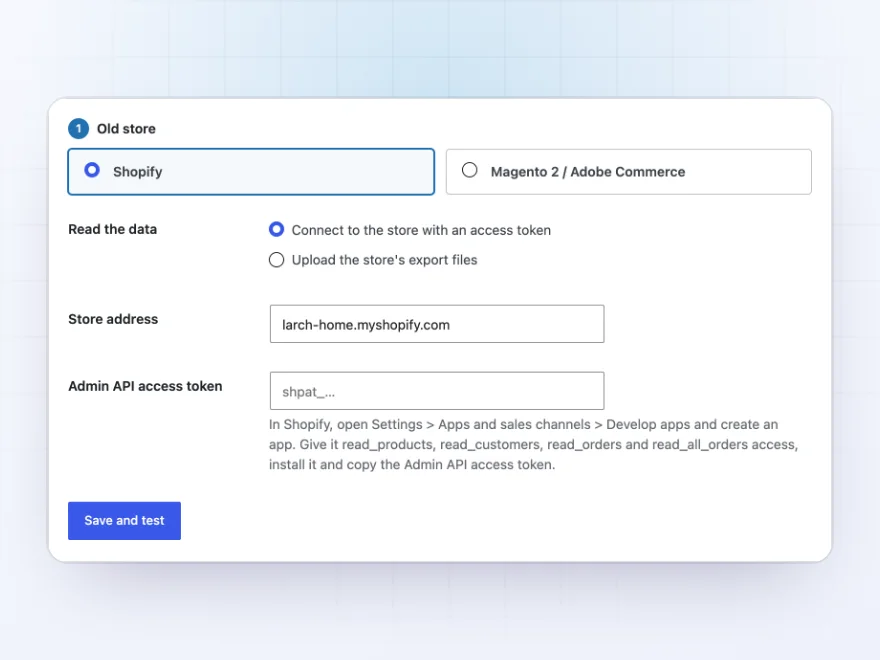
Read the old store straight from the source
Connect to Shopify with an access token, or to Magento and Adobe Commerce with an integration token. No access to the old store? Upload the export files it already gives you: products, customers and orders.
- Shopify Admin API or Magento REST API
- Or the store’s own CSV exports
- Tokens stored encrypted
Export files
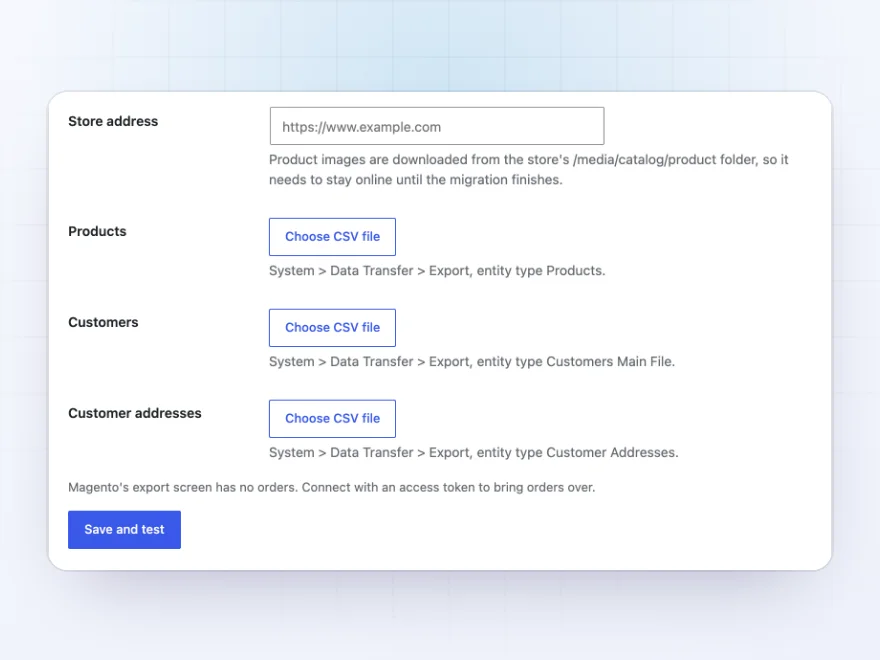
Or upload the files you already have
Every Shopify and Magento store can export products, customers and orders as CSV files. Upload them on the migration screen and the plugin reads variants, options, addresses and order lines from them, with reviews from your reviews app’s export.
- Products, customers and orders exports
- Reviews from Shopify Product Reviews, Judge.me, Yotpo, Loox or Magento
- Row counts shown as files are uploaded
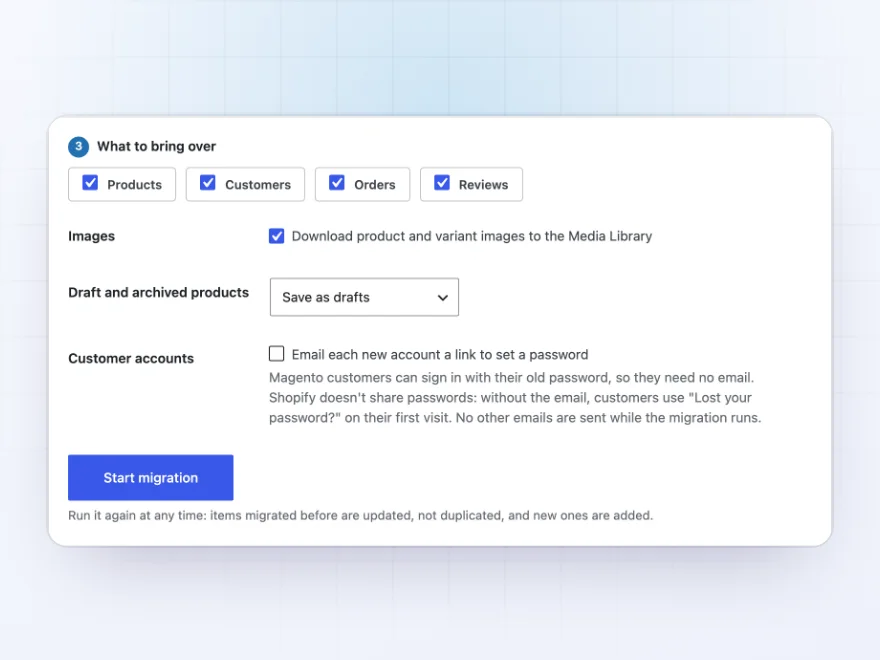
What comes over
Products, customers, orders and reviews
Products come with every variant’s SKU, barcode, price, stock and weight; options become global attributes; collections and categories keep their hierarchy; images keep their order. Customers keep their addresses, orders keep their lines, totals and dates, and reviews keep their ratings.
- Draft and archived products stay unpublished
- Vendors become brands
- SEO titles and descriptions saved
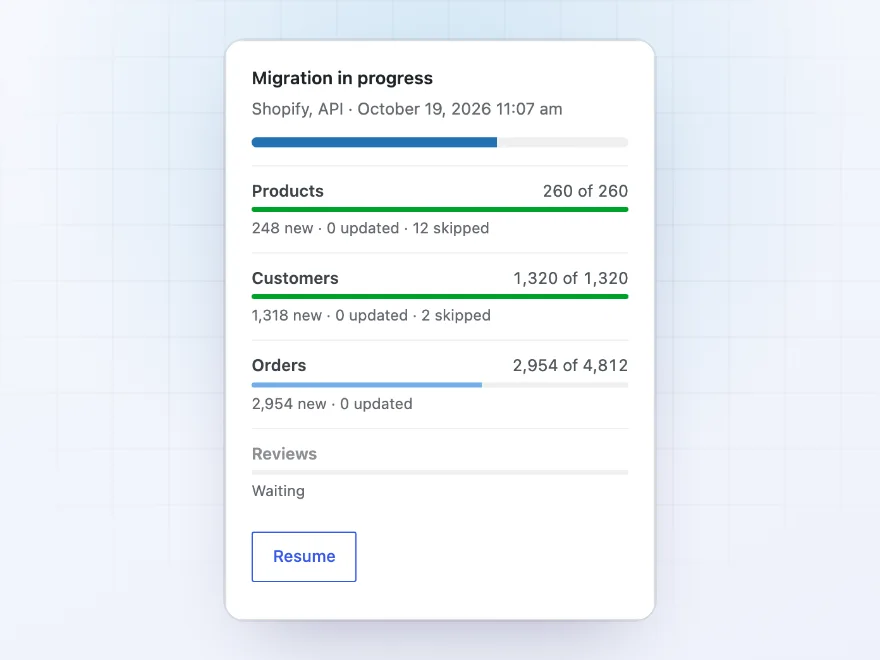
Progress
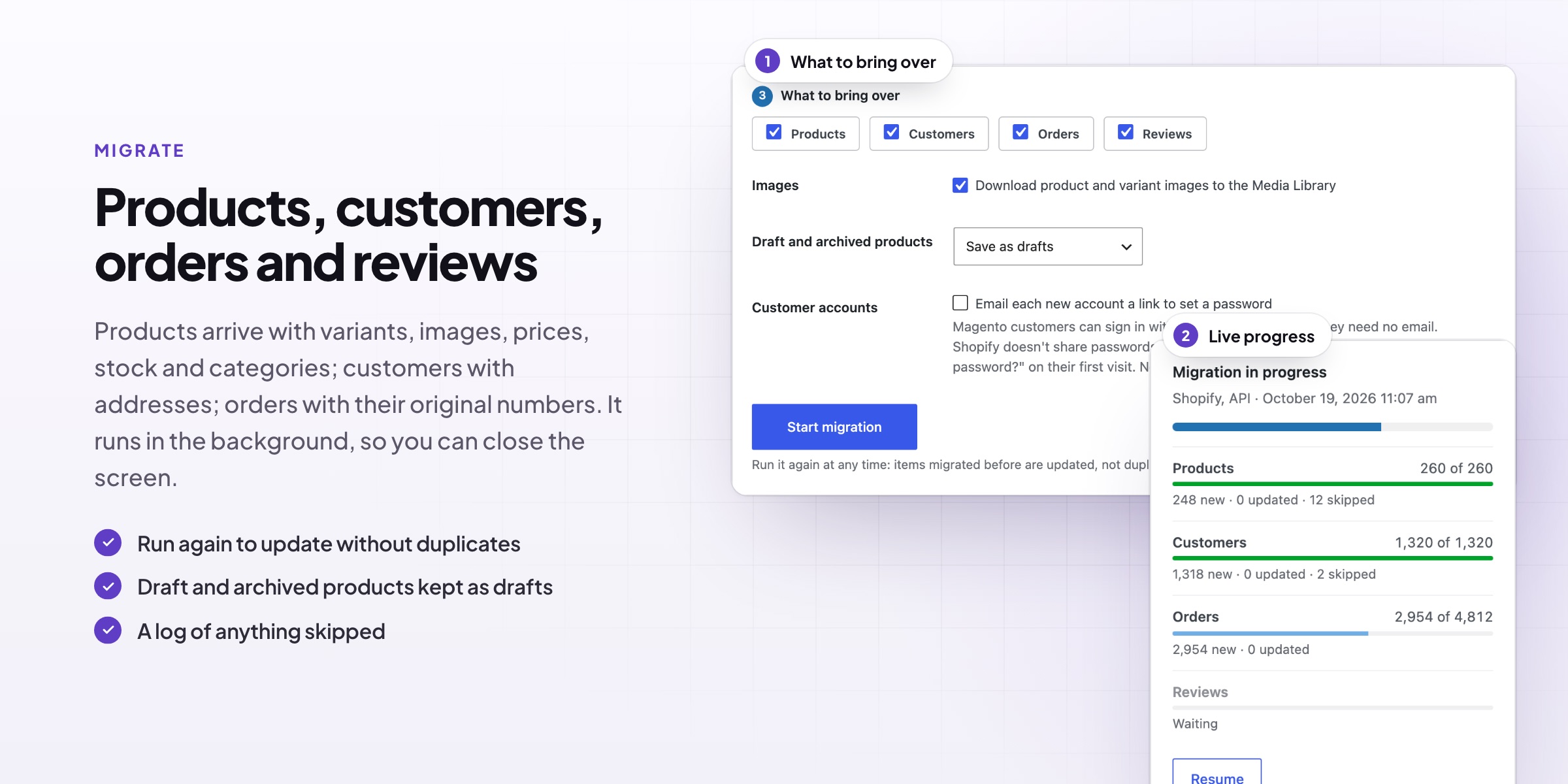
Watch it run, page by page
The migration runs page by page with progress for each kind of data, and carries on in the background if you close the screen. Run it again before you switch over: items migrated before are updated, not duplicated, and new orders are added.
- Progress for products, customers, orders and reviews
- A log of anything skipped, with the reason
- Start over to remove a test run
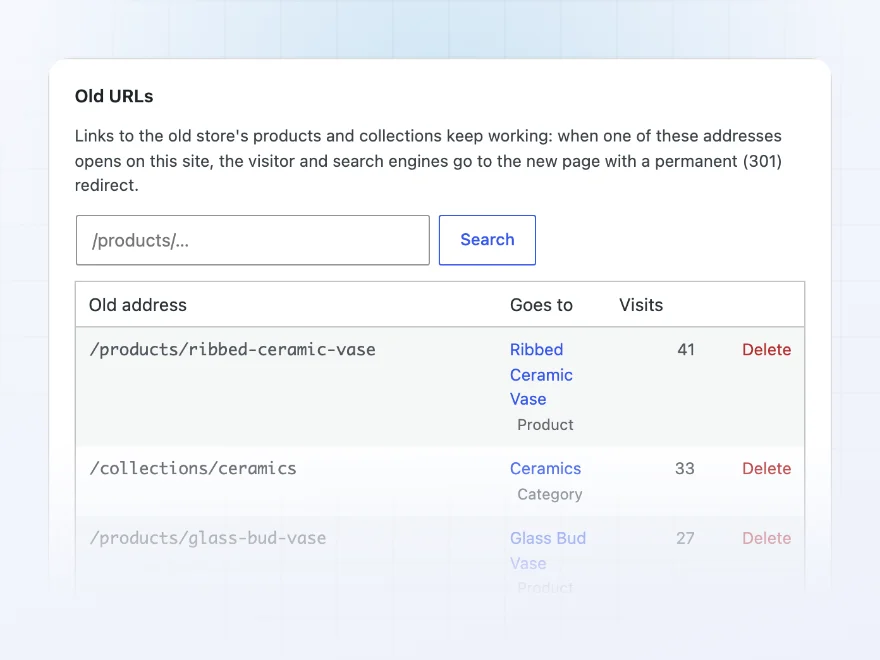
Old URLs
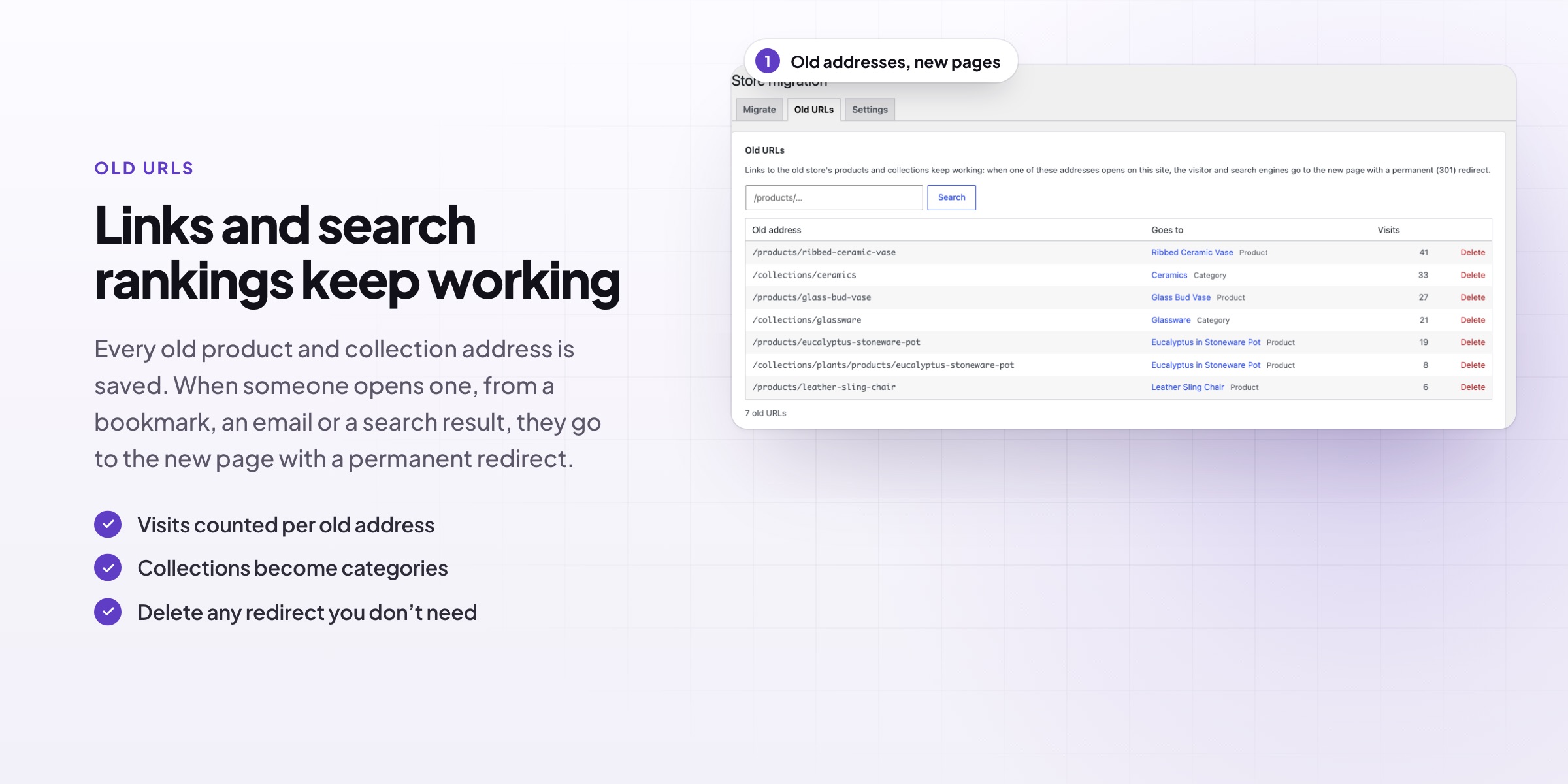
Links and rankings keep working
Old product and collection addresses, such as /products/oak-side-table or /collections/lighting, redirect to the new pages with a permanent redirect. See every old address, where it goes and how often it is visited.
- Permanent (301) redirects
- Shopify handles and Magento URL keys kept as slugs
- Visits counted per old address
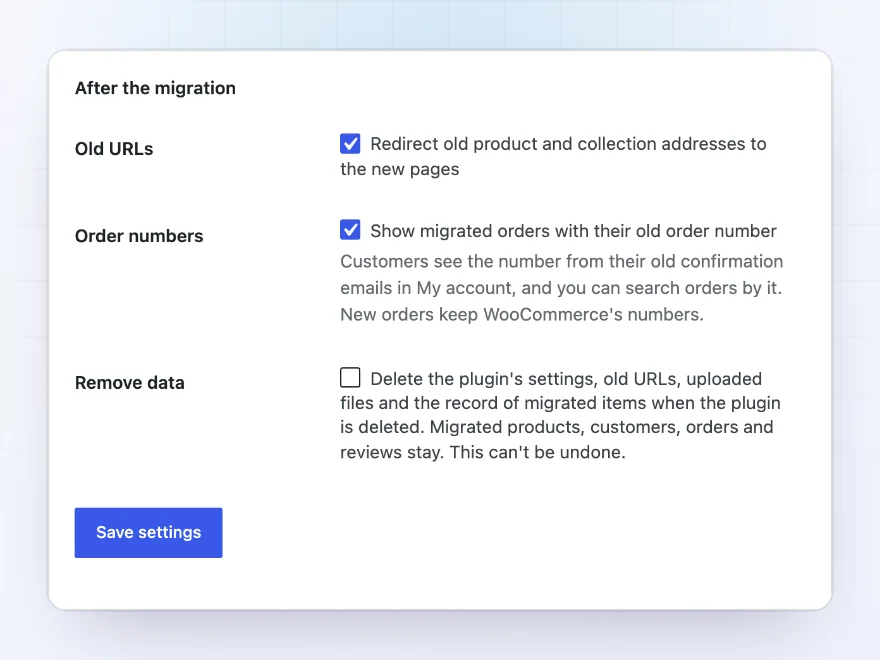
Orders and accounts
Order numbers and passwords that carry over
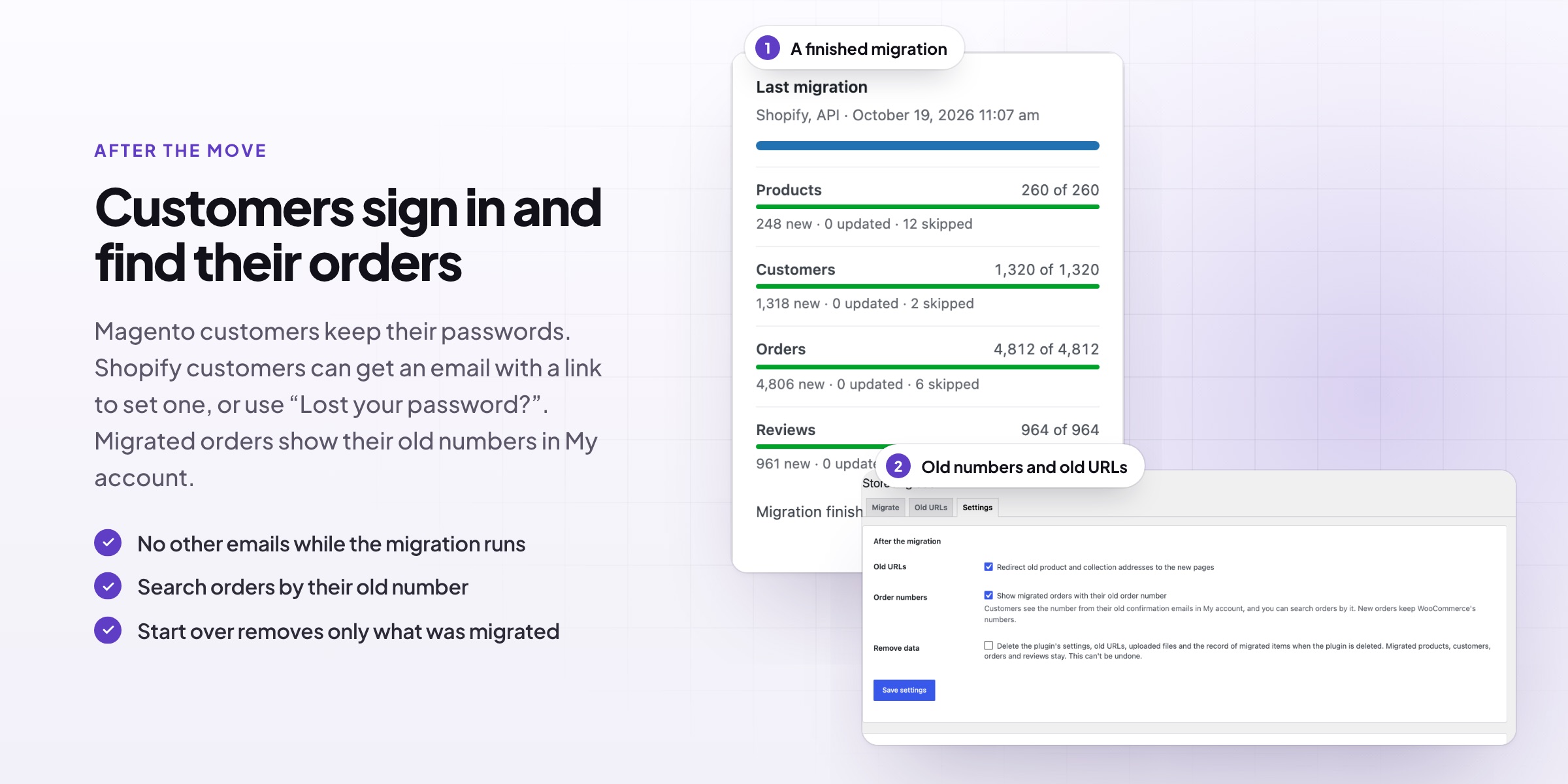
Original order numbers are kept, so customers and support see the number from the old confirmation emails, and you can search orders by it. Magento customers sign in with their old password; Shopify customers can get an email to set a new one.
- Old order numbers in My Account and the orders list
- Magento passwords checked once and saved
- No order emails sent and no stock reduced
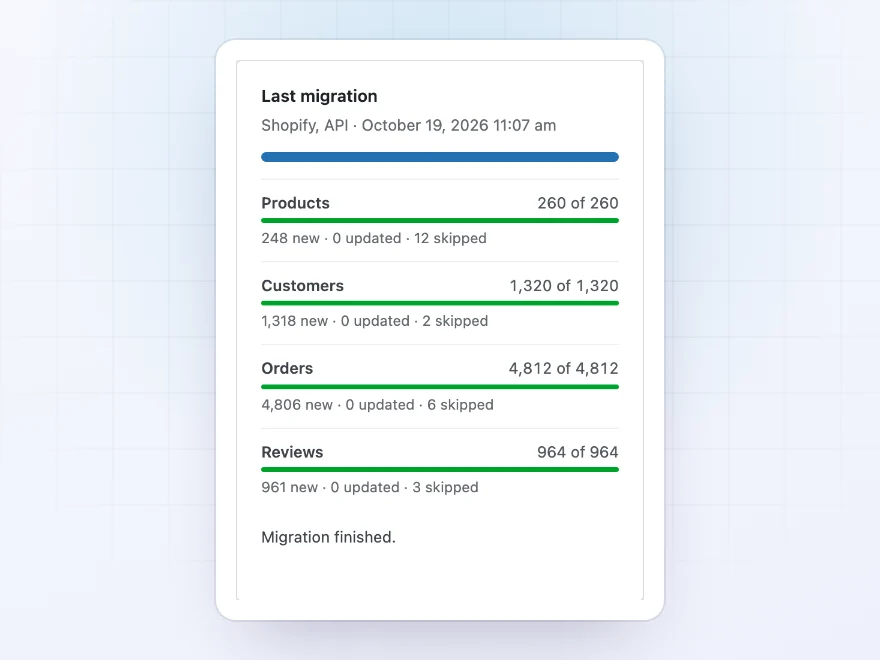
Products
Variants, images and collections come over
Simple and variable products come over with every variant’s SKU, barcode, price, stock and weight. Options become global attributes that work with filters and swatches, and images keep their order.
- Variants with SKUs, prices and stock
- Options become attributes
- Collections and categories with subcategories
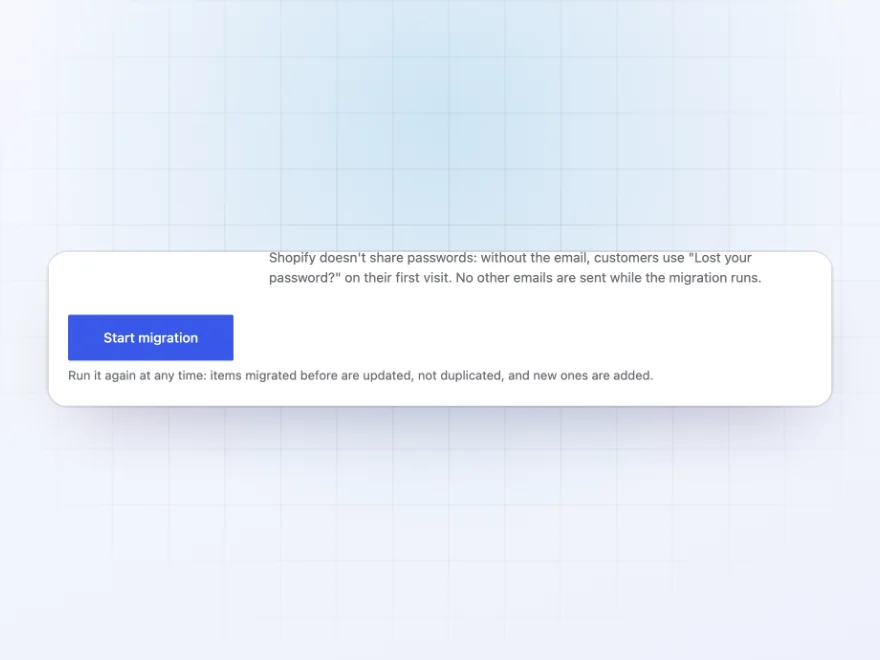
Run it again
Run it again before you switch over
Running the migration again updates what was brought over before instead of creating duplicates, so you can test early and pick up new orders and changes on the day you switch.
- Updates, never duplicates
- Picks up new orders
- Carries on in the background
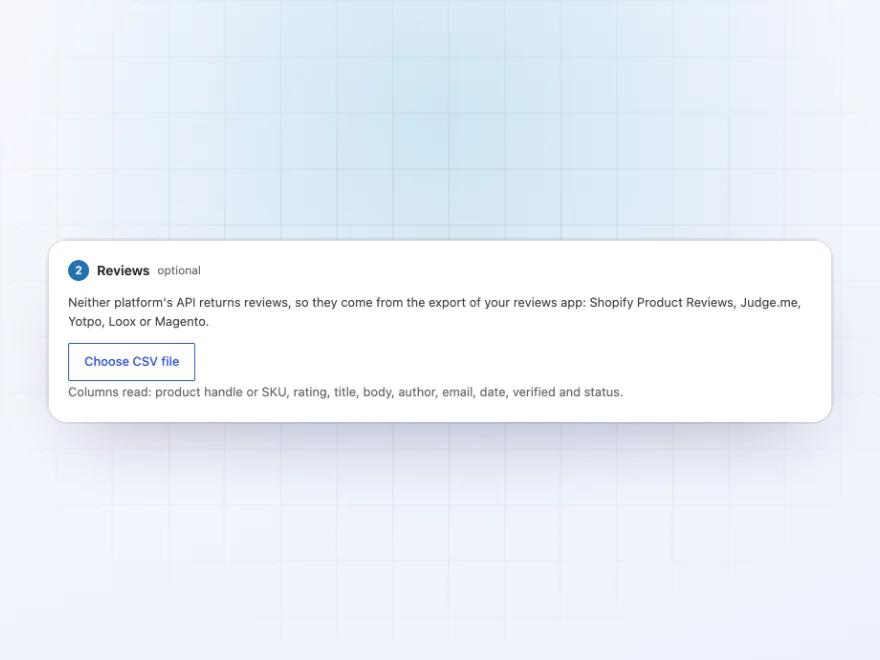
Reviews
Product reviews come over too
Import reviews from Shopify Product Reviews, Judge.me, Yotpo, Loox or Magento exports, with their ratings, dates and verified-buyer badges, so your products keep their reviews on day one.
- Judge.me, Yotpo, Loox and more
- Ratings and dates kept
- Verified-buyer badges
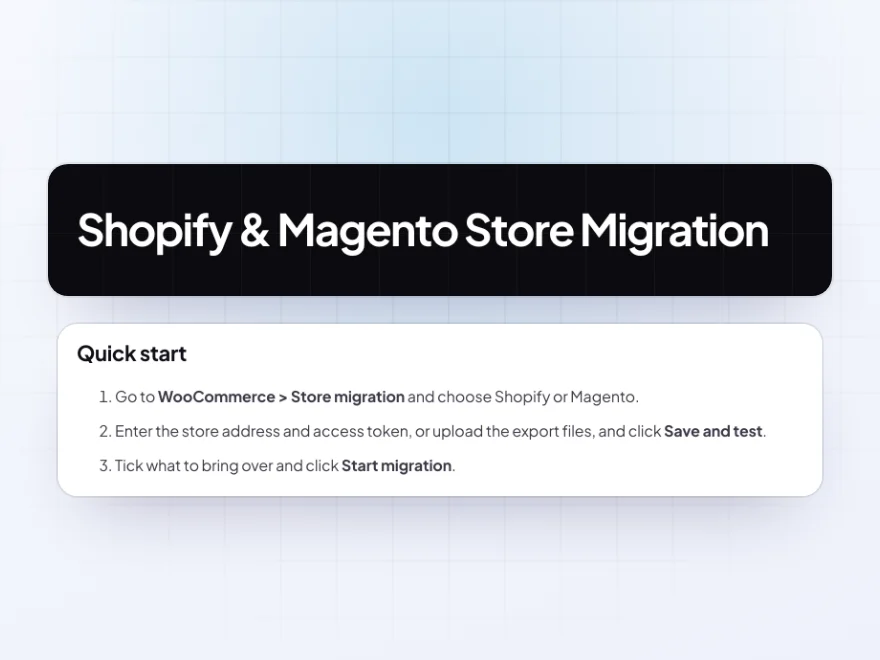
Docs and support
Try it, set it up, ask us anything
Try Shopify & Magento Store Migration in a live demo store before you buy. The docs start with a quick start and cover connecting to Shopify, connecting to Magento and using export files. Support tickets are answered by the developers who make the plugin, and updates are included.
- A live demo store to try it first
- Step-by-step docs with a quick start
- Most tickets answered within 12–24 hours
Move from Shopify or Magento to WooCommerce
Shopify & Magento Store Migration moves a store from Shopify to WooCommerce, or from Magento, without rebuilding the catalog by hand: products with variants and images, collections and categories, customers with addresses, orders with their old numbers, and reviews.
If you are working out how to migrate from Shopify to WooCommerce without losing search rankings, old product and collection addresses redirect to the new pages, and the migration can run again before you switch over to pick up new orders without making duplicates.
Common setups
- Shopify to WooCommerce: the whole store through the Admin API, then a final run on switch-over day.
- Magento 2 to WooCommerce: customers sign in with their old passwords from day one.
- No API access: the old store’s export files uploaded instead.
- SEO-first moves: every old product and collection address redirected.
- Test runs: a full migration on a staging site, cleared with Start over.
Questions before you buy
Do I need a developer?
No. Paste an access token or upload the export files, choose what to bring over and click Start migration.
Will my old links still work?
Yes. Old product and collection addresses redirect permanently to the new pages, so links and search rankings carry over.
Can I run it more than once?
Yes. Running it again updates what was migrated before and adds anything new, such as orders placed since the first run.
Are emails sent to customers during the migration?
No. Order and account emails are held back while the migration runs. You can choose to email new accounts a link to set their password.
Do customers have to reset their passwords?
Magento customers don’t: their old password is checked once and saved. Shopify doesn’t share passwords, so Shopify customers use “Lost your password?” or the optional email.
Does it migrate product images?
Yes, with the gallery order and each variant’s own image. Images are downloaded into your Media Library.
Can it move WooCommerce to Shopify?
No. It moves stores from Shopify or Magento to WooCommerce.
Requirements
WordPress 6.8 or newer, WooCommerce 10.0 or newer and PHP 7.4 or newer. Works with classic and block themes, the Cart and Checkout blocks, and High-Performance Order Storage. The old store must be reachable from your server for API connections and images.
Documentation
Step-by-step setup, every setting explained, and examples: read the documentation. Questions before you buy? Ask us.




Reviews
There are no reviews yet.