 Maxima Plugins
Description
Customers forget coupon codes, mistype them, or find out at checkout that the coupon needs a bigger order. URL Coupons & Coupon Rules puts the coupon in the link, keeps it until the cart qualifies, and tells customers how close they are. Coupons can also apply themselves, with no code to type, to every cart that meets their rules.
Coupon links
A link for every coupon
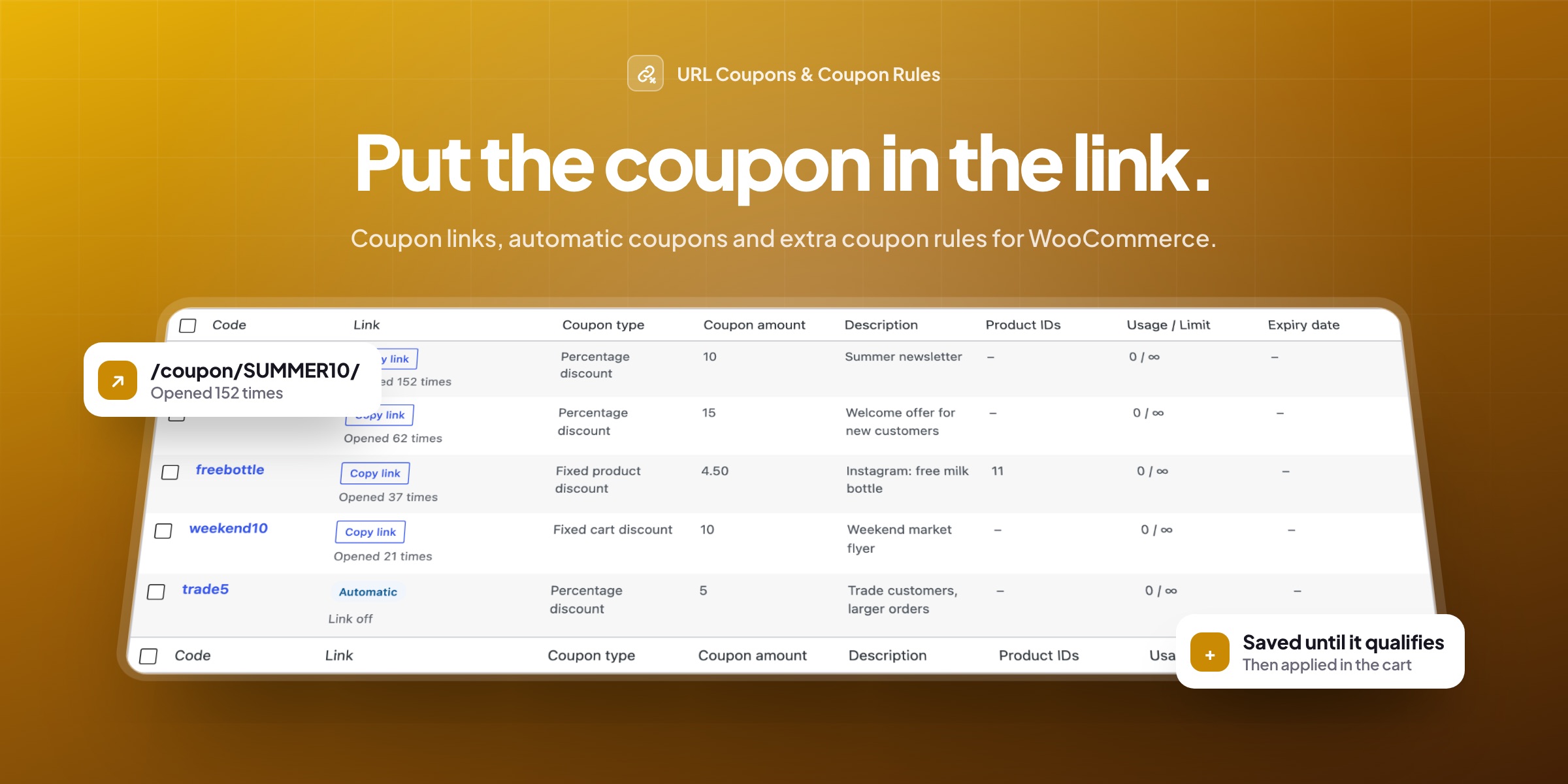
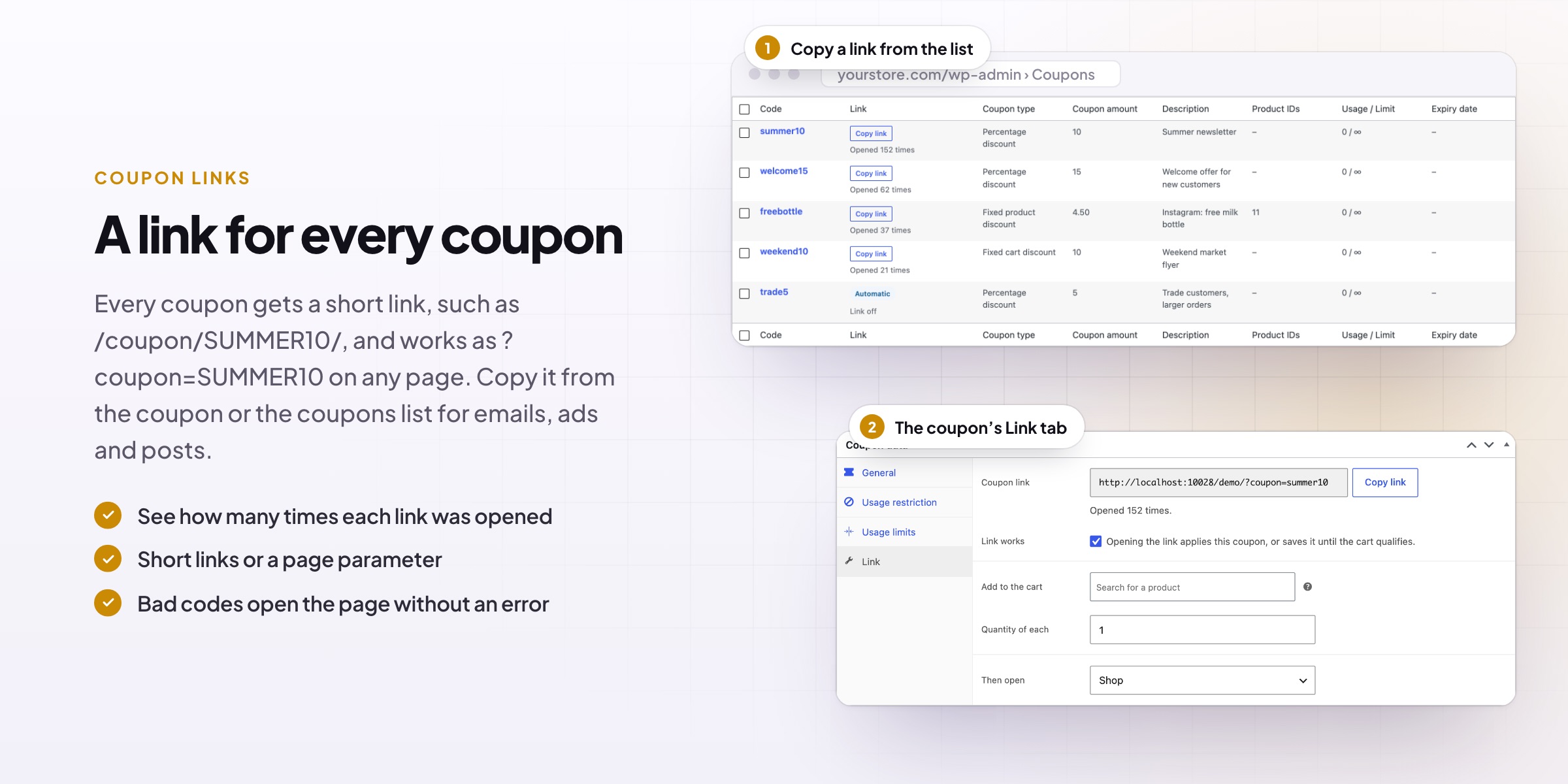
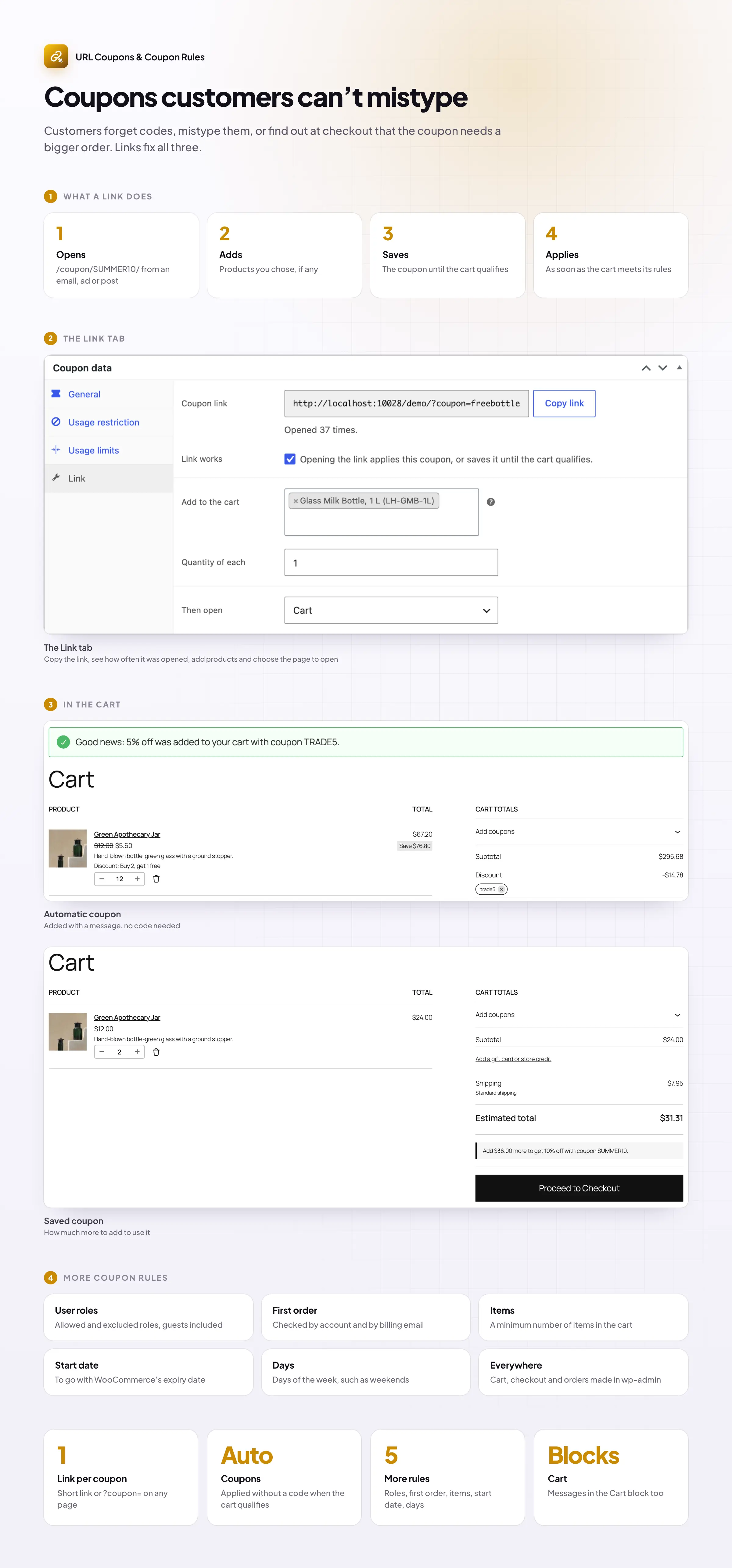
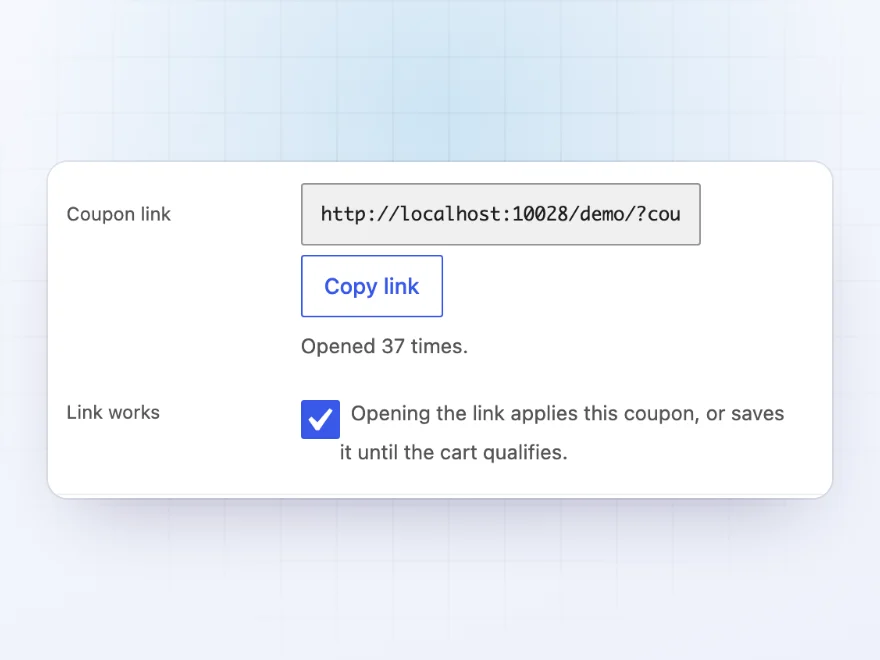
Every coupon gets its own link, such as /coupon/SUMMER10/, or the coupon added to any page address. Copy it from the coupon’s Link tab and use it in emails, ads and social posts. Customers click and the coupon is applied, with nothing to type and nothing to mistype.
- Short links, or the coupon on any page address
- A count of how often each link is opened
- Choose the page the link opens
QR codes
QR codes for flyers and packaging
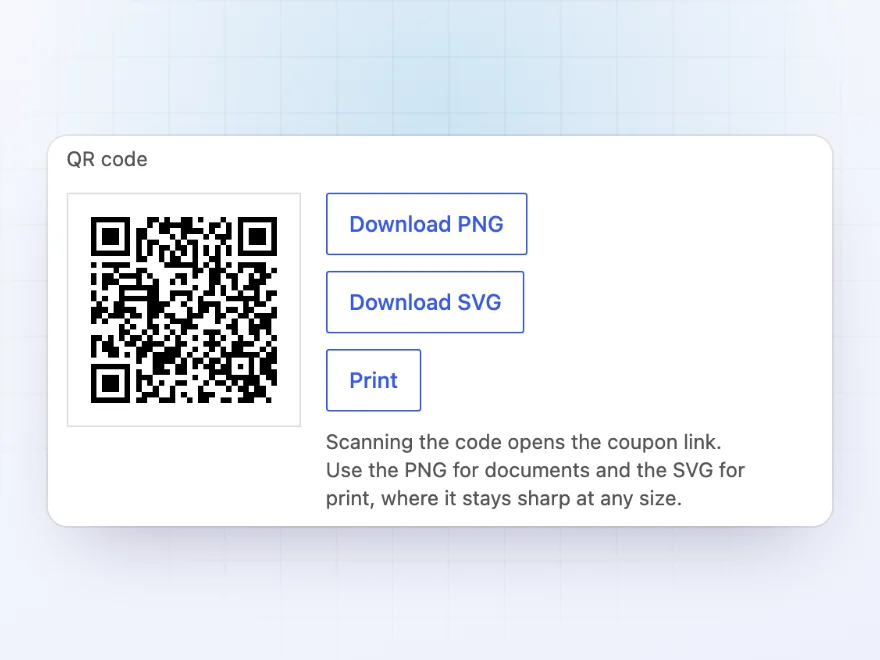
Every coupon link also has a QR code, ready to download as PNG or SVG or to print. Put it on flyers, packaging inserts, receipts and shop windows, and scanning it applies the coupon in the customer’s phone.
- PNG for documents, SVG for print
- Print it straight from the coupon
- Opens the same link as the coupon URL
Saved until it qualifies
Coupons kept until the cart qualifies
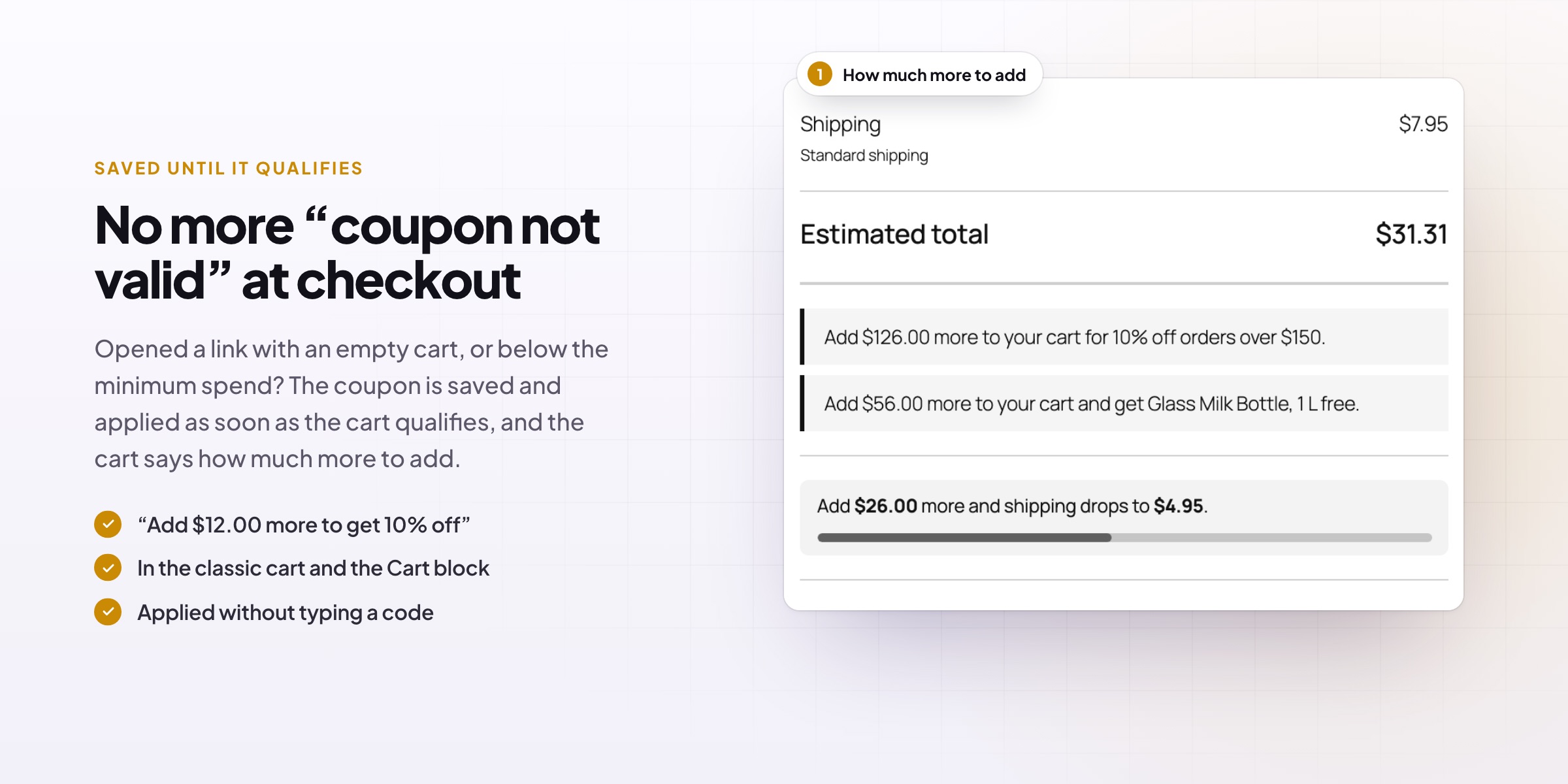
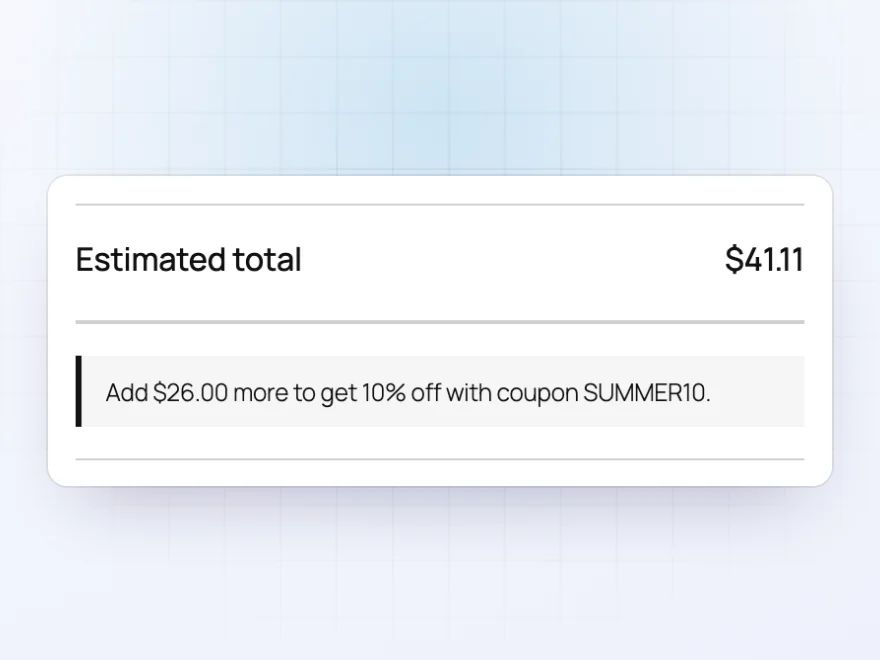
Opened a link with an empty cart, or below the minimum spend? The coupon is saved and applied as soon as the cart qualifies. Until then, the cart tells customers how much more to add, such as “Add $26.00 more to get 10% off with coupon SUMMER10”.
- In the classic cart and the Cart block
- No “coupon not valid” errors for early clicks
- Customers see exactly how much more to add
Automatic coupons
Coupons that apply themselves
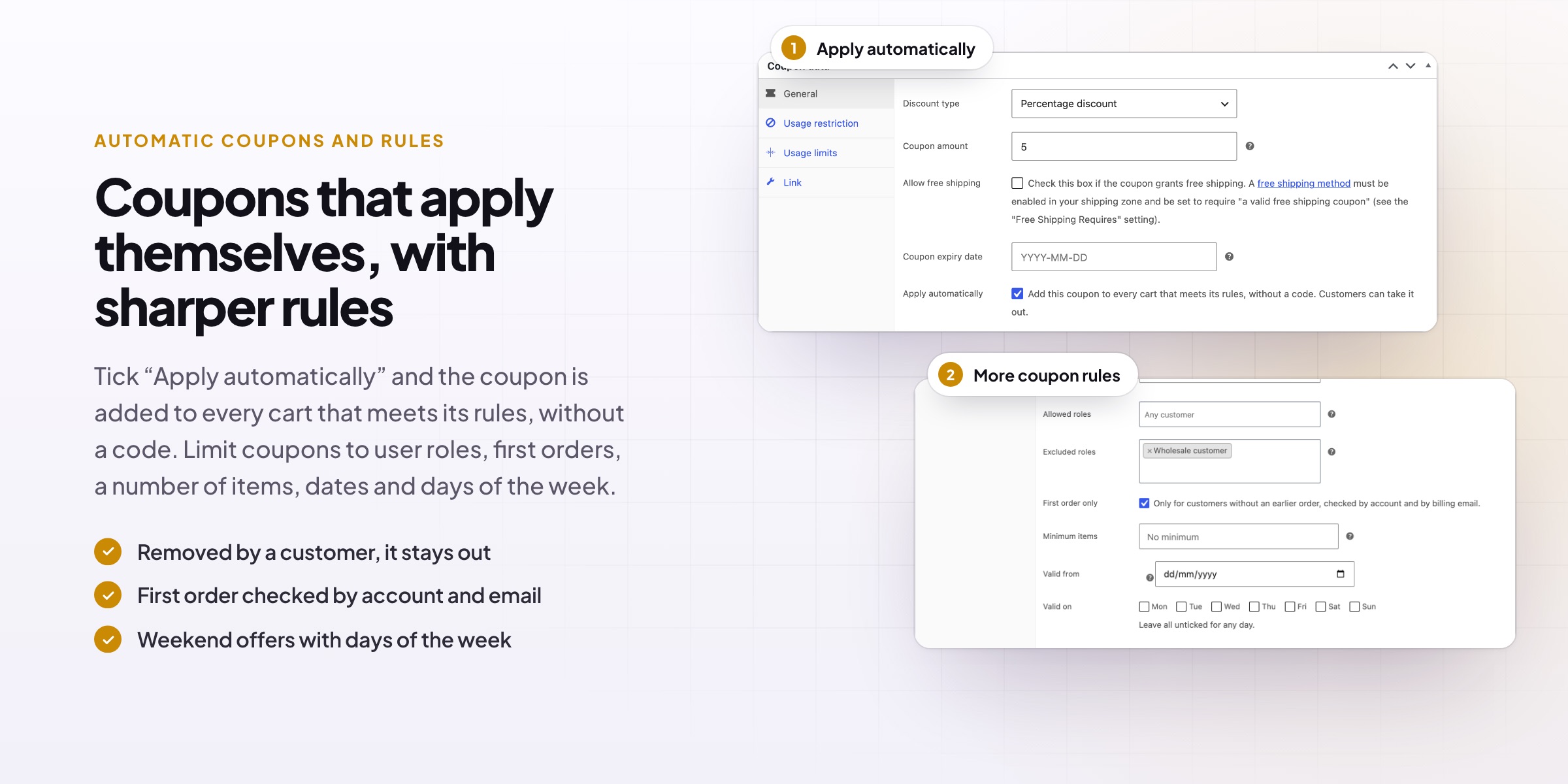
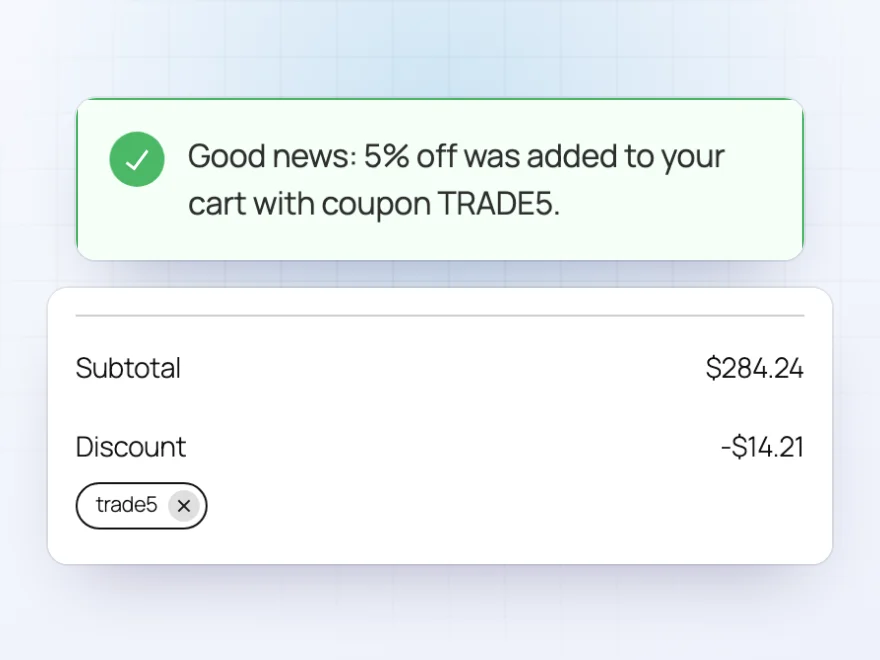
Tick “Apply automatically” and the coupon is added to every cart that meets its rules, without a code, with a short message so customers notice. If a customer takes it out, it stays out. Use it for trade discounts, seasonal offers or a discount over a set amount.
- Added when the cart meets the coupon’s rules
- A message tells customers it was added
- Removed coupons stay removed
More coupon rules
Rules WooCommerce coupons don’t have
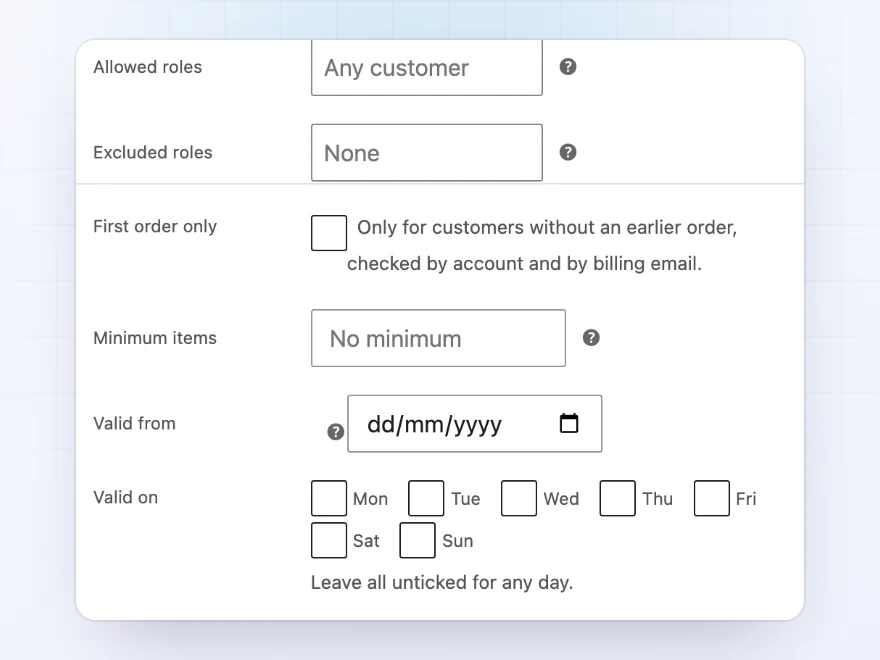
Limit a coupon to user roles or leave some out, make it first order only (checked by account and by billing email), or require a minimum number of items. Add a start date, days of the week such as weekends, purchase history, shipping and payment methods, and customer locations.
- Allowed and excluded roles, including guests
- First order only, start dates and days of the week
- Shipping methods, payment methods and countries
Links that add products
A free product with one click
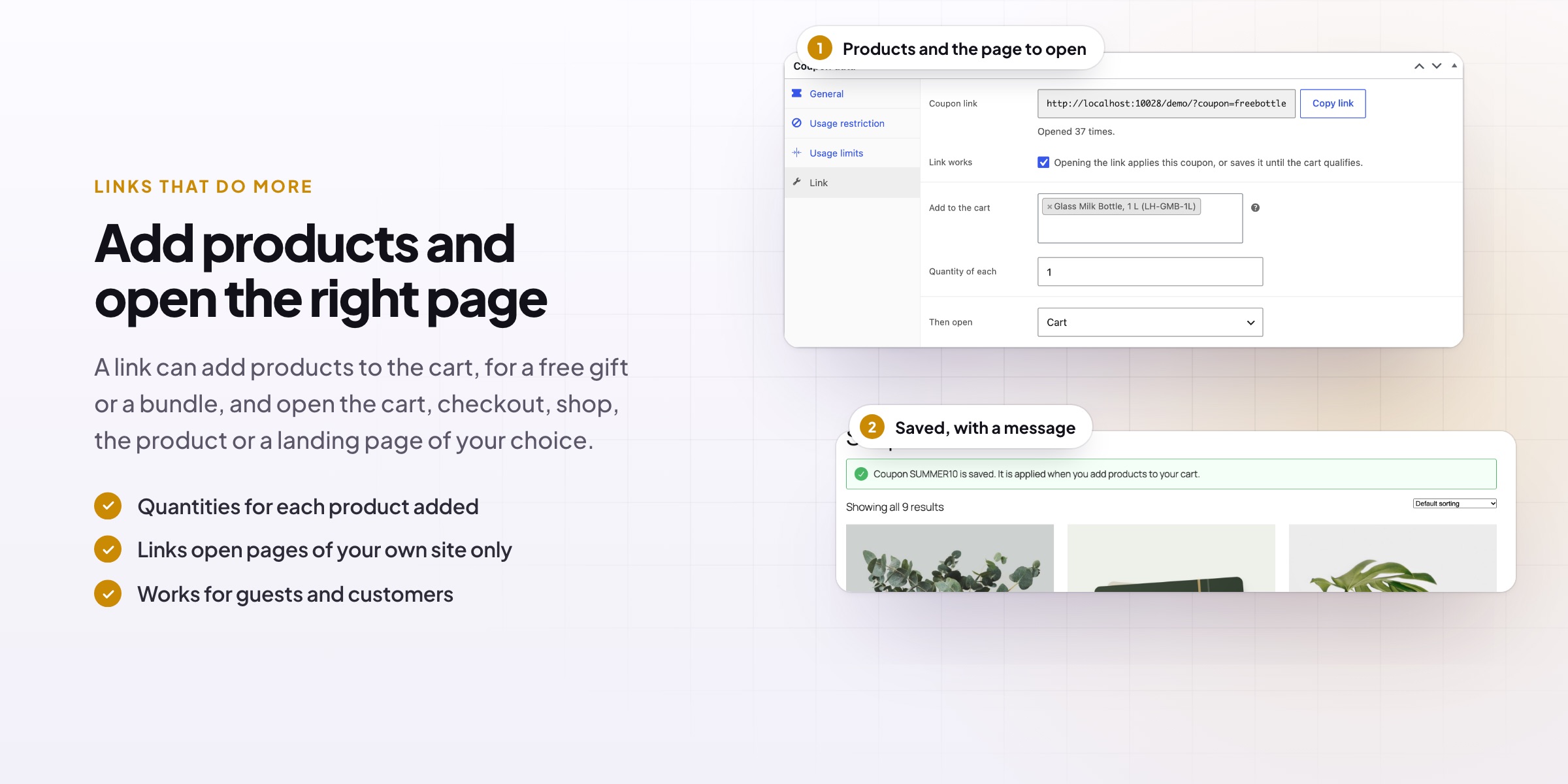
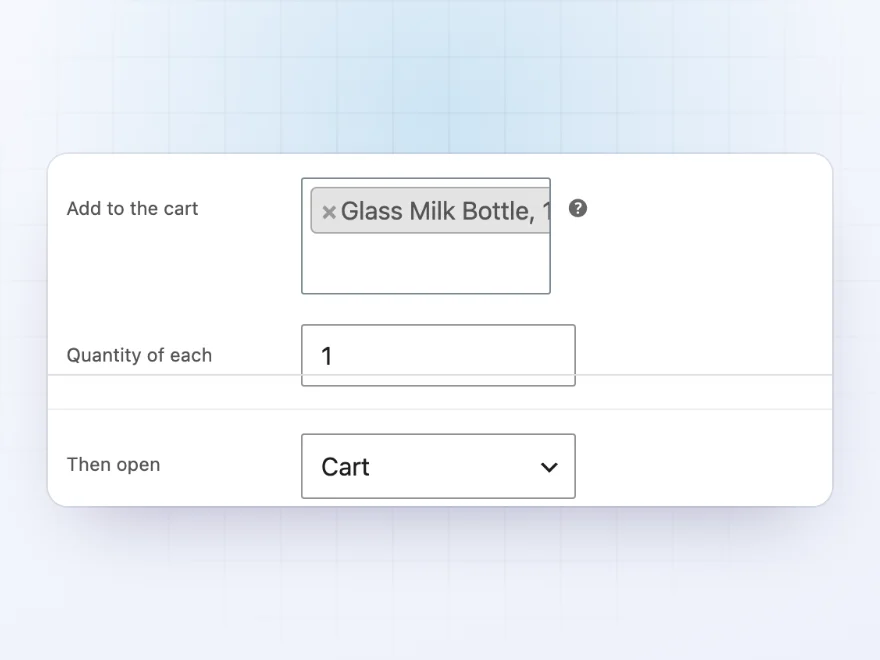
A coupon link can add products to the cart too, for a “free tote with this link” offer or a ready-made bundle. Choose the products and quantity, and the page the link opens next: the cart, checkout, shop, the product or a landing page.
- Add one or more products to the cart
- Choose the quantity of each
- Then open the cart, checkout or any page
Coupon results
See what each coupon brings in
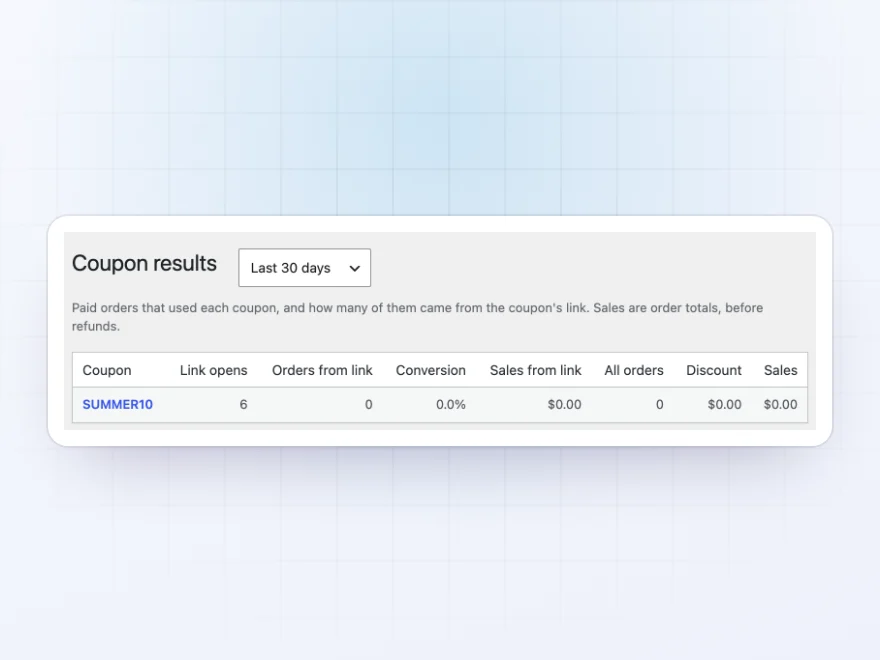
Marketing › Coupon results shows each coupon’s link opens, the orders that came from the link, the conversion, the discount given and the sales, over 7, 30 or 90 days, 12 months or all time.
- Link opens and orders
- Discount given and sales
- Any period
Coupons customers can see
Coupons listed for the customers who can use them
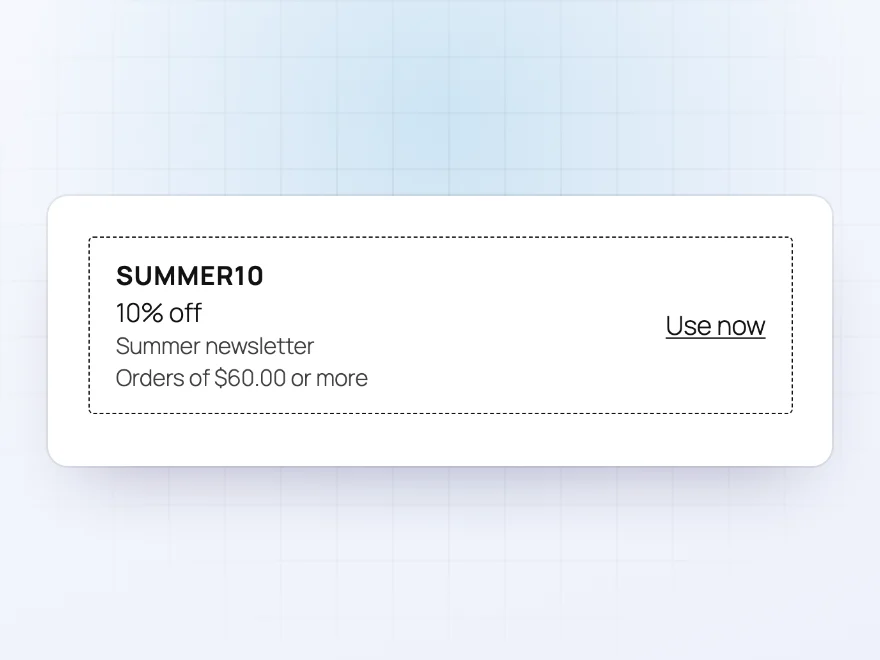
Tick “Show to customers” and the coupon is listed in the cart, at checkout and in a Coupons tab in My Account, with an Apply button, only for customers who can use it. Coupons that need a bigger order say how much more to add.
- Listed in the cart and at checkout
- A Coupons tab in My Account
- Only for customers who can use them
Location and history
Coupons by country, postcode or past orders
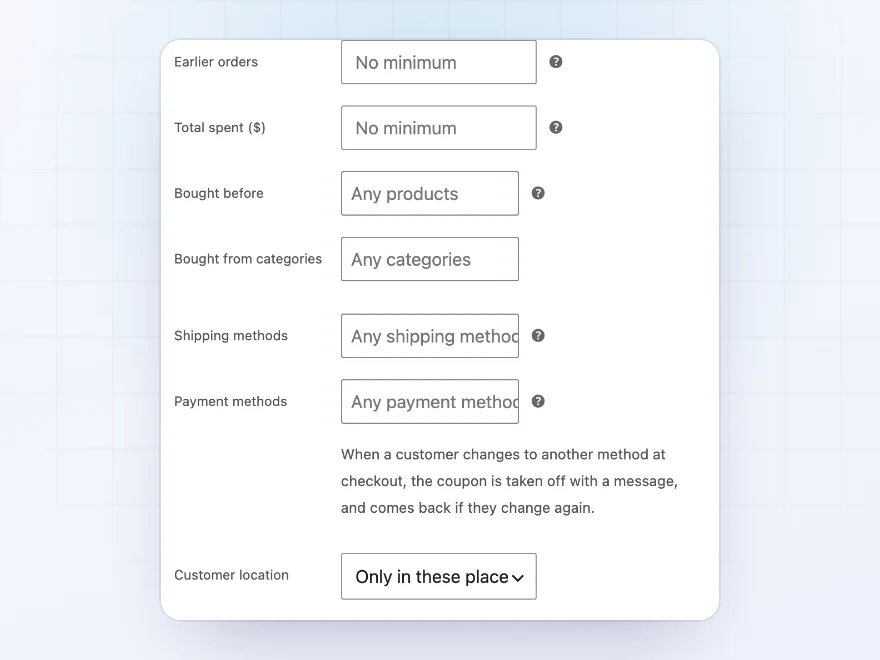
Limit a coupon to countries, states or postcodes of the shipping or billing address, and to customers with a number of earlier orders, a total spent, or certain products bought before.
- Countries, states and postcodes
- Earlier orders and amount spent
- Products bought before
Docs and support
Try it, set it up, ask us anything
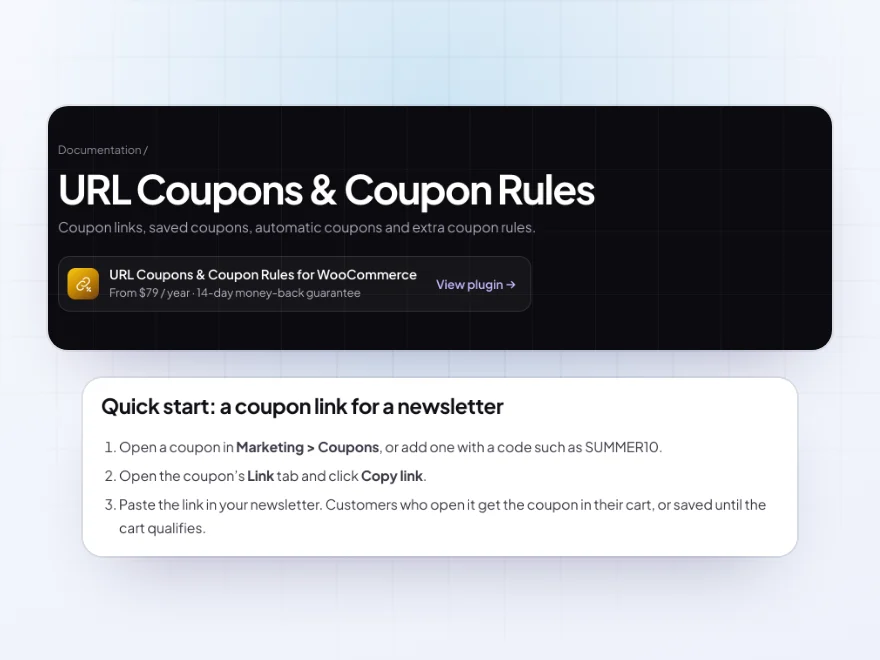
Try URL Coupons & Coupon Rules in a live demo store before you buy. The docs start with a quick start and cover coupon links, links that add products, and coupons saved until the cart qualifies. Support tickets are answered by the developers who make the plugin, and updates are included.
- A live demo store to try it first
- Step-by-step docs with a quick start
- Most tickets answered within 12–24 hours
WooCommerce URL coupons and coupons that apply themselves
URL Coupons & Coupon Rules gives every WooCommerce coupon a link and a QR code, so customers never type a code. A coupon URL can add products to the cart and open any page, and the coupon is kept until the cart qualifies.
Coupons can also apply themselves when the cart meets their rules, be listed for the customers who can use them, and follow rules WooCommerce coupons don’t have: roles, first order, days of the week, purchase history, shipping and payment methods and location.
Common setups
- Newsletter offers: a link that applies 10% off, saved until the cart reaches the minimum.
- Free product links: a link that adds a free tote bag and opens the cart.
- Welcome coupons: first order only, checked by account and billing email.
- Trade discounts: an automatic coupon for the wholesale role, without a code.
- In-store flyers: a QR code that applies a weekend discount.
Questions before you buy
Do the links work with my existing coupons?
Yes. Every WooCommerce coupon gets a link. Copy it from the coupon’s Link tab or from the coupons list.
What if the cart doesn’t qualify yet?
The coupon is saved and applied as soon as the cart qualifies, and the cart says how much more to add.
Can a coupon apply without a code?
Yes. Tick “Apply automatically” and it’s added to every cart that meets its rules. If a customer removes it, it stays out.
Can I limit a coupon to a customer’s first order?
Yes. First order only is checked by account and by billing email, so it can’t be reused with a new account.
Can I see which coupons bring in sales?
Yes. Marketing › Coupon results shows link opens, orders from the link, conversion, the discount given and sales for each coupon.
What happens when a customer changes their address or payment method?
If the new choice isn’t allowed, the coupon is taken off with a message, and comes back if they change again.
Does it work with the Cart and Checkout blocks?
Yes. Links, saved coupons, messages and rules work in the classic cart and checkout and in the Cart and Checkout blocks.
Requirements
WordPress 6.8 or newer, WooCommerce 10.0 or newer and PHP 7.4 or newer. Works with classic and block themes, the Cart and Checkout blocks, and High-Performance Order Storage.
Documentation
Step-by-step setup, every setting explained, and examples: read the documentation. Questions before you buy? Ask us.




Lukas J. –
Small catalogue, weekend offers. does the job
Chiara –
Useful being able to check the coupons from the dashboard; our old way meant checking several places. Support was helpful. Run a small test first, though.
The Wool Room –
Newsletter offers, no codes
We mostly use it for newsletter offers. Customers don’t need to remember codes. Thomas sorted the minimum spend message for me. Recommended.
Jeroen H. –
weekend offers for us. the scheduling works. support is helpful, i asked about timezones
Maja B. –
The automatic coupons are the bit we use. no complaints
Sanne’s Studio –
First order rule works a treat
The first order rule is what we needed. Michael was very helpful setting it up. Works well.
Anja N. –
does what it says. links work. support answered my question in a few hours
nikosp –
We use it for welcome offers. Tested the links before the campaign. Michael was quick when I had a question. Works well.
alicewdesign –
Handy for newsletters
The customer clicks the link and the coupon is applied. Much better than asking people to copy codes. Thomas explained the first order rule to me. Recommended.