 Maxima Plugins
Description
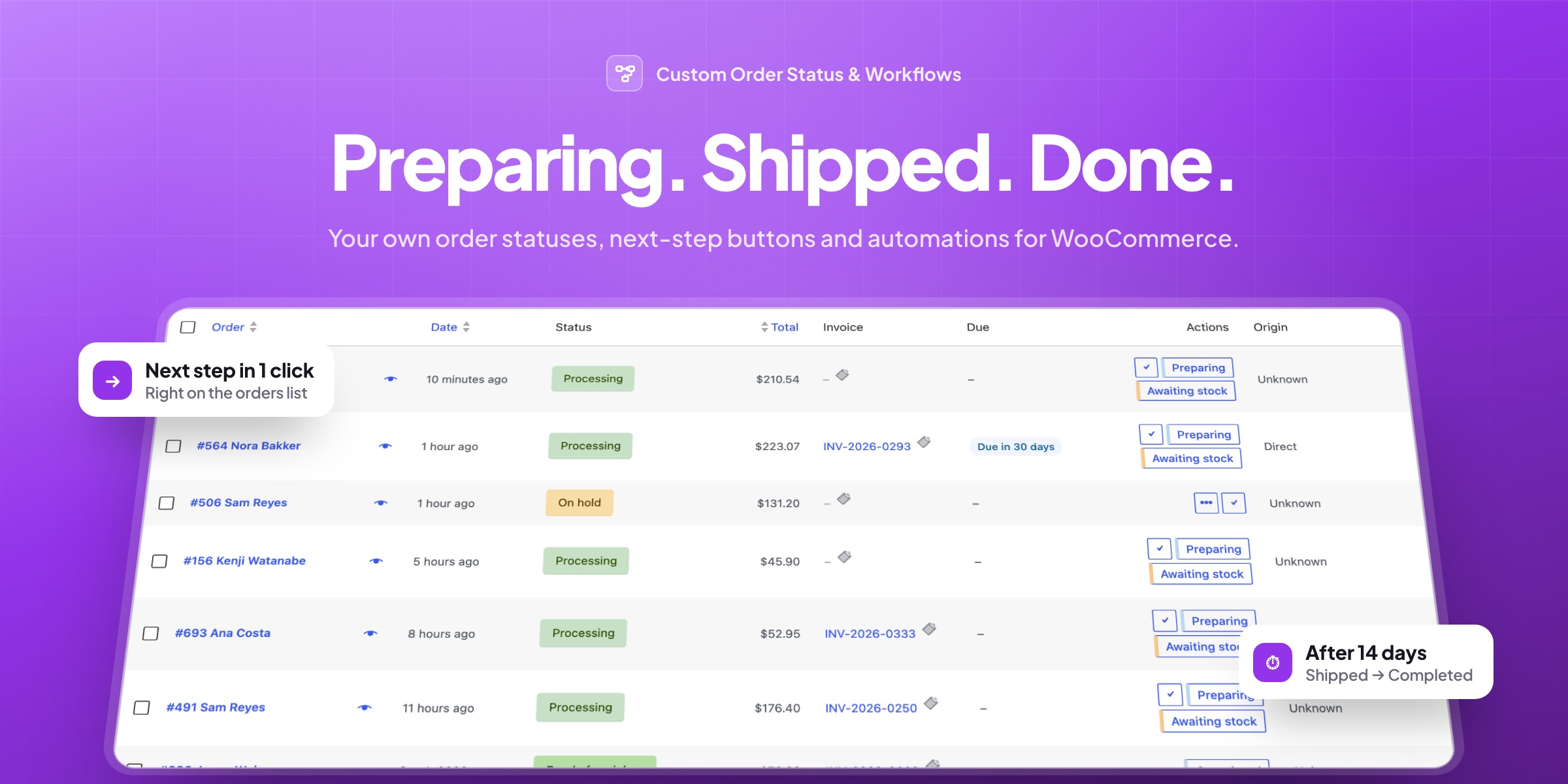
WooCommerce has seven order statuses. Most stores need a few more, such as Preparing, Shipped, Awaiting stock or Ready for pickup, and want orders to move along without someone changing each one by hand. Custom Order Status & Workflows adds them, with one-click next steps, emails and automations.
Your own statuses
Statuses that match how you work
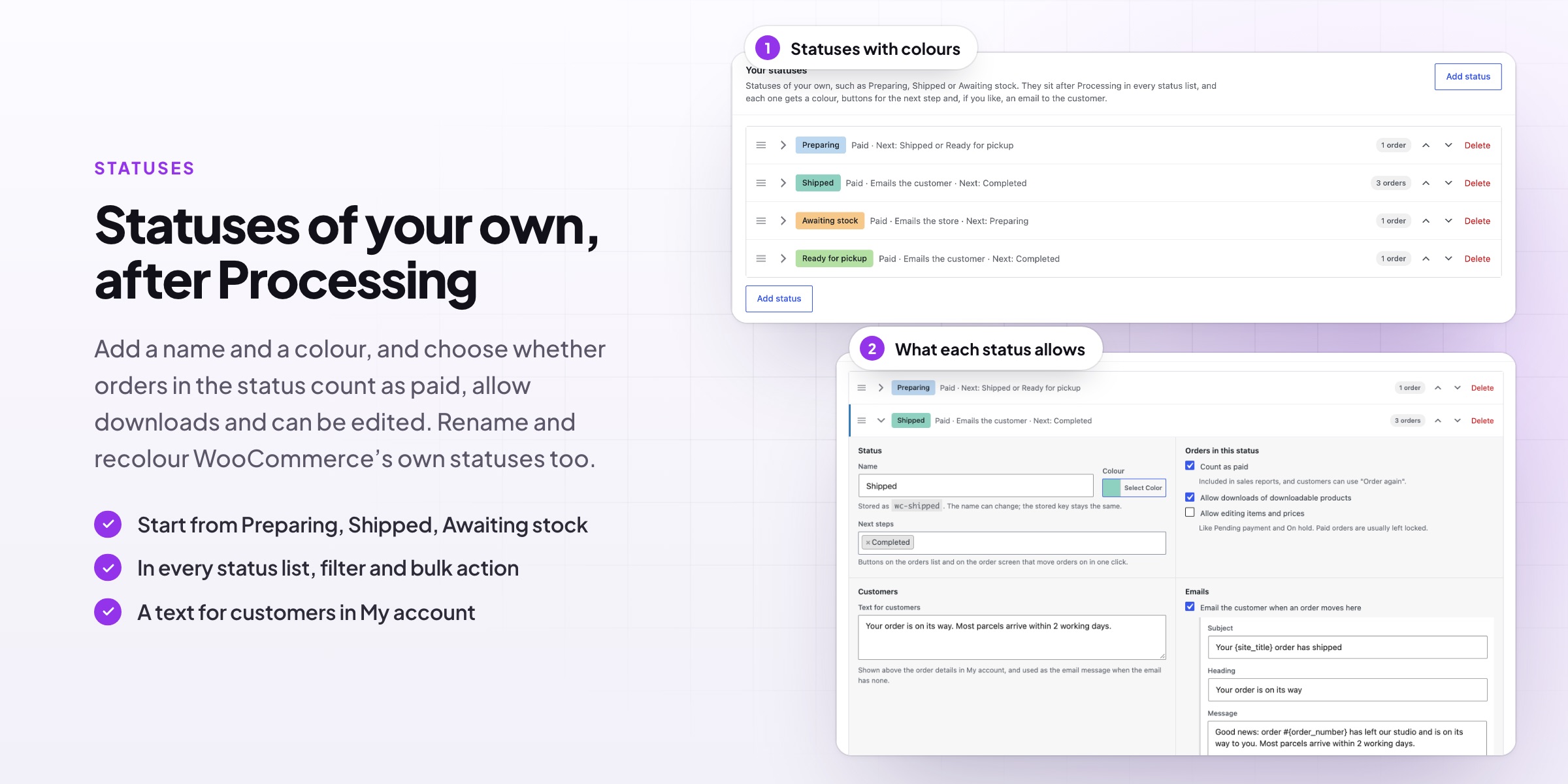
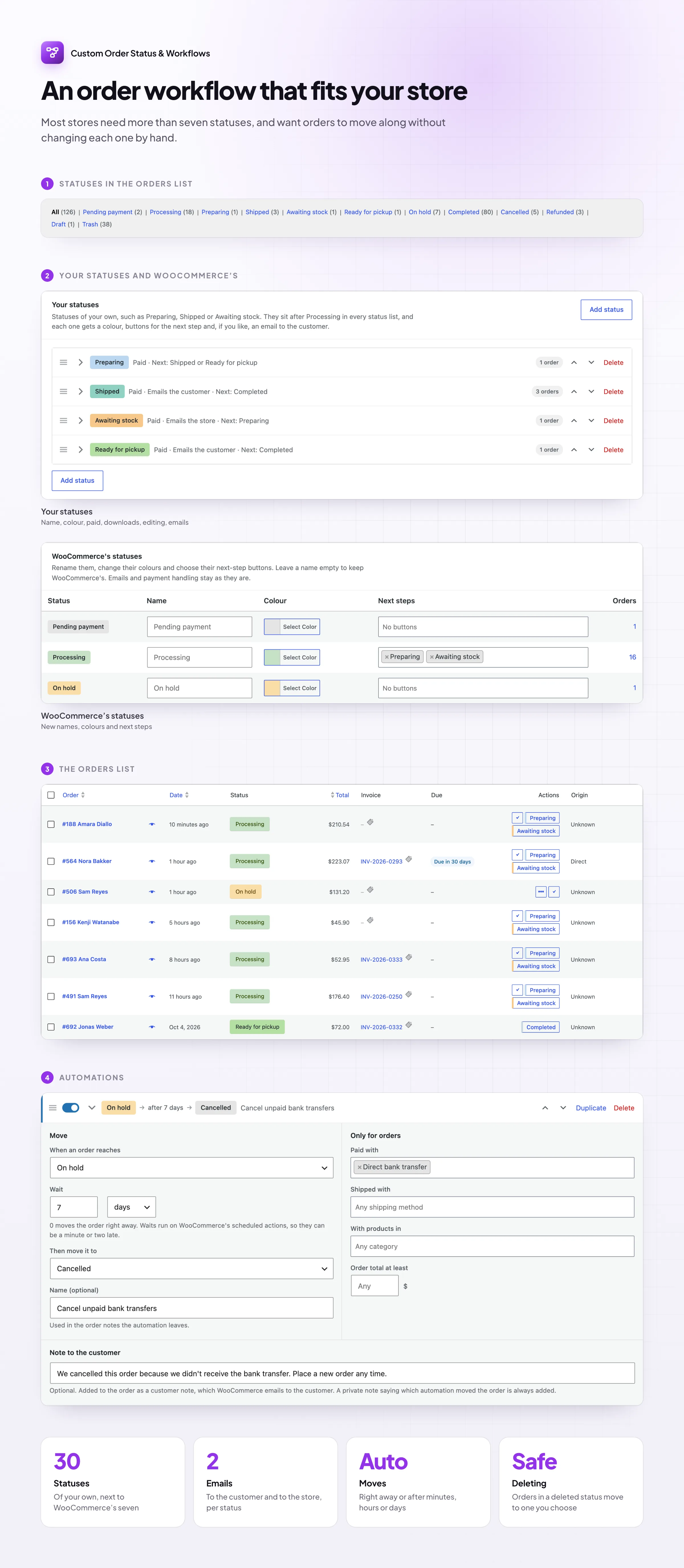
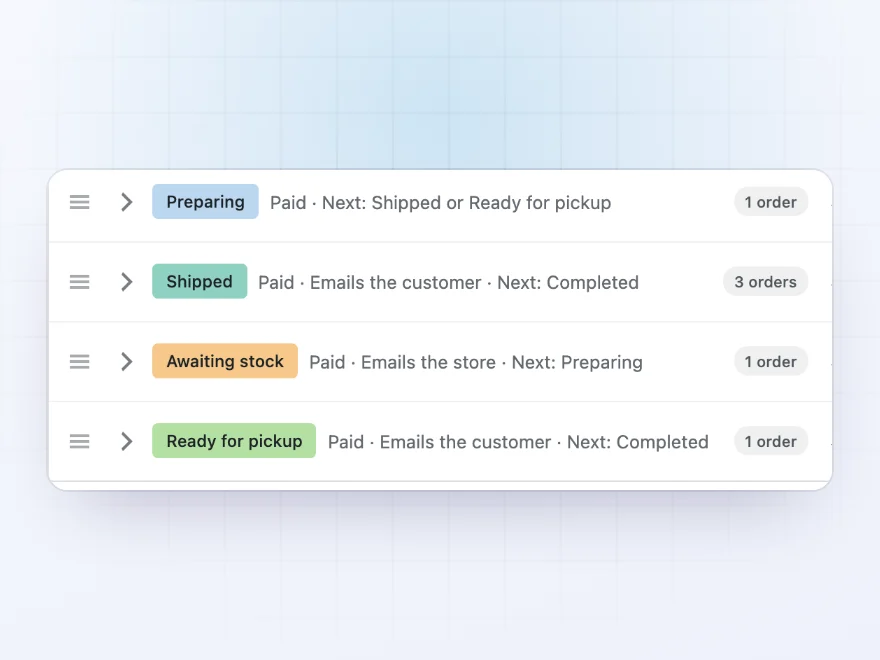
Add as many statuses as you need, such as Preparing, Shipped, Awaiting stock or Ready for pickup. Each one gets a color and an icon, so the orders list shows at a glance where every order is, and they sit after Processing in every status list, filter and bulk action.
- Start from ready-made examples
- A color and an icon for each status
- Rename and recolor WooCommerce’s own statuses too
Next steps
One click to the next step
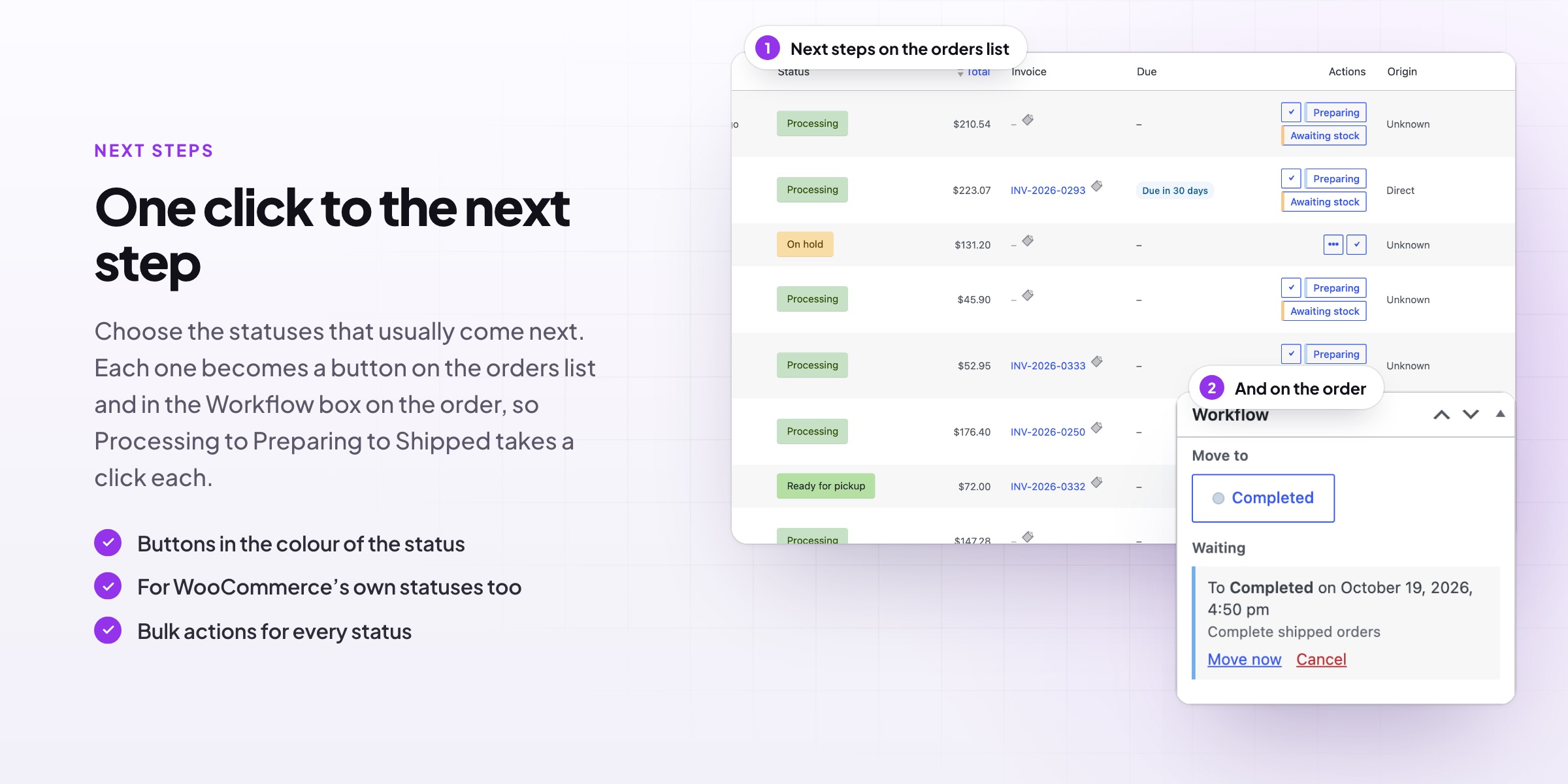
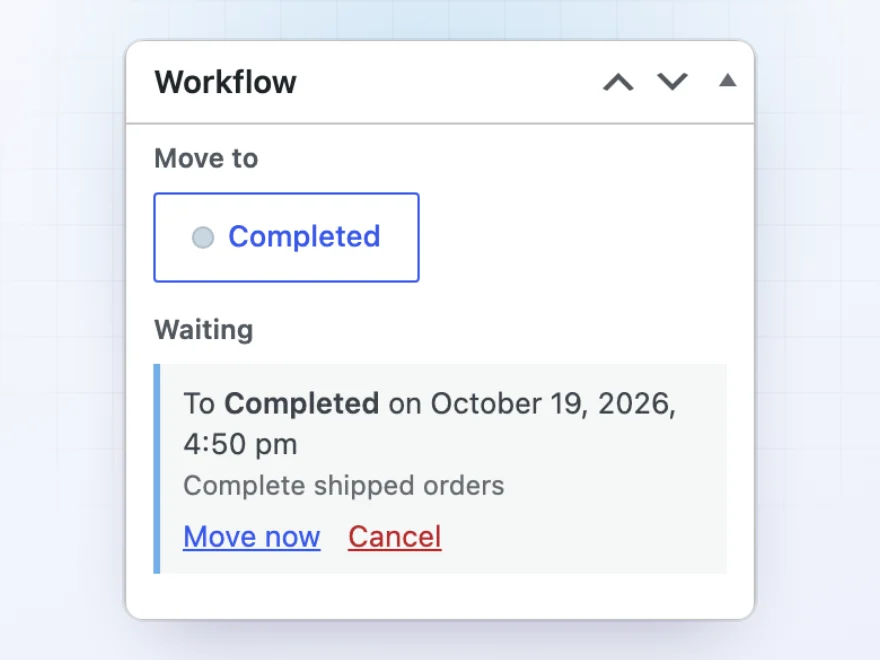
Choose the statuses that usually come next, and each one becomes a button on the orders list and in the Workflow box on the order screen. Processing → Preparing → Shipped → Completed takes one click per step, with no dropdowns and no saving.
- Buttons on the orders list and the order screen
- Next steps for WooCommerce’s own statuses too
- Waiting automatic moves shown on the order
How orders behave
Paid, downloads and stock, per status
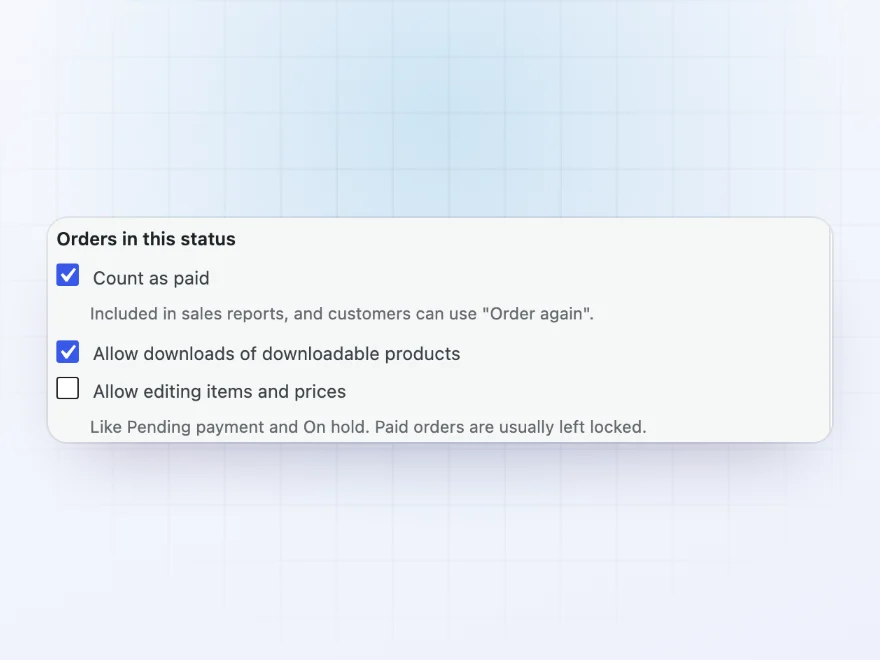
Choose whether orders in each status count as paid in your reports, allow downloads and can still be edited. A status can reduce stock, such as for goods set aside for an unpaid order, or put it back, such as for a Returned status.
- Count as paid in sales reports
- Allow downloads of downloadable products
- Reduce stock or put it back
Emails
An email for every status
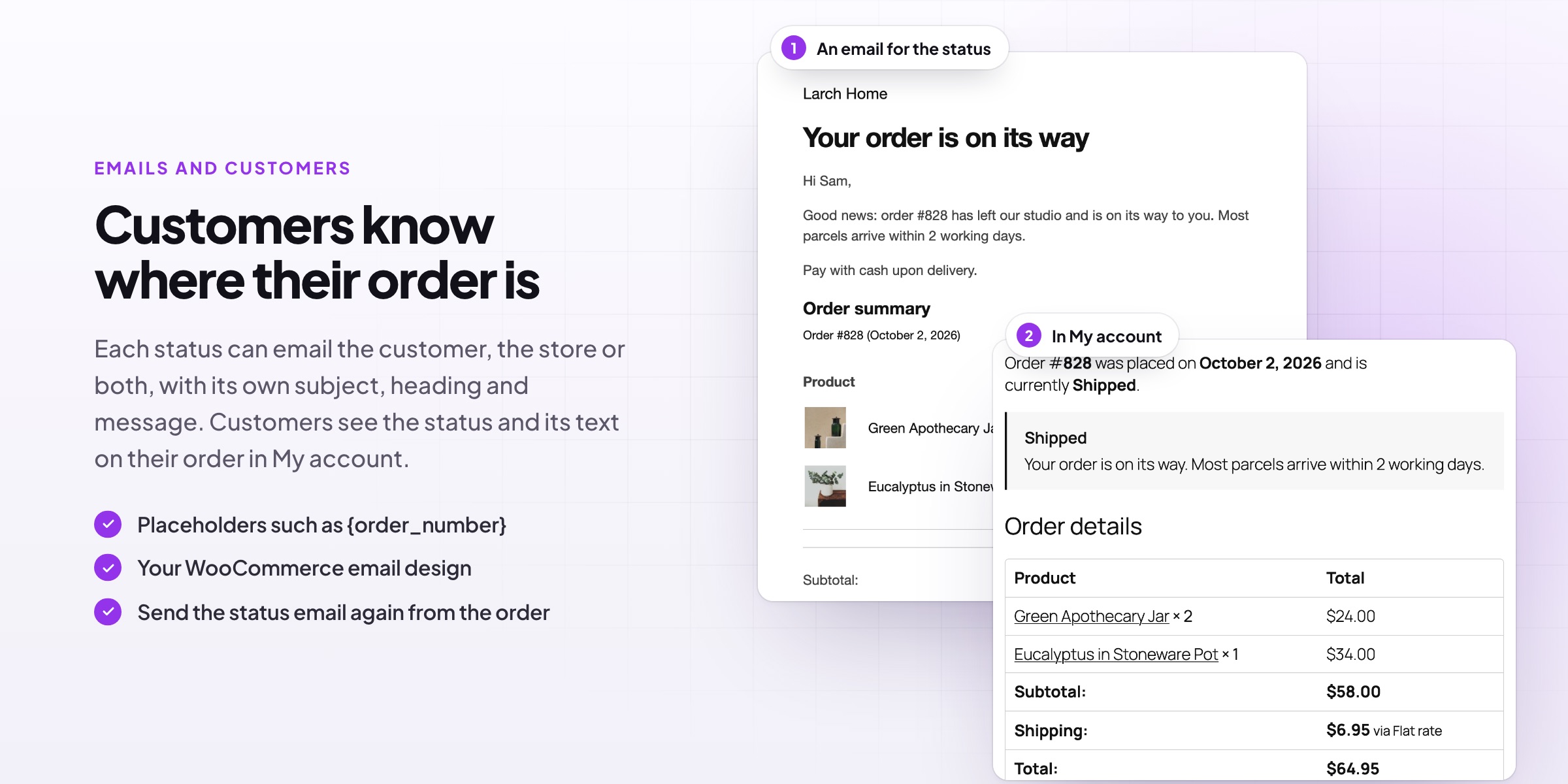
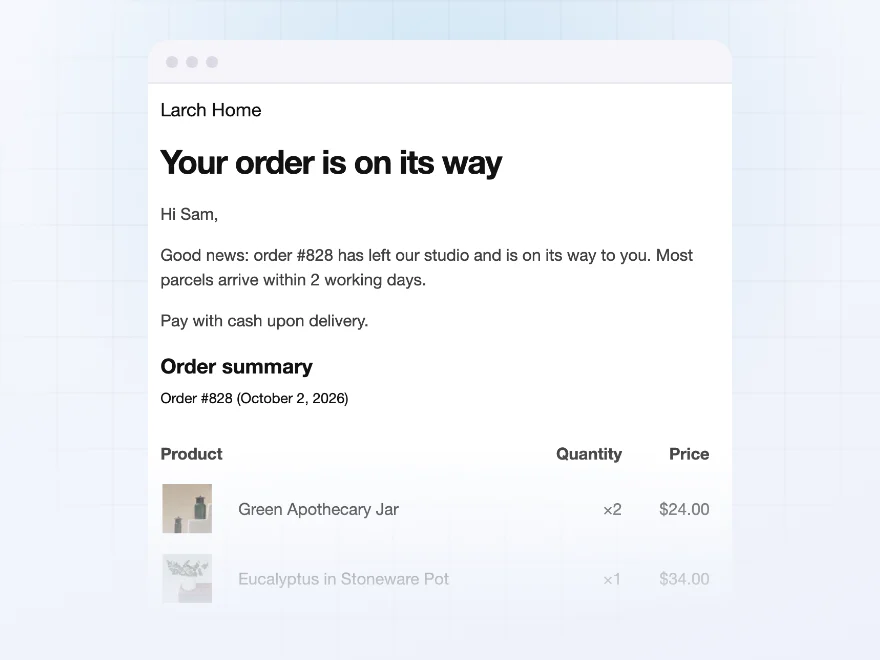
Each status can email the customer, the store or both, with its own subject, heading and message. The emails use your WooCommerce email design and include the order details, and placeholders such as the order number and the customer’s first name fill themselves in.
- Customer and store emails per status
- Your WooCommerce email design
- Placeholders for order and customer details
Automations
Orders that move on by themselves
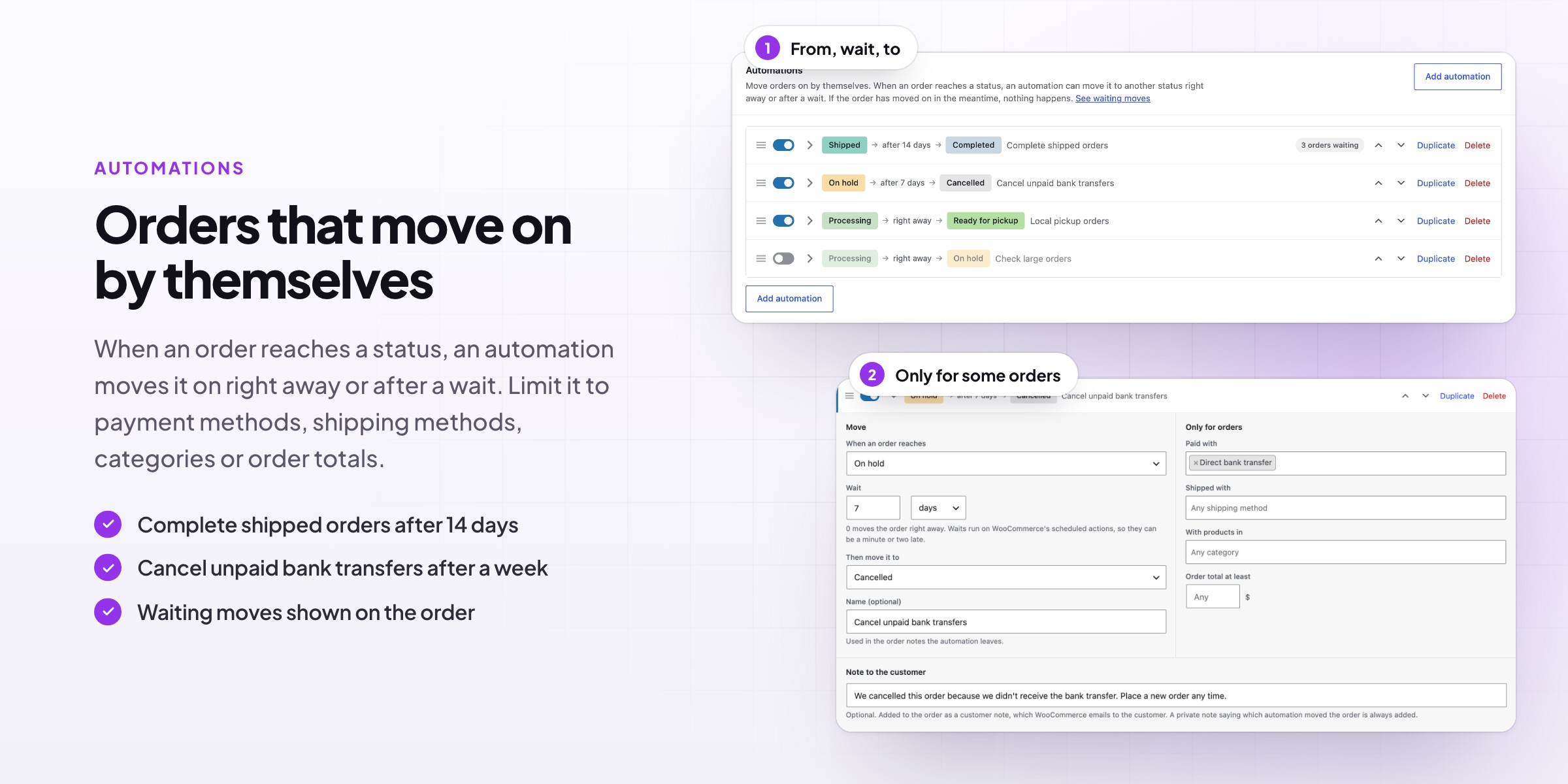
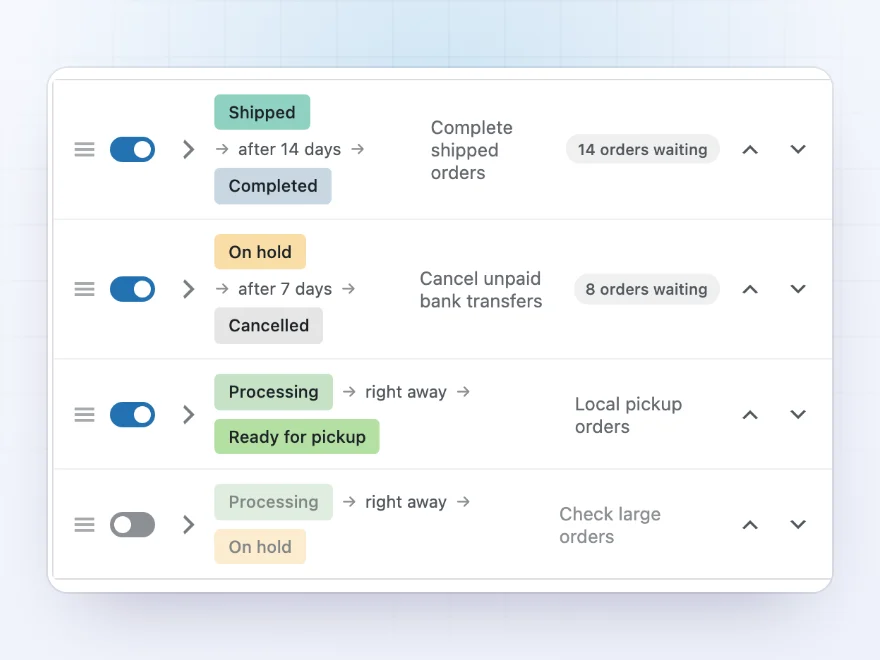
Complete shipped orders after 14 days, cancel bank transfer orders still on hold after a week, send pickup orders straight to Ready for pickup, or hold large orders for a check. An automation runs right away or after a wait, and can be limited to payment methods, shipping methods, categories and order totals.
- Right away, or after minutes, hours or days
- Nothing happens if the order has moved on
- Every move leaves an order note
For customers
Customers see where their order is
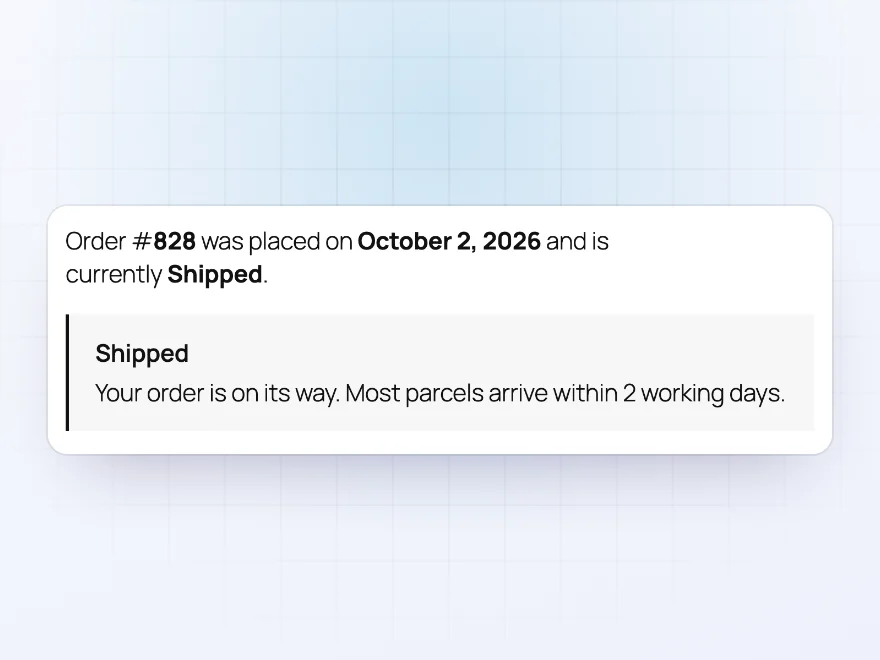
Add a short text for customers to each status, such as “We’re packing your order” or “Your order is on its way”. It shows on their order in My Account, so they can check the status themselves instead of emailing you.
- Shown on the order in My Account
- Used as the email message when it has none
- Statuses keep working if you rename them
Orders list
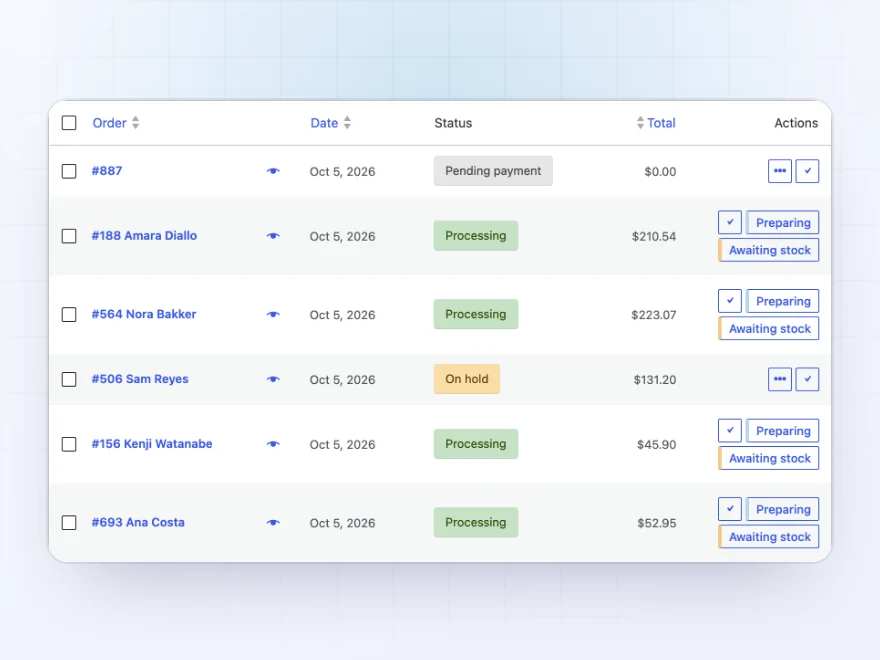
Every order’s stage at a glance
Each status has its own colour and icon, so the orders list shows where every order is without opening it. Show the icon with the name, or the icon alone with the name on hover, and filter the list by status.
- A colour and an icon per status
- Icon only, with the name on hover
- Next-step buttons in each row
WooCommerce’s statuses
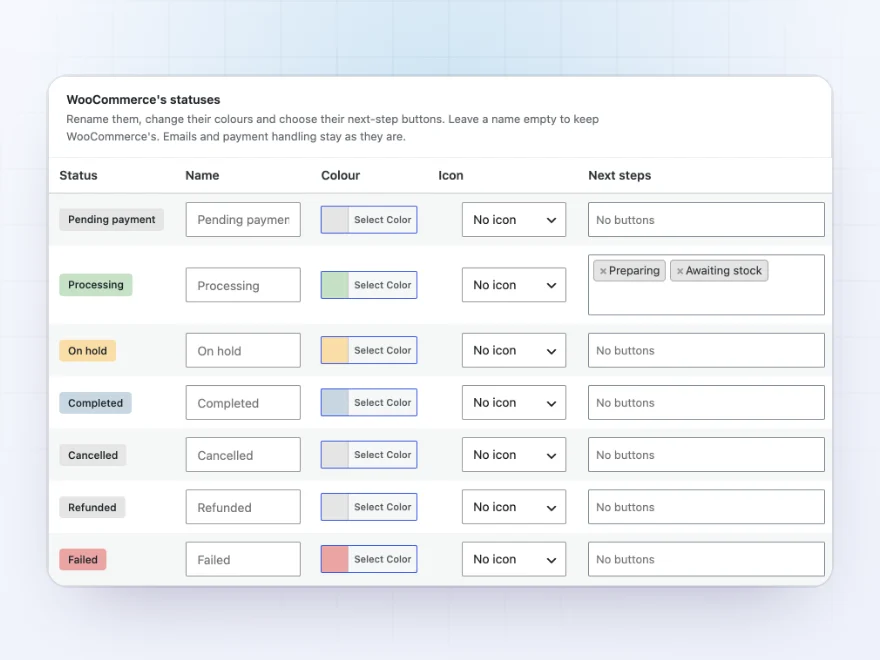
WooCommerce’s own statuses, your way
Rename and recolour Pending payment, Processing, Completed and the other built-in statuses, give them an icon, and choose the statuses that usually come next, so Processing → Preparing takes one click.
- Rename and recolour them
- Next steps for Processing and the rest
- Order counts per status
Automation rules
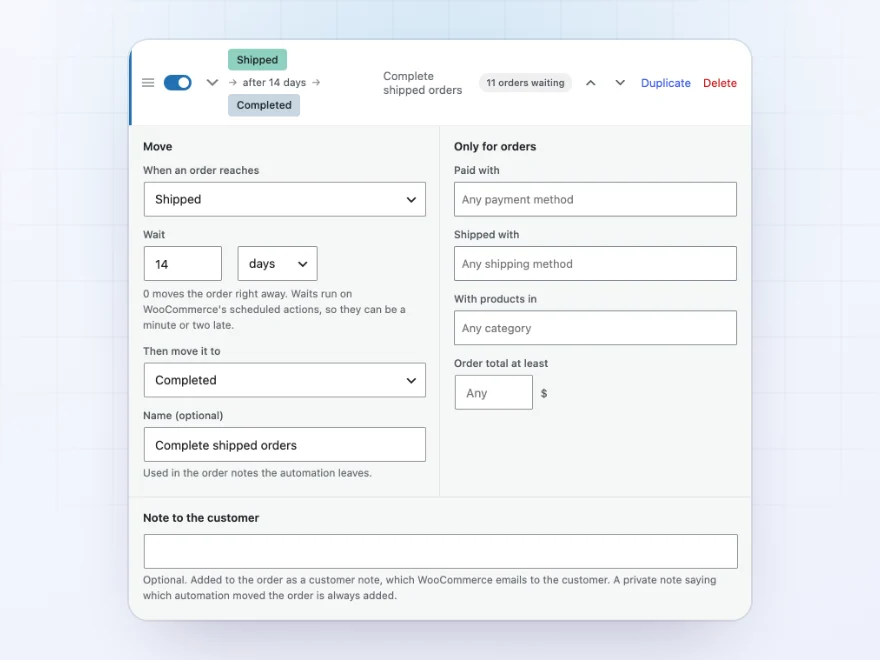
Automations only for the orders you mean
Limit an automation to payment methods, shipping methods, product categories and a minimum order total, such as cancelling bank transfer orders still on hold after a week, or holding large orders for a check.
- Payment and shipping methods
- Product categories
- A minimum order total
Docs and support
Try it, set it up, ask us anything
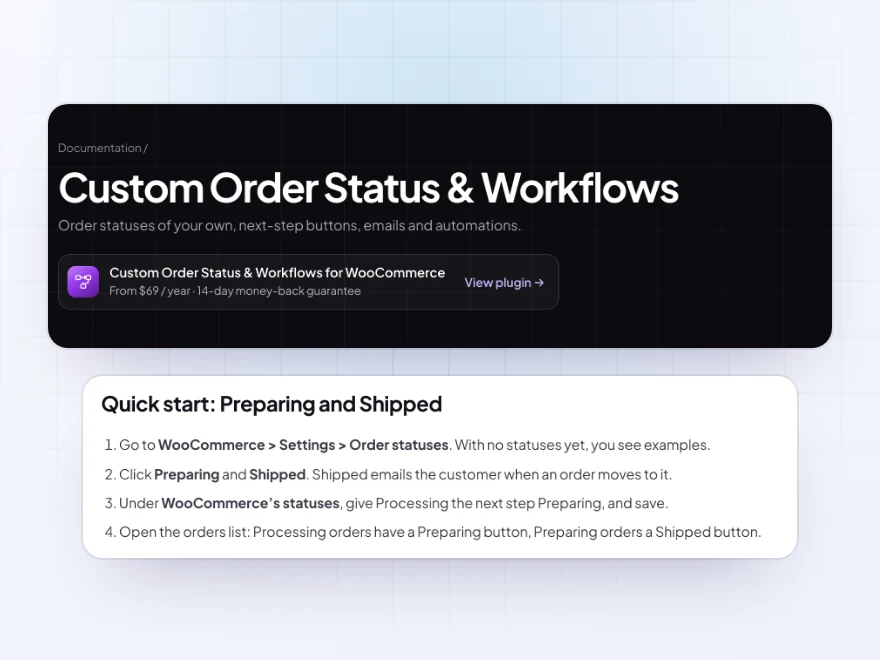
Try Custom Order Status & Workflows in a live demo store before you buy. The docs start with a quick start and cover your statuses, WooCommerce’s own statuses and next-step buttons. Support tickets are answered by the developers who make the plugin, and updates are included.
- A live demo store to try it first
- Step-by-step docs with a quick start
- Most tickets answered within 12–24 hours
A WooCommerce order status manager for the way you work
WooCommerce comes with seven order statuses. Custom Order Status & Workflows lets you add your own WooCommerce custom order status, such as Preparing, Shipped or Awaiting stock, with a colour, an icon and its own email, and decide whether it counts as paid, allows downloads or changes stock.
As a WooCommerce order status manager it also moves orders along for you: next-step buttons on the orders list, and automations that complete shipped orders after two weeks or cancel unpaid bank transfers after a week. Customers see where their order is in My Account, and every change leaves an order note.
Common setups
- Shipping steps: Processing → Preparing → Shipped → Completed, one click per step.
- Local pickup: pickup orders go straight to Ready for pickup, with an email to the customer.
- Unpaid transfers: bank transfer orders still on hold after 7 days are cancelled.
- Large orders: orders over a set amount are held for a check.
- Backorders: an Awaiting stock status that tells the store when an order is waiting.
Questions before you buy
Will my new statuses show in reports?
Yes, if you tick “Count as paid”. Orders in that status are then included in sales reports, and customers can use “Order again”.
Can I rename WooCommerce’s own statuses?
Yes. Rename them, change their color, give them an icon and choose their next-step buttons. Leave a name empty to keep WooCommerce’s.
What happens if I delete a status that orders still have?
Those orders move to a status you choose, in the background, with a note on each order.
Can an automation wait before moving an order?
Yes. It runs right away or after a wait in minutes, hours or days. If the order has moved on in the meantime, nothing happens.
Do status emails use my email design?
Yes. They use your WooCommerce email design and include the order details.
Can I see moves that are waiting?
Yes. Waiting moves show on the order, where they can run now or be cancelled.
Does it work with High-Performance Order Storage?
Yes. It works with High-Performance Order Storage and with orders stored as posts.
Requirements
WordPress 6.8 or newer, WooCommerce 10.0 or newer and PHP 7.4 or newer. Works with High-Performance Order Storage and orders stored as posts.
Documentation
Step-by-step setup, every setting explained, and examples: read the documentation. Questions before you buy? Ask us.




Sarah H. –
Colours make the list readable
Our orders don’t all go from processing to completed, so we needed a preparing stage. The colours make the list readable. Michael was excellent helping me with the status emails. Recommended.
Henrik –
Using it for our own statuses. works as expected. support was helpful setting the automations up
Nora K. –
The pickup emails were why we chose it. Fits how we run the shop.
nienkek –
for us its the ready for pickup emails. setup was clear. Thomas customised the email for me. good plugin
Davide R. –
Coloured statuses make the list easy to scan. Our own workflow helps when several of us are on orders. Support is responsive. Recommended.
Saskia de Vries –
Our team knows what happens next
We added preparing and ready-for-pickup statuses. The next step buttons make it quicker. Michael set the pickup email up for me. Works well.