 Maxima Plugins
Description
Discounts only work when customers notice them. Dynamic Pricing & Discount Rules sets up quantity discounts, buy X get Y offers, bundle prices, order discounts, free gifts and sales as a short list of plain rules, and shows customers what they save on the product page, in the cart and at checkout.
Quantity discounts
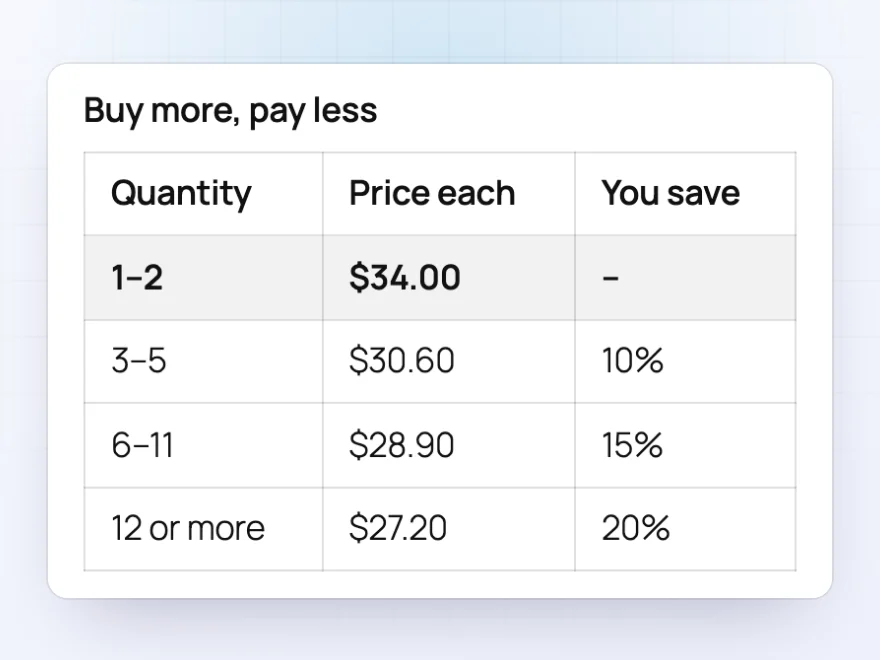
Buy more, pay less
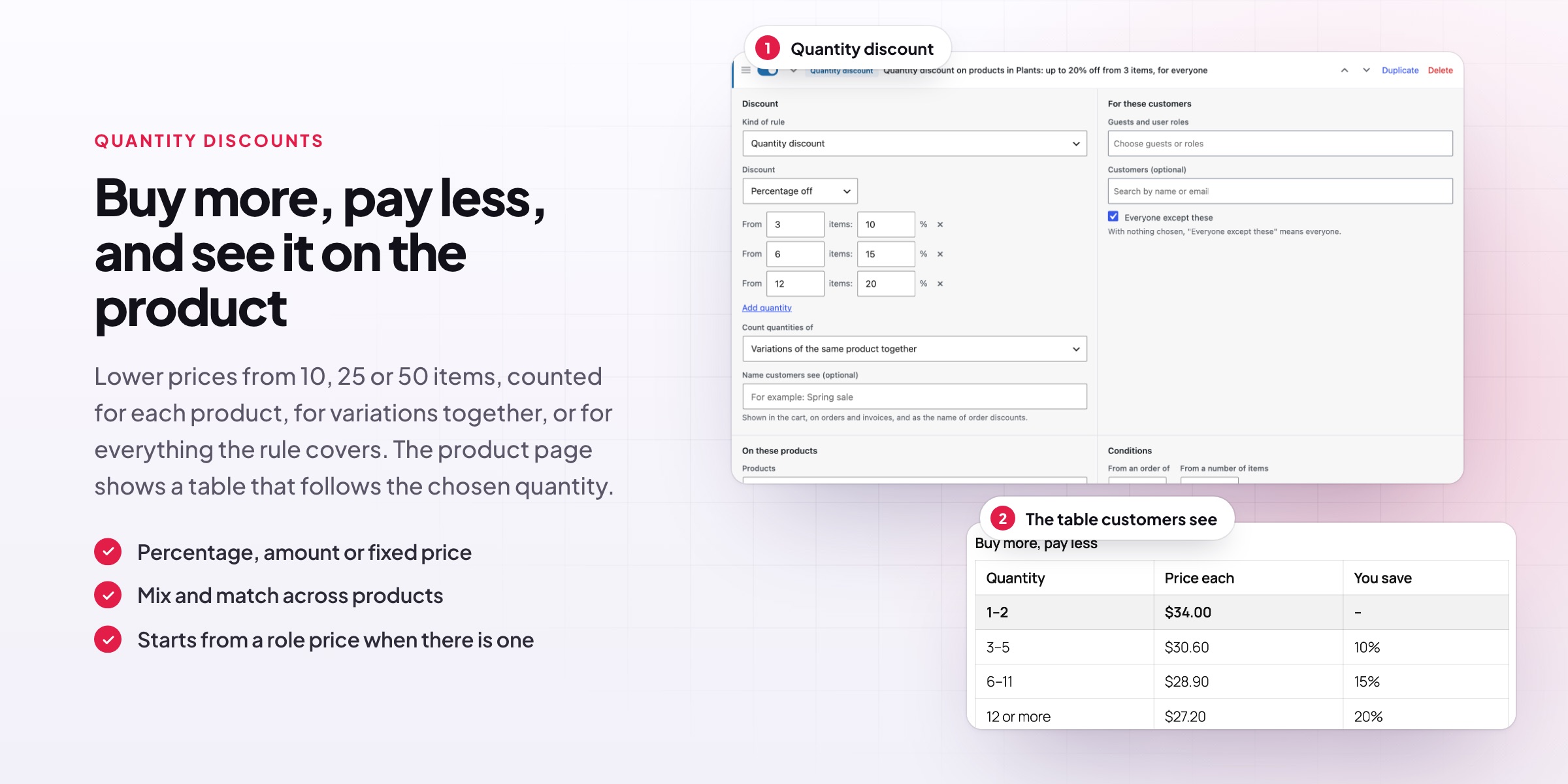
Give a lower price per item as customers buy more, such as 10% off from 3 items, 15% from 6 and 20% from 12. A table on the product page shows every price step, so customers see the saving before they pick a quantity, and the table follows the variation they choose. It’s a simple way to raise the average order without handing out coupons.
- A percentage off, an amount off or a fixed price per step
- Count each product on its own, its variations together, or mix and match across a category
- Offer it to everyone, or only to trade and wholesale customers
Buy X, get Y and bundles
Buy 2, get 1 free, or any 3 for $20
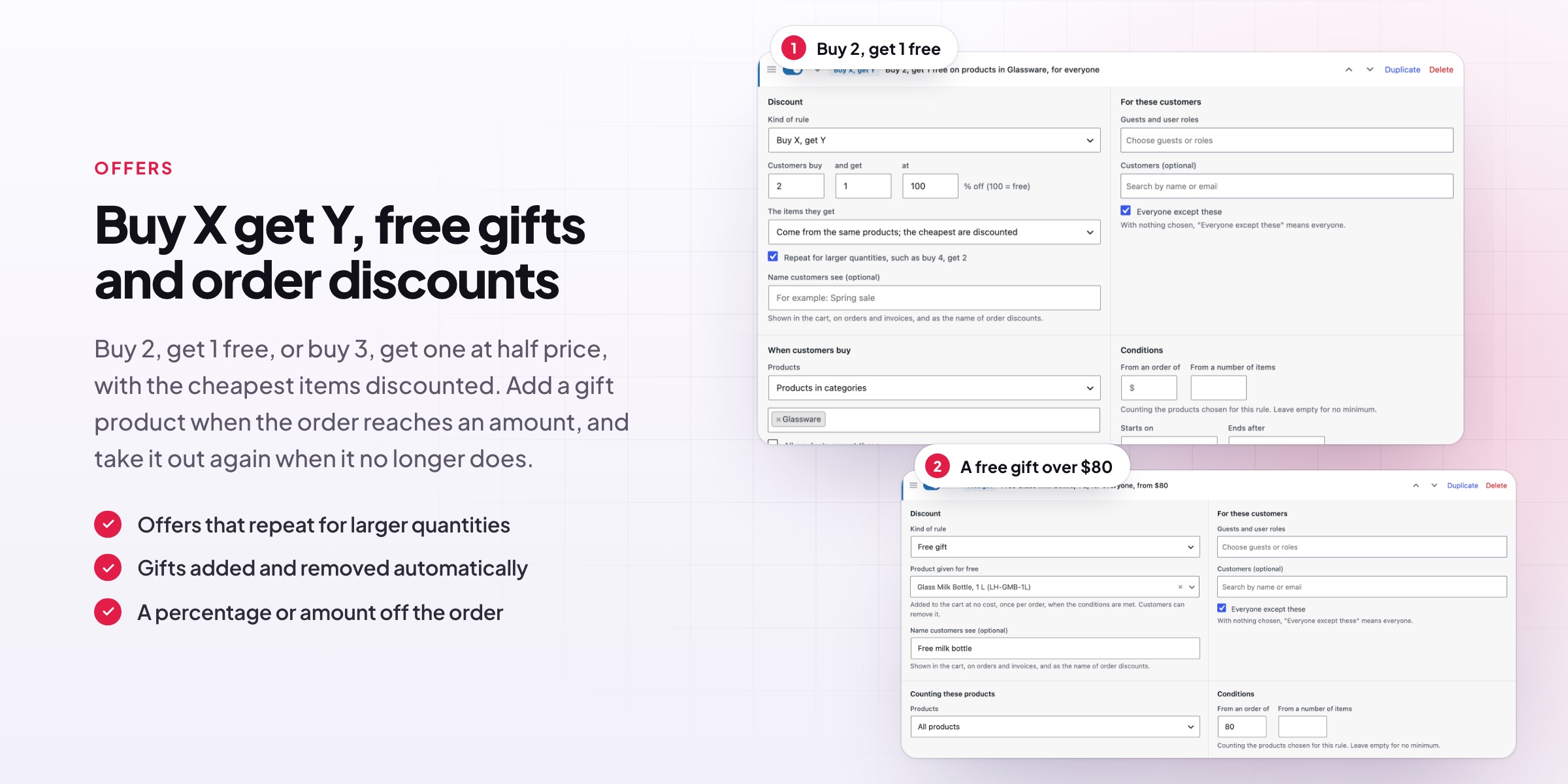
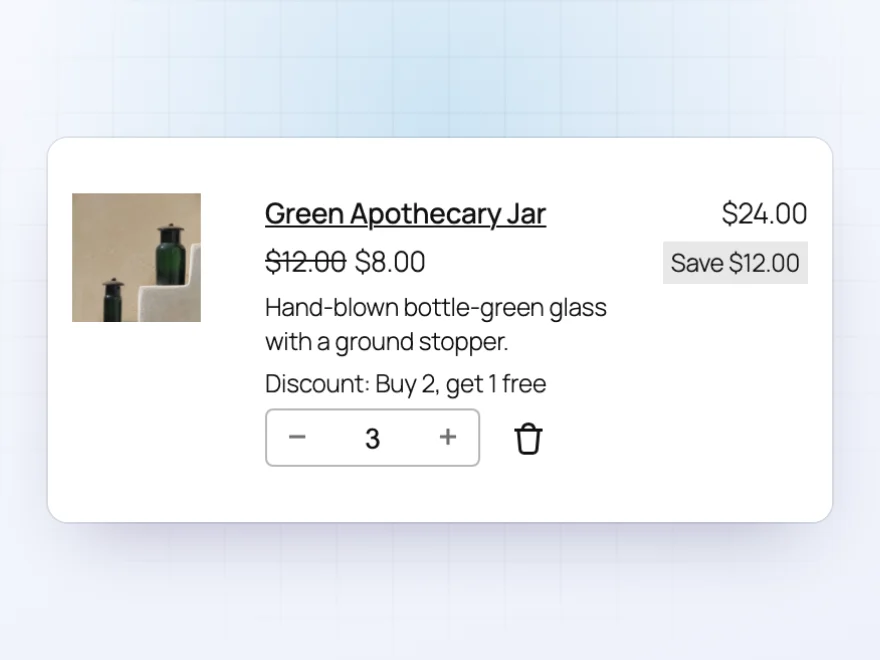
Run the offers shoppers already know. With buy X, get Y the cheapest items are discounted automatically, and the items given can be the same products or different ones. Bundle prices let customers mix any 3 products from the range you choose for one price. The offer shows on the product page and under the item in the cart, so customers know it has been applied.
- Free, or a percentage off, such as 50% off the third item
- Repeats for larger quantities, such as buy 4, get 2
- A cart message when one more item completes a bundle
Sales
Sale prices for the customers you choose
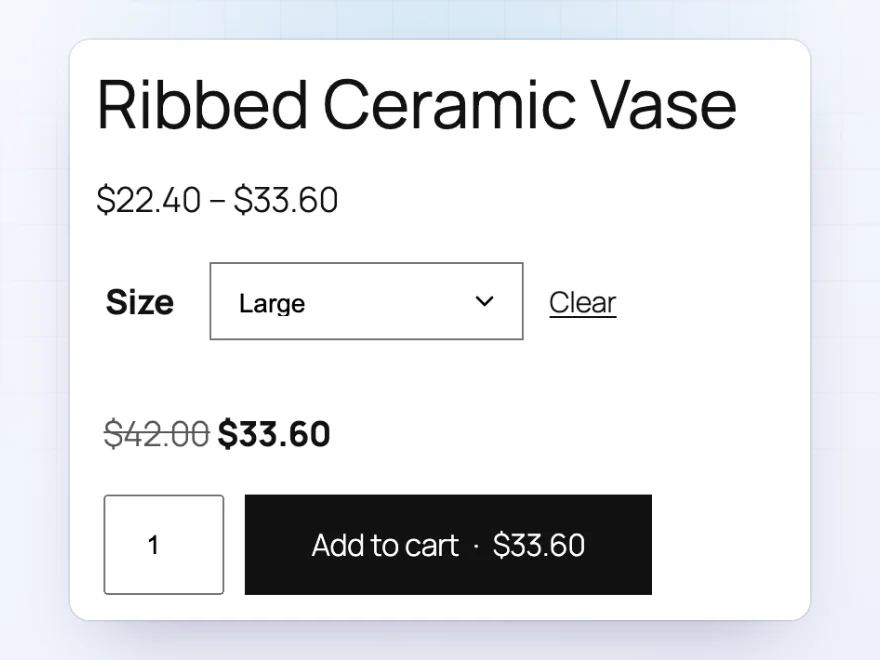
Put a category on sale for the weekend, give one customer group its own prices, or reward returning customers. Discounted prices show with the regular price crossed out on product pages, in shop lists and in product blocks, so they look like any other sale in your store. Set a start and an end date and the sale switches on and off by itself.
- For guests, user roles, chosen customers, or everyone except them
- On categories, tags, brands, colors or sizes, or single products
- First-order discounts and offers for returning customers
Free gifts
A free gift when the order qualifies
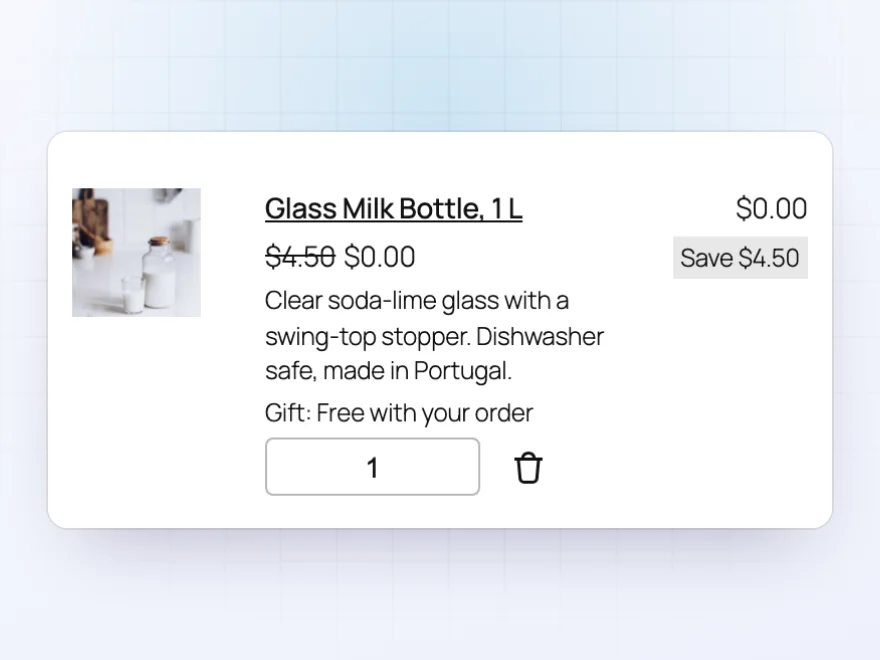
Choose a product to give away, such as a sample, a tote bag or a small accessory. When the order reaches the amount or the number of items you set, the gift is added to the cart at no cost, with its regular price crossed out. If the customer removes items and the order no longer qualifies, the gift is taken out again.
- From an order amount or a number of items
- Added automatically, with no coupon code to remember
- Saved on the order, so you know what to pack
Order discounts
Spend $150, get 10% off
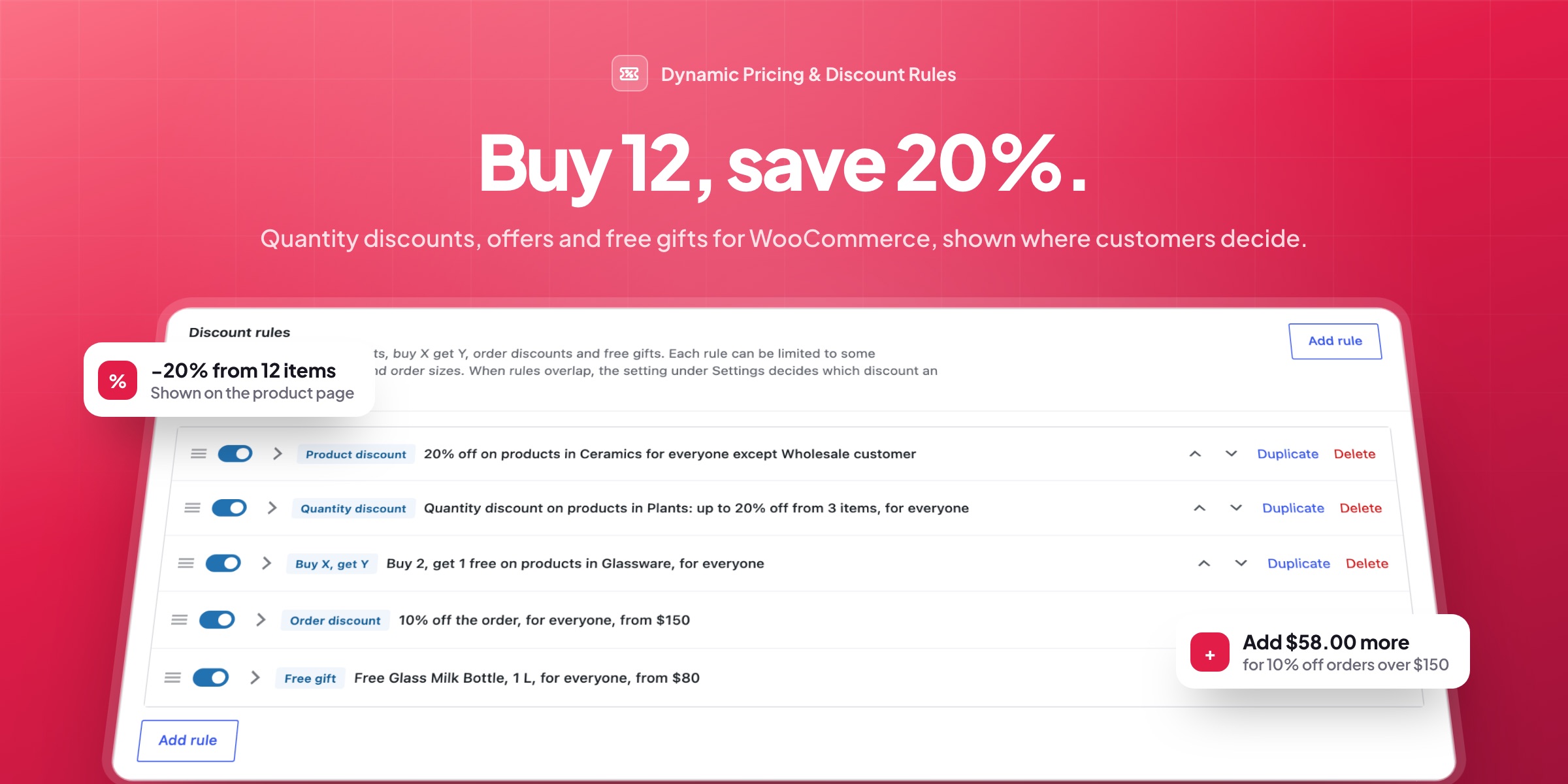
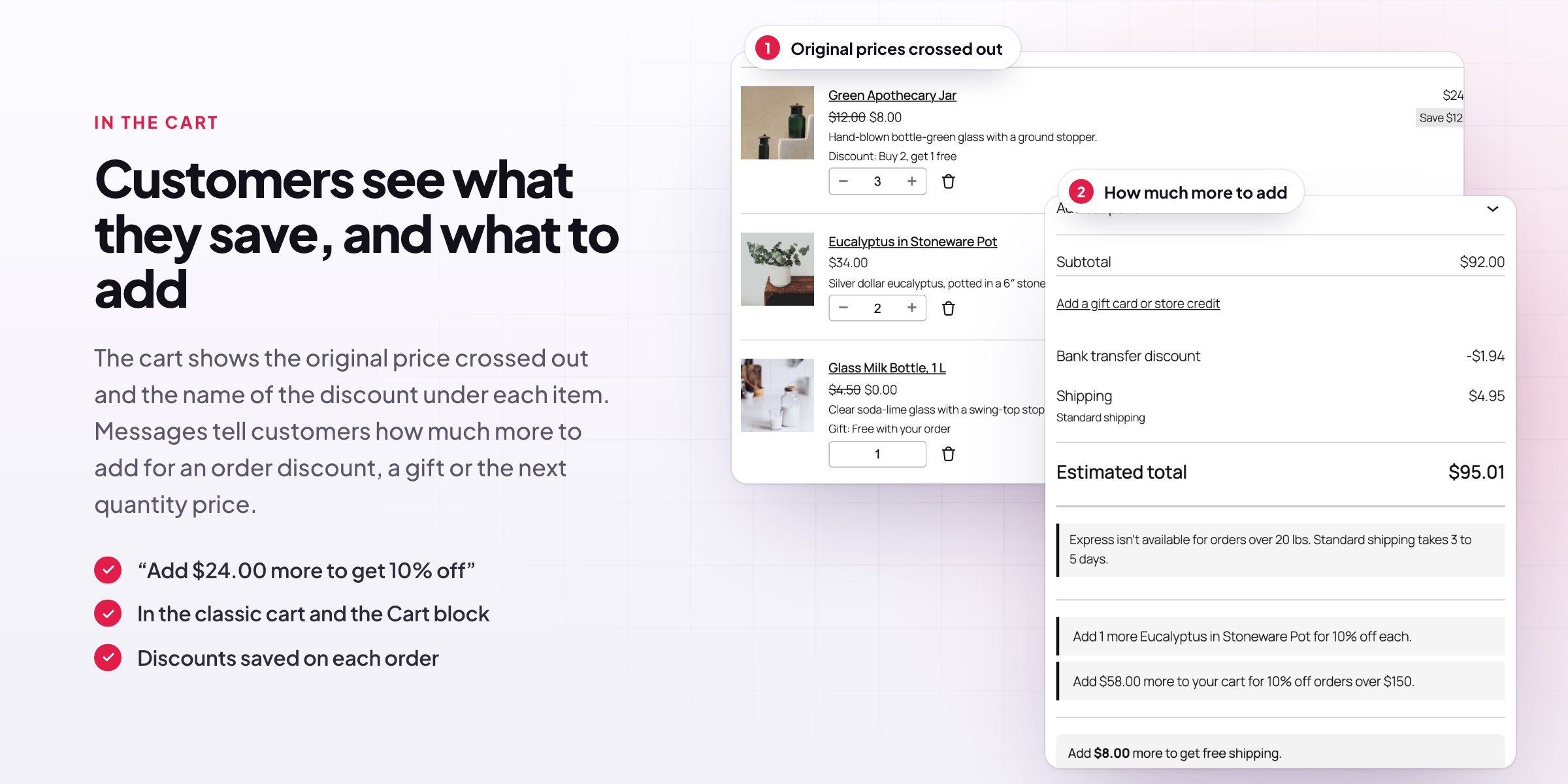
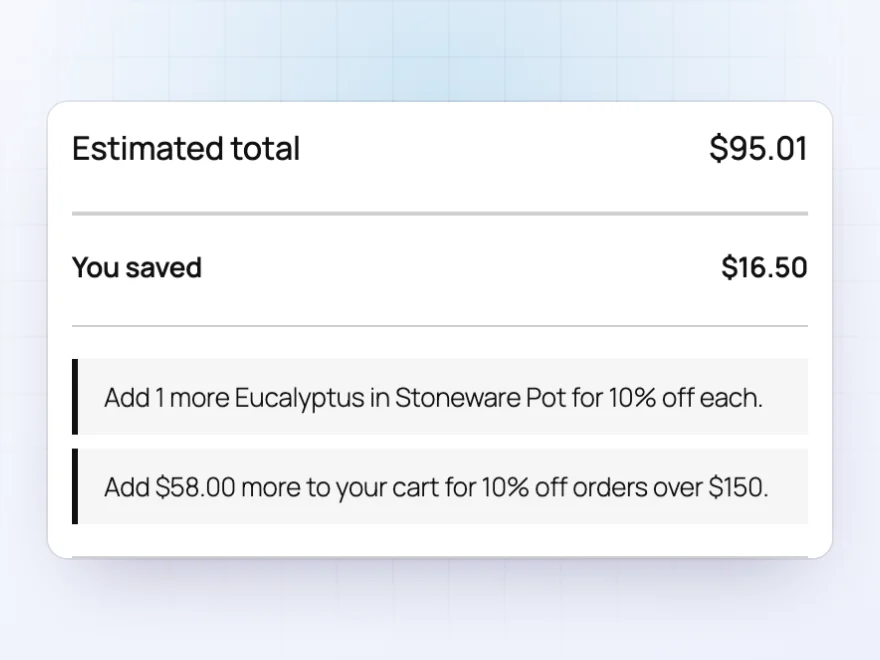
Take a percentage or an amount off the whole order once it reaches a set total. Messages in the cart tell customers how close they are, such as “Add $58.00 more to your cart for 10% off orders over $150”, and a “You saved” line adds up every sale price, discount and free gift in the cart and at checkout.
- Messages for order discounts, gifts and the next quantity price
- In the classic cart and the Cart block
- Shown on the order with the rule’s name
One list of rules
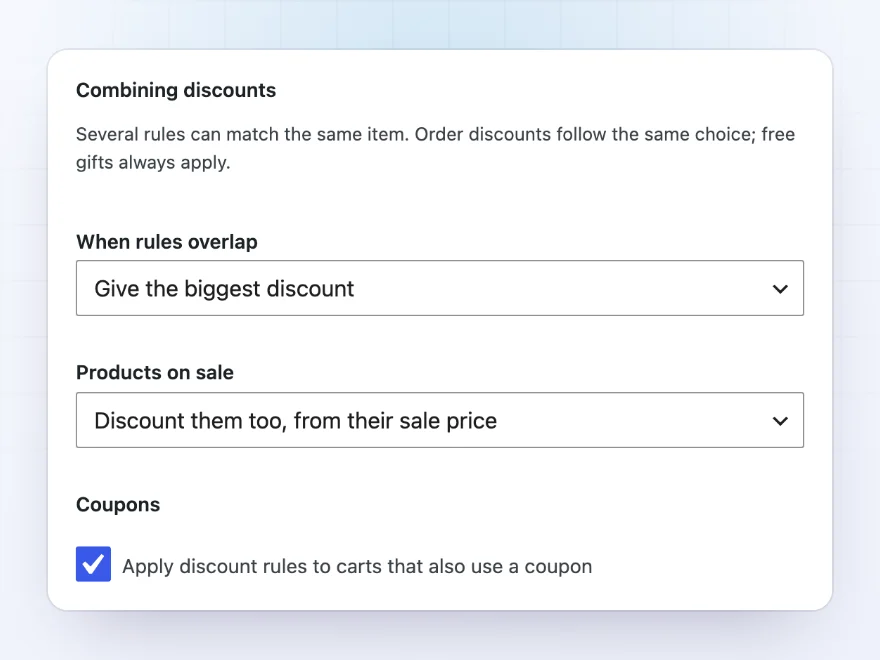
You decide how discounts work together
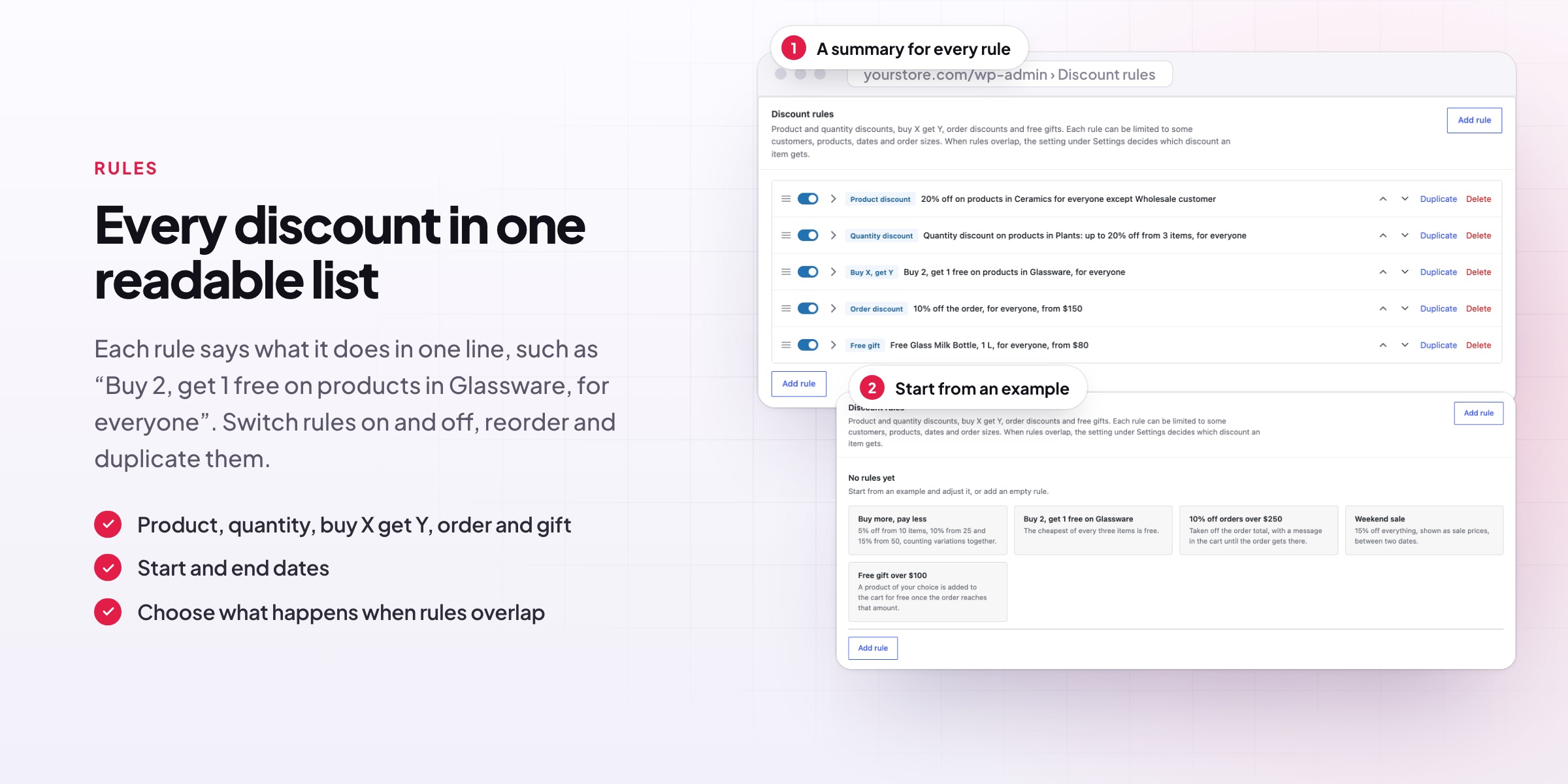
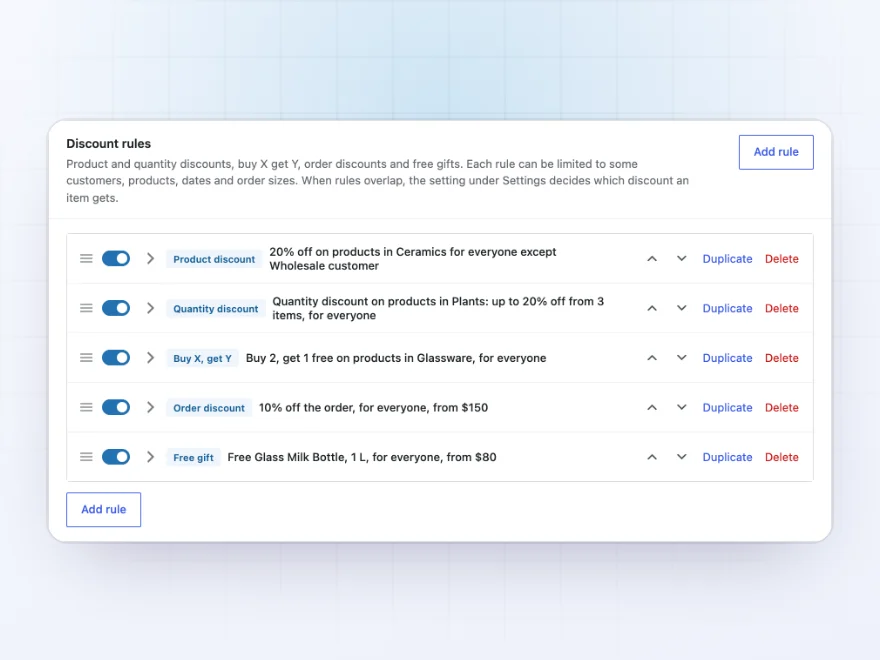
Every rule has a plain one-line summary, such as “Buy 2, get 1 free on products in Glassware, for everyone”, so you can see all your offers at a glance. Switch rules on and off, drag them into order, or duplicate one to start the next sale. When more than one rule matches the same product, you choose what happens.
- Give the biggest discount, use the first rule, or apply them one after another
- Include or leave out products already on sale
- Use rules alongside coupons, or pause them while a coupon is used
Product pages
Offers customers see before they buy
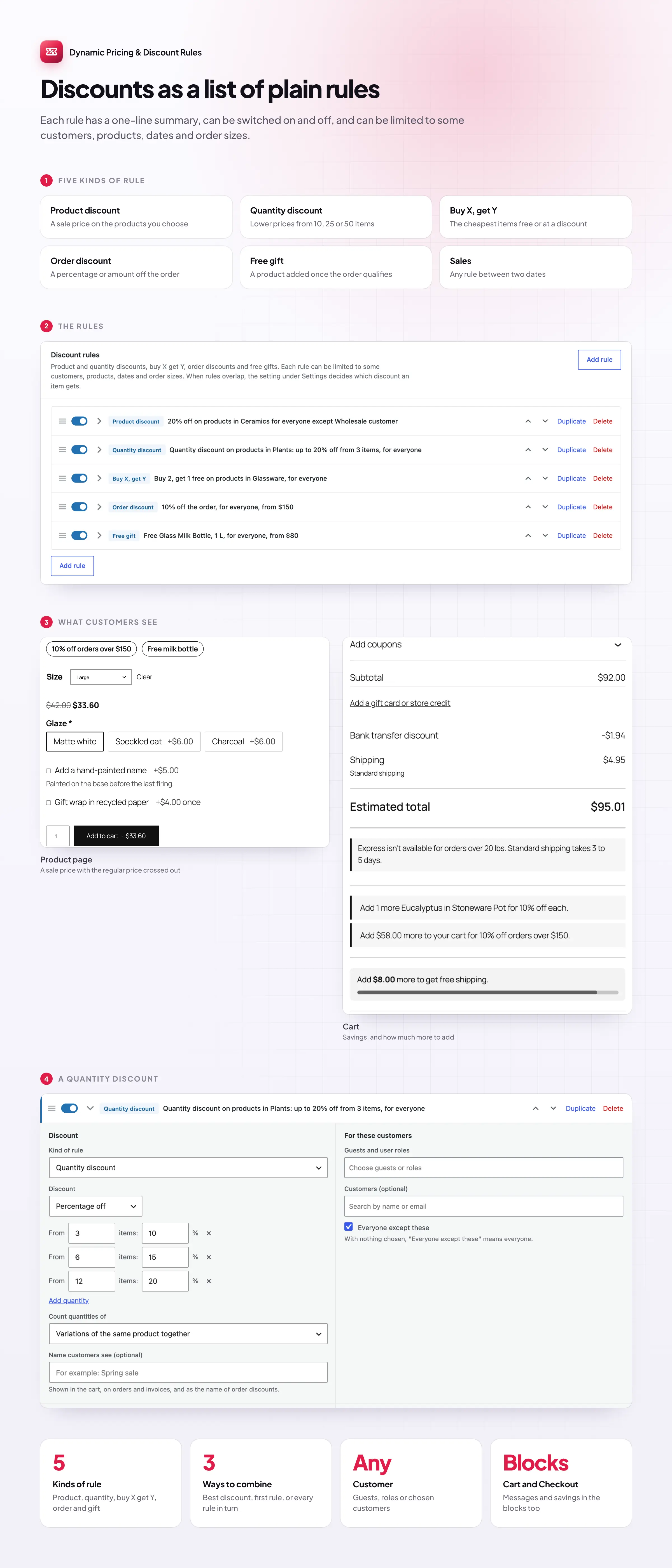
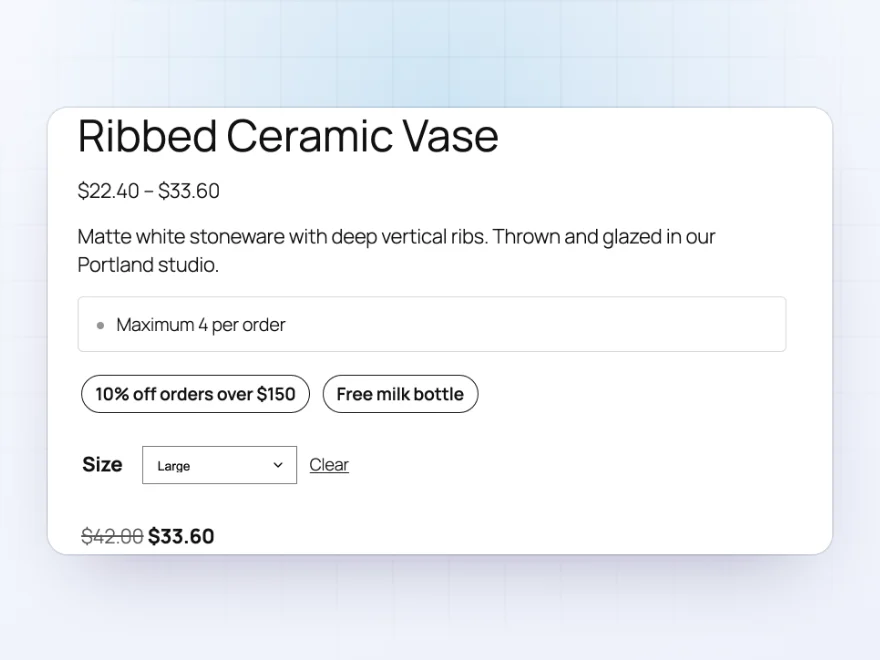
A product page lists the offers the product is part of, such as “10% off orders over $150” or “Free milk bottle”, and shows the discounted price with the regular price crossed out. Product lists, blocks and the Store API show it too.
- Offers listed on the product page
- Sale prices in lists and blocks
- Follows the chosen variation
Discount rules
Every discount in one list
All discounts live in one list, each with a one-line summary such as “20% off products in Ceramics for everyone except Wholesale customer”. Switch rules on and off, reorder and duplicate them.
- A one-line summary per rule
- Switch on and off
- Reorder and duplicate
Examples
Start from a ready-made rule
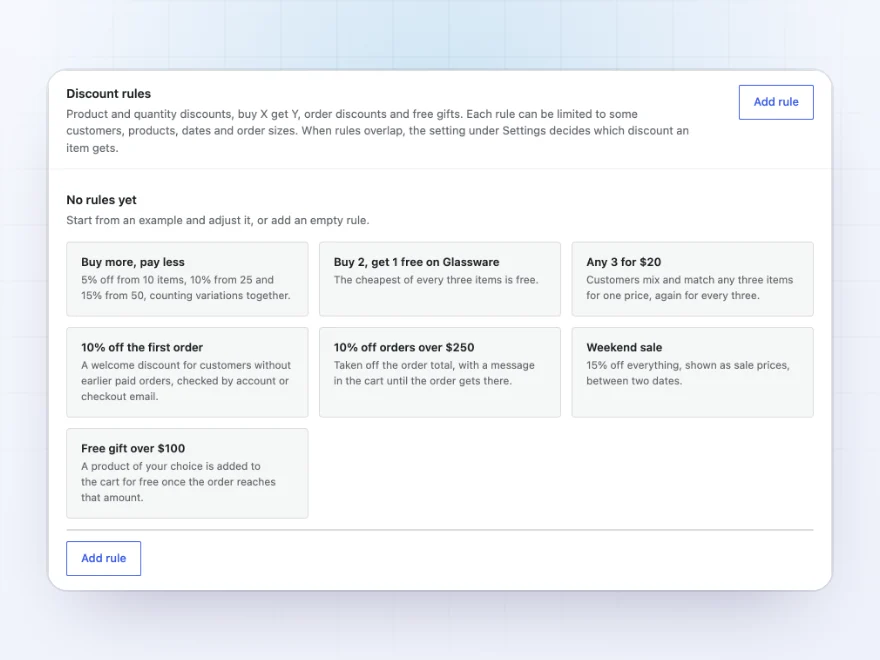
Pick an example to start from: buy more, pay less; buy 2, get 1 free; 10% off orders over $150; a weekend sale; a free gift. Adjust it and switch it on.
- Quantity, buy X get Y and order discounts
- Weekend sales and free gifts
- Start dates, end dates and minimums
Docs and support
Try it, set it up, ask us anything
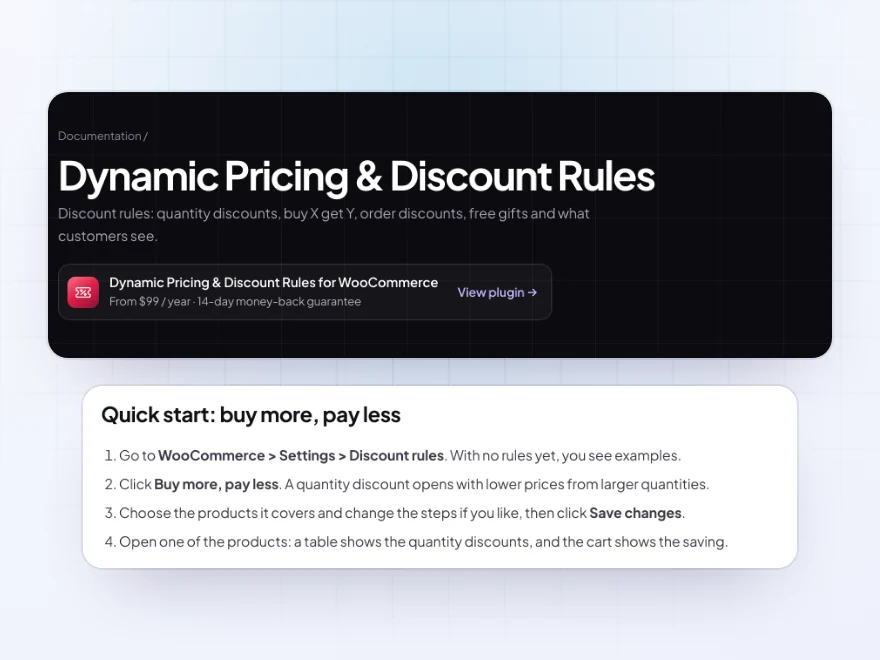
Try Dynamic Pricing & Discount Rules in a live demo store before you buy. The docs start with a quick start and cover kinds of rule, who gets a discount and what customers see. Support tickets are answered by the developers who make the plugin, and updates are included.
- A live demo store to try it first
- Step-by-step docs with a quick start
- Most tickets answered within 12–24 hours
Discount rules for WooCommerce in one list
Dynamic Pricing & Discount Rules puts all your discount rules for WooCommerce in one list: quantity discounts, buy 2 get 1 free, any 3 for $20, sale prices for some customers, order discounts and free gifts. Each rule has a one-line summary and can be limited to customers, products, dates and order sizes.
For WooCommerce dynamic pricing, customers see the result where it matters: discounted prices on product pages and in the shop, a quantity price table, messages in the cart such as “Add $24.00 more to get 10% off”, and “You saved” at checkout. You decide whether discounts stack, and how they work with sale prices and coupons.
Common setups
- Buy more, pay less: 5% off from 12 items, 10% from 24 and 15% from 48.
- Buy 2, get 1 free: the cheapest item free, repeated for larger quantities.
- Weekend sale: 15% off a category, shown as sale prices between two dates.
- Spend $150, get 10% off: with a message in the cart saying how much more to add.
- Welcome offer: 10% off a customer’s first order.
- Free gift: a product added to orders over a set amount.
Questions before you buy
Does it work with my theme and the Cart block?
Yes. Discounts show in the classic cart and checkout and in the Cart and Checkout blocks, and discounted prices appear in shop pages and product blocks too.
Are discounts added as coupons?
No. Quantity, product and buy X, get Y discounts change the item price, and order discounts appear as a line with the rule’s name. Your own coupons keep working next to them.
Can I give discounts only to wholesale or logged-in customers?
Yes. Every rule can be limited to guests, user roles or chosen customers. With our Role Based Pricing & Wholesale Prices plugin, discounts start from the customer’s role price.
Can a discount apply to only some colors or sizes?
Yes. Choose products by a value such as Color: Red, and only the matching variations are discounted.
Can I schedule a sale in advance?
Yes. Give the rule a start and an end date and it switches on and off by itself.
Requirements
WordPress 6.8 or newer, WooCommerce 10.0 or newer and PHP 7.4 or newer. Works with classic and block themes, the Cart and Checkout blocks, and High-Performance Order Storage.
Documentation
Step-by-step setup, every setting explained, and examples: read the documentation. Questions before you buy? Ask us.




Johan T. –
mostly the free gift rule. one test order and it was right. Thomas got me unstuck. love it
tmarsh –
we use it for free gifts over a spend. Works well
hanna_d89 –
Very handy
Set up two rules and left it. Michael answered a question fast. Definitely does the job.
oscark –
The cart discount messages were what we needed. Works well.
milouwebdesign –
Only needed buy more offers. Easy enough. Does the job
mberg –
Good, but watch the rule overlaps
We started with one quantity discount, which was easy. Adding an order offer made it fiddly; working out the overlap settings took a lot of trial and error. Support was patient and helped me. The summaries are useful, but with several promotions it isn’t always clear what wins. Three stars for that.
fdubois –
The pricing table shows the discounts nicely. The cart message reads well too. Good plugin.