 Maxima Plugins
Description
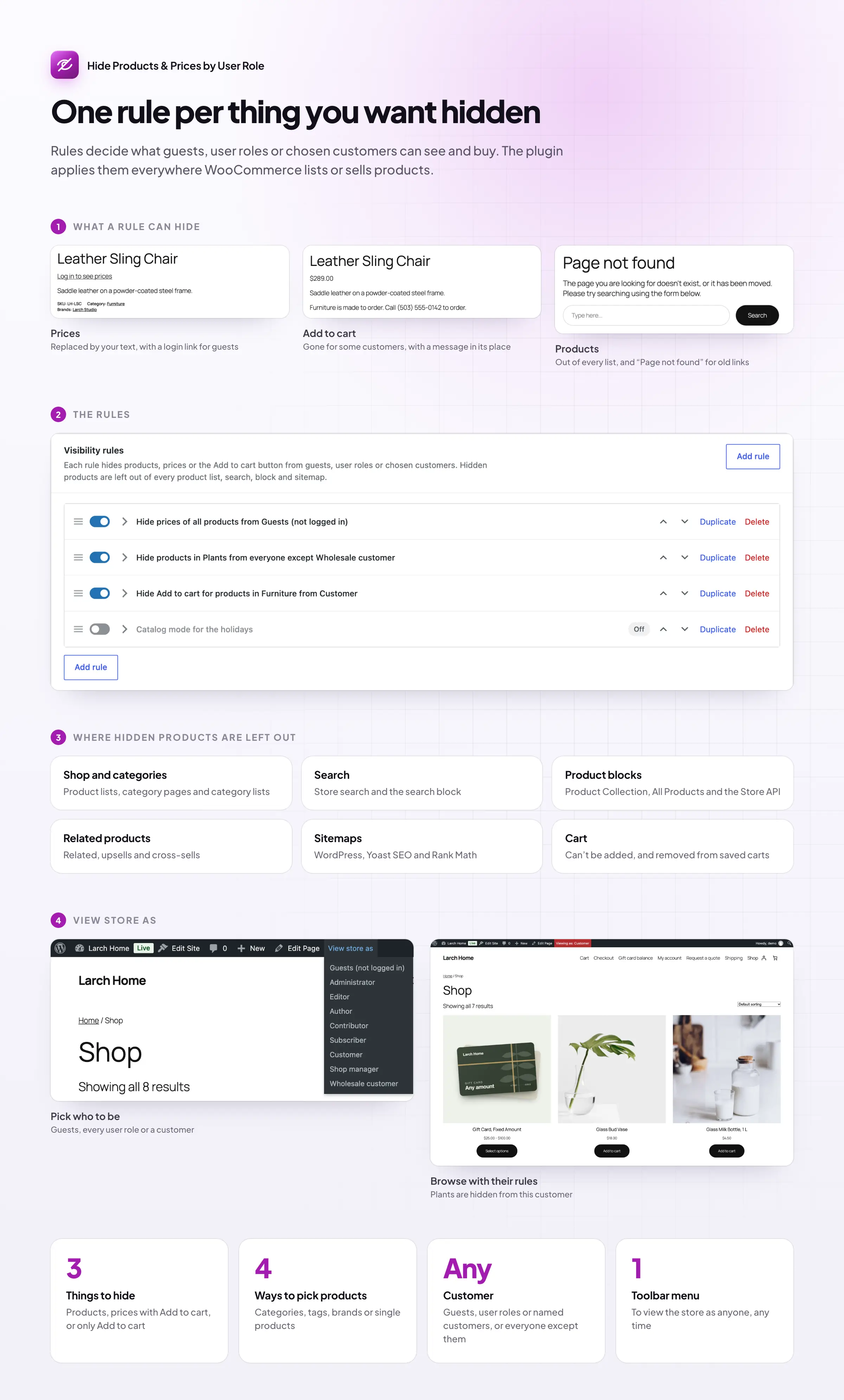
Some stores only show prices to customers who log in. Others keep a trade range for approved buyers, or show a catalog without taking orders online. Hide Products & Prices by User Role does all three with simple rules, and makes sure hidden products stay hidden.
Hidden prices
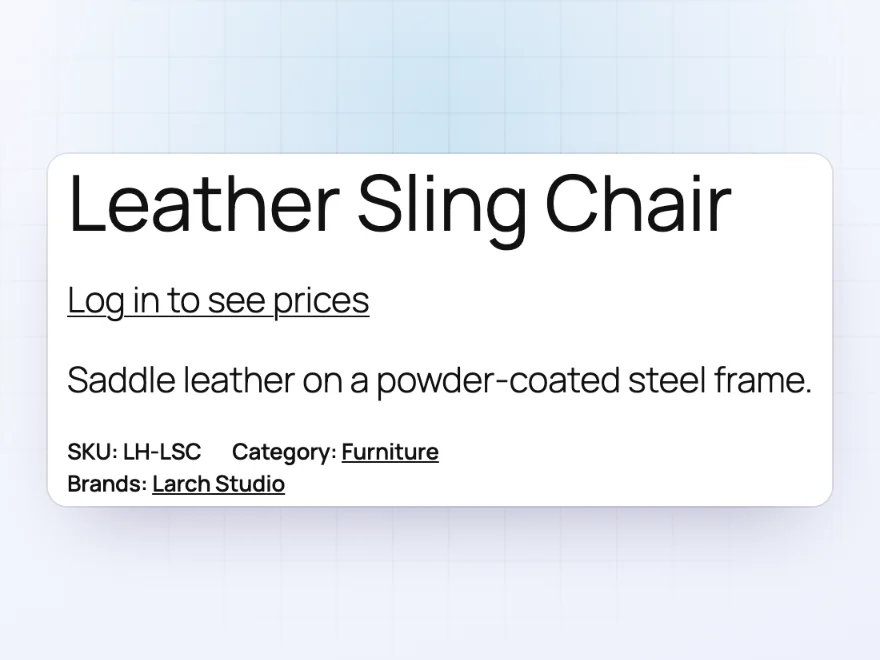
“Log in to see prices”
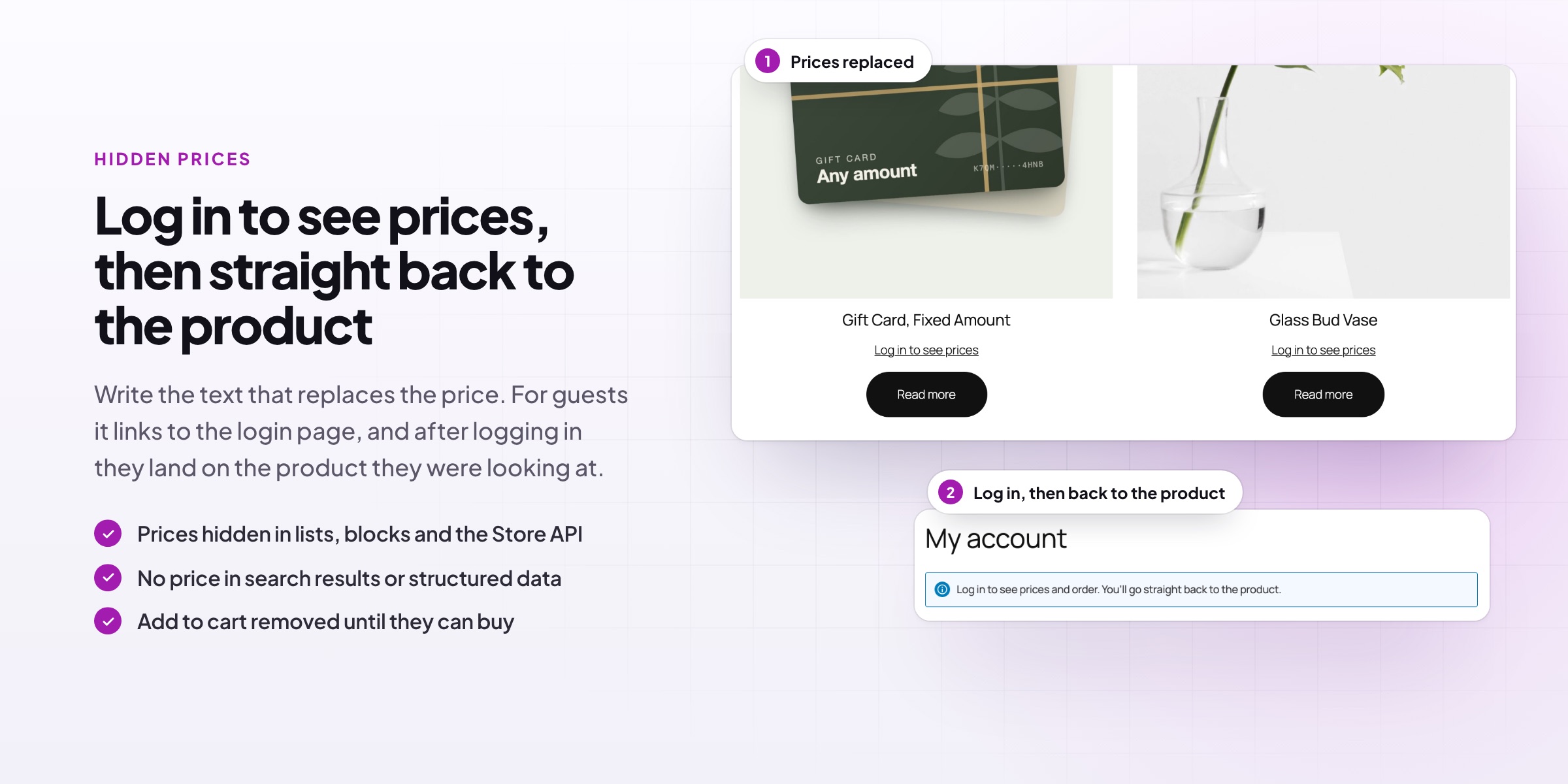
Hide prices and the Add to cart button from guests, or from any user role, and show your own text instead, such as “Log in to see prices” or “Trade price on request”. Prices are also removed from the variation form, from the product data search engines read and from the Store API, so they can’t be found another way.
- Your own text in place of the price
- Hide only the Add to cart button for catalog mode
- For all products, categories, tags, brands or single products
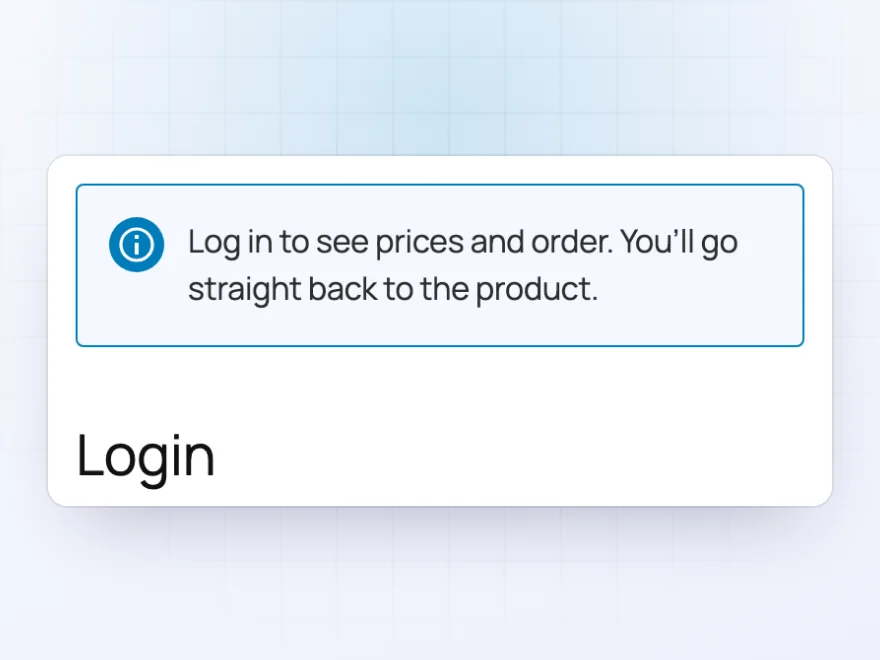
Logging in
Back to the product after logging in
For guests, the text links to the login page with a short note, and after logging in they go straight back to the product they were looking at, now with its price. There’s no hunting for the product again, and no lost sale.
- A note above the login form
- Works with the WooCommerce My Account login
- Customers return to the same product
Rules
Simple rules for who sees what
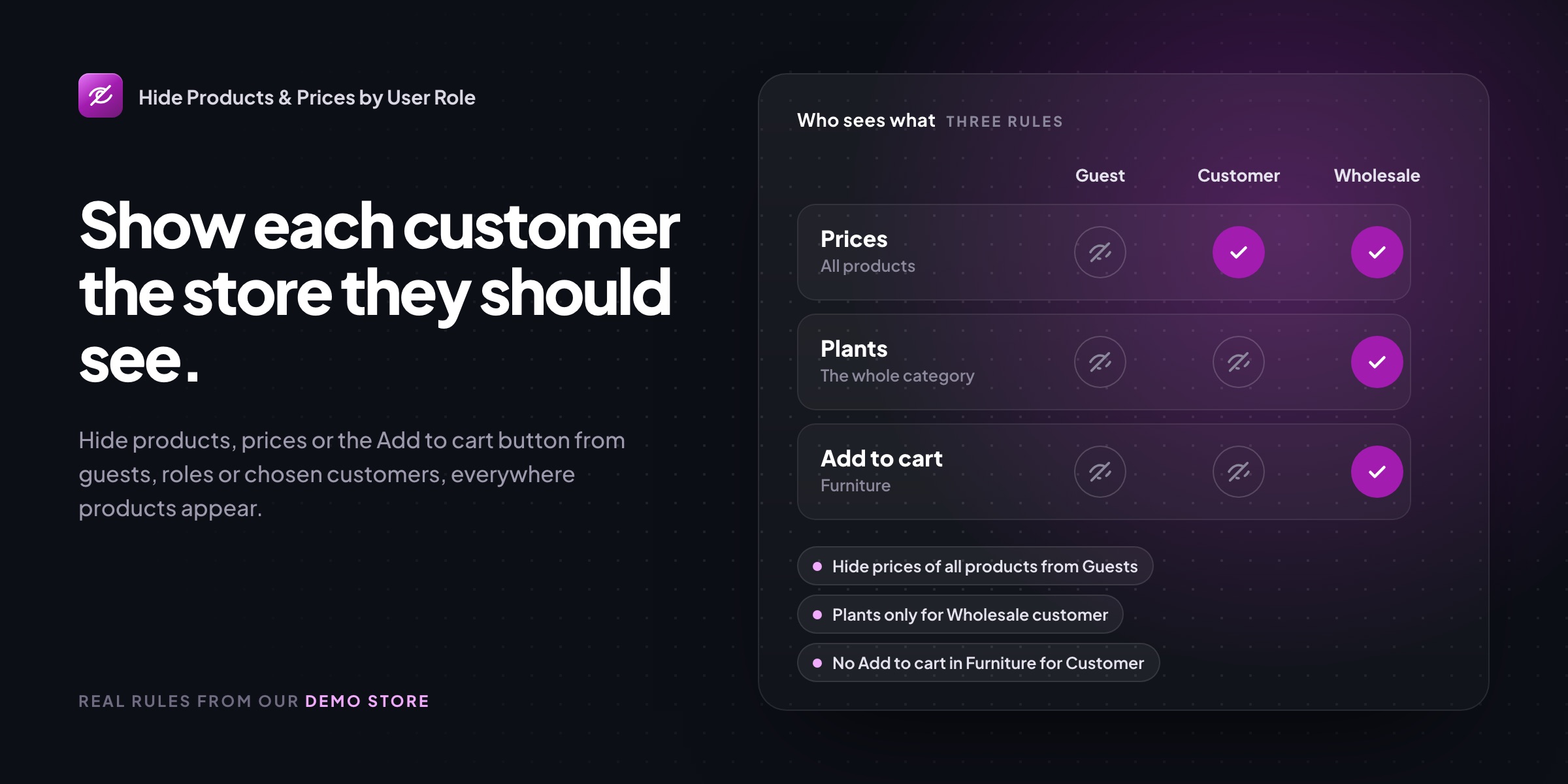
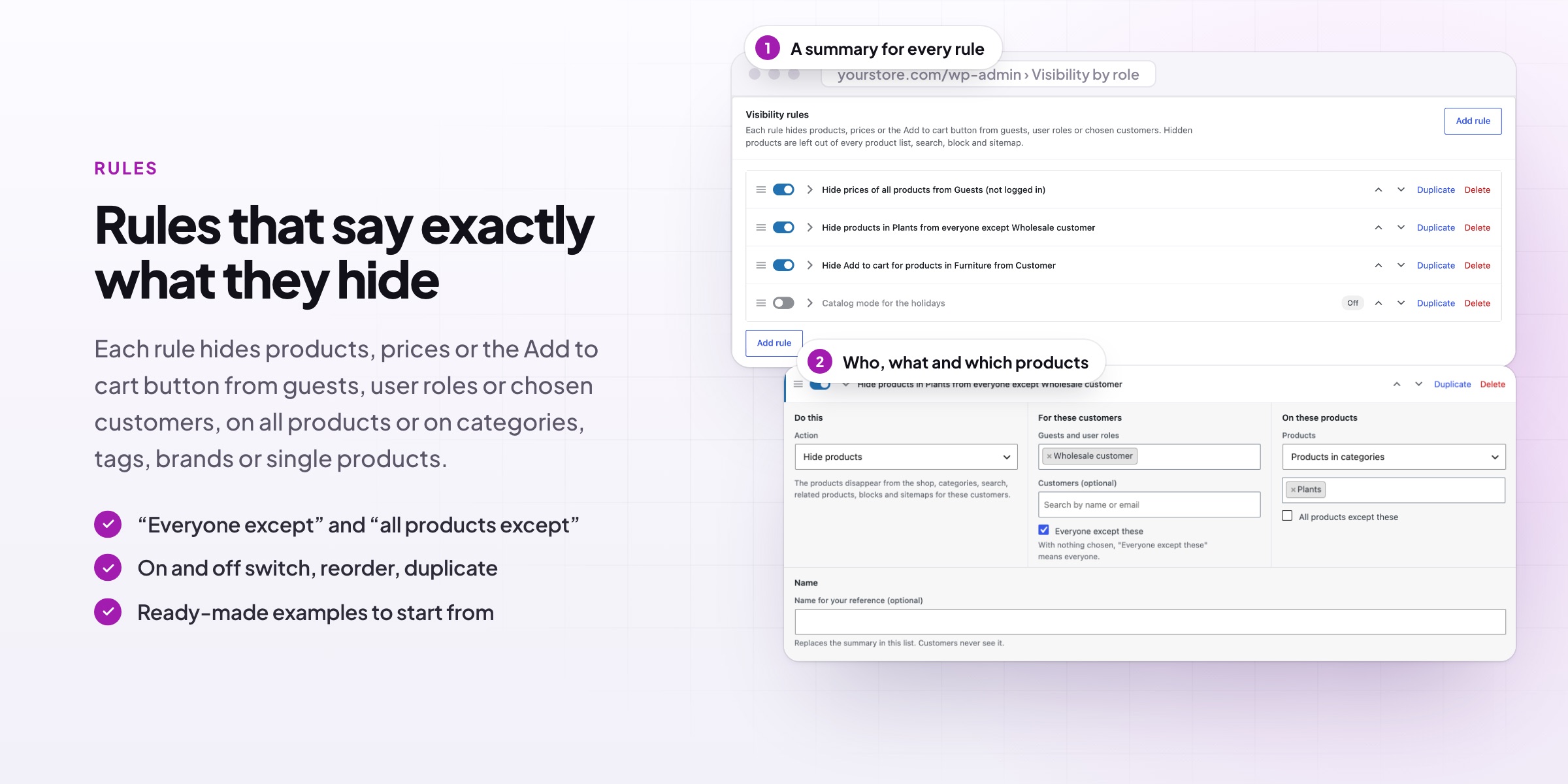
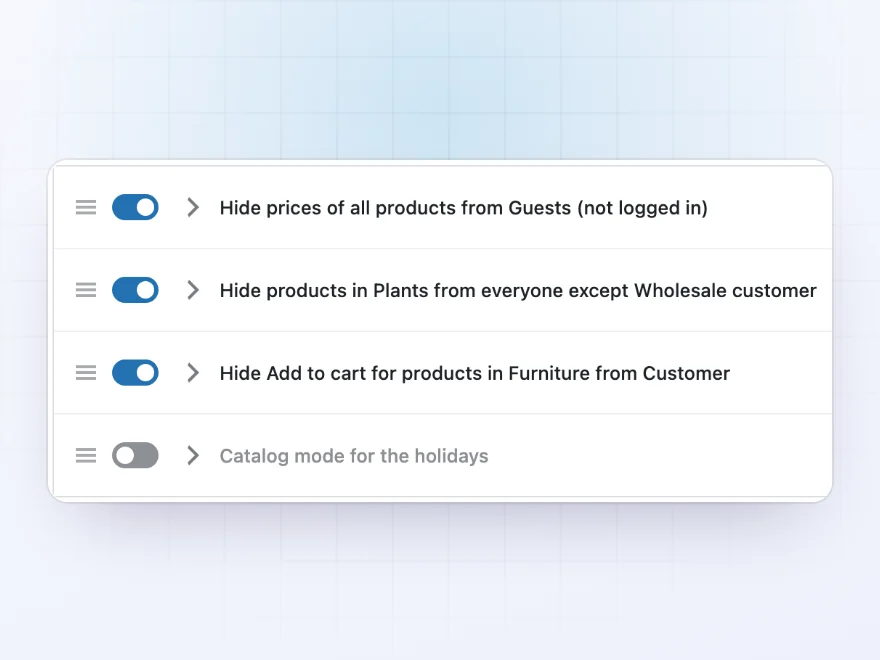
Each rule hides products, hides prices and the Add to cart button, or hides only the Add to cart button, for guests, user roles, chosen customers or everyone except them. Every rule has a plain summary, such as “Hide prices of all products from Guests”, and can be switched on and off, reordered and duplicated.
- Guests, user roles, chosen customers, or everyone except them
- Categories include their subcategories
- Switch a rule on for a season, such as catalog mode over the holidays
On each product
See the rules on the product screen
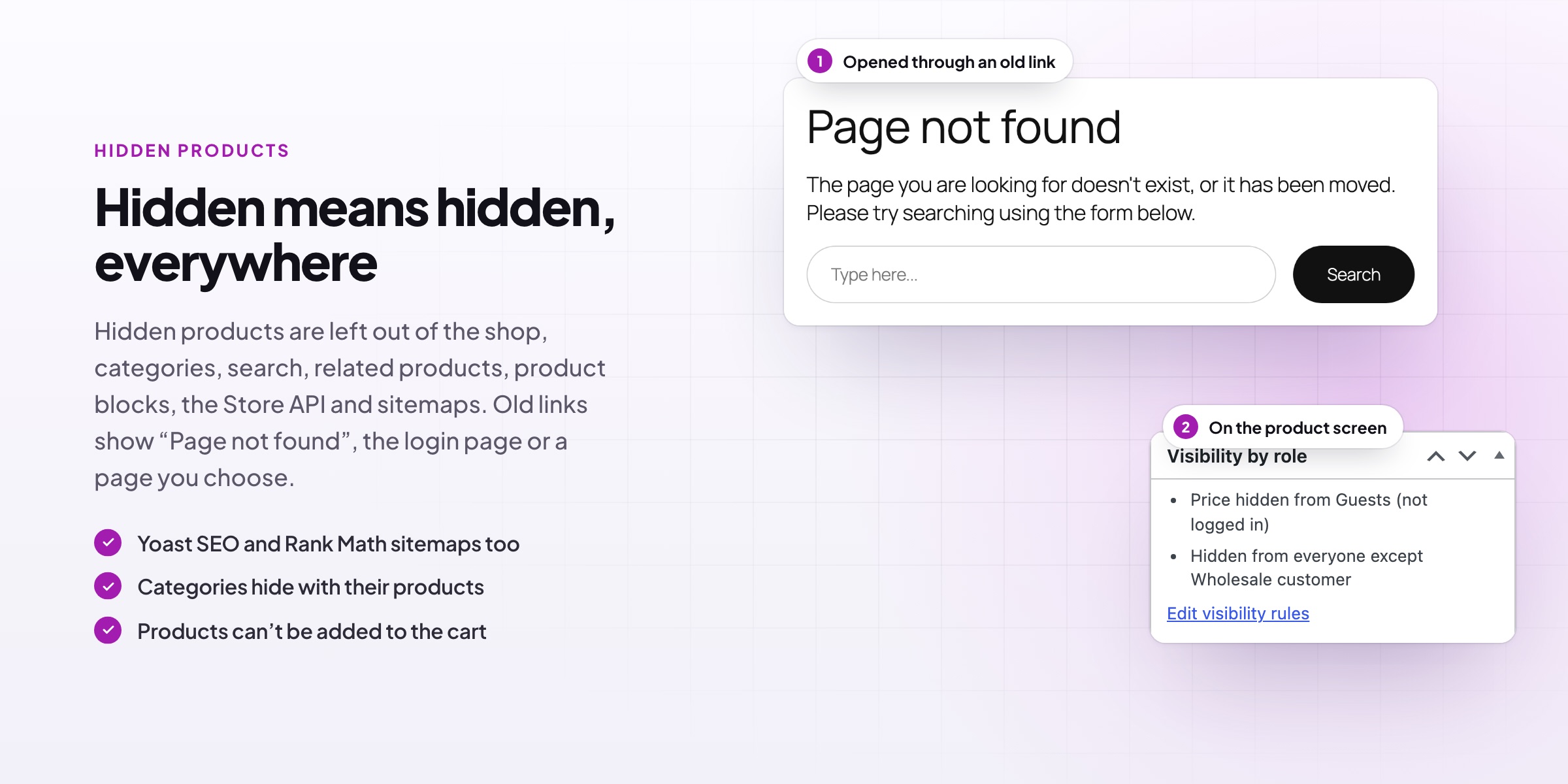
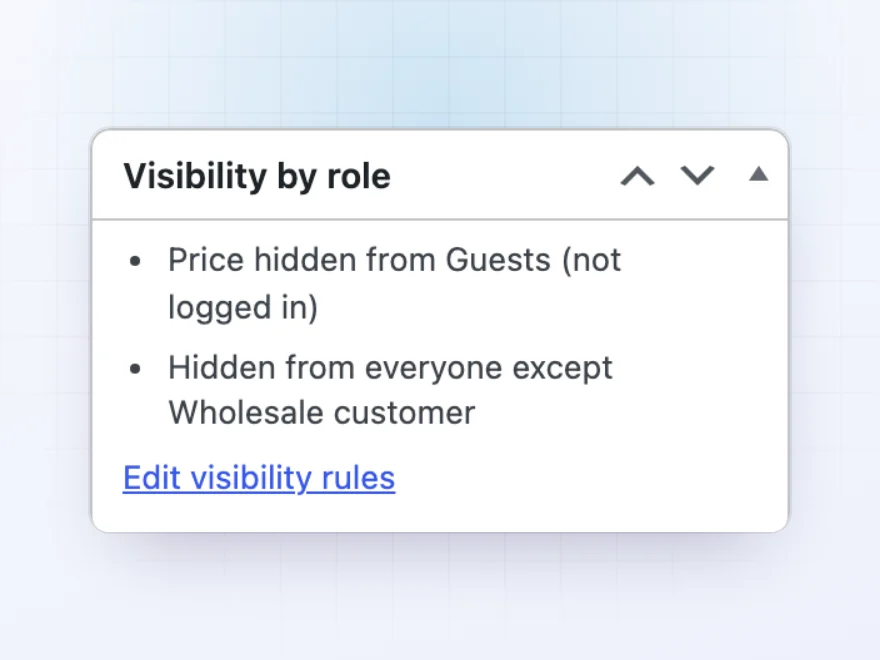
Each product’s edit screen has a Visibility by role box listing the rules that touch it, such as “Price hidden from Guests” or “Hidden from everyone except Wholesale customer”, with a link to change them. You always know why a product looks different to some customers.
- Every rule that applies to the product
- A link straight to the rules
- Shop managers always see everything
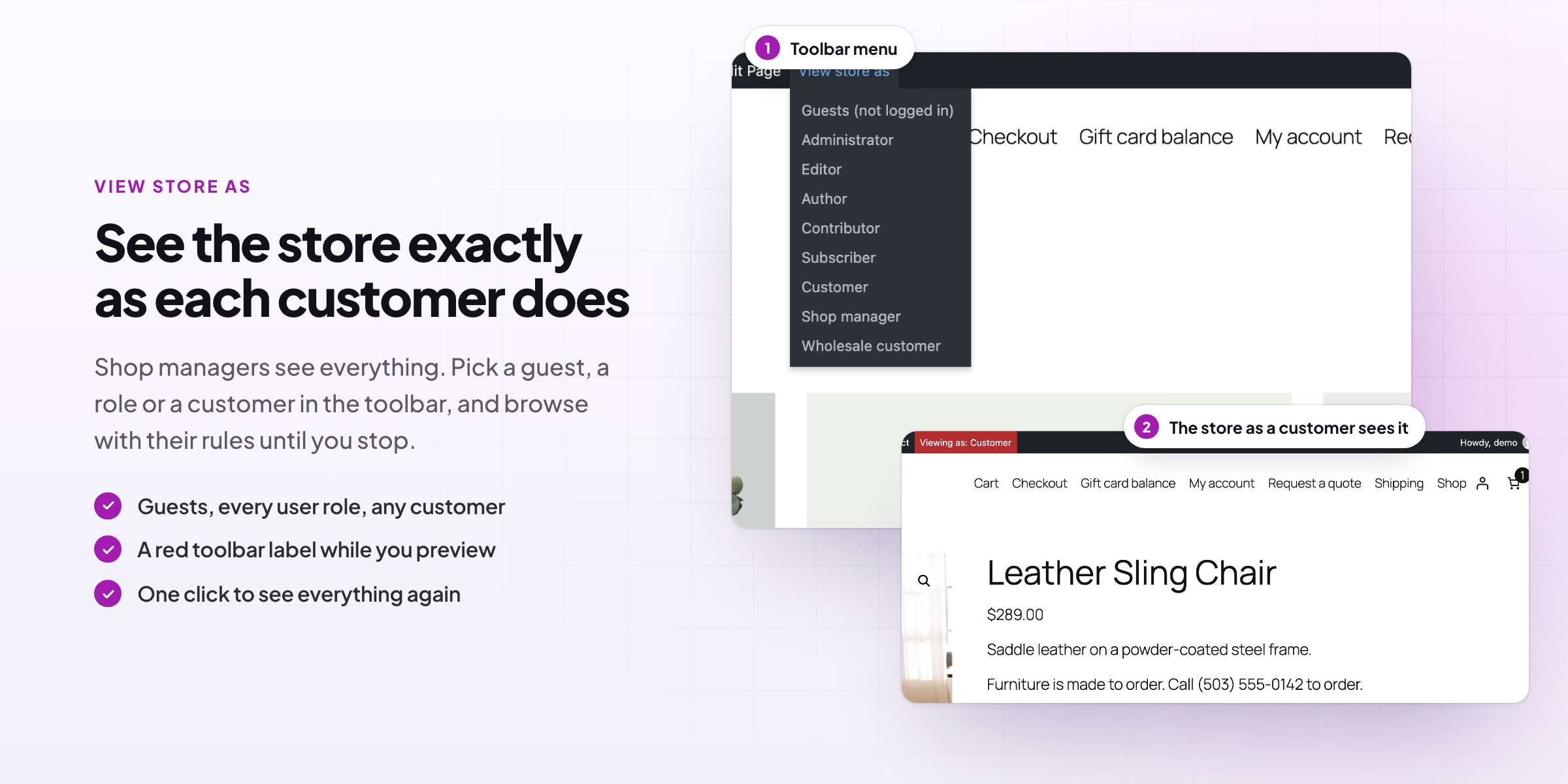
View store as
Browse the store as a guest or a role
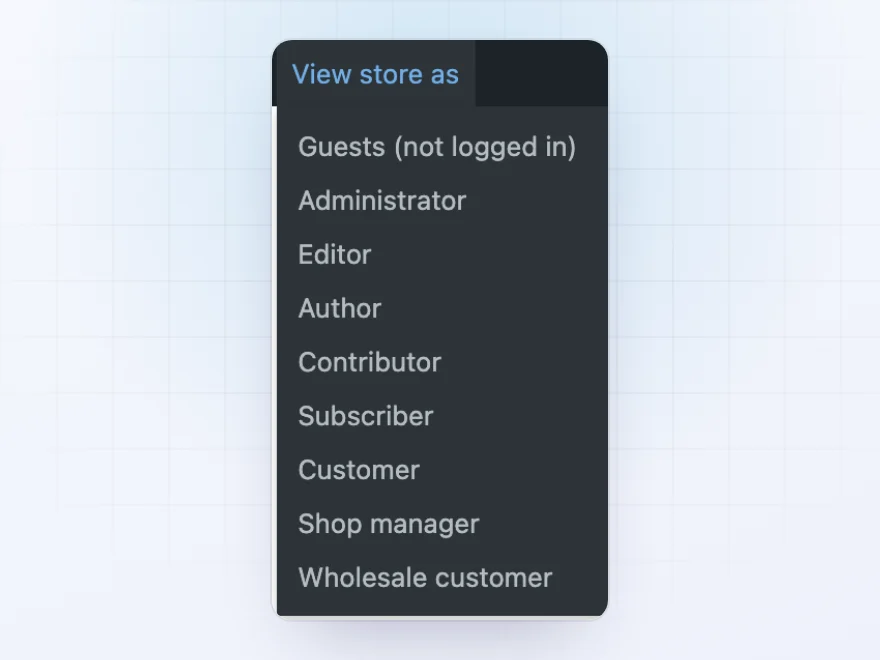
Pick a guest, a user role or a customer from the toolbar, or from the rules screen, and browse the store exactly as they see it. The toolbar shows who you are viewing as until you stop, so checking a rule takes seconds.
- Guests, any user role or one customer
- From the toolbar or the rules screen
- Stop with one click
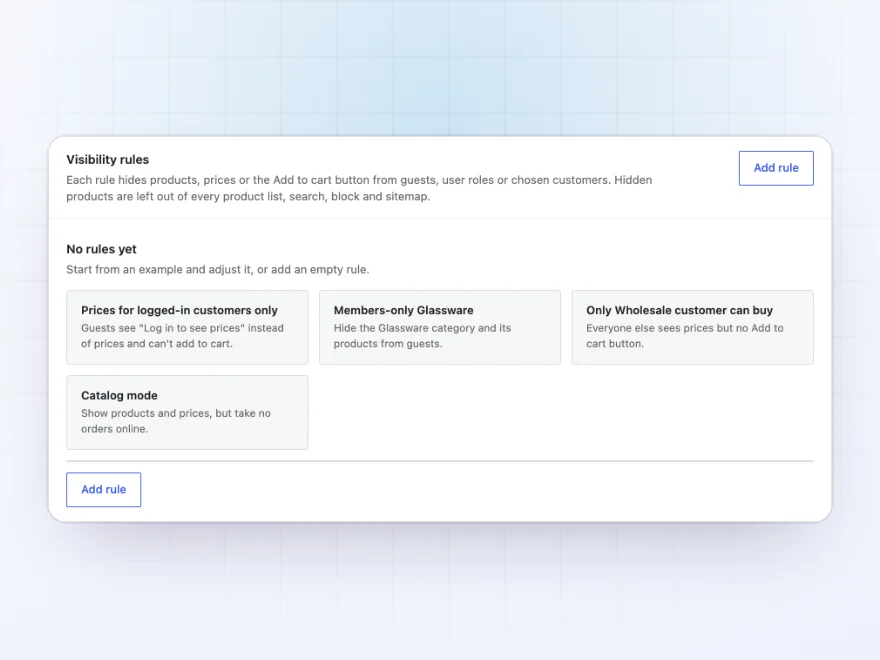
Ready-made rules
Start from the setup you need
Start from an example: prices for logged-in customers only, a members-only category, only wholesale customers can buy, or catalog mode. Each one becomes a rule you can change.
- Prices for logged-in customers only
- Members-only categories
- Catalog mode
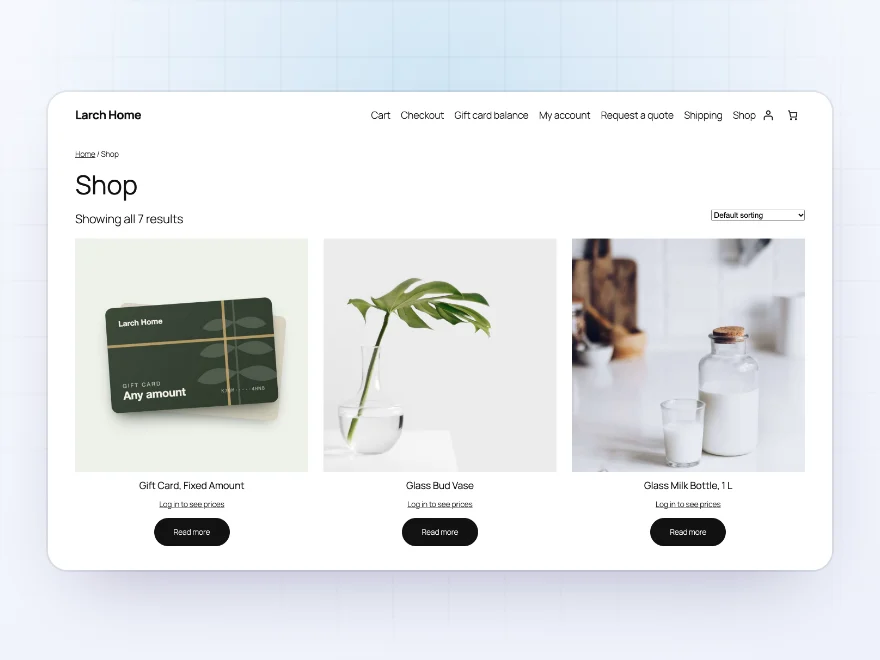
Catalog mode
A catalog without online orders
Hide only the Add to cart button and keep prices, or hide both and show your own text such as “Trade price on request”. Turn it on for the whole store, or for some categories, customers or a season.
- Keep prices, hide Add to cart
- Your own text instead of the price
- Store-wide or for some products
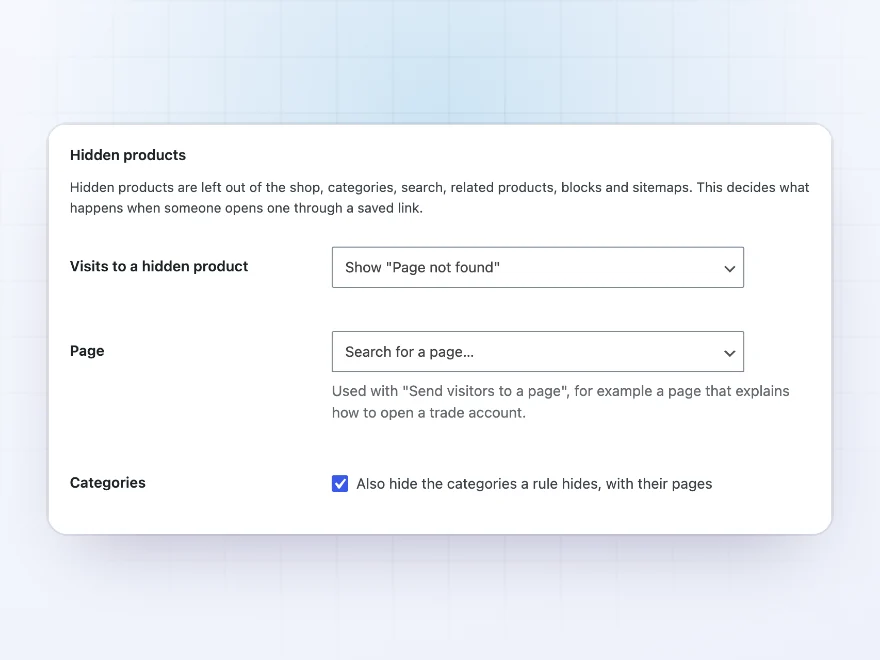
Settings
What happens with hidden products
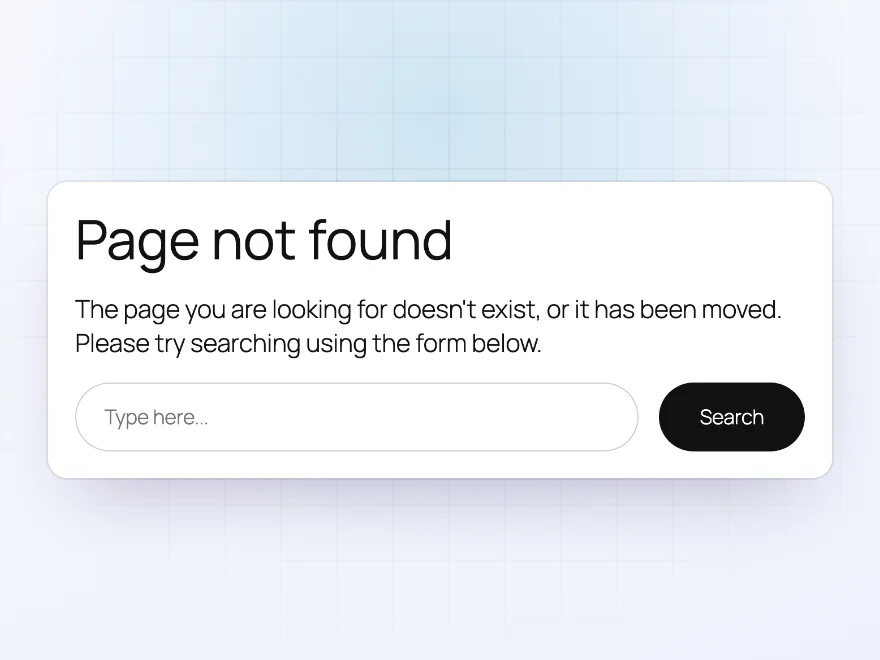
Choose what an old link to a hidden product shows: Page not found, a login, or a page you choose. Bring customers back to the product they were looking at after they log in, and let shop managers see everything.
- Page not found, a login or your page
- Back to the product after logging in
- Shop managers always see everything
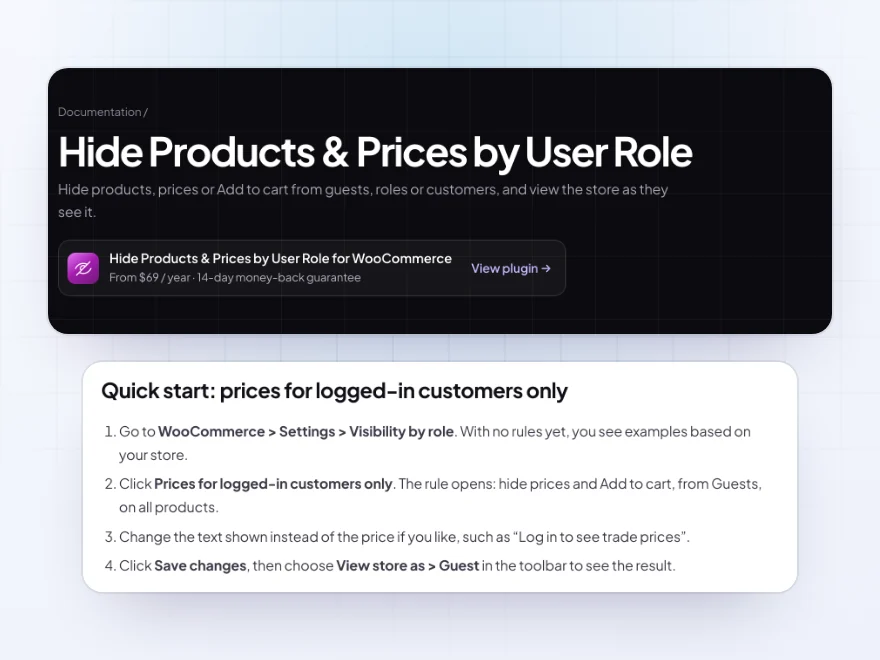
Docs and support
Try it, set it up, ask us anything
Try Hide Products & Prices by User Role in a live demo store before you buy. The docs start with a quick start and cover what a rule can hide, who a rule applies to and which products. Support tickets are answered by the developers who make the plugin, and updates are included.
- A live demo store to try it first
- Step-by-step docs with a quick start
- Most tickets answered within 12–24 hours
Hide prices in WooCommerce, or hide whole products
Hide Products & Prices by User Role lets you hide prices in WooCommerce from guests, from some user roles or from chosen customers, with your own text such as “Log in to see prices”, or hide whole products and categories from them.
Hidden products stay hidden everywhere: in the shop, search, related products, blocks, feeds and sitemaps, and old links lead to a page you choose. Rules work for all products, categories, tags, brands or single products, and shop managers can view the store as a guest or any role to check prices by user role for WooCommerce before customers do.
Common setups
- Log in to see prices: guests see “Log in to see prices” and return to the product after logging in.
- Trade range: products in a category shown only to your wholesale role.
- Catalog mode: prices visible, Add to cart hidden for everyone, or for everyone except one role.
- Private products: made-to-order items only one customer can see and buy.
- A break from orders: a catalog mode rule you switch on while you’re away.
Questions before you buy
Can wholesale customers see prices while guests don’t?
Yes. Hide prices from guests, or from every role except Wholesale customer. Logged-in wholesale customers see prices and order as usual.
Are hidden products hidden from search engines too?
Yes. They’re left out of sitemaps, including those from Yoast SEO and Rank Math, and their pages show Page not found or a login to anyone who can’t see them.
Can I show my catalog without taking orders?
Yes. Hide only the Add to cart button, for everyone or for some customers, and prices stay visible.
Will I still see everything as a shop manager?
Yes. Shop managers see every product by default. Use View store as to check what a customer sees.
Does it work with my theme?
Yes. It works with classic and block themes, product blocks, and the Cart and Checkout blocks.
Can I hide a product from everyone except one customer?
Yes. Choose that customer in the rule and pick “everyone except them”, and only they can see and buy the product.
What do guests see when they open a hidden product’s link?
You choose: Page not found, a login form that brings them back to the product, or a page of your choice.
Requirements
WordPress 6.8 or newer, WooCommerce 10.0 or newer and PHP 7.4 or newer. Works with classic and block themes, the Cart and Checkout blocks, and High-Performance Order Storage.
Documentation
Step-by-step setup, every setting explained, and examples: read the documentation. Questions before you buy? Ask us.




Oliver L. –
the role preview is what sold me. setup was fine and search results behave
bjones_supply –
Needed one product hidden from retail customers. Took 10 minutes once I found the setting.
Rafael –
Simple and quick
Easy to use. we only use it for a couple of products
Ivonne V. –
good plugin. Hides our trade range from retail customers like it should
Elena Duarte –
The preview feature sold it
The ‘view store as’ feature is really useful; I used it constantly while setting up. It works well. Five stars anyway; I just wish you could apply the rules to a whole category at once. Michael answered my question about that quickly.
jeroenw –
guests can browse but need to login to see prices. works exactly how we wanted. Michael set it up for our trade role