
Hide Products & Prices by User Role hides products, prices or the Add to cart button from the customers you choose: guests, user roles or single customers. Hidden products are left out of every list, search, block, feed and sitemap, and shop managers can view the store as any customer to check the result.
Requirements
- WordPress 6.8 or newer
- WooCommerce 10.0 or newer
- PHP 7.4 or newer
- Works with classic and block themes, the Cart and Checkout blocks, and High-Performance Order Storage.
Installation
- Download
hide-products-prices-by-role.zipfrom My account > Downloads. - In WordPress, go to Plugins > Add New Plugin > Upload Plugin, choose the zip file and click Install Now.
- Click Activate. The rules are under WooCommerce > Settings > Visibility by role.
Quick start: prices for logged-in customers only
- Go to WooCommerce > Settings > Visibility by role. With no rules yet, you see examples based on your store.
- Click Prices for logged-in customers only. The rule opens: hide prices and Add to cart, from Guests, on all products.
- Change the text shown instead of the price if you like, such as “Log in to see trade prices”.
- Click Save changes, then choose View store as > Guest in the toolbar to see the result.
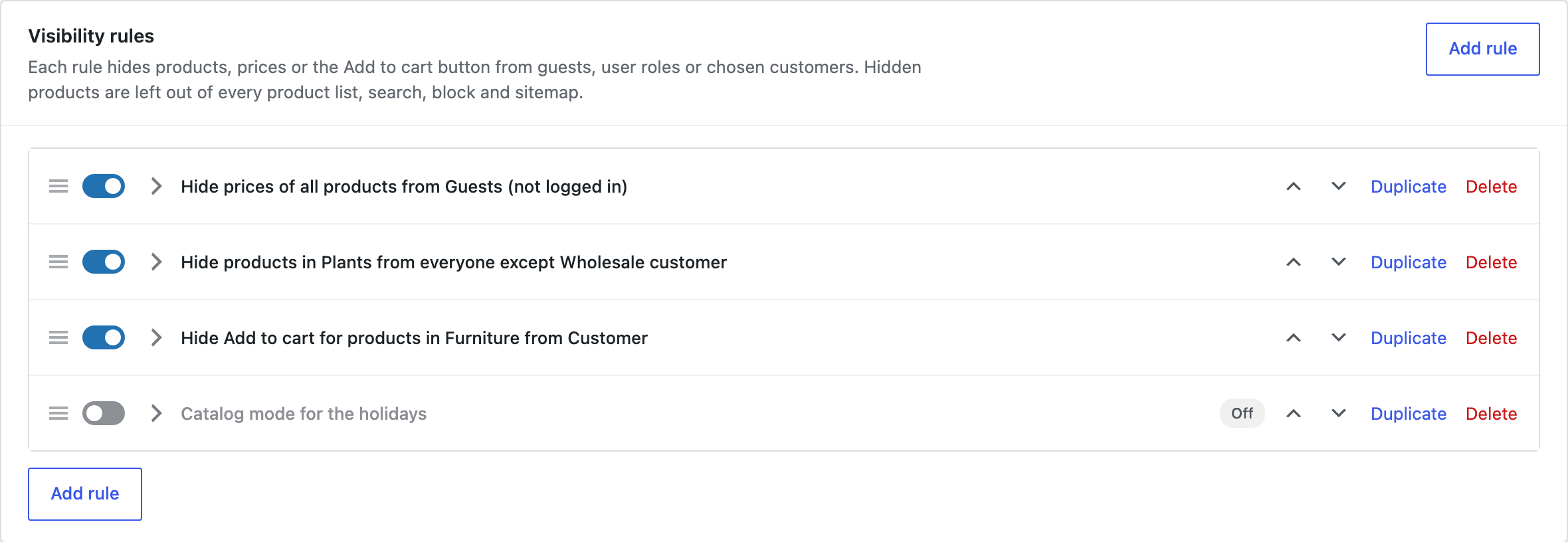
What a rule can hide
| Action | What it does |
|---|---|
| Hide products | The products disappear from the shop, categories, search, related products, upsells and cross-sells, product blocks, the Store API, feeds and sitemaps. They can’t be added to the cart, and are removed from carts that already hold them. |
| Hide prices and Add to cart | The product stays visible, with your text instead of the price. The Add to cart button and the variation price are removed, and the price is left out of structured data and the Store API. |
| Hide Add to cart only | Prices stay visible, but the product can’t be bought. Use it for a catalog, or for products only one role may order. |
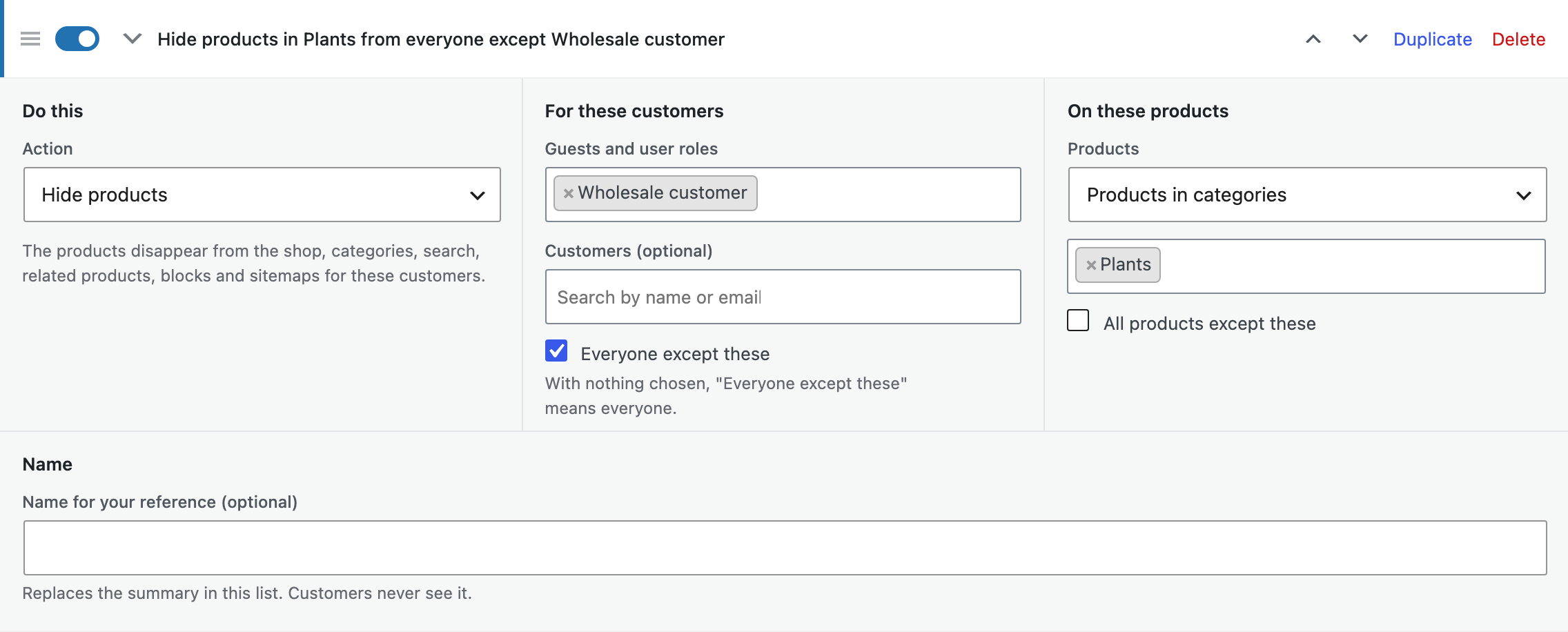
Who a rule applies to
- Guests: visitors who aren’t logged in. Search engines visit as guests too.
- User roles: any role added by WordPress, WooCommerce or another plugin, such as a wholesale role.
- Customers: single customers, found by name or email.
- Everyone except: tick it to turn the choice around, for example to hide a range from everyone except the wholesale role.
Which products
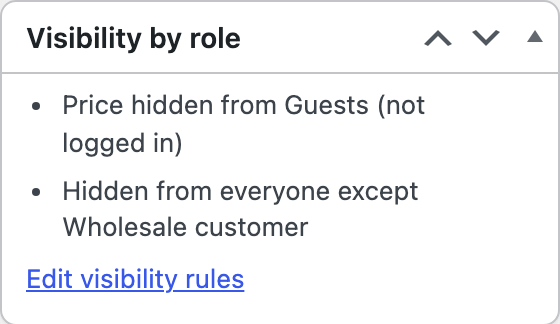
Choose all products, or products in categories (with their subcategories), with tags or brands, or single products. Tick All products except to turn the choice around. The Visibility by role box on the product screen shows which rules apply to that product.
Hidden prices and logging in
Each rule that hides prices has its own text. For guests the text links to the login page, and with After logging in switched on they come straight back to the product they were looking at.
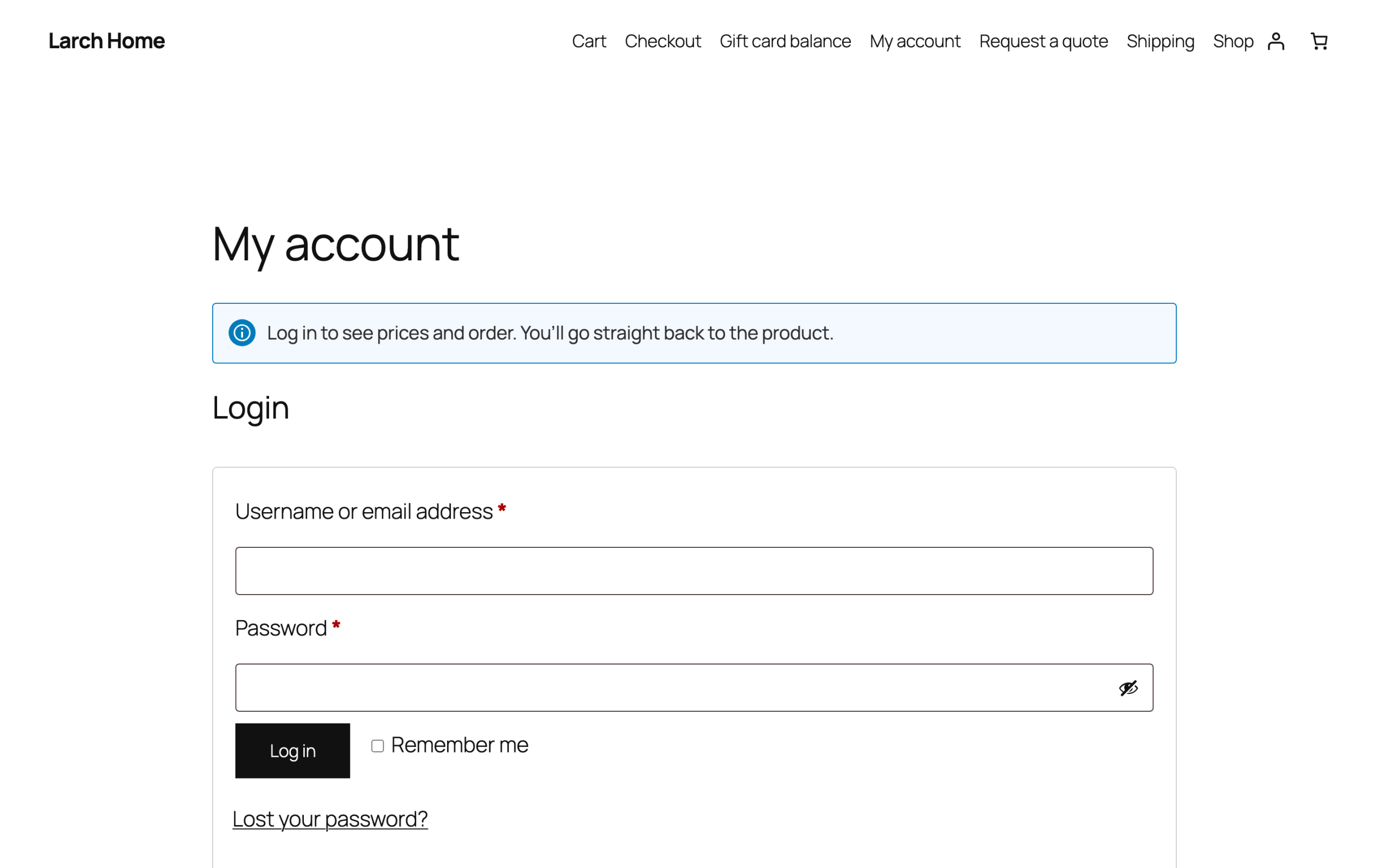
Visits to a hidden product
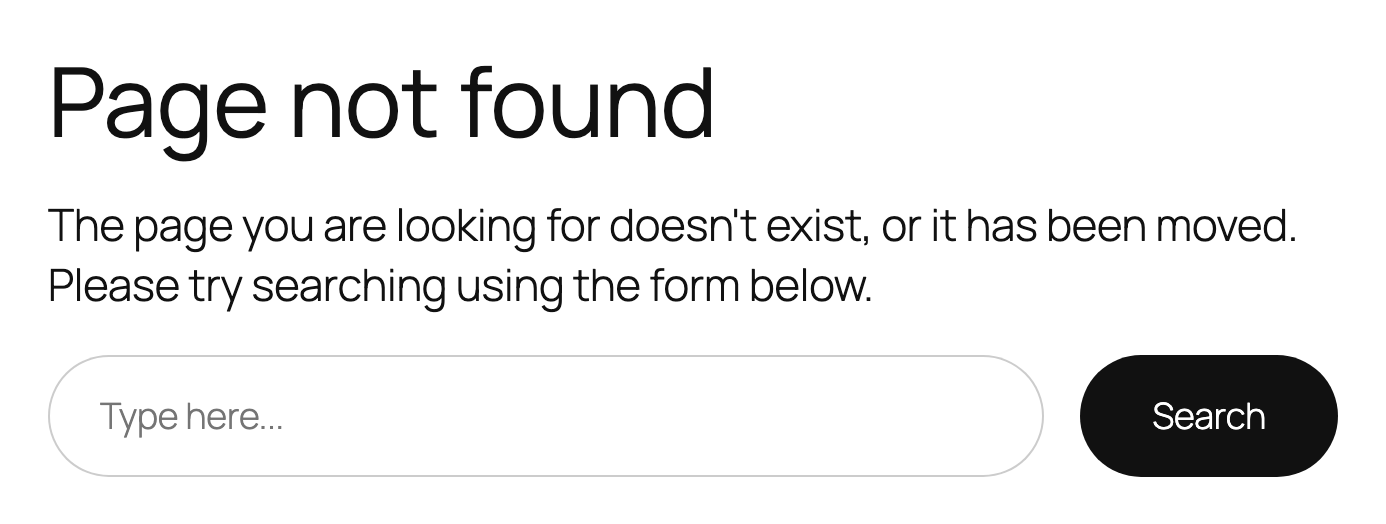
Someone may still open a hidden product through an old link or a bookmark. Under Visibility by role > Settings, choose what they see: “Page not found”, a request to log in (for guests), or a page you choose, such as a page explaining how to open a trade account.
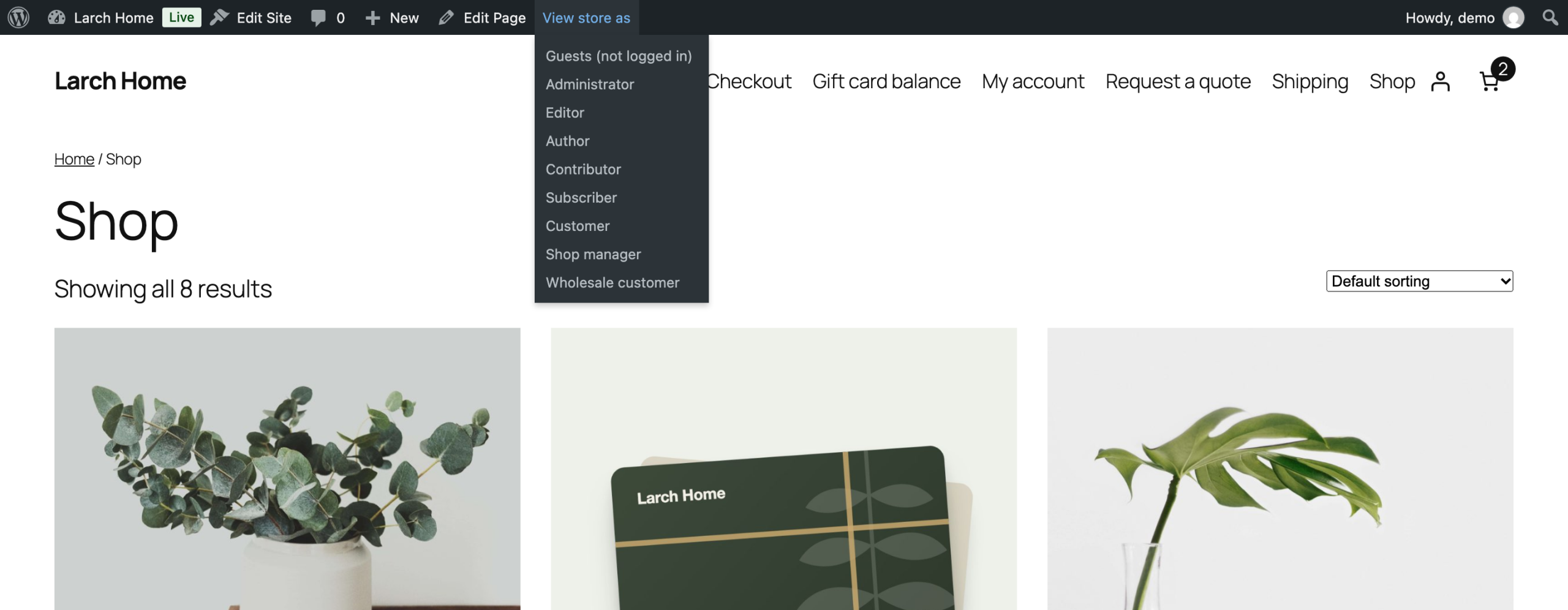
View store as
Shop managers and administrators see every product and price, so the store looks unchanged to you. To check what a customer sees, choose View store as in the toolbar and pick Guest, a user role or a customer. Browse the store as usual; the toolbar shows who you are viewing as until you click Stop and see everything.
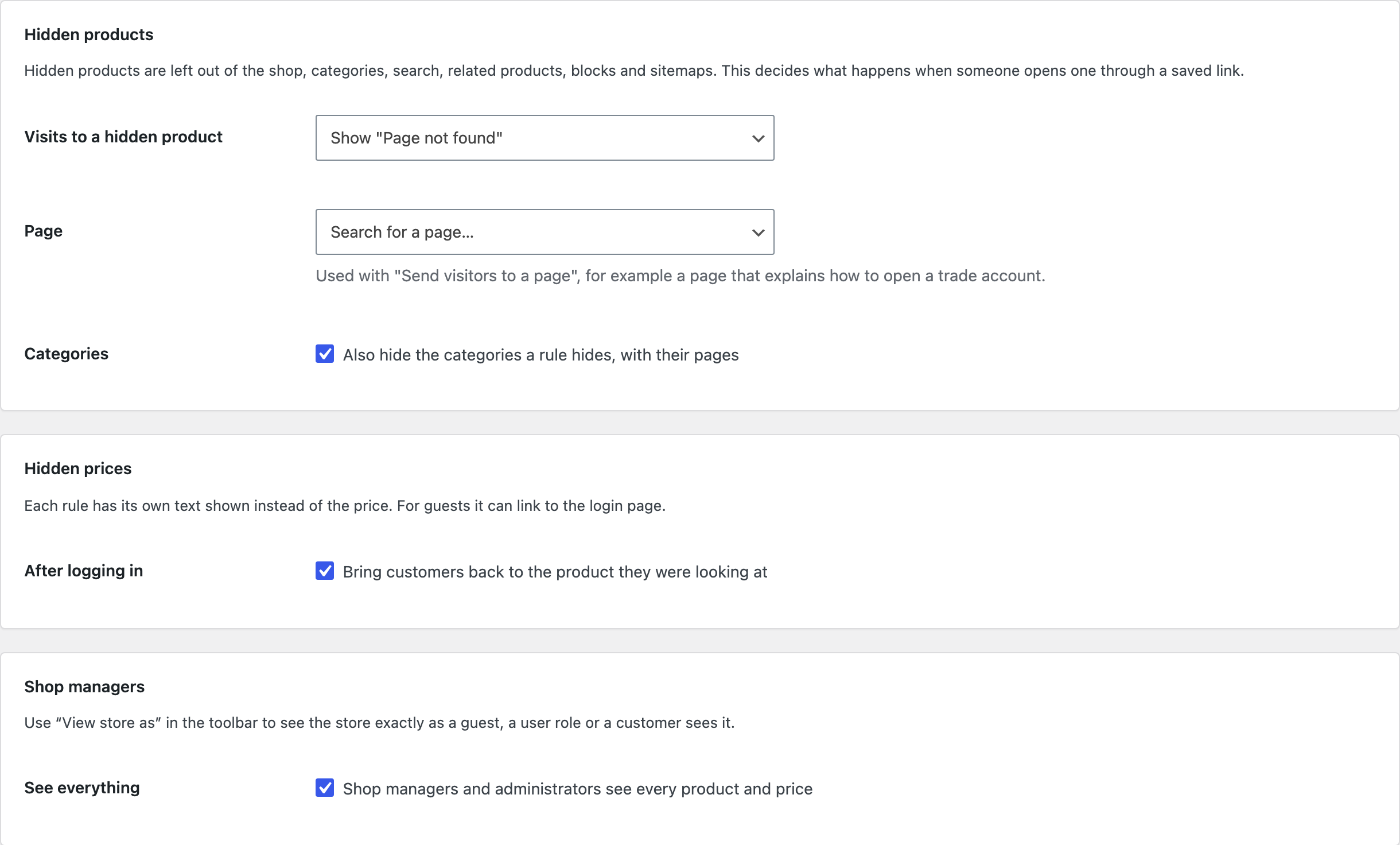
Settings
| Setting | What it does |
|---|---|
| Visits to a hidden product | Show “Page not found”, ask guests to log in, or send visitors to a page you choose. |
| Categories | Also hide the categories a rule hides, with their pages. |
| After logging in | Brings customers back to the product they were looking at. |
| See everything | Shop managers and administrators see every product and price. Switch it off to see the store with the rules of your own role. |
| Remove data | Deletes the rules and settings when the plugin is deleted. |
For developers
| Hook | Use |
|---|---|
hppr_rules | The rules before they are applied. |
hppr_viewer | Who is viewing the store: guest, roles and user ID. |
hppr_is_storefront_request | Whether a request is the storefront, where rules apply. REST requests count only for the Store API. |
hppr_example_rules | The examples offered when there are no rules. |
hppr_admin_capability | The capability needed to change the rules and use View store as. |
hppr_add_to_cart_hidden | Runs where the Add to cart button was removed. |
hppr_before_hidden_page | Runs before a visitor is sent away from a hidden product. |
Copy public/templates/price-notice.php or add-to-cart-hidden.php to yourtheme/hide-products-prices-by-role/ to change the text shown instead of the price or the Add to cart button.
Frequently asked questions
Does it work with page caching?
Yes. Caching plugins serve cached pages to guests only, and all guests see the same thing. Logged-in customers get pages built for them.
Will search engines see hidden products?
No. Search engines visit as guests, so products hidden from guests are left out of sitemaps (including Yoast SEO and Rank Math) and their pages answer “Page not found”.
What if two rules apply to the same product?
Each rule does its job. A product hidden by one rule stays hidden even if another rule only hides its price.
Changelog
1.5.1 · September 17, 2026
Maintenance
- Fixed a settings notice remaining visible after the configuration had been saved.
- Improved validation of saved settings during plugin updates.
1.5.0 · September 15, 2026
Compatibility update
- Updated compatibility checks for current WooCommerce releases.
- Improved translated notices and settings labels.
1.4.3 · July 14, 2026
Hotfix
- Fixed the preview role not resetting after the administrator ended the preview.
1.4.0 · July 3, 2026
Feature update
- Added the customer-role preview for checking visibility rules.
- Added clearer summaries of who can see and purchase a product.
1.3.2 · April 25, 2026
Maintenance
- Fixed the login prompt taking customers to the account page instead of back to the product.
1.3.0 · April 15, 2026
Feature update
- Added configurable login messages when prices are hidden.
- Improved the return destination after a customer logs in.
1.2.1 · February 16, 2026
Maintenance
- Fixed a hidden product appearing in a related products block.
1.2.0 · January 29, 2026
Feature update
- Added product visibility rules for catalog and search results.
- Improved filtering of hidden products in related product lists.
1.1.5 · November 11, 2025
Hotfix
- Fixed an excluded product being hidden by a matching category rule.
1.1.0 · November 8, 2025
Feature update
- Added rules for product categories, tags and individual customers.
- Added exclusions for selected products and customer roles.
- Compatibility: updated integration checks for WooCommerce 10.x.
1.0.1 · September 15, 2025
Hotfix
- Fixed the add-to-cart control remaining visible on a hidden-price variation.
1.0.0 · September 2, 2025
Initial release
- Initial release.
- Hide product prices and purchasing controls from selected user roles and guests.