 Maxima Plugins
Description
New collections, restocks, books, limited runs: customers want to order before the product exists. Pre-Orders & Release Dates turns a product into a pre-order with a release date, keeps those orders aside until the day comes, and then moves them on by itself.
Pre-order products
Take orders before the release date
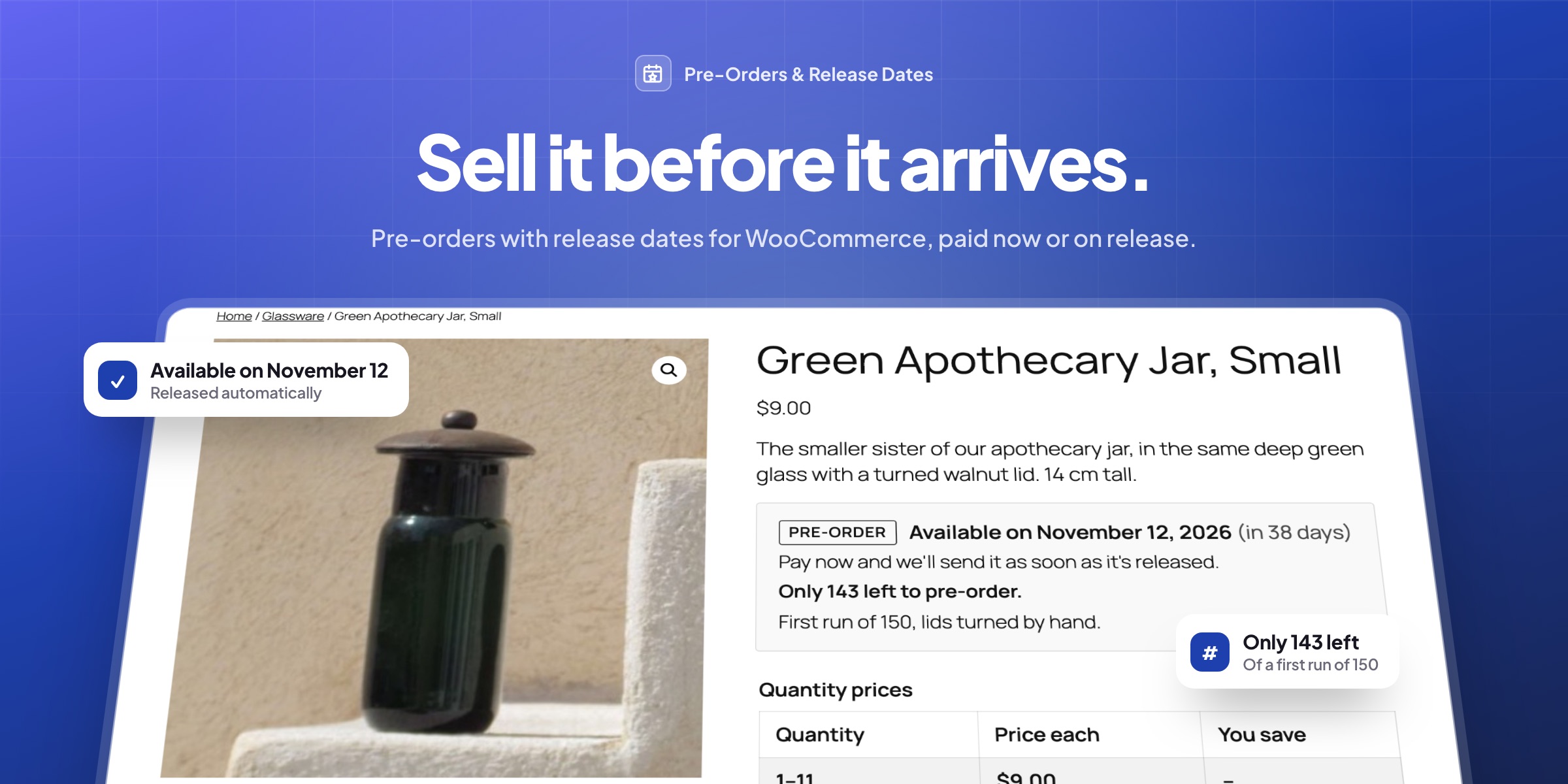
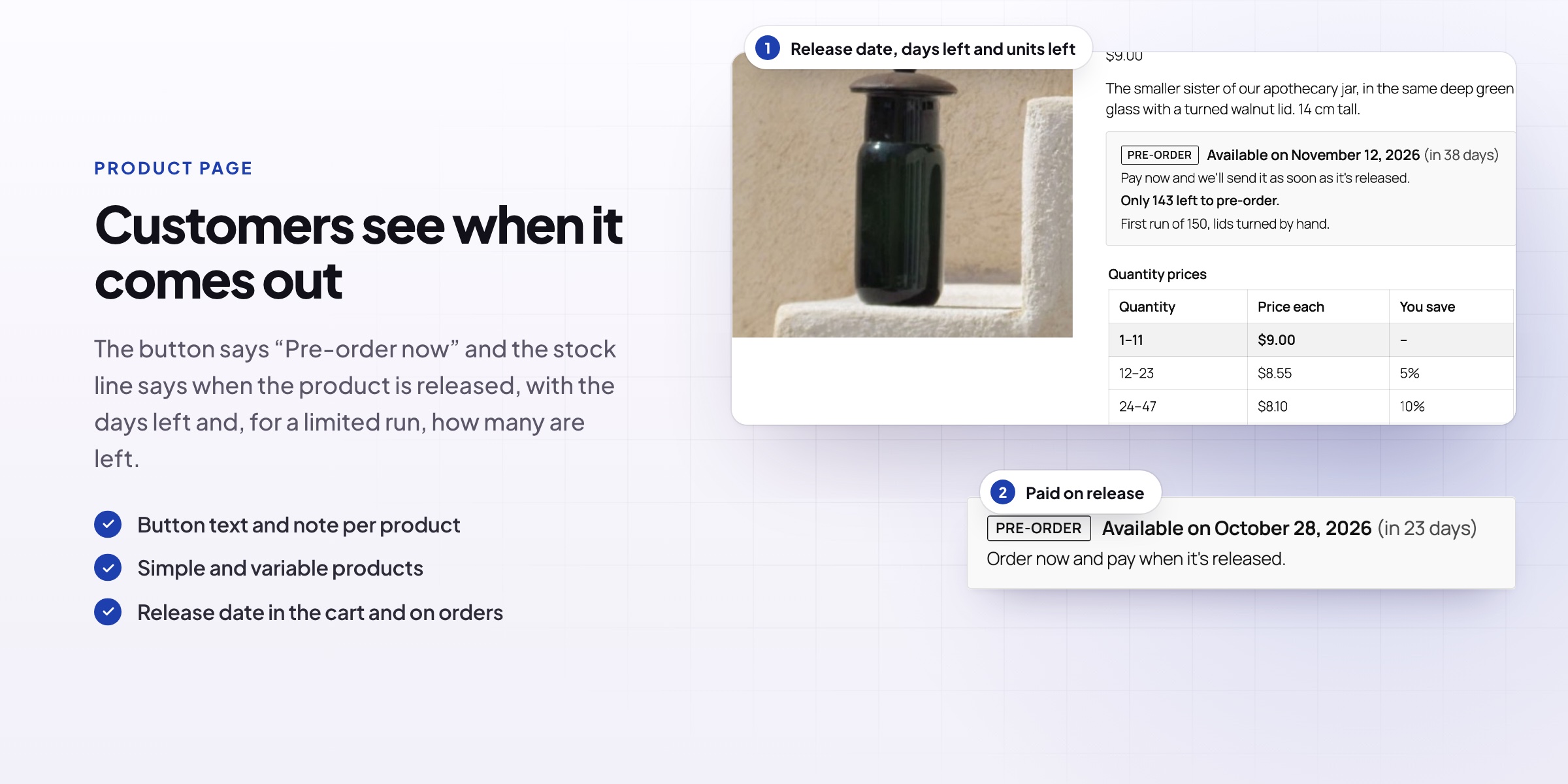
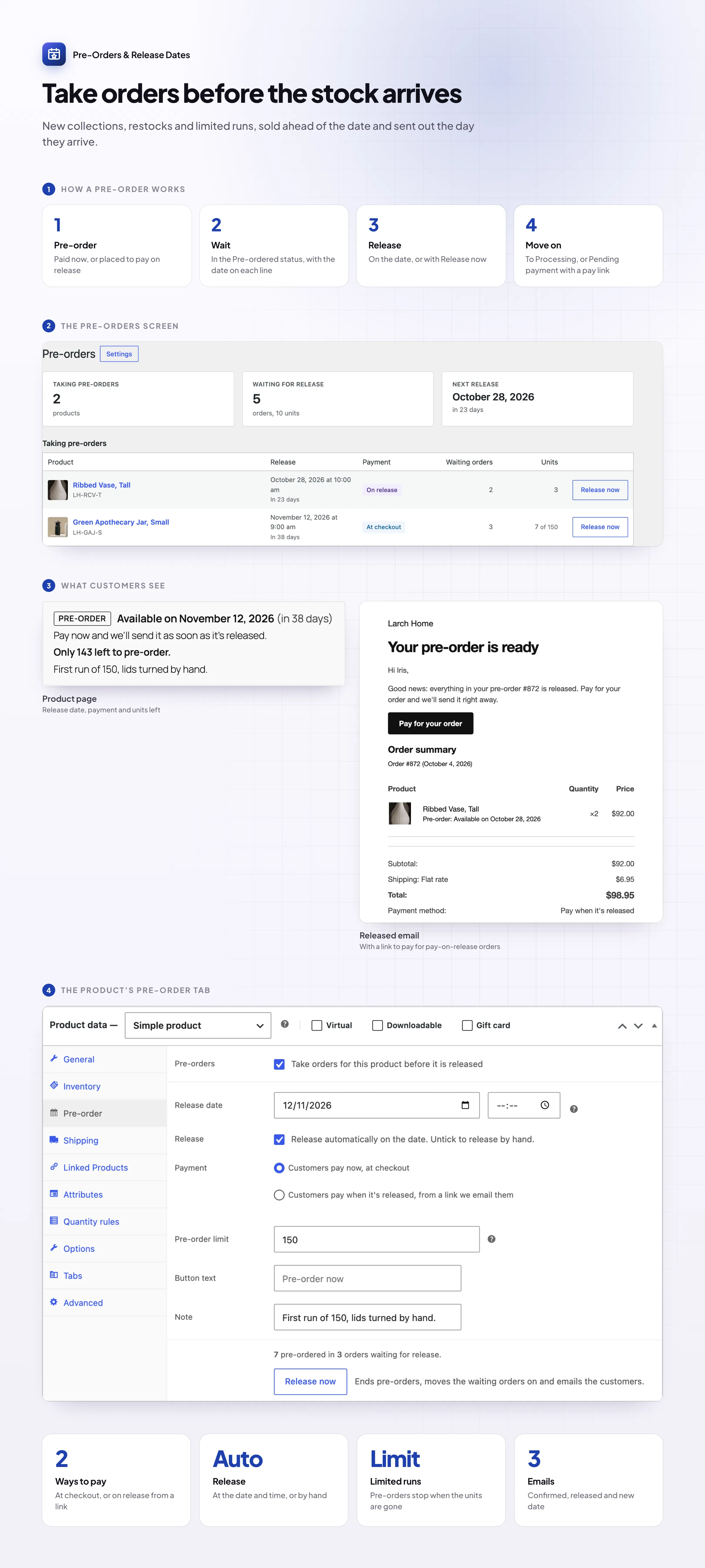
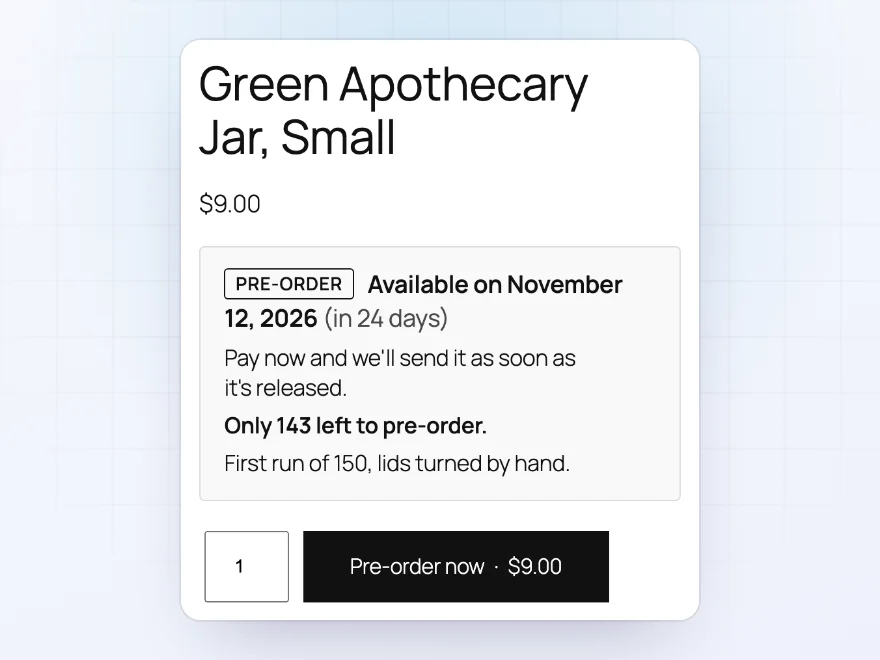
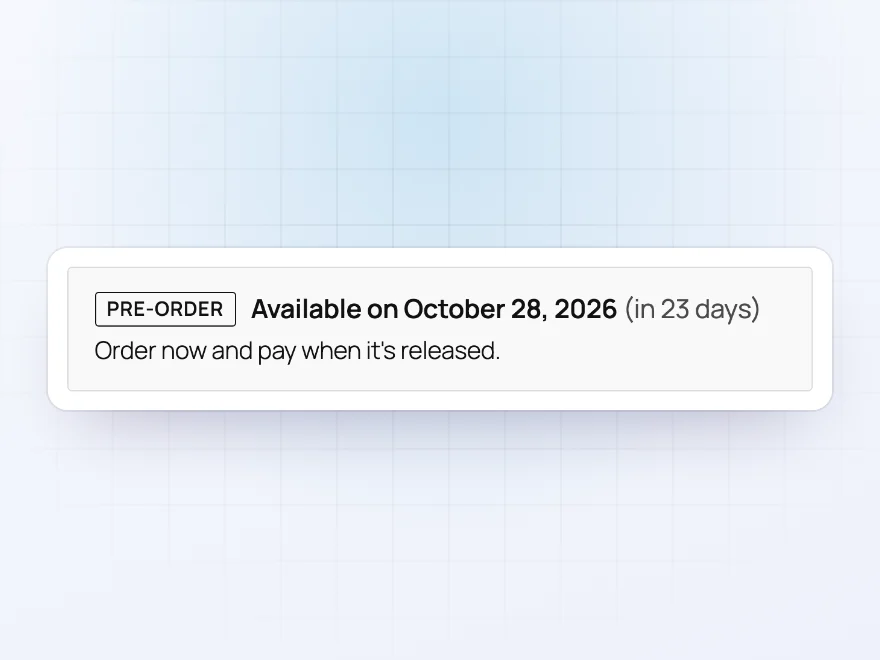
Turn any product into a pre-order. The button says “Pre-order now”, and the product page shows when it’s available, such as “Available on November 12, 2026 (in 24 days)”. For limited runs, set a pre-order limit and the page shows how many are left.
- A release date and time, or no date yet
- Your own button and availability text
- A pre-order limit with how many are left
Easy setup
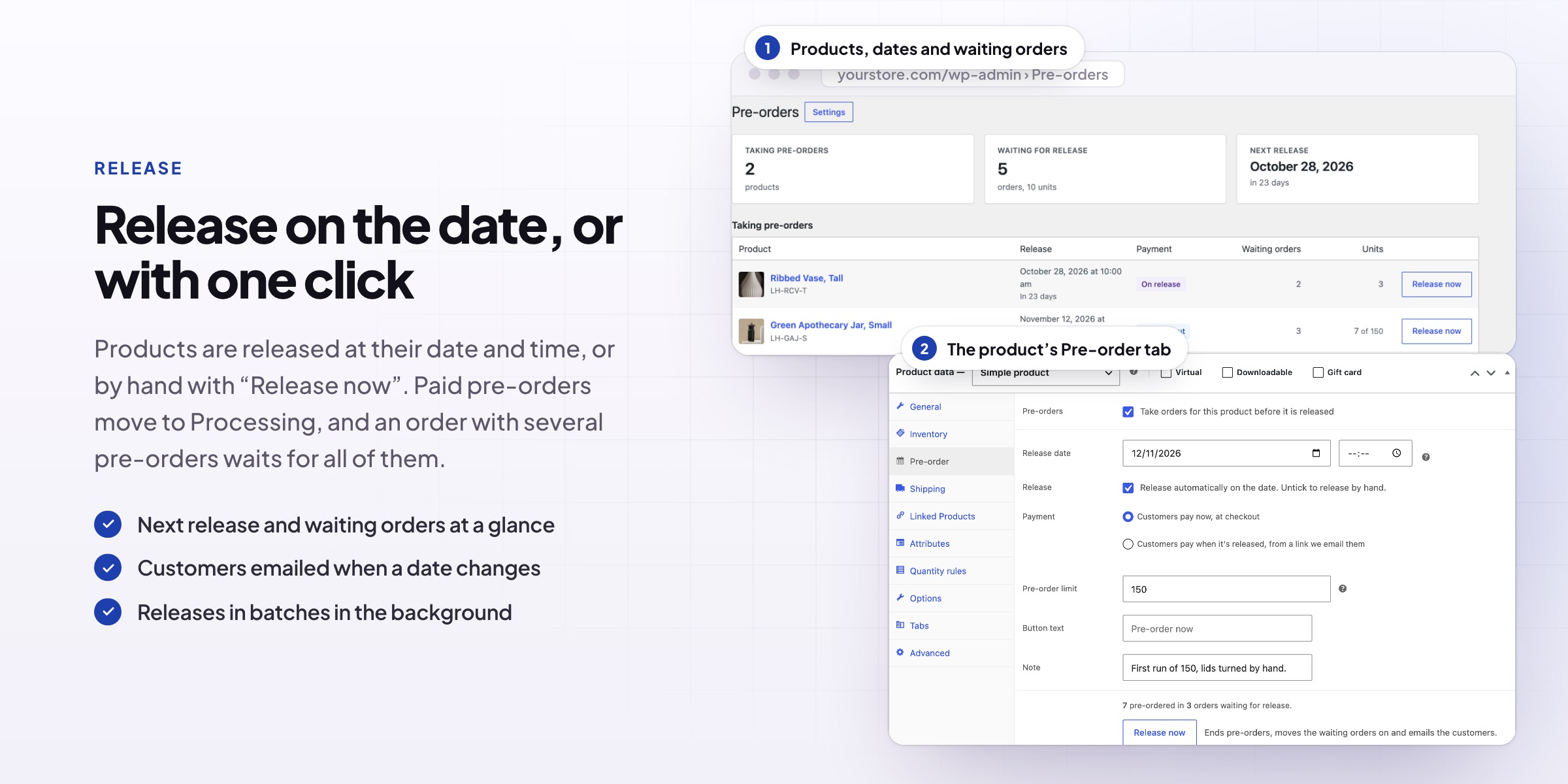
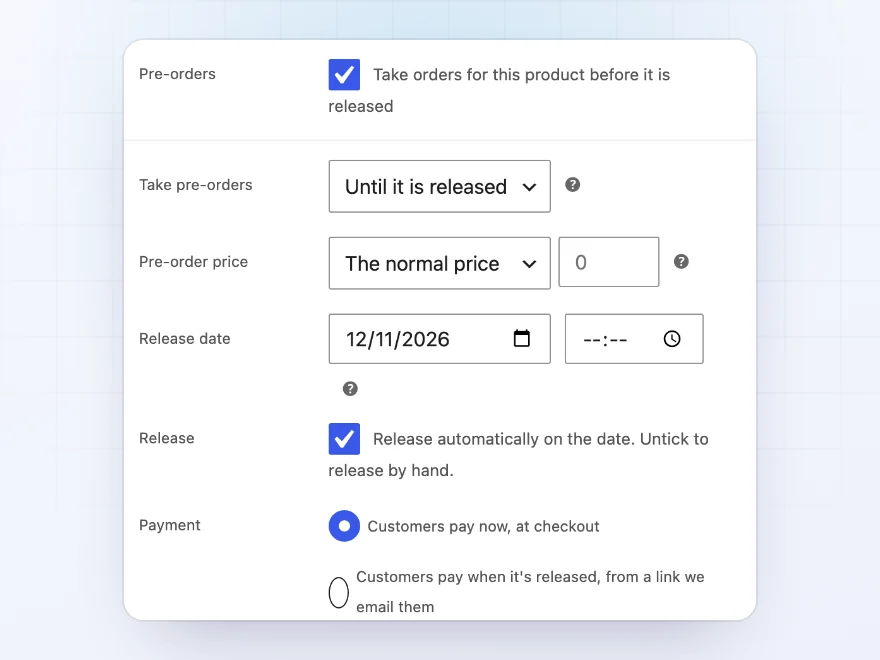
Set it up in the product’s Pre-order tab
Tick “Take orders for this product before it is released”, set the release date, and choose how customers pay. Take pre-orders until the release, or only while the product is out of stock, and give pre-orders their own price if you like, such as a discount for ordering early.
- Simple and variable products
- Only while out of stock, if you prefer
- A pre-order price, lower or higher
Pay now or later
Pay now, or pay when it’s released
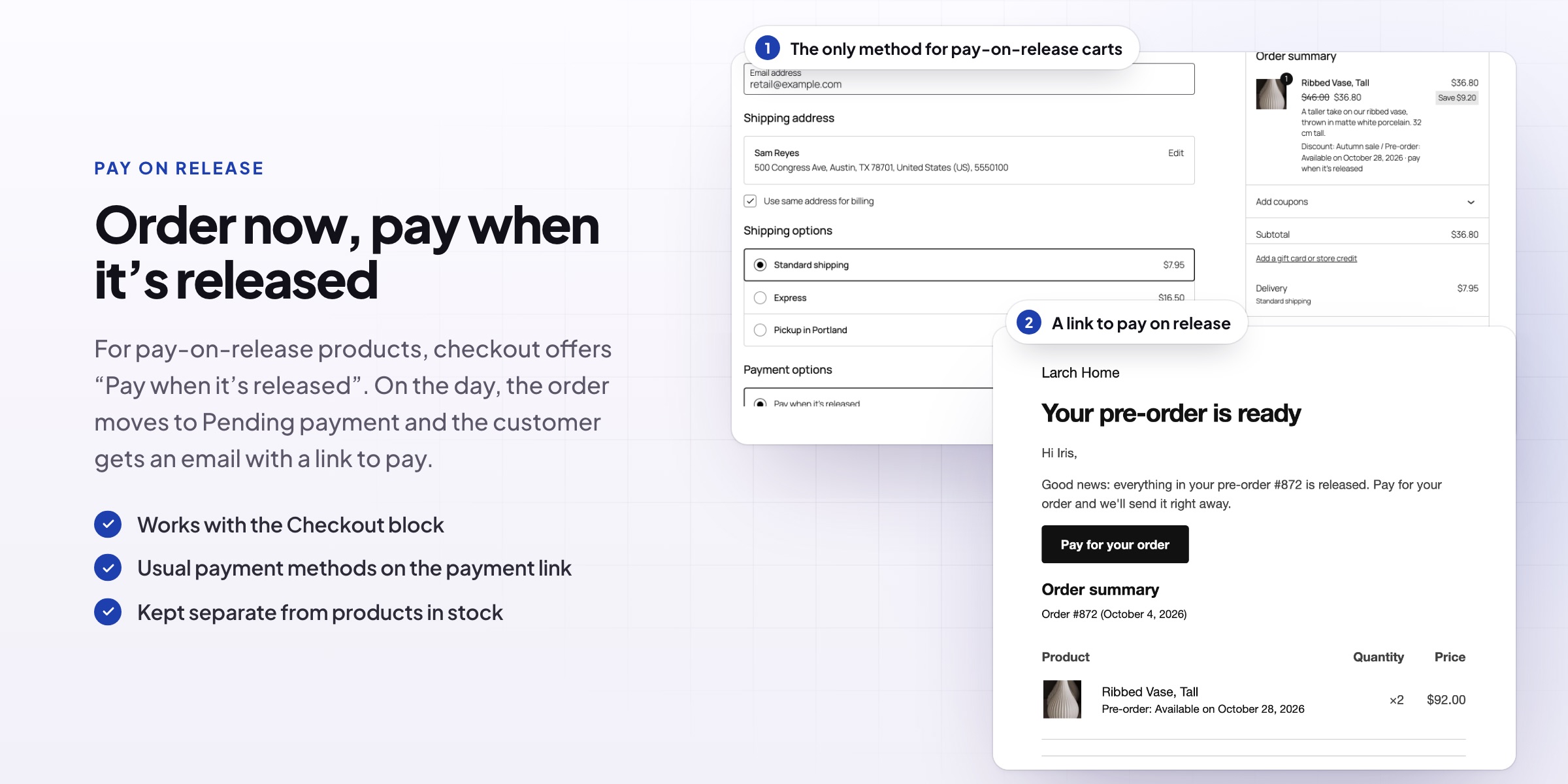
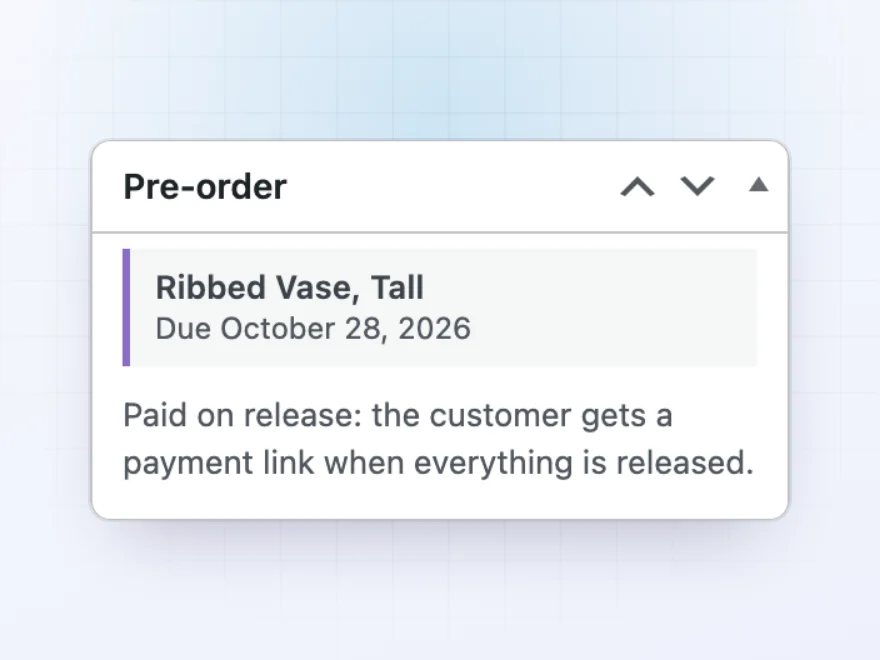
Customers pay at checkout as usual, and the order waits in its own Pre-ordered status. Or let them order without paying: when the product is released, the order moves to Pending payment and the customer gets an email with a link to pay.
- Pay at checkout, or pay on release
- Pay-on-release orders checked out on their own
- Pre-orders and in-stock products in one cart, or kept apart
Release
Released automatically on the day
Products are released at their date and time, or by hand with Release now. Paid pre-orders move to Processing, and pay-on-release pre-orders get their payment link. An order with several pre-order products waits until all of them are released.
- Automatic at the date and time
- Release now, for products without a date
- Change the date and customers are told
Emails
Customers kept in the loop
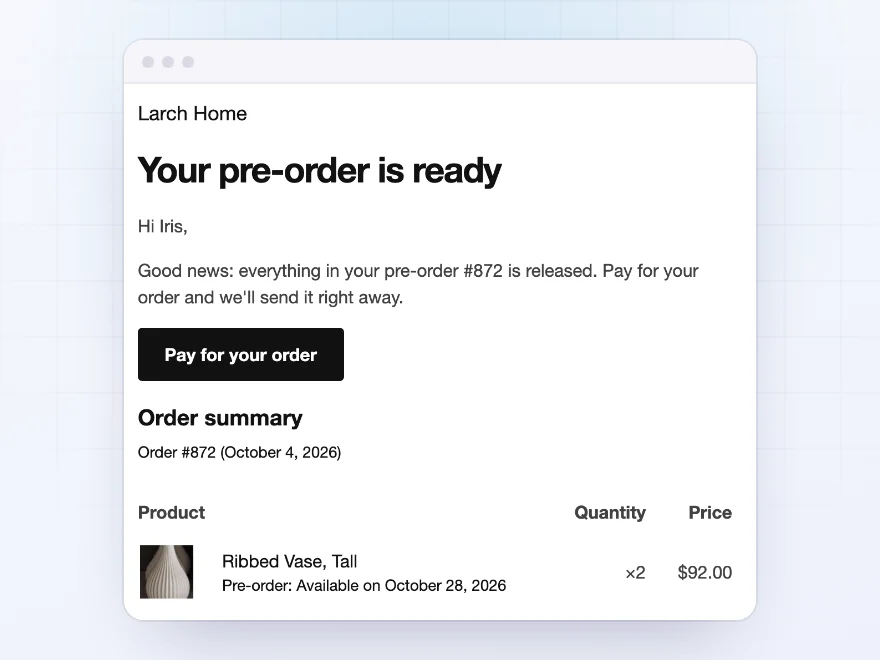
Customers get “Pre-order confirmed”, “Pre-order released” (with a payment link when they pay on release) and “Pre-order release date changed”. The store gets WooCommerce’s New order email for each pre-order, and every email uses your WooCommerce email design.
- Confirmed, released and date changed emails
- A payment link when it’s time to pay
- Your WooCommerce email design
For customers
Pre-orders clearly marked everywhere
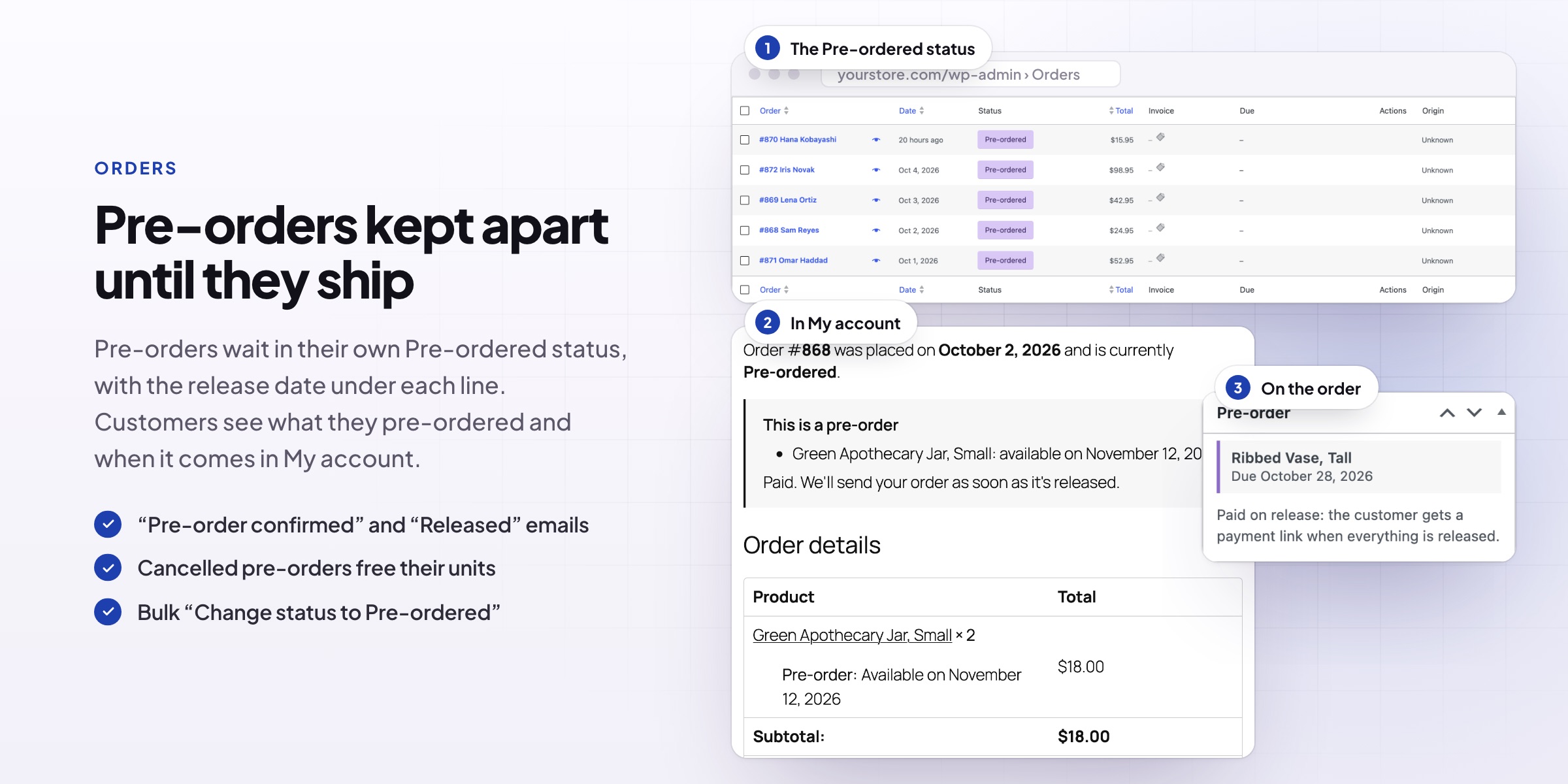
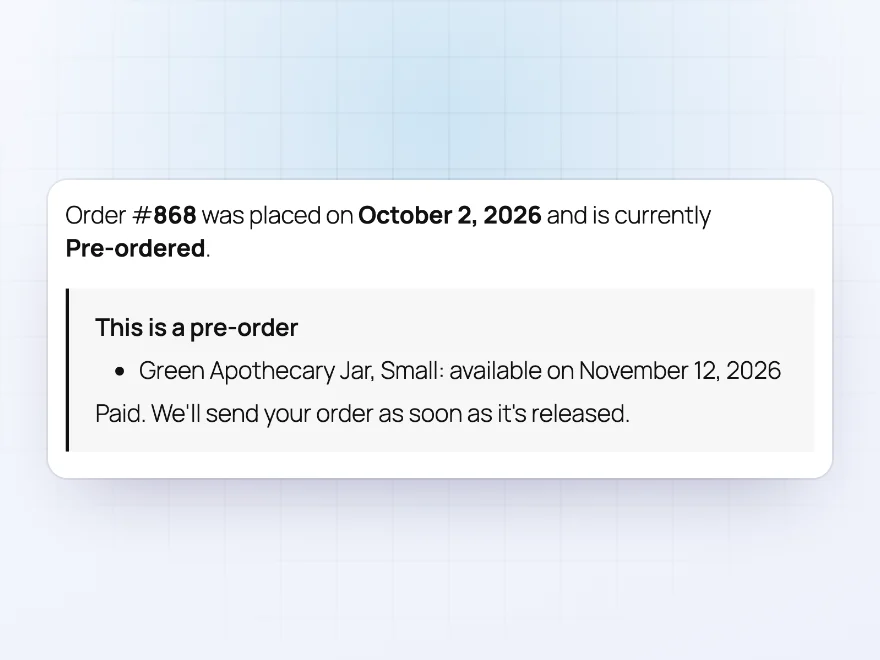
Pre-orders are marked on the order, in My Account and in emails, with the release date of each product. The Pre-orders screen lists every product taking pre-orders with its release date, the waiting orders and units, and a Release now button.
- The release date on every pre-order
- A Pre-ordered status for waiting orders
- A Pre-orders screen with every product
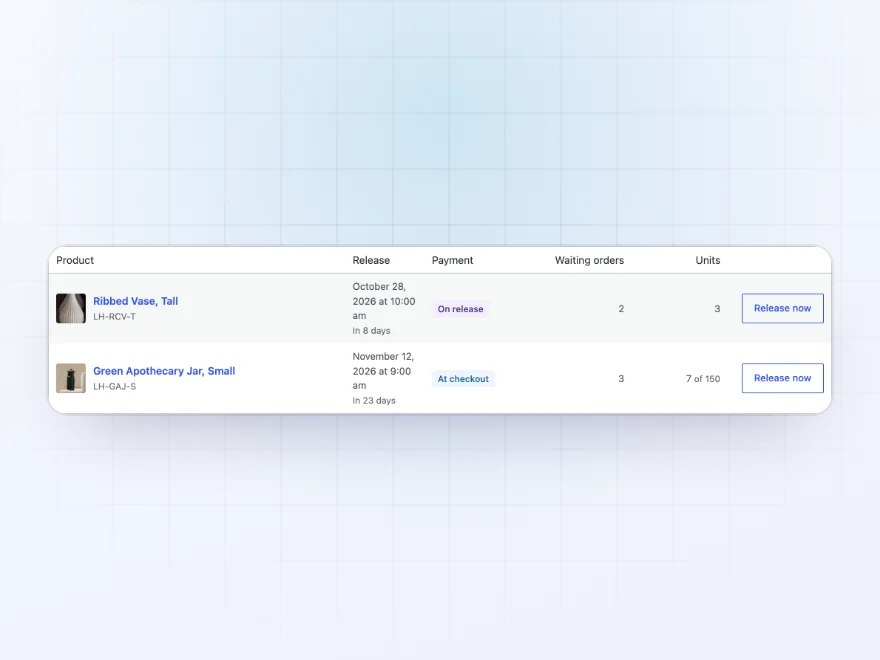
Pre-orders screen
Every pre-order product on one screen
WooCommerce › Pre-orders lists every product taking pre-orders with its release date and how many orders and units wait for it. Release a product early with one click.
- Release dates at a glance
- Orders and units waiting
- Release now
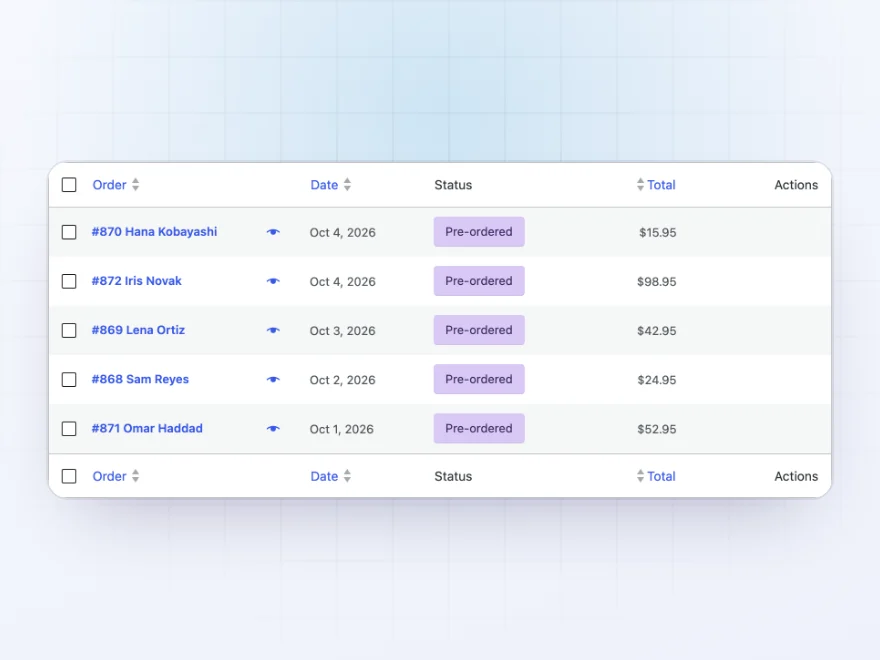
Orders list
Pre-ordered orders stand out
Waiting pre-orders have their own Pre-ordered status, so they stay out of your packing list until the product is released. When it is, paid orders move to Processing on their own.
- A Pre-ordered status
- Out of the way until release day
- Moved on by themselves
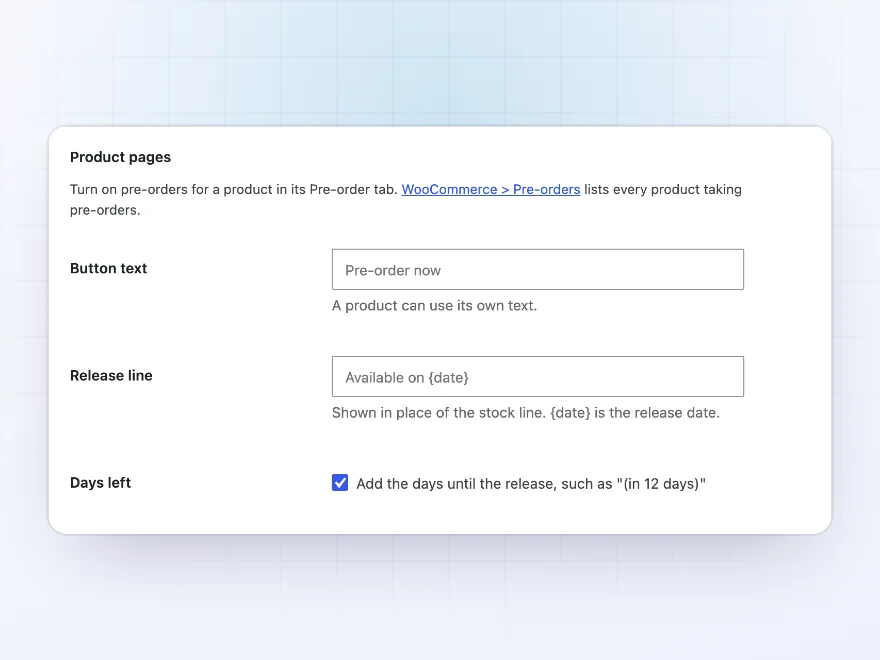
Store settings
Your texts and rules for the whole store
Set the button text, availability text and cart rules for every pre-order at once, and change them per product when you need to. Take pre-orders only while products are out of stock, store-wide or per product.
- Button and availability texts
- Pre-orders and stock in one cart, or apart
- Only while out of stock
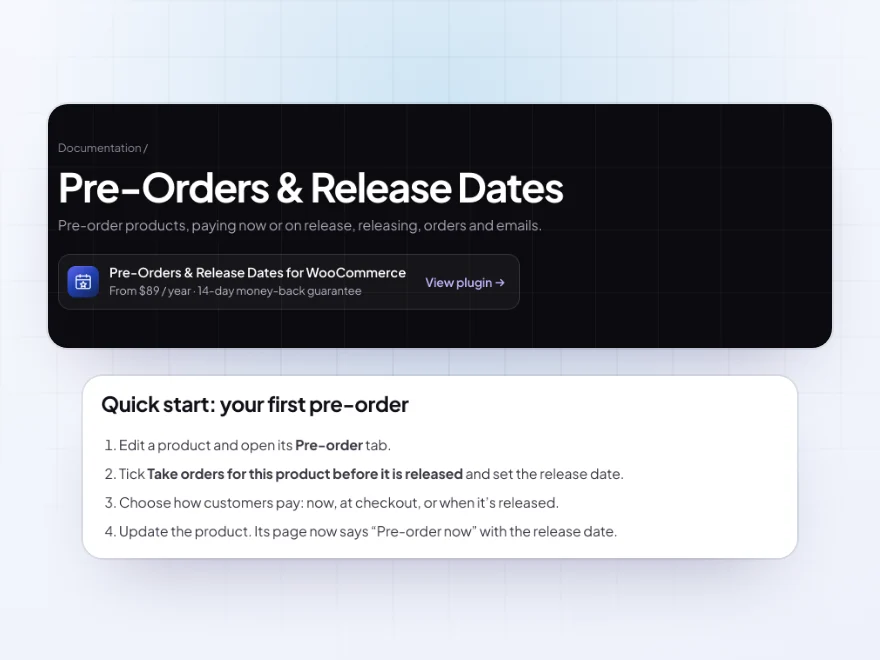
Docs and support
Try it, set it up, ask us anything
Try Pre-Orders & Release Dates in a live demo store before you buy. The docs start with a quick start and cover pre-order a product, pay now or on release and release. Support tickets are answered by the developers who make the plugin, and updates are included.
- A live demo store to try it first
- Step-by-step docs with a quick start
- Most tickets answered within 12–24 hours
WooCommerce pre-orders with release dates
Pre-Orders & Release Dates lets you accept pre-orders in WooCommerce for new collections, restocks and limited runs. Each WooCommerce pre-order product gets a release date, its own button and availability text, an optional limit and an optional pre-order price.
Customers pay at checkout or when the product is released, and waiting orders sit in their own Pre-ordered status until the day comes. Products are released automatically, customers are emailed when it happens or when the date changes, and a Pre-orders screen shows how many orders wait for each product.
Common setups
- New collections: pre-orders paid at checkout, shipped on the release date.
- Limited runs: 150 units, with how many are left on the product page.
- Pay on release: nothing to pay today, a payment link when it’s released.
- Restocks: pre-orders without a date yet, released by hand.
- Early bird price: 10% off for customers who pre-order.
Questions before you buy
Can customers pay later, when the product is released?
Yes. Choose pay on release: the order is placed without payment, and the customer gets an email with a payment link on release day.
What happens when the release date changes?
Change the date on the product, and customers waiting for it are emailed the new date.
Can I take pre-orders only while a product is out of stock?
Yes, for one product or the whole store. Waiting orders move on as soon as stock comes back.
Can a pre-order have its own price?
Yes. A fixed price, or a percentage or amount off or on top of the normal price. A lower price shows as a sale.
Does it work with variable products?
Yes. Pre-orders work with simple and variable products, with or without stock management.
Can pre-orders and in-stock products be in the same cart?
Pre-orders paid now can share a cart with products in stock, or be kept separate. Pre-orders paid on release are always checked out on their own.
Does it work with the Checkout block?
Yes. Pre-orders work in the classic cart and checkout and in the Cart and Checkout blocks.
Requirements
WordPress 6.8 or newer, WooCommerce 10.0 or newer and PHP 7.4 or newer. Works with simple and variable products, classic and block themes, the Cart and Checkout blocks, and High-Performance Order Storage.
Documentation
Step-by-step setup, every setting explained, and examples: read the documentation. Questions before you buy? Ask us.




Theo Walsh –
Smooth launch
Set it up for one launch to start. The overview made it easy to see who was waiting. Michael was helpful. Recommended.
oliverh –
mostly for the preorder overview. took me a little while to get the settings right. Thomas sorted it. good plugin
celine.m –
Checked the pay-on-release links on staging first. Works well.
frejad –
needed a bit of testing then it was fine. support was helpful with a question about release dates
loesv –
Pre-orders without the chaos
We use pre-orders for small releases. The separate overview helps while preparing. Michael set the payment links up for me. Works well.
ottob_79 –
a useful addition. we use the quantity limit regularly
lukasz_w –
Useful, but think it through
Release dates on product pages are what we needed. With three collections on different dates the baskets got confusing; a clearer cart warning would help. Support was helpful when I asked. Four stars, though it needs testing with your own dates.
Sarah Nolan –
We ran pre-orders for a new collection with a limit. Having the release date visible made it calmer. Michael sorted the quantity limit for me. Good plugin.